Newsletter
Want to keep up to date with all our latest news and information?


ResidentialBusiness
Administrators
-
Joined
-
Last visited
Everything posted by ResidentialBusiness
-
We may earn a commission from links on this page. Many years ago, I saw a tweet go around that said something like, "You have the same amount of hours in a day as Beyoncé." On the one hand, that was annoying, because while it’s true, I don’t have the same amount of resources. Still, yes, everyone has the same amount of hours in a day—point made. But as it turns out, what may be more important thing to understand is that we all have the same amount of hours in a week. That’s the basis for the "168 method," so named for the number of hours in a week. This productivity technique calls on you to expand your thinking around how much time you really have to get everything done, and act accordingly. What is the 168 method? This idea comes from Laura Vanderkam, author of 168 Hours: You Have More Time Than You Think. (Straightforward!) This is one of the few productivity books I recommend, because its premise is actually novel and actionable. The guiding point of the book is that when you think of your time in longer spans, like a week, you realize you have plenty of it and can get things done pretty easily. When you consider an average day, by comparison, you may come to the conclusion you don’t have enough time to do everything you need to do, so you’ll either make excuses or sacrifices, neither of which are helpful in getting it all taken care of. When you start thinking about your time on a bigger scale, you can stop letting the daily grind wear you down and breathe a little easier with the knowledge that you actually have a bunch of hours to work with. You can make a longer-term plan, expanding your timelines ever so slightly without giving yourself too much time to take on a given project (which is also a bad thing that can derail productivity). How to use the 168 method to get more doneYour first task here is to start tracking your time, and I mean militantly. You can use a time tracking software, calendar or scheduling software, a planner, or a regular old spreadsheet, but you have to be diligent and you have to be honest. For at least a week, mark down everything you did and the time it took you to do it, for the full 24 hours of each of the seven days. That includes sleeping, loafing, working, showering, commuting—everything. Be detailed, too. Don’t just mark down “working” from 9 a.m, to 5 p.m. List out the tasks you worked on and for how long, the breaks you took and what you did, and any extra work you did outside of those hours. At the end of the week (or two or three weeks, if you’re feeling particularly serious), assess the data by conducting an objective after-action review. Did you need to spend two hours answering emails on Tuesday, or could it have been done in half an hour? What were the distractions that dragged that out? Did you spend as much time on a hobby as you wanted to? If not, when could it have fit in? Maybe Thursday night, when you were scrolling social media? And how did that scrolling make you feel? Was it a necessary moment of unwinding, or would you have felt more accomplished if you’d headed to the gym? (Don't be too quick to write off your downtime, though, as breaks are also integral to productivity.) Your answers to these questions will be subjective. There’s nothing inherently wrong with chilling out and doing nothing, or sleeping in, or even dragging your feet on a task. But by laying out a clear, visual schedule showing everything you did (and didn’t do), you can see exactly where, within that 168 hours, you could have done something else. You can then use this data to better plan your future to-do lists and activities. If you know you have some extra time on Wednesday nights, maybe that’s when you should practice the piano or clean the kitchen. If you know you’re taking more time than you need to on compiling inventories at work, cut that down and use the extra minutes for another task. The value in this method isn’t in shaming yourself about how you allocate your time, but in broadening your understanding of that time into a full week, where you almost certainly will find you have unaccounted-for hours that can be put toward the things you didn’t think you had time to do. I’m not saying you’ll emerge from this journey on the same level as Beyoncé, but you’ll be on a better level than you were before, which is a start. View the full article
-
I spend most days in rooms where four generations argue about the same spreadsheet. Boomers, Gen X, millennials, and Gen Z staff the same executive teams, often guided by directors from a fifth—the Silent Generation. Four different eras, four different mental operating systems, one quarterly earnings call. When leaders tell me, “We’ve got a generation problem,” what they usually have is a self-awareness problem. A widely cited review of so-called generational differences at work found that many popular stereotypes don’t hold up very well when you look at actual data on values and attitudes. At the same time, more recent research shows that age-mixed teams can outperform when leaders handle the friction with care. So, the data tell us two things at once: People from different birth years are less alien than we’ve been told, and they can be a strength or a liability depending on how leaders show up. After three decades recruiting and coaching leaders, I’ve learned a simple rule: What you can see, you can shape. What you can’t see quietly shapes you. How our eras built our habits I’m a boomer. I grew up on a steady diet of “show up early, stay late, say ‘yes, sir.’” That wiring served me well in my time at the White House and later in boardrooms. It also produced a habit that took me years to spot: the urge to please. In hard conversations, I’d soften the edges. Add extra words. Smooth things over. Younger colleagues didn’t experience that as kindness. They experienced it as dodging. They wanted clarity, not choreography. Psychologist Jean Twenge, in her book Generations, shows how each cohort’s habits grew out of the era that raised them: boom-time expansion, layoffs and divorce, student debt and purpose-driven careers, social media and permanent comparison. None of that is virtue or vice. It’s conditioning. Trouble comes when we treat our conditioning as the gold standard and everyone else’s as a flaw. The most freeing move I’ve made as a leader was saying to myself, “My boomer urge to be agreeable is watering down the truth.” Once I named it, I could do something about it. A good first question for any leader is small and uncomfortable: What do people my age regularly praise me for that might secretly be wearing my team out? When senior leaders look in the mirror This isn’t just a mid-career problem. Senior leaders wrestle with it too. Elon Musk, a Gen Xer, has spoken openly about his “pathologically optimistic” timelines. That belief that nearly anything is solvable with enough grit, iteration, and contrarian thinking—is one of the hallmark traits of the Generation X worldview. For Elon, is has helped drive rockets, electric cars, and ambitious AI projects, and it has also pushed employees into impossible deadlines when reality didn’t cooperate. A classic boomer, Jamie Dimon, notes that his vigilance on risk is a strength, and he knows it can land as sharp or impatient in the room. Warren Buffett has explained in shareholder letters that his strong loyalty to managers sometimes kept him from moving fast enough to replace them when performance lagged. These leaders didn’t erase their blind spots. They acknowledged them, adjusted, and built teams that were allowed to tell the truth back to them and accelerated performance and massive shareholder value creation. The same move is available to the rest of us. Caricatures versus real people Generational caricatures are easier than real work. Boomers as workaholics. Gen X as cynical. Millennials as needy. Gen Z as fragile. They make for good jokes; they make for bad leadership. A study of multigenerational teams found that most friction comes from mismatched assumptions about communication, career speed, and feedback, not from wildly different values. That lines up with what I see in succession conversations: People want to grow, feel useful, and be treated fairly, regardless of their birth year. They simply learned different ways to signal those desires. You don’t need a grand theory to lead through that. You need a few habits that make your own lens visible to you and to others. 5 small moves to shrink the ‘generation gap’ Here’s a list I often give to CEOs who are tired of the generational blame game: Run a “shadow meeting” review once a month. After a key meeting, ask one person who’s at least 15 years older or younger than you: “Walk me through how that meeting felt to you—what landed, what didn’t?” Listen without defending. Add a two-question feedback round every quarter. Ask your direct reports: “What’s one thing I should keep doing? What’s one thing I should adjust?” No surveys. Just live conversation. Pair up for reverse mentoring. Invite a younger colleague to teach you one digital habit or collaboration tool they rely on. In return, offer one story about a time you failed and recovered. Research on reverse mentoring points to gains on both sides—skills and understanding grow together. Narrate your intent. In tense moments, say aloud what you’re trying to do: “I’m pushing hard here because I’m worried about risk,” or “I’m being quiet here because I want to hear others first.” You’ll be surprised how much misreading that removes. Pick one generational habit to bend. A Silent-era or boomer leader might deliberately leave the office on time twice a week and invite a younger colleague to walk out with them. A Millennial or Gen Z leader might choose one meeting a day where the laptop stays shut and the phone stays face-down. None of that requires a task force. It does require an honest look in the mirror. The real bridge across generations When leaders learn to notice their own blind spots and talk openly about them, something changes in the room. Silent-era steadiness calms Gen Z anxiety. boomer grit reinforces Millennial desire for purpose. Gen X realism ties these temperaments together. The bridge is not another app, policy, or slogan about generations. The bridge is a leader willing to see themselves clearly and invite others to do the same. View the full article

-
Labour will need a different leader if it pursues a policy of rejoining the EU customs union or single marketView the full article
-
Trial results mark boost to US pharmaceutical company’s booming obesity businessView the full article
-
Cheaper generics will be allowed on to market a year earlier to curb costsView the full article
-
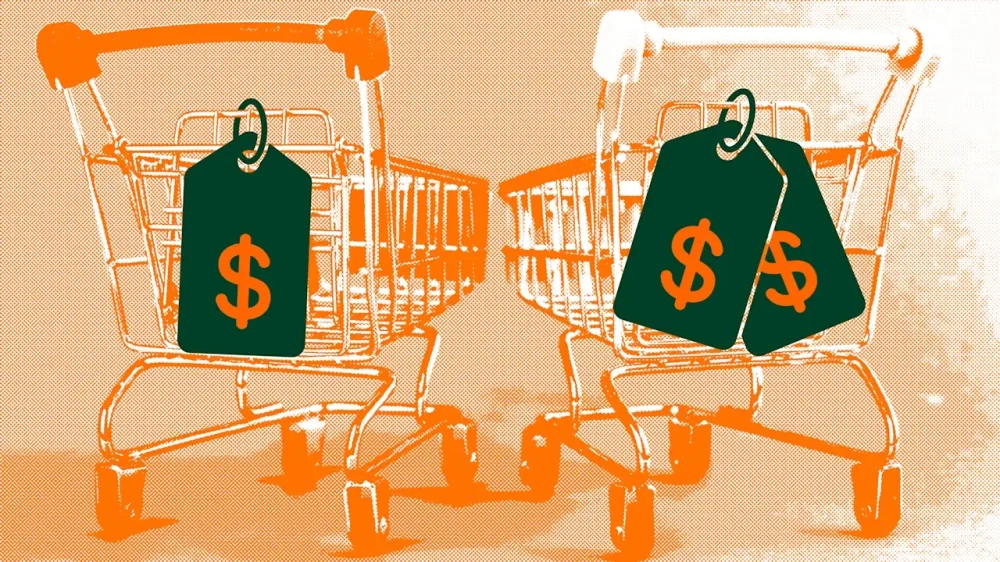
Instacart’s artificial intelligence-enabled pricing may be increasing the cost of your groceries by as much as $1,200 a year, according to a new study published on Monday. Instacart is an online grocery delivery and pickup service that allows customers to order groceries from local stores by using its technology platform, via app or its website, and then fulfills those orders through a personal shopper. The investigation from Consumer Reports and Groundwork Collaborative, a progressive policy group, found that some identical products were priced differently from one customer to the next—sometimes by as much as 23%. One company executive reportedly called the tactic “smart rounding” in an email between Instacart and Costco that Consumer Reports says was inadvertently sent to the magazine by Costco. The findings are based on data from 200 volunteers who checked prices on 20 items, in four cities, and found a difference in about 75% of those items in some of the biggest grocery and big-box retailers, including Costco, Kroger, Safeway, Sprouts Farmers Market, Albertsons, and Target. (Prices for the same products varied from as little as 7 cents to $2.56 per item.) Instacart, which previously disclosed its pricing experiments in corporate marketing and investor materials, said its shoppers are not aware that they’re involved in an experiment, but said the resulting price differences are small and “negligible.” “These tests are not dynamic pricing—prices never change in real time, including in response to supply and demand,” an Instagram spokesperson told Fast Company. “The tests are never based on personal or behavioral characteristics—they are completely randomized.” Instacart said the stores control the prices, and they work closely with them to align online and in-store pricing, wherever possible. “Each retailer’s pricing policy is displayed on their Instacart storefront, so customers always know when prices may differ from in-store and can easily compare prices across retailers before checkout,” the spokesperson added. “Just as retailers have long tested prices in their physical stores to better understand consumer preferences, a subset of only 10 retail partners—ones that already apply markups—do the same online via Instacart. These limited, short-term, and randomized tests help retail partners learn what matters most to consumers and how to keep essential items affordable.” As a result, a customer may see slightly lower prices on family staples such as milk or bread, and slightly higher prices on less price-sensitive products like craft beverages or specialty snacks, Instacart said. View the full article
-
Data shows 55% increase in flu patients last week compared with previous weekView the full article
-
Beijing and several European countries hold up deal to exempt US multinationals from OECD tax regimeView the full article
-
A federal judge recommended that an enhanced real estate reporting requirement, which could send paperwork and costs soaring next year, remain intact. View the full article

-
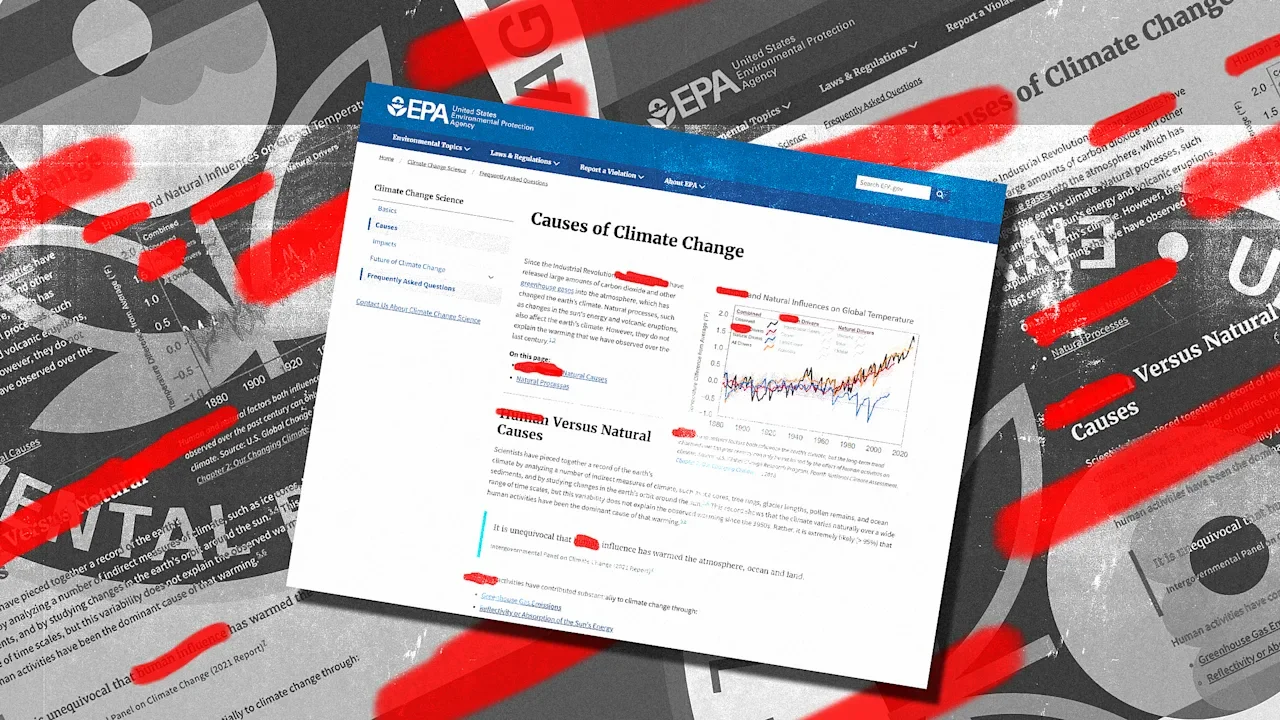
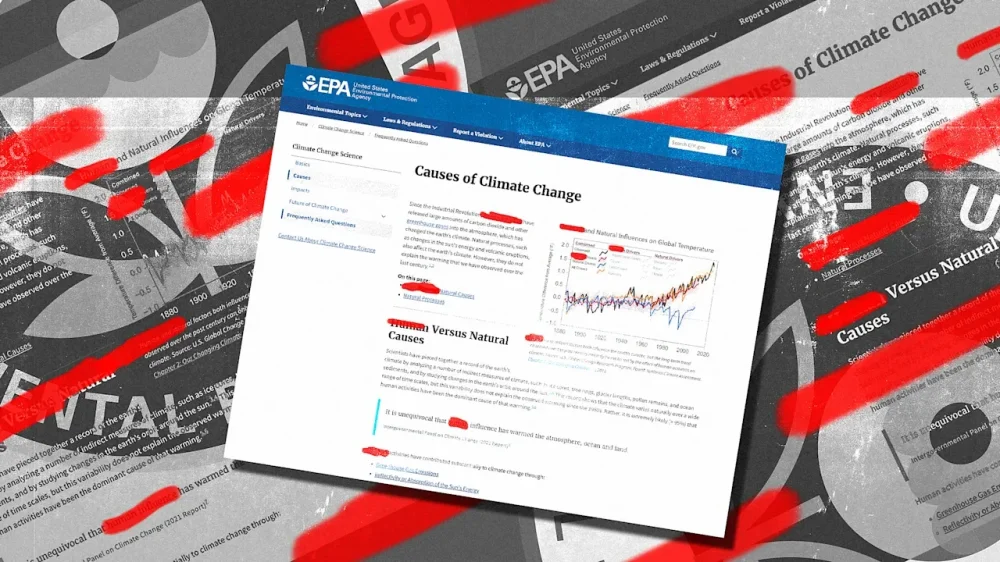
Human activity is driving climate change; that’s a fact that more than 99.9% of scientific papers agree on. But the Environmental Protection Agency (EPA) has quietly removed that information from a webpage explaining climate change’s causes. It’s yet another move by the The President administration that downplays climate science. The President has previously called climate change a “hoax,” repealed numerous climate laws, and has bolstered the use of fossil fuels, the burning of which are the main cause of rising heat-trapping greenhouse gas emissions. An EPA page titled “Causes of Climate Change” once began by directly noting that “since the Industrial Revolution, human activities have released large amounts of carbon dioxide and other greenhouse gases into the atmosphere, which has changed the earth’s climate.” Now, that page begins by stating, “Natural processes are always influencing the earth’s climate and can explain climate changes prior to the Industrial Revolution in the 1700s.” (The previous version of the website is still available via online archives.) A purging of scientifically accurate information Daniel Swain, a climate and weather scientist at UCLA, noticed the change earlier this week. It began when a weather communications colleague reached out to him about the EPA’s “Indicators of Climate Change” section being offline. That section wasn’t just one web page, but an entire subdomain that included data, maps, and detailed stories on certain climate change indicators like shrinking glaciers and rising sea levels. It was often used by experts, including Swain himself, to grab ready-made info graphics and other resources. Swain looked into that issue, and found that the link now redirects to a broken web page. Then he started digging into other webpages from the EPA. “It immediately became clear that there had been a much larger scale, essentially, purging of scientifically accurate information from a large portion of the EPA public facing website,” he says. The EPA also removed a sub page on climate change impacts that discussed events like floods and heatwaves. But even more concerning than certain pages disappearing, Swain says, was the change to the “causes” webpage removing the mention of human activity. “That had been, not removed, but dramatically modified to the point where it is now false,” he says. The move isn’t necessarily surprising from the The President administration, Swain adds. But he calls it a “pretty clearly deliberate effort to shift the public facing view on formally authoritative federal agency documents, communications, and websites to align with partisan political priorities.” It’s not exactly clear when these changes occurred, but the Wayback Machine shows the comments about human activity still on the EPA website in early October. While nearly all information about human-caused climate change has been scrubbed from the website, one stray reference to it remains, at the end of a section discussing how volcanic eruptions have previously released large amounts of carbon dioxide into the atmosphere. “Volcanic particles from a single eruption do not produce long-term climate change because they remain in the atmosphere for a much shorter time than greenhouse gases,” that section currently reads. “In addition, human activities emit more than 100 times as much carbon dioxide as volcanoes each year.” In a statement to the New York Times, a spokesperson for EPA administrator Lee Zeldin noted that the archives still existed, and said that the The President administration is focused on human health over “left-wing political agendas.” “This agency no longer takes marching orders from the climate cult,” she added. (A separate EPA webpage, titled “Future of Climate Change,” does still point to human causes of global warming.) Humans have caused more than 100% of climate change The science on climate change is clear: Human activity is the cause. In fact, previous climate scientists’ analyses have found that humans have caused more than 100% of global warming since 1950. That’s possible because of the fact that earth’s natural cycles have actually slightly cooled the planet over the last century. “Essentially, human causes have not only caused the warming that we’ve seen, but it’s also offset a bit of cooling that otherwise would have occurred,” Swain says. “Human caused warming is, for all intents and purposes, the singular cause of contemporary climate change,” he adds. Disinformation and AI confusion There are other resources for accurate climate information that note human activity as its cause. But the EPA’s move to remove that information points to a broader issue, in which the The President administration is eroding credibility in government information and its institutions at large. The same thing has played out on the CDC and Health and Human Services websites, specifically concerning vaccines. To Swain, altering a page on climate change causes shows intent to deceive. “They chose not to delete that page. They heavily modified it to the point of scientific incorrectness,” he says. “That is choice . . . and it is arguably something that is even more deeply concerning, because it shows a willingness, essentially, to lie, and to present information that is false.” This move from the EPA could also have ricochet effects. Consider AI overviews and LLMs, Swain says. If they re-aggregate these webpages from the EPA, they may also regurgitate those falsehoods. “The algorithm is not capable of differentiating truth from fiction,” he says. “The challenge is that it is getting more and more difficult to find consistent, reliable, and authoritative sources for this kind of information.” View the full article
-
As the The President administration makes announcement after announcement about its efforts to promote the U.S. fossil fuel industry, the industry isn’t exactly jumping at new opportunities. Some high-profile oil and gas industry leaders and organizations have objected to changes to long-standing government policy positions that give companies firm ground on which to make their plans. And the financial picture around oil and gas drilling is moving against the The President administration’s hopes. Though politicians may tout new opportunities to drill offshore or in Arctic Alaska, the commercial payoff is not clear and even unlikely. Having worked in and studied the energy industry for decades, I’ve seen a number of discoveries that companies struggled to move forward with because either the discovery was not large enough to be commercially profitable or the geology was too difficult to make development plausible. Market conditions are the prime drivers of U.S. energy investment—not moves by politicians seeking to seem supportive of the industry. Market fundamentals The President policy announcements The general decline in oil prices from 2022 through late 2025 has reduced the attractiveness of many drilling investments. And opening the East and West coasts to drilling may sound significant, but these regions have unconfirmed reserves. That means a lot of subsurface work, such as seismic surveys, stratigraphic mapping, and reservoir characterization—potentially taking years—would need to be done before any drilling would begin. Offshore drilling also faces enormous opposition. On the West Coast, California Gov. Gavin Newsom and California Attorney General Rob Bonta have made forceful statements against any new California offshore oil drilling. They have said any effort is economically unnecessary, environmentally reckless, and “dead on arrival” politically in the state. California local governments, environmental groups, business alliances, and coastal communities also oppose drilling and have vowed to use legal and political tools to block them. There is opposition on the East Coast, too. More than 250 East Coast local governments have passed resolutions against drilling. Governors on both sides of the aisle, including Democrat Josh Stein of North Carolina and Republicans Brian Kemp of Georgia and Henry McMaster of South Carolina, have spoken out against drilling off their coasts. Bureau of Safety and Environmental Enforcement Arctic drilling is even harder Drilling for oil and gas in the Arctic National Wildlife Refuge and the Beaufort Sea off Prudhoe Bay in Alaska would be a massive undertaking. These projects require years of development and are subject to future reversals in federal policy—just as The President has lifted long-standing drilling bans in those areas, at least for now. In addition, Alaska is one of the most expensive and technically challenging places to drill. Specialized equipment, infrastructure for frozen landscapes, and risk mitigation for extreme weather drive costs far above other regions. These projects also face logistical challenges, such as pipelines running hundreds of miles through remote, icy terrain. Natural gas from Alaska would likely be sold to Asian buyers, who increasingly have alternative sources of supply from Australia, Canada, Qatar, and even the U.S. Gulf Coast. As production rises in those places, the entrance of Alaskan natural gas into the market raises the risk for global oversupply, which could depress prices and reduce profitability. Despite political support from the The President administration, the oil and gas companies would need financing to pay for the drilling. And those loans won’t come if the oil companies don’t have agreements with buyers for the petroleum products that are produced. Major oil companies have withdrawn from Alaska and signaled skepticism about attractive long-term returns. The President has helped some In the first 10 months of the second The President administration, the president has signed at least 13 executive orders pertaining to the energy industry. Most of them focus on streamlining U.S. energy regulation and removing barriers to the development and procurement of domestic energy resources. However, the broad nature of some of these orders may fall short of establishing the stable regulatory environment necessary for the development of capital-intensive energy projects with long time horizons. Those efforts have reversed the Biden administration’s go-slow approach to oil drilling, reducing—though not completely eliminating—the backlog of requests for onshore and offshore drilling permits that accumulated during Biden’s presidency. Delays in permit approvals increase project costs, risk, and uncertainty. Delays can increase the chances that a project ultimately is downsized—as happened with ConocoPhillips’ Willow project in Alaska—or canceled altogether. Longer timelines increase financing and carrying costs, because capital is tied up without generating revenue, and developers must pay interest on the debt while waiting for approvals. Delays also lead to higher project costs, eroding project economics and sometimes preventing the project from turning a profit. Investment follows economics, not politics Unlike in some countries, such as Saudi Arabia’s Aramco, Norway’s Equinor, or China’s CHN Energy, the U.S. does not have a national oil or gas company. All of the major energy producers in the U.S. are privately owned and answer to shareholders, not the government. Executive orders or political slogans may set a tone or direction, but they cannot override the fundamental requirement for profitability. Investments can’t be mandated by presidential decree: Projects must make economic sense. Without that, whether due to low prices, high costs, uncertain demand, or changing regulations, companies will not proceed. Even if federal policies open new areas for drilling or relieve some regulatory restrictions, companies will invest only if they see a clear path to profit over the long term. With most energy investments costing large amounts of money over many years, the industry likely wants a sense of policy stability from the The President administration. That could include lowering barriers to profitable investments by accelerating the approval process for supporting infrastructure, such as transmission power lines, pipelines, storage capacity, and other logistics, rather than relying on sweeping announcements that lack market traction. Skip York is a nonresident fellow in energy and global oil at the Baker Institute for Public Policy at Rice University. This article is republished from The Conversation under a Creative Commons license. Read the original article. View the full article

-
Remember earlier this year when everyone on your feed was wearing bizarre shoes, like Maison Margiella’s ballerina flats with split toes and mesh ballet flats? Or when statement scrunchies were all the rage? Don’t feel bad if you missed it. Blink, and the trend was over. Over the past 15 years, the pace of fashion trends has sped up thanks to social media and fast fashion brands. But over the past five years, with the rise of TikTok and Shein, they’ve gotten out of control. Micro-trends pop up in a subculture of the internet, lasting for just a few days before fading into oblivion. It’s gotten to the point where many people have lost interest in fashion trends altogether, at least according to Stitch Fix, the personal styling service. Every year, the company culls through the data of its more than two million clients and gathers insights from the personal stylists who serve them, to predict future buying behavior. Two thirds of customers have expressed “trend-fatigue,” and are generally ignoring trends. “People are tired of trying to keep up with what’s in,” says Amy Sullivan, Stitch Fix’s VP of buying and private brands. This wasn’t always the case. Stitch Fix’s customers aren’t necessarily fashionistas, since they’re keen to outsource their clothes shopping to experts, but they do generally mirror the tastes of the broader American population. Over the past few years, they’ve requested garments that were on trend. After the pandemic, they were keen on “dopamine dressing,” which meant picking colorful, mood-boosting looks. Then, last year, they were into quiet luxury, the understated sophisticated look popularized by the TV show Succession. But this year, nobody seems to know—or care—whether there’s a single, dominant aesthetic. Instead, Sullivan says they’re just requesting classic, versatile staple looks, like black tops and white button-down shirts. To prevent their outfit from getting too boring, they’re asking for statement pieces, like sculptural jewelry or colorful handbags, that add a hit of visual interest. Stitch Fix has surfaced the color “Chili Red” as a hue that will allow customers to add some spice to otherwise very basic looks. “Color is a way to bring neutral staples to life,” says Sullivan. “We’re seeing sales of red pieces go up, but they’re generally adding just a small pop of color to their outfit.” If you needed another piece of evidence that consumers are over trends, Stitch Fix stylists say that customers are inspired by the style of Jennifer Aniston and Anne Hathaway. These celebrities aren’t exactly known for their cutting-edge fashion: When they’re not on the red carpet, they’re generally wearing classic pieces in neutral colors. “Their style is very accessible,” says Sullivan. “They’re not as fashion-forward as some other celebrities.” Pantone, the color expert, appears to have also recognized that the world is exhausted by the constant churn of trends. For 2026, it has chosen a shade of white called Cloud Dancer for its color of the year. It’s a hue that telegraphs a desire for blankness at a time when “the overstimulation of the internet is only increasing,” as my colleague Mark Wilson writes. For those of us who care about sustainability, consumers’ exhaustion with trends is an unmitigated good. For the past two decades, as trends have sped up, the industry has churned out more and more clothing. Brands like Shein produce low-priced, low-quality clothes that are effectively designed to be disposable. This flood of clothing is destroying the planet. Making these garments consumes natural resources, and spews carbon emissions into the atmosphere. Most will only be worn a few times before ending up in a landfill. One solution to this environmental catastrophe is for people to buy fewer clothes. A way to get there is for consumers to abandon trends and focus, instead, on purchasing staples when their budget allows. So Stitch Fix’s prediction is encouraging. But our abstention from trends last? Have we finally entered a post-fashion-trend reality? Sullivan believes that’s possible. “Everyone is agreed that we want to invest in durable, classics as the foundation of our wardrobe,” she says. “It doesn’t seem like we’re ever going back to a time when the fashion industry dictated trends that we all have to follow. And there’s something liberating about that.” View the full article

-
They look like ordinary basketball courts. But two new courts built next to public housing in New York City double as flood prevention. In a sudden flash flood—when the city’s aging sewer system can easily become overwhelmed and streets can fill with water—the sunken basketball courts act like retention basins. The design can hold as much as 330,000 gallons, with the court’s lowest areas filling like a pool and additional water stored in bioretention cells beneath the surface. The project “becomes like a sponge, which basically holds the water as much as it can,” says Runit Chhaya, principal at Grain Collective, a landscape architecture firm that worked on the design with city agencies, local residents, engineers from Hazen and Sawyer, and the urban planning firm Marc Wouters Studios. “It helps in not putting stress on the city storm system during a flood event.” The redesign is part of a larger program that began in 2017, when the New York City Department of Environmental Protection drew inspiration from the way that low-lying cities like Copenhagen were dealing with “cloudbursts” of extreme rain. Climate change is making heavy storms more likely because warmer air holds more moisture, loading clouds with extra water. It’s an even bigger challenge in cities like New York that are covered in pavement and that have combined sewer systems, meaning a single system handles both household sewage and stormwater. As the city looked for ways to capture stormwater, public housing sites presented an opportunity. “NYCHA is unique in having large pieces of property within very dense neighborhoods that provide the opportunity to mitigate stormwater overflows in a way that most properties do not,” says Siobhan Watson, vice president of sustainability at the New York City Housing Authority (NYCHA). There was also an opportunity to improve public space. The design team worked closely with NYCHA residents, emphasizing that the project wasn’t just about climate change. “It’s very hard to go to these communities and just start talking about climate change and flood protection because they are thinking about basic needs and we are talking about infrastructure they didn’t even ask for,” says Chhaya. “So you kind of change the story—and it’s an honest story that, hey, it’s actually a win-win situation. You’re going to get an upgraded amenity.” At South Jamaica Houses, an apartment complex in a low-lying, flood-prone neighborhood in Queens, the project replaced two older basketball courts with the new sunken design. The courts are now surrounded by steps so spectators can watch a game or casually hang out. The space is also designed to be used for other purposes, like a summer movie night or farmers market. During storms, rain from nearby streets is channeled through pipes into bioretention areas beneath the basketball courts. The courts, which are roughly three feet deep, also can hold up to a foot of water in areas and then slowly release it. Most of the stored water seeps underground in the 48 hours after a storm. If the subsurface storage is full, a valve allows the rest of the water to overflow to the sewer only when there’s capacity. The inspiration came from similar designs in Europe, including a “watersquare” in Rotterdam that functions as public space most of the time but captures water in heavy storms. The projects are an investment—the first system at South Jamaica Houses cost around $5 million—but could help prevent more costly damage. When planning first began, the city was thinking about long-term resilience. “At the time, we had not really experienced these kinds of extreme rains that we’ve seen over the past few years,” says Watson. “And over the course of time as this project has been developed, the context has totally changed.” The city has now seen storms like Hurricane Ida, in 2021, where extreme, sudden rain caused severe flooding and killed 11 people living in basement apartments. Ida showed the danger is real and urgent, underscoring the need for projects like the new courts. Now, New York City is moving forward with more of the infrastructure at other public housing around the city. At a complex called Jefferson Houses, a new playground under construction uses permeable pavers to channel rainwater into underground storage tanks. Another basketball court is set to begin construction at Clinton Houses, and other projects are in the design phase now at four other sites. View the full article

-
“I want to talk about something that I feel like maybe is a little controversial,” content creator Jaclyn Hill said in a video posted earlier this week. The OG beauty influencer got her start on YouTube well over a decade ago. She’s since grown across different social media channels, including Instagram and TikTok, where she has 8.5 million and 1.2 million followers, respectively. In the video, which has since racked up over 3.5-million views, she opens up about how she’s been struggling to get views on TikTok and feels like she’s “running through mud” to connect with her followers. “When you have a million followers, but you’re getting 30,000 views, this is just not the way it used to be,” she said. She was right—the video proved controversial. Fans instantly took to the comments to push back at Jaclyn, saying that the influencer was being “out of touch.” One user commented: “Saying ‘I’m burnt out’ from posting Sephora hauls and grwms to employed people is insane.” Another wrote: “Babe. That sweatshirt is $140. That’s my entire weekly grocery budget that we can afford for our entire family.” Amid the backlash, an important point has been somewhat lost. Hill was taking issue with low views, a sign that her content is not being shown to those who have chosen to follow her. She was not raising the issue of low engagement, which would have been a sign that her followers were no longer enjoying her content. Instead, Hill has inadvertently found herself the newest face of a longstanding conversation around influencer fatigue. These feelings have been bubbling for a few years now and every few months resurface in reaction to one viral video or another. “Jacyln, you’re rich, and you won,” one creator, @daadisnacks, said in response to her video. “I’m sorry if people don’t want to be drowned in overconsumption by influencers when they can’t afford groceries or housing.” Fast Company has reached out to Hill for comment. This sums up the general sentiment online, as internet users are increasingly fed up with inescapable ads and being sold to 24/7. In many cases, people aren’t buying what influencers are selling, namely luxury items and extravagant lifestyles that feel overwhelmingly out of touch with most Americans’ reality. Such conspicuous consumption has grown somewhat distasteful at a time when nearly half of Americans are struggling to afford rent and groceries. Content creators on the whole are an easy target, especially when they are seen to be complaining to the audience that gave them their platform in the first place. It’s worth reiterating, Hill’s issue was directed at the algorithm not her followers—a complaint that has been echoed by other influencers on the platform over the years. As opposed to platforms like Instagram, where users would have to actively follow accounts to see influencer posts in their feeds, TikTok relies on an algorithm that shows users posts on their For You page based on what their behavior suggests they might like. Let’s say a group of viewers responds positively to a video, either by sharing the video or watching it in full, TikTok then shows it to more people who it thinks share similar interests. That same process then repeats itself, until the video goes ultimately viral. But if the first group of viewers the video is shown to only watches a few seconds before scrolling on, it is then shown to fewer users, limiting its potential reach. If viewers are no longer interested in watching overconsumption from influencers, the algorithm will stop pushing it out. For Hill, she put the question to her followers as to what they want to see instead. Addressing the backlash in a follow up video, she said: “My ears are open, I’m listening.” View the full article

-
Change is often presented as an enigma. Unlike a traditional management task, you can’t just devise a plan and execute it. To be an effective change leader, you need to embrace a certain amount of uncertainty because change, by definition, involves doing new things, and that always involves some measure of unpredictability. Still, that doesn’t mean change is mysterious. We actually know a lot about it. In Diffusion of Innovations, researcher Everett Rogers compiled hundreds of studies performed over many decades. Around the same time, Gene Sharp led a parallel effort to understand how large-scale political movements drive social and institutional change. So while any change effort involves no small amount of uncertainty, there is also quite a bit of consistency. Much as Tolstoy remarked about families, all successful transformations end up looking very much alike, while all unsuccessful transformations end up failing in their own way. Here are four numbers to keep in mind as you embark on your change journey. 1. Three Quarters Of Transformational Initiatives Fail In 1983, McKinsey consultant Julien Phillips published a paper in the journal Human Resource Management that described an “adoption penalty” for firms that didn’t adapt to changes in the marketplace quickly enough. His ideas became McKinsey’s first change management model that it sold to clients. Yet it was Harvard’s John Kotter, in his seminal 1996 book Leading Change, who really popularized the idea of change management, bringing it from academic theory into the practical world of business. His eight-step change management process continues to define the field for many even today. Later, Prosci’s ADKAR model gained prominence. Yet for all of the prestige surrounding these ideas, there’s no evidence that any of these change management methods actually work. In fact, in a 2021 study McKinsey found that 69% of transformation efforts fail. A more recent study by Bain found that only 12% succeeded and 75% had mediocre results. That’s abysmal. There are many theories about why change fails. The McKinsey’s report points out that the source of failure can come at any stage, from target setting to planning, implementation, and after. Bain found that nearly all failed transformations were underfunded. In truth, however, these are symptoms, not causes. In my research I’ve found something simpler and more fundamental: change fails because people resist it. If you can overcome resistance, change is possible. If not, it isn’t. That is why we developed a simple tool called the Resistance Inventory, so that our clients can anticipate resistance from Day 1 and build strategies to mitigate it. 2. Two-Thirds Of Employees Experience Change Fatigue Managers launching a new initiative often seek to start with a bang. They work to gain approval for a sizable budget as a sign of institutional commitment. They recruit high-profile executives, arrange a big “kick-off” meeting, and look to move fast, gain scale, and generate some quick wins. All of this is designed to create a sense of urgency and inevitability. Yet trying to manufacture urgency often backfires. In Cultures of Growth, Stanford social psychologist Mary C. Murphy points out that disruption undermines the growth mindset that is essential for building an innovative culture. In particular, she cites research indicating that fear inhibits learning. There is also evidence to suggest that this effect is especially pronounced among top performers, who tend to be more prone to anxiety. Now consider a 2014 report by PwC. In a survey of more than 2,200 executives, managers, and employees located across the globe, it found that 65% of respondents cited change fatigue, and only about half felt their organization had the capabilities to deliver change successfully. It gets worse: 44% of employees say they don’t understand the change they’re being asked to make and 38% say they don’t agree with it. Perhaps not surprisingly, employees view new transformation initiatives suspiciously, taking a “wait-and-see” attitude, undermining the momentum and leading to a ”boomerang effect” in which early progress is reversed when leadership moves on to other priorities. The impact on mental health is substantial. Stress disengages the parts of the brain related to cognitive and executive functions and activates the emotional parts of the brain instead. A recent study by the American Psychological Association found that 71% of American workers report feeling stressed at work and three in five say it negatively impacts their performance. 3. Only 10%–20% Participation Is Needed To Hit An Inflection Point The biggest misconception about change is that, to get people to adopt it, you need to sell the value of an alternative future. The real problem with change is that the status quo has inertia on its side, and never yields its power gracefully. It has had years—or even decades—to build support among internal and external stakeholders. That’s why most transformational efforts fail and why two-thirds experience change fatigue. The status quo, despite its drawbacks, is what people know. To adopt something new, we need to overcome the synaptic patterns built up in our brains, the cultural forces to which we have conformed and to overcome switching costs. That’s never easy. So how do you break the cycle? The good news is that you don’t have to convince everyone at once. We know from the earliest diffusion studies on things like hybrid corn and tetracycline that it takes only 10%–20% to adopt an innovation for rapid acceptance by the majority to follow. Everett Rogers, in his seminal Diffusion of Innovations, found that this pattern was consistent over hundreds of studies spanning many decades. The key is to understand that change doesn’t spread through communication campaigns, but through peer networks. If you can empower 10%–20% of your organization to be successful with a new idea, they will spread it to their friends, who will spread it to others still. People adopt what they see working around them. So instead of trying to shape opinions, work to shape networks. 4. 84% of U.S. Corporate Assets Are Now Intangible Assets In the early 1980’s, Intel’s President, Andy Grove, realized he had a problem. The company had built its business on DRAM memory chips. But competition from the Japanese was killing its profits. As he described in his book, Only The Paranoid Survive, things came to head in the middle of 1985. He turned to Intel’s Chairman and CEO Gordon Moore and asked him what a hypothetical new CEO would do if they were both fired. Moore replied without hesitation that the new CEO “would get us out of memories.” It was right then and there that a decision was made to focus on the microprocessors that would lead Intel to industry dominance. It’s a great story and, for many, it has come to epitomize effective change leadership. Leaders make a strategic decision, communicate it effectively, and see that it is implemented at every level of the organization. Questions and concerns are listened to and addressed, but at the same time, the message is clear: Change is coming and you need to get on board. But consider that research shows in 1975, during roughly the same period that Gove and Moore transformed Intel, 83% of the average US corporation’s assets were tangible assets, such as factories, machinery, and buildings. When your assets are tangible, change is largely about communicating strategic decisions made from above. There’s little anybody can do to resist them anyway. However, the very same research finds that by 2015, 84% of corporate assets became intangible, such as licenses, patents, and research. Change is no longer about making decisions about strategic assets, but about influencing what people think and do everyday. You can’t try to force or overpower that kind of change, you need to attract and empower. And that is probably the most important thing to know about how transformations happen today: change itself has changed. We can no longer just tell people to do what we want; we need to attract people who want what we want, who share our sense of mission. It is no longer enough to simply plan and direct action; we must inspire and empower belief. View the full article

-
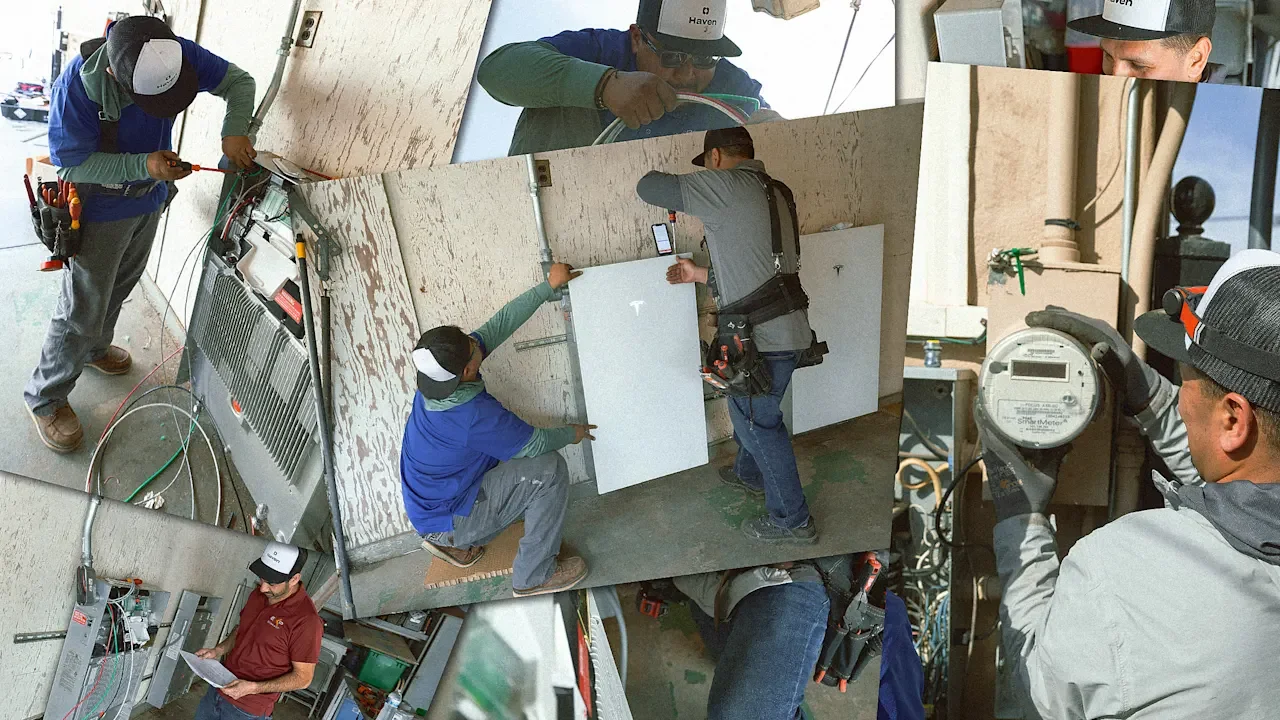
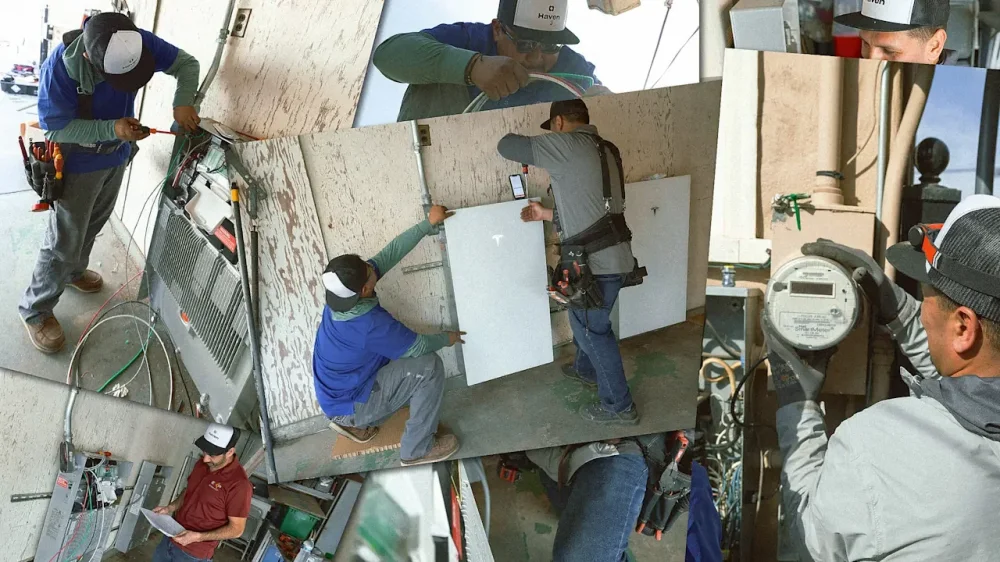
As data centers strain the power grid, utilities are scrambling to build new power plants. But a startup in California is one of a handful focusing on the problem from a different angle: building a network of batteries and solar panels at homes to relieve pressure on the grid more quickly. In some cases, thanks to state funding, low-income homeowners can get the systems installed at no cost, and then start saving on their electric bills and have access to backup power if the grid goes down. Others pay a subscription that’s lower than their previous electric bill. Then the startup, called Haven, manages the flow of power back to the grid. Why utilities see Haven’s network as a ‘mini power plant’ “We own and operate all the batteries,” says Haven CEO Vinnie Campo. (The company focuses on batteries, but also installs and owns connected rooftop solar panels at some homes.) “We’re then able to provide to the utility a fixed dispatch or fixed capacity from those batteries. They can almost think of it as building a mini power plant exactly where they need it.” Haven works with utilities to identify spots in the grid that need help—substations that are overloaded, or feeder lines that are constrained—and then partners with the utility to find homeowners in those areas who are interested in installing new equipment at their homes. In aggregate, thousands of coordinated batteries are a powerful tool. “It’s not that we actually need that much net new generation. What the grid really needs is more power at the right time,” Campo says. “The grid is mostly underutilized—it’s in the 30–40% range on a given day. Batteries are the most important part of the missing piece here, which is how you can absorb as much energy in the middle of the day when it’s being produced but not used, and shift that to later periods in the evening when you have a lot of electric demand coming online.” A no-cost way for low-income homeowners to get batteries For homeowners, there’s a clear incentive to participate as electric bills keep surging. In California, between 2019 and 2023, electricity rates rose by 47%. Customers who subscribe to Haven can get 20–30% savings on electric bills, helping ease the pain. For customers who qualify for state funding and install both solar and batteries, bills can drop by 90%. “They see 80 to 90% bill savings because they don’t have to pay anything for it, but they’re getting all of the benefits of the solar and battery system,” says Campo. The state funding comes through California’s larger Self-Generation Incentive Program, which started rolling out $280 million for batteries and optional paired solar panels earlier this year. To qualify for the rebates, homeowners have to meet low-income requirements and live in areas that are at high risk of fires or public safety power shutoffs. In theory, low-income homeowners could get the systems on their own. But that could require spending tens of thousands of dollars upfront and then waiting months to get reimbursement and the savings on their electric bills. Haven helps by handling the paperwork and providing the capital. The deal is so good that it created another challenge: convincing homeowners that it’s real. “When I found Haven, I was skeptical,” says Alex Colocho, a resident in Oceanside, California. “I was like, there’s no way that a company would put up all the cash up front to get me this product.” After digging into it, he eventually decided to move forward and had a battery installed in August. Colocho already had solar and had taken advantage of other state incentives to electrify—for example, trading in an old gas car for an EV and switching to a heat pump. As his family used more electricity, they wanted to take better advantage of their solar power, storing it to use at night. But, he says, “if this program wasn’t there, we would have never gotten the battery.” Customers like Colocho have referred others. “It’s not ‘no money down,’ it’s ‘no money at all,’ and that creates this viral referral loop where they tell their friends and family,” says Campo. (Colocho has even created a side gig for himself helping neighbors access this and other incentives.) Residential batteries could scale faster than new power plants Haven has installed around 1,000 systems so far, and there’s the potential to install as many as 10,000 systems (a mix of battery-only and solar-plus-battery systems) through the state program. The company is also ramping up its subscription offering for other customers. Haven recently raised $40 million in new funding, including a $25 million credit facility, which it will use in part to expand to other states facing similar grid challenges. Already, its virtual power plant is around 10 megawatts in size, with another 50 megawatts of capacity in development in California. The process isn’t completely seamless yet, since the company still has to deal with delays from local permitting and getting connected to the grid. Still, unlocking more energy capacity this way is faster than trying to build large new power plants—particularly things like new nuclear tech that may be a decade away from being ready or gas plants that face five-year delays on new turbines. One recent report suggested that tech companies should help pay to install solar and batteries at homes as a way to access the power they need more quickly and avoid emissions. Some other companies, like Base Power—a startup that raised $1 billion in October—are taking a similar approach as Haven and also building networks of batteries to support the grid. Even though it might seem like a consumer service business at first glance, “Haven really is an infrastructure business where we’re building battery capacity for utilities,” says Campo. “There’s a lot of talk around grid-scale batteries and energy storage. We think the missing piece and the fast deployment piece is residential.” View the full article
-
Faking tends to get a bad rap. We celebrate authenticity, praise, and honesty, and preach radical transparency—as if the workplace would magically improve if everyone walked around expressing their unfiltered “true selves.” But, imagine for a moment what unedited human authenticity would actually look like in a corporate setting: colleagues announcing every irritation, managers confessing every insecurity, leaders sharing every impulsive thought or half-baked opinion. Actually, that doesn’t look overly different from many workplaces! And yet, most of us are well aware of the dangers of pure self-expression, even if the realization comes mostly from analyzing others rather than ourselves. It’s why (most) people don’t shout at their boss when they’re annoyed, why teams don’t openly critique every colleague they find irritating, and why we don’t walk into Monday meetings narrating the full emotional unpacking of our weekend. Okay, some people actually do, but it’s painful to witness and awkward, to say the least. Total honesty is not a virtue, but a reputational hazard. Strategic self-editing For that reason, “faking good,” or engaging in strategic self-presentation (adjusting your behavior in order to sacrifice your right of self-expression for the benefit of others, and in turn, yourself), is far more common than we think. Most professionals engage in small, strategic acts of self-editing or impression management every single day; and the best ones are so good at it that they come across as authentic. Examples include: Smiling politely through a tedious meeting you’d rather not attend, because there’s just no point to it. Pretending to be more confident than you feel before delivering a presentation, because it makes you seem more competent. Downplaying frustration with a colleague to maintain team harmony, because what’s the point of escalating? Expressing enthusiasm for a new initiative you suspect may not survive the quarter, because the alternative (expressing your sincere objection) will jeopardize your political cache. Social grease To be sure, the above examples aren’t moral failures, but rather, the lubricant that keeps human groups from falling apart. And more often than not, some degree of faking is preferable to complete honesty or radical transparency. For example, most people prefer fake kindness than genuine rudeness, or fake positive feedback to honest criticism. In line, consider: A leader who shares every fear or insecurity would destabilize their team. A colleague who offers unfiltered feedback would be unbearable. A customer-facing employee who reacts authentically to rude clients would put the company at risk (and lose their job before this can become a pattern). A manager who “says what they really think” during performance reviews would end up with more resignations than development plans. To make matters more complicated, faking is extremely hard to assess—partly because people lie to themselves all the time, and often for adaptive reasons. Evolutionarily, self-deception helped humans project confidence, reduce anxiety, and persuade others: fooling others is easier when you can fool yourself first. Cognitive biases such as optimism bias (“I’m more capable than the evidence suggests”) or the illusion of control (“I’ve got this under control”) help people navigate uncertainty and maintain motivation. These subtle self-delusions blur the line between strategic faking and genuine belief. Curating our corporate persona So how should we interpret the relentless pressure to “be honest,” “be yourself,” or “bring your whole self to work”? At best, these mantras are idealistic; at worst, they’re hypocritical. We often want others to be radically transparent so we can have more data about their weaknesses and vulnerabilities . . . while we quietly curate our own professional persona to appear competent, composed, and likable. In truth, workplaces function better when people know how to fake constructively. Impression management is not the enemy; in many ways, it is the behavioral ingredient behind emotional intelligence. People who can regulate their impulses, moderate their reactions, and manage how they come across are easier to follow, easier to collaborate with, and far more effective as leaders. Crucially, what matters is not how authentic or honest you believe yourself to be, but how authentic and trustworthy others perceive you to be. And herein lies the paradox: the people who are consistently viewed as authentic, grounded, and trustworthy tend to engage in a great deal of strategic impression management. Examples include: Leaders who rehearse their “spontaneous” town hall remarks to ensure they land with sincerity. Managers who deliberately regulate their emotions to project calm under pressure (more Angela Merkel than Tony Soprano). Colleagues who consciously show empathy, even when they don’t feel it naturally, because they know it strengthens relationships. Note that since empathy evolves as a neural adaptation to prioritize people who are genetically related to us (or part of our tribe), the only way to work with people who are different from us is to fake it, engaging in rational or artificial tolerance and kindness instead. None of this is fake in the deceptive sense: it is practiced, intentional, and other-oriented, which is precisely why it works. A balance of honesty and tact In the end, the real mistake is treating authenticity and faking as opposites. Healthy workplaces actually depend on people who can manage themselves thoughtfully, speak honestly but tactfully, and project the best versions of who they are, understanding where their right to “just be themselves” ends and their obligation to others begins—even when it doesn’t perfectly match how they feel in the moment. The goal is not to eliminate faking; it is to elevate it into a mature, prosocial skill. After all, the best leaders are not those who express their true selves without inhibition, but those who know when to edit, when to filter, and when to perform the version of themselves that helps others succeed. In that sense, it would be logical to redefine honesty as the inability to display emotional intelligence. View the full article

-
Augustus Doricko, founder and CEO of cloud-seeding startup Rainmaker, surveys the sky from a sunbaked hillside 5 miles from Utah’s Great Salt Lake. On this balmy Sunday afternoon in late September, the lake is calm, but its serenity belies a potentially catastrophic problem: The Great Salt Lake is shrinking—and is at risk of disappearing altogether. At its peak 40 years ago, the lake covered 2,300 square miles; today, more than 800 square miles of lake bed are exposed. As more of the lake dries, scientists warn that dust storms made up of toxic heavy metals could plague the Salt Lake Valley, home to 1.2 million people, and beyond. Rainmaker’s futuristic technology could solve the state’s water woes by harnessing nature. The startup flies drones into the troposphere, where they probe for precipitation-friendly conditions before releasing silver iodide particles that “seed” rain and snow. The weather today is too idyllic for umbrellas. But Doricko’s mind, as usual, is in the clouds. “There’s hella-supercooled liquid water today between six and nine thousand feet,” he says. “So basically, we gotta start blasting.” With just weeks to go before the start of prime cloud-seeding season—silver iodide is more effective in colder temperatures, where it can produce snow—a dozen Rainmaker drone operator trainees have assembled on this pasture to log flight time before relocating to the Bear River Basin, which feeds the lake. As they compare notes, Doricko, in cowboy boots, winds his way between dried cow dung and yellow rabbitbrush to reach his startup’s signature innovation, resting in the dirt: a custom-built, 3-foot-by-3-foot quadcopter drone dubbed Elijah. In a small red tent nearby, a drone operator huddles over a laptop that serves as the command center. Elijah isn’t registering its coordinates, but after a teammate reorients its antennas, it blinks to life on the laptop screen’s topographical map. The operator checks for nearby air traffic before configuring a set of instructions. “We’re going to take off,” he calls out. “Start mission.” There’s a dull mechanical buzz. A dozen pairs of eyes squint upward as Elijah rises into the blue. Doricko lights an American Spirit and leans against the pasture fence, brushing his unruly mullet out of his face. He looks the part of frontier hotshot. But in practice, he’s trying to impose an unprecedented degree of scientific discipline on an industry that operates like the Wild West. Cloud seeding, which first emerged in experimental form in the 1940s, has traditionally been conducted by small airplanes that use flares to release particles like silver iodide or salt. Longtime operators attest to cloud seeding’s benefits, but they have a hard time proving the specific efficacy of each mission. Rainmaker is betting that its drones will be cheaper to fly and more precise, allowing the company to conduct operations at greater scale and with greater assurance of impact. Doricko has $31 million in venture capital riding on that conviction. The 25-year-old founded Rainmaker in 2023 after dropping out of UC Berkeley, where he had been studying physics. He won a Thiel Fellowship the next year and now has the backing of investors like Naval Ravikant, Chris Sacca’s Lowercarbon Capital, and Michael Gibson’s 1517 Fund, as well as 120 employees and a growing list of customers, including state governments and farming associations. Though Rainmaker has piloted its tech across the U.S. and even Argentina, it faces its biggest test this winter: demonstrating that it can reliably use Elijah to generate rain and snow, forestalling disaster at the Great Salt Lake. At the same time, Doricko needs to persuade skeptics that cloud seeding is safe and legitimate. Surmounting these obstacles is more than a business imperative for Doricko, who quotes the Bible and Elon Musk in the same breath. He was baptized in Texas two days before his twenty-first birthday, after turning away from a “hedonistic” Berkeley lifestyle that he looks back on with dismay. Doricko has taken to heart the first chapter of Genesis, in which God blesses humanity, commanding that it “replenish the earth, and subdue it,” while granting people dominion over the seas, the air, and other living creatures. “My deepest, heartfelt core motivation is to serve God,” he says. “And I think the best way to do that is to put water on the ground for people and ecosystems and industries in need.” While not every member of the Rainmaker team shares his faith, they share his purpose, which he distills as “the betterment of our country and the world.” Doricko’s outspoken embrace of Christianity, patriotism, and homegrown technology has made him one of the most prominent figures in a movement that’s centered in El Segundo, California. Over the past three years, the Los Angeles suburb, known for its connection to the aerospace industry, has become a hub for founders tackling nuclear energy, autonomous defense systems, domestic manufacturing, and more—many with a sense of religious mission. “People’s work and life has been devoid of meaning and consequence,” Doricko opined on a recent podcast, joined by several of his Gundo founder friends. He considers working in crypto, for example, to be “dishonorable.” The Gundo bro paragons punctuate their noble work with a good time: Picture iron-pumping, beach bonfires, warehouse parties, and a steady stream of Celsius and Zyn. “Reindustrialization and boozin’,” Doricko has joked of the scene. The area’s founders have attracted media attention and the backing of so-called “tech right” investors like Peter Thiel and Katherine Boyle, who is the cofounder of Andreessen Horowitz’s American Dynamism practice. Doricko, though, has also been tied to more extreme voices on the right. Fast Company uncovered a tweet that he sent in 2020, while still at Berkeley, to white nationalist and far-right influencer Nick Fuentes, requesting to start a student chapter of Fuentes’s then-nascent organization, America First. Other publications have linked Doricko to a church in Santa Clarita, California that’s part of a denomination led by Christian nationalist Doug Wilson. Doricko says this reporting paints an incomplete portrait of who he is and what he believes. “I’m not a white nationalist,” he says, adding that he didn’t know the full extent of Fuentes’s views in 2020 and that the campus chapter never came together. He has attended the Santa Clarita church “less than 10 times” in the past, he acknowledges, but today considers an Eastern Orthodox congregation his church home. At the same time, Doricko has become the target of conspiracy theorists, who accuse Rainmaker of causing the devastating July fourth flooding in Texas. The company had been working in Texas two days prior, but cloud seeding isn’t capable of producing anywhere near as much rain as inundated the Guadalupe River. That hasn’t stopped rumors from proliferating online: Doricko and Rainmaker are, at last, “proof” that shadowy “deep state” forces control the weather. By mid-September, cloud-seeding bans had been proposed by primarily Republican lawmakers in 32 states. (Florida passed a ban in April that went into effect this fall.) After receiving death threats over the summer, Doricko now travels with security. Caught between accusations that cloud seeding is too powerful and doubts that it can ever be effective, Rainmaker is charting a narrow path. Doricko acknowledges that navigating the political crosscurrents while building a startup and maturing his faith has taken a toll. Two years ago, in a widely viewed interview with tech-world chronicler John Coogan, Doricko was jacked and tanned, a high-wattage presence at ease in his role as Gundo “super-connector,” as Coogan describes him. These days, Doricko shuttles between cold warehouses on early-morning flights. In more recent interviews, shadows mark his face, and there is a wary fatigue to his posture. “On the one hand, I get to rely on God, which definitely hardens and strengthens me,” he says. “On the other hand, because the stakes are cosmic, when I fail, it definitely feels like I’m taking a step towards eternal hellfire.” Before Elijah, there were 62 prototype quadcopters, all of which have been retired. To perform effectively, Rainmaker’s drones must fly far higher into the atmosphere than off-the-shelf models—up to 15,000 feet—to reach the clouds that are the best candidates for seeding. That’s the easy part. “The drones have to be able to fly in the most severe icing conditions, because the more cooled liquid in the atmosphere, the more water we can bring down,” Doricko says as we walk through the startup’s bare-bones Utah warehouse, home to failed experiments, custom radar systems bound for mountaintops, and a Cat Wars calendar. “But the more cooled liquid is in the atmosphere, the more dangerous it is for any aircraft.” The breakthrough came in the form of an innovative deicing system. Doricko picks up a black drone propeller, its aerodynamic wing lined with what looks like a yellow maze. “You take battery power, basically, and then you just port it to the propellers,” he says. “[The resistors] heat up the blades and melt the ice off as it accretes.” The system also doubles as a gauge for how much liquid is in the cloud, a challenging but essential data point for Rainmaker to collect. “If you know the [air] temperature and how much power it takes to melt the ice, then you can infer how much liquid is in the cloud based on the rate at which it’s icing. So, it doubles as this crazy probe.” It took the company more than a year to arrive at Elijah, which has been engineered to withstand winter winds and three kinds of ice (smooth glaze, rough rime, and a combination of the two). In testing, the model successfully flew in 25-meters-per-second winds at 14,999 feet. According to Rainmaker, no other quadcopter can perform in those conditions (fixed-wing drones can manage it but cost at least $2,000 apiece and require a runway). Already, the startup has 75 Elijah drones ready to go. That’s the hardware. Doricko is also trying to operationalize a new approach to cloud seeding. Before Rainmaker, he founded a startup that monitored groundwater for customers in Texas. At a conference, he learned about cloud seeding’s attribution problem: Though operators could record precipitation after their flights, they couldn’t prove they caused it. A 2017 study suggested that seeding in a zigzag flight pattern would lead to precipitation that fell with an anthropogenic (or human) signature. “What I started with was, okay, if you can now measure where you should be seeding and what the yields are,” says Doricko, “you can actually scale this technology and sell it.” Today, Rainmaker’s drones move in distinctly human-made flight patterns. In keeping with Rainmaker’s disciplined approach, head of software Darrion Vinson is developing what he calls a “manufacturing execution system.” He wants to turn cloud seeding into a replicable, reliable technology. Liquid AssetEthan Gulley He joined Rainmaker in 2024 from Hadrian, an aerospace and defense startup, though he and Doricko originally met at an El Segundo bar: Vinson was reading Robert Caro’s multivolume biography of Lyndon B. Johnson; the two hit it off talking about infrastructure development in postwar America. Doricko hopes to one day take Vinson’s rain manufacturing model around the world. Demand for new sources of water is growing due to drought, climate change, and groundwater depletion. Doricko envisions working for governments in arid regions like the Middle East as well as clients in breadbasket areas struggling to irrigate crops. Kaitlyn Suski, Rainmaker’s head of research, oversees the data that will demonstrate Rainmaker’s effectiveness. One of Doricko’s first hires, Suski initially felt out of place in Gundo culture after spending years in academia studying aerosol cloud interactions and ice nucleation. “They have a bunch of swords and things in the office,” she says of her colleagues. “At first I was sort of like, ‘Who cares about swords?’” But she’s found a way to make it work: She’s added a disco ball to the mix. Suski will be tracking the company’s Great Salt Lake operations this winter in coordination with the National Center for Atmospheric Research, as well as scientists from the University of Utah and Utah State. “That’s how cloud seeding is going to get bigger, to have more people trust it and want to invest in it,” she says. Doricko is confident enough in cloud seeding’s prospects that he has already tasked Suski with researching alternatives to silver iodide. When released into a cloud, silver iodide serves as an “ice-nucleating particle,” around which water forms ice crystals and then falls to the ground as precipitation. Silver iodide has been shown to be safe at the concentrations Rainmaker is currently utilizing. But Doricko dreams of operating around the world at a thousand times his current scale. “In nature, a lot of the best ice-nucleating particles are biological things, either bacteria or fungi or things like that, which are more active than silver iodide,” Suski says. A more active, organic particle would have the added benefit of performing well in warmer temperatures, extending both Rainmaker’s active season and the geographies where it could operate. But conducting this kind of science in public view at a time when science itself is under attack isn’t for the faint of heart. Doricko was watching the July fourth fireworks on Manhattan Beach in California when news about catastrophic floods in Texas started to appear. Rain was pounding the Texas Hill Country, and the Guadalupe River was surging. By the time the storm cleared, 130 people had died. Doricko remembers thinking that evening that there would likely be questions about Rainmaker’s role. Two days earlier, the company had worked in Runge, Texas, for the South Texas Weather Modification Association, which represents local farmers. Rainmaker released silver iodide into two clouds, then suspended operations when forecasts showed a system moving in. The worst of the flooding took place 125 miles from Runge. “The moment where everything became very surreal was on [July] fifth, when General Mike Flynn tweeted about us,” Doricko says. In a series of posts on X that racked up 2.3 million views, The President’s former national security adviser pointed a finger at Rainmaker and said, “Anyone who calls this out as a conspiracy theory can go F themselves.” Two weeks later, Georgia congresswoman Marjorie Taylor Greene proposed legislation that would ban weather modification at the federal level. Doricko wasn’t completely surprised by the uproar—chemtrail conspiracy theorists have been targeting cloud seeding for years. (Chemtrail conspiracists believe that airplane contrails are harmful chemicals released by the government.) As insinuations by Flynn and others went viral, Doricko began receiving hundreds of emailed death threats. He was suddenly cast as a Silicon Valley villain bent on playing God and controlling the weather. “We realized we had to go defend ourselves in public,” he says. Doricko embarked on a tour of right-wing podcasts, speaking with Dinesh D’Souza (as part of a “Did the Jews Kill Christ?” episode), former Navy SEAL Shawn Ryan (of The Shawn Ryan Show), Tim Pool (Timcast IRL), and others. In conversation after conversation, he took in accusations that cloud seeding is “sky terrorism” and that he himself is the “face of Big Cloud,” even “Oppenheimer.” He calmly walked listeners through the safety of Rainmaker’s techniques. He explained that the Hill Country storms produced 4 trillion gallons of precipitation, while a successful cloud-seeding mission produces 10 million gallons, at most. Matt Carlson He slipped into jargon only occasionally: “You ever heard of aerosol invigoration of convection, bro? We make them bigger, the clouds,” he tried to reason with a fellow guest on Timcast IRL. The guest was unmoved. Meanwhile, Doricko is seeking allies in Washington. In September, he scored a modest victory: The Environmental Protection Agency (EPA) published a report that rebutted chemtrail conspiracies and spelled out the difference between cloud seeding and still theoretical climate-engineering techniques like solar radiation modification, which would reflect the sun’s rays into space. “I’m super grateful for the level head that [EPA administrator] Lee Zeldin and the rest of the EPA had on that,” Doricko says. “Would I have been even more stoked and grateful if they had said that [cloud seeding] was a useful water supply tool? Totally. But I understand, given the political reality, why they’re measured in their discussion of it.” Doricko has worked to avoid being pigeonholed politically. In April, he shared a photo of himself, dressed in Nikes and a tan suit, shaking hands with Bill Clinton. “It was a pleasure discussing how cloud seeding can enhance water supplies with #42!” he wrote. Four months later, he smiled alongside Governor Gavin Newsom: “Grateful to @CAgovernor for investing in El Segundo, California.” “Buddying up with the country’s worst—this is Rainmaker,” one X user sniped of the Newsom photo. “I love everybody and will work with people that want to give farms and ecosystems the water they need,” Doricko replied. In Rainmaker, conspiracy theorists have found an irresistible target. Not only is the startup releasing particles into the air, it’s also viewed as an extension of Big Tech, which is reviled in conspiracy circles for its perceived censorship regime. The irony is that Doricko is sympathetic to his adversaries’ concerns when it comes to the role of tech platforms as arbiters of speech. “I don’t feel much attachment at all to Silicon Valley,” he says as we drive away from the flight test site in a company pickup truck. “I feel very little even to tech.” He considers the idea that tech companies from the coasts would “lord over” middle America to be “so wrong.” Doricko’s own path through online political spaces has taken several turns. At Berkeley, he was involved in Turning Point USA, the conservative campus organization founded by Charlie Kirk. When the pandemic led to lockdowns and George Floyd’s death prompted protests, Doricko grew dissatisfied with Turning Point’s slogans. “It didn’t seem like a broad notion that ‘socialism sucks’ was sufficient to fix the really deeply ingrained cultural and religious issues that we had,” he says of his mindset. A friend showed him a few videos of Nick Fuentes; Doricko says he found Fuentes’s message about Christian revival appealing. In June 2020, according to the Internet Archive, Doricko was tweeting regularly about BLM, admonishing protesters for taking down statues and rioters for destruction in Santa Monica. Amid these posts, he sent out a pair of tweets to Fuentes and America First Students founder Jaden McNeil about creating a chapter of the organization at Berkeley. He then announced that he’d been dropped from a conservative student publication “on the grounds of suspecting I support #AmericaFirst,” he wrote. “I thought I’d clear the water by stating that I do explicitly. I believe in Christianity, the nuclear family, the American worker and soldier.” (Before going deaf in his right ear on a trip to Costa Rica, Doricko hoped to enter the Naval Academy and become an astronaut.) Fuentes was also active on Twitter at the time. “The story of our country is the establishment and the violent mob working together to destroy White, Christian, conservative Americans,” he wrote the same week that Doricko tagged him. In our first conversation about this period, Doricko argues, somewhat defiantly, that he was drawn to America First as an ideal. “The phrase ‘America First,’ insofar as it exemplifies an interest in caring about the U.S.—that’s where that came from, and that’s still what I believe,” he says, dressed in a red hoodie, on a video call from Rainmaker’s Gundo headquarters. “I love everybody,” he says, “as I think our Lord compels us to, desiring their benefit, no matter anything about them.” In a later conversation, Doricko is more reflective. He says that he didn’t know about Fuentes’s white nationalist and antisemitic history, including his role as a leader of the 2017 “Unite the Right” rally in Charlottesville, Virginia. “No, dude, I did not know that. I think the only thing that I knew up until 2021 or 2022 [about Charlottesville] was that there was a car accident where someone drove into a bunch of people.” When the rally took place in 2017, Doricko adds, “I was in high school. I was listening to my dad’s clips of Ronald Reagan speeches.” He also says “the world is a lot more complicated” than he thought it was when he was 19 and 20. “I hadn’t been baptized; I wasn’t fully sold on Christendom at that point. I still have more sin in my life than I ought, but I also believe that I have a lot more love in my heart now than I did back then, too.” He says he came to his faith through logic, by evaluating evidence of Jesus’s death and resurrection. More recently, he’s been drawn to Orthodox Christianity’s mysticism. One thing Doricko doesn’t believe in is silence. Even in high school, he says, he was a “provocateur.” Following the 2018 school shooting in Parkland, Florida, he was involved in the nationwide student walkout for school safety. (While other students advocated for gun control, he says his motivation was simply keeping his school safe.) “Why is it that people govern their speech so much? Why is it that people don’t say what they think and how they feel? I do not empathize at all with that,” he says. “The world around us exists only because of the testimony to truth, to faith, to goodness, and the sacrifice of people that came before us, and I don’t think people are aware that it could be lost very easily.” The shores of Great Salt Lake State Park are quiet the day after Rainmaker’s flight training. Children on a field trip have tossed their shoes aside and are wading in the shallow water. But the surrounding shoreline is desolate, a reminder that there’s no meaningful recreational constituency fighting to save the ugly duckling of a lake. Zachary Frankel, executive director of advocacy and research group the Utah Rivers Council, could go on for hours about the problems with water regulation and management in Utah, from the low price that Salt Lake City residents pay for water to the legacy system of agricultural canals that crisscross the state’s new metropolitan areas. Cloud seeding, he notes, doesn’t solve those issues. For years, he’s been pushing to restore the lake to 4,200 feet above sea level. At the moment, it’s at 950 feet. “Cloud seeding is a politically palatable solution,” he says as we sit in his office, watching a landscaping crew water the sloping grass lawn behind the building. “It’s a nice game for Utah politicians to pretend they’re kissing the Great Salt Lake baby, that this is gonna work. But it’s not.” There are solutions, such as reining in water rights speculation, that would “deliver vast quantities of water for pennies on the dollar,” but they come with a political cost. “The state of Utah doesn’t want to regulate its way to saving the lake.” Even at the Utah Division of Water Resources, where the annual cloud-seeding budget ballooned from $350,000 in 2022 to $5 million, officials acknowledge that cloud seeding is no panacea. “Can cloud seeding, alone, save the Great Salt Lake? No, we’re not at that point in terms of the technology,” says Jonathan Jennings, a meteorologist with the state water authority. “I think where we come in is trying to make sure those high-elevation reservoirs are staying full.” If the reservoirs stay full, the thinking goes, there will be enough water for all parties: agriculture, industry, real estate development, and—yes—the terminal lake itself. But the math is daunting. Separate from any accounting around diversion, the lake loses an estimated 3 million acre feet of water to evaporation each year. At best, Jennings hopes to see Rainmaker produce 250,000 acre feet. “I am confident that we’re gonna get punched in the face every which way to Sunday trying to produce the results that we want,” Doricko says. Yet, he’s undeterred. This season’s projects in the American West are only the beginning. “We know that this is a solvable problem. What we have to do is just constantly iterate.” God made the world in six days. But having dominion over creation is the work of a lifetime. View the full article

-
On December 11, 2015, OpenAI arrived on the scene with a bang. Announced on the penultimate day of the Conference on Neural Information Processing Systems, an academic confab held in Montreal’s Palais des Congrès by Elon Musk, Sam Altman, and others, the organization had been in the planning for months (an infamous July 2015 meeting at the Rosewood Sand Hill Hotel brought on board many of OpenAI’s key early staffers). But when it went public with an announcement and blog post, the community reacted with surprise. “This is just absolutely wonderful news, and I really feel like we are watching history in the making,” wrote Sebastien Bubeck, then a researcher at Microsoft, and since October 2024, an OpenAI employee. The company was well-funded and professed to have clear goals: “to advance digital intelligence in the way that is most likely to benefit humanity as a whole, unconstrained by a need to generate financial return.” Bubeck had little idea how prescient his words were. Even the wildest predictions of its founders on that day in 2015 likely couldn’t have imagined how much ChatGPT would change the world—and OpenAI’s fortunes. But now that it’s a decade old, the main question its investors, its employees, and all of us relying on its success to keep the stock market healthy are asking is: Where will it be in another 10-years’ time? “Ten years ago, OpenAI started with a fairly legitimate scientific question and had a social conscious focus,” says Catherine Flick, an AI ethicist at the University of Staffordshire. Flick points out that its founding form was a “complicated nonprofit organization” that was always going to be difficult to address—and caused plenty of consternation, including the2023 ousting of its CEO, Altman. But that founding ideal has changed significantly, she says. “Now we have a for-profit company that has completely shared any responsibility for social benefit and has basically embraced that growth at all costs kind of mantra,” says Flick. The reason? OpenAI is at the vanguard of the generative AI revolution, and there’s money to be made. One key area that is likely to change OpenAI is the advent of superintelligence, a contested idea that the AI systems the company and its competitors are developing will at some point surpass human capabilities in every aspect. Those working closest to the AI models in frontier labs seem convinced of the idea that this will happen—but outsiders question whether that’s simply a case of being too close to the Kool-Aid than superior knowledge as a result of seeing behind the scenes. Nevertheless, those at the top of the company are thinking about the future impact of AI a decade out. Earlier this year, OpenAI CEO Altman predicted that by 2035, college graduates “if they still go to college at all, could very well be leaving on a mission to explore the solar system on a spaceship in some completely new, exciting, super well-paid, super interesting job.” “OpenAI says that with today’s level of understanding, obviously nobody should deploy superintelligence—but also that their top priority is to build this,” says Steven Adler, a fellow at the Roots of Progress Institute, who spent nearly four years between 2020 and 2024 at OpenAI, working in its safety research team. “It’s a concerning combination of beliefs,” he adds. Adler hopes Open AI’s plans for the future can remain independent and impartial from its for-profit interests—something they are required to do “Having overlapping membership of the for-profit and not-for-profit boards is a natural conflict,” he believes. But more fundamentally, that will be challenging in part because of the competition that the company faces from other AI labs working at the frontier of the technology. “We all need to find ways to stop the AI industry’s race dynamics—which OpenAI has long warned about—from driving us off a cliff.” There’s still some who think it could drive off that cliff. “In 10-years, time, I fully expect OpenAI to have either completely imploded with all of its assets, sold off to some sort of private equity firm or similar, or have been snatched up by some other company and acquired in some way,” Flick says. OpenAI’s success will determine the AI industry’s future, as well as that of the broader economy. “Given its centrality to AI, OpenAI’s success or failure and the rate of its process ultimately has major ramifications on the broader consumer internet and AI hyperscaler spaces,” Ross Sandler, managing director and senior internet research analyst at Barclays, wrote in a recent research note. At present,OpenAI is sitting pretty, reckons Sandler, standing around six to 12 months ahead of its competitors in most areas—though the biggest firms like Google are starting to catch up with the release of its latest models like Gemini 3. Barclays estimates that by 2030, its revenue could be $200 billion, up from an estimated $13 billion this year, with around 44% of that coming from ChatGPT. Sandler also points out that OpenAI needs only convert a low single-digit proportion of its users in order to meet its revenue targets at present. That puts it well below other subscription apps, including Tinder, Spotify, and Duolingo. On one hand, Barclays’ research suggests that OpenAI is sitting pretty in its position at present. “ We’ve found over the years that once habits are established, it’s hard for followers to dislodge the leader in a space,” wrote Sandler. Yet Sandler also says that Google is the potentially huge spoiler in the midst for the next decade. For now, OpenAI is sitting pretty View the full article

-
US database company’s earnings published on Wednesday fell short of forecasts amid concerns over AI boomView the full article
-
Generative artificial intelligence has become widely accepted as a tool that increases productivity. Yet the technology is far from mature. Large language models advance rapidly from one generation to the next, and experts can only speculate how AI will affect the workforce and people’s daily lives. As a materials scientist, I am interested in how materials and the technologies that derive from them affect society. AI is one example of a technology driving global change—particularly through its demand for materials and rare minerals. But before AI evolved to its current level, two other technologies exemplified the process created by the demand for specialized materials: cars and smartphones. Often, the mass adoption of a new invention changes human behavior, which leads to new technologies and infrastructures reliant upon the invention. In turn, these new technologies and infrastructures require new or improved materials—and these often contain critical minerals: those minerals that are both essential to the technology and strain the supply chain. The unequal distribution of these minerals gives leverage to the nations that produce them. The resulting power shifts strain geopolitical relations and drive the search for new mineral sources. New technology nurtures the mining industry. The car and the development of suburbs At the beginning of the 20th century, only 5 out of 1,000 people owned a car, with annual production around a few thousand. Workers commuted on foot or by tram. Within a 2-mile radius, many people had all they needed: from groceries to hardware, from school to church, and from shoemakers to doctors. Then, in 1913, Henry Ford transformed the industry by inventing the assembly line. Now, a middle class family could afford a car: Mass production cut the price of the Model T from US$850 in 1908 to $360 in 1916. While the Great Depression dampened the broad adoption of the car, sales began to increase again after the end of World War II. With cars came more mobility, and many people moved farther away from work. In the 1940s and 1950s, a powerful highway lobby that included oil, automobile, and construction interests promoted federal highway and transportation policies, which increased automobile dependence. These policies helped change the landscape: Houses were spaced farther apart, and located farther away from the urban centers where many people worked. By the 1960s, two-thirds of American workers commuted by car, and the average commute had increased to 10 miles. Public policy and investment favored suburbs, which meant less investment in city centers. The resulting decay made living in downtown areas of many cities undesirable and triggered urban renewal projects. Long commutes added to pollution and expenses, which created a demand for lighter, more fuel-efficient cars. But building these required better materials. In 1970, the entire frame and body of a car was made from one steel type, but by 2017, 10 different, highly specialized steels constituted a vehicle’s lightweight form. Each steel contains different chemical elements, such as molybdenum and vanadium, which are mined only in a few countries. While the car supply chain was mostly domestic until the 1970s, the car industry today relies heavily on imports. This dependence has created tension with international trade partners, as reflected by higher tariffs on steel. The cellphone and American life The cellphone presents another example of a technology creating a demand for minerals and affecting foreign policy. In 1983, Motorola released the DynaTAC, the first commercial cellular phone. It was heavy, expensive, and its battery lasted for only half an hour, so few people had one. Then in 1996, Motorola introduced the flip phone, which was cheaper, lighter, and more convenient to use. The flip phone initiated the mass adoption of cellphones. However, it was still just a phone: Unlike today’s smartphones, all it did was send and receive calls and texts. In 2007, Apple redefined communication with the iPhone, inventing the touchscreen and integrating an internet navigator. The phone became a digital hub for navigating, finding information, and building an online social identity. Before smartphones, mobile phones supplemented daily life. Now, they structure it. In 2000, fewer than half of American adults owned a cellphone, and nearly all who did used it only sporadically. In 2024, 98% of Americans over the age of 18 reported owning a cellphone, and over 90% owned a smartphone. Without the smartphone, most people cannot fulfill their daily tasks. Many individuals now experience nomophobia: They feel anxious without a cellphone. Around three-quarters of all stable elements are represented in the components of each smartphone. These elements are necessary for highly specialized materials that enable touchscreens, displays, batteries, speakers, microphones, and cameras. Many of these elements are essential for at least one function and have an unreliable supply chain, which makes them critical. Critical materials and AI Critical materials give leverage to countries that have a monopoly in mining and processing them. For example, China has gained increased power through its monopoly on rare earth elements. In April 2025, in response to U.S. tariffs, China stopped exporting rare earth magnets, which are used in cellphones. The geopolitical tensions that resulted demonstrate the power embodied in the control over critical minerals. The mass adoption of AI technology will likely change human behavior and bring forth new technologies, industries, and infrastructure on which the U.S. economy will depend. All of these technologies will require more optimized and specialized materials and create new material dependencies. By exacerbating material dependencies, AI could affect geopolitical relations and reorganize global power. America has rich deposits of many important minerals, but extraction of these minerals comes with challenges. Factors including slow and costly permitting, public opposition, environmental concerns, high investment costs, and an inadequate workforce all can prevent mining companies from accessing these resources. The mass adoption of AI is already adding pressure to overcome these factors and to increase responsible domestic mining. While the path from innovation to material dependence spanned a century for cars and a couple of decades for cellphones, the rapid advancement of large language models suggests that the scale will be measured in years for AI. The heat is already on. Peter Müllner is a distinguished professor in materials science and engineering at Boise State University. This article is republished from The Conversation under a Creative Commons license. Read the original article. View the full article

-
Large language models are quietly reshaping the way people write research papers—and scientists are catching colleagues using AI to do their work. View the full article

-
In today’s workplace, layoffs are no longer rare—they’re a reality many employees have seen up close or have experienced themselves. On LinkedIn, the posts seem endless, each one paired with the now-familiar “Open to Work” banner. Or even more jarring: a coworker’s Slack avatar is green one minute and grayed out the next—before disappearing altogether. When a teammate is suddenly let go, the instinct is often to comfort them, respond thoughtfully—say the right thing, offer support, and help them feel less alone. But in the emotional blur that follows a layoff, even well-intentioned comments can land poorly, and certain reactions can unintentionally make the moment harder. So how do you genuinely show up for a colleague or friend who’s just been laid off—without overstepping, fumbling the moment, or offering advice that does more harm than good? Do ask: How can I help you? According to organizational psychologist Erica Pieczonka, many of us have a reflex when someone we care about is going through a hard time. We jump straight into fix-it mode: “Something bad happened—let me give you a solution.” But sometimes, people don’t need advice at all. They just need someone to listen, Pieczonka explained. Maryland-based Stefanie Magness, who was laid off in 2019 from her role in public affairs, echoed this perspective. “If you know someone who is experiencing a layoff, resist the urge to offer advice or solutions. Just be there,” she said. “Sit in the room together or bring a meal for them. Even a text that says ‘I’m thinking of you’ can mean the world to someone who feels like their life is unraveling.” While it might be hard to resist offering a list of solutions, Pieczonka suggests asking, “What kind of support do you want right now?” or “Do you want me to listen, or do you want me to solution with you?” She added: “Keeping it light and small, versus dumping on them, will help. Because really, during layoffs, they’re already feeling completely overwhelmed.” Don’t say: You’ll bounce back When speaking with someone who has faced a layoff, it’s important not to fill them with empty reassurances. Pieczonka explained that this might look like: “Oh, you’ll bounce back. You got this, you’re a superstar, you’ll move on. There’s something better for you.” Magness said that one unhelpful comment she often heard was: “Something better is coming.” “People love to say this when the world is falling apart. Yes, maybe it is, but when you are standing in the chaos, you are not thinking of what is coming. You’re just trying to breathe.” For Ohio-based Kyle Rankert, who was laid off in 2020 from his role in healthcare, it’s this: “You’ll land on your feet. You always do!” “That one always made me feel like the person just assumed, ‘Hey, you’ve been lucky so far, and you’ll be lucky again,’” Rankert said. Although it might sound helpful, empty reassurances often fail to validate someone’s experience of grief, sadness, or anger. Pieczonka explained that, hypothetically, this is how someone in that position might be feeling: “It feels like you’re not seeing me. I need you to see me.” So avoiding those types of phrases can be really important. Christina Muller, a workplace mental health expert at R3 Continuum, a national HR and workplace behavioral health agency, expressed a similar sentiment. “People want to feel validated. They want to know that people care. And saying something as simple as, ‘I know this must be a really difficult time right now. I understand how this would be really hard,’” helps them feel that validation, she said. When someone goes through a layoff, focus on listening. Resist empty platitudes and allow them to express their emotions without trying to fix or minimize what they’re feeling. Do offer: your time Sometimes, supporting a colleague or friend who’s been laid off doesn’t require solving problems—it can be as simple as spending time together. “If you know somebody who got laid off, just asking them to coffee to catch up can be helpful,” Pieczonka said. You can also offer healthy habits to do together. “Do you want to go on a walk together? Should we get a yoga class?” she suggested. Muller offered a similar approach, encouraging colleagues to simply offer their time, especially if they’re struggling with the layoff: “I’m thinking about you, and I’d appreciate being a support for you. Let me know if maybe you’d like to go for a walk sometime, or if there’s anything else that would make you feel best supported right now.” Supporting them and maintaining small routines can help prevent the downward spiral that often follows a major life change. You don’t even need to bring up the layoff. Just be their friend. “In conversation, the person who got laid off will probably bring it up and ask for a favor, but you don’t have to feel the pressure to do that. Just being with them and connecting with them is gift enough sometimes,” Pieczonka said. Simply being present is the most meaningful support you can offer. Don’t assume: a layoff is the same for everyone It’s important to remember that a layoff doesn’t mean the same thing for everyone. Some people may even feel a sense of relief or excitement, especially if they had already been thinking about leaving their job. “Maybe they had one foot out the door, and now they’re going to get some severance pay and have more freedom to look elsewhere,” Muller explained. Understanding where someone is coming from matters, and if you’re reaching out, you might already have a sense of that based on your relationship with them. Do offer: helpful tools if you have them When you do offer help, it’s best to give people the option rather than assuming what they need. “Sometimes people feel a little awkward accepting help from a friend in certain ways, and they might not know if certain things are in your wheelhouse,” Muller said. She added: “I always encourage people to preface any ask with, ‘I understand if this isn’t something you’re thinking about right now or want to do. But I’d be happy to help you look at your résumé, if that’s something you’re interested in.’” Or, even check to see if they’d be interested in roles at your company. “I wish more people who truly knew me would have asked around at their own companies, looking to see who needed help where,” Rankert said. Following Muller’s advice, this could look like: “I understand if this isn’t something you’re thinking about, but I’d be happy to look to see if my company has any openings.” Just giving them the option ensures you’re not overstepping by assuming what they need, or forcing favors, even if your intentions are good. Showing up for a colleague after a layoff doesn’t have to be complicated. Overall, avoid empty reassurances, don’t assume you know what they need, and resist jumping into fix-it mode. Instead, listen, offer support in manageable ways, and simply be present. View the full article
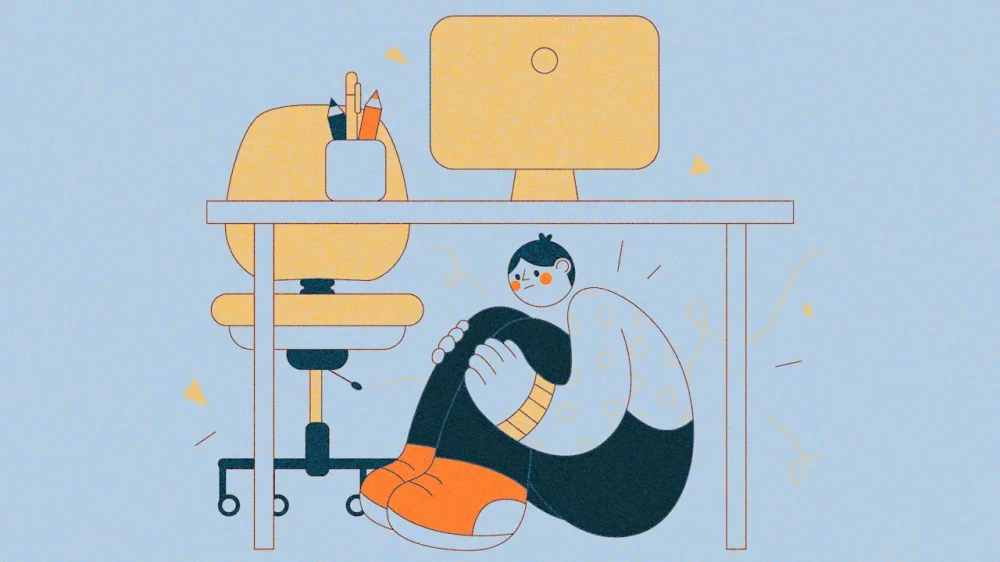
-
AI promises a smarter, faster, more efficient future, but beneath that optimism lies a quiet problem that’s getting worse: the data itself. We talk a lot about algorithms, but not enough about the infrastructure that feeds them. The truth is, innovation can’t outpace the quality of its inputs, and right now those inputs are showing signs of strain. When the foundation starts to crack, even the most advanced systems will falter. A decade ago, scale and accuracy could go hand-in-hand. But today, those goals often pull in opposite directions. Privacy regulations, device opt-ins, and new platform restrictions have made high-quality, first-party data harder than ever to capture. To fill the gap, the market has flooded itself with recycled, spoofed, or inferred signals that look legitimate but aren’t. The result is a strange new reality where a mall that closed two years ago still shows “foot traffic,” or a car dealership appears to be busy at midnight. These anomalies may seem like innocent glitches, but they’re actually the result of a data ecosystem that values quantity over credibility. When Volume Becomes Noise For years, the industry believed that more data meant better insights. Volume signaled strength. More inputs meant more intelligence. But abundance now equals distracting noise. To preserve scale, some suppliers have resorted to filler data or fake signals that make dashboards look healthy while eroding their reliability and authenticity. Once bad data enters the system, it’s nearly impossible to separate. It’s like mixing a few expired Cheerios into a fresh box; you can’t tell which pieces are stale, but you can taste the difference. And at scale, that difference compounds exponentially. The AI Paradox Ironically, AI is both part of the problem and part of the solution. Every model depends on training data, and if that foundation is flawed, the insights it produces will be, too. Feed it junk, and it will confidently deliver the wrong conclusions. Anyone who’s used ChatGPT has probably felt this frustration firsthand. While it is an incredibly helpful tool, there are times when it still gives you an inaccurate answer or hallucination. You ask a question, and it promptly delivers a detailed answer with absolute confidence . . . except it’s all wrong. For a moment, it sounds convincing enough to believe. But once you catch the error, that small seed of doubt sets in. Do it a few more times, and the doubt takes over. That’s what happens when data quality breaks down: the story still looks complete, but you can’t be sure what’s real. At the same time, AI gives us new tools to clean up the mess it inherits by flagging inconsistencies. A restaurant showing visitors on Sundays when it’s closed? A shuttered mall suddenly “bustling” again? Those are the patterns AI can catch if trained properly. Still, no single company can solve this alone. Data integrity relies on every link in the chain, from collectors and aggregators to analysts and end users, taking responsibility for what they contribute. Progress will come not from more data, but from more transparency about the data we already have. Quality Over Quantity We can no longer assume that more data automatically means better data, and that’s okay. The focus needs to shift from collecting everything to curating what counts, building high-confidence data streams that can be verified. Leaner datasets built on reliable signals consistently produce clearer, more defensible insights than mountains of questionable information. Many organizations still equate size with credibility. But the real question isn’t how much data you have, it’s how true it is. The Human Element Changing how people think about data is harder than changing the technology itself. Teams resist new workflows. Partners worry that “less” means losing visibility or control. But smaller, smarter datasets often reveal more than massive ones ever could because the signals they contain are real. But once trust is lost, insights lose its value. Rebuilding that belief through transparency, validation, and collaboration has become just as critical as the algorithms themselves. AI won’t erase the data problem; it will magnify it. We need to be disciplined enough to separate signals from noise and confident enough to admit that more isn’t always better. Because the real advantage isn’t having endless data. It’s knowing what to leave behind. View the full article

-
There are three kinds of annoying colleagues. I have already written about dealing with annoying bosses and colleagues. What happens if the source of your annoyance is one of your direct reports? Once again, dealing with what bothers you depends a lot on what it is causing the problem. Here are four common causes of annoyance. 1. The one who sucks up It is natural for people who are ambitious to want to find ways to get ahead. Obviously, doing great work is important, but a little self-promotion can’t hurt either. After all, if you have lots of direct reports, you may not notice everything that everyone is doing. So, you should expect that the folks who work for you will let you know what they have accomplished. In fact, you should encourage that. But, some of your direct reports mistake the need to keep you apprised on their successes for a need to suck up. Sucking up means engaging in constant flattery, giving you constant compliments, and otherwise trying to ingratiate themselves to you in ways that are not productive or mission focused. They may do it in one-on-one meetings as well as in more public settings. It is worth chatting to your suck-ups about this. Let them know that you appreciate their intention to be kind, but that you want to stay focused on the work that needs to be done. It is important to help them to see that this behavior is having the opposite influence from what they intend. The sooner that the suck-ups learn this lesson, the better it will be for everyone. 2. The one who has no initiative The most successful people in the workplace are those who find the next task that needs to be done and then makes progress on it without waiting to be told what needs to happen. Unfortunately, a lot of people who report to you may do only what they have been told to do and no more. As a result, you may feel like you need to micromanage your supervisees’ to-do lists. You should remember that many people in the rising generation of people in the workplace grew up in a world in which everything was scheduled for them. School, activities, even playdates were arranged. Even many college students are in settings in which they have little free choice. It can be hard for people who grew up with all that structure to suddenly take initiative. You have to teach that. When you find yourself annoyed that your reports aren’t finding new tasks to do, add a section to your meetings with them. Have them identify one or two things you haven’t assigned for them that they could do. Talk through with them how to recognize things that need to be done. You’re building a new set of habits, and that will take time. It requires some effort on your part at first, but it pays off in the long-run. 3. The one who (unintentionally) pushes your buttons Everyone has pet peeves—no matter how laid back you appear to be. I tend to be loose about lots of things, but there are a few things that can really get me going. For example, when people use the word impact as a verb, it sets my teeth on edge. There are some people in this world whose default settings are designed to knock into every one of your peeves. As a result, engaging with them can set your skin crawling before they even say a word. When that person has some amount of power, then you may just have to grin and bear it. But, you can lay out some ground rules when those people are your direct reports. When I bring on a new team or start working with someone new, I usually give them a small list of things to avoid. It is amazing how that simple conversation makes so much of life go better later. 4. The one who is passive-aggressive The least benign of the annoying direct reports is the individual who is conflict avoidant but still needs to let you know when they are annoyed. These folks fall under the heading of “passive-aggressive.” They won’t come out and tell you that they are annoyed, frustrated, or angry, but they let it out in other ways. These days, it is common to have a few direct reports who have this profile. We don’t teach good conflict skills, and so people are reluctant to speak up when something bothers them. Then, their bad feelings leak out in other ways. Like the individuals who don’t take initiative, you have to teach your reports to state their conflicts more directly and to create an environment in which it is safe to do that. You need to call out the passive aggressive behavior when you see it as quickly as possible (avoiding public embarrassment, of course). Then, discuss with your direct report that they need to talk out their concerns. Developing their skills to engage in difficult conversations will benefit these individuals immensely. View the full article