ResidentialBusiness
Administrators
-
Joined
-
Last visited
Everything posted by ResidentialBusiness
-
 When you’re managing a project, the triple constraint should always be top of mind. But there’s a fourth constraint that’s just as important, yet sometimes forgotten by some project managers as they go through the project planning phase—project quality management. What Is Project Quality Management? Project quality management is the process of defining quality standards for the deliverables of a project, as well as the quality assurance measures to guarantee those standards are met. However, quality can be an elusive word. In project management, quality is simply what the customer or stakeholder needs from the project deliverables. Project quality management can be simply defined as the combination of quality planning, quality assurance and quality control activities. Project managers further define these for their projects through a quality management plan. /wp-content/uploads/2024/02/Quality-control-template.jpg Get your free Quality Control Template Use this free Quality Control Template for Excel to manage your projects better. Download Excel File Who Is Responsible for Project Quality Management? The project manager has the overall responsibility of planning, implementing and monitoring project quality. They ensure that the project meets the defined quality standards. However, other roles may be involved. Project team members, for example, are responsible for the quality of their individual tasks and deliverables. They also need to adhere to the established quality standards. Quality managers, such as quality assurance personnel, may be involved in some projects as they help develop quality plans, conduct audits and ensure compliance. Stakeholders may also play a role as they define quality requirements and expectations. They provide feedback to ensure the project meets their needs. Key Elements of Project Quality Management Project managers oversee the implementation of a project quality management plan. The main idea, again, is to deliver a product or service to the specifications of the customer or stakeholder. Doing so requires knowing quality management concepts. Customer Satisfaction Without customer satisfaction, there can be no quality. Even if a deliverable meets all aspects of what the customer or stakeholder has required but is done so where the process itself wasn’t satisfactory, there’s a problem. Of course, the deliverable must meet those requirements, or else the project has failed because the product of the project and the management of the project didn’t meet the expectations of the customer or stakeholder. That’s why implementing quality control means managing both processes and people. Meet with your customer or stakeholder regularly to keep them abreast of the project’s progress. Get their feedback and make sure that you’re fully transparent to avoid issues arising later. Prevention Over Inspection Quality doesn’t come for free. The cost of quality (COQ) is the money spent dealing with issues during the project, and then after the project, to fix any failures. These are broken up into two categories: cost of conformance and cost of non-conformance. The cost of conformance can be considered a preventive cost. These project costs are primarily related to training, the documentation process, the equipment needed, and the time required to get the quality done right. Other costs related to this can include testing, destructive testing loss and inspections. The cost of nonconformance refers to internal failure costs. These consist of reworking something or even scrapping it entirely. Further costs can come from liabilities, warranty work and lost business. Continuous Improvement Continuous improvement is a technique that allows project teams and project-based organizations to improve how they work over time through small incremental changes, which helps deliver high quality project deliverables. Applying this concept also means constantly monitoring any issues that come up, so you can then use the lessons learned when managing future projects. This way, you run a more efficient project and likely won’t repeat mistakes. To monitor project quality, you’ll need the right project management software. ProjectManager offers the best project planning, scheduling and tracking tools for effective project quality management. Use Gantt charts, kanban boards, project calendars and other tools to keep track of project tasks, resources, project deliverables in real time. Get started for free. /wp-content/uploads/2024/04/Light-mode-portfolio-dashboard-CTA.pngTrack your projects in real time with ProjectManager’s dashboards and improve quality. Learn more Examples of Project Quality Management Project quality management applies to nearly any project in any industry. Below are some examples to bring this concept to life. Construction Project Quality Management: Infrastructure projects in construction focus on structural integrity and safety, which is accomplished through adherence to building codes and standards. Regular inspections and testing are also helpful in ensuring compliance with specifications. Manufacturing Project Quality Management: In manufacturing projects such as electronics manufacturing, there is strict quality control to ensure the electrical components are reliable and perform as they should. Automotive manufacturing projects revolve around minimizing production defects through lean manufacturing and Six Sigma methodologies. Professional Services Project Quality Management: A professional services consulting firm may focus on service-level agreements (SLAs) with clients as they outline deliverables, timelines and expected outcomes. They may also conduct regular training sessions with consultants to maintain and enhance their skills. IT Project Quality Management: Project quality management in IT projects focuses on service quality and customer satisfaction. For example, teams often use quality management systems to monitor and improve IT service delivery. There is also a focus on adhering to service-level agreements. Quality Control Template This free quality control template for Excel is ideal for logging any issues found while inspecting the quality of your products or project deliverables no matter what industry you’re in. It allows you to track key aspects of the quality control issue, such as the date when the issue was found, who identified the quality control issue, who’s responsible for fixing it, and priority and status levels. /wp-content/uploads/2024/02/Quality-control-template-screenshot.png What Is a Quality Management Plan? A quality management plan is a document that helps project management teams establish quality planning, quality control and quality assurance procedures to maintain quality standards throughout the execution and completion of a project. Now, let’s define the components of project quality management in more detail. Quality Planning First, identify the quality requirements for your project deliverables and how the project needs to be managed. Agree on how this process will be documented and how that information will be delivered. Will you have regular meetings, emails, etc.? The quality planning section will include these specifics as well as metrics for measuring the quality while managing the project. This should include a quality checklist to collect and organize the marks you need to hit during the project. Quality Control Quality control is the first step in project quality management. It consists of determining quality requirements for project deliverables and testing, inspecting and reporting to make sure they’re met. While it’s similar to quality assurance (QA), the main difference between them is that quality assurance (QA) focuses on improving processes to maintain quality standards and prevent issues, while quality control (QC) focuses on inspecting and identifying issues. The main role of quality control is to ensure rules are being followed and that the expected project quality standards are met. Some ways to ensure that the required quality of the deliverables is being achieved is through peer reviews and testing. Quality Assurance Quality assurance is the planned and systemic activities implemented in a quality system so that quality requirements for a product or service will be fulfilled. Use quality assurance to ensure your processes are in fact working towards making the project deliverables meet quality requirements. Two ways to accomplish this are by using a process checklist and a project audit. Traditional Project Quality Management Tools These project management charts are commonly used for project quality management. Project network diagrams: Project network diagrams allow project managers to map out project tasks and deliverables. This helps understand the activities required for each project deliverable, which greatly helps ensure quality at each step. Affinity diagrams: Affinity diagrams help project teams group ideas, information and data about project deliverables and products. This helps teams better understand the different quality requirements they need to look out for. Matrix diagrams: There are different matrix diagrams that can be used to establish relationships between deliverables and quality standards. They’re a great way to organize project quality management information. Process decision program charts: These charts are used to identify what could go wrong in a plan. In project quality management, they help project teams avoid problems and create countermeasures if quality assurance procedures were to fail. Interrelationship diagrams: Interrelationship diagrams allow project quality management teams to understand the different cause-and-effect relations between factors that affect the quality of project deliverables. While these charts are a good alternative to managing project quality, using a project management software like ProjectManager is a much better alternative for project managers and team members. ProjectManager offers dynamic tools such as Gantt charts, kanban boards, task lists and much more so project teams can stay on top of quality planning, assurance and control. On top of that, ProjectManager is fully online, so you can collaborate with team members anywhere, anytime. Using ProjectManager to Manage Quality Managing the process of project quality involves many things, such as setting quality targets for your team to meet, defining how to measure those quality targets and reporting on them. Project management tools like ProjectManager can prove helpful with this. ProjectManager has online Gantt charts that make scheduling and monitoring tasks related to quality management simple. With ProjectManager, you can upload a task list or spreadsheet, which is then instantly populated on a timeline. /wp-content/uploads/2022/03/pm-gantt-screenshot.png Our online Gantt charts also provide a great collaborative platform for your team. Each task is usually able to link to supporting documents, images and other files, as well as offer a dialogue where team members can talk about the task and resolve any issues that arise. Related Content Total Quality Management (TQM): A Quick Guide How to Handle Time, Cost & Quality in Project Management Construction Quality Control: Essential Tips for Managing Quality Meeting Quality Targets on Projects Tips for Quality Testing Quality Control in Manufacturing: A Quick Guide Quality is important in any project, and to ensure quality, the right tools are needed to monitor quality management. ProjectManager is online software with a real-time dashboard and an online Gantt chart that makes monitoring and reporting on quality easy. See for yourself by taking this free 30-day trial. The post Project Quality Management: A Quick Guide appeared first on ProjectManager. View the full article
 -
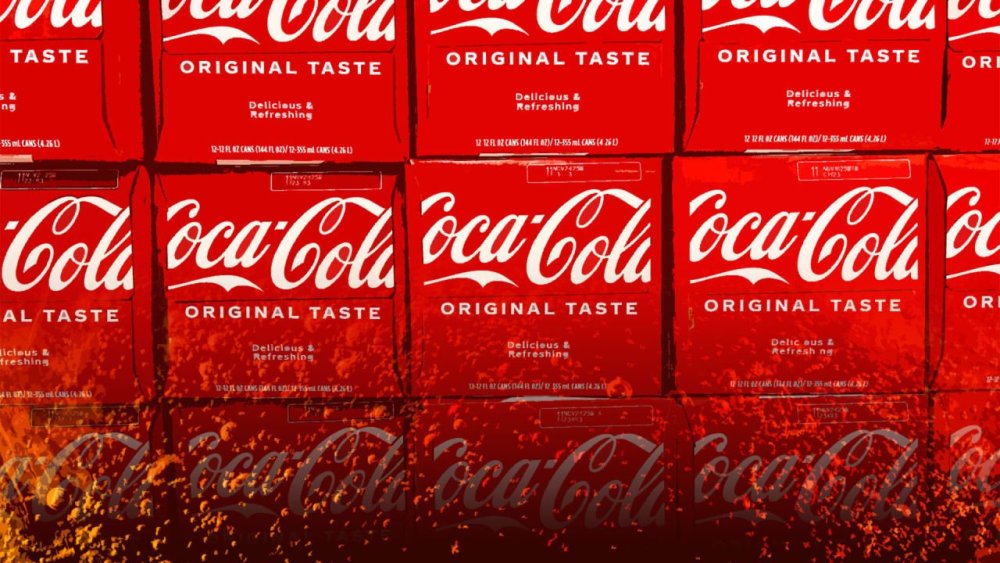
More than 10,000 cans of Original Coca-Cola distributed in two states have been voluntarily recalled. Manufacturer Reyes Coca-Cola Bottling initiated the recall on March 6 after reports of foreign plastic found inside cans. On March 24, the U.S. Food and Drug Administration (FDA) designated the recall as Class II, per the FDA enforcement report. According to the FDA’s recall classification page, a Class II recall means “a violative product may cause temporary or medically reversible adverse health consequences or where the probability of serious adverse health consequences is remote.” The report indicated that 864 12-count packs of the product distributed in Illinois and Wisconsin are included in the recall. The products have a single-can UPC of 0 49000-00634 6 and 12-pack UPC of 0 49000-02890 4. The recall number is F-0664-2025. A spokesperson with Reyes Coca-Cola Bottling confirmed the recall to ABC News. “The cases are being withdrawn because they did not meet our high-quality standards,” the spokesperson said. “We are taking this voluntary action because nothing is more important to us than providing high-quality products to the people who drink our beverages.” The latest recall is definitely not the first recall over foreign plastic or other foreign materials being found inside of a product’s packaging lately. Last month, Trader Joe’s issued a recall of its Frozen Acai Bowls over plastic contamination, and just last week, Nestlé USA recalled a number of Stouffer’s and Lean Cuisine meals over wood-like foreign material in the meals. If it seems like recalls have been happening more frequently lately, there’s truth to that suspicion. A February 2025 report, published by the Public Interest Research Group, a nonprofit consumer protection group, found that last year, there were about 300 food recalls which led to nearly 1,400 illnesses and 19 deaths. “Nearly 1,400 people became ill from food they ate in 2024 – 98% of them from just 13 outbreaks, a stunning fact that shows the consequences of companies producing or selling contaminated food,” the report explained. Stunningly, the number of hospitalizations and deaths in 2024 were about twice that of the previous year. According to that report, the most concerning contaminants were Listeria, Salmonella and E. coli. View the full article
-
We may earn a commission from links on this page. Deal pricing and availability subject to change after time of publication. Amazon's Big Spring Sale is in full swing, and we've done some work to weed out the duds and highlight the best deals available—it may not be Prime Day, but the sale still has deals worth checking out. As Lifehacker's deals writer, I use price tracking tools to vet deals and will keep rounding up the best tech ones I find throughout the sale. Here are the best deals I've found so far: Ergonomic Ear Hook, Balanced Sound, IPX7 Waterproof, 42H Playtime, Bluetooth 5.3, App Control. AeroFit Open-Ear Headphones $49.99 at Amazon /images/amazon-prime.svg $129.99 Save $80.00 Get Deal Get Deal $49.99 at Amazon /images/amazon-prime.svg $129.99 Save $80.00 Active Noise Cancelling Wireless Earbuds, Reduce Noise by Up to 98%, 50H Playtime, Hi-Res Sound. Anker Space A40 Earbuds $49.99 at Amazon /images/amazon-prime.svg $99.99 Save $50.00 Get Deal Get Deal $49.99 at Amazon /images/amazon-prime.svg $99.99 Save $50.00 IP67 Waterproof and Dustproof with 25 Hour-Battery and Retractable Handle Sony SRS-XG300 X-Series Speaker $144.95 at Amazon /images/amazon-prime.svg $349.99 Save $205.04 Get Deal Get Deal $144.95 at Amazon /images/amazon-prime.svg $349.99 Save $205.04 15W Ultra-Fast MagSafe Wireless Charger for iPhone 15/14/13, 8-in-1 Power Strip with 3 AC and 4 USB. Anker MagGo Magnetic Charging Station $49.99 at Amazon /images/amazon-prime.svg $99.99 Save $50.00 Get Deal Get Deal $49.99 at Amazon /images/amazon-prime.svg $99.99 Save $50.00 1800W (Peak 2400W) Solar Generator, Full Charge in 58 Min, 1056wh LiFePO4 Battery for Home Backup. Anker SOLIX C1000 Portable Power Station $449.00 at Amazon $999.00 Save $550.00 Get Deal Get Deal $449.00 at Amazon $999.00 Save $550.00 Solar Security Camera, Wireless Security Camera Outdoor, 2K Resolution, Continuous Power. eufy Security SoloCam S220 $64.99 at Amazon /images/amazon-prime.svg $129.99 Save $65.00 Get Deal Get Deal $64.99 at Amazon /images/amazon-prime.svg $129.99 Save $65.00 Smart Scale for Body Weight with Wi-Fi Bluetooth, 16 Measurements Body Composition Scale with bmi. eufy Digital Bathroom Scale P2 Pro $39.98 at Amazon /images/amazon-prime.svg $79.99 Save $40.01 Get Deal Get Deal $39.98 at Amazon /images/amazon-prime.svg $79.99 Save $40.01 Self-Emptying, 5500 Pa Max Suction, DuoRoller Brush, Hands-Free Cleaning for up to 7 Weeks. Roborock Q5 Pro+ Robot Vacuum and Mop $299.99 at Amazon /images/amazon-prime.svg $699.99 Save $400.00 Get Deal Get Deal $299.99 at Amazon /images/amazon-prime.svg $699.99 Save $400.00 50ft with 30 Triple-LED Lights, Smart RGBWW Christmas Lights, Daily and Holiday, IP67 Waterproof. eufy Permanent Outdoor Lights E22 $99.99 at Amazon /images/amazon-prime.svg $199.99 Save $100.00 Get Deal Get Deal $99.99 at Amazon /images/amazon-prime.svg $199.99 Save $100.00 SEE 6 MORE AeroFit Open-Ear Headphones $49.99 (originally $129.99). I've been using these open-ear headphones around the house and occasionally on runs for over a year. They're easy to use, sound great for the price and being open-ear headphones, and come with a companion app that makes the experience better with EQ and other features. Anker Space A40 Earbuds $49.99 (originally $99.99). The A40 have the same companion app as the AeroFit and are a great value for budget ANC earbuds that you can read more about here. Sony SRS-XG300 X-Series Speaker $142.95 (originally $349.99). The SRS-XG300 is a solid portable speaker with loud and heavy bass, and like any outdoor speaker, it can handle the elements well. Anker MagGo Magnetic Charging Station $49.99 (originally $99.99). I'm a fan of charging stations because they satisfy both my need for organization and practicality. This one from Anker has MagGo for wireless iPhone charging, three outlets, two USB-C ports, two USB-A ports, and a magnetic pad. Anker SOLIX C1000 Portable Power Station $449 (originally $999). It's hard to predict when you'll need a portable power generator—and when you need one, you usually really need one. This model is from a trusted brand and has a solar generator to make it fully off-grid. At 55% off, it's a great deal. Eufy Security SoloCam S220 $64.99 (originally $129.99). I love Eufy cameras because they're subscription-free. The SoloCam S220 also has a solar panel to make it self-sustainable, meaning you can easily install it somewhere with direct sunlight and let it do its thing. Eufy Digital Bathroom Scale P2 Pro $37.98 (originally $79.99) with code P2PROUSA at checkout. You can buy digital smart scales that read your body fat percentage from any no-brand company for cheap, but why not get it from a trusted brand also for cheap, after a 50% discount? Roborock Q5 Pro+ Robot Vacuum and Mop $299.99 (originally $699.99). Roborock has a lot of deals on robot vacuums right now, but if you're looking for a good one with must-have features at a price point under $300, the Q5 Pro+ is it. Eufy Permanent Outdoor Lights E22 $99.99 (originally $199.99). I love outdoor lights and have more than I probably should. These ones from Eufy work on a reliable app and have a wide range of color temperatures (1500K to 9000K). Shopping for tech? Lifehacker can help you make the right decision. Browse our tech reviews and head-to-head comparisons for everything from laptops and smartwatches to e-bikes and home gyms. Subscribe to our deals newsletter, Add to Cart, for the best sales sent to your inbox, or browse our best-of lists directly on Amazon, including: The Best Over-Ear Headphones The Best Wireless Earbuds The Best Adjustable Dumbbell Sets The Best Projectors View the full article
-
What people say about your brand online shapes your reputation. This could be reviews, social mentions, or business listings. Keeping up with all of them takes A LOT of time and effort. Online reputation management (ORM) tools help you monitor brand mentions, manage reviews, and keep business details consistent across directories. But each tool has its specialties. I researched and tested the best ORM tools available. And found the top five that’ll make your life easier. Here’s what you’ll find in this guide: The best tool for tracking social mentions The easiest way to manage and respond to reviews A solution that automatically updates your business listings 5 Best Online Reputation Tools Compared Best for Pricing Brand24 Identifying sudden spikes in mentions and identifying key influencers Starts at $199 per month; 14-day free trial available Reviewflowz Boosting your online reputation with automated review campaigns Starts at $15 per month; 14-day free trial available myPresences Controlling online brands’ presence across business directories and managing reviews from multiple sites Starts at $15 per month; 14-day free trial available Semrush Local Managing reviews across platforms and keeping your business listings consistent in local directories $50 per month + the plan you choose ($139.95/mo for Pro) Mention Tracking brand mentions across social media and news platforms Starts at $49 per month; 14-day free trial available 1. Brand24 Best for spotting sudden spikes in mentions and identifying key influencers Pricing: Starts at $199 per month; 14-day free trial available Brand24 is an AI-powered media monitoring tool. It lets you track online mentions, analyze sentiment, and spot early signs of PR crises. This tool stands out by tracking more than social media and news platforms. It also monitors podcasts and influencers, giving you a complete view of your brand. Here’s what I love about Brand24: Spot Sudden Spikes in Mentions to Immediately Act on Them Brand24 uses AI to detect unexpected spikes or drops in brand mentions. It’s marked with an exclamation mark in your dashboard so you don’t miss it: This is important because online conversations can change fast. A spike in mentions may mean a PR crisis. A negative review might be going viral, or a complaint is spreading fast. On the flip side, it could signal an opportunity to capitalize on. Like a post about your brand going viral in a positive way, or an influencer giving you a shoutout. But how do you know whether the spike is positive or negative? Brand24 uses AI to analyze the sentiment behind each mention. It checks if the spike is caused by positive buzz, negative feedback, or neutral chatter. This way, you can take the right action fast. For example, Barbie had a significant spike in mentions in 2024 due to the Golden Globes event: Brand24 tells you why the spike happened and shows you where it’s coming from. In the screenshot above, you can see it flagged Barbie’s spike due to the Golden Globes event. It highlights key details like: Why the spike occurred (Golden Globes event) Which platforms drove the mentions (Instagram, TikTok, YouTube) What type of sentiment was detected (positive admiration and awards) The summary may not explicitly say “positive” or “negative.” However, you can infer sentiment from the language used (“high admiration,” “winning awards”) and cross-referencing with the Sentiment tab at the top. Track Podcast Mentions of Your Brand Brand24 scans thousands of podcasts and alerts you whenever someone mentions your brand in a podcast title or description. This way, you don’t miss critical conversations happening in the audio space. You can view podcast mentions in the general Mentions tab. Or filter them by source: People talk about brands on podcasts all the time. Whether it’s a CEO interview, product review, or deep-dive industry discussion. But since podcasts aren’t text-based, these mentions are easy to miss. Podcast tracking helps you: See when influencers talk about your brand Respond to negative mentions fast Use positive mentions in your marketing Identify Key Brand Influencers Brand24 helps you find the most influential people talking about your brand. You can rank them based on number of mentions, reach, audience size, and impact: Here’s why each filter matters and how you can use them: Mentions: See how often someone talks about your brand. High mentions mean they’re actively discussing you, whether positive or negative. Use this to engage or address concerns quickly. Reach: Shows how many people might see their posts. Use this to prioritize working with influencers with high reach to spread your message. Influence score (impact): Shows how persuasive or credible the person is. This helps you spot trustworthy advocates or negative influencers before misinformation spreads. Make Reports in One Click Create reports to share insights with your team or clients. Brand24 supports various formats like email, PDF, and Excel. You can also create infographics: Pros & Cons Pros Cons Track podcast mentions Doesn’t scan podcast transcripts; only tracks mentions in episode titles and descriptions Identify potential PR crisis early on The dashboard isn’t visual, so it may look overwhelming for beginners 2. Reviewflowz Best for collecting reviews on autopilot Pricing: Starts at $15 per month; 14-day free trial available Reviewflowz is a powerful review management platform. It helps you collect, keep an eye on, and show customer reviews. Here’s what I liked about Reviewflowz the most: Launch Targeted Review Request Campaigns Reviewflows automates review collection in two ways: Email campaigns: Send automated review requests after purchase, with customizable templates and follow-up scheduling Magic links: Generate unique URLs that take customers directly to your review form—perfect for adding to receipts or sharing via SMS Best part? When you set up an email campaign within Reviewflowz, you can choose when to request reviews: Always request reviews from your email list to get as much feedback as possible Only request reviews when a star rating drops under a certain threshold (lets you improve your reputation when your review score starts to drop) Quickly Reply to Your Customer Reviews Link your channels (like Slack, email, and Microsoft Teams) to get instant alerts for new reviews: These notifications let you be in the loop and address critical reviews in time. Once connected: Slack: New reviews are sent directly to a public Slack channel in your workspace Email: Reviews land in your inbox Microsoft Teams: Reviews show up in a designated Teams channel Zapier and Webhooks: You can set up automations to trigger custom workflows You’ll see all reviews in real time. From there, you can decide which ones need immediate attention—whether it’s a low rating, critical feedback, or a chance to thank a happy customer. Plus, you can use AI to create and send automated replies to happy reviewers that are always within your brand’s tone. Show Best Reviews on Your Website Display your best reviews automatically with Reviewflowz’s customizable, mobile-friendly widgets. Each widget automatically updates with new reviews and lets you filter by rating to showcase your strongest feedback. Choose from: Masonry: A stack of reviews, which turns into a list on mobile Slider: An interactive slider that shows up to three reviews horizontally and one on mobile Then select the review sources, the number of reviews to display, and which reviews to show based on star ratings: Pros & Cons Pros Cons Email campaigns to gather more reviews with ease Doesn’t track social media mentions Customizable review widgets to showcase your feedback AI-powered review responses 3. myPresences Best for managing brand presence on different platforms and engaging with reviews Pricing: Starts at $15 per month; 14-day free trial available myPresences is an all-in-one online presence and reputation management platform. It helps you appear in business directories, track customer reviews and engage with them. Plus, you can display feedback on your website. Here’s what I like about myPresences: List Your Business Where It Matters Most Listing your business on every platform takes a lot of time. It’s also prone to mistakes. And when you update a phone number, move, or change a website URL, fixing it everywhere can take weeks. myPresences makes it easy to list your business details on more than 2,000 directories. You enter your business details once. Then, this tool pushes your business info on your chosen platforms. But why does this matter? Is getting listed on Google not enough? Not really. Customers may use many different platforms to find your business, such as local directories and industry platforms. Or they may check your website on a review site before they buy from you. If you rely only on Google, you might miss out on potential customers who search elsewhere. For example: If your business is local, you’ll need to be on Yelp, TripAdvisor, and Google Business Profile (GBP) If you manage a SaaS brand, being on review sites like G2, Capterra, and Trustpilot is crucial since some consumers go here before making a purchase If you provide medical, legal, or real estate services, niche directories matter (Healthgrades, Avvo, or Zillow) Check and Respond to Reviews Across Platforms myPresences centralizes reviews from all major review sites. This helps you check and respond efficiently. You can see a quick overview of your star rating distribution across all platforms in a pie chart: Additionally, you can automate your responses with AI: This lets you quickly respond to common reviews while keeping a consistent tone. Showcase Customer Reviews on Your Website myPresences allows you to show your best reviews on your website. You can use customizable widgets for this: Popup: Individual reviews appear as a small floating box on each page. They don’t take up much space and can appear sitewide. List: A simple, single-column format. It’s ideal if you want them stacked clearly in one spot. Grid: A three-column layout for showcasing many reviews at once. It’s great when you want to highlight volume and variety. Carousel: A dynamic slider that rotates the reviews for an interactive experience. Perfect if you want to save space and make the page engaging. You can avoid the task of copying and pasting reviews on your site. myPresences pulls in reviews automatically and updates them in real time. This gives you fresh and authentic social proof. Pros & Cons Pros Cons Add your business details on directories that matter in your industry Listing your details on business directories costs extra, up to $5 each. This can increase your expenses. Manage all reviews in one place 4. Semrush Local Best for managing local business reviews in one place and keeping listings accurate Pricing: $50 per month + the plan you choose ($139.95/mo for Pro) Semrush Local is a local SEO and reputation management tool. It keeps your online listings correct across many platforms. It also manages customer reviews and boosts local search visibility. Here’s how you can manage your brand’s online reputation with Semrush Local: Track and Respond to Reviews Across Platforms Semrush’s Review Management tool helps you track reviews from different platforms. All in one spot. This may include Google reviews, Facebook, Yelp, and more. You can also respond to all reviews directly from one page: Here’s what you can do with this tool: Respond to all reviews in one place, without logging into each review platform separately Use AI to suggest responses and choose to auto-reply to happy customers Keep an eye on review trends over time to track customer sentiment Interesting read: What Is Local Search Marketing & How to Do It Right Compare Your Business Reviews to Your Competitors Customers don’t just check your reviews. They compare you to competitors, too. Semrush shows how your ratings and sentiment compare to other businesses: This lets you see your average rating and review trends next to your competitors. You’ll see how your average rating compares to others. Find what’s working, spot weaknesses, and take action to improve your reputation. Keep Your Business Info Consistent Consistent business details make it easier for customers to find and contact you. And that builds trust. The Listing Management tool updates your business info to over 150 directories with no extra cost. Like Google, Yelp, and Bing: This improves reputation and also signals to Google that your business is legitimate and worth showing to searchers. Pros & Cons Pros Cons Track and respond to reviews from different platforms in one place Doesn’t track social media mentions Keep your business info consistent across local business directories at no additional cost Further reading: 5 Proven Local SEO Tools to Maximize Your Visibility 5. Mention Best for tracking your brand mentions across social media and news platforms Pricing: Starts at $49 per month; 14-day free trial available Mention is a social media listening tool that monitors your online presence and analyzes brand mentions. Let’s take a look at Mention’s key features: Track Your Brand Mentions Across Channels Mention tracks more than one billion sources. It checks for real-time brand mentions on social media, news sites, blogs, and forums. All these are in one dashboard. You can expand each mention and see the preview of the post that includes your business name. And even know the sentiment behind the mention: Mention also provides a link to each source. This takes you straight to the original post so you can join the conversation directly on the source site. Create Real-Time, Visual Reports Mention lets you make reports based on what matters most to you. This helps you analyze your brand’s online presence better. You can either choose from predefined templates for quick insights: Or customize reports by selecting the exact data you want to track: In both cases, reports are real-time and visual. Mention also creates automatic highlights. Like sudden mention spikes: This lets you see key trends at a glance, so you don’t have to sift through long reports. Pros & Cons Pros Cons Covers a wide range of sources Only supports text, podcasts are not included Prompt notifications about your brand mentions FAQs How Do I Manage My Online Reputation? Managing your online reputation involves: Monitoring brand mentions across social media, news, and review sites Responding to customer feedback Encouraging happy customers to leave reviews Addressing negative content with strategic responses Keeping business listings accurate across all platforms How Long Does It Take to See Results from Reputation Management Tools? Reputation management tools provide insights immediately. However, improving your reputation by collecting more positive reviews, content, and SEO can take weeks or months, depending on your strategy. Can Reputation Management Tools Remove Negative Reviews? No, reputation management tools can’t remove negative reviews. They help you improve sentiment over time, and report false reviews if necessary. What Metrics Should I Track to Measure Reputation Improvement? Track the following metrics to improve your reputation: Review ratings: Changes in star ratings across platforms Brand sentiment: Positive vs. negative mentions over time Mentions and reach: How often people discuss your brand online Crisis alerts: Any sudden spikes in negative mentions Ready to Choose Your Online Reputation Management Tool? The best ORM tool for you depends on what you need most: Want to track brand mentions? Brand24 and Mention help you stay on top of conversations. Need help collecting reviews? Reviewflowz lets you automate review campaigns. Need to manage your business details on business directories? For a local business, use Semrush Local. For a SaaS brand or professional services business, go with myPresences. After choosing the best tool for your needs, expect the following: First month: Set alerts, connect accounts, and test automation Second month: Track trends and respond to reviews Third month: Improve your strategy and let automation handle more tasks Pro tip: Even the best tools need active engagement. Check in often. Respond to feedback quickly. This keeps your online reputation strong. Want to discover more tools to help with your marketing processes? Check out our article on 33 digital marketing tools that suit various business needs and budgets. The post Top 5 Online Reputation Tools (Tried & Tested) appeared first on Backlinko. View the full article
-
Maroš Šefčovič shared assessment after meetings in Washington this weekView the full article
-
If you publish writing, you’d be crazy not to use artificial intelligence. It’s like telling a carpenter not to use a drill. You can build a deck without one. But why would you? Writers have always embraced new tools to improve their craft. The challenge with AI, or any technology, is that we want the easy way out. We hope the tech will magically automate everything. And for mediocre content, AI is the perfect solution. But creating exceptional content is HARD. No matter what tool you use. For example, I used AI extensively to write this article. Yet, it still took me 40+ hours to produce. Why? AI has made me realize how much I can improve my content. And you can, too. I asked our content team about how they use AI in their writing and editing. Our senior writers Yongi Barnard, Kate Starr, Shreelekha Singh, and senior editors Chris Hanna and Chris Shirlow shared their workflows and insights, which I’ll feature throughout this article. These talented folks help Backlinko generate almost 800,000 sessions per month. Below are seven timeless writing practices supported by AI. Let’s start with planning your writing project. 1. Use AI to Define Your Audience Without a deep understanding of your audience, even brilliant insights can fall flat. AI makes reader research way easier. You can analyze thousands of real conversations in minutes. No need to spend weeks on interviews or surveys. A Faster Way to Do Audience Research Using this article as an example, I wanted to understand how people felt about using AI for writing. The best place for unfiltered thoughts? Reddit. So, I Googled “reddit using ai to write good content” and found dozens of threads. I gathered a handful of community discussions and exported them as PDFs. Then I gave Claude the following prompt: I’m researching for a piece about using AI to write good content. I’ve attached five relevant Reddit threads. Please analyze these conversations and create a table of: Desires: What do people want to achieve? Pain points: What problems or challenges do they face? Objections: What concerns or resistance do they express? For each theme, please include a relevant supporting quote from the discussions. The result was eye-opening. The analysis revealed patterns I hadn’t considered. It also included quotes that captured the audience’s raw emotions and language. This helped me ground my writing in real experiences. You don’t have to follow my exact process. For instance, Kate Starr, our senior writer, uses various sources for audience research: “I often feed different data sources to AI. This includes Google’s People Also Ask sections and client conversation transcripts. The key is finding real conversations where your target audience expresses their challenges. I recently took a consulting call transcript and created a detailed customer persona. This helped shape our entire content strategy”. The key is to use AI to: Process large amounts of audience data quickly Identify patterns you might miss manually Connect insights to real human experiences through quotes Tip: Create a folder of interesting community discussions. When you find an engaging thread, save it immediately. You never know when that insight will be useful for future content. 2. Use AI to Find Your Unique Angle It’s easy to get inspired by popular content in your field and remix those ideas. That’s exactly what AI does by default, too. A better approach? Find perspectives that other content and most LLMs overlook. This makes your writing fresh and engaging. Here’s how to do it in three simple steps. Step 1: Gather Your Source Material Find the top 3-5 posts for your topic. You can do this for social media posts, articles, and emails (if you have access). For instance, I found three posts on AI writing and copied them to a Google Doc before exporting the text file. Step 2: Get AI to Summarize the Data and Suggest Ideas Take your source materials from Step 1 and ask AI to create a comprehensive analysis. Here’s a prompt: I’ve shared several articles about [TOPIC]. Please analyze them and create a detailed breakdown with these categories: Common Patterns: List 3-4 approaches that appear frequently Include specific examples from the articles Note any patterns in structure or presentation Assumptions Made: List 3-4 assumptions these articles make without questioning them Point out any gaps in evidence or logic Identify claims that could use more support Missing Views: List 3-4 important perspectives that aren’t being discussed Note any audience needs that aren’t fully addressed Highlight opportunities for deeper coverage Notable Elements: List any unique or particularly effective approaches Point out strong evidence or examples Identify innovative structure or presentation Here’s the output for using AI in writing: Category Details Common Patterns Tool comparisons focusing on features over strategy Basic “input/output” workflow examples Generic productivity benefits without specifics Heavy focus on prompt engineering Assumptions Made More AI usage automatically means better content Readers already understand AI fundamentals One-size-fits-all approaches will work Ethical concerns can be handled with simple disclaimers Missing Views Quality control processes and measurements Strategic frameworks for tool selection Real examples of human-AI collaboration Cost-benefit analysis for different approaches Notable Elements One article included detailed workflow diagrams Another featured mini case studies of failures Several had good ethical guidelines One included original research on AI output quality After analyzing, ask the AI for new ideas based on the opportunities it found. Here’s what Claude came back with for this article: Step 3 – Analyze and Refine Your Angle Sometimes, the angles are usable with the first output. But often, it’s a dance between you and the robot to find something compelling. Here’s how this process shaped this article: While plenty of tool comparisons and basic workflows existed, few posts offered strategic frameworks for using AI effectively. As I dug deeper, I noticed something more fundamental. Everyone was focused on making writing easier. Tools, prompts, shortcuts. But they were missing the tough reality: Creating top-notch content is difficult. With AI or not. That became my angle: How to use AI thoughtfully while embracing the necessary work of writing great content. Pro tip: Your first insight often leads to an even better angle. Don’t be afraid to evolve your thinking beyond what the initial analysis shows. 3. Use AI to Create An Outline Nearly every exceptional piece of content starts with a detailed plan. But many writers skip this step. You risk wasting hours writing in circles or missing the brief entirely. That’s why our team never writes a draft without a thorough outline. With AI, creating that outline just got a lot easier. Further reading: What is a Content Brief? (+3 Templates) Strengthen Your Draft Outline Through Collaboration It’s tempting to ask AI to create your entire outline (losing your unique perspective). Or ignore AI completely (missing valuable insights). A better approach? Treat AI as a thoughtful discussion partner. Our senior editor, Chris Shirlow, emphasizes using AI strategically during outlining: “I use my own competitor analysis to create outlines first. Then, I’ll use AI to spot potential gaps. For example, when outlining an email marketing guide, AI might suggest adding a section on automation that I hadn’t considered”. The key is to start with your own research. This ensures the foundation reflects real expertise. Then, use AI to refine and expand your thinking. With this article, for example, I started with some loose structural notes: Demand Audience Angle Structure Research Writing Visuals Enhancements Editing Then, I prompted Claude with some attached reference material. Hey Claude, I’m writing an article about using how to use AI to write better content. I’ve prepared my brief and a very loose outline. I’ve also attached an article that inspired the idea. What are your initial impressions of my approach? Claude’s analysis (I’ve summarized the output): Strong Points AI positioning: Framed as a tool (like a carpenter’s drill) rather than a replacement Realistic expectations: Acknowledges content creation remains challenging (40-hour example) Timeless focus: Principles over specific AI tools/prompts for longer relevance Credibility: Using concrete case studies and personal examples Areas for Development Structure: Consider combining overlapping principles (e.g., “Audience” and “Research”) Implementation: Add more specific examples of AI enhancing each practice Meta-narrative: Strengthen how we’re using AI to write this very article Balance: Include section on AI limitations for completeness From the AI’s first output, we started our collaboration. Claude helped me name each element “practices” instead of “tips. We challenged each other on the substructure of each practice. Then it suggested H2s—many of which I didn’t like. Through a LONG chat and many pauses of me returning to my document, we landed on an outline. Here’s how the structure evolved through discussion: Version 1 Version 2 Version 3 Version 4 Version 5 Demand Deep Research: Moving Beyond Surface-Leval Facts Talk to Your Customers First Define Your Audience Use AI to Define Your Audience Audience Audience Understanding: Creating Content That Deeply Resonates Build Your Audience Map Find Your Unique Angle Use AI to Find Your Unique Angle Angle Strategic Positioning: Finding Your Unique Angle Develop Your Unique Angle Create a Clear Outline Use AI to Create an Outline Structure Narrative Architecture: Building Clear, Compelling Flow Structure Your Content Flow Research Your Topic Use AI to Research Your Topic Research Evidence & Examples: Making Ideas Concrete Show, Don’t Just Tell Writing Engaging Content Use AI to Write Engaging Content Writing Voice & Style: Crafting a Distinctive Presence Find Your Brand Voice Add Valuable Supporting Elements Use AI to Add Valuable Supporting Elements Enhancements Enhancement Elements: Amplifying Impact Add Powerful Enhancements Edit for Impact Use AI to Edit Your Draft Editing Refinement & Optimization: Polishing for Performance Polish Your Final Product This iterative process helped me: Make headings more action-oriented Create a consistent pattern (“Use AI to…”), which also helps for search engine optimization Let’s look at how AI can help you turn this outline into content through research. 4. Use AI to Research Your Topic Research has always been the foundation of excellent writing. Pre-internet, research meant hours in libraries digging through catalogs, journals, and textbooks. Then, digital changed everything. But it created a new problem: Information overload. Now you have instant access to millions of sources. Blog posts. Academic papers. Community discussions. Expert interviews. Analytics data. But do you have time to process it all? That’s where AI shines. It can scan thousands of sources in seconds, helping you catch insights you might miss. Let’s explore how to use it effectively. Using AI for Primary Research When you do interviews, gather raw data, or run surveys, you create unique content that’s hard to copy. The trick is to use AI throughout the research process—not just for analysis. Planning Better Research Questions The quality of your research depends on asking the right questions. For example, when writing this article, I initially planned to use only my own AI experiences as examples. But something felt missing. So, I started a discussion with Claude: Me: I’m finding limitations in my thinking. I could add more perspectives by surveying our editorial team about how they use AI. AI: This could significantly strengthen the article. Multiple writers demonstrating how they tackle AI challenges would make your points more powerful than theory alone. Consider: What specific insights you need The most efficient way to gather them How to make participation easy With Claude’s validation, I developed survey questions through an iterative process. If you want to try this approach, here’s a template to get started: Before we design specific questions, please evaluate this research approach: Target: [describe who you’ll survey/interview] Goal: [what you need to learn] Method: [how you plan to gather data] Timeline: [your constraints] Identify any: Potential issues Missing opportunities Ways to improve efficiency Then, the research questions: Help me create [survey/interview] questions about topic. Consider: Audience: [describe participants] Time constraints: [expected time commitment] Key objectives: [list 2-3 main goals] Required output: [what you need to create] Structure questions to be: Focused yet open-ended Easy to answer quickly Specific about examples needed Finally, test your questions: Here are my draft questions. Please analyze them for: Clarity and potential confusion Leading or biased language Gaps in coverage Logical flow Example: After several rounds with AI, my original idea of “let’s survey the team” changed to: A focused survey using conditional logic Clear examples of what I needed A friendly, collaborative introduction Specific prompts for AI usage The result? Rich insights from the team that enhanced this article. Getting More from Expert Interviews Want to fully engage with your interview subjects while capturing all the details? AI can help. Start by recording your conversations (with permission, of course). Have a real dialogue. Follow interesting threads. Then, let AI help you extract every valuable insight. Here are some simple prompts: Prepare your interview. Please help me prepare for an expert interview about topic. Review this background material and suggest: Key discussion areas to cover Follow-up questions for each area Potential examples to request Data points to validate Process the recording. I’ve shared a transcript of my expert interview about topic. Please: Create a structured summary of key points Extract specific examples and case studies Identify unique insights or perspectives Pull compelling quotes Note areas needing clarification or follow-up Validate insights. Here are my key takeaways from the interview. Please: Check if conclusions are supported by the transcript Identify any assumptions I’m making Suggest additional context needed Note alternative interpretations Making Sense of Raw Data The challenge of research isn’t gathering data—it’s finding the story in it. When our editorial team finished the AI usage survey, I faced this exact situation. I wanted to process the responses quickly, but also to capture every valuable insight. Here’s how AI helped me analyze the responses: Get a high-level overview. I’ve shared our team’s survey responses about AI usage. Please: Identify common patterns across responses Note unique or unexpected approaches Highlight particularly detailed examples Suggest potential themes to explore Drill down to the specifics. For the [specific practice], please analyze: Different approaches team members use Most successful use cases Common challenges or limitations Specific tools or prompts mentioned Notable workflow differences Extract supporting material. From these responses about topic, please: Find compelling quotes that illustrate key points Identify concrete examples with clear outcomes Note any interesting AI prompts shared Suggest potential visuals or diagrams This analysis revealed that our team uses AI differently for each practice. Some excel at research, others at editing. For instance, everyone stressed the need to use AI carefully. And not fully depend on it. Pro tip: Before using AI to analyze data, clearly define what “valuable insights” means for your project. This helps AI focus on what matters most. Using AI for Secondary Research Secondary research meant spending hours reading papers, reports, and discussions. Not anymore. AI reshapes how we process existing content. Let’s look at some use cases. Extracting Audio and Video Content for Gems Some of the best insights are buried in hour-long podcasts and conference talks. Founders share behind-the-scenes stories. Experts reveal their frameworks. And industry veterans discuss trends they haven’t written about yet. But watching hours of video isn’t always practical. AI can save time here. Here’s how I used AI to extract powerful insights from founder interviews for my ecommerce growth strategies article: First, I found a podcast where Who Is Elijah’s founders shared their journey to $20M in revenue. Then, I used Rev AI to transcribe the full interview. Instead of reading through 19,000 words of transcript, I had Claude analyze the conversation with this prompt: “I’m writing about ecommerce growth strategies. Please analyze this founder interview and: Identify key decisions that drove growth Extract specific metrics and results Find unique insights about their process Pull compelling quotes to support each point” The analysis revealed a fascinating story about operational efficiency: They cut their team from 44 to 21 people Shifted from full-time specialists to agency partnerships Rebuilt their systems from scratch Turned unprofitable (-60%) campaigns into winners This single podcast gave me both a compelling case study and practical lessons readers could apply. Synthesizing Complex Documents Academic papers and industry reports contain valuable data. But they’re often dense, jargony, and hard to apply practically. Shreelekha Singh, our senior writer, uses detailed context to get better research results from AI. “When writing about AI in healthcare, I always share my article’s specific objectives and approach with Perplexity. I’ll outline that I need evidence-based analysis focused on measurable outcomes. Not just predictions. This detailed context helps AI find more relevant research papers and case studies.” Another example: When writing an article about information gain, I needed to wrap my head around Google’s patent application. But it’s written in technical language that would make your eyes glaze over. Instead of getting overwhelmed, I used AI to help me interpret this complex material. I uploaded the patent application to Claude and asked about information gain signals. Claude helped identify and explain relevant metrics like “UserActionSignals” and “ClickSatisfaction” in plain language. I quickly learned Google’s process for evaluating and testing new information. The same approach works for: Academic papers and studies Technical documentation Industry reports Legal documents Research data The takeaway? Think of AI as your study partner. One that can read a 100-page document in seconds and explain the key points in plain English. 5. Use AI to Write Engaging Content LLMs generate pretty good output with minimal prompting. But producing engaging writing in your authentic voice? That’s where AI can be rather underwhelming. I’ve been trying to write with AI since 2021, and I’m convinced the models have a default writing style. AI LOVES writing in contrasting pairs: “Not this. But that.” It also enjoys phrases like “transform,” “game-changing,” “leverage,” and “optimize.” (Not that there’s anything wrong with these words.) And if AI could write your entire project in a list, it would. If you’re often dissatisfied with the output, let me show you how to get better results. Create Excellent Reference Materials The more specific context you can give AI, the better the output matches your style. This means defining your writing style clearly. How? Create detailed guidelines, including: Reader personas Target grade level Headline formulas Tonality Examples Opening hooks In addition to your guidelines, make it your mission to create the perfect article or chapter to use as a writing sample. Once you have your guidelines and examples, you’ll be more satisfied with the AI output. For example, I’ve created a dedicated project in Claude for Backlinko. It has over 20k words of reference materials. Every time I start a new conversation, Claude has this context readily available. There’s no need to explain our style requirements over and over. Tip: If your AI tool doesn’t have a project feature, you can save your resources in a folder on your computer. Then, you can use them in your chats. Build Progressive Context Your conversation with AI should evolve as your content develops. Take this article section as an example. I started a dedicated chat on “Using AI for Writing.” I shared: The outline The article draft so far Team survey responses My goals for this section When I write the next section about supporting elements, I’ll start a new chat. But I’ll include this completed section as reference material. This progressive approach helps AI maintain consistency while adapting to each section’s unique needs. Shreelekha uses a similar method. “I create different projects for different aspects of my writing. This helps me maintain focus and ensures AI has exactly the context needed for each task”. Depending on your LLM, this sectional approach will help manage your daily credits as long chats burn through your usage. Pro tip: Write the first 10% of your project from scratch. This will set the tone for your piece and give AI a clear direction for better outputs. Embrace Messy Collaboration with AI The best AI writing output happens through conversation. Share your half-formed ideas. Question its suggestions. Challenge it to think deeper. For instance, when writing this section, I asked AI to expand on my outline. But I didn’t just accept the first response. Instead of settling for general advice about “prompting for a specific tone,” I asked for concrete examples of how AI’s default writing differs from Backlinko’s style. This led to identifying specific phrases and patterns. For instance, here’s how my opening hook evolved through AI collaboration: You might go sentence for sentence, idea for idea, until you strike gold. It can be tedious, but it’s better than doing it alone. Find Perfect Examples (When You Need Them) LLMs excel at suggesting relevant examples and case studies to strengthen your writing. Shreelekha uses AI to brainstorm examples when she’s stuck: “I describe the concept I’m trying to illustrate and the type of example I need. AI often suggests angles I hadn’t considered, which I can then research further. Here’s my go-to prompt template: “I’m explaining [concept]. I need an example that shows [specific aspect]. Ideally from [industry/type of company]. The example should demonstrate [desired outcome].” For instance, while writing about data visualization, I needed examples of companies using charts effectively in their content. I gave AI these parameters, and it suggested looking at HubSpot’s State of Marketing report—which perfectly illustrated my point about making complex data accessible. But don’t just take AI’s suggestions at face value. Use them as starting points for deeper investigation. When AI suggests an example, I: Verify the details independently Look for additional context Consider alternative examples Evaluate if it truly serves my argument Chris Shirlow emphasizes this balanced approach: “The key is to start with your own ideas and research. Then use AI to expand those concepts and find fresh angles. Never let AI drive the direction of your content.” 6. Use AI to Create Content Assets Content assets like checklists, calculators, and infographics turn your writing into practical tools for readers. The right asset can clarify complex concepts, aid learning, or guide important decisions. Creating these resources once required designers and developers. AI makes it possible to create without these skills. Create Visual Assets Many readers don’t consume every word you write. They scan. They skim. They look for visual anchors to guide them through your ideas. A study by MIT found that the human brain can process images in as little as 13 milliseconds. That’s up to 600 times faster than text. But creating professional graphics used to mean: Learning design software Understanding design principles Spending hours on each visual Hiring expensive designers Not anymore. AI can help you create compelling visuals in seconds. For example, in our 4 P’s of Marketing article, our senior writer, Yongi Barnard, used a graphic to explain why personalization matters. The visual tells a compelling story at a glance. To recreate this, gather your data. Then, give AI parameters: “Please help me design a graphic showing these three personalization statistics: 80% of consumers are more likely to purchase if brands offer personalized experiences 48.2% of marketers say personalization improves click-through rates the most 66% of customers expect companies to understand their personal needs Use: A clean, minimal design Progress circles to represent percentages Dark background with light text for contrast Short, clear descriptions under each statistic Space for source attribution” Then, you just need to refine the finishing touches (colors, spacing, etc.). Pro tip: Don’t just think about data visualization. Use AI to create: Process diagrams Comparison charts Timeline graphics Concept illustrations Feature breakdowns Our senior editor, Chris Hanna, puts it well: “The best writers think like producers now. They ask themselves: how can I make this concept visual? How can I show instead of tell? AI makes that possible without becoming a design expert”. Create Smart Checklists Converting processes into checklists makes your content more actionable. But creating an effective checklist isn’t as simple as writing bullet points. You need to: Break down complex processes Put steps in the optimal order Include validation checks Add resource links Consider different user scenarios This is where AI can help. The key is to prompt AI after you’ve written your draft. This way, the LLM will have full context for your content and can create more detailed, relevant checklists. For example, our senior editor, Shannon Willoby, made a 12-month checklist to help with her article on starting a blog. She prompted AI to create the checklist based on her article content. Pretty simple but effective. Here’s a template to get started: “I’ve written an article about topic. Please create a comprehensive checklist that: Breaks down each major step Includes key decision points Notes important resources needed Flags common pitfalls to avoid Suggests ways to validate progress” Build Interactive Tools Interactive tools like calculators, analyzers, and decision trees turn your knowledge into useful solutions. Readers can use these tools right away. There are many opportunities, regardless of your industry: Say you write about productivity. You could create a workload capacity analyzer that helps readers balance their projects. If you’re a wellness writer, you might develop a habit-stacking planner to help people create healthy routines. Or, if you’re a gardening expert, you could create a seasonal planting calculator. For my ecommerce growth strategies article, I used AI to build an interactive profitability calculator. Instead of explaining formulas, readers can explore different scenarios to understand how variables like cost of goods sold (COGS), shipping, and marketing expenses impact their bottom line. The best part? You can bring these AI-designed tools to life using no-code platforms like Calculator Studio. Here’s how: Identify calculation needs in your content Ask AI to help structure the logic and formulas Design the user interface (AI can mock this up) Build it in your no-code tool of choice For instance, when building the profitability calculator, I prompted AI with: “I need a calculator that helps ecommerce owners estimate profitability. It should: Include key metrics like COGS, shipping, and marketing costs Calculate gross and net margins Show breakeven analysis Start simple. A basic calculator that solves one specific problem well is better than a complex tool that confuses users. 7. Use AI to Edit Your Draft Editing is the difference between good content and exceptional content. But getting quality edits can be expensive and slow. You either: Pay editors by the hour Lose billable time as a freelancer Wait through lengthy review cycles Miss issues when editing your own work AI changes this dynamic. You can get quick, unbiased feedback and try different versions before your editor reviews a draft. Let me show you how to do this effectively. Get Strategic Input First It’s tempting to jump right into line editing—fixing grammar and polishing sentences. But start with the big picture. Here’s how Chris Hanna uses AI for strategic editing: “I feed the draft, outline, and brief to Claude. Then I ask: What’s missing? Where could we strengthen the argument? Which sections need more evidence?” AI can help by: Comparing your piece against successful examples Identifying patterns and gaps Suggesting structural improvements This approach saves revision time. Why polish paragraphs you might cut or rewrite anyway? Create Quick Quality Checks Once you have your structure solid, create systematic quality checks. You want to verify your content hits key engagement metrics. At Backlinko, we track three readability metrics: Single-Sentence Paragraph Percentage: The ratio of paragraphs with just one sentence. Visual Break Density: Number of visual elements per 1,000 words. Higher density means better scannability. Grade Level: We target Grade 7 or below for accessibility. AI can calculate these instantly and suggest specific fixes. Here’s how: Share your metrics targets with AI Paste in a section of your content Ask for both analysis and specific fixes Beyond metrics, use AI to check for: Redundant ideas and phrases Passive voice overuse Transition effectiveness Brand voice consistency Technical accuracy Test Critical Elements Some parts of your content matter more than others. Your headline determines whether people click. Your introduction decides if they stay. Your calls-to-action influence if they convert. These elements deserve extra attention. Using headlines as an example, I note 3-5 potential titles. I Google the topic I’m writing about and screenshot the search results. I upload the screenshot to Claude. Then, I ask how my title ideas compare to the top articles. Claude will make suggestions based on our title guidance, best practices, and differentiators. Yongi uses a similar process for introductions: “I write three different openings and ask AI which one creates the strongest hook. Then we discuss why—looking at elements like curiosity, relevance, and emotional pull”. You can also test: Section transitions Examples Proof point placement Technical explanations Closing arguments Balance AI and Human Editing AI accelerates the editing process, but human judgment remains essential. Here’s how to make this work: Start with AI for broad analysis and quick fixes Apply your judgment to AI’s suggestions Test variations of important elements Verify technical accuracy independently Maintain your unique voice and perspective Chris Shirlow supports this balance: “AI helps us identify potential issues faster. But we still need human expertise to decide what changes actually serve our readers.” Start Writing Smarter, Not Harder Pick one project you need to write this week. Apply just one of these practices—maybe getting AI’s help with audience research or outlining. That’s all you need to do to start seeing results. Ready to put these practices to work? Check out our guide on how to write a blog post. You’ll see how to combine these AI techniques with proven writing principles to create content that ranks and converts. The post How to Use AI for Writing Exceptional Content (7 Best Practices) appeared first on Backlinko. View the full article
-
The mortgage lender claims its Georgetown, Texas operations, where Thrive Mortgage was previously headquartered, has been "gutted." View the full article

-
For the first time in over a decade, Coca-Cola is relaunching its iconic “Share a Coke” campaign. This time around, it’s targeting Gen Z. When “Share a Coke” first debuted in Australia in 2011, replacing the “Coca-Cola” logo on Coke bottles with 150 of the most popular names in the region, it sold 250 million named bottles and cans in a nation of just under 23 million people. The idea was so successful that, over time, Coca-Cola replicated it in 70 different countries. And this April 1, a new version of “Share a Coke” is rolling out globally. The bones of the concept are the same as when it debuted more than a decade ago: In each local market, a range of the most popular regional names has been selected and printed onto Coke bottles and cans. This time, though, the campaign is including an expanded range of names, launching on a broader scale, and adding a few digital touches to attract a younger generation. The company is positioning this relaunch as a campaign with “unprecedented personalization” for Gen Z, but it’s a tough sell in an era when AI has made personalized marketing a much more achievable reality. Instead, it’s more like a nostalgic re-run with a couple modern tweaks—and it might not be enough to impress a new, digitally native generation. [Image: Coca-Cola] Coca-Cola’s plan to recruit young consumers According to the industry research firm IBIS, American consumption of soft drinks has been on a steady decline since 1999. That year, the average American would’ve consumed 49.7 gallons of soda, compared to 42.2 gallons today. But while the category as a whole might be losing steam, Coca-Cola remains profitable: Net revenues were up 3% to $47.1 billion in 2024, and the company’s shares have gone up by about 14% in the past year. For Gen Z, there are a few factors that influence soda consumption. To start, many younger consumers are increasingly interested in wellness, and therefore are choosing “functional beverages” like prebiotic drinks or lower sugar options. But soda isn’t a lost cause, either: As many younger consumers opt to drink less or stay sober entirely, they’re turning to other kinds of drinks at the bar, including plain old soda. Trends like the rise of dirty soda also signal that Gen Z still enjoys a sugary drink here and there. Islam Eldessouky, Coca-Cola’s global vice president of creative strategy and content, says the company’s idea to bring “Share a Coke” back actually came up while discussing new ways to “recruit as many Gen Zers into the franchise as we can” (a mission that the company has already pursued with new flavor launches like Spiced and Orange Cream). “One key data point that came up is that 72% of Gen Zers are really aspiring to make real connections,” Eldessouky says. “While we were contemplating different ideas of bringing this aspect of connection to the brand, somebody said, ‘Share a Coke was built on that.’” Originally, he explains, “Share a Coke” was about creating organic connections, like finding a bottle with a friend’s name on it and sharing it with them. In 2011—an era when “the whole notion of personalization was very basic and very primitive,” he says—discovering a Coke with your name on it felt especially exciting. To reinvent the concept in 2025 for a digitally native generation, though, the Coca-Cola team felt they’d have to do something bigger. [Image: Coca-Cola] A more digital ‘Share a Coke’ There are a few ways that Coca-Cola is seeking to make this new campaign feel more weighty. The scale is literally larger. This campaign is launching globally in 120 different markets over the course of the coming year, starting in North America, Latin America, and Asia South Pacific. The actual number of names used is greater as well, though the specific statistics vary by market. This version of the campaign will also include two new digital elements: “Memory Maker,” which lets users scan a QR code on their bottle to upload photos and videos to something like a Coke-powered group chat, and a new customization platform which lets fans order a Coke bottle online with a custom name or word (though, Eldessouky assures me, the platform won’t allow users to enter anything obscene or inflammatory). In addition, Coca-Cola is partnering with McDonald’s on an exclusive “Share a Coke” meal bundle, which will be available in the fast food chain’s restaurants. Coca-Cola says the goal of the ”Share a Meal,” as the company calls its, is to incentivize friend groups to connect in person rather than online. Part of the strategy of this partnership, Eldessouky says, is to provide Gen Z consumers with an accessible, inexpensive “third place.” “The third place is something that Gen Z is really craving, because it’s a very connected generation digitally, but they desire much more connection in real life than other generations,” Eldessouky says. “We’re trying to give [Gen Z] a lot of opportunities where they can actually go and find these third places to connect.” But the ‘Share a Coke’ concept doesn’t need add-ons As a member of the campaign’s target demographic myself, I think the customization platform is a nice add-on that might allow those whose names are less common to still participate in the campaign. But the other elements fall flat. The “Memory Maker” feature, for one, doesn’t exactly feel like the “unprecedented personalization” Coke hopes it will be. Today, given the advent of targeted marketing and AI tools, personalized campaigns just feel a lot less novel. Coca-Cola itself, for example, used AI in 2024 to make a holiday ad that was customized across 12 different U.S. geographies. Frankly, it’s tough to imagine many young people going through the effort of scanning a QR code in the first place, let alone using it to message friends. And a Coke and McDonald’s collaboration makes intuitive sense—but I’m not totally convinced by the idea that it’ll make McDonald’s a novel “third space” for Gen Zers who aren’t already hanging out there. All in all, the new “Share a Coke” campaign doesn’t look very different from its 2011 iteration, and that’s fine. I just wish Coke had just gone full-on millennial nostalgia with the marketing (see this extremely 2010s ad, for example) rather than making a play at Gen Z that feels tired at best. View the full article

-
Chipmaker Nvidia and Elon Musk’s Tesla slide, pushing Nasdaq lower for first time in four daysView the full article
-
Hard-right populist denies claims he sought to prevent leftwing rival Lula taking officeView the full article
-
This post was written by Alison Green and published on Ask a Manager. Remember the letter-writer whose boss never praised their work? Here’s the update. My undying thanks to you and all the commentariat for your compassionate take and excellent advice: I needed to get out of that job. It was advice that didn’t land well at the time, because my morale was so shot that I didn’t even see the point in job-hunting. How could I hope to get a better job when I’d clearly never gotten good at this one, which was for an organization I adored, using the skill set I was educated in? Still, where self-esteem fails, spite finds a way. Every time my boss did something that made me want to scream at her, I took a deep breath, smiled, and after work, sent out a job application somewhere. I had no actual hopes of getting hired anywhere (see: self-esteem=0), but it was like hitting a punching bag in terms of dealing with frustration. But then, to my astonishment, I got an offer! With a raise! Here’s where I didn’t take AAM advice: I went to my boss and asked her if the org would match the offer I’d received. I know, I know … Keep in mind, I was terrified of change, concerned that I’d be as lackluster in this new role as my boss clearly thought I was in this one, and … well, the petty part of me wanted to see if I could force one measly shred of validation out of her. “What are you making now?” she asked, in response to my query. I told her. (Keep in mind: I was 50% of her direct reports, and my pay had not changed since the last time I’d asked for a raise. We’d had cost-of-living adjustments traditionally but Covid shot those out of the water.) “Oh, that can’t be right,” said she. “I’ll check with Finance. You’re making more than you think you are.” So I had an evening to mull over that peculiar statement. Was there a paperwork error someplace? Was she trying to get into a gross vs. net debate? Did she just think I was spectacularly stupid? In the morning, she reaffirmed. “I’ve talked to Finance, and I’m right. You’re making more than you think you are.” (Reader, I was making $32K.) “However, the organization can match the new offer.” But … I was done. I politely informed her that I’d decided the new opportunity was the way to go, gave my two weeks’ notice, smilingly attended a farewell party in boss’s backyard with all of boss’s work friends and none of mine, and two weeks and one day later I was walking into my new job. New job is AWESOME. It was a move from nonprofit development into higher ed, supporting several departments whose subject areas are right up my alley. I get stellar reviews from the faculty I support and from my supervisor. I feel good at my job, every day. There was another raise after a year. And best of all — a few months ago, a couple of “my” professors invited me out to dinner with them, and once they had me trapped in a booth at Texas Roadhouse, they announced, “You’re smart. We like you. We’re confused as to why you’re just doing an admin job and not getting a Ph.D. We will write you recommendations and want to be on your committee.” So, it’s official as of yesterday — I’m doing a doctoral program, free with my employment benefits! When I told my (wonderful) supervisor that it was something I was thinking about tackling, her immediate, no-hesitation response was, “Amazing! Yes, I 100% support you in this. :-)” So, whatever the problem was — a bad manager, a bad employee, just a bad job fit — the solution was, as so often: listen to the excellent advice at AAM. Yours most sincerely, Me Someday soon, Dr. Me View the full article
-
Government-backed lending drove an increase in purchase mortgages for a second straight week, even as interest rates failed to drive refinance activity. View the full article

-
Insights on engagement, value, billing and more. By Jody Padar Radical Pricing – By The Radical CPA Go PRO for members-only access to more Jody Padar. View the full article
-
Insights on engagement, value, billing and more. By Jody Padar Radical Pricing – By The Radical CPA Go PRO for members-only access to more Jody Padar. View the full article
-
The risk of a US intelligence breakdown is even more serious than this week’s error suggestsView the full article
-
Paramount+ is light on original content in April, though there are a handful of titles for viewers looking for music and sports. Following the music features that debuted in March, Paramount+ will debut An Evening with Elton John and Brandi Carlile (April 6), a primetime concert special—filmed on March 26 at London's Palladium Theatre—with live performances from both artists. There's also the premiere of the two-part documentary The Carters: Hurts to Love You (April 15), which gives an intimate look at the family of pop stars Nick and Aaron Carter through the eyes of their sister Angel. Paramount+ is exclusively streaming matches from the UEFA Champions League Quarterfinals, and Paramount+ With Showtime subscribers can also watch the third and final rounds of The Masters (April 12–13) and coverage of the NCAA Men's Basketball Final four (April 6). Here’s everything else coming to the service in April, including a host of horror films. Note that titles with an asterisk are exclusive to Paramount+ With Showtime; everything else is also available to subscribers on the ad-supported plan. Those with two asterisks are available to Paramount+ With Showtime users streaming live on CBS and to all subscribers the following day. Paramount+ Originals and premieres coming in April 2025Available April 1The Last Stop in Yuma County* Before Dawn* Available April 6An Evening with Elton John and Brandi Carlile, special** Available April 15The Carters: Hurts to Love You, documentary premiere Available April 21The Return* TV shows coming to Paramount+ in April 2025Available April 9Nick Cannon Presents: Wild 'N Out (season 21) Available April 16Inside the Factory (season 8) Available April 23The Challenge (season 40) Available April 30Blaze and the Monster Machines: Super Wheels special How Did They Build That? (season 2 and 3) Movies coming to Paramount+ in April 2025Available April 1Along Came a Spider April Fool’s Day Arrival Braveheart Cheech & Chong’s Still Smokin’ Clear and Present Danger Clerks Cop Land Deep Impact Dope Empire Records Escape from Alcatraz Faster Flags of Our Fathers Four Brothers Fresh (1994) Gangs of New York Girl, Interrupted Hard Eight Hardball Harriet the Spy Head of State Her Hot Rod I See You Kaboom* Lemony Snicket’s A Series of Unfortunate Events Malcolm X Marvelous and the Black Hole* Moneyball Nacho Libre Noah Paranormal Activity Patriot Games Point Break (1991) Regarding Henry Rings (2017) Rounders S.W.A.T. (2003) Sabrina (1954) Scary Movie Seven Psychopaths Shaolin Soccer Sherlock Gnomes Sidewalks of New York Smoke Signals Soapdish Space Jam (1996) Sucker Punch Sunset Boulevard Team America: World Police Terminator 2: Judgement Day Terminator Genisys The Bye Bye Man* The Caddy (1953) The Collector* The Core The Courier* The Gambler The Gift The Girl on the Train* The Girl with the Dragon Tattoo The Guilt Trip The Lookout The Ring The Ring Two The Running Man The Saint The Score The Sons of Katie Elder The Spiderwick Chronicles The Truman Show The Tuxedo The Uninvited (2009) Three Days of the Condor Twisted Uncommon Valor Underclassman Undisputed Unforgiven Up in Smoke Young Sherlock Holmes Available April 7London Town* Available April 14Boogie Woogie* Certain Women* View the full article
-
Why not? By Ed Mendlowitz Tax Season Opportunity Guide Go PRO for members-only access to more Edward Mendlowitz. View the full article
-
Why not? By Ed Mendlowitz Tax Season Opportunity Guide Go PRO for members-only access to more Edward Mendlowitz. View the full article
-
Chancellor sets out plans to make Britain a ‘defence industrial power’ in Spring StatementView the full article
-
Self-directed IRAs and non-recourse loans open doors to real estate investing without the restrictions of traditional financing. View the full article

-
Managing to do anything that could add to GDP is welcome, but it will not get the government off the hookView the full article
-
We may earn a commission from links on this page. Deal pricing and availability subject to change after time of publication. It's rare to see a deal on a premier Apple device so soon after release, but that's exactly what's going on with the M4 MacBook Air right now. Announced just a few weeks ago, it's now $50 off (or $60 off if you go for an upgrade) as part of Amazon's Big Spring Sale event. While not the biggest discount in the world, that's a pretty quick turnaround on our favorite MacBook Air right now. Apple M4 MacBook Air $949.00 at Best Buy $999.00 Save $50.00 Get Deal Get Deal $949.00 at Best Buy $999.00 Save $50.00 What makes the M4 MacBook Air specifically so attractive? Well, aside from being the most recent model, it features the same processor as current base-level MacBook Pros, albeit with slightly fewer GPU cores unless you shell out a little bit more. Luckily, both GPU core loadouts are on sale here—simply choose the model with 16GB of memory and 512GB of storage for the upgrade. But regardless of what you choose, this is a significant power bump over the MacBook Airs of the past, which had fallen into using last-gen chips until now. All of this comes with pretty good value, too. Even without a sale, the M4 MacBook Air is the first in a while to offer the most recent available chip at an entry-level price point, replacing the M2 MacBook Air in the sub-$1,000 arena. That's a two-generation upgrade at no extra cost. Really, unless you want a beefy M4 Pro or M4 Max chip, there's little reason to shell out for an MacBook Pro right now, since the M4 Air can easily keep up with the current entry-level Pro model. The only caveat is that this sale only applies to the 13-inch version of the Air; the 15-inch version is still full price. Shopping for tech? Lifehacker can help you make the right decision. Browse our tech reviews and head-to-head comparisons for everything from laptops and smartwatches to e-bikes and home gyms. Subscribe to our deals newsletter, Add to Cart, for the best sales sent to your inbox, or browse our best-of lists directly on Amazon, including: The Best Over-Ear Headphones The Best Wireless Earbuds The Best Adjustable Dumbbell Sets The Best Projectors View the full article
-
But government risks backlash over welfare cuts that will push tens of thousands into poverty View the full article
-
Apple has officially announced the date for its annual Worldwide Developer's Conference (WWDC), where it announces the latest and greatest software updates for many of its platforms, including the iPhone, iPad, Mac, and Apple Watch. This year, the event kicks off on June 9th with the public keynote, followed by a developers conference that will run until June 13. This is shaping up to be a big event for Apple, with sweeping changes in the iPhone user experience, including redesigned icons, menus, and apps. And we might even see a hardware announcement (but likely not any new MacBooks, as we just got an M4 MacBook Air). Updates to all major Apple operating systemsAs this is a developer conference, we can expect to see updates announced for iOS, iPadOS, macOS, watchOS, tvOS, and even the Vision Pro's visionOS. These will almost certainly include new features and functionality, although at time of writing, there aren't any concrete details about new features. However, one thing that has been confirmed by multiple reputed leakers is a visual overhaul of the Apple interface that spans the iPhone, iPad, and the Mac. iOS 19 and the new "glassy" interfaceThe big focus this year is on the iPhone interface. Bloomberg's Mark Gurman has reported that a "dramatic software overhaul" is coming to the iPhone, iPad, and Mac, and now we might have an idea of what that will look like. That's because sometimes reliable leaker Jon Prosser reportedly gotten an early look at the iOS 19 redesign, and managed to recreate some of what he saw. He refers to it as a "glassy" interface, calling it "more rounded aesthetic and glossy, almost glassy styling" with the interface's edges popping up from the screen. The key example of this being a new keyboard design that makes it look like it's floating on top of the screen. The new look, according to Prosser, will be seen across the whole OS, from notifications to popups. The overall design will be similar to the newly released Apple Invites app. Gurman, on the other hand, believes that the redesign will be much bigger, with new round home screen icons and redesigned elements leading to a fresh look for all built-in Apple apps. The artwork for WWDC 2025 lends some credence to these rumors. The "25" in the image is heavily inspired by the visionOS interface, with glass-like elements. macOS won't be left behindFrom what we know so far, macOS 16 will also get the same overhauled look, or at least some version of it. This will lead to more visual consistency between the Mac and iPhone. According to Mark Gurman, macOS will feature more of a translucent look, similar to visionOS and what's coming to iOS 19. This will extend to apps, menus, and system features like popups as well. A wild Mac Pro may appearThe Mac Pro is the last Mac to not be updated with the M3 or M4 generation, currently boasting the M2 Ultra chip.The Mac Pro is rumored to be updated with a new M3 Extreme chip that would surpass the M3 Ultra chip found in the latest Mac Studio refresh. The rumors, once again reported on by Gurman, say that the Mac Pro is supposed to be updated sometime in the first half of the year, and it's possible that Apple will at least unveil it at WWDC. The WWDC keynote usually does not feature any hardware announcements, but it does make exceptions from time to time. View the full article
-
Messages show timings of military strikes in Yemen after White House denies they contained classified materialView the full article