ResidentialBusiness
Administrators
-
Joined
-
Last visited
Everything posted by ResidentialBusiness
-
 Kremlin says agreement is dependent on dropping measures imposed on agricultural bankView the full article
 -
The deadline to file your taxes is less than a month away, and if you’re doing them for the first time, you might be feeling added pressure. “It’s an incredibly daunting and stressful experience for many of them,” said Miklos Ringbauer, a certified public accountant based California. Planning ahead, doing your research and talking with experts can help first-time filers feel better about their taxes, Ringbauer said. The deadline to file your 2024 taxes is April 15. If you run out of time, you can file for an extension until Oct. 15. The extension is only to file your taxes, not to pay them. If you think you will owe taxes, you should pay an estimated amount before the deadline to avoid paying penalties and interest. If you expect to receive a refund, you will still get your money when you file your taxes. Here are some expert recommendations if you are filing taxes for the first time: Gather your documents The first step is to gather all the relevant documentation, said Eva Simpson, vice president of Member Value, Tax & Advisory Services for the American Institute of CPAs. “Tracking down documentation is key, especially if they may be in college and have correspondence sent to their parents house,” Simpson said. Ringbauer also recommends that you make a folder, either physical or electronic, with all of the documents you need so it’s easier to file your taxes. While the required documents might depend on your individual case, here is a general list of what everyone needs: — Social Security number — W-2 forms, if you are employed — 1099-G, if you are unemployed — 1099 forms, if you are self-employed — Savings and investment records — Any eligible deduction, such as educational expenses, medical bills, charitable donations, etc. — Tax credits, such as child tax credit, retirement savings contributions credit, etc. Talk to your parents Many young adults are still receiving some financial help from their parents when they’re ready to file their taxes for the first time. It’s important that first-time filers communicate with their parents in case they are being claimed as dependents, Simpson said. “Being claimed as a dependent affects their standard deduction and eligibility for certain credits,” said Simpson. Having a conversation with your parents will prevent you from claiming tax credits that you might not qualify for if they claim you as a dependent. If your parents claim you as a dependent, you will add this information to your tax return. Know about tax credits and deductions Knowing if you are eligible for any tax credits and deductions is a crucial step when filing your taxes, Simpson said. Tax credits can lower the amount of taxes you owe or increase the amount of your refund. Some relevant tax credits for first-time filers include the American Opportunity tax credit and the Earned Income credit. When it comes to deductions, you can either opt for a standard deduction or itemize. Itemizing generally only makes sense if your itemized deductions add up to more than the current standard deduction of $14,600 for a single filer and $29,200 for a married couple. “In many cases, first-time filers won’t need to be itemizing their expenses,” said Simpson. Doing research or asking a professional for the types of deductions and tax credits you qualify for can save you money. Include investments and gig economy income If you freelance, work in rideshare or sell your clothes online in addition to your part- or full-time job, you must add this income to your tax returns, said Tim McGrath, a certified financial planner based in Chicago. Forgetting to add tax income from freelance work in your tax documents is a common mistake by young filers, Ringbauer said. Some gig workers receive 1099 forms from their employers while others don’t, but both must document their income and expenses so they can be added to their tax returns. Know the resources available Simpson recommends that first-time filers look into the multiple resources available to file taxes for free or at a low cost. One of the is the new Direct File program, which allows people in 25 states who have very simple W-2s to calculate and submit their returns directly to the IRS for free. Aside from Direct File, IRS offers free guided tax preparation that does the math for you. This is available for people who make $79,000 or less per year. If you have questions while working on your tax forms, the IRS also offers an interactive tax assistant tool that can provide answers based on your information. The AARP also offers a tax-aid locator where you can search for tax assistance near you. Double check to avoid mistakes Mistakes can happen to everybody, but deliberately ignoring income can have more consequences, Ringbauer said. In general, if you make a mistake our you’re missing something in your tax return, the IRS will audit you, which means they will ask you for more documentation. A common mistake is failing to declare a source of income such as gig work or selling products online, said Ringbauer. This, he said, should be taken very seriously. “One of the biggest challenges is not taking it seriously, not caring about the nuances,” Ringbauer said. “It has to be accurate and exact information whether you self prepare or you’re doing it with a professional, because life is exact.” If you need to correct an error in a tax return you already filed, you can file an amended return. Keep your records It’s always good practice to keep a record of your tax returns, just in case the IRS audits you for an item you reported years ago, Ringbauer said. The IRS recommends that you keep your documents for at least three years and up to seven depending on your situation. Ringbauer recommends that his clients keep records of their tax documents in a digital folder on a cloud platform of their choosing. Password-protecting your tax folders can also add an extra layer of protection against scammers. The Associated Press receives support from Charles Schwab Foundation for educational and explanatory reporting to improve financial literacy. The independent foundation is separate from Charles Schwab and Co. Inc. The AP is solely responsible for its journalism. —Adriana Morga, Associated Press View the full article
-
We may earn a commission from links on this page. Deal pricing and availability subject to change after time of publication. I love soundbars. I'm still traumatized by having to rig speakers all over my living room to get decent audio back in the day—not to mention finding a place for a damn subwoofer—so enjoying high quality audio from an easy-to-set-up, compact soundbar like the Sonos Arc is a great relief. It's on sale now for Amazon's Big Spring Sale for $649.00, 28% off the list price. The Arc is a slick-looking piece of kit—a 45-inch oval cylinder that's only 4.3 inches wide and 3.5 inches tall and is available in black or white—but more importantly, the Arc's sound quality is top-notch, whether you're watching movies or listening to music. Sonos Arc $620.43 at Amazon $899.00 Save $278.57 Get Deal Get Deal $620.43 at Amazon $899.00 Save $278.57 The Sonos Arc is powered by Dolby's Atmos system that creates a three-dimensional "sound globe" that lets you hear anything from any direction—jets sounds like they're overhead and whispers sound like they're right in your ear. There's even a dialogue enhancer so you don't miss any lines. As for music, just put on Hawkwind's "Master of the Universe" and tell me it doesn't change your life. Our pals over at PC Mag put a Sonos Arc through its paces and were impressed enough to give it four stars and name it an Editor's Choice. Shopping for tech? Lifehacker can help you make the right decision. Browse our tech reviews and head-to-head comparisons for everything from laptops and smartwatches to e-bikes and home gyms. Subscribe to our deals newsletter, Add to Cart, for the best sales sent to your inbox, or browse our best-of lists directly on Amazon, including: The Best Over-Ear Headphones The Best Wireless Earbuds The Best Adjustable Dumbbell Sets The Best Projectors View the full article
-
We may earn a commission from links on this page. Deal pricing and availability subject to change after time of publication. Amazon's Big Spring Sale is back for only the second time, and while it’s not quite Prime Day levels of excitement, it still has a few solid gems tucked in. The event runs from March 25 to March 31, giving you a full week to poke around for deals. You don’t need to be a Prime member to participate, though Amazon claims Prime users will see deeper discounts. If you’re not already subscribed but are eyeing a few things, it might be worth signing up for a free 30-day trial, loading up your cart, and then dipping out before the billing cycle kicks in. One of the better under-$50 finds from this week’s sale is the Anker Soundcore Space A40. Down to $44.99 from $79.99, these earbuds are a solid buy if you’re looking for great audio and noise-canceling without spending a lot. Named the "Best Budget Earphones of the Year 2022" by PCMag, they offer adaptive noise cancelling, which works surprisingly well for the price (enough to drown out background chatter or the low hum of traffic). The sound quality leans warm and bass-forward, which makes them great for EDM or hip-hop but not as sharp for podcasts or acoustic music. They also support LDAC for hi-res audio, which is rare in this price range. You’ll notice better depth and clarity if you're into lossless formats or streaming on higher-tier music subscriptions. Battery life is solid, too, with 10 hours with ANC off. You can stretch it to 50 hours with the charging case—plenty for long commutes or a weekend trip without a charger. Anker Soundcore Space A40 $44.99 at Amazon /images/amazon-prime.svg $79.99 Save $35.00 Get Deal Get Deal $44.99 at Amazon /images/amazon-prime.svg $79.99 Save $35.00 The app support is good—you can tweak the EQ, toggle ANC, and find lost earbuds through Soundcore’s app, according to this PCMag review. That said, a few things might be worth keeping in mind. The touch controls of these earbuds can be finicky, especially if you’re the kind of person who frequently adjusts fit while listening. And while the noise-cancelling works well for most day-to-day use, it’s not going to beat out the big names like Sony or Bose. Also, the fit is snug but not super secure for workouts—something to consider if you’re buying these for the gym. But at $45, they punch way above their weight and are a steal for anyone who wants clean sound, long battery life, and decent ANC for less than $50. Shopping for tech? Lifehacker can help you make the right decision. Browse our tech reviews and head-to-head comparisons for everything from laptops and smartwatches to e-bikes and home gyms. Subscribe to our deals newsletter, Add to Cart, for the best sales sent to your inbox, or browse our best-of lists directly on Amazon, including: The Best Over-Ear Headphones The Best Wireless Earbuds The Best Adjustable Dumbbell Sets The Best Projectors View the full article
-
Lender seeks to alleviate concerns that its size could pose risk to country’s economyView the full article
-
We may earn a commission from links on this page. Deal pricing and availability subject to change after time of publication. Amazon’s Big Spring Sale is back for a second year and runs through March 31. It’s not quite the frenzy of Prime Day, but there are still plenty of decent tech deals worth checking out. You don’t need a Prime membership to shop the sale either, though Prime members do get access to a few better prices. If you’re curious, you can always sign up for the free 30-day trial and cancel later. Either way, this week’s a solid time to pull the trigger on those bigger purchases you’ve been eyeing. Like, say, a giant new TV. Right now, the 65-inch Sony Bravia 7 QLED TV is on sale for $1,198, down from its usual $1,999.99. That’s not just a steep $800 discount—it’s the lowest price it’s ever hit, according to price-trackers. Sony’s new QLED series—essentially the brand's answer to Samsung’s dominance in the space—brings in Mini LED backlighting for better contrast, and the Bravia 7 delivers deep blacks without washing out highlights. It runs on Sony’s XR Processor, supports Dolby Vision and Atmos, and has a native 120Hz panel, which means smoother gaming and sports watching. Google TV is baked in, and for gamers, there’s HDMI 2.1, VRR, and ALLM support, making it a solid match for a PS5 or Xbox Series X setup. It checks a lot of boxes. But it’s not OLED, and you might notice the difference if you’re picky about contrast in dark rooms. 65" Sony Bravia 7 4K Mini LED QLED Smart TV (2024 Model) $1,198.00 at Amazon /images/amazon-prime.svg $1,999.99 Save $801.99 Get Deal Get Deal $1,198.00 at Amazon /images/amazon-prime.svg $1,999.99 Save $801.99 From a practical standpoint, this feels like a solid buy if you want something premium but don’t want to pay OLED prices. The local dimming is decent, though not as perfect or as precise as Sony’s higher-end models, which means you might catch some blooming around bright objects on dark backgrounds. And while it gets bright enough for most rooms, it’s not the brightest in its class—Samsung’s QN90C reportedly edges it out there. Also, if you're planning to set it up in a bright living room for group viewing, it might not be the best fit. The screen’s glare handling isn’t strong enough to fight off reflections in well-lit spaces, and the picture quality drops off unless you’re sitting right in front of the TV. Still, if you’re upgrading from an older LED or mid-tier TV, you’ll notice a big jump in picture quality and color accuracy. Shopping for tech? Lifehacker can help you make the right decision. Browse our tech reviews and head-to-head comparisons for everything from laptops and smartwatches to e-bikes and home gyms. Subscribe to our deals newsletter, Add to Cart, for the best sales sent to your inbox, or browse our best-of lists directly on Amazon, including: The Best Over-Ear Headphones The Best Wireless Earbuds The Best Adjustable Dumbbell Sets The Best Projectors View the full article
-
Create a Google Analytics dashboard to review important data in one place + see report examples. View the full article
-
OpenAI has significantly leveled up the image generating capabilities of ChatGPT, adding the update as part of the GPT-4o model introduced last May. The new and improved AI generator is rolling out now for all ChatGPT users, across paid plans and the free tier (though free users are more restricted in how much they can use it). It's been possible to generate images through the ChatGPT interface for a while now, though behind the scenes the work was farmed out to the DALL-E 3 image model. Now, everything will be handled by GPT-4o, for a more consistent and native experience. There are lots of improvements here, which cover some of the areas that AI image creator tools have typically struggled with: rendering text, keeping characters consistent across pictures, and drawing diagrams. OpenAI says you can now expect more "precise, accurate, [and] photorealistic" results from your prompts. More realistic and accurate images Generated images aren't perfect every time, but they're getting very close. Credit: Lifehacker via ChatGPT Images made with AI often come with an artificial sheen that tells you they've been dreamt up by algorithms, and that should be less obvious with GPT-4o images. One of the demo pictures shown off by OpenAI has a woman writing on a whiteboard, with a view reflected in it—all pretty life-like, though note the small caption at the bottom that tells you this was the best of eight attempts ChatGPT had at the prompt. The AI art users create should also stick more closely to the prompts given, OpenAI says. So, if you want specific objects in specific places, or you need people in certain positions, then these instructions will apparently be carried out more faithfully. One of the more impressive example images shows a four-panel comic strip rendered by ChatGPT, without any obvious errors or inconsistencies. I tried to get ChatGPT to turn an Austen novel into a comic strip, and produce a photorealistic image of a stately home with a garden, and the results were impressive—if not quite perfect. They're certainly significantly better than the images ChatGPT was previously producing, although the rendering takes longer to complete (typically minutes rather than seconds). Text and diagrams are vastly improved Text is no longer a major problem—so fake book covers can be made with ease. Credit: Lifehacker via ChatGPT Trying to get AI to render text and diagrams accurately has long been a challenge: The way these tools are built means they're much better at inventing and remixing the images they've been trained on, rather than reproducing an exact copy of the alphabet or a series of rectangles and arrows. The new GPT-4o model can render text and diagrams to a high level of detail and accuracy, so you shouldn't see as many strange mistakes and inconsistencies. OpenAI's showreel included a menu, an invitation, a boarding pass, and a diagram explaining Newton's prism experiment, all generated from a single text prompt. When I asked ChatGPT to produce an infographic explaining DNA in simple terms, and a book cover with a specified title and author, it followed the brief pretty exactly—the graphic was basic but accurate (as per the prompt), and the book cover looked like something you might see in a store. Just as importantly, there were no weird artifacts or inconsistencies in the images. Consistency and editing Professor, is that you? Character and image consistency still need some work. Credit: Lifehacker via ChatGPT I've written before about the limitations of ChatGPT image editing, and this is another area that's been upgraded. It's now easier to keep characters and scenes consistent between images, to only tweak parts of a picture and leave the rest untouched, and to build up different layers of an image. You can even create transparent backgrounds, if needed, or specify colors using hex codes. Other improvements come in the way ChatGPT can accept and remix your own images, and incorporate other information (from the web and its training data): So one of the demo OpenAI pictures was built from the prompt "make a visual infographic describing why SF is so foggy" and ChatGPT did just that (well, best of three). In my own tests, I found ChatGPT much better at editing images, and pretty competent at remixing pictures in different styles. It still struggles to some extent keeping consistency between images—especially with complex objects and characters. It's definitely better than it was at this, but there's still a tendency to overdo the edits, making the AI less useful for tweaking images or making a series of several images that need to match. Copyright and safety issues Diagrams are now much less nonsensical and more accurate. Credit: OpenAI As with any generative AI announcement, issues around copyright, misuse, and energy demands are once again brought to mind. OpenAI is on record as saying it's impossible to build these tools without training on copyrighted images, though it has recently started signing content deals with providers such as Shutterstock. Brad Lightcap, OpenAI’s chief operating officer, told the Wall Street Journal that the GPT-4o image generator will reject requests to mimic the work of any living artist. When it comes to safety, OpenAI says generated images all come with C2PA metadata to identify them as AI-generated—though this metadata can be easily removed with something as simple as a screenshot. The AI generator is also built to rebuff any attempts to create "child sexual abuse materials and sexual deepfakes" OpenAI says, as well as other prompts that violate its content policies. This is clearly a major step forward for AI images: The upgraded technology is genuinely jaw-dropping at times, and a lot of the tell-tale signs of AI and the errors made by the tech are vanishing. It does raise some big questions about the future we're all barreling towards though, one where fakes are so easily made, where creative work is done by robots rather than people—and where we collectively lose our ability to sketch a picture, craft a sentence, or write a line of code. And then how will generative AI find more training data? View the full article
-
Order comes after underestimations of building costs caused a multimillion pound overspend View the full article
-
The Google Search Console links report shows how other sites link to yours & how your site links internally. View the full article
-
Wind-driven wildfires that were among South Korea’s worst ever have ravaged the country’s southern regions, killing 24 people, destroying more than 200 structures and forcing 27,000 residents to evacuate, officials said Wednesday. The death toll included a pilot who died after a helicopter crashed during efforts to contain a blaze in the southeastern town of Uiseong, one of the hardest-hit areas. The aircraft had no other crew members. Police said that most of the dead are those in their 60s and 70s. The National Fire Agency said at least 26 people sustained varying degrees of injuries. An ancient Buddhist temple, houses, factories and vehicles were destroyed in the wildfires that have burned 43,330 acres (17,535 hectares), the government’s emergency response center said. In a televised address, South Korea’s acting President Han Duck-soo said the wildfires that began last Friday were worse than many previous ones. “Damages are snowballing,” Han said. “There are concerns that we’ll have wildfire damages that we’ve never experienced, so we have to concentrate all our capabilities to put out the wildfires in the rest of this week.” Han said crews struggled to extinguish the wildfires because strong winds swept the areas overnight. He also said about 4,650 firefighters, soldiers and other personnel were working Wednesday with the help of about 130 helicopters, adding that “a small amount” of 5-10 millimeters (0.1-0.3 inches) of rain was expected Thursday. As of Wednesday evening, firefighters were tackling at least four active wildfires, including in the southeastern coastal town of Yeongdeok, which alerted residents of the nearest village to evacuate to an indoor gymnasium. Strong winds and smoke-filled skies forced authorities in the southeastern city of Andong to order evacuations in two villages, including Puncheon, home to the Hahoe folk village — a UNESCO World Heritage Site founded around the 14th-15th century. Hikers were advised to leave the scenic Jiri Mountain, one of the country’s largest national parks, as another fire spread closer. Observers say the ongoing wildfires are the third biggest in South Korea’s history in terms of land burned. The largest fires were in Andong, the neighboring counties of Uiseong and Sancheong, and the city of Ulsan. On Tuesday, officials said firefighters had extinguished most of the flames from the largest wildfires in those areas, but wind and dry conditions allowed them to spread again. The blaze in Uiseong destroyed about 20 of the 30 buildings and structures at Gounsa, a temple said to be originally built in the 7th century. Among the burned structures were two state-designated “treasures” — a pavilion-shaped building erected overlooking a stream in 1668, and a Joseon dynasty structure built in 1904 to mark the longevity of a king. Meanwhile, the Justice Ministry said it protectively removed 500 inmates from a detention center in Cheongsong, another southern town, but no damages were reported to the facility. The Korea Forest Service said it had raised its wildfire warning to the highest level nationwide, requiring local governments to assign more workers to emergency response, tighten entry restrictions for forests and parks, and recommend that military units withhold live-fire exercises. Among the dead were four firefighters and government workers who died in Sancheong on Saturday after being trapped by fast-moving flames driven by strong winds, according to officials. Government officials suspect human error caused several of the fires, possibly due to the use of fire while clearing overgrown grass in family tombs or sparks from welding work. —Kim Tong-Hyung and Hyung-Jin Kim, Associated Press View the full article

-
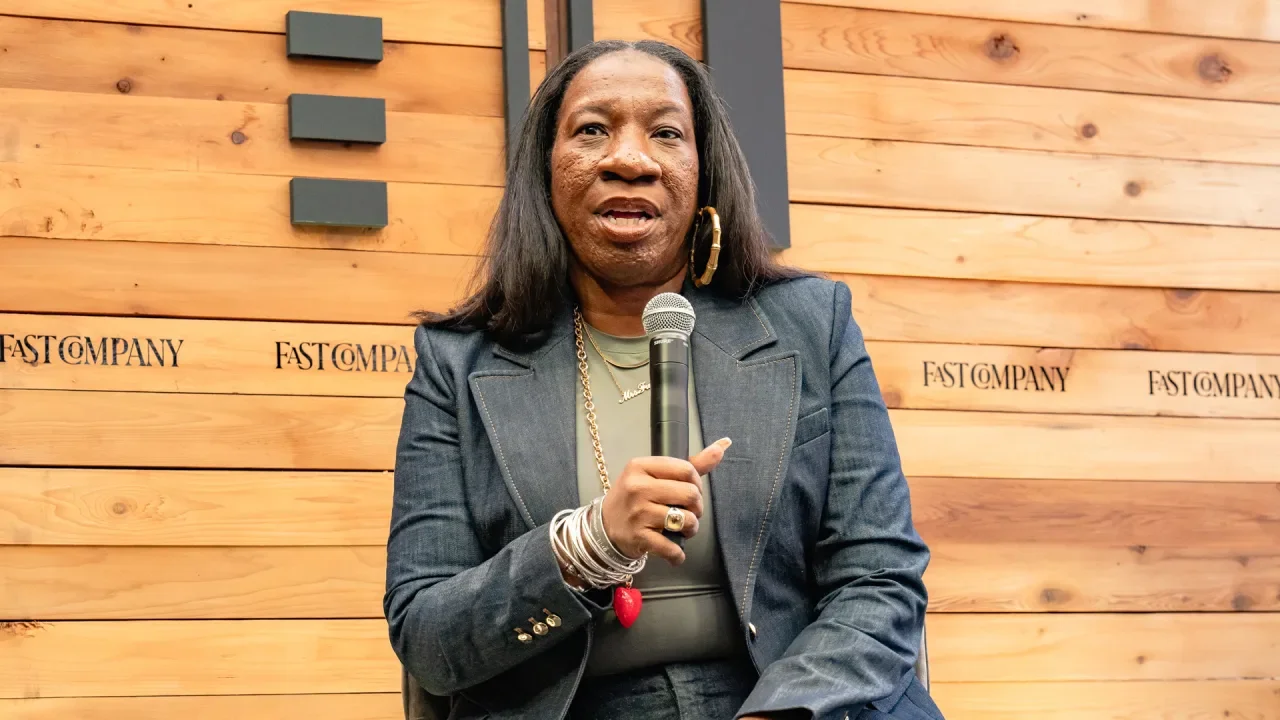
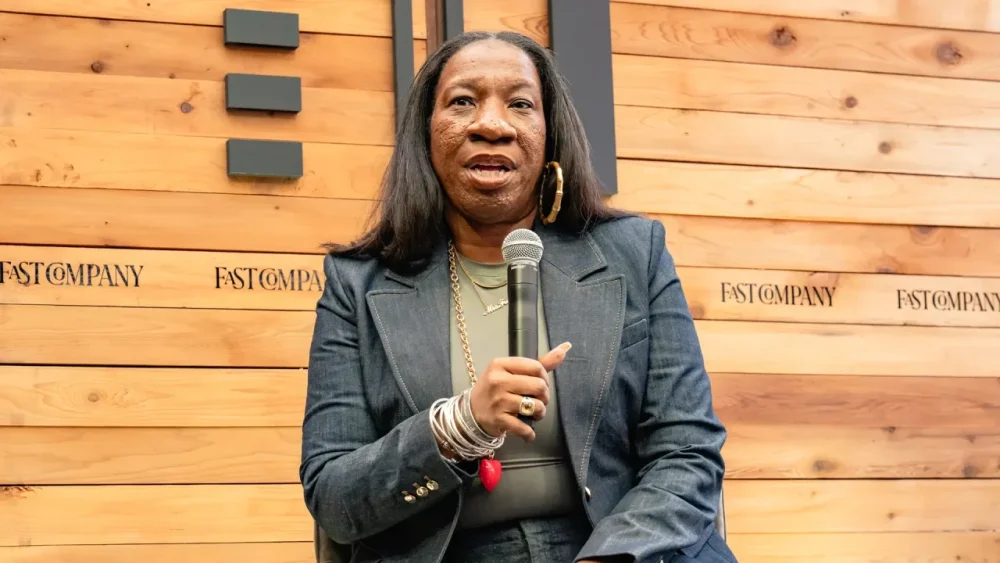
Activist and advocate Tarana Burke has spent 30 years raising awareness of sexual violence and working to eradicate it. Burke, who currently serves as the chief vision officer of the nonprofit organization Me Too Movement, coined the phrase “Me Too” in 2006 as a way show young women of color who had experienced sexual violence that they were not alone. The phrase took off as a hashtag on social media in 2017 in the wake of sexual assault allegations against Harvey Weinstein and other high-profile men. Since then, Burke’s organization has partnered with groups including &Rise, Black Women’s Blueprint, and Callisto to support survivors of sexual violence in more than 80 countries. Burke spoke at the Fast Company Grill at South by Southwest about how advances in generative AI can lead to sexual violence, what the current political climate means for Me Too, and her organization’s agenda for the next couple of years. Earlier this month, former New York Governor Andrew Cuomo, who stepped down amid a barrage of sexual harassment allegations, announced that he’s running for New York City mayor. We also have a president and members of his cabinet accused of sexual assault. How do you feel about this? I’m a little angry. I just want us to do better and dream better and think bigger. There’s so many people who say that they care about this issue. The issue of sexual and gender-based violence is really at pandemic levels in this country. There are so many people who are like, “I want this to end. What can we do about it?” What you can do when things like this happen, is figure out where the line is and hold the line. We keep moving it and pushing it. You have somebody like Cuomo, a governor who stepped down from his position. A governor who has both a Department of Justice investigation and an investigation by his own Attorney General into the allegations against him. If we actually want these things to stop, if we want to make an impact on the issue of sexual and gender-based violence, we can’t say, “Maybe we can take him even though I know that happened.” Right there, when you say that, that is exactly where the issue dies. What do you make of men like this being able to make a comeback? I get asked about the bad actors all the time. When people harm other people, there should be a pathway for the person who caused harm to come back. Sexual violence happens on the spectrum. Accountability should happen on a spectrum. This is not just about throwing people away. What most of us haven’t witnessed is the thing that happens after the harm. Where is the accountability? Where is the person that comes back and says, “I understand that this person was harmed and this is what I did to understand that better. This is how I’ve changed.” We don’t see that. What we see is people who disappear for a while and then come back. How should we treat survivors in this situation? When a woman is just trying to save her own life, we still think about the man whose life is being ruined. That is fundamentally the problem. We have to fix that. We have to shift that so that there’s enough space for us to get what we need. We say “believe survivors” because we want survivors to have the respect and dignity of investigation. If you believe me, you won’t try to undermine me. You won’t ask me questions like, “Why were you wearing this? Or what were you doing?” You’re going to start from the premise that I’m telling the truth. And if you think somebody’s telling the truth, then you’re going to help them get the resources they need. Sometimes that’s an investigation and that helps everybody involved. If you’re the person being accused or you’re the person who has the accusation, everybody involved should be treated with respect and humanity. It’s not going to always be comfortable though. There’s a misconception that you deserve comfort, that we have to create a life where you’re never uncomfortable. I just referenced some examples in politics and entertainment. Do you get frustrated that these industries get the bulk of media coverage and attention? One of the biggest challenges, and probably the saddest part, of the viral moment around Me Too, is that it created so much attention around people who cause harm or people who have been accused of causing harm. I tell people this all the time. You had millions and millions of people around the world who raised their hand to say, “This happened to me, too.” But you wouldn’t know the hashtag, you wouldn’t know any of that, if it wasn’t for the celebrities and politicians. Then we immediately took our eyes off the survivors. And so it is harmful when the news cycle is only talking about the Me Too movement when some other person has been accused or to tell us that we’re dead again. We created the organization to be a container for the movement because we knew we couldn’t depend on mainstream media or politicians to do that. Since the height of the Me Too movement in 2017—when you were, along with other activists, Time‘s person of the year—do you think we’ve seen a true cultural shift? Sexual violence has a history that goes all the way back to the Bible. There’s no way that a hashtag was going to erase that. I think the leaps and bounds [of progress] that we’ve seen in the last seven years would’ve probably taken 20 years without that viral moment. That said, we still have a ways to go. Those front-page moments never last. But what has lasted is the policies that have been changed, the laws that have been changed, but also the way people think and talk about it. We have given the world language and a way to talk about sexual violence. We’ve given survivors a community. So there has been a cultural shift, but it hasn’t shifted enough. You’re talking about power structures that have existed for so long. Patriarchy is a structure that has existed for so long. So we’ve made a dent in that. Of course, the pendulum is going to try to swing back the other way. We would be foolish not to expect that. The difference is that when it swings back this time, we are coming with a different analysis. Twenty-one-year-olds grew up with the Me Too movement. They’re going into college now with a particular analysis around that. They have less shame about talking about things that have happened to them, and they’re really clear about what they will not allow to happen to them. What kinds of trends are you seeing in the larger movement to combat sexual and gender-based violence? Funding for sexual and gender-based violence is at an all-time low. We’ve actually seen in the last five years that several of the foundations that support this work have either closed or have closed their portfolios. That predates this administration. It’s something that has been happening globally. So it is very difficult to fund the work to end sexual and gender-based violence. We talk about this as something that’s not solvable, but this is a solvable issue. I often use the example of [former New York City Mayor] Mike Bloomberg. He decided about 25 years ago that he wanted to make America smoke-free. What he did was he invested more than $20 billion in making us smoke free. Now, if you light a cigarette anywhere, people are like, “Oh my God, who’s smoking?” Now, yes, people still smoke, but we had multiple interventions because of that investment. We had research that came out talking about secondhand smoke will kill you. We had legal interventions where the tobacco industry was sued. We had research interventions and we had cultural interventions. Imagine if that was the kind of intervention we had around sexual and gender based violence where we had a curriculum in schools that taught children year over year about consent, not just one time in the 12th grade in front of a computer. Imagine if we had research that showed us the medical effects that sexual trauma has on people. So my point is, we need more funding across the board because this is a solvable issue. #MeToo harnessed the power of social media to spread a message. Now, X’s algorithm has changed, and the social media landscape has become pretty toxic. Do you think it’s still a useful medium? Just because the tool becomes weaponized, doesn’t take away its usefulness. It’s really about how we use it and the safety measures that we put in place. Tech has facilitated gender-based violence. There’s a new app where they can undress you based on a fully dressed picture. Character AI is another thing. There’s ways in which violence is being perpetuated through social media and online. It’s the new frontier. How are you harnessing tech to further your organization’s mission? We’re working on something that we call Digital Direct Service. When Me Too went viral, so many survivors were like, what can Me Too do for me? So we set up a database of resources. Those resources are deeply diversified. When I was doing this work with young Black girls in the South, I could never find resources that were specific to them. So when we built this resource database, we wanted to make sure you could filter to find yourself. You can be a disabled trans veteran and a survivor. You can put all of these things into our website. You can say, this happened to me in college, this happened to me as a child. And you can find what you need specifically. The other thing we have is our Pride and Joy Survivors Sanctuary. It’s an online healing platform and it’s free. We have a variety of videos from as short as five minutes to as long as 30 minutes. What else is on your organization’s agenda in the next year or two? The other way we focus our attention is engaging survivors from a place of power. People often engage survivors of sexual and gender-based violence from a place of pity. But survivors are the most powerful people that you can encounter. We’ve already come through the worst of the worst and landed on the other side. I’m really excited about the idea of building a constituency. Imagine us voting along the lines of our survivorship. And there’s millions of us as a voting bloc. I’m really interested in how we take that trauma, how we take those experiences, and turn them into power for people. Then the third thing is our global work. We’re called Me Too International because it’s a global movement. We have a network in Latin America, the Caribbean, Africa, and in some parts of Europe. A large part of it is from 134 [partner] organizations across 70 countries. We come into those conversations not from a place of US imperialism. We come to it saying, listen, what’s happening here is also happening in America. View the full article
-
A number of big-name tech companies have announced or are said to be planning layoffs this month, in continuation of a trend we saw in February. March 2025’s most prominent tech layoffs include those from Jack Dorsey’s fintech company Block, online meal kit company HelloFresh, server maker Hewlett Packard Enterprise (HPE), social media giant TikTok, and retailer Wayfair’s technology division. Here’s what you need to know. Jack Dorsey’s Block lays off over 900 workers Twitter founder Jack Dorsey’s latest company, Block, has announced that it will cut 931 jobs. Block owns the popular fintech app and platforms Cash App and Square. The 931 laid-off workers represent about 8% of Block’s workforce. Block made the announcement internally in an email Dorsey sent to Block staff. That email was later leaked to TechCrunch. In the email, Dorsey was very specific about why Block was cutting the chosen workers, citing three reasons: eliminating employees that are part of teams “that are off strategy” eliminating those who have a “below” or trending toward a “below” performance rating” and in order to flatten Block’s organizational hierarchy. Dorsey revealed the exact numbers being cut for each of the three reasons. “Strategy” cuts totaled 391 people, “performance” cuts totaled 460 people, and “hierarchy” cuts totaled 80 managers. Dorsey also announced Block was closing many of its 748 open roles at the company. “We’re behind in our actions, and that’s not fair to the individuals who work here or the company. When we know, we should move, and there hasn’t been enough movement,” Dorsey said in the email. “We need to move to help us meet and stay ahead of the transformational moment our industry is in.” Block declined Fast Company’s request for comment. HelloFresh axes 273 jobs in Texas Online meal kit company HelloFresh has revealed that it is set to eliminate nearly 300 positions at a facility in Texas, reported GroceryDive. The layoff plans were made public because the company was required to file a Worker Adjustment and Retraining Notification (WARN) in the state. WARN notices are required in some states when a company plans mass layoffs. They are intended to give workers and the local community advanced notice. According to HelloFresh’s WARN notice, 273 workers at its Grand Prairie, Texas, distribution center will lose their jobs on May 13. In an email to GroceryDive, HelloFresh confirmed the layoffs, which are being made because the company is consolidating its operations in the state to its Irving, Texas, location. “As the meal kit market normalizes, we are now focused on diversifying our product offerings and driving profitable growth by optimizing our operational footprint,” a company spokesperson said in the email. “As a result, we have made the difficult decision to consolidate our operations in Texas.” Hewlett Packard Enterprise cuts 2,500 jobs In what is the largest known tech mass layoff in March, server maker Hewlett Packard Enterprise (HPE) announced during its recent earnings report that it would cut 2,500 jobs. As noted by CNBC, Hewlett Packard Enterprise said it is seeking to achieve $350 million in gross savings by fiscal 2027. Part of those savings will come from the 2,500 job cuts, which are expected over the next 18 months. That equates to about 5% of Hewlett Packard Enterprise’s workforce. Despite its name, it’s important to note that Hewlett Packard Enterprise is a separate, distinct company from consumer computer maker Hewlett Packard (HP). HPE separated from HP nearly a decade ago. However, it’s worth pointing out that HPE’s March job cuts follow HP’s job cuts last month. In February, consumer computer maker Hewlett-Packard announced it would be cutting 2,000 workers. TikTok could cut 300 jobs in Ireland Social media giant TikTok is another tech company that might see job cuts. However, these cuts are limited to its operations in Ireland. As reported by Ireland’s public broadcaster, Raidió Teilifís Éireann (RTÉ), the country’s minister for enterprise, tourism and employment said it was his understanding that TikTok will cut around 300 jobs at its Dublin headquarters. The job cuts will reportedly happen in April. TikTok is said to employ almost 3,000 individuals at its Dublin headquarters, meaning the job cuts will impact about 10% of its workforce there. We’ve reached out to TikTok for comment. Wayfair Inc. to cut around 340 technology team members Home goods e-commerce giant Wayfair revealed in a Form 8-K filing with the U.S. Securities and Exchange Commission (SEC) on March 7 that it is initiating a workforce reduction. According to the filing, Wayfair will let go “approximately 340 members” of the company’s Technology team. “These changes reflect efforts to reshape, streamline and refocus the Company’s Technology organization after completing significant modernization and replatforming milestones,” Wayfair wrote in its 8-K. Wayfair says that it employs more than 12,000 people across North America and Europe. Tech layoffs reach nearly 25,000 in 2025 so far With the layoffs above, as well as others through the month of March, total layoffs for the tech industry since the year began currently stand at 24,313, according to data compiled by tech layoffs tracking site Layoffs.fyi. The site says that so far in 2025, 90 companies have announced tech-related layoffs. To put the nearly 25,000 figure into more perspective, in all of 2024, Layoffs.fyi says there were just over 152,000 tech layoffs. And in all of 2023, there were over 264,000. View the full article

-
Learn what organic SEO is and how to grow traffic using keyword research, content creation, etc. View the full article
-
US cloud company seeking blockbuster $32bn IPO had to remedy serious administrative errors in DecemberView the full article
-
A marketing measurement plan maps the crucial gears and cogs behind business-critical data and analytics to support accuracy, strategic alignment, and smooth implementation. The post How To Create A Marketing Measurement Plan For Accurate Data & Strategic Alignment appeared first on Search Engine Journal. View the full article
-
Scheduling your computer to do something every day, every time you log in, or whenever the screen wakes up isn't impossible on most computers, it's just not convenient. Task Scheduler on Windows and Automator for macOS work if you're willing to dig in, but there's a learning curve. Task Till Dawn (which I found via App Addict) is a free Windows and macOS application made by developer Oliver Matuschin that you can use to set up custom automations for everything from starting a backup to changing your desktop wallpaper. To get started, download the application and launch it. You can start creating automations right away. There are four main sections to the automation builder. Metadata allows you to provide a name and description for your automation; Actions defines what the automation does. Credit: Justin Pot Setting up an automation mostly lives in the Actions tab. The left two panels show you the various things your automation can do, and the right panel shows you the steps you've currently set up. The next two tabs, Schedule and Events, allow you to pick when the automation will run. Schedule is fairly self-explanatory: You can choose to launch your automation based on time. This can mean a frequency—for example, every two hours—or an exact time—for example, 10 a.m. every day. Credit: Justin Pot But you can also trigger automations based on Events, which to me is more interesting. This lets you do things like launch an automation when specific things happen, like your computer waking up or a new hard drive being connected. Credit: Justin Pot The fun here is experimenting and seeing what you can build. I, for example, wanted a Time Machine backup to run on my Mac every time I plugged in my backup drive (named "88MPH"). I set up an automation using the event "When volumes are inserted or drives are connected." I then set up the automation to retrieve the names of connected drives and only proceed if one matches the name of my drive. If a drive does match, the Time Machine backup begins. There's plenty more you can do here. The installation folder comes with a few pre-built workflows for doing things like automatically grabbing photos from a camera and announcing the time out loud every hour. Exploring these is a great way to get a feel for what's possible. The real fun, though, is trying to build something yourself. View the full article
-
Building trust and forming meaningful relationships within teams can be a daunting task for leaders, especially when time is limited. Through our research, we identified a streamlined approach that Generators—the type of leader that people want to work for, known for creating strong, collaborative environments—use to foster relationships quickly. We call it the SWIFT process, an acronym that guides leaders in cultivating meaningful connections. The SWIFT process entails: Setting aside time for relationship-building sprints Welcoming others warmly Intentionally inquiring about others’ lives Following up with thoughtful questions Taking time to self-reflect for improvement By incorporating these steps, leaders can build stronger connections with their teams, reduce misunderstandings, and create an environment where collaboration thrives. Why the SWIFT process matters Building trust isn’t just a leadership buzzword—it’s foundational to productivity and job satisfaction. Reflect on your first week at a new job. The uncertainty about whether your boss would judge your questions or understand your values likely made you cautious about opening up. Now, imagine if your leader had proactively spent time with you, shared about themselves, and sought to understand your perspective. That effort would have made you feel more confident and secure, enabling you to ramp up more quickly in your role. This proactive approach to relationship-building isn’t merely about niceties—it has a tangible impact on performance. Employees who feel a sense of psychological safety are not only more comfortable asking questions but also more inclined to share their ideas and collaborate effectively. Reducing misconceptions One of the most immediate benefits of the SWIFT process is its ability to mitigate misconceptions. People naturally make quick judgments based on limited information, often influenced by stereotypes. While these cognitive shortcuts can be helpful for categorizing objects (like recognizing a chair, even if it looks unfamiliar), they are far less effective—and often harmful—when applied to people. Consider this: A team member might unconsciously associate you with a previous boss who resembled you physically or had a similar demeanor. These snap judgments, fueled by a lack of individuating information, can distort perceptions of trustworthiness and intent. The SWIFT process addresses this by promoting deeper interactions early on. Sharing your intentions, values, and actions allows team members to see you as an individual rather than a stereotype. Similarly, by getting to know your team, you can suspend your own biases, fostering an atmosphere of mutual respect and understanding. Reducing miscommunication The SWIFT process also tackles a common leadership challenge: miscommunication. This issue is particularly pronounced in global and remote teams, where nonverbal cues are often absent. For example, have you ever received an email that came across as curt or confusing, only to later realize the sender’s tone or intent was different than what you assumed? By taking the time to understand your colleagues’ communication styles, you can better interpret their messages and help align their tone with their intentions. This preemptive investment in relationship-building pays dividends by reducing misunderstandings and enabling smoother collaboration. Strengthening norms and minimizing conflict Stronger relationships also help prevent conflicts caused by perceived norm violations. When team members know and trust each other, they are more likely to give one another the benefit of the doubt. For instance, if someone misses a deadline, a colleague who understands their usual reliability is more likely to assume an extenuating circumstance rather than laziness or carelessness. Teams that invest in relationship-building create a culture of open communication and mutual support. This leads to constructive conversations about misunderstandings rather than divisive conflicts. The science of quick connections The good news is that building trust doesn’t have to be a slow, arduous process. Research by Oliver Schilke and Laura Huang demonstrates that even brief, intentional conversations can significantly improve judgments of trustworthiness. Their experiments showed that participants who engaged in a short verbal exchange—whether over the phone or in person—were better able to assess their partner’s intentions and behavior during trust-based tasks. The key lies in the exchange of perspectives: even minimal interaction helps individuals see situations through another’s eyes. This insight underscores the value of incorporating the SWIFT process into leadership practices. By dedicating even small amounts of time to meaningful conversations, leaders can foster trust, understanding, and collaboration more quickly than they might expect. Actionable steps to implement SWIFT The SWIFT process isn’t just a theoretical framework—it’s a practical tool that leaders can apply immediately. Here’s how to bring it to life: Set relationship-building goals: Block time in your calendar for regular check-ins with team members, especially those new to the team. Create a warm welcome: Begin each interaction with a genuine smile, a kind word, or a gesture that shows you value the person’s presence. Ask intentional questions: Go beyond surface-level inquiries. For instance, instead of asking, “How’s work?” try, “What’s been most exciting or challenging for you recently?” Follow up thoughtfully: Demonstrate that you listened by referencing previous conversations. For example, if a colleague mentioned a hobby or family event, ask how it went. Reflect and improve: After each interaction, consider what went well and what could be enhanced. Did you make the other person feel heard and valued? Are there ways you can deepen the connection next time? Why SWIFT leadership works Building relationships swiftly isn’t just a “nice-to-have” skill—it’s a critical component of effective leadership. By investing time in understanding your team and sharing about yourself, you foster an environment where trust can thrive. The benefits are clear: Employees who trust their leaders are more engaged, productive, and willing to collaborate. Teams with strong relationships experience fewer misunderstandings and conflicts. And leaders who embrace the SWIFT process position themselves as approachable, empathetic, and capable of driving their teams toward success. Whether you’re managing a team of two or 200, the SWIFT process is your roadmap to building trust, minimizing conflict, and cultivating a culture of connection. As you apply these steps, you’ll not only strengthen your team’s dynamics but also unlock their full potential. Adapted with permission from the publisher, Wiley, from Leading for Wellness by Patricia Grabarek and Katina Sawyer. Copyright © 2025 by Patricia Grabarek and Katina Sawyer. All rights reserved. This book is available wherever books and eBooks are sold. View the full article

-
Being a perfectionist is like playing a rigged carnival game. It’s presented as easy and within reach when it’s actually impossible and unattainable. People who are expected by others, or expect themselves, to be perfect are trapped in a nonsensical world where normal and difficult are confused with perfect and easy. Unable to achieve perfection, they’re bombarded with messages that they’re not thinking, feeling, or performing normally: Everyone else manages to keep their house in order while working full-time and raising kids. No one else has to work this hard just to get by. None of the other moms have a hard time getting up with their kids in the morning. Of course, we’re all shackled by perfectionism to some extent. Those last three statements were pulled from my own perfectionistic self-talk. In a world of carefully crafted profiles and photoshopped everything, developing an accurate sense of “normal” is an uphill battle. The constant distortion makes equalizing critical. Equalizing shows someone that their reaction makes complete sense given their circumstances and how humans naturally respond. It’s essentially saying, “If I was in your shoes, I would do or feel the same.” It not only validates people’s reactions but also recalibrates their expectations. My client, a physician I’ll call Lou, once came to session with a familiar problem: He couldn’t keep up with emails at his new job and he was struggling to complete his patients’ notes on time, partly because of the email overload. No problem, I thought. We discussed ways to streamline his documentation process and came up with a plan for him to speak with the director if all else failed. Well, all else failed, including his conversation with the director, who my judgmental mind desperately wanted to be cast as Cruella de Vil. No, she told him, Lou could not get staff assistance in responding to patient emails; yes, all patient emails needed to be addressed by end of day; no, he could not get weekly admin time to attend to these tasks as is customary in most hospitals and could make up missed work on his own time. The director didn’t validate any of Lou’s concerns and instead seemed to suggest that he should get with the program. Still, the demands seemed unreasonable. How were any of the other doctors staying afloat? Lou didn’t know. The director wasn’t beloved by any means, but no one else was complaining about the expectations or workflow. “Maybe it’s the OCD,” he said after months of not being able to make it home in time to put his kids to bed. Lou had a history of obsessive-compulsive disorder, which manifested in excessive checking. When we started working together, he would check to see if the oven was off, then recheck to ensure it was off, then recheck just to be positive, then . . . you get the point. At work, he used to compulsively go over orders and prescriptions he’d submitted, driven by the anxiety that he’d made a mistake. But that was all in the past. Lou responded positively to treatment and had been symptom-free for years. “Are you checking again?” I asked. He didn’t think so but was starting to doubt himself. I reminded him of the unrelenting anxiety and obsessive thoughts that drove his compulsions. He admitted that the mafia goons were noticeably absent. But if it wasn’t the OCD, what was it? Lou’s situation was growing increasingly Kafkaesque. He began looking for other jobs. Then one day his director was gone. Fired or quit, Lou wasn’t sure which. There was a new director, and the first thing she did was to ask the doctors for anonymous feedback about their needs and pain points. Then she scheduled a meeting with them, which focused primarily on acknowledging the concerns everyone had raised about managing emails. It turns out Lou wasn’t an outlier after all. He was part of a silent majority. His burnout and hopelessness weren’t abnormal reactions to reasonable demands; they were normal responses to unrealistic expectations. Even though the new director didn’t have any immediate solutions to the email problem, Lou abandoned his job search. He no longer felt overwhelmed with hopelessness and self-doubt; his oxygen mask was firmly in place. Perfectionism thrives in isolation, where we can’t see that others struggle too with the same impossible standards. Equalizing brings these hidden struggles into the light, normalizing our very understandable responses to unrealistic demands. Adapted with permission from Validation by Caroline Fleck, published by Avery, an imprint of Penguin Publishing Group, a division of Penguin Random House, LLC. Copyright © 2025 by Caroline Fleck. View the full article

-
Over the last few years, AI has upended many aspects of our world, including search. The rise of generative AI threw many of us for a loop. If you’re one of them, still scrambling to make sense of this new normal, you might be wondering: what matters most in SEO now? The answer may surprise you. It isn’t fancy new tricks – it’s mastering the fundamentals that drive traffic and rankings. As AI answer engines, like ChatGPT search and Google AI Overviews, become part of everyday life, they’re changing how people interact with search. But at their core, these tools rely on some principles that have guided SEO for years: A strong technical foundation. High-quality content. Effective use of keywords. Authoritative backlinks. These same fundamentals still determine which content rises to the top. If you’ve been wondering how to adapt your strategy in this new era, let me tell you it’s not about chasing trends. It’s about doubling down on what works. How AI tools leverage SEO fundamentals Search engines and AI tools like AI Overview, Perplexity, and ChatGPT search are changing how we find information online. These technologies provide quick answers by pulling directly from your content. But they’re still using logic that I’d call “SEO fundamentals” to decide which content is valuable enough to include in their outputs. AI Overviews are a more complex featured snippet that dynamically shows multiple references instead of one. Clearly structuring your content to answer keywords and ranking highly in search results is already known to help you appear in these AI overviews. ChatGPT search isn’t traditional search, but is informed by similar principles. It likes well-organized, authoritative content that’s helpful to users — exactly what SEO fundamentals encourage. Sites that fail to provide clear, trustworthy information that’s helpful to their users is less likely to get surfaced by these AI systems. The pillars of SEO fundamentals Technical SEO: A solid foundation It doesn’t matter how optimized your content is if classic search engines or the latest AI can’t find it. Technical SEO ensures your site is structured so crawlers can access and index your content without issues. Think of it as the foundation of a house; without it, everything else falls apart. Even the best content won’t work if it’s buried under layers of errors or inaccessible to search engines and crawlers. A technically sound site gives your content the best chance of being visible and useful. Just a quick example from a few technical improvements we have seen multiple huge impacts in performance. Indexability Improvements At my agency, Velir, weWe have a client whose website has more than doubled with a 135% YoY increase in organic site visits. The main driver of this is two things — both connected with indexability. Implementing canonical tags properly on the website and un-gating content that had been no-indexed previously. Canonical tags Canonical tags are vital for helping to prevent duplication, especially on large websites. They are a tag in the code that tells search engines which version of a page is the “true” version. Being able to control the “true” version of a page means you can run an A/B test without worrying about keyword cannibalization or duplication. Every page should have a canonical tag. If there isn’t a duplicate version of the page make it self-referencing. We include canonical tags on PDF pages as well. Un-gating content Running a content inventory is always helpful to understand what pages exist on your website. Using a tool like Screaming Frog to get a complete list allows you to find opportunities or old outdated content. For the same client’s site, we found that thousands of resources were marked as no-index.We decided to allow them to be indexed, which caused a significant increase in keywords and organic traffic going to the website. Indexability checklist: Add canonical tags Set up your robots.txt file Submit your sitemap to Search Console and Bing Webmaster Tools Core Web Vitals Core Web Vitals are a ranking factor and improving them can lead to solid results. Running a check for Core Web Vitals is something you should do regularly. We found this client’s website was very slow. They set up the website with a custom theme that just wasn’t nearly as efficient as other options. By changing their theme, reducing image sizes, and implementing a CDN we helped them significantly improve their Core Web Vitals. The results of these changes were a 123% increase in organic revenue and a 203% increase in traffic to the website. This was also done in conjunction with content optimizations which led to a 653% increase in conversions. Schema Schema will help you display dynamically in search results and tends to act as a superhighway of information for crawlers. We have found that implementing even a basic schema can help boost your search rankings. For example, our client saw a 288% increase in first-page keywords in one year. One of the major changes we made was implementing schema on the website. After we implemented this you can see the number of total SERP features increased by 193% YoY. A list of basic schema: WebSite Organization schema Article Webpage Video Checking your schema by using the rich results test. Metadata There has been some debate about the importance of metadata as Google has been automatically rewriting meta descriptions and even some page titles. We’ve found that improving metadata on a website to follow best practices still improves organic visibility and rankings. Just look at the results for this website. The only work we did for it was rewriting metadata to follow length best practices. No fancy optimizations. Just these updates led to a 55% increase in first-page keywords YoY for the client. Why indexability is critical The biggest issues I’ve ever seen hold back a website are indexability issues. Always check your robots.txt file, sitemap, and canonical tags. Obviously, run regular site audits for other issues but those are the first places to look. It’s already known that websites not indexed by Bing will not appear in SearchGPT. Indexability checklist: Are there canonical tags? Is your robots.txt file set up properly? Have you submitted your sitemap to Google Search Console and Bing webmaster tools? How are the core website vitals? Is all of your key content indexable? Have you added all of the relevant schema markup to your site? Is your metadata optimized for SEO best practices? Quality content: Answering questions and providing value Any real business that grows does one simple thing, it provides value (perceived or real). That fundamental fact should be applied to any content approach for SEO, YouTube, or TikTok. For SEO this means creating content that answers questions or takes complex issues and makes them easy to understand. Yes, you can follow trends but it’s important for SEO that the content you create provides something of value to your audiences. Good content should be trustworthy, backed by sources, and written with purpose. It should be well-argued, well-written, and structured so users can understand and crawlers can process. In other words — create content that doesn’t suck. But how do you do this while ensuring it’s still optimized? Using keywords in vital areas There is a really simple formula I teach to my analysts that I’ve found works well. Put your primary keyword upfront in your titles. Add your unique selling point (USP), something to help improve CTR in results like “expertly researched.” Use a modifier like 2025, something to make it more relevant to the reader. Here’s our super simple formula: [primary keyword][usp][modifier] We use this exact formula when writing page titles and H1 headers. Helpful and natural internal links Internal links are something that I see a lot of newer SEO analysts forget to implement, but it can lead to significant bumps in organic traffic and engagement. When you use internal links you make it much easier for crawlers to discover content and users to navigate the site to find helpful information. When done correctly internal links can help boost visibility as they did for this client website which saw a 144% YoY increase in organic clicks and a 113% YoY increase in first page keywords. This website has a blog that posts new content regularly. However, it rarely includes internal links to other resources. We mapped out these resources and categorized them by topic. We then ensured that all of the pages in each category were internally linked to each other, which helped the site to become a topical authority. You can do the same with our simple internal linking process: Map out all your pages in an Excel sheet. Categorize pages based on topics. Ex. Dog food, dog toys, dog leash Review old posts to find times that make sense to naturally link. Ex. “Keeping your dog busy you could use the best dog toy you have.” This helps you find opportunities at scale. Add those internal links to the pages. Provide Multiple Ways to Engage with Content Allowing your audience to engage with content how they want to has proven to drive more awareness. For example, all we did for one client was add transcripts to pages that were video pages, and they saw a 10x increase in impressions. Below are three pages. The first two had videos without transcripts and the third included a transcript to the page with little to no other differences. Keywords: Speaking your audience’s language Keywords are a fundamental part of SEO. At its heart, keyword research isn’t about optimizing for search engines; it’s about understanding your audience and what questions they have. Without a clear picture of the terms and phrases people are using, you risk creating content that misses the point entirely. Using arbitrary language without research can leave you disconnected from your audience. For example, Velir had a client in healthcare who had two websites. One was focused on patients; the other was focused on doctors. What we found is these audiences used different keywords to search and wanted different types of content. A doctor would search using scientific language “cardiac arrest” whereas a patient would search “heart attack.” Knowing this, we updated our content and keywords so each site spoke to the correct audience. Implementing that keyword strategy led to a 35% YoY increase for the doctor-focused site and an 18% YoY increase for the patient site. Backlinks: Earning mentions through good content Backlinks are one of the strongest indicators of authority in SEO. But in today’s world, it’s not just about getting links; it’s about earning them by creating content that others want to mention and share. When you create high-value content like in-depth reports, independent research, or any resources that are hard to replicate, you become a trusted source of information. This not only gets you backlinks from other good sites but also boosts your credibility across search engines and AI tools. The best approach to backlinks I use is foundational (citations), guest posts, and social fortress. 1. Foundational links Foundational links are the types of backlinks every business should have. Many people call these citations. These are links from directory websites like Yellow Pages. Be sure your website appears in ones that are industry-specificFor example, in the mental health space Psychology Today is a foundational link for many organizations. While foundational links won’t provide your website with a ton of authority, they are still very important to help provide a cheap and easy way to get your brand’s name out there. 2. Social fortress While this isn’t exactly backlinks, having a social presence is huge to make your business look real. Fake businesses and scams won’t want to go through the effort of setting up all of this information so it’s a great way to show you are legitimate. By having Facebook, LinkedIn, Instagram, Twitter, and TikTok you show you are a real business. This is also where many LLMs are training their data. Have a presence there and be sure to post regularly. Also, ensure all of these platforms connect and reference each other. 3. Guest posting Guest posts are still a great way to increase organic authority for target keywords. They provide value for a content site in exchange for linking back to your resources. You want to ensure you don’t end up on a spammy website, which is why we follow this guest posting criteria for websites we get featured on: The site needs to have at least 1,000 monthly visitors. This reduces the risk of ending up on spammy websites that are just high-authority private blog networks (PBNs). Should be industry-relevant or very high authority if they are a general website. The link back to your website needs to be do-follow to pass authority. No-follow links are not going to help you rank higher. We helped a newly launched website do this simple three-step process and the results speak for themselves. From a purely logical perspective the more you’re mentioned the more likely someone is to use your information when answering questions. One more logical leap here is that this then increases your chances of being featured in AI-generated content as these systems favor widely mentioned, trusted content. Essentially, the more people are talking about how good your information is the more likely you are to be the answer AI features. How to get backlinks by being a resource Create original research: Conduct surveys, analyze trends, or compile unique data that others in your industry can reference. Use shareable visuals: Infographics were widely used to get more links about five years ago but the thing is research and data visualization still work. Develop in-depth guides: Publish evergreen content that positions you as an expert in your niche. Pursue quality over quantity: A few high-quality backlinks from good sites are worth more than a hundred low-quality ones. Promote strategically: Share your content with industry influencers or partner with relevant organizations to get noticed. Research and reports won’t get themselves to others in the industry so shamelessly plug your stuff. By creating content that others want to reference, you get backlinks and authority in the eyes of users and algorithms. Thrive in an AI-driven world by focusing on fundamentals SEO is evolving. The rise of AI tools has brought new challenges. But like Jeff Bezos says “challenges are just opportunities in work clothes.” By getting back to basics with your SEO strategy you can thrive in an AI-driven world and stay one step ahead of your competitors. Double down on what has always worked: creating good, relevant, and accessible content. Here’s a reminder of how to do it. 1. Add structured data Schema markup helps search engines and AI models understand your content quickly and accurately. AI tools need structured data to crawl large amounts of content and display it to users. Adding schema to your site makes it easier for your content to be surfaced in search results and AI outputs. Tip: Use ChatGPT to generate complex schemas. Many users have used AI tools to create advanced markup that passes Google’s Rich Results Test. It can read the page and fill it out for you. 2. Publish to social media and aggregators AI models openly admit to training their datasets on data from Facebook, Reddit, and other aggregators. By publishing your content on these platforms you’re putting your data directly in front of the systems training the AI models. This not only increases your visibility by building a social fortress but also gets your content into the broader AI knowledge base. Tip: Share your content across all social platforms and submit to aggregators where relevant to your industry. Being in these spaces means your voice is part of the data AI systems use. 3. Use original data and statistics AI and users love reliable, authoritative data. Publishing original research, creating independent studies, or offering expert quotes and statistics makes your content unique. AI tools often favor content with hard-to-replicate data so your content is a go-to source for training and referencing. Tip: This doesn’t need to be huge clinical trials, just add real-life examples to your content that are unique to you even if it’s just a few screenshots. Cite your sources if you use them. 4. Keep content fresh and up to date Updating your content is easier than ever with AI tools. Regularly updating content tells search engines and AI models it’s still relevant. Users also prefer up-to-date information which increases engagement and trust. Tip: Use ChatGPT to rewrite your intro paragraph or point out references to old research then update it. 5. Check AI results To see how AI tools display information in your industry you need to test them yourself. Use these tools every day. Make searches and see what type of results AI is favoring. Try to track your findings to see if you can find consistency. Personally, I’ve seen different results for different types of searches and industries. For example, historical or general informational searches show Wikipedia as a source or as textbook-style information like Khan Academy. For local businesses, I’ve seen individual sites get shown or directories/industry listing sites. You want to stay on top of these trends because that is how you will find specific tactics that work. Tip: Regularly use AI tools like Perplexity or ChatGPT to search for your industry keywords. Look at the patterns in the results to find new opportunities you can pursue represented or content you can optimize. Catering to generative AI with your SEO means being proactive, flexible, and focused on value. By adding structured data, sharing content, doing original research, updating your content, and checking AI results you can stay ahead of the game and win in the long term. SEO is evolving and the rise of AI tools like ChatGPT and Google’s SGE have changed the landscape. While some tactics may need to change, the fundamentals of SEO not only remain relevant, they’ve become essential. SEO fundamentals checklist Audit Technical SEO: Fix crawlability issues, and errors and optimize your site structure for accessibility. Create quality content: Answer user questions with valuable, trustworthy, and well-structured content. Use keywords: Do keyword research to understand your audience’s language and intent. Build backlinks: Create unique, shareable content like reports or independent research to get mentioned and cited. Use structured data: Add schema markup to your content so AI tools and search engines can consume it. Publish beyond your website: Share your content on social media and aggregators where AI models train their data. Do original research: Publish data, stats, and findings to establish your authority and credibility. Update content: Regularly refresh your content with the latest news, insights, and information. Check AI results: See how AI tools display industry results to find optimization opportunities. View the full article
-
As you know, the Google March 2025 core update was announced on March 13th and it should be just about done rolling out. We saw some volatility related to that core update a few days into the update, then a lot of confusion later on, and now at the tail end of the update, we are seeing more volatility. View the full article
-
Ginny Marvin, the Google Ads Liaison, said that you may see a shift in Top/Absolute Top Impression rate and/or a change in overall CTR as a result of the double serving Google Ads experiment. This is where Google can show the same ads in different ad locations because it has different auctions for each ad location.View the full article
-
Google's John Mueller responded to a concern on Reddit about a site that scored a D with its Pingdom score. Pingdom measures sites uptime and overall page speed metrics. John Mueller responded to the concern saying, "this is not affecting your SEO."View the full article
-
We may earn a commission from links on this page. Deal pricing and availability subject to change after time of publication. Amazon’s Big Spring Sale is back—and while it’s no Prime Day, it still brings a solid lineup of discounts for anyone looking to snag big-ticket items for less. Running from March 25 through March 31, this seven-day sale is only in its second year but already feels like a decent excuse to shop. You don’t need to be a Prime member to grab deals, though Amazon claims members get “more and better” prices. If you don’t want to commit, the 30-day free trial might be worth it just for the week. Just set a reminder to cancel if you're not planning on keeping it. One of the more eye-catching markdowns right now is on the Arlo Pro 5S 2K Spotlight Camera (3-Pack)—it’s down to $217.78 from $449.99, which, according to price-trackers, is the lowest it’s ever been. This three-camera bundle is designed for people who want decent home security without a complicated install. Each camera is completely wire-free and captures 2K resolution video. That means the footage is sharp enough to see license plates or faces from a distance, and you can digitally zoom in without everything turning into a blur. They have built-in spotlights and color night vision, which kicks in when motion is detected, giving you a better view at night. Arlo Pro 5S 2K Spotlight Camera - 3 Pack - Security Cameras Wireless Outdoor, Dual Band Wi-Fi, Color Night Vision, 2-Way Audio, Home Security Cameras, Home Improvement, White – VMC4360P $217.78 at Amazon /images/amazon-prime.svg $449.99 Save $232.21 Get Deal Get Deal $217.78 at Amazon /images/amazon-prime.svg $449.99 Save $232.21 That said, these cameras don’t come with local storage unless you already own the Arlo Smart Hub ($99, down from $110), which lets you record to a USB drive. If you don’t, you’ll need an Arlo Secure plan—$7.99/month for a single camera or $17.99/month for unlimited ones. That subscription unlocks cloud recording, activity zones, advanced object detection, and smart alerts. You can also step up to a $24.99/month plan that adds 24/7 emergency response. On the plus side, the Pro 5S 2K works with Alexa, Google Assistant, IFTTT, SmartThings (and Apple HomeKit if paired with a hub)—so it’s flexible if you're already using smart home gear, according to this PCMag review. Shopping for tech? Lifehacker can help you make the right decision. Browse our tech reviews and head-to-head comparisons for everything from laptops and smartwatches to e-bikes and home gyms. Subscribe to our deals newsletter, Add to Cart, for the best sales sent to your inbox, or browse our best-of lists directly on Amazon, including: The Best Over-Ear Headphones The Best Wireless Earbuds The Best Adjustable Dumbbell Sets The Best Projectors View the full article
-
Google has rolled out AI Overviews to more European regions after we caught them testing these AI Overviews earlier this month. AI Overviews are now officially live in Germany, Belgium, Ireland, Italy, Austria, Poland, Portugal, Spain and Switzerland.View the full article