ResidentialBusiness
Administrators
-
Joined
-
Last visited
Everything posted by ResidentialBusiness
-
 The year is quickly coming to an end, and that means tech platforms are tripping over themselves to roll out their year-end recaps—all hoping to capture the virality that Spotify’s Wrapped year-in-review recap commands each year. Already in December, we’ve seen Spotify Wrapped, Apple Music Replay, Amazon Music Delivered, and YouTube Recap, with more, like the popular Snapchat Recap, set to debut in the coming weeks. One of those debuts has occurred today, as well. Popular chat platform Discord has now released its personalized Wrapped-like recap: Discord Checkpoint. Here’s what to know about it and how to view yours. Discord announced Discord Checkpoint 2025 Discord has announced that its personalized Discord Checkpoint recap will be rolling out to its users over the next few days. In previous years, Discord has announced a Checkpoint recap, but the start it released for it encompassed its global user base. Discord Checkpoint 2025 is the first time the platform is offering a year-in-review personalized for each of its individual users, provided they were active on the service enough to generate a Checkpoint recap, and that their privacy settings allowed the use of their data. What’s included in my Discord Checkpoint 2025? There are two main components of your Discord Checkpoint 2025. The first is a recap of your usage and interactions on the platform. Here’s some of what your Discord Checkpoint 2025 will show you: How many messages you sent How many minutes in voice chat you spent How many emojis you posted What other Discord users you spent the most time with The servers you used the most But Discord 2025 Checkpoint will also display one of 10 Checkpoint cards. These cards represent 10 different types of Discord users. Your card will come with a matching avatar you can choose to display on your profile so other Discord users can see if you’re in the same group. How can I access my Discord Checkpoint 2025? To access your Discord Checkpoint 2025, make sure you have the latest version of the desktop or mobile app. If you are using the desktop app: Click the flag option in the top-right corner. Your Checkpoint will be displayed. If you are using the mobile app: Tap the You tab in the bottom-right corner. Tap the Checkpoint banner. Your Checkpoint will be displayed. Can I share my Discord Checkpoint 2025? Yes, users can choose to share their Discord Checkpoint 2025. To share your Discrod Checkpoint, tap the Share button on the Summary page and then choose where you’d like to share it. Discord Checkpoint 2025 will be available to Discord users until January 15, 2026. View the full article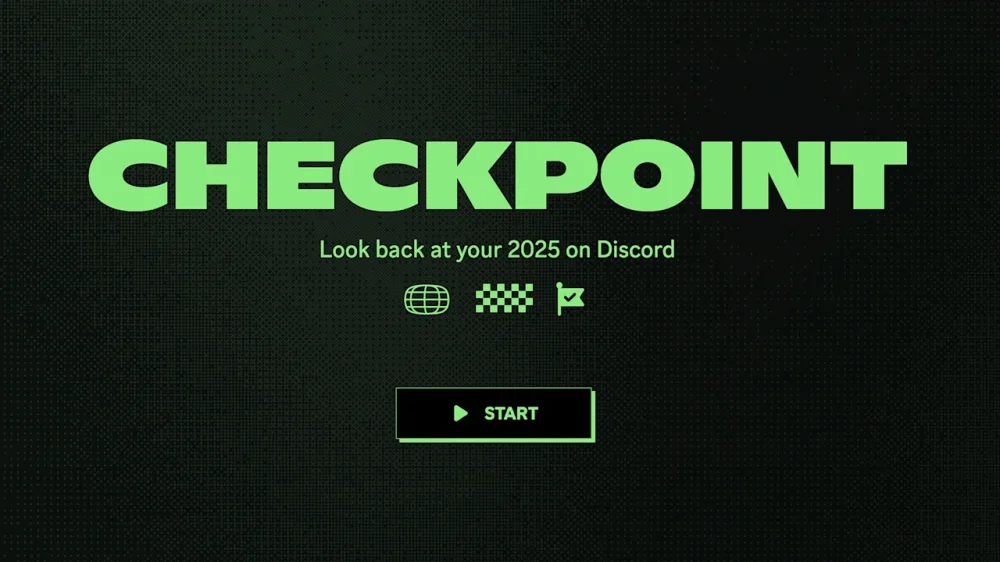
-
Being tired is practically a personality trait in corporate America — especially in 2025. Everybody is exhausted, it seems. Folks are doing fiftyleven jobs. You’re always juggling tasks, always late for the next meeting because the last one ran long. But when you’re one of the few Black employees at the gig, there’s a subconscious fear of looking like you’re in over your head, especially with the looming fear of layoffs. So you push through, even when you’re running on fumes. You go harder, telling yourself you’ll rest once you get through the busy patch. But that’s a lie. The job is a perpetual busy patch. For months, I kept telling myself I was just tired. Regular tired. The kind of tired you fix with a good night’s sleep and maybe a WFH power nap between meetings. But one random Tuesday, as I stared blankly at my laptop trying to decipher a three-sentence Slack message like it was hieroglyphics, it hit me: This wasn’t normal fatigue. My mind was cooked. The exhaustion hit back in the spring, but it was nothing like the dramatics you see in movies. There were no panic attacks in the bathroom or conference room crashouts on Kyle. It showed up subtly, in little ways that I dismissed. I’d reread emails multiple times because the words refused to connect in my mind. I had the attention span of a goldfish. I’d get irrationally annoyed by people asking me perfectly reasonable questions. I was just… over it. I chalked it up to adulting, the natural byproduct of ambition and bills. This too shall pass, I thought. The breaking point wasn’t cinematic. I was in a brainstorming session when I realized my mind felt blank. I managed to offer a few contributions to the meeting, but they were all cliché rehashes, none of the outside-of-the-box ideas I’d usually bring to the table. I felt like Charles Barkley in Space Jam after the Monstars stole the NBA players’ skills — like a whole scrub. Shortly after, I took a week off. Booked a trip. But a change of scenery didn’t fix anything. I came back just as fried, which was more depressing. I tried damn-near all of the things Solange sings about in “Cranes in the Sky.” Then I realized I required a factory reset. I began to make some real changes to improve my work-life balance. It wasn’t just that I needed time away from the office; I needed better boundaries and mental-health maintenance. I began closing my laptop at a designated time, and keeping it closed until it was time to clock in the next day. I blocked off meeting-free focus time during workdays. I got a biweekly gym routine going. I stopped thinking of myself as a machine that could operate nonstop. Somewhere along my come up, I had convinced myself that I needed to treat my job like I was back in college. In those undergrad days, I felt the need to pile on electives and explore diverse fields of study. I wanted to be well-rounded and sure of my career path. But once I was in the workplace, it became about being marketable. I took on fringe projects outside of my job description to open myself up to new opportunities and, ideally, more moola. The game plan served me well until it didn’t. I’ve been taking it easy since then. I have nothing to prove to anyone else, or to myself. So I stay in my lane. I delegate more. I turn down things that aren’t my responsibility. I’ve unlearned the foolish idea that rest is a reward, something I had to earn by pushing myself to the brink. Doing the most is a thing of the past. It took burning out for me to learn a simple truth: Nothing at work is worth losing yourself over. Not the project, not the promotion, not the pat on the back. Protect your energy like it’s finite, because it is. If you’re feeling the kind of tiredness that sleep can’t fix, follow the sage guidance of Ice Cube: Check yourself before you wreck yourself. View the full article

-
The The President administration's decision not to seek funding for the CFPB and transferring remaining enforcement cases to the Department of Justice were cited as reasons for the resignation of Michael G. Salemi, who took over as CFPB enforcement chief earlier this year. View the full article

-
Grasping the concept of a product line is critical for any business looking to improve its market strategy. A product line encompasses a group of related products that share similar features and cater to the same audience. This connection allows businesses to streamline marketing efforts and build brand loyalty. As you explore the nuances of product lines, you’ll discover how effective management can lead to increased revenue and competitive advantages in your industry. Key Takeaways A product line is a collection of related products sharing a brand name and targeting the same market segment. Effective product lines enhance brand recognition and foster consumer trust, encouraging repeat purchases. Different types of product lines, such as seasonal and specialty, cater to various market needs and demographics. Managing product lines involves analyzing sales data, optimizing pricing strategies, and rationalizing SKUs for better inventory. Successful examples of product lines include Apple and Nike, which effectively target specific consumer needs while nurturing brand loyalty. What Is a Product Line? A product line is fundamentally a collection of related products that a company markets under a unified brand name. Comprehending the product line definition helps you grasp its significance in the business environment. Each product line typically shares common characteristics, targeting the same market segment, which improves brand recognition. For example, a beverage company may have a product line consisting of sodas, juices, and teas, all marketed under one brand. The business product meaning extends beyond individual items, encompassing the entire line’s strategy and performance. Companies often manage multiple product lines based on price, quality, and consumer demographics, utilizing various types such as convenience and specialty lines. This strategic management drives sales and promotes customer loyalty as it addresses specific market needs. The Importance of Product Lines for Businesses Comprehending the significance of product lines for businesses is key to grasping how they operate and succeed in competitive markets. Product lines improve brand recognition, making it easier for consumers to trust your brand. By targeting different customer demographics, you can create customized marketing strategies that maximize your market reach. A well-managed product line nurtures customer loyalty, encouraging repeat purchases. Moreover, product line extensions, such as new sizes or flavors, can attract new customers and boost overall revenue. Analyzing product line performance through metrics helps you identify trends for better market positioning. Benefit Description Brand Recognition Groups related products for trust Target Demographics Allows customized marketing strategies Customer Loyalty Encourages exploration of new products Types of Product Lines and Their Applications Comprehension of the different types of product lines is essential for businesses aiming to tailor their offerings to specific market needs. Seasonal product lines, like holiday decorations and summer apparel, capitalize on trends to boost revenue during peak times. Specialty product lines, including luxury watches and gourmet foods, cater to niche markets and often come with higher price points. Convenience product lines consist of low-cost, frequently purchased items such as snacks and personal care products, which are heavily marketed for shelf space. Conversely, shopping product lines, like electronics and furniture, require consumers to compare qualities and prices. Finally, unsought product lines, including life insurance and emergency repair kits, need targeted marketing since consumers rarely think of them until a need arises. Managing and Optimizing Product Lines Managing and optimizing product lines is crucial for maintaining a competitive edge in today’s market. To do this effectively, regularly analyze sales data and market trends, identifying underperforming products for potential adjustments or discontinuations. Implementing a product line filling strategy can address customer needs by introducing new variants, enhancing satisfaction. A well-defined pricing strategy allows you to offer different price points within the same line, maximizing revenue and catering to diverse budgets. Furthermore, cross-selling and upselling can greatly increase your average order value, as customers often purchase complementary products. Finally, conduct regular SKU rationalization to remove low-performing items, streamlining inventory management and improving overall profitability, ensuring your product lines remain relevant and profitable. Real-World Examples of Successful Product Lines Successful product lines can serve as benchmarks for best practices across various industries, showcasing how companies effectively cater to consumer demands. For instance, Apple’s iPhones, iPads, and MacBooks each target specific consumer needs during nurturing brand loyalty. Nike’s Air Jordan and Nike Pro lines illustrate how distinct offerings appeal to different demographics, with Air Jordans attracting basketball fans and Nike Pro focusing on athletic performance. Coca-Cola‘s segmentation with products like Coca-Cola Classic, Diet Coke, and Coca-Cola Zero Sugar meets diverse consumer tastes. Unilever leverages brand strength across personal care and food with products like Dove and Knorr. Finally, Procter & Gamble’s Tide and Pampers address various consumer needs, enhancing brand recognition and loyalty within their markets. Frequently Asked Questions What Does Product Line Mean in Business? In business, a product line refers to a group of related products offered under one brand name. These products are designed to fulfill similar customer needs and preferences, allowing you to strengthen brand loyalty. For instance, a cosmetics brand may have a product line that includes foundations, lipsticks, and skincare items. What Are the 4 Ways Companies Classify Product Lines? Companies classify product lines in four primary ways. First, they group products by functionality, like kitchen appliances or skincare items. Second, they categorize items by price range, offering budget, mid-range, and premium options. Third, demographic segmentation targets specific groups, such as children’s toys or men’s grooming products. Finally, geographic classification tailors products to regional preferences, like food brands with localized flavors. These strategies help businesses plunge into diverse consumer needs effectively. What Are Four Different Product Line Classifications? There are four main classifications of product lines. Seasonal product lines focus on specific times of the year, like holiday decorations. Specialty product lines cater to niche markets, offering unique items at higher prices, such as luxury watches. Convenience product lines consist of low-cost items for everyday use, like snacks. Ultimately, shopping product lines involve higher-cost items, requiring more planning, such as electronics. Each classification serves different consumer needs and market segments. What Are the Different Types of Product Lines? There are several types of product lines, each catering to different consumer needs. Seasonal product lines, like holiday decorations, sell during specific times of the year. Specialty lines focus on niche markets, offering exclusive items, such as luxury watches. Convenience product lines include everyday items, like snacks, purchased with little effort. Finally, shopping product lines involve higher-priced goods, like electronics, where you compare features and prices before making a decision. Conclusion In summary, comprehension of product lines is crucial for your business’s success. By defining a cohesive collection of related products, you can improve brand recognition and nurture customer loyalty. Implementing effective management strategies for your product lines will allow you to optimize marketing efforts and drive revenue growth. Whether you’re launching a new product or refining an existing line, a clear focus on your product line definition will help you meet consumer needs and stand out in the marketplace. Image via Google Gemini This article, "Understanding Product Line Definition: A Guide for Businesses" was first published on Small Business Trends View the full article
-
Grasping the concept of a product line is critical for any business looking to improve its market strategy. A product line encompasses a group of related products that share similar features and cater to the same audience. This connection allows businesses to streamline marketing efforts and build brand loyalty. As you explore the nuances of product lines, you’ll discover how effective management can lead to increased revenue and competitive advantages in your industry. Key Takeaways A product line is a collection of related products sharing a brand name and targeting the same market segment. Effective product lines enhance brand recognition and foster consumer trust, encouraging repeat purchases. Different types of product lines, such as seasonal and specialty, cater to various market needs and demographics. Managing product lines involves analyzing sales data, optimizing pricing strategies, and rationalizing SKUs for better inventory. Successful examples of product lines include Apple and Nike, which effectively target specific consumer needs while nurturing brand loyalty. What Is a Product Line? A product line is fundamentally a collection of related products that a company markets under a unified brand name. Comprehending the product line definition helps you grasp its significance in the business environment. Each product line typically shares common characteristics, targeting the same market segment, which improves brand recognition. For example, a beverage company may have a product line consisting of sodas, juices, and teas, all marketed under one brand. The business product meaning extends beyond individual items, encompassing the entire line’s strategy and performance. Companies often manage multiple product lines based on price, quality, and consumer demographics, utilizing various types such as convenience and specialty lines. This strategic management drives sales and promotes customer loyalty as it addresses specific market needs. The Importance of Product Lines for Businesses Comprehending the significance of product lines for businesses is key to grasping how they operate and succeed in competitive markets. Product lines improve brand recognition, making it easier for consumers to trust your brand. By targeting different customer demographics, you can create customized marketing strategies that maximize your market reach. A well-managed product line nurtures customer loyalty, encouraging repeat purchases. Moreover, product line extensions, such as new sizes or flavors, can attract new customers and boost overall revenue. Analyzing product line performance through metrics helps you identify trends for better market positioning. Benefit Description Brand Recognition Groups related products for trust Target Demographics Allows customized marketing strategies Customer Loyalty Encourages exploration of new products Types of Product Lines and Their Applications Comprehension of the different types of product lines is essential for businesses aiming to tailor their offerings to specific market needs. Seasonal product lines, like holiday decorations and summer apparel, capitalize on trends to boost revenue during peak times. Specialty product lines, including luxury watches and gourmet foods, cater to niche markets and often come with higher price points. Convenience product lines consist of low-cost, frequently purchased items such as snacks and personal care products, which are heavily marketed for shelf space. Conversely, shopping product lines, like electronics and furniture, require consumers to compare qualities and prices. Finally, unsought product lines, including life insurance and emergency repair kits, need targeted marketing since consumers rarely think of them until a need arises. Managing and Optimizing Product Lines Managing and optimizing product lines is crucial for maintaining a competitive edge in today’s market. To do this effectively, regularly analyze sales data and market trends, identifying underperforming products for potential adjustments or discontinuations. Implementing a product line filling strategy can address customer needs by introducing new variants, enhancing satisfaction. A well-defined pricing strategy allows you to offer different price points within the same line, maximizing revenue and catering to diverse budgets. Furthermore, cross-selling and upselling can greatly increase your average order value, as customers often purchase complementary products. Finally, conduct regular SKU rationalization to remove low-performing items, streamlining inventory management and improving overall profitability, ensuring your product lines remain relevant and profitable. Real-World Examples of Successful Product Lines Successful product lines can serve as benchmarks for best practices across various industries, showcasing how companies effectively cater to consumer demands. For instance, Apple’s iPhones, iPads, and MacBooks each target specific consumer needs during nurturing brand loyalty. Nike’s Air Jordan and Nike Pro lines illustrate how distinct offerings appeal to different demographics, with Air Jordans attracting basketball fans and Nike Pro focusing on athletic performance. Coca-Cola‘s segmentation with products like Coca-Cola Classic, Diet Coke, and Coca-Cola Zero Sugar meets diverse consumer tastes. Unilever leverages brand strength across personal care and food with products like Dove and Knorr. Finally, Procter & Gamble’s Tide and Pampers address various consumer needs, enhancing brand recognition and loyalty within their markets. Frequently Asked Questions What Does Product Line Mean in Business? In business, a product line refers to a group of related products offered under one brand name. These products are designed to fulfill similar customer needs and preferences, allowing you to strengthen brand loyalty. For instance, a cosmetics brand may have a product line that includes foundations, lipsticks, and skincare items. What Are the 4 Ways Companies Classify Product Lines? Companies classify product lines in four primary ways. First, they group products by functionality, like kitchen appliances or skincare items. Second, they categorize items by price range, offering budget, mid-range, and premium options. Third, demographic segmentation targets specific groups, such as children’s toys or men’s grooming products. Finally, geographic classification tailors products to regional preferences, like food brands with localized flavors. These strategies help businesses plunge into diverse consumer needs effectively. What Are Four Different Product Line Classifications? There are four main classifications of product lines. Seasonal product lines focus on specific times of the year, like holiday decorations. Specialty product lines cater to niche markets, offering unique items at higher prices, such as luxury watches. Convenience product lines consist of low-cost items for everyday use, like snacks. Ultimately, shopping product lines involve higher-cost items, requiring more planning, such as electronics. Each classification serves different consumer needs and market segments. What Are the Different Types of Product Lines? There are several types of product lines, each catering to different consumer needs. Seasonal product lines, like holiday decorations, sell during specific times of the year. Specialty lines focus on niche markets, offering exclusive items, such as luxury watches. Convenience product lines include everyday items, like snacks, purchased with little effort. Finally, shopping product lines involve higher-priced goods, like electronics, where you compare features and prices before making a decision. Conclusion In summary, comprehension of product lines is crucial for your business’s success. By defining a cohesive collection of related products, you can improve brand recognition and nurture customer loyalty. Implementing effective management strategies for your product lines will allow you to optimize marketing efforts and drive revenue growth. Whether you’re launching a new product or refining an existing line, a clear focus on your product line definition will help you meet consumer needs and stand out in the marketplace. Image via Google Gemini This article, "Understanding Product Line Definition: A Guide for Businesses" was first published on Small Business Trends View the full article
-
Every year, open enrollment forces Americans to confront a familiar dilemma: Pay more for coverage that delivers less, or gamble on going without it. This year, that choice has become even starker. Employers are shifting more costs to workers, marketplace premiums are poised to rise, fewer prescription drugs are covered by insurance, and 3.8 million people could lose insurance annually if Affordable Care Act subsidies aren’t extended. Together, these developments represent a structural break in the U.S. healthcare system. It’s a perfect storm that will price many Americans out of health insurance altogether—many involuntarily, but some voluntarily. Fed up with skyrocketing premiums and deductibles that offer little protection, they’ll instead pay out-of-pocket for medical needs, hoping that they won’t face catastrophic expenses. What’s emerging is not a temporary coverage gap. It’s a permanent coverage squeeze. One that will fundamentally reorder consumer behavior and redefine what “access” means. The implications for healthcare organizations are profound, and those who fail to adapt will struggle to stay relevant. SHIFT FROM COVERAGE TO CONTROL For decades, the U.S. healthcare model has been built on the assumption that insurance is the gateway to care. But when premiums and deductibles reach levels that rival a second mortgage, consumers start to ask a different question: What am I actually getting for this? Increasingly, the answer feels out of step with consumer expectations. High deductibles mean many people pay full price for most of their care anyway. Network limitations constrain choice. Surprise bills erode trust. And the complexity of benefits makes it nearly impossible to be an informed consumer. As a result, we’re seeing a quiet but significant reorientation. Consumers are moving from a coverage-first mindset to a control-first mindset. They want to understand costs upfront. They want to choose where they go for treatment. They want the ability to pay in ways that fit their budgets. And when the value equation breaks, they’re willing to bypass the system entirely. THE CONSUMER HEALTHCARE MARKET WILL EXPAND If current trends hold, 2026 could mark one of the largest expansions of the uninsured and underinsured population in more than a decade. But instead of disengaging from the healthcare system, these consumers are building a parallel path through it. They are demanding the same things they expect from the best retail and digital experiences: clarity, predictability, immediacy, and trust. This creates a massive opportunity, and a significant responsibility, for the industry. Companies that can simplify access, make pricing transparent, and deliver affordable pathways to care will become essential partners. Those that cling to legacy models built around opaque reimbursement flows will watch consumers go elsewhere. We already see evidence of this shift. People are embracing subscription-based care for predictable costs, using telehealth for speed and convenience, and relying on platforms like GoodRx to access lower prescription prices. Services like my company GoodRx’s newly-launched telemedicine subscriptions for erectile dysfunction, hair loss, and weight loss are examples of how companies are meeting this demand, offering affordable, accessible healthcare options outside traditional insurance frameworks. WHAT HEALTHCARE LEADERS MUST DO NOW Healthcare has historically been built around the needs of institutions, not individuals. That era is ending. The organizations that thrive in the next phase will redesign around consumer agency and economic reality. Three shifts are essential: Make cash pricing a standard, not a contingency. If people are paying out-of-pocket, they need to see the cost clearly, consistently, and upfront. Transparent pricing should be a baseline expectation across providers, pharmacies, and manufacturers. Embed affordability into clinical decision making. Cost isn’t a “back office” issue. It should be integrated into prescribing tools, clinical workflows, and patient conversations. Providers need real-time insights into cash prices and savings options so they can help patients make informed choices before they reach the pharmacy counter. Build care models that meet consumers where they are. Telehealth, retail clinics, asynchronous care, and hybrid models represent the way consumers want to access routine, preventive, and even chronic care. Healthcare companies must expand their presence in these channels or risk losing relevance. BUILD A CONSUMER-CENTRIC FUTURE The coverage squeeze is exposing something important: Consumers are demanding value, not just benefits. They want care that feels intuitive and affordable. They want to make decisions with clear information rather than insurance complexity. And they want healthcare that adapts to their lives. If we meet that demand, we have a chance to rebuild trust and deliver a healthcare experience that works for more people, regardless of their coverage status. If we don’t, consumers will continue to chart their own path, with or without the traditional system. The next chapter of American healthcare won’t be defined by the rise or fall of insurance premiums. It will be defined by whether we, as industry leaders, embrace a radically simple idea: When we design for the consumer first, everyone benefits. Wendy Barnes is president and CEO of GoodRx. View the full article

-
Manually or automatically wiping your browsing history is a well-established way of protecting your privacy and making sure the digital trail you leave behind you is as short as possible—but it's important to be aware of the limitations of the process, and to understand why deleting your browsing history isn't always as comprehensive an act as you might think. In short, the records of where you've been aren't only kept on your local computer or on your phone, they're found in various other places too. This is why fully wiping away your browsing history is more difficult than it initially appears. Modern browsers typically sync your browsing historyJust about every modern browser can now sync your browsing history across devices, from laptop to mobile and back again. There are benefits to this—being able to continue your browsing on a different device, for example—but it means that deleting the list of websites you've visited on one device won't necessarily clear it everywhere. Consider Apple's Safari, which by default will sync your online history, bookmarks, and open tabs between all of the iPhones, iPads, and Macs using the same Apple account. You can manage this by selecting your account name and then iCloud in Settings on iOS/iPadOS or in System Settings on macOS. Deleting browsing history in Safari. Credit: Lifehacker Whether or not Safari syncing is enabled through iCloud will affect how browsing history is deleted—when you try to delete this history on mobile or desktop, you'll see a message telling you what will happen on your other devices. In Safari on a Mac, choose History > Clear History; on an iPhone or iPad, choose Apps > Safari > Clear History and Website Data from Settings. Most other browsers work in the same way, with options for both syncing history and deleting history. In Chrome on the desktop, for example, open Settings via the three-dot menu (top right): You can manage syncing via You and Google > Sync and Google Services > Manage what you sync, and clearing your history via Privacy and security > Delete browsing data. The apps and sites you use are tracking youAside from all the history your actual web browser is collecting, you also need to think about the data being vacuumed up by the apps and websites you're using. If you log into Facebook, Meta will know about the comments you've left and the photos you've liked, no matter how much you scrub your history from Edge or Firefox. How much you can do about this really depends on the app or site. Amazon lets you clear your search history, for example: On the desktop site, click Browsing History on the toolbar at the top, then click the gear icon (top right). The next screen lets you delete all or some of your browsing history, and block future tracking—though you won't be able to reorder items as easily, and your recommendations will be affected. Clearing data from a Google account. Credit: Lifehacker Meta lets you clear your Instagram and Facebook search history, at least: You can take care of both from the Meta Accounts Center page in a desktop browser. Click Your information and permissions then Search history to look back at what you've been searching for. The next screen gives you options for manually and automatically wiping your search history. Google runs a whole host of online apps as well as a web browser. You can manage all your Google data from one central point from your desktop browser: Your Google Account page. Click Data and privacy to see everything Google has collected on you, and click through on any activity type to manually delete records or set them up to be automatically deleted after a certain period of time. Your internet provider always knows where you've beenThe final place there will be copies of your internet browsing history are on the servers of your internet service provider—that is, whichever company you're paying for access to the internet is keeping logs of the places you've been, for all kinds of purposes (from security to advertising). And yes, this includes sites that you open while in incognito mode. How this is handled varies from provider to provider. For example, AT&T's privacy notice states that the company will "automatically collect a variety of information", including "website and IP addresses," "videos watched," and "search terms entered." The company says this data will be kept for, "as long as we need it for business, tax, or legal purposes." A VPN can hide your browsing from your internet provider. Credit: Lifehacker There's not a whole lot you can do about this either—it's a trade-off you have to make if you want access to the web. Some providers, including AT&T, will let you opt out of certain types of information sharing if you get in touch with them directly, but you can't prevent the tracking from happening in the first place. What you can do is mask your browsing with a VPN (Lifehacker has previously picked the best paid VPNs and the best free VPNs for you to try out). As all your internet traffic will be routed through the VPN's servers, your internet provider will no longer be able to see what you're doing. Your VPN provider will, however—so find one that you can trust, and which has a no-logs policy that's been verified by a third-party security auditor. View the full article
-
We’ve been here before. At so many pivotal moments in our adoption of digital technology, people and businesses mistake a company’s walled garden for the broader, more powerful network underneath. In the 1990s, many people genuinely believed AOL was the internet. When I left Facebook in 2013, hundreds of people asked how I would function “without the web.” Over and over, packaged products—operating systems, app stores, streaming services—eclipse quieter, less expensive, bottom-up alternatives like Linux or torrents. We forget they exist. Today we’re making the same mistake with large language models. To many of us, “AI” now means choosing among a handful of commercial LLMs such as ChatGPT, Claude, Gemini, or Grok—and perhaps even choosing the one that matches our cultural or political sensibilities. But these systems share important structural limitations: they are centralized, expensive, energy-intensive operations that depend on massive data centers, rare chips, and proprietary data stores. Because they’re trained on roughly the same public internet, they also tend to generate the same generalized, flattened results. Companies using them wholesale often end up substituting their own expertise with recombinations of whatever is already out there. This is how AI will do to businesses what social media did to publications, and what the early web did to retailers who went online without a strategy. Using the same generic tools as everyone else produces the same generic results. Worse, outsourcing core knowledge processes to a black-box service replaces the long-term development of internal capacity—especially junior employees learning through real practice—with cheaper but future-eroding automation. The limits of centralized AI Commercial language models are optimized for generality and scale. That scale is impressive, but it creates real constraints for organizations. Centralized LLMs require: Large volumes of training data scraped from the open web Expensive server infrastructure and power consumption Constant external connectivity Business models built around subscription, token fees, or upselling For many companies, these models become another outsourced dependency. Every time a commercial LLM updates itself—which can happen weekly—your workflows change underneath you. Your proprietary data may be exposed to third-party APIs. And your differentiation erodes, because the model’s knowledge is drawn from the same public corpus available to your competitors. Meanwhile, the narrative surrounding AI has encouraged businesses to believe that this centralized path is the only viable one—that achieving meaningful AI capability requires enormous data centers, billion-dollar training runs, and participation in a global race toward Artificial General Intelligence. But none of this is a requirement for using AI productively. A practical alternative already exists You do not need frontier-scale models to benefit from AI. A growing ecosystem of open-source, locally deployable language models provides organizations with far more autonomy, privacy, and control. A $100 Raspberry Pi—or any modest home or office server—can run a compact open-source model using tools like Ollama or GPT4All. These models don’t “learn” on the fly the way people do, but they can produce high-quality responses while remaining completely contained within your own environment. More importantly, they can be paired with a private knowledge base using retrieval systems. That means the model can reference your own research library, internal documentation, or curated public resources like Wikipedia—without training on the entire internet, and without sending your data to an external provider. These systems build on your own data instead of extracting it, strengthen your institutional memory instead of commoditizing it, and run at a fraction of the cost. This approach allows an organization to create an AI system aligned with its actual priorities, values, and domain expertise. It becomes a private assistant rather than a generalized product shaped by the incentives of a trillion-dollar platform. And the alternative doesn’t have to be a solitary effort. Neighborhoods, campuses, or company departments can form a “mesh network”—a set of devices connected directly through Wi-Fi or cables rather than through the public internet. One node can host a local model; others can contribute or withhold their own data stores. Instead of a single company owning the infrastructure and the knowledge, you get something closer to a community data commons or a digital library system. Projects like the High Desert Institute’s LoreKeeper’s Guild are already experimenting with this approach. Their “Librarian” initiative envisions local libraries acting as the data hubs for mesh-networked AI systems—resilient enough to function even during connectivity disruptions. But their deeper innovation is architectural. These systems give organizations access to powerful language capabilities without subscription costs, lock-in, data extraction, or exposure of proprietary information. Local or community models enable organizations to: Curate their own data Maintain complete privacy by keeping computation on-site Reduce latency to near zero Preserve and strengthen internal expertise Avoid recurring token or API costs And they do so using energy and computing resources that are orders of magnitude lower than those required by frontier-scale models. Why decentralized AI matters now The more institutions adopt localized or mesh-based AI, the less they are compelled to fund the centralized companies racing toward AGI. Those companies have made an effective argument: that sophisticated AI is only possible through their services. But much of what organizations pay for is not their own productivity—it is the construction of massive server farms, procurement of rare chips, and long-term bets on energy-intensive infrastructure. By contrast, in-house or community-run systems can be deployed once and maintained indefinitely. A week of setup can eliminate a decade of subscription payments. A small rural library has already demonstrated the feasibility of operating a self-hosted LLM node; a Fortune 500 company should have no trouble doing the same. Still, history suggests that most organizations will choose the convenient option rather than the autonomous one. Few people accessed the early internet directly; they chose AOL. Today, many will continue to choose centralized AI services, even when they offer the least control. But what social media companies did to businesses that mistook them for “the internet” will be mild compared to what comes when companies mistake these proprietary interfaces for “AI” itself. Decentralized AI already exists. The question now is whether we’ll choose to use it. View the full article

-
Avant de pouvoir approuver un projet proposé, vous devez savoir s’il est réalisable. Cela implique de mener une étude de faisabilité approfondie pour examiner tous les aspects essentiels du projet proposé et déterminer s’il pourra réussir. Notre modèle d’étude de faisabilité vous aide à structurer cette analyse efficacement. Téléchargez notre modèle gratuit d’étude de faisabilité pour Word et découvrez si le projet que vous envisagez offrira un retour sur investissement et pourra être mené à bien avec les ressources financières et le temps dont vous disposez. Pour télécharger ce modèle gratuit d’étude de faisabilité, cliquez sur l’image ci-dessous. /wp-content/uploads/2025/12/Modele-detude-de-faisabilite-600x683.png Pourquoi avez-vous besoin d’un modèle d’étude de faisabilité ? Une étude de faisabilité permet aux chefs de projet d’évaluer les défis logistiques, financiers et commerciaux d’un projet proposé. Utiliser un modèle d’étude de faisabilité signifie que toutes ces zones critiques sont déjà définies et que la documentation reste cohérente d’un projet à l’autre. Un modèle d’étude de faisabilité aide les chefs de projet à prendre des décisions essentielles, comme estimer les fonds nécessaires à la réalisation du projet. Cela déterminera si le coût peut être récupéré ou si le projet entraînera une perte pour l’organisation, ce qui le rendrait non rentable. Un autre aspect important du modèle d’étude de faisabilité est qu’il évalue le potentiel commercial du projet et si ce potentiel permettra d’obtenir un retour sur l’investissement initial. Cela inclut l’analyse du marché dans lequel le projet va évoluer et la place disponible pour le produit ou service, tout en tenant compte des besoins des consommateurs et de la concurrence. Vous testerez à la fois le marché et les consommateurs pour vérifier si votre produit ou service répond à un besoin. Ce modèle d’étude de faisabilité pour Word vous permet d’identifier si les gens veulent ce que vous proposez ou si l’offre existante est insuffisante. S’il existe déjà un produit ou service offert par des concurrents, le modèle d’étude de faisabilité permet d’identifier ces concurrents et de créer un profil afin de déterminer où exploiter leurs faiblesses ou leur faible pénétration du marché. Toujours en lien avec les consommateurs, le modèle permet aussi de définir le prix acceptable pour votre livrable et d’estimer votre part de marché potentielle. Le logiciel transforme une étude de faisabilité en projet réel Si vous décidez d’approuver le projet, vous aurez alors besoin d’un logiciel de gestion de projet pour le planifier, le gérer et en assurer le suivi. ProjectManager est un logiciel de gestion de projet primé qui dispose des outils nécessaires pour organiser les tâches, établir un calendrier et gérer les ressources afin de livrer le projet dans les délais et le budget prévus. Nos diagrammes de Gantt relient les quatre types de dépendances entre tâches, filtrent le chemin critique et permettent de définir une ligne de base pour capturer votre plan. Vous pouvez ensuite comparer l’effort prévu à l’effort réel en temps réel pour rester sur la bonne voie. Commencez à utiliser ProjectManager gratuitement dès aujourd’hui. /wp-content/uploads/2025/06/FR-French-Gantt-CTA.jpgEn savoir plus Quand utiliser un modèle d’étude de faisabilité ? Vous avez peut-être déjà entendu dire qu’il ne sert à rien de réaliser une étude de faisabilité une fois le projet approuvé, mais ce n’est pas toujours le cas. Il vaut toujours mieux disposer d’informations que rester dans l’incertitude concernant le projet. Cependant, l’objectif principal d’une étude de faisabilité est de déterminer s’il faut réaliser le projet. C’est pourquoi une étude de faisabilité est réalisée avant le projet, que ce soit lors d’un appel d’offres ou de la proposition d’un projet, du lancement d’une nouvelle entreprise ou de l’ajout d’une nouvelle gamme de produits. En réalité, une étude de faisabilité est un excellent outil avant toute décision commerciale majeure, y compris l’acquisition d’une entreprise concurrente. Comme une étude de faisabilité analyse le potentiel de réussite d’un projet, elle est menée aux premières étapes de l’évaluation de la viabilité du projet. Elle le fait en recherchant les coûts prévus et les bénéfices que le projet proposé apportera à l’organisation. Le modèle d’étude de faisabilité est donc utilisé au cours de cette analyse pré-projet, avant qu’un engagement ne soit pris. Qui doit utiliser ce modèle d’étude de faisabilité ? Le modèle d’étude de faisabilité peut être rempli par un certain nombre de personnes, mais il est recommandé de choisir un professionnel ou un consultant qui ne fait pas partie du projet proposé. Vous ne voulez pas qu’une personne financièrement ou personnellement impliquée dans le projet réalise une étude qui doit rester impartiale. Même si elle le pouvait, il y aurait toujours une apparence de conflit d’intérêt. Bien sûr, il faut choisir quelqu’un de qualifié pour analyser efficacement le projet proposé. Cette personne doit avoir une expertise en lien avec le projet. Les qualifications académiques conviennent tout comme les certifications professionnelles et l’expérience, tant qu’elles sont pertinentes pour le projet. Il est également courant qu’un membre de votre équipe utilise ce document. En fait, lors des premières recherches, il n’est pas rare de réaliser l’étude de faisabilité en interne, mais il faudra équilibrer cette analyse avec l’avis d’un professionnel ou d’un consultant de confiance qui comprend le projet proposé et le contexte dans lequel il sera exécuté. Comment utiliser ce modèle d’étude de faisabilité ? Commencez par télécharger notre modèle gratuit d’étude de faisabilité pour Word. Vous trouverez un document Word personnalisable, formaté pour capturer toutes les données nécessaires à une étude de faisabilité complète. Si vous souhaitez ajouter davantage d’informations, copiez simplement l’un des blocs et modifiez le type afin de refléter ce que vous souhaitez couvrir. Voici ce que nous avons inclus : Résumé exécutif : pour le résumé exécutif, rédigez une vue d’ensemble du projet, de ses objectifs et de la manière dont il prévoit de les atteindre. Description du produit ou service : expliquez ce que sera le livrable final du projet, pourquoi il est recherché et quelle est la demande pour celui-ci. Considérations techniques : comment le produit ou service sera-t-il livré aux clients ? Listez les matériaux nécessaires, la main-d’œuvre, le transport et toutes les technologies requises pour que cela se produise. Marché du produit ou service : quel est le marché cible, la demande et qui sont les principaux concurrents ? Stratégie marketing : comment allez-vous atteindre le public cible ? Détaillez les actions marketing, qu’elles soient numériques, par courrier direct, etc. Organisation et effectifs : quels sont vos effectifs actuels et faudra-t-il recruter ou réorganiser pour répondre aux exigences du projet ? Calendrier : quel est le calendrier du projet ? Incluez toutes les contraintes, qu’il s’agisse du budget, des ressources, etc. Résultats et recommandations : résumez les conclusions de l’étude de faisabilité et formulez des recommandations pour décider de la suite à donner. Autres modèles gratuits pour vous aider après votre étude de faisabilité Notre modèle gratuit d’étude de faisabilité est seulement l’un des nombreux modèles de gestion de projet gratuits pour Excel et Word disponibles sur notre site. Nous proposons des modèles gratuits pour chaque phase du projet afin de vous aider si vous décidez d’aller de l’avant. Voici quelques exemples. Modèle de diagramme de Gantt Un diagramme de Gantt est un outil de gestion de projet qui organise vos tâches. Il ressemble à une feuille de calcul d’un côté, mais toutes les informations sont ensuite affichées de l’autre côté sous forme de chronologie visuelle. Notre diagramme de Gantt gratuit pour Excel est un outil essentiel de planification et d’ordonnancement. Modèle de tableau de bord de projet Une fois la phase d’exécution commencée, vous souhaiterez surveiller et contrôler votre projet. Notre modèle gratuit de tableau de bord de projet pour Excel vous offre une vue d’ensemble des principaux indicateurs du projet tels que le pourcentage de tâches terminées, la charge de travail de l’équipe, les coûts du projet et plus encore. ProjectManager est un logiciel de gestion de projet en ligne qui permet aux équipes de planifier, gérer et suivre leurs projets en temps réel. Ses fonctionnalités de gestion des risques, des ressources et des tâches vous aident à concrétiser les objectifs de votre étude de faisabilité et à livrer vos projets dans les délais et le budget impartis. Commencez dès aujourd’hui à utiliser ProjectManager gratuitement. The post Modèle d’étude de faisabilité pour Word (gratuit) appeared first on ProjectManager. View the full article
-
It’s the Friday open thread! The comment section on this post is open for discussion with other readers on any work-related questions that you want to talk about (that includes school). If you want an answer from me, emailing me is still your best bet*, but this is a chance to take your questions to other readers. * If you submitted a question to me recently, please do not repost it here, as it may be in my queue to answer. The post open thread – December 5, 2025 appeared first on Ask a Manager. View the full article
-
The way consumers search is changing faster than the industry expected. This holiday season, many shoppers are looking for gifts inside AI platforms, rather than retailer sites or traditional search. They are asking natural questions like: “Find me a cruelty-free skincare gift for sensitive skin under $100.” “What are good gift ideas for a three-year-old that are safe and durable?” “What are the safest, nontoxic treats for my Golden Retriever?” This shift is already measurable. Adobe Digital Insights reports a 4,700% year-over-year increase in retail visits driven by AI assistants between July 2024 and July 2025. At the same time, click-through rates from SEO have dropped 34% as users bypass the search results page entirely. eMarketer reports 47% of brands have no idea whether they appear in AI-driven discovery at all. The platforms know this shift is accelerating. Google’s recent decision to add conversational shopping and AI-mode ads just weeks before the holidays shows how quickly consumer behavior is moving. Brands must adjust too. Despite the complexity behind AI systems, three simple signals determine which products get recommended: trust, relevance, and extractability. These signals are the backbone of how AI decides what to surface, and matter as much as packaging, price, or placement. 1. Trust: The model’s instinct about which information is dependable AI systems develop a sense of which sources to believe during training. Domains with consistent verification signals gain more weight because the model has learned they usually publish accurate information. This is why leading retailers, including Ulta, Sephora, Target, Amazon, and Bloomingdale’s, rely on independent verification partners for the claims displayed on their digital shelves. Verified domains act as trust anchors. When a model must choose, it selects the product backed by clearer and more reliable sources. Trust often determines whether you are included in the answer at all. 2. Relevance: How well your product matches the shopper’s question AI assistants answer based on meaning, not keywords. When a shopper asks for “eczema-safe moisturizer” or “gluten-free protein bars,” the system retrieves products whose attributes clearly map to those concepts. Relevance depends on using consistent claims across every channel you sell in—consistency is heavily prioritized. When multiple sources concur, this repeated confirmation strongly reinforces your product is the right choice. Missing or inconsistent attributes keep your product of the candidate pool. 3. Extractability: How easy it is for AI to read and use your product data Even accurate information gets ignored if it’s hard for AI to parse. Clean structure, consistent formatting, and machine readability significantly increase the likelihood your product will be selected. Brands improve extractability by adding structured markup for details like ingredients, materials, and benefits so retrieval systems can interpret it without ambiguity. Clear structure anchors the attention of the large language model, giving your product an advantage. Extractability is often the deciding factor when competing products meet the same need. AI RECOMMENDATIONS SHAPE BEHAVIOR Algorithms do more than respond to consumers. They influence them. We see this in language, where content moderation has led millions of people to adopt new vocabulary. The same pattern is emerging in commerce. If AI consistently recommends a certain moisturizer, probiotic, or baby product, shoppers begin to trust those recommendations and carry those preferences into stores. Optimizing for trust, relevance and extractability goes beyond improving digital performance. It shapes real-world buying behavior. A PRACTICAL PLAYBOOK FOR THE HOLIDAY WINDOW Even with peak season here, brands can still make meaningful progress with these four steps: 1. Structure your data for machine and human audiences • Fix blocked pages or missing product schemas, and use standard formats like JSON-LD that AI can parse reliably. • Keep consumer-facing PDPs simple while storing deeper technical details, ingredients, and safety information in underlying schemas. • Clean up formatting and refresh retailer feeds weekly, since AI systems prioritize recency. Example: A candle brand can keep the PDP simple for shoppers while storing allergen, VOC, and material data in structured markup that AI can read. 2. Align product claims everywhere you sell • Match titles, claims and benefits across DTC sites, retailer PDPs, and marketplaces. • Remove conflicting or outdated language that can weaken trust. Example: If one PDP says “cruelty-free” and another says “not tested on animals,” unify the phrasing so AI sees one consistent claim. 3. Map your data to real shopper intent • Identify the attributes consumers care about most in your category. • Encode those attributes in machine readable fields; add supporting evidence where possible. Example: For baby toys, encode safety standards like ASTM or CPSC in your structured data so AI can confirm the claim. 4. Build machine-readable authority with credible certifications and verification signals • Encode ingredients, materials, certifications, and testing outcomes in structured fields so AI can verify your claims without guessing. • Keep claim language consistent across channels to strengthen authority. • Use references to third-party standards, testing, or retailer badges. AI gives more weight to claims it can trace back to trusted sources. Example: A sensitive skin serum should encode “fragrance-free,” “eczema-safe,” dermatologist testing details, and any third-party certifications directly in schema. 5. Use a tool that monitors, optimizes, and implements the work end-to-end • Choose a tool that goes beyond generic visibility tracking, looks at each SKU individually, and helps you implement structured data improvements. • Prioritize systems that strengthen your authority signals product by product, not just surface-level optimizations. • Look for tools that measure real outcomes, like increased visibility in AI or higher conversion, so you can measure ROI. Consumer discovery is changing faster than most brands are prepared for. But there is still time. By reinforcing trust, relevance, and extractability now, brands can stay visible in AI-driven search this season and build a long-term foundation for every channel where AI shapes consumer decisions. Kimberly Shenk is cofounder and CEO of Novi. View the full article

-
We may earn a commission from links on this page. Deal pricing and availability subject to change after time of publication. Are smart glasses worth the hype? If you’re looking for a stylish accessory that doubles as a camera, headphones, and AR display without needing to pull out a phone, they’re a life hack that’s worth the splurge. Right now, the Ray-Ban Meta (Gen 1) smart glasses are 25% off at $246.75 (originally $329), marking their lowest price ever. This version is matte black with polarized lenses, but you can also get a slightly less expensive version that’s shiny with clear lenses for $224.25. Ray-Ban Meta (Gen 1) $246.75 at Amazon $329.00 Save $82.25 Get Deal Get Deal $246.75 at Amazon $329.00 Save $82.25 The Ray-Ban Meta (Gen 1) AI glasses have the retro aesthetic of the iconic Wayfarers, and at 49 grams, they’re only slightly heavier than regular glasses (though with prescription lenses, that’ll be bumped up to 54 grams). They allow you to do everything from record 1080p video and capture photos to listen to music, make calls, text while driving, live-stream on the go, or get answers from Meta AI. They have a wide field of view and solid image stabilization, although they only shoot in a vertical aspect ratio. The glasses feature an ultra-wide 12 MP camera and have five mics, as well as built-in open-ear speakers that let you listen to audio without fully blocking out your surroundings. Meta AI is one of the main draws of this wearable tech, acting as a built-in personal assistant. There’s also live language translation that processes speech at a conversational pace, which is especially helpful when you’re traveling, and which we discuss in our in-depth Ray-Ban Metas review. They last up to four hours, and the case contains up to eight additional charges. While they can do a lot, they can’t perform complex tasks like book hotel researvations, and the battery life and weight may not be ideal for prescription lens wearers who rely on wearing their glasses all day. Still, they’re a highly giftable gadget that makes everyday tasks smoother and more functional, and at an all-time low price, the Ray-Ban Meta (Gen 1) smart glasses might be one of the top wearable tech buys of the season. Our Best Editor-Vetted Tech Deals Right Now Apple iPad Air 11" M3 128GB WiFi Tablet (Space Gray) — $499.99 (List Price $599.00) Dell 14 Premium DA14250 (Intel Core Ultra 7 255H, 512GB SSD, 16GB RAM, 2K Display) — $999.99 (List Price $1,549.99) Sony WH-1000XM5 — $278.00 (List Price $399.99) Samsung Galaxy Tab A9+ 10.9" 64GB Wi-Fi Tablet (Graphite) — $149.99 (List Price $219.99) Apple Watch Series 11 [GPS 46mm] Smartwatch with Jet Black Aluminum Case with Black Sport Band - M/L. Sleep Score, Fitness Tracker, Health Monitoring, Always-On Display, Water Resistant — $359.99 (List Price $429.00) Deals are selected by our commerce team View the full article
-
European Union regulators on Friday fined Elon Musk’s social media platform X 120 million euros ($140 million) for breaches of the bloc’s digital regulations that they said could leave users exposed to scams and manipulation. The European Commission issued its decision following an investigation it opened two years ago into X under the 27-nation bloc’s Digital Services Act, also known as the DSA. It’s the first time that the EU has issued a so-called non-compliance decision since rolling out the DSA. The sweeping rulebook requires platforms to take more responsibility for protecting European users and cleaning up harmful or illegal content and products on their sites, under threat of hefty fines. The Commission said it was punishing X, previously known as Twitter, because of three different breaches of the DSA’s transparency requirements. The decision could rile President Donald The President, whose administration has lashed out at digital regulations, complaining that Brussels was targeting U.S. tech companies and vowing to retaliate. The company did not respond immediately to an email request for comment. EU regulators had already outlined their accusations in mid-2024 when they released preliminary findings of their investigation into X. Regulators said X’s blue checkmarks broke the rules because on “deceptive design practices” and could expose users to scams and manipulation. Before Musk acquired X, when it was previously known as Twitter, the checkmarks mirrored verification badges common on social media and were largely reserved for celebrities, politicians and other influential accounts. After he bought it in 2022, the site started issuing the badges to anyone who wanted to pay $8 per month for one. The means X does not meaningfully verify who’s behind the account, “making it difficult for users to judge the authenticity of accounts and content they engage with,” the Commission said in its announcement. X also fell short of the transparency requirements for its ad database, regulators said. Platforms in the EU are required to provide a database of all the digital advertisements they have carried, with details such as who paid for them and the intended audience, to help researches detect scams, fake ads and coordinated influence campaigns. But X’s database, the Commission said, is undermined by design features and access barriers such as “excessive delays in processing.” Regulators also said X also puts up “unnecessary barriers” for researchers trying to access public data, which stymies research into systemic risks that European users face. “Deceiving users with blue checkmarks, obscuring information on ads and shutting out researchers have no place online in the EU. The DSA protects users,” Henna Virkkunen, the EU’s executive vice-president for tech sovereignty, security and democracy, said in a prepared statement. —Kelvin Chan, AP Business Writer View the full article

-
Managing your small business finances effectively is crucial for long-term success. By implementing five key bookkeeping steps, you can guarantee accuracy and compliance in your financial records. These steps include tracking every financial activity, separating personal and business accounts, and creating a structured record-keeping system. Furthermore, setting reminders for important deadlines and considering professional assistance will help streamline your financial management. Comprehending these practices can greatly impact your business’s profitability and sustainability. What are the specific steps you can take to implement these practices? Key Takeaways Track every financial activity diligently, categorizing them for easier analysis and maintaining accurate financial health. Separate personal and business accounts to simplify bookkeeping and prevent IRS issues. Create a simple record-keeping system with organized files for easy retrieval of important documents. Set reminders for critical financial deadlines to avoid penalties and reduce stress during busy periods. Consider hiring a professional bookkeeper to improve financial management and ensure compliance with tax regulations. Track Every Financial Activity Tracking every financial activity is essential for the success of your small business. By diligently recording sales, expenses, and bill payments, you maintain an accurate picture of your financial health. Following the accounting cycle steps, you guarantee transactions are documented swiftly, preventing errors and assuring real-time accuracy. This systematic approach allows you to categorize activities into income, expenses, assets, liabilities, or equity, making financial analysis easier. Regularly comparing your records with bank statements helps identify discrepancies early, reducing costly errors during tax season. Moreover, building a habit of thorough tracking prepares you for audits by creating a clear trail of financial activities. This diligence not only keeps your business organized but also promotes financial stability. Separate Personal and Business Accounts Maintaining clear financial separation between your personal and business funds is a fundamental practice for any small business owner. Opening a dedicated business bank account is essential, as it helps prevent IRS issues and simplifies your bookkeeping. Commingling personal and business finances can complicate tracking deductible expenses, especially during tax season. For LLCs and corporations, maintaining separate accounts isn’t just recommended; it’s legally required to protect your personal assets. Establishing a business account early on enables you to follow accounting cycle steps in order, providing clear records and easy access for reporting and audits. Many banks offer no-fee business accounts customized for startups, making this an accessible choice for new entrepreneurs looking to maintain financial clarity. Create a Simple Record-Keeping System Establishing a simple record-keeping system is crucial for any small business, as it helps you track your financial activities and make informed decisions. To create an effective system, consider these steps, which align with the six steps in the accounting cycle: Identify the types of records needed, such as receipts, bills, and important documents. Create consistent categories within your filing system to facilitate easy retrieval. Maintain organized files—either physical or digital—with clear labels categorized by income, expenses, assets, liabilities, and equity. Develop a routine for regularly updating records to avoid backlog and guarantee accuracy. Set Reminders for Deadlines Once you’ve set up a simple record-keeping system, the next step is to implement reminders for important deadlines that can impact your business’s financial health. Incorporating reminders into your digital calendar guarantees you won’t miss critical tax filing dates and payments. Set alerts for recurring entries like payroll and tax payments to maintain a consistent financial schedule. Use task management apps to create reminders for vital bookkeeping tasks, prioritizing and organizing your workload effectively. Establish a reminder system for monthly reconciliations to compare your records with bank statements, confirming accuracy in your bookkeeping. Staying proactive with deadline reminders helps avoid penalties and reduces stress during busy financial periods, like tax season. Deadline Type Frequency Reminder Method Tax Filing Annual Digital Calendar Alert Payroll Biweekly Task Management App Monthly Reconciliation Monthly Email Notification Tax Payments Quarterly Calendar Reminder Hire a Professional Bookkeeper As you navigate the intricacies of running a small business, hiring a professional bookkeeper can greatly ease your workload and improve your financial management. By managing the full cycle of accounting, they can help you focus on growth as they guarantee your financials are in order. Here are some key benefits of hiring a professional bookkeeper: Save 10-15 hours monthly, allowing you to concentrate on core activities. Confirm compliance with tax regulations, minimizing the risk of fines. Provide accurate financial reports for informed decision-making. Identify discrepancies and suggest cost-saving strategies, boosting profitability by 5-10%. Outsourcing these tasks gives you access to expertise that improves your financial management and operational efficiency. Frequently Asked Questions What Is the Best Bookkeeping Method for a Small Business? The best bookkeeping method for your small business depends on its size and complexity. If you have straightforward transactions, cash basis accounting is likely your best option, as it tracks cash flow in real-time. On the other hand, if you deal with credit or have more intricate transactions, accrual basis accounting provides a clearer picture of your financial health by recognizing income and expenses when they occur. Consider using cloud-based software like QuickBooks for added efficiency and accuracy. What Are the 5 Basic Principles of Bookkeeping? The five basic principles of bookkeeping include the double-entry system, which records every transaction in at least two accounts. Accrual accounting tracks revenues and expenses when they’re earned or incurred, giving you a clearer financial picture. The consistency principle necessitates you to use the same accounting methods over time. The matching principle aligns expenses with the revenues they generate, and the revenue recognition principle guarantees revenue is recorded when earned, not when cash is received. What Are the Five Stages of Bookkeeping? The five stages of bookkeeping begin with identifying and recording financial transactions, where you track all sales and expenses. Next, you categorize these transactions into accounts like income or expenses. The third stage involves reconciling bank statements, ensuring your records match. After that, you generate financial statements to analyze your business’s performance. Finally, you maintain a systematic filing system for easy access to all financial records, supporting ongoing organization and compliance. What Is 10 Key Bookkeeping? Ten key bookkeeping practices include tracking financial activities, organizing transactions, and reconciling accounts regularly. You should utilize accounting software to automate processes, generating financial reports monthly. It’s crucial to categorize income, expenses, assets, liabilities, and equity for clarity. Consistently reviewing these elements helps maintain accuracy and informs decision-making. Conclusion By implementing these five crucial bookkeeping steps, you can greatly improve your small business’s financial health. Tracking every financial activity guarantees accuracy, whereas separating personal and business accounts safeguards your assets. A simple record-keeping system allows for quick access to documents, and setting reminders helps you meet important deadlines. Finally, hiring a professional bookkeeper can streamline your financial processes and guarantee compliance with tax regulations. Together, these practices will support informed decision-making and boost profitability. Image via Google Gemini This article, "5 Essential Bookkeeping Steps for Small Business Success" was first published on Small Business Trends View the full article
-
Managing your small business finances effectively is crucial for long-term success. By implementing five key bookkeeping steps, you can guarantee accuracy and compliance in your financial records. These steps include tracking every financial activity, separating personal and business accounts, and creating a structured record-keeping system. Furthermore, setting reminders for important deadlines and considering professional assistance will help streamline your financial management. Comprehending these practices can greatly impact your business’s profitability and sustainability. What are the specific steps you can take to implement these practices? Key Takeaways Track every financial activity diligently, categorizing them for easier analysis and maintaining accurate financial health. Separate personal and business accounts to simplify bookkeeping and prevent IRS issues. Create a simple record-keeping system with organized files for easy retrieval of important documents. Set reminders for critical financial deadlines to avoid penalties and reduce stress during busy periods. Consider hiring a professional bookkeeper to improve financial management and ensure compliance with tax regulations. Track Every Financial Activity Tracking every financial activity is essential for the success of your small business. By diligently recording sales, expenses, and bill payments, you maintain an accurate picture of your financial health. Following the accounting cycle steps, you guarantee transactions are documented swiftly, preventing errors and assuring real-time accuracy. This systematic approach allows you to categorize activities into income, expenses, assets, liabilities, or equity, making financial analysis easier. Regularly comparing your records with bank statements helps identify discrepancies early, reducing costly errors during tax season. Moreover, building a habit of thorough tracking prepares you for audits by creating a clear trail of financial activities. This diligence not only keeps your business organized but also promotes financial stability. Separate Personal and Business Accounts Maintaining clear financial separation between your personal and business funds is a fundamental practice for any small business owner. Opening a dedicated business bank account is essential, as it helps prevent IRS issues and simplifies your bookkeeping. Commingling personal and business finances can complicate tracking deductible expenses, especially during tax season. For LLCs and corporations, maintaining separate accounts isn’t just recommended; it’s legally required to protect your personal assets. Establishing a business account early on enables you to follow accounting cycle steps in order, providing clear records and easy access for reporting and audits. Many banks offer no-fee business accounts customized for startups, making this an accessible choice for new entrepreneurs looking to maintain financial clarity. Create a Simple Record-Keeping System Establishing a simple record-keeping system is crucial for any small business, as it helps you track your financial activities and make informed decisions. To create an effective system, consider these steps, which align with the six steps in the accounting cycle: Identify the types of records needed, such as receipts, bills, and important documents. Create consistent categories within your filing system to facilitate easy retrieval. Maintain organized files—either physical or digital—with clear labels categorized by income, expenses, assets, liabilities, and equity. Develop a routine for regularly updating records to avoid backlog and guarantee accuracy. Set Reminders for Deadlines Once you’ve set up a simple record-keeping system, the next step is to implement reminders for important deadlines that can impact your business’s financial health. Incorporating reminders into your digital calendar guarantees you won’t miss critical tax filing dates and payments. Set alerts for recurring entries like payroll and tax payments to maintain a consistent financial schedule. Use task management apps to create reminders for vital bookkeeping tasks, prioritizing and organizing your workload effectively. Establish a reminder system for monthly reconciliations to compare your records with bank statements, confirming accuracy in your bookkeeping. Staying proactive with deadline reminders helps avoid penalties and reduces stress during busy financial periods, like tax season. Deadline Type Frequency Reminder Method Tax Filing Annual Digital Calendar Alert Payroll Biweekly Task Management App Monthly Reconciliation Monthly Email Notification Tax Payments Quarterly Calendar Reminder Hire a Professional Bookkeeper As you navigate the intricacies of running a small business, hiring a professional bookkeeper can greatly ease your workload and improve your financial management. By managing the full cycle of accounting, they can help you focus on growth as they guarantee your financials are in order. Here are some key benefits of hiring a professional bookkeeper: Save 10-15 hours monthly, allowing you to concentrate on core activities. Confirm compliance with tax regulations, minimizing the risk of fines. Provide accurate financial reports for informed decision-making. Identify discrepancies and suggest cost-saving strategies, boosting profitability by 5-10%. Outsourcing these tasks gives you access to expertise that improves your financial management and operational efficiency. Frequently Asked Questions What Is the Best Bookkeeping Method for a Small Business? The best bookkeeping method for your small business depends on its size and complexity. If you have straightforward transactions, cash basis accounting is likely your best option, as it tracks cash flow in real-time. On the other hand, if you deal with credit or have more intricate transactions, accrual basis accounting provides a clearer picture of your financial health by recognizing income and expenses when they occur. Consider using cloud-based software like QuickBooks for added efficiency and accuracy. What Are the 5 Basic Principles of Bookkeeping? The five basic principles of bookkeeping include the double-entry system, which records every transaction in at least two accounts. Accrual accounting tracks revenues and expenses when they’re earned or incurred, giving you a clearer financial picture. The consistency principle necessitates you to use the same accounting methods over time. The matching principle aligns expenses with the revenues they generate, and the revenue recognition principle guarantees revenue is recorded when earned, not when cash is received. What Are the Five Stages of Bookkeeping? The five stages of bookkeeping begin with identifying and recording financial transactions, where you track all sales and expenses. Next, you categorize these transactions into accounts like income or expenses. The third stage involves reconciling bank statements, ensuring your records match. After that, you generate financial statements to analyze your business’s performance. Finally, you maintain a systematic filing system for easy access to all financial records, supporting ongoing organization and compliance. What Is 10 Key Bookkeeping? Ten key bookkeeping practices include tracking financial activities, organizing transactions, and reconciling accounts regularly. You should utilize accounting software to automate processes, generating financial reports monthly. It’s crucial to categorize income, expenses, assets, liabilities, and equity for clarity. Consistently reviewing these elements helps maintain accuracy and informs decision-making. Conclusion By implementing these five crucial bookkeeping steps, you can greatly improve your small business’s financial health. Tracking every financial activity guarantees accuracy, whereas separating personal and business accounts safeguards your assets. A simple record-keeping system allows for quick access to documents, and setting reminders helps you meet important deadlines. Finally, hiring a professional bookkeeper can streamline your financial processes and guarantee compliance with tax regulations. Together, these practices will support informed decision-making and boost profitability. Image via Google Gemini This article, "5 Essential Bookkeeping Steps for Small Business Success" was first published on Small Business Trends View the full article
-
Using keyboard shortcuts is a lot faster than clicking around in the menus, but only after you learn them. That's the hard part. You could look up the documentation for the application or explore the menu bar—but if you're on a Mac, you could also just install KeyClu. This free application shows an overlay with all the keyboard shortcuts for the currently open Mac application, which is very useful for anyone trying to become a more keyboard-savvy computer user. To get started, install the application. Then, you'll need to choose a trigger key (basically one of the modifier keys on your keyboard). By default, you will tap the key twice and hold on the second tap to trigger the overlay, but you can optionally set the application to simply press and hold the key if you prefer. I opted to press and hold Command. After that, you'll be asked to enable permissions so KeyClu can access the keyboard shortcuts for your applications. Then you can start using the application. I tend to ignore the application until I wonder whether a keyboard shortcut for a particular function exists. I trigger the application, look through the list of keyboard shortcuts, and see what's available. When I let go of the trigger key, the window disappears. This default floating window is useful, but you might want a window listing shortcuts to stay open even when you let go of the trigger. That's where the persistent panel comes in. This window, which you can trigger using the menu bar, stays open and always shows a list of keyboard shortcuts for the currently active application. You can add a separate keyboard shortcut for this window in the settings, if you like. Credit: Justin Pot If you dig around in KeyClu's settings, you can configure the layout of both the pop-up and persistent panels, changing the size of the windows, how many columns shortcuts are sorted into, and which display the panels show up on. Credit: Justin Pot It's a simple piece of software, but it's completely free and can help you get better at using your computer. And if you're reading Lifehacker, that's probably something you want. Speaking of keyboard shortcuts: here are a few keyboard shortcuts you should know. You can also check out our guide to creating your own macOS keyboard shortcuts. View the full article
-
Small business owners constantly seek innovative tools to enhance their marketing strategies and streamline operations. The launch of Google’s Gemini 3 Pro has sparked excitement, particularly for those needing high-quality visual content. This advanced tool promises to elevate how small businesses create advertisements, making it easier to produce eye-catching visuals that resonate with customers. Gemini 3 Pro offers features like 2K and 4K resolution, ensuring that images meet the professional standards required in today’s competitive market. With the ability to combine various elements such as product images, logos, and various references into cohesive advertisements, small businesses can significantly enhance their marketing output. “With Gemini 3 Pro, we are providing powerful tools that empower creators and businesses alike,” said Google’s team. These tools come with functionalities designed specifically to simplify the creative process. Small business owners can integrate up to five individuals in a single visual, which is beneficial for showcasing team members or diverse product users. The capability to incorporate six high-fidelity shots or blend up to fourteen standard inputs into one polished advertisement allows for flexibility and creativity that many small businesses covet. For small businesses, effective advertising goes beyond just great visuals; it offers an opportunity for brand storytelling. The ease of creating cohesive designs means that small business owners can communicate their brand message more effectively. This is crucial in a landscape where striking visuals can attract potential customers. The hands-on nature of Gemini 3 Pro is also evident in its demo app, which allows users to experiment with pairing logos with product images. This feature can be particularly beneficial for small businesses working with limited budgets, as it reduces the need for costly graphic design services. The user-friendly interface means that even those with little to no design experience can create professional-looking ads. However, while the prospects seem promising, small business owners should consider a few potential challenges. One concern might be the learning curve associated with new technology. Although Gemini 3 Pro aims to be intuitive, not all team members may be quick to adapt. Business owners should consider allocating some time for training or designate a point person to familiarize themselves with the tool. Additionally, the potential for over-reliance on technology should be considered. While sophisticated tools can enhance marketing efforts, maintaining a personal touch in communications and branding is equally important. Small businesses thrive on connection and authenticity, so it’s essential to use these tools to enhance, rather than replace, personal interactions with customers. Small businesses might also need to review their existing workflows to accommodate the powerful capabilities of Gemini 3 Pro. Integrating a new tool into established processes can sometimes lead to temporary disruptions. Owners should ensure seamless communication within their teams to maximize the benefits of this advanced tool while limiting disruptions during the transition period. As small business owners begin to explore the capabilities of Gemini 3 Pro, they can look forward to a range of practical applications that can elevate their marketing strategies. Whether it’s creating promotional materials for social media, enhancing product images for e-commerce, or generating cohesive branding across various platforms, the potential for impact is significant. In an age where visual content drives consumer engagement, adopting advanced tools like Gemini 3 Pro can place small businesses in a favorable position to stand out. With the promise of high-quality design at their fingertips, business owners are well-equipped to take their marketing efforts to the next level and ultimately boost customer engagement and sales. For further details, you can access Google’s full announcement here. Image via Google Gemini This article, "Google Gemini Unveils High-Resolution Ad Creation Tool for Professionals" was first published on Small Business Trends View the full article
-
Small business owners constantly seek innovative tools to enhance their marketing strategies and streamline operations. The launch of Google’s Gemini 3 Pro has sparked excitement, particularly for those needing high-quality visual content. This advanced tool promises to elevate how small businesses create advertisements, making it easier to produce eye-catching visuals that resonate with customers. Gemini 3 Pro offers features like 2K and 4K resolution, ensuring that images meet the professional standards required in today’s competitive market. With the ability to combine various elements such as product images, logos, and various references into cohesive advertisements, small businesses can significantly enhance their marketing output. “With Gemini 3 Pro, we are providing powerful tools that empower creators and businesses alike,” said Google’s team. These tools come with functionalities designed specifically to simplify the creative process. Small business owners can integrate up to five individuals in a single visual, which is beneficial for showcasing team members or diverse product users. The capability to incorporate six high-fidelity shots or blend up to fourteen standard inputs into one polished advertisement allows for flexibility and creativity that many small businesses covet. For small businesses, effective advertising goes beyond just great visuals; it offers an opportunity for brand storytelling. The ease of creating cohesive designs means that small business owners can communicate their brand message more effectively. This is crucial in a landscape where striking visuals can attract potential customers. The hands-on nature of Gemini 3 Pro is also evident in its demo app, which allows users to experiment with pairing logos with product images. This feature can be particularly beneficial for small businesses working with limited budgets, as it reduces the need for costly graphic design services. The user-friendly interface means that even those with little to no design experience can create professional-looking ads. However, while the prospects seem promising, small business owners should consider a few potential challenges. One concern might be the learning curve associated with new technology. Although Gemini 3 Pro aims to be intuitive, not all team members may be quick to adapt. Business owners should consider allocating some time for training or designate a point person to familiarize themselves with the tool. Additionally, the potential for over-reliance on technology should be considered. While sophisticated tools can enhance marketing efforts, maintaining a personal touch in communications and branding is equally important. Small businesses thrive on connection and authenticity, so it’s essential to use these tools to enhance, rather than replace, personal interactions with customers. Small businesses might also need to review their existing workflows to accommodate the powerful capabilities of Gemini 3 Pro. Integrating a new tool into established processes can sometimes lead to temporary disruptions. Owners should ensure seamless communication within their teams to maximize the benefits of this advanced tool while limiting disruptions during the transition period. As small business owners begin to explore the capabilities of Gemini 3 Pro, they can look forward to a range of practical applications that can elevate their marketing strategies. Whether it’s creating promotional materials for social media, enhancing product images for e-commerce, or generating cohesive branding across various platforms, the potential for impact is significant. In an age where visual content drives consumer engagement, adopting advanced tools like Gemini 3 Pro can place small businesses in a favorable position to stand out. With the promise of high-quality design at their fingertips, business owners are well-equipped to take their marketing efforts to the next level and ultimately boost customer engagement and sales. For further details, you can access Google’s full announcement here. Image via Google Gemini This article, "Google Gemini Unveils High-Resolution Ad Creation Tool for Professionals" was first published on Small Business Trends View the full article
-
Analysts working with top YouTube channels report Shorts older than 30 days receive fewer views. YouTube hasn't confirmed any algorithm change. The post YouTube Shorts Algorithm May Now Favor Fresh Over Evergreen appeared first on Search Engine Journal. View the full article
-
FIFA has invited more teams than ever for a World Cup priced largely for fans in the 1%. The process of figuring out which teams in the expanded 48-nation field will play where begins with Friday’s draw at the Kennedy Center for the Performing Arts. Cape Verde, Curaçao, Jordan and Uzbekistan will appear in soccer’s premier event for the first time when next year’s tournament is played from June 11 to July 19 at 16 sites in the United States, Mexico and Canada. “I’m quite optimistic because to qualify you need to beat the other teams of your confederations, and that’s a sign of quality,” former Arsenal manager Arsene Wenger said Thursday as red carpets were installed at the Kennedy Center. “The teams are not there by coincidence.” President Donald The President of the U.S. and Claudia Sheinbaum of Mexico are expected along with Canada Prime Minister Mark Carney. Instead of soccer gear, the Kennedy Center gift shop still was filled with socks of Shakespeare, Beethoven and Verdi along with shelves of red and white holiday nutcrackers. The world’s top 11-ranked teams have all qualified, with No. 12 Italy among 22 nations competing in playoffs for the final six berths to be decided March 31. Led by captain Lionel Messi, who turns 39 during the tournament, Argentina seeks to become the first nation to win consecutive World Cups since Brazil in 1958 and 1962. Messi will look to extend his record of 26 games played and enters with 13 career goals, three shy of Miroslav Klose’s record. Games will be played at 11 NFL stadiums along with three in Mexico and two in Canada, where construction is underway to add 17,000 temporary seats to BMO Field, raising capacity to around 45,000. Attendance will top the record 3.59 million in 1994. “We basically set the new tone in terms of attendance, in terms of surrounding the tournament with a lot of entertainment and glamor,” said Alan Rothenberg, head organizer of the 1994 World Cup in the U.S. “We did a lot of things that kind of broke the ice with respect to how you present the tournament as something other than just a soccer tournament.” FIFA announced initial ticket prices of $60-$6,730, saying they would be dynamic, up from $25-$475 for the 1994 tournament in the United States. It has refused to release a complete list of prices, as it had for every other World Cup since at least 1990. The governing body also is selling parking passes for up to $175 for a single match, a semifinal in Arlington, Texas. FIFA spokesman Bryan Swanson did not respond to a request for FIFA President Gianni Infantino to discuss ticket prices. Sixty-four nations will participate in the draw, 30% of FIFA’s members, but just 42 countries are assured of sports. Among the playoff teams, Albania, Kosovo, New Caledonia and Suriname are trying to reach the World Cup for the first time. With the expansion, the top two teams in each of 12 groups advance along with the eight best third-place teams. Some nations could reach the new round of 32 with three points. “I think we’re going to be in pretty good shape,” said former U.S. midfielder Tab Ramos, who during his playing days mapped out permutations for advancement. “We have a good team, so I’m not worried as much as I’ve been in the past about about this draw.” Opta Analyst’s computer projects the U.S. has a 0.9% chance of winning — the Americans haven’t reached the semifinals since the first World Cup in 1930. Spain tops the forecast at 17%, followed by France (14.1%), England (11.8%), Argentina (8.7%), Germany (7.1.%), Portugal (6.6%), Brazil (5.6%) and the Netherlands (5.2%). In a new twist, FIFA said the top four teams in the rankings — Spain, Argentina, France and England — will avoid each other until the semifinals if they finish first in their first-round groups. Specific sites for most matchups and kickoff times won’t be announced until Saturday. In 1994, there were just seven night games. A team’s group play sites will be restricted to an Eastern, Central and Western regional. The 1994 World Cup draw in Las Vegas was apolitical, featuring performances by Stevie Wonder, Barry Manilow, James Brown and Vanessa Williams plus comedian Robin Williams, who called the draw screen “the world’s largest keno board,” yelled “Bingo!” when Greece was selected. This draw figures to be more akin to the ceremony for 2018 tournament in Moscow, opened by Russian President Vladimir Putin. The President, who has campaigned for a Nobel Peace Prize, is expected to be awarded FIFA’s own peace prize that Infantino established after traveling to several events with The President. But the main event is the pulling of balls from bowls to create groups. Retired tars Tom Brady of the NFL, Shaquille O’Neal of the NBA and Wayne Gretzky of the NHL along with three-time AL MVP Aaron Judge will assist in a ceremony to be run by former England captain Rio Ferdinand. “There is the angst and the looks of sheer terror and disappointment and/or joy and elation from the coaches and from the staffs,” said former U.S. defender Alexi Lalas, now Fox’s lead soccer analyst. “It really gets kind of real for people.” AP soccer: https://apnews.com/hub/soccer —Ronald Blum, AP Sports Writer View the full article

-
We are deeply influenced by what others do, so emphasising kindness is the way to tackle littering, pilfering and abuseView the full article
-
Stop “playing small ball,” and reimagine client experiences. Gear Up for Growth With Jean Caragher For CPA Trendlines Go PRO for members-only access to more Jean Marie Caragher. View the full article
-
Stop “playing small ball,” and reimagine client experiences. Gear Up for Growth With Jean Caragher For CPA Trendlines Go PRO for members-only access to more Jean Marie Caragher. View the full article
-
We may earn a commission from links on this page. Deal pricing and availability subject to change after time of publication. A lot of Bluetooth speakers try to impress you with apps, voice assistants, or complicated sound modes, but the Bose SoundLink Home takes the opposite approach. It is a simple, handsome speaker that focuses almost entirely on how it looks and sounds. At $179, down from $219—its lowest price yet according to price tracking tools—it becomes easier to appreciate that restraint. Bose SoundLink Home Speaker $179.00 at Amazon $219.00 Save $40.00 Get Deal Get Deal $179.00 at Amazon $219.00 Save $40.00 The metal frame and fabric-wrapped body give it a clean, home-friendly look, and at two pounds, it feels sturdy without being tied to a single spot in your house. The physical buttons on top cover everything you need: power, pairing, playback, and volume. It even handles phone calls, and the microphone performs well enough for quick chats. You never feel like you are juggling menus or waiting for an app to load because there isn’t one. That simplicity carries over to the sound. Bose does not offer EQ adjustments or preset profiles here, so what you hear is exactly what the engineers intended. For a single-driver speaker, the audio is surprisingly full, notes this PCMag review. Bass hits with enough weight to give modern pop tracks some impact, even though very deep sub-bass is out of reach, which is typical for a speaker of this size. Bluetooth 5.3 keeps the stream stable, and multipoint pairing is useful if you like switching between a phone and a laptop. There’s also USB-C audio input, which is rare in portable speakers and handy if you want a wired, lag-free connection. Pairing two units manually unlocks Bose’s Stereo Mode, which spreads out the soundstage and gives music more space, though it requires a second speaker and a specific button sequence. That said, there is no wifi, so you cannot use Spotify Connect or multi-room audio. There is no voice assistant, which might be a dealbreaker if you rely on hands-free control. And with no waterproof rating, it isn't the kind of speaker you can take outside during a drizzle or leave near a bathroom sink. The battery lasts around nine hours on a full charge, which is fine but not competitive with some larger models. Even so, the SoundLink Home succeeds at the one thing many speakers overcomplicate. It delivers rich, pleasant audio without setup hoops or extra software. Our Best Editor-Vetted Tech Deals Right Now Apple iPad Air 11" M3 128GB WiFi Tablet (Space Gray) — $499.99 (List Price $599.00) Dell 14 Premium DA14250 (Intel Core Ultra 7 255H, 512GB SSD, 16GB RAM, 2K Display) — $999.99 (List Price $1,549.99) Sony WH-1000XM5 — $278.00 (List Price $399.99) Samsung Galaxy Tab A9+ 10.9" 64GB Wi-Fi Tablet (Graphite) — $149.99 (List Price $219.99) Apple Watch Series 11 [GPS 46mm] Smartwatch with Jet Black Aluminum Case with Black Sport Band - M/L. Sleep Score, Fitness Tracker, Health Monitoring, Always-On Display, Water Resistant — $359.99 (List Price $429.00) Deals are selected by our commerce team View the full article
-
Here is a recap of what happened in the search forums today...View the full article