ResidentialBusiness
Administrators
-
Joined
-
Last visited
Everything posted by ResidentialBusiness
-
 YouTube expands title A/B testing globally to all creators with advanced features. Test up to three titles or title-thumbnail combinations per video. The post YouTube Title A/B Testing Rolls Out Globally To Creators appeared first on Search Engine Journal. View the full article
 -
It’s been a tumultuous year for the legacy retailer, shaped by new tariffs, shifting consumer habits, and the constant flip between “wartime” and “peacetime” leadership. Tony Spring, Macy’s Inc. chairman and CEO, shares why his team is now on “version 27 of the plan,” and what it really means to court the next generation of shoppers. This is an abridged transcript of an interview from Rapid Response, hosted by the former Fast Company editor-in-chief Robert Safian. From the team behind the Masters of Scale podcast, Rapid Response features candid conversations with today’s top business leaders navigating real-time challenges. Subscribe to Rapid Response wherever you get your podcasts to ensure you never miss an episode. The Thanksgiving Day Parade, the sprint to Christmas, it’s like your Super Bowl. What’s waw distinctive about 2025? I mean, the economic and shopping environment has been pretty chaotic. I think the news certainly makes things more complicated. I think people are confused. We had a terrific second quarter. We talked about the back-to-school business being pretty healthy, and yet we all see potential storm clouds on the horizon. So we’re trying to be cautiously optimistic… You could stay up all night worrying… But in reality, our job is to make sure we create a better shopping experience for the customer. There’s plenty of things that are out of our control that we could obsess about, but it really doesn’t satisfy anything or make you feel any better. And for the parade, how do you keep it fresh? Making sure every year the parade has, again, newness: We have partnerships with Disney, Pokemon, Pop Mart, Labubus… We want to make sure that whatever is popular and whatever’s interesting weaves its way, not only into our merchandise strategy, but also into an iconic event like the Thanksgiving Day Parade. 32 million people approximately are going to watch it on TV, and we have several million more that come live in person in New York City on that day. Macy’s has an iconic place in American culture, although obviously it hasn’t been immune to the challenges in retail. You launched what you call a bold new chapter after becoming CEO in 2024. It’s showing traction in your financial results, but you’re still sort of in the midst of it. What’s working, what’s not? Well, let me break it into the three parts: The first was strengthening and reimagining Macy’s, and that included closing underproductive stores and betting on our future state stores, so putting more colleagues into the stores, putting new merchandise into the stores. We also improved our digital platform and doubled down on our luxury businesses, which include Bloomingdale’s and Blue Mercury. And then the final part of the strategy is end-to-end operations, and that’s making sure we’re utilizing automation and robotics and AI, and making sure the complexity that might exist in our business doesn’t affect the consumer. Your stores face pressure from everywhere, fast fashion and e-commerce and social shopping and live shopping. How do you think about in-person, human interaction, versus digital commerce? I talk to our team all the time about the word ‘balance’, and I don’t think the word gets enough volume or credit… There’s some reports out now that the next generation is longing for socialization, and in-person shopping is a big part of what they’re doing together. There is a place, I think, for all these types of businesses, as long as we pay attention to what the consumer wants. Almost 70% of our business still remains in physical retail, which is very consistent with the industry averages. That doesn’t mean we don’t love our digital business. If we were selling paper towels, who wants to go shopping for paper towels? I’d like to have those delivered to my house right before I run out of them. But I think there are other things that are fun to do in person. And by the way, when we have a DJ on a Saturday, when we do bottle engraving, when we, people show how to do flower arranging, you can get people to turn out to the stores because it becomes an extension of what they want to do for the weekend. I think a big part of our bold new chapter is stepping up to the fact that a good retail experience, people are looking for. A bad or mediocre retail experience. People, people can do digital. They don’t need to exhaust themselves with that experience. I want to ask you about planning and decision-making in 2025. One CEO I talked to recently told me that things change so fast that he’s been forced to update his plans as often as weekly. You get new data constantly. I’m curious what you look at and how fluid you have to be with your plans? You have to be very fluid. I mean, to be candid, in the age of tariffs and in the uncertainty of supply chains, plans are the guardrails, and the longer the plan, the less accurate it is. So you do deal with a rolling operating forecast, which is something that we update on a weekly and monthly basis, and that kind of gives us a greater visibility into how to allocate inventory, how to plan our staffing, how to change our marketing, so that we’re doing it in real time, not based on some plan that we developed three or six months ago, which may at this point be somewhat outdated. I think we’re on version number 27 of our forecast and plan, because of the interesting environment that we’re operating in 2025. There’s an analogy that people sometimes use, that sometimes you need a wartime leader and sometimes you need a peacetime leader, and there’s a different strategy for each one of them. And I’m curious whether you feel like for Macy’s, is today wartime or peacetime? And how would you cast yourself in that? I’d like to say it depends on the day of the week you ask me, and I think the challenge for our business is, on Tuesdays, I might have to be a peacetime leader, and on the first day of November, you may need to be a wartime leader. And in the environment we’re operating with, with unexpected tariffs by the middle of the year that didn’t exist at the beginning of the year, there is a lot of wartime philosophy. The same time, we are in a business for the long term. We are not trying to just have a great third quarter. We’re trying to have a great business that lasts decades, if not more. What matters tomorrow is going to be different than what mattered yesterday. I use a phrase, ‘graciousness and kindness… don’t cost money’. So, how do we make sure that we imbue and express those things on a regular basis? What’s your role when it comes to the Thanksgiving Day Parade itself? Stay out of the way. View the full article

-
The European Commission is asking industry players to weigh in on Google’s proposal to resolve sweeping antitrust charges tied to its advertising technology business — a case that has already triggered nearly €3 billion ($3.5B) in fines. What’s happening. The Commission is circulating a non-confidential version of Google’s proposal to roughly 200 industry stakeholders, including publishers, advertisers, and ad tech rivals. Officials say the feedback will inform the final assessment of whether Google’s commitments restore fair competition in the EU’s digital ad market. The backstory. Google was fined €2.95B and ordered to stop favoring its own ad tech services. In a blog post last month, Google offered to: Let publishers set different minimum bid prices inside Google Ad Manager. Increase interoperability between its tools and rival ad tech systems. Expand choice and flexibility for advertisers and publishers. Why we care. The move launches a “market test” that could determine whether Brussels accepts Google’s offer and closes one of its most consequential tech-competition cases. If approved, the changes could lead to fairer auctions, potentially better ROI, and fewer built-in advantages for Google’s own ad tech. Overall, the EU push signals a shift toward a more open, regulated ad market that could give advertisers greater control and choice. Between the lines. If the market test goes smoothly, the EU could move toward closing its case — easing years of regulatory headwinds for Google’s ad business. But Thursday also underscored the Commission’s broader push to rein in Big Tech, even as U.S. President Donald The President’s administration continues pressuring Brussels to ease up. Meanwhile: Meta in the crosshairs. The EU also opened a fresh investigation into Meta’s AI features inside WhatsApp, probing whether they distort competition. Penalties for antitrust violations can hit 10% of global revenue, though fines that high are rare. Meta must now propose remedies; WhatsApp said the concerns are “baseless.” View the full article
-
The central African nations ink deals giving US companies access to Kinshasa’s minerals and seeking to end 30 years of conflictView the full article
-
Twenty years ago, not too long after Youtube itself launched, Ian Hecox and Anthony Padilla started uploading videos to the platform. What started as two teenagers trying to make each other laugh turned into the biggest channel on YouTube. It was the first ever to reach 10 million subscribers. Eventually Smosh was acquired by a company called Defy Media. The company would expand rapidly–more videos, more cast members, even a movie–but then came turmoil and uncertainty for Smosh. Padilla left the company in 2017, largely due to creative differences with Smosh’s parent company. He returned to the business in 2023, when he and Hecox purchased Smosh from YouTuber-led media company Mythical (which acquired the brand in 2019 following Defy Media’s abrupt collapse). Ian HecoxAnthony PadillaAle Catanese Alongside the purchase, Hecox and Padilla hired Alessandra Catanese—an executive with over a decade’s experience in digital media—as CEO. In the ensuing two years, the company has steadily expanded its content offering while picking up new subscribers across five YouTube channels. With more content in development than ever, and more than twice as many employees as it had in 2023, Smosh is moving into a 32,000-sq.-ft. Los Angeles studio that’s roughly twice the size of its current headquarters. Hecox, Padilla and Catanese joined me on the Most Innovative Companies podcast to talk about the company’s growth, its new space, and how they approached designing a space for the next generation of the company. This interview has been edited and condensed. Smosh is making a big move in 2026. Can you tell me why now is the right time to expand? Alessandra Catanese: We physically just could not launch another show or take on a new project, no matter how much we loved it. So in this new building, it’s both going to allow us to expand what we’re doing, and more appropriately house the employees that we have and create a little bit more of a structured environment. It’s really important to us to balance the structure with the startup vibe that we still feel we have today. We don’t feel this need to elevate ourselves to this corporate structure where there’s a lot more red tape and there’s a lot more rules. We do have a lot of guidelines, but we love that a lot of the things we have and processes we have in place here are very fluid. They have a sandbox in which they play in. And on the business side, I stay out of the creative decisions they do know to bring me things. So yeah, so we want to honor that. And then this building allows us to create more space and communal areas where we can celebrate what we do, but also be professional and feel a little bit more polished. What will the new space help achieve for Smosh? Ian Hecox: I think one of the major focuses for this is just working out a better flow for production and talent, getting talent to the stages, production knowing exactly where the talent is. I mean, we love our cast, but sometimes it is herding cats. Creating a space for them to feel comfortable in and to congregate in I think was really important. And then we have, we’ll have a private room. If there’s maybe a celebrity coming in that wants a little more privacy, we can have a room specifically for– AC: A proper green room with a closing door. Anthony Padilla: Not a weird little makeshift curtain. We wanted to level up the space and bring a level of professionality, but also we want it to feel fun and embody that element of creativity and working together as a team. Right now, a lot of our lights are big, fluorescent overhead lights and we wanted a lot more soft lighting and stuff that feels more comfortable. You’re hanging out with your friends, not at someone’s house, but you’re hanging out with your friends in a professional environment. Since the pandemic,office design has been moving towards a more living room, or lounge, feel. It sounds like you are embracing that as well. IH: I think we want it to be somewhere comfortable, but I also don’t want people falling asleep because I’ve seen some of these production companies and everything looks very calm. So I think it was striking a balance between comfortable, but also you’re going to stay awake, but also not hitting people with Nickelodeon greens. AC: We want it to feel grown up and mature, but in a way that still honors the comedy, the internet of it all. So I think we brought color in very intentionally. And Studio Keya obviously did an excellent job. It’s amazing to be able to intentionally design a space for where you are now. It’s been two and a half years since buying back Smosh, does this move feel like a completion of that transition or like you are officially making a home in the newest iteration of the company? IH: I don’t think we would’ve expected to be here this quickly. I think this was more of a five-year plan or a 10-year plan. We feel very grateful. We’re still doing this within our scope. We don’t have a giant backer. We’re trying to do everything in a sustainable way. AP: I think it’s really about continuing to hone in on what we do best. The “comedy rooted in friendship” element. You’ll probably start to see more faces on camera. There’ll be more people working behind the scenes. Really, we want to create an environment where people either in front of camera or behind camera get to live out some of those dreams that Ian and I got to experience in the early days. View the full article

-
PPC Managers: Get the 2026 marketing forecast and discover how to optimize budgets and channels for effective campaigns before the new year! The post 2026 Marketing Forecast for PPC Leaders [Webinar] appeared first on Search Engine Journal. View the full article
-
Yesterday, Apple unveiled release candidates (RCs) for its slate of upcoming updates. An RC, as the name implies, is the version of a software update Apple intends to release to the general public. Before it rolls out, though, Apple sends the update out to beta testers to see if there are any bugs or glitches that need addressing. If not, these are the updates that will hit your Apple devices sometime this month. That includes watchOS 26.2, Apple's latest OS for its line of smartwatches. While there aren't nearly as many new features and changes in this update as there were in watchOS 26 proper, there are still some key things to highlight in this RC. In fact, as noted by 9to5Mac, there are three: Updates to Sleep ScorewatchOS 26 introduced Sleep Score, a feature that was sorely missing on the Apple Watch. Sleep Score analyzes a host of data collected while you slept, including sleep duration, the time you actually went to bed, and any wake-ups you might have had during the night, and gives you an overall score. The idea is to glance at the score and see how you slept that night, so you can either take steps to improve your sleep going forward, or know you're on the right track. The total score is out of 100: Duration gets you up to 50 points, bedtime gets up to 30, and sleep interruptions go up to 20. watchOS 26.2 refines the feature, by adjusting the final Sleep Score metrics. The feature had a tendency to give you higher scores than you might have otherwise felt you earned: A mediocre night's sleep might have have scored "High" on your chart, which wouldn't have made much sense to you. Going forward, the scoring is a bit more conservative. Here's what you can expect, and how the scores changed from the last update: Very Low: 0–40 (previously 0–29) Low: 41–60 (previously 30–49) OK: 61–80 (previously 50–69) High: 81–95 (previously 70–89) Very High: 96–100 (previously 90–100) You'll also noticed Apple changed the "Excellent" score to "Very High," which keeps the naming a bit more consistent. Music app glitch fixIf you've been using the Music app on your Apple Watch, but have been struggling to get your songs to actually, you know, play, good news: Apple says in the release notes for watchOS 26.2 RC that there is now a fix for an issue where the Music app doesn't move to the next song. Enhanced Safety AlertsFinally, watchOS 26.2, along with other Apple updates, introduces Enhanced Safety Alerts. According to Apple, this feature will warn you about "imminent threats," including floods, natural disasters, and other emergencies. The feature will also include data like maps and links to official safety advice. Apple has been positioning the Apple Watch to be an overall health and safety device, and this feature only seems to complement that. Recent Apple Watches have hypertension alerts, which can help you passively identify high blood pressure, while fall and crash protection can automatically call for help in emergencies when you can't reach the phone. When does watchOS 26.2 come out?Apple doesn't have a set date for watchOS 26.2, or iOS 26.2 and macOS 26.2 for that matter. However, now that the RCs are out, these updates are likely coming soon. As long as there aren't any glaring bugs or glitches in these RCs, Apple will likely ship the updates sometime this month. View the full article
-
A bipartisan housing provision has emerged as a critical negotiating point for passage of an uncommonly bank-relevant defense authorization bill. View the full article
-
New products tend to add features, not take them away. That isn't always the case with Apple, however. The company has a long history of removing functions from one generation of devices to the next, whether that's removing the disc drive from its MacBooks back in 2012, or taking away the iPhone's Home button in 2017. Some of these changes are good, some are controversial, while others are undone altogether: MagSafe and HDMI both found their way back to MacBooks after all. It's not often I hear about Apple removing software features from one generation of product to the next, however. So, imagine my surprise when I saw a number of headlines this morning asserting that the iPhone 17 Pro, Apple's latest and greatest flagship, is missing a feature found in the last five generations of Pro iPhones—and nobody noticed for nearly three months. Night mode is missing from Portrait mode on the iPhone 17 Pro and 17 Pro Max. What happened to Night mode in Portrait?The short answer? We have no idea. This was not something Apple announced publicly, of course. In fact, Macworld spotted the change in an Apple support doc: If you scroll down to the section where it says "On supported models, you can take Night mode photos with Portrait mode," and click the hyperlink on "On supported models," you'll pull up a list of iPhones that, mysteriously, doesn't include the 17 Pro or 17 Pro Max. The list includes: iPhone 12 Pro iPhone 12 Pro Max iPhone 13 Pro iPhone 13 Pro Max iPhone 14 Pro iPhone 14 Pro Max iPhone 15 Pro iPhone 15 Pro Max iPhone 16 Pro iPhone 16 Pro Max For the uninitiated, Night mode and Portrait mode are technically two distinct features. Portrait mode was released first, all the way back on the iPhone 7 Plus, which utilized the dual-camera system to add a bokeh effect to shots of people. Those early shots were hit or miss, and were often no replacement for a true DSLR, but as Apple's tech and cameras have improved, so has Portrait mode. Part of the improvement was the introduction of Night mode. This feature, which Apple was a bit late to the game on, allowed you to take brighter images in low-light environments by lengthening the time the shutter stays engaged. Older iPhones without the feature would take images that were hard to see without the flash engaged, but Night mode could pull in details as long as there was just enough light present in the scene. Since the iPhone 12 Pro, Portrait mode came with the option of Night mode, as well. If you're trying to take a portrait shot in a dark environment, Night mode kicks in and gives the image a chance to turn out brighter and more detailed. But now, it seems, the 17 Pro and 17 Pro Max do not have this option. To be clear, these new iPhones still have Night mode: Per that previously mentioned support page, you can take brighter shots at night when taking standard photos, selfies, and time-lapse videos. It just seems Apple decided to remove the feature for Portrait mode shots on its latest Pros. Of course, this news started breaking on Dec. 3, nearly three months after the 17 Pros launched. If it took this long for someone to notice a missing feature, was it really all that important to begin with? I don't have a 17 Pro, so I really can't say, but I also can't say I take many Portrait mode shots in dark environments. I've reached out to Apple for comment, and will update this story if I hear back. View the full article
-
It’s “where are you now?” month at Ask a Manager, and all December I’m running updates from people who had their letters here answered in the past. Here are four updates from past letter-writers. 1. Can I refuse to pray with my religious client? The advice you gave me was very useful and it helped me to organize my thoughts and see the situation in a more rounded fashion. I have decided to lean into pretending to be religious and keep this client as long as I can. I have my elderly mother living with me and, thanks to the policies of the administration these people voted in, we are struggling and will struggle even further when the health insurance premiums increase again. So I absolutely fake pray with them every time and have learned the verbiage to fit in better with how they speak. If they can fake it in order to profit financially and politically, then so can I. I see this as them doing a small part in addressing the problems they are causing for me and so many others in this country. I’m going to get my bag from these folks who I think are doing irreparable harm, and I am using a substantial percentage of it to donate to Planned Parenthood and other organizations fighting them. I’m frankly tired of taking the high road every time and having it washed out from underneath me, and tired of seeing that play out in the political arena as well. I am also documenting very carefully when I have to advise them that they’ve broken federal law and then they lie to me about having addressed it per my advice, and when I am able to move on — if our IRS is in any kind of shape — I will whistleblow on them. 2. How do I brag about myself to my boss? (#4 at the link) Your perspective and the commenters helped illuminate that this was an odd point of anxiety. Well, I could talk your ear off about how distorted my work culture norms became from that (past tense!) job. Your blog did a lot in helping me validate my feelings of something not being right. My spouse has been out of work for a while, and in the same week — we both at last got offers for positions we are delighted about. I’ve also started a master’s degree program, and today I have 6.25 days left of this company I’ve been at for almost a decade. I could cry with relief. (I have!) To any readers who might go through shame, embarrassment, or anxiety if your job does something that shocks others — I see you. You can get out. Don’t give up! 3. I’m taking an extended break from work and my dusty LinkedIn profile is haunting me (#4 at the link) Thanks so much for your answer, it helped me relax a bit. I think as a human with ADHD who has often felt a need to explain and offer context, the LinkedIn profile was just really sticking in my craw. It was so weird to deal with such sudden and profound disability and have lots of people in my life not know what was happening to me. Everyone else was going on like things were normal, and I felt like leaving it un-updated meant I was pretending to be normal too. Even though I’ve proudly identified as disabled for a long time due to neurodivergence and chronic illness, this was a whole new level. I think I just felt really unseen, but updating it would also have been weird and terrible. I couldn’t figure out a way to do it in a way that wouldn’t invite unsolicited comments or bias, but leaving it alone didn’t seem like a real option until I wrote in. Letting it stay dusty was definitely the best course of action, and your answer gave me some peace on that point. Good news is, I’m almost fully recovered now! I did end up updating my LinkedIn this summer, because I was finally ready to scout for volunteer and paid roles to ease my way back into the workforce. Did it help with my return to work? Dubious, lol. I think networking and being able to write/talk about myself well were bigger factors in my favor, and perhaps no small measure of sheer luck. Using your cover letter, resume, and interview prep tips were major, and it didn’t hurt that I work in a niche with a small professional community. On a whim, I put out a few feelers on professional FB groups and they got way more traction than I expected. I was invited to apply, interviewed, and was hired for an amazing part-time, fully virtual independent contractor role within two weeks(!) of posting short blurbs about who I am, what I can do, and what I was looking for. There’s lots of support, flexibility, and room to grow in this role and things are already taking off for me. I was accepted to the volunteer position I wanted too, and I’m really excited to give back to my community. I’m so grateful, both to have my health back and to have lucked into super supportive environments where my lived experience as a disabled and neurodivergent person are deeply valued. 4. Do I have to keep working late now that I’ve resigned? (#3 at the link) It ended up calming down on its own pretty soon after, and they ended up keeping me on as freelance worker. Although they took my salary and divided it by 40 hours a week to calculate my hourly rate and aren’t paying me a penny more for me to cover my own benefits and vacation so … the feeling of resentment continues. But hey, pretty good for a part-time gig! The post updates: refusing to pray with a religious client, learning to brag, and more appeared first on Ask a Manager. View the full article
-
We may earn a commission from links on this page. Deal pricing and availability subject to change after time of publication. The latest AirPods 4 dropped to a record low price during Black Friday last week, and after restocking, they're back on Amazon (and even slightly cheaper). The ANC AirPods 4 are $99 (originally $179.99) after a 45% discount. This is the lowest price they've ever been, according to price-tracking tools. Apple AirPods 4 Active Noise Cancelling Wireless Earbuds $99.00 at Amazon $179.00 Save $80.00 Get Deal Get Deal $99.00 at Amazon $179.00 Save $80.00 The AirPods 4 have updated USB-C charging. Both models (the ANC and non-ANC) are powered by Apple's H2 chip, so you'll get Personalized Spatial Audio (so you can hear sounds seemingly coming from different directions as you move your head) and the ability to use head gestures to tell Siri "yes" or "no" and answer calls. Apple added a live translation feature to the ANC model when iOS 26 rolled out earlier this year. The biggest difference if you choose to go with the non-ANC is that you'll miss out on the charging case with a built-in speaker, which you can use with Find My to locate it if you lose them. You'll also miss features like Conversation Awareness, which lowers your music volume when your AirPods detect that you're talking to someone; Transparency Mode, which lets you better hear your surroundings while your earbuds are in; and Adaptive Audio (combines ANC and Transparency mode to adjust ANC levels based on the noise around you). Both versions are rated IP54 for dust and water resistance, offer up to five hours of listening per charge (up to 30 hours with the charging case), and can handle automatic switching with your other Apple devices. You can read more about the non-ANC AirPods in PCMag's "excellent" review, and more about the ANC AirPods in PCMag's "outstanding" review. View the full article
-
Delinquency trends split in Q3, with securitized and agency loans showing more strain while banks and life companies saw small improvements amid uneven vacancy and rent conditions. View the full article

-
Successfully managing businesses, teams and projects means meeting deadlines and staying on budget, and Excel tracker templates and spreadsheets can help you do just that. While not as dynanmic as project management software, free templates for tracking tasks, time and costs are a great way to start reporting on progress. Using Excel to Track Tasks Managers have more control over their projects and operations with Excel tracking templates. Because of their quantitative nature, Microsoft Excel spreadsheet templates are a great tool to track data-rich metrics. Whether it’s a KPI dashboard for an overview of progress or a timeline template to visually organize tasks in one place, Excel task trackers can help you deliver on time and on budget. Without such tools, you risk joining the 78% of projects that reportedly go over budget. Related: Project Management Excel Templates and Spreadsheets Best Free Excel Tracker Templates & Spreadsheets We’ve collected ProjectManager’s 25 best Excel spreadsheet templates for tracking that you can download and use for free. Want more than task trackers for Excel? Visit our project management templates page where we’ve created over 100 free templates for Excel and Word. 1. Dashboard Template A dashboard is how you keep track of your work, including the time spent on tasks, what you’re spending and if you’re making progress as planned. ProjectManager’s free dashboard template for Excel gives you an overview of how you’re doing on your work. This information is vital to know if you’re overspending or running behind on your schedule. /wp-content/uploads/2016/03/Project-Dashboard-template-UPDATE-600x262.png ProjectManager’s free dashboard template has several widgets that monitor metrics in your work. For example, there’s a color-coded task graph that shows if your tasks are complete, in progress, not started or overdue. There’s also a workload chart for managing teams and making sure their workload is balanced. There’s another task graph that measures the duration of the tasks, which is helpful in seeing what’s getting done on time and what’s taking too long. Finally, there’s a cost bar chart to help you stay on budget. This Excel dashboard template can manage your work, but it’s a static document that must be updated manually. Project management software automates that process. ProjectManager is better than Excel spreadsheet templates as it helps to accumulate real-time data, crunch the numbers and display it. Plus it’s packed with planning and collaboration features like Gantt charts, task lists, reports and more. Get started with ProjectManager for free today. /wp-content/uploads/2024/04/Light-mode-portfolio-dashboard-CTA.pngLearn more Not all project management software offers the same project dashboards. ProjectManager’s project dashboard comes equipped with the right project management features to help you keep track of time, tasks, costs and more. 2. Task Tracking Spreadsheet ProjectManager’s free task tracker for Excel template can organize and keep track of your work. It’s similar to a to-do list, where you just need to add the work and manage it. Having a task list is the first step to controlling your work. This task tracker spreadsheet captures the details of your work plan. Add the name of the task and include dependent tasks. You can assign it to yourself or someone on your team. /wp-content/uploads/2021/12/Task-Tracking-Screenshot-1600x515.jpg Next, set the priority and when you expect to finish. Finally, there’s a column to mark its status, which is essential to track your work. It has everything you need to track your tasks at a basic level with an Excel spreadsheet. 3. Budget Spreadsheet for Cost Tracking Managing costs in your work is as important as meeting deadlines. ProjectManager’s free budget template for Excel helps you keep to your budget by tracking your financial details on one spreadsheet. /wp-content/uploads/2020/09/Project-Budget-Screenshot.jpg Tasks cost money, and the budget defines the costs of the resources you’ll employ to deliver those tasks to completion. First, the spreadsheet template has a numbered list that corresponds to your work breakdown structure (WBS). Then, there are labor costs including planned vs. actual hours plus the cost per hour. Materials are broken down by units and cost per unit. There’s also room for other line items on your budget, which include travel, equipment, fixed and miscellaneous costs. Finally, there are columns to collect the budgeted and actual cost for each line item, then a balance showing if the line item is above or under budget. Related: How to Track Project Expenses 4. Timeline Template for Task Tracking ProjectManager’s free timeline template in Excel is perfect for scheduling your project from start to finish in Excel. It’s a way to view all your tasks and keep on schedule. You can even add milestones! /wp-content/uploads/2020/12/Project-Timeline-Screenshot.jpg To get started with this free timeline template, you first need to list your tasks and give them a name. Each task must have a start date and an end date, plus the time you think it’ll take to complete. You add all that data to the left side of the template, which is a normal tracking spreadsheet. Then, on the right, you’ll see the timeline that lays out your tasks as horizontal bars across a timeline. It’s easy to see how long it’ll take to complete each task. Excel spreadsheet templates are good for beginners, but if you want to take your planning even further, upgrade to online software that lets you build timelines in minutes. ProjectManager has online project timelines that update instantly as the team collaborates on tasks. Track costs, workload, planned vs actual progress and more. Get started for free. /wp-content/uploads/2024/03/Manufacturing-gantt-chart-light-mode-costs-exposed-.png 5. Task Tracking Dashboard Template When tasks move across teams, having a unified dashboard helps everyone stay aligned and focused on priorities. Instead of juggling multiple task lists or updates spread across apps, a dashboard brings key progress metrics into one view. Managers can instantly see what’s on schedule, what’s falling behind and who may need additional support. With real-time tracking, teams respond faster to changes, reduce bottlenecks and keep momentum strong from planning through completion. /wp-content/uploads/2025/02/Task-Tracker-Dashboard-Template.png Our task tracker dashboard template for Excel displays assignments, due dates, priorities and status indicators in a structured, easy-to-scan layout. Color-coded breakdowns show how much work is done, in progress or overdue, helping users quickly assess workload distribution. Notes fields allow for context on delays or follow-ups, while tracking actual versus planned dates improves schedule accuracy over time. On top of that, it’s also equipped with charts that make it even easier to track tasks at scale and ensure nothing slips through the cracks. 6. Budget Tracking Dashboard Template Tracking a budget is easier when the numbers instantly make sense. A budget tracking dashboard gives teams visual control over spending by highlighting where money is going and how it compares to the original plan. Instead of combing through long spreadsheets, users can quickly spot overruns, evaluate cost efficiency and make informed adjustments before issues escalate. This centralized view supports better financial decision-making, stronger accountability and more predictable outcomes for any type of project or operation. /wp-content/uploads/2025/02/Budget-Dashboard-Template-600x370.png This budget dashboard template for Excel organizes expenses into clear categories such as materials, labor, equipment and overhead, while comparing planned versus actual totals to show whether spending is staying on target. Donut charts visually break down budget available, budget spent and remaining balance so users can track financial health at a glance. With automatic totals and clear variance indicators, the dashboard simplifies reporting and helps teams maintain full visibility into budget performance from start to finish. 7. Daily Task Tracking Spreadsheet Managing tasks day by day keeps priorities clear and prevents work from slipping through the cracks. A daily tracker helps individuals and teams stay focused on what matters right now, while also maintaining visibility of progress over time. It encourages accountability, supports better workload planning and highlights both achievements and emerging roadblocks early. With structured daily tracking, projects move forward more smoothly because decisions are based on current, accurate information rather than assumptions. /wp-content/uploads/2025/08/Daily-task-tracker-template-600x364.png Our daily task tracker template for Excel breaks each day into hourly slots so responsibilities, deliverables and progress updates can be captured in real time. Clear status indicators show what’s completed, scheduled or still pending, helping users adjust their workflow quickly. 8. KPI Tracking Dashboard An Excel tracker template will ideally provide an overview of key metrics across an organzation. This free KPI dashboard template for Excel is designed to display a high-level view of progress to track the key performance indicators. This allows managers to make sure campaigns and operations are performing as planned. /wp-content/uploads/2024/08/KPI-Dashboard-Template-Screenshot-600x369.png This Excel task tracker displays project data imputed by the team. This data is then automatically translated from data to easy-to-read graphs and charts that make it simple to see the status of the KPIs at a glance. This task tracker for Excel keeps tabs on everything from timelines to the budget and even provides a cost summary. There are graphs and charts that analyze workload to keep teams productive, task status and much more. 9. Action Plan Spreadsheet Managing work means outlining the steps you must complete to achieve your goals. Use ProjectManager’s free action plan spreadsheet for Excel to track tasks and detail the strategy you’ll use to complete your work on time and within budget. /wp-content/uploads/2021/04/Action-Plan-Screenshot-1600x519.jpg We’ve broken up this action plan template into three sections. The first is the action steps, which note the priority and list tasks, phases and assignments. There’s also space to note the status of your tasks and track their progress. Section two of this Excel spreadsheet template is a timeline, with start and due dates, including planned hours. Finally, section three focuses on resources; for example, which department is responsible for which task, what materials are needed and what are the resource costs? 10. Status Report Spreadsheet Knowing where you are at any particular point in the project life cycle is how you manage time and costs. Our free status report template is a great tool to track your progress and stay on schedule. /wp-content/uploads/2021/11/Status-Report-Screenshot.jpg This free status report template is made up of five sections: project information, project status summary, project health, risk management overview and a conclusion that includes recommendations for the future. A status report is a cornerstone of tracking your work. It’s used in project management and work management alike because it gives managers a picture of their planned vs actual progress. It’s also a powerful tool when presenting to stakeholders. 11. Risk Tracking Spreadsheet No matter how well-planned your work is, there are unknowns that can impact your progress. Use ProjectManager’s free risk register spreadsheet to help you plan for risks in your work. /wp-content/uploads/2020/09/Risk-Tracking-Screenshot-600x262.jpg This free risk register for Excel has columns to ID the risk to make it easier to track. There’s a column to describe the risk and explain how it’ll impact the work you’re doing if it goes from a risk to an actual issue. For each risk you identify on the template, you can add a risk response, which is the response you’ll take if the risk actualizes. You can also note the risk level. Then, if you’re working in a team, you can assign the risk so that the team member is responsible for identifying and rectifying it. 12. Change Tracking Spreadsheet Download ProjectManager’s free change tracking spreadsheet for Microsoft Excel to manage change when it impacts your work management. It’ll help you control change so it doesn’t make you spend too much overtime or incur additional costs. /wp-content/uploads/2019/08/Change-Log-Screenshot-1600x528.jpg A change log Excel spreadsheet is one of the most important Microsoft Excel templates we offer. It’s a spreadsheet template that captures change when it happens. You can number changes for better tracking and note when the change first came up and who discovered or requested it. You can then prioritize the change, and you or a team member can take ownership to see it through to completion. The Excel spreadsheet tracks the change from discovery to recovery and ensures that no change order is lost in the cracks. 13. Time Tracking Spreadsheet There’s no better template to track the time you spend on your tasks than with ProjectManager’s free time tracking spreadsheet. This timesheet is great for you or team members to record the amount of time spent on work. /wp-content/uploads/2020/10/Timesheet-Screenshot.jpg This timesheet Excel spreadsheet template has space for your name or the name of the employee, their department, supervisor and hourly rate. The template collects their hours, such as their start time and end time for their workday. There’s even a place to add overtime and lunch. Then, the total for the week is added and multiplied by the pay rate to show the total amount the employee is owed. Finally, there’s a line for the employee to sign and the supervisor to look it over and sign it, if accurate. 14. Bug Tracker Template The QA process is ideal for an Excel tracking template. When a problem is identified in a software product, a bug report is generated and sent to developers. They follow the instructions therein to fix the problem. This process is tracked by the free bug report template for Excel. It tracks one bug at a time to avoid confusion and make sure that the issue is resolved before the product is delivered to the public. /wp-content/uploads/2023/10/bug-report-template-image-excel-600x368.png This Excel task tracker does so by collecting all the pertinent information a developer will need to replicate and remove the bug. There’s space to add a summary, screenshot and define the environment in which the bug occurred. There’s also bug tracking to define the severity and priority of the problem. 15. Project Update Spreadsheet Regular project update meetings keep everyone aligned on progress, risks and upcoming priorities. They provide a space to celebrate recent wins, surface challenges early and ensure stakeholders are able to keep track of how timelines and scope are evolving. These touchpoints improve accountability because every owner knows what is expected next. By sharing updates consistently, teams reduce confusion, strengthen decision-making and maintain momentum all the way to project completion. /wp-content/uploads/2025/08/Project-update-template-600x354.png This project update template for Excel captures status insights in a clean, structured way. It includes sections for key accomplishments, completed work, upcoming tasks and milestone tracking so updates remain clear and focused. RAG indicators help quickly show what’s on track and where attention is needed. Budget, schedule, scope and quality summaries provide executive-level visibility at a glance. With space for risks, change requests and comments, this template ensures every update is thorough, actionable and easy to reference later. 16. Multiple Project Tracking Spreadsheet When you’re managing a portfolio or program, you have to monitor all your projects in one place to make insightful decisions as to how to allocate resources. Using our free multiple-project tracking template for Excel gives you a high-level overview of every project for which you’re responsible. /wp-content/uploads/2023/02/multiple-project-tracking-template-for-excel-projectmanager.jpg Once you download the free Excel template, you’ll find it’s formatted with three projects, one stacked on top of the other. You can copy and paste to add as many projects as needed. You can also add columns if you need to track something not already on the template. Each project spreadsheet allows you to list all the project tasks by name and description, as well as if they’re dependent on another task. There’s space to add who’s assigned to each task. Each task has a start and planned end date, and planned cost, with an actual end date and actual cost to help you track the project. 17. Issue Tracking Spreadsheet Issues are problems that arise while executing your project. These issues must be quickly identified and resolved to keep the project on schedule and within its budget. With our free issue-tracking template for Excel, you have the tools to monitor the progress of resolving those issues. /wp-content/uploads/2016/06/Issue-Tracking-Screenshot.jpg The free template is ideal to capture risks, which become issues if they in fact show up in your project. When they do, you already have them described in the template and what their potential impact is. Next, you can define its priority, from low to critical, which helps you determine which risks need your immediate attention. There’s also a place to note the date the issue first was discovered and when it was closed, as well as the team member who’s responsible for resolving it. Finally, the free template states the department that’s handling the issue and there’s a column to note its status when tracking the issue. 18. Operating Budget Tracking Spreadsheet Tracking costs is critical to keeping a business operating. An operating budget is used to forecast revenue and expenses over a period of time. Download the free operating budget template for Excel to create an accurate operating budget. /wp-content/uploads/2023/04/operating-budget-template-correct.jpg Managers can use this Excel tracker template at the end of each month to see if the actual results match the figures forecast in the operating budget. It can also help to go back over the month or quarter and see if sales were correctly predicted. Managers can analyze financial results and adapt to changing business conditions. The free template tracks income and expenses, identifies cost drivers and helps to show where there is room for cost efficiency and greater profitability. 19. To-Do List Template Everyone has work to do, and getting that work done efficiently requires task management. At its most basic, that means having a list of your tasks. It’s the first step to getting organized. That’s where our free to-do list for Excel comes in handy. /wp-content/uploads/2022/11/to-do-list-template-overview.png A to-do list is a simple but highly effective tool. Simply list the tasks you’ve been assigned or you can even use it for household chores. Next, you’ll want to give each task a start and due date. This is the duration or timeframe in which you want the work completed. Now, you’ll want to track your progress. The free to-do list template shows the percentage complete for each task. It’s a satisfying feeling to see the cell move from 25 percent to 100 percent. Then there’s a column to note the progress. Before you know it, your work is done. 20. Action Log Spreadsheet An action log is a simple but powerful tool for keeping track of follow-up items that emerge during meetings and project reviews. It records what needs to be done, who is responsible, and when each action must be completed. By prioritizing tasks and monitoring progress, teams avoid delays, miscommunication and forgotten commitments. This level of visibility promotes accountability across departments and ensures that essential work keeps moving forward toward project goals. /wp-content/uploads/2025/05/Action-log-template-600x248.png This action log template for Excel organizes every action into a clear structure, including ownership, priority level, expected duration and planned start and finish dates. Status updates show whether an item is not started, in progress or completed, making it easy to track progress during check-ins. With all key details in one place, project managers can identify overdue actions early, shift resources when needed and maintain momentum between meetings—even on fast-moving initiatives. 21. Inventory Tracking Template If you’re a manufacturer or have a company with which you carry stock that you need to run your business, then you need our free inventory template for Excel. Use it to prevent production delays by keeping track of what you’re warehousing. /wp-content/uploads/2022/08/Inventory-template-v2.jpg Use this free template to record the level of your inventory and track its turnover. First, each line is numbered to make it easier to find the item you want. Then the item is listed and described, with the unit price noted and the quantity you have in stock. Now you can calculate the inventory price, which is the unit price multiplied by the number in stock. This Excel spreadsheet template does this automatically. There’s a column to note whether you need to reorder, what level to reorder, how long it takes to restock and what that reorder quantity should be. 22. Progress Report Template Project reports are essential for a number of reasons. One, they help you monitor your progress and performance, and two, they’re a great tool for keeping stakeholders updated. Our free progress report template for Word captures an overview of the activities and tasks that occurred over a specific period. /wp-content/uploads/2021/03/Progress-Report-Screenshot.jpg The free progress report is broken up into a number of different sections. There’s a summary, which provides a quick overview of what’s to follow, including pertinent data, such as the project scope, schedule, cost and risk for the time period being reported on. Then there’s a section in this Excel spreadsheet template that goes over the tasks that have been executed over a period of time covered in the report. There’s space to note the status of tasks that aren’t yet completed and a section to list issues, talk about the budget and more. It’s a great way to capture a snapshot of the project in time. 23. Punch List Template Construction project management can’t deliver a project until everything is completed properly. To ensure that the work is done as planned, the crew does a walkthrough and adds any incomplete or incorrect work to a punch list. To keep track of that last-minute work, download this free punch list template for Excel. Property owners are often contractually allowed to withhold the final payment until the punch list is completed. Using this task tracker for Excel ensures the general contractor gets paid and the client is happy with their work. /wp-content/uploads/2024/07/Punch-list-template.png The punch list template will avoid miscommunication between contractors, subcontractors, architects, builders, et al. This document is collaborative and that means better productivity. All the information necessary for the work is collected on the template, from a description and who’s assigned to task dates and status. 24. Work Schedule Template Need help managing your human resources or operations planning? Check out our free work schedule template for Excel. This free template lists all your employees and their working hours, including responsibilities, over a day, week or month. /wp-content/uploads/2023/03/Weekly-Work-Schedule-Template-2023.png Use the work schedule template to keep your employees productive and help with tracking your resource utilization and scheduling. You can also use it to prioritize tasks and balance your team’s workload, which leads to greater productivity and happier employees. Our free spreadsheet template has a weekly and monthly work schedule. Both list your employees, their tasks, which project they’re working on and then their hours, either day-by-day or over the course of a month. This will help most organizations and even long-term projects. 25. Workload Analysis Template Beyond tasks, costs and time, one of the essential metrics to track is workload. Workload tracks resource allocation. Using an Excel tracker template to calculate workload is going to help teams work more efficiently and avoid burnout. Download this free workload analysis template for Excel to manage the project workforce. It identifies the amount of work that must be done and determines how to balance that workload evenly across the project team. /wp-content/uploads/2024/06/Workload-analysis-template.png Using this Excel task tracker ensures that the team is working at capacity and no one is overallocated or underutilized. This delivers the best possible performance and highest-quality deliverables. Use ProjectManager to Track Time, Costs and Tasks Better Than Excel Templates and Excel spreadsheets for tracking are great, but as noted, they can only do so much. ProjectManager is online work management software that connects everyone, no matter where they work, what time, department or skill level. It does so in real-time to ensure that everyone is collaborating and working on the most recent data. Automatically Fill Out Timesheets Take timesheets, for example. Instead of having your employee fill out the timesheet, ProjectManager’s timesheets autofill their tasks and update the time they’ve spent. This streamlines payroll but also offers a window into tracking the time they spend on their tasks. That way, you know if they’re meeting their quota. Once submitted, timesheets are locked and secure. /wp-content/uploads/2024/05/timesheet-lightmode-good-version-lots-of-tasks.png Work the Way That Suits You Multiple project views allow everyone on the team to work how they want. Managers can plan ahead on Gantt charts that show all their tasks on a timeline. The duration bar that connects each task’s start and end dates automatically shows progress based on how much of it is shaded. Teams can use task lists, kanban boards or calendars if they prefer, all of which are updated and show progress. No tool is more flexible for planning and tracking work. /wp-content/uploads/2022/07/Construction-Light-Mode-Calendar-150-1.jpg Generate One-Click Reports in Seconds Tracking time, costs and more is easy with ProjectManager’s one-click reports. Get status reports, reports on tasks, timesheets, expenses and more. These reports take complicated data and turn it into insightful and easy-to-read reports to monitor progress and more. Reports can also be filtered to see only the data you want and then shared to keep stakeholders updated. /wp-content/uploads/2024/06/Project-portfolio-status-report.png Related Excel Project Management Content While Excel is not a project management software, it can still be a very helpful for managing various aspects of your projects. That’s why we’ve created dozens of blogs, templates and guides to help you use Excel for project management. Essential Excel Report Templates Free Manufacturing Excel Templates Free Excel Construction Templates Free Word & Excel Templates for Business How to Create a Project Timeline in Excel (Free Template Included) How to Make a Gantt Chart In Excel Step-By-Step (Template Included) Project Management Templates for Google Sheets 14 Plantillas de Seguimiento de Tareas, Costos y Tiempo para Excel ProjectManager is award-winning project management software for teams. Our real-time tool tracks time, costs and more to ensure you’re always on schedule and never spending over your budget. Join the 35,000+ people using our software to track tasks, cost and time. Get started with ProjectManager free today. The post 25 Excel Spreadsheet Templates for Tracking Tasks, Costs and Time appeared first on ProjectManager. View the full article
-
Love it or hate it, there's one thing that ChatGPT avoids that many other tech products include right now: ads. Everything from websites, streaming services, and games ship with ads—either as a subsidized choice, or as a requirement. Chatbots like ChatGPT, however, have so far managed without this ad model, which is somewhat refreshing. The chatbot might lower your critical thinking skills, but it won't try to get you to buy something. That might not be the case for long, however. Over the past week, reports have been circulating about OpenAI's plans to incorporate ads into ChatGPT. These aren't just based on rumors and conjecture, either: Engineer Tibor Blaho spotted references in ChatGPT's Android app beta to an "ads feature," that included things like "bazaar content," "search ad," and "search ads carousel." More damning, a Wall Street Journal report indirectly confirms the company's work to bring ads to ChatGPT—though more on that later. This Tweet is currently unavailable. It might be loading or has been removed. If OpenAI were to actually roll out ads in its chatbot, it would have huge implications for the platform. Ads, of course, drive a huge amount of revenue for internet-based products, in large part because advertisers can target users with pinpoint precision. Nike doesn't want to pay for ads to show up on a random assortment of users' screens; they want to pay for ads to show up on users who are likely to buy Nike products. That's where all the data trackers collect about us across apps and websites comes into play—and ChatGPT knows a lot about its users. Imagine a scenario in which you ask ChatGPT for a lasagna recipe, and an accompanying shopping list. Where the current iteration of ChatGPT might suggest "tomato sauce," you've expressed an interest in high quality ingredients in the past. So, in between mozzarella cheese and lasagna noodles, ChatGPT plops an ad for Rao's. Perhaps you would've spend $3 on the generic brand at the store, but now you're spending potentially more than $10 on the sauce. Or, say you're asking ChatGPT for advice on getting into running. An important factor here is the shoe you use, as a low-quality or old sneaker can lead to injury. Along with tips like "taking it slow" and "eating right," you get a convenient link to Nike's latest running shoe. How thoughtful. ChatGPT ads might be delayed, but other tests are still ongoingBefore you get too worked up about this news, know that this isn't necessarily happening just yet. While OpenAI might have serious intentions to brings ads to ChatGPT, the company appears to be pausing those efforts for now. According to that Wall Street Journal piece, OpenAI CEO Sam Altman sent an internal memo to the company on Monday issuing a "code red." The key objective? Improve ChatGPT, in response to Google's latest Gemini models. Among the strategies here, which include improving personalization and performance, is to move resources away from lower priority efforts—including, most relevant to this discussion, advertisements. But ads aren't the only intrusion OpenAI is testing right now. As highlighted by TechCrunch, among the hullabaloo about traditional ad placements, critics are also going after the company for another test: app suggestions. Hyberbolic Labs co-founder Yuchen Jin posted on X about his experience here, where at the end of one response, ChatGPT presents a box to "Find a fitness class" and "Connect Peloton." Jin isn't a free user either: He's a Pro subscriber, which costs $200 per month. One user responded to the thread, sharing that ChatGPT was routinely recommending Spotify, even though the user already subscribed to Apple Music. This Tweet is currently unavailable. It might be loading or has been removed. At first glance, this seems like ChatGPT's much discussed ad test, but, according to OpenAI’s data lead Daniel McAuley, it isn't. McAuley responded to Jin with the full explanation, detailing how this feature is designed to suggest an app based on the context of the conversation. Importantly, OpenAI doesn't make any money off this app placement, so it's really not an ad in the traditional sense of the word. The goal seems to be to provide access to an external app when relevant—if you're talking about working out, maybe it'll recommend the Peloton app; if you're talking about finding new music, maybe it'll send a link to Spotify. That could be helpful, but it could also be annoying, especially if the bot is suggesting apps and services you don't actually use. Plus, the current implementation of this feature just feels like an ad, especially when it seems apparent the company is working on ad integrations for ChatGPT. At this time, there doesn't appear to be an imminent threat of ads in your ChatGPT experience, but just know you may see suggested apps as you chat with Chat. View the full article
-
Social media now drives more traffic to small and medium-sized businesses than search, and many SMBs are beginning to track AI-generated referrals. They also see competitors showing up in AI summaries as an emerging threat, according to new survey data published today by WordStream by LocaliQ. Why we care. Small businesses now see AI summaries as an emerging and important channel. These summaries shape buyers’ early decisions and can steer them toward competing products. AI referrals have also become clear and trackable, convincing businesses that they can – and should – optimize for them. Google traffic losses rise. Forty percent of SMBs say they’ve lost traffic from Google updates and AI-driven search. Larger companies felt the hit hardest, with nearly half reporting declines. Still, most SMBs (72%) said their SEO is “effective.” Social surpasses search. Sixty-four percent listed social as a main traffic driver, beating organic search at 52%. Solopreneurs and micro-businesses ranked social first. 35% of businesses without a website said social and marketplaces give them enough leads that they don’t need one. AI attention rising. AI search isn’t a top driver yet, but it’s on the radar of SMBs: 50% monitor AI referrals and mentions. 70% of larger SMBs do the same. GEO awareness is rising across business sizes. The biggest frustration for SMBs is seeing competitors show up in AI summaries instead of them, but the upside is that these models often pull from sites beyond Google’s top 10, giving smaller brands a rare chance to get visibility they wouldn’t normally earn. Core webpages are vital. Among SMBs tracking AI traffic, the most cited pages are: Homepages (57%) Product or service pages (48%) Contact pages (34%) How SMBs are adapting. The top actions to boost AI visibility overlap with SEO fundamentals: Use clear, descriptive headlines (35%) Improve readability (26%) Fix technical basics like speed and mobile performance (24%) Larger SMBs build external brand mentions (33%) and add structured data (30%) About the data. WordStream by LocaliQ surveyed 300+ U.S. small businesses across 24 industries. Responses came from companies with and without websites, from sole proprietors to 100-employee organizations. The report. The Big SMB Website Trends Report: SEO, GEO, & the Future of Traffic View the full article
-
Shares of Meta Platforms, Inc. (META) rose on Thursday after Bloomberg reported the technology company was planning to cut spending across its division by 10%, with as much as 30% cuts to its virtual reality group, which includes the so-called metaverse. This could potentially include layoffs, which could come as early as January, and are part of the company’s 2026 budget, according to the article. Meta—the owner of Facebook, Instagram, Threads, Messenger, and WhatsApp—develops metaverse technologies, such as the Horizon Worlds platform. Fast Company has reached out to Meta for comment. Meta stock rose 5.7% in early trading Thursday, before settling up a few percentage points. At the time of this writing on Thursday afternoon, Meta’s stock price was up about just under 4%. Bloomberg cited anonymous sources and said Wall Street investors reportedly sees the division “as a drain on resources,” while internet watchers have concerns about the VR’s ability to safeguard children. The news is significant because the metaverse is widely considered a pet project of Meta CEO Mark Zuckerberg, who had previously identified it as the future of Meta, even changing Facebook’s name to Meta for that very reason. Zuckerberg has also reportedly spent billions and employed thousands to make this dream come to fruition, according to The New York Times. Ultimately, however, it seems critics and young consumers have not embraced the metaverse and Horizon Worlds, Meta’s flagship virtual-reality game, as the company had hoped. Meta financials Meta’s third-quarter earnings for 2025 beat analyst sales estimates, but it also reported a one-time $15.93 billion tax charge. The company’s revenue grew 26.2% year-over-year to $51.24 billion, beating the estimated $49.41 billion, with earnings per share coming in at $7.25 adjusted, beating analyst expectations of $6.69. In the earnings report, Meta said the company plans to spend up to $72 billion on artificial intelligence in 2025. View the full article

-
Google Maps now lets users leave business reviews under a custom nickname instead of their real name. The setting is rolling out globally. The post Google Maps Lets Users Post Reviews With Nicknames appeared first on Search Engine Journal. View the full article
-
Bank impersonation is a popular scam tactic, and one I've written about a lot. Fraudsters prey on people's fear, confusion, and desire to protect their money, which may lead targets to hand over login credentials, make irreversible wire transfers, or provide other sensitive information without stopping to question their actions. Android users in the U.S. will soon have extra protection against scams targeting their financial apps, preventing threat actors impersonating bank representatives from accessing data on their devices. Google's in-call scam protection is designed to prevent users from sharing their screens with threat actors and help them avoid revealing their banking information. How Android in-call protection worksAndroid's scam protection kicks in if you are on a phone call with a number not saved in your contacts and attempt to open a participating financial app. You'll get a pop-up warning that the call is likely a scam with a reminder not to make payments or share personal information and a button to end the call (and stop screen sharing). There's also a 30-second delay on further action on your device, which Google says is designed to disrupt any sense of urgency. Note that financial institutions must opt into in this feature—at this time, Google has specifically named Cash App and JPMorganChase as partners, though it indicates expansion to other popular fintechs and banks. Google initially rolled out in-call protections for banking apps to UK users earlier this year as part of a larger package of security features announced ahead of Google I/O. That launch also included real-time scam detection alerts for calls and texts, improved theft protection via remote lock and identity check, key verifier for Google Messages, and device-level Advanced Protection (in addition to account-level settings). Alongside the US pilot, in-call scam protections will now cover most major banks in the UK as well as financial apps in Brazil and India. View the full article
-
It’s “where are you now?” month at Ask a Manager, and all December I’m running updates from people who had their letters here answered in the past. Here are five updates from past letter-writers. There will be more posts than usual this week, so keep checking back throughout the day. 1. My employee wants us to stop ordering “unhealthy snacks” After I wrote in and read your advice, I decided that if the employee were to make any of his comments about others’ food choices in my presence, I would address it with him and explain how it’s not appropriate and used the language you suggested. However. I never really had the opportunity and he never broached the topic with me or my employee again. Also, to clarify, I am not his manager. However, my manager had a meeting with me and another coworker to discuss his request and how we would respond to him. I used the points you made about how he should not be commenting on what others eat and that we would always be happy to accept suggestions for other healthy snacks that we could order, but we would not stop purchasing other snacks that could be considered unhealthy. I don’t know exactly what was said to him, but since then honestly I don’t think he’s done it again. I have made an effort to change up the variety of fruit we bring in and try to keep it a good balance for everyone, but we definitely still have chips and cookies. I know some felt that he was not meaning well, but I genuinely think he was. He’s also young, so it could be that he wasn’t aware that what he was saying could trigger someone or make them feel judged! I think he believed he was helping others. However, if he ever does start up again or starts commenting on what others are eating, I know how to handle it. 2. A man at our events makes other attendees uncomfortable After you printed the letter, the other planners and I sat down and decided we wouldn’t allow Alex to attend, which we had been leaning towards. It ended up being moot, as he didn’t try to register. He no longer engages with this fandom as far as we can tell. Our event went really well earlier this year. We had a code of conduct that included a rule about levels of socialization, and we had pins for badges to indicate how much someone would like to be talked to. We got so much wonderful feedback from people, and many people said they appreciated the steps we took to be inclusive. Thanks again for the advice! 3. I accidentally let a contact think my dad is still alive Thank you for your advice. It made me feel a lot less worried about this ultimately quite funny situation! The next couple of times I saw my Narnian contact I made a point of saying, “Oh, my dad would have loved X!” or things like that, and seems to have cleared up the confusion. I also wanted to say thank you to the commenters who reassured me that they have also made this kind of past/present-tense slip when talking about people they’ve lost. I think that what I was really worried about was the idea that I might have given people the idea that I’d somehow forgotten about my lovely dad, who was very precious to me and a huge influence on the person I am now, and it was really comforting to know that other people do the same thing. I’m choosing to think of it as him continuing to make his presence felt! 4. My coworker refuses to share her calendar and says she’ll quit if she’s ordered to As many of your readers pointed out in the comments (which I read voraciously), the real issue was not so much the private calendar, but more the lack of available time to schedule on the calendar. Our boss/CEO spoke to her about this issue and it has gotten better. She has more usable time on her calendar, so it is less of a bottleneck to put meetings on, and the onus of scheduling has been put back on her – if she can’t make a specific time work, but refuses to let something happen without her, then she has to solve it. Overall, it’s better. It still bucks the trend of the office, she is the only one with a private calendar, so it can come up as an issue that rankles others – but a lot of the drama has died down. 5. Do I need to rush to buy a new car for my job? My boss transported project stuff and I also attempted to use a Big Name package pickup company to make some deliveries, but the package pickup company was unreliable. After a while, I did end up getting a car when my local dealership got a car I couldn’t pass on! Ultimately, having a car does make my job a lot easier. I wish my workplace provided some type of additional compensation for myself and my colleagues who regularly use our cars while working. Thank you to everyone who reassured me that I was not obligated to buy a new car for work! The post updates: the unhealthy snacks, the coworker who won’t share her calendar, and more appeared first on Ask a Manager. View the full article
-
Briefing to lawmakers over September 2 mission comes as The President and Hegseth seek to distance themselvesView the full article
-
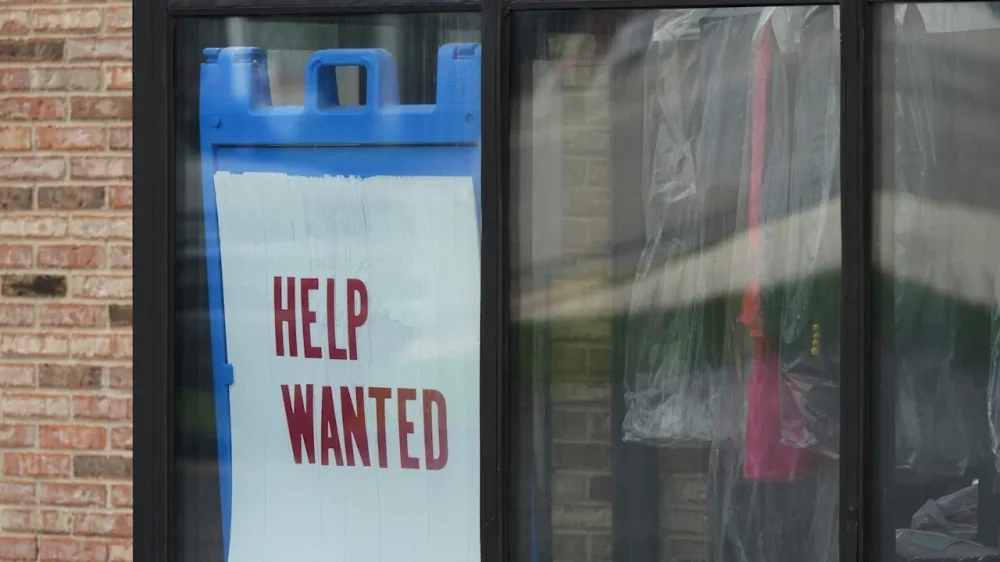
U.S. applications for unemployment benefits fell to their lowest level in more than three years during Thanksgiving week, potentially complicating the Federal Reserve’s upcoming decision on interest rates. The number of Americans applying for jobless benefits for the week ending Nov. 29 fell to 191,000 from the previous week’s 218,000, the Labor Department reported Thursday. That’s the lowest level since September 24, 2022, when claims came in at 189,000. Analysts surveyed by the data provider FactSet had forecast initial claims of 221,000. Kathy Bostjancic, chief economist at Nationwide, said that unemployment benefit filings are often distorted by the Thanksgiving holiday, which can cause some people who may have lost jobs to delay filing claims. Still, the low claims figure also suggests that overall layoffs remain muted, despite the high-profile announcements. Hiring is also sluggish, which makes finding a job for those out of work challenging. “The labor market is kind of frozen,” Bostjancic said. “Companies are in wait-and-see mode.” Applications for unemployment aid are viewed as a proxy for layoffs and are close to a real-time indicator of the health of the job market. The job cuts announced recently by large companies such as UPS, General Motors, Amazon, and Verizon typically take weeks or months to fully implement and may not be reflected in Thursday’s data. For now, the U.S. job market appears stuck in a “low-hire, low-fire” state that has kept the unemployment rate historically low. On Wednesday, private payroll data firm ADP estimated U.S. job losses of 32,000 in November. The surprisingly weak report may be discouraging for people looking for jobs, but it bolstered expectations that the Fed will cut its main interest rate next week. It’s not clear how much weight this week’s layoff figures will carry with the Fed as the numbers can be volatile and prone to revisions. Complicating the Fed’s upcoming decision is inflation, which remains above the central bank’s 2% target. The Fed’s preferred measure of inflation will be released in a government report on Friday and will also be factored into its rate call on Wednesday. Two weeks ago, the government said that hiring picked up a bit in September, when employers added 119,000 new jobs. That mixed report, which also showed employers had shed jobs in August, was delayed due to the government shutdown. The unemployment rate ticked up to 4.4%, its highest level in four years. November’s comprehensive jobs data has been delayed for release until later this month, after the Fed’s meeting, also due to the government shutdown. The government also recently reported that retail sales slowed in September after three months of healthy increases. Consumer confidence has plunged to its second-lowest level in five years, while wholesale inflation eased a bit. The data suggests that both the economy and inflation are slowing, which has boosted financial markets’ expectations that the Federal Reserve will reduce its key interest rate at its meeting next week. If the Fed does reduce its benchmark rate next week, it would be the third cut of the year as it attempts to support a job market that has been slowing for months. Thursday’s report from Labor also showed that the four-week average of claims, which evens out some of the week-to-week volatility, fell by 9,500 to 214,750. The total number of Americans filing for jobless benefits for the previous week ending Nov. 22 dipped by 4,000 to 1.94 million, the government said. –Matt Ott, AP business writer AP Economics Writer Christopher Rugaber contributed to this report. View the full article
-
The numbers are in for Spotify Wrapped: After the streaming music app dropped its popular year-in-review recap for 2025, the company said it has already seen a huge increase in user engagement, hitting 200 million users just 24 hours after the recap’s release, a 19% increase year-over-year (YOY). Compare that with last year, when it took 62 hours to hit that same number. Why the uptick in user engagement? One reason could be because the platform is growing. A look at the numbers shows Spotify’s monthly active users grew 11% YOY to 713 million in Q3 of 2025, according to the company’s third quarter earnings report. Spotify Wrapped is for sharing Sharing is caring, and this year’s Spotify Wrapped sharing features seem to be working. According to the company, 500 million users shared their stories all over social media in the first 24 hours, an overall increase of 41% YOY from 2024 (author’s note: I was, of course, one of them). Those shares included screenshots of different features, such as top songs (for me, it was “Promises, Promises”), top artist (“The Psychedelic Furs”), top albums (“The Life of a Showgirl”), top genres (“New Wave”), and listening minutes (“11,721”). While the numbers increased across the board globally, India, Indonesia, Japan, Colombia, Thailand and the U.S. saw the most growth. “This year, we pushed to make Wrapped bigger, bolder, and rooted in human creativity and connection,” Marc Hazan, senior vice president of marketing and partnerships at Spotify said. “That spirit drove the record numbers we’re celebrating. Spotify is where people proudly express who they are through the music, podcasts and books they love most.” Age is just a number One complaint, albeit a funny one, is that Spotify Wrapped’s “listening age” feature, which predicts your age based on your listening data, is making people older than they are. On Bluesky, people are posting screenshots of their Spotify “age,” which for some millennials and Gen Xers, is hitting upwards of 82. (Author’s note: At 61, it looks like I am in good company!) View the full article

-
IDEAS shared have the power to expand perspectives, change thinking, and move lives. Here are two ideas for the curious mind to engage with: I. Jordan Peterson on vision: “Don’t underestimate the power of vision and direction. These are irresistible forces, able to transform what might appear to be unconquerable obstacles into traversable pathways and expanding opportunities. Strengthen the individual. Start with yourself. Take care with yourself. Define who you are. Refine your personality. Choose your destination and articulate your Being. As the great nineteenth-century German philosopher Friedrich Nietzsche so brilliantly noted, “He whose life has a why can bear almost any how.” Source: 12 Rules for Life: An Antidote to Chaos II. Paul Millerd on prototyping: “Payoff can be profound. For most people, life is not based on all-or-nothing leaps of faith. That’s a lie we tell ourselves so that we can remain comfortable in our current state. We simplify life transitions down to single moments because the real stories are more complex, harder to tell and attract less attention. The headline Quits to Live on a Sailboat seems more impressive and is easier to talk about than Couple Slowly and Purposefully Tests Out a Life Transition While Aggressively Saving Money over Five Years. As a result, we hear fewer of the real stories, most of which include some kind of prototyping. “By experimenting with different ways of showing up in the world and making small, deliberate changes, we can open ourselves up to the unexpected opportunities, possibilities, and connections that might tell us what comes next.” Source: The Pathless Path: Imagining a New Story for Work and Life * * * Look for these ideas every Thursday on the Leading Blog. Find more ideas on the LeadingThoughts index. * * * Follow us on Instagram and X for additional leadership and personal development ideas. View the full article
-
As the rest of the world speeds ahead toward an electrified future, the U.S. is doubling down on gas-powered cars. President The President announced a proposal this week to slash stricter fuel economy standards put in place during the Biden administration. By reversing the standards, the White House further aligns itself with the oil and gas industry, with some automakers happily going along for the ride. “We’re officially terminating Joe Biden’s ridiculously burdensome, horrible actually, CAFE standards that impose expensive restrictions,” The President said, referencing the Corporate Average Fuel Economy rules. “And all sorts of problems – all sorts of problems for automakers.” The president was joined by Ford CEO Jim Farley, Stellantis CEO Antonio Filosa and a representative from General Motors for the announcement, which took place at the White House on Wednesday. “Today is a victory for common sense and affordability,” Farley said at the event. “We believe that people should be able to make a choice, as you said, Mr. President, and we will invest more in affordable vehicles.” Regulations put in place during the Biden administration would require new cars sold in the U.S. to average more than 50 miles per gallon by 2031. That rule, designed to push automakers to reorient their business around EVs, will drop to 34.5 miles per gallon under The President’s proposal. The president also reiterated his plans to end a set of EPA rules that limit tailpipe pollution, a change that the oil and gas industry pushed for. Fuel rules tend to shift between presidential administrations, with Democrats pushing for environmentally-minded standards and Republicans stripping away regulations. The White House characterized the changes, designed to slow the U.S. shift toward electric vehicles, as a cost-saving measure for consumers. “The Biden standards would have compelled widespread shifts to EVs that American consumers did not ask for, accompanied by significant cost-of-living increases,” the administration wrote in a fact sheet on the changes. In 2025, high car prices are one part of a puzzle for Americans trying to make ends meet. High interest rates, persistent inflation and The President’s own tariffs on imported cars and car parts have created a perfect storm of unaffordability for car buyers. The high cost of driving Cars are really expensive right now. The average price for a new vehicle inched above $50,000 for the first time in September, according to a report from Kelley Blue Book. That average rose by almost $2,000 compared to 2024. The average price of EVs, which cost more up front and save drivers cash in the long run, was $8,000 higher during the same time frame. “The $20,000-vehicle is now mostly extinct, and many price-conscious buyers are sidelined or cruising in the used-vehicle market,” Cox Automotive Executive Analyst Erin Keating said in the report, which also noted the impact of cost pressure from tariffs. “Today’s auto market is being driven by wealthier households who have access to capital, good loan rates and are propping up the higher end of the market.” While auto makers secured some relief from the president’s flurry of tariffs, car makers didn’t make it through the year unscathed. In a mid-year earnings call, Ford estimated its tariff costs to total up to $2 billion for the year. The fuel economy changes are just the The President administration’s latest effort to unravel signature climate-friendly policies from the Biden years. The President’s Big Beautiful Bill, passed earlier this year, stripped away Biden era tax credits that lowered the price tag of eligible EVs by as much as $7,500. The death of those tax credits prompted a major short term boost in EV sales this summer, as buyers rushed to make their purchases in time to secure more affordable electric cars before the end of September. View the full article

-
President Donald The President plans to travel to Pennsylvania on Tuesday to highlight his efforts to reduce inflation even as fears mount about a worsening job market and amid signs that Americans are still feeling squeezed by high prices. A White House official said The President would be making the trip to discuss ending the inflation crisis that he says was inherited from his predecessor, Joe Biden. The official spoke on condition of anonymity because the trip has not been formally announced. It was not immediately clear where in Pennsylvania The President would be visiting. Last month’s off-year elections showed a shift away from Republicans as public concerns about affordability persist. White House officials said afterward that The President — who has done relatively few events domestically — would put a greater emphasis on talking directly to the public about his economic policies. The president has said that any affordability worries are part of a Democratic “hoax” and that people simply need to hear his perspective to change their minds — an approach also embraced by Biden, who in early 2024 went to the Pennsylvania borough of Emmaus to take credit for economic improvements after inflation spiked in 2022. The trip hints at the dilemma faced by The President. He wants to take credit for rewiring the U.S. economy with his large tariff hikes and extension of income tax cuts, but he also continues to blame Biden for the increase nationwide in inflation rates that occurred this year during his own presidency. Overall, inflation is tracking at 3% annually, up from 2.3% in April when The President rolled out a sweeping set of import taxes. “We fixed inflation, and we fixed almost everything,” The President said at Tuesday’s Cabinet meeting. He called affordability “a hoax” that was “started by the Democrats who caused the problem of pricing.” The President won Pennsylvania narrowly last year with 50.4%, besting Democrat Kamala Harris by roughly 120,000 votes. The win was part of a broader sweep in battleground states that helped return him to the White House after his 2020 loss. AP VoteCast, an extensive survey of voters in the 2024 election, found that 7 in 10 Pennsylvania voters were “very concerned” about the cost of food and groceries. Roughly half expressed the same degree of worry over health care costs and the price of gasoline. While The President can point to a decline in gasoline prices, he’s now facing inflationary pressures on utilities and a massive increase in insurance premiums for people who get their health care through the Affordable Care Act. Pennsylvanians who buy their own health insurance coverage are likely to see their costs increase on average by 21.5% because of the expiration of tax credits tied to the Affordable Care Act, the state said in October. Pennsylvania has yet to see the boom that The President promised would instantly happen with his return to the White House. The state has largely preserved its Biden era job growth under The President, but its unemployment rate has risen to 4% from 3.6% over the past 12 months, according to the Bureau of Labor Statistics. There has been an increase of roughly 24,000 people who say they’re unemployed. Annual inflation in the Philadelphia area is 3.3%, roughly the same as last year. The Philadelphia Federal Reserve’s Beige Book in November documented an economy in decline, saying that hiring has flattened, warehouse workers are getting fewer hours on the job, inflationary pressures are coming from tariffs and sales of existing homes are decreasing. Separately, the regional Fed branch’s manufacturing survey last month showed that factory activity weakened. The news outlet Axios first reported The President’s plans to travel to Pennsylvania. –Josh Boak, Associated Press View the full article