ResidentialBusiness
Administrators
-
Joined
-
Last visited
Everything posted by ResidentialBusiness
-
 Here’s some good news: If you have student loan debt, you could soon qualify for a repayment plan that comes with lower monthly bills. The eligibility requirements for the Income-Based Repayment (IBR) Plan have been updated to allow a broader swath of student loan borrowers—including higher earners—to enroll in this plan as a result of a provision in the so-called One Big Beautiful Bill Act that passed over the summer. You may be able to switch to this plan, even if you don’t have partial financial hardship. The U.S. Department of Education is working to update its system to implement the updates to the IBR Plan and said it anticipates that those changes will be completed this month. “In the meantime, servicers will hold IBR applications that would otherwise be denied. servicers will process those applications after the system changes are completed,” the Department said in an update from last month. “We encourage borrowers who applied for the IBR Plan and were denied due to lack of partial financial hardship before we instructed servicers to hold these applications to reapply.” That said, borrowers who are freshly eligible for the IBR Plan may have to wait several more months before they start to receive their new monthly payments. That’s because the Department has pegged July 1, 2026 as the date when borrowers who have eligible loans can access the IBR and the date when there will be no restrictions on enrolling in IBR. The Department of Education didn’t immediately respond to a request for comment from Fast Company regarding the timing of when borrowers will begin to receive their new monthly bills. EXPANDED ELIGIBILITY The changes from this past summer mean that more high-income borrowers will now be eligible for this income-driven repayment plan. But the Department of Education is also scrapping three other affordable repayment plans: The Saving on a Valuable Education (SAVE) plan, the Income-Contingent Repayment (ICR) plan, and the Pay as You Earn (PAYE) plan. Borrowers under these three plans may switch to the IBR plan, though they won’t necessarily see their monthly payments go down. Borrowers in PAYE may not see their monthly bill change much under IBR, while they’ll be higher for those borrowers currently enrolled in SAVE, Mark Kantrowitz, an expert on student financial aid, told CNBC. But many borrowers enrolled in ICR will have lower monthly payments once they switch to IBR, he added. Though the eligibility for the Income-Based Repayment Plan has been expanded, other aspects remain the same. The monthly payment will continue to be calculated as 10% of a borrower’s discretionary income, with a 20-year repayment period, for those borrowers who first took out a loan on or after July 1, 2014. For those borrowers who took out a loan prior to that date, the monthly payment amount is calculated based on 15% of a borrower’s discretionary income, with a 25-year repayment period. What’s more, there are still exclusions to the IBR Plan that include Parent PLUS borrowers whose loans have not been consolidated and recipients of Perkins loans and other loan programs who have not consolidated those loans. View the full article
-
It’s “where are you now?” month at Ask a Manager, and all December I’m running updates from people who had their letters here answered in the past. Here are four updates from past letter-writers. There will be more posts than usual this week, so keep checking back throughout the day. 1. My boss thinks my employee is lying about having cancer Yes, this is an update to “My boss thinks my employee is lying about having cancer.” Yes, she was. She also lied about losing her parents. She is also now lying on LinkedIn about the dates she was working for us, with her end date a few months earlier than her resignation. It turns out the absences and poor performance were because she was using us as a prop while she made her side gig her main gig. The advice from you and the readers about how to handle the situation was really useful and gave me perspective on how to move on from the resignation, as well as how to manage the team’s response, so thank you to everyone for your support. Burton and I? We were both made redundant in a team restructure shortly after my letter was published, but we are both thriving elsewhere. In fact my new role is a significant step up in pay and responsibilities, in a field I am really passionate about, with a lovely team, so happy endings all round I guess! 2. Loud coworkers in shared space (#5 at the link) I sent this back in April when we were just returning to the office and things were still settling in. Things kind of settled down with not much intervention as people figured out how to exist in a shared space again, and also in my team it was quickly realized that they weren’t fully tracking who actually came in office so a significant amount of people just stopped coming in. A few people and teams realized that we could use conference rooms and closed spaces. I think it just settled into its own rhythm, which was good! Lucky for me, in July I moved roles to a completely different organization within the company. This group has been in office for the last 1.5 years at this point and have learned decency in terms of taking meetings at their desk. On the other hand, where I sit now is one big cubicle with four corner desks within. My new boss loves to take his meetings without headphones so we are just a part of every meeting he has. It is easier to go find a quiet spot if needed. But sometimes our meetings overlap and he also doesn’t mute, so we battle with “who stays muted,” “who is speaking,” “should we just use one computer,” it’s a fun game. It’s overall been much nicer because so many more people are aware of their voices and are much more respectful. Something hilarious to me that won’t ever change, though, is I work at a large automotive headquarters. Our first floor is full of labs and garages for testing, which is union-run. Due to my role, I sit in the offices that are attached to the garages to be closer to the vehicles. Unfortunately, the union garage mechanics don’t know about meetings and being quiet, so they will come barging into the office area screaming and laughing and asking loud questions when it is dead quiet with us all working or being in meetings. It’s frustrating, but I find it hilarious and it’s only a few minutes a day. Our garage supervisor is constantly on the phone with his airpods (likely a personal call), and when he is sitting at his desk he will randomly erupt into a boisterous laugh in the silence that gives me a good scare every time. I appreciated all the comments and it sounds like everyone was going through something similar. Hopefully it’s settled down for them as well! Thank you! 3. My manager told me my work was OK, but then redid it As it turns out, you were correct in the first sentence of your response! Another volunteer did feel like changing it up as tribute to a local patron of the shop who had recently passed away. I have, however, kept your response for future use as I love the open and positive way in which it is phrased. 4. How to explain I was out for stress leave (#5 at the link) The advice was absolutely spot on. I sent my question at the start of what ended up being a month of leave, which felt very scary as my first brush with capital M Mental Health, and it took quite a while for me to get myself to a place where I felt comfortable with a depression diagnosis and with the idea that someone nearly in their 30s can just get depression! It’s not just a thing that some people get as teenagers, adults get it too! (This is probably the most obvious thing on earth, but it took me a while!) As I got to the end of that month, I ended up getting on antidepressants. I’m in a much better place now mentally and would really recommend antidepressants as something that’s really turned things around for me in terms of how resilient I feel and how much more I feel I can cope with things as they happen. They’re so not a big deal! In terms of work, it was exactly as you said — it was as if I’d just come back from holiday, no one asked a single follow-up question after a “how are you” was answered with “much better, thank you” and now, three months on, anything that I missed whilst I was away is easily covered with a “oh, that must have happened whilst I was off” to literally no follow-up questions. Thanks again for the advice! The post updates: employee is lying about having cancer, loud coworkers, and more appeared first on Ask a Manager. View the full article
-
Planet Home Lending, helped by growing recapture and distributed retail volume, did 64% more originations in the third quarter than one year prior. View the full article
-
If you’ve recycled a Nespresso capsule recently, your spent coffee grounds could help Los Angeles recover from the devastating January 2025 wildfires. Nespresso is donating 100,000 pounds of compost, made in part from recycled coffee capsules, to City Plants LA, a nonprofit that plants and cares for trees across the city. The Swiss brand will deliver the compost in three batches, and recently sent off its first batch of about 30,000 pounds to the nonprofit. Nearly a year after the Palisades and Eaton wildfires, the soil across Los Angeles county is still impacted. Wildfires contaminate soil with heavy metals, alter its nutrient contents, and increase the risk of erosion. Compost can help restore that soil, adding in nutrients and binding with contaminants. City Plants will use the compost from Nespresso to replant or save trees that survived the wildfires, as well as on new trees it’s planting throughout L.A. It expects to distribute more than 8,500 trees to L.A. residents. (Residents can also pick up compost from the nonprofit.) To create compost, Nespresso’s partners use a mix of organic materials, so coffee grounds can make up between 5 to 20% of the final product. That 100,000 pounds of compost donated to L.A. will be made up of about 5,000 recycling bags of Nespresso capsules, or about 20,000 pounds of coffee grounds. How Nespresso recycles This isn’t Nespresso’s first time turning its coffee grounds into compost. The company has long worked with composting company AgChoice as part of a complimentary recycling program. Customers can recycle their used capsules by mailing back bags of spent pods or dropping them off at Nespresso stores. (In New York City and Jersey City only, customers can also toss used capsules into their curbside recycling bins.) From there, its partners extract the coffee grounds from the aluminum, turning the grounds into compost, and the metal into new objects, including Nespresso capsules, pens, or even bikes. In the wake of the Los Angeles wildfires, though, the coffee company wanted to do something specifically for Southern California, and so launched this effort, called Grounds to Grow LA. “We were trying to figure out, how do we find a project that could provide meaning to us and also our community?” says Amy Uong, senior recycling manager at Nespresso USA. Making composting relatable Nespresso connected to City Plants, and, throughout the fall, put out a call to action to its California customers, encouraging donations at the 13 Nespresso stores throughout the state. However, since composting takes time, the 100,000 pounds that will be donated to City Plants includes compost processed before the project began, collected from across the country. Still, by appealing to California customers and focusing on wildfire restoration, Nespresso hopes to make the recycling process more tangible to its customers—and increase recycling participation. Currently, Nespresso’s recycling rate is 35%; it aims to reach 60% by 2030. “It was really about, how do we influence more consumers? How do we give them meaning to participate in the recycling program?” Uong says. Recycling can be abstract to consumers, she admits; they may put something into a bin, but they don’t see what it becomes. “But with the coffee grounds turning into compost, it’s something they can see. They can see a tree on the street or in their backyard; the residents can go and pick it up. They’re now active in that process.” View the full article

-
We may earn a commission from links on this page. Deal pricing and availability subject to change after time of publication. Black Friday sales officially start Friday, November 28, and run through Cyber Monday, December 1, and Lifehacker is sharing the best sales based on product reviews, comparisons, and price-tracking tools before it's over. Follow our live blog to stay up-to-date on the best sales we find. Browse our editors’ picks for a curated list of our favorite sales on laptops, fitness tech, appliances, and more. Subscribe to our shopping newsletter, Add to Cart, for the best sales sent to your inbox. Sales are accurate at the time of publication, but prices and inventory are always subject to change. Normally $295, the Core 2 Thermal Sensor is currently on sale for $236—a 20% discount for Cyber Monday. And here's the smart play: buying it now means you'll be ready to get ahead of the heat when spring training season rolls around. Core 2 Thermal Sensor $294.95 at CORE Get Deal Get Deal $294.95 at CORE What the Core 2 doesThe Core 2 is a small plastic sensor that attaches to your heart rate monitor chest strap and tracks your body temperature during workouts. It's designed to help you understand how heat is affecting your performance, and guide you through heat-training protocols so you can adapt faster and more efficiently. My colleague Beth Skwarecki reviewed the Core 2 and found it a little fussy to set up, but easy to use and understand once you're up and running. What really impressed her was the big-picture view it provides: tracking how your body adapts to heat over time. Train hot, race coolThe data from the Core 2 serves two main purposes. First, it can guide your heat acclimation training—helping you adapt to hot conditions more strategically. Second, you can use it during races to monitor your core temperature and avoid overheating when it counts. As Beth points out, there's a legitimate debate about whether heat training makes sense for every athlete. You could argue that most runners would benefit more from longer or faster runs rather than adding heat stress to their training. But if you are training in the heat—whether because you live somewhere hot, you're preparing for a warm-weather race, or you're intentionally pursuing heat adaptation—the Core 2 seems to be an incredibly useful tool. Worth it for the right runnerAt nearly $300, this isn't an impulse purchase. But at $236, it's more accessible for serious athletes who want to take their heat training to the next level. Getting it now during Cyber Monday means you'll have months to familiarize yourself with the device before temperatures climb in spring and summer. By the time race season heats up, you'll already know exactly how your body responds to thermal stress—and how to manage it. How long do Black Friday deals really last?Black Friday sales officially begin Friday, November 28, 2025, and run throughout “Cyber Week,” the five-day period that runs from Thanksgiving through Cyber Monday, December 1, 2025. But Black Friday and Cyber Monday dates have expanded as retailers compete for customers. You can get the same Black Friday sales early, and we expect sales to wind down by December 3, 2025. Are Black Friday deals worth it?In short, yes, Black Friday still offers discounts that can be rare throughout the rest of the year. If there’s something you want to buy, or you’re shopping for gifts, it’s a good time to look for discounts on what you need, especially tech sales, home improvement supplies, and fitness tech. Of course, if you need to save money, the best way to save is to not buy anything. Are Cyber Monday deals better than Black Friday?Black Friday used to be bigger for major retailers and more expensive tech and appliances, while Cyber Monday was for cheaper tech and gave smaller businesses a chance to compete online. Nowadays, though, distinction is almost meaningless. Every major retailer will offer sales on both days, and the smart move is to know what you want, use price trackers or refer to guides like our live blog that use price trackers for you, and don’t stress over finding the perfect timing. Our Best Editor-Vetted Cyber Monday Deals Right Now Apple AirPods Pro 3 Noise Cancelling Heart Rate Wireless Earbuds — $219.99 (List Price $249.00) Apple iPad Air 11" M3 128GB WiFi Tablet (Space Gray) — $449.99 (List Price $599.00) Dell 14 Premium DA14250 (Intel Core Ultra 7 255H, 512GB SSD, 16GB RAM, 2K Display) — $999.99 (List Price $1,549.99) Sony WH-1000XM5 — $248.00 (List Price $399.99) Blink Outdoor 4 1080p Wireless Security Camera (5-Pack) — $159.99 (List Price $399.99) Amazon Fire TV Stick 4K Plus — $24.99 (List Price $49.99) Shark AI Ultra Matrix Clean Mapping Voice Control Robot Vacuum with XL Self-Empty Base — $249.99 (List Price $599.00) Apple Watch Series 11 (GPS, 42mm, S/M Black Sport Band) — $329.00 (List Price $399.00) WD 6TB My Passport USB 3.0 Portable External Hard Drive — $136.45 (List Price $179.99) Samsung Galaxy Tab A9+ 10.9" 64GB Wi-Fi Tablet (Graphite) — $139.99 (List Price $219.99) Deals are selected by our commerce team View the full article
-
OpenAI is reportedly nearing the launch of ads in the ChatGPT Android app, according to recent code findings. Meanwhile, one user says an ad has already appeared in the wild. What’s new. Early references to an ad system were found in the latest ChatGPT Android beta (v1.2025.329). Inside the APK, TestingCatalog spotted strings such as: “ads feature” “bazaar content” “search ad” “search ads carousel” These entries may suggest an ad framework under active development, likely focused on search, shopping, and product recommendation requests rather than disruptive display ads in every chat. Zoom out. ChatGPT ads will help OpenAI offset the cost of serving free users as the platform handles more commercial queries. Paid plans would presumably remain ad-free. Meanwhile. One $200/month ChatGPT Pro user reported seeing what looks like a live ad inside ChatGPT: a promo reading “Find a fitness class, Connect Peloton” surfaced during a discussion about Elon Musk’s interview on Nikhil’s podcast. “Wild. At least match the ad to the topic next time!” Yuchen Jin wrote on X. What’s next. There’s no timeline yet. But the new Android code suggests ads are shifting from exploration to implementation – a significant step toward ChatGPT becoming an ad-supported platform. Why we care. This may look like the beginning of the “Google-ification” of ChatGPT, but it’s worth remembering that OpenAI CEO Sam Altman said he loves Instagram ads, which suggests that may be the direction ChatGPT ads could take. Either way, this is worth watching, as ChatGPT ads could be a crucial platform for brands to reach nearly a billion users. Over the past year, OpenAI has shifted from publicly distancing itself from advertising to quietly preparing for an ad-supported ChatGPT. Catch up quick. Over the past year, OpenAI has shifted from publicly distancing itself from advertising to quietly preparing for an ad-supported ChatGPT. Late 2024: Executives insisted ads weren’t on the roadmap. CFO Sarah Friar said there were “no active plans” for advertising, and Altman called ads a “momentary industry” and a “last resort.” Early 2025: Internal forecasts leaked, showing OpenAI expected $1 billion in “free user monetization” revenue in 2026 – a clear sign ads were coming. Mid-2025: Hiring began. OpenAI posted roles to build campaign tools, attribution pipelines, and the core of an in-house ads platform. Late 2025: Altman’s tone shifted. He said Instagram ads had changed his mind, suggested there might be a “cool” ad model that benefits users, and acknowledged ChatGPT would likely try ads. View the full article
-
When you’re looking to edit MP4 files, choosing the right software can make a significant difference in your workflow and final product. From professional-grade tools like Adobe Premiere Pro to user-friendly options such as CyberLink Director 365, there’s a variety to suit your needs. Each software offers distinct features and capabilities, catering to different skill levels and editing styles. Let’s explore the top seven options available, so you can find the perfect match for your projects. Key Takeaways Adobe Premiere Pro is the industry standard for professional video editing, supporting a wide range of MP4 file formats for easy import/export. CyberLink PowerDirector 365 offers a user-friendly interface and fast project rendering, making it ideal for both beginners and experienced users working with MP4 files. iMovie provides seamless editing for macOS and iOS users with a drag-and-drop design, perfect for simple MP4 video projects. Final Cut Pro features a modern trackless timeline and advanced editing tools, tailored for high-quality MP4 video production on macOS. DaVinci Resolve includes a free version with robust features for MP4 editing, suitable for both novices and professionals seeking high-resolution editing capabilities. Adobe Premiere Pro Adobe Premiere Pro is often considered the industry standard for professional video editing, and for good reason. As a potent mp4 editing software, it supports a wide array of file formats, allowing you to import and export your MP4 files effortlessly. This program to edit MP4 not only offers advanced features for color correction and audio editing but also includes visual effects that improve your projects. With its subscription model, you get continuous updates and access to the latest tools, ensuring you’re always equipped with state-of-the-art capabilities. Furthermore, Premiere Pro’s collaborative features enable team members to work on projects simultaneously, boosting productivity. The robust library of templates, effects, and shifts further enriches your experience, making it a top choice in video editing software MP4. CyberLink PowerDirector 365 For those seeking a robust alternative to Adobe Premiere Pro, CyberLink PowerDirector 365 offers a versatile video editing experience that caters to both beginners and experienced users. Its user-friendly interface makes it easy to navigate, whereas features like fast project rendering and extensive effects improve your editing capabilities. You can edit in 4K or 360-degree formats, perfect for high-quality content across various platforms. Feature Details Subscription Model $69.99/year One-time Purchase $99.99 (Ultra edition) Built-in Screen Recording Ideal for gamers and creators With tools like motion tracking and multicam support, this software is a great upgrade from the basic Windows Movie Maker app. Imovie If you’re using an Apple device, iMovie offers a user-friendly interface that makes video editing accessible for everyone. With advanced editing tools like chroma-keying and seamless integration with the Apple ecosystem, you can create polished videos as you easily incorporate audio from iTunes or GarageBand. Although it may not support multiple video tracks, it’s a solid choice for beginners and casual editors looking to improve their MP4 projects. User-Friendly Interface Although many video editing programs can overwhelm users with complex features, iMovie stands out for its user-friendly interface, making it an excellent choice for beginners and non-professionals. Its simple drag-and-drop design allows you to edit MP4 files with ease, ensuring that crucial tools like trimming, cropping, and adding changes are readily accessible without adding confusion. The Storyboard feature helps you structure your projects efficiently, guiding you through a step-by-step process. Optimized for macOS and iOS devices, iMovie allows seamless editing of videos captured on your iPhone or iPad during maintaining high-quality output. Even advanced tools like chroma-keying and picture-in-picture effects are presented within a straightforward framework, simplifying your editing experience considerably. Advanced Editing Tools When you’re looking to raise your video projects, iMovie’s advanced editing tools offer a range of features that can greatly improve your editing experience. With these tools at your disposal, you can elevate your videos effectively: 4K Video Editing: Create high-resolution projects customized for modern displays. User-Friendly Interface: Navigate easily with a drag-and-drop design, perfect for beginners. Chroma-Keying: Remove backgrounds effortlessly for a cleaner look. Picture-in-Picture Effects: Layer visuals to create dynamic presentations. Magic Movie Mode: Automate editing by letting iMovie select clips and transitions for you. These features not only streamline your workflow but likewise allow you to produce polished videos with minimal effort, making iMovie a solid choice for aspiring video editors. Apple Ecosystem Integration iMovie’s integration within the Apple ecosystem improves the editing experience by allowing users to leverage the capabilities of multiple Apple applications seamlessly. As a free video editing software exclusive to macOS and iOS, it’s designed for ease of use, featuring a user-friendly drag-and-drop interface that simplifies the process for beginners. You can edit 4K videos, creating high-quality projects optimized for Apple devices. iMovie works well with GarageBand for audio editing and Photos for easy access to media files. Furthermore, iCloud enables you to share projects across different Apple devices, allowing for seamless collaboration and access to your ongoing edits from anywhere. This interconnectedness makes iMovie an efficient choice for Apple users looking to edit videos effectively. Final Cut Pro Final Cut Pro stands out as a potent video editing software customized particularly for macOS, offering users a high-performance editing experience with features that cater to both professionals and aspiring editors. Here are some key aspects of Final Cut Pro: Modern Trackless Timeline: Enables flexible clip arrangement for seamless editing. Multicam Editing: Streamlines the process of editing footage from multiple cameras. 360-Degree Video Editing: Supports immersive video projects. AI-Powered Tools: The Scene Removal Mask simplifies complex edits by isolating subjects automatically. Extensive Color Grading: Provides precise adjustments for improved creative control. At a one-time purchase of $299.99, you gain access to frequent updates and a robust ecosystem of third-party plugins, making it a valuable investment for your video editing needs. DaVinci Resolve DaVinci Resolve is a robust video editing software that caters to a wide range of users, from novices to seasoned professionals. It offers a free version packed with advanced features, making it accessible for anyone interested in video editing. You’ll appreciate its support for high-resolution editing up to 4K, thorough color correction tools, audio post-production capabilities, and impressive visual effects. The software additionally allows for multi-user collaboration, enabling teams to work on projects simultaneously and efficiently. Plus, it’s compatible with Windows, macOS, and Linux, providing flexibility for users across different operating systems. With frequent updates and a strong community support system, you’ll always have access to the latest features and bug fixes, enhancing your editing experience. Wondershare Filmora Wondershare Filmora stands out as an ideal choice for those looking to create polished videos without the steep learning curve typical of professional-grade software. It’s designed for amateurs who want robust effects without the complexity. Here are some key features you’ll find: User-friendly interface with a wide selection of transitions and visual effects Advanced tools like motion tracking, picture-in-picture, and chroma-key capabilities Support for various aspect ratios and resolutions, including 4K Quick movie creation tool that simplifies the editing process Free trial version available, with a full version offered as a one-time purchase or subscription With these features, you can efficiently produce high-quality videos customized to your needs. Movavi Movavi Video Editor stands out with its user-friendly interface, making it an excellent choice for beginners and casual users who want to edit MP4 files. You’ll find a range of features like cropping, trimming, and adding transitions, all intended to improve your video quality effortlessly. Moreover, with various pricing plans and a free trial available, you can easily explore its capabilities before making a commitment. User-Friendly Interface When you’re looking for video editing software that’s easy to use, a user-friendly interface can make all the difference. Movavi Video Editor excels in this area, simplifying navigation for beginners and casual users alike. Its drag-and-drop functionality allows you to import and arrange video clips effortlessly, regardless of your technical skills. The clear layout organizes tools and options, helping you quickly find the features you need. Furthermore, built-in tutorials and tips guide you through the editing process step-by-step. You can also customize your workspace to suit your preferences, enhancing your efficiency. Here are some key features: Intuitive drag-and-drop functionality Clearly organized tools and options Step-by-step built-in tutorials Customizable workspace Accessible for beginners and casual users Video Editing Features With a user-friendly interface in place, Movavi Video Editor offers a robust set of video editing features that cater to both beginners and more experienced users. You can easily crop, rotate, trim, and merge clips, allowing you to create polished videos without hassle. The software includes a variety of special effects, transitions, and customizable music tracks, which improve the overall quality of your edited MP4 videos. Furthermore, built-in chroma-key effects enable you to remove and replace backgrounds, providing creative flexibility for your projects. Movavi also features direct video capturing tools, so you can seamlessly record content from various devices within the editing environment, making it a versatile choice for all your video editing needs. Pricing and Plans Choosing the right pricing plan for video editing software can greatly impact your experience and budget. Movavi offers flexible options customized to your needs: A free trial version lets you explore features, though exported videos carry a watermark. The lifetime license is priced at $74.95, granting full access to all features without recurring charges. A subscription plan is available, which includes updates and support to keep you current with the latest tools. Movavi is compatible with both Windows and macOS, ensuring you can edit on your preferred system. Be on the lookout for promotions and discounts, as they frequently offer reduced prices for the software. Evaluating these options will help you choose the best plan for your editing projects. Frequently Asked Questions What Is the Best MP4 Video Editor? When choosing the best MP4 video editor, consider your needs and skill level. DaVinci Resolve offers professional tools for free, ideal for advanced users. If you prefer a user-friendly interface, PowerDirector provides AI features and effects for all levels. For Apple users, iMovie simplifies editing with 4K support. Lightworks and Shotcut likewise serve casual and intermediate users, with customizable options. Each software has unique strengths, so evaluate what aligns with your editing goals. What App Do I Use to Edit an MP4 File? To edit an MP4 file, you can choose from several apps based on your needs. DaVinci Resolve offers professional tools for detailed editing, whereas Adobe Premiere Pro is great for advanced features and collaboration, though it requires a subscription. If you’re looking for user-friendly options, CyberLink PowerDirector provides AI tools for efficiency. For simple edits, iMovie is effective on Apple devices, and free software like Shotcut or OpenShot can handle basic tasks. What Is the No. 1 Best Video Editor? The No. 1 best video editor currently is DaVinci Resolve. It’s widely recognized for its advanced editing tools and exceptional color correction features. You’ll find a robust free version that caters to both beginners and professionals alike. As Adobe Premiere Pro remains the industry standard, DaVinci offers a compelling alternative with extensive capabilities. If you’re looking for quality and versatility, this software should be at the top of your list. Is MP4 Good for Editing? Yes, MP4 is good for editing. It offers high-quality visuals while keeping file sizes manageable, making it a popular choice among editors. Most editing software supports MP4 files, allowing you to perform tasks like trimming, merging, and adding effects easily. Although it’s versatile, some advanced software might have limitations with specific MP4 codecs, which can impact performance. Conclusion In conclusion, selecting the right video editing software for MP4 files depends on your specific needs and skill level. Adobe Premiere Pro and Final Cut Pro are ideal for professionals seeking advanced features, whereas CyberLink PowerDirector 365 and Wondershare Filmora cater to users looking for a balance of ease and functionality. For Mac users, iMovie offers straightforward editing, and DaVinci Resolve provides robust tools for both beginners and experts. Ultimately, each option has unique strengths worth considering. Image via Google Gemini This article, "Top 7 Video Editing Software for MP4 Files" was first published on Small Business Trends View the full article
-
When you’re looking to edit MP4 files, choosing the right software can make a significant difference in your workflow and final product. From professional-grade tools like Adobe Premiere Pro to user-friendly options such as CyberLink Director 365, there’s a variety to suit your needs. Each software offers distinct features and capabilities, catering to different skill levels and editing styles. Let’s explore the top seven options available, so you can find the perfect match for your projects. Key Takeaways Adobe Premiere Pro is the industry standard for professional video editing, supporting a wide range of MP4 file formats for easy import/export. CyberLink PowerDirector 365 offers a user-friendly interface and fast project rendering, making it ideal for both beginners and experienced users working with MP4 files. iMovie provides seamless editing for macOS and iOS users with a drag-and-drop design, perfect for simple MP4 video projects. Final Cut Pro features a modern trackless timeline and advanced editing tools, tailored for high-quality MP4 video production on macOS. DaVinci Resolve includes a free version with robust features for MP4 editing, suitable for both novices and professionals seeking high-resolution editing capabilities. Adobe Premiere Pro Adobe Premiere Pro is often considered the industry standard for professional video editing, and for good reason. As a potent mp4 editing software, it supports a wide array of file formats, allowing you to import and export your MP4 files effortlessly. This program to edit MP4 not only offers advanced features for color correction and audio editing but also includes visual effects that improve your projects. With its subscription model, you get continuous updates and access to the latest tools, ensuring you’re always equipped with state-of-the-art capabilities. Furthermore, Premiere Pro’s collaborative features enable team members to work on projects simultaneously, boosting productivity. The robust library of templates, effects, and shifts further enriches your experience, making it a top choice in video editing software MP4. CyberLink PowerDirector 365 For those seeking a robust alternative to Adobe Premiere Pro, CyberLink PowerDirector 365 offers a versatile video editing experience that caters to both beginners and experienced users. Its user-friendly interface makes it easy to navigate, whereas features like fast project rendering and extensive effects improve your editing capabilities. You can edit in 4K or 360-degree formats, perfect for high-quality content across various platforms. Feature Details Subscription Model $69.99/year One-time Purchase $99.99 (Ultra edition) Built-in Screen Recording Ideal for gamers and creators With tools like motion tracking and multicam support, this software is a great upgrade from the basic Windows Movie Maker app. Imovie If you’re using an Apple device, iMovie offers a user-friendly interface that makes video editing accessible for everyone. With advanced editing tools like chroma-keying and seamless integration with the Apple ecosystem, you can create polished videos as you easily incorporate audio from iTunes or GarageBand. Although it may not support multiple video tracks, it’s a solid choice for beginners and casual editors looking to improve their MP4 projects. User-Friendly Interface Although many video editing programs can overwhelm users with complex features, iMovie stands out for its user-friendly interface, making it an excellent choice for beginners and non-professionals. Its simple drag-and-drop design allows you to edit MP4 files with ease, ensuring that crucial tools like trimming, cropping, and adding changes are readily accessible without adding confusion. The Storyboard feature helps you structure your projects efficiently, guiding you through a step-by-step process. Optimized for macOS and iOS devices, iMovie allows seamless editing of videos captured on your iPhone or iPad during maintaining high-quality output. Even advanced tools like chroma-keying and picture-in-picture effects are presented within a straightforward framework, simplifying your editing experience considerably. Advanced Editing Tools When you’re looking to raise your video projects, iMovie’s advanced editing tools offer a range of features that can greatly improve your editing experience. With these tools at your disposal, you can elevate your videos effectively: 4K Video Editing: Create high-resolution projects customized for modern displays. User-Friendly Interface: Navigate easily with a drag-and-drop design, perfect for beginners. Chroma-Keying: Remove backgrounds effortlessly for a cleaner look. Picture-in-Picture Effects: Layer visuals to create dynamic presentations. Magic Movie Mode: Automate editing by letting iMovie select clips and transitions for you. These features not only streamline your workflow but likewise allow you to produce polished videos with minimal effort, making iMovie a solid choice for aspiring video editors. Apple Ecosystem Integration iMovie’s integration within the Apple ecosystem improves the editing experience by allowing users to leverage the capabilities of multiple Apple applications seamlessly. As a free video editing software exclusive to macOS and iOS, it’s designed for ease of use, featuring a user-friendly drag-and-drop interface that simplifies the process for beginners. You can edit 4K videos, creating high-quality projects optimized for Apple devices. iMovie works well with GarageBand for audio editing and Photos for easy access to media files. Furthermore, iCloud enables you to share projects across different Apple devices, allowing for seamless collaboration and access to your ongoing edits from anywhere. This interconnectedness makes iMovie an efficient choice for Apple users looking to edit videos effectively. Final Cut Pro Final Cut Pro stands out as a potent video editing software customized particularly for macOS, offering users a high-performance editing experience with features that cater to both professionals and aspiring editors. Here are some key aspects of Final Cut Pro: Modern Trackless Timeline: Enables flexible clip arrangement for seamless editing. Multicam Editing: Streamlines the process of editing footage from multiple cameras. 360-Degree Video Editing: Supports immersive video projects. AI-Powered Tools: The Scene Removal Mask simplifies complex edits by isolating subjects automatically. Extensive Color Grading: Provides precise adjustments for improved creative control. At a one-time purchase of $299.99, you gain access to frequent updates and a robust ecosystem of third-party plugins, making it a valuable investment for your video editing needs. DaVinci Resolve DaVinci Resolve is a robust video editing software that caters to a wide range of users, from novices to seasoned professionals. It offers a free version packed with advanced features, making it accessible for anyone interested in video editing. You’ll appreciate its support for high-resolution editing up to 4K, thorough color correction tools, audio post-production capabilities, and impressive visual effects. The software additionally allows for multi-user collaboration, enabling teams to work on projects simultaneously and efficiently. Plus, it’s compatible with Windows, macOS, and Linux, providing flexibility for users across different operating systems. With frequent updates and a strong community support system, you’ll always have access to the latest features and bug fixes, enhancing your editing experience. Wondershare Filmora Wondershare Filmora stands out as an ideal choice for those looking to create polished videos without the steep learning curve typical of professional-grade software. It’s designed for amateurs who want robust effects without the complexity. Here are some key features you’ll find: User-friendly interface with a wide selection of transitions and visual effects Advanced tools like motion tracking, picture-in-picture, and chroma-key capabilities Support for various aspect ratios and resolutions, including 4K Quick movie creation tool that simplifies the editing process Free trial version available, with a full version offered as a one-time purchase or subscription With these features, you can efficiently produce high-quality videos customized to your needs. Movavi Movavi Video Editor stands out with its user-friendly interface, making it an excellent choice for beginners and casual users who want to edit MP4 files. You’ll find a range of features like cropping, trimming, and adding transitions, all intended to improve your video quality effortlessly. Moreover, with various pricing plans and a free trial available, you can easily explore its capabilities before making a commitment. User-Friendly Interface When you’re looking for video editing software that’s easy to use, a user-friendly interface can make all the difference. Movavi Video Editor excels in this area, simplifying navigation for beginners and casual users alike. Its drag-and-drop functionality allows you to import and arrange video clips effortlessly, regardless of your technical skills. The clear layout organizes tools and options, helping you quickly find the features you need. Furthermore, built-in tutorials and tips guide you through the editing process step-by-step. You can also customize your workspace to suit your preferences, enhancing your efficiency. Here are some key features: Intuitive drag-and-drop functionality Clearly organized tools and options Step-by-step built-in tutorials Customizable workspace Accessible for beginners and casual users Video Editing Features With a user-friendly interface in place, Movavi Video Editor offers a robust set of video editing features that cater to both beginners and more experienced users. You can easily crop, rotate, trim, and merge clips, allowing you to create polished videos without hassle. The software includes a variety of special effects, transitions, and customizable music tracks, which improve the overall quality of your edited MP4 videos. Furthermore, built-in chroma-key effects enable you to remove and replace backgrounds, providing creative flexibility for your projects. Movavi also features direct video capturing tools, so you can seamlessly record content from various devices within the editing environment, making it a versatile choice for all your video editing needs. Pricing and Plans Choosing the right pricing plan for video editing software can greatly impact your experience and budget. Movavi offers flexible options customized to your needs: A free trial version lets you explore features, though exported videos carry a watermark. The lifetime license is priced at $74.95, granting full access to all features without recurring charges. A subscription plan is available, which includes updates and support to keep you current with the latest tools. Movavi is compatible with both Windows and macOS, ensuring you can edit on your preferred system. Be on the lookout for promotions and discounts, as they frequently offer reduced prices for the software. Evaluating these options will help you choose the best plan for your editing projects. Frequently Asked Questions What Is the Best MP4 Video Editor? When choosing the best MP4 video editor, consider your needs and skill level. DaVinci Resolve offers professional tools for free, ideal for advanced users. If you prefer a user-friendly interface, PowerDirector provides AI features and effects for all levels. For Apple users, iMovie simplifies editing with 4K support. Lightworks and Shotcut likewise serve casual and intermediate users, with customizable options. Each software has unique strengths, so evaluate what aligns with your editing goals. What App Do I Use to Edit an MP4 File? To edit an MP4 file, you can choose from several apps based on your needs. DaVinci Resolve offers professional tools for detailed editing, whereas Adobe Premiere Pro is great for advanced features and collaboration, though it requires a subscription. If you’re looking for user-friendly options, CyberLink PowerDirector provides AI tools for efficiency. For simple edits, iMovie is effective on Apple devices, and free software like Shotcut or OpenShot can handle basic tasks. What Is the No. 1 Best Video Editor? The No. 1 best video editor currently is DaVinci Resolve. It’s widely recognized for its advanced editing tools and exceptional color correction features. You’ll find a robust free version that caters to both beginners and professionals alike. As Adobe Premiere Pro remains the industry standard, DaVinci offers a compelling alternative with extensive capabilities. If you’re looking for quality and versatility, this software should be at the top of your list. Is MP4 Good for Editing? Yes, MP4 is good for editing. It offers high-quality visuals while keeping file sizes manageable, making it a popular choice among editors. Most editing software supports MP4 files, allowing you to perform tasks like trimming, merging, and adding effects easily. Although it’s versatile, some advanced software might have limitations with specific MP4 codecs, which can impact performance. Conclusion In conclusion, selecting the right video editing software for MP4 files depends on your specific needs and skill level. Adobe Premiere Pro and Final Cut Pro are ideal for professionals seeking advanced features, whereas CyberLink PowerDirector 365 and Wondershare Filmora cater to users looking for a balance of ease and functionality. For Mac users, iMovie offers straightforward editing, and DaVinci Resolve provides robust tools for both beginners and experts. Ultimately, each option has unique strengths worth considering. Image via Google Gemini This article, "Top 7 Video Editing Software for MP4 Files" was first published on Small Business Trends View the full article
-
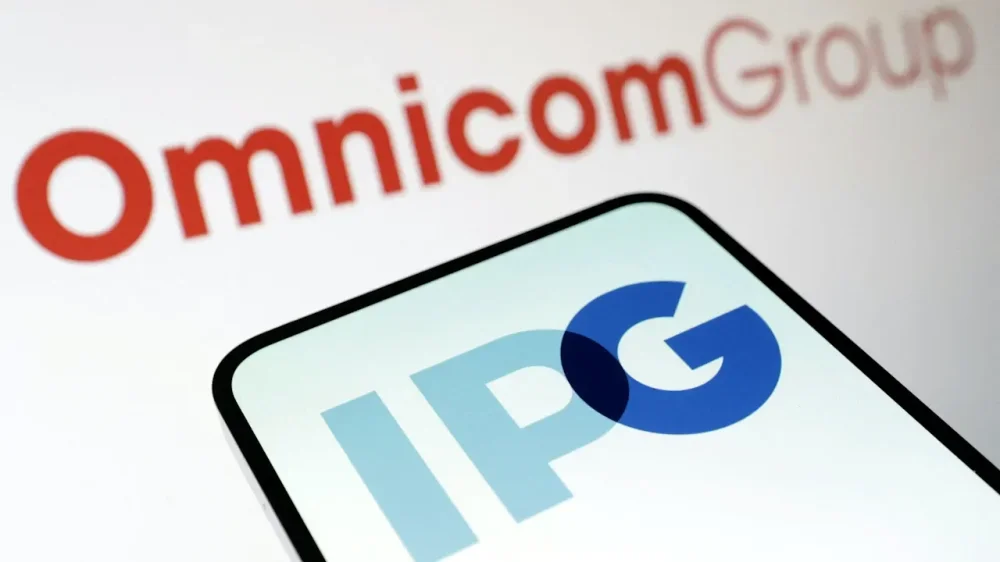
Omnicom said on Monday it will lay off more than 4,000 employees and fold several well-known advertising agency brands after its $13 billion acquisition of rival Interpublic Group. The advertising industry faces a serious threat as artificial intelligence reshapes creative production and tech giants such as Meta make it easier for businesses to churn out ads at scale and speed. Omnicom’s high-stakes acquisition of Interpublic Group, which was completed in November, aims to regain momentum in this shifting landscape, as it contends with fierce competition from French ad giant Publicis and UK’s WPP. The company said creative agency DDB, founded in 1949, and creative marketing agency MullenLowe will be integrated into Omnicom’s TBWA. FCB, one of the largest global ad agency networks owned by IPG with roots dating back to 1873, will be absorbed into Omnicom’s BBDO, according to the company. Omnicom said more than 4,000 jobs would be cut as part of the IPG integration, mainly in administrative roles but some leadership positions will also be impacted. After the job cuts, roughly 85% of the roles will be client-focused, while 15% will be administrative, the company said. The financial benefits would surpass $750 million in annual cost savings initially projected to investors, it added. “We will be delivering this news as promptly as possible to maintain transparency and privacy for those affected,” Omnicom said in an emailed statement. The advertising giant said the cuts should be seen against the backdrop of similar restructuring at rivals such as WPP, which is also expected to axe jobs under new boss Cindy Rose. Interpublic Group laid off about 3,200 employees in the first nine months of 2025, according to a regulatory filing. Omnicom last year reduced its staff by 3,000 to about 75,000. The Financial Times first reported the developments earlier on Monday, citing interviews with Omnicom executives. —Jaspreet Singh, Reuters Additional reporting by Anhata Rooprai. View the full article
-
Housing affordability will improve by 3% next year, according to First American's September Real House Price Index. View the full article

-
We may earn a commission from links on this page. Deal pricing and availability subject to change after time of publication. Black Friday sales officially start Friday, November 28, and run through Cyber Monday, December 1, and Lifehacker is sharing the best sales based on product reviews, comparisons, and price-tracking tools before it's over. It's Cyber Monday, and Lifehacker is sharing the best sales based on product reviews, comparisons, and price-tracking tools before the sales are over. Follow our live blog to stay up-to-date on the best sales we find. Browse our editors’ picks for a curated list of our favorite sales on laptops, fitness tech, appliances, and more. Subscribe to our shopping newsletter, Add to Cart, for the best sales sent to your inbox. Sales are accurate at the time of publication, but prices and inventory are always subject to change. Bose's QuietComfort Headphones are among the best noise-cancelling over-ear headphones you can buy today. They may be a couple of years old at this point, but they're still competitive, and now there's a Cyber Monday 2025 deal that's bringing them to more than half off. That's a fantastic deal on a really good product, and if you're in the market for over-ear noise cancelling headphones, you should definitely consider it. Bose QuietComfort Headphones $159.99 $349.00 Save $189.01 Get Deal Get Deal $159.99 $349.00 Save $189.01 In Amazon's Cyber Monday 2025 sale, the Bose QuietComfort Headphones are down to $159.99 (54% off) in black. The best thing about these headphones are the color choices it's available in, and the good news is that multiple color variants are going at $179.99 (50% off). That's still a decent savings, even if it's not quite as high as what you'd save on the more boring color. PCMag's review gave this product a 4/5, praising it for its controls, sound quality, and noise cancellation. This product misses out on support for newer Bluetooth codecs, unlike the pricier Bose QuietComfort Ultra ($399, 11% off). The older product doesn't charge as fast as the QC Ultra either, but it will still sound great. The review calls out the price for being a bit too high, but this Cyber Monday Sale rectifies that. You can now get the QuietComfort headphones for $239 less than the QuietComfort Ultra. I recently tried the QuietComfort headphones in-person, and I was impressed by the build quality and how light they felt on my head. The noise cancellation was also great. These types of headphones serve a dual purpose in my life. They cut out external noise during long flights, and they also keep my ears warm when I'm in windy places in the winter (looking at you, Scotland!). If you're not sure which over-ear headphones to get this Cyber Monday, look no further than the Bose QuietComfort ones. How long do Cyber Monday deals really last?Black Friday sales officially begin Friday, November 28, 2025, and run throughout “Cyber Week,” the five-day period that runs from Thanksgiving through Cyber Monday, December 1, 2025. But Black Friday and Cyber Monday dates have expanded as retailers compete for customers. Expect sales to wind down by December 3, 2025. What stores have the best sales on Cyber Monday?Nowadays, both large retailers and small businesses compete for Cyber Monday shoppers, so you can expect practically every store to run sales through Monday, December 1, 2025. The “best” sales depend on your needs, but in general, the biggest discounts tend to come from larger retailers that can afford lower prices: think places like Amazon, Walmart, Target, Best Buy, and Home Depot. You can find all the best sales from major retailers on our live blog. Are Cyber Monday deals worth it?In short, yes, Cyber Monday still offers discounts that can be rare throughout the rest of the year. If there’s something you want to buy, or you’re shopping for gifts, it’s a good time to look for discounts on what you need, especially tech sales, home improvement supplies, and fitness tech. Of course, if you need to save money, the best way to save is to not buy anything. Our Best Editor-Vetted Cyber Monday Deals Right Now Apple AirPods Pro 3 Noise Cancelling Heart Rate Wireless Earbuds — $219.99 (List Price $249.00) Apple iPad Air 11" M3 128GB WiFi Tablet (Space Gray) — $449.99 (List Price $599.00) Dell 14 Premium DA14250 (Intel Core Ultra 7 255H, 512GB SSD, 16GB RAM, 2K Display) — $999.99 (List Price $1,549.99) Sony WH-1000XM5 — $248.00 (List Price $399.99) Blink Outdoor 4 1080p Wireless Security Camera (5-Pack) — $159.99 (List Price $399.99) Amazon Fire TV Stick 4K Plus — $24.99 (List Price $49.99) Shark AI Ultra Matrix Clean Mapping Voice Control Robot Vacuum with XL Self-Empty Base — $249.99 (List Price $599.00) Apple Watch Series 11 (GPS, 42mm, S/M Black Sport Band) — $329.00 (List Price $399.00) WD 6TB My Passport USB 3.0 Portable External Hard Drive — $136.45 (List Price $179.99) Samsung Galaxy Tab A9+ 10.9" 64GB Wi-Fi Tablet (Graphite) — $139.99 (List Price $219.99) Deals are selected by our commerce team View the full article
-
Oxford Dictionary just revealed its official word of 2025. It’s “rage bait.” According to an official announcement post, Oxford Dictionary’s team of lexicographers choose a shortlist of potential words each year by analyzing data and trends to “identify new and emerging words and expressions, which our lexicographers think of as a ‘single unit’, and examine the shifts in how more established language is being used.” This year’s final contenders were “aura farming,” “biohack,” and “rage bait.” In the end, 30,000 members of the public voted for their top choices, and Oxford chose rage bait as the winner. Per the Oxford Dictionary’s editors, rage bait is defined as: “Online content deliberately designed to elicit anger or outrage by being frustrating, provocative, or offensive, typically posted in order to increase traffic to or engagement with a particular web page or social media account.” This year, rage bait has emerged as both a silly trend on platforms like TikTok and a legitimate marketing tactic for companies attempting to stand out online—and it’s a perfect encapsulation of the digital landscape in 2025. What is rage bait? Based on Oxford Dictionary’s analysis, the term “rage bait” was first used online more than 20 years ago, in a 2002 posting to Usenet. In its earliest form, rage bait referred to a driver’s reaction to being flashed at by another driver requesting to pass. Since then, Oxford’s post reads, the word has “evolved into internet slang used to describe viral tweets, often to critique entire networks of content that determine what is posted online, like platforms, creators, and trends.” In the last 12 months alone, online use of the phrase “rage bait” has tripled. On platforms like X, TikTok, and Instagram Reels, describing something as “rage bait” has become a silly trend that frequently rakes in millions of views. For example, a creator might purposefully rage bait their parents on Thanksgiving by stating obvious facts as revelations or poking fun at their political views; rage bait their partner by asking purposefully ridiculous questions; or even rage bait their cat by interrupting their grooming process. In the real world, rage bait has also emerged as a genuine strategy that some companies rely on to catch potential customers’ attention in an overcrowded marketing landscape. How rage bait has become a popular marketing tactic Shock value marketing isn’t a new concept by any stretch of the imagination. But our current era of political and technological divide has opened the door for companies to try a new kind of attention-seeking provocation. This genre of rage bait marketing takes advantage of online algorithms, which are engineered to prioritize content that generates emotions like fear and rage to break through the deluge of content that users are looking at on a daily basis. As Oxford Dictionary explains: “[It’s a] proven tactic to drive engagement, commonly seen in performative politics. As social media algorithms began to reward more provocative content, this has developed into practices such as rage-farming, which is a more consistently applied attempt to manipulate reactions and to build anger and engagement over time by seeding content with rage bait.” Examples of this trend include Nucleus Genomics, a genetic health company that recently debuted an ad campaign starring phrases like, “Have your best baby” and “These babies have great genes”; Friend AI, an AI wearable company that purposefully left blank space in a recent ad campaign to encourage vandalism; and even The New York Times, which, as Fast Company writer Joe Berkowitz explains in a recent analysis, has increasingly relied on inflammatory headlines to stoke readership. Elizabeth Paul, chief brand officer at the award-winning advertising company the Martin Agency, told Fast Company last month that rage bait marketing, unfortunately, makes a certain kind of sense for brands that are threatened by our increasingly crowded digital landscape. “The reality is, according to Kantar, 85% of ads right now fail to meet the minimum threshold of attention for comprehension,” Paul said. “In other words, they are so bland and boring and invisible that people did not pay enough attention to even process what they said. In an environment like that, brand invisibility is a bigger threat than brand rejection.” View the full article

-
We may earn a commission from links on this page. Deal pricing and availability subject to change after time of publication. Black Friday sales officially start Friday, November 28, and run through Cyber Monday, December 1, and Lifehacker is sharing the best sales based on product reviews, comparisons, and price-tracking tools before it's over. It's Cyber Monday, and Lifehacker is sharing the best sales based on product reviews, comparisons, and price-tracking tools before the sales are over. Follow our live blog to stay up-to-date on the best sales we find. Browse our editors’ picks for a curated list of our favorite sales on laptops, fitness tech, appliances, and more. Subscribe to our shopping newsletter, Add to Cart, for the best sales sent to your inbox. Sales are accurate at the time of publication, but prices and inventory are always subject to change. Apple’s new MacBook Pro with the M5 chip is a stunningly good computer. If I hadn’t bought my M4 Pro MacBook Pro last year, this is what I would probably get right now. The M5 chip is a substantial upgrade over the M4, especially in the AI department. And for Cyber Monday, Amazon is discounting the already fresh M5 MacBook Pro down to $1,349. That’s down from the sticker price of $1,599, a savings of $250. Apple M5 MacBook Pro $1,349.99 at Walmart $1,599.00 Save $249.01 Get Deal Get Deal $1,349.99 at Walmart $1,599.00 Save $249.01 At that rate, the M5 MacBook Pro becomes attractive for anyone who wants a Mac laptop that is going to last for ages. The M5 MacBook Pro is a sizable upgrade over the MacBook Air, too, thanks to its superior 14.2-inch Liquid Retina XDR display (after using this, going back to my 4K monitor is really tough, I’ll tell you that). This XDR display has Mini-LED backlighting, a ProMotion 120Hz display, and 1,600 nits peak HDR brightness. The M5, meanwhile, is a new 10-core CPU that Apple says is 15% faster than the M4. The real gains are in graphics and AI. The new 10-core GPU comes with a neural accelerator integrated into each core. This boosts on-device AI workflows by up to 3.5 times. It’s a sizable jump if you’re running third-party on-device AI models as well. Graphics are better by up to 30%, too, with Apple’s third-gen ray tracing tech. Gaming on the Mac might finally be a no-compromise affair (although compatibility is still limited depending on the title). Along with 16GB RAM, there’s a 512GB SSD and a massive 24-hour battery life. The battery on my M4 Pro MacBook Pro isn’t as great as I’d want it to be. The M5 is more efficient, lasts longer and runs cooler as well. You can also use it for intense workflows like photo editing and video editing, and it can handle sustained thermal loads thanks to its built-in fan cooling. There’s also a nice 12MP Center Stage webcam up top, and a six-speaker sound system with Spacial audio. The speakers are genuinely amazing. When my wife and I watch something in bed, we no longer need to connect to Bluetooth speakers (like we do when using my wife’s MacBook Air). If you’re looking for something cheaper, or lighter, take a look at the M4 MacBook Air, which is deeply discounted to just $738 for Cyber Monday, another staggering deal. Does Apple do Cyber Monday?Yes, Apple participates in Cyber Monday, though you may want to compare their sales with other retailers like Best Buy and Walmart. Apple is offering an exclusive $250 gift card for eligible purchases, but so far, the best Cyber Monday sale on an Apple product is the M4 MacBook on sale for cheaper than ever. Are Cyber Monday deals better than Black Friday?Black Friday used to be bigger for major retailers and more expensive tech and appliances, while Cyber Monday was for cheaper tech and gave smaller businesses a chance to compete online. Nowadays, though, the distinction is almost meaningless. Every major retailer will offer sales on both days, and the smart move is to know what you want, use price trackers or refer to guides like our live blog that use price trackers for you, and don’t stress over finding the perfect timing. How long do Cyber Monday deals really last?Black Friday sales officially begin Friday, November 28, 2025, and run throughout “Cyber Week,” the five-day period that runs from Thanksgiving through Cyber Monday, December 1, 2025. But Black Friday and Cyber Monday dates have expanded as retailers compete for customers. Expect sales to wind down by December 3, 2025. Our Best Editor-Vetted Cyber Monday Deals Right Now Apple AirPods Pro 3 Noise Cancelling Heart Rate Wireless Earbuds — $219.99 (List Price $249.00) Apple iPad Air 11" M3 128GB WiFi Tablet (Space Gray) — $449.99 (List Price $599.00) Dell 14 Premium DA14250 (Intel Core Ultra 7 255H, 512GB SSD, 16GB RAM, 2K Display) — $999.99 (List Price $1,549.99) Sony WH-1000XM5 — $248.00 (List Price $399.99) Blink Outdoor 4 1080p Wireless Security Camera (5-Pack) — $159.99 (List Price $399.99) Amazon Fire TV Stick 4K Plus — $24.99 (List Price $49.99) Shark AI Ultra Matrix Clean Mapping Voice Control Robot Vacuum with XL Self-Empty Base — $249.99 (List Price $599.00) Apple Watch Series 11 (GPS, 42mm, S/M Black Sport Band) — $329.00 (List Price $399.00) WD 6TB My Passport USB 3.0 Portable External Hard Drive — $136.45 (List Price $179.99) Samsung Galaxy Tab A9+ 10.9" 64GB Wi-Fi Tablet (Graphite) — $139.99 (List Price $219.99) Deals are selected by our commerce team View the full article
-
Google withdrew its antitrust complaint against Microsoft after EU regulators opened a new probe into Azure under the bloc’s tough tech rules. Driving the news. Google pulled its 2024 complaint—centered on Microsoft’s allegedly anti-competitive cloud licensing practices—just as the European Commission launched fresh investigations into whether Azure and Amazon Web Services fall under the Digital Markets Act (DMA). Google says the withdrawal doesn’t mean it’s backing down. What they’re saying. “We filed our antitrust complaint…to give voice to our customers and partners,” said Giorgia Abeltino, Google Cloud Europe’s head of public policy. She added that Google still stands behind the concerns raised. Why we care. The EU’s new probe into Microsoft’s cloud practices could reshape the infrastructure that underpins many ad-tech tools, measurement systems, and AI workflows. If regulators force changes to Azure’s licensing or market behavior, it may open the door to more competition, lower costs, and better interoperability across analytics, automation, and advertising platforms. In short: cloud competition directly affects the speed, pricing, and reliability of the tools advertisers depend on every day. The backdrop: Google accused Microsoft of using restrictive software licensing that made competing clouds less attractive. The complaint came soon after Microsoft settled a similar dispute with the cloud group CISPE. Other Microsoft and Amazon divisions already fall under the DMA, including Windows and Amazon’s marketplace. State of play. The EU says it will continue monitoring cloud competition closely. Microsoft declined to comment. Bottom line. Google’s withdrawal isn’t a retreat—it’s a signal that the battleground has shifted. With EU regulators now investigating Microsoft and AWS directly under the DMA, the cloud giants could soon face clearer—and tougher—rules in Europe. View the full article
-
US private capital groups to take part in Bank of England review amid concerns over systemic risks View the full article
-
Hedge fund manager wins approval from key regulatory board to build gambling complexView the full article
-
To “FIRE” effectively and as soon as reasonably possible, you need to answer one deceptively simple question: What does “enough” actually mean for me? Once you answer that, “financial independence” is no longer just a vague idea. It then becomes two concrete dollar amounts to plan on as goal lines: the ongoing monthly income you ... Read moreView the full article
-
Federal Reserve bank supervisors are monitoring community and regional banks' commercial real estate portfolios amid concerns over "lower commercial property values," the agency said. View the full article

-
We may earn a commission from links on this page. Deal pricing and availability subject to change after time of publication. Black Friday sales officially start Friday, November 28, and run through Cyber Monday, December 1, and Lifehacker is sharing the best sales based on product reviews, comparisons, and price-tracking tools before it's over. It's Cyber Monday, and Lifehacker is sharing the best sales based on product reviews, comparisons, and price-tracking tools before the sales are over. Follow our live blog to stay up-to-date on the best sales we find. Browse our editors’ picks for a curated list of our favorite sales on laptops, fitness tech, appliances, and more. Subscribe to our shopping newsletter, Add to Cart, for the best sales sent to your inbox. Sales are accurate at the time of publication, but prices and inventory are always subject to change. The AirPods Pro 2 are one of the best audio products Apple's launched. Since their release in 2022, the AirPods Pro 2 have received multiple software updates to add features such as controlling Siri with head movements, reduced latency, improved call quality, and more. Even today, they remain a fantastic pair of earbuds, especially now that the Cyber Monday 2025 sale has dropped the price to a record low. Apple AirPods Pro 2 $135.00 at Woot $249.00 Save $114.00 Get Deal Get Deal $135.00 at Woot $249.00 Save $114.00 During Amazon-owned Woot's Cyber Monday 2025 sale, the AirPods Pro 2 are going for $135, which is 46% off the list price of $250. Sure, some of you are going to want the latest and greatest product in the lineup, the AirPods Pro 3 ($220, 12% off, during Cyber Monday 2025), but for most people, the AirPods Pro 2 are an amazing choice at this price. Every time I've used the AirPods Pro 2, I've been impressed by their comfort and noise cancellation features. The ANC cuts out a lot of noise in loud places, including concert venues, and for me, they've been a great companion on long flights. The AirPods Pro 2 work best with Apple products, but they're also compatible with other Bluetooth devices such as a Windows PC or an Android phone. Having said that, if you want to make the most of the AirPods Pro 2, you should pair them with your Apple devices for the seamless device switching, instant pairing, and host of software features that don't work with other platforms. I've used the AirPods Pro 2 during workouts at the gym, for cycling, and while running half-marathons. They've have never disappointed me through all these situations. I love recommending slightly older products when they're heavily discounted, and with the AirPods Pro 2 getting such a good deal during Cyber Monday 2025, you're basically getting a current-gen product at last-gen prices. Does Apple do Cyber Monday?Yes, Apple participates in Cyber Monday, though you may want to compare their sales with other retailers like Best Buy and Walmart. Apple is offering an exclusive $250 gift card for eligible purchases, but so far, the best Cyber Monday sale on an Apple product is the M4 MacBook on sale for cheaper than ever. How long do Cyber Monday deals really last?Black Friday sales officially begin Friday, November 28, 2025, and run throughout “Cyber Week,” the five-day period that runs from Thanksgiving through Cyber Monday, December 1, 2025. But Black Friday and Cyber Monday dates have expanded as retailers compete for customers. Expect sales to wind down by December 3, 2025. Are Cyber Monday deals better than Black Friday?Black Friday used to be bigger for major retailers and more expensive tech and appliances, while Cyber Monday was for cheaper tech and gave smaller businesses a chance to compete online. Nowadays, though, the distinction is almost meaningless. Every major retailer will offer sales on both days, and the smart move is to know what you want, use price trackers or refer to guides like our live blog that use price trackers for you, and don’t stress over finding the perfect timing. Our Best Editor-Vetted Cyber Monday Deals Right Now Apple AirPods Pro 3 Noise Cancelling Heart Rate Wireless Earbuds — $219.99 (List Price $249.00) Apple iPad Air 11" M3 128GB WiFi Tablet (Space Gray) — $449.99 (List Price $599.00) Dell 14 Premium DA14250 (Intel Core Ultra 7 255H, 512GB SSD, 16GB RAM, 2K Display) — $999.99 (List Price $1,549.99) Sony WH-1000XM5 — $248.00 (List Price $399.99) Blink Outdoor 4 1080p Wireless Security Camera (5-Pack) — $159.99 (List Price $399.99) Amazon Fire TV Stick 4K Plus — $24.99 (List Price $49.99) Shark AI Ultra Matrix Clean Mapping Voice Control Robot Vacuum with XL Self-Empty Base — $249.99 (List Price $599.00) Apple Watch Series 11 (GPS, 42mm, S/M Black Sport Band) — $329.00 (List Price $399.00) WD 6TB My Passport USB 3.0 Portable External Hard Drive — $136.45 (List Price $179.99) Samsung Galaxy Tab A9+ 10.9" 64GB Wi-Fi Tablet (Graphite) — $139.99 (List Price $219.99) Deals are selected by our commerce team View the full article
-
We may earn a commission from links on this page. It's Cyber Monday, and Lifehacker is sharing the best sales based on product reviews, comparisons, and price-tracking tools before the sales are over. Follow our live blog to stay up-to-date on the best sales we find. Browse our editors’ picks for a curated list of our favorite sales on laptops, fitness tech, appliances, and more. Subscribe to our shopping newsletter, Add to Cart, for the best sales sent to your inbox. Sales are accurate at the time of publication, but prices and inventory are always subject to change. For two years now, I've been obsessed with the Boox Palma for one primary reason: Because it has the form factor of a phone, it's easy to slip into my pocket and carry it with me wherever I go. This helps me read more and use my phone-shaped phone a lot less, which goes a long way toward justifying the $270 price tag. So of course I'm intrigued to learn that there's a new, even smaller e-reader on the market, and you can pick one up for around $50—or even less with a Cyber Monday coupon. Xteink X4 4.3-Inch E-Reader $53.00 at Ali Express $69.00 Save $16.00 Shop Now Shop Now $53.00 at Ali Express $69.00 Save $16.00 Like the Palma, the Xteink X4 is a Chinese-made gadget with an e-ink screen similar to the one you'll find on the Amazon Kindle. Unlike the Palma, which is loaded up with high-end features like a temperature-adjustable front light, a camera, an Android-based operating system with access to the Google Play store, and a ton of internal storage, the Xteink X4 is about as basic as it gets. There's no lighting, no touch screen, and the onboard software is so basic, calling it an operating system feels like an overstatement. There's not even any internal storage—instead, it ships with a 32GB SD card. I love it. The Xteink X4 is truly easy to carry with you—more so than even phone-sized e-readers. It even has a magnetic ring on the back that you can use to attach it to the back of your phone, provided your phone is large enough (don't be fooled by the pictures on the Xteink website that show it clipped to an iPhone; it's too big for my iPhone 14 and some research confirms it doesn't really align with the larger "Max" iPhone models either). But even standing alone—even in its tiny magnetic cover (an extra $9)—you'll barely notice the Xteink X4 is in your pocket, so you'll have no excuse not to carry it everywhere so you can read instead of doomscroll. Just the basics Credit: Joel Cunningham I should start off with a big caveat: Unless you're at least mildly tech-savvy and you enjoy fiddling around with gadgets, the Xteink X4 is not for you. While it's fairly easy to get up and running, it does come with a learning curve, because it's designed for basic functionality over a good user experience. I this this is kind of great, but I'm someone who reviews e-ink devices regularly, so I'm not exactly a neophyte. (In any case, the r/xteinkereader Reddit community is already thriving and can help get you started.) With that out of the way, here are the details on this super simple device: a 4.3-inch e-ink screen (somewhere between the size of a credit card and a standard iPhone) 220 ppi resolution 32GB of storage via a microSD card (expandable up to 512GB) Wi-Fi 2.4 GHz & Bluetooth 650mAh battery with USB-C charging (good for ~14 days on a single charge) 114mm x 69mm, 5.9mm thick Physical power, navigation, and page-turn buttons 74g weight compatible with: TXT, EPUB, JPG, BMP files; BIN fonts And that's it. Even as e-readers go, the Xteink X4 is dead simple. Navigating around the bare-bones menus requires using the physical buttons on the right side and lower bezel. It will take you some time to get familiar with which button does what, and to figure out what the different options in the settings and e-book menus actually do, but once you've got it figured out, you'll realize that if all you want is an e-reader that makes it easy to read wherever you are, it does the trick. Easy, that is, once the books are on the device. Getting started Credit: Joel Cunningham Actually getting your books onto the Xteink X4 can be slightly tricky, starting with the fact that you need to have a collection of e-books in DRM-free EPUB or TXT format to read anything at all. Only DRM-free e-books will workMany e-book retailers, including Amazon and Barnes & Noble, generally only sell ebooks with DRM (which stands for "digital rights management"), anti-piracy software designed to ensure you can only read books purchased legally. Though DRM can be stripped from your files with tools you can find online, it's technically illegal (stern frowny face emoji) so you'll need to either purchase books without DRM or download public domain titles from sources like Project Gutenberg. Loading files is a bit fussyOnce you do have your files ready, you can get them on the device in a couple of different ways. You can remove the SD card, stick it into a card reader, and mount it to your computer (this wasn't an option for me, however, as my work laptop won't let me mount external drives). You can also transfer files via wifi by logging the Xteink X4 into your wifi, then setting it up as a hotspot, connecting your computer, and typing a specific URL into a browser window, which will open up some simple file-sharing options that allow you to upload books, fonts, and image files. The reading experience Credit: Joel Cunningham Once you've got your books loaded up, the reading experience is better than you'd expect it to be. At 220ppi, the screen is crisp enough to be easily readable, though as with a paper book, there's no lighting, so you'll need to provide your own (I recommend light bulbs, but the sun works well if you're outdoors during the day). Your books won't look great—there are only two pre-installed fonts, and as of this writing, formatting options are extremely limited, so you won't be able to see any embedded images or use hyperlinks to jump from the table of contents to a specific chapter (there are workarounds for this in the e-book navigation menus, but they are pretty clunky). Also, text styling like paragraph indents, italics, bold, and underlining are currently non-functional, which can make some books tricky to parse, but the developers promise to do their best to continue making the software better via over-the-air updates. Who the Xteink X4 is forIf you've got a huge Kindle library or you're the type of person who just wants their tech to work without a hassle, get an Amazon e-reader. If you own a lot of books from different sources and want to read them all on the same device, an Android-based reader like the Boox Palma 2 or Boox Go 7 will serve you well. But if you're a minimalist, or a techie who likes fiddling around with weird gadgets, I think you'll find this little guy incredibly endearing. Though there are about 10 different e-readers scattered around my home and I've recently been reading everything on the $400 Boox Palma 2 Pro, all weekend I found myself reaching instead for the Xteink X4, and I'm already trying to figure out who I'm going to gift one for the holidays. How to get the Xteink X4 at a Cyber Monday discountCurrently, the Xteink X4 isn't sold via Amazon, but you can pick one up in two different ways. Order from AliExpressAliExpress is an e-commerce platform that largely sells items direct from China. It might look a little off, but it's a legit website, and it's the only third-party retailer where you can currently order the Xteink X4 for shipment to the U.S. Just make sure the product listing you're looking at is for the right device and at the best price—sometimes you'll see slightly different prices from different sellers, but if the price is ridiculously low, check the description to make sure you aren't just buying an accessory. For Cyber Monday, AliExpress is offering a coupon for $10 off of a $50 order, which means you can currently grab an Xteink X4 for around $41. Order directIf you prefer, you can also order direct from Xteink, though you'll likely pay $15 to $20 more. On the plus side, you can easily add some cheap accessories to your order, including a magnetic cover, a magnetic clip-on reading light, and screen protectors. Does Amazon have Cyber Monday deals?Yes, Amazon has Cyber Monday sales, but prices aren’t always what they seem. Use a price tracker to make sure you’re getting the best deal, or refer to guides like our live blog that use price trackers for you. And if you have an Amazon Prime membership, make the most of it. What stores have the best sales on Cyber Monday?Nowadays, both large retailers and small businesses compete for Cyber Monday shoppers, so you can expect practically every store to run sales through Monday, December 1, 2025. The “best” sales depend on your needs, but in general, the biggest discounts tend to come from larger retailers that can afford lower prices: think places like Amazon, Walmart, Target, Best Buy, and Home Depot. You can find all the best sales from major retailers on our live blog. Are Cyber Monday deals worth it?In short, yes, Cyber Monday still offers discounts that can be rare throughout the rest of the year. If there’s something you want to buy, or you’re shopping for gifts, it’s a good time to look for discounts on what you need, especially tech sales, home improvement supplies, and fitness tech. Of course, if you need to save money, the best way to save is to not buy anything. Our Best Editor-Vetted Cyber Monday Deals Right Now Apple AirPods Pro 3 Noise Cancelling Heart Rate Wireless Earbuds — $219.99 (List Price $249.00) Apple iPad Air 11" M3 128GB WiFi Tablet (Space Gray) — $449.99 (List Price $599.00) Dell 14 Premium DA14250 (Intel Core Ultra 7 255H, 512GB SSD, 16GB RAM, 2K Display) — $999.99 (List Price $1,549.99) Sony WH-1000XM5 — $248.00 (List Price $399.99) Blink Outdoor 4 1080p Wireless Security Camera (5-Pack) — $159.99 (List Price $399.99) Amazon Fire TV Stick 4K Plus — $24.99 (List Price $49.99) Shark AI Ultra Matrix Clean Mapping Voice Control Robot Vacuum with XL Self-Empty Base — $249.99 (List Price $599.00) Apple Watch Series 11 (GPS, 42mm, S/M Black Sport Band) — $329.00 (List Price $399.00) WD 6TB My Passport USB 3.0 Portable External Hard Drive — $136.45 (List Price $179.99) Samsung Galaxy Tab A9+ 10.9" 64GB Wi-Fi Tablet (Graphite) — $139.99 (List Price $219.99) Deals are selected by our commerce team View the full article
-
There will be more posts than usual this week, so keep checking back throughout the day. A reader writes: A while back, an employee who reported to me (I’m a man) became visibly pregnant soon after she started. But she never brought it up. Not with me, not with HR, not with anyone. I didn’t ask her about it, though nearly everyone else in our office asked me. I cringed when I responded since it was obvious she was pregnant but I felt that I needed to protect her privacy. I felt like I was walking around on pins and needles with this very obvious elephant in the room. Her job description included occasionally lifting objects up to 40 pounds and the only way I treated her differently was I went out of my way to pick up anything remotely heavy. Eventually she was put on bed rest and had her baby a week later. She did not return to the organization. The office was a very friendly place and I know the employees would have loved to have thrown her a baby shower and all those fun things. But I realize I was handed a hot potato, from several different angles. Should I have addressed this directly with her? Or was I fine to ignore it? I answer this question over at Inc. today, where I’m revisiting letters that have been buried in the archives here from years ago (and sometimes updating/expanding my answers to them). You can read it here. The post my employee didn’t tell anyone she was pregnant, until right before she gave birth appeared first on Ask a Manager. View the full article
-
It's Cyber Monday, and Lifehacker is sharing the best sales based on product reviews, comparisons, and price-tracking tools before the sales are over. Follow our live blog to stay up-to-date on the best sales we find. Browse our editors’ picks for a curated list of our favorite sales on laptops, fitness tech, appliances, and more. Subscribe to our shopping newsletter, Add to Cart, for the best sales sent to your inbox. Sales are accurate at the time of publication, but prices and inventory are always subject to change. For years, the M1 MacBook Air has been the default cheap MacBook recommendation every deals season. Even now, it’s available for just $549 at Walmart. But now, I think the best cheap MacBook that you can buy is the 13-inch M2 MacBook Air for just $599 during Best Buy’s Cyber Monday sale. This laptop has the same modern design as the M4 MacBook Air and even comes with the same 16GB RAM. This isn't the only good MacBook Air deal right now, though—if you have the money to spare, you could opt for the latest M4 MacBook Air for $738 duringAmazon’s Cyber Monday sale. For most budget-conscious users, though, the $600 M2 MacBook Air is the best deal. The M2 MacBook Air has the same 13.5-inch Retina Display (with wide P3 color gamut and sharp resolution at 2560x1664), the same latest design, MagSafe connection, fast Touch ID, and nicer speakers, not to mention 16GB RAM, which is twice as much as the M1 MacBook Air. It supports Apple Intelligence as well, though that 16GB RAM will come in really handy in day-to-day tasks and will help with longevity as well. Apple 2022 13" MacBook Air M2, 16GB RAM, 256GB Storage - Space Gray (Z15S000CT) $1,199.99 at Amazon Get Deal Get Deal $1,199.99 at Amazon The M2 chip is also no slouch. Compared to the M1 chip, you get 18% faster CPU, 35% faster GPU, and 40% faster Neural Engine. It’s more than capable for your daily work, email, and web browsing, and it can even take over some intense photo editing and video editing workflows. There’s 18 hours of battery life (15 when you’re web browsing). Again, that's more than enough to last a full workday, and then some. The M2 MacBook Air is also thin and light, as you’d expect, weighing in at 2.7 pounds (and just 1.13 cm thick). If you’re looking for a larger laptop, the 15-inch M2 MacBook Air is down to $769.99. The two laptops are virtually the same, down to the processor and quality of screen. The 15-inch model, of course, has a larger screen, and because of the extra space, has better speakers too. The weight is a different story though, with the 15-inch model weighing in at 1.51 kg, which is quite a bit heavier than the 13-inch MacBook Air. What stores have the best sales on Cyber Monday?Nowadays, both large retailers and small businesses compete for Cyber Monday shoppers, so you can expect practically every store to run sales through Monday, December 1, 2025. The “best” sales depend on your needs, but in general, the biggest discounts tend to come from larger retailers that can afford lower prices: think places like Amazon, Walmart, Target, Best Buy, and Home Depot. You can find all the best sales from major retailers on our live blog. Are Cyber Monday deals worth it?In short, yes, Cyber Monday still offers discounts that can be rare throughout the rest of the year. If there’s something you want to buy, or you’re shopping for gifts, it’s a good time to look for discounts on what you need, especially tech sales, home improvement supplies, and fitness tech. Of course, if you need to save money, the best way to save is to not buy anything. Are Cyber Monday deals better than Black Friday?Black Friday used to be bigger for major retailers and more expensive tech and appliances, while Cyber Monday was for cheaper tech and gave smaller businesses a chance to compete online. Nowadays, though, the distinction is almost meaningless. Every major retailer will offer sales on both days, and the smart move is to know what you want, use price trackers or refer to guides like our live blog that use price trackers for you, and don’t stress over finding the perfect timing. Our Best Editor-Vetted Cyber Monday Deals Right Now Apple AirPods Pro 3 Noise Cancelling Heart Rate Wireless Earbuds — $219.99 (List Price $249.00) Apple iPad Air 11" M3 128GB WiFi Tablet (Space Gray) — $449.99 (List Price $599.00) Dell 14 Premium DA14250 (Intel Core Ultra 7 255H, 512GB SSD, 16GB RAM, 2K Display) — $999.99 (List Price $1,549.99) Sony WH-1000XM5 — $248.00 (List Price $399.99) Blink Outdoor 4 1080p Wireless Security Camera (5-Pack) — $159.99 (List Price $399.99) Amazon Fire TV Stick 4K Plus — $24.99 (List Price $49.99) Shark AI Ultra Matrix Clean Mapping Voice Control Robot Vacuum with XL Self-Empty Base — $249.99 (List Price $599.00) Apple Watch Series 11 (GPS, 42mm, S/M Black Sport Band) — $329.00 (List Price $399.00) WD 6TB My Passport USB 3.0 Portable External Hard Drive — $136.45 (List Price $179.99) Samsung Galaxy Tab A9+ 10.9" 64GB Wi-Fi Tablet (Graphite) — $139.99 (List Price $219.99) Deals are selected by our commerce team View the full article
-
In a significant advancement for small businesses, Google has unveiled its latest innovation, Gemini 3, which promises to revolutionize the way owners access relevant information through Google Search. By leveraging advanced reasoning capabilities, Gemini 3 enhances the existing query fan-out technique, enabling the search engine to deliver even more tailored outputs for complex inquiries. Gemini 3 builds on its predecessor by not only broadening the scope of searches but also gaining a deeper understanding of user intent. This means that when you pose a question, Gemini 3 can unearth high-quality, credible content that might have been overlooked previously. For small business owners, this enhanced capability could be a game-changer in finding actionable insights and industry-specific information that might help them stay competitive in their market. As Google rolls out Gemini 3, the automatic model selection feature within Search begins to kick in. This upgrade will intelligently direct complicated queries to this sophisticated model while reserving quicker models for simpler requests. This dual approach allows users—especially small businesses—access to both rapid responses for everyday questions and comprehensive analyses when delving into more challenging topics. For those subscribed to Google AI Pro and Ultra, this functionality is designed to increase efficiency and reduce the time spent searching for accurate information. The introduction of generative UI in AI Mode adds another layer of appeal for small business owners. Gemini 3 employs multimodal understanding, allowing it to generate customized visual layouts for search results. This means when a user inputs a query, Gemini 3 can assemble a response adorned with interactive tools, simulations, and visually structured elements—like images, tables, and grids—all aimed at optimizing comprehension and actionable insights. For small business owners, this feature simplifies the decision-making process by offering not only text-based information but also interactive content that can elucidate complex topics. The dynamic response generation helps entrepreneurs quickly absorb information, paving the way for informed choices that can impact their bottom line. However, while the benefits are enticing, small business owners should also be cognizant of potential challenges that could arise as they integrate Gemini 3 into their toolkit. The sophistication of the AI may require a learning curve; utilizing advanced features and decoding tailored results might take time and experimentation. Business owners would need to train their staff or invest time in understanding how best to leverage the capabilities of this advanced AI for everyday operations. Moreover, as reliance on AI technology increases, there is the potential for becoming overly dependent on automated solutions. Small business owners must strike a balance between utilizing these powerful tools for efficiency while also reaffirming the importance of human insight and decision-making. In summary, Gemini 3 opens a new frontier for small businesses eager to gain a competitive edge. The combination of enhanced search capabilities and customizable responses makes it easier to find relevant information in an ever-expanding digital landscape. As entrepreneurs consider integrating this technology, they should weigh both the benefits of sophisticated data retrieval and the potential challenges of adopting new tools. For further insights on the features and applications of Gemini 3, check out Google’s official announcement here. Image via Google Gemini This article, "Google Gemini 3 Enhances Search with Smarter, Interactive AI Tools" was first published on Small Business Trends View the full article
-
In a significant advancement for small businesses, Google has unveiled its latest innovation, Gemini 3, which promises to revolutionize the way owners access relevant information through Google Search. By leveraging advanced reasoning capabilities, Gemini 3 enhances the existing query fan-out technique, enabling the search engine to deliver even more tailored outputs for complex inquiries. Gemini 3 builds on its predecessor by not only broadening the scope of searches but also gaining a deeper understanding of user intent. This means that when you pose a question, Gemini 3 can unearth high-quality, credible content that might have been overlooked previously. For small business owners, this enhanced capability could be a game-changer in finding actionable insights and industry-specific information that might help them stay competitive in their market. As Google rolls out Gemini 3, the automatic model selection feature within Search begins to kick in. This upgrade will intelligently direct complicated queries to this sophisticated model while reserving quicker models for simpler requests. This dual approach allows users—especially small businesses—access to both rapid responses for everyday questions and comprehensive analyses when delving into more challenging topics. For those subscribed to Google AI Pro and Ultra, this functionality is designed to increase efficiency and reduce the time spent searching for accurate information. The introduction of generative UI in AI Mode adds another layer of appeal for small business owners. Gemini 3 employs multimodal understanding, allowing it to generate customized visual layouts for search results. This means when a user inputs a query, Gemini 3 can assemble a response adorned with interactive tools, simulations, and visually structured elements—like images, tables, and grids—all aimed at optimizing comprehension and actionable insights. For small business owners, this feature simplifies the decision-making process by offering not only text-based information but also interactive content that can elucidate complex topics. The dynamic response generation helps entrepreneurs quickly absorb information, paving the way for informed choices that can impact their bottom line. However, while the benefits are enticing, small business owners should also be cognizant of potential challenges that could arise as they integrate Gemini 3 into their toolkit. The sophistication of the AI may require a learning curve; utilizing advanced features and decoding tailored results might take time and experimentation. Business owners would need to train their staff or invest time in understanding how best to leverage the capabilities of this advanced AI for everyday operations. Moreover, as reliance on AI technology increases, there is the potential for becoming overly dependent on automated solutions. Small business owners must strike a balance between utilizing these powerful tools for efficiency while also reaffirming the importance of human insight and decision-making. In summary, Gemini 3 opens a new frontier for small businesses eager to gain a competitive edge. The combination of enhanced search capabilities and customizable responses makes it easier to find relevant information in an ever-expanding digital landscape. As entrepreneurs consider integrating this technology, they should weigh both the benefits of sophisticated data retrieval and the potential challenges of adopting new tools. For further insights on the features and applications of Gemini 3, check out Google’s official announcement here. Image via Google Gemini This article, "Google Gemini 3 Enhances Search with Smarter, Interactive AI Tools" was first published on Small Business Trends View the full article
-
President Donald The President has commuted the prison sentence of former investment manager David Gentile, who was convicted of defrauding investors — the latest in a series of clemency actions The President has taken in white-collar criminal cases. Gentile had reported to prison on Nov. 14, just days before The President commuted his sentence, according to a White House official who requested anonymity to provide details of the clemency action. Gentile had been the CEO and co-founder of GPB Capital, which had raised $1.6 billion in capital to acquire companies in the auto, retail, health care and housing sectors. He had been sentenced to seven years in prison after an August 2024 conviction for his role in what the Justice Department at the time described as a scheme to defraud more than 10,000 investors by misrepresenting the performance of three private equity funds. But the White House official said GPB Capital had disclosed to investors in 2015 that their capital might go to pay dividends to other investors, which the White House said undercut claims that the company had engaged in a “Ponzi” scheme in which new investments are used to reimburse previous investors. The government has agreed to no restitution in the criminal case, though various civil cases are handling repayments and damages to investors. —Josh Boak, Associated Press View the full article