ResidentialBusiness
Administrators
-
Joined
-
Last visited
Everything posted by ResidentialBusiness
-
 Google is launching Marketing Advisor, as announced today at Google Marketing Live 2025. Marketing Advisor is a new AI-powered assistant that lives directly in the Chrome browser and is designed to help advertisers manage marketing tasks across Google platforms and beyond. Driving the news. Marketing Advisor is an AI agent that marketers can install as a Chrome side panel. Once connected to a user’s Google account and Ads campaigns, it tailors insights and support based on their goals. It offers step-by-step guidance on the websites and tools marketers use daily, from campaign dashboards to CMS systems. Unlike traditional chat assistants, it can proactively assess performance, recommend strategies, and even apply changes across multiple business units. How it works. The assistant can help identify missing tags, fix issues, and surface seasonal insights within the context of the page you’re working on. For example, if you’re in a CMS, it might flag that a conversion tag is missing and offer to install it, with your permission. Why we care. As marketing grows more fragmented across tools, sites, and systems, advertisers need help keeping everything aligned. Marketing Advisor brings personalized, real-time support into the browser, turning complex tasks into guided, streamlined actions. It can proactively identify issues, recommend strategies, and even perform tasks – saving time and reducing complexity. With deep integration across Google Ads, Analytics, and CMS platforms, it’s like having an expert always on hand to optimize performance and spot growth opportunities. Advertisers should still keep a watchful eye on the suggestions it makes, especially at the early stages of testing. What to watch. Marketing Advisor is expected to roll out later this year. Its tight integration with Google Ads, Analytics, and the broader marketing stack could make it a must-have for busy marketers juggling multiple tools and strategies. Dig deeper. More Google Marketing Live 2025 news from today: Google expands ads in AI Overviews, AI Mode to desktop New Google AI tools transform Creative Ads, Video Campaigns, Brand Listings Google unveils Smart Bidding Exploration Google unveils new tools for testing, measurement, data Google is putting agentic tools in Ads and Analytics View the full article
 -
Mac users are spoiled when it comes to searching their computers. Macs have Spotlight search built-in, which they can use to open apps, search for files, perform calculations, and search the web. Windows has the Search Bar, but when you compare what they can do, it's not exactly the same. Now, though, there's a new tool called Command Palette, and it's a keyboard launcher designed specifically for developers and power users alike. It replaces a similar feature called PowerToys Run, and offers way more features, including the ability to run commands, search the web, search for files, and add custom bookmarks and global keyboard shortcuts. How to install and enable Command PaletteCommand Palette is part of PowerToys, which is a suite of powerful apps and utilities created by Microsoft itself. These are open source and are updated much faster than any built-in Windows feature. You can download and install PowerToys from the GitHub page, the Microsoft Store, or using Windows Package Manager. Once PowerToys is installed (or updated to the version 0.9 or higher), open the app and find the Command Palette option from the sidebar. If you don't see the app window, right-click the PowerToys utility in the Windows taskbar and click Settings. Credit: Khamosh Pathak From the Command Palette screen, make sure the extension is enabled. Here, you'll see the default keyboard shortcut for Command Palette, which is Windows + Alt + Space, but you are free to change it to anything you want. Customizing the Command Palette shortcut and other settingsFirst, open Command Palette using the keyboard shortcut, and then click the Settings button in the bottom-right corner. From here, you can use the Activation key option to remap the keyboard shortcut to something simpler, like Alt + Space. Credit: Khamosh Pathak While you're here, you can also customize the behavior of Command Palette. The features I find most useful is the ability to use Backspace to go back, but your mileage may vary. Now, let's see everything Command Palette can do. System settings and file search Credit: Khamosh Pathak Open the Command Palette and start typing. Everything you'd want from a basic keyboard launcher is here. You can use Command Palette to open apps, and to search for files and folders. You can start searching for apps directly. But when it comes to files and folders, it's better to first choose the File search option. Just type "file", choose the option, and then start searching. Similarly, if you use the "=" key, you'll enter calculator mode. Switch between open windows Credit: Khamosh Pathak Command Palette has a built-in window switcher, and it can show all windows across different desktops and monitors. Open the Command Palette and type the less-than symbol () and you'll see a list of all open windows and apps. You can scroll or search through this, or you can just enter the name of a specific app or window to highlight it, then press Enter to quickly switch to it. Use Bookmarks to open any folder or website Credit: Khamosh Pathak Bookmarks might be the best feature in Command Palette. The file search is definitely useful, but most often, you find yourself opening the same folders and files over and over again throughout the day. For me, it's the Screenshots folder and the Downloads folder. Now, I can use Command Palette to make these easier to open. Namely, I can create a bookmark that opens the Downloads folder with just a couple of letters, or using a global keyboard shortcut. This works for any Folder or File path, and even a website URL. First, navigate to the folder you want to assign a shortcut to, right-click on the folder at the top, and choose Copy Address to copy the file path. In Command Palette, use the Add Bookmark option. Here, paste in the file path and give it a name. Credit: Khamosh Pathak Now, you can give it a unique alias and a global shortcut. Go to Command Palette Settings, and from the sidebar, choose Extensions > Bookmarks. You'll see your newly created bookmark here. Credit: Khamosh Pathak Click on it, and you can now record a unique global hotkey, or give it an alias that makes it faster to find in Command Palette. Search the web Credit: Khamosh Pathak Command Palette has a quick way to search the web that opens directly in your default browser. Enter "??" and then type out your query. Press Enter, and that's it. Run any Terminal command Credit: Khamosh Pathak If you use the greater-than sign (>) before you start typing in Command Palette, you'll enter Terminal mode. From here, you can enter any command, and it will open in the Terminal app, where it will execute the command for you. Install apps using WinGetWe've already talked about WinGet, the hidden package manager inside Windows that lets you install any package or an app using a single command. Well, now you don't even need to open Terminal for this. Once you have WinGet set up, you can simply enter the "winget" command in Command Palette, followed by the package you want to install. Command Palette will search for and start installing the package for you. Use extensions to add even more featuresLastly, you can use third-party extensions to add even more functionality to Command Palette. As the feature is new, the collection is quite limited, but here's hoping that developers add new extensions in the future. To see your extensions, open the Command Palette and search for Extensions. You can find extensions on WinGet, or on the Microsoft Store. View the full article
-
Google today published new guidance on how to “succeed” in its evolving AI-powered search experiences. What’s new. The only real (sort of) news here is that Google has put into writing what Google’s Elizabeth Reid and others have said in recent months – that AI-driven searches are increasing engagement and creating higher-quality clicks. Also: Google said tools like nosnippet and max-snippet apply to AI content as well. This is more of a reminder that you can limit how your website appears – or doesn’t – in AI Overviews. Google suggested going beyond text and thinking multimodal. In other words, use high-quality images and videos, plus make sure your Merchant Center and Google Business Profile listings are updated. Why we care. Google’s AI Overviews have reduced traffic to websites – and AI Mode (now available in the U.S. as of yesterday) is expected to make things even worse for organic traffic. We’re all being forced to try to adapt to these rapid changes in real time. Rather than delivering clear, new tips or advice about these huge changes, Google is basically telling us to sing the same old song and dance, when clearly the song hasn’t remained the same. The eight things. They are: Focus on unique, valuable content for people Provide a great page experience Ensure we can access your content Manage visibility with preview controls Make sure structured data matches the visible content Go beyond text for multimodal success Understand the full value of your visits Evolve with your users Let’s dig a bit deeper. Higher-quality clicks. In the “Understand the full value of your visits” section of the Google Search Central blog post, John Mueller wrote: “We’ve seen that when people click to a website from search results pages with AI Overviews, these clicks are higher quality, where users are more likely to spend more time on the site. Why is this? Our AI results may give people more context about a topic overall, and display more relevant supporting links, than with classic Search. This may provide a more engaged audience and new opportunities with visitors, but you might not optimize for these if you focus too much on clicks instead of the overall value of your visits from Search. Consider looking at various indicators of conversion on your site, be it sales, signups, a more engaged audience, or information lookups about your business.” Yes, but. Engagement is falling, according to AI Overviews research from Kevin Indig and SimilarWeb. And LLM traffic is not as engaged as classic organic search traffic, according to a study by SALT.agency. Meanwhile, Google dodges any CTR questions. Evolution of Search. In the “evolve with your users” section (even though, really, Google is forcing AI upon us at an alarmingly fast rate and forcing us to evolve with them) Mueller wrote: “The only thing predictable in Search is that it always evolves because people’s needs are always evolving. The classic ‘ten blue links’ format changed to handle the needs of those seeking visual, video, news, and other types of content. Desktop displays evolved to mobile-friendly ones. Search evolved to handle voice queries, or ‘multimodal’ queries, such as taking a picture of a flower and having Search identify it from the photos. Our AI experiences represent yet another evolution with Search, so that we continue to best meet shifting user needs. This evolution also means new opportunities for site owners. With AI Overviews and AI Mode, people are using Search more often, asking new and more complex questions, and are more satisfied with their results. AI Overviews display links in a range of ways, and show a wider range of sources on the results page so it’s easy for people to click out and explore content on the web.” Bottom line. Sure, Google’s AI Overviews show a wide range of sources, but studies show that impressions are up but clicks are down, AI Overviews are hurting CTRs, and CTRs are hitting new lows. So people clearly don’t seem to be clicking out as much as they did a year ago to explore all that great content on the web. Rather, they’ve become increasingly trapped in Google’s ecosystem, which Cloudflare’s CEO said is killing the web’s business model. What isn’t new. Most of Google’s blog post rehashes what we’ve all heard for years. You know, create valuable content and page experiences. The article. Top ways to ensure your content performs well in Google’s AI experiences on Search View the full article
-
Price rises to $109,481 on hopes US lawmakers will soon agree first digital assets regulationsView the full article
-
The world’s sources of critical minerals are increasingly concentrated in just a few countries, most notably China, leaving the global economy vulnerable to supply cutoffs that could disrupt industry and hit consumers with higher prices, a report said Wednesday. The Paris-based International Energy Agency’s report looked at the availability of minerals and metals that may be small in quantity — but large in impact when it comes to shifting the economy away from fossil fuels toward electricity and renewable energy. It found that for copper, lithium, cobalt, graphite and rare earth elements, the average market share of the three top producing countries rose to 86% in 2024 from 82% in 2020. China is the leading refiner for 19 out of 20 strategic minerals studied in the report, and has an average share of around 75%. Indonesia showed strong growth in nickel, a key component in making steel and batteries for electric vehicles. The current trend toward export restrictions and trade disputes increases concerns, the IEA said. “Critical mineral supply chains can be highly vulnerable to supply shocks, be they from extreme weather, a technical failure or trade disruptions,” said IEA executive director Fatih Birol. “The impact of a supply shock can be far-reaching, bringing higher prices for consumers and reducing industrial competitiveness.” Birol cited the energy crisis in Europe after Russia cut off natural gas supplies over the invasion of Ukraine. Another cautionary tale is the global shortage of silicon-based computer chips during and after the pandemic, which disrupted auto production. “The golden rule of energy security is diversification,” Birol told The Associated Press in an interview. “And it goes beyond energy security, it is also economic security.” Market forces are important in developing new sources but won’t be enough. “There is a need for well-designed government policies” in the form of financing and other measures, he said. China is a massive global source of critical minerals required for a wide range of goods that includes computer chips, robots, electric autos, batteries, drones, and military equipment. It also dominates the refining and processing of many of these critical minerals, including lithium, cobalt, graphite and more. China has placed export limits of many of these key products and tightened controls on others as President Donald The President’s trade negotiations escalate, stifling U.S. industry and the nation’s ability to find quick alternatives. Without access to China’s significant reserves, U.S. manufacturers have a harder time competing amid mounting global supply tensions. The President has made reducing U.S. dependence on foreign critical minerals a core tenet of his first 100 days back in office as part of a national security and economic resilience agenda. This goes beyond China; the The President administration finalized a rocky deal with Ukraine granting American access to the nation’s vast mineral resources earlier this month. The President is also looking to expedite deep-sea mining in international waters, much to the chagrin of environmental groups. He called for a boost in the domestic copper industry in a February executive order alongside other calls for the federal government to fast-track new mine permits; has reviewed a minerals proposal from Congo, a conflict-riddled nation also rich with mineral reserves; and attempted to strong-arm Greenland into providing more of its minerals to the U.S. The IEA report said that global markets were well supplied at the moment and that prices in general have fallen. It warned however that planned production of copper, which is essential for electric wiring and power grids, would not keep pace with demand and predicted a 30% shortfall by 2030. —David McHugh and Alexa St. John, Associated Press View the full article

-
Congress may stop California from implementing its first-in-the nation rule banning the sale of new gas powered cars by 2035. A Senate vote expected as soon as this week could end the nation’s most aggressive effort to transition toward electric vehicles as President Donald The President’s administration doubles down on fossil fuels. California makes up roughly 11% of the U.S. car market, giving it significant power to shape purchasing trends. Vehicles are one of the largest sources of planet-warming emissions. The Republican-controlled Congress is targeting three California waivers that set stricter emissions rules than the federal government. The House voted to block them first blocked them several weeks ago, and Senate Majority Leader John Thune said his chamber would take up a similar effort this week, even though the Senate Parliamentarian and the U.S. Government Accountability Office say California’s policies are not subject to the review mechanism used by the House. Thune said California’s “are an improper expansion of a limited Clean Air Act authority and would endanger consumers, our economy, and our nation’s energy supply.” California Gov. Gavin Newsom and state air regulators say what lawmakers are doing is illegal and they will likely sue if the measure advances. Here’s what to know: Why can California set its own standards? The Environmental Protection Agency has let the state adopt stricter emissions for decades, and other states can sign on to those rules. California has some of the nation’s worst air pollution, and the waivers date back to efforts in the 1960s and 1970s to fight smog in Los Angeles. President Donald The President rescinded California’s ability to enforce its standards during his first term, but President Joe Biden’s administration restored it in 2022. What do the standards do? Newsom, a Democrat, announced plans in 2020 to ban the sale of new gas-powered cars by 2035. State air regulators formalized the rules in 2022, and the federal government allowed them to move forward last year. The rule requires automakers to sell an increasing number of zero-emission cars, pickup trucks and SUVs over the next decade. Electric vehicles would have to make up 43% of new sales by 2027, 68% by 2030 and 100% by 2035. People would still be able to buy used gas-powered cars, plug-in hybrids or hydrogen-powered vehicles. California passed another rule in 2020 to phase out the sale of medium- and heavy-duty diesel vehicles, including box trucks, semitrailers and large pickups. Depending on class, zero-emission trucks will have to make up 40% to 75% of sales by 2035. The Biden administration approved that policy in 2023. The third regulation targeted by Congress would reduce smog-forming emissions from trucks. The rule revamped a testing program to ensure heavy-duty vehicles comply with emissions standards and set stricter standards to limit pollution from nitrogen oxides and particulate matter, which pose public health risks. New York, Colorado and New Mexico are among the states that announced plans to follow all three of the policies. What do the auto and trucking industries say? Several automakers, including Honda, Ford and Volkswagen, signed deals with California to follow some of the state’s tailpipe emission standards. But the companies have not committed to complying with the 2035 mandate on gas-powered cars and did not respond to requests for comment on the Senate’s upcoming vote. The National Automobile Dealers Association urged the Senate to pass the measure. “Banning gas and hybrid cars is a national issue that should be decided by Congress, not an unelected state agency,” Mike Stanton, the group’s president and CEO, wrote in a letter. The Safe Roads Coalition, which represents towing and truck companies, said the medium- and heavy-duty truck rule is unfeasible and should be blocked. “While transitioning combustion engines to electric is well-intended, unworkable regulations threaten roadside services for millions of American motorists,” said Josh Lovelace, the group’s national director. Can the grid handle more electric vehicless? Thune, the Senate majority leader, said the nation’s grid can’t handle California’s plans. It is a concern shared by other critics, who point to California’s struggle several summers ago to maintain consistent power during a heat wave. “Our already shaky electric grid would quickly face huge new burdens from a surge in electric vehicles,” he said in a statement announcing the vote. Newsom’s administration argues the state is on its way to building out an electric grid and charging infrastructure that can support many more electric vehicles. Broadly, California has a goal of net-zero greenhouse gas emissions across the economy by 2045. But the state remains far short of what is eventually needed. California has about 84,000 public electric vehicle chargers in the state but needs 1.2 million by 2030 to support the EV transition, according to the California Energy Commission. The The President administration directed states earlier this year to stop spending money approved under Biden to help build electric vehicle charges across the U.S. More than a dozen states are suing the federal government over the effort. Newsom has also recently touted the state’s growing battery storage capacity. Neither the commission nor the California Air Resources Board responded to questions about how much the state’s electric grid must grow to support the power demand expected from the state’s transition. But the state has said it needs at least four times more wind and solar power to meet 2045 energy demands and that the grid must grow at an “unprecedented rate.” Timothy Johnson, a professor of energy and the environment at Duke University, said most regions of the U.S. can generate enough power or add enough to meet EV charging demand, but local power lines and transformers could be overloaded. How are other states responding? Eleven other states, plus Washington, D.C., have adopted California’s plan to phase out new gas-powered cars, according to the air board. Several more have adopted the state’s previous zero-emission vehicle standards. But some of those states are already backing away. Republican Vermont Gov. Phil Scott last week paused enforcement of electric vehicle sales targets that follow California’s, saying the pace wasn’t realistic. In Delaware, Democratic Gov. Matt Meyer has said he wants to rescind the state’s EV mandate. Other states still appear to be moving ahead. Associated Press writers Mary Clare Jalonick, Matthew Daly and Alexa St. John in Washington contributed. Austin is a corps member for The Associated Press/Report for America Statehouse News Initiative. Report for America is a nonprofit national service program that places journalists in local newsrooms to report on undercovered issues. Follow Austin on X: @sophieadanna —Sophie Austin, Associated Press/Report for America View the full article

-
If you've ever wished the text-to-speech feature on your Mac worked better, Spokenly might be the solution for you. It's a free Mac application that lets you use modern AI transcription right on your Mac for free—just trigger the application with a keyboard shortcut, say what you want to type, and watch as it appears on the screen. Whatever you feel about modern AI, it's hard to deny that it's good at turning the spoken word into text. Whether it's real-time transcription or creating a transcript for a video or audio file, the open source Whisper engine is accurate and fast. Spokenly is a free application that lets you use this technology on your Mac. Install the application, which is currently free on the Mac App Store, and it will start in your menu bar. Transcribing is simple: Just press and hold the right Command button and you'll see the pop-up, as shown above. Say what you want to type and let go when you're done—the text will appear in the currently active text field. You could honestly just install the application, use it this way, and never think about the settings—it mostly just works. If you want to dig into, though, open the settings by clicking the menu bar icon and clicking General Settings. You can decide whether the application will show up in the menu bar, dock, or both. You can decide which microphone you'd like the application to favor, assuming you use more than one. And you can decide whether transcribed text should be copied to your clipboard by default. If you like experimenting with AI, though, you should check out the Voice Models tab. From here, you you can choose which AI model you want to use. By default, the application uses an online version of "Whisper Large v3," which is the only model that supports showing your transcription in the pop-up window as you're talking. There are other models you can use, though, including GTP-4o via Spokenly. Credit: Justin Pot If you'd rather not use an online service, there's support for downloading and running various Whisper models locally. You will have to find a balance between hard drive space, performance, and accuracy—I recommend trying out a few models until one works for you. There's also support for using Deepgram, Fireworks, and OpenAI API keys, assuming you're already paying for one of those services. If you don't know what any of that means, don't worry: The default model works extremely well. And there's more to dig into with this application. The Transcribe File tab of the settings window lets you add any video or audio file and get a transcription, with or without timestamps. There's even support for generating subtitle files for your videos. Credit: Justin Pot And there's a few power-user tools you can set up. The Quick Commands tab lets you choose a few combinations of words that run an action instead of transcribing. Just choose a trigger phrase and what you'd like that phrase to do—open a URL, launch an application, or run one of your Apple Shortcuts. For example, you could set up "Open Lifehacker" as a trigger phrase and our homepage as the URL. Do that and the Lifehacker website will open every time your say the words "Open Lifehacker," improving your life (one assumes). Credit: Justin Pot Another feature, AI Prompts, allows you to set a prompt that will change your text after dictating it. Just choose a separate keyboard shortcut and type your prompt for the text. For example, you could write a prompt that says "translate this text into Spanish"—you can now use a custom keyboard shortcut to transcribe something before using AI to translate it. Any prompt you can think of will work. All of these features reward tinkering, which is exactly the kind of application I like. And the application is completely free as of this writing, while offering features that allow you to use it privately. Try it out if you wish you could get more out of transcription software. View the full article
-
The president’s fiscal plans deepen concerns over America’s public financesView the full article
-
Sales at retail giant Target took a dive during the first three months of 2025 and executives have indicated that boycotts over its rollback on diversity, equity, and inclusion (DEI) practices are at least partially to blame. On Wednesday, the chain cut its full-year sales outlook. Compared to this time last year, Target’s first-quarter sales fell by 2.8%, failing to meet Wall Street’s expectations. According to a consensus estimate cited by CNBC, analysts were expecting adjusted earnings per share of $1.61. Target reported adjusted EPS of $1.30. Months ago, Target stepped away from DEI, bowing to President The President, who has made anti-DEI initiatives a cornerstone of his second-term agenda. Target’s move did not go unnoticed by loyal shoppers. In the wake of the decision, many called for boycotts, and some vowed to shop only at stores that stand for equality. Sales fell, as did Target’s stock, which has tanked at least 40% over the last year, as Fast Company‘s Elizabeth Segran reported recently. ‘We’re not happy with that’ Of its latest dip in revenue, CEO Brian Cornell told reporters, per CNBC, that the company only held market share in 15 of the 35 merchandise categories that it tracks internally, meaning the Target brand is falling behind competitors. “We’re not happy with that,” Cornell said. “We’ve got to be growing [market] share in 60, 70, 80% of those categories.” Cornell also said that in order to address the impact of tariffs, the brand is “constantly adjusting pricing.” He said, “Some are going up, some will be reduced, but that’s an ongoing effort that takes place each and every day.” But the CEO pointed to other issues impacting sales, too, like “declining consumer confidence,” and, perhaps the most impactful, the brand’s move away from DEI. He referred to the major blowback somewhat gently as “the reaction to the updates we shared on belonging in January.” However, the fallout for Target has been anything but gentle. While many companies stepped away from DEI programs after The President came into office this January, boycotts have seemed to hit Target harder. Jamal Bryant, the Atlanta-based pastor who helped kick-start the Target boycott, previously told Fast Company that he believes it’s because the move demonstrated the brand’s previous commitments to Black-owned brands were perhaps merely performative. “We’ve never asked Target for a handout; we were looking for a handshake,” Bryant said. “And for Target to withdraw that hand so suddenly was disappointing.” Target’s numbers certainly seem to underscore that consumer dissatisfaction. Its net sales for the first quarter were $23.8 billion, down from $24.5 billion for the same period last year. Target shares (NYSE: TGT) were down around 6% in early trading Wednesday. The stock has tumbled more than 32% year to date. View the full article

-
Workers at UK retail bank told line managers will start monitoring office attendance more closelyView the full article
-
Google Ads is introducing new user interface (UI)-only image optimization features, spotted last week, aimed at enhancing Performance Max campaigns, marking a shift in how advertisers can manage visual assets for better ad performance. What’s new? Landing page images: Google’s AI will now automatically pull relevant images from your ad’s landing page to dynamically insert into your ads. This aims to increase ad relevance and expand reach by tapping into more ad placements. Image enhancements: Google AI can smartly improve your uploaded images by cropping them into different versions to unlock additional ad inventory and boost campaign results. Future updates may include advanced features like uncropping or animating images. Automatic opt-in, but with caveats. Image Enhancements will be enabled by default for all Performance Max users. Landing page Images will also be enabled by default, but only if dynamic image settings are active at the account level. API users, take note. These new image features can only be managed through the Google Ads UI for now. The Google Ads API doesn’t support viewing or changing these settings. You can’t opt in or out via API; management must be done manually in the UI. Existing API integrations will continue to function as normal for current supported features, but these new settings require direct user action within the Google Ads interface. Why we care. Advertisers relying on API automation will need to adjust workflows to accommodate these UI-only features. The features can improve ad relevance and expand reach by automatically sourcing and enhancing visuals, potentially boosting campaign performance with less manual effort. Google’s announcement. New UI-Only Image Optimization Features for Performance Max Campaigns View the full article
-
Search has changed – and so has the role of the SEO professional. What began as a technical discipline focused on keywords and rankings is now a multi-faceted role that blends strategy, research, content, and visibility. This article explores: How SEO has evolved. What that means for practitioners. Where we go from here. The early days of SEO: Simpler times, big opportunities I stumbled into SEO by accident sometime around 1999, when the internet was a much simpler place. Dial-up modems were the norm, search engines were still finding their footing, and there were no smartphones, no social media, and certainly no AI in your pocket. To get online, you had to sit at a desk and dial in. Search was fragmented across platforms like Yahoo, Hotbot, AltaVista, and Ask Jeeves – but the buzz quickly shifted to a promising newcomer: Google. Even then, Google felt different. It delivered cleaner, more accurate results with far less spam – and best of all, there were no ads (yet). You couldn’t quite put your finger on it, but there was something undeniably special about it. At the time, the web was mostly just websites and search engines, and online marketing was almost entirely about SEO. Google’s role was simple: match queries to the best websites. If you understood how to optimize for that, the potential was massive. Some of the early sites I worked on were generating millions in revenue. Back then, SEO was still being defined. The core tasks were basic but powerful: Identify keywords. Get the technical setup right. Optimize your pages. Focus on content and links. That was it – and it worked. The Wild West I don’t need to go over the history too much here, but as search got competitive, Google had to find out ways to try and ensure people were playing fair. This started in earnest in 2003 and continues today with the many algorithm updates. During this period, many tactics – good and bad, fair and unfair, black hat and white hat – stopped working. Often, this led to the claims that SEO was dead. Depending on your outlook and preferred set of tactics, you could say it was true. But every time SEO died, it was simply reborn. SEO has always had to adapt to change and weigh the risks of certain tactics against the rewards. 2025 and search has evolved We’ve come a long way from SEO’s early days Google is no longer just 10 blue links to third-party websites. Google circa 1999 Google today Google results today are different for every query. While we will still have the traditional listings, they are often pushed down the page into the nether regions. Ads, products, images, news, questions and answers, videos, and, most recently, AI Overviews (answers generated by Google’s AI) are now given priority. Google also does a pretty solid job of keeping people in the Google ecosystem. AI, Maps, Business Profiles, YouTube – they have it all for us to cycle around, never needing to leave the warm, comforting embrace of Google’s ad-sponsored environment. Most search engine users never notice this, as it is a gradual change over time. Most people likely don’t realize that many of the answers that would require a visit to a third-party site are now answered directly on Google. As marketers, though, we are concerned with the outcomes and using search engines as a promotional tool. We notice the changes, particularly that Google now drives fewer clicks to third-party sites. We are also in the early days of AI and on the cusp of a much deeper integration of Google’s AI into search. This may well improve the utility of search for users, but I suspect it will result in even less referral traffic to our websites. Thinking beyond ranking and clicks SEO, and most other digital platforms like social, do not send the traffic they once did. However, SEO and other tactics, when done correctly, can drive massive exposure. Marketing has always been about awareness and interest. If you drive past a billboard and see an ad for a new movie that grabs your attention, you will look up that movie when you get home. Organic search is now similar. I’m not saying that organic traffic is nonexistent. Not at all. Rather, a large slice of the action is through awareness-building tactics. SEO, once a dominant standalone tactic, is now part of a broader digital marketing strategy. Today, it’s important to maintain visibility across all relevant channels. This is not to say that your website is not important. With clicks being such a precious commodity now, your website is still important for SEO and all other inbound marketing. Because it’s so hard to get people to your site, it must be fine-tuned so that they absolutely must convert. But if your SEO strategy is focused solely on your website, you’re missing a huge slice of the awareness pie. Modern SEO must: Develop a clear understanding of your audience (and not just keywords). Understand the modern search landscape. Be integrated into a broader marketing strategy. Be focused on maximizing visibility in the modern SERP. Have a clear SEO strategy that helps your content stand out. Utilize a simple yet well-articulated SEO plan. Modern SEO is now about traffic and exposure. You want people to find you, engage with your content, and seek you out! Create personas. Understand your audience. Look at all of the possible ways (and places) in which they can search and the results. Aim to appear everywhere. Get the newsletter search marketers rely on. Business email address Sign me up! Processing... See terms. Becoming a modern SEO The modern SEO consultant has to evolve. We must be researchers, strategists, and project managers. The scope of the role is so broad that it is a rare individual who can deliver on all of the requirements needed. The job is to: Do the research. Find the opportunities. Then, work with the subject matter experts to help them maximize visibility by tapping into the awareness and opportunity that search provides. SEO has evolved to be far closer to marketing than ever before, so think like a marketer. Start with the customer and then build your strategy from there. Let’s briefly break down these three core roles of researcher, strategist, and project manager. The SEO as researcher Modern SEO starts with deep customer insight. Who are your customer segments? Where do people ask their questions? What words do they use? What platforms do they trust? What content formats do they prefer? What triggers brand searches later? This isn’t just keyword research – it’s audience research. SERP analysis is now an intelligence tool: What SERP features appear? Who dominates them? What formats win attention? Where do zero-click answers exist? Where can a brand realistically gain exposure? Tools like the value proposition canvas can help really dig into the customer mindset. The SCAMPER framework can help you create content that stands out and brings something new to the table (which is really half the battle). Your goal here is to understand the customer and then all the many ways to reach that customer and drive awareness and traffic. The SEO as strategist Armed with this research, the SEO becomes a strategist, identifying opportunities across: Google’s blended SERPs. YouTube content. Reddit and forums. TikTok and short videos. AI assistants and LLM prompts. Visual search. Maps, local packs, and directories. Brand-focused content that drives search demand. The challenge here is that, often, the answers a customer needs are already there and they can be very good. The problem then becomes – how do you usurp the existing answers and earn your way into the results? This is the job of strategy. Strategy should answer the question of why you deserve to be visible and to create content that has a real reason to exist and engage. You still have to do all the other work to promote this content, but having something that stands out and that deserves your customers’ attention is half the battle. Utilize strategic marketing tools like SWOT analysis for SEO. Craft a clear, unique, and compelling SEO strategy. Be sure to remember that strategy is not planning. There is a difference. The strategist understands this and first crafts a strategy so the content deserves to be found. Not everything will drive a click. But not everything has to. In this landscape, visibility itself is the win – planting a brand name in the mind of a searcher so they come back later via branded search (which is measurable). SEO for awareness. SEO for targeted searches for you by name. SEO for this landscape. The SEO as project manager Modern SEO rarely works in isolation. SEO is no longer the do-it-all marketing silo. You have to work harder. SEO is now just part of an interconnected marketing environment where to win you have to be everywhere. The modern SEO will have to pull together: Content teams. Social media teams. PR and digital PR. Video creators. Product and customer teams. The SEO often becomes the person who holds the visibility strategy together: Spotting opportunities. Briefing others. Ensuring content is created for multiple formats and platforms. Confirming the language used is aligned with the language of the target audience. A single content idea might power: A blog post. A YouTube video. Short-form TikToks. Reddit discussion replies. AI-friendly answer snippets. Product or help content. Social content. Forum engagement. The SEO is the person who has to brief this all out in a strategic plan. They then have to work with the various experts to bring this vision to fruition. Don’t overlook SCAMPER here. It’s a helpful tool to rethink and improve your content by making changes like substitutions, combinations, and adaptations to stand out from the copycat competition. What’s crucial here is that you don’t just do what everyone else does. Do something different. That is the strategic backbone you must develop to stand out in search and everywhere else. The modern SEO is not someone who just tinkers with page titles (which can still have some utility), but is the architect of visibility on the modern SERP. The researcher, the strategist, the planner, and the project manager. The 2025 SEO pulls everything together. Measuring modern SEO: Beyond rankings and CTR This approach needs new ways to measure success. We don’t need to discard all of the old metrics, but we do need to consider this in more detail and ensure we measure what matters. Some things are still measurable with traditional tools: Rankings. Organic traffic. CTR. But others require a broader view: Impressions and visibility in SERP features. Brand search volume growth. YouTube search performance. Social engagement tied to search moments. Presence in AI assistants or answer engines. Share of voice in blended SERPs. SEO success isn’t just about traffic – it’s about attention. Tools like Search Console can still provide SEO insights and easy optimization opportunities, but don’t stop there. Define your measurement criteria and pull together customized reports that give you the full picture. Identify the right metrics to track performance and connect SEO results with overall marketing success. The new SEO mandate SEO is no longer just about getting clicks to your website. In 2025, SEO is about being present wherever your audience searches and in whatever types of results the search engine cranks out. From AI to images, your goal is to get there. The modern SEO must evolve into: A researcher of search behavior and SERP environments. A strategist of visibility for the website and beyond. A project manager of multi-format, multi-platform content execution. SEO is often hard to define. The role of an SEO? Even more. There’s a reason the SEO’s favorite answer is “it depends” – for a long time, it really did. Change is scary, and the majority will still seek the path of least resistance, which leads to ever-dwindling results. Be different. Do the work. Adapt and evolve now, and prepare for things to get really crazy as AI is fully integrated into search this year. I’ve been working in search for 25 years and have seen a lot of things come and go. The only constant is change, and that keeps things interesting. Yet, the pace is picking up now. We have tipped over into the new zero-click AI search landscape, and I don’t think it has ever been more interesting or exciting to be an SEO. SEO has always been about search – and that is still true. But search itself has changed. Are you ready to change? View the full article
-
This week, the U.S. Tennis Association (USTA) announced that it’s putting the revenue from selling U.S. Open tickets and $23 signature Honey Deuce cocktails toward a new cause: Completing an $800 million renovation of the USTA Billie Jean King National Tennis Center (NTC), the sports complex that hosts the annual tennis championship. The renovation represents the single largest investment in U.S. Open history, according to a press release published by the USTA. It will encompass a full transformation of the Arthur Ashe Stadium, where championship games are played, as well as a luxe new player performance center on the NTC’s campus. The work will be spearheaded by the architectural firm Rossetti, which designed Arthur Ashe stadium back in 1994 and has since returned to add a retractable roof to the building, as well as two supplementary stadiums within the complex. This update will bring the lifetime construction cost of Arthur Ashe stadium to over $1 billion. This latest round of renovations is set to be completed by the 2027 U.S. Open, with three construction phases planned to avoid conflicts with scheduled play in the intervening years. The updates are designed to dramatically increase the stadium’s capacity and to create a more modern, luxurious experience for both fans and athletes. “Every square inch” of the stadium is being revamped, from the club level to the lounge and the promenade, Danny Zausner, chief operating officer at the USTA, told reporters in an interview this week. Here’s a rundown. What’s new at Arthur Ashe stadium The design vision for the Arthur Ashe stadium will be apparent to guests before they even enter the venue. Based on renderings provided by the USTA, a new Grand Entrance will usher viewers into the space through a two-story, futuristic silver ring arcing above the doorways. Inside, the stadium itself will be almost entirely overhauled. Per the press release, the promenade-level concourse, where guests typically gather and mingle, will be sized up by 40%; more escalators and elevators will be added to every level; and an upward extension of the courtside-level bowl will increase its capacity from 3,000 to 5,000 attendees. Arthur Ashe Stadium’s overall capacity of 24,000, which makes it the largest tennis stadium in the world, will remain the same as the design team plans to relocate seating to this bowl from other parts of the arena. New amenities will also include modernized concorses with all-new retail, food, and beverage spaces, added clubs and restaurants, and two new dedicated luxury suite levels—presumably catering to the U.S. Open’s coterie of VIP guests. “This project enables us to maintain the greatest stage in tennis—Arthur Ashe Stadium—which was constructed more than 25 years ago, and modernize it in a way that will set it up for the next 25 years,” Lew Sherr, CEO and executive director of USTA, said in the press release. “It also provides us the opportunity to give the players that compete in that stadium an unparalleled space that will enable them to perform at their best and enjoy a higher level of luxury and comfort while they are off the court.” “Spa-like” athlete facilities While the U.S. Open fan experience is getting a facelift, part of this major investment is also being funneled toward athlete facilities. Those upgrades will come in the form of a $250 million player performance center, located on the top two floors of an existing building to the west of the Arthur Ashe stadium. Inside, players and teams will be treated to indoor and outdoor fitness areas, “spa-like” locker rooms and lounges, and even a cafe accessible only to athletes. The press release notes that this added investment is intended to provide the nearly 2,800 athletes and team members at the U.S. Open with “everything they need to maximize their on-court performance.” “There’s no doubt about it—when you walk into the stadium, the entire look and feel will change,” says Zausner. View the full article

-
A reader writes: I am looking for some advice on how to deal with my manager. I have worked in this organization for about three years, and my manager, Mark, started a few months before me. Out of all of the managers I’ve ever had, he is by far the kindest and most flexible (he’s very hands-off). After a few months, I realized he is not great at his job. Over the past three years, more and more of his job responsibilities have been put onto my plate. I am supposed to be in a more technical role, but I end up dedicating a lot of my time to managing, due to him … not managing. Some examples: * Interns: We have a small team of interns — 6-10 in any given year. When I first started, they were pretty unprofessional, always late, and had not been trained. I asked Mark to implement training for them moving forward. What was supposed to be a team effort turned into me developing an onboarding manual and training presentations, completely on my own. At this point, all of these interns consider me their boss, because Mark is so hands-off with them. When I ask him to intervene on issues that affect my work (no-showing, unprofessional conduct), he makes excuses for them, because he feels bad for them. * Budget: My role is very much shaped by our budget. When I was onboarded, no one shared any numbers despite my repeated requests, and at the fiscal year end, I learned that we underspent by quite a lot of money. Meanwhile, Mark had actually led me to believe that we were short on funds! Since then, I am now our team’s go-to budget person. The only part Mark is involved with is signing off on expenses (he doesn’t do his due diligence on these either— he comes to me to ask if he should sign off on them!). * Disorganized: My boss is extremely disorganized, to the point where I am cc’d on emails from my grandboss, other managers, etc. so I can respond or remind him to. People often message me to ask if I can follow up with him in-person to check his email. Last year, my grandboss had me do one of our annual reports with limited notice because Mark had taken vacation while it was due, without ensuring it was done beforehand. * Bad at technology: About once a month, Mark claims that all of his calendar invites disappeared (he refuses to go to IT). It is not uncommon for him to come into my office on the wrong day a scheduled meeting (like a week before or a day after) and ask when it will be starting. Outside of calendar issues, he has over 5,000 unread emails. Most of my emails to him go either unanswered, or he tells me his reply in person, which is unhelpful when I am emailing him to get a paper trail. When I do receive an email from him, they often have numerous spelling mistakes and spell people’s names wrong (or misname people entirely).Several times, I have found him tallying our reporting numbers by hand in a notebook, despite them being in a spreadsheet. This is after I’ve taught him basic Excel formulas that could do this for him in five minutes. * Unprofessional: I often overhear him watching YouTube videos and movies at his desk. He has fostered an “us versus them” environment in our office, often bashing other teams, giving our team members the impression that our organization is against us. He is very open about some of his political beliefs that explicitly don’t align with our organization’s values. These are just some of the larger issues that I am working with. I have been managing up (or at least trying to) but it has turned into me managing. I talked with my grandboss about it once about a year ago, and they agreed with all of my concerns and told me they were struggling to manage him. The problem is, Mark is a sweet old man (well past retirement age) and people have a hard time telling it to him straight. I really love my job, but these extra responsibilities have taken me away from the role I was hired for. I have tried talking about this directly with him, but nothing ever changes. If I’m being completely honest, I would like to see him let go. My company is in a financial crisis, he makes well over six figures, and after years of intervention and training, he has shown no improvement. Is there any use in talking to my grandboss for help or should I just look at opportunities to leave? Sure, you can try talking to your grandboss again — but I would assume nothing is going to change, until and unless you actively see evidence to the contrary. It’s still worth another conversation with your grandboss because you never know. It’s possible that he’s been hearing other complaints too or has an increasing number of concerns of his own, and your conversation could be the tipping point. Or it’s possible that he’ll realize you are at a tipping point and he’s likely to lose you if he doesn’t act. Sometimes that does happen. So have the conversation, and be very explicit about the problems. If you pulled your punches last time, be more direct this time. Just don’t expect real change, and let it be a pleasant surprise if you get it. Simultaneously, while assuming nothing is going to change, think about what you want to do about that. If you knew everything would be the same a year from now, would you wish you’d launched an active job search earlier? If so, do it now. Alternately, would you be interested in staying if you could turn your boss’s incompetence into an opportunity for yourself — like by pitching your grandboss on a formalizing a more senior role for you where it becomes your official job to do some of the work you’re having to do for your boss now (and are paid and titled accordingly)? Sometimes there can be opportunity (and pay-off) in being the person who steps in to make things run when a Mark isn’t or can’t. Other times, it’s just thankless work that you’re never compensated for. If it could be the former, would you want that? Or would you rather just get out regardless? Any of those routes are reasonable ones. Just assume you need to start pursuing one of them, unless that conversation with your grandboss bears unexpected fruit. The post my manager sucks at his job — should I talk to his boss? appeared first on Ask a Manager. View the full article
-
The pace of AI progress is showing no signs of slacking. Following ChatGPT's big image upgrade a few weeks ago, it's now Google's turn to show off new models for generating videos and pictures from text prompts: We've got Veo 3 (for video) and Imagen 4 (for pictures), announced during Google I/O 2025, and they come with some significant improvements. Starting with Veo 3, it's the next step up from the Veo 2 model that was recently pushed out to paying Gemini subscribers last month. Google says Veo 3 brings with it notable improvements in real-world physics (something AI video often struggles with) and details such as lip-syncing. In short: Your clips should look more realistic than ever. There's another crucial upgrade here, and that's sound. Previously, Veo-made clips came without any audio attached, but the AI is now smart enough to add in suitable ambient sounds, including traffic noise, wildlife sounds, and even dialog between characters. Google has provided a few example videos to show off the new capabilities, as you would expect, including Old Sailor. Of course, it's impressive that a clip like this can be produced from a text prompt, and it is up to a high standard in terms of realism—we're no longer getting the six-fingered hands that we used to with AI. Still, the usual hallmarks of artificial intelligence are evident: This is a generic sailor, on a generic sea, speaking generic dialogue about the ocean. It's a mashing together and averaging out of every video of the sea and old sailors that Veo 3 has been trained on, and may or may not match the original prompt (which Google hasn't given). Veo 3 is only available to those brave enough to pay $250 a month for Google's AI Ultra plan, but Veo 2 is also getting some upgrades for those of us paying a tenth of that for AI Pro. It's now better at control and consistency, according to Google, with improved camera movements and outpainting (expanding the view of a frame). It can also have a go at adding and removing objects from clips now. Moving on to images: We've got Imagen 4, the successor to Imagen 3. Here, we're promised "remarkable clarity in fine details like intricate fabrics, water droplets, and animal fur," plus support for higher resolutions (up to 2K) and more aspect ratios. You get top-tier results in both photorealistic and abstract styles, as per Google. There are sheep as big as tractors in Google's AI world. Credit: Google Google has also tackled one of the major problems with AI image generation, which is typography. Imagen 4 is apparently much better than the models that came before it in terms of making characters and words look cohesive and accurate, without any weird spellings or letters than dissolve into unintelligible hieroglyphics. Imagen 4 is available now to all users, inside the Gemini app. Google hasn't mentioned any usage limits, though presumably if you don't have a subscription you'll hit these limits more quickly, as is the case with Imagen 3 (there's no fixed quota for these limits, and it seems they depend on general demand on Google's AI infrastructure). The carefully curated samples Google has provided look good, without any obvious mistakes or inaccuracies—just the usual AI sheen. Imagen 4 is faster than Imagen 3 too, Google says, with more improvements on the way: A variant on the model that's 10x faster than Imagen 3 is going to be launching soon. There's one more image and video tool to talk about: Flow. It's an AI filmmaking tool from Google that pulls together its text, video, and image models to help you stitch together successive scenes that are consistent, featuring the same characters and locations. You can use Flow if you're an AI Pro or AI Ultra subscriber, with higher usage limits and better models for those on the more expensive plan. View the full article
-
The U.S. Small Business Administration (SBA) has launched a new tool aimed at helping small businesses reduce reliance on foreign supply chains by connecting them directly with American manufacturers and producers. The Make Onshoring Great Again Portal, unveiled on May 20, 2025, offers free access to a database of more than 1 million domestic suppliers, giving small businesses the ability to source U.S.-made components, products, and materials. The tool is part of a broader federal initiative to revive American manufacturing and improve supply chain resilience. “The SBA is proud to support President Donald J. The President’s mission to restore America’s economic resurgence by empowering small businesses with the resources to supercharge the return of Made in America,” said SBA Administrator Kelly Loeffler. “The Make Onshoring Great Again Portal will give job creators a direct line to more than one million domestic suppliers – replacing foreign dependence with access to American-made solutions. It’s a decisive step toward rebuilding our nation’s strength through stronger supply chains, better products, and a renewed commitment to American industry, small business, and workers.” The SBA developed the portal in partnership with private-sector sponsors and integrated access to three databases listing verified U.S.-based manufacturers, suppliers, and producers. According to the SBA, the portal is designed to reduce small businesses’ exposure to overseas disruptions, improve quality control, and shorten lead times for procurement. The initiative also aligns with the administration’s economic priorities, which emphasize reshoring production, rebuilding U.S. industry, and limiting dependence on foreign adversaries, particularly China. The agency’s statement specifically frames the portal as a way to “end our nation’s concentrated dependence on foreign suppliers and adversaries like the Chinese Communist Party.” The portal is the latest in a series of SBA-led programs under the Made in America Manufacturing Initiative, which launched earlier this year. That broader effort includes actions such as: Expanding access to capital for U.S. manufacturers Promoting development of a skilled domestic workforce Cutting $100 billion in regulatory burdens impacting small manufacturers In addition, the SBA has endorsed recent bipartisan legislation that seeks to double the SBA loan cap for small manufacturers. The bill is framed as another means to “supercharge” the return of American industrial capacity and increase the competitiveness of domestic businesses. With the launch of the onshoring portal, the SBA says it is providing a practical resource to help small businesses transition their operations toward U.S.-based sourcing and supply chains. Officials say the portal is part of a larger national strategy focused on empowering entrepreneurs, revitalizing local economies, and reinforcing American economic independence. For more information or to access the tool, small business owners can visit the official SBA page at www.sba.gov/priorities/american-manufacturers/make-onshoring-great-again-portal. This article, "SBA Launches Onshoring Portal to Help Small Businesses Source U.S. Suppliers and Rebuild Domestic Supply Chains" was first published on Small Business Trends View the full article
-
The U.S. Small Business Administration (SBA) has launched a new tool aimed at helping small businesses reduce reliance on foreign supply chains by connecting them directly with American manufacturers and producers. The Make Onshoring Great Again Portal, unveiled on May 20, 2025, offers free access to a database of more than 1 million domestic suppliers, giving small businesses the ability to source U.S.-made components, products, and materials. The tool is part of a broader federal initiative to revive American manufacturing and improve supply chain resilience. “The SBA is proud to support President Donald J. The President’s mission to restore America’s economic resurgence by empowering small businesses with the resources to supercharge the return of Made in America,” said SBA Administrator Kelly Loeffler. “The Make Onshoring Great Again Portal will give job creators a direct line to more than one million domestic suppliers – replacing foreign dependence with access to American-made solutions. It’s a decisive step toward rebuilding our nation’s strength through stronger supply chains, better products, and a renewed commitment to American industry, small business, and workers.” The SBA developed the portal in partnership with private-sector sponsors and integrated access to three databases listing verified U.S.-based manufacturers, suppliers, and producers. According to the SBA, the portal is designed to reduce small businesses’ exposure to overseas disruptions, improve quality control, and shorten lead times for procurement. The initiative also aligns with the administration’s economic priorities, which emphasize reshoring production, rebuilding U.S. industry, and limiting dependence on foreign adversaries, particularly China. The agency’s statement specifically frames the portal as a way to “end our nation’s concentrated dependence on foreign suppliers and adversaries like the Chinese Communist Party.” The portal is the latest in a series of SBA-led programs under the Made in America Manufacturing Initiative, which launched earlier this year. That broader effort includes actions such as: Expanding access to capital for U.S. manufacturers Promoting development of a skilled domestic workforce Cutting $100 billion in regulatory burdens impacting small manufacturers In addition, the SBA has endorsed recent bipartisan legislation that seeks to double the SBA loan cap for small manufacturers. The bill is framed as another means to “supercharge” the return of American industrial capacity and increase the competitiveness of domestic businesses. With the launch of the onshoring portal, the SBA says it is providing a practical resource to help small businesses transition their operations toward U.S.-based sourcing and supply chains. Officials say the portal is part of a larger national strategy focused on empowering entrepreneurs, revitalizing local economies, and reinforcing American economic independence. For more information or to access the tool, small business owners can visit the official SBA page at www.sba.gov/priorities/american-manufacturers/make-onshoring-great-again-portal. This article, "SBA Launches Onshoring Portal to Help Small Businesses Source U.S. Suppliers and Rebuild Domestic Supply Chains" was first published on Small Business Trends View the full article
-
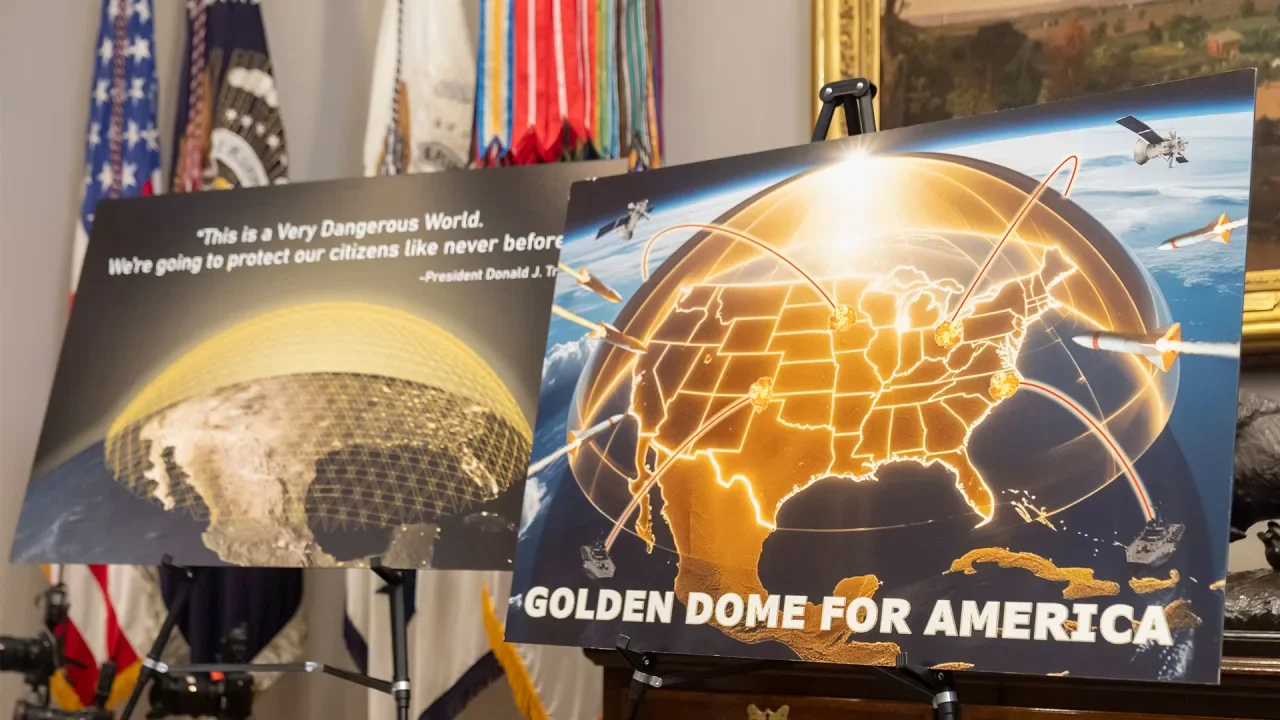
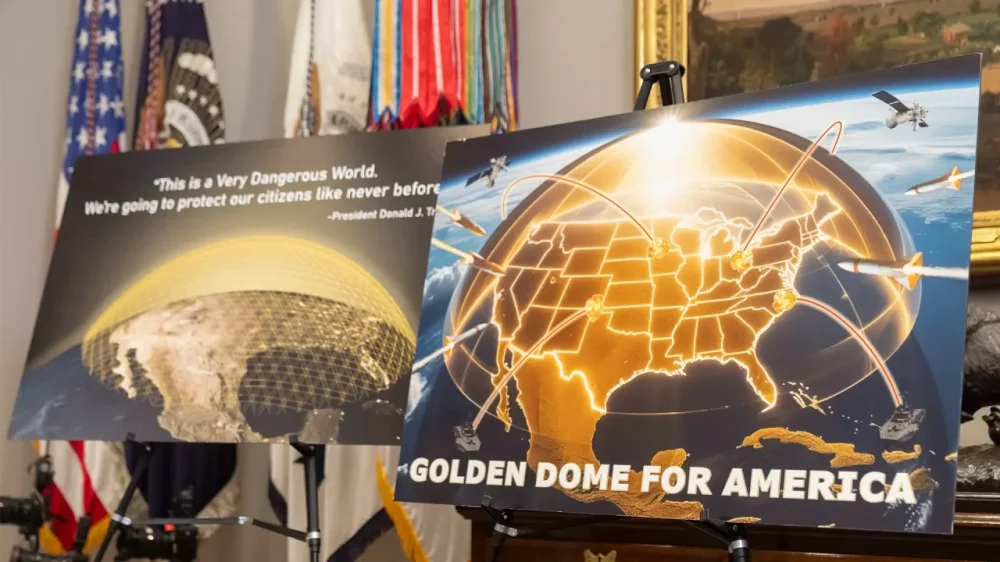
U.S. President Donald The President’s plan for a “Golden Dome” to protect the United States from long-range missiles was at least partly inspired by Israel’s multitiered missile defenses. The President announced the $175 billion concept in the Oval Office on Tuesday, saying it would put U.S. weapons in space for the first time and be would be “fully operational” by the end of his term in early 2029, though a U.S. official familiar with the program said it could take longer. Israel’s multilayered defenses, often collectively referred to as the “Iron Dome,” have played a key role in defending it from rocket and missile fire from Iran and allied militant groups in the conflict unleashed by Hamas’s October 7, 2023, attack. The sophisticated system, developed over decades with considerable U.S. support, is capable of detecting incoming fire and deploying only if the projectile is headed toward a population center or sensitive military or civilian infrastructure. Israeli leaders say the system isn’t 100% guaranteed, but credit it with preventing serious damage and countless casualties. Here’s a closer look at Israel’s multilayered air-defense system: The Arrow This system developed with the U.S. is designed to intercept long-range missiles. The Arrow, which operates outside the atmosphere, has been used to intercept long-range missiles launched by Iran-backed Houthi rebels in Yemen and by Iran itself during two direct exchanges of fire last year. David’s Sling Also developed with the U.S., David’s Sling is meant to intercept medium-range missiles, such as those possessed by Lebanon’s Hezbollah militant group. It was deployed on multiple occasions throughout the war with Hezbollah, which ended with a ceasefire last year. Iron Dome This system, developed by Israel with U.S. backing, specializes in shooting down short-range rockets. It has intercepted thousands of rockets since it was activated early last decade—including volleys launched by Hamas and Hezbollah. Israel says it has a success rate of over 90%. Iron Beam Israel is developing a new system to intercept incoming threats with laser technology. Israel has said this system will be a game changer because it would be much cheaper to operate than existing systems. According to Israeli media reports, the cost of a single Iron Dome interception is about $50,000, while the other systems can run more than $2 million per missile. Iron Beam interceptions, by contrast, would cost a few dollars apiece, according to Israeli officials—but the system is not yet operational. Follow AP’s war coverage at https://apnews.com/hub/israel-hamas-war —Associated Press View the full article
-
A new report released by Amazon highlights the massive economic contributions of independent sellers, revealing that small and medium-sized businesses selling through the platform have generated more than $2.5 trillion in sales over the past 25 years and currently employ over 2 million people across the United States. The 2024 Small Business Empowerment Report, published on May 20, 2025, underscores the transformative impact Amazon’s seller program has had on small business growth and job creation since its inception in 2000. Today, more than 60% of sales in Amazon’s store come from independent sellers—most of which are small businesses. “These thriving businesses are creating meaningful employment opportunities,” Amazon reports, noting that independent sellers’ U.S. job creation rose 11% year over year. Sellers also contribute to local economies by renting space, contracting services, and investing back into their communities. The report points to additional record-setting achievements in 2024 alone: Over 55,000 independent sellers surpassed $1 million in annual sales Sellers averaged $290,000 in sales, up 16% from 2023 Sales from sellers in small towns and rural areas grew more than 30% year over year States leading in seller-driven job creation include California, New York, Texas, Florida, Georgia, Illinois, Pennsylvania, Washington, New Jersey, and North Carolina. Amazon says small businesses have shipped more than 80 billion items using Fulfillment by Amazon (FBA) since it launched in 2006. This program allows sellers to reach global customers with expedited shipping while focusing on core business operations. The report also highlights small sellers’ growing embrace of advanced tools like generative AI, now available through Amazon features like the “Enhance My Listing” tool. These innovations help optimize product listings, improve customer engagement, and streamline business operations. In addition to growth within Amazon’s store, over 300,000 sellers worldwide are now using Multi-Channel Fulfillment to deliver products purchased from other sales channels. This reflects a broader trend of sellers expanding into omnichannel retail, reaching customers wherever they shop. The report emphasizes that this success extends beyond sales numbers. U.S.-based sellers have exported over 2 billion items globally, illustrating how Amazon has enabled even the smallest businesses to access international markets without the infrastructure traditionally required. Image: Amazon This article, "Amazon Report: Independent Sellers Generate $2.5 Trillion, Create Over 2 Million U.S. Jobs" was first published on Small Business Trends View the full article
-
A new report released by Amazon highlights the massive economic contributions of independent sellers, revealing that small and medium-sized businesses selling through the platform have generated more than $2.5 trillion in sales over the past 25 years and currently employ over 2 million people across the United States. The 2024 Small Business Empowerment Report, published on May 20, 2025, underscores the transformative impact Amazon’s seller program has had on small business growth and job creation since its inception in 2000. Today, more than 60% of sales in Amazon’s store come from independent sellers—most of which are small businesses. “These thriving businesses are creating meaningful employment opportunities,” Amazon reports, noting that independent sellers’ U.S. job creation rose 11% year over year. Sellers also contribute to local economies by renting space, contracting services, and investing back into their communities. The report points to additional record-setting achievements in 2024 alone: Over 55,000 independent sellers surpassed $1 million in annual sales Sellers averaged $290,000 in sales, up 16% from 2023 Sales from sellers in small towns and rural areas grew more than 30% year over year States leading in seller-driven job creation include California, New York, Texas, Florida, Georgia, Illinois, Pennsylvania, Washington, New Jersey, and North Carolina. Amazon says small businesses have shipped more than 80 billion items using Fulfillment by Amazon (FBA) since it launched in 2006. This program allows sellers to reach global customers with expedited shipping while focusing on core business operations. The report also highlights small sellers’ growing embrace of advanced tools like generative AI, now available through Amazon features like the “Enhance My Listing” tool. These innovations help optimize product listings, improve customer engagement, and streamline business operations. In addition to growth within Amazon’s store, over 300,000 sellers worldwide are now using Multi-Channel Fulfillment to deliver products purchased from other sales channels. This reflects a broader trend of sellers expanding into omnichannel retail, reaching customers wherever they shop. The report emphasizes that this success extends beyond sales numbers. U.S.-based sellers have exported over 2 billion items globally, illustrating how Amazon has enabled even the smallest businesses to access international markets without the infrastructure traditionally required. Image: Amazon This article, "Amazon Report: Independent Sellers Generate $2.5 Trillion, Create Over 2 Million U.S. Jobs" was first published on Small Business Trends View the full article
-
We may earn a commission from links on this page. Deal pricing and availability subject to change after time of publication. While Anker might be known best for its power banks, speakers, and smartphone accessories, the brand also has a track record for delivering high-quality audio products. Currently, Anker Soundcore AeroClip open-ear earbuds are available for the lowest price ever at $129.98, according to price-trackers. These earbuds are lightweight and flexible, yet stay in place due to their open-ring design. Anker Soundcore AeroClip Earbuds $129.98 at Amazon $169.99 Save $40.01 Get Deal Get Deal $129.98 at Amazon $169.99 Save $40.01 The open-ring design of these clip-on headphones has become a popular choice for people seeking a comfortable audio experience while remaining aware of their surroundings, making them ideal for activities like running, cycling, or walking the dog. For those who make calls using their earbuds, the AI-driven noise reduction and four beam-forming microphones allow for crystal-clear calls, even in busy settings. While tap controls are available and touch control-enabled, controls are limited and don’t allow users to control volume or return to previous tracks. With an advanced virtual bass technology and a 12mm titanium-coated driver for improved audio, reviewers report excellent sound quality and less static than similar products from other brands. However, while audio quality and bass receive high ratings across the board, some people say the volume doesn’t reach as loud as it should, even when set to the maximum. In addition, some users report comfort issues and ear fatigue during extended wear, but since the adaptive design allows them to be fully adjusted on any part of the ear, finding the right spot to clip them on can reduce strain. Compared to more expensive open earbuds that are fully waterproof, these only have an IPX4 rating, making them resistant to sweat and light rain but not suitable for swimming or other water activities. With an average of 4.4 stars on Amazon and three color options to choose from, these aren’t the cheapest open earbuds, but at 24% off, they’re more affordable than higher-end brands that deliver similar results. View the full article
-
The retirement planning hack can be a secret weapon for tax-free growth. Quick Tax Tip With Art Werner CPE Today Go PRO for members-only access to more Art Werner. View the full article
-
The retirement planning hack can be a secret weapon for tax-free growth. Quick Tax Tip With Art Werner CPE Today Go PRO for members-only access to more Art Werner. View the full article
-
Ad headlines are one of the foundational building blocks of your campaign. These tiny bits of text create a first impression for your target customer, and play a real role in convincing them to click (or scroll right past). And yet, if you’re honest with yourself, does writing headlines usually come as an afterthought? In this article, we’ll cover everything you need to know about crafting Google Ads headlines across campaign types, including: How many headlines do you need in Google Ads? What is a long headline in Google Ads? Will my search ad headlines always show up? How to get Excellent Ad Strength with your headlines How to craft ad headlines that convert How can you optimize your headlines? Why is Google showing headlines that I didn’t write? How many headlines do you need in Google Ads? Your ad headline is the very first thing potential customers see, and not just for Search ads. Making it count is crucial. Let’s start with the technical requirements, character counts and specifications for headlines across Google Ads campaign types: For Responsive Search Ads and Performance Max, each headline can be up to 30 characters long, and you can provide up to 15 different headlines within a single RSA (minimum: three). Responsive Display Ads have the same 30-character limit, but you can only provide up to five different headlines within a single RDA. Demand Gen campaigns inexplicably have a 40-character limit. This extra space can be valuable for conveying more detailed information or a stronger call to action, but beware: these headlines can also get cut off, so don’t feel pressured to max out your characters. You can have up to five headlines per image or video ad. In a Carousel ad, you have just one headline for the ad unit overall, and then each “card” also has its own 40-character headline. Some Video campaign types have a long headline, but no standard headlines. What is a long headline in Google Ads? Beyond these standard headlines, there’s also the “long headline” asset in some campaign types. This gives you significantly more space – up to 90 characters, just like a description! Why does this option exist? Who knows?! But you’ll find long headlines in Performance Max, Demand Gen, Video, and Display campaigns. Some ads have room for just one long headline, and some let you add up to five. Will my search ad headlines always show up? In a Responsive Search Ad, at least one headline will always show when your ad serves an impression, but you can have two or three displayed together at a time. It’s also important to remember that your headlines aren’t limited to just the main headline spot. Headline assets can also appear in the description area or even as sitelinks, offering more opportunities for your key messages to be seen. If you have a specific headline that you absolutely want to ensure always shows, perhaps due to regulatory requirements or a critical, unique selling proposition, you can achieve this through pinning. Pinning a headline means you’re telling Google to always show that particular headline in a specific position (e.g., Headline Position 1). How to get Excellent Ad Strength with your headlines Ad Strength is a diagnostic tool that tells you whether your ads are meeting basic best practices. It is not an input into the ad auction, and it does not tell you whether your ads are actually performing well. Still, it feels good to have that Excellent rating, so here are the three things you need to do with your Responsive Search Ad headlines to get there: Have at least seven or eight different headlines Make sure your headlines are unique. For example, “Google Ads News,” “AdWords News,” and “News about Google Ads” are too similar and won’t give Google enough variety to optimize your ad. Make sure the majority of your keywords are incorporated into your headlines. Dynamic keyword insertion can be a great trick to achieve this. While 15 is the maximum, starting with around 7 or 8 unique headlines is a good baseline. If you pin your headlines, you’ll likely be unable to get an Ad Strength rating above “Good.” Again, don’t worry – if you gotta pin, you gotta pin. How to craft ad headlines that convert Beyond Ad Strength, how can you craft effective headlines that turn searchers into customers? These are my top 4 headline writing tips, based on the most common mistakes I see what I’m auditing poor performing Google Ads accounts: Highlight Features and Benefits: Don’t just state what you offer; explain why it matters to your audience. What problems do you solve? What advantages do you provide? Instead of just saying “best service,” explain why it’s the best. For example, “24/7 Customer Support” or “Talk To A Real Human” is much stronger than “Best Customer Service.” Be Specific: Avoid generic phrases like “new product” or “great deals.” Instead, tell people exactly what’s new or what kind of deals they can expect. “Save 20% on Winter Coats” is far more compelling than “Winter Coats on Sale.” Include at least one Call to Action: For search ads, don’t have a call-to-action button. Your headline is the call-to-action button. Phrases like “Shop Now” or “Get a Quote” can improve your click-through rate. Or, even better, “Shop Bestsellers Now” or “Get a Quote in 2 Minutes.” Speak Your Audience’s Language: If you operate in a niche industry, using industry-specific jargon in your headlines can actually be a good thing. It helps ensure that only people who understand and resonate with that jargon click on your ad, which can lead to higher quality leads and more efficient ad spend. For example, if you’re targeting professional photographers, using terms like “aperture” or “ISO” might be beneficial to filter out casual hobbyists. How can you optimize your headlines? Knowing how your headlines are performing is just as important as writing them. Most campaign types in Google Ads provide asset-level reporting, which is where you’ll find the data you need. To access this information, navigate to the “Ads” tab, then click on “View asset details” (it’s in light blue writing) within your campaign. Once you’re on the asset details page, you might need to add more columns to see all the relevant metrics. I like to evaluate my headlines based on two key metrics: Click-Through Rate (CTR): This tells you if people are engaging with your headline and choosing to click on your ad when it appears. A higher CTR generally indicates a more compelling headline. Conversion Rate: This is the ultimate measure of success. Of the people who clicked on your ad after seeing a particular headline, how many actually completed the desired action on your landing page (e.g., made a purchase, filled out a form)? It’s important to note that judging headline performance too early can be misleading. I typically wait until a headline has received at least 1,000 clicks before making definitive judgments about its effectiveness. This ensures you have enough data to draw reliable conclusions. Why is Google showing headlines that I didn’t write? Google Ads has some features that can automatically generate headlines for you, which can be a time-saver, but also a budget-waster if the AI gets it wrong. Dynamic Search Ads (DSAs). If you’re using dynamic ad groups, your headlines will be dynamically generated based on what the user searched for, how that search matched your dynamic ad target, and the content on your landing page. Automatically Created Assets (ACAs). Headlines are one of the assets that can be automatically created for you if you have this feature enabled. Check the “Source” column to see if a headline was created by the Advertiser (you) or Automatically created (Google), and remove anything irrelevant. AI Max for Search Campaigns. If you turn on the AI Max settings, one of the options is asset customization – a rebranding of ACAs. The cool thing about automatically created headlines with AI Max, though, is that you can see their performance within your search terms report, giving you insights into what Google’s AI is generating and how it’s performing for various queries. Headlines might seem like a small component of your Google Ads strategy, but they have an outsized impact on success. By understanding the different headline requirements, focusing on compelling messaging, and monitoring performance, you can significantly improve the effectiveness of your campaigns. This article is part of our ongoing weekly Search Engine Land series, Everything you need to know about Google Ads in less than 3 minutes. Every Wednesday, Jyll highlights a different Google Ads feature, and what you need to know to get the best results from it – all in a quick 3-minute read. View the full article
-
Here is a recap of what happened in the search forums today, through the eyes of the Search Engine Roundtable and other search forums on the web...View the full article