ResidentialBusiness
Administrators
-
Joined
-
Last visited
Everything posted by ResidentialBusiness
-
 Burberry, the brand best known for its iconic checkered pattern and fashionable trench coat, announced Wednesday that it may cut around 1,700 jobs worldwide in a major cost-reducing effort. The news comes as British luxury brand reported a staggering 117% drop in annual profits, or around $87.8M (£66m), over the last financial year. Burberry employed about 9,300 people across the world last year, meaning the cuts could take out about 20% of the brand’s workforce. In a statement on the company’s website, CEO Joshua Schulman said Burberry is not looking to make any major store closures, and explained that the cuts will primarily come from the group’s head offices and the reorganization of in-store duties. It will also drop the entire nighttime shift at its trench coat factory in Castleford. “For a long time we have had overcapacity at that facility, and that is simply not sustainable,” Schulman said of the Castleford cuts, per the announcement. “But I want to be very clear that we are making this change to safeguard our UK manufacturing, and in fact we will be making a significant investment to renovate this factory in the second half.” While the layoffs are a major move for Burberry, it’s not the first of its recent cost-saving initiatives. In November of 2024, it announced a $53.2M (£40m) cost-savings program. Last July, the struggling company replaced CEO Jonathan Akeroyd after just two years in the role, in hopes of resuscitation. Amid price hikes, inflation, and an uncertain economy, customers have tightened their purse strings, and demand for luxury goods has been falling. Burberry is not the only luxury brand making tough choices. Tapestry, the parent company of Stuart Weitzman, Coach, and Kate Spade nearly acquired Capri, the owner of Michael Kors, Versace, and Jimmy Choo last year, in an effort to revive the struggling brands. In its 2025 third quarter fiscal results, revenue decreased by 11.6% on a reported basis and 11.4% in constant currency. At the time, John D. Idol, the company’s chairman and chief executive officer, said, “Overall our business remained challenged during the quarter and we were disappointed with our results. We are reevaluating our strategic initiatives to improve current sales trends. Looking ahead, we expect our performance to improve throughout fiscal year 2026 positioning us to return to growth in fiscal 2027 and beyond.” In January, founder and editor-in-chief of The Business of Fashion, Imran Amed, also spoke to the immense struggles luxury fashion brands are facing in modern times. “This is probably the most severe crisis that I’ve seen on the luxury side of the fashion industry since the Great Recession of 2008–2009, after the collapse of the global financial system when everything almost fell apart everywhere,” Amed said. In Wednesday’s announcement, Schulman said Burberry may continue to see room for improvement even as they cut workforce numbers. “We are still in the early stages of our turnaround,” he said. “The current macroeconomic environment has become more uncertain in light of geopolitical developments.” View the full article
-
The Financial Technology Association will now defend the Consumer Financial Protection Bureau's open banking rule after the The President administration sided with banks that sued the agency. View the full article

-
A range of investment residential properties, including single-family homes, condominiums and multi-unit properties, will secure the debt. View the full article

-
Where you work affects your risk of dying by suicide. For example, loggers, musicians and workers in the oil and gas industries have much higher rates of suicide than the rest of the population. But on the flip side, some professions have very low rates of suicide. One of them is education. National and state data shows that educators in the U.S., including teachers, professors and librarians, are among the least likely to die by suicide. We’re a team of researchers at the Center for Violence Prevention and Community Safety at Arizona State University. We manage Arizona’s Violent Death Reporting System, part of a surveillance system sponsored by the Centers for Disease Control and Prevention with counterparts in all 50 U.S. states, Washington D.C., and Puerto Rico. We collect data on violent deaths, including suicide, thanks to agreements with local medical examiners and law enforcement. When public health researchers like us look at suicide data, we often focus on high-risk populations to learn where intervention and prevention are most needed. But we can learn from low-risk populations such as educators too. Why some professions have higher suicide rates Over the past 25 years, the suicide rate in the U.S. has increased significantly. The age-adjusted rate in 2022 was 14.2 suicides per 100,000 people, up from 10.9 a little over two decades earlier, according to the National Center for Health Statistics. Epidemiologists often adjust data for age to allow for a fairer comparison of incidence rates across populations with different age distributions. But not all populations are affected equally. For example, military veterans die by suicide at higher rates than civilians, as do men, older adults and American Indian and Alaska Natives, to name a few demographics. In 2022 the suicide rate for men, for instance, was 23 suicides per 100,000, versus 5.9 for women. The rate of suicide among the working-age population is also growing. Over the past two decades it has increased by 33%, reaching a rate of 32 suicides per 100,000 for men and eight for women in 2021. And workers in certain occupations are at higher risk of dying by suicide than others. The reasons why are complex and diverse. Workers in construction, an industry with some of the highest suicide rates, may face greater stigma getting help for mental health issues, while people in other fields such as law enforcement may be more exposed to traumatic experiences, which can harm their mental health. In short, some explanations are directly tied to one’s work, such as having low job security, little autonomy or agency, and an imbalance of work efforts and rewards. Other factors are more indirect, such as an occupation’s demographic makeup or the type of personality that chooses a profession. Together, factors like these help explain the rate of suicide across occupations. Teachers, professors and librarians Educators, on the other hand, have relatively little suicide risk. By educators, we mean workers classified by the Bureau of Labor Statistics as “educational instruction and library,” which includes teachers, tutors, professors, librarians and similar occupations. Nationally, about 11 in 100,000 male educators died by suicide in 2021, with the figure for women being about half that, according to the Centers for Disease Control and Prevention. By contrast, the rate for male workers in arts, design, entertainment, sports and media was 44.5 suicides per 100,000, and the rate for male workers in construction and extraction was 65.6. Data from our state of Arizona follows the same pattern. From 2016 through 2023, a total of 117 educators died by suicide, mostly primary and secondary school teachers. This works out to be an incidence rate of 7.3 suicides per 100,000 educators − one-third the rate for all Arizona workers and the lowest among all occupations in the state. Why educators have a low suicide rate So why are educators at such a low risk of suicide? After all, educational professions certainly present their own challenges. For example, many teachers experience high amounts of burnout, which can cause physical and mental health problems such as headaches, fatigue, anxiety and depression. A good place to begin is the profession’s demographic composition. A disproportionately high share of educators are women or are married − traits associated with lower suicide rates. Educators also tend to have high educational attainment, which may indirectly protect against suicide by increasing socioeconomic status and employability. Another factor is workplace environment. Workplaces that offer increased access to lethal means such as firearms and medications are associated with higher suicide rates. This helps explain why workers in law enforcement, medical professions and the military tend to show high rates. The comparatively low availability of lethal means in schools may help keep educators’ rates low. In addition, educators’ workplaces, typically schools and campuses, offer rich opportunities to form strong social relationships, which improve one’s overall health and help workers cope with job stress. The unique, meaningful bonds many educators form with their students, administrators and fellow educators may offer support that enhances their mental health. Finally, based on more contextual information in our Arizona database, we found that a lower proportion of educators who died by suicide had an alcohol or drug abuse problem. Alcohol or substance abuse problems can increase suicidal ideation and other work-related risk factors such as job insecurity and work-related injury. In short, educators may live a healthier lifestyle compared with some other workers. Improving worker health So, what can workers and employers in other professions learn from this, and how can we improve worker health? One lesson is to develop skills to cope with job stress. All professions are capable of producing stress, which can negatively affect a person’s mental and physical health. Identifying the root cause of job stress and applying coping skills, such as positive thinking, meditation and goal-setting, can have beneficial effects. Developing a social network at the workplace is also key. High-quality social relationships can improve health to a degree on par with quitting smoking. Social relationships provide tangible and intangible support and help establish one’s sense of purpose and identity. This applies outside the workplace, too. So promoting work-life balance is one way organizations can help their employees. Organizations can also strive to foster a positive workplace culture. One aspect of such a culture is establishing a sense of meaning or purpose in the work. For educators, this feature may help offset some of the profession’s challenges. Other aspects include appreciating employees for their hard work, identifying and magnifying employee strengths, and not creating a toxic workplace. It is worth noting that continued research on occupational health is important. In the context of educators, more research is needed to understand how risk differs between and within specific groups. Despite their overall low risk, no person or demographic is immune to suicide, and every suicide is preventable. If you or someone you know is experiencing signs of crisis, the free and confidential 988 Suicide and Crisis Lifeline is available to call, text or chat. Jordan Batchelor is a research analyst at the Center for Violence Prevention and Community Safety at Arizona State University. Charles Max Katz is a director of the Center for Violence Prevention and Community Safety at Arizona State University. Taylor Cox is a program coordinator at the School of Criminology & Criminal Justice at Arizona State University. This article is republished from The Conversation under a Creative Commons license. Read the original article. View the full article

-
Love watching Netflix for hours on end? There’s a lot more you can do with it if you spend just a few quick minutes in the settings section. You can improve your binge-watching weekend by customizing subtitles, home screen previews, download settings, and more. Here are 18 of the best Netflix tips and tricks. Download your shows and movies offline Credit: Khamosh Pathak Like every other popular streaming service, Netflix lets you download movies and TV shows for offline viewing. Ad-free plans can download up to 100 items per device, while ad-supported plans can download 15 items. And as long as you go online once every 30 days, you can keep that media on your device. To adjust quality, open the Netflix app, go to your Profile, tap the Menu button at the top (the three horizontal lines), then go to App Settings > Downloads > Video Quality. Here, choose between Standard or Higher based on your storage space or network. Now, just tap the Download button next to an episode, season, or movie to download it. You’ll find downloaded media in the Downloads section in your Profile tab, where you can watch and delete shows. Sign out of one, or every other device Credit: Khamosh Pathak Netflix has an option that lets you log out of any device from the website. This includes every device that all members of your account are using. So if you want to knock off TV access for a friend, or someone who's not part of your shared plan, this is the place to go. Click the Profile icon and go to Account. Here, switch to the Devices tab and choose Access and devices. Then, find a device you want to log out from and click Sign Out. You can also click the Sign Out of All Devices button to log out all devices together. Stop Netflix from sharing your private data to third parties Credit: Khamosh Pathak Netflix has an obscure setting that's so weirdly worded that you'd never take it to be about data collection. Netflix, by default, shares your privacy-protected contact information with third parties to display ads on third-party services. That is something you should disable, and it's done on a per-profile basis. Click the Profile icon, go to Account, switch to the Profiles tab, choose your profile, and go to the Privacy and data settings option. Finally, disable the Allow matched identifier communications feature. Repeat this for all the profiles on your account. Transfer your profile to a new account Credit: Khamosh Pathak Netflix's password sharing crack down is in full swing. If you cannot get around it, it might be time to create your own account. But that doesn't mean you need to start fresh with the algorithm. Netflix has a feature called Transfer Profiles that can help you take all your data from an old account to a new one. Open the Netflix website and choose your profile. Then, click the Profile icon at the top and go to Transfer Profile. This will open up a wizard that'll walk you through the next steps. Click Start Profile Transfer and choose if you want to transfer to a brand-new account or to an existing one. Netflix will help you set up a new account with all your data. If you're transferring to an existing account, you'll need to know the email and the password for the account. Follow the instructions to transfer your profile to a new account. Get rid of unwanted content from your watch history and recommendations Credit: Khamosh Pathak Want to get rid of an embarrassing title from your watch list? Or perhaps a title that you’re never going to finish? The only way to clear your Watch List (and the subsequent recommendations) is by removing a title from your Viewing Activity. Go to Netflix’s Viewing Activity page (you can also get there from Account > Profiles > Your Profile > Viewing Activity). Click the little Hide button next to the title that you want to remove. Confirm in the next step, and the title will disappear from your watch list. Enable smart downloads for your mobile devices Credit: Khamosh Pathak If you watch Netflix on the way to work, or if you have a spotty internet connection, the Smart Downloads feature definitely helps. Once enabled, this will automatically delete completed episodes and replace them with subsequent episodes when you’re back on Wi-Fi. You can also turn on "Downloads for you," which automatically downloads content Netflix thinks you'll like. You can enable these features on the iOS and Android apps from Profile > Menu > App Settings > Smart Downloads. Stop Netflix from using too much of your mobile data plan Credit: Khamosh Pathak If you like watching Netflix when you’re out and about, it can eat into your mobile data plan pretty easily. Netflix’s data saver mode can help with that. In the Netflix app, go to Profile > Menu > App Settings > Cellular Data Usage. Here, disable the Automatic feature and switch to the Save Data option. This will adjust quality while off wifi to allow for about six hours of playback per GB of data. Make sure you’re watching in HD or 4K Credit: Khamosh Pathak It would be a shame to pay the 4K plan but only watch in 720p because you didn’t adjust your settings. Go to Netflix’s playback settings page, and from the Data Usage Per Screen option, switch to the High option. Now you’ll get the best quality for the device or screen that you’re on. Stop Netflix from automatically playing next episodes and previews Credit: Khamosh Pathak Netflix loves autoplay. Whether it’s playing the next episode or movie right after you’re done watching something, or playing previews on the home screen, it can get pretty annoying. You can disable both features on a profile-by-profile basis. After opening the Netflix website, go to the Profiles screen. Here, click the Manage Profiles button and choose the profile where you want to disable these features. Now, uncheck Autoplay next episode in a series on all devices and Autoplay previews while browsing on all devices. Click the Save button to save your preferences. Customize your subtitles to be way better Credit: Khamosh Pathak Finding the default subtitles too hard to read? You can change the subtitle font, color, and size. From the Netflix website, click the Profile icon and choose Account. Here, switch to the Profiles tab and select your profile. Now, choose the Subtitle Appearance option. From here, you can change the subtitle font, text size, shadow, background color, and window color. Once you’re done, tap the Save button to save your settings. Choose original dubs in your shows and movies Credit: Khamosh Pathak When you’re watching a foreign language film, Netflix has a habit of defaulting to English language dubbing. Sadly, there’s no setting to stop Netflix from doing that, but there’s always a way to switch to the original audio in the Netflix player. When you’re watching something, go to the Subtitles menu, and from the Audio section, switch to the Original audio. Lock your profile to keep it private from other users Credit: Khamosh Pathak If you share your Netflix account with your friends or family members, your profile isn’t exactly private. Others can see what you’re watching, and they can also use your profile and mess up your recommendations. If you want to protect your profile (especially if you share your account with your kids), click the Profiles icon and choose the Account option. Switch to the Profiles tab, choose your profile, and go to the Profile Lock section. Enter your account password, and from the next page, enable the Require a pin to access (user) account option. Then enter the four-digit pin and click the Save button. The next time you open Netflix, you’ll need to enter this pin to access your profile. Block adult content, if you want Credit: Khamosh Pathak If you’re sharing your Netflix account with your kids or teenagers, you might want to block adult content. To do this, go to the Profiles tab in your Account and choose your profile. Here, go to the Viewing Restrictions section and enter your account password. From the top, you can change the profile's maturity rating (7+ to 18+). If you want, you can also turn the current profile into a children’s profile, only showing content suitable for children. From the bottom, you can even choose to block a particular TV show or movie. Once you’re done, click the Save button. Switch to dialogue-only subtitles Credit: Netflix Netflix has finally added a dialogue-only subtitles option. They're starting out with Netflix original series like the latest season of You. But they'll be supported on every new Netflix Original going forward. This new subtitle option removes commentary and stage directions from the subtitles. So you won't see details about the background music or heavy breathing. You'll just see character dialogue. To switch to this option, start streaming a compatible show or movie on Netflix and head to the Subtitles section. Here, choose English (or any language of your choice) in the Audio section, and English in the Subtitles section as well. If you want to revert to the classic subtitles style, switch to the English (CC) option. Browse better using Netflix's secret codesNetflix's search feature is pretty great, but its organization kind of sucks. On the home screen, you might keep seeing the same popular content repeated in different sections. If you want to discover new content in a particular genre, style, or language, there is a better way. And that's to use Netflix's secret codes. Netflix has codes for every kind of movie category and subcategory that you can imagine. There are 20 broad categories to start with, but there are 267 categories in total, each with their own unique code. You can find a list of all the secret codes at Netflix-Codes.com. Then, just enter the code in the Netflix search bar. Alternatively, you can also use URL to go directly to the category page. An example: In the following URL, replace (xx) with the desired Netflix code: https://netflix.com/browse/genre/xx. So, to view "Asian action movies", you'd navigate to https://netflix.com/browse/genre/77232. A workaround for downloading movies and TV shows on WindowsNetflix's Windows app used to let you download movies and TV shows for offline use. But now, Netflix has deprecated the old dedicated Windows app, replacing it with a web wrapper that's nothing more than a glorified website in app form. A side effect of this change is that you can no longer download content like you can on mobile devices. But there is a workaround, which is to downgrade to the older version. Because this is Windows, where you can install apps from outside of the Windows Store, this is easy and safe to do. To download the old app directly from Microsoft, go to this Adguard store page and paste Netflix's app link. After the download is completed, open the Terminal app on your PC and paste in the following command: Add-AppxPackage .Downloads4DF9E0F8.Netflix_6.99.5.0_neutral_~_mcm4njqhnhss8.AppxBundle That should do the trick. For detailed instructions, check out our guide on the topic. Clean up your Continue Watching rowWe all have a tendency to start a movie or a TV show, only to get tired of it halfway through. Though, Netflix keeps reminding us of our lack of commitment with its Continue Watching feature. I usually end up ignoring this, while a show from three years ago keeps crowding my Continue Watching list. But if you're annoyed by this, there is a way out. If you don't plan to go back to a movie or TV show, simply hover over the thumbnail and click the "X" button to remove it from the list. Get notifications for upcoming contentIf you like watching the latest season of hit Netflix shows the day they come out, this feature is for you. Head over to the Coming Soon section in the Netflix app, find an upcoming movie or TV show that you want to watch, and click the "Remind Me" button. Netflix will now send you a handy reminder when the content launches. View the full article
-
Leaked internal emails from Google executives show that the company’s heavily promoted “Power Pair” campaign (using broad matched kywords and PMax) push at Google Marketing Live 2024 failed to resonate with advertisers who were frustrated about being forced into automated solutions. Key points: Internal emails show Google executives acknowledged advertiser frustration with the company’s aggressive push toward Performance Max automation The “Power Pair” campaign from Google Marketing Live 2024 became symbolic of Google’s all-in strategy on automated solutions Executive concern: “There was some real frustration that Google isn’t listening and pushing ‘full auto’ solutions they don’t want” The email. Here it is: Why it matters. The leaked correspondence reveals tensions between Google’s automation strategy and advertiser preferences, potentially signaling challenges for the tech giant as it prepares for Google Marketing Live 2025 next week. Advertisers just going along. The internal email among Google executives including Omkar Muralidharan and Michael Levinson paint a picture of mixed reception to the company’s Performance Max (PMax) campaign during last year’s event. “Yes, we’re pushing Pmax super hard, since that was our previous strategy. It’s not at all clear to me that it’s landing beyond the advertisers who have already bought in though,” wrote Muralidharan the day after the conference. This was in response to Levinson emphasizing Google’s commitment to automation: “Yesterday we doubled down, unambiguously, that all our AI goodness is PMax. It was a consistent theme throughout the day.” The intrigue. The now-famous “Power Pair” chant led by executive Sylvanus Bent III during Google Marketing Live 2024 appears to have been part of a deliberate strategy to cement PMax as Google’s primary advertising solution. However, Muralidharan noted advertiser reactions were tepid at best: “Anecdotally, nobody was that excited about PMax in my advertiser conversations on the day, at best it was like they were willing to go along.” Why we care. This revelation could signal Google might, but unlikely, reconsider its “full auto” approach at upcoming events, potentially leading to more balanced solutions that blend automation with the campaign management flexibility advertisers have been requesting. Gaining some controls and visibility (like negative keywords, device controls and channel/asset reporting) could be the result of these concerns raised last year. What we’re watching. As Google prepares for its upcoming Google I/O and Google Marketing Live events next week, the company faces pressure to address advertiser concerns about being forced into fully automated solutions. The emails suggest Google executives were aware of this tension even as they pushed forward with their automation strategy, with one noting they “could absolutely tweak the messaging to evolve Pmax and have it land better.” Bottom line. Google’s aggressive automation push appears to have created friction with its advertising partners, potentially complicating its messaging strategy for upcoming announcements. View the full article
-
Unbox and power up a brand new iPhone and you'll find there are plenty of apps already on there—which, broadly speaking, is good! You can start browsing the web, checking your email, streaming music, making notes and much more without visiting the App Store. However, you're not necessarily going to make a lot of use of all of these apps. Uninstalling the ones you don't actually need means they won't take up space on your phone and won't take up bandwidth with app updates. In recent years Apple has made more and more apps optional, and you can now get rid of more apps than you may have realized. If you find you do need them again, you can easily grab them from the App Store. To remove an app from your iPhone, tap and hold on its home screen icon, then choose Remove App > Delete App > Delete. You can also uninstall apps from the App Library: Tap and hold on an icon, then choose Delete App > Delete. Here are the preinstalled iOS apps you can get rid of (it's almost all of them, in fact): Books: Apple's depository of e-books can be uninstalled from your iPhone if you're not interested in any digital reading. It's been bundled with iOS since iOS 8 in 2014. Calculator: If you prefer an alternative calculator app or you're just great at math, you can say goodbye to the Calculator app. It's been around since the first iPhone in 2007. Calendar: The built-in Apple Calendar app may feel pretty essential to iOS, but it isn't, and you can get rid of it. It's been preinstalled on iPhones since the 2007 original. Clock: The Clock app has been around since day one on the iPhone, back in 2007, but iOS can run fine without it. You might need to find an alternative alarm app, however. Compass: One of the lesser-known apps, Compass can be safely removed if you're confident you won't need it. The app was introduced with iPhone OS 3 in 2009. Contacts: Surprisingly, you can delete Contacts, an app that debuted in 2008, from iOS. However, your contacts will still show up in the Phone app, which can't be removed. If you remove FaceTime, you can still make calls via the Phone app. Credit: Lifehacker FaceTime: FaceTime, on the iPhone since iOS 4 in 2010, can be safely removed from your iPhone—you'll still be able to make calls through the Phone or Contacts apps. Files: A files app may seem pretty fundamental to a phone, but you can remove the iPhone's built-in option. This app was introduced with the launch of iOS 11 in 2017. Find My: A core app you'd assume can't be uninstalled, but in fact it can be. Find My has come preinstalled since iOS 13 in 2019, combining Find My iPhone and Find My Friends. Freeform: The virtual brainstorming app developed by Apple first made its appearance on iOS late in 2022, and you can safely take it off your iPhone without breaking anything. Health: If you don't need the Health app, introduced in 2014, you can delete it. However, your existing health data will remain on your phone, under Health in iOS Settings. Home: Apple's smart home platform hasn't been its biggest success, and you can get rid of this app without any issue. The Home app was first added to iPhones back in 2016. The iTunes Store app is still going. Credit: Lifehacker iTunes Store: Did you forget about the iTunes Store? It predates the iPhone, and showed up in iOS in 2008. If you don't want to buy any digital goods, you can remove it. Journal: We've had Journal on our iPhones since 2023, letting you record memories day by day. If journaling isn't for you, or you've found a better option, this app can be deleted. Magnifier: You might have never noticed the Magnifier app on iOS, but it has been a standalone app preinstalled on iPhones since 2020—and you can remove it without issue. Mail: There are plenty of good email clients for iOS, and if you're not using the default one that has been preinstalled since 2007 on every iOS version, you can delete Mail. Maps: Apple Maps has been with us since 2012, and while it's improved a lot in that time, you might decide you prefer an alternative option—in which case, you can delete it. If you're not keen on Apple Maps, you can remove it. Credit: Lifehacker Measure: One of the minor utilities that comes free with every iPhone since 2018 and iOS 12. If you don't need to do any measuring on your iPhone, it can be removed. Music: This is an app category where there are lots of alternatives—and if you're using one, you can remove this. The app first appeared in 2011, replacing the earlier iPod app. News: If you're not getting your news fix through Apple's own News app, this can be uninstalled without a problem. It first made an appearance in 2015. Notes: For many of us, Notes is an essential app, but if that's not the case for you then you can remove it from iOS. It's been around since the first iPhone back in 2007. Playground: If you've enabled Apple Intelligence when setting up your iPhone, you'll have the Playground app for making AI images, launched in 2024—but you can uninstall it. No need for AI imagery? Remove the Playground app. Credit: Lifehacker Passwords: This is one of the newer Apple apps, launched in 2024. If you don't need this for managing your logins and other data on your iPhone, then it can be safely uninstalled. Podcasts: There are a host of great podcast players out there, so if Apple Podcasts isn't your app of choice for this, get rid of it. Podcasts launched as an app in 2012 with iOS 6. Reminders: If you're using a different app for this job (or you're just great at remembering everything), you can remove Reminders, which has been included with the iOS software since 2011. Shortcuts: Some people find Shortcuts indispensable, but if you're not one of them, this app can be safely uninstalled from your iPhone. It became a preinstalled app in 2019. Stocks: Stocks has been on iPhones since the very beginning, the first iPhone in 2007. If you don't need it to keep up with current stock prices, you may safely delete it. Tips: Ever since iOS 8 in 2014, Tips has been there, ready to serve up tips and tricks for using your iPhone. If you feel you don't need the app, there's no problem with deleting it. The Tips app gives you ... tips. Credit: Lifehacker Translate: Apple Translate has been around on iPhones since 2020, and it's definitely improved since then—but it's also possible to safely uninstall it. TV: The Apple TV app is where you get all your movies and shows from Apple, and it's been a standalone app since 2016. If you source your content from elsewhere, you can delete it. Voice Memos: There's no doubt this can be a useful app, but it's not for everyone, and can be uninstalled. Voice Memos made its debut on the iPhone all the way back in 2009. Wallet: You can uninstall the Wallet app from iOS, which is something of a surprise. The app for payments, cards, and tickets arrived on iOS under its current name in 2012. Watch: If you're not an Apple Watch user, feel free to uninstall the Watch app, available since 2015. If you have a connected Apple Watch, you'll be asked to unpair it first. Weather: Finally, the trusty Weather app, on iPhones since the very first one in 2007, can also be deleted from your iPhone, if you're sourcing your forecasts from elsewhere. View the full article
-
Oil-rich Gulf state gains plaudits for buying into ‘America first’ as White House announces $243bn in business dealsView the full article
-
Is there a spam problem in AI Overviews? Yes – and apparently it’s growing. Don’t believe me? Just ask Google and you’ll get the following response: Yes, there is a growing spam problem in Google AI Overviews. A recent LinkedIn post highlighted that AI Overviews are easily manipulated, regurgitating content verbatim or hallucinating incorrect information, and that spammers are exploiting this to promote low-quality content. How AI Overviews are being abused: Hallucination and Incorrect Information: AI Overviews often generate answers that are factually incorrect or hallucinate information, even when contradicting accurate data from Google Business Profiles or the Knowledge Graph. Spammy Listicles: Spammers are creating listicles that falsely claim a person or company is the “best” in a category, even if hosted on the same website, to exploit AI Overviews’ susceptibility to manipulation. Duplication of Content: AI Overviews are prone to duplicating content from other sources, potentially overshadowing original, high-quality content. Low-Quality Content: AI-generated content, which can be used to create spammy content, is often flagged as low-quality, potentially leading to a decline in user experience and trustworthiness. Google’s Efforts to Address the Issue: AI Overviews are a core Google Search feature:AI Overviews are integrated directly into Google Search, and users cannot disable the feature. Google is actively working on improvements:Google has acknowledged the issue of AI-generated spam and is actively working on improvements to address it. Focus on E-E-A-T:Google is focusing on content that demonstrates expertise, experience, authoritativeness, and trustworthiness, which is often lacking in AI-generated material. Impact on SEO: SEO practitioners are concerned: The potential for AI Overviews to be used to promote low-quality content has raised concerns among SEO professionals. Google is penalizing spammy content: Google has implemented updates to penalize content made primarily for search engines, which often includes AI-generated pages. Focus on user intent: Google is increasingly prioritizing content that aligns with user intent and provides a positive user experience. The problem. Lily Ray, vice president of SEO strategy and research at Amsive, and one of the top SEO experts in the world, highlighted some of the issues in her LinkedIn post (linked above) – which then got cited by AI Overviews. What’s happening. SEOs and spammers have figured out how to game AI Overviews – and Google doesn’t seem to have an answer for it yet. The issues: Verbatim copying of internet content: Even if it’s outdated or inaccurate. Fake authoritativeness: A site can call itself “the best SEO agency,” and Google’s AI may repeat it as fact. Manipulative listicles: Self-authored “best of” rankings are being cited as credible sources. “Yes, it’s that simple: create an article ranking companies, and call yourself ‘the best.’ AI Overviews will apparently cite you as ‘the best.'” Ray wrote. Just the beginning. AI Overviews have other glaring issues. For one: incorrect business phone numbers appear in AI Overviews, even when Google Business Profiles have the right info. At a recent Search Central meetup, Google reportedly had no answer for this. Why we care. Since launching AI-generated answers in search results, Google has downplayed the risks, labeling AI Overviews as “experimental.” But countless examples shared on LinkedIn and elsewhere show that AI Overviews are flawed and failing searchers. Google needs to stop elevating low-quality, biased content — even spam – in AI Overviews. Bottom line. As Ray put it: “This type of spam should not be working in AI Overviews. In fact, if anything, the fact that any of this works shows how fundamentally flawed AI Overviews are – Google is apparently not using any type of fact-checking or consensus mechanism to generate or verify its answers – apparently, they’re just repeating what any random, spammy website or 10-year old Reddit or Instagram post has said about something, despite its accuracy. It is mind-boggling to me that the same company that pushed so hard to encourage site owners to think about E-E-A-T is elevating problematic, biased and spammy answers and citations in AI Overview results.” The screenshot. Here it is: View the full article
-
Microsoft has released its latest monthly Patch Tuesday update, this time offering fixes for 72 security vulnerabilities across its systems. Five of the malicious bugs addressed are zero-days that have been actively exploited, and two have been publicly disclosed. As Bleeping Computer reports, the May update addresses 17 elevation of privilege flaws, two security feature bypass flaws, 28 remote code execution flaws, 15 information disclosure flaws, seven denial of service flaws, and two spoofing flaws. In addition to the zero-day exploits, six of the remote code execution vulnerabilities are labeled "critical" along with one information disclosure flaw. If you're a Windows or Microsoft user, you should ensure your systems are up to date. Patch Tuesday updates for May 2025While all of Microsoft's security updates are important to maintain the integrity of your devices and data, this Patch Tuesday is particularly heavy on zero-days—flaws that are actively exploited or publicly disclosed before the developer issues an official fix. Four of the five actively exploited zero-days fixed with this update are elevation of privilege flaws. CVE-2025-32701 and CVE-2025-32706 both affect Windows Common Log File System Driver, while CVE-2025-30400 affects Microsoft DWM Core Library, and CVE-2025-32709 Windows Ancillary Function Driver for WinSock. All allow attackers SYSTEM privileges locally. The fifth active exploit is a remote code execution vulnerability (labeled CVE-2025-30397) in Microsoft Scripting Engine. The flaw can be exploited if an authenticated user clicks a fraudulent link in Microsoft Edge or Internet Explorer, allowing attackers to execute code over a network. CVE-2025-30397, CVE-2025-32701, and CVE-2025-30400 were discovered by the Microsoft Threat Intelligence Center. CVE-2025-32706 was disclosed by the Google Threat Intelligence Group and the CrowdStrike Advanced Research Team, while CVE-2025-32709 came from an "anonymous" researcher. Microsoft has not disclosed how these flaws were exploited. One of the publicly disclosed zero-days patched this month is a spoofing flaw in Microsoft Defender (CVE-2025-26685) that allows unauthenticated attackers with LAN access to spoof another account. This was discovered by Joshua Murrell with NetSPI. The final zero-day (CVE-2025-32702) is a remote code execution vulnerability in Visual Studio—Microsoft has not revealed any additional details. How to protect your PC You should always install security updates as soon as they become available to minimize the risk to your system. Windows and Microsoft patches are usually downloaded and installed automatically, but you can make sure your PC is good to go via Start > Settings > Windows Update and selecting Check for Windows updates. View the full article
-
You can create the most helpful, well-optimized content on the web. But if you mess up the title tag, none of that will matter. The title tag is the blue, clickable headline that shows up in search results. It’s also your one shot at convincing a reader to choose your content over everyone else’s. A subtle tweak to the title tag can make all the difference. Take this example from the Backlinko blog: rain Original title tag: “17 Ways to Get More Views on YouTube in 2025” Position: 4th in search results Improved title tag: “17 Powerful Tactics To Get More YouTube Views in 2025″ Position: 1st in search results and the featured snippet Same topic, same content. Wildly different result. But, why did that second title tag work better? And how can you get the same results? In this guide, I’ll break down what makes a title tag work. I’ll cover real examples, a simple framework for writing them, and tools you can use to improve your title tags — and search results — today. Free resources + AI Prompt Ready to start improving your title tags right away? Download our: Title Tag Checklist: Optimize your titles step-by-step Title Tag Formulas: 50+ proven frameworks for high-CTR titles Prompt: “Help me write a title tag for [YOUR KEYWORD] using the Backlinko formulas and checklist I’ve attached.” What Is a Title Tag? A title tag is a line of HTML code that tells search engines (and searchers) the title of your webpage. Think of it as your content’s elevator pitch — your chance to convince a searcher that you have the answer to their questions. A title tag isn’t something that readers will see on the webpage itself. It’s the text that appears: As the blue hyperlink in search engine results As the text on a browser tab m In some social media previews of your web content Behind the scenes, it looks like this in your website code: <title>How to Create an Effective SEO Strategy in 2025</title> Why Title Tags Matter Google’s guide says title tags are key for both readers and search rankings. “It’s often the primary piece of information people use to decide which result to click, so it’s important to use high-quality title text on your web pages.” Our research backs that up. We analyzed 11.8 million Google search results and found that most first-page results include some or most of their target keyword in the title tag. In other words, a clear title tag that uses the keyword is your ticket to the first page. But simply ranking isn’t enough. Even if your page shows up in the search results, it won’t matter unless people actually choose to visit it. That’s why your title tag also needs to be human-friendly. It’s your one chance to win the click. And that click really matters. The No. 1 result in Google gets an average click-through rate (CTR) of 27.6%. The result in position 10? Just 2.4%. That’s more than 10x fewer clicks and a massive difference in traffic. So, a strong title tag doesn’t just help your page show up in search results. It also encourages more people to click on your link, which can help your page move even higher in the rankings. Side note: Our CTR study was conducted in 2019. With the introduction of AI Overviews and other SERP changes, click patterns have evolved. However, the core principle remains: higher positions still attract significantly more clicks than lower ones. For the latest on how search is changing, see Semrush’s 2025 AI Overviews Study. There’s one more reason title tags in SEO are so important: If you get the title wrong, Google might just rewrite it. Studies show Google rewrites around 61% of title tags in search results. Usually because they’re too long, vague, or overloaded with keywords. And when that happens, you lose control over what shows up in the search engine results page (SERP). Sometimes Google will just grab the heading (H1) of the page. Other times, it’ll generate something entirely new. And not always better. If you want to make sure your pages look polished in the search results, writing a solid, search-optimized title tag is non-negotiable. Title Tags vs H1 Tags Personally, I used to muddle these up. So if you’re confused about the difference between title tags and H1s, you’re not alone. Element Title Tag H1 Tag Where it appears In SERPs and the browser tab At the top of the webpage where people can read it (e.g., the title of a blog post) What it looks like (HTML code) <title>Your Page Title</title> <h1>Your Page Heading</h1> Who is it for? Mainly for search engines and clicks Mainly for readers What does it do for SEO? Improves rankings and CTR Supports on-page structure and confirms your page is relevant to the search query Your title tags and H1 tags should both convey the same information. They don’t need to be word-for-word the same, though. For instance, we’ve written an article with the heading “What is Content Marketing?” That’s the H1 tag. But our title tag is “What Is Content Marketing? Complete Beginner’s Guide.” Different, but clearly covering the same information. Write Better Title Tags With the 3C Framework Your title tag has one job: get more clicks. The 3C Framework gives you a simple way to create titles that rank well AND get clicked more than your competitors. Clear The title should tell people what your page is about. No need to guess. Bad: “Solutions That Work for the Modern Business” What does that even mean? Better: “CRM Software for Small Businesses | Free Trial Available” It tells Google what the page is. And it tells humans why they should click. Clickable Ranking is only half the battle. The other half? Getting the click. To do that, your title needs to stand out and make people want to learn more. Bad: “Marketing Strategy Guide” It’s fine, but a bit blah. Better: “Marketing Strategy Guide: Get Explosive Growth in 7 Days” It’s actionable, shows value, and uses an emotional power word (“explosive”). Want some ideas for turning bland language into more clickable titles? Generic Word Power Word Replacement Why It’s Better Improve Boost / Transform Suggests dramatic results Learn Master / Discover Suggests success, not progress Guide Blueprint / Playbook Feels actionable Increase Explode / Multiply Implies faster, bigger gains Tips Hacks / Secrets Feels exclusive Info Insider Info / Must-Know Draws on FOMO Get Grab More action-oriented Contextual You need to give readers (and search engines) context — and that means keywords. But tread carefully. No stuffing allowed. Bad: “Email, Email Marketing, Email Campaigns, Email Tips” Likely to get rewritten. Also just annoying for readers. Better: “Email Marketing Guide for Beginners (2025 Edition)” Front-loaded keyword, used once, in a natural way. Want to try it out yourself? Here’s an AI prompt you can use to incorporate these rules when writing your title tag: You are a digital marketing specialist focusing on SEO and content strategy. Your task is to craft a title tag that is clear, clickable, and offers context to enhance search engine ranking and user engagement. Approach this step-by-step: 1. Determine the primary topic or keyword of the page to ensure the title is clear and relevant. 2. Use power words or emotional triggers to enhance the clickability and engagement of the title. 3. Naturally integrate the primary keyword to provide context, avoiding keyword stuffing. Adhere to these guidelines: 1. Keep the title concise and between 50–60 characters. 2. Avoid vague or generic language that fails to clearly convey the page’s content. 3. Balance keyword usage with readability and natural language. Keyword is: [INSERT YOUR KEYWORD HERE] For example, for the keyword “marketing strategy,” ChatGPT gave me: Marketing Strategy Guide: Build a Plan That Gets Results Proven Marketing Strategy Tips to Grow Your Business How to Create a Marketing Strategy That Works Effective Marketing Strategy Examples + How to Use Them Marketing Strategy Made Simple: A Step-by-Step Approach Not bad for a few seconds of work, right? Optimize Your Title Tags for Search Engines You need titles that both Google and humans love. These optimization tips help search engines understand and rank your content higher. 1. Match Your Title to What People Are Searching for Before you write your title tag, look at what’s already showing up in Google for your keyword. This helps you understand what searchers want and what kind of content Google is rewarding. Here’s how to do it: Google Your Keyword Type your keyword into Google and look at the top 5–10 results. Look for Patterns Are most of the results lists? That usually means people are exploring or comparing their options. Try a title like “Top 10…” or “Best Tools for…” Do they include the current year? People want the latest updates. Add the year to your title to show it’s fresh. Are the pages explaining a concept? People are looking for information or education. A title like “What Is X? [+ Examples]” works well. Do you see a lot of tutorials? People want a walkthrough. Go with a how-to title like “How to Do X Step-by-Step”. When your title matches what people are looking for, they’re more likely to click. And Google is more likely to show your page. 2. Keep It Short If you go too long, you risk Google rewriting it. If you go too short, you miss an opportunity to engage your readers. When we analyzed 4 million search results, we found that titles between 40-60 characters have the best click-through rate. Titles in this range get 8.9% more clicks on average. So, that’s a good starting point. But here’s what really matters: Google truncates title tags based on pixels (the actual width of the letters), not characters. Around 580–600 pixels is the max width before your title gets cut off. And on mobile, titles often get truncated even earlier. So while ~40–60 characters works most of the time, it’s not guaranteed. Want to check your title before hitting publish? Use a free tool like the Mangools SERP Simulator. Just make sure to switch it to mobile view first. 3. Use Keywords First This helps in two ways: Google tends to focus on words at the front of the sentence Readers (usually) read from left to right, so the keywords will stand out to them One exception here: For listicles, it’s often better to lead with the number. Think “5 Powerful AI Tools for Content Creation” rather than “Content Creation Tools: 5 Powerful Options.” It gives readers a clear idea of what to expect. 4. Give Each Page a Unique Title Tag Google doesn’t like duplicate or boilerplate titles: “Titling every page on a commerce site “Cheap products for sale”, for example, makes it impossible for users to distinguish between two pages. Long text in the <title> element that varies by only a single piece of information (“boilerplate” titles) is also bad.” So if you duplicate your SEO title tags (or just change a single word), you’re more likely to have them rewritten. Instead, take a moment to craft a unique title tag for every page. One that accurately reflects the content and intent of that specific URL. Pro tip: Skip your brand name in most title tags. It often shows up anyway and can count as duplicate content. If you include it, add it at the end with a dash, colon, or pipe. 5. Match the Title to the Content Simple, but important. Your title has to accurately reflect what’s on the page. If you’ve promised “The 17 Most Important SEO Tips,” there had better be seventeen juicy bits of SEO wisdom there. Google might rewrite your title if it doesn’t match your content. More importantly, you’ll annoy your readers, and they’ll bounce right off the page. Also, remember to be specific, not vague. Generic titles like “Home” or “Services” don’t help readers know what they’ll see if they click. 6. Vary Your Title and H1 Tags If your title and H1 are identical, you’re missing an opportunity to hit additional keywords. Plus, you’ll typically want to use the title tag to say what the page is about, and the H1 to get more detailed or conversational. For example: vs. The title tag is contextual and clickable. It includes a number, a benefit, and a clear topic. The H1 tag is more conversational and reader-friendly. It’s aimed at people who already know what’s on the page. You can also include multiple variations of your keywords (e.g., “email marketing tips,” “email campaigns,” “email marketing”) without repeating yourself. Start optimizing your title tags today with our title tag checklist. Compare Good vs. Bad Title Tags (Across Industries) Great title tags don’t just follow best practices. They match intent, highlight value, and stand out in crowded search results. Let’s break down a few real examples (good and bad) to show what works — and what to avoid. SaaS Keyword: “project management for small businesses” The first result we get is from Zapier: Why it works: It matches why someone would be searching and shows the benefit they’ll get from reading It includes the keywords so the reader knows they’ll get exactly what they’re looking for It includes the power word “best” Compare that with this result from Scoro, way back on page 10. Why it doesn’t work: It’s too vague. The reader doesn’t know what they’ll get if they click. It doesn’t match what the reader is looking for It’s jargon-heavy. It assumes we’ll know what PSA Software is. Ecommerce Keyword: “buy leather backpack” Here’s the first result: Why it works: Hits both “leather” and “backpack” Addresses searcher needs — includes both genders, links backpacks to travel “Best” works as a power word And here’s one from page 10: Why it doesn’t work: Leading with “MINA BAIE” wastes valuable space (this isn’t a household name) A diaper bag isn’t obviously the same as a backpack, so it misses search intent “Modern” is vague and lacks emotional punch Local Business Keyword: “coffee shops in Austin” Here’s a result from the top of the SERPS: Why it works: Matches exactly what this searcher might be looking for “Awesome” is an appealing emotional power word Location-based And here’s one from page 10: Why it doesn’t work: Too much brand, not enough benefit Doesn’t match search intent Jargon-heavy — what is a neighborhood work club anyway? Landing Page Keyword: “seo strategy template” Why it works: Clearly stated benefit — you get what you were looking for Hits all three keywords “High-level” sets an expectation about scope — if that’s what you need, you’ll find it here Google breaking its own rules here: Why it doesn’t work: Doesn’t clearly communicate that the page offers SEO strategy templates Lacks a compelling reason to click Overly branded — many searchers won’t recognize or be looking for Looker Studio How to Analyze and Improve Your Title Tags Got title tags already? Let’s find the ones losing you clicks. These simple analysis methods show which titles need fixing ASAP for quick traffic wins. Check Your Current Title Tags Audit your existing title tags to spot issues like: Titles that are too long, too short, or duplicated Titles that don’t clearly describe the page Titles that don’t match what people are searching for A few tools you can use: Google Search Console First, open Google Search Console and select your website property. If you’ve never used it before, or you have a new website, take a look at our Guide to Google Search Console to get started. On the left-hand menu, under “Performance“, click on “Search results.” This report shows how your site appears in Google Search. Click on the “Pages” tab. This shows performance data for individual pages on your site. Look for pages with high impressions but low clicks. High impressions + low clicks = your page is showing up but not convincing people to click. These are the pages where improving your title tag could make a big difference. Semrush On Page SEO Checker Use Semrush’s On Page SEO Checker to make sure your title tags include your target keywords, without keyword stuffing. First, configure the tool to crawl your site and collect data. Then, head to the “Optimization Ideas” tab to see a list of your pages along with the number of suggestions for each one. Click on the “# ideas” next to any page. In the “Content” section, you’ll see whether your title tag uses your target keywords appropriately. Semrush Site Audit Use Semrush Site Audit to spot duplicate or missing title tags. Set up the Site Audit from your Project dashboard. Once the audit is complete, go to the “Issues” tab and type “title tag” into the search box. The tool will show you a list of issues related to title tags — like duplicates, titles that are too long, or ones that match the H1 exactly. Click on the issue to see the list of affected pages. Screaming Frog SEO Spider You can also use Screaming Frog to spot title tag issues. Download the free version of the app (available for Windows, Mac, or Linux). Then, follow the installation steps. Open the tool, type your homepage URL into the search bar at the top, and click “Start.” Screaming Frog will begin crawling your site. This can take a minute or two. Once the crawl is done, click “Page Titles” to see a full list of your website’s title tags. Use the filter dropdown or look at the “Issues” column to find problems. Watch the Right Metrics Here are the numbers to keep track of: CTR: If you update a title and your CTR jumps, it’s probably working. You can check this in your Pages report in Google Search Console. Impressions without clicks This means you’re showing up in search results, but nobody’s clicking. Go back to the 3Cs. Is it clear, clickable, and contextual? Ranking changes If a page drops in search rankings after a title change, maybe Google doesn’t like the new version. Or, maybe you’ve missed the user intent this time round. Try this: Want to see if your new title works better? Pick one underperforming page, change the title tag, and track the CTR in Google Search Console over the next few weeks. If clicks go up (and rankings stay steady), the new title is probably stronger. Steal These Winning Title Tag Formulas Writing title tags from scratch every time? No, thank you. Below are three proven formulas that we use at Backlinko to craft headlines that stand out. List or Number Formula Formula: X [Unique Adjective] [Topic] Why it works: Lists provide clarity and set expectations but need unique adjectives to grab attention. The Keyword-Colon Formula Formula: [Content Topic]: [Actionable promise] Why it works: Directly addresses the topic and hooks the reader with an actionable promise. The Keyword-Question Formula Formula: [Keyword Question]? [Promise] Rationale: Answers the reader’s question head-on and draws them in with a clear benefit. Need More Ideas? We analyzed 150+ real title tags from top-ranking SEO content and combined that with AI-trained insights from thousands more. The result? Over 50 proven, plug-and-play formulas you can use to boost clicks and match search intent — no guesswork required. Download our file of 50+ title tag formulas. Time to Fix Those Title Tags Your title tag is more than just metadata. It’s your best shot at earning the click. So, don’t let it go to waste. Pick your top three pages, apply what you learned here to improve your title tag SEO, and track the results. Want to keep leveling up? Head over to our On-Page SEO Guide for more ways to boost traffic, rankings, and engagement. The post Title Tags: How to Write Them <br>(+ Steal Our Formulas) appeared first on Backlinko. View the full article
-
It’s a perfect storm. Embrace it. By Jody Padar The Radical CPA Go PRO for members-only access to more Jody Padar. View the full article
-
It’s a perfect storm. Embrace it. By Jody Padar The Radical CPA Go PRO for members-only access to more Jody Padar. View the full article
-
Substack was initially released in August 2023 as a graphic design platform. Within its first year since release, Canva hit a milestone of 600 thousand users. Now, over 220 million users create designs in Canva and the company hit $3 billion in annualized revenue. Canva Statistics (Top Picks) Canva has 220 million active users worldwide. Canva has 21 million paying users. Substack hit $3 billion in annualized revenue. Around 5000 employees work at Canva. Canva Monthly Active Users According to the company update shared in December 2024, Canva has over 220 million monthly active users. That’s up from 200 million active users in October 2024. Canva grew its monthly active user base by 2.93x since December 2021. Here’s a table with Canva’s monthly active user growth since January 2014: Date Canva Monthly Active Users January 2014 150 thousand July 2014 600 thousand 2015 1.5 million 2016 3.6 million 2019 24 million October 2020 40 million September 2021 60 million December 2021 75 million October 2022 100 million 2023 135 million January 2024 170 million October 2024 200 million December 2024 220 million Source: Canva Canva Paying Users According to Canva co-founder and CEO, Canva has 21 million paid users as of September 2024, up from 16 million paying users reported in September 2023. To put in perspective, the total number of Canva users hit 190 million in September 2024. Paying subscribers account for 11.05% of all active users on the platform. Source: Capital Brief Canva Revenue According to the latest report, Canva reached $3 billion in annualized revenue. That’s up from $2.4 billion as of July 2024. Here’s a detailed breakdown of Canva revenue over time: Date Canva Revenue 2020 $500 million 2021 $1 billion 2023 $2 billion July 2024 $2.4 billion 2025 $3 billion Sources: Fast Company, Capital Brief, Bloomberg, TechCrunch, Business Insider Canva Funding Canva has raised a total of $562.6 million in disclosed funding, including its latest $200 million Series F funding in 2021. Here’s a table with details of Canva funding rounds since 2014: Date, Funding Round Funding Amount 2014, Seed $6.6 million 2015, Series A $15 million 2016, Series B $15 million 2018, Series C $40 million 2019, Series D $70 million 2019, Series D $85 million 2020, Series D $60 million 2021, Series E $71 million 2021, Series F $200 million Sources: Canva, Tracxn, TechCrunch Canva Valuation Canva’s most recent valuation stands at $26 billion, down from a $40 billion valuation following a funding round in 2021. Source: Forbes, Canva Number of Designs Created in Canva According to the latest company data, users create an average of 38.5 million designs on Canva per day. The total number of designs created using Canva hit 30 billion in December 2024. Here’s a detailed breakdown of the number of designs created with Canva over time: Date Number of Designs Created in Canva February 2023 15 billion December 2023 20 billion December 2024 30 billion Source: Canva Canva Employees According to recent data, the Canva team has around 5000 employees as of 2024, an increase from 4000 in 2023. Company headcount grew from 1000 in 2020 to 5000 in 2024. Here’s a table with the number of employees at Canva over time since 2015: Year Canva Employees 2015 50 2016 100 2019 500 2020 1000 2023 4000 2024 5000 Sources: Canva, The Sydney Morning Herald The post Canva User and Revenue Statistics appeared first on Backlinko. View the full article
-
You’re setting goals. Publishing content. Reporting on growth. But deep down, you’re still asking: “Are we aiming too high? Too low? Are we even on track?” That uncertainty is normal — but it’s also a signal that you need an SEO forecast. At Backlinko, we do SEO forecasting throughout the year. We use it to map planned content, track production costs, and project traffic and revenue gains. This approach lets us prioritize effectively. Pivot when content underperforms. And build lasting trust with our stakeholders. As Leigh McKenzie, our Head of SEO puts it: “Forecasting is hard, and imperfect, but it’s essential. It forces you to tie effort to outcome. And to build trust, we always present a range (best case, expected case, and failure case), not just a single optimistic projection. That honesty helps us make better decisions — and earn buy-in.” This guide gives you two proven forecasting methods. Plus, a spreadsheet to project SEO traffic in minutes, right now. Just upload your site’s performance data from Google Search Console (GSC), and this SEO forecasting tool will do the calculation for you: If you’re the kind of person who learns best by doing, you don’t have to wait. Jump right in with our forecasting template. Download the FREE SEO Forecasting tool now. Follow along step by step as we break down each method, or just punch in your GSC data and start forecasting right away. Quick Overview of SEO Forecasting Methods There are two ways to predict your SEO growth: Keyword-based forecasting: great for modeling new topics or page opportunities Statistical trend analysis: ideal for projecting growth based on your past SEO performance But, which one should you choose? Here’s a brief overview: Scenario Keyword-Based Forecasting Statistical Trend Analysis Your website has steady traffic (24+ months of data) ✓ ✓ Your website is fairly new (limited data) ✓ ✗ You want to target new/trending keywords ✓ ✗ Your business is seasonal ✓ ✓ Let’s go through both approaches step by step, starting with the simplest option: Approach #1: Keyword-Based Forecasting Forecasting SEO traffic based on keywords means predicting how much organic traffic you could earn from specific search terms. You can make an SEO forecast based on keyword data manually or with an SEO keyword tool. Calculate Forecasted Traffic Manually You can calculate your potential traffic with this simple formula: Let’s break this down with an example. Imagine you’re creating a page targeting the keyword “best hiking boots for women.” The keyword has a search volume of 10,000 monthly searches Your current content ranks around position 10, but you’re aiming to improve it to position six after optimizations. Based on your historical data, you know that pages ranking at position six typically get about 2% CTR. Using the formula: 10,000 × 2% = 200 estimated monthly visits for that keyword While this is a simple formula, it comes with limitations. It doesn’t account for seasonal variations, competition changes, or CTR shifts over time. If you want to make more sophisticated keyword-based predictions, use tools like Semrush. Its algorithms are built to provide more nuanced forecasts that account for various factors influencing SEO performance. Here’s how: Estimate Keyword-Based Traffic with Semrush Open Semrush’s Keyword Overview tool. Enter your target keyword and your domain, and click “Search.” Let’s say you’re planning to target a new topic cluster, “memory foam mattress” on a mattress brand website, Casper: After analyzing the keyword and your website, the tool will provide predictions in three areas: Potential traffic: Estimated monthly visits you could earn from a specific keyword, based on your website authority and expected ranking Potential topic traffic: Total monthly traffic potential from all keyword variations related to the topic Potential position: Where your page is likely to rank in the search engine results page (SERPs), compared to competitors in the top 10 So, Semrush predicts that you’ll potentially get 1,000 visitors per month if you target the keyword “memory foam mattress.” But there’s 2.6 times more traffic opportunity if you write high-quality content and cover the topic in more depth. To identify related keyword opportunities, click “See topic details.” It’ll give you a broader list of related search terms: When analyzing these keywords, pay attention to the following metrics: Trend: Is the search volume growing or declining over time Potential traffic: Estimated visitors for each keyword based on your site’s authority Personal keyword difficulty (PKD%): How challenging it would be for your specific domain to rank in the top 10 Note: A free Semrush account gives you 10 searches in this tool per day. Or, you can use this link to access a 14-day trial on a Semrush Pro subscription. Interesting read: Choose Keywords: A 6-Step Essential Guide Approach #2: Statistical Trend Analysis If your site has at least 16-24 months of traffic data, statistical trend analysis is the most reliable way to forecast growth. Why? Statistical trend analysis relies on your actual traffic data. Not guesswork, not keyword volume projections, but how your site has performed over time. It’s also the most technical method. Normally, this kind of forecasting would require time series modeling or scraping in Python. But to make it more accessible, we’ve built a custom SEO forecasting spreadsheet that handles the math for you. Get your FREE SEO Forecasting Spreadsheet here We created this template in partnership with Andrew Charlton from Crawl Consultancy to help you run statistical forecasts in just a few clicks. You don’t need any coding or advanced modeling skills (I’ll guide you exactly how to use it in a bit). All you need is to import your site’s past performance data. The spreadsheet will show your forecast summary, growth scenarios, and monthly breakdown. Here’s a preview of the dashboard you’ll be working with: Simple, right? Here’s how to use this SEO forecasting tool, step by step: Step 1: Export Your Google Search Console Data First, get your raw data from GSC. You’ll need the last 16 months of site performance to feed into the model. Why 16 months of data? That’s the most historical data available in Google Search Console. It’s enough to see seasonal trends and growth patterns. To get the data from GSC: Open Google Search Console Select your property and go to the “Performance” tab Set the date range to cover the last 16 months Click “Export” and choose “Download CSV” Unzip the file — you’ll see one named Dates.csv Step 2: Import the CSV File Into the Spreadsheet Now, plug that GSC data into the spreadsheet: Go to the [2] Google Search Console Import tab Click on the marked cell (usually the top-left of the table) In Google Sheets, navigate to “File” > “Import” and upload your Dates.csv file Under “Import location,” choose “Replace data at selected cell” and click “Import data” The sheet will clean and structure your click data, group it by month, and feed it into the forecasting model. Step 3: Review Your 12-Month Forecast Once the data’s in, head to the “Dashboard” tab. Here, you’ll see: Your total forecast for the next 12 months A comparison against your previous 12 months The year-over-year (YOY) change in clicks and % A line chart visualizing your predicted traffic over time Note: This forecasting is based on a simple linear regression, making it easy to explain the forecast. Even to non-SEO folks. Step 4: Adjust Growth Scenarios SEO traffic rarely grows in a straight line. That’s why forecasting different scenarios helps you stay realistic and better prepared. In the “Forecast Adjustments” box, you’ll find two fields: Conservative Adjustment (%): E.g., -10% for a cautious projection Aggressive Adjustment (%): E.g., +30% for a stretch goal Once you enter values, everything updates automatically — scenario totals, YOY change, graph lines. Note: This lets you test “what if” outcomes, which is perfect for stakeholder reporting or planning quarterly targets. But, why do we do this? Let’s say your site has been growing at ~5% per month. However, next quarter, you’re planning to: Publish 10 new optimized blog posts Refresh your top-performing evergreen content Run a PR campaign that usually brings high-authority backlinks Useful resource: How to Write a Press Release That Gets Results (2025) Based on similar past campaigns, you estimate this could boost your organic traffic by 20-30%. So, you enter +30% in the Aggressive Adjustment field. Now imagine the opposite: Budget cuts slow down content production, or your writer’s on leave. You’d weigh that in and enter, let’s say, -15% in the Conservative Adjustment to reflect that slowdown. If you’re not sure what numbers to put in these fields, here are some places to start: Past internal data: Look at traffic lift from similar initiatives (e.g., “last time we launched 10 blog posts, traffic increased by 18% in two months”) Operational inputs: Fewer resources, delayed launches, or technical issues? Model that in with a -10% to -20% dip. External benchmarks: Use data from tools like Semrush, Ahrefs, or industry studies to inform your assumptions (e.g., “content updates to your competitors’ sites led to +15% traffic on average”) Even if your percentages aren’t perfect, the act of modeling a range makes your forecast stronger and way more reliable. How to Present Your SEO Forecast A clear presentation turns your traffic projections into a strategic tool. One that you can use to align your team, make a case for investment, or guide quarterly planning. Here’s how to present it effectively: 1. Start with a Visual Overview Begin with a chart that shows your traffic forecast over time — whether that’s based on keyword data or historical trends. Why lead with a visual? Charts turn raw numbers into a clear story. They show trends, dips, and momentum at a glance. Like this: And this helps stakeholders understand where you’re headed without having to dig into spreadsheets or data tables. The goal is to answer this question at a glance: “What kind of growth are we expecting, and how confident are we in that number?” If you’re using our spreadsheet template, the built-in dashboard does this for you: You can: Share your screen and walk through the forecast live Take a screenshot of the chart and summary and paste it into a report or slide deck Export the chart as an image to use in a strategy doc Pro tip: If you need something more advanced or reusable, you can recreate the chart in Google Looker Studio — a free tool for building custom reporting dashboards. If you’re using Semrush to estimate traffic potential for new content, you can still visualize it. Let’s say you’re targeting the “memory foam mattress” topic and want to target the following keywords: “memory foam mattress” — 750 potential visits/month “queen memory foam mattress” — 119 potential visits/month “king size memory foam mattress” — 33 potential visits/month Create a new Sheet and enter your keywords and potential monthly visits. A simple one, like this: Then, insert a bar chart to show estimated traffic per topic with potential traffic on the x-axis and each keyword (or topic cluster) on the y-axis. Like this: Note: This gives you and your stakeholders a quick way to see which topics are worth prioritizing. And how much they might contribute to your organic growth. 2. Frame It Around Business Outcomes Don’t just show how traffic might grow. Show why it matters, too. In your presentation, lead with: The expected growth potential What content or actions will drive that growth How it supports high-level goals like lead generation, revenue, or product visibility The clearer the link between SEO activity and business outcomes, the easier it is to get support and alignment. 3. Connect Your Forecast to Potential Revenue While traffic forecasts are powerful, tying them to business results makes them even more persuasive. If you want to show potential ROI, you can estimate how much revenue your forecasted traffic might drive using a simple formula: Forecasted Monthly Traffic × Conversion Rate × Revenue per Conversion = Estimated Monthly Revenue Let’s say your forecasted traffic is 10,000 visits per month. Your site’s average conversion rate is 2% and each conversion gets you $150. Using this formula, your estimated monthly revenue would be: 10,000 × 0.02 × 150 = $30,000/month 4. Be Transparent About Your Assumptions A good forecast is grounded in clear logic, and people are more likely to trust it when they understand how you built it. So, share: Where your data came from (e.g., GSC, keyword tools) The method you used (trend analysis, keyword-based, or both) What each scenario assumes and how flexible it is You don’t need to walk through every formula. Just show that your projections are based on real data and thoughtful decisions. Why it matters: When your process is transparent, your forecast becomes easier to trust, easier to defend, and more valuable for making decisions. How to Keep Your Forecast Accurate A forecast is most valuable when it evolves with your strategy. Regular check-ins help you stay aligned, catch changes early, and refine the strategy. Here’s how to keep your forecast accurate and useful over time: Review Your Forecast Monthly Check in at the end of each month to compare projected vs. actual traffic. To do so, go to your forecast dashboard and add your actual monthly clicks (from GSC) in a separate column: Then, compare the difference between forecasted and actual performance. Make quick notes on anything that influenced the results. For example, a major content launch, slower publishing, or an unexpected spike. This helps you understand whether you’re on track or not. Plus, spot the reasons why you’re ahead or behind. Adjust Your Assumptions When Things Shift Forecasts are based on what you expect to happen. As your content strategy evolves, your assumptions likely do, too. How to do it: Revisit your growth rate or scenario modifiers in the spreadsheet (e.g., change +30% aggressive to +20%) If your traffic consistently trends above or below expectations, update the baseline data or adjust your model Rerun keyword opportunity analysis if SERPs or seasonality have shifted Note: Think of it as recalibrating — not correcting. These adjustments keep your forecast aligned with the current situation. Ready to Turn Your Forecast Into a Strategy? Now that you know how much organic traffic you can realistically drive, the next step is planning how to get there. With the right content, priorities, and execution. Use your forecast to: Decide which pages you need to create, update, or expand Double down on topics and clusters that can move the needle Set clear KPIs tied to traffic growth, rankings, or business goals And if you’re ready to build the strategy to drive your numbers, check out our guide: How to Create an Effective SEO Strategy in 2025. The post How to Do Realistic SEO Forecasting Step-by-Step (+ Template) appeared first on Backlinko. View the full article
-
Japanese technology and entertainment company Sony logged an 18% rise in profit for the fiscal year through March on healthy results at its music and video-game operations. Its chief executive, Hiroki Totoki, outlined the company’s strategy for growth Wednesday, stressing that collaboration among Sony Corp.’s various segments, like animation and music, were crucial to deliver the “kando,” or emotional engagement, that lies at the core of the company’s vision and strength. “Building on our momentum and results to date and working with a laser-like focus to realize our long-term Creative Entertainment Vision will be at the core of our corporate strategies moving forward,” he told reporters. Sony’s movies division has strong offerings in the pipeline, including Spider-Man films and biopics about The Beatles, while animation remains a driver of growth centered around the popular anime streaming service Crunchyroll, Totoki said. Tokyo-based Sony reported a record annual profit of 1.14 trillion yen ($7.8 billion), up from 970.6 billion yen in the previous fiscal year. Annual sales were virtually unchanged, inching down to 12.957 trillion yen ($88 billion) from 13.020 trillion yen. One area that lagged among Sony’s sprawling businesses was the financial segment, where revenue stalled. But its film division and its imaging and sensor solutions segment did well. Sony officials said they were studying how to respond to President Donald The President’s tariffs, although that was a challenge because of uncertainties and constant changes. But they said the negative impact from U.S. trade policy will be kept to 10% of Sony’s operating profit in the coming fiscal year by adjusting the allocation of shipments, among other measures. Totoki stressed that Sony plans to leverage its content creating technology, like virtual reality and image sensors, to feed into its entertainment products, including working on immersive experiences. Sony also has powerful collaborative relations with various entertainment companies like Kadokawa, which includes publishing as well as films and animation, and Bandai Namco, a video game maker, he added. Sony will emphasize the “diversity” of its workers, helping bring out people’s creative potential, Totoki said. Among the Sony movies that fared well at the box office for the fiscal year through March were “Venom: The Last Dance,” featuring the Marvel Comics superhero, and “Bad Boys: Ride or Die,” an action comedy, where Will Smith and Martin Lawrence return in their popular cop roles in the fourth installment in the series. Sony, which makes the PlayStation console and game software played on that machine, also posted healthy results in the gaming business. Its music operations, which also held up, include recordings, streaming services and music for games. The top-selling recorded music projects for the latest fiscal year globally was SZA’s “SOS Deluxe: LANA,” followed by Beyonce, Future & Metro Boomin and Travis Scott. The top seller in its Japan music business was Kenshi Yonezu’s “Lost Corner” album, followed by offerings from Stray Kids and Six Tones. For the January-March quarter, Sony posted a 197.7 billion yen ($1.3 billion) profit, up 5% from 189 billion yen the same quarter in the previous fiscal year. Sales were 2.6 trillion yen ($17.7 billion), down 24% from 3.48 trillion yen. Sony is forecasting a nearly 13% drop in profit for the fiscal year through March 2026, to 930 billion yen ($6.3 billion), on 11.7 trillion yen ($80 billion) sales, down 2.9% on-year. Sony Group Corp. stocks, which fell in Tokyo morning trading, rebounded to finish 3.7% higher after its financial results were announced. Yuri Kageyama is on Threads: https://www.threads.com/@yurikageyama —Yuri Kageyama, AP Business Writer View the full article

-
For 20-year-old Mayank Yadav, riding a crowded bus in the summer months in this western Indian city can be like sitting in an oven. That makes it a treat when he steps off and into a bus stop outfitted with sprinklers that bathe overheated commuters in a cooling mist. “Everyone is suffering from the heat,” Yadav said. “I hope they do more of this across the city.” Rising heat is a problem for millions of people in India. In Ahmedabad, temperatures this year have already reached 42 degrees Celsius (107 Fahrenheit), a level usually not seen for several more weeks, prompting city officials to advise people to stay indoors and stay hydrated. And yet, coping with that heat is a familiar challenge in Ahmedabad. After a 2010 heat wave killed more than 1,300 people, city and health officials rushed to develop South Asia’s first heat action plan. The plan, rolled out in 2013 and now replicated across India and South Asia, includes strategies for hospitals, government officials and citizens to react immediately when temperatures rise beyond human tolerance. Public health officials said it’s helped save hundreds of lives every summer. City officials, with help from climate and health researchers, have implemented two simple yet effective solutions to help those affected most by heat: the poor and those who work outdoors. By painting tin-roofed households with reflective paint, they’ve reduced indoor temperatures, which otherwise might be up to 5 degrees Celsius (9 degrees Fahrenheit) hotter than outside. More recently, the city hung curtains woven of straw and water sprinklers at one bus stop so commuters can get relief from the sun and heat. Officials said they plan to expand the idea to other bus stops in the city. Residents said both measures have been a relief even as they brace for at least three more months of sweltering summer. A simple coat of paint makes all the difference Throughout the city’s low-income neighborhoods, hundreds of tin-roofed homes have been painted with reflective paint that helps keep the indoors cooler. Residents said their houses were so hot before the roofs were painted that they would spend most of their time outdoors under any shade they could find. “Earlier, it was really difficult to sleep inside the house,” said Akashbhai Thakor, who works as a delivery van driver and lives with his wife and three-month-old child in Ahmedabad. Thakor’s roof was painted as part of a research project that is trying to measure the impact of the so-called cool roofs. Early results have been promising. “After the roof was painted, the house is much cooler, especially at night,” said Thakor. People like Thakor are much more vulnerable to extreme heat because their houses aren’t insulated and, since most of them depend on a daily wage, they must work regardless of the weather, said Priya Bhavsar of the Indian Institute of Public Health Gandhinagar, who is working on the project. Bhavsar said low-cost solutions could be the only respite for thousands of people in the city who can’t afford to buy an air conditioner. Veer Vanzara, who lives in the same area as Thakor and works in a nearby garment factory, said the heat makes his job much worse, especially since his factory has no ventilation. So his family is grateful for the cool roofs. “The evenings and night are much cooler than before inside our house,” he said. A bus stop that’s become an oasis from the heat In Ahmedabad’s city center, a 25-meter stretch of a bus stop has been draped with mats made of straw which, when sprinkled with water, immediately cool the hot wind. Sprinklers installed on the bus stop roof lightly spray cool water on the commuters below, providing instant relief from the blazing heat just a step away. “When nothing like this was here, it was really hot. What they’ve done is really good. Senior citizens like me can get some cooling from the heat,” said 77-year-old Ratilal Bhoire, who was waiting under the sprinklers with his daughter. Bhoire said when he was younger, Ahmedabad was hot, but it was still possible to walk many kilometers without feeling dizzy, even at the height of summer. “Nowadays you can’t do that,” he said. Heat is the city’s biggest problem and heat waves—continuous days of extreme heat—are increasing, said Dr. Tejas Shah of Ahmedabad Municipal Corporation, who oversees the city’s heat action plan. “We are in the period of climate change, and it has already shown its effect,” said Shah. Shah and other city officials said the onset of summer has become a testing time and efforts such as cool roofs and cool bus stops are reducing heat-related illness and deaths. As climate projections predict only hotter and longer summers for his city, Shah said being prepared is the only thing to do. “It (the heat) needs to be addressed in the proper way,” he said. The Associated Press’ climate and environmental coverage receives financial support from multiple private foundations. AP is solely responsible for all content. Find AP’s standards for working with philanthropies, a list of supporters and funded coverage areas at AP.org. —Sibi Arasu, Associated Press View the full article

-
Google Ads rolled out device targeting options for Performance Max (PMax) campaigns, which gives you granular control that was previously unavailable at the campaign level. The new targeting options appear in PMax campaign settings. You can now include or exclude specific device types You can now gain critical control over which devices see your Performance Max ads, a long-requested feature that allows for more precise campaign management and optimization. Details. The update allows targeting across four distinct device categories: Computers: Desktop or laptop devices with screens larger than 7″ diagonal. Mobile phones: Hand-held devices with phone capabilities. Tablets: Mobile devices without phone functionality. TV screens: Smart TVs, gaming consoles, and streaming devices like Chromecast (available only for Display and Video campaigns). Why we care. This feature enables marketers to create device-specific strategies (like excluding low-converting TV screens from B2B campaigns or focusing on mobile devices when targeting on-the-go consumers), potentially improving ROI and campaign performance. For the first time, you can tailor your automated PMax campaigns to match business goals and customer journey across different devices, addressing a long-standing frustration with Google’s black-box automation. Between the lines. The addition addresses a significant pain point for advertisers who previously lacked visibility into device performance at the campaign level. Marketing experts suggest this opens up tactical opportunities: B2B campaigns can now exclude TV screens to focus on business-relevant devices. Brands can create mobile-only segments to align with mobile-optimized landing pages. Campaigns can be tailored to device-specific user behaviors and conversion patterns. What to watch. How quickly advertisers adopt this feature and whether Google continues expanding PMax customization options in response to advertiser demand for greater transparency and control. First seen. This update came to our attention when it was shared by Thomas Eccel, head of Google Ads at JvM IMPACT, on LinkedIn. Bottom line. This update represents another step in Google’s gradual shift toward giving advertisers more control over Performance Max campaigns while maintaining the AI-driven automation that powers them. View the full article
-
The average 30-year fixed-rate mortgage rose slightly to 6.86% last week, as economic volatility calmed following the Federal Reserve's recent inaction. View the full article
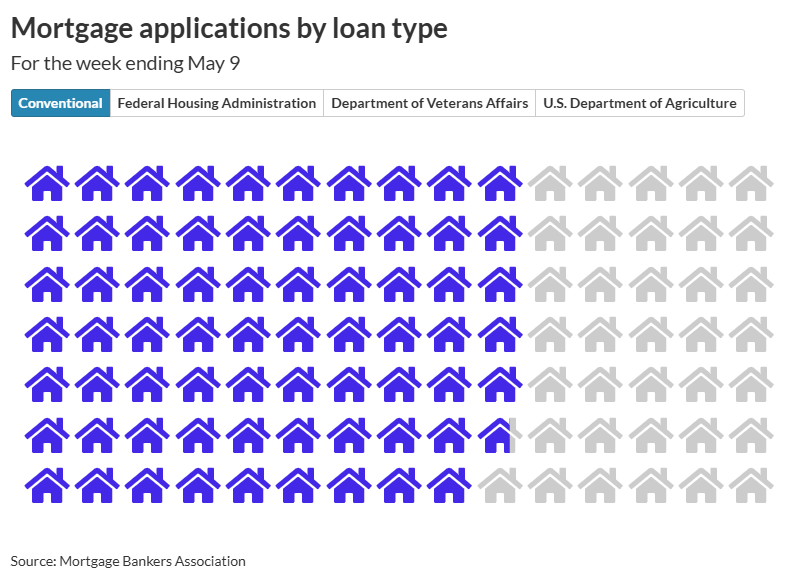
-
We may earn a commission from links on this page. Whoop’s new 5.0 hardware launched this week, along with a premium version of the device that they’re calling the MG. Along with the launch came a new upgrade policy, requiring users to pay for what many thought would be a free upgrade. The company has walked back some of the new policy, but most users will still need to pay to get the new device. Here’s what you should know. WHOOP Peak – 12-Month Membership – 5.0 Health and Fitness Wearable – 24/7 Activity and Sleep Tracker with Heart Rate, HRV, Stress Monitor, Personalized Coaching, Healthspan – 14+ Days Battery Life $239.00 at Amazon /images/amazon-prime.svg Get Deal Get Deal $239.00 at Amazon /images/amazon-prime.svg Whoop’s official, current upgrade policyHardware comes bundled with Whoop’s subscriptions, which are typically sold in 12-month or 24-month memberships. Whoop said upon launching the 5.0 and MG that you can get the new hardware in two ways: You can pay to add 12 months to your subscription (a “membership extension”) and receive the new device. You can pay a $49 fee and receive the new device without changing the term of your membership. (There was also a mention of a $79 fee for upgrading to the MG hardware, but that hardware requires a more expensive subscription, so people who plan to upgrade to MG would be expected to pay more for their subscription anyway.) After some backlash, Whoop published an article “clarifying and updating our upgrade policy” in which they announced a policy to send upgraded hardware to some customers without any further payment: Members who already have more than 12 months left on their membership (for example, someone who bought a 24-month membership and still has 13 months left) can get the new hardware for free. Members who purchased a 12-month (or more) membership or renewal in the 30 days before the 5.0 was announced on May 8 can also get the new hardware for free. Why people are madThis new upgrade policy is different from how Whoop handled upgrades in 2021, when the previous device—the 4.0—came out. And until the launch of the 5.0 earlier this month, at least two pages on Whoop's website appeared to say that members would get to upgrade to the next generation of hardware for free. Whoop has addressed one of these as a mistake—a blog post referencing a six-month commitment—but hasn't commented directly on the other, a FAQ that seems to say everyone gets free upgrades. I'll start with the FAQ. Until recently, that FAQ stated “WHOOP is a membership, which means you get the latest and greatest technology as soon as it's available as long as you are an active member. No need to buy a new device each time it is released; you can upgrade for free.” Here is an archive of that page that I made on May 2, 2025, still showing that language less than a week before the 5.0 launched. The date on the page says that it was published in April of 2020. The page still exists on Whoop’s website here, but now says something very different: “WHOOP is committed to a membership model where hardware is always included. When new devices launch, you’ll have the opportunity to upgrade by extending your membership and you'll receive the new device at no additional cost. If you're not ready to extend at that time, you can receive the latest hardware by paying a one-time upgrade fee.” There is no indication on that page that it has been changed, and it still bears the April 2020 date. (Here is an archive of how it looks today, for future reference.) I wrote to Whoop asking if they had any comment on that change, along with a few other questions. In response, they sent me the new upgrade policy (also found here), addressed a different blog post that had changed—more about that below—and later sent along this statement: "We've always tried to make it as easy and accessible as possible for our members to get on WHOOP. Since 2021, we've required members have a certain number of months remaining on their membership to receive a free upgrade. That remains true today. You can receive a free upgrade to WHOOP 5.0 with 12 months remaining on your membership. Alternatively, you can also pay a one-time upgrade fee if you'd prefer not to extend. You can also choose to renew your subscription when it is up, and you’ll be eligible to upgrade to WHOOP 5.0 at that time for free. With this launch, we introduced two new devices -- 5.0 and MG -- both of which offer 14+ day battery life, a 7% smaller size, and the Wireless PowerPack. Given MG is our most premium offering with different medical-grade capabilities, it does come with more premium cost. We ensured members could still receive a free upgrade to WHOOP 5.0, but have a different option if they were looking for different features and functionality." Whoop has also been criticized for a blog post, found here by Whoop users on Reddit, that shows another discrepancy in stated policies. That blog post, which bears a date of September 30, 2024, said that the policy was to give upgraded hardware to anyone who had been a member for at least six months. The blog post was still live as of March 28 of this year, as shown on this Wayback Machine archive. Whoop says that “was never our policy and should never have been posted,” saying instead that they had offered free upgrades to anyone with six months or more remaining on their subscription at the time of the 4.0 launch. This appears to be correct—emails sent in 2021 mentioned that Whoop users with “6+ months left on their membership” were eligible to upgrade for free. Whoop showed me screenshots from such emails, and I dug into my own inbox (never delete anything, folks) and found the same. The screenshot below is from an email I received in 2021. From an email dated Sep 17, 2021. Credit: Whoop So that historical fact about six-month memberships checks out, but I see why many Whoop users say they feel misled. Meanwhile, the FAQ's statement about free upgrades for all active members certainly influenced my long-term review of the 4.0, published just last month, in which I reported (based on that FAQ on Whoop’s own website) that “you don’t have to pay for new hardware to get new hardware.” Angry Whoop users are discussing on Reddit and other forums the question of whether the company’s actions may run afoul of truth-in-advertising laws in Australia, the UK, the EU, and/or the U.S. Some are suggesting that U.S.-based customers consider submitting a complaint to the FTC (here is the form) or to your state's attorney general. Is it even worth upgrading from the 4.0 to the 5.0? After all that, it’s not even clear whether the move from 4.0 to 5.0 is worth paying anything. If you’re happy with your current membership (now known as Peak), all you’d gain with 5.0 is a longer battery life. But you’d lose the ability to use any straps or accessories you bought for your 4.0. The new device is 7% smaller, Whoop says, which smacks of “we wanted you to buy all new accessories.” It sure seems like they could have easily stuffed those seven-percent-smaller internals in the same size housing as the 4.0 and had everything still be compatible. Heck, fill the extra space with an even bigger battery! I would only pay to upgrade if you feel the longer battery life is more important than back-compatibility with your old straps and accessories. (And if you have a lot of Whoop Body clothing, you may want to wait for more 5.0 users to weigh in before you toss it all—I saw at least one Reddit comment saying that the old boxers fit the new device just fine.) Should you "upcycle" your old 4.0? There’s another strange thing going on with Whoop’s upgrade plans. If you upgrade from the 4.0 to the 5.0, they’ll send you a gift box with a sanitizing wipe and a brand-new strap, so that you can pass your old 4.0 on to a friend. They call it “upcycling,” and the full details are here. But why would your friend want your old 4.0? They would still have to sign up for a Whoop membership, and any new membership comes with a free 5.0 (or MG). Whoop attempts to sweeten the deal by giving you (the gifter) a $50 credit that can be used for accessories for yourself—but not put toward membership. You only get this once your giftee signs up for a paid membership. As for the person you gift your old device to, there are a few ways for them to get a discount on membership with the used 4.0: You (the gifter) can prepay for a 12-month Peak membership for them, for $190 rather than the usual $239. They can join for $199 for a 12-month Peak membership They can use the 4.0 for a two-month free trial, which automatically rolls over into a full-price $239 12-month Peak membership. As soon as you pay for a membership, and have 12 months remaining, you can upgrade to the 5.0 or MG—so that gifted 4.0 may have a short lifespan indeed. This doesn’t feel like upcycling at all to me, just a way to pretend you’re doing something useful with a device that will shortly get thrown away. For devices you actually buy, like a Garmin or an Apple Watch, going with an older model can often save you some cash. With the Whoop’s cost being baked into any new subscription, it seems strange to recommend that some users forgo the brand-new hardware that would otherwise be included. If you have a friend getting rid of an old 4.0, you might as well use the upcycling program to get a small discount on the membership with 5.0 that you were planning to buy anyway (using one of the two options above). Or if you already have a 4.0, you might as well ask your friend to get the re-gifting kit just for the free spare band—those things still cost 49 dollars. View the full article
-
For decades, the SEO world has been divided into two camps: black hat and white hat practitioners. These opposing forces have waged countless battles across digital forums and social media. But now, a new breed of SEO has emerged. One that’s mastered the art of attention-grabbing and self-promotion. Enter the “like hat.” SEO practitioners who trade in social currency rather than business outcomes. They’re not optimizing for search engines or users – they’re optimizing for likes. And it’s becoming one of the industry’s most pressing problems. The social media mirage Nowhere is the like hat trend more visible than on LinkedIn, which has become the digital equivalent of a free marketing information bazaar. Every day, self-proclaimed SEO experts flood the platform with: “Revolutionary” frameworks. “Guaranteed” strategies. “Proven” approaches that supposedly generate astronomical revenue, links, or rankings. All available for the low price of a like and comment. The formula is simple: Create attention-grabbing posts. Promise exclusive insights. Gate them behind social engagement. These like hat practitioners have mastered the art of building peer approval and social followings, which they later monetise through courses, consultancy, or products. The most troubling aspect of this trend is the stark contrast between claims and evidence. Scroll through any social media platform, and you’ll find these like hat practitioners boasting impressive metrics and revolutionary results. Yet dig deeper, and you’ll find an absence of verifiable success stories. No detailed case studies, no transparent metrics, and no credible proof that their approaches actually work. And here’s the scary part. Nobody cares that the evidence of results is absent because it’s all free. Dig deeper: The great SEO heist: The untold story The real business model of the like hat When I see these so-called “free” intellectual giveaways, I can’t help but ask: If these SEO practitioners are truly successful, why are they giving away their “winning formulas” at no cost – especially when there’s no proof those formulas ever worked, even for themselves? The answer lies in understanding the real business model behind like hat SEO. The currency of like hat SEO isn’t results, it’s attention. The like hat business model operates on a simple principle: Flood social media platforms – X, TikTok, LinkedIn, YouTube – with promises of the fast track to success. But it’s never just moderate success. It’s always extraordinary. World-shattering SEO results, beyond imagination, delivered with suspicious ease. This creates an illusion of expertise that serves as a funnel for selling: AI content generation tools. SEO services. Link building packages. Courses. Books. And I get it. Everyone has to make a living, and no one is forcing a gun to the heads of clients to buy stuff. You could even argue that these people are doing “effective marketing.” My gripe is that many of these posts are simply working back from the grand result. We’re expected to believe that, as an SEO, your approach made millions for the client, but not once did you ever mention that result? That in this game of attention, you forgot to mention the rankings you gained, the client success? That image doesn’t fit the rhetoric. Being born old This is the core of the like hat mindset: Skip the learning. Skip the grind. Skip the actual work. Why bother mastering your craft? Why spend years at agencies or in-house, navigating the real ups and downs of SEO life? Why bother sharing your success and advice daily? No, just start at the end result with a big, outlandish claim. This is the era of SEO propaganda. You start at the end. That’s the show – a big, flashy end result easily achieved. Dig deeper: How to become exceptional at SEO The SEO propaganda playbook Propaganda of any kind targets the lonely. The ones wanting success out there are looking for those who have built it for themselves. If you’re an SEO or business owner desperate for results, you’ll be drawn to something that gives you more agency in a world you don’t control. And you don’t control how people search or buy online. SEO propaganda used by like hats appeals to the desires of other SEOs and business owners. It lifts them out of the daily grind. It gives people a sense of community. The counterargument is, “How do I know they aren’t telling the truth?” Get the newsletter search marketers rely on. Business email address Sign me up! Processing... See terms. The realities of working with brands and in 7-figure agencies I’ve run an agency. I’ve worked at multiple 7-figure agencies. I’ve been the head of a huge SEO department. I’ve built teams and worked with some of the biggest brands in business. And there is rarely a blog that drives millions in revenue. There isn’t a blog post framework that generates millions. And there isn’t a fast track to anything. Every client and every industry is unique. And behind the most successful clients will be huge PR teams and budgets. Teams of writers, social media marketers, and more. Sometimes, you’ll have several agencies, each deployed in a different site category. Success is never one thing. And success is never easy. So, how do you spot the like hat from the white hat? The breadcrumbs of business outcomes The rise of fabricated case studies and manipulated graphics only underscores how far the industry has strayed from its purpose. So, how can you distinguish between like hat practitioners and legitimate SEO experts? Look for: Verifiable results: Real experts have documented case studies with specific, measurable outcomes. Consistent methodology: Their approach doesn’t change with every new trend. Business focus: They discuss client success, not just tactics and tools. Transparent operations: Their business presence and claims can be verified. Bottom-line impact: They measure success in revenue and growth, not likes and shares. Much more than this, there is always a digital footprint behind success. From company revenue records, to client results, speaking gigs, case studies, and more. But above all else, these SEOs tend to share their work openly but with realism. They know that SEO is: Not the only marketing channel. Rarely the single source of success. And when they share their success, they provide context. Sadly, this will lead to fewer likes and reach. But it’s vastly more realistic. However, I think there is good news ahead. Dig deeper: So you’ve ‘won’ SEO – now what? What should we do about the like hat SEO propaganda problem? Online tools exist to allow users to find the most viral and liked posts and copy them. It’s this that fuels the issue. And we’ve seen more AI-created posts flood social with each passing week. So, what should we do? Nothing. I believe that this situation will resolve itself in time. You can smell the desperation with this approach. Like a piranha stripping its prey to the bone, the prospect of “free” will always drive the SEO community into a frenzy. But over time, we will adapt to a tiered view of content. Those tiers will be: Short form to build an audience. Long form to build credibility. The short form will exist, much like a stallholder at a busy marketplace. People will shout for the attention of passing prospects. And yes, sometimes they’ll draw a crowd with their singing. However, as many stallholders rely on the same approach, customers seeking true knowledge and experience will seek out those who do the opposite. Those who rely on long-form content to offer more considered views and expertise will attract those who avoid the cheap parlour content tricks. For this reason, I genuinely believe the era of the newsletter is the new entry fee to marketing like this. While anecdotal reports have shown that newsletter sponsorship rates are declining, I believe this is because the newsletter will become the new normal. Be on LinkedIn, Substack, Medium, privately hosted, or any other platform. Long-form content is becoming the new gold standard. It’s harder to produce, demands real expertise, and comes with a higher barrier to entry. That’s exactly why like hats can’t compete. True thought leadership takes time, depth, and substance – none of which come easy. And that’s why they avoid it. Dig deeper: Why SEO experts rarely share actual success stories View the full article
-
The cost of flying is becoming increasingly out of reach for the average American in 2025. The President of the United States, however, is gearing up to accept a $400 million super jet, complete with nine bathrooms and a master bedroom, as a gift from the Qatari government. News of the proposed gift broke this week, when ABC News reported that the royal family of Qatar plans to present President The President with a luxury Boeing 747-8 jumbo jet next week during his trip to the region. ABC News also reported that The President is preparing to accept the gift and retrofit it to use as Air Force One until shortly before he leaves office. At that point, ownership of the plane will be turned over to the The President presidential library foundation. Overhauling the jet would be at taxpayer expense. This follows a stalled deal with Boeing to update two 747-8 jets for use as Air Force One planes in 2018. The President’s potential acceptance of the opulent gift comes as, for the average American, the price of a standard airline ticket has shot up by 25% in the past year. The news also comes mere weeks after The President chastised critics for concerns over how his global trade war might impact prices of everyday goods, encouraging Americans to embrace a more frugal lifestyle by cutting down on purchases like dolls for their children. Aside from the dystopian optics of the situation, experts have warned that The President accepting the colloquially named “palace in the sky,” which is believed to be worth $400 million, could present very real security consequences—and sparks concerns around foreign bribery. Here’s what we know about the design of the super luxury plane so far. What kind of plane is it? The plane in question is a Boeing 747-8 Intercontinental jumbo jet. According to a design overview published by Boeing, the 747-8 Intercontinental (747-8I) has a wingspan of about 225 feet, which is double that of Boeing’s fastest-selling commercial plane, the Next-Generation 737. Boeing also claims that the 747-8 is the world’s fastest commercial jet, capable of traveling at 0.86 Mach or roughly 660 miles per hour. The double-decker plane is designed with luxury in mind, including a “flowing grand staircase” to connect the first and second floors, sculpted ceilings, and dynamic LED lighting throughout the cabin. What amenities does it have? Details about the specific plane that The President is set to receive have not been officially revealed. However, based on images of the aircraft published by MSNBC, it appears likely that the $400 million jet’s interiors have been customized beyond Boeing’s specifications to suit the needs of a wealthy client. Amac AerospaceInternet Archive An aircraft specification summary of the Boeing 747-8I model published by the Swiss aviation company Amac Aerospace provides more insight into the amenities available on board this type of aircraft. According to the summary, the jumbo jet, which is the same model as the Qatari plane, is more like an airborne mansion. It comes with five galley kitchens, nine bathrooms (including several showers), and a master bedroom suite. Amac AerospaceInternet Archive A few business class seating sections are sprinkled throughout the plane, but, for the most part, it’s divided into a series of swanky lounges and one private office. For entertainment, the plane is equipped with live TV and radio, 13 Blu-ray players, speakers, and subwoofers. When the aircraft specification summary was published back in 2020, the plane was decked out in a color scheme of red, tan, and gold. What are the security concerns? To meet security standards for carrying the President, the current Air Force One planes are equipped with radiation shielding, anti-missile technology, and multiple communication systems that allow the President to communicate with the military from anywhere in the world. According to information provided to The Wall Street Journal, the defense contractor L3 Harris has already been contacted to retrofit the Qatari plane to serve as a presidential aircraft. L3 Harris declined to comment for this story. Further, a The President administration official told the AP that “it would be possible to quickly add some countermeasures and communications systems to the Qatari plane,” but that it would be less capable that the existing Air Force One aircraft or the Boeing replacements. Now, many experts are raising the alarm that this “gift” could present major security risks and ethical concerns. One anonymous former government official told The Washington Post that Air Force One is “a flying nuclear-hardened command post,” and that the Qatari plane would need to be literally ripped open to bring it up to an acceptable security standard. Former Air Force Secretary Frank Kendall added that bugs on the plane would be a top concern, concluding that the only way The President will be flying on the plane while he’s in office is if he waives “a lot” of the security requirements needed to deem it safe. Meanwhile, several politicians have condemned the idea of accepting the plane. Even The President allies have cast doubt on the idea, with Republican Senator Lindsey Graham telling reporters Monday that he wanted to make sure the gift was “kosher,” while the far-right conservative activist Lara Loomer said the plane would be a “stain” on The President’s legacy. Senate Democratic Leader Chuck Schumer condemned the concept in no uncertain terms in a string of tweets posted to his X account, calling the Qatari plane “shameless self-enrichment” and a “national security betrayal.” “Nothing says ‘America First’ like Air Force One, brought to you by Qatar,” Schumer wrote. “It’s not just bribery, it’s premium foreign influence with extra legroom.” View the full article

-
Uber is on Wednesday launching its own version of a bus system along busy routes, calling it its most affordable ride option yet. The rideshare company has introduced Route Share, a new service offering pickups every 20 minutes along busy corridors during weekday commute hours. Available from 6 a.m. to 8 a.m. and 4 p.m. to 8 p.m. local time, the service will launch in New York City, San Francisco, Chicago, Philadelphia, Dallas, Boston, and Baltimore Riders can select the Route Share option to see nearby routes and book a seat anywhere from seven days to 10 minutes before their intended pickup. They’ll then be prompted to walk to the set pickup area where the driver will wait for a maximum of two minutes. Customers will share those rides with up to two other passengers. Rides will be “up to 50% less than an UberX,” the company said. The new service was announced as part of Uber’s annual GO-GET product event, where the company spotlighted more affordable options for cost-conscious consumers navigating today’s economic pressures. Here’s what else Uber unveiled at GO-GET 2025: RIDE PASSES Similar to how airlines have monetized the ability to lock-in prices while airfare is low, Uber is introducing a feature that allows riders to secure a fixed price for a one-hour window each day on select routes. For instance, someone commuting daily to the gym can lock in a fare to avoid price surges from weather or traffic. The pass costs $2.99 and will last for 30 days or until they hit $50 of savings, whichever comes first, the company said. Uber is also launching an option for users to prepay for 5, 10, 15, or 20 rides on regular routes in exchange for discounted fares. SHARED AUTONOMOUS RIDES In a major step toward autonomous mobility, Uber and Volkswagen announced in April a partnership to deploy thousands of all-electric, fully autonomous vehicles across the U.S. over the next decade. Uber said Wednesday that a shared autonomous ride option is expected to launch in Los Angeles early next year. OPENTABLE PARTNERSHIP Additionally, Uber is rolling out a new “Dine Out” feature, which lets users access in-person dining deals directly through the Uber Eats app. It’s also partnering with OpenTable in the U.S., Canada, Mexico, the U.K., Ireland, and Australia to enable restaurant reservations within the app. UBER ONE MEMBER DAYS Uber is introducing a promotional savings event akin to Amazon’s Prime Week. The Uber One Member Days will run from May 16 to May 23, featuring “tens of thousands of deals across the platform and its partners” for subscribers paying the $10 monthly fee. “Think 50% off shared rides, 20% off Uber Black, and 40% off Comfort Electric, with new deals each day of the week,” Uber said in a press release. View the full article

-
A reader writes: I manage someone with extreme social anxiety who seems a lot like person #1 in this column. Lee is very good at their job-specific tasks, which are largely operational and do not require much social interaction with the team or outsiders. We have established some office protocols that help support them (allowing camera-off in Zoom meetings, using Teams chat as a communication tool, etc.) However, we are a very small team and do have times when we need all hands on deck — for example, for an event for all of our clients, when I need Lee to do something like staff the registration table so other staff are free to lead parts of the event that are more related to their jobs. When that happens, Lee will frequently call out sick the day of and then we are scrambling. They will have known for many weeks about the event coming and never say to me in advance, “I don’t want to do this.” They know we are counting on them to show up, and even have tasks assigned to them during our planning meetings so these aren’t surprise or last-minute requests. Lee does in fact get sick pretty often, and I’m not looking to question someone’s sick time needs. But the pattern is becoming a problem and I’m not sure how to proceed. Thoughts? How strongly can I say, “These events/activities are part of your job and I need to be able to rely you to show up”? (Especially if they aren’t really job-specific functions.) How often do these events come up and how essential is Lee’s presence there? If the events are fairly infrequent and the most disruptive part of Lee’s absence is the last-minute nature of it, can you reframe this as a medical accommodation? In other words, Lee has a medical condition (anxiety) that makes attending the events difficult, so you’re going to excuse them from being there because (a) attending isn’t an essential function of their job and (b) it’s easier to plan if you know from the start that Lee won’t be there rather than counting on their presence and then having to scramble at the last minute. That would be in line with your obligations as an employer under the Americans with Disabilities Act, which says that an employee with a disability doesn’t need to be able to perform “marginal functions of a position” — only essential ones — in order to be protected. Marginal functions are ones that aren’t central to the job. To determine what functions are marginal vs. essential, the ADA looks at things like whether the function is included in the written job description, the amount of time the person typically spends performing the function, and the consequences of not requiring the person to perform the function. (This assumes that the issue is in fact anxiety and that it rises to the level where it would be considered a qualifying disability under the ADA — but you’re generally better off erring on the side of assuming it is, particularly if the circumstances on your team make it possible to do that, and assuming you don’t have reason to believe otherwise.) On the other hand, if the events are frequent and it’s an essential part of Lee’s job to be there, that’s a different conversation. In that case, the conversation is: “We’re a small team and we need all hands on deck at events like X and Y. Showing up to do Z is a requirement of your job. You’ve frequently ended up not showing up the day of, which leaves us scrambling at the last minute. Obviously last-minute illnesses will happen, but I’m concerned about the pattern. Except in cases of real emergency, I need to be able to count on you to be there. Realistically, is that something you can do?” The post how do I manage someone with extreme social anxiety who calls out before events? appeared first on Ask a Manager. View the full article
-
California’s top insurance regulator said Tuesday that State Farm can soon start raising premiums by 17% for all of its home insurance customers in the state to help the insurer rebuild its capital following the Los Angeles wildfires. State Farm has argued the emergency rate hikes are necessary to help the company avoid a “dire” financial crisis that could force them to drop more California policies. The state’s largest home insurer said it was already struggling financially before this year but the LA fires, which destroyed more than 16,000 buildings in January, have made things worse. The increase will apply to all of the roughly one million homeowners State Farm insures in the state. The decision comes as California is undergoing a yearslong effort to entice insurers to continue doing business in the state as wildfires increasingly destroy entire neighborhoods. In 2023, several major companies, including State Farm, stopped issuing residential policies because of high fire risk. Last year, Insurance Commissioner Ricardo Lara unveiled a slate of regulations aimed at giving insurers more latitude to raise premiums in exchange for more policies in high-risk areas. Those rules kick in this year. State Farm initially asked for a 22% rate increase for homeowners but revised it to 17% during a recent hearing before an administrative judge. The request also includes a 38% hike for rental owners and 15% for tenants. The new rates will take effect in June. In exchange, State Farm will get a $400 million cash infusion from its parent company and agree to halt some nonrenewals through the end of this year. On Tuesday, administrative Judge Karl Frederic Seligman ordered a ruling supporting State Farm’s request, calling it “a rescue mission to stabilize State Farm’s financial condition while safeguarding policyholders.” Lara adopted the recommendation the same day. The new rates are temporary until the state has a chance to consider State Farm’s request from last year for a 30% rate increase for homeowners. The hearings for that request are set for October. “I expect State Farm provide the highest level of service to its California customers and to fulfill its promises. State Farm must now justify its financial condition and detail its recovery plan in a full rate hearing before a neutral judge and my Department’s experts,” Lara said in a statement. State Farm said in a statement that the approval “is a critical first step for State Farm General’s (SFG) ability to continue serving our California customers.” The company received a financial rating downgrade last year and has seen a decline of $5 billion in its surplus account over the last decade. The company said it has paid more than $3.51 billion and is handling more than 12,600 claims as of this week. “Today’s decision that would make consumers pay now but allow State Farm to wait months before having to show its math is a great disappointment for consumers,” Carmen Balber, executive director of Consumer Watchdog, said of the ruling. The group opposes State Farm’s request for higher premiums. State Farm said it plans to refund the emergency rates if California later approves lower rates. The insurer last received state approval for a 20% rate increase in December 2023. —Trân Nguyễn, Associated Press View the full article