ResidentialBusiness
Administrators
-
Joined
-
Last visited
Everything posted by ResidentialBusiness
-
 The 2025 WNBA season is upon us, and it’s already making waves. From Caitlin Clark draining logo threes to Paige Bueckers debuting for the Dallas Wings, and the Golden State Valkyries hitting the court for the first time, pre-season coverage has been electric. For those of us who’ve spent years advocating for women’s sports, the buzz surrounding this season isn’t just exciting, it’s a powerful reflection of the league’s progress and promise. Rising viewership. New sponsorships. Sold-out arenas. Long-overdue increases in minimum salaries making their way into collective bargaining agreements. These are signs that the tide is turning. But let’s not mistake momentum for a final destination. The truth is, we’re still playing catch-up inside systems that were never built with equity in mind. Earlier this year, I sat on a panel during NBA All-Star Weekend titled, “It’s Not Women’s Sports, It’s Sports, Stupid.” I loved the sentiment of this framing. If you’re into professional sports, it doesn’t matter whether you’re watching men or women play—the competition has the same power to captivate and inspire. It’s why some of us dare to dream of a future where the label “women’s sports” is no longer needed. But while we may aspire to treat all sports equally, pretending the playing field is already level overlooks decades of systemic inequity built into the longer-running, more prominent sports structures. Build equity into the foundation Take the WNBA. While the league continues to break new ground, it operates within a framework borrowed from a time before it existed. Revenue sharing, salary caps, travel accommodations, facilities, and even All-Star Game bonuses—none were designed with parity in mind. Even the most groundbreaking updates to collective bargaining agreements (CBAs) represent incremental fixes within outdated architecture. A stark example: The NBA’s salary cap is orders of magnitude higher than the WNBA’s, despite surging fan engagement with the women’s game. These legacy constraints hamper growth, no matter how bold the vision. But what if it didn’t have to be this way? At Parity, we work with a community of 1,100+ professional women athletes across 85 sports, from alpine skiing to American football, wheelchair basketball to windsurfing. From our broad vantage point we see what happens when emerging sports properties reimagine structures, athlete resources, and rewards to build equity into the foundation from day one. Consider Grand Slam Track. Born from the minds of Olympians, it offers equal prize money and visibility for men and women in every meet. Or CrossFit Games, which has featured equal prize money since its earliest days. Premier Rugby Sevens goes even further, with men’s and women’s teams competing for the same club, their scores aggregated to decide the championship, and all athletes paid equally. Then there’s TST (The Soccer Tournament), where both men’s and women’s brackets offer a $1 million winner-take-all prize. When the women’s tournament launched, organizers didn’t scale the prize down—they matched it. These aren’t just feel-good stories. They’re working models. Transparency as a baseline Many up-and-coming leagues didn’t inherit inequity; they sidestepped it. They launched with transparent pay, athlete revenue shares, integrated maternity leave policies, and athlete ownership stakes. Sponsorship and content rights are structured to empower players, not just teams. Media distribution is increasingly direct-to-consumer, giving fans deeper access and athletes greater control. And guess what? Brands are noticing. These properties are fast becoming hidden gems of sports marketing, attracting culturally relevant sponsors and a younger, values-driven fan base hungry for authenticity. Now imagine if all sports leagues had started this way. Picture revenue-sharing models that prioritize athletes. Governance that centers the athlete voice. Pay transparency as a baseline. Media rights split equitably. Built-in support for mental health, parenting, and career transition. Fan experiences designed for an inclusive, digitally native audience. This isn’t wishful thinking. It’s a blueprint for sustainable growth. The opportunity is clear For brands and media companies, the opportunity is clear. The next generation of sports fans is demanding more than entertainment. They want alignment with their values. They want to invest in systems that elevate, not exclude. The organizations that recognize this shift and act now will be the ones who define the future of sports marketing. Of course, we should celebrate the WNBA and NWSL for pushing forward. Their recent CBAs matter. And yes, tennis has made strides too, with equal prize money at Grand Slams, even as disparities persist in smaller tournaments. But we can’t limit our ambitions to what can be retrofitted into the past. The real question is: What could we create if we built it right from the start? Let’s stop thinking about women’s sports as the undercard. Let’s stop asking athletes to work twice as hard for half as much. Instead, let’s imagine—and build—a future where equity isn’t an afterthought. It’s the foundation. To the investors, brands, and media companies: The future of sports won’t wait. The blueprint is here. The audience is ready. The question is, are you bold enough to build it? Leela Srinivasan is CEO of Parity. View the full article
-
A go-to-market strategy is a roadmap to success for your business. Learn what a go-to-market strategy entails, explore examples of successful go-to-market strategies, and use the included template to build your own. Let’s go! View the full article
-
Some software updates pack in a number of features and changes, while others fundamentally overhaul the experience of using the device in question. iOS 18.5 is neither: This is a minor update, but that's to be expected. WWDC is next month, where Apple will almost assuredly announce iOS 19. But iOS 18.5 isn't an empty update. Once you install it on your iPhone, you will notice some changes—and some of the changes you don't notice are the most important of all. Here's everything that's new in the latest iOS update: An easy way to disable contact photos in MailWith iOS 18.2, Apple upgraded the Mail app. For some, the changes made the Mail app more organized and efficient to use. For others, it was bloated and confusing. Contact photos didn't help. The idea is that if you have a contact photo for a sender, it'll appear in the left side of the message in your inbox. However, if you don't have such a photo, Mail will use an image from Apple's stock library. Taste is subjective, but, frankly, these stock icons just don't look good. Luckily, you can disable them, but you'd never know that unless you're someone who loves diving through your Settings app. iOS 18.5 fixes that with an easy option right in the Mail app itself. Lifehacker's Khamosh Pathak explained the change in more depth here. It just got more difficult to bypass Screen Time settingsApple's Screen Time feature is a great tool for parents—and, I can only image, a pain for kids. Parents can set a passcode to lock Screen Time settings, and ensure that kids can't access aspects of their iPhone their parents don't want them to. Of course, passcodes are an infamously futile restriction, as savvy kids will always figure out how to break in. While Apple's isn't reinventing the passcode wheel with iOS 18.5, it is making Screen Time a bit more secure. Once you update, you'll receive a notification whenever the Screen Time passcode is used on a child's device. That won't stop your kids from figuring out your Screen Time passcode, but it will nip their fun in the bud pretty quickly. I imagine the kids will figure out some workaround to this feature in the future. But, for now, you have an additional tool to help ensure the restrictions stay in place. A new "Pride Harmony" wallpaper Credit: Apple In anticipation of Pride Month, Apple is rolling out a new "Pride Harmony" wallpaper for its various devices. The wallpaper features colors of the rainbow that adjust their positions as you move, lock, or unlock your iPhone or iPad. Apple also has a new Pride Edition Sport Band, which features a similar color scheme. Apple says its goal with the Pride Harmony design is to "celebrate the strength and beauty of LGBTQ+ communities around the world." It's easy to be cynical about corporate pride, but considering the times we live in, it's cool to see Apple continuing to be as openly supportive of the LGBTQ+ community as it has been in recent years. (Tim Cook's donations aside.) "Buy with iPhone" now available on third-party devicesWhen you buy something on the Apple TV's TV app (say that three times fast), you have the option to approve that purchase with your iPhone. With iOS 18.5, that feature is coming to the TV app on non-Apple devices. That way, you don't need to make the purchase on the TV app of another Apple device before being able to watch on your third-party device. Carrier-provided satellite features are now available on the iPhone 13 seriesSince 2023, Apple has officially supported satellite communications for all iPhones starting with the 14 series. If you're out without cell services, you can connect to a satellite to reach out to the authorities for help—or even just text a friend. Following this latest update, however, iPhone 13 users will be able to take advantage of satellite features as well. Apple Vision Pro app gets a bug fixThe update also fixes an issue with the Apple Vision Pro app, where the app may sometimes display a black screen. Security updatesiOS 18.5's sleeper feature is the security boost it provides your iPhone. In all, the update patches over 30 bugs. Luckily, Apple isn't aware of any exploits for these vulnerabilities, which means hackers have likely not used these flaws to target iPhone users. That said, the safest course of action is to update your iPhone as soon as possible, in case someone does figure out how to use these flaws against you. Plus, there are some non-hacking vulnerabilities here you should patch. FaceTime's mute button, for example, might not actually work, which should be more than enough reason to update to iOS 18.5. (Be careful when talking smack while on a FaceTime call.) You can see the full list of updates here. View the full article
-
French president in talks with Germany and Poland over whether the warheads can protect them against RussiaView the full article
-
Spotify's AI DJ is like if ChatGPT decided to switch careers. The DJ curates a playlist of music based on Premium subscribers' previous play history, including new and old songs in the mix. Of course, the headline feature is the DJ's voice, as the AI bot announces which songs are up next, as well as some information about each. Whether you love or hate AI, it's a pretty harmless feature, and seems fun for those who pay for Spotify. While DJ feels interactive, it really isn't. Aside from skipping songs, it's mostly a passive feature. That's now changing: In a blog post on Tuesday, Spotify announced that you will now be able to make requests to the DJ with your voice. If you're enjoying the personalized playlist, but want to listen to something in particular—whether that be a song, genre, or mood—you can now ask the DJ to play it. In a video on the press release, Spotify demos a user asking, "DJ, morning motivation needed ASAP...give me some dance-pop vibes." The DJ responds in kind: "No problem. Here's some LISA." In another example, the user asks, "play me something with a Y2K vibe to celebrate." DJ decides to run with Tate McRae, "with that nostalgic sound you've had on repeat." Some other request examples Spotify highlighted include: “Surprise me with some indie tracks I’ve never heard before.” “Give me some electronic beats for a midday run.” “Play me some cry-in-the-car songs.” Spotify says that DJ requests are available in English for Premium users in over 60 markets. If you have access to the DJ, you have access to requests. How to make a DJ request on SpotifyFirst, you'll need to subscribe to Spotify Premium and live in an area where the DJ is available. If those two points are met, open Spotify and search for "DJ." Press play to launch the DJ, then press and hold the DJ button in the right-hand corner. (Listen for a beep.) Now, place your request. As usual, if you don't have a specific request but want to hear something else, you can simply skip to the next track, which will likely be something totally different than what was just playing. View the full article
-
The increase in purchase mortgage rate lock volume provides support for those looking for a strong Spring market this year, Optimal Blue found. View the full article

-
I am someone who is borderline obsessed with monitoring my health and fitness data. I use a smart scale, a calorie- and nutrient-tracking app, smart workout equipment, and my beloved Apple Watch to create a picture of my overall physical well-being that is as complete as possible. The only time I take my Apple Watch off is when I'm dressing up to go somewhere nice and even then, it pains me deeply. Just imagine the heart rate and calorie-burning data I'm missing out on while I waltz around in my fancy dress. It's sickening. All of these apps and devices work in concert to keep tabs on my every heartbeat and footstep, but there is a notable exception. I am usually against linking my Apple Watch to apps that track my workouts, as this has caused headaches in the past by double-importing data into my food-tracking app and daily Apple Health summary—this defeats the purpose of the monitoring altogether by significantly inflating my burned calories and total active minutes. Today, reluctantly, I linked my Apple Watch to my Peloton Bike, expecting it to cause the same problems—but it only impressed me. Now, I'm a believer in linking these two devices. I'll tell you why, plus how to do it. How to link your Apple Watch and Peloton deviceOn your Peloton app, select your Profile (on the right of the menu at the bottom of the home screen), then find the hamburger menu on the top right of your profile screen. Selecting that will bring you to a page called More and right there, under Add-Ons, you'll find Apple Watch. Credit: Lindsey Ellefson Tap that, grant the permissions in Apple Health when prompted, hit Set up, and you'll see three choices: Connect to Health App, Share Your Location, and Track Your Movement. For our purposes, with the Bike and other at-home workout equipment, you'll just toggle on that first one, but if you want your outdoor runs tracked privately, toggle on the second one, and if you want your pace for indoor runs and walks recorded, hit the third one, too. From there, I just opened the Watch app on my phone to double-check that the Peloton app was included in the apps installed on the device. I scrolled to the bottom of the Watch app, selected Peloton from the list under Installed on Apple Watch, and toggled on Show App on Apple Watch. Why I enjoy the link between the Apple Watch and PelotonAfter that, I hopped on my stationary bike and started up a workout. I opened up the Workout app on my watch and selected "indoor cycle," then opened the Peloton app on the watch. It showed me a blank screen with just a few words telling me to start a workout on the bike, so I did. Suddenly, the watch screen changed and began showing my heart rate. More interestingly, a small heart-rate tracker appeared on the upper left on my Peloton touch screen along with a power bar showing what "zone" I was in based on my heart rate. (My Peloton "power zones" are customized to my fitness level because I took the FTP test offered through the bike, which you should also do.) There's already plenty of information available on the screen, like cadence, resistance, and output, but I didn't find this distracting. It was actually pretty helpful to get a sense of what "zone" I was in. I only selected a 10-minute workout, so I didn't expect to be wiped out, but it was nice to gauge how much I was pushing myself so I could work to get the most out of those 10 minutes. When the class was over, I opened the Lanebreak app on the bike. Lanebreak is a virtual game offered by Peloton that I absolutely love and play every day, so I was interested in seeing if the heart rate monitor would pop up on the screen during a level, too. It did! After my five-minute cooldown Lanebreak level ended, I opened the Workout app on the watch again to mark down that I was done, like I always do. To my surprise, the Peloton app actually overrode it; the Workout app had stopped tracking my indoor cycle session as soon as the Peloton app took over. That made me nervous because I was afraid that the workout wouldn't be reflected in my Apple Health daily summary or Activity Rings, but when I opened that up on my phone, there they were: Two "indoor cycle" workouts under Sessions. Where they'd normally have the green Apple Workout logo next to them, they had the Peloton logo. They were tracked and categorized just like an indoor cycle session I would normally monitor using my watch. They counted toward the Move and Exercise portions of my Activity Rings and all. I opened my nutrition-tracking app to make sure the burned calories hadn't been double-entered. They hadn't! The Peloton App succeeds where other apps have failed: It doesn't make tracking your movement across various apps and devices a convoluted mess. Finally, I opened the Peloton app to look at the summary of my workouts. They usually include estimates of your burned calories and output, plus which muscles you worked and how long you were at it, but now, they included more detailed breakdowns of how long I spent in each heart rate zone and provided more information on my total output. What is the benefit of linking these devices?Like I said, the Peloton app tracked the same things my Apple Watch would track on its own using the Workout function: My heart rate, my burned calories, and the duration of my workout. So, you might wonder, what's the point of linking the bike (or Peloton Tread or Row) to the watch at all? There are a few benefits that are evident here. First, it was convenient to see my heart rate and power zone reflected on the Peloton screen. I didn't have to glance down at my wrist to see my heart rate like I usually do; I could stay focused on the screen, which is important for safety, and pace myself in real time to make sure I stayed in the zone I wanted to be in. Second, linking the Apple Watch and Peloton device enables you to see something called you "strive score." This is a personal metric that helps you understand and visualize how hard you worked during a class or ride, and it's based on a combination of your heart rate and how long you spent in each of Peloton's seven "power zones." (Lower zones correspond with a lower heart rate and higher zones correspond with a higher one.) Credit: Lindsey Ellefson Be warned: You have to toggle on the strive score separately, which I didn't know at first, so my 10-minute ride doesn't have one, but my Lanebreak level does. Doing this is simple: From that same More menu in your profile, hit Settings and scroll all the way to the bottom. Toggle on Track and Display Strive Score and then choose whether in-class participants can see it or not. I was annoyed that the only strive score I got for the day was a measly 2.2 on my five-minute cooldown, but that only inspires me to, well, strive for a higher one tomorrow. Overall, there is no downside to linking your Apple Watch and Peloton device, which isn't always true when it comes to other fitness apps. In fact, you can get even more comprehensive workout data by doing it and I, for one, think it's awesome. View the full article
-
Eyecatching solutions sought for health service that will resonate with voters and enhance Labour election prospectsView the full article
-
Since its last major redesign in 2022, Airbnb has been all about the destination. Staying in homes so unique or glamorous—from McMansions with amazing pools to surrealist homes in a shoe—that they might be worth a trip unto itself. But starting today, Airbnb is expanding its purview beyond homes…again. It’s launching a new product called Airbnb Services, and redoubling on Airbnb Experiences (first launched in 2016). What are Airbnb Services? Services considers everything you might want to accompany that home you’re renting. Photography. A manicure. A massage or spa treatment. A personal trainer. A private chef or fully catered experience. It’s basically everything you could imagine around a wedding, weekend get-together with friends, or even a corporate retreat. Meanwhile, Experiences falls under the greater umbrella of “stuff for tourists.” These outings hosted by locals include walking tours of local landmarks, cooking classes, and shopping experiences. (They can also include something Airbnb is dubbing Airbnb Originals, which are higher profile events like getting glammed up with Sabrina Carpenter for a day.) Redesigning an app to do more stuff To offer these new features, Services and Experiences will both get their own tab right on top of the app, alongside Homes. For anyone who has booked a home on Airbnb, the biggest update will be a complete trip timeline that includes both their rental and anything else they’ve signed up to do. (Airbnb also intends to sell you on services and experiences after you’ve booked a place to stay.) Summarized, these updates might seem pretty small—and in line with Airbnb’s own experimentation for the past decade. The company has hit a mature era of its business, growing 6% year-over-year. Rental prices have been flat for Airbnb recently, but a bright spot pushing those earnings has been Experiences. By pushing Experiences to a more front-and-center position in the app, and accompanying them with Services, Airbnb is pushing the pedal down on all the stuff they can make money on that’s not housing. And in doing so, it becomes as much an event planner as a vacation tool, arguably capable of 10x’ing what it can charge. Consider that the average vacation costs Americans about $2,800, but the average wedding costs Americans $33,000. Before this update, it would have been inconceivable to book a wedding (complete with hair, food, and entertainment) on Airbnb. After this update, it seems downright simple. Time will tell how deeply Airbnb can seep into our major events and, in turn, the deepest crevasses of our wallets. But with a few tweaks to its existing formula, Airbnb is banking on being a lot more than another vacation app. View the full article

-
Key Takeaways Importance of Bar Snacks: Bar snacks play a vital role in enhancing the customer experience, driving traffic, and encouraging patrons to linger longer.Variety is Key: Offering a diverse range of snacks, from traditional options like nachos and chicken wings to innovative choices like gourmet popcorn, caters to different taste preferences.Health-conscious Options: Incorporating healthier snacks, such as vegetables with hummus and mixed nuts, can attract a broader audience, including health-conscious patrons.Perfect Pairings: Pairing snacks with drinks, like beer and cocktails, enhances flavor experiences and increases customer satisfaction, ultimately boosting sales.Presentation Matters: The visual appeal of snacks can draw customers in; consider eye-catching displays for unique snacks to enhance your bar’s atmosphere. When you step into a bar, the atmosphere buzzes with laughter and clinking glasses. But what really elevates that experience? The perfect bar snack. These tasty bites not only complement your drink but also keep the good times rolling. Whether you’re sharing with friends or enjoying a solo night out, the right snack can make all the difference. From crispy nachos piled high with toppings to savory wings dripping in sauce, bar snacks come in all shapes and flavors. They’re designed to satisfy cravings and spark conversations, turning any outing into a memorable occasion. Join us as we explore some of the most popular bar snacks that keep patrons coming back for more. Overview of Popular Bar Snacks Bar snacks play a crucial role in the overall experience of your establishment. They not only enhance the ambience but also drive customer traffic to your small business. Here’s a look at some popular bar snacks: Nachos: Crispy tortilla chips topped with cheese, jalapeños, and various toppings. Offer choices like guacamole or salsa to elevate flavor. Chicken Wings: These can come in countless flavors, from buffalo to honey garlic. Consider offering a variety of sauces to appeal to different taste preferences. Sliders: Mini sandwiches can feature diverse fillings, such as beef, pork, or vegetarian options. Sliders provide a shareable snack perfect for groups. Pretzels: Soft or hard pretzels served with mustard or cheese dip can attract patrons seeking a quick bite. Dips: Varieties like spinach-artichoke or bean dip create excellent options for patrons who enjoy sharing snacks. Incorporating these snacks into your storefront can encourage patrons to linger longer and enjoy their drinks, thus boosting your sales. Classic Bar Snacks Classic bar snacks represent a crucial aspect of the bar experience, appealing to patrons while boosting traffic for small businesses. These offerings not only complement drinks but also create an inviting atmosphere. Potato Chips Potato chips deliver a satisfying crunch that pairs perfectly with beverages. You might consider offering various flavors like sea salt, barbecue, or sour cream and onion to cater to diverse preferences. Their low cost and easy preparation make chips a smart choice for small business owners looking to enhance their menu without significant investment. Peanuts Peanuts serve as another timeless bar snack, providing a salty treat that keeps customers coming back for more. You can offer them roasted, salted, or even flavored varieties to attract a wider audience. Displays of peanuts in glass jars or bowls create an appealing storefront presentation and encourage social interaction among patrons. Innovative Bar Snacks Introducing innovative bar snacks enhances your small business’s appeal and can stimulate customer interest. Unique offerings set your bar apart and create a lasting impression on patrons. Gourmet Popcorn Gourmet popcorn presents an exciting twist on traditional bar snacks. Offering flavors like truffle parmesan, spicy jalapeño, or caramel drizzle allows you to cater to a variety of tastes. By packaging it in eye-catching containers, this snack becomes not just a tasty treat but also a visual focal point in your storefront. This versatile option pairs well with an array of beverages, making it an excellent choice for encouraging customers to purchase more. Loaded Nachos Loaded nachos take the classic snack to the next level, perfect for sharing among friends. By layering tortilla chips with melted cheese, jalapeños, guacamole, and other toppings, this vibrant dish becomes a crowd-pleaser. Ensure you offer customizable options, allowing customers to personalize their nachos with their favorite flavors. Providing a signature nacho dish at your bar can drive foot traffic and enhance the overall experience, making your establishment a go-to among patrons seeking a tasty bite alongside their drinks. Healthier Bar Snack Options Healthier bar snacks can attract health-conscious patrons and benefit small businesses. You’ll find that offering nutritious options enhances the overall experience while maintaining profitability. Vegetables and Hummus Vegetables and hummus offer a fresh alternative to traditional bar snacks. Carrot sticks, cucumber slices, and bell pepper strips pair perfectly with creamy hummus, providing a colorful and vibrant option. This snack caters to those seeking lighter fare while encouraging social interactions, as patrons often enjoy sharing platters. Your bar can creatively display these snacks to enhance visual appeal, making them more enticing for customers. Nuts and Seeds Nuts and seeds serve as a nutritious snack, providing protein and healthy fats. Almonds, walnuts, and pumpkin seeds offer flavor variety and can be paired with seasonings like sea salt or spices. Presenting these in small bowls or jars at your bar can encourage patrons to indulge, increasing the chances of repeat visits. Both options promote socialization while supporting a health-oriented menu, positioning your small business as a go-to spot for diverse snack offerings. Pairing Snacks with Drinks Pairing snacks with drinks enhances customer satisfaction and creates a better bar experience. It encourages patrons to linger longer, promoting social interactions and boosting sales for your small business. Beer Pairing Beer and snacks work well together, allowing you to create memorable combinations that cater to varying tastes. Nachos: Serve with pale ales to balance the flavors, creating a satisfying crunch. Buffalo Wings: Pair with IPAs for a spicy kick that complements the heat. Pretzels: Offer with wheat beers, enhancing the saltiness and texture. Potato Chips: Match with light lagers to keep flavors refreshing and crisp. These pairings can drive traffic to your small business as customers seek the best combinations for their favorite brews. Cocktail Pairing Cocktails present a unique opportunity for tailored snack pairings, elevating the overall experience at your bar. https://www.youtube.com/watch?v=q7XJ7p6hfO4 Margaritas: Pair with chips and salsa, providing a zesty combination that patrons love. Mojitos: Serve with fresh vegetable platters, complementing the cocktail’s refreshing mint and lime. Whiskey Sour: Match with smoked nuts, enhancing the drink’s complexity and richness. Cosmopolitan: Suggest mini sliders, offering a savory balance to the cocktail’s tartness. By curating cocktail pairings with bar snacks, you can attract diverse clientele to your small business, increasing customer satisfaction and encouraging repeat visits. Conclusion Bar snacks play a crucial role in creating an inviting atmosphere that keeps you coming back for more. Whether you’re enjoying classic options like potato chips and peanuts or indulging in gourmet delights like loaded nachos and truffle popcorn, these tasty bites enhance your overall experience. By offering a variety of snacks that cater to different preferences, you can attract a diverse crowd and encourage social interactions among patrons. Pairing these snacks with the right drinks not only elevates your dining experience but also boosts customer satisfaction. Embrace the power of bar snacks to transform your establishment into a go-to destination for great food and drinks. Frequently Asked Questions What are bar snacks? Bar snacks are small, savory food items served in bars that complement drinks and enhance the overall experience. Popular options include nachos, wings, sliders, pretzels, and various dips, encouraging social interaction among patrons. Why are bar snacks important? Bar snacks are important because they satisfy cravings, enhance the atmosphere, and encourage customers to linger longer, increasing sales for small businesses. They also create a more enjoyable experience and encourage socializing among guests. What are some popular bar snacks? Popular bar snacks include nachos, chicken wings, sliders, pretzels, and assorted dips. These snacks appeal to a wide range of tastes and are often shared among patrons, making them ideal for a social setting. How can healthier bar snacks attract more customers? Healthier bar snacks, like vegetables with hummus and a variety of nuts and seeds, can attract health-conscious patrons. Offering these options diversifies the menu and positions the bar as a destination for all snack preferences. How can bar snacks enhance drink pairings? Bar snacks can enhance drink pairings by creating complementary flavors. For example, nachos pair well with pale ales, and buffalo wings are excellent with IPAs, promoting customer satisfaction and encouraging repeat visits. Are there innovative bar snack options? Yes, innovative bar snack options include gourmet popcorn with unique flavors, loaded nachos, and other customizable dishes that cater to diverse tastes. These options can attract attention and encourage patrons to try something new. What role do classic snacks play in a bar? Classic snacks, like potato chips and peanuts, play a significant role in fostering nostalgia and comfort among patrons. They are also cost-effective choices for bars, helping to create a familiar and inviting atmosphere for customers. Image Via Envato This article, "Discover Delicious Popular Bar Snacks That Enhance Your Drinking Experience" was first published on Small Business Trends View the full article
-
Key Takeaways Importance of Bar Snacks: Bar snacks play a vital role in enhancing the customer experience, driving traffic, and encouraging patrons to linger longer.Variety is Key: Offering a diverse range of snacks, from traditional options like nachos and chicken wings to innovative choices like gourmet popcorn, caters to different taste preferences.Health-conscious Options: Incorporating healthier snacks, such as vegetables with hummus and mixed nuts, can attract a broader audience, including health-conscious patrons.Perfect Pairings: Pairing snacks with drinks, like beer and cocktails, enhances flavor experiences and increases customer satisfaction, ultimately boosting sales.Presentation Matters: The visual appeal of snacks can draw customers in; consider eye-catching displays for unique snacks to enhance your bar’s atmosphere. When you step into a bar, the atmosphere buzzes with laughter and clinking glasses. But what really elevates that experience? The perfect bar snack. These tasty bites not only complement your drink but also keep the good times rolling. Whether you’re sharing with friends or enjoying a solo night out, the right snack can make all the difference. From crispy nachos piled high with toppings to savory wings dripping in sauce, bar snacks come in all shapes and flavors. They’re designed to satisfy cravings and spark conversations, turning any outing into a memorable occasion. Join us as we explore some of the most popular bar snacks that keep patrons coming back for more. Overview of Popular Bar Snacks Bar snacks play a crucial role in the overall experience of your establishment. They not only enhance the ambience but also drive customer traffic to your small business. Here’s a look at some popular bar snacks: Nachos: Crispy tortilla chips topped with cheese, jalapeños, and various toppings. Offer choices like guacamole or salsa to elevate flavor. Chicken Wings: These can come in countless flavors, from buffalo to honey garlic. Consider offering a variety of sauces to appeal to different taste preferences. Sliders: Mini sandwiches can feature diverse fillings, such as beef, pork, or vegetarian options. Sliders provide a shareable snack perfect for groups. Pretzels: Soft or hard pretzels served with mustard or cheese dip can attract patrons seeking a quick bite. Dips: Varieties like spinach-artichoke or bean dip create excellent options for patrons who enjoy sharing snacks. Incorporating these snacks into your storefront can encourage patrons to linger longer and enjoy their drinks, thus boosting your sales. Classic Bar Snacks Classic bar snacks represent a crucial aspect of the bar experience, appealing to patrons while boosting traffic for small businesses. These offerings not only complement drinks but also create an inviting atmosphere. Potato Chips Potato chips deliver a satisfying crunch that pairs perfectly with beverages. You might consider offering various flavors like sea salt, barbecue, or sour cream and onion to cater to diverse preferences. Their low cost and easy preparation make chips a smart choice for small business owners looking to enhance their menu without significant investment. Peanuts Peanuts serve as another timeless bar snack, providing a salty treat that keeps customers coming back for more. You can offer them roasted, salted, or even flavored varieties to attract a wider audience. Displays of peanuts in glass jars or bowls create an appealing storefront presentation and encourage social interaction among patrons. Innovative Bar Snacks Introducing innovative bar snacks enhances your small business’s appeal and can stimulate customer interest. Unique offerings set your bar apart and create a lasting impression on patrons. Gourmet Popcorn Gourmet popcorn presents an exciting twist on traditional bar snacks. Offering flavors like truffle parmesan, spicy jalapeño, or caramel drizzle allows you to cater to a variety of tastes. By packaging it in eye-catching containers, this snack becomes not just a tasty treat but also a visual focal point in your storefront. This versatile option pairs well with an array of beverages, making it an excellent choice for encouraging customers to purchase more. Loaded Nachos Loaded nachos take the classic snack to the next level, perfect for sharing among friends. By layering tortilla chips with melted cheese, jalapeños, guacamole, and other toppings, this vibrant dish becomes a crowd-pleaser. Ensure you offer customizable options, allowing customers to personalize their nachos with their favorite flavors. Providing a signature nacho dish at your bar can drive foot traffic and enhance the overall experience, making your establishment a go-to among patrons seeking a tasty bite alongside their drinks. Healthier Bar Snack Options Healthier bar snacks can attract health-conscious patrons and benefit small businesses. You’ll find that offering nutritious options enhances the overall experience while maintaining profitability. Vegetables and Hummus Vegetables and hummus offer a fresh alternative to traditional bar snacks. Carrot sticks, cucumber slices, and bell pepper strips pair perfectly with creamy hummus, providing a colorful and vibrant option. This snack caters to those seeking lighter fare while encouraging social interactions, as patrons often enjoy sharing platters. Your bar can creatively display these snacks to enhance visual appeal, making them more enticing for customers. Nuts and Seeds Nuts and seeds serve as a nutritious snack, providing protein and healthy fats. Almonds, walnuts, and pumpkin seeds offer flavor variety and can be paired with seasonings like sea salt or spices. Presenting these in small bowls or jars at your bar can encourage patrons to indulge, increasing the chances of repeat visits. Both options promote socialization while supporting a health-oriented menu, positioning your small business as a go-to spot for diverse snack offerings. Pairing Snacks with Drinks Pairing snacks with drinks enhances customer satisfaction and creates a better bar experience. It encourages patrons to linger longer, promoting social interactions and boosting sales for your small business. Beer Pairing Beer and snacks work well together, allowing you to create memorable combinations that cater to varying tastes. Nachos: Serve with pale ales to balance the flavors, creating a satisfying crunch. Buffalo Wings: Pair with IPAs for a spicy kick that complements the heat. Pretzels: Offer with wheat beers, enhancing the saltiness and texture. Potato Chips: Match with light lagers to keep flavors refreshing and crisp. These pairings can drive traffic to your small business as customers seek the best combinations for their favorite brews. Cocktail Pairing Cocktails present a unique opportunity for tailored snack pairings, elevating the overall experience at your bar. https://www.youtube.com/watch?v=q7XJ7p6hfO4 Margaritas: Pair with chips and salsa, providing a zesty combination that patrons love. Mojitos: Serve with fresh vegetable platters, complementing the cocktail’s refreshing mint and lime. Whiskey Sour: Match with smoked nuts, enhancing the drink’s complexity and richness. Cosmopolitan: Suggest mini sliders, offering a savory balance to the cocktail’s tartness. By curating cocktail pairings with bar snacks, you can attract diverse clientele to your small business, increasing customer satisfaction and encouraging repeat visits. Conclusion Bar snacks play a crucial role in creating an inviting atmosphere that keeps you coming back for more. Whether you’re enjoying classic options like potato chips and peanuts or indulging in gourmet delights like loaded nachos and truffle popcorn, these tasty bites enhance your overall experience. By offering a variety of snacks that cater to different preferences, you can attract a diverse crowd and encourage social interactions among patrons. Pairing these snacks with the right drinks not only elevates your dining experience but also boosts customer satisfaction. Embrace the power of bar snacks to transform your establishment into a go-to destination for great food and drinks. Frequently Asked Questions What are bar snacks? Bar snacks are small, savory food items served in bars that complement drinks and enhance the overall experience. Popular options include nachos, wings, sliders, pretzels, and various dips, encouraging social interaction among patrons. Why are bar snacks important? Bar snacks are important because they satisfy cravings, enhance the atmosphere, and encourage customers to linger longer, increasing sales for small businesses. They also create a more enjoyable experience and encourage socializing among guests. What are some popular bar snacks? Popular bar snacks include nachos, chicken wings, sliders, pretzels, and assorted dips. These snacks appeal to a wide range of tastes and are often shared among patrons, making them ideal for a social setting. How can healthier bar snacks attract more customers? Healthier bar snacks, like vegetables with hummus and a variety of nuts and seeds, can attract health-conscious patrons. Offering these options diversifies the menu and positions the bar as a destination for all snack preferences. How can bar snacks enhance drink pairings? Bar snacks can enhance drink pairings by creating complementary flavors. For example, nachos pair well with pale ales, and buffalo wings are excellent with IPAs, promoting customer satisfaction and encouraging repeat visits. Are there innovative bar snack options? Yes, innovative bar snack options include gourmet popcorn with unique flavors, loaded nachos, and other customizable dishes that cater to diverse tastes. These options can attract attention and encourage patrons to try something new. What role do classic snacks play in a bar? Classic snacks, like potato chips and peanuts, play a significant role in fostering nostalgia and comfort among patrons. They are also cost-effective choices for bars, helping to create a familiar and inviting atmosphere for customers. Image Via Envato This article, "Discover Delicious Popular Bar Snacks That Enhance Your Drinking Experience" was first published on Small Business Trends View the full article
-
We may earn a commission from links on this page. Unboxing a new kitchen appliance is one of my favorite experiences—it’s a non-holiday present and I know what’s inside—how wonderful! But the instruction manual part really kills my vibe. I know tossing it aside will almost surely lead to failure, but I hate reading them anyway. In fact, I did read the operation manual for the Ninja Slushi, and I still managed to screw up my first batch of slush. (You can read about that experience in my review of the Ninja Slushi.) To help you avoid the shame of a ruined slush, not to mention reading the tedious instructions, I've assembled this step by step guide on operating your new Ninja Slushi, from set-up to clean-up. Notes on sugar and alcoholBefore getting started, know that what you put into the machine will directly affect your success. Specifically, the liquid you’re using must have at least 4% sugar content. If it doesn’t, it will become too icy, and the machine will have trouble scraping the frozen mixture out of the evaporator cylinder. (You can’t use artificial sweeteners or sugar substitutes either, unless you want to fall down a rabbit hole of allulose and xanthan gum and brightly hued, sugar-free prepackaged slushie mixes.) Ninja provides a little chart indicating the minimum amount of sugar you need for a particular serving size. Make a simple syrup by mixing the amount of sugar with an equal amount of water and microwaving it until warm. Stir the mixture until the sugar dissolves. This simple syrup can be added to your greater recipe mixture before pouring it into the Ninja Slushi (make sure to account for the water from your simple syrup in your overall calculations). Even if you messed up and froze a cold brew mixture without any sugar by accident, you can fix it. (Maybe I know this first hand? Maybe I don’t.) The machine will stop if it detects a problem with your sugar content during the churning process. This is your chance to make a simple syrup with the correct amount of sugar and pour it in to the mix. Don’t add sugar directly to the chamber mid-freeze—it may have trouble dissolving into the partially frozen drink. Alcohol has a similar stipulation—a minimum of 2.8% and a maximum of 16% alcohol must be present to make a spiked slush that will freeze properly. Again, there's a helpful chart to guide you on your journey, but once you know these rules and abide by them, the machine will play nice. Now, let's make that slush. 1. Set up the Ninja Slushi Credit: Allie Chanthorn Reinmann Like dishware, bakeware, and anything else from a dusty factory, it’s a good idea to take apart the Slushi and clean the parts with soapy water before you put food in it. That includes the drip tray, the main vessel, the condensation catch, and the auger (that spiral thingy). The silver evaporator is not removable, so just wipe it down with a soft cloth. Dry everything thoroughly. It’s no small appliance, so make sure you clear off a nice section of your countertop. There are vents on the sides and back, so give those areas room to breathe too. Put the parts back in their respective areas. The main vessel sits into the bail handle in the back, as you pull it backward. It won’t make a clicking sound, but it will sit there securely secure. Once reassembled, plug in the machine. 2. Pour in the liquid mixture Credit: Allie Chanthorn Reinmann The fun part is almost here! Open the hatch on the top of the main clear container. Pour the mixture in, all in one go. Depending on how your Ninja Slushi is situated on the countertop, this might be a little hard to do gracefully. I recommend using a pitcher or a bottle—any container with a somewhat narrow pour spout—for more precision. 3. Power up Credit: Allie Chanthorn Reinmann Click the power button on the control panel. All of the features should light up. On the left side, you’ll see the presets. Select the one that best matches the mixture you made: a regular soda slushie would be the “Slush” preset, an alcoholic slushie would be “Spiked Slush,” a coffee frappé would be the “Frappé” setting, and so on for milkshakes and frozen juices. This time, I decided to make a chocolate milkshake. Press the button you need and the right side panel should automatically light up with the number of bars that indicate the temperature. The machine should start churning, so all you have to do is wait. Note that this is the stage where the Ninja Slushi will alert you if you did not add enough sugar or if there’s a problem with the alcohol content. You know how to add more sugar, and more alcohol can go directly in the machine if needed—but if you added too much alcohol to start, you need to fix that by pouring in some water to dilute the mixture. If the tank is already at the Max Fill line, dispense some mixture before adding water to dilute it. 4. Dispense and adjust consistency Credit: Allie Chanthorn Reinmann Once the Slushi has finished the setting cycle, it’ll play you a little ditty to signal it’s ready, but the auger will keep spinning. Grab a glass and hold it under the spout. Pull the handle toward you and hold it to dispense your slushie. The handle doesn’t have a locking mechanism while dispensing, so you have to keep pressure on it or it’ll spring shut. If you’re happy with your slushie’s consistency, hooray! If you aren’t, you can make it thicker or thinner by manually pressing the up arrow (for a thicker, colder slushie) or the down arrow (for a warmer, more liquid-y slushie). The machine will alert you when the new temperature has been reached. 5. Clean everything thoroughlyAfter the party is over, you’ll need to clean up your Ninja Slushi. If there is still slushie left in the container, dispense it all into a bowl or container. You have to do this with the preset running because it’ll push the mixture down and out of the spout. Discard it or save it to slush another day. Turn off the preset and select the rinse button. Have a big container handy—I use a 4-quart pot as my helper of choice. Pour hot water all the way up to the Max Fill line, then put the pot under the spout and slowly dispense all of the water. Liquid comes out way faster than slush, so only pull the dispensing handle toward you maybe 30%. Once all of the water is out, stop the rinse cycle by pressing the rinse button again, then press the power button to turn the machine off. Unplug it and disassemble the same parts you washed earlier. I hand wash them with warm soapy water, but if you have a dishwasher, the directions say you can toss all the parts in there. Wipe down the evaporator with a warm, damp cloth. Dry everything off before assembling the pieces again for storage, or to make your next slushie. View the full article
-
Market segmentation is essential for your total marketing strategy. Learn about the different types of market segmentation, choose the right one for your business, and build your market segmentation strategy. View the full article
-
Security conditions in pact agreed by The President and Starmer seen as targeting BeijingView the full article
-
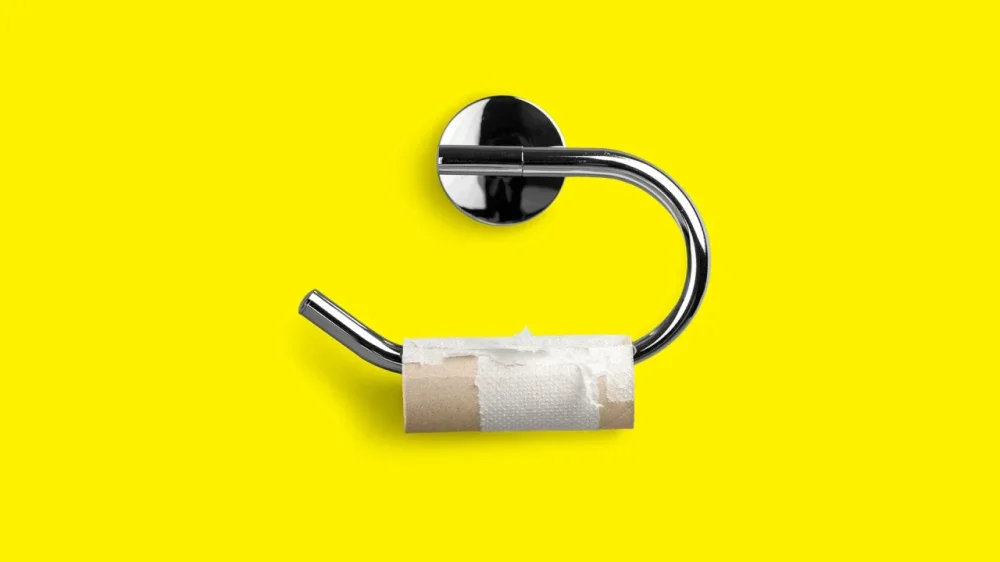
Everyone has their individual bad memories of the pandemic, but one collective nightmare of the early days of that miserable period is the struggle to find toilet paper at the local store. Now, tariffs are bringing concerns about a toilet paper shortage back to the forefront. Suzano SA is the world’s largest exporter of pulp, the raw material for products like toilet paper. And the company tells Bloomberg it has seen shipments decline from Brazil to the U.S. due to tariffs and worries the shipping disruptions could get worse. It is, to be clear, much too early to know what the impact of pulp shipping disruptions will be. The company said shipments were down 20% in April and stores, at present, are well stocked. But tariffs could result in higher prices for consumers, which could lead to a rush by some people to stock up. A similar scenario happened last October when a strike by dock workers on the East Coast sent shoppers flocking to stores, emptying shelves of necessities, including toilet paper. Toilet paper and paper towels are largely produced in the U.S. (Just 10% of the country’s toilet paper is imported.) But the pulp used to make them is imported from countries like Brazil and Canada (which sends northern bleached softwood kraft pulp our way). It doesn’t take an actual shortage to empty store shelves. Just growing talk of one can cause short term disruptions to the supply chain. Put another way: there’s a snowball effect. If a small number of people panic shop, that drives others to do so as well. So if shoppers notice there’s less toilet paper on the shelves than usual, they’re more likely to stock up just in case, due to recent talk of empty ports and looming product shortages. Suzano is still shipping products to the U.S., but not only is it shipping less, it’s charging more. The company says it is passing on the cost of tariffs to U.S. buyers, which could be part of the reason for the smaller orders. “Since customers are still struggling to forecast how tariffs can affect their production plants, either directly or indirectly, both pulp buyers and sellers are on a price discovery mode as we speak,” Leo Grimaldi, executive vice president at Suzano said on a recent call with analysts. “There is not clarity yet of what is this price point needed for a full establishment of market confidence and dynamics.” Like the dock worker’s strike last year, the trade war was something that was clearly telegraphed by the White House. That gave manufacturers like Kimberly-Clark and Georgia-Pacific time to stockpile pulp to keep retail prices level. Should a herd mentality lead to product shortages, however, that could lead to store managers putting buying limits on popular items. (The danger of that is by limiting what you can buy, it could drive people who were not planning on buying any to join in on the hoarding.) Americans certainly love their toilet paper (which is somewhat ironic, as it didn’t become a household staple until the 1940s). At the start of the pandemic, when the panic buying was in full effect, Americans spent $1.4 billion on toilet paper over a four week period in March/April of 2020, according to retail sales tracker IRI. That was a 102% increase from the same period a year before, which led to a widespread toilet paper shortage. We’re not alone. In Hong Kong after the pandemic got underway, armed robbers held up a supermarket. They weren’t interested in the cash registers. They did, however, take 600 rolls of toilet paper. View the full article
-
If you’re like most people, you’re getting a real-time crash course in tariffs, imports, and exports these days. Realizing that tariffs are going to increase costs for just about everything is just the beginning: The next phase of acceptance is realizing what “everything” means. We import so much of the stuff we use in our daily lives that it’s going to be impossible to avoid what is essentially a new tax on stuff. That means that any plans you have to renovate, remodel, or repair your home are going to be a lot more expensive. How much more? Some experts suggest a blanket 25% increase in your budget, driven by an estimated increase in building materials costs of about $7,500 to $10,000 per house. That’s a lot of money no matter how big or modest your renovation plans are, and might make you think twice about your project. But there are strategies you can use to blunt the impact of those tariffs if you plan your home project carefully. DIY thoughtfullyYour first step is to consider where you can offset those extra costs by doing some of the work yourself. Demolition is often an easy way to shave a bit of money from a renovation budget, and if you have any other applicable DIY skills (or the willingness to learn), you can offset extra costs by doing some tiling, painting, or installations yourself. Just be thoughtful about it—you won’t save anything if you screw up part of your renovation and have to pay someone to re-do the whole project. Pad the budgetThe worst outcome of a renovation or remodeling project isn’t extra costs, necessarily—it’s not being able to finish the job because you run out of money and finding yourself doomed to live in a half-finished house. To avoid that fate, review your renovation budget—which should already include some padding against unexpected costs—and add an additional “pad” to cover potential tariffs. Since everything about these tariffs changes more or less constantly, you can’t accurately predict each and every impact. Assuming an additional blanket cost of about 20% on top of your current estimate is probably a pretty safe course. Buy materials nowWhen, exactly, prices will start jumping due to tariffs is difficult to quantify; it depends on how large a supply remains, the specific country a material is sourced from, and when the last non-tariffed shipments arrived. But if you have plans for a renovation in the near future, it might be smart to buy your materials now, even if you’re not ready to engage contractors for a while. If you know you want imported marble tile, for example, chances are they’re as cheap right now as they’re going to be for a very long time. And if your kitchen reno involves all-new appliances, you’ll almost certainly pay less today than you will in a few weeks or months. Go domesticOf course, you also ask yourself if you need imported materials at all. While the U.S. isn’t a manufacturing powerhouse, you can identify domestic options for a wide range of renovation and remodeling materials. Costs still may go up if those companies need to import goods to produce those made-in-the-U.S. products, but this strategy may help mitigate costs. A few examples include: Chasing Paper offers made-in-the-U.S. peel-and-stick tile and wallpaper. Mohawk flooring offers laminate flooring and other flooring products that are free from tariffs. Copeland Furniture manufactures collections that are mostly made in the U.S. (like most furniture makers, they import some machined parts, like nuts and bolts), so tariff impacts will be minimal. Barker Cabinets makes kitchen cabinetry right here in the U.S. using domestic lumber. A little research and consultation with your contractors can identify many domestic alternatives for materials that can help offset or eliminate tariff costs. Work the contractWhen you hire a general contractor or a subcontractor, there’s always a negotiation (or there should be). That means you might be able to claw back some of the extra tariff-related costs by pursuing some strategies in the renovation contract: Price locks. If you’re relying on your contractor to supply the necessary materials for your project, ask to insert price locks in the contract. This is language that freezes the cost of those materials for a period of time (typically a few months). This at least insulates you from a sharp uptick in costs due to sudden shifts in trade negotiations and tariff rates. Guaranteed Maximum Price ("GMP"). You can also ask to have the maximum cost of the project written into the contract. A GMP is the most the contractor will be able to collect from you, no matter what else might change in terms of their materials costs (or any other cost). It usually includes some padding to cover reasonable overages and their fees, but it can be a useful defense against uncertainty when it comes to the cost of the project. Shared savings clauses. You can also suggest that you and the contractor “share savings,” which means that if they identify lower-cost options for materials, labor, or any other aspect of the job, you agree to pay them a percentage of the savings total. This incentivizes the contractor to evade tariffs, seek out domestically sourced alternatives, or find materials already sitting in a warehouse somewhere that don’t need to be imported new. Wait for the off seasonAnother way to offset tariff increases in a reno project is to wait. Many renovation projects have a season, and contractors often go through skinny periods when business drops off. They’re often motivated to offer discounts or work with smaller budgets during these periods, so if you’re willing to endure some extra logistical problems (like having work done during the winter months), you can make up at least some of the difference in terms of tariff costs. Some examples of renovation “seasons” include: Most kitchen, bathroom, and landscaping projects are done in the spring, as are most roofing and HVAC projects. These contractors may be more amenable to discounts in the fall or winter. Window replacements and hardscaping projects like patios are usually done in the summer. Exterior paint is typically done in the fall, when temperatures are cooler and humidity is lower, but you can have your house painted as long as temperatures are above 35 degrees, so painting companies may be motivated to offer discounted work in different seasons. Many flooring installers run promotions during the winter, when business is slower. If you buy your materials now to save some money and then start the project in the off-season, you can maximize your savings. View the full article
-
Learn how to analyze digital marketing competitors’ strategies for SEO, PPC, social media, content, and more using Semrush tools, and get insights to optimize your online campaigns. View the full article
-
Thorough market assessment will reveal your most promising international opportunities. Use this 5-step market assessment guide to help you choose your next target market. View the full article
-
Maximize your chances of being featured in Google Discover. Discover how algorithmic signals can impact your content visibility. The post How To Increase Google Discover Visibility Naturally Using These Ranking Signals appeared first on Search Engine Journal. View the full article
-
Hades II introduces a new mechanic called Forget-Me-Not, which allows players to pin recipes they don't have enough crafting reagents for. While they're out in the world, the path to those resources will be highlighted, making it easier to keep track of what you need. I love this feature, in no small part because I've been making my own version of it for other games for years. It's just one of the many ways I use spreadsheets to improve my gaming. To be clear, I am not recommending that you follow in my footsteps and create a spreadsheet for every game you play. I am deeply unwell, the world is on fire, and creating little charts and tables is how I exert some semblance of control over a chaotic world. Also, not every game needs a spreadsheet. For some games, though, it's just more helpful to have your own goal tracker. Especially in sandbox games, where the quest markers are only the start of what you can do. For my purposes, I'll either use a typical Google Sheet, or if I'm feeling real spicy, I'll branch out to something like Notion for some more flexible tools. Here are just a few examples of what I do. Tracking Tears of the Kingdom armor upgradesThere are so many armor sets in Tears of the Kingdom, and tracking down every piece is super rewarding both in terms of exploration and the powers you get from different sets. What's less rewarding is upgrading the ones you already have. You need to visit Great Fairies with the right amount of ingredients, some of which are super rare or only drop from specific enemies. Some of which you might've otherwise walked right past if you didn't know you needed them. (Looking at you, Lizalfos tails.) That's why I made this armor upgrade tracker. I gave myself sections to mark off which sets I'm most interested in collecting, how many pieces I still have left to claim, what upgrade level each of them is currently at, and whether there's a set bonus I haven't unlocked yet. Most of this info is technically visible in the UI, but this way I don't have to dig through menus to see whether I've finished upgrades on the Froggy armor before I go collect a bunch of sticky lizards. I also gave myself space to write down what ingredients I need for an upgrade, which is low-key the most helpful part for me. Almost everything in Tears of the Kingdom is used to upgrade some armor set or another, but I don't always remember which ones I care about. And the only way in-game to see what ingredients are needed for an upgrade are to visit the Great Fairy directly. This saved me tons of wasted effort because, when I'm out adventuring, I can quickly look at my notes to see whether I still need a particular item when I come across it. Not only is this handy as reference, but it saves me from having to go on a farming run later for the five Thunderwing butterflies I walked right past hours earlier. Running an outpost empire in Starfield Credit: Eric Ravenscraft I have my complaints about Starfield, but that didn't stop me from spending dozens of hours building outposts to farm as many resources as possible. Is there a point to this? Not really. Most resources you need in Starfield, you can either buy or farm easily. But I like building my own mini-economies. The only trouble is, the game isn't built to be the overseer of dozens of outposts. Enter my Notion table. For this one, I gave myself at-a-glance reference points for the resources each planet has, which of those resources are available at my outpost, and which of those I'm currently harvesting. Since you get a bonus when you've fully surveyed a planet, I've also marked whether I've completed that planet's survey. (Note: I wasn't able to easily make this into a template, so you'll have to make your own version from scratch. This page from Notion will help you understand the basics, but there are plenty of other YouTube tutorials to check out if you need more guidance.) Granted, this is my own personal Sisyphean boulder, since the only reason to spend this much effort organizing Starfield outposts is for the joy (?) of outpost organizing. However, I've done similar things for games like Stardew Valley, which are a bit more objective-oriented. I used Notion for this one because I liked its approach to databases a little better than Google Sheets. You can create a full database with entries for all the data you need, but then create alternate views that only focus on some of the data you've created. For example, I also tracked what flora and fauna grew on each planet, but since I didn't need that while managing my outposts, I decided to create a view that didn't include it. Quantifying my time wasted in Overwatch 2Of all the spreadsheets I've made for the games I play, few have brought me as much pain as this one. Overwatch 2 switched to a battle pass system, with rewards that will disappear if you don't claim them by the end of the season. I play a lot of this game already, but I wanted to know just how much time it would take to complete certain rewards. So, I made myself a little calculator. I started by tracking the average amount of time it took to complete a game and how much XP I got for each game. Then I gave myself a few boxes that calculate how much time it would take to reach a reward tier, based on how much XP I'd earned so far. I got it down to a point where I only had to fill in three blocks (highlighted in blue in the sheet) to see how much more time I was planning to waste in a game for a cosmetic reward I wouldn't even use. Now, I don't need to be told to play Overwatch 2. I love playing it with my friends, and I'll gravitate to it regardless of how much it mistreats me. The real value here is that, sometimes, this spreadsheet discourages me from playing. If the game says "You're just 50,000 XP away from getting a reward!" it might seem like a good idea. The game wants you to keep playing after all. Instead, my spreadsheet says "You will have to play 41 more hours of this game to reach that level. So I sigh and close the game. This has actually helped me kick some of that "Just one more game" habit that's so easy to fall into. Every online game these days has a litany of rewards and points and blips and bloops designed to give you just a little dopamine every time you decide to keep playing. My calculator tool wasn't designed to save me time, but it did end up being more honest about it than Blizzard would ever be. Other spreadsheet ideasThese are just a few of the many examples I've made over the years. I've made sheets that calculate how much my Stardew Valley crops will yield over time, taking the guesswork out of buying from Pierre's store. (I'm also far from the first with this idea.) I've also made sheets similar to my Tears of the Kingdom tracker for upgrades in games from Skyrim to Horizon Forbidden West. Even if you're not into making your own, there's a chance some enterprising gamer out there has made arcane spreadsheets for things like how much an armor buff affects your favorite hero. Any time there's some math I want to do that the game doesn't do for me, or resource requirements I'm sick of Googling over and over, I'll turn to my trusty spreadsheets—and now you can (should?) too. View the full article
-
Google started rolling out new image optimization tools for Performance Max (PMax) campaigns. The feature, first announced last month, gives Google’s AI more control over how images appear in your ads. The shift to default-on image enhancements signals deeper AI involvement in creative decisions, potentially affecting ad look, feel, and performance without advertiser awareness. What’s new: Image Enhancements: Google’s AI can now automatically reformat uploaded images, adjusting layout and style to drive better results. Landing Page Images: PMax may pull visuals directly from your website to dynamically populate ad creatives. Between the lines. If you’ve opted into Dynamic Images, landing page image use is now turned on by default for all new campaigns. You can still toggle the setting at the campaign level. Why we care. This update gives Google’s AI more control over how your brand visuals are displayed in PMax campaigns, potentially altering ad creatives without direct input. Automatic image enhancements and default use of landing page images could affect brand consistency, ad performance, and user experience. Staying informed and regularly reviewing campaign settings is essential to maintain control over how your brand is represented. First seen. This update was shared by Thomas Eccel, head of Google Ads at JvM IMPACT, on LinkedIn when he spotted it in his Google Ads account. Bottom line: PMax campaigns just got more autonomous. As Google leans further into AI-powered automation, marketers need to stay alert to behind-the-scenes updates that may impact brand visuals. View the full article
-
Most have heard of the phrase “historic data” when planning a project. It’s a way to look back at similar projects for clues as to the needs of the current one. For those who prefer a more erudite term, there’s analogous estimating. What is analogous estimating in project management? We’ll define that term, how and when it should be used and the various types that can be employed when forecasting projects. What Is Analogous Estimating? Analogous estimating is a project management technique used to estimate the cost, duration or resources required for a project or task by comparing it to similar, previously completed projects. It’s a form of top-down estimation that relies on historical data and expert judgment rather than detailed analysis. When using analogous estimating, project managers look at past projects similar in scope, complexity and scale, and use those as a reference point. For example, if a previous software development project took three months and cost $50,000, a new project with comparable features and requirements might be estimated to take a similar amount of time and budget. Analogous estimating plays a valuable role in informing the creation of a Gantt chart, especially in the early stages of planning. Since Gantt charts are visual representations of a project schedule—including tasks, durations, dependencies and milestones—accurate time estimates are crucial to building a realistic and actionable timeline. ProjectManager is award-winning project and portfolio management software with robust Gantt charts that schedule tasks, resources and costs. Our tool can establish milestones and link all four types of task dependencies to avoid cost overruns. It can filter for the critical path and set a baseline to track progress in real time to keep to the project plan. Get started with ProjectManager today for free. /wp-content/uploads/2025/03/Gantt-CTA-2025.jpgLearn more When to Use Analogous Estimating Analogous estimating is best used when a project is in its early stages and detailed information is scarce. It’s particularly useful for project managers who need to generate quick, high-level estimates based on the outcomes of similar past projects. This technique relies heavily on historical data and expert judgment, making it ideal when time is limited, the scope is not yet fully defined or the project is similar to ones previously completed by the team or organization. Analogous estimating helps kickstart planning discussions, set stakeholder expectations and develop initial budgets or schedules without getting bogged down in fine-grained analysis. While it may not deliver pinpoint accuracy, it’s an efficient way to make informed decisions and move forward when comprehensive data isn’t yet available. Types of Analogous Estimating Analogous estimating can take several forms, depending on the level of detail and accuracy required. Each type uses past project data to inform new estimates, but varies in how the estimate is calculated and applied. Here are the primary types of analogous estimating used in project management. Single-Point Analogous Estimating: This method uses a single historical data point to estimate the cost or duration of a similar current task or project. It’s fast and straightforward, but less accurate due to its reliance on just one example. Range-Based Analogous Estimating: Instead of a single figure, this approach provides a range (e.g., $10,000–$15,000) based on similar past projects. It accounts for variability and uncertainty, offering a more flexible outlook. Adjusted Analogous Estimating: This type refines the estimate by adjusting the historical data to reflect differences in project scale, complexity or scope. It allows for more tailored and accurate estimates when simple comparisons don’t fully align. How to Use Analogous Estimating to Make a Project Estimate Analogous estimating is a practical and efficient technique used in the early stages of project planning when limited information is available. This method works best when the new project is similar in nature and scope to one or more past projects. By following a structured approach, project managers can generate reasonably accurate estimates that serve as a foundation for further planning. 1. Gather Historical Data From Similar Projects Start by collecting data from past projects that resemble the current one. Look for initiatives with comparable objectives, deliverables, team sizes or resource demands. Ideally, this data should include cost breakdowns, timelines and performance outcomes. 2. Review Their Scope, Budget and Timelines Analyze the selected projects in detail. Understand the full scope of work, what was delivered, how long it took and the overall budget. This context will help determine which elements of the past projects apply to the current estimate. 3. Identify Key Differences Between the Past and Present Project No two projects are identical. Examine where your current project diverges from the historical ones. Consider factors such as team experience, technology used, market conditions or client expectations. These differences will impact the accuracy of a direct comparison. 4. Adjust Historical Costs for Inflation To ensure your estimates are current, adjust the financial figures from historical projects for inflation or market rate changes. This ensures the cost estimates reflect today’s economic conditions and aren’t undervalued. 5. Ask for Subject Matter Expert Input Consult with experts who were involved in the original projects or who understand the nuances of the current one. Their insights can validate assumptions, flag overlooked risks and improve the credibility of your estimate. 6. Create a Project Estimate With all adjustments and input considered, compile the data into a structured estimate for your current project. Document the assumptions made, the sources of historical data used and any factors that could influence the estimate’s accuracy. This becomes a valuable reference point for project planning and stakeholder communication. Related: 7 Free Resource Management Templates Benefits of Analogous Estimating Analogous estimating offers several key advantages, especially in the early stages of project planning or when limited details are available. One of the most significant benefits is speed. Since this method relies on existing data from previous projects, it allows project managers to generate quick estimates without needing extensive breakdowns or bottom-up calculations. This is particularly helpful when stakeholders need an initial cost or time projection to make decisions or secure early approvals. Another major benefit is simplicity. Analogous estimating doesn’t demand complex tools or deep technical analysis, making it accessible even for non-technical team members. It also helps ground estimates in real-world outcomes, increasing the likelihood of practical, experience-based planning. Additionally, by using tried-and-tested project data, this technique can improve stakeholder confidence and support more realistic goal-setting. When combined with expert judgment and thoughtful adjustments, analogous estimating becomes a valuable tool for informed decision-making and early project alignment. Disadvantages of Analogous Estimating While analogous estimating is a quick and accessible approach, it comes with several limitations that project managers should be aware of. One primary disadvantage is its reliance on the accuracy and relevance of historical data. If the past project used as a reference differs significantly in scope, complexity or environment, the resulting estimate may be misleading. This can lead to unrealistic timelines, budget overruns or resource shortages once the project is underway. Another drawback is the method’s general lack of precision. Because it doesn’t involve a detailed analysis of each task or component, analogous estimating may overlook critical cost drivers or time constraints. It relies heavily on expert judgment, which can introduce bias or variability if not carefully moderated. As a result, this estimating method is often best suited for early-stage planning rather than final budgeting, where a more detailed and data-driven approach may be required for accuracy. Analogous Estimating vs. Parametric Estimating Analogous estimating and parametric estimating are both top-down approaches used to forecast project costs and timelines, but they differ in methodology and precision. As noted above, analogous estimating in project management relies on historical data for quick, less detailed results. Parametric estimating, on the other hand, uses statistical relationships between historical data and project variables. For example, if building one mile of road costs $2 million, then 10 miles would be estimated at $20 million. This approach is more data-driven and precise, as it applies measurable units and known rates. However, it requires accurate, relevant data and a clear understanding of cost-driving variables to be effective. Analogous Estimating vs. Three-Point Estimating Analogous estimating and three-point estimating are both techniques used in project management to forecast duration, cost or resource needs, but they differ significantly in approach and accuracy. Three-point estimating involves calculating three different estimates for each task or deliverable: the optimistic (best-case), pessimistic (worst-case) and most likely scenario. These three estimates are then averaged—often using the PERT (program evaluation and review technique) formula—to arrive at a more balanced and realistic projection. This method helps account for risk and uncertainty, making it more comprehensive and accurate, though also more time-consuming to perform. Free Related Project Management Templates Analogous estimating is one of many tools to forecast project duration, cost and more. Below are a few of the over 100 free project management templates for Excel and Word that cover all aspects of managing projects across multiple industries. These free templates are useful when planning projects. Project Estimate Template Download this free project estimate template for Excel to calculate and present the anticipated costs, timeframes and resources required to complete a project. It serves as a standardized framework that helps project managers gather, organize and communicate all key estimating information in one place. Project Budget Template Use this free project budget template for Excel to track and manage the financial aspects of a project. It provides a structured way to estimate, allocate and control project costs across various categories such as labor, materials, equipment, overhead and more. Cost Benefit Analysis Template A cost-benefit analysis is used to evaluate the financial pros and cons of a project, decision or investment. This free cost benefit analysis template for Excel helps decision-makers compare the total expected costs of a project against its anticipated benefits, expressed in monetary terms. How ProjectManager Helps Estimate Project Costs Whether using analogous estimating techniques or templates, once the calculations are complete, the work of delivering the project is paramount. It will not be done on templates, which are simply not efficient for something as complex as project management. Professionals use project management software, and the smart ones select ProjectManager is award-winning project and portfolio management software with multiple project views. This allows project managers to plan costs on Gantt charts and teams to execute their tasks on kanban boards or task lists, which are updated in real time to help track costs and other metrics. There’s also a calendar view that shows the project over a month. Stay Productive With Resource Tracking Features To keep to the budget and schedule, resources must be efficiently allocated and tracked. That starts on the Gantt chart and then, when onboarding teams, availability, skills and pay rates are set. This helps assign the right resources to the right tasks at the right time. Project managers can then view resource allocation in real time for one or multiple projects on the color-coded workload chart. It’s easy to see who is overallocated or underutilized and balance the team’s workload from the chart. This keeps everyone working at capacity but avoids burnout. There’s also a team page for daily or weekly summaries of their activities. It can be filtered by progress or priority, and tasks updated without leaving the page. /wp-content/uploads/2023/01/Team-Light-2554x1372-1.png Keep Track of Metrics With Real-time Dashboards and Reports Resources aren’t the only part of a project that must be monitored and controlled during the execution phase. For a high-level overview of key project metrics, toggle to the real-time project or portfolio dashboards. They don’t require any setup and are automatically collecting live data, which is displayed on easy-to-read graphs and charts that show time, cost, workload and more. Customizable reports go deeper into status, variance, timesheets, workload and more, focusing on specific data points or general information to share with stakeholders. Secure timesheets streamline the payroll process, but also track labor costs to help stay on budget. /wp-content/uploads/2022/07/Dashboard-light-mode.jpg Related Project Cost Estimating Content Analogous estimating is only one technique to forecast project cost, duration and more. For those curious about how others work, we’ve listed links below to recently published articles on everything from the cost breakdown structure to cost control and more. Free Estimate Templates for Excel Calculating Estimate at Completion (EAC) What Is a Cost Breakdown Structure (CBS) Project Cost Management Basics Cost Control in Project and Business Management Project Cost Estimation: How to Estimate Project Cost Cost-Benefit Analysis: A Quick Guide with Examples ProjectManager is online project and portfolio management software that connects teams whether they’re in the office or out in the field. They can share files, comment at the task level and stay updated with email and in-app notifications. Join teams at Avis, Nestle and Siemens who use our software to deliver successful projects. Get started with ProjectManager today for free. The post Analogous Estimating in Project Management: A Quick Guide appeared first on ProjectManager. View the full article
-
Measures come as Donald The President offers olive branch to regime in Tehran View the full article
-
Scheduling is all about getting things done on time and within budget. It’s one of the most important aspects of planning for a project. The most popular tool to schedule projects is the Gantt chart, which lets you create a visual timeline for your project. Finding the critical path on a Gantt chart helps you achieve your project goals faster and more efficiently. But before we learn how to identify the critical path in a Gantt chart, let’s start by defining what’s critical path in project management. What Is the Critical Path? The concept of critical path comes from the critical path method, a project planning and scheduling technique that uses a network diagram to represent project tasks, their expected start and end dates, duration and the order in which they’re meant to be completed. One of the fundamental principles of the critical path method is that all projects consist of multiple, parallel sequences of tasks, known as paths, which are shown in a critical path diagram. The critical path of a project is the longest sequence of dependent tasks or activities and the amount of time it takes to complete them from beginning to end. For example, in the critical path chart below, there are two task sequences (A,C,E) and (B,D,F). The (A,C,E) task sequence is longer in duration as these tasks take 37 days to be completed while tasks (B,D,F) take only 23, so the critical path of this project consists of tasks A, C and E. /wp-content/uploads/2025/01/Critical-path-method-calculating-slack.png This critical path diagram template for Excel also shows the early start (ES), early finish (EF), late start (LS), late finish (LS) and slack values for each project task all of which are needed to calculate the critical path of a project. However, while using a critical path diagram is an accurate method, it can be time consuming and prone to human error, so that’s why most project managers use Gantt chart software like ProjectManager, as it automatically identifies the critical path of a project. ProjectManager is a cloud-based project management software that has multiple project views and allows anyone, anywhere to work how they want. ProjectManager’s online Gantt chart can link task dependencies, set milestones, allocate resources and make interactive project schedules. Get started with ProjectManager for free today. /wp-content/uploads/2024/04/critical-path-light-mode-gantt-construction-CTA.pngLearn more What Is a Gantt Chart? A Gantt chart is a bar chart that visualizes the project schedule from start to finish. The Gantt diagram has been a staple of scheduling and a fundamental feature of project management software. The Gantt chart is divided into two parts. On the left side is a spreadsheet that lists the tasks, start and end dates, priority and more depending on the type being used. On the right side is the bar chart that reflects the information collected on the left side. /wp-content/uploads/2024/05/Critical-path-method-template.jpg Get your free Critical Path Template Use this free Critical Path Template to manage your projects better. Get the template A Gantt chart is used during the planning stage of the project after all the tasks have been identified using a work breakdown structure (WBS). It’s commonplace to create the schedule on the Gantt with an early start time approach, which means each task starts right after the other ends, which helps maximize floating tasks or float time. How to Display the Critical Path on a Gantt Chart The critical path and Gantt charts fit hand-to-glove in project scheduling because the critical path outlines the sequence of tasks that could delay your project. To do so means you need to follow these four steps. Now let’s dive into the process of using ProjectManager’s Gantt chart to show the critical path of a project. 1. List Project Tasks Projec tasks are small sets of work that lead to your final deliverable. All the tasks required to complete your project must be listed in your project schedule. As noted above, this can be done with a WBS, which has the final deliverable on top and the tasks that lead there branching downwards. This provides you with a thorough list of tasks, activities and deliverables needed to complete the project. To make a list of project tasks in ProjectManager, simply open the Gantt chart view and begin adding task names. You can also indent any dependent tasks or subtasks if needed. /wp-content/uploads/2024/10/Gantt-diagram-task-list.png As noted above, a work breakdown structure helps identify project tasks and group them into sequences or work packages. This provides you with a thorough list of tasks, activities and deliverables needed to complete the project. ProjectManager’s Gantt chart has a WBS column, which indicates the hierarchy of tasks and which of them are dependent on each other and belong to the same task sequence. For example, according to the work breakdown structure numerals, the task “Final review” (1.3) is nested under “Design and Planning” (1). /wp-content/uploads/2025/05/Gantt-WBS.png 2. Set Duration and Due Dates for Project Task The duration is the time it takes to complete each of the tasks you collected in step one. Adding these together will give you the full project duration. There are many ways to estimate time. This includes looking up historical data for projects that are similar to the one you are currently managing to meeting with your team, stakeholders and experts to get their opinions. There are many ways to estimate time. This includes looking up historical data for projects that are similar to the one you are currently managing to meeting with your team, stakeholders and experts to get their opinions. /wp-content/uploads/2024/10/Gantt-diagram-task-duration.png ProjectManager’s Gantt chart has columns to enter the duration and planned start and end dates for project tasks. It also has fields to enter the actual duration, start and end dates and of tasks so that users can compare their estimates against the actual performance of their project. 3. Identify and Link Task Dependencies There are four types of task dependencies on a Gantt chart: finish-to-start, finish-to-finish, start-to-start and start-to-finish. Advanced Gantt chart software like ProjectManager makes it easy to link task dependencies together in a few clicks. To do so, simply select a task, right-click it and then select “Link tasks.” A pop up will appear, which will let you choose one of the types of task dependencies and will show the lag or slack of each task. /wp-content/uploads/2024/10/Gantt-diagram-dependencies.png Being able to identify dependencies in your project can help you to avoid bottlenecks as you can plan ahead and allocate resources (people, materials, equipment, etc.) as needed to keep the project on schedule. Once you set task dependencies using ProjectManager’s Gantt chart, the project timeline will use arrows to link dependent tasks as shown in the image below. /wp-content/uploads/2024/10/how-to-make-a-gantt-chart-project-timeline.webp 4. Calculate the Float of Tasks and Identify the Critical Path In project management, the term slack, lag or float refers to the amount of time a task can be delayed without affecting the project’s overall completion date. This happens in projects in which there are longer task sequences that provide “wiggle room” for the completion of shorter task sequences. /wp-content/uploads/2024/10/how-to-make-a-gantt-chart-identifying-the-critical-path.webp Tasks in the critical path don’t have slack or lag, which allows project managers to identify them using a critical path diagram and CPM calculations. However, this is not needed when using ProjectManager, as the software automatically calculates the slack of each task and highlights the critical path tasks. With ProjectManager, all you need to do to find the critical path in a Gantt chart is to simply list project tasks, enter their duration and due dates, link task dependencies together and then filter for critical path tasks with one click. Step 5. Add Project Milestones While they’re not necessary to identify the critical path in a Gantt chart, project milestones help further visualize the elements that make up the critical path of the project. /wp-content/uploads/2024/10/how-to-make-a-gantt-chart-identify-project-milestones.webp Project milestones are important dates that indicate the end of one project phase and the beginning of the next. You can also add the deliverable items to the Gantt chart. Then, find the longest path of sequence tasks or set of links from start to the project completion and that’s your critical path. Benefits of Identifying the Critical Path in a Gantt Chart There are many advantages from using Gantt chart software like ProjectManager instead of manually implementing the critical path method to identify the critical path of projects. Here are some of them. Automatically calculates task durations and dependencies without manual diagramming. Adjusts the critical path instantly when timelines or tasks change. Displays the critical path clearly in a more interactive format than a traditional CPM network diagram. Minimizes human error in sequencing and duration calculations. Easily model “what-if” scenarios to see impact on project timelines by simply adjusting the project scheduling data. Some Gantt chart software like ProjectManager integrates resource allocation, project budgeting, cost tracking and other important features with critical path analysis. Allows teams to view and update the critical path in one shared platform. Free Critical Path Gantt Chart Template If you want to try that on your own, ProjectManager has dozens of free templates that help with every aspect of project management. Try the free Gantt chart template. If you choose to use the free ProjectManager in-app template, you’ll be connected to a powerful project management software that helps you organize your work and execute it more efficiently. /wp-content/uploads/2022/03/Critical-Path-Filter-picture.jpgTry it free More Free Related Project Management Templates for Excel If you’re not ready to start identifying the critical path of your projects in a Gantt chart, you can still use one of our free project management templates for Excel, Word, Google Sheets or Google Docs. Critical Path Template This critical path template is ideal for making a task list, identifying task dependencies, indicating the duration of tasks and calculating their expected start and end dates. Gantt Chart Template While not as robust as Gantt chart software, this Gantt chart template for Excel allows project managers to create a project schedule and visualize it using a bar chart timeline that’s automatically generated in Excel based on project tasks’ due dates and duration. ProjectManager’s Gantt Chart Automatically Calculates the Critical Path Using the IT project plan free in ProjectManager has many advantages to a standalone template that takes time to update and is cut off from the rest of your project management tools. Our interactive Gantt chart does everything a Gantt chart is famous for, from organizing tasks, setting milestones, linking dependencies and viewing your entire project on a visual timeline. Lay Out Your Entire Project on Gantt Charts As mentioned above, once you have your schedule in the Gantt chart, just filter for the critical path. That’s it. There are no complicated equations or calculations necessary. Once you have your schedule and budget completed in the Gantt, you can then set a baseline. This captures your plan and uses it to compare to your actual progress and tracks your progress in real time. Work With Your Team ProjectManager turns your Gantt chart a collaborative platform. You can attach files and documents on individual tasks. Assigned team members can add comments and communicate with others on the team no matter where they are. Even if someone on the project team isn’t assigned to the task, just tag them and they’re brought into the chat. Email notifications and in-app alerts keep you always updated. /wp-content/uploads/2022/03/Notifications_Wide_Zoom-175.jpg Track Progress in Real-Time You can further track the progress of your project on the real-time dashboard, which is fully integrated with the Gantt chart. When tasks are updated, the dashboard captures that data and makes the calculations automatically. Then displays the results in easy-to-read graphs and charts showing time, cost, workload and more. You don’t have to spend your valuable time configuring our live dashboard like with inferior software. It’s up and ready to go when you are. /wp-content/uploads/2022/03/Dashboard_Construction_Wide_Zoom-150.jpg Related Gantt Chart Content We have created dozens of blogs, templates and guides about project management. Here’s some related content related to Gantt charts. Best Gantt Chart Software (Free & Paid) Gantt Chart vs. PERT Chart vs. Network Diagram: What Are the Differences? Gantt Chart Dependencies: Understanding Task Dependency Types How to Make a Gantt Chart In Excel Step-By-Step How to Make a Gantt Chart in PowerPoint (Template Included) How to Make a Gantt Chart in Google Sheets (Template Included) ProjectManager is awarding-winning hybrid work management software. See why over 35,000 professionals are using our tool at organizations as varied as Seimens, NASA and Nestles to connect and succeed no matter if they work in a traditional, agile or hybrid environment. Get started for free with ProjectManager today! The post Displaying the Critical Path on a Gantt Chart (Example & Template Included) appeared first on ProjectManager. View the full article
-
On Tuesday, Microsoft said it is cutting less than 3% of its global workforce, including LinkedIn. The company which an estimated 228,000 employees as of last June, meaning the layoffs will affect approximately 6,000 employees. The tech giant, which makes popular software products Windows and Word, will make cuts across various locations, teams, and roles. “We continue to implement organizational changes necessary to best position the company for success in a dynamic marketplace,” a Microsoft spokesperson told Fast Company. The news comes less than two weeks after the Redmond, Washington-based company beat first quarter earnings expectations, driven by its Azure cloud business. It also issued strong guidance going forward, despite President’s The President’s tariffs and overall economic uncertainty. Microsoft also said it invested heavily in AI infrastructure during the first quarter of 2025. Microsoft said that it regularly adjusts its workforce to meet the strategic demands of the business, and that by reducing layers with fewer managers, the company hopes to increase agility and enhance efficiency by minimizing redundancy and streamlining processes, procedures, and roles. It also said the cuts will let employees spend more time leveraging new technologies and capabilities. On Tuesday, a number of LinkedIn employees posted about the reported layoffs on LinkedIn. The layoffs would be the largest at the company since 2023, when Microsoft eliminated 10,000 jobs, and follows a small round of performance-based layoffs at the beginning of 2025. However, a Microsoft spokesperson told CNBC the upcoming layoffs are not performance based. CEO Satya Nadella previously said Microsoft planned to spend $80 billion on data centers for artificial intelligence workloads in 2025, which could be even more costly with tariffs. Microsoft isn’t the only tech company to make cuts since the beginning of this year. A number of high-profile technology giants have been trimming their ranks, including Amazon, Meta, and Salesforce. Facebook parent company Meta Platforms cut about 5% of its workforce—roughly 3,600 employees—in February, and Amazon announced it was laying off dozens at the end of January. View the full article