ResidentialBusiness
Administrators
-
Joined
-
Last visited
Everything posted by ResidentialBusiness
-
 The median property tax payment amounted to $2,969 a year, or $247 a month, an analysis by LendingTree found. View the full article
-
New research found limitations in current appraisal tools and methods contributing to inconsistencies that may result in incorrect property valuations. View the full article

-
The The President administration on Thursday proposed a multibillion-dollar overhaul of a U.S. air traffic control system that it said still relies on floppy disks and replacement parts found on eBay and has come under renewed scrutiny in the wake of recent deadly plane crashes and technical failures. The plan calls for six new air traffic control centers, along with an array of technology and communications upgrades at all of the nation’s air traffic facilities over the next three or four years, said Transportation Secretary Sean Duffy. “We use radar from the 1970s,” said Duffy, who compared the proposal with upgrading from a flip phone to a smartphone. “This technology is 50 years old that our controllers use to scan the skies and keep airplanes separated from one another.” How much it will all cost wasn’t immediately revealed. Duffy said he’ll work with Congress on the details. “It’s going to be billions, lots of billions,” he said. The plan has an aggressive timeline, calling on everything to be finished by 2028 — although Duffy said it may take another year. Demands to fix the aging system that handles more than 45,000 daily flights have increased since the midair collision in January between an Army helicopter and a commercial airliner that killed 67 people over Washington, D.C. That crash—and a string of other crashes and mishaps—showed the immediate need for these upgrades, Duffy said in front of airline officials, union leaders and family members of those who died in the crash near Reagan National Airport. The proposal sets out to add fiber, wireless or satellite technology at more than 4,600 locations, replace 618 radars and more than quadruple the number of airports with systems designed to reduce near misses on runways. Six new air traffic control centers also would be built under the plan, and new hardware and software would be standardized across all air traffic facilities. The House Transportation and Infrastructure Committee last week budgeted $12.5 billion to overhaul the system, but that estimate came out before the Transportation Department revealed its plan. Duffy said the final price tag will be higher. U.S. Rep. Sam Graves of Missouri, who heads the House transportation committee, called the amount only a “down payment.” To build the system quickly, as planned, Duffy said Congress must give the Federal Aviation Administration all the money up front and streamline the permitting process. “The system we have here? It’s not worth saving. I don’t need to preserve any of this. It’s too old,” Duffy said. The President said Thursday that the plan will revolutionize flying. “The new equipment is unbelievable what it does,” he said from the Oval Office. He began to say it may even alleviate the need for pilots before adding, “In my opinion, you always need pilots. But you wouldn’t even have to have pilots.” The newly revealed proposal appears to have wide support across the aviation industry — from airline CEOs to the unions representing controllers and pilots — but this is just the beginning and many details haven’t been revealed. Duffy quickly said the plan will not involve privatizing the air traffic control system, as The President had supported in his first term. Following the midair crash near Washington, The President promised to fix what he called “an old, broken system” and to tackle the nationwide shortage of air traffic controllers while blaming the previous Biden administration for both problems. But the weaknesses within the air traffic control system have been highlighted for years in hearings before Congress and government reports. The struggles to keep up with increasing air traffic has been recognized since the 1990s — long before either The President or Biden took office. The The President administration’s overhaul plan will need enough funding to be more effective than previous reform efforts during the last three decades. Already more than $14 billion has been invested in upgrades since 2003 but none have dramatically changed how the system works. The FAA has been working since the mid-2000s to make upgrades through its NextGen program. One of the biggest challenges with a massive upgrade is that the FAA must keep the current system operating while developing a new system and then find a way to seamlessly switch over. That’s partly why the agency has pursued more gradual improvements in the past. The shortage of controllers and technical breakdowns came to the forefront in the last two weeks when a radar system briefly failed at the Newark, New Jersey, airport, leading to a wave of flight cancellations and delays. Without the planned upgrades, those breakdowns will be repeated around the nation, Duffy said. “Newark has been a prime example of what happens when this old equipment goes down,” he said. Associated Press reporter Will Weissert in Washington contributed. —Josh Funk and John Seewer, Associated Press View the full article

-
Stop drifting and start leading. Gear Up for Growth With Jean Caragher Go PRO for members-only access to more Jean Marie Caragher. View the full article
-
Stop drifting and start leading. Gear Up for Growth With Jean Caragher Go PRO for members-only access to more Jean Marie Caragher. View the full article
-
Google officially announced AI Max, a new suite of automation features for Search campaigns – and the PPC community is buzzing. While Google positions AI Max as an optional, performance-enhancing setting, many advertisers are parsing the announcement carefully, trying to separate the substance from the spin. From excitement about creative automation to concerns about keywordless targeting, reactions span the spectrum. What is AI Max? Google says: not a revolution, but an evolution First things first: what is AI Max? According to Jyll Saskin Gales, a former Googler who spoke directly with the product team: “AI Max for Search campaigns is a bundle of 3 features: expanded query matching, final URL expansion, and text asset customization — with a few cool new ‘sprinkles’ like increased transparency and ad group-level location intent settings.” She warns that many are already misinterpreting the update: “AI Max is not a campaign type. It’s not a new match type. It’s not even entirely new — it’s a repackaging of features that already exist, plus some enhancements.” Clarifying the confusion Chris Ridley, Head of Paid Media at Evoluted, highlighted the core features being added with AI Max: “An optional toggle to enable keywordless targeting, ad-group level location targeting, brand inclusion/exclusion, and dynamic text customization (formerly known as automatically created assets).” But he also urged caution: “Check your campaign settings very closely to ensure AI Max isn’t switched on without your knowledge.” In response to targeting concerns, Ginny Marvin, Google Ads Liaison, offered clarification: “AI Max is opt-in. You can disable text customization and final URL expansion at the campaign level, and you can opt out of expanded search term matching at the ad group level.” Marvin answered even more concerns on her LinkedIn post. Control, transparency & creative authority: Advertiser concerns A major sticking point for many is creative and targeting control. Georgi Zayakov, Senior Digital Marketing Consultant, didn’t hold back: “Rather a nay, especially when it comes to giving up asset control over Google. I’m sceptical how the keywordless part will work.” Adrienne Shaver, who manages PPC for regulated verticals like healthcare and education, voiced similar caution: “The automation and reach potential are genuinely exciting, but brand safety and control limitations give me pause.” “Balancing AI-driven targeting with essential brand protections and compliance requirements will be key for adoption in these industries.” Strategic value? Depends on the account For some, AI Max presents an opportunity — but only for the right campaigns. Menachem Ani, founder of JXT Group, part of the limited beta, saw strategic potential: “It won’t change the targeting of keyword matches, but it will layer on keywordless expansion — similar to audience expansion. That’s pretty cool.” “This likely won’t make it a good fit for highly regulated industries… But where we’re already at capacity on well-performing campaigns, it could unlock new profitable traffic.” Navah Hopkins, Brand Evangelist at Optmyzr echoed that sentiment, particularly for ecommerce: “If you’re in ecommerce, get ready to test this… If you’re in lead gen, you need to seriously consider whether you can handle the volume AI Max could drive.” She was particularly pleased that: “DSA isn’t going away — my favorite research tool remains in play!” Keyword anxiety and brand confusion For those who prefer precision, AI Max’s keywordless nature sets off alarm bells. Greg Finn of Cypress North offered one of the sharpest critiques: “No, keywords aren’t dead, but we all know they will be. We’re all in our keywordless era now, whether we like it or not.” On naming, he didn’t hold back: “The name AI Max just doesn’t make sense. When you already have Performance Max, adding AI Max just confuses clients and teams. Max vs. Mode? This is a Shopify/Spotify situation waiting to happen.” He proposed alternatives like “AIQ” or “IntentMatch AI,” concluding: “I get it, Google, you like the term Max — but help us out here.” Where this leaves us: proceed with curiosity and caution Advertisers agree on one thing: AI Max must be tested carefully before making sweeping changes. There’s optimism about automation and creative scaling, but plenty of guarded skepticism around loss of control, suitability for regulated industries, and clarity of implementation. As Gales wisely summarized: “Google is bringing advertisers more control and transparency with AI Max — not less. But virtually no one knows how this performs yet since the beta is just opening, so we’re all going to figure this out together.” What’s next? AI Max reflects Google’s continued push toward automation and AI integration – a direction that excites some and unnerves others. With real-world performance data still scarce, advertisers are left with one clear strategy: test cautiously, monitor closely, and advocate loudly for clarity and control. View the full article
-
Here is a recap of what happened in the search forums today...View the full article
-
Key Takeaways Importance of Documentation: Meeting minutes serve as a crucial record for solopreneurs, enhancing organization and clarity by capturing key discussions and decisions. Enhanced Accountability: Documenting discussions fosters accountability, making it easier to track agreed tasks and ensure follow-through on commitments. Progress Tracking: Well-kept meeting minutes facilitate efficient tracking of accomplishments and setbacks, allowing for timely adjustments in business strategies. Types of Meeting Minutes: Understand the distinction between informal and formal meeting minutes, and choose the appropriate style based on the meeting’s context and significance. Best Practices for Structure: Implement a consistent template for your minutes, including sections for date, attendees, agenda items, discussion summaries, decisions, and action items. Useful Tools: Leverage digital tools such as Google Docs and Beenote to streamline minute management, enhancing productivity and organization in your solopreneur journey. As a solopreneur, you wear many hats, and staying organized is crucial for your success. Meeting minutes might not be at the top of your to-do list, but they can be a game-changer for your productivity. Capturing key discussions and decisions helps you track progress and ensures you never miss a crucial detail. Importance Of Meeting Minutes For Solopreneurs Documentation plays a vital role in enhancing your effectiveness as a solopreneur. Meeting minutes act as a definitive record of key discussions and decisions, promoting organization and clarity. Enhancing Accountability Accountability becomes clearer when you document discussions. Meeting minutes provide a reference for what was agreed upon, ensuring you follow through on action items. When you define tasks and deadlines, you enhance the likelihood of meeting your business goals. If you later realize you haven’t completed an item, review the minutes to remind yourself of your commitments. Tracking Progress Tracking progress is streamlined with well-kept meeting minutes. You can refer back to previous notes, enabling easy identification of accomplishments and setbacks. This method facilitates adjustments in your business strategy as you navigate challenges. By continuously monitoring your milestones, you better position your small business for future growth, ensuring alignment with your overall business plan and objectives. Types Of Meeting Minutes Meeting minutes for solopreneurs can be categorized into two main types: informal and formal. Understanding these types helps you choose the best format for your needs. Informal Meeting Minutes Purpose and Use: Informal meeting minutes serve as a quick reference for casual or internal meetings. They highlight key discussions, thoughts, and ideas exchanged without the pressure of strict formatting. These minutes are helpful for brainstorming sessions or team check-ins where flexibility and speed take precedence. Content Features: Informal minutes typically include bullet points describing the topics discussed, decisions made, and action items. This format allows you to maintain a clear overview without getting bogged down by excessive detail. You can use tools like apps or collaborative documents to enhance accessibility and ease of use. Formal Meeting Minutes Purpose and Use: Formal meeting minutes are detailed and serve an official capacity, often required in situations involving significant actions or decisions. They typically apply to board meetings, financial reviews, or meetings where legal compliance and transparency are vital. Content Features: Formal minutes usually include the meeting title, date, time, and attendees, along with comprehensive notes on agenda items, discussions, decisions, and unresolved issues. This structure makes it easy to reference past meetings and ensure accountability on tasks agreed upon. By utilizing appropriate meeting minutes styles, you can enhance your organization and productivity as a solopreneur, allowing you to stay focused on your business goals, growth strategies, and customer acquisition efforts. Best Practices For Writing Meeting Minutes Effective meeting minutes enhance your organization and productivity as a solopreneur. Structured notes facilitate tracking decisions and action items, ensuring clarity in your business processes. Structuring Your Minutes Structure your minutes using a consistent template. This template should include critical sections: Meeting Date and Time: Clearly state when the meeting occurred. Attendees: List all participants for accountability. Agenda Items: Outline topics discussed to provide context. Discussion Summaries: Summarize key points and insights for future reference. Decisions Made: Record notable decisions impacting your business strategy. Action Items: Highlight assigned tasks, including deadlines for completion. Using this framework simplifies navigation through your meeting minutes and reinforces your focus on business goals. Key Elements To Include Include essential elements in your meeting minutes to maximize their effectiveness: Clarity: Ensure language is straightforward. Avoid jargon unless necessary for context. Decisions: Document decisions immediately to maintain your momentum. This transparency fosters accountability among your audience. Action Items: Specify who is responsible for each task. This clarity supports efficient execution and follow-through. Deadlines: Assign clear deadlines for action items to help prioritize efforts and stay on track. Next Meeting Details: If applicable, note the time and agenda for the next meeting. This forward-thinking element enhances continuous progress. By incorporating these practices, you maintain organized records. These records not only support tracking progress but also enhance decision-making in your small business endeavors. Tools And Resources For Managing Meeting Minutes Managing meeting minutes effectively can enhance your small business’s productivity and organization. Utilizing the right tools and resources streamlines documentation, making it easier to reference discussions and decisions. Digital Tools Several digital tools facilitate efficient management of meeting minutes for solopreneurs: Google Docs: A free introductory plan and a business plan priced at $16 per user per month exist. Google Docs provides seamless access and real-time collaboration for all team members, essential for maintaining clear communication. Beenote: This tool offers features like branded meeting minutes, privacy options, and a resolution register, making it suitable for maintaining a clear record of discussions and decisions. Templates and Examples Utilizing templates for meeting minutes ensures consistency and clarity in documentation. Here’s a basic structure for your meeting minutes: Meeting Details Date and time Location Attendees List of participants Agenda Items Key topics discussed Discussion Summaries Brief notes on each topic Decisions Made Clear documentation of agreed outcomes Action Items Responsibilities assigned with specific deadlines While drafting meeting minutes, maintain clarity in language and ensure immediate documentation of actions. Consistent templates enhance your organization and support your business goals, allowing you to track progress effectively. Conclusion Embracing the practice of maintaining meeting minutes can be a game-changer for you as a solopreneur. It’s not just about recording discussions; it’s about creating a reliable roadmap for your business journey. By documenting key decisions and action items, you’re setting the stage for accountability and progress. Utilizing both informal and formal meeting minutes allows you to adapt to different situations while keeping your goals in sight. With the right tools and templates, you can streamline your documentation process and enhance your overall productivity. Incorporating these practices into your routine empowers you to make informed decisions and stay aligned with your business objectives. Take the time to implement effective meeting minutes, and watch how it transforms your approach to managing your business. Frequently Asked Questions Why are meeting minutes important for solopreneurs? Meeting minutes help solopreneurs stay organized by documenting discussions and decisions. They enhance productivity, track progress, improve accountability for tasks and deadlines, and ensure that important details are not overlooked. What are the two types of meeting minutes discussed in the article? The article categorizes meeting minutes into informal and formal types. Informal minutes are for casual meetings and focus on key ideas, while formal minutes are detailed records required for significant actions or decisions, like board meetings. What are some best practices for writing meeting minutes? Best practices include using a structured template with sections for date, attendees, agenda items, discussion summaries, decisions, and action items. Clarity in language and timely documentation of decisions are crucial for maintaining effective records. What tools can help manage meeting minutes effectively? Digital tools like Google Docs for collaboration and Beenote for privacy and branding are recommended for managing meeting minutes. Templates are also essential for maintaining clarity and consistency in documentation. How can meeting minutes impact business strategy for solopreneurs? Well-kept meeting minutes allow solopreneurs to easily identify accomplishments and setbacks. By tracking this progress, they can adjust their business strategies and align efforts with overall business goals more effectively. Image Via Envato This article, "Boost Your Productivity with Effective Meeting Minutes for Solopreneurs" was first published on Small Business Trends View the full article
-
Key Takeaways Importance of Documentation: Meeting minutes serve as a crucial record for solopreneurs, enhancing organization and clarity by capturing key discussions and decisions. Enhanced Accountability: Documenting discussions fosters accountability, making it easier to track agreed tasks and ensure follow-through on commitments. Progress Tracking: Well-kept meeting minutes facilitate efficient tracking of accomplishments and setbacks, allowing for timely adjustments in business strategies. Types of Meeting Minutes: Understand the distinction between informal and formal meeting minutes, and choose the appropriate style based on the meeting’s context and significance. Best Practices for Structure: Implement a consistent template for your minutes, including sections for date, attendees, agenda items, discussion summaries, decisions, and action items. Useful Tools: Leverage digital tools such as Google Docs and Beenote to streamline minute management, enhancing productivity and organization in your solopreneur journey. As a solopreneur, you wear many hats, and staying organized is crucial for your success. Meeting minutes might not be at the top of your to-do list, but they can be a game-changer for your productivity. Capturing key discussions and decisions helps you track progress and ensures you never miss a crucial detail. Importance Of Meeting Minutes For Solopreneurs Documentation plays a vital role in enhancing your effectiveness as a solopreneur. Meeting minutes act as a definitive record of key discussions and decisions, promoting organization and clarity. Enhancing Accountability Accountability becomes clearer when you document discussions. Meeting minutes provide a reference for what was agreed upon, ensuring you follow through on action items. When you define tasks and deadlines, you enhance the likelihood of meeting your business goals. If you later realize you haven’t completed an item, review the minutes to remind yourself of your commitments. Tracking Progress Tracking progress is streamlined with well-kept meeting minutes. You can refer back to previous notes, enabling easy identification of accomplishments and setbacks. This method facilitates adjustments in your business strategy as you navigate challenges. By continuously monitoring your milestones, you better position your small business for future growth, ensuring alignment with your overall business plan and objectives. Types Of Meeting Minutes Meeting minutes for solopreneurs can be categorized into two main types: informal and formal. Understanding these types helps you choose the best format for your needs. Informal Meeting Minutes Purpose and Use: Informal meeting minutes serve as a quick reference for casual or internal meetings. They highlight key discussions, thoughts, and ideas exchanged without the pressure of strict formatting. These minutes are helpful for brainstorming sessions or team check-ins where flexibility and speed take precedence. Content Features: Informal minutes typically include bullet points describing the topics discussed, decisions made, and action items. This format allows you to maintain a clear overview without getting bogged down by excessive detail. You can use tools like apps or collaborative documents to enhance accessibility and ease of use. Formal Meeting Minutes Purpose and Use: Formal meeting minutes are detailed and serve an official capacity, often required in situations involving significant actions or decisions. They typically apply to board meetings, financial reviews, or meetings where legal compliance and transparency are vital. Content Features: Formal minutes usually include the meeting title, date, time, and attendees, along with comprehensive notes on agenda items, discussions, decisions, and unresolved issues. This structure makes it easy to reference past meetings and ensure accountability on tasks agreed upon. By utilizing appropriate meeting minutes styles, you can enhance your organization and productivity as a solopreneur, allowing you to stay focused on your business goals, growth strategies, and customer acquisition efforts. Best Practices For Writing Meeting Minutes Effective meeting minutes enhance your organization and productivity as a solopreneur. Structured notes facilitate tracking decisions and action items, ensuring clarity in your business processes. Structuring Your Minutes Structure your minutes using a consistent template. This template should include critical sections: Meeting Date and Time: Clearly state when the meeting occurred. Attendees: List all participants for accountability. Agenda Items: Outline topics discussed to provide context. Discussion Summaries: Summarize key points and insights for future reference. Decisions Made: Record notable decisions impacting your business strategy. Action Items: Highlight assigned tasks, including deadlines for completion. Using this framework simplifies navigation through your meeting minutes and reinforces your focus on business goals. Key Elements To Include Include essential elements in your meeting minutes to maximize their effectiveness: Clarity: Ensure language is straightforward. Avoid jargon unless necessary for context. Decisions: Document decisions immediately to maintain your momentum. This transparency fosters accountability among your audience. Action Items: Specify who is responsible for each task. This clarity supports efficient execution and follow-through. Deadlines: Assign clear deadlines for action items to help prioritize efforts and stay on track. Next Meeting Details: If applicable, note the time and agenda for the next meeting. This forward-thinking element enhances continuous progress. By incorporating these practices, you maintain organized records. These records not only support tracking progress but also enhance decision-making in your small business endeavors. Tools And Resources For Managing Meeting Minutes Managing meeting minutes effectively can enhance your small business’s productivity and organization. Utilizing the right tools and resources streamlines documentation, making it easier to reference discussions and decisions. Digital Tools Several digital tools facilitate efficient management of meeting minutes for solopreneurs: Google Docs: A free introductory plan and a business plan priced at $16 per user per month exist. Google Docs provides seamless access and real-time collaboration for all team members, essential for maintaining clear communication. Beenote: This tool offers features like branded meeting minutes, privacy options, and a resolution register, making it suitable for maintaining a clear record of discussions and decisions. Templates and Examples Utilizing templates for meeting minutes ensures consistency and clarity in documentation. Here’s a basic structure for your meeting minutes: Meeting Details Date and time Location Attendees List of participants Agenda Items Key topics discussed Discussion Summaries Brief notes on each topic Decisions Made Clear documentation of agreed outcomes Action Items Responsibilities assigned with specific deadlines While drafting meeting minutes, maintain clarity in language and ensure immediate documentation of actions. Consistent templates enhance your organization and support your business goals, allowing you to track progress effectively. Conclusion Embracing the practice of maintaining meeting minutes can be a game-changer for you as a solopreneur. It’s not just about recording discussions; it’s about creating a reliable roadmap for your business journey. By documenting key decisions and action items, you’re setting the stage for accountability and progress. Utilizing both informal and formal meeting minutes allows you to adapt to different situations while keeping your goals in sight. With the right tools and templates, you can streamline your documentation process and enhance your overall productivity. Incorporating these practices into your routine empowers you to make informed decisions and stay aligned with your business objectives. Take the time to implement effective meeting minutes, and watch how it transforms your approach to managing your business. Frequently Asked Questions Why are meeting minutes important for solopreneurs? Meeting minutes help solopreneurs stay organized by documenting discussions and decisions. They enhance productivity, track progress, improve accountability for tasks and deadlines, and ensure that important details are not overlooked. What are the two types of meeting minutes discussed in the article? The article categorizes meeting minutes into informal and formal types. Informal minutes are for casual meetings and focus on key ideas, while formal minutes are detailed records required for significant actions or decisions, like board meetings. What are some best practices for writing meeting minutes? Best practices include using a structured template with sections for date, attendees, agenda items, discussion summaries, decisions, and action items. Clarity in language and timely documentation of decisions are crucial for maintaining effective records. What tools can help manage meeting minutes effectively? Digital tools like Google Docs for collaboration and Beenote for privacy and branding are recommended for managing meeting minutes. Templates are also essential for maintaining clarity and consistency in documentation. How can meeting minutes impact business strategy for solopreneurs? Well-kept meeting minutes allow solopreneurs to easily identify accomplishments and setbacks. By tracking this progress, they can adjust their business strategies and align efforts with overall business goals more effectively. Image Via Envato This article, "Boost Your Productivity with Effective Meeting Minutes for Solopreneurs" was first published on Small Business Trends View the full article
-
I don't really use AI. At least part of this, I think, is the user interface most large language models (LLMs) are presented in: the chatbot. I never think to open a dedicated window and ask a fictional person for help—I find it a clumsy way to interact with a computer. Why can't the AI help me in the places I'm already working? That's the idea behind Cotypist, a (currently) free Mac application by developer Daniel Gräfe that adds mobile-style autocomplete to every application on your Mac. The tool, which uses an offline LLM running on your device, requires an Apple Silicon processor (16 GB of RAM is recommended). While you're typing, predictive text (in gray) appears to the right of your cursor, no matter what application you're using. You can hit "Tab" to accept everything suggested or "`" (the key right above Tab) to accept the next word. The idea is that the AI makes writing faster by suggesting words you were going to type anyway—accept the words you wanted and ignore the ones you didn't. Gräfe calls this kind of writing "dancing with the AI," which is a romantic notion. Setting things up is fairly straightforward. After installing the application and launching it, you'll get a short tutorial. You'll need to enable the permissions needed by the application. You'll also need to wait for the application to download a large language model (the application automatically picks the most powerful model likely to run well on your device). After that's set up, you'll start seeing suggestions. The menu bar icon allows you to disable suggestions in particular apps. Credit: Justin Pot You can configure a few things using the menu bar icon; e.g., you can disable suggestions in a particular application for a set amount of time or indefinitely. This is helpful if you're tripping over the suggestions in some apps but find them useful in others. You can also click the settings option to change the keyboard shortcuts for accepting suggestions. Setting a custom set of instructions for the AI in Cotypist. Credit: Justin Pot You can also set system-wide instructions for the bot. This is basically a block of text that the AI will use to guide the suggestions it makes—the documentation suggests you include information like your name, your profession, and any guidance you want the AI to follow while writing. I've been using Cotypist, off and on, for about a week now. Every once and a while it accurately predicts where I'm going and suggests the right words, saving me a few keystrokes. Most of the time, though, I find myself distracted by the suggestions. This might have something to do with my writing style—I'm a pretty fast typist, and I usually know the next word I'm going to type before I actually type it. The thing about writing, though, is that it's intensely personal—everyone does it a little bit differently. I can imagine this being a useful tool for someone whose brain works a little differently than mine, or someone who struggles with typing. If you're curious whether this tool will fit your workflow, I highly recommend giving it a spin. View the full article
-
Jerry Dischler, the former Google executive who was in charge of Google Ads is now leaving the company right before his 20th year work anniversary. Dischler in November 2023 stepped down as the ad boss, during the height of the DOJ Google anti-trust case. What Dischler said. Jerry Dischler announced today that it would be his last day at Google. He posted a message on LinkedIn. He said, “After nearly 20 years, I’ve decided to leave Google, and today is my last day.” Here is the full post: After nearly 20 years, I’ve decided to leave Google, and today is my last day. Google is a remarkable company and I’m proud of the incredible things we’ve accomplished in Commerce, Ads, and now Cloud. What’s most important to me is the positive impact we’ve made on the lives of billions of people and millions of businesses around the world. Lately, I’m especially fired up about the progress that the Workspace and Applied AI teams have made over the course of the past year. The nature of work is going to fundamentally transform over the next few years and both productivity software and products in areas like customer service are improving at a blistering pace. The teams at Google working on these problems are incredibly talented and, as I’ve pointed out in previous LinkedIn posts, they’re just getting started. As for me, I’m planning to take a bit of time off to recharge. Historically, I have not been good at relaxing, so who knows? Dischler’s leadership. During his time in Ads, Dischler played a crucial role in shaping the future of advertising for Google and the industry overall. He contributed to Google’s transition from desktop to mobile, established a leading stance on user privacy, and pioneered advanced advertising technologies, including early applications of machine learning (ML) and artificial intelligence (AI) at scale. He then moved to lead up the Google Cloud team as the President of Cloud Applications. Dischler joined Google in July 2005 and is now leaving the company in May 2025. View the full article
-
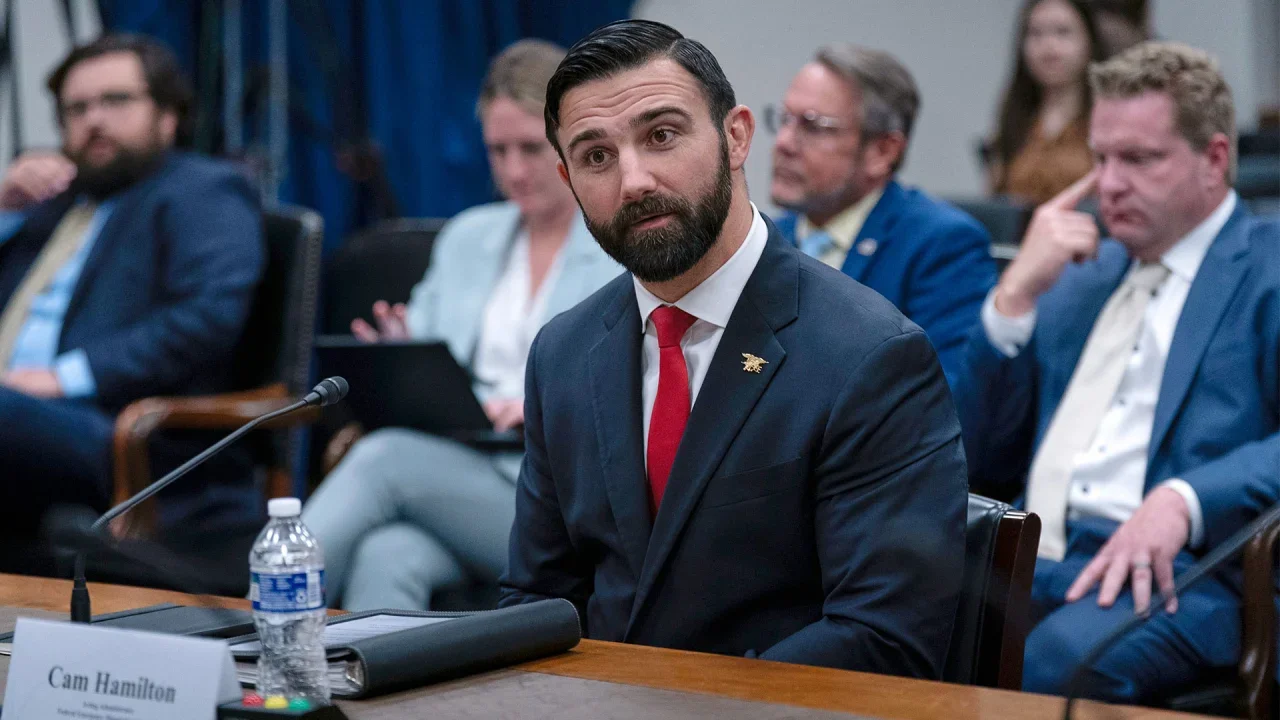
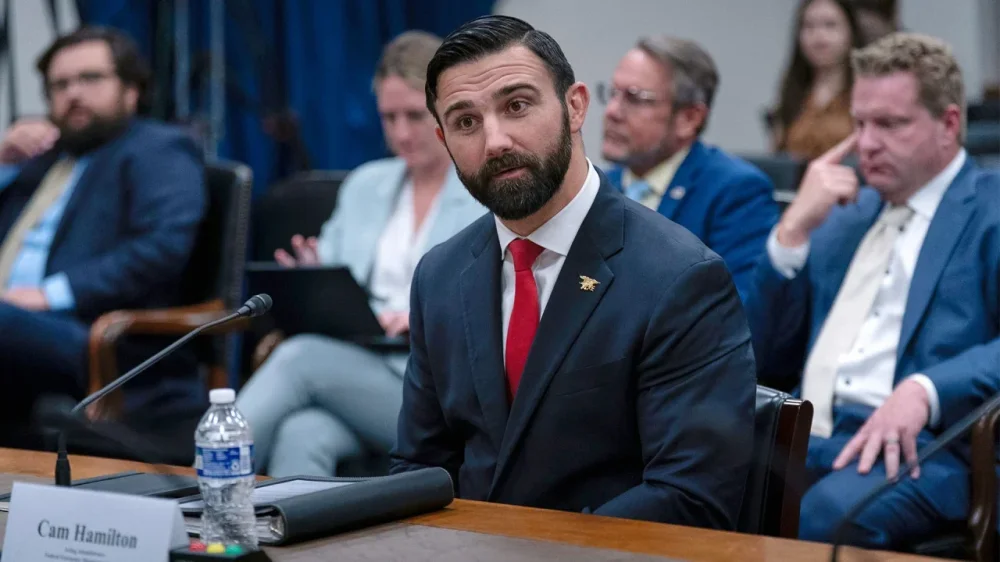
The Federal Emergency Management Agency faced fresh upheaval Thursday just weeks before the start of hurricane season when the acting administrator was pushed out and replaced by another official from the Department of Homeland Security. The abrupt change came the day after Cameron Hamilton, a former Navy SEAL who held the job for the last few months, testified on Capitol Hill that he did not agree with proposals to dismantle an organization that helps plan for natural disasters and distributes financial assistance. “I do not believe it is in the best interest of the American people to eliminate the Federal Emergency Management Agency,” he said Wednesday. President Donald The President has suggested that individual states, not the federal government, should take the lead on hurricanes, tornadoes and other crises. He has been sharply critical of FEMA’s performance, particularly in North Carolina after Hurricane Helene. David Richardson, a former Marine Corps officer who served in Afghanistan, Iraq and Africa, will run FEMA for the time being. He does not appear to have any experience in managing natural disasters. He currently serves as the Department of Homeland Security’s assistant secretary for countering weapons of mass destruction. The administration made no statement about any potential permanent nominee. Nor did the White House answer questions about Richardson’s background, the impact of Hamilton’s testimony or whether the president personally ordered his dismissal. An administration official, who requested anonymity to discuss a personnel matter, said Hamilton was offered another government job that would be a better fit for him, but did not say what that job would be. FEMA staff were notified of the change in leadership through a brief email. Through a January executive order, The President established a review council tasked with “reforming and streamlining the nation’s emergency management and disaster response system,” according to Homeland Security. The 13-member council is chaired by Noem and Defense Secretary Pete Hegseth. During Hamilton’s appearance before a House Appropriations subcommittee Wednesday, he shared concerns about how FEMA assistance is administered. He also said the agency had “evolved into an overextended federal bureaucracy, attempting to manage every type of emergency no matter how minor.” But when Rep. Rosa DeLauro, a Connecticut Democrat, asked Hamilton how he felt about plans to eliminate FEMA, Hamilton said he did not believe the agency should be eliminated. “Having said that,” Hamilton continued, “I’m not in a position to make decisions and impact outcomes on whether or not a determination such as consequential as that should be made. That is a conversation that should be had between the president of the United States and this governing body.” In a statement Thursday afternoon, DeLauro expressed support for Hamilton and accused the Republican president of firing “anyone who is not blindly loyal to him.” “The The President administration must explain why he has been removed from this position,” said DeLauro. “Integrity and morality should not cost you your job.” —Chris Megerian and Gabriela Aoun Angueira, Associated Press View the full article
-
Discover why building a genuine emotional connection is crucial for forming a meaningful bond with your audience and transforming them into your most loyal customers. The post Why Meaning Matters Most In Branding (And How To Build It) appeared first on Search Engine Journal. View the full article
-
SBU arrests two alleged agents it says were ran by the Hungarian military intelligence serviceView the full article
-
No president is immune to the tides of historyView the full article
-
Inside most enterprise organizations, SEO isn’t just battling Google’s AI Overviews. It’s battling its own structural weaknesses that are bleeding SEO revenue drier than Google’s AI would have otherwise. Yes, traffic is down. Yes, the economy is squeezing budgets. But SEO revenue doesn’t have to be down this much. Across the companies I work with, one pattern is clear: Internal execution gaps are quietly amplifying losses beyond what external market shifts actually dictate. Even in 2025 – the era of declining clicks, AI Overviews, and tougher competition – companies are leaking more SEO performance than the market alone would force them to lose. If organizations want to protect their digital revenue, it’s not enough to build smart strategies. They must repair the internal execution gaps that quietly drain SEO performance with every release. Modern SEO demands cross-functional precision – most teams still lack it Large companies have always needed deep cross-functional execution to succeed at SEO, but it still came with a loss. But for years, the hidden breakdowns – the handoff misses, the unflagged risks, the half-implemented SEO work, SEO work being deleted in future releases – were survivable. In 2025, they aren’t. Every misstep now compounds faster because: AI Overviews siphon off what used to be recoverable SEO traffic. Zero-click behavior shifts the margin for SEO errors from small to fatal. Competitors with tighter execution processes win outsized gains without necessarily having better strategies. The operational depth SEO requires isn’t new. What’s new is how ruthlessly the market now punishes any execution drift. It’s not enough to have “SEO awareness” across departments. 2025’s SEO demands structured, enforced, operationalized collaboration that hits every phase of how digital work gets done: Product managers must build SEO growth paths directly into product requirement documents (PRDs) and tickets, not as afterthoughts, but as non-negotiable success criteria. Developers must assess SEO impact at every architectural decision and testing phase, not just at pre-launch QA. Writers must build true topical authority into content, guided by data-driven authority gaps, not just primary keyword mapping. UX teams must proactively design for crawlability and engagement measured and validated before launch, not “adjusted later if needed.” Analytics teams must track leading indicators of SEO drift, not just report on outcomes when rankings fall. Without this level of operational precision, SEO doesn’t just slip. It bleeds out silently across dozens of teams, projects, and tickets. And by the time the loss shows up in dashboards, months of uncalculated damage have already been done. Dig deeper: The top 5 strategic SEO mistakes enterprises make (and how to avoid them) The SEO team owns the strategy – not the execution Inside the trenches, it’s obvious: The SEO team owns the strategy – but not the execution. In company after company, I see the same issues: SEO guidance attached to tickets but misinterpreted when built. Testing phases missing SEO validations because QA isn’t set up to catch SEO-impacting changes early enough in the dev process. Content teams missing critical authority gaps because topic maps weren’t part of their working processes. Execution gaps aren’t always due to incompetence. Often, they’re because organizational structures assume SEO will “step in if needed” – and no one formally owns making sure it happens. The SEO team can’t be everywhere. They can’t catch every ticket, every launch, every roadmap shift. SEO must happen automatically – not because the SEO team said so, but because it’s wired into how the organization operates. Get the newsletter search marketers rely on. Business email address Sign me up! Processing... See terms. SEO has accountability without real authority SEO teams are measured on organic traffic growth, conversion lift, lead volume – yet they lack authority to: Prioritize dev tickets critical to SEO readiness. Mandate content briefs and content production that guarantee authority coverage. Require UX or dev teams to provide crawlable alternatives when design choices risk SEO performance. When I’m brought in to assess SEO operational health, this is one of the first points of breakdown: There’s no formal RACI (responsible, accountable, consulted, and informed) matrix for SEO across teams. That means: No one is formally responsible for protecting SEO-critical elements. SEO input becomes “a nice-to-have” rather than a non-negotiable requirement. At scale, this means SEO managers spend more time chasing approvals and patching gaps than driving proactive growth. Real execution strength comes when managers and directors across teams – not just the SEO team – are held responsible for their slice of SEO success. Dig deeper: Enterprise SEO is 50% education and culture Processes aren’t broken – they’re bleeding out Most companies have SEO processes. But by the time I get inside to look under the hood, they’ve drifted – and are continuing to drift, unchecked: Product roadmaps strip out SEO guardrails for speed. QA downgrades SEO blockers to “fix later” status – or, worse, never sees them. Writers prioritize velocity over authority-building content. Every sprint, every launch, introduces small, uncalculated SEO losses. No one person causes it, it’s systemic. Structurally, the company is bleeding SEO performance – without even realizing it. How much revenue has silent execution drift cost your organization over the last year? Most companies don’t have the visibility to know. It’s an uncalculated SEO loss. SEO knowledge isn’t operationalized, it’s isolated Another structural flaw: SEO knowledge isn’t embedded. It’s isolated. It lives in: Jira tickets. Confluence pages. The heads of a few SEO champions. SEO doesn’t live inside the decision-making reflexes of developers, product managers, writers, or merchandisers. When SEO protection relies on remembering instead of default behavior, it’s constantly vulnerable to being deprioritized or missed under pressure. Real operational strength happens when SEO becomes instinctive, just as accessibility, brand voice, and security protocols have become second nature for most teams. Getting there requires more than a training session. It demands immersion, feedback loops, and real-time reinforcement – a level of operational coaching that most in-house SEO teams aren’t resourced to deliver consistently. Dig deeper: The design thinking approach to enterprise SEO Every new hire expands the execution risk Every new developer, writer, PM, or merchandiser you onboard, without deep SEO operational training, introduces more drift. Without proper reinforcement, new hires: Miss signals that SEO veterans would have caught. Skip critical details that degrade site structure over time. Expand the SEO execution risk footprint with every release. When onboarding only covers brand voice, sprint rituals, and compliance – and barely touches SEO – the erosion isn’t a question of if, but how much. This isn’t just process, it’s revenue protection Because SEO execution failures unfold quietly: Content updates slowly weaken topical authority. Internal links deteriorate release by release. Schema markup falls off without anyone noticing. Leadership sees only the final traffic declines – never the early structural causes. When I walk executive teams through where losses are actually occurring, it’s rarely due to strategy failures. It’s death by a thousand execution cuts. And yet, it’s fixable – if leadership chooses to invest in operational SEO resilience before the losses become irreversible. Your SEO playbooks aren’t enough – you need operational fluency Most companies think they’re protected because they have: Playbooks. Training decks and recordings. Project launch checklists. They lack operational fluency. Teams that instinctively protect SEO in every ticket, template, and launch. After years inside large enterprises, it’s clear: Each team must master the 20% of SEO that drives 80% of the impact – and own it without being chased. SEO survival in 2025 demands nothing less. In 2025, execution is the differentiator You can have the best SEO strategy in the world. If you don’t protect how it’s executed, it won’t matter. In a world where AI and competitive SERPs are raising the bar, companies that treat execution protection as a core SEO responsibility, not an optional afterthought, will be the ones who sustain organic growth. Don’t just fight fires and chase roadmaps. Guard the strategy’s execution. That’s the SEO survival skill that will separate thriving brands from declining ones over the next five years. Dig deeper: Enterprise SEO: Why ‘best practices’ won’t cut it and what to do instead View the full article
-
AI bots want to help with your web searches as well as everything else, and Claude is the latest artificial intelligence assistant to get the ability to look up information online—whether that's the latest news headlines or the latest prices on gadgets. "With web search, Claude has access to the latest events and information, boosting its accuracy on tasks that benefit from the most recent data," says developer Anthropic. The feature is available now across all paid plans, and is "coming soon" for free users. Web search is a different kind of challenge for AI models, testing their ability to sift through and assess content published on the web, rather than embedded in its training data. Here's how Claude gets on—and compares to Google Gemini and ChatGPT. Using web search in Claude Enabling the web search feature. Credit: Lifehacker To give Claude web access, click the sliders button in the prompt box, and enable the Web search toggle switch. The AI bot will then refer to the web at large as and when it deems it appropriate to your query, but if you want to make sure it uses online information as part of its response, include something like "search the web" in your prompt. When a web search is invoked, Claude will notify you as part of the response, and typically takes a little longer to come back with an answer. When the answer does appear, you get small citation buttons at the end of certain sentences, so you know where the information has come from. Click any citation to jump to that website in a new tab. You can run just about any query you might type into Google, covering everything from weather forecasts and sports scores to deep dives into music history and help with fixing computer problems. As usual, you can then follow up with more questions about the results Claude has given you. It's easy to see the potential for AI to upend the way we search the web, in how it offers a more natural, nuanced experience than the standard list of links on Google. It's not without its problems though—not least whether these AI bots can be trusted, and where they're going to get their information from if real human beings have no incentive to publish on the web any more. Getting the news of the day Picking out the current tech news. Credit: Lifehacker I tasked Claude with bringing me the tech news headlines of the day, and in fact it ran two web searches to make sure it got everything. I read the tech news every day, and Claude did an okay job, here: The stories were mostly new, and mostly relevant, though the citation links tended to go to front pages of news sites, rather than individual articles. Gemini was about on a par with Claude, though it did manage to link to specific articles, not just news hubs. Almost every result was from the last few days, taken from a reputable source, and relatively significant in the world of tech news, though there were some misses—a new Samsung phone in India, for example, which I don't really care about. Over to ChatGPT, and the OpenAI bot was probably the worst of the lot when it came to returning results I cared about from sites that are the most respected in the tech news space (though you could argue that's a subjective call). It still did fine, but I preferred the results I got from Claude and Gemini. When asked to return the latest news from Lifehacker, Claude couldn't do it, and ChatGPT just listed the headlines from the current home page without links. Gemini actually gave me the latest stories, complete with links, so works the best here—though the better option is probably just to open Lifehacker in your browser. Checking facts online Claude knows its movies... or rather, knows to check Wikipedia. Credit: Lifehacker Onto fact checking: I tested Claude with a movie question I already know the answer to. How many Oscars were won by One Flew Over the Cuckoo's Nest? It got the right answer, and the right year, and gave the context that it's only the third film in history to get all five big Academy Awards: Best director, best actor, best actress, best picture, and best adapted screenplay (see if you can guess what the other two movies are). Gemini also got the answers and the context of the big five win. Its sources covered a wider variety of sites and even YouTube, whereas Claude stuck to Wikipedia and the official Oscars site. It gave a shorter, more terse response than Claude, and didn't include background information on box office takings. As for ChatGPT, it again managed to put together an accurate answer, with the useful context about the big five success and the other movies that have managed the feat. Like Claude, it stuck mainly to Wikipedia, but it did something neither Claude nor Gemini did: It included a video from YouTube of the best picture Oscar presentation. These kinds of web searches aren't particularly taxing. More complex questions may pose more problems, especially if the answers aren't readily available and the AI gets tempted to make them up. I did try and trick these AI bots into thinking Daniel Day-Lewis won two best actor Oscars in consecutive years, but all three correctly identified that this never happened. Going shopping with AI Claude isn't much use for shopping on the web. Credit: Lifehacker Online shopping could be transformed by AI. While actual people will always be better than bots at picking out the right purchases, AI can quickly scrape and summarize the opinions of real human beings and package them in a clean, friendly interface while taking a cut of the sales. It's like having a smart assistant with you, with no need to wade though masses of information or search results. I asked Claude to recommend a quirky present for myself, based around sports or movies, and it dutifully searched for pages listing quirky sports and movie gifts. It did fine at picking out some ideas, but I think this is one query I could've just run myself through Google without troubling AI. Gemini gave a more personalized, chattier response. It didn't provide any web links in this case, perhaps because Google wants to keep you going to its main search engine for these sorts of queries: Unlike Claude or ChatGPT, Google already makes a lot of money getting users to click through on purchasing links from its shopping search results. ChatGPT gave the most useful results here, perhaps thanks to its recent shopping upgrade. The sources it listed were similar to the ones Claude used, but it provided some distinct top picks, together with pricing and links to buy them on the web. Further down the line, this could well be one of the ways OpenAI makes back some of its money. Web search is clearly still a work in progress for all these AI tools. In some cases it works better than a traditional Google search, but not always, and there's always the issue of how far you can trust these confident, polished answers without checking on the original sources they're getting their information from. Disclosure: Lifehacker’s parent company, Ziff Davis, filed a lawsuit against OpenAI in April, alleging it infringed Ziff Davis copyrights in training and operating its AI systems. View the full article
-
Since 1974, William Stout Architectural Books in San Francisco’s Jackson Square has been one of the city’s most iconic destinations for its seemingly endless stock of art, design, and architecture books. As the store was approaching its 50th year in business with a fresh owner, the Eames Institute for Infinite Curiosity, it discovered a problem: It had run out of stickers to label its books. Then it discovered another problem—it didn’t have a formalized logo to print more. But as luck would have it, a fairly competent design firm resided just across the street that offered to help: LoveFrom. “It’s a store we loved. And if we didn’t get to design [their brand], it would have been like, ‘we wish we could have done that!” says Chris Wilson, designer at LoveFrom. “It’s something that falls into that category of projects we do for the love of doing them—quite organic by just being in the neighborhood and going in the store.” The ongoing health and legacy of San Francisco is a core reason that Jony Ive founded his studio in his favorite neighborhood, Jackson Square, which sits in the shadow of the Transamerica Pyramid. Ive first visited the neighborhood in 1989, and fell in love with William Stout, along with other local gems. When he left Apple to build LoveFrom, he did so here, right next door to Laurene Powell Jobs’s Emerson Collective, around the corner from his hardware startup with Sam Altman called io Products. After acquiring nearly $90 million in real estate, Ive is a landlord to several businesses in the neighborhood where he’s offered to lower rents, and LoveFrom has offered pro bono design services to many of its neighbors, like the local three Michelin star restaurant Quince, hoping that rising tides raise all boats. It all makes for a nice story. But the effect of this financial and creative investment on the ground level really has been something to watch. I’ve visited the neighborhood several times over the past few years, and have witnessed firsthand how the once sleepy blocks are now bustling with activity—like a successful game of SimCity playing out IRL. The William Stout bookstore is a preservation project unto itself, acquired by the Eames Institute in 2022, ensuring that the beloved destination will stick around into the foreseeable future. “We don’t want it to disappear,” says Lauren Smith, chief experience officer at the Eames Institute, who takes our call from deep in the William Stout stacks. “It’s important to the San Francisco design community and the neighborhood. There aren’t many architecture book stores left in the world.” Rebuilding a brandWhen Wilson and fellow LoveFrom designer Antonio Cavedoni (who in a past life developed Apple’s San Francisco typeface) began searching for the store’s original logo, they learned William Stout never really had one; instead, the company’s small sign wrote out the store’s name in the typeface Washington upon a square placard, and that seemed to inform letterheads and other brand assets. It was a bit quirky and a bit architectural, but it didn’t feel codified into a larger, scalable brand system. “We kind of thought there was something to hold onto there,” says Wilson. “There’s a lot of stuff that was a bit odd and a bit weird. We loved some of that, but we just wanted to rationalize these things.” The team started by breaking down the core square into five equal quadrants. Then, they looked more closely at the typeface to fill them. Washington was a contemporary (albeit retro) typeface when the store opened. A mix of serif and sans serifs, some of its cleaner geometries (like a perfect circle O) made it appealing for a design store, but the Art Deco style—while spirited—felt too prescriptive of one particular era to represent the entirety of William Stout’s purview. The obvious choice would have been to do what many do in this situation (and indeed, what William Stout had to do fill some of its brand needs throughout the years): opt for Futura, a now ubiquitous geometric typeface that has similar qualities to Washington. But instead, LoveFrom modified Washington into a new typeface it calls “LF Washington” with permission from Russell Bean, the creator of the typeface. Designers evened out the cap heights of Washington, while lowering the midlines that made for the high waisted Art Deco look. Meanwhile, LoveFrom drew new numbers that more closely align with the new letterforms. LF Washington sings on William Stout’s new sign. (The LoveFrom industrial design team created it custom out of enameled steel.) But it also looks straightforward as it balances atop photos to promote William Stout events. For times that the typeface needs to be more expressive, or playful, Cavedoni was inspired by another 1970s typeface’s—Avant Garde—approach to ligatures with its overlapping Os and letters nested inside other letters. Later, Cavedoni was joyed to discover that Frank Lloyd Wright took an all-around similar approach in his own branding, making all these decisions feel pretty appropriate for an architectural bookstore. The brand beyond the typeAs the team considered the brand colors, it started with those on the original sign: black, white, and red. LoveFrom mostly stuck with this color system, but it expanded a palette of synergistic hues inspired by two of Le Corbusier’s famed color studies. LoveFrom contracted illustrator Satoshi Hashimoto to create a series of illustrations. His vaguely mid-century cartoon style captures a kinetic energy that, as Wilson explains, juxtaposes the more formal architectural typography. “We wanted to soften [the type] with the warmth of what it feels like to walk in the store,” says Wilson. “There’s some jazz playing, the doors open, and you see the light inside the store.” It’s yet another illustration of LoveFrom’s sense of whimsy offsetting its stricter approaches to geometry. These illustrations are perfect tote bag or T-shirt fodder, but they also introduce a subtle and sweet part of William Stout’s e-commerce UX. Anyone visiting the newly launched William Stout website will be welcomed by an illustration of the shop’s storefront, drawn by Hashimoto. But what they might not realize until visiting again is that this storefront (and its solitary tree) changes with the seasons—yellow in the fall and adorned with multicolor lights in the winter. The front door is sometimes open and sometimes closed (matching the open/closed hours of the building). And if you look really closely, you will spot a bird somewhere in the scene—which was something of a mascot for Ray and Charles Eames. Click on it, and you’ll be ushered to the Eames Institute. While not technologically complex, the evolving illustration a clever way to bridge a physical store with a digital shop that I’m a bit surprised I haven’t seen before. “The website is definitely a way for us to get a bigger reach; we’re a very small square foot storefront in San Francisco,” says Smith. “But we want that shopping experience to feel like coming into the store.” The new William Stout brand and website is live today. View the full article

-
When the state of New York adopted a new whole-of-state approach to cybersecurity a few years ago, encompassing everything from transit to schools to power and water supplies, officials were still reeling from an attack that plunged part of Long Island into the paper-and-fax era of the ’90s. Just before Christmas in 2021, a group of hackers, leveraging aging systems and outdated firewalls, quietly slipped into a computer in the Suffolk County clerk’s office and began spreading out across the network. It didn’t help that, over the following months, local officials ignored multiple warnings—including from the FBI—that something was amiss. When a ransomware attack eventually began months later, city services, including 911 operations, were knocked offline; some websites were out for months. Even though it didn’t pay the ransom—the hackers, linked to the group AlphV/BlackCat, would lower their demand to $650,000—the county eventually paid over $25 million to get its systems back up. The damage didn’t stop there either, with the data of residents and employees, such as Social Security numbers and driver’s license numbers, still floating around the dark web. The next year, Gov. Kathy Hochul made moves to step up the state’s cyber posture, including boosting cyber spending and launching a statewide cyber strategy, an approach that unifies services and integrates local governments into its larger plan. As part of a 2023 regulatory overhaul, public and private entities across the state are now required to take specific measures to secure systems and to disclose cyber incidents and ransomware payments to the state. In 2022, Hochul also appointed the state’s first chief cyber officer, Colin Ahern, to lead cross-agency efforts to keep New York safe from attacks. Previously first deputy director of New York City’s Cyber Command and acting chief information security officer for the city, Ahern got his start in cybersecurity in the Army reserves. He retired as a company commander in the Army Cyber Brigade, where he oversaw the creation of a specialized cyberspace operations organization. Colin Ahern Given his resumé, Ahern is particularly attuned to the ways governments at all levels can collaborate around better cybersecurity. For years, New York and other states have relied on federal support in the form of information sharing and technical resources backed by the Cybersecurity and Infrastructure Agency (CISA), as well as millions in cyber funds. A four-year, $1 billion federal grant program that launched in 2022 has proved especially helpful for cash-strapped localities, where IT resources are stretched thin, technology is be out-of-date, and security practices may be minimal. Still, states need more help: Nearly two in five state-level CISOs say they are not getting the support they need to keep threats at bay, according to a Deloitte survey last fall. And that number could rise: at CISA, recent budget cuts have decimated technical services states rely on, and put those federal funds at risk. Fast Company spoke with Ahern about the impact of the federal cuts on states, the role that Washington can and should play in state-level cybersecurity, and the AI-backed threats that keep him up at night. This interview has been edited for clarity. There are big questions now about how cuts in Washington are impacting cybersecurity at the state and local level. But before all that: what does the threat landscape look like right now? The threat landscape continues to deteriorate really across two axes. Number one: we see a significant convergence, really accelerating in the last three or four years, that collapses the distinction between different threat actors. There are the advanced persistent threat actors [APTs], aka nation-state actors, like those interested in espionage—like the so-called Salt Typhoon hacks allegedly perpetrated by the Chinese Ministry of State Security against the telecommunications industry—or military-focused preparations for cyber warfare. That includes Volt Typhoon, the alleged penetration by the People’s Liberation Army of China into our critical infrastructure, including water and power and other things. The third category has always been financially motivated cybercrime of varying degrees of sophistication. On the low end, script kiddies, hacktivists, individuals. And on the high end, the increasingly accelerated professionalization of the cybercrime industry, magnified by a couple of things. Most principally, the ability to rapidly monetize the access to these systems via ransomware, and then extract value from those compromises in the form of a double extortion. And the whole ransomware ecosystem. Right now, what we’ve seen is this convergence, a collapse from these three distinct groups, with their three distinct capabilities and three distinct target sets and three distinct motivations. We’re now seeing a collapse into everything and all of the above. You’re seeing Russian state-affiliated actors, astroturfing or moonlighting as ransomware operators. You’re seeing an increasingly blurred distinction between espionage and cyber warfare, like Salt Typhoon and Volt Typhoon. And then you’re seeing the capabilities resident in these three different threat actor groups really not become that distinct at all. And that’s not because everyone’s getting worse. That’s actually because everyone’s getting better. And on top of that, everyone’s getting better at the same time as increasing government digitization, post-COVID consumer expectations, and other things. People have more and more technology systems, and they expect more and more of them. And that increases the threat surface. So the convergence along these two axes really means that everyone really has to raise their game. How has New York State’s upped its game in recent years? I think New York State has a very important and powerful story to tell. In August of ’23, the governor released the state’s first ever whole-of-state cybersecurity strategy, and it really laid out a vision for making the state more unified by increasing access to cybersecurity tools and services, and making us more resilient by continuing to invest in critical infrastructure—especially lifeline critical infrastructure—both from a capital, grant perspective, but also in minimum standards that the state can promulgate. There’s also a focus on preparation, because we can either succeed together or we can fail separately. We’re in the final stages of our budget, and we have several legislative and financial enhancements to the state cyber posture that the governor has made since she got into office. For example, she’s doubled the size of the Cyber Analysis Unit, the Computer Crimes Unit, and the Internet Crimes Against Children’s Center at the New York State Police. She’s invested tens of millions of dollars in shared services for local governments. Her shared services program covers nearly 100,000 government computers in 55 counties in more than 30 cities, villages, towns, police departments and sheriff’s offices across the state. So the governor has, I think, an extremely impressive record of delivering efficient, scalable, value-added services to local governments and county governments especially, who are under-resourced to say the least. Are there things that are really keeping you up at night now, in terms of types of attacks and types of targets? I have two little kids, so a lot of stuff keeps us up at night… but I would say artificial intelligence. We’ve really seen the ability of AI to rapidly enhance the capability of moderately sophisticated threat actors. A person who knows their way around Kali Linux, a person who knows what a git commit is, who now can, with the use of AI, really enhance their own capabilities. Say you have a situation in which you have a very popular open source package, then there’s a new path release for that open source package. Previously, to reverse engineer a security vulnerability from a recent software patch is both time consuming, tedious, error-prone and requires non-trivial expertise. So we’re not saying that Joe, Josephine, anybody could do this, but you take a person who kind of knows what they’re doing already and knows what they want: Now, with the aid of AI, they themselves can do work that used to take other very highly-skilled people days or even weeks. They now have the ability to rapidly reverse engineer software packages—in particular, open source packages where the source code is therefore widely known and inspectable—and then rapidly extract the vulnerability, weaponize that vulnerability in the form of an exploit, and then use that. So AI is really reducing the flash-to-bang time of patch-to-exploit: Where it used to be seven days, 15 days, 30 days, now we’re seeing one day, two days, three days. And those were capabilities that only APTs used to have. Now you can go on Hacker News and find out how to do it. How would you describe the role of the federal government in the state’s cybersecurity? We think the state has been a good partner to the federal government. We have partnered closely. And it’s no secret that we’re watching with concern, like many, the cuts across federal agencies, the lack of confirmed leaders in key positions, and overall signs of that nature. In a circumstance where world events continue to conspire to make cyber increasingly relevant and important, states have tools. But states need the federal government to lead on coordination, unification, major incident response. And that’s not even to mention there’s things that only the federal government can do, be they offensive or interstate or other issues. Are there other things that you think the federal government is best positioned to do when it comes to cybersecurity? And what benefits to states are you most worried about losing? I actually led a bipartisan public comment at the end of the Biden administration on the CIRCIA (the Cyber Incident Reporting for Critical Infrastructure Act). This was actually legislation passed in The President 1 about the required disclosure of cyber attacks. So we think that one of the things that only the feds can really do is this information sharing and operational collaboration. Our comment—which was signed by South Carolina and Ohio and New Jersey and on and on—really talked about how states and the federal government need to not just share information, but collaborate, in order to resolve the impacts that we potentially see from devastating cyber attacks, especially those against critical infrastructure. Everyone’s talking about supply chains these days, but a damaging cyber attack could very well take a long time to replace if those systems need to actually be replaced. Many are confused about what the funding cuts in Washington will mean for state cybersecurity. I wonder what it looks like from your side: are people scrambling to try to figure out contingencies for the future? Are they scratching their heads? All the above. Good information can be difficult to come by, but we continue to engage with our federal partners and our elected representatives in both houses, in both parties. But we’ve made very clear publicly and otherwise to the administration that we have partnered with the federal government for decades on these issues, and we want and expect that to continue. And obviously we’ve been worried about some of the enormously concerning reporting we’ve seen out of Elon Musk’s DOGE about data. We want Republicans, we want Congress to exercise their oversight powers, like the governor has said on numerous occasions. Do you think that there are certain things that need to change in terms of how the federal government and the states think about cyber? Do you see reasons for optimism? I think there is some optimism. I would note that the two most significant advancements in the capabilities of the US government—to coordinate defensive activity and even prosecute and hold our adversaries at risk—happened really under The President’s first administration, with the creation of the Cybersecurity Infrastructure and Security Agency, and the significant expansion of their capabilities, resources, and appropriations. Then, I think there were some significant coordination advancements under Biden’s term, including the first national cyber director. So we’d like that forward momentum to increase and even increase in pace. But it remains to be seen how that’ll play out. One thing I would note is, there have been some recent bipartisan moves to take a hard look at how we’re organized in cyber. In December of last year, there was an amendment added to the National Defense Authorization Act talking about the need to study how the U.S. government and especially the Dept. of Defense is organized in cyber, a.k.a., The Cyber Forces study [to examine the viability of a new armed service]. It was actually watered down at the end of the Biden administration, but it remains in the law, and I think there’s wide acknowledgement that we need to take a look at how we’re organizing. And that amendment had bipartisan support and multiple sponsors in both parties in Congress, so I think there’s some optimism on that front. Speaking of bipartisanship, how do you think about the political tint that’s shaded the conversation about cybersecurity? It’s unfortunate, because I think there’s wide acknowledgement that we need to essentially do two things at once, and do them even faster and better than before. On the one hand, we all need to collectively raise our game because the adversaries are continuing to raise theirs, and that means falling in love every single day with the basics: multi-factor authentication, patching systems, risk management, certain response plans, et cetera. And on the other hand, our adversaries are seeking to do bad things, and we need the capabilities, especially those that can only be resident in the federal government, to deter them in cyberspace. And we should be very clear about what we find not acceptable: attacks against critical infrastructure, hospitals and schools, et cetera. And we could be somewhat circumspect in the manner in which we will deter our adversaries. We wouldn’t wanna give ’em a playbook or anything like that, but certainly the use of economic tools, sanctions, some of the indictments that have come down from the Dept. of Justice, naming and shaming cyber actors, including Russians and Chinese ones, and obviously offensive cyberspace operations. We need all of those tools to be ready, willing, and able to be used in furthering our national interest. Where do you see the US’s interest in offensive capabilities, in more aggressive actions, fitting in alongside a defensive mindset? Retired Rear Admiral Mark Montgomery and I wrote a piece in the Washington Post talking about some recent reporting—which was later denied in some fashion, ex post facto—about cessation of planning for Title 10 [offensive] Russian cyber operations. So we’re on the record as saying that we need an all-of-the-above approach, and we need to be planning. But in addition to that, I do think that the The President administration has been very clear that they seek to hold our adversaries at risk, that they are interested in deterrence. They’ve made no secret of that, and I applaud that. It just seems reasonable that we can’t expect different results with the same capabilities, the same organizations, so time will tell. Senator Kristin Gillibrand from New York has been extremely influential on the issue of the Cyber Forces for many years. We’ve worked closely with her staff, and I’ve written publicly in support of her amendment [requiring the Pentagon to study the creation of a Cyber Force]. But like I said, it would be unfortunate for that to be caught up in the political maelstrom that it potentially could be. Trade wars tend to escalate cyber tensions too. How much of a concern are the White House’s tariffs from a cybersecurity perspective? I think a significant concern, and the governor has been extremely vocal and clear on the role of uncertainty and the importance of our trade partnerships, especially our partnerships with our NATO allies. New York is the gateway to Europe, as she said. But we also have an extremely close relationship with Canada. One thing I’d say on the tariff front is—and the governor actually has met with the counsel general, and has discussed this ad nauseum publicly: we have important projects that deliver power from Canada, our close trading partner. One is called the Champlain Hudson Power Express. It brings hydro electric power north from Canada and south into New York. And I don’t know if you’ve heard of this thing called artificial intelligence, but it requires enormous amounts of power [laugh]. And for us to maintain our competitive edge, New York is actually in the process of building one of the largest semiconductor software foundries in the world: Micron Technologies, tens of billions of dollars of investment, tens of thousands of direct and indirect jobs. And so these tariffs: obviously the economic uncertainty, the impact to real people’s lives, bank accounts, is important. But for us to maintain an edge in cyber, AI and semiconductors, we need our trading partners. We need clean energy. And these are not issues that happen in silos or vacuums from each other. View the full article

-
Apple could owe you part of a class action lawsuit settlement centered around the company’s voice assistant, Siri. The settlement was reached in January, and Apple agreed to set aside $95 million to pay people who allegedly had their conversations or queries recorded after unintentionally activating Siri. Here’s what you need to know about the settlement, key dates, and how to determine whether you can participate in the $95 million payout. What is the settlement about? Back in 2014, Apple added a “Hey, Siri” hotword command that, when spoken, automatically triggers Siri on a compatible Apple device to listen to what is being said. The feature was meant to be useful to users by allowing them to trigger the voice assistant without having to physically press or tap a button. But sometimes people could trigger Siri using the “Hey, Siri” voice command unintentionally or accidentally. The lawsuit alleged that the resulting words or conversations Siri picked up after these unintended activations were then shared with third parties or advertisers—and thus had their privacy violated. As with nearly every class action lawsuit that it settled, Apple denied any wrongdoing. As the iPhone maker told Fast Company in January, “Apple settled this case to avoid additional litigation so we can move forward from concerns about third-party grading that we already addressed in 2019. We use Siri data to improve Siri, and we are constantly developing technologies to make Siri even more private.” Now, users who are included in the settlement can begin filing claims for their share of the $95 million. Who is included in the Siri settlement? Not everyone who owns an Apple device is included in the settlement. In order to be part of the settlement class, you must meet several requirements, according to the official settlement website. Those include: You must have owned or purchased a Siri-enabled iPhone, iPad, Apple Watch, MacBook, iMac, HomePod, iPod touch, or Apple TV. Those devices must have been owned or purchased between September 17, 2014 and December 31, 2024. You must reside in the United States and/or its territories. Your “confidential or private communications” must have been “obtained by Apple and/or were shared with third parties as a result of an unintended Siri activation.” How do I know if I am included in the settlement? People who are known to be included in the settlement will have received an email or postal communication saying they have been identified as a settlement member. However, if you have not received such communication but still believe that you may be a settlement member, you can contact the settlement administrator. How much can I get from the settlement? The amount you received from the $95 million settlement depends on various factors. Apple agreed to pay out $95 million to settle the class action suit, but some of that $95 million will go to pay for things like attorneys’ fees and other costs. Whatever is left over will be distributed to the settlement members on a pro rata basis. Claimants are allowed to submit claims for up to five devices. Payments per device will be capped at $20 each. That means that a claimant is most likely to receive no more than $100. However, note that the settlement website says that payment amounts could increase or decrease depending on the number of claims filed. The final payment amount per device will not be known until all claims are submitted. What should I do if I am part of the settlement? If you are part of the settlement, you should file a claim using the claim form on the settlement website. Keep in mind that you only have until July 2, 2025, to file a claim. Any claims are expected to be paid after the final court hearing in August 2025. Full details of the class action settlement can be found on the settlement website here. View the full article

-
Diplomats say pact’s provisions on strategic sectors is template for WashingtonView the full article
-
Key Takeaways Enhanced User Experience: The new LinkedIn features a streamlined interface and improved navigation, simplifying content sharing and profile management for users. Dynamic Content Tools: Users can now leverage LinkedIn Stories, Live video capabilities, and improved sharing options to engage their audience and showcase their brand effectively. Advanced Networking Opportunities: The platform connects small businesses with over 700 million users, facilitating valuable relationships and collaborations with industry influencers and potential clients. Powerful Analytics and Advertising: New analytics tools provide detailed insights into user behavior, while advanced advertising options enhance targeting and ROI for marketing campaigns. Focus on Professional Branding: Enhanced profiles allow businesses to clearly communicate their mission and services, creating a stronger professional identity and increasing brand visibility. Navigating Challenges: While the new features offer significant advantages, small businesses must adapt to changes and ensure transparency regarding privacy and user comfort to maintain effective engagement. LinkedIn has transformed into more than just a professional networking site; it’s now a dynamic platform that shapes how you connect, share, and grow your career. The recent updates have redefined user experience, making it easier for you to showcase your skills and engage with industry leaders. With features designed to enhance visibility and foster connections, the “new LinkedIn” empowers you to build a personal brand like never before. Whether you’re job hunting, networking, or sharing insights, this revamped platform offers tools that can elevate your professional journey. Get ready to explore how these changes can benefit you and help you stand out in a competitive job market. Overview of New LinkedIn New LinkedIn offers enhanced features for small businesses aiming to strengthen their online presence and engage with their audience. You can leverage these updates to boost visibility and build your brand effectively. Key Features Introduced Enhanced Profile Options: New profile sections allow you to showcase your business’s mission and services. You can feature video content or customer reviews, highlighting your unique brand voice. LinkedIn Stories: This ephemeral content format helps you engage viewers through storytelling, fostering community interaction and increasing your audience targeting precision. LinkedIn Live: Live video capabilities enable real-time engagement with your followers, enhancing brand awareness and creating opportunities for customer interaction. Content Sharing Options: You enjoy improved tools for sharing user-generated content, which encourages engagement and builds trust among your social media followers. Paid Ads: New advertising tools target specific demographics effectively, allowing for better ROI through calculated social media marketing campaigns and organic growth strategies. User Experience Enhancements Intuitive Interface: The streamlined design simplifies navigation and optimizes your content sharing efforts, helping you manage posts and interactions effortlessly. Content Calendar: Built-in scheduling tools enable you to maintain a consistent posting routine, improving your engagement rate across the platform. Advanced Analytics: Access to social media analytics allows for detailed insights into user behavior, helping you refine your social media strategy and maximize engagement through informed decisions. Mobile Accessibility: Enhanced mobile features ensure you can manage your brand’s LinkedIn presence on the go, crucial for maintaining robust community management. Networking Opportunities: New connection features facilitate networking with industry influencers, fostering partnerships that expand your reach and enhance your marketing efforts. By utilizing the new features and improvements on LinkedIn, you position your small business for growth in today’s competitive landscape. Comparing New LinkedIn to Previous Versions The new LinkedIn enhances your experience with notable changes that set it apart from earlier versions. These upgrades empower you to maximize visibility and interaction, crucial for small business success. Interface Changes The interface changes on LinkedIn streamline navigation, making it easier for you to manage your profile and company page. The redesigned Activity section allows you to prominently showcase your preferred content types. You can select which activity appears first, increasing your content’s reach and engagement. The new media section replaces the old photo and video categories, letting you share a broad range of visual content like infographics and presentations. This flexibility enhances your content creation strategy, improving brand awareness and storytelling. Functionality Improvements Functionality improvements target user interaction and content sharing, essential for small business social media strategies. The introduction of a Featured Section on Company Pages allows you, as a Super Admin, to highlight up to three key posts at the top of your page. This feature facilitates better community management and keeps your audience engaged with important updates. Enhanced content sharing tools and advanced analytics provide deeper insights into social media performance, helping you refine your marketing efforts. Improved audience targeting options further optimize paid ads, increasing the effectiveness of your social media campaigns. These enhancements position you to achieve organic growth and improved engagement rates on LinkedIn, driving your small business forward. Benefits of Using New LinkedIn New LinkedIn offers several advantages for small businesses, focusing on expanding networks and enhancing professional branding. Networking Opportunities LinkedIn’s global reach connects you with over 700 million users. This vast network provides opportunities to interact with professionals, potential clients, and industry leaders, crucial for small business growth. You can establish valuable relationships through engaging with content and participating in groups, allowing your business to thrive in a competitive landscape. Networking through LinkedIn can lead to partnership opportunities and collaborations that drive mutual success. Professional Branding LinkedIn empowers you to create a strong professional identity. By showcasing your business’s mission and services through enhanced profile options, you amplify your brand visibility. New features like LinkedIn Stories allow for dynamic storytelling, presenting your brand voice in an engaging way. Content creation becomes easier with improved sharing tools, and video content can capture audience attention effectively. Consistency in your messaging across LinkedIn helps build brand awareness and fosters customer interaction, essential for your overall social media strategy. Challenges and Limitations Navigating the new LinkedIn landscape presents challenges and limitations for small businesses. Understanding these hurdles ensures effective engagement on this platform. User Adaptation Adapting to LinkedIn’s recent changes can pose difficulties for users. Technical issues arise frequently, including problems with posting comments, sending messages, or managing business pages. These issues disrupt networking and hinder communication. Small businesses relying on precise outreach strategies such as social media marketing may find engagement rates decreasing. Ensuring your team understands the updated features and functionality of the platform becomes essential in maintaining an effective social media strategy. Privacy Concerns Privacy scrutiny affects user comfort on LinkedIn. The platform’s tightened restrictions on data scraping limit access to publicly available information. This change complicates tasks such as audience targeting and content creation for social media campaigns. Small businesses must prioritize transparency and user trust in their brand voice. Failing to do so can result in decreased community management effectiveness and hindered brand awareness efforts. Staying up-to-date with privacy regulations enhances your brand’s credibility and encourages customer interaction on social media platforms. Conclusion Embracing the new LinkedIn can significantly enhance your professional journey. With its innovative features and user-friendly interface, you’re well-equipped to showcase your skills and build meaningful connections. For small businesses, these updates offer powerful tools to engage with your audience and strengthen your brand presence. By leveraging enhanced profile options and dynamic content sharing, you can foster community engagement and drive growth. As you navigate this evolving platform, stay informed about privacy regulations and best practices to maintain trust and credibility. By doing so, you’ll not only adapt to changes but thrive in a competitive landscape. Frequently Asked Questions What is the main focus of the article about LinkedIn? The article focuses on LinkedIn’s evolution into a dynamic platform for professional networking and career growth. It highlights recent updates that improve user visibility and connection opportunities, ultimately helping users showcase their skills and build a personal brand. How does LinkedIn benefit job seekers? LinkedIn offers job seekers enhanced visibility through improved profile options and networking tools. The platform allows users to connect with professionals, showcase skills effectively, and share insights, which are essential for standing out in a competitive job market. What new features are available for small businesses on LinkedIn? LinkedIn has introduced enhanced profile options, LinkedIn Stories for storytelling, and LinkedIn Live for real-time engagement. These features, along with advanced analytics and targeted ads, help small businesses strengthen their online presence and foster community engagement. How does the new LinkedIn improve the user experience? The new LinkedIn features an intuitive interface, streamlined navigation, and improved content sharing tools. Changes such as the redesigned Activity section and enhanced media options increase user engagement and make managing profiles and company pages more effective. What challenges do small businesses face with the new LinkedIn? Small businesses may encounter user adaptation issues, technical problems, and privacy concerns in the new LinkedIn landscape. These challenges can disrupt networking, hinder communication, and complicate compliance with privacy regulations, affecting engagement rates. Why is professional branding important on LinkedIn? Professional branding on LinkedIn is crucial as it enhances visibility and interactions with potential customers and partners. Utilizing features like enhanced profile options and storytelling through LinkedIn Stories helps small businesses create a strong brand presence that fosters customer engagement. How can small businesses expand their networks on LinkedIn? Small businesses can expand their networks on LinkedIn by utilizing the platform’s global reach of over 700 million users, engaging in targeted content sharing, and leveraging networking opportunities to form partnerships and collaborations that drive growth. Image Via Envato This article, "Unlocking Success with the New LinkedIn: Elevate Your Brand and Networking Opportunities" was first published on Small Business Trends View the full article
-
Key Takeaways Enhanced User Experience: The new LinkedIn features a streamlined interface and improved navigation, simplifying content sharing and profile management for users. Dynamic Content Tools: Users can now leverage LinkedIn Stories, Live video capabilities, and improved sharing options to engage their audience and showcase their brand effectively. Advanced Networking Opportunities: The platform connects small businesses with over 700 million users, facilitating valuable relationships and collaborations with industry influencers and potential clients. Powerful Analytics and Advertising: New analytics tools provide detailed insights into user behavior, while advanced advertising options enhance targeting and ROI for marketing campaigns. Focus on Professional Branding: Enhanced profiles allow businesses to clearly communicate their mission and services, creating a stronger professional identity and increasing brand visibility. Navigating Challenges: While the new features offer significant advantages, small businesses must adapt to changes and ensure transparency regarding privacy and user comfort to maintain effective engagement. LinkedIn has transformed into more than just a professional networking site; it’s now a dynamic platform that shapes how you connect, share, and grow your career. The recent updates have redefined user experience, making it easier for you to showcase your skills and engage with industry leaders. With features designed to enhance visibility and foster connections, the “new LinkedIn” empowers you to build a personal brand like never before. Whether you’re job hunting, networking, or sharing insights, this revamped platform offers tools that can elevate your professional journey. Get ready to explore how these changes can benefit you and help you stand out in a competitive job market. Overview of New LinkedIn New LinkedIn offers enhanced features for small businesses aiming to strengthen their online presence and engage with their audience. You can leverage these updates to boost visibility and build your brand effectively. Key Features Introduced Enhanced Profile Options: New profile sections allow you to showcase your business’s mission and services. You can feature video content or customer reviews, highlighting your unique brand voice. LinkedIn Stories: This ephemeral content format helps you engage viewers through storytelling, fostering community interaction and increasing your audience targeting precision. LinkedIn Live: Live video capabilities enable real-time engagement with your followers, enhancing brand awareness and creating opportunities for customer interaction. Content Sharing Options: You enjoy improved tools for sharing user-generated content, which encourages engagement and builds trust among your social media followers. Paid Ads: New advertising tools target specific demographics effectively, allowing for better ROI through calculated social media marketing campaigns and organic growth strategies. User Experience Enhancements Intuitive Interface: The streamlined design simplifies navigation and optimizes your content sharing efforts, helping you manage posts and interactions effortlessly. Content Calendar: Built-in scheduling tools enable you to maintain a consistent posting routine, improving your engagement rate across the platform. Advanced Analytics: Access to social media analytics allows for detailed insights into user behavior, helping you refine your social media strategy and maximize engagement through informed decisions. Mobile Accessibility: Enhanced mobile features ensure you can manage your brand’s LinkedIn presence on the go, crucial for maintaining robust community management. Networking Opportunities: New connection features facilitate networking with industry influencers, fostering partnerships that expand your reach and enhance your marketing efforts. By utilizing the new features and improvements on LinkedIn, you position your small business for growth in today’s competitive landscape. Comparing New LinkedIn to Previous Versions The new LinkedIn enhances your experience with notable changes that set it apart from earlier versions. These upgrades empower you to maximize visibility and interaction, crucial for small business success. Interface Changes The interface changes on LinkedIn streamline navigation, making it easier for you to manage your profile and company page. The redesigned Activity section allows you to prominently showcase your preferred content types. You can select which activity appears first, increasing your content’s reach and engagement. The new media section replaces the old photo and video categories, letting you share a broad range of visual content like infographics and presentations. This flexibility enhances your content creation strategy, improving brand awareness and storytelling. Functionality Improvements Functionality improvements target user interaction and content sharing, essential for small business social media strategies. The introduction of a Featured Section on Company Pages allows you, as a Super Admin, to highlight up to three key posts at the top of your page. This feature facilitates better community management and keeps your audience engaged with important updates. Enhanced content sharing tools and advanced analytics provide deeper insights into social media performance, helping you refine your marketing efforts. Improved audience targeting options further optimize paid ads, increasing the effectiveness of your social media campaigns. These enhancements position you to achieve organic growth and improved engagement rates on LinkedIn, driving your small business forward. Benefits of Using New LinkedIn New LinkedIn offers several advantages for small businesses, focusing on expanding networks and enhancing professional branding. Networking Opportunities LinkedIn’s global reach connects you with over 700 million users. This vast network provides opportunities to interact with professionals, potential clients, and industry leaders, crucial for small business growth. You can establish valuable relationships through engaging with content and participating in groups, allowing your business to thrive in a competitive landscape. Networking through LinkedIn can lead to partnership opportunities and collaborations that drive mutual success. Professional Branding LinkedIn empowers you to create a strong professional identity. By showcasing your business’s mission and services through enhanced profile options, you amplify your brand visibility. New features like LinkedIn Stories allow for dynamic storytelling, presenting your brand voice in an engaging way. Content creation becomes easier with improved sharing tools, and video content can capture audience attention effectively. Consistency in your messaging across LinkedIn helps build brand awareness and fosters customer interaction, essential for your overall social media strategy. Challenges and Limitations Navigating the new LinkedIn landscape presents challenges and limitations for small businesses. Understanding these hurdles ensures effective engagement on this platform. User Adaptation Adapting to LinkedIn’s recent changes can pose difficulties for users. Technical issues arise frequently, including problems with posting comments, sending messages, or managing business pages. These issues disrupt networking and hinder communication. Small businesses relying on precise outreach strategies such as social media marketing may find engagement rates decreasing. Ensuring your team understands the updated features and functionality of the platform becomes essential in maintaining an effective social media strategy. Privacy Concerns Privacy scrutiny affects user comfort on LinkedIn. The platform’s tightened restrictions on data scraping limit access to publicly available information. This change complicates tasks such as audience targeting and content creation for social media campaigns. Small businesses must prioritize transparency and user trust in their brand voice. Failing to do so can result in decreased community management effectiveness and hindered brand awareness efforts. Staying up-to-date with privacy regulations enhances your brand’s credibility and encourages customer interaction on social media platforms. Conclusion Embracing the new LinkedIn can significantly enhance your professional journey. With its innovative features and user-friendly interface, you’re well-equipped to showcase your skills and build meaningful connections. For small businesses, these updates offer powerful tools to engage with your audience and strengthen your brand presence. By leveraging enhanced profile options and dynamic content sharing, you can foster community engagement and drive growth. As you navigate this evolving platform, stay informed about privacy regulations and best practices to maintain trust and credibility. By doing so, you’ll not only adapt to changes but thrive in a competitive landscape. Frequently Asked Questions What is the main focus of the article about LinkedIn? The article focuses on LinkedIn’s evolution into a dynamic platform for professional networking and career growth. It highlights recent updates that improve user visibility and connection opportunities, ultimately helping users showcase their skills and build a personal brand. How does LinkedIn benefit job seekers? LinkedIn offers job seekers enhanced visibility through improved profile options and networking tools. The platform allows users to connect with professionals, showcase skills effectively, and share insights, which are essential for standing out in a competitive job market. What new features are available for small businesses on LinkedIn? LinkedIn has introduced enhanced profile options, LinkedIn Stories for storytelling, and LinkedIn Live for real-time engagement. These features, along with advanced analytics and targeted ads, help small businesses strengthen their online presence and foster community engagement. How does the new LinkedIn improve the user experience? The new LinkedIn features an intuitive interface, streamlined navigation, and improved content sharing tools. Changes such as the redesigned Activity section and enhanced media options increase user engagement and make managing profiles and company pages more effective. What challenges do small businesses face with the new LinkedIn? Small businesses may encounter user adaptation issues, technical problems, and privacy concerns in the new LinkedIn landscape. These challenges can disrupt networking, hinder communication, and complicate compliance with privacy regulations, affecting engagement rates. Why is professional branding important on LinkedIn? Professional branding on LinkedIn is crucial as it enhances visibility and interactions with potential customers and partners. Utilizing features like enhanced profile options and storytelling through LinkedIn Stories helps small businesses create a strong brand presence that fosters customer engagement. How can small businesses expand their networks on LinkedIn? Small businesses can expand their networks on LinkedIn by utilizing the platform’s global reach of over 700 million users, engaging in targeted content sharing, and leveraging networking opportunities to form partnerships and collaborations that drive growth. Image Via Envato This article, "Unlocking Success with the New LinkedIn: Elevate Your Brand and Networking Opportunities" was first published on Small Business Trends View the full article
-
From his first moments on the balcony of St. Peter’s Basilica, Pope Leo XIV gave three important clues about what kind of leader of the 1.4-billion-member Catholic Church he will be. Leo, formerly U.S. Cardinal Robert Prevost, was elected by the world’s cardinals on Thursday as the new pope on the second day of the conclave to choose a successor to Pope Francis, who died last month. He is the first pope from the United States, but holds dual citizenship in Peru, where he was a missionary for decades before becoming a cardinal. Leo’s first clue was his choice of name. Popes often use this choice to send their first major signal about the priorities of their new papacy. Francis took his name from the 13th century St. Francis of Assisi, who rejected wealth and wanted to care for the poor. The last pope to take the name Leo, Leo XIII, focused much of his 1878-1903 papacy on advocating for the rights of workers, calling for fair pay, fair working conditions, and the right to join unions. “By picking the name Leo XIV, he shows he is committed to the social teaching of the church,” said Rev. Thomas Reese, a Jesuit commentator who follows the papacy closely. Leo’s second clue was his choice of language and the words he spoke, which put a clear emphasis on the need for peace, something Francis also often focused on. None of his speech to the crowds gathered in St. Peter’s Square was in English, but rather Italian, the language of the papacy, and a brief foray into Spanish to greet his former community in Peru. He did not mention the U.S. “La pace sia con tutti voi!” (Peace be with you!), Leo’s first words in public, echoed the ones Catholics use in their celebrations but also offered an immediate message of peace in a world riven with conflict. Before heading into the secret conclave on May 7, the world’s cardinals issued a statement lamenting the conflicts “in Ukraine, the Middle East, and many other parts of the world” and making a “heartfelt appeal” for peace. The new pope said he wanted to share God’s peace, calling it “a disarmed peace and a disarming peace” that is “humble and persevering.” Leo also mentioned Francis, who offered his last blessing to crowds in Rome on Easter Sunday, the day before he died of a stroke after battling double pneumonia for weeks. “We still have in our ears that weak, but always courageous voice of Pope Francis,” he said. Leo asked permission to offer the same blessing Francis used just a few weeks ago, saying: “God loves us, God loves everyone, and evil will not prevail. We are in the hands of God.” Leo’s third clue was in his choice of attire. Unlike Francis, who spurned all the trappings of the papacy including on the first day he was elected in 2013, Leo wore a traditional red papal garment over his white cassock. Although Leo follows in the tradition of Francis, he signalled he is a new, and different, pope. —Joshua McElwee, Reuters View the full article

-
We may earn a commission from links on this page. Deal pricing and availability subject to change after time of publication. If you’re looking to breathe new life into an older HD television—or even just want an affordable way to stream your favorite shows—the Amazon Fire TV Stick HD makes a strong case for itself. It's going for $19.99 on Amazon right now. Amazon Fire TV Stick HD $19.99 at Amazon $39.99 Save $20.00 Get Deal Get Deal $19.99 at Amazon $39.99 Save $20.00 For 20 bucks, you're getting access to nearly every major streaming service, Alexa voice control, and support for HDR10 and Dolby Atmos. It’s a budget option, sure, but it doesn’t feel like a stripped-down version of something better. PCMag gave it their Editor’s Choice award for being the best 1080p streaming hub—praise that doesn’t come lightly. The stick itself is a small black bar that plugs directly into your TV’s HDMI port and powers up through the included micro USB cable. And if your setup is a bit tight on space, Amazon includes a short HDMI extender to help with the fit. As for the remote, it handles everything you might need—volume controls, quick-access buttons for popular streaming apps including Netflix and Prime Video, and voice commands through Alexa. You’ll still need to press the microphone button to use voice search (no hands-free commands), but it works well enough, and it’s not always listening, which some folks might actually prefer. That said, this isn’t the fastest Fire TV Stick on the block. It handles the basics just fine, but you might notice some lag when jumping between menus or loading up bigger libraries. It also skips out on Apple AirPlay and Google Cast, so screen mirroring from an iPhone or iPad is not an option. Also, since it runs on Wi-Fi 5 instead of Wi-Fi 6, your streaming speeds could take a hit if your network’s already busy. And while it supports HDR10 and Dolby Atmos pass-through, you’ll need a compatible TV or soundbar to actually benefit from it, notes this PCMag review. If you’re using a 4K TV or want faster performance, the Fire TV Stick 4K—at about $10 more—might be a smarter pick. But for anyone just looking to stream in HD with a familiar interface and some solid features packed in, this is a cost-effective way to get there. View the full article