ResidentialBusiness
Administrators
-
Joined
-
Last visited
Everything posted by ResidentialBusiness
-
 If there's something you want to keep track of regularly, it belongs on your Mac's menu bar. The left side of the menu bar, of course, shows the menu for the current application. The right side, though, is a series of icons—and with the right application, you can put just about anything there. This is a list of the applications I find most useful in the menu bar but it's far from exhaustive—developers have gotten quite creative over the years. Check out the website MacMenuBar.com if you want to see even more menu bar tools. Check your calendar Credit: Khamosh Pathak Click the clock on Windows and you'll see a calendar. This is a feature macOS hasn't copied for reasons I don't understand. That's why I recommend Itsycal, a tiny free application that every Mac user needs. This application adds a calendar icon to your menu bar which you can click to see a mini calendar. This would be useful even if all you could see were which dates occur on which day of the week—a thing I need to reference constantly—but Itsycal offers more. Your appointments from the macOS calendar app all show up, making it easy to see which days you're free and which days you're busy. The application is also customizable—you can choose which appointments show up, the look and information offered by the icon, and whether you want to highlight the weekend or any other day of the week. It's a great addition to any menu bar. See the current temperature Credit: Khamosh Pathak I like to glance at the temperature before heading outside—the menu bar is perfect for this. That's why I'm happy Apple finally offers weather updates in the menu bar. This adds the temperature and an icon for the current conditions to the top of your screen—click the icon to see conditions for the next few hours and for all of your saved locations. You can click any city to open it in the Weather app. The feature isn't enabled by default, though, and is a little bit buried. You need to open System Settings, then head to Control Center. Scroll down until you see the Menu Bar Only subheading, and from the box next to Weather, switch to Show in Menu Bar. You'll now see the weather in your menu bar. I'm glad I can have this without the need to install a third party app. Check on your co-worker's time zones Credit: Justin Pot If you work remotely, time zones are the bane of your existence. Your co-workers in Europe are wrapping up their day around the time anyone on the North American west coast is waking up, and that's before you factor in that daylight savings happens at different times in different places. The application There takes care of this by letting you see the time where your co-workers are. Just install the application and add the co-workers you want to track, along with where they live. There's even the option to add photos, if you want. After setting everything up you can click the menu bar icon and see what time it is where your co-workers are, meaning you won't bother them during breakfast or dinner ever again. Quickly check maps Credit: Justin Pot If you find yourself constantly looking up where things are, consider downloading Mappa Mini, a free menu bar app you can use to search maps and addresses. Just click the icon and type where you're looking for—you'll see where it is, and the address, right away. You can also copy the address, or open the location in your preferred maps application or website. It's great Turn your taskbar into a virtual sticky note Credit: Sindre Sorhus No offense to people who put actual sticky notes on their screen when you need to remember something—it's a system that works. If you'd rather not use physical paper for the job, though, OneThing is an app that lets you leave notes for yourself on the menu bar. You can even leave emojis for emphasis or use Markdown to create clickable links. Get a Windows-style start menu Credit: Justin Pot Do you wish macOS had a Windows-style start menu? XMenu is basically that. With it you can add icons for your documents, applications, and other folders. Click the icons and you can browse everything in those folders, including subdirectories. It's a quick way to jump to applications or files without having to open a Finder window. Clean up the mac menu bar Credit: Justin Pot Installing even a few of these applications will create a lot of clutter, quickly, which can be a particular problem on notched Macs. The good news is you can hide menu bar icons you're not using with the free application Ice. With it you can clean up the Mac menu bar by hiding applications you don't need to reference often. You can click an icon anytime to see the icons you've decided to hide. It's a feature Apple should have added to the operating system decades ago but I'm glad there's a free tool for the job. View the full article
 -
When everything bagel seasoning dropped as a supermarket seasoning blend, I admit, I bought a giant container of the stuff. The powerful concoction that transforms consolation prize, plain bagels into the most coveted bagel could now be mine? And I could use it on everything? And by golly, I did. I put it on everything—that is, until everything tasted the same. I lost myself for a while in that hoi polloi of seeds and dry onion, and I had to reset. Now when I crave a savory, oniony flavor, nigella seeds are my secret ingredient for better breads, salads, and spreads. What are Nigella seeds?Nigella seeds are from the nigella sativa plant. They’re small, black seeds that look deceptively similar to black sesame seeds. You have to look closely to see that nigella seeds have something of a pyramid shape, where sesame seeds are flatter and rounded. You’ll see it used frequently in South Asian and Western Asian cooking, though the seed has become available worldwide in most big box supermarkets. Nigella, sometimes called black seed or kalonji, has a strong onion flavor that borders on caraway seed. While this might sound like the most unattractive flavor, I’m telling you, it’s fantastic. I never would have known about it if my culinary mother, Nigella Lawson, hadn’t once used the seed in an episode of her TV show. I don’t remember what she sprinkled them in, but I remember becoming dedicated to the mission of finding some for myself. Once I finally did find them, hanging in a small pouch by the spice section of the nearby supermarket, I didn’t really know what to do with them. I don’t want you to run into the same problem. How I use nigella seeds Credit: Allie Chanthorn Reinmann Breads. When I think to myself, “Would I use everything bagel seasoning on this?"—that’s when I use nigella seeds. They’re absolutely lovely as a seed to stick on different breads. I spill some nigella out onto a plate and press the raw dough of any savory bread or roll I’m making before the final proofing period. Try using them on hamburger buns, dinner rolls, or savory biscuits. If you’re making pretzels, why not mix some nigella seeds into the finishing salt? Pigs in a blanket or sausage rolls are incredible with nigella seeds. Just brush the rolls lightly with an egg wash (or water if you can’t spare the egg) and sprinkle the seeds on. When you’re making homemade pizza—here are my top tips for a great ‘za—season the edge of the crust with a brush of oil and a sprinkle of nigella seeds before baking. You’ll get a hint of floral onion flavor that blossoms with the sweetness of the tomato sauce. Salads. I find that it’s the small details that bring the most interest to salads. Salads don’t always have a ton of flavor. I think that’s part of the reason they’re a hard sell. Sautéing and roasting ingredients with oils and fats make for flavorful meals, so in order to have a good salad, each component must pull its weight. Seeds are a phenomenal way to add flavor to salads. Add nigella seeds directly to the dressing, or sprinkle them in after the dressing has been tossed with the other ingredients so they’ll stick instead of falling to the bottom of the bowl. Dips and spreads. This is the easiest place to start if you’re not used to using seeds in cooking. Simply start by sprinkling them on top of dips and spreads. Homemade or purchased hummus is my favorite go-to. I’ll open a container of hummus or tzatziki and cover the surface with nigella seeds. Then I’ll get a little pop of herbal allium-esque flavor with every dip of a cracker. When you’re making a sandwich, swipe some mayo onto the bread and sprinkle nigella onto it. Nigella seeds are brilliant for garnishing your avocado toast. And of course, for the bagel that truly has everything, coat a split everything bagel with cream cheese and sprinkle on nigella seeds for a complementary flavor and a gorgeous contrast of color. View the full article
-
Giving money away has never been so easy—thanks to AI. Daffy, a platform that facilitates charitable giving, is rolling out a suite of new AI-powered tools that’s making it easier than ever to donate to charity. So easy, in fact, that a Daffy user can feel like a billionaire making a quick donation to their chosen charity without having to fill out forms, mail checks, or any of the other tedium that can slow the giving process down—simply hit a button, or make a verbal command, and make a donation. Specifically, Daffy’s new tools include a Quick Donate feature, which converts free text or voice commands into an immediate donation. Daffy will need some direction (users choose a charity, donation amount, etc.), but from there, you can simply say to the application “make a donation to the ACLU,” or something similar, to facilitate the donation. “The idea was to leverage AI to improve the giving experience,” says Daffy CEO Adam Nash. “We looked at the real world to see what benefits the wealthy get—they get concierge service. They don’t need to fill out a bunch of forms or track down an EIN from a database. They tell an assistant they want to make a donation, and it gets done,” he says. The goal, then, was to get as close to that experience as possible while leveraging AI to make it happen. Over time, too, the feature will learn the specifics of a user’s desired causes or charities, so a user could tell it to make a donation to their child’s school, for example, and Daffy can handle the rest. And by allowing Daffy to handle the rest, Nash believes that people will give more. Because “friction is the enemy of generosity,” he says. In other words, the easier it is to make a donation, the more donations people will make. If the process is tedious and time-consuming, fewer people are going to do it. “We feel like we’ve proven the hypothesis that technology can help people be more generous,” Nash says. “And we think AI has a role to play.” Users can also use the AI features to set up recurring donations—like a donation to a local food bank every year on Thanksgiving, for example. In all, Nash thinks that the AI features could open the floodgates to potentially millions of dollars more in donations every year. “A lot of people are using AI right now and are just playing with it,” Nash says. “We’re trying to use it for something important.” View the full article

-
From AI resources to upskilling growth programs, LinkedIn’s annual Top Companies list reveals top employers are investing in making the workplace a place to grow and succeed. “These are companies that make a commitment to their employees and their employees know that they’re not alone in their career,” said Andrew Seaman, editor at large for Jobs & Career Development at LinkedIn News. “I think you can use the methodology in your own job search too.” Published on Tuesday, the list uses LinkedIn data on upskilling, attrition and retention, gender diversity, ability to advance, and more to rank the top 50 U.S. companies for career growth. The list not only honors the companies, but serves as a tool for members looking for jobs. Each honoree will receive a badge on its company page. And according to LinkedIn, all of those top companies are hiring right now, with more than 129,000 job openings across the companies. Landing at the top of the list, Google’s parent company Alphabet takes the number one spot, followed by Amazon and Wells Fargo, which ranked last year as well. AI companies also took the spotlight, with NVIDIA and ServiceNow landing on the list for the first time. Among the 50 honorees, which span across various industries, employers are using AI-powered resources for employees, like Bank of America’s (no. 11) AI virtual assistant Erica; Moderna’s (no. 43) AI academy which customizes learning for employees’ needs; and AT&T’s (no. 7) conversational productivity assistant “Ask AT&T.” AI upskilling initiatives further advances this year’s top skill on the rise, equipping employees with AI literacy. Beyond AI, many top companies shared growth programs for employees like cross-practice rotations. Some of the companies include Walmart (no. 10), which invested $1 billion in week-long training and certificate degrees, creating a pathway for in-demand jobs; and Kearny (no. 46), which offers rotational programs and six-month individualized coaching programs. LinkedIn’s methodology is based on eight pillars: ability to advance, skills growth, company stability, external opportunity, company affinity, gender diversity, educational background, and employee presence in the country. “It can feel really lonely navigating your career, and it’s nice to see companies that invest in their employees and have a vested interest in seeing them succeed,” Seaman said. Here are the top ten companies for 2025 in order: Alphabet Amazon Wells Fargo Northrop Grumman PwC Capital One AT&T JPMorgan Chase EY Walmart View the full article

-
With Google’s introduction of its vision match feature, users can now describe a product they’re looking for, and AI will generate suggestions similar to that item. The real kicker is that the product generated likely doesn’t exist. The AI will create something that you want, show you the product, and then try to match the AI product with items from the real world. It sounds like a streamlined, user-friendly shopping experience that could revolutionize online shopping yet again. But does it actually enhance our shopping journey? Are these AI-generated results truly more effective than the product results we get from traditional Google search? What does this mean for advertisers? To find out, I tested the feature myself, comparing vision match results with standard search results for a few product categories. What I found may give you a new perspective on the role AI plays in online shopping. Test 1: Vision match ‘suggested query’ To start, I choose one of vision match’s “suggested queries.” Search query: “holographic platform boots with metallic highlights” Vision match results Sponsored shopping results Free listing results Interestingly, my AI-generated image results are more accurate than the “shop similar-looking product” results. While the product recommendations included some metallic holographic platform boots, they also included a mix of non-metallic boots and even a prom dress. So, what’s the point of the AI-generated images if they’re not actually helping me find the product I want but instead creating a fake version of it? Wouldn’t it be more sensible to expand the “Shop Similar” section beyond six products and give us more real options? What also stands out to me is the selection of retailers. I’ve never heard of most of these retailers. Some results come from resale platforms like eBay and Poshmark. And then there’s the cost difference. The average price of the AI-generated product recommendations? A whopping $230, with some listings going as high as $954. Meanwhile, the average price from a regular search? Just $75. Looking at my shopping results, every product in the first carousel (and beyond) is a pair of holographic platform boots with metallic highlights and nothing else. Now, I’m not planning on attending a disco party anytime soon, but if I were, I’d know where to go: Google Search. Contender GradeVision matchD+Traditional searchA Next, I tried a broader query, hoping for more accurate results. Test 2: Non-specified search (statement piece) Search query: “mens red button down shirt” Vision match results Sponsored shopping results Free listing results The first AI-generated image and product suggestions did show a red button-down shirt (though some may argue it’s an orange-red.) From there, I got a mix of red button-downs, some with patterns and textures. Overall, it wasn’t bad, but the price range was still all over the place. I still find myself drawn to the traditional search results. When I search for “men’s red button-down shirt,” I get exactly what I asked for. No guesswork, no unnecessary variations. Plus, I’m given valuable details upfront, like: Discount percentages. Customer ratings. Product attribute callouts (“comfortable,” “easy to clean”). These elements make the listings far more compelling and trustworthy, which incentives my click – unlike the AI-generated results, which feel more like a best guess than a true recommendation. Contender GradeVision matchCTraditional searchA Get the newsletter search marketers rely on. Business email address Sign me up! Processing... See terms. Test 3: Brand search You’d expect that searching for a specific brand name would surface products primarily from that brand’s official website, right? Not quite. I ran this search multiple times just to be sure I wasn’t imagining things – and still, less than 3% of the results actually came from Nike’s own site. Search query: “Nike sneakers” Vision match results Sponsored shopping results Free listing results Even worse, I was given additional irrelevant results – New Balance sneakers, socks, leggings, and blue polka dot blankets – definitely not Nike sneakers. Sponsored shopping is a different story. Since other major retailers carry Nike products, it makes sense to see them appear alongside Nike. However, when looking at the free listings, all my results come from nike.com. So, what does this mean for brands? If Nike, one of the world’s largest retailers, is hardly featured in the vision match results, what does this mean for smaller brands? Will they struggle even more to get visibility in vision match and possibly other future AI-generated product recommendations? Contender GradeVision matchD-Traditional searchA+ Test 4: A trending search For my final test, I wanted to see how AI would handle a fashion trend rather than a standard clothing item. Trends come and go quickly, creating a high demand for a short period of time, unlike staple pieces like a “men’s red button-down shirt,” which remain relevant year after year. This felt like an important test, given how fast fashion moves and how crucial it is for shopping tools to keep up with ever-changing styles. Search query: “barrel jeans” Vision match results Sponsored shopping results Free listing results If you haven’t heard of the “barrel jean” trend, don’t worry; you’re not missing much in the vision match results because they’re completely wrong. I only included three screenshots, but after scrolling through everything, I didn’t spot a single pair of actual barrel jeans. Instead, I got jeans in every color and pattern imaginable, along with some random dress slacks. Meanwhile, a simple Google Search gave me exactly what I was looking for: a variety of barrel jeans from well-known retailers available in different price ranges and washes. It’s pretty clear that when it comes to keeping up with fashion trends, AI might be trending, but vision match still isn’t fashion-forward. Contender GradeVision matchFTraditional searchA+ The final verdict In my experience, while vision match offers an interesting new way to search for products, it still has a long way to go in terms of accuracy and relevance. In each test, it struggled to provide precise matches for the products I was looking for, often offering unrelated items or a confusing mix of options. On the other hand, traditional search results from Google gave me exactly what I wanted: clear product options, price ranges, and relevant details that helped me make an informed decision. Let’s take a look at the final results of our test: Contender GradeVision matchDTraditional searchA I understand that these results are subjective, but anyone with search intent would agree that a D average is generous in this case. So, what does this mean for advertisers? As AI-generated results grow, advertisers must continue to adapt their strategies to ensure their products are accurately represented. However, with limited control over what’s featured in vision match, this will be very difficult. Given that the current vision match results seem subpar, users will likely still prefer the traditional search results, which continue to provide more accurate and relevant options. While vision match has potential, its current limitations likely won’t sway many users away from the search results for now. View the full article
-
Gemini Live is the chatty, natural conversation mode inside Google's Gemini app, and it just got a significant upgrade: The AI can now instantly answer questions about what it's seeing through your phone's camera and on your phone's screen in real time. The feature is coming first to Google Pixel 9 and Samsung Galaxy S25 phones. You've long been able to offer up photos and screenshots for Gemini to analyze, but it's the real-time aspect of the upgrade that makes this most interesting—it's as if the AI bot can actually see the world around you. You may remember some of this functionality was shown off by Google under the Project Astra name last year. There are plenty of ways to use Gemini Live. Credit: Samsung Samsung says it "feels like a trusted friend who's always ready to help," while Google says you could use the improved features to get personalized shopping advice, troubleshoot something that's broken, or organize a messy space. You can have a discussion with Gemini Live about anything you can point your camera at. It's now available as a free update on Pixel 9 and Galaxy S25 phones, with further Android devices getting it soon—though wider availability will be tied to a Gemini Advanced subscription. As yet, there's no definitive list of which phones are in line for the update, though presumably it needs a certain level of local processing power to work. There's no word yet on it coming to the Gemini app for the iPhone. As always, the official advice is to "check responses for accuracy," so just because there's a fancy new interface to make use of doesn't mean the Gemini AI is any more reliable than it was before. You're also going to need an active internet connection for this to work, so the app can get some help from the web. Two new buttons have been added for camera and screen sharing. Credit: Lifehacker The feature is easy to find: You can launch the Gemini Live interface by tapping the button to the far right of the input box in any Gemini chat (it looks a bit like a sound wave). From there, you'll see two new icons at the bottom: One for accessing the camera (the video camera icon), and one for accessing the phone's screen (the arrow inside a rectangle). Close down the Gemini Live interface, and you'll find your conversation has been recorded as a standard text chat, so you can refer back to it if needed. As the new features have appeared on my Google Pixel 9, I tested them out using questions I already knew the answers to, to check for any unhelpful hallucinations. Putting Gemini Live to the testFirst up, I loaded the camera interface and asked Gemini Live about the Severance episode I was watching on my laptop. Initially, the AI thought I was watching You—presumably confusing its Penn Badgleys with its Adam Scotts—but it quickly fixed its mistake, identifying the right show and naming the actors on screen. I then asked about a package with a UN3481 label: lithium-ion batteries packed inside equipment (over-ear headphones, in this case). Gemini Live correctly figured out that lithium-ion batteries were involved, needing "extra care" when handled, but gave no more information. When pushed, it said these batteries were packed separately, not in equipment. Wrong answer, Gemini Live—you're thinking of code UN3480. Gemini Live figured out how to reset a Charge 6 (this is a transcript of the live conversation). Credit: Lifehacker Gemini Live was also able to tell me how to reset my Fitbit Charge 6 when I pointed my phone camera at it (though the AI originally thought it was a Fitbit Charge 5, which is an easy enough mistake to make). It's easy to see how this could come in handy if you're trying to troubleshoot gadgets, and aren't quite sure about the makes and model numbers of the devices. Sharing your screen with Gemini Live is interesting. The app shrinks to a small widget, so you can use your phone as normal, and then ask questions about anything on the screen. Gemini Live did a good job of identifying which apps I was using, and some of the content in those apps, like movie posters and band photos. It also accurately translated a social media post in a foreign language for me. Regarding a website showing the recent Leicester v Newcastle soccer match, Gemini Live correctly told me what the score was and which players got the goals—all information that was already on screen. When I asked when the match was though, the AI got confused, and told me it happened on May 22, 2023 (the same teams playing, but nearly two years ago). Gemini Live can see what's on your phone's screen, with permission. Credit: Lifehacker There was no faulting the speed with which Gemini Live came back with answers, and the calm and reassuring manner that it responded, but there are still issues around the quality of the results. Of course the convenience of using this—pointing the camera and saying "how do I fix this?" rather than crafting a complex Google query—means that many people may well prefer using it even with the mistakes, but it's still a worry. Essentially, this is just an enhanced, instant version of visual search: Previously, you might just type "UN3481 label" into Google for the same query. But whereas the traditional search results list of blue links lets you see the information you're looking up, and make a judgment on its reliability and authoritativeness, Gemini Live is much more of a closed box that doesn't show its workings. While it feels almost like magic at times, because of that interface, having to double-check everything it says isn't ideal. View the full article
-
Find out how to develop a powerful PPC for SaaS strategy that aligns with complex buying processes and high competition. The post How To Plan PPC Campaigns For SaaS Marketing & Think Strategically appeared first on Search Engine Journal. View the full article
-
We may earn a commission from links on this page. Deal pricing and availability subject to change after time of publication. If you’ve been holding off on buying an OLED TV, this Samsung S90D deal on Woot might catch your eye. It’s the 55-inch 2024 model, currently priced at $1,147.99 (for three days or until it sells out), which is about $650 off its list price and roughly $50 cheaper than Amazon right now—a solid discount, especially since you get the full one-year Samsung warranty, plus free shipping if you’re a Prime member. This is also its lowest price, according to price-trackers. Just keep in mind that Woot only ships to the lower 48 states, and if you’re not a Prime member, there’s a $6 shipping fee tacked on. Samsung S90D 55-inch OLED TV $1,147.99 $1,797.99 Save $650.00 Get Deal Get Deal $1,147.99 $1,797.99 Save $650.00 This S90D model uses a WOLED panel (basically Samsung’s slightly more affordable take on OLED), which means it doesn't hit the same brightness levels as Samsung’s priciest OLED, the S95D. The main thing you’re missing here is the fancy glare-free coating, so reflections might be an issue in sunlit rooms. But for most setups—especially dimmer spaces or nighttime streaming—you’ll still get that rich contrast and color accuracy OLEDs are known for. Reviewers at CNET mentioned it handles darker scenes really well, and it’s Pantone-validated, which means skin tones and colors should look more natural. It runs on Samsung’s Tizen OS, which has a clean interface and works with all the major apps. You also get 4K AI upscaling that can clean up older content (though the results usually depend on the source), and a 120Hz refresh rate with four HDMI ports, including at least one with HDMI 2.1, so next-gen console owners are covered—that's good news if you’ve got a PS5 or Xbox Series X and want low input lag with smooth motion. That said, the built-in Gaming Hub is more of a niche feature—you can stream games without a console, but you’ll still need a good internet connection and a compatible controller. Audio gets a bit of a lift with Dolby Atmos and Samsung's virtual audio tech that follows movement on screen, but it’s still a TV—if you care about sound, you’ll still need a separate soundbar or system to get the most out of it. View the full article
-
AI is changing how people find and engage with content – but the core signals that drive visibility haven’t changed. This article shows how search marketers can stay competitive by combining proven SEO and content strategies with AI-powered workflows to build authority, trust, and reach across platforms. Why authority still wins in the age of AI search If you work in marketing, you’ve probably heard the same questions repeated throughout the past year: “What’s AI’s impact on organic search?” “How can my brand appear in AI-driven search results?” “Is it safe to use AI in my content workflow?” While many agencies and experts are rushing to stake a claim in the new frontier of “AI brand visibility,” industry leaders are aligning around the idea that search engine and AI optimization rely on similar signals. Whether you’re using Google or ChatGPT, both platforms strive to surface the most authoritative, relevant content on a given subject. They do this by identifying which entities (brands or sources) have provided robust subject matter expertise (contextual relevance) backed by strong third-party authority signals (e.g., citations from trusted sources). In other words, the fundamentals that make your content rank highly on Google – expertise, authority, and trustworthiness – also increase your visibility in AI-generated answers. If you’ve paid attention to effective content marketing strategies over the last decade, keep creating unique, valuable, educational, and engaging brand content enriched with proprietary data and expert insights. This approach: Builds credibility and provides fresh expertise beyond what AI alone can produce, which all channels seek to surface. Earns coverage and citations from authoritative sources across diverse platforms. Strengthens your brand’s authority, diversifies visibility, and drives qualified traffic and cross-channel conversions. Meanwhile, if you’re simply using ChatGPT to churn out regurgitated content for top-funnel informational queries – you might as well burn your marketing budget. In 2025, it’s critical not to get lost in another “SEO is dead, long live […AI]!” echo chamber. We’re 14 years into this recurring, sensationalized industry news cycle, yet search interest is still growing. If we slow down and look at the facts, Google now processes over 5 trillion searches per year (with a 20%+ YoY growth). AI tools like ChatGPT are expanding search behavior, not replacing it. Up to 70% of ChatGPT prompts involve collaborative, custom tasks like code debugging or meal planning, per a recent Semrush study. These are things classic search wasn’t built for. Regardless of what we dub this era of “AI optimization,” one thing remains true: the value of cross-channel, inbound marketing reigns supreme, as it has since the dawn of digital. While we don’t always need a new industry buzzword, generative engine optimization (GEO) has grown in interest significantly over the last 12 months. Agency goliaths are starting to invest in their own content strategies around it. Most brand channels rely on similar ranking principles. So, instead of panicking about the latest platform shifts, challenge your team to pause and reflect. How do you use AI to scale effective, cross-channel marketing strategies and workflows to sustain your brand’s visibility? Specifically: How are we building content ecosystems that establish topic authority while earning trust and driving engagement across multiple platforms? Have we done audience research to understand where our target market resides, and are we effectively using AI to scale cross-channel content syndication to those platforms? Where else should we seek to apply AI to automate our proven marketing workflows to improve efficiency, reach, and ROI? Here’s how my agency uses prompt engineering, custom GPTs, and proprietary AI agents to streamline digital marketing – and how your team can, too. 1. Using AI to create newsworthy campaigns with strong E-E-A-T One of the highest ROI activities your brand can invest in now is proprietary research that produces insights AI can’t replicate. This type of content gets cited by publishers, builds domain expertise, and increases your chances of influencing AI training data itself. You don’t need to build bleeding-edge agentic workflows to see real impact from AI in your marketing. Even teaching your team simple prompt engineering and having them build custom GPTs can help streamline your workflows. AI can handle tedious tasks – like deep research and data analysis – so your team can spend more time on strategy and creative thinking. Below are a few examples of AI-enhanced content workflows any brand can adopt. Reactive PR campaign prompts Use AI to research and brainstorm campaign ideas based on breaking news that aligns with the brand’s vertical and target market. For example, you might prompt ChatGPT to take on a digital PR persona tasked with scanning breaking news in your industry from the past 24-72 hours and generating timely campaign ideas. This kind of AI-assisted brainstorming ensures your content ideas are timely and poised to earn media attention without waiting for time-intensive human research and ideation sessions. Sample prompt Role: You are a digital PR strategist for [Brand], tasked with identifying trending, high-authority news stories in [Topic/Industry/Region] from the past 24-72 hours and generating timely, data-driven campaign ideas that use the brand’s expertise to secure mainstream media coverage. Campaign criteria: Trend-driven: Focus on viral/trending topics from major outlets, TikTok, Reddit, X, Google Trends. Brand-relevant: Align with [Brand]’s domain expertise. Timely and actionable: Campaign can be executed within 24-72 hours. Data-backed: Use rapid methods – pulse surveys, social scraping, Google Trends, proprietary data. Emotionally compelling: Ideas must be timely, educational, emotional, or entertaining. Campaign structure: Title: A concise, engaging campaign title. Description: Explain the campaign idea, key insights/questions, target audience, and tie to current news + brand’s expertise. Methodology: Outline how you will gather and analyze data (e.g., surveys, social scraping, government datasets, trends). Dig deeper: Reactive PR and AI: How to capitalize on trending topics faster Data journalism campaign prompts Consider training a custom AI model on your own archive of successful content marketing campaigns (or case studies from your industry) to generate fresh campaign ideas. An internal ideation agent could be fed thousands of past campaign briefs, articles, or link building projects along with their performance outcomes. The AI can then generate new ideas tailored to your brand’s vertical, following patterns that historically earned high authority backlinks and engagement. You might guide it with criteria. For instance, the idea must: Have a high likelihood of attracting authoritative .edu/.gov/.com links. Be data-driven and unique. Align with your business goals. Be timely or seasonal. Include a visually engaging component. This way, the AI isn’t pulling generic ideas from thin air – it’s remixing elements of proven hits to suggest the next big content piece. Sample prompt Role: You are a creative data-driven PR strategist, tasked with generating newsworthy, high-authority campaign ideas that earn backlinks from top-tier media (.com), government (.gov), and educational (.edu) sites. You focus on creating unique, engaging, and data-backed campaigns tailored to [Brand]’s specific vertical (e.g., education, tax, aviation, hosting, creative industries). Campaign criteria: High-authority potential Data-driven Creative and unique Aligned with goals Timely Visually engaging Approved methodologies: Campaign structure: Title Description Methodology Ideation scoring prompt Another valuable use of AI is evaluating and refining newsworthy brand content at scale. Marketing teams constantly brainstorm ideas for data journalism campaigns, blog posts, and social content. Based on learned criteria, an AI agent can rapidly assess each idea for “newsworthiness” or virality potential. For example, you can program an AI to act as an editorial panel that: Scores ideas on a scale for promotional viability. Suggests which statistics or angles would make the idea more compelling to the press. Even recommends how to execute the methodology more rigorously. This doesn’t replace your decision-making, but it helps streamline a recurring process that has a proven framework that AI can help scale. Sample prompt Role: You are a data journalism and PR expert tasked with evaluating the newsworthiness and promotional viability of data-driven campaign concepts, including surveys, studies, meta-rankings, and analyses. Your role is to rate the idea’s media potential, suggest the best promotional angles (headlines/takeaways), and refine the methodology to ensure data accuracy and media appeal. Evaluation process: Promotional viability score Potential headline-worthy takeaways Suggested name Methodology recommendation Beyond these examples, dozens of other AI applications can streamline your content workflow. Forward-thinking teams are deploying custom AI assistants for tasks such as: Writing survey questions. Building campaign briefs. Identifying typos or brand guideline violations. Discovering unique data sources or variables for new research. And so much more. An AI agent can improve any repetitive or data-intensive part of content creation. Once you’ve used AI to assist in creating high-quality, E-E-A-T-rich content, the next step is to ensure that the content gets in front of the right audience. This is where AI can also play a game-changing role in distribution and PR. 2. Scaling digital PR with AI Building your brand’s authority and trust through earned media has become more critical in an era of AI-driven search results. Google’s algorithm and AI models prioritize widely cited and trusted content, favoring brands with strong E-E-A-T signals. Digital PR helps secure high-authority backlinks and trusted media mentions that improve search rankings. These efforts also increase the likelihood of being featured in AI-generated results, as LLMs are trained on well-cited, newsworthy sources. In short, earning mainstream news and authoritative, niche-relevant brand coverage simultaneously strengthens your visibility across search, social, and emerging AI platforms. AI holds enormous potential for PR teams. It can: Research journalists. Personalize outreach. Even draft pitches in seconds. Still, we must pair scale with skill. Relying too much on automation can lead to spammy, robotic pitches that journalists ignore (or resent). Rather than blasting out “just another AI-generated pitch,” smart PR teams use an AI-powered, human-perfected workflow. AI handles the heavy lifting – research, pattern-based tasks, and first drafts – while humans focus on strategy, messaging, and real relationship-building. The key is scaling the repeatable parts with AI and reserving human effort for creativity, judgment, and authentic personalization. Here are a few high-impact ways PR professionals can use AI today. AI pitch strategy prompt One of the easiest prompts to create is a digital PR strategy generator that mimics the pitch templates your team uses to earn authoritative brand coverage. Incorporating training guides, sample pitch templates, industry pro tips, and other proprietary knowledge is crucial. This is key to building a GPT or agent that helps your PR team stand out in a sea of sameness. Below are the areas you should hone in and expand when designing a PR strategy prompt. Role: You are PPS savant, a digital PR Expert specialized in generating a complete pre-pitch strategy (PPS) for data-driven PR studies and media outreach. Your job is to extract the most compelling statistics from a provided study or campaign and generate a fully developed, press-ready outreach strategy, including subject lines, email copy, and a targeted media list. Distill: Compelling statistics Subject lines Email pitch structure Follow-up pitch structure Targeted media outlets Tone and focus Media list builder Finding the right outlets and contacts is a time-consuming part of PR that AI can dramatically improve. Instead of manually searching media databases (or paying for expensive platforms that quickly go out of date), an AI-driven media list builder can scan recent articles and news to identify journalists and publications relevant to your content. For example, given a summary of your campaign or a PDF of your research, an AI agent could compile a list of the 30–50 most relevant publishers and reporters, including: The outlet name. A link to a recent similar article (to prove relevance). The journalist’s name and beat. Even metrics like the outlet’s traffic. This increases the odds of getting interest and saves thousands of dollars that might have been spent on static media databases. Sample prompt Role: You are a digital PR publisher expert who analyzes brand studies to identify the 40 most relevant, high-authority news outlets based on the provided resource. Your focus is on matching the content (attached PDF) to vertical-specific, top-tier outlets and ensuring maximum relevance and link potential. Publisher recommendations should include: Publisher name Root domain (clickable URL) Vertical section (e.g., “All Finance”, “Lifestyle”, “Health”, “Education”, etc.) Domain authority (DA) Site traffic Relevant post Blog search Beyond mainstream media outlets, much of the “long tail” of PR success comes from niche blogs and industry influencers who syndicate or share your content. Here, too, AI can make a huge difference. To solve this, we built a “blog search agent” that runs a semantic search across 20,000+ active (non-spam) blogs from Kagi’s Small Web to help uncover niche-specific influencers who regularly update their smaller, mid-tier sites for highly relevant audiences. By using AI in these ways, PR teams can significantly increase the speed and quality of their outreach, leading to more authoritative coverage. Top brands already use these tactics to land stories in national newspapers and specialized trade publications. More than algorithmic efficiency, effective PR requires credible, newsworthy content and authentic human relationships. AI can help you write 10 pitches in the time it used to take to write one. Still, if the core story isn’t strong or you haven’t bothered to personalize it, journalists will delete your email. Get the newsletter search marketers rely on. Business email address Sign me up! Processing... See terms. 3. Streamlining social content syndication with AI New search and social platforms will inevitably rise and fall. However, one principle remains constant: marketers must repurpose and syndicate their best content across the diverse platforms where their audience engages. In the age of AI, diversification is key for building defensible brand visibility and traffic. A blog post that earns links and ranks on Google can be adapted into an X thread, a Reddit post, a LinkedIn article, a TikTok script, or a YouTube video. Each extension reinforces your expertise and reaches new pockets of your audience. Consistent cross-platform visibility boosts SEO and engagement and trains AI models to recognize your brand’s authority everywhere. Many content teams excel at creating high-value content, but they often lack the bandwidth or distribution tools. By automating parts of the syndication process and optimizing content for each channel, AI ensures your work actually gets seen. Here are a few ways AI can amplify your cross-channel content strategy. Reddit advice tool With Reddit dominating the SERPs, it’s a crucial time to evaluate this social platform as another avenue for your content syndication. This agent helps your social team: Identify relevant subreddits for your brand content. Develop suggested titles and justify why that style would resonate with each specific community. Generate article summaries to get you started. AI image creation AI is making creating eye-catching graphics, illustrations, or photos to accompany your content easier than ever. That said, the jury is still out on the best models and prompts that can make or break your brand’s output. A few of my personal favorites include DALL-E 3, Midjourney, and Stable Diffusion, which can produce custom images that were unimaginable a few years ago. Still, the key difference is the quality of your prompt engineering. Often, the best prompt designers are those with a creative eye, like graphic designers, who will know how to coax the model toward a desired style or factual accuracy. The result: your content stands out in crowded feeds without the cost or time of a full photoshoot or graphic design cycle for every piece. Dig deeper: How to create images and visuals with generative AI Diversifying and repurposing content across channels is no longer optional. It’s essential for building a resilient brand presence. AI makes this far easier by taking on the heavy lifting of format adaptation. Your most valuable content assets can live multiple lives: a research report can spawn dozens of social posts, videos, and media pitches. A single great insight can become an infographic, a blog, a webinar, and a Reddit AMA. With AI handling the transformation and distribution at scale, you can ensure that no piece of content potential goes untapped. The payoff is greater reach, more engagement, and a brand that appears ubiquitously wherever your audience (or the algorithms) might look. AI tools and agents will transform 2025 marketing strategies and workflows If there’s one overarching lesson in all of this, it’s that AI isn’t replacing great marketers – it’s amplifying their proven workflows and freeing up time for even greater innovation. The brands that outpace their competition in the next 1–3 years will use AI to scale proven marketing workflows. Humans will stay relentlessly focused on driving creativity, building community, and establishing trust. Forward-thinking teams are already investing in comprehensive AI toolkits that touch every aspect of marketing: Content research and clustering. Content optimization. Digital PR outreach. Technical SEO analysis. Social media scheduling. Sentiment analysis. And much more. These early adopters recognize that nearly every marketing workflow will have some element that AI can improve. By experimenting now, they’re building a foundation of AI-augmented processes that will be standard practice for everyone else a few years later. The message for marketing leaders is clear: don’t wait. Encourage your team to pilot AI in different parts of your operation and see what boosts your efficiency or results. Create internal case studies of what works (and share these insights with peers, contributing to industry knowledge). Remember, the goal isn’t to hand everything over to machines. It’s to let machines do what they’re great at so that humans can do what they’re great at. The winning formula is AI + human, not AI vs. human. In 2025 and beyond, success in SEO and cross-channel marketing will come down to this balance. The hype cycles will continue – new tools, algorithms, and platforms – but the fundamentals remain. Know your audience. Create real value. Earn trust. Be everywhere your audience is looking. AI is simply the newest (and arguably most powerful) set of tools to help you execute on those fundamentals at scale. Those who embrace these tools thoughtfully will: Safeguard their brand’s visibility. Reclaim precious time to focus on strategy and big ideas. Foster the human connections that truly build brands. And that’s a winning playbook, no matter how search evolves. Bottom line? AI will boost your growth strategy if you don’t shy away from being an innovator on the technology adoption curve. Your 2025 brand goal is simple. Repurpose your most valuable content to achieve cross-channel brand visibility, authority, and engagement where your target market resides. Hedge against the rapidly evolving AI landscape that will reshape consumer behavior over the next 12-36 months. View the full article
-
Google announced that AI Mode now lets you search by uploading a photo or image from your device. Before the new AI Mode only allowed you to search with text, but now, like you can with other Google Search features, you can use multimodal capabilities in Lens with AI Mode.View the full article
-
Google Search is not just having its AI Overviews link back to itself but also search features like Things To Know. This is all while Google touts how it is seeing impressive growth in search results (artificially inflated?) and while supposedly prioritizing traffic to publishers (made up also?).View the full article
-
Google released its annual metrics on how well it did with fighting spam on Google Maps. In short, Google said it blocked or removed more than 240 million policy-violating reviews, blocked or removed more than 70 million policy-violating edits, removed or blocked more than 12 million fake Business Profiles and placed posting restrictions on more than 900,000 accounts.View the full article
-
Google announced it has refreshed and renamed the Search Console report now known as the Merchant opportunities report. Previously, this report was named the Search Console Shopping tab listings report, when it was introduced in November 2022. The Merchant opportunities report within Google Search Console can show you recommendations for improving how your online shop appears on Google. What Google said. Google posted on LinkedIn about this report saying: “Today we’re refreshing the Search Console Shopping tab listings report to also include details about payments methods and store ratings. To bring the report name in line with its functionality, we’re renaming it to be the “Merchant opportunities report”. Check it out and make sure to add important info about your store, so customers can see it when shopping on Google.” The report. Here is a screenshot of this report: As you can see, this report will tell you what you are missing when it comes to Google Merchant Center and your fields in that area. The help document goes on to explain: Adding store information can improve the display of your products and help people when they’re shopping on Google. If you’ve created and associated your Merchant Center account under Merchant opportunities in Search Console, you’ll see suggested opportunities, including: Add shipping and returns Set up store ratings Add payment methods You can return to the report to see if your information is pending, approved, or flagged for issues that need fixing. Why we care. If you sell product on your site, this is a report you want to make sure to review and see what opportunities you are missing with your e-commerce site setup. You can then plug those items and hopefully get more exposure within Google Search, Shopping and even local results. View the full article
-
It’s only 9 a.m. and Michelle, a middle manager in a government organization, just received her eighth panicked email from a team member asking about the impending layoffs that were announced yesterday afternoon. People are clearly worried, and Michelle is beginning to feel overwhelmed. She’s in an unfortunate, yet common, position. She wants to keep people calm and focused, but information comes in drips from leaders above her. The culture she worked so hard to build is becoming flooded with uncertainty. People are scared. What can Michelle do to minimize feelings of threat and help the team keep running smoothly? Layoffs aren’t the only context in which uncertainty reigns. It shows up wherever there’s rapid change, which research suggests has become the norm within organizations. One study shows that organizational change accelerated by 183% between 2020 and 2024, and by 33% in 2024 alone. In other words, change isn’t just increasing — it’s increasing faster every year. All this flux makes working life feel much riskier and less stable, as people fear for their livelihoods amid ever-evolving governmental reductions and corporate restructurings. With so much uncertainty in the air, is it any wonder employee engagement hit an 11-year low in 2024? People can’t predict what’s coming next, so they’re checking out entirely. To help team members perform their essential tasks, leaders must learn to reduce uncertainty, minimize threat, and, ideally, create productive feelings of comfort and safety in an increasingly volatile world. Provide clarity if you can’t provide certainty A feeling of certainty isn’t just a nice-to-have. In life and in work, humans crave a sense of predictability about their environment — and we can think of this craving as a genuine psychological need. Thousands of years ago, a need for certainty kept us physically safe, whether from predators or suspicious-looking berries. Our sense of certainty was rewarded with survival. Today, a need for certainty shows up less in matters of survival and more in being able to predict what’s coming next in our professional, social, and personal lives. That’s why “C” stands for certainty in the NeuroLeadership Institute’s SCARF® Model of social threat and reward: When we can predict certain outcomes in our environment, we feel a sense of reward, which motivates us to take action. When we feel uncertain, however, we tend to feel threatened, which makes us freeze or retreat from the situation. At work, uncertainty leads to impaired judgment and reduced productivity. If a team faces a large amount of uncertainty, the task for leaders is to manage people’s sense of threat. There are several ways to go about this. In the best-case scenario, a leader in Michelle’s position could immediately send certainty rewards by sharing who’s safe from layoffs and who’s not. This would address the uncertainty head-on, and it would have the side benefit of minimizing the spread of office rumors, which only amplifies the uncertainty. Even delivering bad news to the people who are getting laid off will send a small reward signal, as research shows uncertainty tends to feel worse than the bad news itself. One study, for example, showed people experienced more dread about the possibility of a small electric shock than people who knew for certain a shock was coming. Uncertainty is that uncomfortable. And yet, providing certainty isn’t always feasible. A leader won’t necessarily have all the answers right when employees need them most. Sometimes, a leader can only share some of what they know, or they might not know anything at all. Here, neuroscience suggests the best practice is to share what you do know and what you don’t, both in terms of information as well as the ongoing process. Michelle, for example, might be able to share that while other departments have received the news of who’s being laid off, she’s still waiting on her supervisor to tell her. She might also share that the list of names is supposed to be shared with her in the next couple weeks, giving team members a window into the process. While not as rewarding as certainty, this sense of clarity sets people’s expectations, which creates a calming sense of predictability in the brain. Clarity is best offered in a three-pronged approach: making timelines explicit, taking unlikely outcomes off the table, and reminding employees about the organization’s key values, as a way to re-commit to a higher purpose and shared vision. In practice, clarity acts as a helpful substitute for certainty. For instance, even if people don’t know if they’ll have a job next month, having the clarity they’ll find out in two weeks is easier to deal with than waking up each day wondering if today’s the day. That’s the wisdom of offering clarity when certainty is in short supply: When people know what to expect, they feel more oriented and secure in the situation, putting their minds at ease. Offset the threat by reassuring in other areas Providing clarity about information and processes isn’t the only tool available to leaders dealing with uncertainty. They can also work to boost people’s sense of reward in the other four SCARF® domains: status, a feeling of prestige within the group; autonomy, a sense of control over our environment; relatedness, a feeling of belonging and connection to the group; and fairness, a sense of just and equal treatment within the group. Sending these reward signals creates what’s known as an “offsetting effect.” If one domain is threatened, we can compensate — or offset it — by amplifying feelings of reward in the other domains. That said, offsetting effects won’t make everything better, especially against very strong threats. But they can soften the blow. For example, here’s how Michelle could offset a certainty threat through the other four SCARF® domains in an all-hands meeting about the layoffs: Status: Michelle emphasizes that the layoffs have nothing to do with people’s individual performance — they are purely a cost-cutting measure. Autonomy: Prior to the meeting, Michelle asks people to submit questions via an anonymous form. She sorts the questions and answers a handful during the meeting. Relatedness: Michelle announces a partnership she’s leading with HR to help outgoing employees with resume coaching and finding their next job. Fairness: Michelle explains how the process of creating severance packages was based on a standard rubric across all employees, based on their tenure with the company. Again, none of these efforts will make the pain of losing their job any easier for employees to bear. The goal with offsetting is to reduce the pain brought on by the uncertainty of the situation. A leader might not be able to save an employee from getting laid off, but they can at least make the process of waiting feel more dignified, less isolating, and, hopefully, less threatening. Finding a balance In a rapidly changing work environment, including public-sector downsizing, uncertainty becomes a default state of mind. It becomes the air people breathe. But the constant vigilance needed to cope with uncertainty is exhausting. So unless leaders can replace uncertainty with certainty, their responsibility falls to offering clarity whenever possible, as well as boosting other SCARF® signals to offset people’s negative feelings. Otherwise, one thing that is certain is employees will struggle to be effective at their jobs. They’ll spend enormous amounts of cognitive energy resolving the feelings of threat, leaving them feeling drained and slow to respond to work’s many challenges, rather than being energized and proactive. This is also a drain on the organization as it struggles to maintain a high level of performance. However, when employees feel those rewarding signals being sent, despite how painful a situation may be, they’re much more likely to navigate uncertainty with a calm and focused mind. For creatures highly sensitive to social threat, that serenity counts for a lot. View the full article

-
Google has updated its Google Ads policies around suspensions yesterday. While no changes have been made to enforcement of these policies, Google has really updated a lot of the content, and examples provided in these policies. View the full article
-
Pretty much every data provider that tracks AI Overviews in Google Search are showing that Google is showing AI Overviews more often today than they were a month ago. I am sure this is no surprise to many of you, I mean, we see them so often now.View the full article
-
Google announced it has refreshed its Shopping tab listings report which it initially launched in November 2022 and renamed it to the Merchant opportunities report. The refreshed report now includes details about payments methods and store ratings, Google said.View the full article
-
Do you need to create a 301 redirect in your WordPress site? You’ve come to the right place! We’ll show you how to set up 301 redirects using three methods. Do you know if you need to use a redirect or whether a 301 redirect is right? No worries, we’ll explain that, too. Redirects in a nutshell The name ‘redirect’ says it all: It sends visitors traveling from a specific page to an alternative one instead. Or, if there’s no alternative, an HTTP header (similar to redirects) can make that clear to users and search engines. It’s like registering a change of address when you move house. What if an old friend visits your old home to visit you? A redirect is like a front door note telling your visitors where you live now. Any time you change a URL or delete a page, you should think about redirects. Different redirects serve different purposes. Since this post is all about 301 redirects, let’s look at some situations where you might need to use one. When should you use a 301 redirect? A 301 redirect should be used when: You’ve permanently deleted a page on your site, but you have another similar page you want to send users to instead You’ve changed the URL of a page that was already published You’re moving your site to a new domain You’re changing your URL structure, e.g. changing from HTTP to HTTPS, or removing ‘www’ from the start of your URL These are some of the more common reasons for using a 301 redirect, but other situations require redirecting, too. And besides that, there are other redirects and HTTP headers you can use in other situations. For instance, if you permanently delete a page and there is no suitable replacement or substitute you can send users to, then a 410 redirect is what you need to use. We have another post where you can read more about which redirects to use in which situations. Option 1: Create a 301 redirect on the server To set up a 301 redirect using .htaccess for the given example URLs, you need to add a specific line to your site’s .htaccess file, which is located in the root directory of your WordPress installation. Here’s how you can do it: Access your server. Access your site’s files using an FTP client or your web host’s file manager. You can also access and edit your .htaccess file from inside the Yoast SEO tools section. Locate the .htaccess file: The .htaccess file is usually in the root directory of your WordPress installation. Edit the .htaccess file: Open the .htaccess file with a text editor. Add the redirect rule: Insert the following line at the end of the file to create the redirect. This rule indicates that requests to /page-1 should be permanently redirected to /page-2. Redirect 301 /page-1 /page-2 Save changes: If you use an FTP client, save your changes to the .htaccess file and upload them back to your server. Using this rule, any request to https://example.com/page-1 will be permanently redirected to https://example.com/page-2. The 301 status code indicates to search engines and browsers that the redirect is permanent. Note that this approach assumes the URLs follow the format /page-1 and /page-2 without additional subdirectories. You can adjust the path if your URLs are different. These configurations can become unmaintainable over time, especially if you’re an avid blogger trying to improve your posts’ SEO. You must also log in to your server over FTP, edit the files, and re-upload them whenever you add a new redirect. That’s why, generally speaking, this method is not considered the way to go. Option 2: Create a 301 redirect with Cloudflare Most of us already use Cloudflare in one form or another, so you know that it offers a wide array of tools to help our websites perform. For instance, it comes with a Rules feature where you can set various options related to your website cache. You can also find various redirect options here; this will help you guide up redirects for everything from HTTP to HTTPS to single redirects for individual pages. It’s easy to set up redirects through Cloudflare. Here’s how that works: Log into your Cloudflare account: Go to the Cloudflare dashboard and select your account and domain. Then, select Rules and Overview. Create a redirect rule: Select Create rule and then choose Redirect Rule. In the Rule name field, you might name it something like Redirect Page 1 to Page 2. Define the matching criteria: Set a wildcard pattern and set the Request URL to https://example.com/page-1. This means any traffic to example.com/page-1 will be matched for redirection Set the redirect parameters: Target URL: Enter https://example.com/page-2 as the redirect destination. Status code: Select 301 to indicate a permanent redirect. Preserve query string: Decide based on your preference; enable this option if the original URL’s query string should be retained. When you choose to preserve the query string in a redirect, you keep any additional parameters that may be included in the original URL when redirecting to the new URL. Preserving the query string is often useful for tracking purposes, like retaining analytics or advertising parameters, ensuring that useful data isn’t lost during redirection. Deploy the rule: Click Deploy to save and activate the redirect. Now, whenever someone visits https://example.com/page-1, they will be redirected to https://example.com/page-2 with a 301 status code, indicating a permanent move. You can efficiently manage traffic without touching your server configuration by setting up redirects via Cloudflare. It provides flexibility for using simple patterns or more complex URL structures. Option 3: Create a 301 redirect the easy way with Yoast SEO Our Yoast SEO Premium plugin offers you a helping hand when it comes to creating these redirects. Our built-in redirect manager assists you whenever you change the URL of a post, page, or any taxonomies that may result in a possible 404 if you don’t properly redirect visitors. In addition, we also offer you an interface to edit or remove these redirects at a later point in time. The plugin also tells you when you’re about to create a redirect that will result in a redirect loop. This looping is something you want to avoid at all costs. Here’s how you can set up a 301 redirect using Yoast SEO Premium in WordPress: Access the Yoast SEO settings: Log into your WordPress admin area and navigate to the Yoast SEO section. Open the Redirect Manager: Go to the Redirects feature in Yoast SEO Premium. Add a new redirect: Follow the steps below to create a new rule. In the Old URL field, enter /page-1 as the source path. In the New URL field, enter the destination /page-2 as the complete new URL. Choose a 301 (Moved Permanently) from the list of redirect types. Save the Redirect: Click Add redirect, and Yoast SEO will handle the redirection. Yoast SEO Premium also offers an option to automatically redirect deleted content. When you delete a page or post, Yoast SEO prompts you to set up a redirect to avoid broken links. This ensures visitors and search engines won’t encounter 404 errors and are smoothly directed to a relevant page. These features are part of Yoast SEO Premium, designed to make managing redirects straightforward without manually altering code or server settings. They keep your site user-friendly and help maintain SEO performance by preventing dead links. Conclusion Understanding how to set up 301 redirects is essential for maintaining your website’s integrity and user experience. Whether you choose Cloudflare, Yoast SEO Premium, or the .htaccess method, each approach offers a simple solution to guide visitors to the right place, preventing 404 errors and keeping your SEO rankings intact. Smoothly transitioning traffic from old links to new ones enhances usability and search visibility. Choose the best method that suits your needs and keeps your website running smoothly. Read more: How to properly delete pages from your site » The post How to create a 301 redirect in WordPress appeared first on Yoast. View the full article
-
The top five banks have a combined HELOC volume of more than $90 billion at the end of Q4 2024. View the full article

-
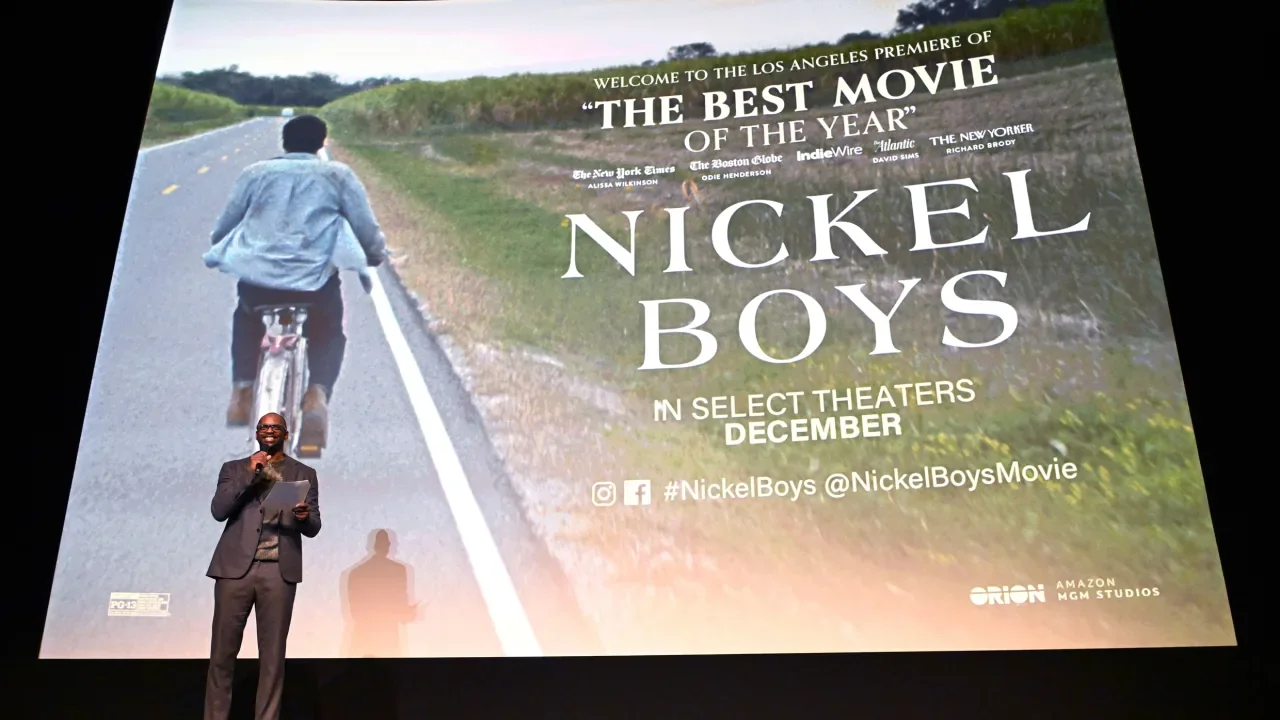
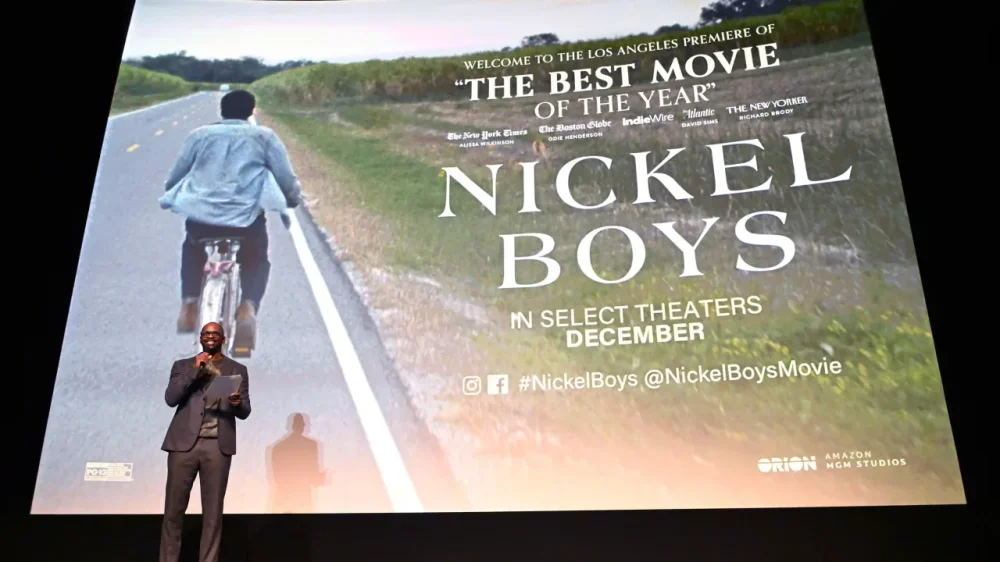
Amazon is betting big on movie theaters—even if it isn’t counting on mega profits. The Silicon Valley giant told The New York Times last week that it is planning to release about 14 movies annually in theaters across the United States, an untraditional move for a company that has for years focused on streaming. Instead of simply dropping films directly onto Prime Video, its streaming service, Amazon wants audiences to see its movies on the big screen first—typically for 45 days—before they’re available for streaming. Three years after Amazon bought MGM for $8.5 billion, the tech giant is signaling that it is ready to compete more directly with Hollywood’s biggest studios. According to eMarketer analyst Jeremy Goldman, the theatrical push has more to do with earning customer loyalty than it does raking in game-changing revenues. “By investing in wide releases with A-list talent and 45-day exclusive theatrical windows, Amazon is signaling that it wants its films to matter—not just be content that quietly drops on a Thursday night,” Goldman says. In the past 10 years, Amazon has acted as distributor for a number of critically acclaimed films, including Nickel Boys, American Fiction, Sound of Metal, and Manchester by the Sea, all of which were nominated for Best Picture Oscars and received at least limited theatrical releases. In recent years, Amazon has released five to eight films in theaters annually, often with varying time frames before they became available on Prime Video. The newly announced 14-film, 45-day-window strategy is in league with what the five major studios—Universal, Paramount, Warner Bros., Walt Disney, and Sony—do each year. The shift could be a boon for the movie theater business, which has struggled to recover from the COVID-19 pandemic. Box office receipts are down 20% to 25% from pre-pandemic levels in 2019, according to a research note Bloomberg Intelligence shared with Fast Company. Bloomberg Intelligence analysts Geetha Ranganathan and Kevin Near noted that this investment could fill a competition gap left when Disney bought 21st Century Fox in 2019. In addition to award-winning releases, Amazon has blockbuster films at the ready. The company reportedly paid an additional $1 billion earlier this year to take full control of the James Bond franchise, and is expected to name a new Bond to replace Daniel Craig soon. Amazon is honing its theatrical strategy as other streaming giants continue to tinker with theirs in an effort to fuel both streaming user and theatergoer demands. Apple and Netflix have limited theatrical releases, while Disney is stuck between fueling its Disney+ streaming services and giving moviegoing audiences the theater experience they crave for blockbusters. Mike Proulx, vice president and research director at Forrester, sees a parallel to Amazon’s model in Disney: “The company’s theatrical release strategy is akin to what Disney has been doing for years with Disney+ as the eventual beneficiary of the content.” Proulx adds that while Amazon is trying to find the right balance between its streaming and theater strategies, an uptick in quality films is ultimately a net positive for the company. “Better content makes Prime Video more valuable,” he says, “even if some people opt to wait for it to end up there.” View the full article
-
There is no school of foreign policy realism or trade mercantilism that could explain the US president’s actionsView the full article
-
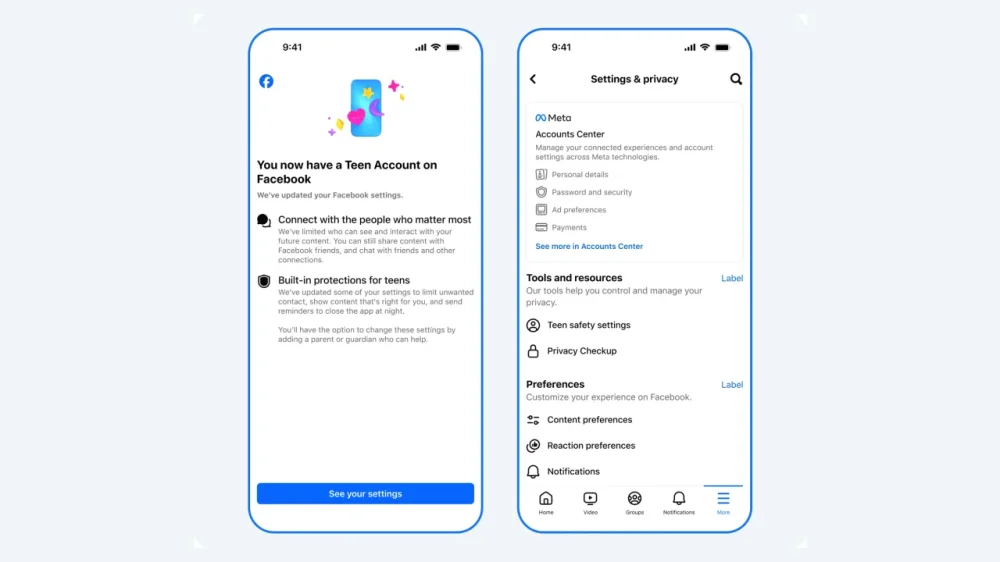
Meta is bringing its Teen Accounts, which have stricter parental controls, to its Facebook and Messenger platforms on Tuesday, expanding its teen service from just Instagram. The social media giant rolled out Teen Accounts last year on Instagram that have built-in restrictions on who can contact teens, the content they see, and limits on their time on Instagram. Tuesday’s announcement also includes updates to Instagram’s teen service that will roll out in the next couple of months. Instagram said that teens under 16 will be prohibited from going Live unless their parents give them permission to do so. Teens under that age also will be required to have parental permission to turn off a feature that automatically blurs imaged containing suspected nudity in DMs. Meta has come under fire from parents and lawmakers for its platforms’ impacts on young users. Forty-one states and D.C. filed lawsuits against Meta in 2023, alleging that the company intentionally designed some features on Facebook and Instagram that they knew could harm teens and other young users. Tuesday’s announcement is part of a broader push by the social media giant to beef up parental controls to drum up support. Instagram said it moved 54 million teens into Teen Accounts. It added that 97% of teens aged 13 to 15 years old keep those built-in protections on. View the full article
-
Almost seamlessly, the two sides of a scenic forest in Alberta, Canada, have been woven back together. Located between Calgary and Banff National Park, this stretch of the Canadian Rockies is sliced in two by the Trans-Canada Highway, one of the busiest roadways in the province. That’s had deadly consequences for the area’s abundant wildlife, as well as the tens of thousands of people who drive through it every day. But now, after years of mounting wildlife-vehicle collisions, the danger to animals and humans is being addressed with a stunning new wildlife overpass. The Bow Valley Gap wildlife overpass is a roughly 200-foot-wide cap over a four-lane highway, topped with soil and forest-like plantings that creates a bridge almost indistinguishable from the forest on either side. The design and engineering firm Dialog led the structural engineering and landscape architecture of the overpass, which was funded by Alberta’s provincial department of transportation and is now the first wildlife overpass in Canada constructed outside of a national park. It’s in an area where reported vehicle collisions with deer, elk, coyotes, and grizzly bears happen 69 times per year on average. “The very rough rule of thumb is for every collision that is recorded or every carcass that is seen on the side of the road, you can usually double that number,” says Dialog’s Neil Robson, the overpass project manager and lead designer. “The best way to mitigate collisions is to try to prevent them. The number one way to prevent them is actually fencing. But fencing doesn’t allow connectivity of the animal. It keeps them on both sides of the highway,” Robson says. “Very helpful for collisions, but not helpful for migration patterns, connectivity, the ability to get mates, genetic diversity, and that’s where the overpass comes into play.” The overpass sits atop two arched tunnels that cover the two traffic lanes and shoulders on each side of the road. Seen from a driver’s perspective, the overpass has a smooth M shape, and is covered with grasses, shrubs, and trees. A tall metal fence runs along its edges, as well as on the sides of the road leading up to the overpass, running a total of more than seven miles. Robson says the design of the overpass was heavily informed by animal migration data, with its width sized to accommodate the large species that are known to travel in this area. Wildlife biologists were involved during the initial design phases for the overpass and helped to shape its look and form. The overpass topography was influenced by the species that live in the area, and its slopes were calculated to accommodate what animals—both predator and prey—need to see to survive in the wild. “If you’re going up a crest and or up a hill and it’s too sharp, that’s not ideal for a prey species because they don’t really have the line of sight [to avoid predators],” Robson says. “Flatter topography for viewpoints and not having blind corners and other types of things also factor into the design.” These kinds of considerations are fairly new ones for wildlife overpasses. Dialog has some experience in this unique building typology, having designed a handful that already exist in Banff National Park. But Robson says the design process has become much more interdisciplinary in just the past few years, with designers and scientists working together. “It’s not just the engineering professional inheriting the recommendations from the biologist and ecologist or reading the report and then making their own decisions. We’re going to those sites together. We’re working through the designs together,” he says. That’s even affecting how these projects are planted. For the Bow Valley Gap overpass, scientists helped determine the ideal mix of plant species that would mimic the forest surroundings but not encourage animals to linger near what is still a potential collision area. “We do want the landscape architecture on top, the grasses, the shrubs, and the trees, to be as close to the natural surroundings as possible,” Robson says. “But you also don’t want them to be overly edible, because if you plant them in and a herd of deer or elk start to chew on things, you’re not going to have much vegetation left.” Those plants are still maturing on the overpass, which was officially completed in December. But even as it grows in, Robson says the design process behind the overpass is informing future wildlife overpasses in Canada, including three that Dialog is currently designing. And, perhaps more importantly, it’s already being used by the species it was designed to protect. View the full article

-
Former retail tycoon brought privacy claim after Lord Hain used parliamentary privilege to link him to sexual misconduct allegations View the full article
-
Google's John Mueller affirmed that using the disavow tool is not a normal part of site maintenance The post Google Says Disavow Tool Not Part Of Normal Site Maintenance appeared first on Search Engine Journal. View the full article