ResidentialBusiness
Administrators
-
Joined
-
Last visited
Everything posted by ResidentialBusiness
-
 A complete overview of n8n pricing tiers, additional costs, value for money, and how to pick the right plan for you. Plus, alternatives to consider and a side-by-side pricing comparison. The post n8n Pricing Tiers & Costs appeared first on The Digital Project Manager. View the full article
 -
Extreme weather is dangerous weather, and that’s particularly true for the heavy rainfall events that experts say are becoming more frequent with climate change. The powerful storms can pose threats ranging from falling limbs to downed power lines to drowning. Experts say disaster preparation and good planning can help protect lives and property. What should you do if you face record rainfall? Long before extreme weather happens, it’s important to consider whether your home meets building codes, and to know what your insurance covers, experts say. This is the time to address any shortcomings. Once storms draw near, stay informed by signing up for real-time city, county and federal weather alerts, and listen to the news and whatever your local officials are saying. You can take simple steps to help protect your property, such as ensuring that gutters, storm drains and stormwater systems are clear and ready to do their part in carrying off heavy rain. If using sandbags to protect property, make sure they’re properly made and stacked to keep water out. Should you try to evacuate or stay put? If there are local orders to evacuate, you need to heed them. Gather important documents, get enough gas to drive out and prepare to be away for an extended period of time, said Jeannette Sutton, associate professor at the University at Albany. People need to err on the side of caution, she said. As major storms move in, there often comes a point when leaving is more hazardous than staying put. One major danger involves flooded roadways. Drivers who attempt to push through them can be swept away by water that is deeper than it appeared and stronger than thought. How can you prepare your home and belongings? Moving keepsakes, furniture and valuables to upper levels and making sure sump pump batteries are fully charged are shorter-term ways to prepare, along with ensuring there’s enough food, water and medical supplies. Cars can be protected by getting them into a parking structure with upper levels. Experts also say use common sense in planning: Don’t keep your backup generators in a basement where they can be ruined by flooding, for instance. What can you do once a disaster has started? If you aren’t able to prepare for floods in time, you should move to the highest level of your home, experts say, or seek out a safe shelter. If high winds and tornadoes are a threat, however, it could be dangerous to be too high up. That’s why checking forecasts is critical. —Alexa St. John, Associated Press climate reporter View the full article

-
We may earn a commission from links on this page. Deal pricing and availability subject to change after time of publication. Anytime you're looking for a good smartwatch, Garmin's name is bound to come up. The Garmin Instinct 3 came out very recently, and that means the Garmin Instinct 2 has dropped in price—and even though that model is now a generation old, it's still an incredible fitness and outdoor smartwatch. With this latest price drop, the Garmin Instinct 2 Solar is now $229.99 (originally $399.99), the lowest price it has reached, according to price tracking tools. Garmin Instinct 2 Solar Features: Recovery Time; MTB Dynamics; Wrist-Based Heart Rate; Stress Tracking; Sleep Score, etc. $229.99 at Amazon /images/amazon-prime.svg $399.99 Save $170.00 Get Deal Get Deal $229.99 at Amazon /images/amazon-prime.svg $399.99 Save $170.00 The Garmin Instinct 2 Solar is a serious smartwatch, visually represented by its no-nonsense, black-and-white display. It puts all of its chips on functionality over other aspects a health smartwatch might offer. As the name implies, it's a solar-powered watch. Three hours of being in the sun gives you about 24 hours of juice or one hour of GPS battery life. Even without sun, a full charge gives you 28 days of juice. The GPS and the heart rate feature are very accurate, so if that's what you care about, the Instinct 2 Solar will not disappoint. The Instinct 2 Solar has a lot of different sport profiles you can choose to track, making it great for triathlon athletes or people who like to practice many different sports. It also has Connect IQ app support, which opens the doors to many third-party apps for extra features, face watches, and widgets. And if you need some motivation or guidance with your fitness goals Training Status can suggest workouts for running and cycling. The watch also includes helpful tools like a built-in compass, altimeter, and barometer, making it great for hardcore hikers. Finally, since the Instinct 2 Solar has Connect IQ, you can configure your watch with the app instead of painstakingly doing it on the watch. View the full article
-
Sackings come as top adviser Mike Waltz faces pressure for discussing military strikes in Signal chatView the full article
-
Construction project management is designed to deliver projects on time and on budget while maintaining or improving quality. Value engineering in construction is one method general contractors use to achieve those goals. What is value engineering in construction? We’ll answer that question and show how to implement it through various techniques. Then it’ll become apparent why this benefits anyone involved in construction projects. What Is Value Engineering in Construction? Value engineering in construction is a systematic method aimed at improving the value of a project by optimizing its function while reducing costs. It involves analyzing project components, processes and materials to find the most efficient and cost-effective solutions without compromising quality, safety or performance. The goal of value engineering is to maximize the return on investment (ROI) by identifying unnecessary costs and eliminating them through alternative approaches. This process typically occurs during the design phase, but can also be applied during construction to find more economical methods. Value engineering in construction works by function analysis, which identifies the essential functions of a project component. It then applies cost reduction by finding less expensive materials or construction methods without sacrificing quality. This involves creative problem solving to find innovative solutions to meet project objectives by collaborating with stakeholders, designers, engineers and contractors. Project management software can help with value engineering in construction. These tools have a suite of features that can support cost control, resource management and project optimization throughout the project lifecycle. ProjectManager is award-winning construction project management software with budget and cost management tools. Gantt charts can schedule tasks, resources and costs, helping construction managers identify areas where costs can be reduced without affecting the project’s quality or performance. More than that, our Gantt charts link all four types of task dependencies to avoid cost overruns, filter for the critical path to manage slack and can set a baseline to monitor expenditures in real time to spot inefficiencies early for better decision making for cost reduction. Get started with ProjectManager today for free. /wp-content/uploads/2025/03/Gantt-CTA-2025.jpgLearn more How to Implement Value Engineering in Construction Implementing value engineering in construction is a systematic process aimed at optimizing a project’s value by balancing function and cost. The goal is to achieve the best possible outcome by identifying cost-effective alternatives without sacrificing quality or performance. This approach is typically employed during the design and planning stages, but can also be applied during construction to identify and implement efficiencies. The process of value engineering follows a structured methodology divided into distinct phases. These phases guide the team in analyzing and improving the project in terms of function, cost and feasibility. Here are the key phases in implementing value engineering in construction. Information Phase In the information phase, the project team gathers all necessary data and documentation related to the project, including specifications, design plans and budget information. This phase focuses on understanding the project’s scope, objectives and constraints, providing a clear picture of the current state before any changes are made. The more comprehensive the data collected in this phase, the better the analysis and decision-making in later stages. Function Analysis Phase During the function analysis phase, the project team identifies and defines the essential functions of each component or aspect of the project. This phase helps to understand what the project needs to achieve and the core functions of each item or process. By breaking down each function and its associated costs, the team can determine where value improvements or cost savings can be made without affecting the project’s overall performance. Creative Phase The creative phase is where the team brainstorms and explores all possible alternatives or innovative solutions to achieve the same functions more efficiently or cost-effectively. No idea is off-limits during this phase, and the focus is on creativity and problem-solving. The team can propose different materials, processes, technologies or design modifications that can help lower costs while still delivering the intended outcomes. Evaluation Phase In the evaluation phase, the ideas and alternatives generated during the creative phase are reviewed and assessed based on their feasibility, cost-effectiveness and impact on the project. This phase involves conducting a detailed analysis to determine which alternatives offer the greatest value for the lowest cost. Criteria such as performance, risk and implementation time are weighed against the potential savings or benefits. Development Phase After evaluating the alternatives, the most promising options are taken forward for further development in the development phase. This phase involves creating more detailed plans and specifications for the selected alternatives, determining their practicality and cost implications. It may also involve testing or prototyping to ensure the proposed changes can be successfully integrated into the project. Presentation Phase In the presentation phase, the developed ideas and alternatives are presented to the project stakeholders, such as clients, designers, contractors and team members. This is where the final recommendations are made, showcasing the benefits of the proposed changes and justifying the cost savings and value improvements. The goal is to get approval from stakeholders for the proposed value engineering solutions. Implementation and Follow-Up Phase Finally, in the implementation and follow-up phase, the approved value engineering recommendations are put into action. This phase includes integrating the changes into the project’s design or construction process. It’s critical to monitor the progress and effectiveness of the implemented changes. The project team should track outcomes, compare actual savings with projected savings and ensure that the improvements are properly incorporated into the project, ensuring long-term success. Techniques for Value Engineering in Construction Value engineering in construction relies on structured techniques to optimize costs while maintaining or improving a project’s functionality and quality. These techniques help project teams analyze design, materials and processes to find the most efficient solutions. Below are some of the most effective techniques used in value engineering for construction projects. 1. Target Value Design (TVD) Target value design is a cost-driven approach that aligns project design with a predetermined budget. Instead of designing first and then estimating costs, TVD ensures that designs are developed with cost constraints in mind from the beginning. This method encourages collaboration among architects, engineers and contractors to create cost-effective solutions while maintaining project objectives. 2. Life Cycle Costing (LCC) Life cycle costing evaluates the total cost of ownership of a building or infrastructure over its entire lifespan, rather than just considering initial construction costs. This technique factors in maintenance, operation, energy consumption and disposal costs to ensure that design choices lead to long-term savings. By prioritizing durable and efficient materials or systems, LCC helps maximize project value over time. 3. Function Analysis System Technique (FAST) The function analysis system technique is a structured method used to break down a project or system into its core functions. It helps teams analyze how different components contribute to the overall project goal and identify areas where costs can be reduced without sacrificing essential functions. By organizing functions in a logical diagram, FAST facilitates better decision-making in value engineering. 4. Integrated Project Delivery (IPD) Integrated project delivery is a collaborative approach that brings together all key project stakeholders—including owners, designers, engineers and contractors—early in the process to optimize design, cost and execution. By promoting teamwork and shared responsibility, IPD helps minimize waste, reduce costs and ensure that value engineering decisions are implemented effectively. 5. Design-to-Cost (DTC) Design-to-cost is a method where cost targets guide the design process. Instead of allowing costs to escalate as designs become more complex, DTC ensures that financial constraints are considered from the start. This technique prioritizes value-driven decision-making by selecting materials, construction methods and designs that align with budgetary goals without compromising performance. Benefits of Implementing Value Engineering in Construction Value engineering in construction provides a structured approach to optimizing project costs and improving efficiency while maintaining or enhancing quality. By focusing on functionality and cost-effectiveness, value engineering helps stakeholders align project goals with financial constraints, leading to better project outcomes. Below are some key benefits of implementing value engineering in construction projects. Helps Establish Realistic Stakeholder Expectations One of the significant benefits of value engineering is that it aligns stakeholder expectations with project feasibility. By analyzing costs, functions and design alternatives early in the project, it ensures that all parties—owners, designers and contractors—have a clear understanding of what can be achieved within budgetary and time constraints. This transparency reduces misunderstandings and helps stakeholders make informed decisions about project scope and priorities. Maximizes the Profit Margin for Contractors Value engineering in construction helps contractors improve profitability by identifying cost-saving opportunities without sacrificing project quality. By selecting more efficient materials, alternative construction methods or streamlined processes, contractors can reduce unnecessary expenses and increase efficiency. Additionally, it can lead to reduced waste, shorter project timelines and better resource allocation, all of which contribute to higher profit margins. Helps Define Clear Project Requirements and Construction Specifications Through a structured function analysis, value engineering in construction ensures that project requirements and specifications are well-defined before construction begins. This clarity helps prevent design changes, delays and cost overruns later in the project. By focusing on the essential functions of each project component, it helps establish precise specifications that meet both performance and budgetary goals, leading to smoother project execution. How ProjectManager Helps Manage Construction Projects There are many ways in which ProjectManager can help with value engineering in construction. However, that’s only the beginning of how our award-winning project and portfolio management software can manage construction projects. We’ve already shown how our Gantt charts work, but they also adjust schedules and workflows for efficiency, optimizing the project timeline through better sequencing of tasks to reduce time and cost. We also have collaborative features, such as document sharing and commenting at the task level, which improve communication and teamwork are essential to identifying cost-effective solutions. But there’s more. Allocate and Optimize Resources Keeping costs down requires strict resource management. That begins with scheduling resources and costs on the Gantt chart to allocate labor, equipment and materials efficiently, but continues when onboarding teams. At that point, general contractors can set the team’s availability, including PTO, vacation and global holidays, which makes it easier to assign the right person to the right task at the right time. Construction managers can analyze resource allocation by visiting the color-coded workload page and seeing who is overallocated or underutilized. They can then balance the team’s workload without leaving the chart. The team page gives a weekly or daily view of the team’s activities. It can be filtered by progress or priority and tasks updated right from that page to reduce waste by ensuring resources are optimally used. /wp-content/uploads/2023/01/Team-Light-2554x1372-1.png Get Actionable Insights From Real-Time Dashboards and Reports Managing construction projects and keeping costs aligned with the project budget requires monitoring and control. For a high-level overview, toggle over to the project or portfolio dashboards. There’s no setup required to view easy-to-understand graphs and charts on time, cost, workload and more. For more details on project performance, use customizable reports on project or portfolio status, variance, timesheets, workload and more. These reports can be filtered to evaluate potential changes to improve the project’s value or provide progress reports to keep stakeholders informed. Even our secure timesheets help by tracking labor costs to keep to the budget. /wp-content/uploads/2022/07/Dashboard-light-mode.jpg Related Content Value engineering in construction is one way general contractors control costs when managing projects. There are other ways, too, of course. For those who want to delve a little deeper into the subject, below are a handful of links to recently published articles from our blog. A Quick Guide to Value Engineering for Projects Construction Quality Control: Essential Tips Construction Cost Management 10 Types of Construction Projects with Examples Construction Budget: A Quick Guide (with Examples) ProjectManager is online construction project management software that connects teams whether they’re in the office or on the job site. They can share files, comment at the task level and stay updated with email and in-app notifications. Get started with ProjectManager today for free. The post Value Engineering in Construction: Phases & Techniques appeared first on ProjectManager. View the full article
-
Want more housing market stories from Lance Lambert’s ResiClub in your inbox? Subscribe to the ResiClub newsletter. When assessing home price momentum, it’s important to monitor active listings and months of supply. If active listings start to rapidly increase as homes remain on the market for longer periods, it may indicate pricing softness or weakness. Conversely, a rapid decline in active listings could suggest a market that is heating up. Generally speaking, local housing markets where active inventory has returned to pre-pandemic levels have experienced softer home price growth (or outright price declines) over the past 30 months. Conversely, local housing markets where active inventory remains far below pre-pandemic levels have, generally speaking, experienced stronger home price growth over the past 30 months. How does housing inventory look in 2025? It looks like we will see a double-digit increase in active inventory this year across most of the country. National active listings are on the rise (up 28.5% between March 2024 and March 2025). This indicates that homebuyers have gained some leverage in many parts of the country over the past year. Some sellers markets have turned into balanced markets, and more balanced markets have turned into buyers markets. Nationally, we’re still below pre-pandemic 2019 inventory levels (20% below March 2019) and some resale markets, in particular big chunks of Midwest and Northeast, still remain tight to tight-ish. Here’s how the March 2025 inventory/active listings, compare to historical totals, according to Realtor.com: March 2017: 1,172,713 March 2018: 1,067,281 March 2019: 1,115,940 March 2020: 937,319 March 2021: 440,589 (overheating during the pandemic housing boom) March 2022: 354,016 (overheating during the pandemic housing boom) March 2023: 562,444 (mortgage rate shock) March 2024: 694,820 March 2025: 892,561 Below is the year-over-year percentage change by state. While active housing inventory is rising in most markets on a year-over-year basis, some markets still remain tight. As ResiClub has been documenting, both active resale and new homes for sale remain the most limited across huge swaths of the Midwest and Northeast. That’s likely where home sellers this spring will have more power. In contrast, active housing inventory for sale has neared or surpassed pre-pandemic 2019 levels in many parts of the Gulf region, including metro area housing markets such as Punta Gorda and Austin. These areas saw major price surges during the pandemic housing boom, with home prices getting stretched compared to local incomes. As pandemic-driven migration slowed and mortgage rates rose, markets like Tampa and Austin faced challenges, relying on local income levels to support frothy home prices. This softening trend is further compounded by an abundance of new home supply in the Sun Belt. Builders are often willing to lower prices or offer affordability incentives to maintain sales, which also has a cooling effect on the resale market. Some buyers, who would have previously considered existing homes, are now opting for new homes with more favorable deals. At the end of March 2025, seven states are above pre-pandemic 2019 active inventory levels: Arizona, Colorado, Florida, Idaho, Tennessee, Texas, and Utah. The District of Columbia is also above pre-pandemic 2019 inventory levels. (Weakness in D.C. proper predates the current admin’s job cuts.) The states that have jumped above pre-pandemic 2019 inventory levels are where home buyers have gained the most leverage heading into the spring 2025 housing market. Big picture: Over the past few years we’ve observed a softening across many housing markets as strained affordability tempers the fervor of a market that was unsustainably hot during the Pandemic Housing Boom. While home prices are falling in some areas around the Gulf, most regional housing markets are still seeing positive year-over-year home price growth. The big question going forward is whether active inventory and months of supply will continue to rise and cause more housing markets to see price softening? Below is another version of the table above—but this one includes every month since January 2017. If you’d like to further examine the monthly state inventory figures, use the interactive chart below. (You can also find more information here on the ongoing softness and weakness across Florida.) View the full article

-
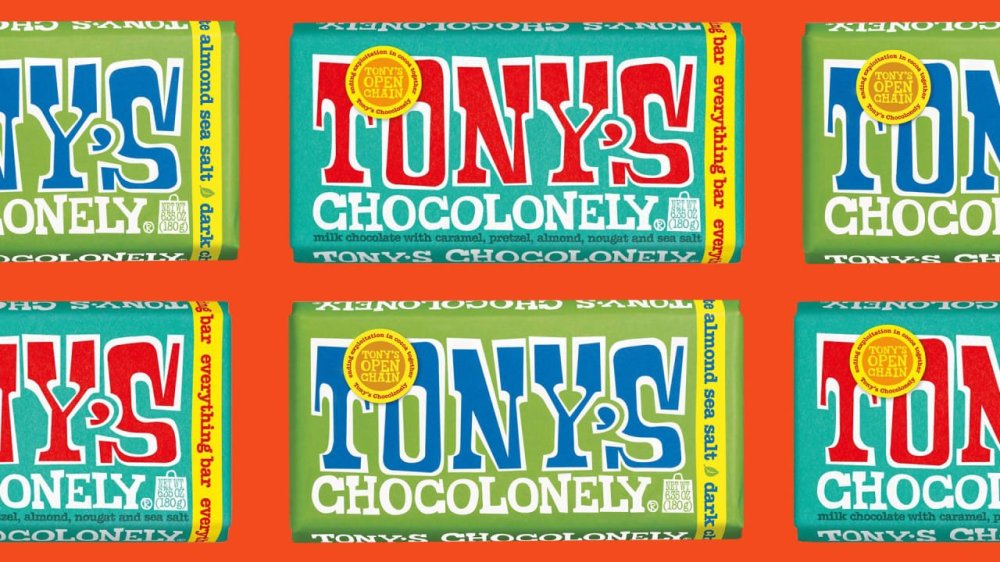
Another day, another recall: On Tuesday, popular chocolate brand Tony’s Chocolonely recalled two of its bars, Tony’s Dark Almond Sea Salt Bar (6.35oz) and Everything Bar (6.35oz), following 12 reports from consumers who found small stones “not filtered during third-party almond harvesting and the almond processing process.” The bars were distributed nationwide from February 7 to March 24, 2025 and sold in various retail stores, as well as at Tony’s online store. “We are extremely sorry to have to issue this recall, and for the inconvenience that this will cause,” a company spokesperson told Fast Company. “Whilst the probability of a product being affected is low, we always put the safety and satisfaction of our consumers first.” The company added that all complaints occurred outside of the United States and Canada, and no injuries or illnesses have been reported. Tony’s issued this voluntary recall in consultation with the Food and Drug Administration (FDA) as a precautionary measure. How can I tell if I purchased one of the recalled chocolate bars? The recall applies to seven lot codes, listed below: 6.35-oz. of of “Tony’s Chocolonely Everything Bar” with lot code 4327, UPC 850011828564, and use by date Nov. 22, 2025 6.35-oz. of of “Tony’s Chocolonely Everything Bar” with lot code 4330, UPC 850011828564, and use by date Nov. 25, 2025 6.35-oz. of of “Tony’s Chocolonely Everything Bar” with lot code 4331, UPC 850032676441, and use by date Nov. 26, 2025 6.35-oz. of of “Tony’s Chocolonely Everything Bar” with lot code M4331, UPC 850011828564, and use by date Nov. 26, 2025 6.35-oz. of of “Tony’s Chocolonely Dark Chocolate Almond Sea Salt” with lot code 163094, UPC 858010005641, and use by date April 2, 2026 6.35-oz. of of “Tony’s Chocolonely Dark Chocolate Almond Sea Salt” with lot code 162634, UPC 858010005641, and use by date Feb. 28, 2026 6.35-oz. of of “Tony’s Chocolonely Dark Chocolate Almond Sea Salt” with lot code M162634, UPC 850011828908, and use by date Feb. 28, 2026 No other Tony’s products are affected. What should I do if I have a recalled Tony’s chocolate bar? If you purchased one of the affected products with the specified lot codes, it is recommended to return it to the store of purchase for a refund, or throw it away. For more information, or to claim a refund or replacement, visit the company’s website here. View the full article
-
As someone who's planning to buy the Nintendo Switch 2, I've had my eye on the accessories I'd need to get with the console. Since Super Mario Party Jamboree, which is getting some new mini-games in its Switch 2 port, is one of the games I'm very interested in, the Switch 2 Camera accessory caught my eye. After all, who doesn't want to make dramatic faces while playing with their friends? You can even use it for chat, too. However, I'm not sure I can justify spending $50 on an accessory that'll probably gather dust after I'm done with Mario Party. Fortunately, it looks like the Switch 2 Camera is not the only way to play camera-based games or video chat with your friends on the Nintendo Switch 2. How to check if the Nintendo Switch 2 supports your USB-C camera Credit: Nintendo A quick look at Nintendo's Switch 2 Camera webpage reveals that you can use third-party USB-C cameras with the console, even ones that aren't made with it in mind. Like me, if you already have a USB-C camera lying around, you can plug it into the Switch 2 and the console will tell you if it's compatible. Whenever you end up getting the Switch 2, just go to the console's settings and navigate to the Controllers & Accessories section. Once the camera is connected to the Switch 2, select Test USB Camera and the console will let you know if the camera is compatible with the system. Why you might want to consider an alternative USB cameraI don't want to discourage people from buying Nintendo's Switch 2 Camera right away, since I haven't tried it yet. But I won't be buying it immediately, because it's too expensive for me. Yes, you get guaranteed compatibility and a useful stand that lets you place it on any flat surface, but that doesn't necessarily justify its price. At the time of writing, you can buy good USB-C webcams for as little as $20 each. These cameras ship with a privacy cover and adjustable stands that can be mounted on top of a TV or placed on a flat surface, and there's a good chance you already own one. If you can use one for the Switch 2 instead, it might be worth opting for that instead of spending extra cash. View the full article
-
Influencing has a major pay gap, and it’s not what you might expect. A new report from Collabstr, based on over 15,000 influencer collaborations using first-party data, reveals a surprising disparity: male creators earn 40% more per collaboration than female creators—$291 compared to $208 on average. This gap persists despite women making up the majority of the content creator space. In 2024, 72% of influencers are women, up from 70% in 2023. These two facts are connected. The report, which focused predominantly on nano and micro-influencers, suggests that female creators are paid less largely due to the sheer number of women in the industry. Oversaturation drives down rates and weakens their bargaining power compared to male counterparts. Notably, the report found that the higher the follower count, the smaller the pay gap. “While female dominated niches like fashion, beauty, lifestyle receive a lot of influencer spend, there is a lot of saturation especially at the nano and micro-influencer stage, and as a result the brands have more options and are able to price collaborations lower because there is essentially unlimited supply in these niches,” Collabstr cofounder Kyle Dulay tells Fast Company. Perception also plays a role in the gender pay gap. According to the report, women are more often labeled as “influencers,” while men are referred to as “content creators.” This distinction isn’t just semantic—it has real consequences. The label “influencer” can diminish and undervalue women’s work, framing them as product-pushers, while men are positioned as creative professionals and innovators. Dulay suggests that one way for female creators in saturated niches to command higher rates is by narrowing their focus. “Instead of being a ‘beauty’ influencer, see how you can narrow that down further, perhaps into skincare particularly or highlighting your journey with acne,” he explains. “By doing this, you’re no longer competing with every other female in the beauty space, and you retain the power to price your services accordingly, rather than having prices dictated by brands.” That niche doesn’t have to be permanent. “As you grow, naturally the ratio of female to male influencers drops, and you can begin widening your niche while retaining your pricing power,” he adds. The creator economy is booming. The user-generated content (UGC) market hit $7.62 billion in 2024 and is projected to climb to $35.44 billion by 2030. More creators are seizing the opportunity—66% now offer UGC services, up from just 26% in last year’s report. For female creators especially: know your worth, and don’t be afraid to claim it. View the full article

-
It's not difficult to delete an app off your iPhone. In fact, it only takes a few taps at most. If you're so inclined, you can even remove purchases from your Apple Account entirely. So it might come as a bit of a surprise if you see that app randomly reappear. As it happens, some users are seeing just that. MacRumors spotted multiple threads across both Reddit and Apple's Community Support site, all featuring the same complaint: users noticing apps they did not choose to download appearing on their iPhones. Some of these affected users had previously deleted these apps months or years ago, and didn't understand why they were back. Others, however, had no memory of ever downloading the app in question in the first place. The account Someandroiduser started a Community Support thread, claiming a previously deleted app "Last War Survival" ended up on their iPhone again. Redditor dURDENN7 posted the same, without naming the app in question. It's worth noting some of the commenters on that thread said their iPhones had downloaded "Last War Survival" as well, including one who said they had never downloaded the app before. Reddit user illyyas posted that they had discovered the game "Ingress" installed on their iPhone, despite the fact they don't play games at all on their phone. Another commenter said their iPhone downloaded "Cooking Mama" to their Home screen, even though the App Store still showed the option to "Get" the app—implying the user had never actually installed the app before. Another user shared a similar story with the game "Bit City." Is iOS 18.4 responsible?While it isn't totally clear what is behind these app downloads, one through line does appear to be iOS 18.4. The update officially dropped on Monday, adding new features and security patches for compatible iPhones. Unfortunately, Apple might've missed a bug in beta testing, since many of these user complaints note these apps mysteriously appeared after installing the latest iOS update. MacRumors notes that Automatic Downloads—the feature that installs previously downloaded apps on other connected Apple devices—doesn't seem to be at fault here, since many of the affected users only have iPhones. In addition, the outlet identified that these devices were not jailbroken and were not using a third-party app marketplace. To Apple's credit, this hasn't been my experience with the newest update. I installed iOS 18.4 on my iPhone, and, as far as I can tell, no new or previously downloaded apps found their way into my App Library. However, it is a problem: You shouldn't expect to see apps you previously deleted reappear on your device, and you definitely shouldn't see apps you never downloaded to begin with. Apple has not made a public statement about this issue, nor is there really much you can do to prevent it. If you happen to notice an app you previously deleted—or never actually downloaded in the first place—your best bet is to simple delete it, and hope it doesn't show up again. View the full article
-
Nations prepare offers to Washington including weapons deals, dropping their own tariffs and moves against ChinaView the full article
-
Paint is the cheapest, easiest renovation you can do: it makes everything fresh and new, it covers defects, and it’s something almost anyone can do to a reasonable level of quality. If you just read that last part and started shaking your head because your paint projects always turn out terribly—patchy, or with visible sheen or brush strokes, or a final color that doesn’t seem to match what you chose in the store at all—the cause probably isn’t your work ethic, or an evil spirit inhabiting your house. The problem probably lies in your prep work. If all you’re doing before you start slapping paint on the walls is applying some painter’s tape and covering the furniture, the chances that the final paint job will look terrible are actually pretty high. Here are all the things you should take into account before you dip that brush. Consider temperature and humidityThe weather can affect the quality of your paint job. Extreme temperature or humidity can have an adverse impact on the drying time. At colder temperatures, paint can thicken, extending its drying time. At hotter temperatures, it can dry too quickly, affecting adhesion. High humidity that leaves moisture on the walls will also result in a sub-par paint job. Your home is probably climate controlled, so painting inside even during extreme weather is certainly possible—just make sure the temperature is between 50 and 90 degrees and the humidity levels are between 40 and 60%. Prep the wallsIt’s usually a good idea to wash your walls before painting them to ensure there is no dust or dirt that could adversely affect adhesion. While you’re at it, look for cracks, dents, peeling tape, or other defects and patch everything up (including crayon or grease stains that will probably show through your paint unless they’re scrubbed off). A small flaw that isn’t noticeable now might become a glaring problem when a fresh coat of paint brings it to the forefront. Cleaning walls with a dry microfiber cloth followed by warm water and a sponge is usually sufficient, unless your walls are really dirty. If you’re worried about it, add a small amount of dish washing liquid or trisodium phosphate (if your walls are greasy and very dirty)—but avoid colored soaps that might leave a tint behind. Choose the right rollersOne big reason paint jobs look like crap? The nap on your roller cover. The nap of your roller describes the thickness of the fibers. Generally speaking, the smoother your wall surface is, the smaller the nap of your roller cover should be. Painting kitchen cabinets? Go with a 1/4-inch nap. Painting a brick wall? An inch or even a 1 1/4-inch nap is best. Smaller fibers pick up less paint, while thicker fibers hold more paint—a too-short nap can result in a patchy finish on rough surfaces, while a too-long nap can add unwanted texture to smooth surfaces. Most interior paint jobs will call for a nap between 3/8 inch (very smooth walls) and 3/4 inch (textured walls, like stucco). Apply a separate primer coatThese days you can buy paint and primer together, which is a terrific time saver. But if your walls aren’t in great shape, even after cleaning and patching, you will usually get a much better result with a separate primer coat. This step might not be 100% necessary on your walls, but taking the extra time to prime properly will guarantee the best possible outcome. Identify the paint's undertonesAlmost all paint has an undertone (its base color )and a masstone (its overall hue). The undertone can be subtle and difficult to suss out, which is why it’s so important to paint a few samples on the wall before you commit. The paint’s undertone will interact with everything else in the room in ways that aren’t always obvious in the store. You brought home a beige paint, for example, but it has a green undertone, and suddenly it looks all wrong on your walls because your wood floors have yellow undertones. You can ask about the paint’s undertone at the store where you’re buying it. You can also use a color wheel to compare it to primary colors to get a sense of the undertones involved. Combine multiple buckets of paintIf you’re painting a small room and using just one can of paint, you’re good to go. If your project is larger and you’ll be using multiple cans of the same color, you should combine all your paint into a larger bucket and mix it up—a process called “boxing.” This is a good idea because even if you bought your paint from the same store at the same time, there can be subtle variations between cans. Maybe the pigments dispersed incorrectly, or the mixing process was slightly off. Whatever the reason, even the tiniest variation between cans will be incredibly obvious when you switch to the new can. Boxing it eliminates the danger. Check out your window tintYour windows can throw a wrench into your paint colors. This is because many windows have a very subtle green tint due to the presence of iron oxide in the glass. This isn’t noticeable in any way to the naked eye, as a rule, but it can cast a greenish tint on your paint that’s just strong enough to make it look inexplicably wrong in the daylight. Putting samples on the wall to judge the color is a great idea—but make sure you paint those samples in a spot where the light from your windows will hit them. Samples that look perfect in a more shadowed area may suddenly look weird when light hits it through the window. Figure out the color temperature of your lightsAnother lighting issue is your light bulbs. All the bulbs you’re using in your light fixtures have a color temperature, and that can affect how your paint looks. Generally speaking, bulbs with higher color temperatures will brighten darker paint and mute lighter colors and vice versa. This means that a paint color that looks terrific in daylight can suddenly look grim or faded at night when the lights come on. It’s best to check your samples in all kinds of light to make sure you’ve chosen wisely—and change your bulbs to support your paint if necessary. You should also check the color rendering index (CRI) of your bulbs. This is a rating between 50 and 100 that indicates how accurate the color rendering of the bulb will be. A CRI of 90 to 100 will show your paint as accurately as possible, reducing the chances that it will look worse when the sun goes down. Load your roller upFinally, when actually painting, don’t be shy with your roller. When initially “loading” paint onto a dry cover, take your time and work paint deep into the nap. This can take a few minutes, so don’t rush—you want a nice, wet roller when you hit the wall. When painting, don’t roll until the roller is exhausted—reload frequently and keep the nap damp. Exhausting your roller will just leave streaks and faint spots that may or may not get covered by a second coat—and may or may not haunt you for years afterward. View the full article
-
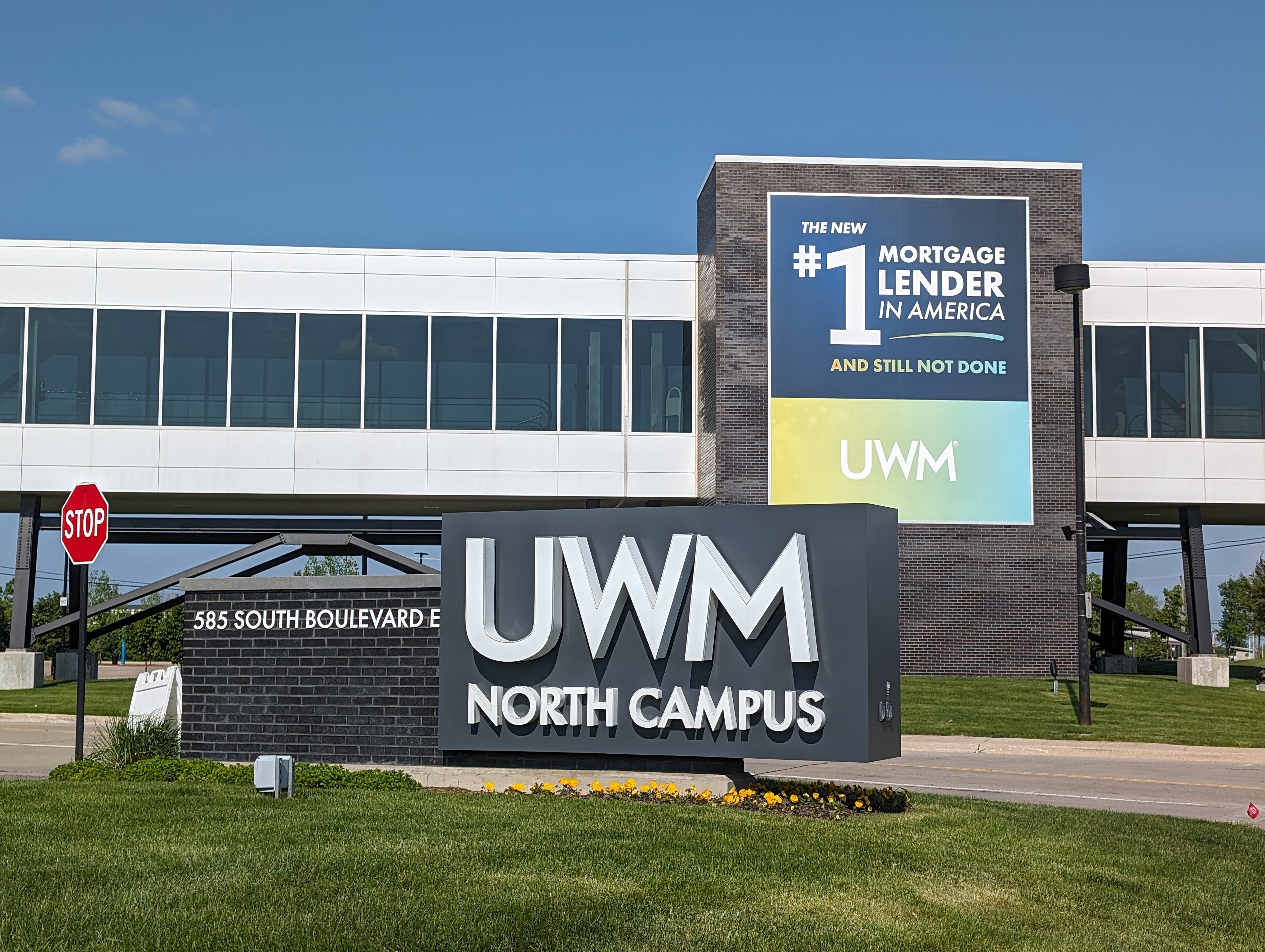
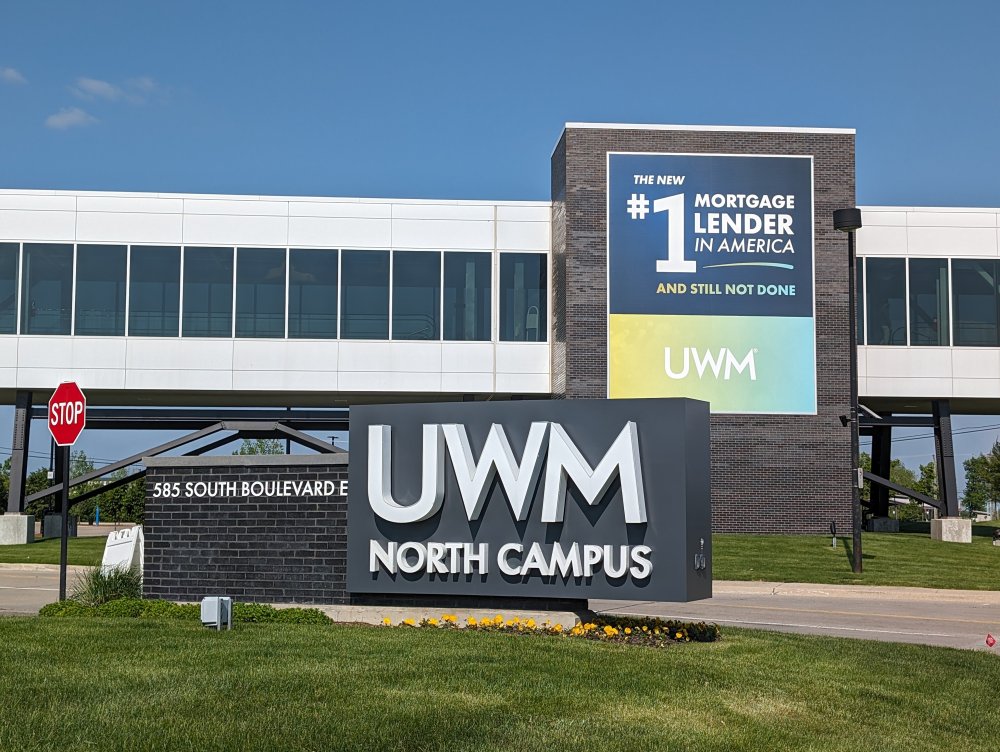
United Wholesale Mortgage led its industry peers in total origination volume, though Rocket Mortgage and Crosscountry weren't that far behind. View the full article
-
TikTok is shutting down TikTok Notes—wait, you didn’t even know it existed? Well, that explains a lot. TikTok Notes, the platform’s short-lived attempt to take on Instagram (just as Instagram Reels was built to mimic TikTok), is officially being retired. Launched in limited markets like Canada, Australia, and Vietnam last year, the photo-sharing app let users post images with captions—simple enough, but apparently not compelling enough. Users are now being notified that TikTok Notes will shut down on May 8, with TikTok instead shifting focus to another ByteDance-owned platform: Lemon8. “We’re excited to bring the feedback from TikTok Notes to Lemon8 as we continue building a dedicated space for our community to share and experience photo content, designed to complement and enhance the TikTok experience,” a TikTok spokesperson said in a statement to TechCrunch. Lemon8—think Instagram meets Pinterest—has quietly been gaining traction, tripling its U.S. user base since last summer and hitting 12 million downloads. It reportedly had around 12.5 million global monthly active users by December 2024. TikTok didn’t spell out why Notes is getting the axe, but given how few people knew about it . . . the writing was on the wall. In a notice to users, TikTok is urging anyone who used Notes to download and save their content before the app disappears for good. They’re also encouraging creators to continue their “creative journey” on Lemon8 instead. Unlike TikTok’s vertical video scroll, Lemon8 leans photo-first, allowing users to post curated carousels and slideshows. Still, it borrows TikTok’s dual-feed format, with both a “Following” and “For You” feed for discovery. Déjà vu? That’s because TikTok already started plugging Lemon8 as a backup late last year when a potential U.S. ban first loomed. Now, with a fresh April 5 deadline hanging over TikTok’s head, the strategy looks familiar—and unchanged. The short lesson of TikTok Notes: if it ain’t broke, don’t fix it. And if the whole app banned, I guess everyone panic. View the full article

-
This post was written by Alison Green and published on Ask a Manager. A reader writes: Last summer, an old mentor from my past company — who led a couple projects I was on but was not my direct manager — took a new VP role and sent for me. I had applied for a role on her team at our former org and didn’t get it, but was able to create a similar opportunity for me at her new org. I’m absolutely grateful. The tricky thing is I’m actually not happy here. This company is not my jam overall and I only somewhat give a shit because of my mentor and now boss. But as you’ve written about before, going from a friend (albeit a senior friend) to a manager had unexpected growing pains now that the dynamic is markedly different. I can sense things going south (i.e., at a recent off-site, I got feedback about my attitude and communication resulting from frustration with the org as a whole, and my gap in executive presence has had repercussions and has also created tension with my boss for making her look bad) and while I still have a sense of duty to someone who has advocated for my career, this company as a corporate entity can go fuck itself. Here’s where I’m stuck. I’ll be eligible for unemployment in April and will have accumulated enough hours. I’m not interested in resigning altogether (and can’t collect unemployment if I do), and I want to preserve relations with my boss and leave on good terms rather than being a miserable employee and leaving on bad terms. Is it an option at all to have a frank conversation negotiating a smooth exit that they initiate, and with severance? It’s possible! The severance part is less certain, although it’s possible too. Since it sounds like your boss knows things aren’t going well and probably won’t be surprised to hear you’re not loving it there, can you have a candid conversation where you lay out your concerns? You could say something like, “I really appreciate how much you’ve advocated for me, so I want to be up-front with you that I’m increasingly thinking Company isn’t the right place for me. I’ve encountered issues XYZ, and I’m concerned I’ve also caused problems for you since you brought me in. I’d like to be realistic that it’s not working out, and I wondered if you’d be open to negotiating a planned transition out of my role, where I could file for unemployment while I look for another job? Ideally I’d hope to discuss severance as well, with the hope of bringing this all to an easy resolution for everyone.” Your manager might hear this with some relief! If it’s been clear to her that things aren’t working out, it’s easier to have you raise it before she has to and to have you offer a clean solution for everyone. However, on the severance part: Companies typically only pay severance when they’re firing someone or laying them off. The idea is to give you a financial cushion so your income isn’t yanked away overnight (typically in exchange for you signing a general release of any possible future legal claims against them, whether or not they think you actually have any). However, there are some occasions where you can try to negotiate severance when you’re leaving voluntarily — like if it’s clear your work isn’t going well but your employer would prefer not to fire you (this might be your situation), or when you moved for a job that turned out to be very different from what you were promised and the employer feels guilty about that, or if the employer is worried you might have a legal claim against them for something otherwise. In your case, you’d basically be asking them to offer severance in exchange for a relatively clean exit from a messy situation. You don’t have a ton of leverage to negotiate it, but you can certainly ask without looking ridiculous. (And if there’s anything that would give you more leverage — like that you left a good job for this one and it ended up being different work than you were told — definitely mention that.) View the full article
-
Google today rolled out a new feature that automatically uses businesses’ marketing content to enhance their visibility across Google products. All merchants will be automatically enrolled in the marketing content usage program. You can opt out at any time through Merchant Center settings. How it works. Google will extract marketing information in two ways: Automatic signup to businesses’ marketing communications. Direct submission when merchants add Google’s dedicated email address (marketingemailtogoog@gmail.com) to their marketing lists. Why we care. Google can now extract and display information about your promotions, new products, and social media profiles across Search, Shopping, and Maps without any additional effort. This means increased visibility for your brand and products, as Google leverages existing marketing materials they’ve already created. However, this increased visibility could raise brand protection concerns that may just drive extra impressions but not any extra traffic/revenue to your site. Will Google stop showing the ad if they see low engagement on the extra ads they are showing? That is unknown. By the numbers. While Google hasn’t shared specific performance metrics yet, the company positions the program as a time-saving tool that leverages existing marketing materials to boost merchant visibility. Between the lines. Google will extract and showcase: Links to primary social media channels. Highlighted social media content. Current and upcoming sales/promotions. Brand images and videos. Brand voice and values. The fine print. The extracted content will be treated as “Content” under Merchant Center terms. No additional terms will apply to the usage of marketing materials within Merchant Center. What’s next. Merchants concerned about the automatic enrollment can review their settings in Merchant Center to opt out if desired. View the full article
-
Exporters from cars to whisky hit, while economists warn of growth impact View the full article
-
Private lenders are looking for ways to expand their reach as their traditional market has become crowded, and nonconforming mortgage lending is an answer. View the full article

-
Mortgage rates remain in the 6.6% range, with the tariff news so far having little impact, but could change given the 35 basis point drop in the 10-year yield. View the full article

-
We may earn a commission from links on this page. Garmin unveiled a subscription tier for its app last week featuring an AI that promises to provide insights on your training. I liked the company’s policies around training and privacy, but hadn’t seen much of the actual AI output when I wrote about it. Now, I’ve spent a week with the feature, which Garmin says is still in beta. Here are my impressions. The AI insights are just one of the features that rolled out with the new $6.99/month Garmin Connect+ subscription. Some of the other add-ons look a lot more useful, like the Live Activities feature. I have a full rundown here on what you get if you pay for the upgrade. The subscription only covers new features—not existing app features, and not specific features that come with the watch you buy. AI insights only appear in one limited part of the appI’ve been poking everywhere in the Garmin Connect app, and I can only find AI insights in one place. That would be the home screen, where I get a little “active intelligence” paragraph right at the top, above my usual workout and health metric cards. If you don’t check your Garmin Connect app frequently, you’ll miss out on most of the insights. They don’t pop up on your watch or in notifications on your phone. There’s no chat interface like with Whoop or Oura, where you can ask questions about your data. I expected the AI to be more like Strava’s, where a little description/motivational message appears on each activity you do. Strava’s AI is notorious for restating the data from the run description, with added errors, though, so perhaps it’s best they didn’t try to mimic that. Credit: Beth Skwarecki The AI "insights" aren’t very insightfulMy first few insights were pretty basic—just comparing my intensity minutes to a goal that I didn’t realize I had—but I figured more interesting analysis was yet to come. After a week, though, I haven’t seen it. The most exciting moment was when I caught the AI in a flagrant math error. “You logged two activities today: running and indoor cycling for a total of one hour and twenty-seven minutes,” it said. My activities were noted in their usual place, immediately below this “insight,” and the run was 40:10 while the bike ride was a quick test of this gadget that took less than three minutes. That’s 43 minutes, silly robot. (I'm not the only one who has encountered some bad math: Two scuba divers posted on Reddit that the AI told them they spent more than a month underwater in a single day.) The AI’s obsession with intensity minutes may be to blame in my case. I can’t make the math work out for this example, but in some other cases, the AI seemed to be adding up intensity minutes and not always including the word “intensity.” (One minute of vigorous exercise counts for two “intensity minutes,” an idea that comes from public health exercise guidelines.) Otherwise, the messages were just basic summaries of data that was already viewable elsewhere in the app. I did my best to screenshot every insight I saw, and here’s the tally of topics: 5 messages about intensity minutes, either comparing them to my goal or weekly or daily averages 3 messages about my stress level or “sleep stress,” a metric I’d never heard of and still can’t figure out what it means 2 messages about my Body Battery (a number that goes up with sleep and down with exercise or stress) 2 messages about steps 2 messages about run activities (with my mileage, pace, and/or time) 2 messages about bike activities (with my time, heart rate, cadence, and/or power) 1 message about my training status being in “recovery” After a sentence or two with the metrics it’s describing, there would be a sentence generically encouraging me to keep up the good work. I could give feedback as to whether the insight was interesting or not, but there was no way to ask questions or get more information. I still don’t know what “sleep stress” is, or how to get a quick overview of my intensity minutes if I did want to keep track of them. It doesn’t seem like anyone is enjoying the AI featureI’m always the wet blanket on AI hype, so I checked Reddit and Garmin forums to see if anybody is having a better time with it than I am. I couldn’t find anyone who admitted to liking Active Intelligence or gleaning any useful insights from it. “There is so much that could be done with AI and training software, but all Garmin does is using AI to simply rephrase existing data,” a Garmin forum user said. “Seems like 'Active Intelligence' is basically just the most basic summary of your workouts possible,” said a redditor, adding, “I was really hoping that it would be an actual chatbot that you could discuss training with etc to create plans.” Other redditors wondered why the AI doesn’t create or adjust training plans, possibly even analyzing users’ data to find which workouts tend to correlate with fitness increases. Garmin hasn’t publicly said what future plans they have for AI, just that the feature is currently in beta. “I received messages from AI throughout the day and I can say that they have no practical or informational benefit for me,” one redditor said. I’m afraid I have to agree. View the full article
-
Beijing denounces ‘biased’ move by rating agency, insisting country’s economic foundations are stableView the full article
-
The underlying prime mortgages have an average balance of $358,024, a weighted average (WA) original FICO score of 776, an original cumulative loan-to-value (LTV) ratio of 73.6%. View the full article

-
Search is dead, long live search! Search isn’t what it used to be. Search engines no longer simply match keywords or phrases in user queries with webpages. We are moving well beyond the world of lexical search, which is simply text-based with no understanding of the semantic connections between not only things but multimedia representations of things/concepts. Today, AI can understand, contextualize, and generate information in response to user intent largely utilizing probabilistic prediction and pattern matching. This transformation is being driven by generative information retrieval. Generative information retrieval is a fundamental shift in how systems surface and present information. Marc Najork, a distinguished scientist at Google DeepMind, laid out how large language models (LLMs) are changing search and information retrieval during a keynote at SIGIR 2023 that’s worth revisiting. His presentation also explored how we have reached this position via iterative change from lexical to semantic, hybrid, and generative approaches over time. From retrieval to generation For decades, search engines have responded to user queries by pointing to documents that might contain the answer. IMG – web retrieval But that model is evolving. We’re now in the early days of generative information retrieval. The system doesn’t just find content; it generates answers based on what it retrieves in an increasingly multimodal manner, pulling together everything that an under-specified query might possibly represent, synthesizing in one view. Najork described this shift as moving from traditional retrieval-based systems, which return a ranked list of documents, to retrieval-augmented generation (RAG) systems. In a RAG setup, a model retrieves relevant documents from a corpus and then uses them as grounding knowledge and context to generate a direct, natural-language response. IMG – retrieval augmented gqa system Put simply, searchers aren’t presented with a list of links to webpages. They’re getting synthesized, direct answers, often in the tone and style of a helpful assistant. This new approach is powered by LLMs trained on vast amounts of data and can reason across retrieved content. These systems are imperfect. We know they hallucinate and get facts wrong. We can see for ourselves the many ways in which search engines and other technology companies utilizing AI and large language models, for example, to summarize news headlines and summaries, are struggling to control the hallucinatory nature of LLMs and generative AI. The problem? Generative AI is built upon patterns of probability rather than facts. Google is researching the fundamental reasons why news headlines and summaries are generated incorrectly and has developed an evaluation framework called ExHalder. Another example is Bloomberg (subscription required), which has had to issue multiple corrections to summaries generated by AI and LLMs only this past week or so. Regardless of the weaknesses of using LLMs in search (and they are not without controversy in the world of information retrieval, as Najork alludes to in his 2023 SIGIR presentation) generative AI / generative information retrieval is out of the gate and now represents a fundamental shift in how information is accessed and delivered. This also has major implications for SEO. Optimizing content to rank in “10 blue links” is different from optimizing for inclusion in an AI-generated summary. Traffic referral challenges One big question raised in the presentation is what happens to referral traffic when language models generate answers. We’ve been seeing this question play out in the form of lawsuits, such Chegg suing Google over AI Overviews. We’ve also heard about many websites of all sizes seeing organic search traffic fall since the launch of AI Overviews, especially for informational queries. In the “classic” search model, users clicked on links to get information, driving traffic to the websites of brands, creators, and businesses. However, with generative systems, users may get what they need directly from an AI answer without needing to visit a website. This has been a big source of contention. If AI is trained on “public” content and uses that content to generate responses, how do the original sources get credit or, more importantly, get traffic they can monetize? This unresolved issue has significant implications for anyone who relies on organic search visibility to drive business results. And as we found out recently, Google seemed to internally view giving traffic to publishers a “necessary evil.” Najork’s presentation didn’t offer a solution, but this seems to hint at a bleak future for some content creators who can’t adapt to this shift. As Najork put it: The pessimistic view: Direct answers reduce referrals to content providers, hurting their ability to monetize. The optimistic view: Attribution in direct answers will lead to higher-quality referrals that in aggregate are more valuable. The realistic view: Expect diversified business models and revenue streams. However, we should note that content creation is largely driven by the incentive of search engine-driven traffic, and even a “necessary evil” is “necessary,” so it is more of a challenge to adapt to the new landscape rather than abandon SEO. Najork also mentioned the important term coined only in 2023 of “delphic costs” by Andre Broder, a distinguished engineer at Google, who also created the well-known A Taxonomy of Web Search. The argument around delphic costs is that the cost to the searcher is greatly reduced by generating answers directly in search results rather than sending the searcher to other resources, and this should be a key objective of search engines. How will this be achieved and play out? That remains to be seen. However, we could see as recently as Google’s Search Central event in New York lots of delphic cost savings for searchers in the future-focused presentations. Expect delphic costs (or similar talk around reducing friction for searchers) and the cost-saving elements of search for users to increasingly influence the communications between Google and SEOs. SEO vs. GEO There has been some ongoing and recent debate over semantics among SEO influencers and experts on LinkedIn and elsewhere about whether generative engine optimization (GEO) is simply a new buzzword (and also, how dare we rename SEO!). I saw a lot of this recently after Christina Adame’s article, How to integrate GEO with SEO, published here on Search Engine Land. OK. Nobody is renaming SEO. SEO isn’t GEO. GEO isn’t SEO. In fact, there is a research paper all about GEO. Generative (answer) engines aren’t search engines. As Fred Laurent put it to succinctly on LinkedIn: “AI Interprets, Search Engines Rank” This is a key difference to understand. Citations/mentions in AI-generated search are not traditional rankings. Also, a car isn’t a truck, but both automobiles have engines that can help you get where you want to go. 2023 may be known as the dawn of generative information retrieval, but that doesn’t mean information retrieval is gone. It simply has another facet. This is the way, too, with SEO. We are in a period of unprecedented change. Generative information retrieval underlies the new reality of search, but it is still search and information retrieval, but with additional nuance. In the same way in information retrieval there are those who specialize in recommender systems, indexing, ranking, learning to rank, and natural language processing (NLP) or the front door areas around how search engine users interact with search interfaces, this change in SEO also creates another nuanced area where some will focus and some will generalize. The core fundamentals of helping users find the right information at the right time remain the same, regardless of the naming convention. Bottom line: SEO is evolving (again). If you’re clinging to old SEO playbooks, you could go the way of the dinosaur in the very near future, as Google continues to shift further away from classic search to AI answers. Note: You can see Najork’s deck on Google Slides. Hat tip to Dawn Anderson for sharing and reviewing this article for accuracy. View the full article
-
Component facilities in Michigan and Indiana are hit after carmaker idles production in Canada and Mexico View the full article
-
We may earn a commission from links on this page. Deal pricing and availability subject to change after time of publication. There have been many earbuds with great active noise canceling (ANC) over the years, but none have reached the standard set in 2023 by the Bose QuietComfort Ultra. They are still the best ANC earbuds you can get in 2025. Right now, you can get the Moonstone Blue for $219.99 (originally $299) on Amazon, matching the lowest price they've been, according to price-tracking tools. You can also get the Diamond 60th Anniversary Edition for $229. Brand: Bose, Color: Moonstone Blue, Ear Placement: In Ear, Noise Control: Active Noise Cancellation Bose QuietComfort Ultra Wireless Earbuds $219.99 at Amazon /images/amazon-prime.svg $299.00 Save $79.01 Get Deal Get Deal $219.99 at Amazon /images/amazon-prime.svg $299.00 Save $79.01 Brand: Bose, Color: Diamond, Ear Placement: In Ear, Noise Control: Active Noise Cancellation Bose QuietComfort Ultra Bluetooth Earbuds $229.00 at Amazon /images/amazon-prime.svg $299.00 Save $70.00 Get Deal Get Deal $229.00 at Amazon /images/amazon-prime.svg $299.00 Save $70.00 SEE -1 MORE Bose QuietComfort Ultra Bluetooth Earbuds $219.99 at Amazon $299.00 Save $79.01 Get Deal Get Deal $219.99 at Amazon $299.00 Save $79.01 The Bose QuietComfort Ultra Bluetooth earbuds received an "outstanding" review from PCMag, not just for their best-in-class ANC, but also for their great audio, Active Aware feature, Spatial audio support, and diverse codec Bluetooth support with AAC and AptX, which makes them great for Android and Apple users alike. However, they're not perfect. They lack multipoint connectivity, which other high-end earbuds at this price point offer, and there is no wireless charging for the case (if you care about that). The features are what sets these earbuds apart. They have a CustomTune feature that measures your ear's canal's shape to tune the sound and establishes your best ANC profile. You can adapt changes in the companion app as well. Bose calls its spatial audio feature "Immersive Audio," which is a feature that mimics hearing your surroundings similarly to what it would feel to wear open-ear headphones. You can also mess around with the settings to mix and match outside noise and ANC within the Immersive Audio setting on the app. You'll get about four to six hours of battery life and another 12 to 18 with the battery case. The earbuds aren't waterproof, but they are water resistant with an IPX4 rating, so you can wear them in the gym. View the full article