Newsletter
Want to keep up to date with all our latest news and information?


ResidentialBusiness
Administrators
-
Joined
-
Last visited
Everything posted by ResidentialBusiness
-
Billionaire rails against vandalism of cars and protests at dealerships in the US and Europe View the full article
-
Your rights as the flight cancellations and disruption mountView the full article
-
Market manipulation in the cryptocurrency world is rampant—and fewer than 500 people are responsible for as much as $250 million a year in profits and over $3.2 trillion in artificial trading, according to a new study published on Cornell University’s preprint server arXiv. Honglin Fu and colleagues at University College London have developed a tool that can track the coordination of pump-and-dump schemes, where crypto coin holders artificially inflate the price of a cryptocurrency by touting fake recommendations and generating nonexistent hype, making ordinary people intrigued enough to buy into a cryptocurrency before the owners then pull their stake and crash the price. Telegram, a popular encrypted messaging platform widely used by cryptocurrency investors, has become a favored tool for coordinating these schemes. Perseus, the tool Fu and his colleagues developed, identified more than 400 so-called masterminds that helped seed fake hype for crypto coins through millions of Telegram messages. By eavesdropping on Telegram chats where pump-and-dump schemes are discussed, then training Perseus on what happens, the team were able to identify nearly 750,000 messages organizing such scams. “There is one kind of bad actor, we call a mastermind in the paper. They’re the main distributor, you can think of them as, of the pump-and-dump method,” says Fu. “Then they have followers: what they do is the mastermind will distribute messages to the others, and they’ll spread the message further to attract as many investors as possible.” The accomplices are crucial to carrying out the scam, Fu says, because they’re the ones that convince people at scale that a cryptocurrency is worth investing in. The ease with which the scammers are able to organize their activities and bank profits is a concern to Fu, who hopes that more awareness of the way the scams work, thanks to Perseus, will help raise awareness and push an impetus to action. “The crypto market is not really regulated, and it should be regulated to ensure that there are at least some safety measures for the public,” Fu says. “Right now, the crypto market has so many scams out there. It’s like a Wild West.” View the full article

-
At a time of political turmoil elsewhere, Britain should be offering stabilityView the full article
-
Your iPhone’s camera is smart—perhaps too smart. It’s smart enough to relight your selfies and remove distracting background objects from your photos. It’s the kind of reality-altering power that normally requires an Infinity Stone. It can also make it much harder to get photos that are accurate representations of the real world. Fortunately, there are alternatives. It’s worth noting that it’s difficult to get absolutely zero processing on any smartphone camera. There’s always some amount of interpretation of raw data in order to display it. What we want to minimize here is how much your phone makes decisions about the “right” way your photos should look—decisions like how saturated colors should be, what parts of the image should be in or out of focus, and how your subject should be lit. Sometimes it’s better to let your phone make these decisions for you, but if you want more control, these are the options that are best for you. Get more flexibility with Apple ProRAW Normally, when you take a photo, your phone compresses the image to save space and tosses data that’s not necessary to display it. But that data can be useful if you want to do your own photo editing. That’s where Apple ProRAW comes in. This format (which takes up more storage space) saves almost all of the data from your camera’s sensor when the photo was taken. This lets you adjust things like exposure, contrast, saturation, white balance, and other basic aspects of an image. There’s still some unavoidable image processing done to these photos, but ProRAW gives you a lot more flexibility to make changes than you normally would have. To enable ProRAW images, tap the RAW button while you’re using your camera to use it for the current session. If you’d rather permanently switch your default settings, go to Settings > Camera > Preserve Settings and enable ProRAW & Resolution control. With this enabled, the camera will be in ProRAW mode unless you specifically disable it each time. Use ZeroCam, the anti-AI camera appZeroCam makes the pitch that less is more, especially when it comes to camera features. In fact it only has one: a shutter button. There’s no post-processing, no filters or effects, and the only optional toggle is which of your phone’s lenses to use. It literally can’t be easier—for better or worse. In my experience, images taken with ZeroCam in low-light settings had noticeably more noise, which is to be expected without a lot of post-processing. However, photos that were properly lit looked a bit more natural than with the stock camera app. The main downside to the ZeroCam app is the cost: A subscription will run you $2/month, or $13 if you pay for a year up front. You can get a free three-day trial (for the monthly plan, bumped up to a week if you opt for the annual plan), at which point you’ll probably know for sure whether it’s worth the expense to you. Use Halide for more control over AI-free photosUnlike ZeroCam, Halide Mark II provides extensive manual controls over your camera. You can precisely adjust focus, ISO, shutter speed, and white balance before capturing the image. Some of these controls are available in the default camera app, but Halide adds other useful tools like focus peaking and live histograms. Halide also has a dedicated Process Zero mode, which touts zero post-processing AI. This is as close as you can get to photos that are straight from the sensor with only the minimum processing required to create a viewable image. Like ZeroCam, this app isn’t free, although you can get a seven-day free trial to see if it serves your needs. After that, monthly subscriptions start at $10, or you can get a year for $20. If you know for certain you love the app and will be using it for a long time, a lifetime license will set you back $60. Try the Blackmagic Camera app for filterless videoBlackmagic makes the free video editing suite Davinci Resolve, as well as a line of cinema cameras that tie deeply into the software. More recently, the company has released an app for the iPhone that leverages its expertise for the camera you always have with you. The Blackmagic Camera app is primarily focused on video, but you can use it to grab stills from your clips as well. If you only want still photos, one of the other options on this list is probably better for you, but this app is perfect for videographers. It offers pro-level camera controls like ISO, shutter speed, and white balance, as well as features like an RGB histogram to see which parts of your image are clipping, and image stabilization to reduce the camera shake from holding it in your hand. View the full article
-
Investors, as well as consumers, need regulators with teeth to ensure fair competition and rulesView the full article
-
While I’ve known about the aquafaba (chickpea brining liquid) hack for a while, I’ve always thought of it more for folks with food allergies. Why would I, a happy egg eater, ever need to use it to replace eggs? Well, here we are. Egg prices don’t seem to be coming down anytime soon, and if you’re as reliant on the ovum as I am, you may be looking for ways to cut costs. While I’ll still be splurging on the real thing for perfect, jar-scrambled eggs, I’ll be using aquafaba for these other egg-related recipes. Chickpea liquid gets its magical binding properties from the starches that leach out of the bean and into the brine. When cooked, the water evaporates and you’re left with the starches, salt, and traces of other ingredients bound together in a sticky sort of web. I boiled some straight-up chickpea liquid in a pan to see. When the water evaporates, chickpea liquid leaves behind a net of starches and other ingredients. Credit: Allie Chanthorn Reinmann Is it an egg? Decidedly not. While a thin sheet of cooked, slightly browned starch doesn’t look so impressive, it actually shows us what this simple liquid is capable of. Do note, however, that salt varies considerably in cans of chickpea liquid. When using it in baking, taste the aquafaba, and if it’s very salty, reduce the salt in the recipe by a quarter-teaspoon per two “eggs” in the recipe. Use aquafaba in battersBinding is a big part of why eggs go in cookie dough and cake batters, and luckily aquafaba can function in this way. What aquafaba doesn’t do naturally that eggs do, is puff. Even if you don’t whip an egg, it has some body to it after it cooks. Chickpea liquid doesn’t naturally have the same consistency, but this challenge is not impossible to overcome. Aquafaba whips up pretty easily and manages to hold that aeration. (More on that in a moment) For batters where you don’t need to see much puff in your baked goods, like brownies, you can pour aquafaba straight into the batter. For one whole large egg, use three tablespoons of aquafaba. For one egg white, use two tablespoons of aquafaba. For batters and doughs where you’d like to see a little lift, whip the amount of aquafaba you’re using in a small bowl. Just whip it until its soft and foamy; stiff peaks aren’t necessary for this use. Then mix it into the dough as usual during the egg step. This bit of aeration will give your cookies a mounded shape and the average cake batter a smidge of lift. While it might be an annoying extra five to 10 minutes of your time, it’s worth it. Credit: Allie Chanthorn Reinmann Use aquafaba for meringueTypical meringue consists of only two major ingredients: egg whites and sugar. And frankly, it’s only meringue because the egg whites do all the heavy lifting. And yet, aquafaba can make it happen. Again, I’ve never been heavily reliant on this bean syrup, but it’s never let me down when I whip it up. Egg or otherwise, no meringue lasts very long unless you stabilize it in some manner. Always whip aquafaba with a small amount of cream of tartar to give you more time to work with the whipped meringue. For every cup of aquafaba, use a half-teaspoon of cream of tartar to help stabilize the structure. Whip the two together until the mixture becomes foamy on top, about three to five minutes, then add the sugar and whip it until the mixture has stiff peaks. Use this meringue to make meringue cookies, pavlovas, or fold it into other batters for maximum lift. Use aquafaba for egg washEgg wash is one of the most understated baking techniques. Adding an egg wash can help seal together pies and pastries so they don’t explode, and it can add color and shine to the exterior of breads and countless other treats. While sour cream makes a good exterior egg wash, it doesn’t do much for binding. Aquafaba is here to help though. Simply brush the liquid onto the pastry or bread how you would normally do with eggs and get on with the recipe. You won’t taste any off flavors, but you might get a tickle of salt. View the full article
-
The Federal Reserve governor voted against the decision to slow the pace of balance sheet reduction earlier this week, preferring to allow the current pace of reduction. View the full article

-
General Atlantic, Susquehanna, KKR and Coatue discuss acquiring more stakes in viral app’s US operations alongside OracleView the full article
-
You might not think about it, but you're probably pretty used to how Gmail's search function works. You type in your query, wait a moment, then scroll through the results, looking for the email in question. These results are always in chronological order, with the most recent results appearing at the top. After years of searching this way, you're likely subconsciously expecting this order, scrolling backwards in time to find the result you have in mind. I imagine it's going to be a bit confusing the next time you search for something in Gmail, and the results are not sorted by recency. That's because Google is changing the way it returns Gmail results for users: Google announced in a blog post Thursday that the company is rolling out a new AI-powered search feature for Gmail on both mobile and the web. (It's 2025: Of course the new feature is powered by AI.) The idea is to use artificial intelligence to return more relevant search results, rather than show results in chronological order. The AI still takes recency into account when returning results, but also considers emails you've clicked most, as well as contacts with whom you are in frequent communication. In theory, the changes should be helpful: In an ideal world, the email you wanted to see would show up right at the top of the list with every search, so the closer Gmail can get to finding specific emails you want, the better. Of course, with every new change comes friction. There's a muscle memory to search: You're used to seeing your emails arrive chronologically, so it might be a bit off-putting to skip over one result only to find a more recent one appear after it. There's also the "AI" of it all: Will artificial intelligence aid in our search for relevant emails, or will it hallucinate, and turn this into another AI Overviews fiasco? Gmail's new AI search could actually be usefulWhile I'm a generative-AI skeptic, I have to be honest: This change might actually be helpful. In particular, I found the new search experience worked well with queries for messages that were definitely not recent. When searching for "graduation," for example, sorting by "Most recent" delivered a series of results from the past few days, and seeing as my latest graduation was many years ago, these were pretty useless. In fact, I had to scroll through a ridiculous number of newsletters and promotions before I even saw any personal emails—whether they were relevant to my search or not. On the flip side, switching to the new "Most relevant" showed me mostly personal emails. Perhaps they weren't always about graduations, and instead included results containing variations on the word "graduation" ("graduated," "graduating," etc.) but aside from the odd promoted message or two, virtual all of the immediate returns were direct messages from friends and family. The same was true with a search for "reservation." The traditional sorting method returned a bunch of nonsense from hotel rewards accounts, cooking blogs, restaurant newsletters, even a number of Samsung emails. (Apparently I can reserve a $100 credit to get up to $1,100 in total savings when pre-ordering a Bespoke AI product. No thanks.) While it's a relief that I didn't miss out on that Samsung offer, the new AI-powered search returned personal results that actually made sense from my query: The top result was a recent dinner reservation made through Google, appropriately, while subsequent results included flight reservations and other restaurant bookings. Even the first hotel result to pop up was for a previous stay I had, not a newsletter. How to disable Gmail's new AI searchThat's not to say this is going to be for everyone. If you have a specific email you're looking for—especially if it came in recently—I could see the old ways of doing things working better for you here. Luckily, Google didn't take away the ability to search by recency—it just made the new search the default, which I can only imagine is going to cause some confusion. It's an easy change to miss, but once you know what to look for, you'll be set. The next time you search on Gmail, take a look just above the top search result, towards the left. You'll see "Most relevant" with a little drop down arrow next to it. Tap this menu, then, on the new "Sort by" pop-up, choose "Most recent." View the full article
-
US president posted Sun news story that referred to a supposed ‘secret offer’ King Charles is due to extendView the full article
-
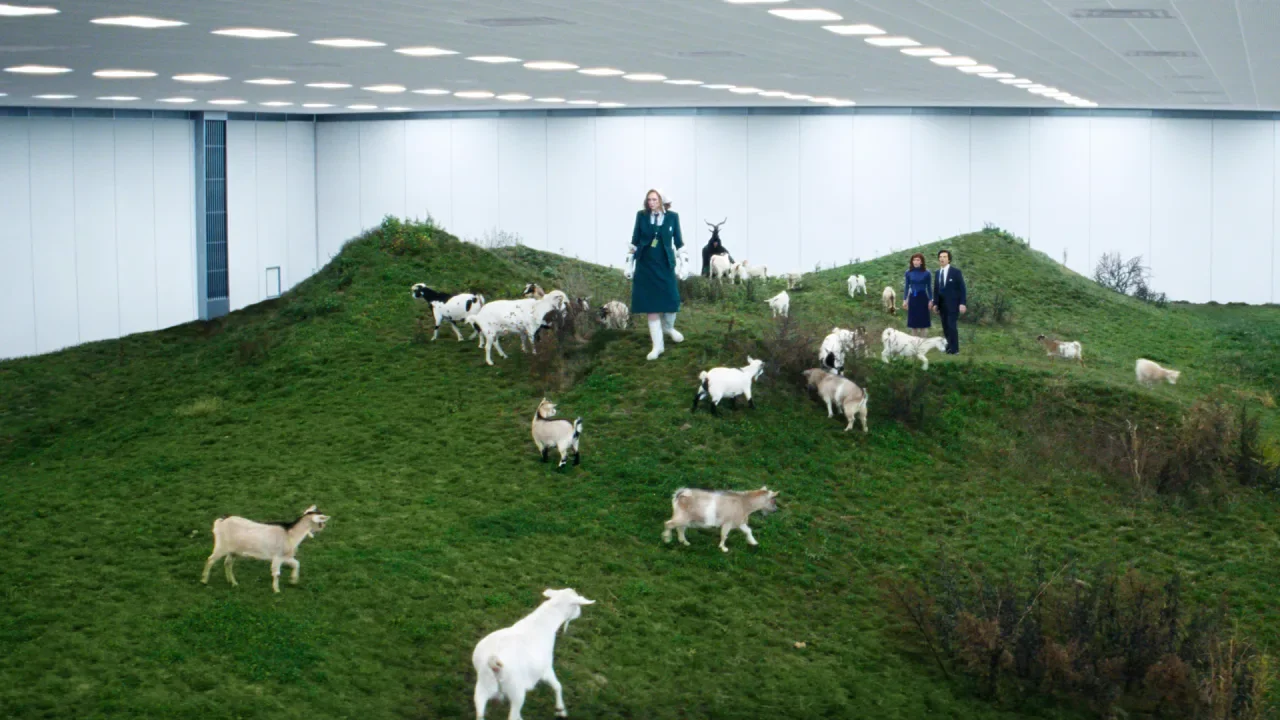
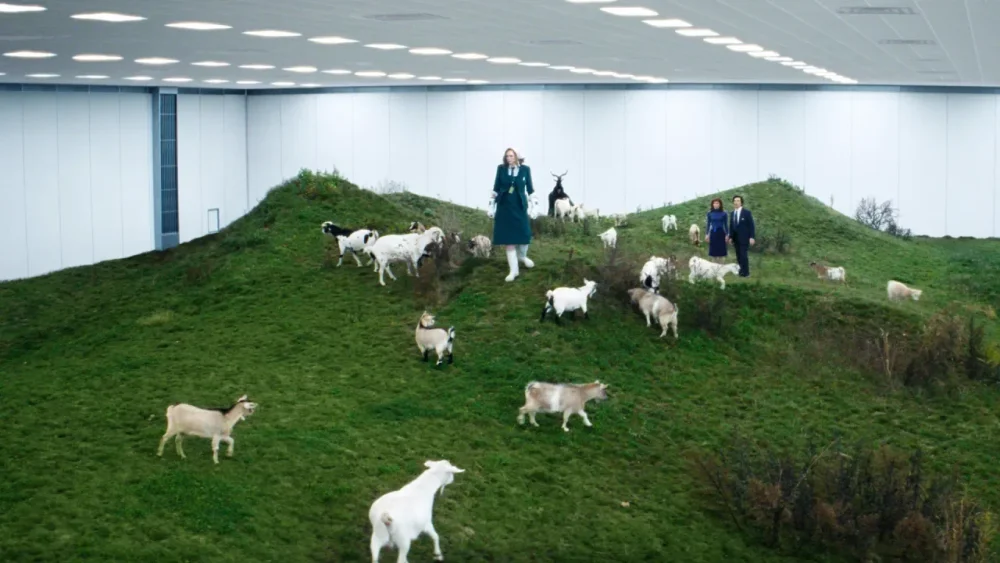
Severance is a set design wonderland. From a massive mirrored corporate monolith in New Jersey to a classical train station in upstate New York, the show’s distinctive visual language—which has captivated audiences and critics alike—relies on actual places that have been carefully chosen to mess with your head. These aren’t just random pretty buildings. They’re psychological weapons that connect the dots in the same way the writers weave the tapestry of the tale. Severance follows a group of humans that go through a procedure to separate their (outie) real lives from their (innie) corporate bees working for a mysterious industrial conglomerate call Lumon, effectively turning four people (Mark, Helly, Irving, and Dylan) into eight, each with distinct personalities and circumstances. In the same way, the show divides its architecture, confronting an inner corporate hellscape to an outside world that, in its own way, is also its own hellscape. In its second season, Severance has expanded way beyond the creepy white corridors in the “severed” underground floor of Lumon Industries’s of the first season. The show ventures into a more diverse architectural playground that deepens its exploration of corporate control and our fractured modern psyche. The show’s filming locations now span from New Jersey to upstate New York to Newfoundland, each chosen not just because they look cool on camera, but because of the subliminal messages their architectural features convey. [Image: Apple TV+] The Lumon headquarters The most iconic location in Severance is Lumon Industries’s headquarters—a massive, imposing structure that looms over the landscape like some corporate Death Star. In reality, this architectural marvel is the Bell Labs Holmdel Complex (now known as Bell Works) in New Jersey, a building whose real-world significance perfectly aligns with its fictional role. [Image: Apple TV+] “All those companies in the ’50s and ’60s, they had so much style, they had the most beautiful spaces, and they were proud of what they were doing,” explains Jeremy Hindle, Severance’s production designer, in an interview with Variety. “These corporate spaces are designed to dominate you and make sure that you know the rules.” No kidding. That’s exactly what makes Severance so viscerally disturbing—and so visually compelling. The architecture isn’t just pretty. It’s predatory. [Photo: Lee Beaumont/Flickr] Designed by renowned architect Eero Saarinen in 1958 and completed in the early 1960s, the Bell Labs complex stands as one of the most significant examples of mid-century corporate modernism in America. Its vast mirrored glass façade earned it the nickname “The World’s Largest Mirror” in architectural circles—a fitting metaphor for a show about reflection and duality. The building spans 2 million square feet with a central open-atrium scheme extending a quarter-mile. ca. 1987 [Photo: Gerard Garcia/Getty Images] When Saarinen designed the complex for Bell Telephone/AT&T researchers, it was conceived as a utopian workplace meant to foster community and collaboration. The central atrium was designed to encourage chance encounters between researchers from different departments—a physical manifestation of the cross-pollination of ideas, a concept that has been reproduced in many other corporate buildings, like Pixar’s and, most recently, Lego’s new HQs. Bell Works, ca. 2022. [Photo: Curlyrnd/Wiki Commons] Yet in Severance, this same architecture becomes oppressive and isolating. The cinematography transforms Saarinen’s idealistic vision into something cold and menacing—a very literal visual metaphor of how corporate utopias often become dystopias in practice. As architectural historian Jon Gertner told Curbed, Bell Labs was an “idea factory” but, in Severance, it became a factory for something far more sinister: the manufacturing of compliant workers through the literal division of consciousness. In Season 2, aerial shots reveal the building’s distinctive shape, which from above resembles a giant goat’s eye—a visual connection to the show’s recurring goat imagery and themes of surveillance. The water tower stands as a sentinel, further emphasizing the company’s technological dominance over the landscape and its employees’ lives. It’s like the Eye of Sauron, but for corporate America. [Image: Apple TV+] While Bell Works provides the exterior shots, the labyrinthine white hallways of Lumon’s severed floor were constructed at York Studios in the Bronx. These stark, minimalist corridors—with their fluorescent lighting, white walls, and complete absence of windows—create a timeless, placeless quality that reinforces the severed employees’ disconnection from the outside world. Season 2’s opening sequence features Mark running through these disorienting corridors, a scene that required weeks of planning and several days to shoot using a high-speed robotic camera called the Bolt. The design deliberately disorients viewers, making it impossible to create a coherent mental map of the space—mirroring the fragmented consciousness of the severed workers themselves. It’s architectural gaslighting at its finest. [Image: Apple TV+] This season we also got to see the surreal Mammalian’s Nurturable Room, where they have the goats. The production team built an enclosed tent on Brooklyn’s Marine Park Golf Course, with Industrial Light & Magic rendering the walls and ceiling in CGI. This hybrid of physical and digital architecture creates a dreamlike space that exists somewhere between reality and fantasy—much like the severed state itself. The blending of real and virtual elements mirrors the show’s exploration of how memory and perception shape our experience of space. The Great Doors factory Season 2 introduces another corporate space: the Great Doors factory. It’s the opposite of Lumon HQs, but no less oppressive. This is where Dylan—one of the four protagonists—looks for a new job after being fired from Lumon. He gets interviewed but not hired because he had the severance procedure to split his brain’s consciousness. Fun fact: Severance’s creator Dan Erickson was actually working in a door factory when he came up with the idea for the TV series. [Image: Apple TV+] The real location is the Red Owl Collective in the Midtown Arts District, in Kingston, a city in upstate New York. This 10,000-square-foot antique, vintage, and design emporium provides a richly textured industrial backdrop that contrasts with Lumon’s sterile environment while still conveying themes of labor and production. [Image: Google Maps] What makes these corporate spaces so effective in Severance is how they embody what architect Rem Koolhaas has called “junkspace”—environments designed not for human comfort but for corporate efficiency, where workers become interchangeable parts in a machine. The architecture doesn’t just house the corporation; it is the corporation made physical—a concrete and glass manifestation of power structures that shape human behavior and identity. [Image: Apple TV+] Brick and mortar split personalities If Lumon’s corporate architecture represents power and control, the residential spaces in Severance show more intimate themes of identity and memory. Mark’s and Irving’s apartments, filmed at the Village Gate Townhouses in Nyack, NY, and in the Waterfront at the Strand in Kingston, NY, respectively, are also featured in this season. Both represent each of their outie’s mental states: barren despair for Mark, and dark despair for Irving. Season 2 expands the show’s exploration of domestic architecture to visually reinforce the psychological state of characters caught between their innie and outie existences, introducing Dylan’s residence. In the real world, his familiar middle-class residence is at Kings Landing Condominium on Oxford Lane in Middletown, New Jersey. What’s fascinating about this location is the vision we get from above in one of the episodes. Some see a uterus, others Lumon’s logo upside down. I see both, perhaps an allegory to one of the show’s underlying themes: human reproduction. [Image: Apple TV+] The other side of this coin is the Eagan’s family residence, the owners of Lumon. It’s a massive glass structure visible in aerial shots near the Lumon headquarters, controlling it from afar. Home of the Helly E(gan)—the outie of innie Helly R—is truly a dream home. The modernist house embodies a cruel irony: the transparency that the Eagans deny their workers, they enjoy for themselves. They can see out while keeping others from seeing in. The architectural juxtaposition between the workers’ homes and the Eagan residence visually reinforces the show’s themes of class division and power imbalance. [Image: Apple TV+] If you are fascinated by this home and want to know where it is, you are not alone. I spent a few hours researching this one and it doesn’t seem to exist in the real world. Like other sets in the show, it appears to have been built as a set and enhanced with digital effects. In the architectural apartheid of Severance, buildings always tell us who has power and who doesn’t. The Eagans live in a house where they can see everything, while their employees live in spaces where they can only see what the company allows them to see. [Image: Apple TV+] Public spaces between worlds Season 2 of Severance ventures beyond the corporate and domestic realms to explore a variety of public spaces that serve as transitional zones between different states of being. These liminal spaces—train stations, parks, gateways—seem to physically embody the show’s central concern with boundaries and thresholds, particularly the boundary between severed and unsevered consciousness. One of Season 2’s most architecturally significant new locations is Utica’s Union Station, featured in Episode 9, titled “The After Hours.” Built in 1914 and designed by Allen Stem and Alfred Fellheimer—the same architects behind Grand Central Terminal—this classical train station with its impressive marble pillars provides the backdrop for an emotionally charged scene between Burt and Irving. It’s a beautiful space, grand architecture that speaks to an era of transition and movement, making it the perfect setting for a pivotal moment for the characters that resonates with the idea of splitting lives like the severing process does. The classical architecture creates a sense of permanence and history that contrasts with the transient nature of the characters’ meeting. The production spent approximately $2 million filming at this location for just two days in May 2023, adding fake snow to maintain the wintry Season 2 aesthetic. This transformation of a historical space into a fictional moment is a good example of how Severance uses real architecture as raw material for its psychological landscape. The location also had another less obvious connotation. When the scene ends, Irving takes the 2400RR line, a historical scenic line in the Adirondack Railroad, which begins in Oneida County and ends in the Genesee Counties. “If you know anything about cults, those two places should certainly ring several bells,” points out one redditor in the Severance subreddit. “Mormonism was founded in the Genesee Counties. […] The Oneida Community was a strange highly Puritanical yet also ‘free love’ (deviant sex encouraging, quasi-communist Christian sect that was founded in Oneida County in the latter half of the 20th century.” This clearly connects with Lumon Industries’s nature, which has an extremely dark background featuring a mythical origin story, a god-like founder, strange sex and corporate rituals, blind obedience, and child abuse, among other niceties. Some of Season 2’s most striking settings were filmed at Minnewaska State Park Preserve in New York’s Shawangunk Mountains. Used for both the Dieter Eagan National Forest in Episode 4 and the haunting Woe’s Hollow scenes, these locations leverage natural architecture—dramatic cliff views and frozen landscapes—to create environments that feel simultaneously beautiful and threatening. The Mohonk Testimonial Gateway in New Paltz, NY, returns in Season 2 as the entrance to the Damona Birthing Retreat. Built in 1908 as the formal entrance to the Mohonk Mountain House resort, this historical gatehouse creates a literal threshold between worlds—a perfect architectural metaphor for the show’s exploration of divided consciousness. In Episode 9, this gateway serves as the access point to Cabin 5, reinforcing its role as a transitional space between different states of being. Downtown Beacon continues to serve as the fictional town of Kier in Season 2, with the Beacon Building on Main Street functioning as the Hall of Records. The repurposing of this real small-town architecture creates a setting that feels simultaneously familiar and slightly off-kilter—a visual strategy that reinforces the show’s themes of distorted reality. [Image: Apple TV+] Other transitional spaces include a set prop phone booth constructed in front of a closed car repair shop near Kingston’s Wurts Street Bridge, and the shed featured in Season 2, Episode 3 “Who Is Alive?” positioned below Kingston’s Rondout Train Trestle. These constructed elements within existing architectural contexts show how the production designs spaces that connect the severed and unsevered worlds. Season 2 also ventures beyond New York state to the Canadian province of Newfoundland and Labrador for the Salt’s Neck sequences. These locations portray a run-down, former factory town wounded by the closure of a Lumon production plant. The remote, snowy landscapes contribute to the show’s atmosphere of isolation while the abandoned industrial architecture serves as a warning about the consequences of corporate abandonment—a ghost town that represents the ultimate symbol of Lumon’s disposable view of human labor. Which brings me to the ultimate point: Severance itself, its physical worlds, embodies the ultimate innie-outie dichotomy. A show that is both depressing with glimmers of hope, but ultimately depressing again. Every episode, I wonder if our protagonists would triumph against this techno-capitalists sect (I’m sorry, but I get Apple vibes all over, and I’m guessing its executives are not into the joke) or disappear into the oblivion of forgetfulness in the innies’ world and the carcass of mortal decay in the outies’ world. The answer will probably be both. View the full article
-
It finally happened: Threads officially allows you to choose a default feed to see when you open the app, whether that be "Following" or a custom feed you've created yourself. This means that when you open Threads, you'll be able to view posts from the accounts you chose to follow, instead of seeing what the algorithm wants you to. Meta has been testing this feature for a few months, and is now rolling it out to everyone—in addition to a few other new features. How to change Threads' default feed to FollowingThe process of changing your default feed is straightforward. Follow these steps: Open the Threads app on your phone and go to the Home tab. You'll see all your feeds in different tabs at the top of the screen, just below the Threads logo. Tap and hold any of these feeds and select Edit Feeds. This will reveal all your feeds in a list. Hold any feed here and drag it up or down to reorder the list. The first one in the list will automatically become your new default feed. Feel free to set it to Following or any custom feed you've created. Note that this feature is being rolled out slowly, so it may take a while before you see it on your phone. Other updates to ThreadsWith the same update, Threads has added a few more useful features to the app. My personal favorite is the new video player, which finally has basic playback controls and a progress bar that you can easily access. There's a new play/pause button in between the rewind and forward buttons. You can use those buttons to skip back or forward by 10 seconds at a time. The progress bar appears below each video and it's big enough to scrub through videos. It's a great change: Without these features, watching videos on Threads often felt like watching looping gifs. You can also limit replies and quotes of your posts. When you compose a new post in Threads, tap the Anyone can reply & quote button, located to the left of the Post button. This lets you limit replies and quoting to your followers, mentioned accounts, or accounts you follow. Separately, Meta is testing the ability to add up to 10 topics to your Threads profile. Tapping these topics leads you to conversations around those subjects, similar to how hashtags work on other social media platforms. When you compose a new post in Threads, you may see a button that lets you add a trending topic to the post. If you use it, your post could reach a larger audience than usual. View the full article
-
We may earn a commission from links on this page. Although the practice of making solid blocks of soil for growing seeds isn’t new (it may go back over 2000 years), soil blocking has gained popularity in the last few years. It’s not a complicated process: You form blocks of compressed seedling mix, lay them out on a tray, then plant into them. It works much like growing seeds in a plastic seed tray, without the tray. Using less plastic is only one benefit—the real reason people love soil blocking is that it creates seedlings with incredibly strong root systems, without getting root-bound. The air around the block acts as a pruning mechanism; the roots grow to the edge of the soil and then stop. The roots hold the soil block together, and can be easily up potted to continue growing inside, or transplanted directly into the garden. The drawbacks to soil blockingIn order to make seed blocks, you need soil that will compress well and hold together, and most often, that involves peat. Peat, a byproduct of swamps and bogs, is controversial because the harvesting has a dramatic environmental impact. Some people have had success with other mediums like coconut coir, but those people do not include me. I’ve tried coconut coir a few years in a row and have suffered from lack of germination and blocks falling apart, so I have gone back to seedling mixes with peat. The other major drawback to soil blocking is the actual blocking: It’s a pain in the ass. My first year, I was inspired by one of my gardening mentors, Meg Cowden of Seed to Fork, who speaks of the calm and meditative nature of blocking. Now, I regard blocking as a necessary evil each year that takes a lot of energy and soil. Still, the results speak for themselves. Soil blocks perform exceptionally well in tests against seed trays. Step one: Get a soil blocker Credit: Amanda Blum The first thing you’ll need is a soil blocker. There are all kinds of blockers on the market now, and many are inexpensive. Soil blocking is similar to making a sand castle or snow castle: You pack the soil tightly into a cube; the soil blocker compresses the cube, and helps spit it out. Soil blockers come in different sizes and layouts. There are mini blocks, which are an inch or so large (for flowers), and maxi blocks, which are four by four inches. But most people are going to want to start with two-by-two-inch blocks. A basic blocker will spit out four of these blocks at once. Step two: the right seed mix, at the right moisture level Credit: Amanda Blum Next, you’ll need the soil. Different kinds of plants at different stages all need different soil. When starting seeds, you want seedling mix, which is devoid of nutrients, has a lot of moisture retention, and is made of fine particles, so it can compact into seed trays. This is perfect for seed blocking, as long as that mix also includes peat or coconut coir. Get more soil than you think you’ll need, since by compressing the soil to make the block, you use more soil than you might with seed trays. I was able to make 100 blocks from a 12-quart bag. Empty the bag into a bin or other watertight container, and mix it with water. You want to use roughly three times the amount of water as soil, adding it slowly, and stopping to mix the water in two to three times. Soil can absorb an absurd amount of water; you want the soil wet, but not sopping. Grab a handful of the mix, and squeeze it in your hand. Does it clump together? If so, you’ve got enough water. If not, add more until it does. Step three: Have a tray for the soil blocksThe blocks will live on a tray, and it doesn’t matter much what kind of tray, as long as it can hold an inch or so of water, and is watertight. If you were using seed trays, they'd still need something to sit on like a bottom tray, so you've likely got some around. I’ve seen setups with standard 1020 trays and setups with cafeteria trays. The blocks sit right next to one another, so a 1020 tray can hold 50 blocks. A cafeteria tray, depending on its size, can hold much more. Step four: Set up your dibbles On the left, interchangeable dibbles, and on the right, dibbles installed on the blocker. Credit: Amanda Blum Before we start making blocks, you want to set up your dibbles. When you plant seeds, you have to plant them at the right depth, depending on the kind of seed. Sunflower seeds are buried very deep, for instance, while carrot seeds sit close to the surface of the soil. Your seed blocker has different dibbles you can add to your blocker, and they’ll make corresponding indentations in the soil block, so you can insert a seed more easily. Step five: Start blocking Credit: Amanda Blum Now let’s get down to actual blocking. Again, if you’ve ever made a sand castle, this won’t seem foreign, but the technique requires a little finesse. Holding the blocker upright, push it into the seedling mix over and over, rocking it back and forth, until you hit the bottom of the bin. This pushes soil into the blocker. Swiveling the blocker left and right while pressing against the bottom of the bin compresses the soil. After a few passes, lift the blocker upside down, and check that the four chambers are full. If they're not, keep taking passes, or you can just keep the blocker upside down and pack soil in with your other hand. Step 6: Line up the blocks on the tray Credit: Amanda Blum To dispense the blocks, move to the tray that will hold them. Push the blocker against the tray, while slowly depressing the handle and lifting up. This process should product four perfect blocks, but that doesn’t always happen, and if a block looks like it will fall apart, pick it up and toss it back into the bin. It’s just soil; it will crumble apart. The blocks are delicate at this stage but not immovable, if you’re gentle. Credit: Amanda Blum Now, start all over, and dispense more blocks. Keep going until you have as many as you’d like on that particular tray. At this point, it’s time to plant some seeds. Treat each block like a cell in a seed tray. Plant one or two tomato seeds, or a bunch of carrot seeds, or a single pumpkin seed. Cover the seed up with some extra seed mix. Step 7: Seed the blocksFrom here on it, the process is just like growing in seed trays. The soil needs heat, so place your tray on a heated seed mat. The blocks need water, so you should fill the tray every few days with just enough water to cover the bottom of the tray entirely. The blocks will soak up the water and remain moist, ensuring germination. The seeds need humidity, so covering the blocks with a plastic dome will ensure there’s enough moisture. Finally, the blocks need light, so ensure there’s enough light on the tray, especially after the seeds germinate. Tomatoes grown in seed blocks Credit: Amanda Blum The seeds will grow just as they would in a seed tray scenario, and at some point, will be too big for the blocks. Along the way you’ll want to choose one seedling per block, and cut the other seedling away. You can choose to up-pot the blocks into containers or paper pots, or plant the blocks right in the garden, if it's not too early. Usually I up-pot the seedlings after a few weeks, and they’ll remain in four-by-four-inch pots until it's time for them to go in the ground. Blocks that don’t germinate for some reason can be recycled for next year by simply tossing the block back into the bin of seedling mix. View the full article
-
Wall Street on course for longest losing streak in nearly three yearsView the full article
-
Mac users take note: A well-known (and relatively sophisticated) phishing scheme previously targeting Windows is now being redirected at macOS and Safari in an attempt to obtain login credentials (your Apple ID). On Windows, this scam worked by displaying fake security alerts on compromised websites claiming that the user's device had been "compromised" or locked" at the same time that malicious code caused the website itself to freeze (making the scam more convincing). The notification prompted users to enter their Windows credentials to regain access—obviously handing them directly to the attackers to take over their accounts. Users were also advised to call a fake hotline, where they were pressured to pay a ransom or allow remote access to their machines. According to a post by LayerX Labs covering the scam, this attack was successful for over a year—in part because the alerts impersonated real Microsoft notifications so well, with sophisticated phishing sites hosted on a legitimate Microsoft domain (windows[.]net) and randomized subdomains that rotated frequently. How this phishing campaign works on MacAs 9to5Mac notes, the campaign quickly pivoted to targeting macOS and Safari after anti-scareware was released for Edge, Chrome, and Firefox in February. It works similarly with pages and text modified for Mac. You can be targeted on Safari if you mistype a URL while trying to access a legitimate website, after which you'll be redirected through a compromised "parking" page to a phishing attack page. As with Windows, you may be prompted to enter your Apple credentials to fix the problem. LayerX Labs states that phishing campaigns targeting Mac "have rarely reached this level of sophistication," though the screenshots of the security pop-ups included in the report contain spelling errors and don't fit Apple's style. As always, bring a critical eye to any communication or alerts that seem urgent or request sensitive information, as you'll usually be able to spot such discrepancies. Otherwise, make sure you type in the correct URL for the sites you want to visit, or search for them on Google and scroll past the ads to the real results before clicking through. And keep an eye out for security updates from Apple so you can download and install patches as soon as they are released. View the full article
-
Heathrow Airport, Europe’s busiest, has shut down today, following a fire last night at a nearby electrical substation that caused a major power outage. The closure has disrupted at least 1,350 flights, according to Flightradar24, with some aircraft diverted to alternate airports like Gatwick, Amsterdam’s Schiphol, and Paris’s Charles de Gaulle. What caused the fire? While the cause of the fire is still under investigation, British officials have stated that there is no evidence of foul play. According to the London Fire Brigade, the fire broke out at an electrical substation around 11:20 p.m. on Thursday, involving a transformer containing 25,000 liters of cooling oil “that was fully alight.” The blaze posed a serious risk due to “live high-voltage equipment and the nature of an oil-fueled fire,” the brigade said. Around 70 firefighters responded to the incident. As of the latest update, about 10% of the fire remains burning. The incident left 67,000 homes without power, with 5,000 still affected. Both Heathrow Terminals 2 and 4 are without power. Additionally, around 150 people were evacuated to a rest center for safety. Firefighters and emergency services are continuing to address the situation. “This was a very visible and significant incident, and our firefighters worked tirelessly in challenging conditions to bring the fire under control as swiftly as possible,” Pat Goulbourne, assistant commissioner of the London Fire Brigade, said in a statement. What should I do if I have a flight from Heathrow Airport today? Heathrow Airport confirmed that it would remain closed until at least 11:59 p.m. on Friday, warning passengers not to attempt to travel. Authorities have warned of continued disruptions and advised travelers to check with their airlines for updates. The U.K.’s Department for Transport travel guide includes a detailed breakdown of passenger rights covered by law when something goes wrong at a U.K. airport. View the full article

-
We may earn a commission from links on this page. Deal pricing and availability subject to change after time of publication. The Beats Fit Pro are a solid choice for anyone who wants Apple’s seamless connectivity without shelling out for AirPods Pro. Right now, Woot is offering them for just $109.99 (down from $159.99), marking their lowest price ever, according to price trackers. This deal runs for the next six days or until stock runs out. Prime members get free shipping, while others pay $6. One catch—Woot only ships within the contiguous U.S. Beats Fit Pro $109.99 at Woot $159.99 Save $50.00 Get Deal Get Deal $109.99 at Woot $159.99 Save $50.00 Fit is the focus, here. The built-in earfins keep the earbuds secure without the need for extra attachments. The sound leans toward Beats’ signature style—deep bass, crisp highs, and a slightly recessed midrange. Noise cancellation does an above-average job with lower frequencies but struggles a bit with sharper sounds (like clinking dishes in a café), according to this PCMag review. Apple users get the most out of these earbuds, with their H1 chip making pairing seamless, along with access to features like Find My tracking, Spatial Audio with head tracking, Adaptive EQ, hands-free Siri, and automatic switching between Apple devices. Android users can still use the Beats app for features like the Ear Tip Fit Test (to get the best seal), firmware updates, and listening mode controls, but they miss out on Spatial Audio, Find My, and hands-free Siri. The IPX4 rating of the Fit Pro is less impressive for workout-ready earbuds—they’ll handle sweat and light rain, but they’re not exactly built for heavy downpours, and the case isn’t water-resistant. That’s a bit of a letdown for fitness buds. These earbuds support Bluetooth 5.0 and AAC/SBC codecs, but not AptX. That might not be a dealbreaker unless you’re really picky about audio quality. As for battery life, you get six to seven hours per charge (depending on ANC use), with up to 23 extra hours in the case. Overall, the Beats Fit Pro packs in a lot for the price, especially if you’re in the Apple ecosystem. But if you want something even more fitness-focused, the new Powerbeats Pro 2 promises heart rate monitoring during workouts. View the full article
-
Tory leader calls for Parliament to be given a vote on any military involvement View the full article
-
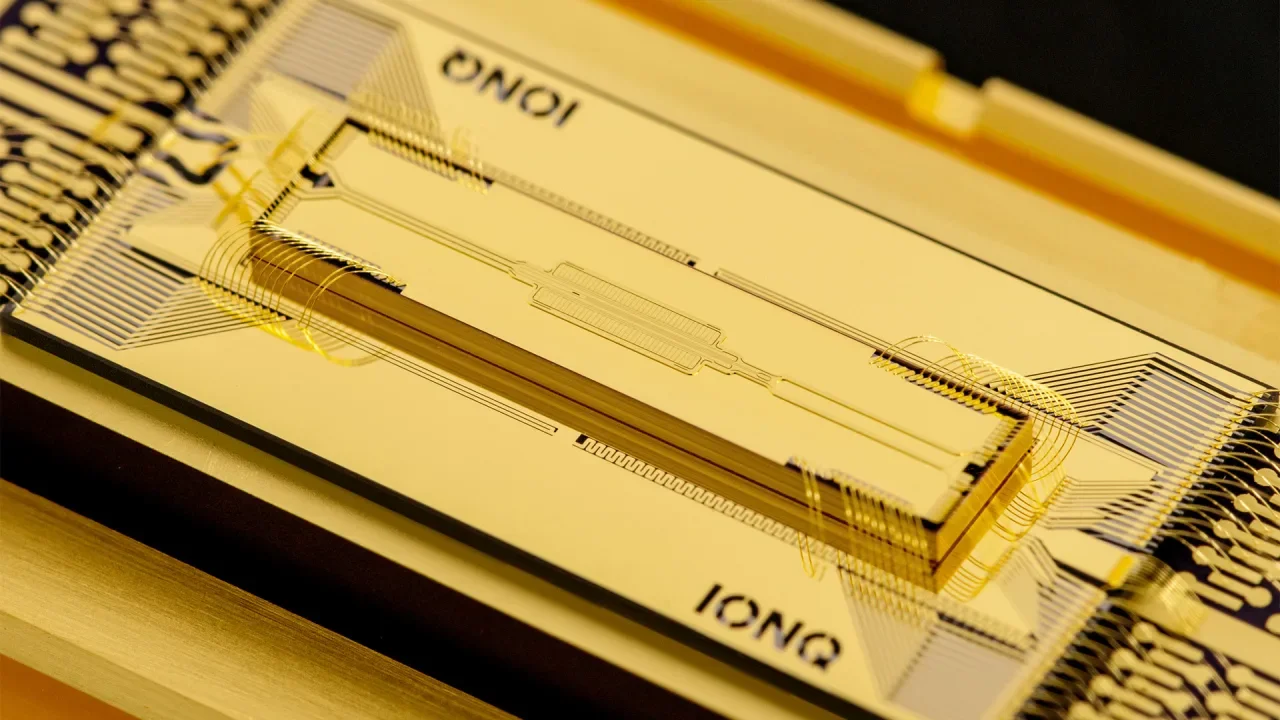
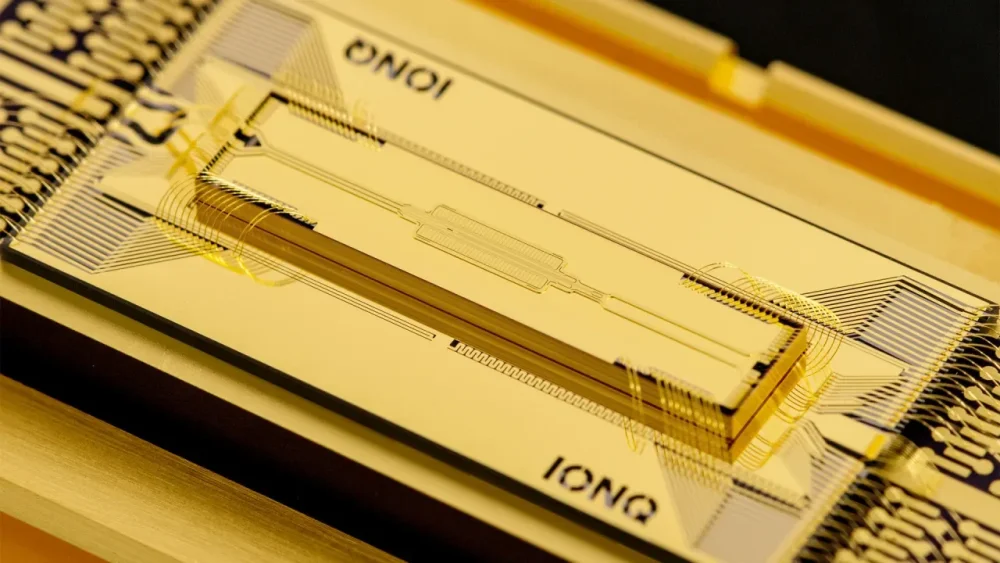
Quantum computing stocks got pummeled yesterday, with the four most prominent public quantum computing companies—IonQ, Rigetti Computing, Quantum Computing Inc., and D-Wave Quantum Inc.—falling anywhere from over 9% to over 18%. The reason? It has to do with AI chip giant Nvidia. Again. Stocks crash yesterday on Nvidia quantum news Yesterday was a bit of a bloodbath on the stock market for the four most prominent publicly traded quantum computing companies. Here’s a breakdown of how they performed, according to data from Yahoo Finance: IonQ, Inc. (NYSE: IONQ): down 9.27% to $21.14 per share Rigetti Computing, Inc. (Nasdaq RGTI): down 9.24% to $8.99 per share Quantum Computing Inc. (Nasdaq: QUBT): down 11.71% to $7.39 per share D-Wave Quantum Inc. (NYSE: QBTS): down 18.02% to $8.69 per share All four of these quantum computing stocks tumbled on the day that AI chip giant Nvidia kicked off its two-day Quantum Day event. In a blog post from January 14 announcing Quantum Day, Nvidia said the event “brings together leading experts for a comprehensive and balanced perspective on what businesses should expect from quantum computing in the coming decades — mapping the path toward useful quantum applications.” But that’s not all that Nvidia did. Besides bringing quantum experts together, the AI behemoth also announced that it will be launching a new quantum computing research center in Boston. Called the NVIDIA Accelerated Quantum Research Center (NVAQC), the new research lab “will help solve quantum computing’s most challenging problems, ranging from qubit noise to transforming experimental quantum processors into practical devices,” the company said in a press release. The NVAQC’s location in Boston means it will be near both Harvard University and the Massachusetts Institute of Technology (MIT). “Quantum computing will augment AI supercomputers to tackle some of the world’s most important problems, from drug discovery to materials development,” Nvidia’s CEO, Jensen Huang, said. “Working with the wider quantum research community to advance CUDA-quantum hybrid computing, the NVIDIA Accelerated Quantum Research Center is where breakthroughs will be made to create large-scale, useful, accelerated quantum supercomputers.” It’s not the first time stocks reacted to Nvidia’s CEO Nvidia’s announcement of the NVIDIA Accelerated Quantum Research Center apparently sent shivers down the spines of many quantum computing investors, with shares of QBTS, RGTI, IONQ, and QUBT all crashing. Before Nvidia’s announcement yesterday, IonQ, Rigetti, D-Wave, and Quantum Computing Inc. were the leaders in the nascent field of quantum computing. And while they still are right now (Nvidia’s quantum research lab hasn’t been built yet), the fear is that Nvidia could use its deep pockets to quickly buy its way into a leadership spot in the field. With its $2.9 trillion market cap, the company can easily afford to throw billions of research dollars into quantum computing. As noted by the Motley Fool, the location of the NVIDIA Accelerated Quantum Research Center in Boston will also allow Nvidia to more easily tap into top quantum talent from Harvard and MIT—talent that may have otherwise gone to IonQ, Rigetti, D-Wave, and Quantum Computing Inc. Nvidia’s announcement is a massive about-face from the company in regard to how it views quantum computing. It’s also the second time that Nvidia has caused quantum stocks to crash this year. Back in January, shares in prominent quantum computing companies fell after Huang said that practical use of quantum computing was decades away. Those comments were something quantum computing company CEOs like D-Wave’s Alan Baratz took issue with. “It’s an egregious error on Mr. Huang’s part,” Bartaz told Fast Company at the time. “We’re not decades away from commercial quantum computers. They exist. There are companies that are using our quantum computer today.” According to Investor’s Business Daily, Huang reportedly got the idea for Nvidia’s Quantum Day event after the blowback to his comments, inviting quantum computing executives to the event to explain why he was incorrect about quantum computing. How quantum computing stocks are trading today After Huang announced Nvidia’s intention to launch the NVIDIA Accelerated Quantum Research Center, quantum computing stocks tanked—and they aren’t doing much better today. As of the time of this writing, the four most prominent quantum computing stock prices are all down in premarket trading: IONQ: down 1.09% RGTI: down 3.00% QUBT: down 10.4% QBTS: down 4.83% Since the start of 2025, three of those four quantum computing stocks have been hit hard. As of yesterday’s close IONQ had lost more than 49% of its value, RGTI has lost 41%, and QUBT has lost 55%. Only QBTS has seen a modest gain of 3.45% for the year to date, though that gain has been wiped out in premarket trading this morning as of the time of this writing. However, despite these quantum computing stocks being in the red for 2025, over the past 12 months, all have shown impressive returns, with IONQ up over 120%, RGTI over 425%, QUBT over 495%, and QBTS over 323% as of yesterday’s close. As for Nvidia, investors seem not to care much about its quantum announcement. Yesterday, NVDA stock closed up just 0.86%, and today, the stock is currently down a paltry 0.76% in premarket trading. Since 2025 began, NVDA stock has been down almost 12%, while it has been up over 31% over the past 12 months, as of yesterday’s close. View the full article
-
What if everything you believe about leadership is holding you back? A 2024 study by Gartner found that 69% of HR leaders don’t think their leaders are fully equipped to lead. And according to Gallup, only 21% of employees strongly agree that their leaders actually inspire them to do their best. That’s a big gap between what leaders intend and what employees experience. The problem? A lot of leaders are following outdated advice. In the pursuit of excellence, they unknowingly buy into myths that hold them back, limit their teams, and stifle real innovation. Whether it’s the belief that speed always wins or that innovation is all about technology, these myths quietly shape decisions in ways that do more harm than good. Why do they stick around? Because they sound right. They’re reinforced by business schools, success stories, and corporate culture. But when leaders operate on these assumptions, they risk making bad calls, missing opportunities, and ultimately weakening their impact. Great leadership isn’t about sticking to the status quo—it’s about questioning the norm, challenging assumptions, and seeing opportunities where others don’t. The best leaders don’t think differently just to be contrarian; they do it because real progress requires breaking free from conventional wisdom. Let’s break down some of the most common leadership myths—and explore what actually works. Myth: Speed is the Ultimate Competitive Advantage Early in my career, I found myself caught in a speed trap. In a high-growth environment, I was constantly pressured to make quick decisions, launch initiatives fast, and drive results without hesitation. While this approach generated short-term wins, it also led to avoidable mistakes: hiring the wrong people, launching underdeveloped products, and missing deeper opportunities for sustainable growth. The real breakthrough came when I learned to balance urgency with thoughtfulness: taking the time to pause, gather diverse perspectives, and make decisions based on impact rather than just momentum. The belief that faster is always better dominates modern business thinking. Companies race to market, rush decisions, and glorify rapid execution. While speed has its place, it can also be a liability. Moving too fast often means overlooking critical insights, missing long-term opportunities, and making short-sighted decisions that sacrifice lasting value for immediate gains. Before defaulting to speed, ask yourself: Are we moving in the right direction? Are we building something that will stand the test of time? True competitive advantage doesn’t come from speed but from strategic timing and intentional execution. Create space for reflection and thoughtful decision-making. Myth: Innovation is All About Technology From my own experience working with leaders across industries, I have seen that the most impactful innovations often stem from cultural and operational shifts rather than technological advancements. It’s about how you think, not just what you build. To expand your definition of innovation, ask: How can we challenge conventional ways of doing business? What assumptions about our industry can we rethink? Encourage teams to innovate in ways that extend beyond digital tools through human-centered ideas, new business models, and cultural transformation. In an era dominated by AI, automation, and digital disruption, many leaders equate innovation with technological breakthroughs. While technology is a powerful enabler, it is not the only path to innovation. Some of the most groundbreaking shifts in business come from rethinking processes, reinventing customer experiences, and challenging outdated business models. Howard Schultz didn’t innovate by inventing a new coffee machine: He redefined the coffee experience by bringing the concept of Italian espresso culture to American consumers through Starbucks. Similarly, Southwest Airlines didn’t rely on cutting-edge technology to disrupt the airline industry: They revolutionized the business model by focusing on affordability, efficiency, and simplicity. Myth: The Best Leaders Have All the Answers Many leaders feel pressure to be the smartest person in the room, believing that credibility comes from having all the answers. But the most effective leaders are those who ask the best questions. Leadership isn’t about possessing infinite knowledge; it’s about creating an environment where curiosity thrives, where diverse perspectives are valued, and where new ideas can emerge. In one of my leadership roles, I learned this the hard way. Early on, I felt compelled to prove my expertise at every turn. However, I quickly realized that by focusing on answers rather than questions, I was limiting the creative potential of my team. The shift came when I embraced a more inquiry-driven approach, inviting team members to challenge assumptions, propose alternative solutions, and collaborate in ways that unlocked new thinking. Instead of defaulting to solutions, start with questions. What are we missing? Who else should be part of this conversation? What assumptions are we making? Foster a culture of inquiry where team members feel empowered to challenge the status quo. The best leaders don’t have all the answers; they create environments where the right questions lead to breakthrough solutions. The best leaders don’t follow conventional wisdom unthinkingly. They challenge assumptions, rethink outdated beliefs, and carve new paths forward. They understand that real leadership is not about speed alone but about direction. It’s not about technology alone but about vision. It’s not about projecting invincibility but about embracing curiosity and growth. If you’re a leader, the real question isn’t: What myths have I accepted as truth? It’s: What myths am I willing to challenge? View the full article

-
While ending mandated consumer rights, lenders can still ask for a reconsideration of value on FHA loans; plus, fair lending laws still apply in these cases. View the full article

-
Berlin court has ordered parliamentary squad to lift ban on far-right lawmakersView the full article
-
One more reminder about our upcoming online event: On Thursday, March 27, at 1 p.m. ET, my colleague Max Ufberg and I will host “The AI Tools We Love Right Now—and What’s Next,” exclusively for Fast Company Premium subscribers. We’ll discuss the AI-assisted productivity tools that are actually helping us get our jobs done, and where we’d like to see the whole category go. Fast Company Premium subscribers can RSVP here. And if you aren’t yet a subscriber, here’s where you can become one. Hope to see you there! It’s the World’s Most Innovative Companies week at Fast Company. Our annual ranking of organizations across 58 industries is live on our site, and bursting with bright ideas that are changing business, society, and, well, life. I hope you’ll take a look. My primary contribution to this massive undertaking was writing a cover story about our No. 1 company, Waymo. The feature looks at how the self-driving pioneer’s robotaxi service went from an unlikely skunkworks project at Google to a commercial service now serving 200,000 riders a week, and what might be next. Read it, and you’ll hear from Waymo’s co-CEOs, Tekedra Mawakana and Dmitri Dolgov, along with others inside and outside the company. But along with all the fresh interviews I did, I revisited one I conducted in September 2013. That’s when I sat down with Google cofounder and then-CEO Larry Page for a Time magazine story. The piece focused on the company’s “moonshot” strategy of assigning itself improbably ambitious projects—especially a division it had started, Calico, that was charged with investigating ways to extend the human life span. (It’s still at it.) At the time, Waymo wasn’t yet Waymo. Announced less than three years earlier, the effort was a mysterious research project within the Google X lab. The company was secretive enough about the whole thing that when I took a brief highway trip in one of its self-driving cars near the Googleplex in Mountain View, it was with the understanding that my Time article wouldn’t detail my impressions. (Almost a dozen years later, I can finally spill my guts: I thought it was incredible.) I knew that story should touch on Google’s autonomy project, and that speaking about it with Page was a rare opportunity. Even then, he granted as few press interviews as his PR team would let him get away with. My contacts at the company warned me that he might fall silent or even walk out in mid-conversation. When the day came, Page turned out to be both engaging and—as far as I could tell—engaged. But his handlers didn’t exaggerate his dislike of talking to the press. My interview turned out to be among the last he gave. After creating Alphabet as a new holding company optimized for managing moonshots and handing Google’s reins over to Sundar Pichai, he pretty much retired from public life altogether. What he thinks about Waymo’s present momentum, I’m not sure. Back in 2013, however, Page told me quite a bit about the origins and goals of Google’s self-driving initiative, explaining that it stemmed from his own interest in the technology, which had been percolating since the mid-1990s. He stressed—again and again—that he was in a hurry to see autonomous cars become an everyday reality. He might even have been happiest if someone had pulled off the feat before Google was in a place to give it a try. “I was at Stanford as a grad student when I became interested in that,” he told me. “Nothing really changed between [then] and when we started working on it. I’m sure computers got better, and sensors got better, but there’s no reason why people couldn’t have been working on it 10 years earlier, for real.” Now, it should be noted that Google’s self-driving project didn’t spring out of nowhere: Its founder, Sebastian Thrun, current co-CEO Dolgov, and others involved with the effort over the years contributed to Stanford’s entries in a series of “Grand Challenges” put on by the U.S. Department of Defense’s DARPA lab from 2004 to 2007. But those competitions were races among experimental autonomous vehicles conducted in the desert and other isolated environments. By moving quickly to test its self-driving cars on public roads, Google really did give the technology an abrupt shove toward reality. “Ten years earlier, it would’ve been harder,” Page allowed. “It would’ve cost twice as much as it does now. But that’s not a major cost. I’m sad that it didn’t get done earlier. My key insight is that there are just such opportunities out there to do things faster and do things that matter to people. What’s limiting those things getting done is people wanting to pursue them, and being organized about it, and understanding the opportunities.” According to Page, one of his primary roles as CEO was to identify moonshots such as teaching a car to drive itself—though he added that he considered his indispensability to this process as a limiting factor. “A bunch of these things we’re working on have come from me,” he said. “It actually kind of worries me, because I wish that we had a more scalable process to do that. That’s a big part of what [Google] X is doing, to both think about more possible ideas and also have a deep technological understanding of what’s possible.” Still, the question remained: Why Google? The company had made its bones and its fortune with its namesake search engine. Its most successful follow-ups, such as Gmail, were in closely related areas. Even the Google+ social network, which was in the process of flopping when Page and I spoke, wasn’t far removed from the company’s comfort zone. But on paper, it wasn’t obvious why a search company might be poised to disrupt the transportation industry in the most fundamental way imaginable. Page did point out that some of Google’s existing skills and intellectual property could be applied to the autonomy challenge: “We have a lot of technologies for 3D modeling of the world that we developed, to really make Street View work and to make all of Google Maps work.” Mostly, though, he argued that wildly disparate moonshots might be easier to get right than products requiring thoughtful integration with existing Google mainstays. More than anything else, it was his and cofounder Sergey Brin’s willingness to connect dots that other corporate leaders didn’t see that made something like self-driving cars make sense within the company. “What I’m saying is we have people who can apply [their expertise] to a variety of projects,” he said. “And I find that to be more scalable than some of what you might think of as our core businesses.” During our interview, Page noted that “in some industries, it takes 20 years to go from idea to something real,” bringing up the time span as a problem to be solved rather than an unavoidable fact. Rather than investing his full attention to steering Waymo and other new initiatives through to completion, he ended up stepping down as Alphabet CEO in 2019. He remains on the company’s board but is also launching an unaffiliated AI startup, The Information’s Jessica Lessin and Erin Woo report. Still available in only a few cities, Waymo is following the 20-year trajectory that Page found so frustrating. Yet it may remain the Alphabet moonshot with the biggest shot at changing the world. It’s a testament to his vision that its journey continues well after he moved on. You’ve been reading Plugged In, Fast Company’s weekly tech newsletter from me, global technology editor Harry McCracken. If a friend or colleague forwarded this edition to you—or if you’re reading it on FastCompany.com—you can check out previous issues and sign up to get it yourself every Friday morning. I love hearing from you: Ping me at hmccracken@fastcompany.com with your feedback and ideas for future newsletters. I’m also on Bluesky, Mastodon, and Threads, and you can follow Plugged In on Flipboard. More top tech stories from Fast Company A new Cybertruck recall is the umpteenth chapter in Tesla’s history of design issues Tesla’s woes don’t and won’t stop, as the Cybertruck once again highlights its poor quality and design. Read More → Do school phone bans actually work? Not really, a new study says Researchers found no improvement in student well-being or academic performance at schools that restrict cellphone use. Read More → ‘Dinosaur time’ is the viral new way to eat your greens Tired of smoothies and salads? One TikToker’s chaotic spinach hack is both unhinged and strangely effective. Read More → Google buys Wiz: How the cybersecurity startup went from $0 to $32 billion in just over 5 years Google’s acquisition of the cloud security unicorn marks its largest deal ever—and a historic milestone for Israel’s tech scene. Read More → Nvidia’s Vera Rubin represents a big bet on real-time AI reasoning The company’s new chips are built to meet generative AI’s growing demand for real-time reasoning capabilities. Read More → The rise of the AI manager As AI agents become high-performing digital teammates, the professionals who learn to lead them will define the future of work. Read More → View the full article

-
During one of the hardest nights of Rachel Platten’s life—amidst postpartum depression, debilitating chronic pain, and mental health challenges—she glimpsed the light at the end of the tunnel. “I was in my studio and reached the apex of I can’t take it anymore,” she says. “The bottom wasn’t there. I just kept falling. In that moment, this wail came out of me that turned into a song. I was crying, mercy to anyone who would hear me, to whatever God that was out there.” “Something was writing through me,” she continues. “I realized: Is there a purpose or meaning in all of this suffering? Am I being dragged down, like I was with ‘Fight Song,’ letting my roots go deep so that my rise can be tall again? I was in just as much pain the next morning. But that little seed of hope was planted that maybe there’s a future ahead of me that I’m living right now.” Today, that seed has flourished into Platten’s first album in seven years, I Am Rachel Platten, as well as an inspired mission of mental health advocacy. An award-winning singer-songwriter, Platten and her music is celebrated as a beacon of resilience, most notably with “Fight Song,” which has been streamed over a billion times. Her latest album captures her experience of parenthood, mental health, depression, and the strength discovered in the rising. She continues to bravely share her story through her North American “Set Me Free” tour, which began on March 17. Here, Platten shares how she alchemized pain into purpose, developed tools to gain agency over mindset, and discovered the question that transformed her creative process. This interview has been edited for length and clarity. It was illuminating to listen to Set Me Free and discover that it’s about self-liberation. What did you free yourself from and how do you keep doing so in your art and life? First, what is funny to me, is that I wrote that way before I could ever know what it felt like. My songs are often glimpses of what will be. It’s almost like I prescribe myself the medicine that I’ll need in the future or the feeling that I’ll feel. So, I didn’t know what that felt like at the time. I felt a little bit like an imposter. It’s almost like the song, when I wrote it in 2020, should have been: I don’t really care what you say or think about me — She says, caring deeply. Now I actually feel that, and that took an insane mental breakdown to get to. Freedom to me feels like exactly that: Knowing who I am and being in a place where I can speak my truth. I don’t feel like I have to hold back. I know how to have boundaries, protect my inner child, and carry myself in the world where I’m not apologizing for my existence. It’s not going along with what you say I should care about or what makes a happy life. That was a major wake-up for me. Think about how you feel when you get an award, approval, or recognition. For me, that feeling is buzzy, excited, and a little unstable. Think about how you feel when you are deeply proud of yourself. When you can recognize, put a hand on your heart and say, “I approve of you and I’m proud of you just for being you.” That feeling is calm and steady, solid, and stable. Why are we taught that we should chase the first one, when the second one is so much better? That’s my goal now: How do I get more and more of that second feeling? In discussing this album, you said: “I don’t need my beautiful body of work to be anything other than what it is.” How do you create from an intuitive space and silence the internal and external voices? My second record on Columbia Records was very much the latter and informed by how I wanted to change people’s minds about who they thought the “Fight Song” girl was. I was trying to prove something in the art. Other than a couple of songs on that record, I didn’t get to write from that freedom. I slowly stopped writing from a place of: What does anyone need from the “Fight Song” girl? I changed from that to: I’m hurting so much. How can my music serve me, the way it serves so many other people? When I wrote from that place, it removed any kind of outside expectation, because I was like a starving soul in there, desperate for some soothing. The music and creativity became like filling a dry well. It changed from a laborious process of overanalyzing the words or rhymes and became an intuitive songwriting where it flowed more. That hadn’t always been the case; “Fight Song” took me two years to write. I labored over that second verse so much. I wrote 10 different verses until I got the one that you hear on the radio. Now, I do create from a place of joy and freedom. Asking yourself—What do I need from my art?—and not—What does the world need from my art?—is the question that really shifts it. Robert Henri said, “The object isn’t to make art. It’s to be in that wonderful state which makes art inevitable.” What is that state for you? Do you do anything differently now that enhances your creative inspiration? Music is funny, because it goes from a deeply inward, private place to a very outward, extroverted place. We phase in between them. That’s what I do. Right now, I’m in the outward place and the creativity isn’t flowing like it was. But, I am also not asking it to. I know where I’m at in my cycle. I feel like I’m a volcano in a way. I erupt with creativity. Then, I’m dormant. I used to judge the dormancy and feel like there was something wrong with me if songs weren’t flowing. I have taken all the pressure off my creativity and songwriting. I know that I am privileged to do that because I had success that supports me and my family. I understand that when I was in my twenties, and struggling to come up as an artist, it might not have felt like that. But, I wish that I could go back to that girl who was suffering and trying so hard and say to her: Enjoy it a little more. Try to trust the wave and ocean of creativity and how it’s going to come and go. Don’t push it when it’s not. I’d certainly be disciplined. But, I’m a lot more patient with it. I trust now that if the muse wants to come, then I’ll start writing. You shared that “to actually change something has to start with radical acceptance of what is. Real change only happens once you say ‘yes’ to what is actually here.” What helps you choose the path of acceptance? First, I want to attribute that quote to Tara Brach, who is an amazing psychiatrist. She has a practice called RAIN, which is an acronym that helped me so much: Recognize, Allow, Investigate, Nurture. I don’t know if it’s a choice. It’s more of a shrug and dropping in, like: Yes, I’m suffering. Yes, I’m depressed. Yes, this hurts. This is a witness seat. Rather than the human seat, it’s choosing the seat behind you, who’s watching you, and saying: I’m watching a play. That’s what’s happening with this actor right now. It’s less of a choice and more changing your point of view. So much power and relief can come from that, because then you’re not having the second arrow of shame, grief, or guilt about what you’re experiencing. The first arrow is the pain that you’re feeling. The second arrow is the judgment of the experience that you’re having. It’s removing the second arrow and removing half the pain in a way. There is a lyric in “Bad Thoughts” that says: “Just because I think something doesn’t make it true.” How do you distinguish between the voices in your head? What has been most impactful in changing the dialogue and relationship that you have with yourself? I am a little ninja now when it comes to trying to get into my mind. I imagine myself with goggles and a headlamp, like: Who’s running the show today? There’s all these different competing voices, that’s inside all of us—all of these different selves. Here’s the most beautiful part: I don’t need to understand what all the mess is in there. It’s like changing the seat again into the witness. Sometimes, I just need to witness it to remember: If I’m watching it, then I’m not it. I imagine this visual idea of me getting on a bus and in the driver’s seat is whichever version of me that shouldn’t be driving. I imagine myself as the bus driver, being like: I’m going to take the wheel. You can still be on this bus, but you have to sit down and get your seatbelt on. You’re too young to drive. I’m calm and resourced. It helps me navigate my mind and remember that those are just waves. I’m the ocean. Mental health has become a driving part of your mission. What role do you want it to play in your life’s work? It feels like a narrowing, but it’s actually an expansion. It feels clear to me that this is where I’m going. Music feels like the vehicle. But, I feel like my life’s work is going to transcend music. Chasing the music industry, Grammys, and approval from tastemaker magazines is a fleeting thing. I’m not writing about how a guy hurt me. I’m writing about my mind and how I’m understanding it, the dark night of the soul, and the hero’s journey. It feels simple to me that I’m not supposed to try to fit in or be approved of by that anymore. I’m going to go in this direction and be of service. A theme of our conversation is the surprises on your journey these last six years, some from pain and others from joy. How do you feel about the surprises? Looking back, I feel a little bit of wonder that the thing that hurt so much—that I cursed, sobbed, and had panic attacks about—was the gift that led to my songs “Mercy” or “Bad Thoughts” or being able to speak about mental health in such an informed way. That’s the place I’m in now. If you catch me next week, I might be back in: This Earth school sucks. It really hurts. But right now, for whatever reason, we’re meant to talk on this day when I’m looking back with a sense of gratitude and deep awe at how all of those things that seemed so unfair were actually gifts—not happening to me, but for me. View the full article