ResidentialBusiness
Administrators
-
Joined
-
Last visited
Everything posted by ResidentialBusiness
-
 Oval Office brawl has its roots in 2019 phone call between the US and Ukrainian leaders View the full article
 -
The showdown in the Oval Office has exposed the huge rift between the US and Europe View the full article
-
Private equity group increased dividend payouts 18% in 2024, benefiting several top company executives View the full article
-
Google's AIO is increasingly favoring a shrinking set of authoritative websites for topics like health, B2B technology and insurance The post Google AI Overviews Trending Toward Authoritative Sites appeared first on Search Engine Journal. View the full article
-
The Internal Revenue Service (IRS) has issued a reminder to farmers and fishers who opted out of making estimated tax payments in January that they must file their 2024 federal income tax return and pay any taxes due by March 3, 2025. The usual March 1 deadline has been extended to the next business day since it falls on a Saturday this year. Avoiding Estimated Tax Penalties Farmers and fishers who meet the two-thirds gross income requirement from farming or fishing during 2023 or 2024 are eligible for the March 3 deadline, provided they did not make an estimated tax payment by January 15, 2025. Those who did make a payment by January 15 can wait until the regular April 15, 2025, filing deadline without incurring estimated tax penalties. The IRS recommends taxpayers use electronic payment options such as IRS Online Account and IRS Direct Pay, which are available exclusively on IRS.gov. Disaster-Area Tax Extensions Taxpayers affected by federally declared disasters automatically receive extended deadlines for filing and payments. No special paperwork or IRS contact is required to qualify. Currently, taxpayers in Alabama, Florida, Georgia, North Carolina, and South Carolina, along with portions of Alaska, New Mexico, Tennessee, Virginia, and West Virginia, have until May 1, 2025, to file and pay their taxes. For California wildfire victims, the deadline is extended further to October 15, 2025, while taxpayers throughout Kentucky have until November 3, 2025. No additional extensions beyond these dates are available. Taxpayers needing more time beyond these extended deadlines can request an extension to October 15, 2025, but any taxes owed must still be paid by the original extended deadline to avoid penalties. Extension requests must be electronically filed by April 15, 2025. Between April 15 and May 1, requests must be submitted via paper filing. More details are available at IRS.gov/extensions. Electronic Payment Options for Faster Processing The IRS encourages taxpayers to use IRS Online Account for same-day payments, checking account balances, and reviewing payment history. Another option, IRS Direct Pay, allows taxpayers to make or schedule a tax payment directly from their bank account without needing to log in or register. Businesses can also use the Electronic Federal Tax Payment System (EFTPS) for secure payments. For more information on payment methods, visit IRS.gov/payments. Required Tax Forms for Farmers and Fishers Farmers: Schedule F (Form 1040): Reports profit or loss from farming. Schedule SE (Form 1040): Calculates self-employment tax if net earnings exceed $400. Additional guidance: Publication 225, Farmer’s Tax Guide and Topic No. 554, Self-Employment Tax. Fishers: Schedule C (Form 1040): Reports profit or loss from fishing businesses. Schedule SE (Form 1040): Calculates self-employment tax if net earnings exceed $400. Additional guidance: Publication 334, Tax Guide for Small Business. Taxpayers operating as partnerships or corporations should refer to Publication 541 (Partnerships) or Publication 542 (Corporations) for specific filing guidelines. For information on estimated taxes, refer to Publication 505, Tax Withholding and Estimated Tax, and Topic No. 416, Farming and Fishing Income. Image: Envato This article, "IRS Reminds Farmers and Fishers of March 3 Tax Deadline; Extensions Available for Disaster Areas" was first published on Small Business Trends View the full article
-
The Internal Revenue Service (IRS) has issued a reminder to farmers and fishers who opted out of making estimated tax payments in January that they must file their 2024 federal income tax return and pay any taxes due by March 3, 2025. The usual March 1 deadline has been extended to the next business day since it falls on a Saturday this year. Avoiding Estimated Tax Penalties Farmers and fishers who meet the two-thirds gross income requirement from farming or fishing during 2023 or 2024 are eligible for the March 3 deadline, provided they did not make an estimated tax payment by January 15, 2025. Those who did make a payment by January 15 can wait until the regular April 15, 2025, filing deadline without incurring estimated tax penalties. The IRS recommends taxpayers use electronic payment options such as IRS Online Account and IRS Direct Pay, which are available exclusively on IRS.gov. Disaster-Area Tax Extensions Taxpayers affected by federally declared disasters automatically receive extended deadlines for filing and payments. No special paperwork or IRS contact is required to qualify. Currently, taxpayers in Alabama, Florida, Georgia, North Carolina, and South Carolina, along with portions of Alaska, New Mexico, Tennessee, Virginia, and West Virginia, have until May 1, 2025, to file and pay their taxes. For California wildfire victims, the deadline is extended further to October 15, 2025, while taxpayers throughout Kentucky have until November 3, 2025. No additional extensions beyond these dates are available. Taxpayers needing more time beyond these extended deadlines can request an extension to October 15, 2025, but any taxes owed must still be paid by the original extended deadline to avoid penalties. Extension requests must be electronically filed by April 15, 2025. Between April 15 and May 1, requests must be submitted via paper filing. More details are available at IRS.gov/extensions. Electronic Payment Options for Faster Processing The IRS encourages taxpayers to use IRS Online Account for same-day payments, checking account balances, and reviewing payment history. Another option, IRS Direct Pay, allows taxpayers to make or schedule a tax payment directly from their bank account without needing to log in or register. Businesses can also use the Electronic Federal Tax Payment System (EFTPS) for secure payments. For more information on payment methods, visit IRS.gov/payments. Required Tax Forms for Farmers and Fishers Farmers: Schedule F (Form 1040): Reports profit or loss from farming. Schedule SE (Form 1040): Calculates self-employment tax if net earnings exceed $400. Additional guidance: Publication 225, Farmer’s Tax Guide and Topic No. 554, Self-Employment Tax. Fishers: Schedule C (Form 1040): Reports profit or loss from fishing businesses. Schedule SE (Form 1040): Calculates self-employment tax if net earnings exceed $400. Additional guidance: Publication 334, Tax Guide for Small Business. Taxpayers operating as partnerships or corporations should refer to Publication 541 (Partnerships) or Publication 542 (Corporations) for specific filing guidelines. For information on estimated taxes, refer to Publication 505, Tax Withholding and Estimated Tax, and Topic No. 416, Farming and Fishing Income. Image: Envato This article, "IRS Reminds Farmers and Fishers of March 3 Tax Deadline; Extensions Available for Disaster Areas" was first published on Small Business Trends View the full article
-
We may earn a commission from links on this page. While it's true that hand-writing helps you retain more of what you're studying, it's also true that the convenience of a phone or computer just can't be beaten. Taking your study materials with you wherever you are and having digital access to them can be a major benefit, whether you're preparing for a test in school or memorizing points before a big work presentation. Here are my favorite study apps to help do exactly that. For flashcards: Anki Credit: Anki Anki, which can be downloaded and accessed across all kinds of devices from MacBooks to Android phones, is my top pick for for a flashcard app—it actually hews close to the Leitner system, the best way to use real-life flashcards. Unlike other apps, this one doesn't always show you every card in your deck. Rather, it shows you the ones you get wrong more often, so you go over those more and deal with the material you're more familiar with less. You can put audio, video, and picture files on your cards, too, so you can use them for a wide variety of tasks, like learning a language or memorizing people's names. You answer a few questions about yourself—like whether you're a student, parent, or trivia enthusiast and what times of day you prefer to study, as well as how long you plan to study each day—and the app creates a plan for you. To use features like customized cards and the Leitner system, as well as flip unlimited cards per day, you'll pay $4.99 per month or $29.99 per year after a free three-day trial. You can add your own cards, of course, but there are plenty of pre-made decks to choose from. For mind maps: Xmind Credit: Xmind Oh, you like studying with mind maps more than flashcards? No problem. Download Xmind, which is free on the iOS App Store, but will cost you $99 per year after your two-week trial. You can make a blank mind map to organize your notes—it also comes with a ton of templates for mind maps that focus on problem-solving, business plan creation, project management, or whatever else. They're color-coded, easy to create and edit, and can be accessed by multiple accounts, so you can work on them in tandem with others on your team. (Perfect for group projects!) To minimize distractions: Flora Credit: Flora Flora, available on iOS and Android or via Chrome extension, isn't actually a study app so much as a focus app—but when you're studying, that matters a lot. It's similar to some other apps on the market in that you grow "trees" in a virtual forest, but they only grow as long as you don't interrupt them by using your phone. What I like about this one, though, is that it's free to download and use. You have the option to donate if you want to plant real-life trees based on your own forest and the option to bet actual money on the fact that you won't kill your tree, which will only happen if you abandon your focus during the preset time you scheduled the app for focusing. For instance, I grew a tree successfully by telling the app I wanted to work for 10 minutes straight, then take a five-minute break. You can pick the kinds of trees you grow, how long you spend working, how long your breaks are, and whether your app keeps data on your focus times and/or resets after a week or a month. It's easy to use and very relaxing. To stay organized: MyStudyLife Credit: MyStudyLife I like MyStudyLife as a planner because it's specially designed for school, while apps like iCal and Google Calendar aren't (although you can import your iCal data on here, too). Available on iOS and Android, this tool is free but extremely customizable: You can enter in assignments, tests, and course details right down to the room the class is in and the name of the professor who teaches it. The app will remind you whenever you have something coming up and keeps it all organized in a very simple calendar. It's got a bare-bones interface that is super easy to use and navigate and, for $4.99 per month or $29.99 per year (after a free one-week trial), you can access additional features like grade tracking, widgets, and dark mode. It works absolutely fine on the free version, though, which is why it's the best planner on the market right now. For note-taking: Evernote Credit: Evernote Evernote basically always wins in a battle of note-taking apps, but that's because it really is excellent. You get a planner, docs that you can access from anywhere, and a load of note-taking tools so you can jot down everything important, which the app will then help you organize. With excellence, however, comes a price: The "Best of Evernote" package is $4.99 per week or $169.99 per year while the "Essentials" package is $3.99 per week or $129.99 per year. The free version, though, still lets you create 50 notes, upload up to 250 MB of media and attachments per month, search images and documents, and use features like Tasks, Calendar, and Web Clipper, which lets you save online content to your account. A feature I love is the ability to take a photo of text and have the app transcribe it so it's editable. It's easy to use and fits into way more elements of daily life than just studying and note-taking, so it's ideal to have around. Go to class, take notes, and head to the grocery store with a to-buy list, then make it home in time for your scheduled phone call at 7 p.m., all without leaving the app. (You can leave, though; Evernote will send you push notifications about what's coming up.) View the full article
-
Treasury Secretary Scott Bessent expects the U.S. housing market to quickly pick up steam after recent indicators came in below forecasts. View the full article

-
Oval Office meeting deteriorated into an angry argument that exposed years of mistrust between the leadersView the full article
-
Microsoft has announced it will retire Skype in May 2025, shifting its focus to Microsoft Teams (free) as its primary communication platform. The move is aimed at streamlining Microsoft’s consumer communication offerings and consolidating users onto a single collaboration hub. Transitioning to Microsoft Teams Microsoft stated that Skype users will have the option to migrate to Teams for free, with their existing contacts and chats seamlessly transferring when they log in using their Skype credentials. During the transition period, Teams users will be able to call and chat with Skype users and vice versa, ensuring continued connectivity between both platforms. “For years, Skype has been a trusted platform for communication, but as technology evolves, we’re committed to providing a more modern and integrated experience through Teams,” said Jeff Teper, President, Collaborative Apps and Platforms, Microsoft. Teams offers many of the same core functionalities as Skype, including one-on-one and group calls, messaging, and file sharing, while also integrating advanced collaboration tools like meeting hosting, calendar management, and community-building features. Options for Skype Users Microsoft has outlined two primary choices for current Skype users before the platform’s retirement: Move to Microsoft Teams for free – Over the coming days, Skype users will gain the ability to sign into Teams with their Skype credentials. Once logged in, all existing chats and contacts will be automatically available, making the transition seamless. Export Skype data – Users who do not wish to migrate can export their chat history, contacts, and call records before the May 5, 2025 shutdown date. Changes to Skype Paid Services With Skype’s impending discontinuation, Microsoft will no longer offer paid Skype features to new customers. This includes Skype Credit and subscription-based international and domestic calling services. Existing paid users can continue utilizing these features until their current renewal period ends. After May 5, 2025, Skype’s Dial Pad will only be accessible via the Skype web portal and within Microsoft Teams. Growing Adoption of Teams Microsoft reported significant growth in Teams usage, citing a fourfold increase in meeting minutes among consumer users over the past two years. The platform has become an essential tool for work, school, and personal communication, aligning with Microsoft’s strategy to consolidate its communication services under one ecosystem. Getting Started with Teams To facilitate the transition, Microsoft has provided a step-by-step guide for Skype users moving to Teams. The process includes: Downloading Teams from Microsoft’s official website. Logging in with Skype credentials to automatically access chats and contacts. Exploring Teams’ expanded features for enhanced collaboration and communication. Final Phase for Skype Skype will remain functional until May 5, 2025, allowing users ample time to explore Teams and determine their preferred course of action. Microsoft encourages users to begin the transition early to ensure continued access to communication tools. Image: Microsoft This article, "Microsoft to Retire Skype in May" was first published on Small Business Trends View the full article
-
Microsoft has announced it will retire Skype in May 2025, shifting its focus to Microsoft Teams (free) as its primary communication platform. The move is aimed at streamlining Microsoft’s consumer communication offerings and consolidating users onto a single collaboration hub. Transitioning to Microsoft Teams Microsoft stated that Skype users will have the option to migrate to Teams for free, with their existing contacts and chats seamlessly transferring when they log in using their Skype credentials. During the transition period, Teams users will be able to call and chat with Skype users and vice versa, ensuring continued connectivity between both platforms. “For years, Skype has been a trusted platform for communication, but as technology evolves, we’re committed to providing a more modern and integrated experience through Teams,” said Jeff Teper, President, Collaborative Apps and Platforms, Microsoft. Teams offers many of the same core functionalities as Skype, including one-on-one and group calls, messaging, and file sharing, while also integrating advanced collaboration tools like meeting hosting, calendar management, and community-building features. Options for Skype Users Microsoft has outlined two primary choices for current Skype users before the platform’s retirement: Move to Microsoft Teams for free – Over the coming days, Skype users will gain the ability to sign into Teams with their Skype credentials. Once logged in, all existing chats and contacts will be automatically available, making the transition seamless. Export Skype data – Users who do not wish to migrate can export their chat history, contacts, and call records before the May 5, 2025 shutdown date. Changes to Skype Paid Services With Skype’s impending discontinuation, Microsoft will no longer offer paid Skype features to new customers. This includes Skype Credit and subscription-based international and domestic calling services. Existing paid users can continue utilizing these features until their current renewal period ends. After May 5, 2025, Skype’s Dial Pad will only be accessible via the Skype web portal and within Microsoft Teams. Growing Adoption of Teams Microsoft reported significant growth in Teams usage, citing a fourfold increase in meeting minutes among consumer users over the past two years. The platform has become an essential tool for work, school, and personal communication, aligning with Microsoft’s strategy to consolidate its communication services under one ecosystem. Getting Started with Teams To facilitate the transition, Microsoft has provided a step-by-step guide for Skype users moving to Teams. The process includes: Downloading Teams from Microsoft’s official website. Logging in with Skype credentials to automatically access chats and contacts. Exploring Teams’ expanded features for enhanced collaboration and communication. Final Phase for Skype Skype will remain functional until May 5, 2025, allowing users ample time to explore Teams and determine their preferred course of action. Microsoft encourages users to begin the transition early to ensure continued access to communication tools. Image: Microsoft This article, "Microsoft to Retire Skype in May" was first published on Small Business Trends View the full article
-
Microsoft is officially shutting down Skype (RIP). Even if you haven't used the app in years, it's possible Skype was your introduction into modern video chats. The app made it easy to call friends and family via video no matter where in the world you all were. As long as you had a stable internet connection, you could Skype. Once Microsoft pulls the plug on Skype for good, legacy users will need a new platform to turn to. Microsoft will encourage you to switch to Teams, and you can. But there are better alternatives out there. The goal (and challenge) of choosing a video calling platform is to convince other people to join you. The last thing you want is to pick an app that no one uses, then force everyone in your circle to adopt that choice. The less friction, the better. That's why platforms that work with people's existing accounts and platforms are best here: There are some great options out there, from Viber to Signal, that offer good video calling features, but you'll have a lot more luck calling your friends if you meet them where they are. I've focused this list with that in mind. Google Meet Credit: Lifehacker If your goal is to find the easiest video call solution for the average person in your contacts list, my go-to would be Google Meet. In 2025, chances are high the person you're trying to reach has a Google Account—even if it isn't their platform of choice. Because many of us have Google Accounts already, it doesn't really matter what devices or platforms you're working from. Whether one of you has a Mac, another a PC, or you're on competing ends of the iOS versus Android debate, Google Meet works on just about any device. It free, of course, but you do get some perks if you pay—including higher quality video. My main issue with Google Meet, though, is it's not all that intuitive. The service seems designed more for business and professional use than casual conversation, so it isn't necessarily as ideal as Skype was in its heyday. (Just the fact that Google calls the default option "meetings" on the web app makes me feel like I'm working, instead of calling a friend or family member.) Plus, there's a 60 minute limit on calls at a time for free users: That's fine for shorter calls, but if you tend to sit on video chats for hours, you'll be picking up the phone a number of times. If your friend has their Google Account properly set up, though, calling them is as easy as it was on Skype—or about as easy as opening the traditional phone app. However, if their Google Account isn't setup for calls, you need to share the call link with them instead, which is fine, but adds some friction to what should be a simple experience. Again, though, you're not going to find a perfect video call solution if the other person isn't already using that platform. If you're on your computer, you can use the Google Meet web app for most purposes. If you prefer video chatting on mobile, there are apps for both iOS and Android—though Meet may already be installed on your Android device. Google Meet supports video calls with up to 100 participants, as many as Skype did. WhatsApp Credit: Lifehacker Like Google, WhatsApp is insanely popular around the world. If you're not using WhatsApp, someone you know is, which makes it a close second on this list (if not tied for first). WhatsApp's standardization gives it the same advantage as Google Meet: There is a very good chance the person you want to video call has an account. I don't use WhatsApp, but I have a WhatsApp account. Better yet, the app doesn't have a time limit for calls, so you can talk as long as you want. Like Google Meet, WhatsApp is available just about everywhere you access the internet. You can use it on an iPhone or Android device, or access it via the web app. WhatsApp even has a desktop app, unlike Google Meet, which potentially makes it the better Skype replacement. I personally used Skype on my Mac back in the day, and the experience of calling someone on WhatsApp using the app is a bit more reminiscent of that experience than Google Meet's web app is. WhatsApp doesn't support as many participants as Skype did: The app will let you hold calls with up to 32 other people, which, while far less than 100, is still a lot of people for video calls. Facebook Messenger Credit: Lifehacker If not one Meta app, why not another? Messenger has been the go-to option for Facebook users for years, simply because it's built right into Meta's flagship social network. But in recent years, the company's efforts to spin the app into a dedicated messaging service have been successful. I don't use many Facebook account these days, but I do check my Messenger app more often than not. Again, you have the built-in user base here. Facebook might be the largest network of the three mentioned so far. You might have to add your friend before giving them a ring, but seeing as the social media platform contains more than 35% of the world's population, you shouldn't be shocked if the person you want to call is a member. I quite like Messenger's video calling experience, especially on desktop. The Mac app definitely offers a video chat interface that veteran Skype users will enjoy. However, it's a little frustrating you can't start a video call without already having a chat thread going first. If the person or group you want to call already has a conversation going, great: just hit the video call icon to start a chat. However, if not, you'll need to send a message to your friend or friends first, then call them. I suppose it's nice to give them a heads up, but, again, friction! Facebook Messenger used to support video calls of up to 50 people through a feature called "Rooms," but Meta has since discontinued that option. There are no time limits on Messenger calls. FaceTime Credit: frank333/Shutterstock If you have an Apple account and the person you're trying to chat with also has an Apple account, just FaceTime them. The service is easy to use, end-to-end encrypted, and comes with a number of features you might expect from a more business-facing platform than FaceTime—like screen sharing and remote screen controlling. There's hardly anything easier than hitting the FaceTime button on an iMessage thread, or tapping your friend's name in the FaceTime app: seconds later, you'll be chatting. Things get trickier though when you consider the friends who don't have iPhones—especially those who live outside your country. It's suddenly not so easy when you try to call a friend who doesn't have their international number tied to their Apple Account. Still, that doesn't mean you should count out FaceTime entirely. Apple lets you create a FaceTime link that anyone can use to join a call—even those on Android or PC. It's adds an extra hurdle than if you were calling another Apple user, but it still works, which makes this method perhaps the easiest for those of us with iPhones or Macs: Forget about the other apps, just make a FaceTime link, send it to your friends, and wait for them to join your call. FaceTime supports the same number of callers as WhatsApp, 32, with no time limits. Perhaps its biggest drawback is the lack of a native text chat feature: Google Meet supports a native chat, like Skype, while WhatsApp and Messenger are built out of chat apps, so you can send messages there as well. FaceTime, however, is its own entity: If you're all on Apple devices, you can continue the conversation on iMessage, but it isn't quite the same. Teams So work focused. Credit: Lifehacker Microsoft, unsurprisingly, wants you to switch from Skype to Teams. In some ways, that makes sense: The company owns both platforms, so moving from Skype to Teams should be the simple answer. However, Teams is so obviously built with work conferencing in mind (hence the name), that if you're looking for a standard app for casual video calling, this one could be a bit overkill. (It's not like I'd recommend to switch to Slack for casual video calls, either.) If your callers are all Windows users with corresponding Microsoft Accounts, Teams might work. The app does support up to 100 people, and you can chat for 60 minutes at a time. (One-on-one chats are available for 30 hours at a time.) You can also access Teams on a number of different devices—not just Windows machines. If your device has a camera, you can probably use Teams for video calls. The addition of a built-in chat function is helpful, as well. Still, personally, I'd suggest trying one of the other options over Teams. Zoom (not recommended) Many of us in the working world (as well as those of us who jumped on video chats during the pandemic) are quite acquainted with Zoom. The app is perhaps one of the first you think of when you consider video calls, though it's not necessarily one you pick up for casual use. Zoom does offer large video calls—up to 100 participants—for free, but that comes with some limits. While many free video calling platforms end after 60 minutes, Zoom's free calls end at 40 minutes. Unless you're already paying for the service, it really isn't a convenient option for those times you want to catch up with friends or family on video. View the full article
-
YouTube SEO study finds common factors shared by top-ranked videos. Here's what you need to know. The post YouTube SEO Study: Factors That Correlate With Top Rankings appeared first on Search Engine Journal. View the full article
-
TikTok and Instagram are flooded with reels of food influencers hyping already viral restaurants or bringing hundreds of thousands of eyes to hidden gems. With sauce-stained lips, exaggerated chewing, and that signature hooked finger over their mouth, they urge viewers to “run, don’t walk” to these must-try spots. But how trustworthy are these glowing reviews? Platforms like Yelp and Google Reviews long ago opened the door for anyone with an internet connection to play food critic. But the rise of short-form video has democratized the food-reviewing game to a whole new level. OnTikTok and Instagram, driving engagement is the name of the game, and posting hyperbolized reviews is one way to gain views and grow an audience. It’s a formula that works, but it’s also drawn backlash. This month, the U.K.’s Guild of Food Writers called out these influencers, urging them to offer more “honest” reviews. Vice president of the Guild of Food Writers, Chetna Makan—a London-based food creator herself—told BBC News NI that she “doesn’t trust” the majority of online food videos, largely because it’s become increasingly difficult to distinguish between genuine reviews and gushing “collab posts.” But judging by the size of some of their followings, plenty of others do seem to trust these influencers. Right now, perhaps the U.S.’s most famous restaurant critic is a Las Vegas resident named Keith Lee, who has 17 million TikTok followers but no official food or cooking credentials. In the days when legacy media controlled the flow of news and opinions, editors acted as gatekeepers, ensuring content met certain standards. But as Pete Wells, recently retired restaurant critic for the New York Times, told the Washington Post, “The everyman critic is more trusted than somebody who knows what they’re talking about.” Makan said that much of today’s influencer-driven food content is “over the top,” lacking the depth, context, and culinary knowledge traditional food critics bring to the table. More to the point, restaurants frequently invite influencers for free meals in exchange for Instagram posts and TikTok videos. Beyond free meals, creators also can land lucrative brand deals, in which companies pay them directly to feature and promote products. According to Makan, some influencers are “supporting every brand under the sun.” While the future of TikTok in the U.S. may still be in limbo, there’s no doubt that influencers and the platforms they populate will continue to play a huge role in food media. And as Makan bemoaned, “There are fewer food critics in print media because there is not much print media left.” View the full article

-
Intel‘s promised $28 billion chip fabrication plants in Ohio are facing further delays, with the first factory in New Albany expected to not be completed until 2030, local media outlet The Columbus Dispatch reported on Friday. The first factory will begin operations sometime shortly thereafter in either 2030 or 2031, the report said, citing the chipmaker. Shares of the company, which originally scheduled to begin chipmaking in Ohio factories in 2025, were up more than 5%. Intel has been cutting capital expenses after its expensive bid to become a contract chip manufacturer for other companies, in a move to restore its lost glory, strained its balance sheet. The changes were made so Intel can align its factory operation with market demand and better “manage capital responsibly”, the report cited Naga Chandrasekaran, general manager of Intel Foundry Manufacturing, as saying in a message to workers. The company’s second Ohio factory will not be completed until at least 2031 and will begin running in 2032, according to the report. Intel did not immediately respond to a Reuters request for comment. Last year, the company laid off 15% of its workforce, suspended dividend and initiated an extensive cost-savings plan involving massive cuts to its capital expenditure in the coming years. Its finance chief David Zinsner told Reuters last month that the company’s goal was to ensure operating expenses were at roughly $17.5 billion for 2025. —Arsheeya Bajwa, Reuters View the full article
-
We may earn a commission from links on this page. Deal pricing and availability subject to change after time of publication. QLED TVs are a step above budget LEDs and a step below premium OLEDs. One example is the 65-inch QLED Samsung TV Q60CB, which sits at a surprising price of $492.68 (originally $947.99) after a nearly 50% discount. This is the lowest price this TV has been since its release according to price tracking tools.ok! SAMSUNG 65" Class Q60CB QLED 4K Smart TV Screen size: 65 in, Platform: Tizen Resolution: 4K, Display: QLED, Refresh rate: 60 Hz, Aspect: 16:9 $492.68 at Walmart $947.99 Save $455.31 Get Deal Get Deal $492.68 at Walmart $947.99 Save $455.31 For those who are willing to pay a bit more than a budget LED but don't want to spend a ton, the 65-inch Q60CB is a perfect middle ground. Like all QLED TVs, you'll notice a difference in colors compared to budget TVs, with deeper blacks and a wider range of colors. However, this TV won't have local dimming technology you'll find in Hisense U7N or the TCL QM7, but that's why you're saving money. Some other things this TV will lack compared to newer or higher end QLEDs are HDMI 2.1 bandwidth (if you're not a gamer this won't make a difference) and variable refresh rate (VRR) support—again, mainly for gamers but also for streaming content with inconsistent frame rates. Gamers will be happy to know that this TV has a low input lag of 9 ms. Because this is a smart TV, you'll have the Tizen smart platform to download apps. If you're going to watch SDR content, the peak brightness on the Q60CB will be strong, making it able to handle viewing in bright rooms, plus the screen has good reflection handling. HDR content won't look as bright because of the lack of local dimming, but in dark rooms you'll still be able to enjoy the QLED picture quality. View the full article
-
California leads the nation with over 1.5 million at-risk properties, but many threatened homes sit east including $68 billion worth of Florida real estate. View the full article

-
Nexpoint Real Estate Opportunities has now made its own bid for the REIT, just days prior to a special meeting to vote on the merger with Ready Capital. View the full article
-
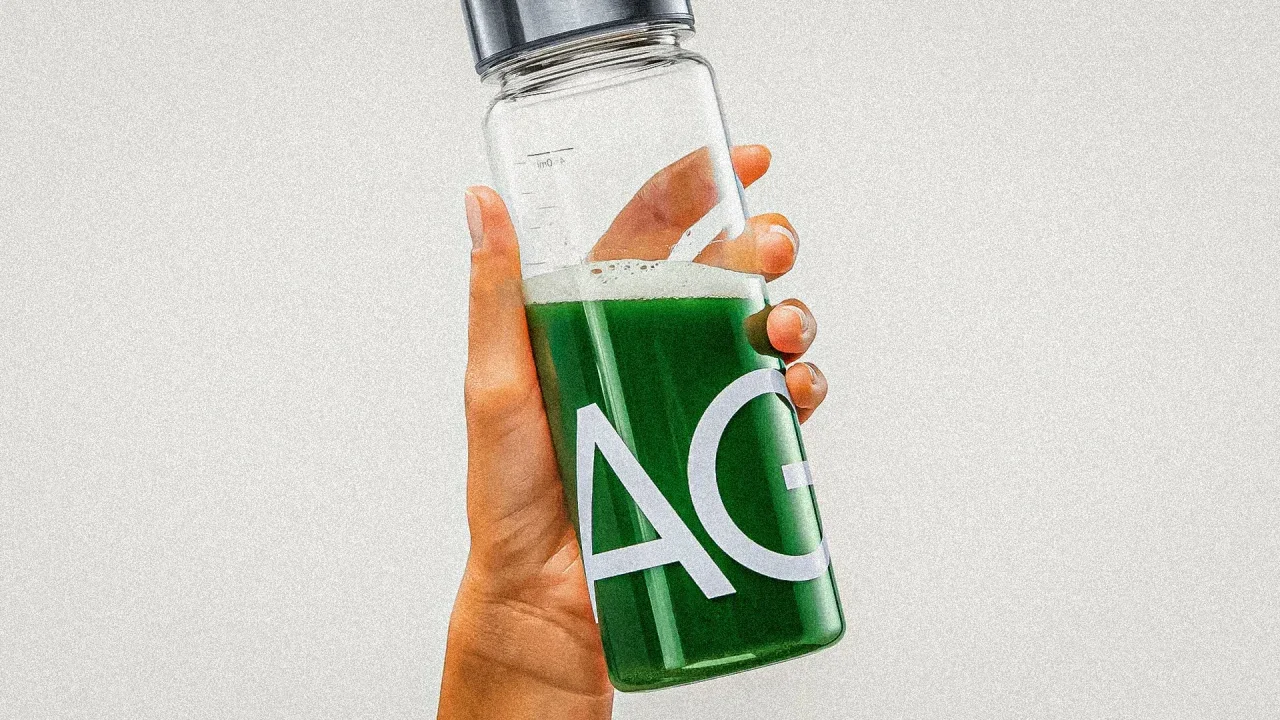
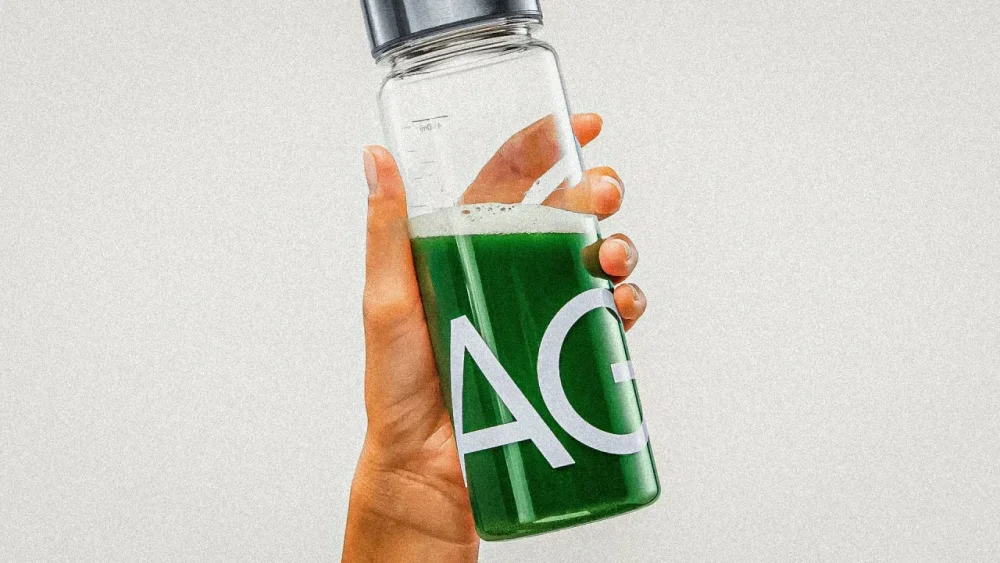
Dek: The health supplement company counts investors like Lewis Hamilton and Alex Honnold. Kat Cole is no stranger to a career pivot. At Hooters, she went from waitress to vice president as she worked her way up the restaurant chain’s corporate ladder. Then, over the course of more than 10 years at Cinnabon parent Focus Brands, she built a career selling sweet treats to consumers. In 2024, Cole made the leap from selling fast food to health supplements by becoming CEO of AG1 (formerly known as Athletic Greens), which sells a green multivitamin and nutrient powder. Valued at $1.2 billion in 2022, AG1 has been endorsed by athletes like Olympic runner Allyson Felix and Formula One driver Lewis Hamilton, as well as an endless roster of wellness and fitness influencers. (Some doctors have questioned the need for supplements like multivitamins altogether). Cole spoke to Most Innovative Companies host Yasmin Gagne about growing AG1’s business, the brand’s Ozempic opportunity, and whether she thinks it will ever end up in the grocery aisles. Listen to our conversation with Cole and a segment with Ankler Awards Editor and Prestige Junkie host Katey Rich, who explains how studios have conducted their Oscar campaigns this year. https://embed.podcasts.apple.com/us/podcast/how-studios-navigate-the-oscars-race/id1576874503?i=1000694523411 How does a former fast food executive come to run a health company? There’s a few ways to look at this. One is just the journey that I’ve gone on as a woman, as a mom, and over time how nutrition and health has become more important to me personally. We’re also so much more informed now. Even people who are in their thirties are thinking of healthspan and nutrition. There are things, like my mom getting breast cancer when my kids were very small and she was starting her business, or when I had my kids at 39 and 41 after a few miscarriages in between, that put nutrition and health more squarely in my focus as an individual. Health also became a bigger part of one where I believe consumers were going and therefore what the market opportunity and business would be. I am also a leader experienced running companies at scale, and 10 years ago there weren’t a lot of scaled healthful nutrition companies that made sense for someone like me to manage. Now AG1 is big enough for me to come in and lead this chapter. Do you have any guilty pleasures? I used to say everything in moderation. Now I think that phrase, in some cases, has been used to the extreme where in aggregate, a few things in moderation are no longer moderation. I think very seriously about what my kids see me eat and how we make decisions when I treat myself. But I am a human, not a robot. I treat myself once in a while with an ice cream or a cookie—I have a 5 and a 7-year-old During COVID, sales of multivitamins and supplements in general increased by 50% between 2018 and 2022. AG1 is 15 years old—how do you compete with the explosion of newer brands in the sector? In any market, the presence of growth and competition is an indicator of consumer demand. So as it relates to health and wellness, if there are more consumers demanding more options, then that means those consumers are going on a health awareness journey. As a businessperson, that means I’m in the right space. That said, consumers have more options. It can get tougher to appreciate the distinction between those options. So when I think about the things that are required to stand out today that may not have been on customer’s minds as much 10 years ago. That’s things like human clinical trials and research for supplements that is not required of the industry, but is what we have invested in for years. I think about third-party certifications—we’ve been NSF[-certified] for sport for eight or nine years, which is a third-party certification that not only verifies that what’s on the label is in the product, it also ensures there are no contaminants or doping agents. We pay a third party to keep our product all the way through the supply chain in check. Those are things we’ve always done, but years ago we actually didn’t brag about it. We didn’t market it because there was so much demand. Now we are showing proof of the third party studies we do. It’s a different approach to education information and go to market. I was surprised to find out there’s an even gender split among AG1 customers. I was surprised because I assumed that most would be men into biohacking. I assumed that as well when I was an early customer. I thought I was this outlier lady. Once I got into the business and saw the demographic split, I wanted to accelerate that shift to a more female customer base. When I joined, it was like 40% or trending that way, and now it’s 50-50. One reason [for your misconception] might be that some of our more popular creator partners thought leaders, academics, people with big podcasts, or platforms were male. The reality is women—and this has been accelerated by COVID—want to live long and strong. It’s not about being frail or delicate, it’s about fuel, it’s about strength, it’s about power and nutrition. What I see in our customers is the fastest growing customer group by age is 45-plus. As we get older, we age into new reasons to need to supplement and want to supplement an already healthy lifestyle, and there are new ways to afford a premium product. Our younger consumers tend to be athletes and fitness enthusiasts who really value their nutrition and take it more seriously. That has evolved over time. Then I started interviewing our customers, our female customers in particular, in the early years when I joined. What I found is they had heard about it from a partner, a trainer, a physician. Their recommender tended to be male in those earlier years. But then they didn’t have as many options being marketed to them as we have now. Now we’re in an interesting space where our split is 50-50 both for existing customers and new ones joining us, but women in particular are so marketed to in this space. It’s confusing. It’s difficult to know what to trust, and we have so many distinct life stages, from pre and postnatal, perimenopausal, menopausal, postmenopausal. There’s a lot of support that can come from nutraceuticals or nutrients to help with those life stages. So now the job we need to do for our female customers is being really clear where we fit into their stack and explain why they should trust AG1 in the confusing landscape of supplements. At Focus Brands, you brought brands like Cinnabon to different sections of the grocery aisle, with products stocked in the snacks section, and the frozen food section, for instance. Are you going to bring the same playbook to AG1? The core AG1 is this daily health drink in a powder form that people mix on their own in water or put in their smoothies. Retailers love this idea. It’s a very straightforward supply chain. It’s shelf-stable in its packaging, and there is built-in demand that is not necessarily being fully realized by the e-commerce platform. So retailers love the idea of a brand people know but haven’t yet tried. There’s brand awareness, product fit, and the format makes sense. You can imagine some retailers that have a heavy inclination toward sampling and education and letting people try and learn about a product before they buy. That’s the opposite of our current model. If you hear about it and you go online, the best value is to subscribe. So you’re actually subscribing before you try retail. Some of the retailers can help us reach a customer that we haven’t been able to reach. AG1’s valuation—$1.2 billion—is a huge number for a CPG company. And I think we’ve seen a lot of CPG companies struggle to live up to that kind of valuation. You have investors, including Lewis Hamilton and Alex Honnold, who are probably curious when they’re going to see a return. Is the company ever going public? I won’t speak to what the particular outcome is. That valuation was on $160 million in revenue we did that year. January 2022 was peak market fervor, there was a lot of froth. However larger marquee investors who came to the table are supersmart. They saw the fundamentals of the business. We were $160 million in revenue that year, growing at hundreds of percent with an incredible body of opportunity in front of the business. So if you look at what’s happened since then, we were at $160 million at the end of 2021, we’re projecting $600 million in revenue now. We’ve well over 3X the business. So even if valuations have come down to earth a bit, the business has grown unbelievably. And so our investors are very happy. Do you plan on launching more AG1 products? Our customers have asked us to launch so many things, but if we did it, it would create confusion. AG1 is foundational nutrition. It’s this idea that first and foremost, the best driver of health from a nutrition perspective is whole foods. Then this idea of something called a foundational nutrition layer, which essentially is nutrients and gut health support. Foundational nutrition is an idea that there is such a thing as a group of supplements that help most people cover many [health] gaps. It’s like the future of what the multivitamin was supposed to be, except no one takes a multivitamin and says, “my digestion’s better.” No one takes a multivitamin and says, “I feel more energy.” But they do with AG1 because it’s more comprehensive. This idea of having a foundational routine is the base of the business. As we innovate products, the question is: what do our customers need from us? And I’ll just give you a few examples. Might they be at different life stages? You can imagine what some of those might be that emulate some of the journey multivitamins. View the full article
-
An unsubstantiated online theory has recently taken hold, claiming that family vloggers are fleeing Los Angeles to escape newly introduced California laws designed to protect children featured in online content. In recent years, several states have introduced new legislation aimed at protecting child influencers from exploitation. In September 2024, California Governor Gavin Newsom, with support from former child star Demi Lovato, signed two key bills designed to “ensure children and teenagers who perform in online content are protected from financial abuse.” One of the most important bits of the new legislation “establishes financial and legal protections for minors featured in monetized online content (i.e. child vloggers) by mandating that their parent or guardian set aside a percentage of their earnings in trust accounts.” With the passing of the law, California became the third state in the country to legislate protections for influencer kids, joining Illinois and Minnesota. Attention has now shifted to influencers whose children feature heavily in their content, some of whom have made seemingly abrupt moves across the country. Videos speculating about the real reasons for these relocations have gone viral, racking up millions of views. But the influencers themselves insist the moves have nothing to do with California’s new laws. Over the past year, several high-profile family influencers have either relocated from California to Tennessee or announced plans to do so. This includes the LaBrant family, who have 12.8 million YouTube subscribers; TikToker Cecily Bauchmann, who has 2.2 million followers; and Brittany Xavier, who has 5.1 million followers on TikTok. “I feel like that’s a little suspicious,” one TikTok creator posted. “I wonder how many of those are a direct correlation to the fact that now they have to pay their children.” All of the families have publicly denied the new California law influenced their move. Fast Company has reached out to the LaBrants, Bauchmann, and Xavier for comment but has not heard back as of publication. After users began flooding Xavier’s social media posts with comments regarding this theory, the influencer took to TikTok to shut down the rumors. “It has been a wild week on TikTok,” she says into the camera as she does her makeup. She goes on to cite a mold issue in their rental home as the reason for their hasty relocation. “The assumption that we moved to avoid paying our children is so laughable,” she says. “My income doesn’t depend on if my kids are in my videos or not. But we’ve always made sure to set them up financially regardless.” However, many in the comments remain unconvinced. “‘Found mold’ = laws changed,” one person wrote. Another added: “Brittany the likes and replies aren’t helping the cause.” Another theory is that influencers are leaving California due to its political leanings. Xavier herself hinted at political motivations when responding to a comment suggesting she “wanted a red state”: “CA leadership is a mess at the moment, they need help. Hoping here has competent leadership, we shall see.” View the full article
-
Microsoft Edge continues to position itself as the sensible, performance-centric alternative to Chrome, free of the bloat that Google's continual feature creep can sometimes result in. Now, it seems, the company is also coming after other browsers like Opera GX, as it's just copied one of that browser's most useful features. As reported by Windows Latest, Edge has recently added a new Resource Controls feature, which lets you severely limit how much RAM the browser can use. This can be useful while gaming (or performing other demanding tasks), and you can even set it to only limit RAM while you're in-game. You can give the browser access to as little as 1 GB of memory, too, so you can get especially stingy here, but note that doing so will limit you to about five active tabs while browsing modern websites. Pages might also take longer to load, especially if they have elements like video on them. Still, that might be worth it if you're really starved for RAM while running Edge in the background. Let's say you have 16GB of RAM and you're in the middle of a game. You could then limit Edge to about 4GB of max RAM usage, which should be enough to allow you to quickly check emails or a walkthrough without hurting your gaming performance. While Resource Controls has been in beta before, Microsoft is seemingly now rolling it out to the stable build of Edge for Windows, so everyone should have access to it now (or soon). To find it, first first update your browser to the latest version (under Settings > About Microsoft Edge), then click the three-dot menu in the top-right corner and navigate to System and Performance using the sidebar that pops up. Here, scroll down to Manage Your Performance and toggle on Resource Controls. Credit: Khamosh Pathak You'll see a RAM slider that ranges from 1GB to however much memory your PC has installed. Choose the amount you want— Edge will warn you if your choice will slow down your browser, but it won't stop you. Finally, choose if you want to limit RAM only when you're PC gaming, or always. For convenience, I prefer the former—I don't really need it limited when I'm outside of a game. View the full article
-
The Consumer Financial Protection Bureau's decision to drop its enforcement action against the credit reporting bureau marks the eighth lawsuit dropped by the agency in recent days. View the full article

-
We may earn a commission from links on this page. Running is hard. Sticking to a training plan is hard. But knowing that you have a race coming up is a great motivator to get you out on the road when you’d rather be watching TV. If you’ve never run a race before, putting one on your calendar might seem scary: Will I feel out of place? What should I wear? How long is a 5K anyway? (It’s 3.1 miles.) I remember being nervous for my own first 5K. Actually, I considered signing up for probably half a dozen before I worked up the nerve to actually do it. I actually signed up for a 10K first, which was probably just a way to put it off even further; I survived the 10K, just barely, and was still nervous for my 5K a few months later. But in the years after that, I came to love the 5K. It's a race you can do on a Saturday morning and still have the rest of the day ahead of you. Most of them only cost about 25 bucks to enter, and they run the gamut from low-key small races to big ones with practically a whole festival occurring at the start line. Let’s warm up those cold feet and demystify what will actually happen at your first race, and what you can do to prepare. How do I know when I’m ready to sign up for a 5K race? There’s a real simple answer for this. If you’re starting to wonder whether you’re ready to take on a race, you already are. So go ahead and sign up, already. (I’ll wait.) A 5K, or five-kilometer, race is the perfect distance for beginners. It’s about three miles, which means the average person could walk that distance in about an hour. Most 5K races encourage walkers as well as runners to join, so you don’t have to worry about standing out for being “slow.” You could literally walk the whole thing and blend right in. Races are more fun and more welcoming than newbies often realize. Even if you aren’t normally the competitive type, the energy and atmosphere of race day can make for a great experience. A race is a great test of your physical and mental strength. Any old training run can be a good one or a bad one, but your first race day will be one to remember, no matter what happens. You’ll have a little extra motivation to push the pace, and you may be pleasantly surprised at what you can do. What’s a good 5K time to aim for?Since this is your first race, your goal should be just to have a good time. Finish the race, take note of your time, and use that as a baseline to improve on next time. There is no such thing as a “bad” time for your first 5K. But if you’d like to have a personal time goal, look back at your training runs. Have any of them been 3.1 miles or longer? If so, use your pace from those runs to calculate the 3.1 mile equivalent. (For example, if you ran 3 miles in 32 minutes, that works out to a 10:40 pace, which is 33:08 for a 5K.) You can do that math with a pace calculator like this one. Aim to beat your best training time on race day. That said, you’ll want to check whether your race’s course is similar to the terrain you’ve been training on. If you’ve been running on mostly flat roads, and the race website promises a “fast and flat” course, great. But if the race course is described as “challenging,” or if it’s on trails, you can expect some hills that will slow you down. Adjust your expectations accordingly. Can I walk during a 5K race? Absolutely! Not only are some people walking the whole thing, the point of a race is just to cover the distance as fast as you can. The faster runners will run the whole time, but plenty of middle-of-the-pack folks will mix in some walking. My first 5K, I couldn’t keep up a steady pace and ended up walking a lot more than I wanted. I still finished, though, and although I don’t recall my time I remember being pleasantly surprised by it. Definitely do not think of walking as shameful. We all do what we need to do to cover the distance. Think of walking as a tool that can reduce fatigue while still moving you closer to the finish line. Use it as much as you need. Will I get a medal?This depends on the race. Usually, at small races like a local 5K, medals are only for the top finishers—so, no, most 5K runners will not get a medal. If you're hoping to get a medal just for finishing the race—called a finishers' medal—those are usually reserved for longer races like marathons and half-marathons, where finishing is considered to be an accomplishment in itself. That said, there are 5K races that promise all participants a cool medal, so keep an eye out for those if that’s your kind of thing. In most 5K races, awards are given to the overall winners and the age group winners. Decisions about awarding medals are up to the race organizers, but a typical selection goes like this: Overall winners are usually the first three men and first three women to cross the finish line (there may be a cash or other prize in addition to a medal), and then age group medals are given to the top three men and women in each age group. The age groups will vary: Some races will have 30 to 39 as a single age group, while others will break it into 30 to 34 and 35 to 39. Check out the previous year’s results to see how competitive your age group tends to be. Who knows: If you’re a fast beginner, you might medal at your first race! How do I train for a 5K? For your first 5K, any amount of running you do will get you ready. If you’re looking for a general guideline, here’s a basic structure that will work (it’s pretty much the same as what I recommend for beginning runners regardless of goals): Three runs per week 20 to 30 minutes per run (can be a mix of running and walking) …for about two months before the race Here’s an example of a training plan along those lines, meant for absolute beginners. Couch-to-5K is another beginner program, which starts with a mix of running and walking and gradually phases out the walking. If you’re more experienced, you may like this intermediate 5K program, which includes five days of running per week. The runs are still fairly short, but they include some speedwork (fast intervals) and a weekend long run that ranges from five to seven miles. What happens on race day? First, you’ll want to sign up for the race ahead of time. At some local races, you may be able to walk up to a table on race morning and hand over cash for your entry fee. I prefer to sign up online to make sure I’ll have my spot. (If they offer a free t-shirt, they may not guarantee shirts to late entries.) The day before the race, there may be an option for “packet pickup.” It’s called a packet because you’re often given an envelope or swag bag that includes coupons, flyers about other races, and maybe some free samples of products or other items. But the most important part of the packet is your race bib, which is a piece of tear-proof paper with a number on it. There is usually a timing chip glued to the back. Make sure you have this pinned to your shirt when you’re running the race. On race morning, aim to get to the start line at least half an hour before the race; earlier is better. A typical race morning routine goes like this: Wake up, have coffee and/or whatever breakfast you can stomach. Maybe bring a snack for the road. Drive/travel to the race start (aim to arrive 30 to 60 minutes before the official start time). Pick up your bib if you haven’t already. Pin it to your shirt. Put any other items from the packet in your car or use the bag drop service if they offer one. Warm up. Take a walk or go for an easy, short jog. Stretch if you normally stretch before runs. Listen carefully for an announcement that you should start lining up for the start. Run the race! After you finish, rest as needed, grab a snack (snacks are almost always provided), and retrieve your bag if you left it at the bag drop. Stick around for the award ceremony, if desired. Go home and have a nice meal. And maybe a nap. What should I eat before a 5K? First, remember the number one rule: nothing new on race day. This is not the time for a new pre-workout, or for drinking coffee if you normally don’t, or for trying the breakfast your friend swears by. Eat whatever you can stomach. Good options will be mainly carbs, and the closer you are to the race start time, the smaller the meal should be. Classic runners’ breakfasts include: Toast or a bagel, maybe with a thin smear of peanut butter A banana A Clif bar or other energy bar that is mostly carbs (not a low-carb protein bar) A muffin, croissant, or cookie Yogurt, with or without fruit What should I wear to a 5K race? Your regular running clothes will be fine, but there are a few extra considerations. First, where will you put your bib? You're usually asked to pin the bib with your race numbers to the front of your shirt. If you'll be layering up, decide which layer gets the bib. You can also pin your bib to your pants or shorts, as long as the race rules allow. If you want to be fancy, you can buy a race belt that holds your bib on without safety pins. Second, about those layers. If it's a chilly day, you may be waiting around a bit before the start, and then you'll warm up when you're running. So you may want to have a long-sleeved layer that you can hand to a friend (if you have a friend staying behind as a spectator) or that you can tie around your waist as needed. Whatever you do, make sure your bib is visible. How do I calm pre-race jitters? If you’re nervous, just remind yourself that it’s normal to be nervous. Nervous and excited are two sides of the same coin. Think of those jitters as your body amping itself up to be able to give the race everything you’ve got. That warmup walk or jog will help you to feel more comfortable. Once the race has started, you’ll feel a lot more comfortable, mentally (even if you’re more uncomfortable, physically). The best way to deal with pre-race nerves is to plan ahead: Know where you’ll go and what you’ll do. Practice your pre-race breakfast and warmup on a training day. And just remember why you’re there. Your real goal is to have fun, to learn what it’s like to run a race, and to find out what kind of 5K time your body is capable of on this particular day. There’s no way to really fail at this. Keep a positive attitude, and if you decide you like racing but you weren’t happy with your time, you can always run another race later. How fast should I run my 5K? You may be tempted to run as fast as you can from the start, but take it easy. You don't want to go out too fast and then tire yourself out. Start at a slightly slower pace than you think you should. After the first mile, you can speed up if you're still feeling good. I like to think of the first half of the race as a chance to conserve energy that I can spend in the second half. The closer you get to the finish line, the more you can speed up. What’s a good heart rate for race day? This one is for the folks who train by heart rate. You probably have some numbers that you’re used to seeing on your training runs. The most important thing to know here is that your heart rate doesn’t matter on race day. And it probably won’t match the numbers you’re used to seeing. First, your heart rate increases when you’re nervous. The start-line adrenaline will likely have you in zone 3 or 4 when you’re running zone 2 pace. Do not waste time trying to get your heart rate down into a normal zone. Second, a race is supposed to be hard! You’re going to be running faster, for longer, than you ever were in your training. Your heart rate may shoot sky-high. It would not be unusual to see your heart rate in zone 4 for the first two miles and zone 5 in the third. That’s OK! You can do this! If your legs are still moving, you’re doing okay. Try to feel for a “redline” where if you went any faster, you wouldn’t be able to sustain it, but at the current level you feel like you can at least finish this mile, or this half-mile, or this minute. Just keep doing one more, and soon you’ll be finishing with a smile on your face. Or a grimace, but it will turn into a smile once the accomplishment sinks in. I promise. View the full article
-
Ayrshire resort owned by US president dropped from rota for Britain’s premier tournament after January 6 attack on CapitolView the full article
-
Authors in two separate Urban Institute papers warn how headcount reductions at the entities could negatively impact borrowers, taxpayers and the housing market. View the full article