ResidentialBusiness
Administrators
-
Joined
-
Last visited
Everything posted by ResidentialBusiness
-
 Facebook has taken down a “large group page that was being used to dox and target [Immigration and Customs Enforcement] agents in Chicago,” U.S. Attorney General Pam Bondi posted on X Tuesday. Facebook parent Meta confirmed the move in a brief statement shared with Fast Company Tuesday. “This Group was removed for violating our policies against coordinated harm,” a Meta spokesperson said. Those policies include prohibitions against outing undercover law enforcement and supporting vandalism, among other restrictions. Meta did not immediately respond to an inquiry about which of those rules were allegedly violated. Neither Meta nor Bondi’s statement identified the Facebook group in question. The Chicago Sun-Times reported that it was a group called “ICE Sighting – Chicagoland” with roughly 76,000 members. Numerous Chicago Facebook groups and pages have featured reports and discussions of ICE activity in recent weeks, as state and local officials and many residents have condemned and protested the agency’s aggressive operations in the area. Another Chicago Facebook page, condemned in conservative media in recent days for allegedly encouraging resistance against ICE, appeared to still be live Tuesday afternoon. Conservatives have previously criticized Facebook parent Meta and other social media companies for bowing to what they saw as censorship demands from the left, including pressure from the Biden administration to take down certain pandemic-related posts. “I believe the government pressure was wrong and I regret that we were not more outspoken about it,” Meta CEO Mark Zuckerberg said in a letter to House Judiciary Committee Chairman Jim Jordan (R-Ohio) last year. Jordan praised Zuckerberg earlier this year as the company ended a fact-checking program and other content restrictions conservatives saw as limiting free speech. Meta also agreed to pay $25 million to settle claims related to Facebook and Instagram suspending President The President’s accounts after the January 6, 2020, attack on the U.S. Capitol, which the president called a First Amendment violation, citing alleged government pressure on the company. Other online platforms including Apple’s App Store and the Google Play Store have also reportedly recently taken down tools used for tracking ICE operations, with Apple telling Fox Business at least one ICE-tracking app was removed after a law enforcement request. Courts have historically held that it’s legal under the First Amendment to film and otherwise document law enforcement activity. “The wave of violence against ICE has been driven by online apps and social media campaigns designed to put ICE officers at risk just for doing their jobs,” Bondi said in her post. “The Department of Justice will continue engaging tech companies to eliminate platforms where radicals can incite imminent violence against federal law enforcement.” View the full article
-
The second part of Kevin Indig’s AI Mode study breaks down what’s measurable, what’s myth, and where visibility is really earned. The post Google’s AI Mode SEO Impact | AI Mode User Behavior Study [Part 2] appeared first on Search Engine Journal. View the full article
-
Did you know you can customize Google to filter out garbage? Take these steps for better search results, including adding my work at Lifehacker as a preferred source. This week, California governor Gavin Newsom signed a handful of new laws that regulate artificial intelligence and social media. Among them is SB 243, which requires that chatbots provide "clear and conspicuous" notice that they are not a real person. The law goes into effect on Jan. 1, 2027. SB 243 also requires chatbots interacting with children to provide a reminder every three hours to take a break and prohibits chatbots used by minors from generating sexually explicit content. The law mandates that companion AIs have safeguards for people in mental distress, and requires companies to report how they handle situations involving suicidal ideation and self-harm. “Emerging technology like chatbots and social media can inspire, educate and connect — but without real guardrails, technology can also exploit, mislead, and endanger our kids,” the Democratic governor said in a statement. The rest of California's new AI and tech lawsSB 243 is just one piece of a broader package of tech-focused legislation Newsom approved this week. The AI transparency act (AB 853), requires large platforms to disclose when AI is used to generate content. It also requires that recording devices sold in California, such as cameras and video cameras, include the option to embed verifying information. Another bill signed by Newsom, AB 56, requires social media platforms to add regularly timed warnings to minors of the potential mental health risks associated with the use of the apps. AB 621 strengthens penalties for companies whose platforms distribute "deepfake" pornography. And finally, AB 1043 requires that device makers (mostly Apple and Google) implement tools to verify user ages in their app stores. As California goes, so go the rest of the statesWhile the laws governor Newsom signed only apply to California residents, big tech companies are expected to voluntarily implement the guidelines for the rest of the nation; the population of California is so large that state laws regulating technology there tend to be adopted everywhere. This is assuming, of course, that legal challenges don't scuttle or significantly change the laws: like most legislation aimed at "protecting the children," there is a potential conflict between the protection of children and the protections of adults' rights. View the full article
-
Heads up! Black Friday is almost here, and if you still haven’t prepared, it’s time to act fast. The clock is ticking, but you can still make meaningful updates that count. This article covers practical and straightforward last minute Black Friday tips to help you make quick, effective changes to your eCommerce store. Even with just a few days left, there’s still room to attract customers and make the most of the biggest shopping event of the year. Table of contents The must-dos (essentials you can’t miss) The nice-to-dos (if you have a little more time) Make your Black Friday deals shine with Yoast SEO for free! Bonus: Automate structured data for rich results Final thoughts: simple moves, big impact Key takeaways Act quickly to implement last minute Black Friday tips for maximizing eCommerce sales Focus on essentials such as clear offers, optimized checkout processes, and engaging email campaigns to boost conversions Leverage social media to build anticipation, share customer stories, and create urgency with time-sensitive posts Consider quick SEO fixes to enhance visibility, like updating meta titles and refreshing content for Black Friday Utilize tools like Yoast SEO for enhanced performance and structured data to ensure your deals stand out in search results Did you know? Numbers show that Black Friday 2024 broke all records, as U.S. shoppers spent a staggering $ 10.8 billion online, representing a 10.2 percent increase from 2023. These numbers prove one thing: it is never too late to take action and grab your share of the Black Friday rush. The must-dos (essentials you can’t miss) The fastest way to put your Black Friday campaign on pilot mode is by focusing on a few essentials that make an immediate difference. These must-do, last minute Black Friday tips are your quick wins, helping you cover the basics, build momentum, and set up the foundation for a successful marketing campaign. Make your offers crystal clear When shoppers land on your website, your Black Friday deals should be impossible to miss. Highlight your best offers right on the homepage or add a static banner so visitors see them immediately. The clearer your offers are, the easier it is for customers to take action. One of the most innovative ways to increase engagement is by using countdown timers. They build urgency, encourage faster decisions, and make shoppers feel like they’re part of something time-sensitive. The Diamond Store saw this in action when they added a live countdown clock to their 24-hour Black Friday email campaign. The result? A 400% higher conversion rate compared to their previous emails. For WordPress users, OptinMonster is a quick way to get started. It lets you create dynamic floating bars and banners with countdowns, all through a simple drag-and-drop builder. If you’re using Shopify, the Essential Countdown Timer Bar app works perfectly for creating announcement bars or cart countdowns to drive urgency and prevent cart abandonment. Check your checkout Did you know a long or confusing checkout process is one of the biggest reasons shoppers abandon their carts, especially during high-traffic days like Black Friday? That’s the last thing you want when every second counts. Before the rush begins, take a few minutes to go through your own checkout process on both desktop and mobile. Place a test order just like a customer would. Verify that your discount codes are applied correctly, your payment options load smoothly, and the overall flow feels quick and effortless. Read more: Boost your checkout page UX: Vital tips for online stores Ask a few friends, family members, or even teammates to try it too. Fresh eyes often spot friction points you might miss, such as unclear buttons, confusing forms, or slow-loading pages. Trust also plays a huge role. Ensure your checkout page displays secure payment badges and recognizable gateways, such as PayPal, Apple Pay, or Stripe. When shoppers feel confident their payment is safe, they’re far more likely to hit “Buy now.” And one last tip: keep it simple. The fewer distractions and clicks, the smoother the path to purchase. That’s precisely what drives conversions during a last minute Black Friday rush. Send a simple email to your list Black Friday emails have been shown to generate 33 percent higher conversion rates than regular marketing messages. That alone makes it one of the smartest last minute Black Friday tips to focus on. When time is short, your existing customer base is your best asset. They already trust your brand and are far more likely to act quickly on your offers. Keep your email focused and straightforward. Start with a subject line that clearly highlights your best deal or most significant discount. For example, in the screenshot below, you can see how the key offer or discount is prominently displayed in the subject line, while the body reinforces the offer with a clear call to action. Inside the email, make your main offer impossible to miss. Emphasize the key benefits of your product or service, and include a direct call to action that takes users straight to your Black Friday sale page. Make it visually engaging by adding a countdown timer or a short GIF that brings energy and urgency to the message. Remember, this isn’t about crafting a perfect campaign. It’s about getting the right message to the right people at the right time. A simple, well-timed email can make a real difference in your Black Friday sales. Promote on social media channels Social media continues to play a significant role in Black Friday success. It has seen a 7 percent year-over-year increase in traffic, now driving around 10 percent of all global mobile traffic referrals during the holiday season. Your audience is already scrolling, searching, and shopping, so this is your opportunity to be where they are. In these last few days, your social media strategy should focus on building anticipation and trust. If you have customer review videos, testimonials, or any user-generated content, start sharing them now. Boosting these posts or running quick ad campaigns featuring real customer stories can help you build credibility fast. People are far more likely to buy when they see genuine experiences from others. You can also collaborate with a micro-influencer or a brand advocate who already has a connection with your target audience. Even a brief post, story, or reel from them can draw attention to your sale and help you gain visibility. If you are short on time, focus only on your most active platform, whether that is Instagram, Facebook, TikTok, or LinkedIn. Post your best offer as a pinned post or a story highlight and use countdown stickers or short video snippets to create a sense of urgency. Lastly, remember to engage. Reply to comments, answer questions, and reshare posts from happy customers. Small interactions can make your brand feel more approachable and help you stand out during the Black Friday rush. Must read: How to handle comments on your blog Quick SEO fixes for better Black Friday reach If you haven’t touched your SEO yet, don’t worry. There’s still time to make a few quick updates that can help your store appear in the search results. These last minute Black Friday SEO tweaks can enhance visibility, attract the right audience, and might give your deals a competitive edge. Start with your meta titles and meta descriptions. Add words like Black Friday 2025, sale, or deal to your titles so searchers know what to expect. For example, instead of ‘Women’s handbags – Classic collection,’ you can try ‘Black Friday 2025 deals on women’s handbags.’ Keep it relevant, natural, and clear. Next, check your product and landing pages. Make sure they’re up to date with current pricing, stock status, and offers. Highlight the discounts in your product descriptions, and, if possible, include keywords that shoppers might search for, such as ‘best Black Friday deals’ or ‘holiday gift offers.’ Another smart move is to reuse your existing content. If you already have an older Black Friday or holiday gift guide, simply refresh it for 2025 by updating the year, offers, and internal links. It’s a fast way to keep your content relevant without having to start from scratch. Lastly, take a minute to review your page experience. A fast, mobile-friendly site can make or break your Black Friday sales. Run a quick check using Google’s PageSpeed Insights and fix anything that’s slowing your pages down. Even minor improvements can help increase conversions. These quick wins may not replace a comprehensive Black Friday SEO strategy. However, they can still make your website more discoverable and help you capture traffic from shoppers actively seeking deals. The nice-to-dos (if you have a little more time) Okay, so the must-dos can help you frame a solid last minute marketing campaign. But if you’ve managed to check those off quickly and still have a little time on your hands, don’t stop there. The following few ideas may seem optional, but they can give your campaign the extra boost it needs to capture more attention, convert hesitant shoppers, and capitalize on the Black Friday rush. Run simple retargeting ads Don’t let potential buyers slip away after visiting your store. Retargeting ads help remind them of products they viewed or added to their carts, increasing the chances of conversion. Even a short, time-bound campaign with strong visuals and clear CTAs can make a difference during the Black Friday rush. Bundle products or create quick gift sets Shoppers love convenience, especially during the holidays. Bundling complementary products or creating quick gift sets can simplify decision-making and increase your average order value. Highlight these as limited-time deals to develop a sense of urgency and drive faster sales. Add live chat or quick support options Many customers abandon their carts when questions go unanswered. Adding a live chat feature helps resolve last minute queries instantly and keeps buyers engaged throughout the checkout process. Tools like Tidio and LiveChat integrate seamlessly with both WordPress and Shopify, making setup quick and easy. Make your Black Friday deals shine with Yoast SEO for free! Getting your offers in front of the right people starts with how your website appears and performs in search results. That’s where Yoast SEO can be a real game-changer during the Black Friday rush. Here’s how: Write SEO-friendly content With Yoast SEO, you can create content that both readers and search engines understand. With Yoast SEO’s real-time feedback: Get instant insights on keyword use, density, and placement Optimize your product titles and descriptions to highlight key offers Ensure your content maintains the right balance between keywords and readability Improve readability Shoppers move fast during Black Friday. Keep them engaged with content that is easy to read and skim. Yoast helps you: Simplify long sentences and paragraphs Use better transitions for a smoother flow Maintain a consistent tone and structure throughout your content Help search engines crawl your site efficiently Visibility depends on how easily search engines can crawl and index your site. With Yoast SEO, you can: Automatically generate XML sitemaps to guide crawlers Use SEO-friendly breadcrumbs to create a clear site structure Ensure your most important Black Friday pages are indexed correctly Prepare your website for the future of search AI-powered search is transforming the way people discover brands and deals online. The llms.txt feature in Yoast SEO helps you: Communicate directly with AI systems, such as ChatGPT Control how your content is accessed and cited by large language models Enhance the likelihood of your offers being accurately represented in AI-driven summaries and recommendations Install Yoast SEO now Bonus: Automate structured data for rich results Want your Black Friday products to stand out in search with details like price, stock status, and ratings? That’s where structured data comes in. It helps search engines understand your products better and display them as rich results. With the Yoast WooCommerce SEO plugin, this process becomes effortless. It automatically adds product-specific structured data to your pages, so your deals are clearer and more clickable in search results. This gives your listings the best chance to shine when shoppers are scanning for quick, trustworthy deals during the Black Friday rush. Buy WooCommerce SEO now!Unlock powerful features and much more for your online store with Yoast WooCommerce SEO! Get Yoast WooCommerce SEO »Only $178.80 / year (ex VAT) Final thoughts: simple moves, big impact As the countdown begins, remember that success isn’t about doing more but doing what matters most. It’s easy to get caught up in ambitious plans, such as redesigning your website, launching new products, or building influencer partnerships, but those time-intensive ideas rarely deliver quick results when the clock is ticking. Instead, focus on achievable actions that create immediate impact. Refresh your existing content, refine your offers, and utilize tools like Yoast SEO to optimize your pages efficiently. A few smart tweaks to your product descriptions, meta titles, or site speed can often drive better conversions than a full-scale overhaul. The key to winning Black Friday isn’t scale, it’s strategy. Work with what you already have, double down on proven tactics, and use every minute wisely. That’s how you turn last minute prep into lasting results. The post Still not ready for Black Friday 2025? Here is your last minute rescue plan appeared first on Yoast. View the full article
-
The ongoing government shutdown is delaying the announcement of the annual Social Security cost-of-living adjustment for tens of millions of beneficiaries. Originally scheduled for Wednesday, the 2024 Social Security COLA announcement will now be Oct. 24. It is timed to the September Consumer Price Index, which also has not yet been released. The agency adjusts its benefits every year based on inflation. The postponement of the announcement is the most recent example of how the government shutdown, entering its third week and with little progress made toward a resolution, has made it more difficult for people to plan out their finances. Projections by Senior Citizens League and the AARP anticipate a COLA increase of roughly 2.7%. About 70.6 million people, including retirees, disabled people and children, get Social Security benefits. Social Security Administration beneficiaries have voiced concerns that next year’s increase will not be enough to counter rising costs. Sue Conard, a 75-year-old retired nurse from La Crosse, Wisconsin, and SSA recipient, recently traveled to the U.S. Capitol with other retiree members of the American Federation of State, County and Municipal Employees union to lobby for meaningful progress towards gaining health care protections to end the shutdown, as well as changes to Social Security benefits. She said she wants lawmakers to change the calculation on how the COLA is determined since the standard CPI gauge, which includes a market basket of consumer goods and services, doesn’t take into account many costs typical for older Americans. “The issue of how the COLA is determined is flat-out wrong because health care is not factored into the CPI,” said Conard, speaking on the front steps of the Longworth House Office Building. Some lawmakers have proposed legislation that would make SSA use a different index, called the Consumer Price Index for the Elderly (CPI-E), to calculate the cost-of-living increase that measures price changes based on the spending patterns of older people on things such as health care, food and medicine. A collection of Democratic lawmakers has proposed legislation to change the CPI calculation for COLA benefits to the CPI-E. Last session, Sen. Bob Casey, D-Pa., proposed a law that would change the COLA calculation, but that never got a hearing in the Senate Finance committee. AARP CEO Myechia Minter-Jordan said the COLA “isn’t just a source of income — it’s a lifeline of independence and dignity, for tens of millions of older Americans.” But even with an adjusted COLA, a majority of Americans still face challenges covering basic expenses, she said. Vanessa Fields, a 70-year-old former social worker and AFSCME member from Philadelphia, said she pays roughly $1,000 per month for groceries, more than in previous years. The COLA doesn’t keep up with rising costs, she said, “and we’re going to be in bad shape if lawmakers don’t act.” The agency is expected to begin notifying recipients about their new benefit amount starting in early December. A spokesperson for Social Security who spoke on the condition of anonymity to preview the COLA said retirement and Supplemental Security Income benefits would be adjusted beginning Jan. 1, 2026, without any delay despite the current government lapse in appropriations. The delayed COLA announcement comes as the national social insurance plan faces a severe financial shortfall in the coming years and as the agency has seen substantial workforce cuts. The annual Social Security and Medicare trustees report released in June said the program’s trust fund will be unable to pay full benefits beginning in 2034, instead of last year’s estimate of 2035. If the trust fund is depleted, the government will be able to pay only 81% of scheduled benefits, the report said. In addition, the agency laid off at least 7,000 people from its workforce of 60,000 earlier this year, putting pressure on the remaining workers to handle claims and answer inquiries from a rising number of recipients. —Fatima Hussein, Associated Press View the full article

-
Plaid said LendScore should be viewed as complementary to FICO and other traditional players in the space, but there could be room for disruption in the future. View the full article
-
Did you know you can customize Google to filter out garbage? Take these steps for better search results, including adding Lifehacker as a preferred source for tech news. Though its mobile app is quite bad, the web version Google's NotebookLM has become one of my most-used tools since I started playing around with the AI large language model last spring. I've found a ton of ways to use it to be more efficient in my everyday life, which is (much) more than I can say for other AI-enabled applications I've tried. Instead of (poorly) doing the work for you, NotebookLM acts as a true helper, assisting in organizing information for you without being intrusive. And one of the most useful ways to interact with it is via its familiar chat interface, which has turned the program into my new study buddy, and a resourceful co-worker. How I use NotebookLM's AI chat for studyingI've been studying for a certification exam and have been uploading my materials into NotebookLM whenever I get to a new chapter. From there, I've been able to make flashcards, mind maps, practice quizzes, and study podcasts with a few clicks. The podcasts are especially unique and helpful: Two AI-generated voices discuss the concepts from my notes and materials in an informational, conversational way that sounds just like a podcast—if said podcast were a little too pedantic and on-the-nose. (Sometimes, it even adds in tics like vocal fry to make things sound that much more realistic.) Credit: Google/Lindsey Ellefson Usually, I listen to a podcast on my chapter while I complete a chore, like packaging up my Poshmark sales. Then, I go back to the notebook and have it generate flashcards or a quiz to see how much information I retained. Each flashcard or quiz question includes a link to the source material, so I can click it and review the full passage in the left-side panel. I find the tool so useful, I've become something of an evangelist for it. A friend of mine recently went back to school, and I taught them how to upload the slide decks, chapter scans, PDFs, and other materials from their online classes into NotebookLM. They now use the chatbot to summarize a given class's content and create outlines for discussion posts. Using the chatbot to create outlines has been helpful for my friend, who struggles with writing but excels in thinking practically. They're able to ask the bot to generate key dates, important facts, and other concrete facts that they should be studying and referencing in their discussion posts, but which they find difficult to pull out of the dense material themselves. The chatbot has also been useful for my own studying, but in a different way. Unlike my back-to-school friend, I have no idea what's going to be on my certification test. I don't get a study guide. I know that out of 23 chapters of material, a random selection of questions will be given to me, which means I have to study everything, hoping I adequately cover what appears on my final exam. So after listening to my podcast and drilling my flashcards, I ask the bot to summarize the main idea of each chapter and suggest five of the most crucial points within it. Even though I know I have to read the whole thing, this gives me a roadmap for where to start and what to look out for. In that way, it's similar to using a traditional study technique like KWL or SQ3R to formulate questions before a critical reading session. I've also like to tell the chatbot to "have a conversation with me" about specific topics within the chapters. This is my version of the Feynman technique, in which you interrogate your mastery of a topic by trying to teach someone else about it, although I'm not "teaching" the bot so much as talking to it. By going back and forth conversationally, I practice describing the terms and ideas in a casual way, which I can't do if I'm not intimately familiar with them. If I find myself struggling to keep up the conversation, I know I have to study that section more. How I use NotebookLM's AI chat for workBack in May, I published a series here on Lifehacker entitled "Moving Made Simple." In writing and researching nearly a dozen articles for it, I interviewed something like 13 moving pros from around the world. I ended up with a stack of interview transcripts to sort through, and the idea of rereading them all to highlight the most important information, plus cross-reference reoccurring advice shared by multiple sources, was daunting, to say the least. I found myself struggling to remember who recommended what, and in what context, and determining which story each tip was best suited for. But then I turned to NotebookLM. I opened up a new notebook and dropped in copies of all of my transcripts. Because NotebookLM only pulls information from the sources and materials you input, I could then ask its built-in chatbot questions without worrying it would spit out nonsense culled from a dubious, 10-year-old Reddit post. I asked it things like, "What do the sources recommend for carrying large furniture?" and "What order should someone pack their belongings in before a move?" and NotebookLM made simple lists in response, with each answer including a hyperlink to the exact transcript from which it came. A number of pros recommended the same things, like packing hanging clothes in a garbage bag with a hole cut out for the hanger hook, and NotebookLM condensed all of those, highlighting that this was a top tip that I should definitely include. On request, it also included each speaker's name next to a given tip so I never had to go searching around for who said what, or risk misattributing something. NotebookLM made summarizing, organizing, and attributing all of this material so much easier than if I had spent hours going through the transcripts and highlighting everything myself. Credit: Google/Lindsey Ellefson Another benefit: Unlike ChatGPT, I didn't feel gross about using this chatbot, as it wasn't exploiting the work of others or risking producing questionable results or full-blown hallucinations—all out its output was based on my own hard-won input. I did the work of formulating questions, finding sources, and conducting interviews. The chat program just helped me organize it all so I could use it to turn the quotes and information into useful, actionable stories. (Note that at no point did I ask AI to help me draft articles—I used it for backend organization only.) In the months since, any time I've had a large volume of materials to work through to complete a given task, NotebookLM has been a useful tool. I sometimes use the chat feature to ask it for summaries, main ideas, or outlines of my notes, but I most often employ it to pull out quotes or standout concepts. It has helped me become a much more organized, efficient writer. How I use NotebookLM in my daily life As long as there are relevant, concrete materials available to upload to the tool, you can NotebookLM for other purposes as well. I think of it like relying on a single source of truth (SSOT), an older productivity hack that involves putting all the materials related to a certain project into one computer folder—but better, because in addition to giving you space to store all your resources, NotebookLM can organize them for you. Personally, I've uploaded copies of my schedule and asked the tool to outline my travel and time commitments for the week. (Not everything you input has to be a file or link. There is a plaintext option where you can just type out whatever you need the bot to know.) But you can get much more creative with it. Say you're looking for a new job. You might upload a job description and ask the NotebookLM chatbot to prepare 20 potential interview questions you might face. Or go farther: Upload relevant news articles about a prospective employer's culture, recent scandals, milestones, or the latest investor report, and use all of that to gain an overview of the company. The more information you provide, the more useful the output will be—and again, it will only pull from those sources, meaning you should be able to trust its summaries. To make sure of this, I periodically test the chatbot (because I'm a suspicious person). I'll ask it about a totally unrelated topic that I know isn't in the materials I uploaded, and so far, it has always told me my question is "interesting," but that there is no reference to it in the provided resources. Other possible use cases could include summarizing meeting transcripts, asking it to suggest meaningful themes in your recent journal entries, or outlining a five-year plan for your career. Your options are almost endless, and bound only by the quality and volume of the source material you upload. View the full article
-
Did you know you can customize Google to filter out garbage? Take these steps for better search results, including adding Lifehacker as a preferred source for tech news. Against all cybersecurity advice to the contrary, right next to my computer is a piece of paper with the password to my Google account written on it. Why? Well, if I forget it, what am I gonna do? Send a recovery email to my Gmail that I can't log into? It seems Google's aware of that little problem, because while it does have other workarounds on its account recovery page (like providing a mobile number that you've hopefully already linked to your account), now it's letting you use your friends' and family's emails to help you recover your Google accounts instead. Google is calling these emails "Recovery Contacts," and you can set them up now. Just navigate to your Google Account's security settings (or click here) to get started. From the Recovery Contacts page, click the button to add a contact, then enter someone you trust (you'll see several suggestions) and send them a request to be a Recovery Contact for you. Once they accept it, they'll be able to help you get your account back if you ever find yourself unable to log in, but they'll have to jump through a few hoops that a normal recovery email wouldn't. First, a Recovery Contact only has seven days to accept your invite, so if they missed your initial request, you'll have to send it again. Second, if they decline your request for whatever reason, you'll have to wait four days before you can send them a new one. Third, once they've actually accepted your request, you'll need to wait seven more days before they can actually help you recover your account. But once your friend or family member is set up as a Recovery Contact for you and through the waiting period, there are only a few steps left. It's not quite as convenient as a standard recovery email, but it's close. When trying to recover your account, select your recovery contract from the list of recovery options, or follow a prompt Google says may pop up to reach out to them. Then, select Get number. Your recovery contact will then get an email with three different numbers on their device. Give them the number you got within 15 minutes, have them select it, and you should be able to get back into your account on your own device. Or, if you missed that time window, you can simply get another number to try again. Note, though, that like with other recovery methods, Google might require additional case-by-case verification that you are who you say you are. The company says that if this is the case, your account will be put on a temporary security hold, and you'll be notified that an account recovery request was made. It's a bit annoying, but the idea is that if someone else tries to use your recovery contact , you'll be able to deny them access to your account. Given that one of the steps here simply requires a 1/3rd chance guess, I suppose that makes sense. It's still more secure than my piece of paper. And speaking of security, if you ever find yourself not trusting a Recovery Contact as much as you once did, you can easily remove them from your list. Navigate to your Google Account's Security & sign-in page, then tap Recovery contacts, hit the Trash icon next to the account you want to remove, and hit Confirm. Note that a Recovery Contact won't get your standard security alerts or notifications, but it's still good practice to remove them if you no longer trust them. View the full article
-
Did you know you can customize Google to filter out garbage? Take these steps for better search results, including adding Lifehacker as a preferred source for tech news. Ever get a suspicious text from someone claiming to be your friend, but they appear to be texting from the right number? Well, in an era of number spoofing, which involves manipulating Caller ID to make yourself look like someone you're not, one can never be too careful. That's why Google is finally taking out of beta a Messages feature that helps you fight back. Called "Android System Key Verifier," the idea is simple, and has actually been available as a separate app before. Now, right from the Messages app, you and a contact will be able to scan QR codes shown on or sent from each other's devices to verify each other as contacts. After that, you'll then be able to check suspicious messages to see if they came from a verified contact. The new QR code system is an alternative to a previous one, which required you and your contact to check if your chats had the same 80-digit verification code. To try it out, open the Google Contacts app. Tap on your friend's contact page, and under Contact settings, tap Verify keys. From there, have your friend scan the QR code that pops up on your device, which they can do either in-person or via a screenshot. Then, repeat the process, but with you scanning a QR code from them. Note that while you can do this remotely via screenshots, for safety's sake, it might be best to do this in person, especially if you're already unsure the person you're texting is genuine (if that's the case, you might actually be better off comparing verification codes, which you can still do). Once your contact is verified, you'll be able to make sure all future texts from them aren't spoofed. Just open the suspicious message, then in the top-right corner of the screen, hit More > Details > Verify keys and follow the on-screen instructions. You're able to do this in group chats, by navigating to More > Group Details, then scrolling to the contact you want to verify and selecting More > Verify keys. It's not perfect—you'll want to verify your contacts proactively, before getting offending messages (or ignore the offending message until you can see your contact in person). Your contact could also lose their verification status if they get a new device or SIM card. But it's definitely more convenient than the previous solution, with the 80-digit code. That said, if you do want to compare codes with your contact, you can still do that. On the page with the QR code, select Compare verification codes instead, which will show you a page with your code, to check against your friend's. View the full article
-
When marketing history looks back on 2025, it will mark the year AI truly hit the road. Google has used AI in search for years – RankBrain, BERT, Smart Bidding, RSAs, Performance Max, etc. But this year, it’s everywhere. From boardrooms to one-person shops, everyone’s asking how to use it and avoid being left behind. Amid the noise, facts have blurred into hype. I’ve heard it repeatedly from new clients: “SEO is dead. Don’t talk to us about SEO – talk to us about AI.” Fittingly, in this spooky season, SEO has “died” more times than every horror villain combined – yet it always comes back. AI is a true game-changer, but the hype is louder than anything I’ve seen in 25 years of digital marketing. It feeds our urge to fear what’s new and chase what’s shiny. Let’s take a breath. SEO isn’t dead – far from it. Focusing on SEO is still the smartest way to succeed in the age of AI. There’s nothing new here AI tools are trained on massive datasets – a process that’s complex, expensive, and resource-intensive. In the case of ChatGPT, the most recent training run was more than a year ago, in September 2024. That means the system’s knowledge is already over 12 months out of date. Anything that happened after that cutoff effectively doesn’t exist to these “intelligent” models. While that’s fine for answering historical questions, it’s a problem for marketers who need real-time information. Dig deeper: AI search is booming, but SEO is still not dead AI needs RAG to stay current To deliver up-to-date answers, AI tools must supplement what they already know with what’s happening right now. They do this through retrieval-augmented generation (RAG), which allows models to pull current data from the web and weave it into responses. In other words, when ChatGPT “checks the web,” it’s using search results to inform its answers. For any question that requires current knowledge, AI systems rely on search – just like the rest of us. And that means strong search visibility still feeds visibility in AI. Dig deeper: How generative information retrieval is reshaping search Get the newsletter search marketers rely on. See terms. Traditional search is like panning for gold A clear behavioral shift is underway. Traditional search often feels like panning for gold. You type a short, generic query like “plumbers near me,” then do the hard work of: Sifting through results. Reading sites. Comparing reviews. It’s tedious and easy to get wrong. AI tools change that. Ask a more detailed question, and they’ll search, sift, and structure the information for you. Take my own experience: I’ve had my share of disappointing plumbers and roofers who looked fine on Google but weren’t. When I asked an AI tool for help, it spent a moment “searching the web,” then suggested several reputable companies to check out. That next step – verifying those names – took me right back to search, often through brand queries, for a closer look. The user journey isn’t disappearing; it’s evolving. The confusion is understandable – but dangerous Every few years, digital marketing discovers a new frontier: search, social, mobile, video, voice, TikTok, programmatic – and now, AI. Each wave sparks a tactical arms race to win new ground, often at the expense of what already works. SEO has weathered many of these shifts. Despite declining traffic, it’s entering an era of normalization. The old tricks don’t work anymore, and that’s a good thing. SEO isn’t reinventing itself so much as evolving – even AI Overviews are simply an extension of featured snippets. What works today is the basics done right: Well-structured sites. Clear messaging. Strong value propositions. Smart user journeys. Trustworthy content. Solid reputations. Credible reviews. Metrics tied to real business outcomes. The challenge is tuning out the noise. The AI hype – the threats, the promises, the shiny newness – plays directly to human nature: our fear of the unknown and attraction to what’s novel. We shouldn’t treat AI as a new battlefield to conquer but as a multiplier that helps refine and scale what already works. Use AI to enhance your marketing, not replace its fundamentals. And those fundamentals always come back to one thing: search. How do we improve it? SEO. Dig deeper: SEO in the age of AI: Becoming the trusted answer Optimize for humans to teach AI There’s some good news. AI is essentially the distillation of everything else – a super-powered autocomplete on steroids with Incredible Hulk-level energy. Search engines remain the most current and complete map of your business, brand, and marketing environment. SEO is the method that ensures your business presents itself clearly and comprehensively. AI then draws from that clarity to represent you in the right light. Unlike the unknowns of AI, the path to strong SEO is well defined. Don’t view AI as a replacement for SEO or anything else you’re doing. Think of it as a new layer that sits above search – one that gives users an easier way to access information about your business. Double down on SEO. Build a strategy, document it, and make it actionable. Focus on the fundamentals, and you’ll see results — in both search and AI. SEO is dead. Long live SEO. View the full article
-
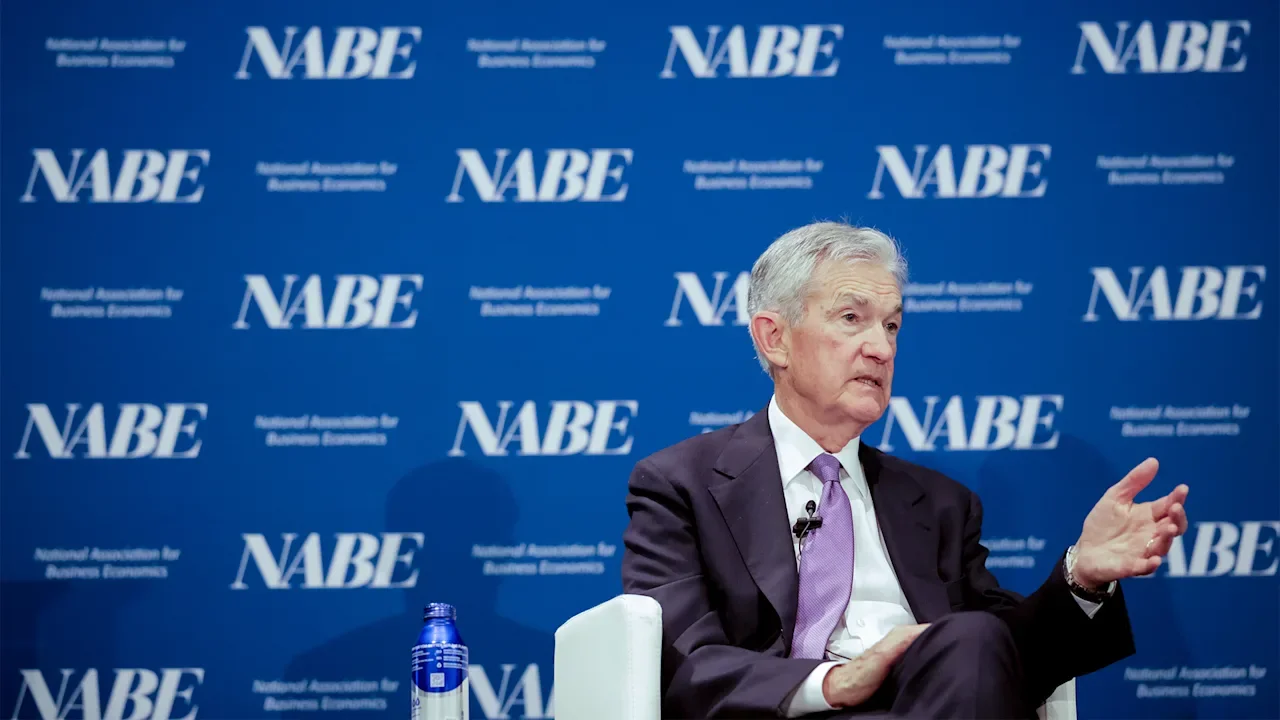
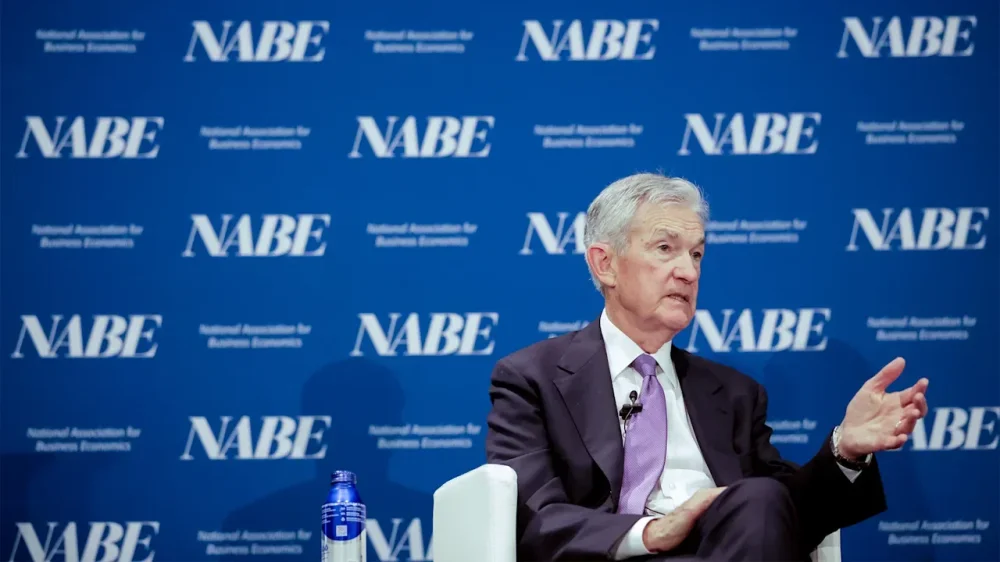
The government shutdown is delaying another major economic report, leaving policymakers at the Federal Reserve with a cloudier picture even as the economy enters a challenging phase of stubbornly persistent inflation and a sharp slowdown in hiring. The Labor Department’s monthly inflation data was scheduled for release Wednesday, but late last week was postponed until Oct. 24. The department is recalling some employees to assemble the data, which was collected before the shutdown began. The figures are needed for the government to calculate the annual cost of living adjustment for tens of millions of recipients of benefit programs such as Social Security. The shutdown could make things worse for agencies like the Fed if it continues, because government agencies cannot collect the raw data that are then compiled into the monthly reports on jobs, inflation, and other economic trends. The September employment report, for example, which was due to be released Oct. 3 but was not issued because of the shutdown, was essentially completed before the government closed and could be released fairly quickly once the shutdown ends. But October data could be delayed much longer. Federal Reserve Chair Jerome Powell said Tuesday in remarks to the National Association for Business Economics that the central bank for now is looking at data from the private sector, such as payroll processor ADP, which issues its own monthly report on hiring by U.S. businesses, to gauge the economy. It is also relying on anecdotal reports from the hundreds of businesses that the regional Fed banks consult with. But while there are many firms that compile jobs-related data, there are fewer alternative sources of information to track inflation and growth, Powell added. “We’ll start to miss that data and particularly the October data,” Powell said. “If this goes on for a while, they won’t be collecting it. And it could become more challenging.” The Fed is already in a difficult spot, Powell has said, as it grapples with two policy goals that are nearly in conflict. It is tasked by Congress with seeking both maximum employment and stable prices. Right now, inflation remains above the Fed’s target of 2%, with the latest figures showing prices rose 2.9% compared with a year earlier, according to the Fed’s preferred measure. Typically, elevated inflation would lead the Fed to raise its key interest rate, or at least keep it elevated. Yet hiring has also weakened considerably, and the unemployment rate has ticked up to a still-low 4.3% in August from 4.2% in the previous month. When the Fed’s other goal of maximum employment is threatened, it usually responds with the opposite approach: Cutting rates to spur more borrowing and spending. On Tuesday, Powell noted those challenges and said, “There really isn’t a risk-free path.” —Christopher Rugaber, AP Economics Writer View the full article
-
Did you know you can customize Google to filter out garbage? Take these steps for better search results, including adding Lifehacker as a preferred source for tech news. When you learn and use a studying method, you’re making it easier for your brain to synthesize new information. Great. Now think of how much more you could learn and retain if you could double up on the methods you’re using. Why, you could learn twice as much. You can do that, but it takes a little pre-planning and patience. It’s called “dual coding,” and it’s a popular teaching and studying technique that’s proven to help you retain more of what you’re learning. Study twice as hardThe dual-coding theory was first conceptualized by a professor named Allan Paivio in 1971. He hypothesized that the mind can process new information verbally and visually, either one at a time or simultaneously. If processing both together, the mind will process more. It's not altogether revolutionary, although it does beg the question of whether you might get overwhelmed and end up learning less as a result. Worry not: There’s been a lot of research on the theory since Paivio came up with it; researchers have found that item recall does increase when you use two methods of processing at once. You just have to be strategic in your approach. How to dual code when studyingAll of this sounds very science-y and theoretical, but dual coding is actually pretty easy to do in practice. All you’re really trying to do is combine verbal and visual materials when you study. Try these approaches: While listening to a recorded lecture, draw doodles representing what you’re hearing. You can also generate a podcast on your study materials using software like Google's NotebookLM, then doodle while you listen to that. Additionally, try making a "personal podcast" by recording yourself reading your own notes or materials, then playing it back. Here, you study once while you take the notes, again while you revise your script, again while you speak it out loud, and again while you listen, plus more thoroughly if you doodle what you're hearing. After finishing a section or chapter in your book, draw a mind map explaining what you just read (or use the mapping technique to take notes in class). There are specialty apps that can help you accomplish this. NotebookLM can generate a mind map for you, but it doesn't exactly allow you to participate, so it's not ideal. Try Xmind instead. As you read your notes or book, create a timeline of relevant events on a separate sheet of paper. Make flashcards that incorporate images. A number of the best flashcard apps have paid upgrades that allow you to add pictures, charts, infographics, timelines, diagrams, or whatever else to your study materials. By combining the time-tested Leitner flashcard method with text and pictures, you're going above and beyond dual coding. The best visual aids are timelines, mind maps, diagrams, and drawings, so use whichever one works for you and the subject you’re studying. One way to pack a punch with dual coding is by also incorporating blurting, a process wherein you read your material as usual and then write down or speak aloud everything you can remember about it without looking. Try blurting with visuals instead of written explanations, creating a timeline or diagram from memory before checking your recall against your notes or text. Just make sure you leave spaces in your visuals so you can easily fill in anything you forgot during the blurt. View the full article
-
As small business owners look for innovative ways to streamline operations and enhance productivity, Google’s latest development in artificial intelligence could be a game-changer. Introducing the Gemini 2.5 Computer Use model, Google promises a significant leap forward in how businesses can interact with software interfaces, enabling improved automation and efficiency. The Gemini 2.5 Computer Use model builds on Google’s powerful Gemini 2.5 Pro AI, introducing capabilities that allow agents to navigate user interfaces (UIs) as effectively as a human. This includes actions like filling out forms, navigating web pages, and submitting data—all tasks that many businesses must perform daily. By utilizing the model via the Gemini API, companies can integrate these advanced functionalities into their existing systems. “Gemini outperforms leading alternatives on multiple web and mobile control benchmarks, all with lower latency,” states Google, underscoring the performance edge that small businesses can capitalize on. This is especially relevant for companies juggling multiple software tools that require user interaction, which can often slow down workflows. For small businesses, the practical applications of the Gemini model are numerous. Imagine automating the tedious process of filling out invoices, applying filters on data analytics platforms, or even managing customer service requests through a web interface. The model’s ability to manipulate interactive elements like dropdowns and filters can significantly cut down on the time spent on repetitive tasks. Moreover, because it can operate behind logins, companies can ensure security while automating interactions. The ease of integration is another notable benefit. Small business owners will access these capabilities through Google AI Studio and Vertex AI, meaning that they can quickly implement the technology without needing extensive technical expertise. This can enable businesses to harness the power of AI without the typical steep learning curve often associated with new technologies. However, as with any new technology, there are challenges that small business owners will need to consider. While the potential for automation could ease workload pressures, there may be a need for initial investment in training or system updates to maximize the benefits of the Gemini model. Additionally, AI-driven interactions require careful monitoring to ensure accuracy, especially in customer-facing roles where mistakes can damage reputations. Moreover, while tools like Gemini enhance efficiency, small business owners should also be mindful of how much they rely on automation. Striking a balance between AI efficiencies and the human touch is essential, particularly in customer service, where personal interaction often leads to better customer satisfaction. On the upside, the potential for cost savings by automating various operations can outweigh these challenges. As tasks that typically require human intervention can now be handled by AI, small businesses could see reductions in labor costs and productivity spikes, allowing them to focus on growth and innovation. As small businesses begin to explore these possibilities, it will be essential to weigh the initial hurdles against the long-term gains. The Gemini 2.5 Computer Use model represents a potent tool for enhancing business capabilities, and with careful integration, it could become a staple for those looking to stay competitive in a rapidly evolving digital landscape. For further information, visit the original post at Google DeepMind. Image via Gemini This article, "Google Launches Gemini 2.5 Model for Smarter UI Interaction in Apps" was first published on Small Business Trends View the full article
-
As small business owners look for innovative ways to streamline operations and enhance productivity, Google’s latest development in artificial intelligence could be a game-changer. Introducing the Gemini 2.5 Computer Use model, Google promises a significant leap forward in how businesses can interact with software interfaces, enabling improved automation and efficiency. The Gemini 2.5 Computer Use model builds on Google’s powerful Gemini 2.5 Pro AI, introducing capabilities that allow agents to navigate user interfaces (UIs) as effectively as a human. This includes actions like filling out forms, navigating web pages, and submitting data—all tasks that many businesses must perform daily. By utilizing the model via the Gemini API, companies can integrate these advanced functionalities into their existing systems. “Gemini outperforms leading alternatives on multiple web and mobile control benchmarks, all with lower latency,” states Google, underscoring the performance edge that small businesses can capitalize on. This is especially relevant for companies juggling multiple software tools that require user interaction, which can often slow down workflows. For small businesses, the practical applications of the Gemini model are numerous. Imagine automating the tedious process of filling out invoices, applying filters on data analytics platforms, or even managing customer service requests through a web interface. The model’s ability to manipulate interactive elements like dropdowns and filters can significantly cut down on the time spent on repetitive tasks. Moreover, because it can operate behind logins, companies can ensure security while automating interactions. The ease of integration is another notable benefit. Small business owners will access these capabilities through Google AI Studio and Vertex AI, meaning that they can quickly implement the technology without needing extensive technical expertise. This can enable businesses to harness the power of AI without the typical steep learning curve often associated with new technologies. However, as with any new technology, there are challenges that small business owners will need to consider. While the potential for automation could ease workload pressures, there may be a need for initial investment in training or system updates to maximize the benefits of the Gemini model. Additionally, AI-driven interactions require careful monitoring to ensure accuracy, especially in customer-facing roles where mistakes can damage reputations. Moreover, while tools like Gemini enhance efficiency, small business owners should also be mindful of how much they rely on automation. Striking a balance between AI efficiencies and the human touch is essential, particularly in customer service, where personal interaction often leads to better customer satisfaction. On the upside, the potential for cost savings by automating various operations can outweigh these challenges. As tasks that typically require human intervention can now be handled by AI, small businesses could see reductions in labor costs and productivity spikes, allowing them to focus on growth and innovation. As small businesses begin to explore these possibilities, it will be essential to weigh the initial hurdles against the long-term gains. The Gemini 2.5 Computer Use model represents a potent tool for enhancing business capabilities, and with careful integration, it could become a staple for those looking to stay competitive in a rapidly evolving digital landscape. For further information, visit the original post at Google DeepMind. Image via Gemini This article, "Google Launches Gemini 2.5 Model for Smarter UI Interaction in Apps" was first published on Small Business Trends View the full article
-
AI visibility now depends on semantics, not volume, and structured data determines how far your reach extends. The post How Structured Data Shapes AI Snippets And Extends Your Visibility Quota appeared first on Search Engine Journal. View the full article
-
OpenAI’s Agentic Commerce Protocol (ACP) is more than a new ecommerce channel. By adding structured merchant feeds directly into ChatGPT, it changes how products are discovered and purchased in conversational search – and opens new opportunities for marketers. This shift moves us closer to real differentiators for generative engine optimization (GEO). Influence now occurs not only on pages but also within the structured data that conversational agents can consume, validate, and rank. While that’s been partly true for Google, ChatGPT introduces important differences we’ll unpack here. Why feeds in ChatGPT represent a new model While Google relies on crawling, links, and page-level signals to determine rank, ChatGPT takes a different approach – the feed isn’t just another signal. It’s a primary authority on your brand and products. Price, stock, and product attributes – all supplied by you – directly shape visibility. Your data is now both the input and the signal of differentiation. Here’s why this matters for GEO: The feed is primary, not secondary: The ChatGPT product feed drives indexing, matching, and ranking. Authority shifts: Merchant data isn’t one of many signals; it’s the trusted source. Ranking is conversational: There’s no Page 1. Being cited or recommended depends on how well your feed matches the query context and how other trust signals reinforce it. Treat the feed as a strategic marketing asset – not just a technical requirement. Success depends on how completely and clearly your data reflects what buyers ask for in natural conversation with ChatGPT. Dig deeper: ChatGPT Shopping is here – and it’s changing ecommerce SEO rules Feed structure: What you must provide The ChatGPT Product Feed Specification requires merchants to supply structured product data via TSV, CSV, XML, or JSON files, refreshed as often as every 15 minutes. Required attributes include: Product ID, title, description, price, availability, and weight. Merchant identity fields like seller name, seller URL, and policy links if checkout is enabled. Media such as a main image. Without these, your products may be disqualified from search or checkout if any required fields are missing or invalid. Getting the basics right is table stakes. If your feed fails here, nothing else matters. Audit your product data now and set a refresh process so stock and pricing are never stale. Where SEO strategy comes in: The optional fields At first glance, this may look like the Google Merchant Center feed – and in some ways it is – but ChatGPT adds new layers of differentiation. Performance signals: Popularity score, return rate, product review count, and average rating. In Google, reviews sit outside the feed. In ChatGPT, you can include them in the feed, offering more direct influence over perceived quality – though how much weight OpenAI gives them remains to be seen. Rich media: Video and 3D models. These new signals can boost visibility inside conversational flows. Custom variants: Beyond color and size, you can define unique attributes that match intent-heavy queries like “mahogany desk, 48 inches wide” or “snapback cap in navy.” Geo targeting: Region-specific pricing and availability can be built into the feed. Multiple categories: While Merchant Center limits one category per product, OpenAI’s documentation suggests these feeds may support more than one path, though this hasn’t been explicitly confirmed. These optional fields will separate the winners from the pack. Early adopters who invest in them will gain more visibility and trust in ChatGPT conversations. Filling out unique fields the right way The ChatGPT product feed includes attributes that go beyond what most merchants have used in Google Merchant Center. These fields can improve product discovery for more specific queries – if you fill them out correctly. Rich media video_link: Must be a publicly accessible URL. YouTube is the safest hosting choice since the spec requires accessibility via HTTPS. Keep videos short and product-focused, with clear metadata and transcripts where possible. model_3d_link: Supports GLB or GLTF files. Valuable for products where dimensionality matters, like furniture or electronics. Performance signals popularity_score: Merchants can submit a score on a 0–5 scale, or merchant-defined. While this creates risk of inflation, OpenAI flags it as a ranking signal. Aim to reflect genuine sales velocity. return_rate: Submitted as a percentage. A lower rate signals reliability. Transparency here may help trust, since ChatGPT relies on feed-level trust signals. Variants custom_variant fields: Merchants can define up to three custom variant categories and their options (e.g., wood type, cap style). Each category supports up to 70 characters, and each option up to 40 characters. This flexibility allows you to mirror the attributes shoppers ask for in natural queries. Try thinking like a shopper when coming up with the conversation. What additional detail would they type into ChatGPT? With your feed mirroring those traits, your chances of being recommended have improved. Get the newsletter search marketers rely on. See terms. Character limits: Maximizing your fields OpenAI’s spec defines maximum lengths for many attributes: id: 100 characters. title: 150 characters. description: 5,000 characters (plain text only). mpn: 70 characters. brand: 70 characters. material: 100 characters. item_group_title: 150 characters. custom_variant categories: 70 characters. custom_variant options: 40 characters. Merchants should treat these limits like they treat title tags in SEO. Use the space wisely. Descriptions should be written for clarity and intent, not keyword stuffing, but truncating a field is leaving relevance on the table. Max out your titles and descriptions thoughtfully. Every character is another chance to match the phrasing a shopper will use in ChatGPT. Categories: ChatGPT vs. Google The spec requires a product_category field that follows a path such as Apparel & Accessories > Shoes. In Google Merchant Center, products can only map into one category. In ChatGPT, documentation only shows a single path, but does not explicitly say you can not add more than one. Watch this space. It does seem that multiple category paths are supported. Cross-categorization would likely increase visibility. If not, you will need to pick carefully. Choose the category most aligned with conversational queries. Ranking in ChatGPT: What is known and what is hypothesis OpenAI’s documentation states that feeds are ingested, validated, and indexed for retrieval and ranking. The word “ranking” appears repeatedly. Known factors: Freshness is critical. The spec supports updates every 15 minutes. Consistency across feed, site, and policies is required. Product availability, price accuracy, and error-free submissions improve reliability. Likely factors: Review velocity and sentiment will carry weight, similar to how product reviews shape trust in Google. Products with richer media will perform better in conversational contexts where media is requested or helpful to the answer. Merchants who submit more complete attribute sets may gain priority when the assistant needs to answer precise queries. Think of this less like page-one rankings and more like conversational prominence. The assistant’s recommendations are fluid, and completeness may be the tie-breaker. Why this fits GEO Traditional SEO has focused on optimizing webpages and content. GEO focuses on how generative systems assemble answers. The ChatGPT merchant feed sits at the intersection: It is structured, like schema, but also authoritative, like your product page. It is not a passive signal. It is the dataset ChatGPT indexes and reasons over. It introduces new levers (performance metrics, custom variants, rich media) that Google did not give us in one place. The ChatGPT merchant feed is among the first broadly public consumer-facing cases where structured data directly determines what an LLM shows in commerce flows. Preparing now These are a few key steps to take: Make sure you sign up as a merchant to directly submit your feed and hopefully get insights about product performance. Map your current product data. Determine what attributes may be missing, such as material, sizes, or variants. Create media aside from images. Plan for videos and 3D files. Collect reviews. Organize the product review counts and ratings so they can be supplied to the feed. Write thorough titles and descriptions. Think like a user asking ChatGPT. Align feed data to the site schema. It’s important that structured markup is consistent with the feed. Plan refresh cycles. Out-of-date pricing or stock will hurt visibility. Prepare signals of trust. Have live, linkable policy pages, accurate return windows, and seller information. These are not just tasks for developers. The SEO and marketing teams should own the story of how products are described, categorized, and trusted in conversational search. What comes next It’s still early. We don’t yet know how OpenAI will weigh each signal, and sponsored placements will likely enter the mix. Shopping carts with multiple items and bundled recommendations are also probable. Still, the direction is clear: merchant feeds are becoming the foundation of conversational commerce and discovery. Brands that act now will be best positioned as AI systems become the starting point for shopping. Dig deeper: Instant Checkout in ChatGPT brings agentic commerce to life View the full article
-
Did you know you can customize Google to filter out garbage? Take these steps for better search results, including adding Lifehacker as a preferred source for tech news. When you’re studying, you can try to simply memorize phrases and facts long enough to pass a test, but you should really be trying to retain concepts for the long term. What are you putting all this time and effort (and money) into if it's not preparation for the future? One way you can do that is by using “elaborative interrogation,” a technique that helps you learn more effectively by challenging the facts you’re going over. Even if you do only want to pass a test, this can help you understand how the material's concepts relate to one another, which can help you remember them better ahead of exam day. What is elaborative interrogation?Inquiry is an important part of learning, which is why it’s fundamental to some of the best study methods, like SQ3R and KWL. Using those techniques, you outline what you may already know before you start studying, take a quick scan of the material to formulate questions that can guide your reading, then answer your own questions as you go. They're great techniques for making sure you stay engaged and curious, both of which help you focus and actually learn. With inquiry in general, not only do you have to memorize what’s presented to you, but you have to dig in and understand it by asking questions. Like I said, when employing SQ3R or KWL, you ask questions before you start reading, so you can find the answers. When you try elaborative interrogation, you ask the questions as you go. Asking questions helps you find answers and establish connections that aren’t immediately apparent in the text, letting you more thoroughly understand what you’re going over. This concept makes sense: When your friend is telling you a wild story, you ask follow-up questions, right? When you ask questions, you're automatically more involved in the process of receiving information and you remember what you take in better because you're getting answers to the parts you were curious about. How to study with elaborative interrogationTo make this work for you, you need to assess the facts of your material. Say you’re studying accounting. One fact you’ll learn is that you journalize debits before credits. You can get by and do well enough on tests just by knowing that fact without thinking any deeper about it—but if you really want to understand the material, it would be helpful to figure out why you journalize debits before credits. When doing elaborative interrogation, you ask yourself these kinds of questions after looking at your facts, so you fully grasp the meaning of it all. Here, your elaborative interrogation is, “Why do we journalize debits before we journalize credits?” Your next question can be, “Why do we record debits as a positive number?” The reason it’s done this way is to reflect incoming money more easily on the credit side. You can even go deeper by working backwards: Why do accountants journalize? What do accountants journalize? Who sees the accountant's journal? What is included in an accountant's journal entry? What are debits? What are credits? Why are they journalized? When are they journalized? The more you understand about the core concept, the more questions you can ask, and the more you can grasp the primary fact, which is that you journalize debits before credits. Eventually, the reasoning for why debits are journalized before credits will be so obvious that the fact itself will be more than obvious. Of course that's the order you do it in, and if that order is all you need to know for your test, you're golden. So, start by identifying the basic facts you need to know. You can do this easily by writing them down as you go through your text, notes, or lecture. Any assertion or basic fact makes the cut. You can also try using AI, like Google's NotebookLM or ChatGPT, to generate facts. As a test, I just asked ChatGPT, “What are some basic facts to study for accounting?” It gave me 16, almost all of which are great for elaborative interrogation. For instance, the software told me that the International Financial Reporting Standards are used in many countries for financial reporting. That’s probably an answer to a question on a test on its own, but to really understand the point of it all, I could ask, “Why do countries need a set of accounting standards? Which countries use the IFRS?” If you're using ChatGPT or similar, just make sure it’s giving you actual facts; look them up to be sure they’re true. Better yet, use the other tool I mentioned, NotebookLM, because it pulls only from material you provide. Upload your course materials—slide decks, chapter scans, handouts from the professor, whatever—and ask it to pull out the key facts. You can also use the software to generate flashcards, quizzes, mind maps, and informational podcasts, but those are for different study approaches entirely. (Try them out when you're done elaborately interrogating!) On a separate paper, write down these questions about your facts, then set to work investigating the answers. The answers may come from materials outside your class lecture, notes, or texts, so don’t be afraid to dig deep. For the most part, though, do try to stick with what you've been provided unless the professor has instructed you to look elsewhere on your own. Ultimately, getting the answers to these questions will help you establish the connections you need to truly grasp the material and remember it well. View the full article
-
Revival in core Wall Street businesses has powered gains across America’s biggest banksView the full article
-
I recently wrote about hitting 20,000 followers on LinkedIn and what comes next. In that article, I shared that Threads would be my next frontier, and now, I want to share why and how I plan to make it so. After years of posting within a structured framework on LinkedIn, I started wondering what would happen if I loosened the rules. I’ve tested formats, frequency, and monetization, but always through the lens of performance. I didn’t want to move into a new phase of growth using the same tactics. What if I treated content less like a system to optimize and more like a sandbox to play in? And so, the Proof of Concept series was born, and with it, my first experiment: growing from 366 to 1,000 followers on Threads in three months through organic effort, curiosity, and consistency. Unlike LinkedIn, Threads still feels like an open field. The playbook isn’t written yet. Posts travel less by polish and more by presence — by joining conversations, responding quickly, and showing up like a person, not a brand. It’s the perfect place to relearn what experimentation feels like. Why Threads (and why now)?LinkedIn taught me how to build authority; Threads is where I’m trying to reclaim my creativity. Threads feels like a reset — informal enough to experiment without overthinking, yet active enough to test ideas fast. Plus, Threads mirrors where social media is heading: toward smaller, faster spaces that reward participation over perfection. I’m tapping into the excitement around Threads from other creators who are actively growing on the platform. I don’t know yet who my Threads audience will be, but that’s part of the appeal. I want to experiment across my interests — from remote work to brand partnerships to the simple aesthetic things I take pleasure in every day (like sharing my lunches or pictures from my travels). This isn’t the first time I’m using Threads as a testing ground, either. The last time I focused on the platform nearly a year ago — which I documented in this article — I learned a lot about the power of conversation on the platform. This time around, I’m not aiming for virality, just testing what happens when I post like myself without the pressure of showing expertise. ⚡Much of the advice in How to Get More Followers on Threads is powering my approach, so I recommend you check out the article! Setting the ground rulesDespite the lack of structure in my actual posts, the experiment needs some guardrails and milestones. So here’s what I’ve landed on: Follower starting point: 366 followers on Threads (431 as of writing this article)Goal: Reach 1,000 by December 15, 2025.Cadence: One scheduled post every day (powered by our best time to post data, of course), plus spontaneous posts when inspiration hits.Focus: 100% organic — no ads, no follow-for-follow, no automation.Time investment: About 20 minutes daily, split between writing, posting, and engaging with others.Measurement: Weekly check-ins on follower growth, replies per post, and conversation quality (not just likes).Beyond the numbers, I’ll also track how it feels — whether posting this way sparks joy or starts to feel like an obligation. The planThreads isn’t a place for perfect niches. It rewards multidimensional creators who show up as themselves — and that’s exactly what I plan to lean into. Determine my content pillarsHere’s what I’ll post about: Remote work: Reflections, tools, and habits from working globally.Life as a beginner content creator: Documenting my growth on Threads in real time.LinkedIn content creation: Lessons I’m translating from a more polished platform.Creator growth: Experiments, learnings, and what consistency actually builds.Content marketing: Behind-the-scenes from Buffer — frameworks, campaigns, and storytelling.Brand partnerships: What I’ve learned from collaborations, approvals, and creative briefs.Productivity: Systems, fitness, and routines that make all of the above possible.⚡ I documented my approach to figuring out content pillars in How To Create Content Pillars For Social Media Commit to a daily rhythm of scheduled and spontaneous postsStructure keeps me consistent**,** while flexibility keeps me creative. So I’m mixing both — one scheduled post daily (anchored in my content pillars) and spontaneous posts whenever inspiration strikes. Scheduled posts: Keeps me grounded with a consistent rhythm of insights and reflections.Spontaneous posts: Keeps me curious — quick thoughts, visuals, or random questions that spark conversations.Engagement as a growth leverThreads runs on conversation, not broadcasting — so engagement is the real growth engine. Here’s my approach: Join 5 to 10 conversations daily: Add thoughtful comments and questions that move discussions forward.Prioritize replies over reach: Comments drive discovery, so I’ll respond to every meaningful reply.Use tags intentionally: Explore and contribute to relevant communities through tags like #RemoteWork or #Creators.Cross-promote with care: Share standout Threads moments to Instagram or LinkedIn to invite deeper connection.Collaborate naturally: Co-create ideas with other creators or build off shared themes in public.If my LinkedIn growth came from consistency, I suspect Threads growth will come from curiosity. The month-by-month approachMonth 1: DiscoveryThis month is about exploration. I’ll post daily across all my pillars, track which formats and topics gain traction, and start identifying patterns — the kind of content that sparks replies, shares, or follows. By the end of the month, I want a clearer sense of my audience, top-performing topics, and ideal posting times. Goal: reach 500 to 600 followers, but more importantly, gather enough data to refine my focus. Month 2: RefinementThis is where I’ll narrow in. I’ll double down on the pillars that resonated most in Month 1 and start introducing recurring formats. Maybe a weekly “Threads Journal” where I reflect on growth lessons, or a recurring visual series tied to my lifestyle posts. I’ll also lean into conversations — replying to other creators more intentionally, joining trends, and testing features like polls or tags more actively. Goal: reach 800 followers and establish a recognizable content rhythm. Month 3: AccelerationBy Month 3, the goal is to scale what works. That means doubling down on proven formats, collaborating with others, and sharing meta-reflections about the journey — the very posts that will later become How I Grew to 1,000 Followers on Threads. I’ll experiment with “open thread” prompts to build community (“Drop your current content challenge — I’ll share what’s working for me”) and test cross-platform engagement by sharing a few of my best Threads moments elsewhere. Goal: hit 1,000 followers — and capture the insights that matter most for the next Proof of Concept installment. Anticipated challengesEvery experiment sounds neat on paper. The real test is what happens in week three, when the novelty wears off and the algorithms start behaving differently. A few things I’m already anticipating: Creative fatigue. Posting daily will test my ability to stay inspired. I’m planning to batch-write a few posts during high-energy days, so I have something to fall back on when I’m not feeling as creative.Finding my Threads “voice.” On LinkedIn, I know exactly how to write for that audience. Threads feels looser — less professional, more conversational — and it’ll take some trial and error to find the right rhythm.Balancing work and play. Because I also write about social media for Buffer, the line between experimenting and analyzing can blur quickly. I want to protect this space as a creative outlet, not a content lab.Platform unpredictability. Threads is still evolving. Features shift and visibility fluctuates (courtesy of The Algorithm). My goal is to stay adaptable and treat every change as another data point in the experiment.What I’m hoping to learnEvery platform teaches you something new about being a creator. LinkedIn taught me the value of structure and consistency. Threads, I hope, will teach me how to stay creative without overthinking — to post from curiosity, not performance. I want to see what happens when growth isn’t engineered but discovered in real time. Through this experiment, I’m looking to understand: Which types of posts invite genuine conversation, not just engagement.How different formats — text, visuals, and video — thrive in a more experimental ecosystem.Whether consistency still wins when creativity leads.How community on Threads grows differently from LinkedIn — slower, deeper, or just more human.When I hit 20,000 followers on LinkedIn, it felt like the end of one story — proof that deliberate systems work. Starting over on Threads feels like the beginning of another: a reminder that expertise is only valuable if you’re still willing to be a beginner. Curiosity and experimentation built my first audience. I hope to tap into that feeling again — posting without pressure, learning in public, and rediscovering the fun in showing up just because I want to. If you want to follow along, you can find me on Threads @tamioladipo. I’ll be sharing updates — the wins, the misses, and the metrics — as I try to grow to 1,000 followers by the end of the year. And when I get there, you’ll find the full breakdown right here in my next article in the series: “How I Grew to 1,000 Followers on Threads.” Other articles in the Proof of Concept series📖 I Reached 20,000 Followers on LinkedIn and I Feel Weird About It View the full article
-
Households that have bought Ben’s Original rice products will want to check their pantries right away. The brand, owned by food giant Mars, has issued a voluntary recall for select rice products. At issue is the possibility of small stones mixed in the rice, which could cause intestinal and other damage if consumed. Here’s what you need to know about the Ben’s Original rice recall. What’s happened? On October 10, Ben’s Original announced a voluntary recall of some of its rice products. That recall notice was later published on the U.S. Food and Drug Administration’s (FDA) website on October 14. The voluntary recall was initiated after Ben’s Original discovered that some of its rice products may contain small stones mixed within the rice. The recall notice states that these objects are “small, naturally occurring stones originating from the rice farm.” According to the recall notice, if the rice products do have small stones in them, the objects “pose possible risk of oral or digestive tract injury if consumed.” What products are being recalled? Ben’s Original says the recalled items only include a limited number of three select products. Whether the product is included in the recall depends on the batch codes and best by dates listed on the products’ packaging. The recalled products include: Ben’s Original Ready Rice Long Grain White Rice: batch codes 533ELGRV22 or 534ALGRV22 and Best By date of August 2026. Ben’s Original Ready Rice Whole Grain Brown Rice: batch codes 534AMGRV22, 534BMGRV22, or 534DMGRV22 and the best buy date of August 2026. Ben’s Original Ready Rice Long Grain & Wild Rice: batch codes 533BMGRV22, 533CLGRV22, or 533CMGRV22 and the best by date of August 2026. Where were the recalled products sold? According to the recall notice, the recalled products were sold at numerous stores across America. Depending on the specific recalled item, those stores may include: Amazon HEB Piggly Wiggly Target United Markets But the recalled products may have been sold at additional stores, the notice cautions. Impacted retailers are not limited to the ones mentioned in the recall notice “as additional retailers may have purchased products distributed by Associated Grocers, C&S, and Dot Foods from August through September.” Has anyone been harmed? Thankfully, the recall notice states that no reports of injury or illness in relation to the recalled products have been reported to date. However, as the recalled products have a long shelf life with a best by date of August 2026, it’s likely the recalled products are still sitting in many people’s cupboards. What should I do if I have the recalled products? The recall notice warns consumers who are in possession of the recalled products not to consume them. Instead, consumers should contact Ben’s Original Consumer Care to start the return process. The number consumers should call is 1-800-548-6253. Full details of the recall can be found on the recall notice here. View the full article

-
It’s far from perfect, but the UK’s spending is broadly controlled and employment is highView the full article
-
Google was spotted showing a "Campaign Type" selection option in the Google Ads Channel Performance report attributes section. This showed up for some advertisers, without Google announcing it.View the full article
-
Lessons from a pivot to Asia that never comes View the full article
-
Microsoft is testing placing search refinement tabs or buttons above the shopping ads within the Bing Search results. And when you click on those refinements, you are taken into Bing Shopping Search.View the full article
-
Prime minister has been under pressure over dropping of charges against two British menView the full article