ResidentialBusiness
Administrators
-
Joined
-
Last visited
Everything posted by ResidentialBusiness
-
 Discover the proven process to map real AI search journeys, uncover hidden decision points, and turn AI-driven discovery into revenue. The post In-House Marketers: How To Use Customer Insights To Boost Sales Now From AI Search appeared first on Search Engine Journal. View the full article
 -
Not all will succeed, but accounting will influence and evolve the models. Gear Up for Growth With Jean Caragher For CPA Trendlines Go PRO for members-only access to more Jean Marie Caragher. View the full article
-
Not all will succeed, but accounting will influence and evolve the models. Gear Up for Growth With Jean Caragher For CPA Trendlines Go PRO for members-only access to more Jean Marie Caragher. View the full article
-
Here is a recap of what happened in the search forums today...View the full article
-
A major Japanese beverage producer says it has been hit by a cyberattack that left its operations disrupted for the fifth day on Friday, and Japanese media are reporting that stocks of the company’s popular beer and other beverages are running low in some stores. Asahi Group Holdings said its computer systems were hit by a cyberattack on Monday, creating glitches that have affected orders, shipments, and a customer call center in Japan. Overseas systems were not affected. A company spokeswoman told the Associated Press on Friday that the problem had still not been fixed, though some emergency shipments were made on Wednesday, with employees entering information into computer systems manually. The cause and motive of the attacks were still under investigation, the spokeswoman said. She requested anonymity, which is customary for Japanese companies. Japanese media said some convenience stores weren’t getting their deliveries and that stocks were low and the products were even being sold out in some places. A 7-Eleven convenience store in Tokyo visited by an AP reporter on Friday evening still stocked plenty of Asahi beer, though the saleswoman said she expected the stocks to start running low soon. It’s unclear when the system will be back up and running, Asahi said. The company has canceled events and is delaying the launch of products. Some Japanese media reports said the attacks may be ransomware, but Asahi declined to comment. Tokyo-based Asahi, founded in 1949, makes beer, including its popular Super Dry rice lager and other beverages, including cider and juices, as well as baby food, candy and some other food products. Yuri Kageyama is on Threads: https://www.threads.com/@yurikageyama —Yuri Kageyama, AP Business Writer View the full article

-
Tesla’s Cybertrucks might be the most polarizing vehicle on the market. And due to their electronic door-open mechanism, they’re far from the safest. A new lawsuit underscores this, alleging that 19-year-old college student Krysta Tsukahara died during a fiery crash because the truck’s electric doors shut down, preventing the door from opening on either side, as the New York Times first reported. Tsukahara’s family is suing Tesla in Alameda County Superior Court. In Cybertrucks, a passenger has to click a button for the door to open. The only “manual” mechanism to open a rear door is to pull a cable—but reaching said cable involves removing “the rubber mat on the bottom of the rear door’s map pocket,” according to Tesla. The person then has to pull the cable forward before pushing the door open. These manual releases are in different locations in various Tesla models. The November 2024 crash occurred when a Cybertruck carrying four people crashed into a tree and caught fire. A friend following in another vehicle broke one of the Cybertruck’s windows and rescued one of the four people. He was unable to rescue Tsukahara, who the suit alleges died from burns and smoke inhalation, not the impact of the crash. Tsukahara’s family is also suing the estate of the driver, who was reportedly under the influence of alcohol, amphetamines, and cocaine when the car crashed. Fast Company has reached out to Tesla for comment and will update this post if we hear back. Tesla’s door handles have a history of malfunctioning Elon Musk’s electric car company uses door-open buttons across its vehicles, with further accusations beyond the Cybertruck. On September 10, a Bloomberg report revealed that over 140 customers had complaints “related to Tesla’s doors getting stuck, not opening, or otherwise malfunctioning since 2018.” Multiple cases mirror Tsukahara’s case of being stuck inside a burning vehicle, unable to get the doors open. Take a Toronto crash, in October 2024. A Tesla Model Y crashed into a barrier and caught fire, killing all four of its passengers. The electric door buttons didn’t work, trapping the individuals in the car. Five days after the Bloomberg report, the National Highway Traffic Safety Administration (NHTSA) opened an investigation into Tesla’s Model Y vehicles, specifically looking at opening doors from the outside without power. Its preliminary evaluation points to incidents in which parents have been unable to get their child out of the car. In a September 17 interview on Bloomberg’s Hot Pursuit! podcast, Tesla design chief Franz von Holzhausen claimed that the company is working on a redesign to help in a “panic situation.” It would combine the mechanical and electronic door releases. “So in the moment that you’re in a panic situation, the muscle memory to go to what you know is right there,” von Holzhausen said. “You just pull a little bit further on the lever and you have the mechanical release.” It seems Tesla’s solution to its dangerous design is to provide a normal, functioning door handle. View the full article

-
Last month, more than 450 artists designed a custom sticker to support Zohran Mamdani’s New York City mayoral campaign—and, pretty soon, you’re going to be seeing the winning design everywhere. On September 25, Mamdani’s campaign announced through an Instagram video that it would be hosting a sticker design contest to get New Yorkers registered to vote before the October 25 deadline. The competition gave followers just 36 hours to submit their designs, during which hundreds of pieces of art flooded the campaigns’ submission portal. Now that a winner has been selected, anyone who is registered can submit a form on Mamdani’s website and pick up the sticker at one of Mamdani’s canvases or volunteer events. Mamdani’s campaign took a page out of other regions’ playbooks through the sticker design contest, which, in recent years, have proven to be both effective fodder for social media discussion and a real avenue to boost voter engagement. It’s part of his larger goal to get more New Yorkers, and especially young people, registered to vote—a mission that, so far, has yielded impressive results. Why voting sticker contests are on the rise Mamdani, a democratic socialist, has run his campaign with an internet-savvy eye for design. In the election run-up, he masterfully shot candid short-form video content to reach young voters and establish himself as an authentic candidate for the people. His campaign posters balanced a hand-drawn quality with a healthy sprinkling of nostalgia, presenting Mamdani as less corporate and more down-to-earth than his rivals. These aesthetic choices helped pave the way for him to defeat Andrew Cuomo in the primaries. Now that the November 6 election is fast approaching, Mamdani’s campaign is using those same creative sensibilities to prepare New Yorkers for the polls. Most Americans will be familiar with the classic red-white-and-blue “I Voted” stickers, and for good reason. According to a 2016 study by four researchers at Berkeley, Harvard, and the University of Chicago, we’re more motivated to vote when we know others will know that we voted. These now-ubiquitous stickers are a key way to signal our civic involvement. Recently, though, another kind of voting sticker has taken center-stage. In 2022, Ulster County in New York decided to forgo the traditional sticker, opting instead to solicit sticker designs from local artists. The public overwhelmingly voted for a crazed-looking monster spider, designed by a 14-year-old, which became an immediate viral sensation. Since then, other local governments have similarly turned sticker design into a contest, from Denver to South Dakota and San Luis Obispo County, California. Last May, Michigan residents selected a image of a werewolf ripping off its shirt in front of an American flag to represent that they’d performed their civic duty. Submissions to Mamdani’s call for designs included a giant pigeon head, a psychedelic interpretation of Mamdani’s face, and a swaggering NYC alley cat. Mamdani himself chose his 10 favorite designs before allowing the public to vote on the winner. Nearly 7,000 votes later, the winner, created by local artist Nishan Patel, was chosen. Fittingly, the design features an NYC bodega with a cat in the window and the signage, “Vote for Zohran.” How Mamdani is boosting voter turnout Historically, sticker design competitions have been used to boost final voter turnout on election day. Instead, Mamdani’s campaign opted to catch potential supporters sooner by using the contest to encourage New Yorkers to register to vote—a goal that’s been central to the campaign’s success so far. According to an analysis from The New York Times, published on June 29, Mamdani has already changed the electoral map. In the 14 days leading up to the registration deadline for the Democratic primary, about 37,000 people registered to vote, compared with about 3,000 people in the same period in 2021, the publication found. “Mr. Mamdani’s campaign had focused on registering voters, and he also appears to have drawn thousands of voters to the primary who did not vote four years ago,” the report reads. Mamdani’s campaign told Fast Company that it even believes certain social media videos may have driven spikes in voter registrations. After Mamdani posted a call-to-action in mid-June specifically encouraging New Yorkers to register, registrations shot up. While such data is correlational and not necessarily causal, the campaign says that the narrow timeframe suggests a likely connection. As “Vote for Zohran” stickers begin to appear around the city, the design competition may prove to be another way that Mamdani convinces New Yorkers to get to the polls. View the full article

-
Shocked family condemns atrocity as ‘heinous act’View the full article
-
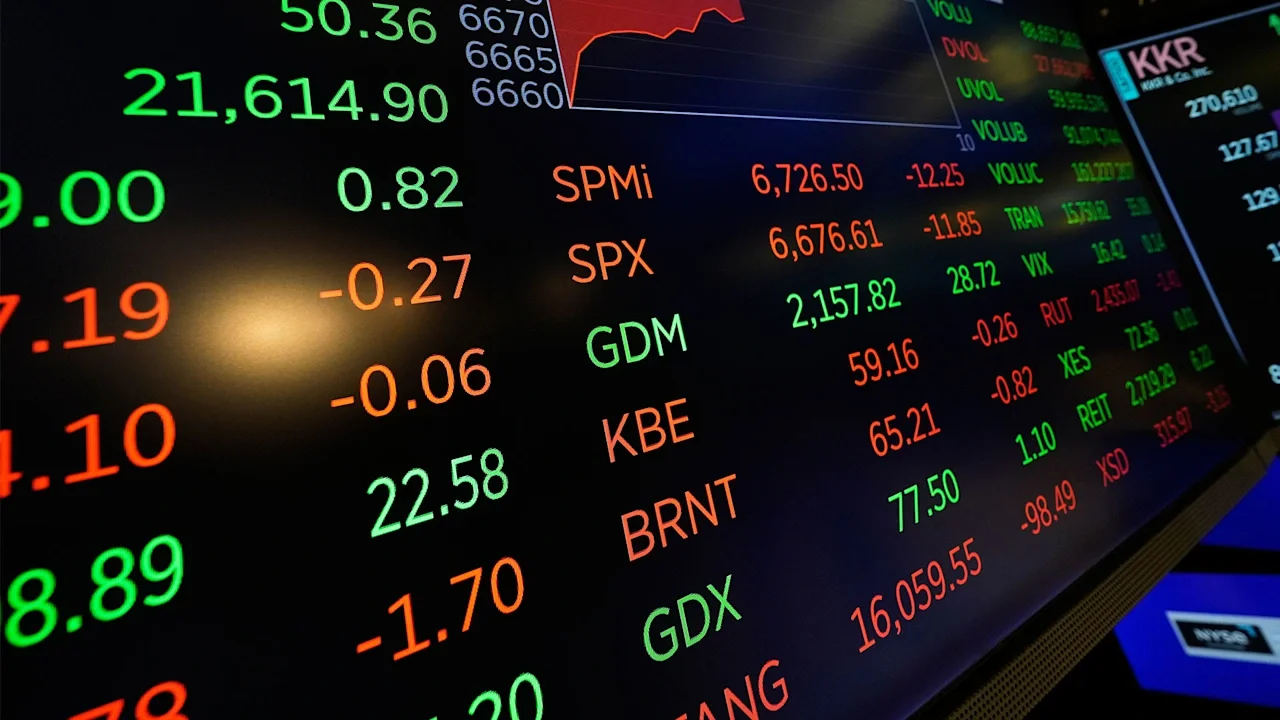
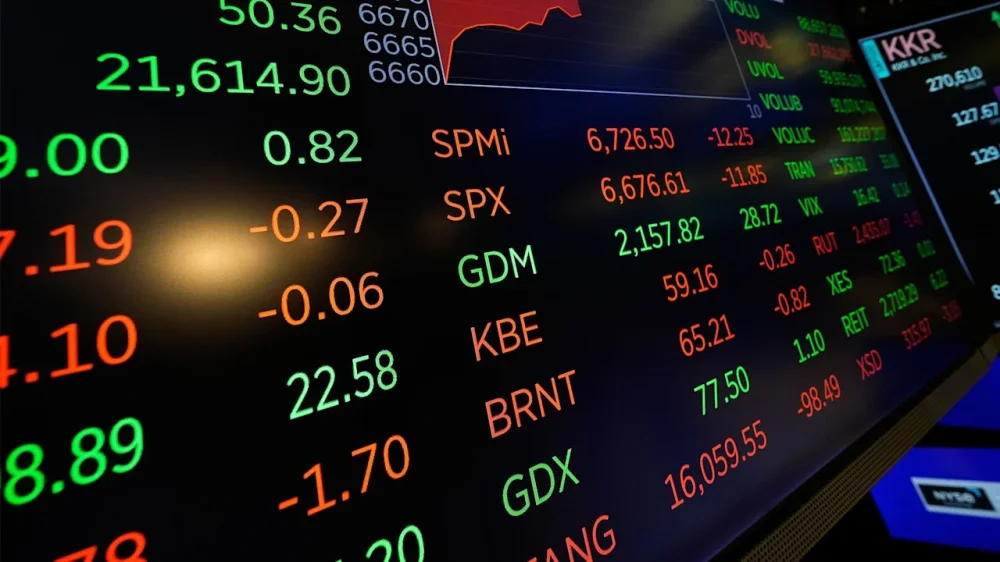
Wall Street nudged past yesterday’s record highs in early trading Friday as investors continue to shrug off the U.S. government shutdown, now in its third day. Futures for S&P 500, Nasdaq and the Dow Jones Industrial Average all added 0.2% before the bell. All three closed at record levels on Thursday, boosted by gains of chipmakers and artificial intelligence companies. Markets have largely ignored the shutdown of the U.S. government after Democrat and Republican lawmakers failed to reach agreement on funding. U.S. President Donald The President and congressional leaders were not expected to meet again soon and the Democrats have held fast to their demands to preserve health care funding, warning of price spikes for millions of Americans nationwide. The government shutdown means this week’s usual report on jobless claims was delayed. An even more consequential report, the monthly tally of jobs gains and losses that usually comes out the first Friday of every month, will also not arrive as scheduled. That increases uncertainty when much on Wall Street is riding on investors’ expectation that the job market is slowing by enough to convince the Federal Reserve to keep cutting interest rates, but not by so much that it leads to a recession. So far, the U.S. stock market has looked past the delays of such data. Shutdowns of the U.S. government have tended not to hurt the economy or stock market much, and the thinking is that this one could be similar, even if The President has threatened large-scale firings of federal workers this time around. Excitement around AI and the massive spending underway because of it are a major reason the U.S. stock market has hit record after record, along with hopes for easier interest rates. But AI stocks have become so dominant, and so much money has poured into the industry that worries are rising about a potential bubble that could eventually lead to disappointment for investors. At midday in Europe, Germany’s DAX ticked down 0.2% and the CAC 40 in Paris fell back 0.1%. Britain’s FTSE 100 rose 0.6%. In Asia, Japan’s Nikkei 225 closed nearly 1.9% higher at 45,769.50 as tech stocks gained despite data showing Japan’s unemployment rate rose 2.6% in August, the highest in 13 months and above the expected 2.4%. Shares in Hitachi jumped 10.3% after it signed a memorandum of understanding with OpenAI to provide cooling systems for its data centers. Stock exchanges in China and South Korea were closed Friday for holidays. Hong Kong’s Hang Seng won back some earlier losses, ending 0.5% down to 27,140.92 as traders sold to lock in profits from Thursday’s gains. Australia’s S&P/ASX 200 added nearly 0.5% to 8,987.40. India’s BSE Sensex rose less than 0.1%, while Taiwan’s Taiex edged 0.9% higher. In energy markets, benchmark U.S. crude added 17 cents to $60.65 per barrel. Brent crude, the international standard, rose 21 cents to $64.32 per barrel. —Teresa Cerojano and Matt Ott, Associated Press View the full article
-
Italian premier under fire amid strikes and clashes with police in solidarity with PalestiniansView the full article
-
Monthly earnings drop by 42% over five years following first birth, ONS findsView the full article
-
Microsoft Planner is widely used by teams looking for a simple task management and collaboration tool within the Microsoft 365 ecosystem. But while it’s easier to use than Microsoft Project, Planner has its own limitations. So, how to use Microsoft Planner effectively? This quick guide walks you through the main features and views so you can get the most out of the software. Understanding how to use Microsoft Planner is key to deciding if it’s the right fit for your team. While it’s helpful for basic task lists and lightweight planning, it doesn’t provide the robust project management features that larger teams often need. That’s why it’s important to explore whether Planner can meet your long-term needs or if you’ll need a more advanced solution. ProjectManager, for example, is a powerful Microsoft Planner alternative that gives you everything Planner does and much more. With online Gantt charts, kanban boards, real-time dashboards, workload management and resource tracking, our software lets you manage every phase of your project in one intuitive platform. Try it today for free and see why it’s a better choice than Microsoft Planner. /wp-content/uploads/2024/10/ms-planner-pm-import-updated-2025.pngLearn more What Is Microsoft Planner? Microsoft Planner is a task management tool included with Microsoft 365 that helps teams organize work, assign tasks and track progress. The most recent version of Microsoft Planner expands on its basic functionality with new views and integrations that give users more flexibility in how they manage projects. For those wondering how to use Microsoft Planner, it provides multiple ways to visualize tasks and workflows so teams can stay on schedule and meet goals more efficiently. How to Use Microsoft Planner Learning how to use Microsoft Planner starts with understanding its different views, each designed to help teams organize and monitor tasks in unique ways. From simple grids to visual boards and charts, Microsoft Planner offers multiple perspectives to plan, track and complete work. The right view depends on how your team prefers to manage tasks, deadlines and resources. In this section, we’ll walk through the main views available in Microsoft Planner and explain how each one supports task management and collaboration. By knowing how to use Microsoft Planner across grid, board, schedule, charts, timeline, people, goals and assignments views, you can tailor the tool to your workflow and improve team productivity. Related: 10 Best Microsoft Planner Alternatives of 2025 (Free & Paid) Grid View The Grid View in Microsoft Planner is where you can organize tasks in a structured table format. It allows teams to quickly review task names, due dates, priorities and status updates in one place. For anyone learning how to use Microsoft Planner, the Grid View helps build a clear task list that ensures no work is overlooked. Board View The Board View in Microsoft Planner uses a kanban-style layout to display tasks in customizable buckets. Teams can drag and drop tasks between columns to track workflow progress. When exploring how to use Microsoft Planner, this view is especially useful for agile teams or those who prefer visual task management to monitor stages of work. Schedule View The Schedule View in Microsoft Planner displays tasks on a calendar so teams can see deadlines and assignments in a time-based format. It’s ideal for quickly identifying scheduling conflicts or gaps. Anyone looking at how to use Microsoft Planner effectively will find this view helpful for aligning project work with key dates and milestones. Charts The Charts View in Microsoft Planner offers a high-level visual summary of task progress, workload distribution and deadlines. It provides pie charts and bar charts that make tracking performance simple. For those asking how to use Microsoft Planner, this view makes it easy to spot bottlenecks and keep work balanced across team members. Timeline View The Timeline View in Microsoft Planner resembles a lightweight Gantt chart, displaying tasks across a horizontal timeline. This helps teams sequence tasks and track dependencies visually. Understanding how to use Microsoft Planner with the Timeline View is essential for basic project scheduling and keeping teams aware of project flow. /wp-content/uploads/2023/10/Gantt-Chart-Template-Excel-image.png Get your free Gantt Chart Template Use this free Gantt Chart Template to manage your projects better. Get the Template People View The People View in Microsoft Planner shows task assignments grouped by team members. It helps managers understand individual workloads and identify over-allocated resources. Teams learning how to use Microsoft Planner can use this view to balance responsibilities more effectively and ensure no single team member is overloaded with tasks. Goals View The Goals View in Microsoft Planner allows teams to connect tasks to larger objectives, helping align daily work with broader project outcomes. It provides a clear picture of how progress on individual tasks contributes to organizational goals. For teams figuring out how to use Microsoft Planner, this view highlights the bigger picture behind task completion. Assignments View The Assignments View in Microsoft Planner provides each team member with a personalized list of their tasks across all plans. It centralizes individual responsibilities, making it easier to prioritize work. When considering how to use Microsoft Planner, this view is key for employees who want clarity on their specific workload. Note: Views in Microsoft Planner vary by version. Microsoft Planner Basic has fewer features, while Microsoft Planner Premium offers more advanced views and integrations. Related: Microsoft Planner vs. Project: In-Depth Software Comparison 1. Make a Task List with the Grid View The Grid View in Microsoft Planner (especially in its newer version) acts like a spreadsheet you can interact with. You enter task names, due dates, start dates, priorities, progress percentages and assignees directly in cells. It’s a structured way to see all your tasks at once and quickly edit them. When learning how to use Microsoft Planner, this view is ideal for creating your initial list of work items, organizing them by project or phase and making bulk updates efficiently. /wp-content/uploads/2025/09/Microsoft-Planner-Grid-600x309.png 2. Manage and Monitor Workflows with the Board View The Board View offers a kanban-style interface in Microsoft Planner where tasks are displayed as cards within columns (buckets). You drag and drop tasks between buckets to reflect states like To Do, In Progress or Done. This visual flow helps teams see bottlenecks or stuck tasks at a glance. For those wanting to know how to use Microsoft Planner, the Board View is great for workflows that evolve step by step and where visual feedback is key to managing work. /wp-content/uploads/2025/09/Microsoft-Planner-Board-600x308.png 3. Visualize Projects On a Calendar with the Schedule View The Schedule View in Microsoft Planner shows tasks on a calendar grid by date. Each task appears on the day(s) it’s active or due, giving you a clear view of how work is distributed across time. Teams can spot overlaps, gaps or scheduling conflicts quickly. If you’re figuring out how to use Microsoft Planner for a timeline overview, the Schedule View brings clarity to when tasks start and finish in relation to each other. /wp-content/uploads/2025/09/Microsoft-Planner-Schedule-View-600x310.png 4. Monitor Projects from a High-Level with the Charts View The Charts View provides a visual dashboard of task status, progress and distribution across assignees. You get pie charts and bar charts that split tasks by status (e.g. Not Started, In Progress, Late) or by person. This view helps you monitor overall health and spot where work is piling up. For users learning how to use Microsoft Planner, Charts are essential for quickly understanding workload imbalances or overdue tasks without digging through individual plans. /wp-content/uploads/2025/09/Microsoft-Planner-Chart-View-600x307.png 5. Create Basic Project Schedules with the Timeline View The Timeline View in Microsoft Planner (in newer or premium versions) displays tasks as bars along a horizontal timeline, similar to a Gantt style. You can drag tasks to adjust start or end dates and see how they align with each other. It gives teams a visual view of sequence and overlap. When exploring how to use Microsoft Planner for scheduling, the Timeline View is your go-to for seeing how tasks relate over time. /wp-content/uploads/2025/09/Microsoft-Planner-Timeline-600x308.png 6. Export & Share Files When learning how to use Microsoft Planner, teams may need to export or share task information. Microsoft Planner allows exporting data to Excel for reporting and sharing outside the platform. However, the export process is limited compared to more advanced tools, making it harder to produce detailed reports or share data across multiple projects. For example, Microsoft Planner doesn’t allow users to open, edit or share Microsoft Project files (MPP files), which will send many users looking for a Microsoft Planner alternative. Open, Edit and Export Microsoft Project Files With ProjectManager While Microsoft Planner does not support Microsoft Project (MPP) files, ProjectManager allows users to open, edit and export them directly. This feature makes ProjectManager a better option for teams that need to collaborate on Microsoft Project files without buying expensive licenses. With ProjectManager, you can manage MPP files in the cloud, share them with your team and keep workflows smooth. This allows users to share online in ways that are less convoluted than the workarounds offered by Microsoft. ProjectManager’s integration with Microsoft Planner also opens up many powerful project and portfolio features not available on Planner. For example, our Gantt chart is one of the best in the world of project management software. It not only links all four types of task dependencies to avoid cost overruns, filters for the critical path to identify those tasks with zero slack, but also sets a baseline to track variance in real time. There’s also version control, workflow automation, AI summaries, secure timesheets and much more. Get started with ProjectManager today for free. /wp-content/uploads/2025/03/Gantt-CTA-2025.jpgLearn more ProjectManager Is Better than Microsoft Planner ProjectManager provides multiple project views—Gantt chart, list, kanban, calendar and sheet—all in one platform, allowing teams to manage projects from different angles without losing data. Unlike Microsoft Planner, which is limited to basic grid, board and schedule views, our software offers all four types of task dependencies, critical path tracking, automated alerts and color-coded progress indicators. Teams can also create custom fields, track budgets, manage workloads and attach files directly to tasks, making it a far more comprehensive project management solution. Use Real-Time Collaboration Because ProjectManager is fully cloud-based, it supports real-time dashboards, live updates and built-in file sharing across the team. Users can comment directly on tasks, assign work and get instant notifications about changes or delays. Microsoft Planner requires integration with Microsoft 365 tools like Teams or SharePoint for similar collaboration, which can be more complex to set up and maintain. Our software also includes role-based permissions, activity logs and multi-project views, keeping teams aligned and managers informed at all times. /wp-content/uploads/2024/04/Team-summary-better-data-light-mode-home-screen-dashboard.png Get Advanced Reporting and Automation ProjectManager offers robust reporting, AI-powered insights and workflow automation that Microsoft Planner lacks. Teams can generate customizable reports on task completion, project variance, resource allocation and budget tracking. Automated reminders, recurring task creation and risk alerts help projects stay on schedule without manual oversight. While Microsoft Planner provides basic charts, our software gives high-level resource management (such as team page and workload charts), real-time metrics and forecasting tools, making it easier for managers to make informed decisions and deliver projects successfully. /wp-content/uploads/2023/01/Team-Light-2554x1372-1.png Related Microsoft Planner Content For those who want to learn more about Microsoft Planner or are on the fence as to whether it’s what they need or whether they should look for an alternative, below are more articles that explore Microsoft Planner alternatives, compare it to MS Project and much more. 10 Best Microsoft Planner Alternatives of 2025 (Free & Paid) Microsoft Planner vs. Project: In-Depth Software Comparison Microsoft Planner Gantt Chart: How to Make a Gantt Chart in Microsoft Planner What Is Microsoft Planner? Uses, Features & Pricing ProjectManager is online project and portfolio management software that connects teams, whether they’re in the office or out in the field. They can share files, comment at the task level or stay updated with email and in-app notifications. Get started with ProjectManager today for free. The post How to Use Microsoft Planner: A Quick Guide appeared first on ProjectManager. View the full article
-
Creating effective ad copy has always been a critical skill for PPC marketers, especially in Google Ads. In the past, it meant hours of brainstorming, drafting, and A/B testing. Today, LLMs like Google’s Gemini can produce high-quality ad copy in minutes. But the results don’t come from the tool alone – they depend on the prompts you use to guide it. Google does offer built-in AI features to suggest ad copy ideas and variants, but that’s not the same as generating ads in batch or scaling copy across titles and descriptions. Earlier this year, Google shared a guide on prompt best practices. This article narrows the focus to what matters most for Google Ads campaigns. The foundation of a great prompt Think of AI as a skilled treasure hunter or detective. Even the best hunter needs a map, and even the best detective needs clues. AI is no different – it knows a lot, but it can’t deliver what you want until you tell it exactly what to look for. The more specific, detailed, and clear your instructions are, the better the output will be. According to Google’s playbook, there are four main elements to get right. Here are the four essential elements that form effective prompts in the context of ad copy creation. Create the persona Guide the AI by showing the role you play. For example: “I’m a Google Ads Manager at a search marketing agency.” This frames the request through the right lens. Define the task Know exactly what you want before you ask. Are you writing copy to get clicks, conversions, or awareness? A detailed task description adds clarity and ensures the tone, urgency, and CTA match your goal. Provide context Give the AI the landscape: your audience, product or service, and unique selling points. Without context, it defaults to generic copy that won’t connect. Specify the format Ad copy has strict limits — 30 characters for headlines, 90 for descriptions. Include these in your prompt, or you’ll waste time editing and lose the benefit of scale. Dig deeper: How to assemble captivating Google Ads copy The anatomy of an ad copy prompt Let’s combine these principles into a practical framework. A robust prompt for Google Ads copy should look something like this: Create the persona “You are a skilled copywriter specializing in direct-response marketing for Google Ads. Your goal is to create compelling ad copy that drives conversions.” Define the task “Our target audience is [describe your target audience, including their pain points, interests, and demographics].” Keywords and tone: “The ad copy should be [describe the desired tone, e.g., urgent, professional, humorous]. Include the following keywords in the headlines and descriptions: [list your keywords].” Call to action: “The primary call to action should be [e.g., ‘Shop Now,’ ‘Get a Free Quote,’ ‘Learn More’]. Feel free to suggest other relevant CTAs.” Provide context “Our product is [product/service name]. It’s a [briefly describe what it is]. Our unique selling proposition is [explain what makes you different or better than the competition]. Our key benefits are [list 3-5 benefits].” Specify the format “Please generate 3-5 unique ad variations for a Google search ad. Each variation should include: Three headlines (30-character limit each) Two descriptions (90-character limit each) A clear call to action.” Dig deeper: How to write high-performing Google Ads copy with generative AI Get the newsletter search marketers rely on. See terms. Advanced prompting techniques for Google Ads Once you’ve mastered the basic structure, you can use more advanced techniques to refine your results and get even better ad copy. 1. The ‘persona’ prompt You can give the AI a persona to influence its writing style. For example: “Act as a witty, sarcastic marketer…” “Write like a trusted financial advisor…” This helps the AI adopt a specific voice, which can be invaluable for brand consistency. 2. The ‘ladder’ prompt (iterative refinement) Instead of trying to get everything perfect in one go, you can build on your prompts. Start with a broad request and then refine the output. “Generate 5 headlines for an ad about our new accounting software.” “Now, take the third headline and make it more benefit-driven for small business owners.” “Based on the refined headline, write two 90-character descriptions that lead to a ‘Try for Free’ CTA.” This iterative process allows you to guide the AI step-by-step, ensuring each piece of copy aligns with your vision. Dig deeper: 4 practical ways to use generative AI for ad copywriting 3. The ‘A/B testing’ prompt You can ask the AI to generate variations for specific testing purposes. “Create two variations of Google Ads headlines and descriptions for our new email marketing tool. Variation A should focus on the pain point of being overwhelmed by email. Variation B should focus on the benefit of saving time and automating tasks.” This type of prompt gets you ready-to-test copy that can directly inform your campaign strategy. 4. The ‘example-based’ prompt (few-shot prompting) If you have examples of ad copy you like (or even don’t like), you can show them to the AI to set a standard. “Here are two examples of successful ad copy from our competitors. Analyze their structure and tone, and then generate 3 new ad copy variations for our product, following a similar style. Example 1: [Paste a competitor’s ad] Example 2: [Paste another ad]” This is a powerful technique for mimicking a specific style or tone that you know works. The power of negative constraints Telling the AI what to do is just as important as telling it what not to do. These are called negative constraints. “Do not use overly technical jargon.” “Avoid using the word ‘amazing’ or ‘best.'” “Do not sound like a sales pitch; be more helpful and informative.” Using negative constraints helps you steer the AI away from common pitfalls and generic language, resulting in more unique and effective copy. The final step: The human touch While AI can generate fantastic first drafts, it’s crucial to remember that it’s a tool, not a replacement for human creativity and judgment. Always review and edit the generated copy. Fact-check: Ensure all claims and numbers are accurate. Tone-check: Does the copy truly sound like your brand? Clarity: Is the message simple and easy to understand at a glance? With these guardrails, you can shift from hours of writing to minutes of prompting, refining, and deploying. That efficiency lets you test more ideas and find winning copy faster. Fresh, varied copy resonates with customers, and prompting techniques help you avoid getting stuck with the same stale messaging. The future of marketing isn’t about replacing humans with AI – it’s about boosting creativity. The better your prompts, the better your ads, and the stronger your results. Dig deeper: ChatGPT for PPC: 17 strategic prompts you can use today View the full article
-
Did you know you can customize Google to filter out garbage? Take these steps for better search results, including adding Lifehacker as a preferred source for tech news. To take the best notes in class, you need a system. There are a lot of great note-taking techniques that can help you identify the key elements of any lesson and organize them in a way that will help you study—but one of the best ways to actually learn and retain what the notes say is by color-coding. It's easy and even kind of fun to work this technique into your existing study structure, so here's what to do. How color-coding your notes helps you studyUsing color can improve the performance of your memory. This isn’t just a throwaway observation: Research has backed it up. One study from 2019 asserted that color, a perceptual stimulus, has “significant impact on improving human emotion and memory” and found “colored multimedia learning materials induced positive emotional experiences during learning and influenced the brain’s information processing.” Positive emotion increased motivation to learn there, but other studies have even more directly linked color to memory, skipping the emotional part altogether. For instance, this literature review from 2013 noted that “there appears to be a basis for associating color and its significant effect on memory abilities.” Other studies, like this one from 2022, have pointed to how vital the use of color is for students’ self-expression, too, finding it “a key to their being satisfied with the learning process and its success, as well as with their future career growth.” The study found that color-coding important text was most important for students, who could control their color-coding and enhance their own self-study process. As with a lot of studying and learning techniques, we see this applied a lot in the early years of school, but it phases out as learners get older—though it shouldn't. Even though it was further back than high school, your memories of elementary school may be more vivid and you may even remember learning specific things. I remember a lot of educational art projects I did as a kid, for instance, especially when I got to choose the colors and designs I used. Applying that same mix of self-determination, active decision-making, and whimsy to more advanced studies can't hurt. How to color-code your notesAs made clear in the research on the topic, color-coding is as much about self-driven study and expression as it is about memory and retention, which means there’s no right or wrong way to color-code your own notes. You can use different colors of pen as you take the notes, for instance using red to write out key points and black to fill in supplemental information. This works well when you're using a critical reading framework, like SQ3R or KWL, too. Say you're using KWL, where you split your page into three columns and label them Know, Want to know, and Learn. The "learn" column is where you write the answers to the questions you posit in "want to know," so you could consider writing those in a different color so they really stick out. Or, you could use highlighters to code certain kinds of info. For instance, yellow can signify key points, blue can indicate things you’re not sure about, green could be vocabulary words, and so forth. The key is to create a system that is uniform and can be used across all your notes so you start associating the different colors with certain ideas or concepts. You can do this in class as you take notes so even from the start, you're actively identifying key concepts, vocab words, and the like, or you can do it while you revise and review your notes to help you organize them better. Color-coding is especially helpful in review, as you can quickly scan a page to identify, say, all the important dates in a history lesson—provided you took a few seconds to highlight them in a certain color beforehand. In the front of each notebook, make a color-coded directory to remind yourself what each pen or highlighter hue represents, then stick to it. You can, of course, do this if you're typing your notes in a word processing document, too, but bear in mind that research suggests you'll remember hand-written materials better. Once you create a color-coding structure, stick to it in all areas of your studying. When making flashcards, make sure to keep your key points yellow, your vocab words green, or whatever makes sense with the structure you're using. The same goes if you're creating mind maps (which you should be) to help you visualize your notes and course materials. Make your bubble or text colors align with the hues you've assigned to different elements of your content. To make that even easier, use an app. My favorite for mind maps is Xmind, which allows for plenty of color-picking options. View the full article
-
Auditing your brand’s mentions is how you uncover: How the public sees your brand What misinformation might be feeding AI systems Which topics and entities are most strongly connected to you Think of it as backlink auditing for the AI…Read more ›View the full article
-
Federal Reserve Bank of New York President John Williams said Friday that unpredictable change is inevitable and central banks need to be aware of that and have strategies to operate in those environments. Williams’ comments, which came in prepared remarks for an event in Amsterdam, did not address the outlook for U.S. monetary policy. Williams serves as vice chair of the rate-setting Federal Open Market Committee, which cut interest rates last month as officials sought to offset rising risks to the job market. “Unpredictable change and uncertainty will certainly continue to be with us for the foreseeable future,” Williams said, flagging issues like “the effects of ongoing global demographic shifts, artificial intelligence, and potentially transformative innovations in our financial systems.” Williams said dealing with uncertainty means that central banks need robust principles and strategies in place that can deal with a range of contingencies, while noting there will still be novel situations to deal with. Williams also said that formerly unconventional strategies like bond buying are no longer novel and are a normal part of the toolkit. Williams said anchoring inflation expectations is critical and cannot be taken for granted. —Michael S. Derby, Reuters View the full article

-
Brands asked about Reddit strategy, and Brent Csutoras shared practical do’s and don’ts for authentic engagement. The post AMA: Reddit Marketing Veteran Shares What Works On The Platform appeared first on Search Engine Journal. View the full article
-
Did you know you can customize Google to filter out garbage? Take these steps for better search results, including adding Lifehacker as a preferred source for tech news. If you want to truly grasp what you’re learning, not just memorize it short-term for a test, you should familiarize yourself with Kolb’s learning cycle. Hell, even if you do just want to pass a test, you should familiarize yourself with Kolb’s learning cycle. Educational theorist David A. Kolb published his experiential learning theory in 1984 and it’s been popular ever since, at least among teachers. If you haven't heard of it, that's no issue; let's go over what it's all about so you can learn better. What is Kolb’s four-step cycle?Kolb proposed a cycle of four stages that, once passed through, will result in effective learning: Concrete learning: This happens when the learner has a new experience and uses it to reinterpret or reframe an existing one. As an example, say you gave a presentation and it didn't go as well as you hoped it would, even though you felt like you prepared for it. You had a new experience and it made you reframe what you considered solid preparation. Reflective observation: This occurs when the learner thinks about the experience in a personal way. In our presentation example, this could mean you reflected on how disengaged or confused your audience looked, then questioned whether it was your speaking speed or cluttered PowerPoint slides that contributed to that. Abstract conceptualization: This is the part when the learner forms or modifies ideas after reflecting. Maybe here, you came up with ideas to make your next presentation better, like cutting out extra info from your slides or speaking more slowly and with better eye contact. Active experimentation: Finally, this happens when the learner applies the new thinking and notes if anything changes. In active experimentation, let's say you applied what you learned during the last presentation and paid attention to see how the audience responded to your new approach. Essentially, this method is a rigid, more academic way to describe the phenomenon of doing something, thinking about how you did it, and doing it again with some changes based on that reflection, which circles back around to the starting point of "doing something." While these steps tend to happen in order, it’s important to note that you can technically enter the cycle at any stage. For instance, you might have an experience and reflect on it, form an idea about it, and apply your thinking to your broader understanding of it, then learn more concrete details and information about it in a new class a year later. Don't get too hung up on mastering this in order, but do familiarize yourself with the stages so you can learn to recognize and use them. How Kolb's cycle looks in practiceLet’s say you’re studying accounting. You have personal experience like doing your own taxes or budgeting your paycheck, which is concrete learning. You gain more experience in class, being introduced to higher-level accounting concepts. After learning those concepts, you can do reflective observation by thinking of how your own experiences budgeting match up with what you were just taught and whether what you just learned could have enhanced your old results. In abstract conceptualization, you apply those reflections, considering whether they impact how you approach accounting in your life and whether you’d do anything differently next time you go to budget. In active experimentation, you can try implementing new lessons from class in your own financial planning or working on practice exercises, informed by your own experiences and the new information. As you consider the outcome of the practical application, you start over again with the concrete learning you experienced during the exercise. What to keep in mind about Kolb’s cycleTo me, the most crucial element here is the reflective observation. If you get a B on a quiz and don't go over what you did wrong, you'll get those same questions wrong on the midterm. Reflecting on what happened and what you can change is how you make the alterations you need in the future and what sets this apart as a learning and studying technique. After you study a new concept, try methods that force active recall—like blurting, which is saying or writing down all the content you can remember from the chapter or section—and take your time when going over what you got wrong. This doesn't have to be a solo endeavor, either. If you're stuck on something, ask a professor or fellow student to walk you through it. Getting an outside perspective can help with reflective observation and abstract conceptualization, allowing you to reframe your thoughts on a topic. Kolb’s cycle is usually meant for teachers to think about when lesson planning. Structural Learning, for instance, encourages educators to use this model in lessons to improve students’ understanding and problem solving. But since the goal of using the method is to encourage the acquisition of more abstract concepts—which can then be applied to a variety of topics and situations—it works for anyone. Keeping the four stages in mind while you study a new concept and reflecting on how you can hit each one will help you think more flexibly about the topic overall and help you retain what you’re learning. View the full article
-
But even if you’re our most loyal fan, there will still be plenty of insights that you’ve missed or have forgotten already. Many of these ideas are too good to let vanish. So we went back through our catalog and…Read more ›View the full article
-
Investors in quantum computing stocks are having another great week, with shares in the major publicly traded firms up by double digits over the last 24 hours in most cases. Here’s a snapshot of their single-day growth as of the closing bell on Thursday: Rigetti Computing (Nasdaq: RGTI): Up 18.25% D-Wave Quantum Inc (NYSE: QBTS): Up 13.97% IONQ Inc (NYSE: IONQ): Up 10.32% Quantum Computing Inc (Nasdaq: QUBT): 5;32% All four companies were also up in premarket trading on Friday as of this writing. Why are quantum computing stocks rising this week? The rally is apparently being led in part by Berkeley, California-based Rigetti, which announced a major purchase order on Tuesday for two of its 9-qubit Novera quantum computing systems, which are used in research and development. Rigetti introduced the systems in 2023 and says they’re upgradable, meaning the qubit count can be increased. Qubits, or quantum bits, are the basic units on which quantum computers operate. Delivery of Rigetti’s two systems are expected by early next year. The purchase order totaled $5.7 million, the company said. While that might not seem like a giant sum, it’s another sign that somebody, somewhere sees practical uses for quantum computing technology, which has remained largely theoretical until relatively recently. Rigetti did not say who purchased the systems, only that one customer was an Asian company that builds manufacturing tech and the other was an AI startup based in California. Craig Ellis, an analyst at B. Riley Financial, also recently reiterated his Buy rating for Rigetti, as Motley Fool reported. In addition to Rigetti’s announcement, D-Wave announced the results of a “proof-of-technology” joint project with the North Wales Police in the U.K. The project leveraged hybrid quantum technology to help optimize the placement of police vehicles. “The hybrid-quantum technology delivered a faster, more accurate, and more efficient solution than classical methods alone, providing NWP with the ability to reduce the average incident response time by nearly 50%,” D-Wave said in its press release. Quantum computing shares have had a wild ride this year Publicly traded quantum computing firms began to captivate investors late last year as reports of the technology’s potential capabilities started to make headlines. Rigetti, which was essentially a penny stock one year ago, has seen its shares increase by a staggering 4,620% over the last 12 months. The stock was trading at $35.40 a share as of Thursday’s close. D-Wave, whose CEO has vocally pushed back against claims that commercial quantum computers are still decades away, has likewise seen its shares rise by 3,075% over that same period. Should such wild growth give investors pause? Well, probably. Although many experts believe that quantum computing is a bonafide technical revolution that could transform the industry and the world, the sector remains highly speculative at present. It’s not hard to find critics who contend that these stocks are overvalued. Time will tell. View the full article

-
In a strategic move that underscores its growth and commitment to enhancing shareholder value, Etsy has announced it will transfer the listing of its common stock from the Nasdaq to the New York Stock Exchange (NYSE). This change signals a new chapter for the online artisan marketplace, which has seen a surge in popularity among small business owners and customers alike. The decision, effective in early 2025, marks a significant shift for Etsy, a platform renowned for connecting millions of buyers and sellers of handmade and vintage products. “The NYSE has a long history of supporting innovative companies like ours as we continue to build upon our mission to empower creative entrepreneurs,” said Josh Silverman, Etsy’s CEO. The transfer not only reaffirms Etsy’s position in the market but also aims to provide enhanced visibility and liquidity for its investors. Small business owners should take note of several key benefits tied to this transition. First and foremost, the NYSE is widely recognized as a more prestigious exchange than Nasdaq, which can improve investor confidence in Etsy’s stock. This heightened credibility could potentially attract new investors, leading to an increase in share price. Moreover, listing on the NYSE could offer Etsy improved trading volumes and tighter spreads, which is beneficial for existing shareholders and makes it easier for potential investors to buy and sell shares. Small business owners who rely on Etsy as a platform to market and sell their products could find that a more stable stock translates to a stronger brand identity in the marketplace. As part of this transition, Etsy aims to leverage the NYSE’s extensive resources. The exchange boasts advanced technology and global reach, something Etsy plans to utilize to strengthen its business initiatives. “Our new relationship with the NYSE will position us to better communicate our vision and growth plans,” Silverman added, indicating that Etsy is poised for expansion initiatives that may benefit sellers in the long term. However, small business owners should also consider potential challenges arising from Etsy’s move to the NYSE. The shift could signal a more demanding environment for compliance and reporting standards, as publicly traded companies on the NYSE typically face stringent regulations. This added scrutiny may impact operational priorities for Etsy, and any changes in policies could have ripple effects on the sellers who depend on the platform for their livelihoods. Additionally, while the visibility that comes with an NYSE listing can benefit Etsy overall, small business owners might experience fluctuations in market sentiment that could affect their earnings. It’s crucial for sellers to stay informed about how changes at Etsy might influence transaction fees, advertising costs, and other relevant policies that could impact their bottom line. Etsy’s move reflects broader trends in the small business ecosystem, where visibility and credibility are becoming increasingly important. More small business owners are turning to online platforms to reach consumers, and as Etsy solidifies its position, sellers may find new opportunities to innovate their offerings in response to an expanding customer base. As this transition unfolds, Etsy’s commitment to empowering small business owners remains a core focus. The company has continually emphasized the importance of creative entrepreneurs, which resonates with a significant portion of its user base. Understanding the potential benefits and challenges of the transfer to the NYSE will be essential for small business owners who leverage Etsy for growth. In an era where every decision can impact a business’s future, staying updated about corporate moves like this one can equip small business owners with the insights they need to adapt and thrive. As Etsy charts new waters, the implications of their listing on the NYSE will be closely watched—not just by investors but also by the millions of creators who consider Etsy a vital part of their business strategy. For more details, check out the original announcement from Etsy here. Image via Envato This article, "Etsy Moves to NYSE, Elevating Visibility for Its Marketplace" was first published on Small Business Trends View the full article
-
In a strategic move that underscores its growth and commitment to enhancing shareholder value, Etsy has announced it will transfer the listing of its common stock from the Nasdaq to the New York Stock Exchange (NYSE). This change signals a new chapter for the online artisan marketplace, which has seen a surge in popularity among small business owners and customers alike. The decision, effective in early 2025, marks a significant shift for Etsy, a platform renowned for connecting millions of buyers and sellers of handmade and vintage products. “The NYSE has a long history of supporting innovative companies like ours as we continue to build upon our mission to empower creative entrepreneurs,” said Josh Silverman, Etsy’s CEO. The transfer not only reaffirms Etsy’s position in the market but also aims to provide enhanced visibility and liquidity for its investors. Small business owners should take note of several key benefits tied to this transition. First and foremost, the NYSE is widely recognized as a more prestigious exchange than Nasdaq, which can improve investor confidence in Etsy’s stock. This heightened credibility could potentially attract new investors, leading to an increase in share price. Moreover, listing on the NYSE could offer Etsy improved trading volumes and tighter spreads, which is beneficial for existing shareholders and makes it easier for potential investors to buy and sell shares. Small business owners who rely on Etsy as a platform to market and sell their products could find that a more stable stock translates to a stronger brand identity in the marketplace. As part of this transition, Etsy aims to leverage the NYSE’s extensive resources. The exchange boasts advanced technology and global reach, something Etsy plans to utilize to strengthen its business initiatives. “Our new relationship with the NYSE will position us to better communicate our vision and growth plans,” Silverman added, indicating that Etsy is poised for expansion initiatives that may benefit sellers in the long term. However, small business owners should also consider potential challenges arising from Etsy’s move to the NYSE. The shift could signal a more demanding environment for compliance and reporting standards, as publicly traded companies on the NYSE typically face stringent regulations. This added scrutiny may impact operational priorities for Etsy, and any changes in policies could have ripple effects on the sellers who depend on the platform for their livelihoods. Additionally, while the visibility that comes with an NYSE listing can benefit Etsy overall, small business owners might experience fluctuations in market sentiment that could affect their earnings. It’s crucial for sellers to stay informed about how changes at Etsy might influence transaction fees, advertising costs, and other relevant policies that could impact their bottom line. Etsy’s move reflects broader trends in the small business ecosystem, where visibility and credibility are becoming increasingly important. More small business owners are turning to online platforms to reach consumers, and as Etsy solidifies its position, sellers may find new opportunities to innovate their offerings in response to an expanding customer base. As this transition unfolds, Etsy’s commitment to empowering small business owners remains a core focus. The company has continually emphasized the importance of creative entrepreneurs, which resonates with a significant portion of its user base. Understanding the potential benefits and challenges of the transfer to the NYSE will be essential for small business owners who leverage Etsy for growth. In an era where every decision can impact a business’s future, staying updated about corporate moves like this one can equip small business owners with the insights they need to adapt and thrive. As Etsy charts new waters, the implications of their listing on the NYSE will be closely watched—not just by investors but also by the millions of creators who consider Etsy a vital part of their business strategy. For more details, check out the original announcement from Etsy here. Image via Envato This article, "Etsy Moves to NYSE, Elevating Visibility for Its Marketplace" was first published on Small Business Trends View the full article
-
This week we covered the Google AI Mode news that it is more visual for many queries, including shopping queries. Google AI Mode agentic capabilities can now be opted into. Google AI Overviews...View the full article
-
Google has been layering AI into Search campaigns for years through features like Smart Bidding, Responsive Search Ads, and Performance Max. In May 2025, it announced the next step: AI Max. The feature is now rolling out globally in beta and appearing in many advertiser accounts. (If you don’t see it yet, expect it soon.) Here’s what it is, how it works, and what it means for your campaigns. What is AI Max for Search? AI Max is a feature within your existing Search campaign that you can toggle on or off. Enabling it provides targeting and creative enhancements in an automated way. According to Google, AI Max: Improves search term matching. Generates stronger text customization for headlines and descriptions. Enables final URL expansion to increase landing page relevance. Here’s how each works. Search term matching Search term matching helps you capture queries you’d otherwise miss through a mix of broad match and keywordless technology. “Keywordless” refers to serving ads without relying on manually added keywords. Instead, Google uses contextual, behavioral, and semantic data to decide when and to whom an ad should appear. Its AI then learns from both keyword and keywordless matches, along with your creative assets and URLs, to help surface more relevant searches. Text customization This is Google’s rebrand of “automatically created assets.” The system can generate headlines and descriptions based on information from your landing page, other ads, and keywords. I’ve been cautiously optimistic about this feature in the past, using it as a starting point but revising before sharing with clients. Google now insists it has improved – like an old high school boyfriend promising “I’ve changed” – with clearer calls-to-action and sharper selling points. These improvements are especially visible when paired with final URL expansion, although text customization can be enabled on its own. Final URL expansion This feature works much like Dynamic Search Ads (DSAs). Google directs traffic to the most relevant URLs on your client’s site when it predicts better performance. However, this can’t be enabled on its own – it must be paired with text customization. Dig deeper: Google’s AI Max for Search: What 30 days of testing reveal How can I find AI Max? Finding AI Max takes a few steps, but it’s built into the normal Search campaign setup flow. Here’s how to get there: Select New campaign as if you are building a new campaign. Choose your objective. Select the relevant conversion goals for that objective. Choose Search as your campaign type. Select the ways you’d like to reach your goal. Name your campaign and click continue. Set your bidding preferences. Configure your campaign settings. At this point, you’ll see the option to enable AI Max for Search. What will reporting look like? One of the most requested improvements with Performance Max was better reporting. AI Max addresses this from the start, offering several new reports to help track performance: Search terms report: Shows AI Max as a new match type for incremental search terms, along with a source column indicating whether the match came from broad match expansion or keywordless matching. A new view combines search terms, headlines, and URLs to give a full picture of the customer journey. Keywords report: Includes AI Max in the summary row so you can measure total contributions. Landing pages report: Highlights performance of AI Max-driven landing pages. Asset report: Shows performance of AI Max assets. Get the newsletter search marketers rely on. See terms. Any quirks to be aware of? There are a few important caveats to keep in mind when enabling AI Max for Search: API limitations: Activating or deactivating AI Max may cause errors for API requests that manage text customizations and brand settings, since AI Max is not yet available in the API or Editor. Be sure to alert your team before making changes. Final URL expansion defaults: This feature is enabled by default when you opt in to AI Max. You must manually uncheck the box if you want to turn it off. Pinned assets: If you’re using pinned assets in your Search campaign, be cautious. When final URL expansion is active, Google’s AI can override pinned assets if it identifies a more relevant URL. Are there any early results to share? When setting up a new Search campaign, Google notes that: “[A]dvertisers who activate AI Max in Search Campaigns will typically see 14% more conversions or conversion value at a similar CPA / ROAS.” Google has also shared case studies from two early adopters: L’Oréal: Recorded double the conversion rate and a 31% lower cost per conversion with AI Max enabled. By using search term matching, they unlocked conversions from net-new queries such as “what is the best cream for facial dark spots?” MyConnect: Generated 16% more leads while reducing cost per lead by 13%. They also saw a 30% lift in conversions from new queries surfaced by AI Max. Dig deeper: AI Max in action: What early case studies and a new analysis script reveal What should marketers do with AI Max? The best approach is to test it. Enable AI Max in one of your Search campaigns and track the performance changes directly. Google Experiments makes this easy – select “campaign features and settings,” then choose “AI Max for Search campaigns.” This splits traffic 50/50 between one campaign with AI Max enabled and one without, giving you a clear comparison. Dig deeper: AI Max experiments arrive in Google Ads: Here’s how they work View the full article
-
Did you know you can customize Google to filter out garbage? Take these steps for better search results, including adding Lifehacker as a preferred source for tech news. Do you want to learn the material you’re studying—like, really learn it? I'm not talking about learning enough to pass a test, but rather, learning enough that you know it for life. Then what you need to do is overlearn it. One learning theory suggests that if you overlearn, you’ll attain automaticity, or the ability to do something without having to think about it, and ultimately retain more knowledge. Here’s what overlearning is and how to do it. What is overlearning?You know something is serious when the American Psychological Association has a definition for it, and that’s the case here: Per the APA, overlearning is “practice that is continued beyond the point at which the individual knows or performs the task as well as can be expected.” The APA says the benefits here can include “increased persistence of the learning over time or better retention and memory.” The terminology makes sense; once you've learned something over the extent you need to, it becomes second nature. Simply put, overlearning involves studying something even once you’re sure you know it, which is why this technique is overlooked and, if I'm being honest, a little annoying. It makes sense that once you get information down, you don't want to seemingly waste time going over it, but according to this theory, that is, unfortunately, when the magic happens. Don’t stop reviewing or studying just because you succeeded in memorizing something. Instead, keep going, digging it deeper and deeper into your brain. Hermann Ebbinghaus, the researcher who brought us the Ebbinghaus forgetting curve, studied memory in the 1890s, figuring out that as time passed, memories decreased. (That’s basically what the forgetting curve is all about and a pretty common-sense phenomenon you have certainly experienced in your own life.) According to him, overlearning happens when you keep repeating what you’re going over well past the point at which you can recall it with 100% accuracy. Think about a story you've told numerous times over your lifetime. If you hadn't started reciting it at parties and on first dates, the details may have gotten fuzzy, but since you did, it's practically a well-rehearsed performance at this point. See, recalling it is something that takes effort. The goal of overlearning is to reach automaticity, pulling the information from your longterm memory with no effort and freeing up space in your working memory. How do you overlearn?The next time you’re studying, review material you already know front to back. For instance, when using the Leitner method (which involves spaced repetition of flash cards, the frequency of review of each depending on how well you did the last time you quizzed yourself on it), always review all the flashcards you’re assigned on a particular day, even if you feel like skipping them because you got them right last time. Repeatedly going over material you know well is the key to overlearning and eventual automatic recall. Flashcards, in general, are a great way to study and they're perfect for this, especially if you're following the Leitner technique. Just because a flashcard has been moved into the section you study less frequently doesn't mean you should never go back to it. In fact, if you're trying to overlearn, it's one of the only times I'd recommend not using Leitner—at least not right away. For the first few days of reviewing your cards, go through all of them and don't sort them by whether you get the answers right or wrong. Just keep drilling the same information over and over again. Another useful tool here is the practice of blurting, which is what we call it when you write down or say everything you can remember about a topic. That forces active recall—or the act of consciously yanking information out of your long-term memory—and trains you to quickly identify key details in your brain. At the end of every week, do a round of blurting, even if you nailed all the details last time around. Schedule blocks of time in your week for reviewing materials you’ve already mastered when you're pre-planning your distributed practice. This can be as easy as re-reading a chapter or your notes, or as complex as taking practice quizzes or using flashcards. Continually reintroducing familiar ideas to yourself will dig them deeper into your longterm memory. View the full article