ResidentialBusiness
Administrators
-
Joined
-
Last visited
Everything posted by ResidentialBusiness
-
 We may earn a commission from links on this page. Deal pricing and availability subject to change after time of publication. There’s no shortage of wireless earbuds out there, but if you’re after strong noise cancellation, bass-heavy sound, full iOS compatibility, and a fit that won’t budge during a workout, you should consider the Beats Fit Pro, and this open-box deal on StackSocial drops the price to $99.99 from the usual $199.99. The sale includes all four color options—white, black, gray, and purple. The “open box” tag just means they’ve likely been handled but not used, and they’ve been inspected to make sure they’re still in new condition. They’re rated IPX4 for water resistance, so sweat and light rain aren’t a problem, though the case itself isn’t protected and doesn’t support wireless charging. Battery life is around six hours with ANC on and another 18 to 23 hours from the case, depending on how you use them. Sound-wise, these lean hard into bass, which some folks will love and others might find a bit much. The low end hits especially well at high volumes without distortion, which makes them great for hip-hop, pop or EDM, notes this PCMag review. The downside is that there’s no customizable EQ, so if you’re not into that sculpted sound, you can’t do much about it. The noise cancellation holds up pretty well for things like plane rumbles and low-frequency distractions, but don’t expect total silence in a noisy café (higher-pitched noises still leak through). There’s also a decent Transparency Mode that lets in just enough outside sound for you to cross the street or chat with someone without pulling out an earbud. Android users do get access to most core features through the Beats app, but some perks like automatic switching, hands-free Siri, and Spatial Audio are still iOS-only. Getting all that for half off isn't a bad deal. View the full article
 -
Whenever a new generation ages into the work world, the sky always seems to be falling, accompanied by much hand-wringing from their elders. We were told millennials were overly entitled participation-trophy-chasers, and Gen X were disaffected slackers. In my experience, this is usually BS. Most of the complaints about any new generation at work are simply about young people. It’s about their inexperience, not their generation. But Gen Z might actually be grappling with a different set of challenges, because of both the pandemic and the move to remote work just as they’re establishing their careers. My column at Slate today explores whether there’s anything to that — and how companies should respond if there is. You can read it here. The post every generation struggles when they enter the workforce — but is Gen Z different? appeared first on Ask a Manager. View the full article
-
Dialogue with new leadership in Damascus follows spate of Israeli air strikes View the full article
-
Despite interest rate volatility, prepayment rates also increased, surging to levels last seen in October, according to a new ICE Mortgage Technology report. View the full article

-
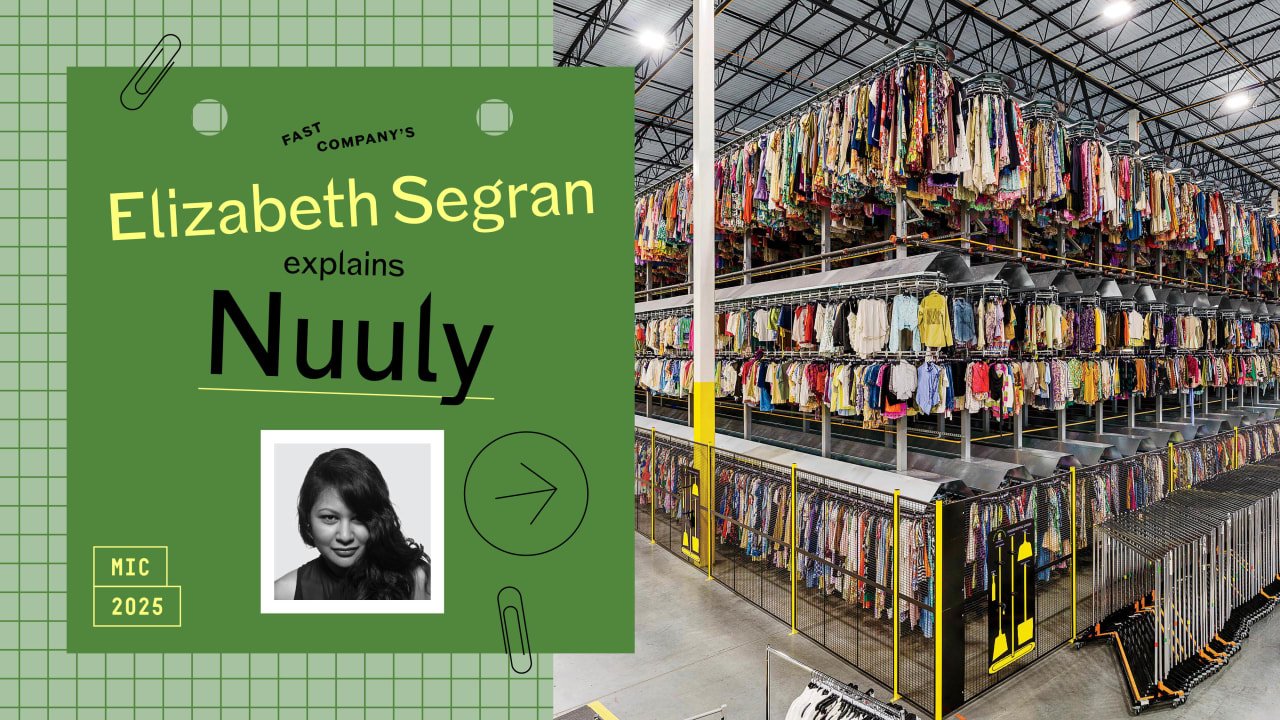
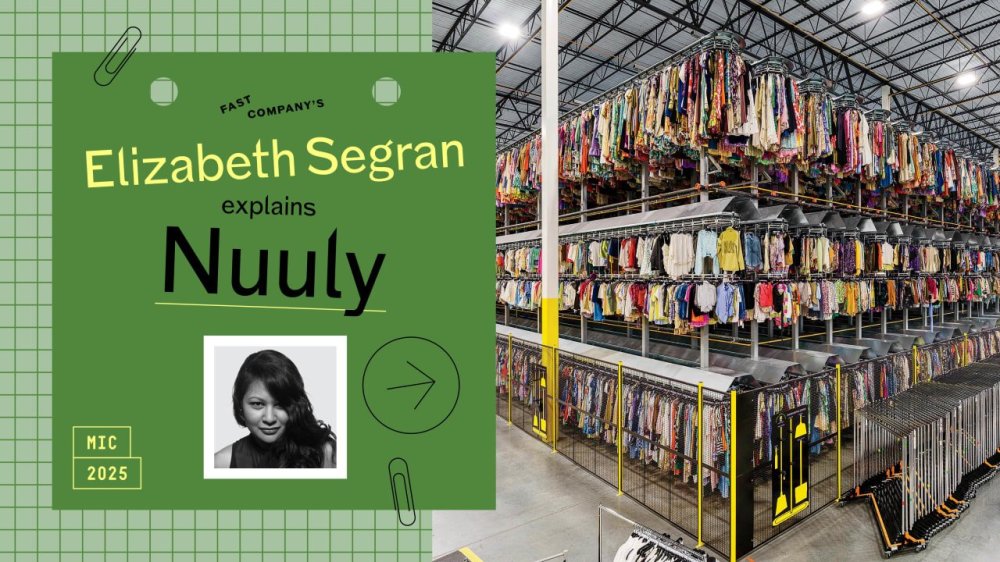
After six years in the game, Nuuly, the clothing rental service from Urban Outfitters, has done what few thought possible: turned a profit. In an industry full of flashy failures and billion-dollar burns, Nuuly is quietly winning with a strategy that’s shaking up fashion and business. View the full article
-
Money-losing Japanese automaker Nissan is banking on its latest “e-Power” technology for a turnaround. A kind of hybrid, e-Power comes equipped with both an electric motor and gasoline engine, much like the Toyota Motor Corp. Prius. It’s different from a Prius in that it doesn’t switch back and forth between the motor and engine during the drive. That means the car always is running on its EV battery, ensuring a quiet, smooth ride. “Nissan has a proud history of pioneering innovative technology that set us apart,” Chief Technology Officer Eiichi Akashi told reporters on the sidelines of a test drive at its Grandrive course outside Tokyo. The advantage of e-Power vehicles is that they never need to be charged like EVs do. The owner just fuels up at a gas station and the car never runs out of a charge. Nissan Motor Corp., which racked up a $4.5 billion loss for the fiscal year through March, sorely needs a hot-seller, especially in the lucrative North American market. But the U.S. market is proving a big headache for all the Japanese automakers because of President Donald The President’s tariff policies. To achieve a turnaround, Nissan is working on reducing costs, strengthening business partnerships and redefining its lineup. That’s where e-Power fits in, according to Akashi. Yokohama-based Nissan announced earlier this month that it’s slashing about 15% of its global work force, or about 20,000 employees, and reducing the number of its auto plants to 10 from 17, under an ambitious recovery plan led by its new Chief Executive Ivan Espinosa. Nissan officials did not give a price for the upcoming e-Power models. The one other automaker that offers a similar technology is “kei,” or tiny car, manufacturer Daihatsu Motor Co. E-Power is already offered on the Nissan Qashqai and X-Trail model in Europe, and the Note in Japan. The upgraded version will be offered in the new Rogue in the U.S. Nissan, a pioneer in EVs with its Leaf, which went on sale in 2010, is also preparing beefed up EV models. It’s also working on a solid-state battery which is expected to replace the lithium-ion batteries now widely used in hybrids, EVs and e-Power models. Analysts say Nissan is in danger of running out of cash and needs a partner. Speculation is rife its Yokohama headquarters building will get sold, or one of its Japan plants will be turned into a casino. Nissan started talks last year with Japanese rival Honda Motor Co. for a business integration but announced in February that it was dropping the talks. —Yuri Kageyama, AP Business Writer View the full article

-
According to the U.S. Bureau of Labor Statistics, unemployment rates have not shifted much in recent years. The current unemployment rate is reported as being 4.2%—just a slight increase from the 4% it hovered around between 2022 and 2024. But according to a new report, another measure of unemployment is much higher, and steadily growing. The April report, which comes from the Ludwig Institute for Shared Economic Prosperity (LISEP), a nonprofit that produces original economic research, documents what it calls the “true rate” of unemployment. That rate refers to “functional unemployment,” which takes into account those who are job-seeking yet unable to find work, as well as those with full-time jobs but whose earnings put them below the poverty line (under $25,000/year). The functional unemployment rate has risen for three consecutive months and is currently 24.4%. That means about one in four U.S. adults are considered functionally unemployed. LISEP Chair Gene Ludwig said in a press release that the outlook on the trend shows “little signs of improvement” amid lack of an “influx of dependable, good-paying jobs.” The report showed the functional unemployment rate rising 1.4% among Black workers to 26.7%. It decreased slightly for white workers, moving from 23.1% to 23%. While the rate for men increased (by 1.2%) bringing the total to 20%, women narrowed the gender gap. Women’s true unemployment rate dipped 0.8 percentage points to 28.6%. While it’s no secret that the federal government has been steadily shedding jobs, there haven’t been major increases in the unemployment rate. However, the new findings paint a grim picture of how many U.S. workers are struggling to find employment and a livable income. Meanwhile, wage increases haven’t kept up with a rising cost of living, not to mention the cost to raise a child, which has ticked up 25% in the past two years alone. “Amid an already uncertain economic outlook, the rise in functional unemployment is a concerning development,” Ludwig explains. “This uncertainty comes at a price, and unfortunately, the low- and middle-income wage earners ultimately end up paying the bill.” View the full article

-
Google claims that AI Overviews generate ad revenue equal to traditional search results. What this means for your marketing strategy. The post Google Claims AI Overviews Monetize At Same Rate As Traditional Search appeared first on Search Engine Journal. View the full article
-
Think about how people ask about sunglasses. In the old search model, someone queries “best smart sunglasses” and scans the links in a SERP. In the new model, they ask, “What’s the deal with Meta Ray-Bans?” and get a synthesized answer with specs, use cases, and reviews – often without seeing a single webpage, including the SERP. That shift defines the new frontier: your content doesn’t have to rank. It has to be retrieved, understood, and assembled into an answer. The game used to be: write a page, wait for Google/Bing to crawl it, hope your keywords matched the query, and pray no one bought the ad slot above you. But that model is quietly collapsing. Generative AI systems don’t need your page to appear in a list – they just need it to be structured, interpretable, and available when it’s time to answer. This is the new search stack. Not built on links, pages, or rankings – but on vectors, embeddings, ranking fusion, and LLMs that reason instead of rank. You don’t just optimize the page anymore. You optimize how your content is broken apart, semantically scored, and stitched back together. And once you understand how that pipeline generally works, the old SEO playbook starts to look quaint. (These are simplified pipelines.) Meet the new search stack Under the hood of every modern retrieval-augmented AI system is a stack that’s invisible to users – and radically different from how we got here. Embeddings Each sentence, paragraph, or document gets converted into a vector – a high-dimensional snapshot of its meaning. This lets machines compare ideas by proximity, not just keywords, enabling them to find relevant content that never uses the exact search terms. Vector databases (vector DBs) These store and retrieve those embeddings at speed. Think Pinecone, Weaviate, Qdrant, FAISS. When a user asks a question, it’s embedded too – and the DB returns the closest matching chunks in milliseconds. BM25 Old-school? Yes. Still useful? Absolutely. BM25 ranks content based on keyword frequency and rarity. It’s great for precision, especially when users search for niche terms or expect exact phrase matches. This graph is a conceptual comparison of BM25 vs vector similarity ranking behavior. Based on hypothetical data to illustrate how the two systems evaluate relevance differently – one prioritizing exact keyword overlap, the other surfacing semantically similar content. Note the documents appear in order. RRF (Reciprocal Rank Fusion) This blends the results of multiple retrieval methods (like BM25 and vector similarity) into one ranked list. It balances keyword hits with semantic matches so no one approach overpowers the final answer. RRF combines ranking signals from BM25 and vector similarity using reciprocal rank scores. Each bar below shows how a document’s position in different systems contributes to its final RRF score – favoring content that ranks consistently well across multiple methods, even if it’s not first in either. We can see the document order is refined in this modeling. LLMs (Large Language Models) Once top results are retrieved, the LLM generates a response – summarized, reworded, or directly quoted. This is the “reasoning” layer. It doesn’t care where the content came from—it cares whether it helps answer the question. And yes, indexing still exists. It just looks different. There’s no crawling and waiting for a page to rank. Content is embedded into a vector DB and made retrievable based on meaning, not metadata. For internal data, this is instant. For public web content, crawlers like GPTBot and Google-Extended still visit pages, but they’re indexing semantic meaning, not building for SERPs. Why this stack wins (for the right jobs) This new model doesn’t kill traditional search. But it leapfrogs it – especially for tasks traditional search engines never handled well. Searching your internal docs? This wins. Summarizing legal transcripts? No contest. Finding relevant excerpts across 10 PDFs? Game over. Here’s what it excels at: Latency: Vector DBs retrieve in milliseconds. No crawl. No delay. Precision: Embeddings match meaning, not just keywords. Control: You define the corpus – no random pages, no SEO spam. Brand safety: No ads. No competitors hijacking your results. This is why enterprise search, customer support, and internal knowledge systems are jumping in head-first. And now, we’re seeing general search heading this way at scale. How Knowledge Graphs enhance the stack Vectors are powerful, but fuzzy. They get close on meaning but miss the “who, what, when” relationships humans take for granted. That’s where knowledge graphs come in. They define relationships between entities (like a person, product, or brand) so the system can disambiguate and reason. Are we talking about Apple the company or the fruit? Is “it” referring to the object or the customer? Used together: The vector DB finds relevant content. The knowledge graph clarifies connections. The LLM explains it all in natural language. You don’t have to pick either a knowledge graph or the new search stack. The best generative AI systems use both, together. Tactical field guide: Optimizing for AI-powered retrieval First, let’s hit a quick refresh on what we’re all used to – what it takes to rank for traditional search. One key thing here – this isn’t exhaustive, this overview. It’s simply here to set the contrast for what follows. Even traditional search is hella complex (I should know, having worked inside the Bing search engine), but it seems pretty tame when you see what’s coming next! To rank in traditional search, you’re typically focused on things like this: You need crawlable pages, keyword-aligned content, optimized title tags, fast load speeds, backlinks from reputable sources, structured data, and solid internal linking. Sprinkle in E-E-A-T (Experience, Expertise, Authoritativeness, Trustworthiness), mobile-friendliness, and user engagement signals, and you’re in the game. It’s a mix of technical hygiene, content relevance, and reputation – and still measured partly by how other sites point to you. Now for the part that matters to you: How do you actually show up in this new generative-AI powered stack? Below are real, tactical moves every content owner should make if they want generative AI systems like ChatGPT, Gemini, CoPilot, Claude, and Perplexity to pull from their site. 1. Structure for chunking and semantic retrieval Break your content into retrievable blocks. Use semantic HTML (<h2>, <section>, etc.) to clearly define sections and isolate ideas. Add FAQs and modular formatting. This is the layout layer – what LLMs first see when breaking your content into chunks. 2. Prioritize clarity over cleverness Write like you want to be understood, not admired. Avoid jargon, metaphors, and fluffy intros. Favor specific, direct, plain-spoken answers that align with how users phrase questions. This improves semantic match quality during retrieval. 3. Make your site AI-crawlable If GPTBot, Google-Extended, or CCBot can’t access your site, you don’t exist. Avoid JavaScript-rendered content, make sure critical information is visible in raw HTML, and implement schema.org tags (FAQPage, Article, HowTo) to guide crawlers and clarify content type. 4. Establish trust and authority signals LLMs bias toward reliable sources. That means bylines, publication dates, contact pages, outbound citations, and structured author bios. Pages with these markers are far more likely to be surfaced in generative AI responses. 5. Build internal relationships like a Knowledge Graph Link related pages and define relationships across your site. Use hub-and-spoke models, glossaries, and contextual links to reinforce how concepts connect. This builds a graph-like structure that improves semantic coherence and site-wide retrievability. 6. Cover topics deeply and modularly Answer every angle, not just the main question. Break content into “what,” “why,” “how,” “vs.,” and “when” formats. Add TL;DRs, summaries, checklists, and tables. This makes your content more versatile for summarization and synthesis. 7. Optimize for retrieval confidence LLMs weigh how confident they are in what you’ve said before using it. Use clear, declarative language. Avoid hedging phrases like “might,” “possibly,” or “some believe,” unless absolutely needed. The more confident your content sounds, the more likely it is to be surfaced. 8. Add redundancy through rephrasings Say the same thing more than once, in different ways. Use phrasing diversity to expand your surface area across different user queries. Retrieval engines match on meaning, but multiple wordings increase your vector footprint and recall coverage. 9. Create embedding-friendly paragraphs Write clean, focused paragraphs that map to single ideas. Each paragraph should be self-contained, avoid multiple topics, and use a straightforward sentence structure. This makes your content easier to embed, retrieve, and synthesize accurately. 10. Include latent entity context Spell out important entities – even when they seem obvious. Don’t just say “the latest model.” Say “OpenAI’s GPT-4 model.” The clearer your entity references, the better your content performs in systems using knowledge graph overlays or disambiguation tools. 11. Use contextual anchors near key points Support your main ideas directly – not three paragraphs away. When making a claim, put examples, stats, or analogies nearby. This improves chunk-level coherence and makes it easier for LLMs to reason over your content with confidence. 12. Publish structured extracts for generative AI crawlers Give crawlers something clean to copy. Use bullet points, answer summaries, or short “Key Takeaway” sections to surface high-value information. This increases your odds of being used in snippet-based generative AI tools like Perplexity or You.com. 13. Feed the vector space with peripheral content Build a dense neighborhood of related ideas. Publish supporting content like glossaries, definitions, comparison pages, and case studies. Link them together. A tightly clustered topic map improves vector recall and boosts your pillar content’s visibility. Bonus: Check for inclusion Want to know if it’s working? Ask Perplexity or ChatGPT with browsing to answer a question your content should cover. If it doesn’t show up, you’ve got work to do. Structure better. Clarify more. Then ask again. Final thought: Your content is infrastructure now Your website isn’t the destination anymore. It’s the raw material. In a generative AI world, the best you can hope for is to be used – cited, quoted, or synthesized into an answer someone hears, reads, or acts on. This is going to be increasingly important as new consumer access points become more common – think of things like the next-gen Meta Ray Ban glasses, both as a topic that gets searched, and as an example of where search will happen soon. Pages still matter. But increasingly, they’re just scaffolding. If you want to win, stop obsessing over rankings. Start thinking like a source. It’s no longer about visits, it’s about being included. This article was originally published on Duane Forrester Decodes on substack (as Search Without a Webpage) and is republished with permission. View the full article
-
The wait is over, people: WhatsApp is officially, finally, available on iPad. WhatsApp started as an iPhone app way back in 2009. Seventeenyears later, the app is still available on iPhone, as well as Android, Mac, and PC. But one platform the app has never been available for is the iPad. Despite being the most popular mobile messaging app in the world—roughly a quarter of the global population uses it—Meta never cared to bring WhatsApp to the most popular tablet in the world. That changes today. On Tuesday, May 27, Meta included an iPad app with the latest WhatsApp update (version 25.16.81). It comes just one day after the company teased the app on X: The official WhatsApp account reposted an X user who said there should be an iPad version of the app. WhatsApp didn't say anything other than posting the side-eye emoji, heavily implying the app was on its way. This Tweet is currently unavailable. It might be loading or has been removed. From the App Store listing, it appears to be the usual WhatsApp experience you'd expect from, well, WhatsApp—only, optimized for the iPad's larger display. When viewing your chats, you can see all conversations in a column on the left, with the active chat featured prominently in a larger column on the right. Your statuses will take up the full screen, and video calls will let you fit many callers on one screen. (I imagine this will be a big improvement for people who frequently video call groups on the iPhone app.) You can download WhatsApp for iPad here. Instagram may be getting an iPad app tooWhatsApp isn't the only Meta app that needed an iPad version. Instagram infamously has remained iPad free for years, forcing users to download the iPhone version or rely on the web app to access Instagram on their tablets. Rumor has it, however, the company is working on a native iPad app for Instagram, too, though nothing is set in stone. It would be a big improvement for Instagram users who often browse on their iPads, but we'll have to wait and see if the company actually pulls the trigger. View the full article
-
We may earn a commission from links on this page. Deal pricing and availability subject to change after time of publication. At $299.99 (down from $549.99), the TP-Link Deco BE63 mesh wifi system is at its lowest price yet (according to price trackers)—and if you’ve been waiting to upgrade your home network, this is a good time to jump in. TP-Link Tri-Band Wi-Fi 7 BE10000 Whole Home Mesh System $299.99 at Amazon /images/amazon-prime.svg $549.99 Save $250.00 Get Deal Get Deal $299.99 at Amazon /images/amazon-prime.svg $549.99 Save $250.00 The BE63 is a two-piece mesh system that uses Wi-Fi 7, the latest wireless standard, to deliver faster speeds and better coverage across up to 5,800 square feet. PCMag not only gave it an “Excellent” review but also named it their Editors’ Choice and best mesh wifi system of 2024. That’s a lot of praise for something now selling for $300. Getting started is easy with the Deco app: It walks you through the setup step by step, and once it’s live, you can manage everything from your phone. The app lets you check speeds, monitor devices, and create user profiles. There are built-in parental controls that let you block websites, apply age-based filters, or cut internet access at bedtime. These basic tools are free. But if you want deeper control (like enabling SafeSearch, restricting YouTube content, setting daily time limits, or tracking usage history), you’ll need to subscribe to HomeShield's Advanced Parental Controls plan ($2.99/month or $17.99/year). For added network protection—things like web threat filtering, intrusion prevention, and device-level safeguards—you can upgrade to the Security+ plan, which costs $4.99/month or $35.99/year. There’s also a more comprehensive Total Security package that includes antivirus, VPN services, and a password manager. It’s priced at $69.99 for the first year, then renews at $129.99 annually. If you’ve got a busy household or want full visibility into your network, one of these paid plans might be worth it. Performance-wise, this system is built for busy homes. It has three wireless bands—including 6GHz—for less congestion, plus four 2.5GbE ports and a USB 3.0 port on each unit. Those are more wired options than most mesh systems offer. Speeds are strong, even with multiple devices streaming, downloading, or gaming at once. You don’t get 10GbE ports as you do on pricier models, but for most people, this setup covers everything they need. View the full article
-
Earlier this month, the Food and Drug Administration (FDA) and the Centers for Disease Control and Prevention (CDC) announced a multistate investigation of a Salmonella outbreak linked to cucumbers believed to have been grown by Bedner Growers Inc. of Boynton Beach, Florida. That outbreak has so far sickened 26 people in 15 states. And now, that outbreak has caused Walmart to recall a select cucumber product from some of its stores. Here’s what you need to know about Walmart’s cucumber recall. What’s happened? On May 22, Walmart announced that it was recalling a select cucumber product over fears that it had the possibility of being contaminated with Salmonella. The notice about the recall was published by the FDA a day later. According to the notice, Walmart is voluntarily recalling a cucumber product because it is believed Bedner Growers, Inc. may have supplied the cucumbers in the product. What cucumber product is Walmart recalling? The recall involves just one cucumber product—Marketside Fresh Cut Cucumber Slices that were produced in select Texas-area stores between May 13, 2025 and May 20, 2025. Here are the details of that product: Product Description: Marketside Fresh Cut Cucumber Slices UPC/PLU: 62969 Av. Unit Weight: 1.5 lbs Date Codes: All date codes up to 5/24/2025 A photo of the recalled Marketside Fresh Cut Cucumber Slices can be found here. Has anyone been harmed by the recalled product? Unlike with the wider cucumber recall, no known illnesses have been specifically linked to the recalled Walmart cucumber product. More than two dozen individuals are known to have been sickened by the cucumbers involved in the wider recall. What should I do if I have the recalled Walmart cucumber product? If you have the recalled Marketside Fresh Cut Cucumber Slices, you should not consume them or let them be consumed by anyone else, nor should you give them away. Instead, you should throw out the product or return it to Walmart for a refund. The recall notice also states that you should clean and sanitize surfaces that the recalled product has come into contact with in order to reduce the chances of cross-contamination. What is Salmonella? Salmonella is a bacterium that can cause potentially fatal infections in people. While most Salmonella infections can resolve within a week, individuals who are young or elderly, or those who have weakened immune systems, can experience more severe consequences from a Salmonella infection. You can find out more details about Salmonella infections on the CDC’s website here. View the full article

-
Stronger than expected consumer confidence reading adds to buoyant investor moodView the full article
-
Salesforce is buying AI-powered cloud data management company Informatica in an approximately $8 billion deal. Informatica’s shareholders will receive $25 per share, a premium of about 11% from Friday’s closing price of $22.55. The transaction will give Salesforce access to Informatica’s data management capabilities. Informatica was taken private in 2015 by private equity firm Permira and the Canada Pension Plan Investment Board for about $5.3 billion. It went public again in 2021. “Joining forces with Salesforce represents a significant leap forward in our journey to bring data and AI to life by empowering businesses with the transformative power of their most critical asset — their data,” Informatica CEO Amit Walia said in a statement on Tuesday. “We have a shared vision for how we can help organizations harness the full value of their data in the AI era.” Robin Washington, president and chief operating and financial officer at Salesforce, said in a statement that the acquisition will look to take advantage of Informatica’s capabilities quickly, particularly in areas such as the public sector, life sciences, health care, and financial services. San Francisco-based Salesforce is set to report its quarterly financial results Wednesday after the bell. Both companies’ boards have approved the deal, which is expected to close early in Salesforce’s fiscal 2027. Shares of Salesforce rose slightly before the market open, while Informatica’s stock jumped 5.7%. —Michelle Chapman, AP Business Writer View the full article
-
Most shareholders of listed companies still prefer real assets with predictable cash returnsView the full article
-
The President Media & Technology Group to sell stock and convertible bonds to purchase crypto tokensView the full article
-
We may earn a commission from links on this page. While most people think of smart cameras as just a part of their security system, they’re also a good way to monitor the things growing in your yard. In most cases, the cameras you already have set up for security can be doing double duty as a tool to keep track of what's happening in your garden. I believe we’re on the cusp of smart cameras becoming a much bigger part of the gardening experience. For the last few years, smart bird houses have exploded in popularity. One of those companies, Bird Buddy, has launched an entirely new line of cameras specifically for micro-viewing experiences in the garden. Their Petal cameras, expected to be available next year, should be positioned closer to the ground than most security cameras, and are meant to capture bees, insects, and butterflies, as well as the growth of your plants. Using AI (as a subscription service), the camera will allow you to assign names to your plants and even communicate with them. Still, there is a lot you can do with security cameras already on the market. Remote monitoring Credit: Amanda Blum In an ideal world, you could pack up for vacation and your yard would take care of itself—but a smart camera can allow you to remotely keep an eye on what’s happening and monitor for any damage. What’s impressive to me is how well my solar-powered cameras maintain their connection, even during low temperatures and freezing rain. I've been impressed at how much detail I can get from small plants through my cameras. Credit: Amanda Blum Cameras allow you to keep an active watch on your yard. Not only will your security camera let you know if your trusted waterer drops by while you're gone as promised, but you can actually see how your plants are doing and if additional help is needed. I’m always impressed at how good the zoom is on the cameras I use around my yard; I can actually tell if a tomato is ripe or if broccoli is ready to be picked. Last year, when I couldn’t get outside because of a sprained ankle and had someone helping in the garden, being able to see what they were doing and communicate with them via my security camera was invaluable. It’s much more effective than trying to describe what you need or want. Catch pestsGarden pests are frustrating for a wealth of reasons. To start with, you often don’t know what kind of pest you’re dealing with, and it’s nearly impossible to catch them in the act. Smart cameras are perfect for this, because they give you fly-on-the-wall ability to passively watch. Motion detection does most of the work for you. My security camera let me know I had raccoons in my yard last winter. They weren’t doing any damage (yet), but it helped influence how I design my garden and chicken coops. The cameras identified the cat that had chosen my garden to use as a litter box, checking in each night around 1 a.m. I’ve been chasing down a rat for the last two weeks, and the cameras do a spectacular job of catching his activity, which tells me where to add traps and what I may be doing that is enabling him. Other uses for smart cameras in your yard Credit: Amanda Blum The most invaluable service I’ve gotten from my cameras are how I use them to monitor backyard pets. I could not figure out how my newly adopted doberman was escaping from the yard, so I installed security cameras, and discovered she was climbing a five-foot tall chain link fence. I’ve got three cameras installed in my chicken coop, and they tell me when there are eggs to be grabbed, if a chicken is becoming broody, if everyone got into the coop at night, and if that pesky rat has cracked into the chicken food. When I first got my chickens, I couldn’t figure out which bird was laying which color egg, but the cameras helped. And now that I have a beehive, being able to see the activity going in and out of the hive is a helpful to monitor the health of the hive, and if a rodent of any kind tries to get in, I’ll know immediately. How to choose a camera for your yardI’ve tried smart cameras from almost every major brand, and I’ve figured out some things. First, in almost all cases, I want a PTZ (point, tilt, zoom) camera. These allow you to use your phone as a remote control and move the camera around, often almost 360 degrees, to zoom in on what you want. This is far superior to a fixed range camera. It’s simply annoying to have something going on just outside of the range of your camera and not be able to do anything to adjust it remotely. Additionally, I look for an app that makes it easy to watch clips. While I think Reolink cameras are affordable and functional, their app forces you to watch a horizontal clip on a vertical screen, so details are incredibly small. The Ring app has a lot of bloat, bringing neighborhood alert notifications to your phone. I enjoy the Aqara, Switchbot, and Eufy apps for getting to the video quickly and easily. Lastly, as you add cameras to your collection, being able to remain free from subscription costs is a real bonus. For that reason, I have largely switched over to Eufy cameras, which—if connected to a Home Base—don’t need a subscription. What I use in my yard: I replaced all my floodlights with this camera for overhead views Eufy Wired Floodlight Cam $199.99 at Amazon /images/amazon-prime.svg $219.99 Save $20.00 Shop Now Shop Now $199.99 at Amazon /images/amazon-prime.svg $219.99 Save $20.00 I place these wireless cams anyplace I want a 360 view of what's happening in my yard. Eufy Solar Powered Wireless Camera $259.99 at Amazon $349.99 Save $90.00 Shop Now Shop Now $259.99 at Amazon $349.99 Save $90.00 I have this epoxied into three spots in my chicken coop. Eufy Indoor PTZ Camera $34.88 at Amazon /images/amazon-prime.svg Shop Now Shop Now $34.88 at Amazon /images/amazon-prime.svg Just added this to monitor my beehive. Eufycam S3 Pro $439.99 at Amazon /images/amazon-prime.svg $549.99 Save $110.00 Get Deal Get Deal $439.99 at Amazon /images/amazon-prime.svg $549.99 Save $110.00 All my cameras sync to the homebase so I don't need a subscription. Eufy HomeBase $149.99 at Amazon /images/amazon-prime.svg Get Deal Get Deal $149.99 at Amazon /images/amazon-prime.svg SEE 2 MORE Where to place your camera Credit: Amanda Blum All security cameras are either hardwired or wireless. You might already have exterior floodlights on your home, and wired security cameras can use those connections, replacing the lights (many units come with floodlights). In this case, your connection is likely high up, and can’t be moved easily. So long as it’s high up, you likely have a good field of vision of your yard, but make sure to consider plants that grow in the summer, and if they’ll block your view. If you don’t have these connections available and don’t want to pay an electrician to create them, you need wireless cameras. But I actually prefer my wireless cameras. First, the solar power on most of them is astounding. I live in the Pacific Northwest, a place with seven months of gloom, and my cameras always stay powered. Second, being wireless means you can move your camera around to find the perfect spot. Usually all you need is to screw the base into the spot you want the camera. Don’t be afraid to try different spots, when I was chasing down how my dog escaped, I had to keep moving the camera. I attached the camera to a 2x4, and moved the wood around the yard, leaning it against whatever was near until I found the right range of vision. View the full article
-
If you want the lowdown on Google’s I/O hoedown, look no further than… 2013. Or maybe 2014. 2016 works too. Honestly, take your pick because it barely matters. Most of the coverage I’ve seen this year reads like AI-generated summaries written by folks with more letters after their names than a prescription bottle. Bless their hearts. But remember—Google’s founders didn’t show up with alphabet soup credentials. They showed up to solve a problem. A big, fascinating one that demanded thinking, tinkering, troubleshooting, and a lot of stops and starts. It wasn’t about polish; it was about the ridiculous drive to solve a problem. And have your own personal 767, but let’s not get off topic here. My own version of “looking back” usually involves regretting not taking that agency job at Google back when stock options were basically party favors. If I had, I’d be three Mai Tais deep on my own private island instead of writing articles to stay relevant. But here we are. And here’s where it gets interesting. A lot of people are wringing their hands over how AI is going to disintermediate the paid search model. That’s cute. But this isn’t single auction bidding anymore. We live in a layered, behavioral, socially informed, context-rich world where performance shouldn’t be bought and paid for; it should be earned. That’s where the multi-punctuation folks and I intersect. And too many people out there think they invented the wheel but can’t change a tire. That’s especially true inside the SEM world. SEM – as in the combined disciplines of SEO and paid search. (Or Search Engine Advertising, also known as SEA. Sorry, folks. I’ll die on that hill and keep swimming upstream while others are busy rewriting acronyms.) And while we’re at it, let’s talk about the current split. Half the industry is yelling that AI has changed everything, burned the house down, and we’re all just squatting in the ruins. The other half is clinging to the belief that nothing’s really changed. New search marketing is still just a few new tools bolted onto the same old playbook. It’s playing out like America’s divisive political climate. We should try harder to get along, but again, let’s not get off topic. Meanwhile, the guy who just needs new pants is watching another guy with two mismatched monitors and an Imperial Star Destroyer desktop theme break down a pair of pants better than any brand ever has. It was better because it was genuine and relatable. I saw myself. Humans who buy pants online aren’t living extreme close-up explainer flashing text video lives, but people, please, try and focus on the topic at hand. That’s the moment. I searched for those pants and because I believed “ObinWand2000,” I bought a pair. Now I have seven. One for each day of the week in different colors, because having seven of the same color would be a little crazy. These pants are the best dang go anywhere, do anything, fluid resistant, no iron wash in the sink, hang dry ones I’ve ever seen or heard about. A brand I trust with big seven-figure budgets and the top-ranked content wasn’t from an influencer or a sponsored post. It was from a guy with fewer than 5,000 followers who just happened to deliver the most honest, relevant, and useful review out there. That’s the shift. What AI is doing in its current, glitchy, overly confident state is reviving the spirit of early search. Not the cluttered, over-optimized, pay-to-play version we’ve been stuck in. The original idea: that the most valuable voice wins. Not the loudest. Not the richest. Not the most frequent. And whether by design, or algorithmic accident, that’s the kind of search revival I can get behind. So, before we call this the end of search as we know it, maybe it’s worth asking: what if it’s just the beginning of search as it should have been? Less noise. More value. And finally – mercifully – fewer people trying to sell us the wheel when they still can’t fix the flat. View the full article
-
A reader writes: I’m enjoying my current job, which is a pleasant surprise to me, considering how many awful workplaces are out there. Of course it’s not perfect, but by and large the management seems to be healthy, which is one of the biggest things I was looking for. It might seem so good in comparison to my most significant prior experience with authority and leadership, which was in my family of origin and was controlling, fear-based, and abusive in various ways. I had only recently moved out of my parents’ home when I started this job, so in addition to learning the ropes of the “official” workplace for the first time, I was also (and am still) learning the ropes of the real world and what healthy relationships are supposed to look like. It’s quite terrifying quite often, both in and out of work — but whether the management here is in fact excellent or just seems so to me because of my previous experience with authority figures, I’m very grateful for it and it’s given me some hope that not all leadership is oppressive. With the above for context, though: sometimes I’m really unsure of how to act around coworkers, and managers specifically. My default is to act like they’re on some plane high above me and I should just keep my head down, do my work, and not speak unless spoken to. This applies to most of my relationships whether in or out of work, actually. I find it difficult to relax around most anyone, but particularly with those higher in authority or even just with more personal confidence than me — kind of a “seen and not heard” dynamic where I don’t engage unless the other person engages first, because I might be bothering them if I talk to them. (But if they engage first, then they must be interested and it’s fine to talk to them, though I’d better keep my response as short as possible so they won’t be inconvenienced.) Or so the reasoning goes. I’m sure it comes from loads of fear and thinking I’m not worth people’s time, which are things I’m trying to work through, but maaaan, it’s a slow road. So I’m aware of it in the moment, but not sure how to snap out of it and operate as if we’re equals in worth, if not in station. So I guess my question for you is, as a manager, how do you expect those under you to treat you? Does respect look like unquestioning obedience and deference, with no spark of personality shown or nothing about personal life shared, ever — a perfect little machine to do the work well and fulfill your expectations? I know that in the workplace, relationships are somewhat performance-based, which apparently they’re not supposed to be in family or friendships or non-work relationships. So I’m grappling with that, because I’m trying to unlearn being performance-based in relationships at large, but need to still operate in that sphere to a degree with work relationships. Because I’ve read enough on your website to guess you’re a fair and decent human being, your answer to that as a manager will probably be, “No, of course not!” But then, what DO managers expect from personal dynamics with their employees? Not their work performance; I do understand that. The work requirements themselves are fairly objective and easy to understand. But I’m talking about any personal back-and-forth or chemistry. Does a good manager expect an employee to be somewhat afraid of them and bending-over-backward to please? Do they expect me to never open my mouth about anything other than what they need from me, or are they okay with more personal expression and connection? Would they appreciate hearing a little bit of background context for WHY I’m jumpy and closed-up like this so they can have better understanding of what’s going on as I’m working to break old patterns? I know it’s impossible to give an answer that applies to all managers ever; even aside from the matter of healthy vs. unhealthy managers, there are just different personalities. But as much as possible, from the perspective of “basic healthy manager,” what would you say are (1) beliefs/perceptions that are just not the case in the way I’m viewing managers’ authority over me or need for respect and silence-unless-spoken-to, and (2) the kind of personal respect/deference expected by a manager? And whether they’d rather those under them remain so closed-up that they don’t know anything about them as a person, or would they rather have some personal connection and context? Even asking questions about or asking for help with something that’s squarely in the work sphere seems scary and like I’m bothering them — even though asking questions and for help is encouraged in our workplace. Good managers want you to treat them like normal humans, but with the recognition that: * they might be pretty busy (which doesn’t mean they don’t have time to talk to you, but you should be thoughtful about their time and pay attention to their cues about when they need to wrap up). * It’s their job to assess your work and tell you where you’re doing well and where there’s room to improve. * It’s their job to make the final call on some things. * The relationship has different boundaries than a friendship — it can be friendly but they’re not the right audience for every topic (a short conversation about your mutual love of hiking, sure; a venting session about your job, no). There’s a ton of nuance to that, of course, and it’s more art than science, which makes it hard to break down. Often the easiest way to learn it is to watch how more seasoned colleagues — ones who you respect — interact with their managers. In your shoes, I’d start spending a lot of time watching those dynamics; let coworkers you respect model what this can look like. You should also pay attention to your managers’ own cues. Some managers will be very open to a lengthy conversation about aggravating neighbors or what the hell is happening on Severance. Others feel warmth and good will toward you but want to stay mostly focused on work, most of the time. With time, you can pick up on cues that will tell you where your manager falls on that spectrum. Good managers do want to have some idea of who the people working for them are. In fact, it can be strange when someone doesn’t share anything about themselves. (Read this letter from a manager whose employee barely speaks to her.) Good managers are concerned if an employee appears to be afraid of them, because it means the person might not offer info that would helpful for them to offer, or might be too intimidated to really listen and process when getting feedback, and generally are less likely to ask questions and take initiative and try things out. Good managers want you to feel reasonably comfortable talking to them. They want you to speak up if you encounter obstacles in your work, or when you might have context that would change their perspective on something, or when you have an idea or a concern. (Within reason.) You asked whether good managers would appreciate hearing a little context for why you’re jumpy and closed-up, and again that’s an answer that comes down to balance. You probably shouldn’t get heavily into what sounds like family trauma, but it would absolutely be okay with a lot of managers if you said, “I don’t have a lot of experience as an employee yet and didn’t learn a ton from my family about the work world, so I want to make sure I’m getting it right and not overstepping boundaries — if you have any feedback for me, I’d always be glad to hear it.” You could even add, “I’m realizing my instincts tend toward being really deferential, but I know that’s not always the most useful approach. I’d welcome any coaching you ever want to offer on how to get the balance right, since I’m still figuring it out!” But yeah, right now, your instincts are calibrated way too far in the deferential direction. It’s not that there’s not some amount of deference built into the relationship — there is — but you’re nearing something that sounds more like obsequiousness. Think respect and good will, not servility. Your managers aren’t better than you, and a good manager won’t think they are. They just have a different role than you have, and so the dynamics reflect that. All that said … as I read my answer over, it’s all so theoretical! The best guidance is going to come from watching other people in action (and seeing it through the lens of knowing your challenge will be to loosen up, but without going too far in that direction). Also, here are some columns that might help, and which taken together might help illustrate what the relationship would ideally look like: how to talk so your boss will listen key phrases to use when you talk to your boss (One of the suggested phrases in this — “I’m of course glad to do it the way you asked, but I want to flag that one possible problem is X” — captures the balance I talked about above; you’re recognizing your boss’s authority but also saying, “Hey, here’s this thing I’m spotting that you might want to know about” — which I suspect is something you don’t feel comfortable doing right now.) how to disagree with your boss can I ask my boss for feedback about how I’m doing? taking criticism gracefully how to make your boss adore you The post how much deference do good managers want from employees? appeared first on Ask a Manager. View the full article
-
With Memorial Day behind us, America’s summer travel season is now in full swing. While flyers should be aware of how to find great fares and the best apps to use when taking a vacation overseas, they should also be mindful of a few new rule changes going into effect at popular airlines, which could impact their trips. Those changes are happening at two of America’s most well-known airlines—Southwest and United—and include alterations to the airlines’ free baggage and check-in policies, respectively. Here’s what to know about the changes and when they go into effect. Southwest’s signature “Bags Fly Free” policy changes on May 28 On Wednesday, May 28, Southwest’s signature “Bags Fly Free” policy is changing. The policy has been a defining feature of the airline for decades, which lets Southwest fliers check up to two bags for free on any flight. However, come May 28, that policy will end for many Southwest passengers. As Fast Company previously reported, many passengers who book flights on Southwest from May 28 will now need to pay for checked baggage, although some will still be able to check bags for free. Here’s how the new checked baggage policies work, according to Southwest: If you are a Rapid Rewards A-List Preferred Member or traveling on Business Select fares, you’ll still be able to check up to two bags for free on your flight. If you are an A-List Member or a Rapid Rewards Credit Cardmember, you’ll get one checked bag for free on each flight. But if you don’t fall into the categories above, you’ll now be charged to check your first and second bags on each flight. It’s important to note that these new baggage-check rules and fees only apply to flights booked on or after May 28, 2025. If you booked your flight before that date, you’ll still be able to take advantage of Southwest’s old “Bags Fly Free” policy even if the flight takes place after May 28. United’s check-in policy changes on June 3 On June 3, anyone flying on United will need to check in for their flight at least 45 minutes before departure, the airline confirmed with Fast Company. Previously, some passengers could check in as little as 30 minutes before their flight. Those who do not check in at least 45 minutes before their flight is scheduled to depart will be denied boarding starting June 3. Historically, United has allowed those flying without checked bags to check in by as little as 30 minutes before a domestic flight. Those on domestic flights with checked bags had a 45-minute check-in cutoff. In order to simplify things for gate staff and provide uniformity for passengers, United will now require anyone on a domestic flight with or without checked bags to check in at least 45 minutes before departure. “The change brings greater consistency for our customers by aligning with our current checked baggage deadline and the check-in policies followed by most other airlines,” a United spokesperson told Fast Company via email. It should be noted that the new 45-minute check-in rule only applies to domestic flights. For international flights, United requires passengers to check in at least 60 minutes before the scheduled departure. United’s check-in time limits can be found here. View the full article

-
We may earn a commission from links on this page. Like shopping on Amazon itself, Prime Video can sometimes feel like a jumble sale: a proliferation of TV and movies from every era, none of it terribly well-curated. There’s a lot to sort through, and the choices can be a little overwhelming. Presentation issues aside, there are some real gems to be found, as long as you’re willing to dig a bit—the streamer offers more than a few impressive exclusives, though they sometimes get lost amid the noise. Here are 20 of the best TV series Prime Video has to offer, including both ongoing and concluded shows. Overcompensating (2025 – ) Comedian Benito Skinner plays himself, sort of, in this buzzy comedy that sees a former high school jock facing his freshman year in college, desperately trying to convince himself and everyone else that he's as straight as they come (relatable, except for the jock part). Much of the show's appeal is in its deft blending of tones: It's a frequently raunchy college comedy, but it's simultaneously a sweet coming-of-age story about accepting yourself without worrying about what everyone else thinks. The impressive cast includes Adam DiMarco (The White Lotus) and Rish Shah (Ms. Marvel) You can stream Overcompensating here. Étoile (2025 –, renewed for season two) Amy Sherman-Palladino and David Palladino (Gilmore Girls, The Marvelous Mrs. Maisel) are back on TV and back in the dance world (following Bunheads) with this series about two world-renowned ballet companies (one in NYC and one in Paris) that decide to spice things up by swapping their most talented dancers. Each company is on the brink of financial disaster, and so Jack McMillan (Luke Kirby), director of the Metropolitan Ballet, and Geneviève Lavigne (Charlotte Gainsbourg), director of of Le Ballet National, come up with the plan, and recruit an eccentric billionaire (Simon Callow) to pay for it. Much of the comedy comes from the mismatched natures of their swapped dancers, and there's a tangible love of ballet that keeps things light, despite the fancy title. You can stream Étoile here. Fallout (2024 – , renewed for second and third seasons) A shockingly effective video game adaptation, Fallout does post-apocalyptic TV with a lot more color and vibrancy than can typically be ascribed to the genre (in the world of Fallout, the aesthetic of the 1950s hung on for a lot longer than it did in ours). The setup is a little complicated, but not belabored in the show itself: It's 2296 on an Earth devastated two centuries earlier by a nuclear war between the United States and China, exacerbated by conflicts between capitalists and so-called communists. Lucy MacLean (Ella Purnell) emerges from the underground Vault where she's lived her whole life protected from the presumed ravages of the world above, hoping to find her missing father, who was kidnapped by raiders. The aboveground wasteland is dominated by various factions, each of which considers the others dangerous cults, and believes that they alone know mankind's way forward. It's also overrun by Ghouls, Gulpers, and other wild radiation monsters. Through all of this, Lucy remains just about the only human with any belief in humanity, or any desire to make things better. You can stream Fallout here. Deadloch (2023 –, renewed for a second season) Both an excellent crime procedural and an effective satire of the genre, this Australian import does about as well as setting up its central mystery as Broadchurch and its many (many) imitators. Kate Box stars as Dulcie Collins, fastidious senior sergeant of the police force in the fictional town of the title. When a body turns up dead on the beach, Dulcie is joined by Madeleine Sami's Eddie Redcliffe, a crude and generally obnoxious detective brought in to help solve the case. Unraveling the web of secrets and mysteries in the tiny Tasmanian town is appropriately addictive, with the added bonus of cop thriller tropes getting mercilessly mocked all the way. You can stream Deadlock here. The Lord of the Rings: The Rings of Power (2022 – , third season coming) All the talk around The Rings of Power in the lead-up to the series had to do with the cost of the planned five seasons expected to be somewhere in the billion dollar range. At that price point, it’s tempting to expect a debacle—but the resulting series is actually quite good, blending epic conflict with more grounded characters in a manner that evokes both Tolkien, and Peter Jackson’s Lord of the Rings films. Set thousands of years before those tales, the series follows an ensemble cast lead by Morfydd Clark as Elven outcast Galadriel and, at the other end of the spectrum, Markella Kavenagh as Nori, a Harfoot (the people we’ll much later know as Hobbits) with a yearning for adventure who finds herself caught up in the larger struggles of a world about to see the rise of the Dark Lord Sauron, the fall of the idyllic island kingdom of Númenor, and the the last alliance of Elves and humans. You can stream The Rings of Power here. Reacher (2022 – , fourth season coming) Getting high marks for his portrayal of the Lee Childs’ character (from both book and TV fans) is Alan Ritchson (Titans), playing Reacher with an appropriately commanding physical presence. The first season finds the former U.S. Army military policeman visiting the rural town of Margrave, Georgia...where he’s quickly arrested for murder. His attempts to clear his name find him caught up in a complex conspiracy involving the town’s very corrupt police force, as well as shady local businessmen and politicians. Subsequent seasons find our ripped drifter reconnecting with members of his old army special-investigations unit, including Frances Neagley (Maria Stan), who's getting her own spin-off. You can stream Reacher here. The Bondsman (2025, one season) It's tempting not to include The Bondsman among Prime's best, given that it's representative of an increasingly obnoxious trend: shows that get cancelled before they ever really got a chance. This Kevin Bacon-led action horror thriller did well with critics and on the streaming charts, and it's had a consistent spot among Prime's top ten streaming shows, but it got the pink slip anyway. Nevertheless, what we did get is a lot of fun: Bacon plays Hub Halloran, a bounty hunter who dies on the job only to discover that he's been resurrected by the literal devil, for whom he now works. It comes to a moderately satisfying conclusion, despite the cancellation. You can stream The Bondsman here. The Lord of the Rings: The Rings of Power (2022 – , third season coming) All the talk around The Rings of Power in the lead-up to the series had to do with the cost of the planned five seasons expected to be somewhere in the billion dollar range. At that price point, it’s tempting to expect a debacle—but the resulting series is actually quite good, blending epic conflict with more grounded characters in a manner that evokes both Tolkien, and Peter Jackson’s Lord of the Rings films. Set thousands of years before those tales, the series follows an ensemble cast lead by Morfydd Clark as Elven outcast Galadriel and, at the other end of the spectrum, Markella Kavenagh as Nori, a Harfoot (the people we’ll much later know as Hobbits) with a yearning for adventure who finds herself caught up in the larger struggles of a world about to see the rise of the Dark Lord Sauron, the fall of the idyllic island kingdom of Númenor, and the the last alliance of Elves and humans. You can stream The Rings of Power here. The Expanse (2015 – 2022, six seasons) A pick-up from the SyFy channel after that network all but got out of the original series business, The Expanse started good and only got better with each succeeding season. Starring Steven Strait, Shohreh Aghdashloo, and Dominique Tipper among a sizable ensemble, the show takes place in a near-ish future in which we’ve spread out into the solar system, while largely taking all of the usual political bullshit and conflicts with us. A salvage crew comes upon an alien microorganism with the potential to upend pretty much everything, if humanity can stop fighting over scraps long enough to make it matter. The show brings a sense of gritty realism to TV sci-fi, without entirely sacrificing optimism—or, at least, the idea that well-intentioned individuals can make a difference. You can stream The Expanse here. Mr. & Mrs. Smith (2024 – , renewed for a second season) One-upping the Brad Pitt/Angelina Jolie movie on which it's based, Mr. & Mrs. Smith stars Donald Glover and Maya Erskine as a couple of spies tasked to pose as a married couple while coordinating (and sometimes competing against one another) on missions. Smartly, each episode takes on a standalone mission in a different location, while complicating the relationship between the two and gradually upping the stakes until the season finale, which sees them pitted against each other. The show is returning for season two, though it's unclear if Glover and Erskine will be returning, or if we'll be getting a new Mr. & Mrs. You can stream Mr. & Mrs. Smith here. Good Omens (2019– , conclusion coming) Michael Sheen and David Tennant are delightful as, respectively, the hopelessly naive angel Aziraphale and the demon Crowley, wandering the Earth for millennia and determined not to let the perpetual conflict between their two sides get in the way of their mismatched friendship. In the show’s world, from the 1990 novel by Neil Gaiman and Terry Pratchett, heaven and hell are are less representative of good and evil than hidebound bureaucracies, more interested in scoring points on each other than in doing anything useful for anyone down here. It’s got a sly, quirky, sometimes goofy sense of humor, even while it asks some big questions about who should get to decide what’s right and what’s wrong. Following some depressingly gross revelations about writer and showrunner Gaiman, it was announced that he'd be off the production and the third season would be reduced to a movie-length conclusion, date tbd. You can stream Good Omens here. The Marvelous Mrs. Maisel (2017 – 2023, five seasons) Mrs. Maisel was one of Prime’s first and buzziest original series, a comedy-drama from Amy Sherman-Palladino (Gilmore Girls) about the title’s Midge Maisel (Rachel Brosnahan), a New York housewife of the late 1950s who discovers a talent for stand-up comedy. Inspired by the real-life careers of comedians like Totie Fields and Joan Rivers, the show is both warm and funny, with great performances and dialogue; it also achieves something rare in being a show about comedy that’s actually funny. You can stream Mrs. Maisel here. The Boys (2019 – , fifth and final season coming) There’s a lot of superhero stuff out there, no question, but, as there was no series quite like the Garth Ennis and Darick Robertson comic book on which this show is based, there’s nothing else quite like The Boys. The very dark satire imagines a world in which superheroes are big with the public, but whose powers don’t make them any better than the average jerk. When his girlfriend is gruesomely killed by a superhero who couldn’t really care less (collateral damage, ya know), Wee Hughie (Jack Quaid) is recruited by the title agency. Led by Billy Butcher (Karl Urban), the Boys watch over the world’s superpowered individuals, putting them down when necessary and possible. A concluding fifth season is on the way, as is a second season of the live-action spin-off (Gen V). An animated miniseries (Diabolical) came out in 2022. The Man in the High Castle (2015–2019, four seasons) From a novel by Philip K. Dick (whose work has been the basis for Blade Runner, Total Recall, Minority Report, A Scanner Darkly, among many others), The Man in the High Castle takes place in an alternate history in which the Axis powers won World War II, and in which the United States is split down the middle; Japan governing the west and Germany the east. The title’s man in the high castle offers an alternate view, though, one in which the Allies actually won, with the potential to rally opposition to the Axis rulers. As the show progresses through its four seasons, the parallels to our increasingly authoritarian-friendly world, making it one of the more relevant shows of recent years. You can stream The Man in the High Castle here. The Wheel of Time (2021 – 2025, three seasons) An effective bit of fantasy storytelling, The Wheel of Time sees five people taken from a secluded village by Moiraine Damodred (Rosamund Pike), a powerful magic user who believes that one of them is the reborn Dragon: a being who will either heal the world, or destroy it entirely. The show has an epic sweep while smartly focusing on the very unworldly villagers, experiencing much of this at the same time as the audience. This is another mixed recommendation in that, while the show itself is quite good, it has just been cancelled following a third season that saw it really getting into its groove. The show goes through the fourth and fifth books of Robert Jordan's fantasy series, so, I suppose, you can always jump into the novels to finish the story. You can stream Wheel of Time here. The Devil’s Hour (2022 – , renewed for a third season) Jessica Raine (Call the Midwife) joins Peter Capaldi (The Thick of It, Doctor Who) for a slightly convoluted but haunting series that throws in just about every horror trope that you can think of while still managing to ground things in the two lead performances. Raine plays a social worker whose life is coming apart on almost every level: She’s caring for her aging mother, her marriage is ending, her son is withdrawn, and she wakes up at 3:33 am every morning exactly. She’s as convincing in the role as Capaldi is absolutely terrifying as a criminal linked to at least one killing who knows a lot more than he makes clear. You can stream The Devil's Hour here. Batman: Caped Crusader (2024 – , second season coming) I know, there's a lot of Batman out there. But this one's got real style, harkening back to Batman: The Animated Series from the 1990s (no surprise, given that Bruce Timm developed this one too). With a 1940s-esque setting, the show dodges some of the more outlandish superhero tropes to instead focus on a Gotham City rife with crime, corrupt cops, and gang warfare. There's just enough serialization across the first season to keep things addictive. You can stream Caped Crusader here. Secret Level (2024 – , renewed for a second season) This is pretty fun: an anthology of animated shorts from various creative teams that tell stories set within the worlds of various (15 so far) video games, including Unreal, Warhammer, Sifu, Mega Man, and Honor of Kings. It's hard to find consistent threads given the variety of source material, but that's kinda the point: There's a little something for everyone, and most shorts don't demand any extensive knowledge of game lore—though, naturally, they're a bit more fun for the initiated. The voice cast includes the likes of Arnold Schwarzenegger, his son Patrick Schwarzenegger, Keanu Reeves, Gabriel Luna, Ariana Greenblatt, and Adewale Akinnuoye-Agbaje. You can stream Secret Level here. Cross (2024 – , renewed for a second season) James Patterson's Alex Cross novels have been adapted three times before, all with mixed results: Morgan Freeman played the character twice, and Tyler Perry took on the role in 2012. Here, the forensic psychologist/police detective of a few dozen novels is played by Aldis Hodge (Leverage, One Night in Miami...), and it feels like he's finally nailed it. There are plenty of cop-drama tropes at work here, but the series is fast-paced and intense, and Hodge is instantly compelling in the iconic lead role. You can stream Cross here. Fleabag (2016–2019, two seasons) Fleabag isn’t a Prime original per se, nor even a co-production, but Amazon is the show’s American distributor and still brands it as such, so we’re going to count it. There’s no quick synopsis here, but stars Phoebe Waller-Bridge as the title character (only ever known as Fleabag) in the comedy drama about a free-spirited, but also deeply angry single woman in living in London. Waller-Bridge won separate Emmys as the star, creator, and writer of the series (all in the same year), and co-stars Sian Clifford, Olivia Coleman, Fiona Shaw, and Kristin Scott Thomas all received well-deserved nominations. You can stream Fleabag here. View the full article
-
More Klarna customers are having trouble repaying their “buy now, pay later” loans, the short-term lender said this week. The disclosure corresponded with reports by lending platforms Bankrate and LendingTree, which cited an increasing share of all “buy now, pay later” users saying they had fallen behind on payments. The late or missed installments are a sign of faltering financial health among a segment of the US population, some analysts say, as the nation’s total consumer debt rises to a record $18.2 trillion and the The President administration moves to collect on federal student loans. Shoppers who opt to finance purchases through BNPL services tend to be younger than the average consumer, and a study from the Federal Reserve last year said Black and Hispanic women were especially likely to use the plans, which customers of all income levels are increasingly adopting. “While BNPL provides credit to financially vulnerable consumers, these same consumers may be overextending themselves,” the authors of the Federal Reserve study wrote. “This concern is consistent with previous research that has shown consumers spend more when BNPL is offered when checking out and that BNPL use leads to an increase in overdraft fees and credit card interest payments and fees.” As Klarna grows its user base and revenue, the Swedish company said its first-quarter consumer credit losses rose 17% compared to the January-March period of last year, to $136 million. A company spokesperson said in a statement that the increase largely reflected the higher number of loans Klarna made year over year. The percentage of its loans at a global level that went unpaid in the first quarter grew from 0.51% in 2024 to 0.54% this year, and the company sees “no sign of a weakened U.S. consumer,” he said. More consumers are using ‘buy now, pay later’ plans Buy now, pay later plans generally let consumers split payments for purchases into four or fewer installments, often with a down payment at checkout. The loans are typically marketed as zero-interest, and most require no credit check or a soft credit check. BNPL providers promote the plans as a safer alternative to traditional credit cards when interest rates are high. The popularity of the deferred payment plans, and the expanding ways customers can use them, have also sparked public attention. When Klarna announced a partnership with DoorDash in March, the news led to online comments about Americans taking out loans to buy takeout food. Similar skepticism emerged when Billboard revealed that more than half of Coachella attendees used installment plans to finance their tickets to the music festival. An April report from LendingTree said about four in ten users of buy now, pay later plans said they had made late payments in the past year, up from one in three last year. According to a May report from Bankrate, about one in four users of the loans chose them because they were easier to get than traditional credit cards. The six largest BNPL providers — Affirm, Afterpay, Klarna, PayPal, Sezzle, and Zip — originated about 277.3 million loans for $33.8 billion in merchandise in 2022, or an amount equal to about 1% of credit card spending that year, according to the Consumer Financial Protection Bureau. An industry that is coming under less regulatory scrutiny The federal agency said this month it did not intend to enforce a Biden-era regulation that was designed to put more boundaries around the fintech lenders. The rule treated buy now, pay later loans like traditional credit cards under the Truth In Lending Act, requiring disclosures, refund processing, a formal dispute process and other protections. The regulation, which took effect last year, also prevented borrowers from being forced into automatic payments or charged with multiple fees for the same missed payment. The The President administration said its non-enforcement decision came “in the interest of focusing resources on supporting hard-working American taxpayers” and that it would “instead keep its enforcement and supervision resources focused on pressing threats to consumers, particularly servicemen and veterans.” Consumer advocates maintain that without federal oversight, customers seeking refunds or in search of clear information about BNPL fee structures and interest rates will have less legal recourse. There are risks to taking out installment loans Industry watchers point to consumers taking out loans they can’t afford to pay back as a top risk of BNPL use. Without credit bureaus keeping track of the new form of credit, there are fewer safeguards and less oversight. Justine Farrell, chair of the marketing department at the University of San Diego’s Knauss School of Business, said that when consumers aren’t able to make loan payments on time, it worsens the economic stress they’re already experiencing. “Consumers’ financial positions feel more spread thin than they have in a long time,” said Farrell, who studies consumer behavior and BNPL services. “The cost of food is continuing to go up, on top of rent and other goods … so consumers are taking advantage of the ability to pay for items later.” The Consumer Federation of America and other watchdog organizations have expressed concern about the rollback of BNPL regulation as the use of the loans continues to rise. “By taking a head-in-the-sand approach to the new universe of fintech loans, the new CFPB is once again favoring Big Tech at the expense of everyday people,” said Adam Rust, director of financial services at the Consumer Federation of America. The Associated Press receives support from Charles Schwab Foundation for educational and explanatory reporting to improve financial literacy. The independent foundation is separate from Charles Schwab and Co. Inc. The AP is solely responsible for its journalism. —Cora Lewis, Associated Press View the full article
-
The run-up in prices since the pandemic, and mortgage rates hovering near 7%, have squeezed affordability for house hunters, pushing many to the sidelines. View the full article

-
Projectsl businesses and even life itself are defined by a series of decisions. Each decision should, ideally, be the result of thorough research, counseling from the team and historic data. Managers use a decision log to keep stakeholders updated on who authorized a decision and how it came about. A decision log is a critical communication tool that all project managers, business managers, team leaders and decision-makers of any kind need to understand. You can use project management software, templates or simply a notepad to track decisions. But before we get into how to make one, let’s better understand the definition of a decision log. What Is a Decision Log? A decision log is a record of decisions that lead to a choice you make during a project, business process or any kind of organizational activity. It can be meeting information, a record or a document of the project—it’s all compiled in a decision log and passed on to the project sponsor. Communication problems are death to any type of team. A decision log serves as a communication tool that delivers supporting information to stakeholders. Decisions don’t just happen in scheduled meetings: they can also be made in casual meetings or at any moment, as businesses and project teams need to quickly respond to risks, changes, industry disruptions or larger economic and political phenomena. A decision log documents all of that information. A decision log, therefore, is a list of critical decisions that have been agreed upon. While the project decision log is mostly used by a few key members of a project team or board of executives, it has definitely been gaining traction in the wider organization. Who Should Use a Decision Log? A decision log is a valuable tool for any individual, team or organization that needs to track decisions, maintain accountability and ensure clarity across processes. While it’s often associated with project management, its usefulness extends to fields such as operations, product development, event planning, IT, education and even healthcare administration. Anyone responsible for making or implementing decisions—such as team leaders, department heads, consultants or committee members—can benefit from documenting what decisions were made, why they were made, and what outcomes are expected. In collaborative environments, decision logs help ensure alignment and prevent miscommunication by providing a single source of truth that all stakeholders can reference. For organizations undergoing change, implementing new systems or managing complex initiatives, decision logs serve as a historical record that supports transparency and informed future planning. Whether you’re part of a nonprofit organization, small business, academic institution or enterprise-level corporation, using a decision log can strengthen communication, reduce redundancy, and improve overall decision-making efficiency. Below are a few examples of professionals who use a decision log. Project Management: tracking decisions across a project lifecycle Business Strategy: documenting executive decisions and rationale Product Development: logging product feature or roadmap choices Change Management: capturing decisions about organizational changes IT Governance: logging system architecture, vendor, or security decisions Legal and Compliance: ensuring traceability for audit purposes Why Do You Need a Decision Log? Decisions can make or break a project or business. Stakeholders have a vested interest in the decisions that have been made. Just as they are updated regularly with stakeholder presentations and status reports, a decision log explains why decisions were made and who authorized them. Documentation is key for managing projects and business operations, and while the mainstream project and business management world might not have yet fully embraced the decision log, they have used thorough documentation forever. Documentation offers historic data necessary to plan future projects and also acts as part of a risk management plan when looking at decisions. A decision log can merely be a reminder of the course of action. There are many decisions made during the life cycle of a project or managing the operations of a business and sometimes people on any team need a reminder to avoid unnecessary conflict. It also explains who made that decision and why, which can help keep the team from disagreeing. Having a decision log be the one source of truth, accessible to all and easy to share with stakeholders is essential to running a successful project or business. ProjectManager is online software that connects hybrid teams, managers and stakeholders with a real-time work management tool. Keep your project decision log, change log, issue log, risk log, action log, raid log, risk register or any log you use on the task list view of our software. You can attach files, share them with the team and get notified as new items are added. Join the 35,000-plus users worldwide and get started free with ProjectManager today. /wp-content/uploads/2022/06/Manufacturing-overlay-CTA-TAsk.jpgLearn More! What Should Be Included in a Decision Log? A decision log helps with change analysis because it captures key decision-making data. Basically, it’s like a spreadsheet. Each column notes a specific part of the decision. Here are some of the items that should be included in any decision log: Project name: Keeps all the decisions made in the project together Project manager: The person in charge Identification number: Assign one to each decision to make it easier to refer to Decision Title: Titling a decision differentiates it from others made over the life cycle of the project Date: When you made the decision and any deadlines related to it Area: Which aspect of the project you’re discussing Description: An overview of the decision you’ve made Rationale: The reason for the decision and any comments or disagreements cited Alternatives: Other options you discussed but decided against Expected impact: Briefly outline what you think the decision will change Contributors: List everyone who contributed to the decision Approval signature: The sign-off, usually from the project manager /wp-content/uploads/2023/10/Change-Log-Template-Excel-image.png Get your free Change Log Template Use this free Change Log Template for Excel to manage your projects better. Download Excel File Decision Log Example Let’s make up a theoretical case to go through the process of making a decision log for a project. For our decision log example, let’s contemplate a construction site that is wondering whether to use steel or wood when framing a smaller backhouse to the larger building. The decision log would have all the data detailed above, such as the project name, the name of the project manager, an ID and the title could be something like “Backhouse Frame.” The people involved would be the project manager, architect and contractor at a minimum. The discussion might be about price versus safety. Collect these pros and cons and add them to the project decision log. Explore the impact and alternatives, such as how steel would impact the budget and wood might require extra stabilizing elements. It’s a way to go through the best practices and see which is most suited for the project. In this case, the first entry of the decision log could look like this. /wp-content/uploads/2022/02/Decision-Log-1.png Make a decision, jot it down in the log and have the project manager sign off. Here’s how the decision log would look at the end of the project. /wp-content/uploads/2022/02/Decision-Log-2.png Then, deliver the document to the stakeholders of the project, say the owner of the property who contracted the work. This gives stakeholders context for the discussion and decision, as well as guides the subcontractors when making the structure. Benefits of Using a Decision Log A decision log offers a structured way to document critical choices made throughout the life of a project, initiative, or organizational process. By maintaining a centralized record of decisions, the log helps create transparency, consistency and accountability. This tool not only streamlines communication but also provides a historical reference that can guide future actions and prevent repeated mistakes. It’s an essential asset in both day-to-day operations and strategic planning. Facilitates Communication with Stakeholders A decision log ensures that stakeholders remain informed about key decisions, including the rationale and implications behind them. This reduces confusion, aligns expectations and supports trust between team members and stakeholders. Supports Change Management In change management processes, a decision log tracks when and why changes were approved, making it easier to implement and communicate changes across teams while maintaining control over scope and objectives. Helps with Future Decision-Making By serving as a knowledge base of past decisions, a decision log can guide current teams in making informed choices and avoiding previously encountered pitfalls, improving overall decision quality. Holds Decision-Makers Accountable Recording decisions with associated dates, reasons, and responsible individuals adds a layer of accountability that encourages thoughtful, transparent decision-making practices. Can Be Used as Input for Project or Business Audits Decision logs provide clear documentation that can be invaluable during internal reviews, audits or evaluations, offering traceability and justification for significant actions taken. Enables Knowledge Transfer for Transition Plans or Project Handovers When team members leave or projects change hands, a decision log helps new personnel quickly understand the context and reasoning behind previous decisions, ensuring continuity and smoother transitions. How to Use a Decision Log Use a log whenever there’s a decision made in the project or when running a business or team of any kind. That doesn’t necessarily mean minor decisions, but the more the better. Include any decision that has an impact on the project. Chances are, stakeholders will get upset at some point and demand to know why this, that or the other thing was done. The decision log is a way to communicate to them and also support the decision. Therefore, a project decision log is not important as you are writing it, but more so when you are put in a position to defend your decision. If you are challenged or a decision is questioned, the log is there to back you up. If a decision log is revised, it should be noted in the decision record. You want to document that decision as well. Explain why the decision was made and why it was changed. Then, update the log and create a new one reflecting the change. Decision Log Template for Excel Download this free decision log template to record important decisions made during the course of a project, business process or organizational initiative. It includes fields such as the date of the decision, decision description, individuals or teams involved, rationale, impacts and any follow-up actions or notes. The goal is to maintain a clear and accessible record of key choices, helping teams stay aligned and informed throughout a project’s lifecycle. /wp-content/uploads/2025/04/decision-log-template.png Using a decision log template is especially valuable in complex projects, collaborative environments, or long-term strategic planning efforts. It promotes transparency, reduces miscommunication and can serve as a reference for future decision-making or audits. By formalizing how decisions are documented, the template helps avoid knowledge loss when team members leave and supports accountability by clearly associating decisions with responsible parties. Overall, a decision log template enhances organizational memory and empowers teams to make better, more informed choices over time. More Decision Log Templates You can make a decision log yourself on any spreadsheet or even word processing app, but there are lots of free decision log templates that lay it out for you if that’s easier. Here are a few of the more popular ones we found online. Decision Tree Template for Excel Use this free decision tree template to map out decisions and their possible consequences, including risks, rewards and subsequent choices. Shaped like a tree, it starts with a primary decision or problem at the root, branching out into different options and further dividing into outcomes based on each choice. Each node represents a decision point or possible outcome, making it easy to follow a logical path through complex scenarios. Decision Matrix Template for Excel This free decision matrix template is used to evaluate and prioritize multiple options based on specific criteria. It helps individuals or teams make objective, data-driven decisions by assigning scores or weights to various choices against a set of relevant factors. The matrix includes rows for each option and columns for each criterion, with a scoring system applied to determine the best overall choice. SampleTemplates SampleTemplates has over nine different decision log templates for PDF and Word. They cross a number of different industries, so you should be able to find the template that fits your particular needs. WordTemplatesOnline WordTemplatesOnline has free decision log templates for Excel, Word and a PDF. They offer a variety of different log templates for various kinds of business meetings, such as guidelines and principles for retirement plans, one that captures key decisions and risks and others that include priority, status and more. Of course, templates are static and can’t be used for effective collaboration. Rather than use a decision log template, it’s better to use software to manage your decisions and track your project changes. How ProjectManager Helps With Decision Logs ProjectManager is cloud-based work management software that connects hybrid teams and helps them work more productively. With multiple project views to suit everyone’s work style and real-time data to foster collaboration and better monitor projects, ProjectManager is also a great way to track decision-making. Use Dashboards to Track KPIs Before you can make a decision, you need data to give you better insight into the problem. ProjectManager’s real-time dashboard and one-click reports collect project metrics automatically. The dashboard tracks time, cost, workload and more, giving you an instant status report. /wp-content/uploads/2022/03/Dashboard_Construction_Wide_Zoom-150.jpg Create Visual Workflows with Kanban Boards Instead of using a static template as your decision log, use the kanban board view. A kanban board is a visual tool that shows workflow. You can set up each column as one of the categories on your decision log and the cards can capture the relevant data. Then, you can use the feature to assign and track the progress of that change after it’s been authorized. /wp-content/uploads/2022/03/Kanban_Marketing_Wide_Zoom-150_Moving-task-to-different-status.jpg Follow Your Plan on Gantt Charts In fact, you can plan all the changes made to your project with ProjectManager’s Gantt chart. Just toggle from the kanban to the Gantt chart view and you’ll see the work laid out on a project timeline. Now you can add dependencies, filter for the critical path and set a baseline to track your planned effort against your actual effort. /wp-content/uploads/2022/03/Gantt_Manufacturing_Wide_Zoom-150_Focus-on-Tasklist_Spreadsheet.jpg Related Decision-Making Content For those looking to read more about decision making, check out the links below. They lead to recent articles published on our blog that cover using a decision flowchart, DACI and more. What Is a Decision Matrix? (Example & Template Included) Using a Decision Flowchart in Project & Process Management Decision Tree Analysis in Project Management & Strategic Planning DACI: A Decision Making Framework for Better Group Decisions ProjectManager is award-winning software that connects teams no matter where they are, what department they work in or their skill level, and gives them the tools to work better together. Our work management software has resource management tools, timesheets and more to help you work more efficiently. Join teams at NASA, Nestles and Siemens who already are using our software. Get started with ProjectManager now. The post How to Use a Decision Log for Optimal Results appeared first on ProjectManager. View the full article
-
Use AI to work smarter and connect deeper. The Disruptors With Liz Farr Go PRO for members-only access to more Liz Farr. View the full article