ResidentialBusiness
Administrators
-
Joined
-
Last visited
Everything posted by ResidentialBusiness
-
 We’ve known since launch that the Cybertruck is a flop. Sales have been residual after they peaked at 5,175 units registered in July 2024, gradually falling to just 2,000 units sold in April 2025. The dip has been so deep that the Boring Company would have a hard time reaching the bottom of its sales chart pit, which has totaled 46,000 units since production started in late 2023. Now we have learned that things are getting worse for Cybertruck owners: The Cybertruck has depreciated by 45% after only one year, according to Car Guru. The depreciation is so bad that Tesla wasn’t accepting its own children as trade-ins until three days ago, as the Cybertruck Owners Club found out. According to an estimate obtained in Tesla’s app by an owner, a $100,000 AWD Foundation Series with about 6,200 miles on the odometer is now worth $65,400. That’s a 34.6% drop in its value in just one year (on average, cars depreciate around 30% in the first two years). Worse, as Electrek points out, “it’s also worth nothing that Tesla’s online ‘trade-in estimates’ are often higher than the final offer.” The reason may be as simple as the fact that few people want a Cybertruck. We have reported on its many design and quality failures: Doors that sever fingers, a gas pedal that can cause uncontrollable acceleration, falling trim pieces that can cause accidents. Those are just a few examples in a seemingly never-ending timeline of problems that has resulted in eight recalls since its debut. Surprise! It depreciates This polygonal nightmare is flailing, and it should come as no big surprise. There were signs of what is happening now back in May 2024, when the price of secondhand Cybertrucks cratered a few months after initial hype and limited production drove up the truck’s resell price to double or triple its original $102,235 price tag. This tracks Tesla’s own stock, which has been similarly inflated with a price-to-earnings ratio of 188.13 as of May 19, meaning that the company’s share price trades at 188.13 times its earnings per share. For comparison, BYD—the leading EV manufacturer in the world—has a PE ratio of 27.67. As Tesla increased the production volume, the demand began to fall fast, leading to unsold inventory and forced production slowdowns that left assembly lines empty, with workers taking leave or doing other tasks. Demand was so low that used car dealers reduced purchases, contributing to the rapid depreciation. Musk once claimed that Tesla cars would increase in value, which turned out to be false. Like nearly every other car on the planet except collector pieces, Tesla’s cars have depreciated in value. But the regular depreciation has now accelerated for the entire brand. Tesla Model 3 and Model Y vehicles experienced the most significant depreciation among the top 200 car models in 2024. Tesla experienced a 71% decline in net income and a 13% drop in EV sales in Q1 2025. The company is facing a critical moment due to stagnant design, outdated technology, and declining sales. The Cybertruck is the epitome of this problem. My prediction? Soon there will be a few thousands of these hideous trucks in an underground parking lot with no exit. A new Musk grave with a big tax write-off sign on the front. View the full article
-
Google just rolled out AI Mode to US users. I was testing if the clicks would show in Google Search Console, without any success. A post by Tom Critchlow on LinkedIn made me wonder how a click on a link…Read more ›View the full article
-
Google I/O 2025 was chock full of announcements. The problem is, Google isn't always clear about which features are new, which have already been released, and which are coming out in the future. While there are plenty of features to look out for on the horizon, and a number still that you've been able to use for some time, there are brand new features Google rolled out immediately after announcing them. Here are all the Google I/O features you can check out right now—though some do require you to pay. Imagen 4 Credit: Google Google's latest AI image generation model, Imagen 4, is available today. Google was sparse on too many specific upgrades with this new model, but says that Imagen is faster, and now capable of images up to 2K resolution with additional aspect ratios. The change the company focused most on is typography: Google says Imagen 4 can generate text without any of the usual AI errors you associate with AI image generators. On top of that, the model can incorporate different art styles and design choices, depending on the context of the prompt. You can see that in the image above, which uses a pixelated design for the text to match the 8-bit comic strip look. You can try the latest Imagen model in the Gemini app, Whisk, Vertex AI, and through Workspace apps like Slides, Vids, and Docs. AI Mode Credit: Lifehacker AI Mode essentially turns Search into a Gemini chat: It allows you to ask more complicated and multi-step questions. Google then uses a "query fan-out" technique to scan the web for relevant links and generate a complete answer from those results. I haven't dived too deep into this feature, but it does largely work as advertised—I'm just not sure if that's all that much more useful than searching through links myself. Google has been testing AI Mode since March, but now it's available to everyone in the U.S. If you want to use it, you should see the new AI Mode option on the right side of the search bar on Google's homepage. "Try it on" Credit: Google Shopping online is so much more convenient than going in-person, in all ways but one: You can't try on any of the clothes ahead of time. Once they arrive, you try them on, and if they don't fit, or you don't like the look, back to the store they go. Google wants to eliminate (or, at least, greatly cut down on) this from happening. Its new "try it on" feature scans an image you provide of yourself to get an understanding of your body. Then, when you're browsing for new clothes online, you can choose to "try it on," and Google's AI will generate an image of you wearing the article of clothing. It's an interesting concept, but also a bit creepy. I personally do not want Google analyzing images of myself so that it can more accurately map different types of clothes on me. Personally, I'd rather run the risk of making a return. But if you want to give it a go, you can try the experimental feature in Google Labs today. Jules Jules is Google's "asynchronous, agentic coding assistant." According to Google, the assistant clones your codebase into a secure Google Cloud virtual machine, so that it can execute tasks like writing tests, building features, generating audio changelogs, fixing bugs, and bumping dependency versions. The assistant works in the background and doesn't use your code for training, which is a bit refreshing from a company like Google. I'm not a coder, so I can't say for sure whether Jules seems useful. But if you are a coder, you can test it for yourself. As of today, Jules is available as a free public beta for anyone who wants to try it out—though Google says usage limits apply, and that they will charge for different Jules plans once the "platform matures." Speech translation in Google Meet Credit: Google If you're a Google Workspace subscriber, this next feature is pretty great. As shown off during the I/O keynote, Google Meet now has live speech translation. Here's how it works: Let's say you're talking to someone on a Google Meet call who speaks Spanish, but you only speak English. You'll hear the other caller speak in Spanish for a moment or two, before an AI voice dubs over them with the translation in English. They'll receive the opposite on their end after you start speaking. Google is working on adding more languages in the coming weeks. Google AI Ultra subscription Credit: Google There's a new subscription in town, though it's not for the faint of heart. Google announced a new "AI Ultra" subscription at I/O yesterday, that costs a whopping $250 per month. That extraordinary price tag comes with some major AI features: You get access to the highest limits for all of Google's AI models, including Gemini 2.5 Deep Think, Veo 3, and Project Mariner. It also comes with 30TB of cloud storage, and, amusingly, a YouTube Premium subscription. You really have to be a big believer in AI to drop upwards of $3,000 a year on this subscription. If you have a budding curiosity for AI, perhaps Google's "AI Pro" plan is more your speed—this is the new name for Google's AI Premium subscription, and comes with the same perks, plus now access to Flow (which I'll cover below). Veo Veo 3 is Google's latest AI video model. Unlike Imagen 4, however, it's only available to AI Ultra subscribers. If you're not comfortable with spending $250 a month on Google's services, you'll have to stick with Veo 2. Google says Veo 3 is better at real-world physics than Veo 2 and can handle realistic lip-syncing. You can see that in the clip above, which shows an "old sailor" reciting a poem. His lips do indeed match the speech, and the video is crisp with elements of realism. I personally don't think it looks "real," and it still has plenty of tells that it's an AI video, but there's no doubt we are entering some dangerous waters with AI video. AI Pro subscribers with access to Veo 2 have some new video model capabilities, as well, however. You now have camera controls to dictate how you want shots to look; options for adjusting the aspect ratio of the clip; tools to add or remove objects from a scene; and controls to "outpaint," or to add on to the scene of a clip. Flow Google didn't just upgrade its AI video model: It also released an AI video editor, called Flow. Flow lets you generate videos using Veo 2 and Veo 3, but it also lets you cut together those clips on a timeline and control the camera movements of your clips. You can use Imagen to generate an element you want to add to a scene, then ask Veo to generate a clip with that element in it. I'm sure AI film enthusiasts are going to love this, but I remain skeptical. I could see this being a useful tool for story boarding ideas, but for creating real content? I know I don't want to watch full shows or movies generated by AI. Maybe the odd Instagram video gets a chuckle out of me, but I don't think Reels are Google's end goal here. Flow is available for both AI Pro and AI Ultra subscribers. If you have AI Pro, you can access Veo 2, but AI Ultra subscribers can choose between Veo 2 and Veo 3. Gemini in Chrome Credit: Google AI Pro and AI Ultra subscribers now have access to Gemini in Google Chrome, which appears in the toolbar of your browser window. You can ask the assistant to summarize a web page, as well as inquire about elements of that web page. There are plans for agentic features in the future, so Gemini could check out websites for you, but, for now, you're really limited to two functions. View the full article
-
Project audits are one way of keeping your projects on track—they can help you find areas of risk, weakness, or gaps, as well as keep the project team accountable for their work. Here's how to do an audit and increase your chances of project success. The post What Is A Project Audit & How To Do One Successfully appeared first on The Digital Project Manager. View the full article
-
The move comes as the House of Representatives passed a successor bill this week to support distressed homeowners served by the Department of Veterans Affairs. View the full article

-
We may earn a commission from links on this page. If you find running intimidating, know that there is another way to get some fresh air while doing a reasonably intense workout. It’s called interval walking training (IWT), or sometimes "Japanese walking" or "3x3 walking." It’s a form of HIIT, but it won’t end in you collapsing on the floor, hating your life. Here’s how to do it. How to do the 3x3 "Japanese walking" workoutThe original protocol for this exercise, as published here in 2007 by Hiroshi Nose’s team at Shinshu University in Japan, used a lab test to help people determine how fast they should walk during the workout. Since that’s not practical for most of us, a common substitute is to use perceived effort. During the high intensity portions, you walk a strong, fast pace—about as fast as you can without jogging, and without getting too tired. For the low intensity portions, you walk normally. So here’s the protocol. It’s simple, and it doesn’t require a warmup, so you can just jump right in: Walk for three minutes at a normal speed. Walk for three minutes at high intensity (as fast as you reasonably can). Repeat those two steps for 30 minutes or more. To time those intervals, you can program any smartwatch to beep at three-minute intervals, or just use your phone. I like the free Intervals Pro app on my iPhone; try Interval Timer on Android. In the 2007 study, older adults who did this workout four or more times per week, for five months, ended the study with better aerobic fitness and leg strength than when they started. If you’ve ever wondered whether walking counts as exercise, this certainly does. Why interval walking is the new HIITInterval walking is starting to become more popular. Garmin’s latest lifestyle watch, the Vivoactive 6, comes with walking workouts, which include intervals similar to the ones in the 3x3 workout. You can see examples of Garmin’s walking workouts in my review of the watch here. Why the love for walking? I see a few forces at work here. First, there’s a lot of over-the-top, go-get-em attitudes in the fitness world, especially on social media. If you’ve been through a few rounds of HIIT hype, you may be sick of trying to push yourself harder and harder (or you were so intimidated by the idea that you never tried.) The backlash to high intensity fitness can go a bit too far the other way, telling people (often women who have been told to worry about their cortisol) that they don’t need to lift weights or work hard in the gym; they can just go for walks and do some gentle yoga or Pilates. Take that advice seriously enough, and you won’t end up getting much exercise at all. Interval walking occupies a place in the middle—harder than a hot girl walk or cozy cardio, but easier (and more fun!) than a 12-3-30 treadmill trudge. Interval walking is especially accessible to people who don’t have a gym membership or fitnessy clothes: All you need is a pair of shoes that are comfortable to walk in. And here’s where I think the real magic of walking comes in: It stops you from overthinking your fitness routine, and lets you just get started. You won’t be tempted to overthink about running shoes or fitness watches—you just get out there and walk. View the full article
-
U.S. TikTok Shop employees received a memo on Tuesday, recommending staff to work from home Wednesday ahead of “difficult decisions.” The memo, which was earlier reported by Bloomberg, told staff they would be updated on “organizational and personnel changes” via email, followed by HR outreach, suggesting possible layoffs. TikTok Shop, the Chinese-owned company’s marketplace feature launched in 2023 in the U.S., allowing users to shop for products in the app. The marketplace—which hosts everything from popular US brands like Crocs, to third-party merchandise in the likes of Temu and Shein— hit $100 million in single day sales on Black Friday alone. “TikTok Shops is the fastest-growing sales channel we’ve ever had at MaryRuth’s. It took off faster than Amazon, faster than retail, faster than anything we’ve seen,” Jay Hunter, chief revenue officer of vitamin and supplement company MaryRuth’s, said via LinkedIn. “It’s messy. It’s unpredictable. But the upside is real.” The video app and its parent company ByteDance has faced several challenges this year, including a looming threat of ban in the U.S., and a month-over-month decline in TikTok Shop sales due to Chinese-based foreign sellers affected by tariffs, Business Insider reported. While specific details regarding changes and scale are yet to be released, the memo follows a series of restructuring efforts to TikTok’s e-commerce unit. In April, TikTok let go of several staff members from the U.S. e-commerce unit’s governance and experience, due in part to failing to meet performance goals. Later that month, reorganization efforts gave more control to executives from the company’s China-based operations, including Mu Qing who authored the Tuesday memo, per Bloomberg. Fast Company reached out to TikTok for comment, but did not receive a response at the time of publishing. View the full article

-
We may earn a commission from links on this page. Deal pricing and availability subject to change after time of publication. Amazon’s Memorial Day Sale is already happening, and plenty of fitness trackers and smartwatches are on sale. This event intersects with some recent Garmin price drops, too, making it a really good time to shop for a new watch. Here are the best deals I’m seeing. Pixel Google’s Pixel Watch 2 is on sale for just $149.99, down from an original price of $249.99. This is the slightly older version, launched in 2023 and replaced two years later by the Pixel Watch 3 (which I reviewed here). The Pixel Watch 2 has most of the same features as the newer model, but only comes in one size (41 mm) and doesn’t have as big or bright a display. Google Pixel Watch 2 with the Best of Fitbit and Google - Heart Rate Tracking, Stress Management, Safety Features - Android Smartwatch - Polished Silver Aluminum Case - Bay Active Band - Wi-Fi $149.99 at Amazon /images/amazon-prime.svg $249.99 Save $100.00 Get Deal Get Deal $149.99 at Amazon /images/amazon-prime.svg $249.99 Save $100.00 SuuntoThe Suunto Core watch is on sale for $159.99, normally $219.99. It’s built for outdoor adventuring, with an altimeter, barometer, and compass built in, and can alert you when a storm is a-comin'. Suunto Core Classic, Outdoor Watch, All Black $159.00 at Amazon /images/amazon-prime.svg $219.00 Save $60.00 Get Deal Get Deal $159.00 at Amazon /images/amazon-prime.svg $219.00 Save $60.00 GarminThe Fenix 8, 47mm size, is on sale for $799.99, normally $999.99. The Fenix is one of Garmin’s most rugged and feature-packed watches, with maps, a flashlight, a titanium bezel, and leakproof buttons. Garmin fēnix® 8 – 47mm, AMOLED, Premium Multisport GPS Smartwatch, Long-Lasting Battery Life, Dive-Rated, Built-in LED Flashlight, Slate Gray with Black Band $799.99 at Amazon $999.99 Save $200.00 Get Deal Get Deal $799.99 at Amazon $999.99 Save $200.00 On the other end of the price spectrum, the Forerunner 165 is on sale for $199.99, normally $249.99. This watch is a budget version of the 265, and a good entry-level option for runners who don’t need a lot of extras. Note that the regular 165 doesn’t come with music storage. If you want to listen to tunes without bringing your phone along, you’ll want to spring for the Forerunner 165 Music, now on sale for $249.99, normally $299.99. The trusty Forerunner 265 is on sale for $349.99, $100 off its original price of $449.99, although that’s probably less about the Memorial Day sale and more about it being replaced with a new Forerunner 570. That said, the 265 is a truly excellent watch, still my personal favorite in the Forerunner line—although I haven’t reviewed the 570 yet, so that may change (I’m wearing a 265S as I write this). The Venu 3 and 3S are on sale for $349.99, down from $449.99. (S means smaller size; they’re the same watch otherwise.) This is Garmin’s most smartwatch-y watch, with voice calling and an ECG app. It’s aimed at people who want a lifestyle watch with fitness features, rather than a sports-focused watch. You can think of it as the fancier version of the Vivoactive 6, which isn’t on sale today (regular price is $299.99) but happens to be one of my favorite fitness watches. The Instinct 3 Solar is on sale for $349.99 in both 45 mm and 50 mm sizes, down from $399.99 when it launched earlier this year. It has a rugged build, outdoor-focused features including an LED flashlight, and solar charging. It also comes in an AMOLED version that’s on sale for $399.99 and a lower-cost Instinct E that is going for $249.99 right now—all $50 off their original prices. View the full article
-
With 24/7 service, thousands of locations, and affordable food, Waffle House is a go-to road-trip stop. And soon the chain will offer yet another draw to drivers looking for somewhere to take a break: Waffle House diners across the South will be getting EV chargers as soon as 2026. Waffle House is partnering with BP Pulse, the EV charging network operated by energy company BP, to bring DC fast chargers to diners across the South and Southeast, including in Texas, Georgia, and Florida. There are more than 2,000 Waffle House locations across the country; BP Pulse didn’t say how many will ultimately get EV chargers through this effort, but that “an initial tranche of 50 sites” is already in progress. Each site will have six EV charging bays, featuring 400 kilowatt DC fast chargers. Different fast chargers boast different speeds; BP Pulse says its 400 kW chargers can get a vehicle to 80% in as little as 15 to 30 minutes, though it depends on factors like the vehicle’s battery size. Those chargers will be equipped with both CCS and NACS connectors. The first of those stations are expected to go live in 2026, per BP Pulse. This isn’t Waffle House’s first foray into the world of EV charging. In February 2024, the chain announced that a location in Tennessee would get EV chargers through EnviroSpark. That initiative was aided by National Electric Vehicle Infrastructure (NEVI) funding from the state’s Department of Transportation. NEVI was part of the 2021 Infrastructure Investment and Jobs Act, and set aside $5 billion for states to expand the national EV charging network. The The President administration, however, has thrown the NEVI program into chaos. This February, the administration told state transportation directors that they couldn’t spend that funding, pausing the initiative and halting EV charger projects across the country. The NEVI pause shouldn’t hurt this latest Waffle House deal though; BP Pulse says it isn’t contingent on any incentives. BP Pulse already has a network of more than 8,000 EV charging locations across 46 states, and also operates internationally. California has long dominated in terms of EV adoption, but southern states are becoming big EV players. The second largest state for EVs, based on the number of registrations, is Florida, followed by Texas. Waffle House also makes sense as a hub for EV chargers: The diners are open 24/7 (even, notoriously, through some major storms), and are conveniently located along major corridors and off highway exits, making them an easy place to stop and top off your EV battery. “Charging up while fueling up on an All-Star Special will be convenient and fast—a perfect option for enjoying the Waffle House experience while charging your EV on the go,” David Repp, director of Innovation at Waffle House, said in a statement. View the full article

-
Google wants to give people access to its Gemini AI assistant with the blink of an eye: The company has struck a partnership with eyeglasses makers Warby Parker and Gentle Monster to make AI smart glasses, it announced at its Google I/O developer conference in Mountain View Tuesday. These glasses will be powered by Google’s new Android XR platform, and are expected to be released in 2026 at the earliest. To show what Gemini-powered smart glasses can do, Google has also built a limited number of prototype devices in partnership with Samsung. These glasses use a small display in the right lens to show live translations, directions and similar lightweight assistance. They also feature an integrated camera that gives Gemini a real-time view of your surroundings and can also be used to capture photos and videos. “Unlike Clark Kent, you can get superpowers when you put your glasses on,” joked Android XR GM and VP Shahram Izadi during Tuesday’s keynote presentation. Going hands- (and eyes-) on Google demonstrated its prototype device to reporters Tuesday afternoon. Compared to a regular pair of glasses, Google’s AI device still features notably thicker temples. These house microphones, a touch interface for input, and a capture button to take photos.Despite all of that, the glasses do feel light and comfortable, similar to Meta’s Ray-Ban smart glasses. The Google glasses’ big difference compared to Meta’s reveals itself almost immediately after putting them on: At the center of the right lens is a small, rectangular see-through display. It doesn’t obstruct your view of the world when not actively in use. However, during the demo, I at times noticed a purple reflection from the waveguide that’s at the core of the display in the upper right corner of my field-of-view. Google’s AI assistant can be summoned with a simple touch gesture. Once active, Gemini automatically accesses the outward-facing camera of the glasses, which makes it possible to ask about anything you see. During my short demo, the assistant correctly described the content of a painting, identified its painter, and offered some information about books hand-selected by Google for the demo. In addition to AI assistance, the glasses can also be used for live translation and navigation. Google only showed the latter to members of the media. When in Google Maps mode, the glasses automatically display turn-by-turn walking directions while looking up. Look down, and the display includes a small, circular street map floating in front of you. The display itself looked bright and legible, even when showing multiple lines of text at a time. However, Google conducted these demos indoors; it’s unclear how bright sunlight will impact legibility. Also unknown at this point is how long the batteries of such a device will last. Android XR glasses are designed for all-day wear, according to Izadi, but that doesn’t really tell us how many hours they can be used at a time. Lots of open questions Third-party apps were also notably absent from the demo. Izadi said Tuesday that glasses running Android XR will work with your phone, “giving you access to your apps while keeping your hands free.” How exactly that will work is unclear, as the display integrated into the prototype was too small to display the full UI of most apps. Most likely, Android XR will render apps in a simplified, device-optimized fashion, similar to the way apps show up on smart watches such as the Apple Watch and Google’s Android Wear devices. The emergence of these kinds of devices also raises more fundamental questions about privacy. The prototype device shown at Google’s event this week has an LED that’s supposed to signal to bystanders when it takes photos or records video, and an internal LED that signals to the wearer when footage is being captured. However, the LED doesn’t turn on on while Google’s Gemini assistant observes the world through the camera. According to a Google spokesperson, that’s because any video ingested this way is not being stored, but only temporarily used to make sense of the world. Bystanders, however, may not be as receptive to that distinction. They may assume that a device that can “see” the world at all times also continuously captures video. Lastly, it’s still unclear what Google’s vision for other form factors looks like. The company also announced plans to release a pair of tethered AR glasses in partnership with Chinese AR startup Xreal Tuesday. With displays in both eyes, that device will be able to render much more immersive experiences, and presumably emphasize entertainment and work applications over more basic assistance. In addition, Google’s roadmap for Android XR-powered devices includes glasses without any display at all. These are likely going to be similar to Meta’s Ray-Ban smart glasses, albeit with access to Google’s Gemini assistant instead of Meta’s AI. Omitting a display brings down the manufacturing costs of smart glasses, while also helping with an important goal: To make devices that look and feel familiar to anyone who has ever worn a pair of glasses. “We know that these need to be stylish glasses that you’ll want to wear all day,” Izadi said. View the full article

-
Republican and Democratic lawmakers have voiced concerns about ethics and security around such a gift View the full article
-
When wood thrushes arrive in northern Mississippi on their spring migration and begin to serenade my neighborhood with their ethereal, harmonized song, it’s one of the great joys of the season. It’s also a minor miracle. These small creatures have just flown more than 1,850 miles (3,000 kilometers), all the way from Central America. Other birds undertake even longer journeys — the Swainson’s thrush, for example, nests as far north as the boreal forests of Alaska and spends the nonbreeding season in northern South America, traveling up to 5,600 miles (9,000 kilometers) each way. These stunning feats of travel are awe-inspiring, making it that much more tragic when they are cut short by a deadly collision with a glass window. This happens with alarming regularity. Two recent scientific studies estimate that more than 1 billion birds – and as many as 5.19 billion – die from collisions with sheet glass each year in the United States alone, sometimes immediately but often from their injuries. In fact, window collisions are now considered the top human cause of bird deaths. Due to window collisions and other causes, bird populations across North America have declined more than 29% from their 1970 levels, likely with major consequences for the world’s ecosystems. These collisions occur on every type of building, from homes to skyscrapers. At the University of Mississippi campus, where I teach and conduct research as an ecologist, my colleagues and I have been testing some creative solutions. Why glass is so often deadly for birds Most frequently, glass acts as a mirror, reflecting clear sky or habitat. There is no reason for a bird to slow down when there appears to be a welcoming tree or shrub ahead. These head-on collisions frequently result in brain injuries, to which birds often succumb immediately. In other cases, birds are stunned by the collision and eventually fly off, but many of those individuals also eventually perish from brain swelling. Other injuries, to wings or legs, for example, can leave birds unable to fly and vulnerable to cats or other predators. If you find an injured bird, contact a local wildlife rehabilitator. Which windows are riskiest Some windows are much worse than others, depending on their proximity to bushes and other bird habitats, what is reflected in them, and how interior lighting exacerbates or diminishes the mirror effect. On our campus, some buildings with a great deal of glass surface area kill surprisingly few birds, while other small sets of windows are disproportionately deadly. One particular elevated walkway with glass on both sides between the chemistry and pharmacy buildings is a notoriously dangerous spot. The glass kills migratory birds each spring and fall as they try to pass between the two buildings on their way to The Grove, the university’s central-campus park area with large old oak trees. During the pandemic in 2020, student Emma Counce did the heart-heavy work of performing a survey of 11 campus buildings almost daily during spring migration. She found 72 bird fatalities in seven weeks. Five years later, my ornithology students completed a new survey and found 62 mortalities over the course of five weeks in 2025, demonstrating that we still have a lot of work to do to make our campus safe for migratory birds. Thrushes, perhaps due to their propensity for whizzing through tight spaces in the shady forest understory, have been disproportionately represented among the victims. Others include colorful songbirds – northern parulas, black-and-white warblers, prothonotary warblers, Kentucky warblers, buntings, vireos and tanagers. How to make windows less dangerous The good thing is that everyone can do something to lower the risk. Films, stickers or strings can be added on the exterior of windows, creating dots or lines, 2 to 4 inches apart, that break up reflections to give the appearance of a barrier. Exterior screens and blinds work great too. Just adding a few predator silhouette stickers is not effective, by the way – the treatment needs to span the whole window. When applied properly, window treatments can make a huge difference. An inspiring example is McCormick Place in Chicago, the country’s largest convention center, which notoriously killed nearly 1,000 birds in a single night in 2023. After workers applied dot film to an area of the building’s windows equivalent to two football fields, bird mortality at the lakeside building has been reduced by 95%. The Bird Collision Prevention Alliance provides information on options for retrofitting home or office windows to make them more bird friendly. Options for new windows are also becoming more common. For example, the new Center for Science & Technology Innovation on my campus, which features many windows, mostly used bird-friendly glass with subtle polka dots built into it. This spring, we found that it killed only four birds, despite a very high surface area of glass. How you can help When trying to make a difference on your home turf, I suggest starting small. Make note of which specific windows have killed birds in the past, and treat them first. Use it as an opportunity to learn what approach might work best for you and your building. Either order a product or make something yourself and get it installed. Then do another, and tell a friend. At the office, talk to people, find others who care and build a team to make gradual change. With some creative solutions, anyone can help reduce at least this major risk. Jason Hoeksema is a professor of ecology at the University of Mississippi. This article is republished from The Conversation under a Creative Commons license. Read the original article. View the full article

-
We may earn a commission from links on this page. Deal pricing and availability subject to change after time of publication. Garmin Fenix 8 $799.99 at Amazon $999.99 Save $200.00 Get Deal Get Deal $799.99 at Amazon $999.99 Save $200.00 Garmin Venu 3 $354.99 at Amazon $454.99 Save $100.00 Get Deal Get Deal $354.99 at Amazon $454.99 Save $100.00 Garmin Forerunner 265 $349.99 at Amazon $449.99 Save $100.00 Get Deal Get Deal $349.99 at Amazon $449.99 Save $100.00 Garmin Forerunner 255 $279.00 at Amazon /images/amazon-prime.svg $399.99 Save $120.99 Get Deal Get Deal $279.00 at Amazon /images/amazon-prime.svg $399.99 Save $120.99 Garmin Forerunner 955 $369.99 at Amazon /images/amazon-prime.svg $499.99 Save $130.00 Get Deal Get Deal $369.99 at Amazon /images/amazon-prime.svg $499.99 Save $130.00 Garmin Vivoactive 5 $199.00 at Amazon /images/amazon-prime.svg $249.99 Save $50.99 Get Deal Get Deal $199.00 at Amazon /images/amazon-prime.svg $249.99 Save $50.99 Garmin Edge 1050 $599.99 at Amazon $699.99 Save $100.00 Get Deal Get Deal $599.99 at Amazon $699.99 Save $100.00 SEE 4 MORE Even as Memorial Day sales are running hot, Garmin has quietly slashed its prices ahead of the holiday weekend. Its spring sale includes significant price cuts on Garmin's most popular models, from the rugged Fenix 8 series to the newly released Forerunner lineup. The sale arrives just days after Garmin unveiled its next-generation Forerunner 570 and Forerunner 970 models. As is typical when new models launch, previous versions (like the highly regarded Forerunner 265 and 965) are seeing major discounts, creating an excellent opportunity for runners who don't need the latest features. Using the best price-checking tools, I've rounded up my favorite Garmin watches that you can snag at a serious discount right now. Fenix 8 seriesGarmin's flagship outdoor adventure watch rarely sees significant discounts, making this sale particularly noteworthy. The Fenix 8 series, known for its rugged construction, extensive battery life (especially in the solar variants), and comprehensive tracking features, is seeing a 20% markdown, to $799.99 from its list price of $999.99. With advanced mapping, training metrics, and multi-sport capabilities, these watches are ideal for serious athletes and adventurers. Venu 3/3SThe Venu 3 and its smaller 3S stand out as Garmin's most competitive answer to traditional smartwatches. These models offer vibrant AMOLED displays, voice calling capabilities, and Garmin's ECG app—features typically associated with Apple Watch and Samsung Galaxy watches. The Venu series balances comprehensive fitness tracking with everyday smart features, making it perfect for users who want health metrics without sacrificing smartwatch functionality. You can get it now for $354.99, down from $454.99. Forerunner seriesFellow runners, this is the series for us. And as my colleague Beth Skwarecki notes, the recent drops of the Forerunner 570 and 970 is excellent news—not because you should pick up those models necessarily, but because the older generations of Forerunner, which remain excellent watches, are now going for ludicrously low prices. Older models like the highly regarded 265, 255, and 955 are seeing significant price drops. And if you're hesitant to buy an older watch, keep in mind that Garmin's Forerunners have serious longevity: The Forerunner 265, with its bright AMOLED display and comprehensive running metrics, remains one of the best dedicated running watches on the market years after its release. The Forerunner 265 is $349.99 (down from $449.99) The Forerunner 255 is $279 (down from $399.99) The Forerunner 955 is $369.99 (down from $499.99) Vivoactive 5The Vivoactive series is Garmin's (and possibly the world’s) most underrated fitness watch. While the Vivoactive 6 is the latest version, the 5 is still one of the best mid-tier options for anyone seeking a balance of features and affordability. The Vivoactive 5 still has a range of fitness tracking capabilities, but in a sleeker, more casual design than the sport-focused models. It's currently $199.99 (down $50 from the retail price of 249.99). Edge cycling computersBeyond watches, Amazon's sale also includes Garmin's Edge 1050 cycling computer, normally $699.99, now at $589.99. When used with the Garmin Connect app, this cycling computer lets you stay connected on group rides with in-ride messaging, live locations, and incident detection alerts. View the full article
-
Whether in fake ads or misleading documents, anywhere fraud might be happening on Google, banks have a new way to quickly shut it down. View the full article

-
Creating a project baseline is critical in effective project management, as it sets the original plan against which progress and performance are measured. It includes key components like scope, schedule and cost, forming a fixed reference point that guides decision-making throughout the project lifecycle. We’ll begin by defining a baseline in project management, its components and how to create one. This is important, as establishing a baseline helps teams stay aligned, manage expectations and quickly identify when things are veering off track, making it an essential tool for maintaining control and ensuring successful delivery. What Is a Project Baseline? A project baseline is a fixed reference point representing the original and approved plan for a project’s scope, schedule and cost. It’s established before execution begins and serves as the standard against which project performance is measured. The baseline helps project managers track whether the project is progressing as planned or deviating due to changes, delays or cost overruns. There are typically three key components of a project baseline. Scope baseline, which defines the approved deliverables and work required Schedule baseline, which outlines the timeline for those deliverables Cost baseline, which sets the approved budget for completing the work Together, these baselines allow for ongoing monitoring and control. If changes occur, they can be compared to the baseline to assess their impact and determine whether corrective actions or formal change control processes are needed. Without a clear baseline, it’s difficult to assess project performance objectively or justify changes to stakeholders. In short, a project baseline is essential for accountability, transparency and informed decision-making throughout the project lifecycle. Monitoring a project’s baseline is essential to controlling it and delivering on time, on budget and meeting quality standards. ProjectManager is award-winning project and portfolio management software with robust Gantt charts that can set a baseline capturing the scope, schedule and cost of the project plan and compare it to actual scope, schedule and cost in real time while executing the project. But that’s not all our Gantt charts do; they can also link all four types of task dependencies to avoid cost overruns and filter for the critical path to identify essential tasks and slack. Get started with ProjectManager today for free. /wp-content/uploads/2025/03/Gantt-CTA-2025.jpgLearn more What Makes Up a Project Baseline? As noted above, the project baseline serves as the foundation for project planning and control, acting as a benchmark against which actual performance is measured. It combines three interrelated components: scope, cost and schedule. Each of these baselines captures an essential aspect of the project plan and, when managed together, provides a comprehensive view of how the project is expected to unfold. Once approved, these baselines are “frozen” and used throughout the project’s lifecycle to monitor progress, assess changes and guide decision-making. Let’s take a closer look at each of these core elements. Project Scope Baseline The project scope baseline defines what the project will deliver—and just as importantly, what it won’t. It includes three key documents: the scope statement, the work breakdown structure (WBS) and the WBS dictionary. These elements outline all project deliverables, work packages and the project boundaries. By setting a scope baseline, project teams agree on what’s included in the project, helping to prevent scope creep, maintain focus and ensure all work aligns with stakeholder expectations. Project Cost Baseline The cost baseline is the approved version of the project budget, excluding any management reserves. It aggregates all the estimated costs for tasks, labor, equipment and materials, organized over time. Often presented as a time-phased budget, the cost baseline allows project managers to track spending and compare actual costs to planned expenditures at specific milestones or reporting intervals. Deviations from the cost baseline can trigger corrective action or reforecasting, making it a critical tool for financial control and accountability. Project Schedule Baseline The schedule baseline is the approved project timeline that outlines when each task or deliverable should be completed. It’s typically visualized using tools like Gantt charts and includes task durations, start and end dates, dependencies and key milestones. The schedule baseline serves as a reference for tracking progress and evaluating whether the project is on time. When delays or accelerations occur, comparing actual performance to the schedule baseline helps assess impact and make informed rescheduling decisions. Who Defines the Project Baseline? Defining the project baseline is a collaborative effort that involves several key roles, each contributing their expertise, priorities and approval to ensure the baseline reflects a realistic and agreed-upon plan. While the project manager typically leads the process, stakeholders, sponsors and the steering committee all play vital roles in shaping and finalizing the baseline. Project Manager The project manager is primarily responsible for developing the initial scope, schedule and cost baselines. They gather requirements, estimate resources and timelines and ensure the plan aligns with organizational goals and constraints. The project manager also coordinates inputs from the team and subject matter experts, integrating them into a cohesive and feasible baseline. Once drafted, they present the proposed baseline for review and approval, and ultimately use it as a benchmark for managing the project. Project Stakeholder Project stakeholders—including customers, end users and internal departments—play a crucial role in defining the project baseline by providing input on needs, expectations and constraints. Their feedback shapes the scope and determines acceptable timelines and budgets. Engaging stakeholders early ensures the baseline reflects actual business requirements and avoids misalignment later in the project lifecycle. Project Sponsor The project sponsor is a senior leader who champions the project and ensures it aligns with strategic objectives. They review and approve the baseline, especially in terms of funding (cost) and high-level deliverables (scope). Sponsors also help resolve conflicts and remove barriers during planning. Their approval is critical to “freeze” the baseline, giving the project the authority to proceed with full backing. Project Steering Committee The project steering committee—often composed of executive stakeholders and functional leaders—provides governance and oversight. They typically review and endorse the project baseline for large or high-impact initiatives, ensuring it aligns with organizational priorities and risk thresholds. The committee may challenge assumptions, request revisions or make decisions on trade-offs between scope, time and cost before granting final approval. When Should the Project Baseline Be Defined? The project baseline should be defined at the end of the project planning phase and before project execution begins. This timing ensures that all key planning activities—such as defining the scope, estimating costs, and developing the schedule—have been completed and reviewed. By this point, stakeholder requirements should be clearly understood, resources allocated, risks assessed and approvals secured. Establishing the baseline before work starts is critical because it provides a clear, agreed-upon benchmark against which progress can be measured. Defining it too early risks setting unrealistic expectations due to incomplete information, while defining it too late can lead to uncontrolled work, misalignment and inefficiencies. A well-timed baseline ensures the project launches with clarity, control and a shared understanding of success. How to Establish a Project Baseline Establishing a project baseline is a structured process that transforms planning into a concrete, measurable framework. It involves defining clear goals, outlining the work involved, scheduling tasks, estimating resources and costs and setting up a system for monitoring and control. A well-developed baseline integrates the three core components—scope, schedule and cost—into a unified plan serving as a reference point throughout the project. Below are the key steps to creating a comprehensive project baseline. 1. Define the Project Goals and Objectives The first step is to articulate what the project is intended to achieve. This involves aligning with stakeholders to define success criteria, outcomes and key deliverables. Establishing goals and objectives sets the direction for all subsequent planning and ensures that the baseline reflects the project’s true purpose. 2. Make a Work Breakdown Structure (WBS) A work breakdown structure (WBS) breaks the project into manageable components, starting from the highest-level deliverables and decomposing them into smaller work packages. This step is crucial for defining the scope baseline, as it provides a detailed view of all the work that must be done. The WBS ensures no part of the project scope is overlooked and forms the foundation for accurate scheduling and costing. Related: Free Work Breakdown Structure Template 3. Identify the Critical Path of the Project After defining tasks, project managers use scheduling techniques to determine the critical path—the sequence of dependent tasks that determines the minimum project duration. This forms the schedule baseline, outlining when tasks should start and finish and identifying which delays will directly impact the project timeline. 4. Estimate the Resource Requirements of the Project To develop a realistic plan, it’s essential to estimate the types and quantities of resources, such as labor, materials, equipment and time, needed to complete each task. This step feeds directly into defining the cost baseline, as resource needs drive cost estimates and budget planning. 5. Estimate Costs and Make a Budget With resources identified, the next step is to estimate the costs associated with each task. This includes direct costs (e.g., salaries, materials), indirect costs and contingency reserves for identified risks. When combined with management reserves for unknowns, this forms a comprehensive budget, rounding out the cost baseline. 6. Combine the Scope, Schedule and Cost Baselines Once the individual baselines are defined, they are integrated to form the complete project baseline. This unified baseline represents the approved plan and is used to monitor performance, manage changes and assess project health throughout the lifecycle. 7. Establish Project Monitoring and Control Measures Finally, implement tools and processes to track project performance against the baseline. This includes setting up key performance indicators (KPIs), using dashboards or tracking systems and conducting regular status reviews. These measures ensure deviations from the baseline are quickly identified, allowing for corrective actions and informed decision-making during execution. Benefits of Establishing a Project Baseline Establishing a project baseline offers numerous advantages that help ensure a project stays on track and meets its objectives. As a formal reference point, the baseline provides clarity, structure and a solid foundation for performance measurement throughout the project lifecycle. Here are the key benefits. Provides a clear point of reference Enables effective performance tracking Improves decision-making Facilitates change control Increases accountability Enhances stakeholder communication Related Project Management Templates While a project baseline is best created and tracked in project management software, which can filter for the critical path and track it against actual effort in real time, for those who aren’t ready to upgrade, there are free templates that can help. We have over 100 free project management templates for Excel and Word available for immediate download on our site. They cover all aspects of managing projects across many industries. Here are a few. Critical Path Template Download this free critical path template for Excel to identify and visualize the sequence of dependent tasks that determine the minimum time needed to complete a project. This sequence, known as the critical path, includes tasks with zero slack, meaning any delay in one of these tasks will delay the overall project timeline. Gantt Chart Template Use this free Gantt chart template for Excel to visually map tasks along a timeline, showing their start and end dates and duration. Named after its inventor, Henry Gantt, the chart is typically structured with a vertical axis listing project tasks and a horizontal axis representing time. Horizontal bars plotted across the timeline indicate when each task begins and ends, allowing for a clear overview of the project schedule. Project Budget Template This free project budget template for Excel is used to estimate, track and manage the financial aspects of a project. It outlines all the projected costs associated with the project, including labor, materials, equipment, overhead and other costs. The template organizes these costs by tasks and project phases, allowing visibility into how funds are allocated and spent. How ProjectManager Helps Establish and Maintain a Project Baseline As we’ve mentioned above, creating and managing a project baseline with templates is not ideal. Templates, after all, are static documents that are not up to the job of dealing efficiently with dynamic projects. Think about it, do you want to constantly leave the project to manually update a template? Let’s not even get into the lack of collaboration baked into templates. Project management software clears those hurdles, but not all software is equal. ProjectManager is award-winning project and portfolio management software with multiple project views that are all updated in real time. Managers love our Gantt charts and sheet view, teams execute their tasks on task lists or kanban boards, while stakeholders stay updated on the calendar view. Improve Allocation With Resource Planning Our software goes further than multiple project views, with powerful resource management tools that allow users to assign specific resources to individual tasks. We provide visibility into hourly rates, availability workload with color-coded charts that show who is overallocated or underutilized. Project managers can balance the team’s workload right from the chart. All this helps to align the scope of work with realistic resource capabilities. There’s also a team page for a daily or weekly summary of team activity, where tasks can be updated as needed. /wp-content/uploads/2023/01/Team-Light-2554x1372-1.png See Real-Time Performance at a Glance Some features play a critical role in maintaining and monitoring the project baseline. For a high-level overview, toggle over to the real-time project and portfolio dashboards that instantly compare actual progress against the baseline scope, schedule and cost, which helps to spot delays and cost overruns. Data-driven reports are customizable to focus on the important data points or share progress reports with stakeholders. Even the secure timesheets help by tracking labor costs to stay on budget. /wp-content/uploads/2024/04/Team-summary-better-data-light-mode-home-screen-dashboard.png Related Project Management Content A project baseline is one part of the larger project management process. For those who want to open the lens a bit and learn more about managing projects, check out the links below. There are blog posts on the basics, principles, tools and techniques. Project Management Basics: Definitions, Methods and Tools Key Project Management Principles & How to Use Them Project Management Tools & Techniques Top 15 Project Management Methodologies: An Overview PMBOK: The Project Management Body of Knowledge ProjectManager is online project and portfolio management software that connects teams whether they’re in the office or out in the field. They can share files, comment at the task level and stay updated with email and in-app notifications. Join teams at Avis, Nestle and Siemens who use our software to deliver successful projects. Get started with ProjectManager today for free. The post How to Make a Project Baseline & Why It Matters appeared first on ProjectManager. View the full article
-
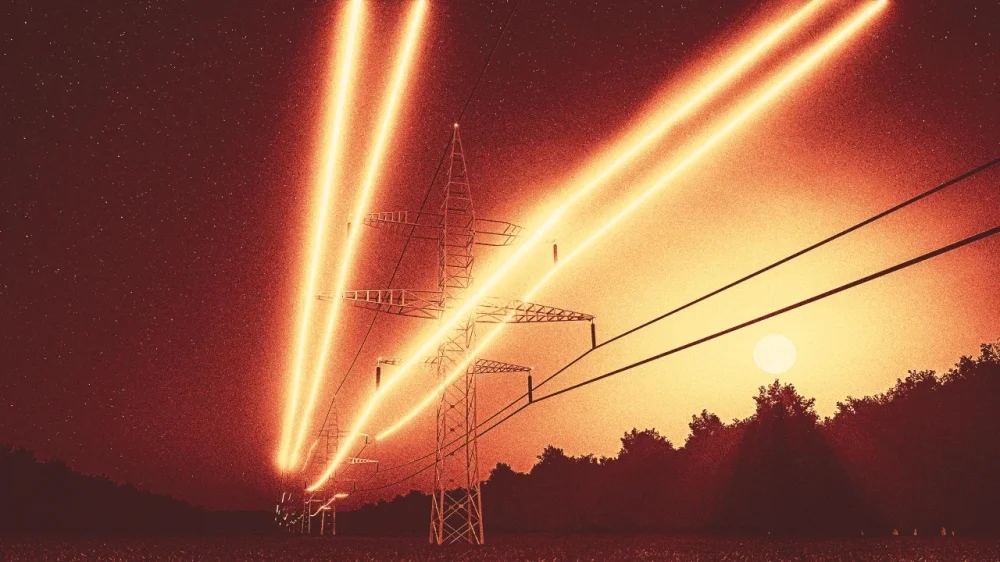
Americans’ electricity bills tend to tick up each year in line with inflation. But upgrades to electric wires, reinforcing and protecting power lines from severe weather, and changing fuel costs – among other factors – are sending rates soaring. High electricity consumption from data centers and other sources of rising demand will likely cause further increases in the near future. The impact on consumers is particularly dramatic in Pennsylvania, where rate hikes are widespread. For example, the monthly bill for a PECO residential customer who uses 700 kilowatt hours of electricity monthly increased 10% – or US$13.58 – in 2025. These bills will go up another $2.70 each month in 2026. Retail price adjustments approved by the Pennsylvania Public Utility Commission for most electric distribution utilities effective December 2024 led to higher bills for many customers across the state. In some parts of Pennsylvania, the estimated increases topped an estimated 30%. As professors who work in the areas of energy law and electricity markets, we know electricity costs are rising in many parts of the U.S. But Pennsylvania faces distinct challenges related to its electric grid – the maze of wires and generators – that drive both the growing demand for electricity and the limited supply. PJM and the electric grid Pennsylvania power plants produce a lot of electricity. In fact, the Keystone State is the the largest exporter of electricity in the U.S. and has been for many years. But the electricity Pennsylvania produces doesn’t always stay in state. That’s because Pennsylvania’s electric grid is managed by a company called PJM. PJM coordinates the flow of electricity through all or parts of 13 states and the District of Columbia, and it ensures the wholesale electricity transmission system operates reliably and safely. Pennsylvania electric utilities, such as PECO or Duquesne Light, then distribute this wholesale electricity to retail customers, including homeowners and renters. PJM requires the utilities to ensure ahead of time that they can meet their customers’ future electricity demands, including during heat waves and winter storms. This requirement is met using a market called a “capacity auction,” in which electricity suppliers bid to provide physical infrastructure that will generate electricity in the future. The prices at the 2025-2026 PJM capacity auction were more than 800% higher than the previous year, in part due to the growing demand for electricity within PJM. This amounts to tens of billions of dollars in extra costs. Power plants in Pennsylvania can’t simply stop exporting electricity and supply more in-state power because they dispatch their power into the regional grid operated by PJM, and the flow of electricity is dictated by the physical structure of this grid. Soaring demand from data centers U.S. electricity demand rose 3% in 2024 and is expected to rise even more rapidly in the coming years. Much of this new demand comes from data centers, which support everything from AI applications and data storage – think of the thousands of emails and files backed up on our computers – to sports betting, online retailers such as Amazon, and national security applications such as the North American Aerospace Defense Command. Pennsylvania is on the same electric grid as Virginia, which hosts about a quarter of all data center capacity in the Americas. New data centers are also being built in Pennsylvania. Rising demand is also driven by the increase in electric vehicles and the replacement of gas- and oil-based furnaces with electric heat pumps. These replacements are ultimately more energy efficient but require electricity. Bottlenecks in supply The increase in electricity demand within PJM is happening at the same time that supply is shrinking. Many old generating plants in the PJM grid are retiring as they near the end of their useful lives and become less profitable for plant operators, particularly as natural gas and solar become more affordable. Some of these older power plants also emit a lot of pollution and are costly to retrofit to meet current pollution limits. Beyond the challenge of plant retirements, PJM has been slow to allow hundreds of new proposed power plants – most of them solar- and battery-based – to connect to transmission lines. This long “interconnection queue” prevents new, needed generation from coming online. This is happening even though companies are eager and ready to build more generation and battery storage. Aging infrastructure and growing weather extremes One of the primary recent drivers of high consumer electric bills is that the utilities have been slow to upgrade their aging wires. Many have recently made major investments in new infrastructure and in some cases are burying or strengthening wires to protect them from increasingly extreme weather. Electricity customers are footing the bill for this work. Response from policymakers In response to rising electricity prices, Pennsylvania Gov. Josh Shapiro filed a legal complaint with the Federal Energy Regulatory Commission against PJM in December 2024. This complaint blamed PJM’s capacity auction design for creating unnecessary costs for consumers. According to the settlement reached after the complaint, PJM’s price caps will be 35% lower at the next major capacity auction. This reduction in wholesale prices could limit retail price increases. But this is at best a temporary fix. It doesn’t address the increasing demand, aging power infrastructure battered by extreme weather, or transmission bottleneck. In order for Pennsylvania residents to see lower electric bills anytime soon, more changes are needed. For example, many experts previously observed that PJM needs to fix the queue and get online the many power plants that are ready to build and just waiting for a transmission interconnection. While PJM has reformed its queue process, the queue is still long. New power plants are not going up fast enough, in part due to additional challenges such as local opposition and supply chain and financing issues. Read more of our stories about Philadelphia and Pennsylvania. Hannah Wiseman is a professor of law at Penn State. Seth Blumsack is a professor of energy and environmental economics and international affairs at Penn State. This article is republished from The Conversation under a Creative Commons license. Read the original article. View the full article
-
We may earn a commission from links on this page. Deal pricing and availability subject to change after time of publication. Memorial Day sales are in full swing, you can find deals on smart beds, tools, Beats headphones, budget headphones, fitness equipment, and much more. Sony has joined the holiday madness and is offering a buy one, get one free (BOGO) deal when you buy a Bravia 8 II OLED Google TV. Purchase one of these top of the line sets, which start at $3,499.99, and you'll get a X77L LED Google TV, valued at $589.99, free. The deal runs through June 8. Model: K-55XR80M2 BRAVIA 8 II 55” Class QD-OLED 4K HDR Google TV (2025) $3,499.99 at Sony Get Deal Get Deal $3,499.99 at Sony Model: K-65XR80M2 BRAVIA 8 II 65” Class QD-OLED 4K HDR Google TV (2025) $3,999.97 at Sony Get Deal Get Deal $3,999.97 at Sony SEE -1 MORE To qualify for the free TV, you can choose between the 55-inch and the 65-inch Bravia 8 II classes. Both will get you the X77L LED Google TV, but buying the 55-inch OLED will get you the 50-inch X77L, while choosing a 65-inch OLED will get you the 55-inch X77L. The Bravia 8 II is a new OLED from this year, and it's the same price on Amazon and Best Buy without the free LED TV. Sony also offers free shipping with your BOGO purchase, so that won't cut into the deal either. The Bravia 8 II is the successor to the Bravia 8, and has some impressive specs: eight million self-lit pixels, a Quantum Dot panel, XR Triluminos Max to enhance colors and brightness, and an AI-powered XR Processor that enhances images in real time. Both TVs have Google TV built-in—my personal favorite TV operating system, as it allows you to cast your smartphone to the TV. The Bravia 8 II is an OLED set, which is among the best technology you can get right now in terms of picture quality. (An OLED is different from a QLED, so make sure you understand the differences before you buy.) The Sony X77L you'll get free is more of an entry-level model, but should still serve you well if you just need a set for a second bedroom. View the full article
-
Alanna McCargo said her return comes at a time when there are "significant policy challenges ahead for affordability, community investment and inclusive finance." View the full article

-
Stocks also slide after lacklustre $16bn auction for 20-year TreasuriesView the full article
-
Marketing of unhealthy products to be barred before 9pm on TV but branded advertising using company names will be allowedView the full article
-
The Justice Department announced plans Wednesday to abandon lawsuits against police departments in Minneapolis and Louisville, a reversal of Biden-era initiatives to reform policing in two cities that sparked a national reckoning around racial justice. “The Civil Rights Division will be taking all necessary steps to dismiss the Louisville and Minneapolis lawsuits with prejudice, to close the underlying investigations into the Louisville and Minneapolis police departments, and to retract the Biden administration’s findings of constitutional violations,” the Justice Department said in a press release. The decision to back away from police reform comes just days before the five-year anniversary of George Floyd’s death. Floyd was killed by Minneapolis police officer Derek Chauvin, who was found guilty of second-degree murder in 2021. The Justice Department also plans to throw out any findings of constitutional violations and close ongoing investigations into police departments in Phoenix, Trenton, Memphis, Oklahoma City and the state of Louisiana. Reversing Biden’s planned policing reforms Harmeet Dhillon, the assistant attorney general of the Justice Department’s civil rights division, characterized the Biden administration’s lawsuits as part of an “anti-police agenda.” “Today, we are ending the Biden Civil Rights Division’s failed experiment of handcuffing local leaders and police departments with factually unjustified consent decrees,” Dhillon said. The policy shift signals an aggressive return to the first The President administration’s disinterest in police oversight and a likely roll-back of other federal reforms put in place over the last four years. In its waning days, the Biden administration rushed to finalize a Justice Department deal for police oversight in Minneapolis, securing unanimous approval from the Minneapolis City Council in early January. The agreement, known as a consent decree, was initiated in 2023 after a damning Justice Department report accused the Minneapolis Police Department of racial discrimination, First Amendment violations and the unlawful use of deadly force. In both Minneapolis and Louisville , consent decrees still await a federal judge’s approval. A powerful tool for police accountability Consent decrees are one of the federal government’s most powerful tools for holding police departments accountable for civil rights violations, dangerous policies and the wrongful use of deadly force. The Department of Justice regularly pursues these long-term roadmaps for reform with law enforcement agencies facing federal lawsuits, creating a framework for oversight that can endure until a judge decides that its requirements have been met. During the The Obama administration, 15 law enforcement agencies entered into consent decrees with the Justice Department to resolve lawsuits around policing – up from just three during the Bush era. During The President’s first term, the Justice Department introduced only one new investigation of its own and even made efforts to stall out planned reforms in Baltimore, though it ultimately failed. Most notably, The President’s then Attorney General Jeff Sessions narrowed the scope of consent decrees, introducing new requirements for sunset dates and limiting the reforms they could require. Under Biden, Attorney General Merrick Garland rescinded those sweeping The President-era changes to consent reforms in 2021, clearing a path for the Justice Department to again leverage the powerful agreements when investigating law enforcement misdeeds and civil rights abuses. The President’s early agenda makes it clear that he plans to leave police departments to their own devices in the coming years. That hands-off approach puts the fate of some cities’ planned police reforms up in the air or, like much of The President’s agenda, up to the courts. View the full article

-
Deal will help AI data centre operator raise fresh capital after size of IPO was cut in Wall Street debut in MarchView the full article
-
If you use Spotify to listen to audiobooks on your iPhone, you now have fewer hurdles to clear to purchase and download titles to your device. Apple has approved an update that allows Spotify users to view pricing and buy individual audiobooks as well as add "top-up" listening hours right from the iOS app. How in-app purchases are changing on iOSThis change is the outcome of a recent court ruling that requires Apple to allow app developers to provide links to external sites outside of the App Store to make purchases. Previously, users had to seek out where to sign up for subscriptions—in an external browser, for example—or potentially pay a premium price to cover the App Store's 15 to 30 percent cut. In response, Spotify quickly updated its iOS app with links to its various subscription options under the Premium tab, which previously had simply acknowledged that such subscriptions existed and that users could find sign-ups through their web browser. How to purchase audiobooks on SpotifyWith the update, users will now see a Buy button under individual titles in the iOS app and will no longer need to make purchases on Spotify's web player before returning to mobile to listen. Spotify includes 15 hours of use-it-or-lose-it audiobook listening time with Premium plans and the separate Audiobooks Access subscription—you can now add "top-up" listening hours within the app as well. To manage your listening time on mobile, go to Profile > Settings and privacy > Account > Plan name > Manage audiobook time. Top-ups cost $13 for 10 hours. Finally, if Spotify isn't your go-to, check out our top picks for audiobook services. View the full article
-
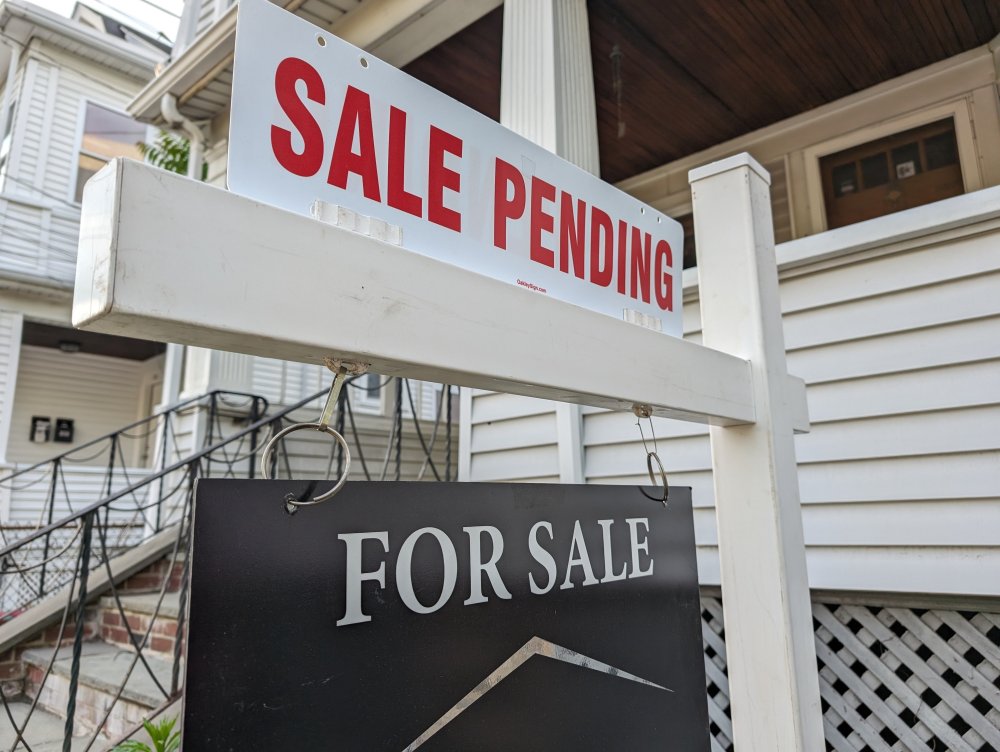
Increases in gross domestic product and home sales expectations compared with April are the drivers of Fannie Mae's latest mortgage outlook for 2025 and 2026. View the full article
-
Labour MPs mobilise to put pressure on chancellor over planned welfare cutsView the full article