Newsletter
Want to keep up to date with all our latest news and information?


ResidentialBusiness
Administrators
-
Joined
-
Last visited
Everything posted by ResidentialBusiness
-
If you have a smartphone running Android 12 that can't upgrade past that version, I have some bad news: Google is dropping support for your phone. RIP Android 12As spotted by Android Authority, Google is no longer seeding security updates for devices running Android 12 and Android 12L. The company omitted the Android version from its April 2025 Android Security Bulletin, which notes security vulnerabilities Google has identified and patched, and as well as which versions of Android receive those patches. The company highlights Android 13, 14, and 15 across a number of different vulnerabilities, but not Android 12. The outlet isn't basing this news off these omissions alone: Android Authority reports that Google dropped support for Android 12 and 12L as of March 31, based on a source that says the company ended security patch backports for those versions on that date. Backporting is when a developer takes a security patch from a newer version of software and adds it to an older version of that software. It seems Google had been doing that for Android 12 from newer versions of Android, but as of the end of March, has stopped. Google hasn't said exactly why it is ending support for Android 12 at this time, but it almost assuredly has to do with the OS' age. The company released the version (codenamed Snow Cone) back in October of 2021. It was a relatively big update for Android, notably introducing "Material You" to devices for the first time. Material You significantly changed the look of Android, adjusting UI elements, app icons, and applying a universal theme based on the colors of your wallpaper. The update also included a number of privacy settings as well as a handful of new gesture controls. According to Android Authority, Google stops most Android OS backporting around three and a half years after release, so this timing tracks. Is your device affected?The biggest issue here is that there are a lot of devices out there running Android 12. Statcounter says nearly 12.5% of Android phones around the globe are running this version, while 9.14% of Android users in the United States are running it. Blacklinko claims there are more than three billion Android phones active across the world, which means there could be more than 370 million Android phones out there about to lose security updates. If your Android phone can't update past Android 12, it might be time to upgrade. Sure, you can live without new Android features, but security updates are vital. Inevitably, someone will discover security flaws within Android that affect Android 12, but since Google is no longer backporting patches to this version, those flaws will go unpatched. As such, bad actors can exploit those flaws in targeted attacks, leaving you vulnerable. If you're looking for a new Android smartphone, Lifehacker's sister site PCMag has a list of its favorite Android phones for 2025. If you opt for a new Google or Samsung phone, know that these company guarantee seven years of software and security support. If you buy a Pixel 9a today, for example, you won't have to worry about a similar situation until 2032. View the full article
-
Robert Wagnon is retiring and sold his 75% share to long-time mortgage executive Andrina Valdes, while Paulina McGrath remains as co-owner and president. View the full article

-
Google has officially launched the Pixel 9a, its latest A-series smartphone, now available in the U.S., Canada, and the U.K. starting April 10. With a starting price of $499, the Pixel 9a integrates many of the premium features found in Google’s flagship Pixel 9 lineup while introducing a sleek redesign, upgraded camera, and cutting-edge AI capabilities. Pixel 9a is powered by the Google Tensor G4, the company’s fastest and most efficient chip yet. According to Google, the new phone “comes with everything you expect from our Pixel 9 series,” and is equipped with Gemini, Google’s AI-powered assistant. Fresh Look and Brighter Display The Pixel 9a features a revamped design with a 6.3-inch Actua display that boasts a 120 Hz adaptive refresh rate and peak brightness of 2700 nits. This makes it the brightest display ever on an A-series Pixel. The phone is available in four color options: Obsidian, Porcelain, Peony, and a new Iris colorway. Camera and AI Photography Tools At under $500, Google claims the Pixel 9a delivers “the best camera” in its price range. The dual rear camera system includes a 48MP main camera and a 13MP ultrawide lens. For the first time on an A-series Pixel, Macro Focus is included, allowing users to capture fine details in close-up shots. The Pixel 9a is packed with AI-driven photography tools: Add Me, which merges two group photos into one so everyone, including the photographer, makes it into the picture. Best Take, which creates an ideal group photo by blending facial expressions from multiple shots. Magic Editor with Auto Frame, which suggests optimal crops and allows users to expand and reimagine photos with prompts like changing the season. Additional features include Magic Eraser, Audio Magic Eraser, Night Sight, Astrophotography, and Panorama with Night Sight. Performance and Durability Google says Pixel 9a offers the “best battery life of any Pixel available today,” with over 30 hours of standard use and up to 100 hours on Extreme Battery Saver. The phone is rated IP68 for dust and water resistance and includes seven years of OS updates, security updates, and Pixel Drops. Gemini Integration and AI Assistance As the only sub-$500 smartphone to include Gemini Nano, Pixel 9a brings powerful on-device AI to everyday tasks. Gemini integrates with apps like Google Maps, Calendar, and YouTube, and supports Gemini Live for voice-based interaction. According to Google, Gemini Live will soon offer video- and screen-sharing, allowing users to point their camera at objects or share their screen during AI-assisted conversations. Other AI-powered tools include Circle to Search, Pixel Studio, and a suite of Call Assist features such as Hold For Me, Direct My Call, and Call Screen. Security and Family Features Pixel 9a includes the same top-rated security features as the Pixel 9 Pro, including VPN by Google, Car Crash Detection, Theft Protection, and Find My Device live location sharing. Designed with families in mind, Pixel 9a offers an enhanced onboarding experience for kids and tools like Google Family Link, School Time, and the newly launched Google Wallet for kids. Google Wallet for kids is now available in the U.S., U.K., Australia, Spain, and Poland. It allows children to make payments and manage passes under parental supervision, with full control via Family Link. The Pixel 9a is now available for purchase through the Google Store and retail partners. Image: Google This article, "Google Releases Pixel 9a, Combining Powerful AI and Affordability" was first published on Small Business Trends View the full article
-
Google has officially launched the Pixel 9a, its latest A-series smartphone, now available in the U.S., Canada, and the U.K. starting April 10. With a starting price of $499, the Pixel 9a integrates many of the premium features found in Google’s flagship Pixel 9 lineup while introducing a sleek redesign, upgraded camera, and cutting-edge AI capabilities. Pixel 9a is powered by the Google Tensor G4, the company’s fastest and most efficient chip yet. According to Google, the new phone “comes with everything you expect from our Pixel 9 series,” and is equipped with Gemini, Google’s AI-powered assistant. Fresh Look and Brighter Display The Pixel 9a features a revamped design with a 6.3-inch Actua display that boasts a 120 Hz adaptive refresh rate and peak brightness of 2700 nits. This makes it the brightest display ever on an A-series Pixel. The phone is available in four color options: Obsidian, Porcelain, Peony, and a new Iris colorway. Camera and AI Photography Tools At under $500, Google claims the Pixel 9a delivers “the best camera” in its price range. The dual rear camera system includes a 48MP main camera and a 13MP ultrawide lens. For the first time on an A-series Pixel, Macro Focus is included, allowing users to capture fine details in close-up shots. The Pixel 9a is packed with AI-driven photography tools: Add Me, which merges two group photos into one so everyone, including the photographer, makes it into the picture. Best Take, which creates an ideal group photo by blending facial expressions from multiple shots. Magic Editor with Auto Frame, which suggests optimal crops and allows users to expand and reimagine photos with prompts like changing the season. Additional features include Magic Eraser, Audio Magic Eraser, Night Sight, Astrophotography, and Panorama with Night Sight. Performance and Durability Google says Pixel 9a offers the “best battery life of any Pixel available today,” with over 30 hours of standard use and up to 100 hours on Extreme Battery Saver. The phone is rated IP68 for dust and water resistance and includes seven years of OS updates, security updates, and Pixel Drops. Gemini Integration and AI Assistance As the only sub-$500 smartphone to include Gemini Nano, Pixel 9a brings powerful on-device AI to everyday tasks. Gemini integrates with apps like Google Maps, Calendar, and YouTube, and supports Gemini Live for voice-based interaction. According to Google, Gemini Live will soon offer video- and screen-sharing, allowing users to point their camera at objects or share their screen during AI-assisted conversations. Other AI-powered tools include Circle to Search, Pixel Studio, and a suite of Call Assist features such as Hold For Me, Direct My Call, and Call Screen. Security and Family Features Pixel 9a includes the same top-rated security features as the Pixel 9 Pro, including VPN by Google, Car Crash Detection, Theft Protection, and Find My Device live location sharing. Designed with families in mind, Pixel 9a offers an enhanced onboarding experience for kids and tools like Google Family Link, School Time, and the newly launched Google Wallet for kids. Google Wallet for kids is now available in the U.S., U.K., Australia, Spain, and Poland. It allows children to make payments and manage passes under parental supervision, with full control via Family Link. The Pixel 9a is now available for purchase through the Google Store and retail partners. Image: Google This article, "Google Releases Pixel 9a, Combining Powerful AI and Affordability" was first published on Small Business Trends View the full article
-
Subscribe to Work LifeGet stories like this in your inbox Subscribe There’s been more than a little buzz about habits lately. To take just one example: James Clear’s 2018 book “Atomic Habits” spent an eye-popping 260 weeks on the New York Times bestseller list. Books like these – including the 1989 classic “The 7 Habits of Highly Effective People” – promise that habits are a key to transforming your personal and professional life. And they draw on our collective, perennial desire to form good habits (and break bad ones) as a way of optimizing our life. But does the power of habits live up to the hype? Experts point to a deep well of neuroscience to show that habits are a potent way to make lasting changes in your life, but they’re not magic. Getting results from your daily habits takes intention, discipline, and a lot of time. Let’s sift through the fanfare around habits, and get down to the advice that can truly improve your professional or personal life. What is a habit? Related Article Quiz: Which time management strategy is right for you? By Kat Boogaard In Productivity A habit is “a routine that repeats automatically in response to a trigger.” That’s the definition from Ally Meyers, a certified executive and positive psychology coach, and Yale-certified expert in the science of well-being. It succinctly describes the “habit loop” that’s essential to understand. Let’s break it down. The trigger, or cue, is something that prompts you to start a routine. This could be arriving at a certain location, being around a specific person, or seeing the clock reach a certain time of day. The thought or action is what happens next in response to the cue. The reward is the feel-good moment after the thought or action, which makes you want to do it again in response to that same trigger. There are endless examples of habits and their attendant loops. You likely have a habit of brushing your teeth every night: You’re cued by the arrival of bedtime, you brush your teeth, and then you feel good for having done so. In a professional setting, you might have a habit of checking in with your boss every morning: You’re cued by your arrival at your desk, you pop into your manager’s office, and then you feel satisfied with getting your day off to a good start. This works because your brain can effortlessly follow new paths as they become well-worn with repetition. A habit, however, is distinct from something like an addiction. “An addiction is a habit that has spiraled out of control and is causing harm to either yourself or somebody else,” Meyers says. Major medical organizations describe addiction as a chronically relapsing brain disease, which again is a compulsion beyond a simple habit. Why habits are important at work Many of us want to accomplish big things at work. Maybe you aspire to a big promotion, or want to check an ambitious project off your to-do list. Accomplishing those things is often a result of habits, whether we realize it or not. “Success, no matter how you define it, doesn’t come from one standalone act,” Meyers says. “It comes from daily routines, which are made up of all of your small habits. That’s what drives the ship.” One example of this is creating a habit of a consistent sleep schedule. Getting a good night’s rest every so often is good, but unlikely to create a stable foundation for your work life. Making it a habit – getting eight hours of sleep every night, or at least most nights – can give you the consistent energy to tackle big projects at work over the long haul, or produce higher-quality results. The limitations (and misconceptions) of habits Habits are powerful, but they’re not inherently useful unless they serve a larger purpose. It’s great to build and successfully maintain a habit, Meyers says, but not for its own sake. They are a means to an end, so it’s crucial to reflect regularly and make sure your habits are aligned with your desired outcome. Another misconception is that habits will automatically form in a certain number of days, for everyone in every context. The reality is more complicated. “The likelihood of success depends on so many moving parts,” Meyers says. For example, your environment can accelerate the timeline of habit formation (if people around you are forming similar habits) or lengthen it (if you’re surrounded by competing triggers). In fact, your environment can do a lot to boost your own willpower, according to USC psychology professor Wendy Wood. It might be tempting to think we can brute-force our way into new habits, but adding helpful cues to our surroundings can go a long way. It’s the classic advice of leaving your gym bag packed, at the door, so you don’t have an excuse to skip the gym in the morning. And one last thing: Despite what the DuoLingo owl might have you think, missing one day of a habit (i.e. “breaking your streak”) is not catastrophic, Meyers says. What’s more useful is to zoom out and recognize that completing, say, 27 out of 30 days in a month is still a success. How do habits actually work? The key to forming new habits, on a brain-level, is something called neuroplasticity. This term “refers to the brain’s ability to reorganize itself by forming new neural connections in response to learning and behavioral changes,” according to Jessica Koehler Ph.D. When you’re forming new habits, you’re taking advantage of that neuroplasticity. Meyers explains it using a metaphor: Imagine you come to the edge of a forest, and there’s no clear way through. You pick a random spot and start bushwacking, scraping yourself on branches along the way. It’s painful, but you make it to the other side. Next time you approach the forest, you can vaguely see the path you took, and you try to follow it – still getting scraped up a bit, but not as much. Eventually, the path becomes so well-worn that you can follow it easily and without effort. This is, in a way, what happens when you form a new habit. It might feel hard at first, but as you repeat it, the neural pathway becomes stronger in your brain, and easier to follow automatically, Meyers says. And remember that “cue-routine-reward” loop from earlier? That has a strong basis in neuroscience, too. “Over time, your brain associates the cue with the reward, and the behavior becomes automatic,” Koehler writes. How to form good habits Related Article 5 tips to find your best morning routine By Kat Boogaard In Productivity There are plenty of good habits you might want to form in your professional life, like time-blocking for deep focus or doing regular check-ins with your manager. Here’s how to do it: Identify the habit you want to create. Choose a cue, or trigger, that will prompt you to start the habit loop. Perform the action. Feel the reward of following through. “It’s key to recognize you just kept that promise to yourself,” Meyers says. Let’s say you’re trying to create that habit of deep-focus work sessions. Here’s what that could look like: Cue: Each morning, before you start your work day, look at your schedule and identify a block of time you can use for focused work. Put this on your calendar. Action: When the allotted time arrives, silence your notifications and work on your task, uninterrupted, for the duration of the time block. Reward: You’ll get the sense of accomplishment for having made real progress on your project – and will be more likely to repeat the action in the future. The steps are rather simple, and they can flex to meet your needs. For example, Meyers recommends keeping the rewards mostly intrinsic (e.g. that hit of dopamine for feeling productive) rather than extrinsic (e.g. eating a bar of chocolate). But you might want to incorporate the occasional external reward to give yourself an extra incentive to keep up a daily habit, Meyers says. How to break bad habits Breaking undesirable habits works basically in reverse. Identify the habit you’d like to leave behind. Add friction to the undesired action. Create a desirable alternative. Recognize when you successfully avoid the undesired action. Meyers did this in her own life with the habit of aimlessly scrolling on her phone. She recognized this was something she often did while bored, and wanted to stop. She added friction by turning off her phone in certain situations, or leaving it in the car when she was out. Then, she carried a daily planner with her to create a desirable alternative: In moments of boredom, she’d take out the notebook and reflect on the progress she’d made on her to-do list, which created a hit of dopamine similar to what she got from scrolling. It’s not perfect: Sometimes Myers still grabs the phone in moments of boredom, but now she’s much more likely to go for the notebook, instead. good habits menu Not sure what kind of habits to incorporate in your life? Here are some that Meyers recommends: Create a sleep schedule and stick to it: Meyers calls this a “keystone habit” that ensures you’re rested enough to tackle more ambitious habits. Start each day with solitude: Having a moment to yourself in the morning helps you reflect and take care of your own needs. Identify your top three goals for each day: Maybe in that moment of solitude, you can set your priorities for the day before distractions take hold. Acknowledge your wins: Take a moment at the end of the day to celebrate what went well, and recognize your own progress. Create a screen-free bedtime routine: Avoiding blue light from phones or laptops before bed can help you regulate your sleep cycle and get more rest. Subscribe to Work LifeGet stories like this in your inbox Subscribe The post Why the power of habits might just live up to the hype appeared first on Work Life by Atlassian. View the full article
-
A colossal squid has been caught on camera for the first time in the deep sea by an international team of researchers steering a remotely operated submersible. The sighting was announced Tuesday by the Schmidt Ocean Institute. The squid filmed was a juvenile about 1 foot (30 centimeters) in length at a depth of 1,968 feet (600 meters) in the South Atlantic Ocean. Full-grown adult colossal squids, which scientists have uncovered from the bellies of whales and seabirds, can reach lengths up to 23 feet (7 meters) — almost the size of a small fire truck. The squid was spied last month near the South Sandwich Islands during an expedition to search for new sea life. Researchers waited to verify the species identification with other independent scientists before releasing the footage. “I really love that we have seen a young colossal squid first. This animal is so beautiful,” said Kat Bolstad, a squid researcher at the Auckland University of Technology in New Zealand, who helped confirm it. Researchers are testing different cameras in hopes of catching an adult colossal squid, Bolstad said. The young squid is almost entirely transparent, with thin arms. As adults, the squids lose this glassy appearance and become an opaque dark red or purple. When full grown, they are considered to be the world’s largest known invertebrates. —Christina Larson, AP science writer AP video journalist Mustakim Hasnath contributed to this report. The Associated Press Health and Science Department receives support from the Howard Hughes Medical Institute’s Science and Educational Media Group and the Robert Wood Johnson Foundation. The AP is solely responsible for all content. View the full article

-
May the Fourth is upon us, and Disney+ of course has a lineup of Star Wars premieres to celebrate. First is Star Wars: Tales of the Underworld, a Lucasfilm Animation sequel to 2022's Star Wars: Tales of the Jedi and 2024's Star Wars: Tales of the Empire. The new mini-series tells the stories of bounty hunter and former assassin Asajj Ventress and outlaw Cad Bane. Disney+ will also have two P.O.V. experiences from Disneyland: Star Wars: Galaxy’s Edge and Star Wars: Rise of the Resistance. Aside from Star Wars, May will bring Tucci in Italy (May 19), a new National Geographic miniseries combining travel and food with actor Stanley Tucci in, well, Italy. Lastly, Disney+ will be wrapping up seasons of both Andor and Doctor Who, with the finales set for May 13 at 6 p.m. ET and May 31 at 11 a.m. PT, respectively. Here's everything coming to Disney+ in May. Disney Plus series with new episodes weekly in May 2025Andor (Season 2)—Disney+ Original, new episodes on Tuesdays through May 13 Doctor Who (Season 2)—new episodes on Saturdays through May 31 Movies and complete series/seasons coming to Disney Plus in May 2025Arriving May 1Rise Up, Sing Out (Shorts) (S2, 7 episodes) Spider-Man: Across the Spider-Verse Arriving May 2Genghis Khan: The Secret History of the Mongols (S1, 6 episodes) Arriving May 4Star Wars: Tales of the Underworld Star Wars: Galaxy’s Edge | Disneyland® Resort Star Wars: Rise of the Resistance | Disneyland® Resort Arriving May 7Broken Karaoke (S3, 2 episodes) Firebuds (S2, 2 episodes) Hamster & Gretel (S2, 12 episodes) Big City Greens (S4, 1 episode—100th) Arriving May 9History's Greatest of All Time with Peyton Manning (S1, 8 episodes) The Toys That Built America (S3, 12 episodes) The UnXplained (S7, 6 episodes) WWE Rivals (S2, 10 episodes) WWE Rivals (S4, 6 episodes) Arriving May 19Tucci in Italy Arriving May 20Minnie's Bow-Toons: Pet Hotel (S1, 5 episodes) Arriving May 28Me & Winnie the Pooh (S2, 6 episodes) Playdate with Winnie the Pooh (S2, 5 episodes) Arriving May 31How Not to Draw (S3, 4 episodes) Hulu + ESPN content coming to Disney+ in May 2025As in previous months, Disney+ subscribers will also have access to select content from Hulu and ESPN. This includes live sports like Day 1 of PGA TOUR LIVE events, an NWSL match, and UFC 315 Prelims. Here's a sampling of what else is coming to Disney+: A Thousand Blows 9-1-1: Lonestar High Potential It's Always Sunny in Philadelphia Scandal White Collar King of the Hill Fight Club Kingsman: The Secret Service Black Swan Pardon the Interruption The Mina Kimes Show featuring Lenny ESPNFC Vince's Places P.K.'s Places E60 Once Upon a Time in Anaheim No Easy Victories: The 1994 New York Rangers View the full article
-
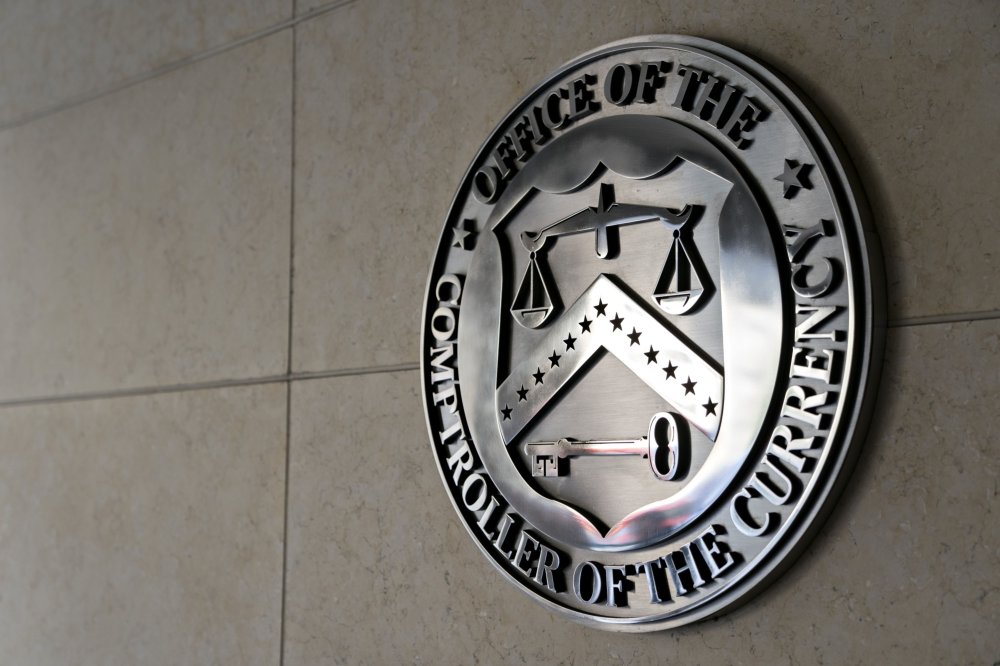
In internal shakeup, the Office of the Comptroller of the Currency will unify supervision divisions, revive the Chief National Bank Examiner office, and elevate IT oversight as part of a broader streamlining push. View the full article
-
Key Takeaways Boost Sales and Loyalty: Small business gift cards serve as an effective tool for increasing revenue and enhancing customer loyalty through repeat visits.Different Types Available: Choose between digital and physical gift cards to cater to varying customer preferences, each type offering unique advantages.Immediate Cash Flow: Selling gift cards generates instant revenue, assisting in cash flow management for small businesses.Marketing Opportunities: Utilize online promotions, email marketing, and in-store displays to effectively promote gift cards and attract new customers.Personalization Enhances Appeal: Customizable gift card designs and messages make them more thoughtful gifts, appealing to customers seeking unique options.Support Local Community: Highlighting gift card options showcases a commitment to supporting local efforts, attracting community-oriented customers. In today’s fast-paced world, small business gift cards have become a powerful tool for boosting sales and enhancing customer loyalty. They offer a convenient way for customers to support their favorite local shops while giving friends and family the perfect gift. With the holiday season and special occasions around the corner, now’s the time to explore how gift cards can elevate your business. Gift cards not only drive immediate revenue but also encourage repeat visits. When customers redeem their cards, they often spend more than the card’s value, creating an opportunity for you to showcase your products or services. By implementing a gift card program, you can tap into new customer bases and strengthen your community ties, making it a win-win for everyone involved. Overview Of Small Business Gift Cards Small business gift cards serve as an effective marketing tool, enabling you to boost sales and engage customers. They offer a versatile gifting option, benefiting both your retail operations and the customers who support your storefront. Definition And Purpose Small business gift cards are prepaid cards that customers can purchase and redeem at your store. Their primary purpose is to provide a convenient gifting solution for occasions such as birthdays, holidays, and special events. Gift cards encourage customers to explore your offerings, helping increase foot traffic and enhance overall sales. Benefits For Small Businesses Immediate Revenue: Gift cards generate instant cash flow when sold, aiding in cash management. Increased Customer Loyalty: Customers who receive gift cards often become repeat buyers, creating lasting relationships. Higher Transaction Values: Gift card users frequently spend beyond the card’s value, benefiting your bottom line. Attracting New Customers: You can reach new clientele as current customers gift cards to friends and family. Community Support: Promoting your gift cards strengthens ties within the local community, showcasing your commitment to supporting local efforts. Incorporating small business gift cards into your marketing strategy enhances customer engagement while driving sustainable growth for your storefront. Types Of Small Business Gift Cards Small business gift cards come in various forms, each offering unique advantages for both customers and retailers. Understanding these types can help you choose the best fit for your business strategy. Digital Vs. Physical Gift Cards Digital gift cards offer convenience for customers seeking instant gifting options. They can be purchased and sent online, making them ideal for last-minute shoppers. You can easily integrate them into your e-commerce platform, expanding your reach beyond your storefront. Physical gift cards, on the other hand, add a tangible element that many customers appreciate. They can be available at your retail location for on-the-spot purchases, providing a classic gift option that allows shoppers to support your business while promoting foot traffic to your store. Customization Options Customization options enhance the appeal of gift cards. You can personalize physical gift cards with seasonal designs or brand colors, aligning with your business identity. For digital cards, consider offering customizable messages, enabling customers to tailor their gifts for specific occasions. Adding value can further increase attractiveness; for instance, you could provide bonus amounts when customers purchase gift cards above a certain value. These strategies promote your brand while offering customers a thoughtful gifting solution, ultimately benefiting your small business. How To Implement Small Business Gift Cards Implementing a gift card program enhances your retail strategy and provides customers with convenient gifting options. This process involves a few key steps, ensuring that you maximize the potential benefits for your storefront. Setting Up A Gift Card Program Choose a Gift Card Type: Select between digital and physical gift cards. Digital cards suit online sales, while physical cards attract foot traffic to your storefront. Select a Platform: Use an established service provider to facilitate gift card transactions. Many platforms integrate with existing POS systems, streamlining sales and redemptions. Determine Pricing and Load Options: Set fixed amounts for gift cards or allow customers to choose their values, enhancing flexibility and appeal. Consider adding bonuses for higher-value purchases to encourage larger sales. Design the Cards: Create eye-catching designs that reflect your brand identity. Incorporate customizable messages to elevate the personal touch, making the gift cards suitable for various occasions. Train Your Staff: Ensure all employees understand how the gift card program works. Training includes processing sales, redeeming cards, and addressing customer inquiries. Marketing Your Gift Cards Promote Online: Share your gift card offerings on your website and social media platforms. Use engaging visuals and messages to highlight their benefits during special occasions. Utilize Email Marketing: Send targeted emails to your customer list. Inform recipients about gift card availability, special promotions, and seasonal campaigns, ensuring timely reminders during peak gifting seasons. In-Store Promotion: Display gift cards prominently within your storefront. Use signs, displays, or bundles with related products to encourage shoppers to purchase gift cards while browsing. Leverage Community Connections: Partner with other local businesses to cross-promote gift cards. Collaborative marketing can attract new clientele and reinforce community ties. Offer Limited-Time Promotions: Create urgency by introducing limited-time offers. Discounts or bonus amounts on gift cards encourage customers to act quickly, increasing sales during high-shopping periods. Implementing a gift card program effectively positions your small business to enhance customer experiences while driving revenue growth. Customer Perspective On Gift Cards Customers value gift cards for their convenience and flexibility. Gift cards serve as a practical option for gifting, especially during holidays and special occasions, allowing recipients to choose what they want while supporting local small businesses. Reasons Customers Choose Gift Cards Convenience: Customers appreciate the simplicity of purchasing gift cards. Whether buying in-store or online, gift cards offer an easy solution for those pressed for time. Personalization: Customers can select specific denominations, tailoring gift cards to fit budgets and preferences. Customizable designs add a unique touch, making them more thoughtful gifts. Variety: Gift cards allow recipients to explore various offerings at your small business, from apparel to decor, enticing them to visit your storefront. No Impulse Buying Pressure: Gift cards eliminate the pressure to choose items on the spot, giving recipients the freedom to think through their purchases. Trends In Gift Card Usage Digital Surge: With the rise of e-commerce, digital gift cards have become increasingly popular. Many customers prefer immediate delivery, especially for last-minute gifts, making them a staple for online retail. Higher Transaction Values: Research indicates that customers often spend more than the value of the gift card, boosting average transaction amounts when they visit your small business. Increased Gifting Occasions: Gift cards are gaining traction not just during holidays but also for milestones like birthdays, graduations, and thank-you gifts, creating more frequent customer interactions with your business. Community Support: Customers are inclined to purchase gift cards from local storefronts, viewing them as a way to contribute to their community. This trend highlights the importance of positioning your small business as an integral part of the local economy. Conclusion Embracing small business gift cards can be a game-changer for your enterprise. They not only drive immediate revenue but also create lasting relationships with your customers. By offering a versatile gifting solution you enhance customer experiences and encourage repeat visits. Implementing a thoughtful gift card program allows you to tap into new markets while reinforcing your community ties. Whether you choose digital or physical cards the right strategy can elevate your brand and boost sales. As you consider your marketing efforts think about how gift cards can fit into your overall strategy. They’re more than just a product; they’re a way to connect with your customers and foster loyalty that benefits your business in the long run. Frequently Asked Questions What are small business gift cards? Small business gift cards are prepaid cards that customers can purchase and redeem at local stores. They serve as versatile gifting solutions for various occasions, allowing customers to support local businesses while giving a convenient gift. How do gift cards benefit small businesses? Gift cards provide immediate revenue, foster customer loyalty, and encourage customers to spend beyond the card’s value. They also attract new clientele and reinforce community ties, enhancing the overall business presence and customer engagement. What types of gift cards are available? There are primarily two types: digital and physical gift cards. Digital cards offer instant gifting convenience and can be integrated into online platforms, while physical cards provide a tangible option that drives foot traffic to stores. How can small businesses implement a gift card program? To implement a gift card program, businesses should choose between digital and physical cards, select a transaction platform, determine pricing, design appealing cards, and train staff on the program’s operations. What marketing strategies can promote gift cards? Effective marketing strategies include online promotions, email marketing, in-store displays, community partnerships, and limited-time offers. These tactics can enhance visibility and drive sales for the gift card program. Why do customers prefer gift cards? Customers appreciate the convenience, flexibility, and personalization options that gift cards offer. They enjoy the simplicity of purchasing them and the opportunity to give recipients a chance to explore different products. What trends are shaping gift card usage? Current trends include a rising preference for digital gift cards due to e-commerce growth, the tendency for customers to exceed the card’s value when purchasing, and an increase in gifting occasions beyond traditional holidays. Image Via Envato This article, "Unlocking the Power of Small Business Gift Cards for Sales and Customer Loyalty" was first published on Small Business Trends View the full article
-
Key Takeaways Boost Sales and Loyalty: Small business gift cards serve as an effective tool for increasing revenue and enhancing customer loyalty through repeat visits.Different Types Available: Choose between digital and physical gift cards to cater to varying customer preferences, each type offering unique advantages.Immediate Cash Flow: Selling gift cards generates instant revenue, assisting in cash flow management for small businesses.Marketing Opportunities: Utilize online promotions, email marketing, and in-store displays to effectively promote gift cards and attract new customers.Personalization Enhances Appeal: Customizable gift card designs and messages make them more thoughtful gifts, appealing to customers seeking unique options.Support Local Community: Highlighting gift card options showcases a commitment to supporting local efforts, attracting community-oriented customers. In today’s fast-paced world, small business gift cards have become a powerful tool for boosting sales and enhancing customer loyalty. They offer a convenient way for customers to support their favorite local shops while giving friends and family the perfect gift. With the holiday season and special occasions around the corner, now’s the time to explore how gift cards can elevate your business. Gift cards not only drive immediate revenue but also encourage repeat visits. When customers redeem their cards, they often spend more than the card’s value, creating an opportunity for you to showcase your products or services. By implementing a gift card program, you can tap into new customer bases and strengthen your community ties, making it a win-win for everyone involved. Overview Of Small Business Gift Cards Small business gift cards serve as an effective marketing tool, enabling you to boost sales and engage customers. They offer a versatile gifting option, benefiting both your retail operations and the customers who support your storefront. Definition And Purpose Small business gift cards are prepaid cards that customers can purchase and redeem at your store. Their primary purpose is to provide a convenient gifting solution for occasions such as birthdays, holidays, and special events. Gift cards encourage customers to explore your offerings, helping increase foot traffic and enhance overall sales. Benefits For Small Businesses Immediate Revenue: Gift cards generate instant cash flow when sold, aiding in cash management. Increased Customer Loyalty: Customers who receive gift cards often become repeat buyers, creating lasting relationships. Higher Transaction Values: Gift card users frequently spend beyond the card’s value, benefiting your bottom line. Attracting New Customers: You can reach new clientele as current customers gift cards to friends and family. Community Support: Promoting your gift cards strengthens ties within the local community, showcasing your commitment to supporting local efforts. Incorporating small business gift cards into your marketing strategy enhances customer engagement while driving sustainable growth for your storefront. Types Of Small Business Gift Cards Small business gift cards come in various forms, each offering unique advantages for both customers and retailers. Understanding these types can help you choose the best fit for your business strategy. Digital Vs. Physical Gift Cards Digital gift cards offer convenience for customers seeking instant gifting options. They can be purchased and sent online, making them ideal for last-minute shoppers. You can easily integrate them into your e-commerce platform, expanding your reach beyond your storefront. Physical gift cards, on the other hand, add a tangible element that many customers appreciate. They can be available at your retail location for on-the-spot purchases, providing a classic gift option that allows shoppers to support your business while promoting foot traffic to your store. Customization Options Customization options enhance the appeal of gift cards. You can personalize physical gift cards with seasonal designs or brand colors, aligning with your business identity. For digital cards, consider offering customizable messages, enabling customers to tailor their gifts for specific occasions. Adding value can further increase attractiveness; for instance, you could provide bonus amounts when customers purchase gift cards above a certain value. These strategies promote your brand while offering customers a thoughtful gifting solution, ultimately benefiting your small business. How To Implement Small Business Gift Cards Implementing a gift card program enhances your retail strategy and provides customers with convenient gifting options. This process involves a few key steps, ensuring that you maximize the potential benefits for your storefront. Setting Up A Gift Card Program Choose a Gift Card Type: Select between digital and physical gift cards. Digital cards suit online sales, while physical cards attract foot traffic to your storefront. Select a Platform: Use an established service provider to facilitate gift card transactions. Many platforms integrate with existing POS systems, streamlining sales and redemptions. Determine Pricing and Load Options: Set fixed amounts for gift cards or allow customers to choose their values, enhancing flexibility and appeal. Consider adding bonuses for higher-value purchases to encourage larger sales. Design the Cards: Create eye-catching designs that reflect your brand identity. Incorporate customizable messages to elevate the personal touch, making the gift cards suitable for various occasions. Train Your Staff: Ensure all employees understand how the gift card program works. Training includes processing sales, redeeming cards, and addressing customer inquiries. Marketing Your Gift Cards Promote Online: Share your gift card offerings on your website and social media platforms. Use engaging visuals and messages to highlight their benefits during special occasions. Utilize Email Marketing: Send targeted emails to your customer list. Inform recipients about gift card availability, special promotions, and seasonal campaigns, ensuring timely reminders during peak gifting seasons. In-Store Promotion: Display gift cards prominently within your storefront. Use signs, displays, or bundles with related products to encourage shoppers to purchase gift cards while browsing. Leverage Community Connections: Partner with other local businesses to cross-promote gift cards. Collaborative marketing can attract new clientele and reinforce community ties. Offer Limited-Time Promotions: Create urgency by introducing limited-time offers. Discounts or bonus amounts on gift cards encourage customers to act quickly, increasing sales during high-shopping periods. Implementing a gift card program effectively positions your small business to enhance customer experiences while driving revenue growth. Customer Perspective On Gift Cards Customers value gift cards for their convenience and flexibility. Gift cards serve as a practical option for gifting, especially during holidays and special occasions, allowing recipients to choose what they want while supporting local small businesses. Reasons Customers Choose Gift Cards Convenience: Customers appreciate the simplicity of purchasing gift cards. Whether buying in-store or online, gift cards offer an easy solution for those pressed for time. Personalization: Customers can select specific denominations, tailoring gift cards to fit budgets and preferences. Customizable designs add a unique touch, making them more thoughtful gifts. Variety: Gift cards allow recipients to explore various offerings at your small business, from apparel to decor, enticing them to visit your storefront. No Impulse Buying Pressure: Gift cards eliminate the pressure to choose items on the spot, giving recipients the freedom to think through their purchases. Trends In Gift Card Usage Digital Surge: With the rise of e-commerce, digital gift cards have become increasingly popular. Many customers prefer immediate delivery, especially for last-minute gifts, making them a staple for online retail. Higher Transaction Values: Research indicates that customers often spend more than the value of the gift card, boosting average transaction amounts when they visit your small business. Increased Gifting Occasions: Gift cards are gaining traction not just during holidays but also for milestones like birthdays, graduations, and thank-you gifts, creating more frequent customer interactions with your business. Community Support: Customers are inclined to purchase gift cards from local storefronts, viewing them as a way to contribute to their community. This trend highlights the importance of positioning your small business as an integral part of the local economy. Conclusion Embracing small business gift cards can be a game-changer for your enterprise. They not only drive immediate revenue but also create lasting relationships with your customers. By offering a versatile gifting solution you enhance customer experiences and encourage repeat visits. Implementing a thoughtful gift card program allows you to tap into new markets while reinforcing your community ties. Whether you choose digital or physical cards the right strategy can elevate your brand and boost sales. As you consider your marketing efforts think about how gift cards can fit into your overall strategy. They’re more than just a product; they’re a way to connect with your customers and foster loyalty that benefits your business in the long run. Frequently Asked Questions What are small business gift cards? Small business gift cards are prepaid cards that customers can purchase and redeem at local stores. They serve as versatile gifting solutions for various occasions, allowing customers to support local businesses while giving a convenient gift. How do gift cards benefit small businesses? Gift cards provide immediate revenue, foster customer loyalty, and encourage customers to spend beyond the card’s value. They also attract new clientele and reinforce community ties, enhancing the overall business presence and customer engagement. What types of gift cards are available? There are primarily two types: digital and physical gift cards. Digital cards offer instant gifting convenience and can be integrated into online platforms, while physical cards provide a tangible option that drives foot traffic to stores. How can small businesses implement a gift card program? To implement a gift card program, businesses should choose between digital and physical cards, select a transaction platform, determine pricing, design appealing cards, and train staff on the program’s operations. What marketing strategies can promote gift cards? Effective marketing strategies include online promotions, email marketing, in-store displays, community partnerships, and limited-time offers. These tactics can enhance visibility and drive sales for the gift card program. Why do customers prefer gift cards? Customers appreciate the convenience, flexibility, and personalization options that gift cards offer. They enjoy the simplicity of purchasing them and the opportunity to give recipients a chance to explore different products. What trends are shaping gift card usage? Current trends include a rising preference for digital gift cards due to e-commerce growth, the tendency for customers to exceed the card’s value when purchasing, and an increase in gifting occasions beyond traditional holidays. Image Via Envato This article, "Unlocking the Power of Small Business Gift Cards for Sales and Customer Loyalty" was first published on Small Business Trends View the full article
-
Tesla‘s electric-vehicle registrations in California dropped 15.1% during the first quarter, industry data showed, signaling an accelerated decline and growing challenges for the Elon Musk-led automaker in its biggest U.S. market. In California, often viewed as a bellwether for EV trends, Tesla’s share has fallen to 43.9% from 55.5% a year earlier, while brands such as Honda, Ford and GM’s Chevrolet have grown their footprint, according to the California New Car Dealers Association (CNCDA). Overall zero-emission vehicle sales in the state also rose 7.3% during the same period. “An aging product lineup and backlash against Musk’s political initiatives are likely key factors for the decline in Tesla BEV market share,” the industry body said. The company reported earlier this month its first-quarter sales globally fell 13% to the lowest in nearly three years, hurt by pushback against Musk, rising competition and as customers wait for a refresh of its bestselling Model Y. The billionaire’s leadership of the The President administration’s Department of Government Efficiency has sparked widespread protests across the United States, with activists demonstrating against his role in federal workforce cuts and the cancellation of contracts funding global humanitarian programs. Musk’s popularity has been declining among liberal voters, who have traditionally been more inclined to purchase electric vehicles, particularly in environmentally conscious markets such as California. California accounts for nearly a third of Tesla’s sales in the U.S., according to Reuters calculations based on data from Cox Automotive and the California New Car Dealers Association. The CNCDA also expects new vehicle registrations in the state to fall 2.3% from last year due to U.S. trade policies. Model Y snags While the Model Y remained the best-selling EV in the state, its sales plummeted about 30% in the first quarter, compared with a year earlier. Tesla said earlier this month that retooling production lines for the refreshed Model Y at four of its factories resulted in several weeks of lost production during the first quarter. Meanwhile, analysts attributed some of the drop in overall sales in the January-March period to customers waiting for cheaper versions of the refreshed Model Y crossover. Investors will be closely watching Tesla’s earnings report on Tuesday for indications of whether the company will maintain its annual growth forecast despite the challenging quarter. —Akash Sriram, Reuters View the full article

-
Federal Reserve Chair Jerome Powell warned that actions that undermine the apparent stability of the U.S. economy could have lasting effects on its status as a global safe haven. View the full article

-
TikTok is joining the ranks of social networks with Community Notes programs, which allow users to add context, corrections, and additional information to posts on the platform. The new feature is called Footnotes, and it will be rolled out first on short-form videos in the U.S. TikTok is just the latest app to add user-generated notes for existing content, though it has yet to drop formal fact-checking and other content moderation entirely. In February, Meta announced plans for a Community Notes beta to replace fact-checking on Facebook, Instagram, and Threads and is now admitting contributors from the program's waitlist. YouTube and X both have active Community Notes programs as well (X's Community Notes, formerly known as Birdwatch, replaced the option to report misleading content). According to TikTok's page explaining the program, Footnotes can only be added to public posts but will remain visible if those posts are made private. Creators can add footnotes to and rate footnotes on their own content if they are enrolled contributors. Footnotes must meet a threshold for "helpful" as rated by contributors before they become visible to all users (who can then vote on them as well). TikTok will still partner with IFCN-accredited fact-checking organizations to assess the accuracy of content on the platform. How to sign up to write TikTok FootnotesUsers in the U.S. can apply to write Footnotes starting today if they are at least 18 years old, have been on TikTok for six months or more, have a valid email address or U.S. phone number, and have no history of violating the platform's community guidelines within the last six months. TikTok may also notify users who meet these eligibility requirements, and those approved for the program can begin contributing "over the coming months." View the full article
-
Some common business models can be described as B2C and B2B, which are “business-to-consumer,” and “business-to-business,” respectively. But now, get ready for “B2AI,” or “business-to-AI.” That’s one of the potential disruptions on the horizon, identified in a new report from Visa and the Institute for the Future. The report digs into the numerous ways that AI will transform commerce, and to some degree personal finance, including how consumers will likely lasso AI for their own means—and how businesses will, in turn, develop AI agents to communicate and correspond with consumers’ AIs. While many people likely haven’t adopted “personal” AI tools yet, they’re on the market. And similar to how businesses adopted search engine optimization (or SEO) strategies to attract customers, the next technological wave will see those same businesses deploying similar strategies to appeal to AIs. “It’ll be the new SEO—instead of optimizing for Google, you’re optimizing for the perception of what AI agents are suggesting,” says Dylan Hendricks, director of the ten-year forecast program for the Institute for the Future. “A lot of companies and organizations have teams that are looking at AI and thinking about creating bots, but they’re not thinking about how everybody’s going to have bots. And as people encounter an onslaught of AI bots trying to talk to them, they’ll need their own bots to work to shield them, and act as a vetting system.” Basically, there’ll be so much AI information being pushed toward consumers, that they’ll need discerning AIs to tell them what’s actually relevant. That will birth new “B2AI” strategies. And yes, it’ll be weird at first. But there was also a time when search engines were weird, and strategies to game them were seen as strange, too. All of it is commonplace today, as we’ve grown accustomed to the technology and the strategies around them have been normalized. And some are saying we’ll likely have a similar, albeit faster-developing relationship with AI. That fast pace is surprising even to the experts, says Rajat Taneja, Visa’s president of technology, who says that Visa’s been working with AI in some capacity for more than three decades. “The speed at which this has developed is something we couldn’t have predicted,” he says, adding also that “despite all these advancements, we’re still in the ‘hunt-and-peck’ part” of the AI tech cycle—“it’s not as seamless as we’d like it to be.” Taneja predicts that personal AI assistants will likely be ubiquitous within a handful of years as the technology improves and becomes more obviously useful, and more people grow accustomed to using it. That, in turn, will spur companies and organizations to adjust their strategies, appealing not only to human consumers, but those AI assistants as well. Hendricks says that the transition won’t be seamless, but in a few years, it’ll be hard to imagine our lives without AI. “It’s like discovering fire,” he says. “There’s a period where people are just burning down their houses until they learn to use it to cook and heat their homes.” Hendricks thinks that we’re still in the “burn down our houses” phase of learning to use AI assistants, but it’s only a matter of time before the upsides become obvious to most people. View the full article

-
With stock market charts resembling the contours of a roller-coaster ride in recent days, many Americans could be forgiven for eyeing their 401(k)s with a little concern Retirement savings are crucial to the financial well-being of millions of especially older people in the U.S., so the concern is understandable. But just how worried should people be by market fluctuations? And just how big a hit do 401(k)s take when markets fall? The Conversation turned to Western Governors University’s Ronald Premuroso, an expert in this area, for answers. What is a 401(k)? Simply put, a 401(k) is an employer-sponsored retirement savings plan in which employees contribute a portion of their compensation on a tax-deferred basis. The employee is eligible at any age to contribute to a 401(k) plan and has the option to pay into these plans throughout their employment. Many employers match some or all of an employee’s contributions, making the plan even more attractive. What about withdrawals? Under Internal Revenue Service rules, someone with a 401(k) is required to start making monetary withdrawals from their plan when they reach age 73. Some people start withdrawing at an earlier age. Someone with a 401(k) can withdraw funds from the plan early, and at any time. But the money amounts withdrawn will typically be deemed taxable income. In addition, those age 59 and a half and under will likely face a 10% penalty on the withdrawal, unless the employer’s plan allows for hardship distributions, early withdrawals or loans from your plan account. The IRS has specific rules for these early withdrawals; if you find yourself in this situation, you should get help from a tax professional. All withdrawals starting at age 73, which tax professionals call “RMDs,” are then taxable in retirement – presumably at a lower tax rate than the employee was subject to while employed and working. So these withdrawals starting at age 73 can be a very tax-efficient way of financial planning, including personal income tax planning, for later in life, especially in one’s retirement years. Again, it’s important to get help from a tax professional to make sure you meet the IRS’ RMD dollar withdrawal requirements once you start withdrawing. In calendar-year 2025, the most that an employee can contribute to a tax-deferred 401(k) plan annually is US$23,500, including the employer’s match. “Super catch-up contributions are allowed for employees over the age of 50 to their employer’s 401(k) plan each year indexed to inflation. In 2025, super catch-up contributions allow individuals age 50 and older to contribute an additional $7,500 beyond the standard limit, bringing their total annual contribution to $31,000. For those turning age 60, 61, 62 or 63 in 2025, the SECURE Act 2.0 allows a higher catch-up contribution limit of $11,250, resulting in a total allowable contribution of $34,750 in 2025. When and why did 401(k)s become popular? Before 1978, retirement savings options were limited. In 1935, Congress created the Social Security Retirement Plan. This was followed by the Employee Retirement Income Security Act of 1974, which created individual retirement accounts, or IRAs, as a way for employees to save tax-deferred money for their retirement. 401(k) plans became popular with the passage of the Revenue Act of 1978 by Congress. Congress saw 401(k) plans at that time as an alternative way to supplement Social Security benefits that all eligible Americans are entitled to receive upon retirement. In 1981, the IRS issued new rules and regulations allowing employees to fund their 401(k)s through payroll deductions. This significantly increased the number of employees contributing to their employers’ 401(k) plans. As of September 2024, Americans held $8.9 trillion in 401(k) plans, according to the Investment Company Institute. A study published by the Pension Rights Center toward the end of 2023 using data provided by the Bureau of Labor Statistics concluded that 56% of all workers – including private sector and state and local government workers – participate in a workplace retirement plan. That equates to 145 million full- and part-time workers. How are 401(k) plans affected by market rises and falls? Contributions to a 401(k) are typically invested in a variety of financial instruments, including in the stock market. Most 401(k) plans offer investment options with varying levels of risk, allowing employees to choose based on their personal comfort levels and financial goals. Employers typically outsource the management of these 401(k) plans to third parties. Some of the largest companies managing 401(k) funds on behalf of employers and employees include Fidelity Investments, T. Rowe Price and Charles Schwab, to name just a few. Because many of these investments are tied to the stock market, 401(k) balances can rise or fall with market fluctuations. Should I be worried about the stock market tanking my 401(k)? It depends – on when you started making contributions, when you plan to retire and when you expect to start making withdrawals. Employees with 401(k) accounts should only be worried about falling stocks if they need the money right now – either for retirement living expenses or for other emergency reasons. If you don’t need to take money out soon, there’s usually no reason to panic. History has shown that markets can rebound quickly; short-term drops often don’t signal long-term trends. Over time, the stock market has experienced many periods of falling stock prices: the bursting of the internet bubble of 2000; the period after the events of 9/11; and the U.S. and global banking crisis of 2007-2010, to name but three. But overall, over time, stock market returns have averaged 9% from 1994 to 2024, and this includes the periods of falling stock prices mentioned above. So even if you are a baby boomer heading for retirement and your 401(k) has taken a hit in recent weeks, don’t panic. Bear in mind the truism that stock markets can always go down as well as up. History suggests that in the long run, depending upon your plans and timing for retirement, working together with a trusted financial adviser strategically with regard to your 401(k) retirement savings is a good approach, especially during periods like we have seen in recent weeks in the stock market. This article is for informational purposes and does not constitute financial advice. Consult with a qualified financial adviser before making financial decisions. Ronald Premuroso is an accounting instructor at the Western Governors University School of Business. This article is republished from The Conversation under a Creative Commons license. Read the original article. View the full article

-
Banks ceded their market share of home finance following the Great Recession. Will the current regulatory environment make them more involved players? View the full article

-
The postal service for Hong Kong will cease handling packages containing goods to be delivered to the U.S. The announcement came Wednesday via a press release from the Government of the Hong Kong Special Administrative Region. Per the announcement, Hong Kong’s Postal Service, the Hongkong Post, will stop receiving small packages carrying goods by land and sea to be delivered to the U.S., effective immediately. Mail that contains only documents won’t be impacted, it said. Starting April 27, it will stop accepting packages delivered by aircraft, as well. “Hongkong Post will definitely not collect any so-called tariffs on behalf of the U.S. and will suspend the acceptance of postal items containing goods destined to the U.S.,” the statement explained. The statement noted that the change is a retaliatory move over the The President administration’s recent announcement that it would end a customs exception, “the duty-free de minimis treatment.” The exception allowed the U.S. to accept small-value parcels from Hong Kong, tax-free. The The President administration also said it would increase the tariffs for postal items containing goods to the U.S. Hong Kong’s statement also referred to the The President administration’s actions as “unreasonable, bullying” and said it was “imposing tariffs abusively.” The retaliatory response comes amid high tensions between China and the U.S. surrounding The President’s introduction of imposing tariffs on Chinese imports, which Hong Kong appears caught in the middle of. Last week, The President increased tariffs on Chinese goods, bringing the total to 145%. While Beijing hit back, imposing a 125% tariff on American imports, Hong Kong did not. Still, the massive tariff’s will impact Hong Kong, as a special administration region of China. The President has frequently changed his mind on which countries and industries will be subject to tariffs. On Monday, The President suggested that he may pause tariffs on the auto industry. “I’m looking at something to help some of the car companies with it,” The President told reporters in the Oval Office. “And they need a little bit of time because they’re going to make them here, but they need a little bit of time. So I’m talking about things like that.” After The President increased import taxes on China to 145%, he announced he would exempt electronics from some of those tariffs. “I don’t change my mind, but I’m flexible,” The President said Monday. View the full article

-
Imagine nearly every seat in Philadelphia’s Wells Fargo Center − over 20,000 seats − are empty. That’s the scale of Pennsylvania’s projected shortfall of registered nurses by 2026, according to the Hospital and Healthsystem Association of Pennsylvania. Hospitals in the state report an average 14% vacancy rate for registered nurses. In rural areas it is much higher. This shortage, of course, is not just in hospitals. It also affects long-term care facilities, outpatient clinics and home health agencies, which compete with hospitals for a limited pool of registered nurses, licensed nursing professionals and nursing support staff. We are a senior associate dean of nursing and clinical professor of nursing at Drexel University’s College of Nursing and Health Professions in Philadelphia, and a dean and professor of nursing at Duquesne University’s School of Nursing in Pittsburgh. We know that the nursing shortage in Pennsylvania, while not the worst in the U.S., is severe and jeopardizes the health care that patients receive. What caused the shortage? Pennsylvania’s nursing shortage is the result of long-standing issues in education, workforce retention and health care delivery. Education bottlenecks: Nursing schools in Pennsylvania and nationwide turn away thousands of qualified applicants each year due to faculty shortages, limited classroom space and scarce clinical placements. More than 65,000 qualified applications were turned away from U.S. nursing programs in 2023 alone, according to a report from the American Association of Colleges of Nursing. A key issue is the lack of preceptors. Preceptors are experienced nurses who teach students in real-world settings. A shortage of preceptors directly limits how many students can complete their education. Aging workforce: More than a third of Pennsylvania’s registered nurses are 55 or older. This demographic reality means many are nearing retirement. Burnout and attrition: The COVID-19 pandemic worsened already high levels of stress, burnout and mental health strain for nurses. Many left the profession early due to emotional exhaustion, family and personal health concerns, unsafe staffing ratios, moral injury and lack of institutional support. Uneven distribution: While Pennsylvania may have a sufficient number of licensed nurses on paper, those nurses don’t all still work in the profession. And among those that do, they are not evenly spread across roles or locations. Rural hospitals, long-term care centers, behavioral health settings and maternal-child health units are experiencing acute shortages. Cost to patients For patients and their families, the consequences of the nursing shortage are delayed care, fewer interactions with providers and less time for compassionate, personalized support. Overextended nurses face increased workloads, raising the likelihood of delayed interventions, medication errors and inadequate patient education. These factors undermine quality of care. Limited access to nursing care can increase hospital deaths, infections and readmissions, reduce early detection of health issues, and slow the response to life-threatening conditions such as stroke, sepsis and cardiac arrest. In Pennsylvania, patients may experience longer emergency room wait times, delayed discharges or transfers to nursing homes or rehabilitation centers, and service disruptions in rural and underserved areas. Effect on nurses Over 600,000 registered nurses across the U.S. plan to leave the workforce by 2027, according to a 2023 analysis by the National Council of State Boards of Nursing. Many cite stress as their reason for leaving the profession. New graduates often leave within their first two years, feeling unprepared for the emotional and operational realities of practice. In Pennsylvania, the shortage has created a feedback loop. Understaffing increases pressure on those who remain. A 2023 National Council of State Boards of Nursing survey found that 41% of nurses under age 35 reported feeling emotionally drained. Meanwhile, some experienced nurses choose to retire early or shift into nonclinical roles for better schedules, slower pace and improved quality of life. This turnover erodes institutional knowledge, increases costs for onboarding and overtime, and limits the capacity to mentor incoming staff. What’s being done To help address the problem, Pennsylvania Gov. Josh Shapiro in March 2025 proposed a US$5 million Nurse Shortage Assistance Program. If approved by the General Assembly, the program would cover tuition costs for nursing students who commit to working in Pennsylvania hospitals for three years after graduation. HB 390 is also currently under review in the Pennsylvania General Assembly. It aims to establish a $1,000 tax deduction for licensed nurses who serve as clinical preceptors. To meet the growing demand for nurses, Pennsylvania hospitals are partnering with colleges and universities to expand clinical training capacity, streamline pathways into nursing and develop innovative education models such as hybrid and accelerated programs. Hospitals statewide are also offering substantial sign-on bonuses, loan forgiveness programs, housing stipends and flexible scheduling to attract nurses. To improve nurse retention, health care organizations have introduced structured residency programs, mentorship networks and clear career advancement pathways designed to reduce burnout and enhance professional satisfaction. They are also increasingly using virtual nursing, telehealth services and AI-driven administrative tools to reduce nurses’ workloads, enhance patient interactions and address staffing gaps. And some Philadelphia and Pennsylvania colleges offer refresher and license reactivation programs for retired or inactive nurses who want to rejoin the workforce. Duquesne offers a nurse faculty residency to increase the number of high-quality nursing faculty. What more could be done? Continuing Title VIII Nursing Workforce Development Programs are another solution. These federal grants, reauthorized under the March 2020 CARES Act, help fund nursing pathways and the availability of high-quality nursing care for patients nationwide. On April 1, 2025, the The President administration announced plans to restructure the U.S. Department of Health and Human Services, and the future status of these programs is not yet known. Research consistently demonstrates that care provided by nurses who have earned a bachelor’s degree or higher directly leads to better patient outcomes, improved safety and overall health. A commitment to shoring up the nurse pipeline in Pennsylvania is a commitment to improving the well-being of individuals and communities across the state. Kymberlee Montgomery is a senior associate dean of nursing at Drexel University. Mary Ellen Smith Glasgow is a professor of nursing at Duquesne University. This article is republished from The Conversation under a Creative Commons license. Read the original article. View the full article

-
Plan would reduce stake of Abu Dhabi-based IMI to overcome objections of British government on grounds of foreign controlView the full article
-
Alexandra Shaker, PhD, is a licensed clinical psychologist with a background across inpatient and outpatient treatment settings. She has experience in research, teaching, and clinical practice. Dr. Shaker’s writing is an interdisciplinary exploration of the human condition: she integrates psychology, literature, history, anthropology, and language to speak to the meaning and vitality we find in the stories we tell one another and ourselves. Dr. Shaker received her PhD in clinical psychology from The New School for Social Research and conducted her doctoral research at the Brief Psychotherapy Research Program at Mount Sinai Beth Israel. She completed her clinical training at Columbia University Medical Center, and a postdoctoral fellowship in perinatal mental health at The Motherhood Center of New York, where she held a position as a clinical psychologist and is now a clinical consultant. What’s the big idea? Clinical psychologist Dr. Alexandra Shaker explores the deep connection between anxiety and the body, blending psychology, neuroscience, history, and literature. The Narrowing reveals how anxiety shapes not just our thoughts but our physical well-being—and how understanding this relationship can help transform fear into resilience. Through a journey from brain to gut, Dr. Shaker uncovers what our bodies can teach us about anxiety and why, despite scientific advancements, we still struggle with it. The Narrowing offers a fresh perspective on embracing anxiety as a natural part of being human—and using it to grow. Below, Alexandra shares five key insights from her new book, The Narrowing: A Journey Through Anxiety and the Body. Listen to the audio version—read by Alexandra herself—in the Next Big Idea App. 1. Anxiety cannot be hacked. When we are uncomfortable or in pain, it is natural to look for an escape route. In these moments, we want, more than anything, to change how we feel, through whatever means may appear quickest. When I recall moments in my life when I’ve felt particularly anxious, I recall, too, my overwhelming wish to flee the anxiety and all of its accompanying thoughts and physical sensations—the fear of having made a wrong decision, the blood rising to my face, and the sinking feeling in my gut. In these vulnerable states, we can easily fall prey to claims of quick fixes—of, say, a diet that will (somehow) eliminate panic attacks, or a wearable device that will induce calm throughout the nervous system with the press of a button. We are living in a time when these so-called “cures” abound—most of all, on social media—and they are often difficult to resist. Their omnipresence is evidence of just how pervasive and troubling anxiety is. But the truth is, anxiety cannot be hacked. Depending on quick fixes inevitably ends in frustration and disappointment because, quite simply, they are not enough. So, instead of looking for hacks to eliminate anxiety, we can instead think about approaching anxiety at two levels. We can learn to use strategies to manage anxiety initially, when it feels particularly overwhelming (like, for instance, breathing techniques and physical exercise), and then we can begin to look deeper. Treating anxiety in a meaningful, lasting way requires an appreciation for its depth—that is, for where it is coming from and for what it is trying to tell us. When we try to “hack” our way out of our distress, we miss an opportunity to learn from it. 2. Anxiety is a problem of attention. Our attention is in constant demand, from the perpetual news cycle to workplace requirements to the seductive nature of social media platforms. Today, in a time of political upheaval, natural disasters, and devastating wars, our attention is newly stretched, even contorted. Despite our best intentions, many of us find ourselves struggling to harness our minds. Our time and energy seem in short supply, our focus is unwieldy, and we are anxious. Anxiety and attention are intertwined aspects of our lives because anxiety is, in many ways, shaped by the movement of our attention. What is it that we pay attention to? Where do our minds linger or become stuck? We might find our minds drawn in many directions at once, or we might think about the same concern repeatedly. And then, what aren’t we paying attention to? This isn’t only a matter of staying on task or getting things done; it’s more profound. Our attention is finite, so when our minds are stuck in one place, it’s not just that we’re miserable, it’s that we miss out on paying attention to all sorts of other things—things about which we may feel curious or that might bring us joy. “Although we can’t always control the movement of our attention, we can learn to have some sway over it.” Research shows that anxiety is associated with heightened attention to threat. When we are anxious, we are particularly aware of potential threats in our environments (Bar-Haim et al., 2007). But we are not powerless. Research shows, too, that attention is a crucial aspect of our capacity for emotional regulation (Tan et al., 2023; Thayer & Lane, 2000; Wadlinger & Isaacowitz, 2011). So, the more we learn to modulate our attention, the more we can regulate our emotional states, especially the uncomfortable and even painful ones. Although we can’t always control the movement of our attention, we can learn to have some sway over it. The most widely known (and studied) method for developing greater control over one’s attention is consistent engagement in mindfulness practices. Imagine how you might use your attention if you weren’t constantly moving between your work email and your phone and the news, or if you weren’t fixated on a conversation you had last week or a family matter about which you have no control. And then, imagine how you might feel as a result. Calmer, perhaps, more focused, and better able to appreciate the present moment. By learning to understand and shape the movement of our attention, we can make meaningful changes to our mental health. 3. Anxiety can be a powerful source of information. Despite the reality that anxiety can be a source of frustration at best and suffering at worst, it is also a powerful source of information. Most of us have learned, in one way or another, to attempt to ignore our anxieties because they are a source of discomfort. But actually, anxiety can warn us of trouble ahead or compel us to look more closely at a situation we’re unsure of. And anxiety can teach us about ourselves and how we operate in the world and relate to others. Many people live with chronic anxiety that manifests as thoughts and physical sensations without understanding its cause. When we notice anxious thoughts creeping in or the physical sensations of anxiety emerging—the sweaty palms, tightness in the jaw, and racing heart—instead of trying to distract ourselves from these uncomfortable sensations, we can ask ourselves what they might have to tell us. Perhaps there is a difficult family dynamic at play or an issue at work that seems to evoke anxiety every time. We can tune into our anxiety to learn from it instead of ignoring it. Our anxiety can teach us about what we are afraid of. By learning what our anxiety has to teach us, by seeing it as a source of information, we no longer have to live by it. We can observe patterns in our thoughts and behaviors, and in doing so, we can gain greater control over our decisions instead of being ruled by feelings we haven’t made sense of. In this way, anxiety can become a teacher and a force for good. 4. We should all strive to widen our windows of tolerance. We all have different responses to intense emotions and different levels of tolerance for distress. Over the course of our lives, these responses are etched into us, seemingly a facet of who we are. For some people, a period of, for example, deep anger or exceptional stress seems to take over every thought and every action until it is resolved, whereas for others, these feelings can exist alongside other parts of life. Daniel Siegel, a psychiatrist who is also an expert on mindfulness, developed the term “window of tolerance.” He explains: “Each of us has a ‘window of tolerance’ in which various intensities of emotional arousal can be processed without disrupting the functioning of the system” (Siegel, 2020) That is, the wider our “window of tolerance,” the more we can experience intense emotions without feeling utterly consumed by them. “When we learn to tolerate distress more effectively, we also become less susceptible to anxiety.” The principle of the “window of tolerance” is often used in the context of research on and treatment for trauma, but it can also be applied to a range of other emotional experiences, including anxiety. Research has found that higher levels of distress tolerance are associated with lower levels of anxiety, and conversely, higher levels of anxiety are associated with lower levels of distress tolerance (Keough et al., 2010; Laposa et al., 2015). So, when we learn to tolerate distress more effectively, we also become less susceptible to anxiety. Widening one’s window of tolerance isn’t a matter of feigning positivity or sweeping feelings under the rug. Instead, it requires acknowledging your emotional state, anxious or otherwise, and learning, over time, to tolerate the accompanying thoughts and sensations, even when they are uncomfortable. Thankfully, our window of tolerance isn’t fixed; we aren’t simply born with a wide window of tolerance or not. We can increase or “widen” our tolerance with practices including mindfulness and other forms of distress tolerance that can be learned in psychotherapy and elsewhere. We can learn, over time, to better tolerate intense, often uncomfortable feelings (like anxiety) without being so thrown off. A stressor that may, in the past, have consumed your day might become a challenging but manageable part of it in the future. In this way, a wider window of tolerance can make our lives newly open to possibility. 5. Curiosity is a way through anxiety. Anxiety narrows our minds. It creates tunnel vision, and it limits what we see. We know that anxiety is, in many ways, a problem of attention. So, when our attention feels overly fixed or rigid, or when we feel stuck in worry or doubt, we can tap into our curiosity as a way to move forward. I find that curiosity, whether about our own experiences or the experiences of others, allows for gentle questioning rather than interrogation. Instead of berating ourselves with questions about, say, why we are anxious or ruminating about the same issue for hours, we can generate curiosity about how we feel and what is driving our feelings. We can wonder about our experience from an open perspective. “Anxiety narrows our minds.” Curiosity can open doors to new depths of understanding. We can see the power of curiosity in our relationship—for instance, how curiosity about other people’s perspectives can deepen our relationships. This holds true in the ways that we relate to ourselves, too. We can see the importance of curiosity at play in a concept introduced by neuroscientist Lisa Feldman Barrett called “emotional granularity.” Emotional granularity refers to the degree of specificity with which we describe our feelings (Feldman Barrett, 2017). Even for the most of introspective people, it can be difficult to pin down our emotions with precision. We might say that we feel “anxious,” a nebulous term that reflects a wide range of experiences, and leave it at that, even in the privacy of our own thoughts. In these moments, we seem to hide in our words. We allow our emotional vocabulary to remain broad and general, as if in doing so, we won’t feel our pain so acutely. But in fact, it’s quite the opposite. When we are curious, we can find relief in clarity. Imagine if, rather than telling yourself that what you feel is simply “anxious,” you homed in on something closer to its essence—that you feel stuck in a cycle of rumination, irritable, and hypervigilant. Through curiosity, there is potential for profound understanding. When we are curious, we become open to new explanations and understandings, whether about our own internal life or the world around us. In this way, curiosity makes the world bigger rather than narrowing it down. This article originally appeared in Next Big Idea Club magazine and is reprinted with permission. View the full article

-
As someone whose job involves testing and writing about Mac apps, a crowded menu bar is an occupational hazard. Until its ownership change last year, my go-to recommendation for tidying up your menu bar was Bartender. But once it became clear that we don't really know who owns Bartender now, I tried a few alternatives, and none of them had all the features I was looking for. So, I abandoned menu bar managers until recently, when the apps in my menu bar began extending more than halfway into my screen and I was finding it hard to even locate which app I was looking for. That's when I discovered Barbee, a powerful menu bar manager for Mac. It can do everything from hiding unnecessary menu bar icons to customizing the shape of your menu bar and even the look of the Apple logo in the top-left corner of your screen. The app is a free download and comes with a three-day free trial for you to try all its features. Note that you won't even get charged automatically at the end of the trial. You'll simply lose access to the app's features, and you can then either pay $7 for a one-time unlock or choose the annual subscription fee of $3. This allows you to try Barbee with no pressure to see if it works for you. Barbee requires accessibility and screen recording permissions to allow you to use all its features. These permissions allow the app to show different menu bar layouts and let you set up and run automations, which is an invaluable feature for me. However, if you're worried, know that the app is sandboxed, so it is limited in how much of its data it can access through those permissions. Changing menu bar layouts in Barbee Credit: Pranay Parab The Menu Bar Layout settings page is your best to place to get started in Barbee, since that's where you'll actually arrange which of your menu bar icons are hidden. Here, you can pick which apps you'd like to always see, such as calendar or performance monitoring apps, while moving the rest to the hidden section. There's also an "Always Hidden" section, which is great for apps that can't run if they're not in the menu bar. In my case, one of these is Unclack, which mutes the Mac's mic when I'm typing. I need to run this app all the time but I never actually want to see its menu bar icon. The difference? You can temporarily reveal hidden icons when needed, but not Always Hidden ones. This app also has a lot of tweaks available in its settings menu, and I highly recommend going through them all to make the most of it. Under Barbee Settings > General > Mode, for instance, you can choose between Normal Mode and Enhanced Mode. In normal mode, when you reveal hidden icons, the app displays them within the menu bar, right next to the visible icons. But enhanced mode displays them in a small floating menu instead. For those who have a lot of menu bar icons (pretty much the entire target audience for this kind of an app), that is a great feature. You can also customize the menu bar's look and feel in the Menu Bar Appearance section. This lets you change the shape of the menu bar, and you can choose if you want it to have rounded corners, a different tint, and even if you want to use a separated layout where app menus appear in a separate menu bar on the left. I prefer a more unified look, so that's not for me, but I couldn't resist changing the Apple logo to the classic rainbow variant, which is maybe one of my favorite Barbee features. Automation and other options Credit: Pranay Parab Barbee also has an automation section that allows you to show or hide certain menu bar icons based on triggers. The simplest example is the battery widget, which I only really want to see when the battery is low. So, I went to Barbee Settings > Automation and quickly added a new automation to make that happen. You can set up similar triggers with pretty much every menu bar icon, so feel free to set it up according to your needs. I also added a custom keyboard shortcut to see hidden menu items, which speeds up my workflow quite a bit. You can do this by going to the Shortcuts section in the app's settings. The General settings page has many other useful options, too. Be sure to enable Launch at login to make the app fire up each time you use your Mac, and also the Extend battery life option to ensure that Barbee doesn't consume an inordinate amount of power. There are also niche, but useful features on this page, such as the ability to show all menu bar icons when you're using an external display. This is nice to have, because my MacBook Air's screen has limited real estate, but when I plug it in to my ultrawide monitor, I don't need to hide any menu bar icons. View the full article
-
Key Takeaways Understanding Bad Behavior: Recognize that bad behavior, including gossip, negativity, and disrespect, disrupts team dynamics and productivity, leading to a toxic work environment. Identifying Common Types: Familiarize yourself with common misconduct such as poor communication, failure to collaborate, and not meeting deadlines to proactively address these issues. Impacts on the Organization: Acknowledge the negative effects of bad behavior on employee morale, work-life balance, interpersonal conflicts, employee retention, brand reputation, and overall operational efficiency. Effective Management Strategies: Implement strategies such as documenting behavior, focusing on actions rather than individuals, and identifying root causes to effectively address and resolve misconduct. Creating a Positive Environment: Foster a supportive workplace culture through open communication, team collaboration activities, employee training, and recognition of positive behavior to enhance productivity and morale. Prevention Through Policies: Establish clear workplace policies and conduct regular training to set behavior expectations, promote ethical conduct, and prevent future misconduct. In today’s fast-paced work environment, bad behavior can quickly derail productivity and team morale. Whether it’s gossiping, constant negativity, or outright disrespect, these actions not only affect the individuals involved but can also create a toxic atmosphere that spreads like wildfire. Understanding the roots of these behaviors is crucial for fostering a healthier workplace. You might be wondering how to identify and address these issues effectively. By recognizing the signs of bad behavior early on, you can take proactive steps to mitigate its impact. This article will explore common types of workplace misconduct, their consequences, and practical strategies for promoting a more positive and respectful work culture. Understanding Bad Behavior At Work Bad behavior in the workplace disrupts business operations, affects team dynamics, and undermines productivity. Recognizing and addressing these behaviors is crucial for fostering a positive work environment. Definition of Bad Behavior Bad behavior at work encompasses actions that hinder collaboration, respect, and productivity. This includes negative attitudes, gossip, and disrespect towards colleagues. Such behaviors impede communication and can lead to a toxic culture, ultimately affecting your small business’s growth and employee retention. Common Types of Bad Behavior Gossiping: Spreading rumors can damage relationships and diminish trust among team members. Negativity: Persistent negativity affects morale and can lead to disengagement. Disrespect: Disregarding coworkers’ contributions or time fosters resentment and conflict. Poor Communication: Lack of clarity in communication can lead to misunderstandings and mistakes. Failure to Collaborate: Avoiding teamwork undermines project management and hinders operational efficiency. Failure to Meet Deadlines: Inconsistent adherence to deadlines disrupts workflow and affects productivity. Identifying and addressing these common behaviors is vital for maintaining a healthy work environment that aligns with your business goals. Impact of Bad Behavior At Work Bad behavior at work significantly affects both individual employees and the organization. Understanding these impacts can help small business leaders create a healthier work environment. Effects on Team Dynamics Morale and Productivity: Bad behavior leads to low morale and decreased productivity. Gossiping and negativity distract employees, fostering mistrust and undermining teamwork. Disengaged employees can’t meet deadlines or participate effectively in projects, ultimately stalling business operations. Work-Life Balance and Burnout: Toxic behavior creates an unhealthy work-life balance. Employees can feel overwhelmed by additional responsibilities due to absenteeism or poor performance from colleagues. This stress can drive burnout and reduce overall employee management effectiveness. Interpersonal Conflict: Disrespectful actions, like bullying or insubordination, create hostility within teams. This environment makes collaboration challenging, highlighting the need for effective conflict resolution strategies. Teams unable to work together may struggle, impacting their overall performance and ability to meet business goals. Long-term Consequences for Organizations Employee Retention: Prolonged exposure to bad behavior prompts talented employees to leave. High turnover disrupts team management, increases recruitment costs, and hinders business growth. Brand Reputation: Bad behavior outside the office affects customer service and brand management. Disenchanted employees may share negative experiences, damaging your business’s reputation and customer acquisition efforts. Operational Efficiency: Inefficiencies arise from a toxic work environment, hindering effective workflows. Poor communication and low morale stifle employee productivity, leading to missed deadlines and inconsistent quality control. Recognizing these impacts allows you to address bad behavior promptly. Prioritizing a positive workplace culture promotes collaboration, enhances team dynamics, and drives overall business success. Addressing Bad Behavior At Work Addressing bad behavior is vital for small businesses aiming to maintain a productive and positive atmosphere. Unchecked misconduct can disrupt workflows and affect team morale. Strategies for Management Implementing effective strategies for management can significantly improve workplace dynamics. Here are key tactics: Identify and Document Behavior: Keep records of specific behaviors that disrupt the workplace. Note occurrences, witnesses, and impacts on productivity or team dynamics. This documentation aids in understanding patterns and addressing issues directly. Focus on Behavior, Not the Person: Approach conversations constructively. Instead of labeling an employee, target the problematic behavior. For example, communicate, “Your frequent interruptions during meetings hinder collaboration,” rather than personalizing the issue. Identify the Root Cause: Analyze the underlying reasons behind the behavior. It helps in tailoring interventions that lead to meaningful change. Engaging in open dialogue can uncover stressors or miscommunications fueling the behavior. Creating a Positive Work Environment A positive work environment fosters collaboration and enhances productivity. Consider these approaches to cultivate a supportive atmosphere: Encourage Open Communication: Establish channels for employees to express concerns. Regularly scheduled check-ins can help identify issues early, allowing for proactive conflict resolution. Promote Team Collaboration: Initiate team-building activities that enhance relationships among employees. Stronger connections lead to better teamwork and reduced misunderstandings. Provide Employee Training: Invest in employee management training to improve conflict resolution skills. Offering training in communication skills and team dynamics can equip your workforce with the tools needed to navigate issues effectively. Recognize and Reward Good Behavior: Acknowledging positive contributions reinforces desired behavior. Implement systems for employee recognition to boost morale and motivate others to follow suit. Maintaining focus on these strategies and creating a positive environment enhances operational efficiency, aligns with business goals, and fosters long-term employee retention and satisfaction. Prevention of Bad Behavior At Work Preventing bad behavior at work is essential for maintaining a positive environment in small businesses. The right strategies can significantly enhance team management and overall productivity. Importance of Workplace Policies Workplace policies establish clear expectations for employee behavior. A comprehensive code of conduct is vital. This code outlines acceptable practices, defines consequences for misconduct, and provides guidance on maintaining professionalism. Effective policies can directly impact collaboration and respect among team members. Clear regulations also simplify decision-making processes, helping your business achieve its operational goals. Role of Training and Development Training and development are crucial for promoting ethical conduct. Regular employee training sessions ensure that staff understands the values and behaviors expected in your business environment. Incorporate refresher courses and workshops on problem-solving and communication skills to enhance employee engagement. Implementing specialized training can empower employees to address bad behavior effectively while supporting professional growth. Developing these skills fosters a culture of respect and accountability, ultimately leading to improved business performance and employee retention. Conclusion Addressing bad behavior in the workplace is essential for cultivating a positive environment. By recognizing the signs and understanding the root causes, you can take proactive steps to mitigate its impact. Implementing clear policies and encouraging open communication fosters a culture of respect and accountability. Investing in training and development not only empowers your team but also reinforces the values you want to uphold. Ultimately, prioritizing a healthy work culture enhances productivity and employee satisfaction, leading to long-term success for your organization. Remember that every action counts in shaping a thriving workplace. Frequently Asked Questions What constitutes bad behavior in the workplace? Bad behavior in the workplace includes actions that disrupt collaboration, respect, and productivity. Common examples are gossiping, negativity, disrespect towards colleagues, poor communication, failure to collaborate, and not meeting deadlines. How does bad behavior affect productivity? Bad behavior can significantly lower productivity as it creates distractions, fosters mistrust, and undermines teamwork. Employees dealing with misconduct may struggle to focus, leading to missed deadlines and reduced work quality. What are the long-term consequences of bad behavior? Long-term consequences include high employee turnover, increased recruitment costs, and a damaged brand reputation. Additionally, it can create an unhealthy work-life balance, resulting in burnout and increased stress among employees. Why is addressing bad behavior important for small businesses? Addressing bad behavior is crucial for small businesses because unchecked misconduct can disrupt workflows, harm team morale, and lead to high turnover. This makes effective management strategies essential for maintaining a productive workplace. How can organizations prevent bad behavior? Organizations can prevent bad behavior by establishing clear workplace policies that outline acceptable conduct. Regular training and development can also promote a culture of respect and accountability, helping to minimize misconduct. What strategies can improve workplace culture? To enhance workplace culture, strategies include promoting open communication, encouraging team collaboration, recognizing good behavior, and providing employee training. Fostering a positive environment helps mitigate bad behavior and supports employee growth. What role does training play in addressing bad behavior? Training plays a critical role by empowering employees with the skills needed to recognize and address bad behavior effectively. Regular training sessions can reinforce expectations and promote ethical conduct within the workplace. Image Via Envato This article, "Combating Bad Behavior at Work: Strategies for a Positive Workplace Culture" was first published on Small Business Trends View the full article
-
Key Takeaways Understanding Bad Behavior: Recognize that bad behavior, including gossip, negativity, and disrespect, disrupts team dynamics and productivity, leading to a toxic work environment. Identifying Common Types: Familiarize yourself with common misconduct such as poor communication, failure to collaborate, and not meeting deadlines to proactively address these issues. Impacts on the Organization: Acknowledge the negative effects of bad behavior on employee morale, work-life balance, interpersonal conflicts, employee retention, brand reputation, and overall operational efficiency. Effective Management Strategies: Implement strategies such as documenting behavior, focusing on actions rather than individuals, and identifying root causes to effectively address and resolve misconduct. Creating a Positive Environment: Foster a supportive workplace culture through open communication, team collaboration activities, employee training, and recognition of positive behavior to enhance productivity and morale. Prevention Through Policies: Establish clear workplace policies and conduct regular training to set behavior expectations, promote ethical conduct, and prevent future misconduct. In today’s fast-paced work environment, bad behavior can quickly derail productivity and team morale. Whether it’s gossiping, constant negativity, or outright disrespect, these actions not only affect the individuals involved but can also create a toxic atmosphere that spreads like wildfire. Understanding the roots of these behaviors is crucial for fostering a healthier workplace. You might be wondering how to identify and address these issues effectively. By recognizing the signs of bad behavior early on, you can take proactive steps to mitigate its impact. This article will explore common types of workplace misconduct, their consequences, and practical strategies for promoting a more positive and respectful work culture. Understanding Bad Behavior At Work Bad behavior in the workplace disrupts business operations, affects team dynamics, and undermines productivity. Recognizing and addressing these behaviors is crucial for fostering a positive work environment. Definition of Bad Behavior Bad behavior at work encompasses actions that hinder collaboration, respect, and productivity. This includes negative attitudes, gossip, and disrespect towards colleagues. Such behaviors impede communication and can lead to a toxic culture, ultimately affecting your small business’s growth and employee retention. Common Types of Bad Behavior Gossiping: Spreading rumors can damage relationships and diminish trust among team members. Negativity: Persistent negativity affects morale and can lead to disengagement. Disrespect: Disregarding coworkers’ contributions or time fosters resentment and conflict. Poor Communication: Lack of clarity in communication can lead to misunderstandings and mistakes. Failure to Collaborate: Avoiding teamwork undermines project management and hinders operational efficiency. Failure to Meet Deadlines: Inconsistent adherence to deadlines disrupts workflow and affects productivity. Identifying and addressing these common behaviors is vital for maintaining a healthy work environment that aligns with your business goals. Impact of Bad Behavior At Work Bad behavior at work significantly affects both individual employees and the organization. Understanding these impacts can help small business leaders create a healthier work environment. Effects on Team Dynamics Morale and Productivity: Bad behavior leads to low morale and decreased productivity. Gossiping and negativity distract employees, fostering mistrust and undermining teamwork. Disengaged employees can’t meet deadlines or participate effectively in projects, ultimately stalling business operations. Work-Life Balance and Burnout: Toxic behavior creates an unhealthy work-life balance. Employees can feel overwhelmed by additional responsibilities due to absenteeism or poor performance from colleagues. This stress can drive burnout and reduce overall employee management effectiveness. Interpersonal Conflict: Disrespectful actions, like bullying or insubordination, create hostility within teams. This environment makes collaboration challenging, highlighting the need for effective conflict resolution strategies. Teams unable to work together may struggle, impacting their overall performance and ability to meet business goals. Long-term Consequences for Organizations Employee Retention: Prolonged exposure to bad behavior prompts talented employees to leave. High turnover disrupts team management, increases recruitment costs, and hinders business growth. Brand Reputation: Bad behavior outside the office affects customer service and brand management. Disenchanted employees may share negative experiences, damaging your business’s reputation and customer acquisition efforts. Operational Efficiency: Inefficiencies arise from a toxic work environment, hindering effective workflows. Poor communication and low morale stifle employee productivity, leading to missed deadlines and inconsistent quality control. Recognizing these impacts allows you to address bad behavior promptly. Prioritizing a positive workplace culture promotes collaboration, enhances team dynamics, and drives overall business success. Addressing Bad Behavior At Work Addressing bad behavior is vital for small businesses aiming to maintain a productive and positive atmosphere. Unchecked misconduct can disrupt workflows and affect team morale. Strategies for Management Implementing effective strategies for management can significantly improve workplace dynamics. Here are key tactics: Identify and Document Behavior: Keep records of specific behaviors that disrupt the workplace. Note occurrences, witnesses, and impacts on productivity or team dynamics. This documentation aids in understanding patterns and addressing issues directly. Focus on Behavior, Not the Person: Approach conversations constructively. Instead of labeling an employee, target the problematic behavior. For example, communicate, “Your frequent interruptions during meetings hinder collaboration,” rather than personalizing the issue. Identify the Root Cause: Analyze the underlying reasons behind the behavior. It helps in tailoring interventions that lead to meaningful change. Engaging in open dialogue can uncover stressors or miscommunications fueling the behavior. Creating a Positive Work Environment A positive work environment fosters collaboration and enhances productivity. Consider these approaches to cultivate a supportive atmosphere: Encourage Open Communication: Establish channels for employees to express concerns. Regularly scheduled check-ins can help identify issues early, allowing for proactive conflict resolution. Promote Team Collaboration: Initiate team-building activities that enhance relationships among employees. Stronger connections lead to better teamwork and reduced misunderstandings. Provide Employee Training: Invest in employee management training to improve conflict resolution skills. Offering training in communication skills and team dynamics can equip your workforce with the tools needed to navigate issues effectively. Recognize and Reward Good Behavior: Acknowledging positive contributions reinforces desired behavior. Implement systems for employee recognition to boost morale and motivate others to follow suit. Maintaining focus on these strategies and creating a positive environment enhances operational efficiency, aligns with business goals, and fosters long-term employee retention and satisfaction. Prevention of Bad Behavior At Work Preventing bad behavior at work is essential for maintaining a positive environment in small businesses. The right strategies can significantly enhance team management and overall productivity. Importance of Workplace Policies Workplace policies establish clear expectations for employee behavior. A comprehensive code of conduct is vital. This code outlines acceptable practices, defines consequences for misconduct, and provides guidance on maintaining professionalism. Effective policies can directly impact collaboration and respect among team members. Clear regulations also simplify decision-making processes, helping your business achieve its operational goals. Role of Training and Development Training and development are crucial for promoting ethical conduct. Regular employee training sessions ensure that staff understands the values and behaviors expected in your business environment. Incorporate refresher courses and workshops on problem-solving and communication skills to enhance employee engagement. Implementing specialized training can empower employees to address bad behavior effectively while supporting professional growth. Developing these skills fosters a culture of respect and accountability, ultimately leading to improved business performance and employee retention. Conclusion Addressing bad behavior in the workplace is essential for cultivating a positive environment. By recognizing the signs and understanding the root causes, you can take proactive steps to mitigate its impact. Implementing clear policies and encouraging open communication fosters a culture of respect and accountability. Investing in training and development not only empowers your team but also reinforces the values you want to uphold. Ultimately, prioritizing a healthy work culture enhances productivity and employee satisfaction, leading to long-term success for your organization. Remember that every action counts in shaping a thriving workplace. Frequently Asked Questions What constitutes bad behavior in the workplace? Bad behavior in the workplace includes actions that disrupt collaboration, respect, and productivity. Common examples are gossiping, negativity, disrespect towards colleagues, poor communication, failure to collaborate, and not meeting deadlines. How does bad behavior affect productivity? Bad behavior can significantly lower productivity as it creates distractions, fosters mistrust, and undermines teamwork. Employees dealing with misconduct may struggle to focus, leading to missed deadlines and reduced work quality. What are the long-term consequences of bad behavior? Long-term consequences include high employee turnover, increased recruitment costs, and a damaged brand reputation. Additionally, it can create an unhealthy work-life balance, resulting in burnout and increased stress among employees. Why is addressing bad behavior important for small businesses? Addressing bad behavior is crucial for small businesses because unchecked misconduct can disrupt workflows, harm team morale, and lead to high turnover. This makes effective management strategies essential for maintaining a productive workplace. How can organizations prevent bad behavior? Organizations can prevent bad behavior by establishing clear workplace policies that outline acceptable conduct. Regular training and development can also promote a culture of respect and accountability, helping to minimize misconduct. What strategies can improve workplace culture? To enhance workplace culture, strategies include promoting open communication, encouraging team collaboration, recognizing good behavior, and providing employee training. Fostering a positive environment helps mitigate bad behavior and supports employee growth. What role does training play in addressing bad behavior? Training plays a critical role by empowering employees with the skills needed to recognize and address bad behavior effectively. Regular training sessions can reinforce expectations and promote ethical conduct within the workplace. Image Via Envato This article, "Combating Bad Behavior at Work: Strategies for a Positive Workplace Culture" was first published on Small Business Trends View the full article
-
Like many AI chatbots, ChatGPT has offered image generation for some time now. You might be well acquainted with it, seeing as its latest image generation tools have recently gone viral. Putting both the ethics of AI art as well as its errors, quirks, and inconsistencies aside for a moment, you may have noticed some issues with ChatGPT's image generation, especially if you've been using a lot. Since each image is contained to the ChatGPT conversation in which it was generated, it's quite difficult to keep tabs on all your images, unless you're exporting and cataloging them somewhere else manually. OpenAI might not be able to solve the other issues with AI art yet, but it can offer a solution to the last point. Introducing ChatGPT's Image Library On Tuesday, OpenAI announced Image Library, a new section of ChatGPT. The Image Library automatically stores all images you generate with ChatGPT's 4o model across your various discussions. That way, you don't have to scroll through past threads in search of a particular image you made. It sort of acts like the default image library on your smartphone: Any photos you take or save throughout the day end up in one centralized database. This Tweet is currently unavailable. It might be loading or has been removed. All ChatGPT account types now have access to Image Library—including Free, Plus, and Pro—and you can access it from both the app as well as the web app. You'll find the option, "Library," in the side panel on the left, under "Explore GPTs." (While the web app should update on its own, you may need to update your ChatGPT app before the option appears, however.) The Library itself is relatively straightforward. When you open it, you'll see your previous image generations. It might not be all of your images, however: I was a bit confused to see two of my most recent generations, knowing I had definitely generated far more with ChatGPT in the past. However, OpenAI says legacy DALL-E images will not appear here. Only images generated with 4o are added to the library, so don't expect your entire generation history to pop up. That said, OpenAI says it is currently backfilling all images for the new Library feature, so more of your older images may appear in your Library over the next couple days. When you select one of your images in your Library, ChatGPT presents you with a series of options: Edit, Select, Save, and Share. You can choose "Edit" to launch a new chat along with the image, so you can prompt ChatGPT with the edits you want it to make. Similarly, "Select" lets you highlight a portion of the image you want to edit, so ChatGPT will only change that selection. You can choose "Save" to add the image to your device's personal library, while "Share" lets you export the image to any destination you want. I don't use ChatGPT for much, especially image generation, so I can only imagine this feature will be a convenience for those that do. However, one pain point I see is the lack of a "delete" option. If you want to remove an image from your ChatGPT Library, you have to find the thread you generated it in and delete it from there. While Library lets you open the thread where that image was generated, you won't be able to delete the image or the thread from here. Instead, you need to locate the thread from the conversation title in your sidebar, then delete the entire conversation to delete the image or images within. It's pretty complicated, and I'm not sure why OpenAI does it this way, so here's hoping it adds a simple "delete" button to each image in the Library sooner or later. View the full article
-
MrBeast has again defended his philanthropy‑as‑content, clapping back at critics who say he is “only in it for the views.” On April 13, in a post on X, Jimmy Donaldson—better known as MrBeast—rebutted accusations of virtue‑signalling for profit, pointing out that his two worst‑performing videos this year are the charitable ones. He shared a screenshot of his “Top Recent Videos” and noted that, of the ten most recent uploads, “I Helped 2,000 People Walk Again” and “Watch This Video To Feed 1 Person In Need” had the lowest view counts in their first 22 ½ hours online (24.3 million and 21.3 million views, respectively). By contrast, the top performers—“Beat Ronaldo, Win $1,000,000” (49 million views) and “I Spent 100 Hours Inside The Pyramids” (47.5 million views)—were overtly entertainment‑focused. He wrote on X: “Just thought I’d share this because some people think I just do it for views but I would get way more views if I didn’t help thousands of people walk and give away a million meals. People would also hate me less lol.” Despite the backlash, he added that he will keep producing charitable content “because I’m the most subscribed YouTube channel in the world and I believe using my platform to inspire people to do good is important,” and—simply—because he enjoys it. With 385 million subscribers at the time of writing, MrBeast’s empire is built on this quasi‑philanthropic model. Through his Beast Philanthropy channel, he has in just the last six months rescued enslaved children in Africa, donated $1 million worth of brand‑new teeth, and funded a gym for adaptive athletes. Praise for these efforts is often matched by criticism. Many question the 26‑year‑old creator’s motives for filming and uploading each act of generosity to millions. “Then why do you post, if you don’t care about views?” one X user asked. “The #1 guy on YouTube saying he doesn’t do YouTube for the views lol,” another added. Given the volume of negativity online, some observers argue it is shortsighted to concentrate on criticizing someone who uses his influence and wealth to help others. Still, his model of giving is not without flaws. Australian Broadcasting Corporation journalist Matthew Wade recently described such videos as “inspiration porn,” a term coined by the late Stella Young: “The term refers to instances where persons with disabilities are reduced to caricatures, paraded either for their resilience in ‘overcoming’ their differences or as passive subjects waiting for cashed‑up abled folk to ‘cure’ them and save the day,” Wade wrote. Whether MrBeast is a benevolent millionaire redistributing wealth or a self‑serving virtue signaller exploiting suffering for profit depends on whom you ask—but the debate shows no sign of slowing down. View the full article