Newsletter
Want to keep up to date with all our latest news and information?


ResidentialBusiness
Administrators
-
Joined
-
Last visited
Everything posted by ResidentialBusiness
-
OpenAI is working on its own X-like social media network, the Verge reported on Tuesday, citing multiple sources familiar with the matter. The project is still in early stages and there is an internal prototype focused on ChatGPT’s image generation that contains a social feed, the report said. OpenAI did not immediately respond to a Reuters request for comment. OpenAI CEO Sam Altman has been privately asking outsiders for feedback about the project, the Verge said, adding that it was unclear whether the company plans to release the social network as a stand-alone application or integrate it into ChatGPT. —Deborah Sophia, Reuters View the full article
-
The President’s delight in doing whatever he wishes in the moment is incompatible with stability and sustained dynamismView the full article
-
We may earn a commission from links on this page. Every person's definition of funny is a little different, which is why it’s cool that Netflix has an impressive variety of movies representing a broad genre. If you’re looking for something to make you laugh, you can choose a smart, critically-acclaimed classic or a brainless comedy that critics hated. High-minded satire or expertly timed farts: Many of the best comedies blend highbrow and lowbrow, but, at the end of the day, the best comedy is the one that makes you laugh the most. Barbie (2023) The movie that absolutely slayed the zeitgeist in 2023 is also, perhaps surprisingly, a ton of fun. Greta Gerwig's Mattel-based fantasy includes some trenchant commentary, but also incredibly funny sequences involving horses, dream houses, and the skills required to be good at beach. You can stream Barbie here. Beverly Hills Cop: Axel F (2024) Though it's not necessarily saying an awful lot given a couple of lackluster sequels, the fourth Beverly Hills Cop movie is almost certainly as good as the series has been since the first movie way back in 1984. Here, Axel Foley (Eddie Murphy, of course) returns to SoCal when his old partner (Judge Reinhold) warns Foley that is estranged daughter (Taylour Paige), a defense attorney who went up against the wrong people, is in danger. Reinhold, John Ashton, Paul Reiser, and Bronson Pinchot all return from the original film, joined by Axel's new partner played by Joseph Gordon-Levitt. As legacy sequels go, this one's better than it has a right to be. You can stream Axel F here. Friday (1995) Craig and Smokey (Ice Cube and Chris Tucker) are just a couple of guys hanging out hoping for something to do. They should've been careful what they wished for, as this one impossible Friday will see them involved with burglaries, shoot-outs, and excessively horny pastors. It's not always in the best taste but, as in the best buddy/stoner comedies, it's all in goofy fun. You can stream Friday here. Bad Trip (2021) I’m not a fan of hidden camera-style comedy, which often feels mean-spirited and superior in mocking people for the crime of not being in on the joke. Bad Trip, with Eric André, Lil Rel Howery, and Tiffany Haddish, makes a couple of innovations to the form: it adds an overarching narrative and, more importantly, it approaches everything with heart. In one of the best sequences, André’s Chris gets some love advice from an older guy on a bench that inspires him to burst into song, a musical moment that takes him across the street and into a nearby mall—the kind of thing that happens a million times in the movies, but here the startled, annoyed, and confused reactions make perfect sense. The movie even ends with footage of the pranked people learning that they're in a movie, and their delight is funny in and of itself. You can stream Bad Trip here. The Addams Family (1991) Director Barry Sonnenfeld and company have a ton of fun in expanding Addams Family lore into a full-blown tribute to weirdness—just when we needed it most. Anjelica Huston, Raul Julia, Christopher Lloyd, and Christina Ricci head the stacked cast. The sequel is even better. You can stream The Addams Family here. We Have a Ghost (2023) Christopher Landon, writer/director behind innovative comedy-horror movies like Happy Death Day and Freaky (and the next Scream movie), helms this similarly fun but more family-friendly entry. Anthony Mackie is in the lead as Frank Presley, who, with his family, buys a cheap fixer-upper, only for his son Kevin (Jahi Winston) to discover a ghost (played by David Harbour) unliving in the attic. So far, familiar territory, but Kevin wants to help their new ghost while dad only wants to make money—and so, their ghost goes viral. You can stream We Have a Ghost here. The Money Pit (1986) Though slightly less known than other comedies in the '80s pantheon, this very loose remake of Mr. Blandings Builds His Dream House is filled with impressively constructed sight gags carried off by leads Tom Hanks and Shelley Long. In a bind, the young boyfriend-girlfriend couple learn of a mansion for sale for an absolute pittance (well, $200,000, which was real money in 1986). Even though it's not entirely in their price range, it seems too good to be true. Which, of course, it absolutely is, and their efforts to renovate the place themselves push their relationship well past the breaking point. It's all pretty relatable if you've ever owned a house of any size. You can stream The Money Pit here. Ted (2012) Seth MacFarlane's stoner buddy comedy has no business being as funny nor as charming as it is, but here we are. Mark Wahlberg plays John Bennett, whose childhood wish for his favorite teddy bear to come to life came true, and it's no secret: The whole world knows about Ted (voiced by MacFarlane). John's girlfriend Lori (Mile Kunis) starts to feel that John spends way too much time smoking pot with his stuffed best friend—we've seen that plot before, but it's cleverly done here, and the movie has just enough heart to sell the stakes. You can stream Ted here. Pee-Wee’s Big Holiday (2016) This genuinely sweet Pee-Wee movie wound up being Paul Reubens’s swan song for the indelible character. If we have to say goodbye, there couldn’t be a send-off than a movie that begins with a joyous, Rube Goldberg-inspired intro that wouldn’t feel out of place in the Playhouse, and sends Pee-Wee off on a journey across an America that could only exist in Reubens’ imagination. With Joe Manganiello as his companion and quasi-romantic interest, it also feels like a real exploration of the character that never loses its sense of whimsy and fun. You can stream Pee-Wee's Big Holiday here. Kuch Kuch Hota Hai (1998) One of Bollywood’s most beloved rom-coms. Shah Rukh Khan’s Rahul Khanna has had little on his mind but taking care of his daughter, Anjali, for the eight years since her mother died. Anjali’s mom left behind letters for her daughter, one to be read each year on her birthday, and when she comes to the final one, learns that her dad was very nearly in a relationship with a different woman when he was in college. Naturally (under romantic comedy rules), Anjali decides that her dad needs a girlfriend and that she’s going to hook him up with his old potential flame. The second half of the film gets a bit more serious, but the goofy complications of the earlier part of the film are frequently very funny in the way that only ‘90s rom-coms can be. You can stream Kuch Kuch Hota Hai here. Smokey and the Bandit (1977) A rarely equalled road movie full of fast cars and bootleg beer, Smokey stars Burt Reynolds as a driver running interference for a truck running 400 cases of Coors from Texarkana to Atlanta. In his 1977 Pontiac Trans Am, he's dodging Sheriff Buford T. Justice (Jackie Gleason), while kicking off an unlikely romance with runaway bride Carrie (Sally Field). A classic blend of comedy and fast-driving action. You can stream Smokey and the Bandit here. 50 First Dates (2004) It's not the kind of movie that was ever going to win Oscars, but this pairing of Drew Barrymore and Adam Sandler (following The Wedding Singer) did similarly well at the box office, riding on the charms of its two leads. This one has a premise that's equal parts brilliant, goofy, and offensive, as it involves a young teacher with a type of amnesia that resets her short-term memory each day. At first, the necessarily short-term nature of their relationship is appealing to the commitment-phobic marine veterinarian who falls for her, but eventually he vows to win her over anew each day. You can stream 50 First Dates here. Bad Words (2013) Jason Bateman's directorial debut is an acerbic, wonderfully nasty comedy that plays as a parody of any of those cute movies where an adult bonds with a kid. Here, Bateman plays way against type as Guy Trilby, who enters a kids' spelling bee on a technicality: Since he never graduated eighth grade, he's still eligible. He eventually bonds with one of his competitors (Rohan Chand) after raiding the kid's hotel mini-bar, teaching him how to steal and drink over an evening hanging out. There's a bigger mission in Guy's determination to go far in the competition, we ultimately learn, but it doesn't make him a nicer person. You can stream Bad Words here. She's Gotta Have It (1986) In a very narrow sense, Spike Lee’s 1986 debut makes the case that Black characters (and audiences) have as much claim to the young adult sex comedy genre as anyone else—but Lee has never been an imitator, and She’s Gotta Have It adds a sexual frankness that feels particularly innovative and forward-thinking. Like many 80s-era films that tackle sexuality, there are disturbing moments here that place an asterisk on the film’s reputation, but it’s still a daring, smart, and often funny debut from one of America’s most important directors. You can stream She's Gotta Have It here. Do Revenge (2022) Camila Mendes and Maya Hawke star in this dark teen comedy, loosely based on Hitchcock’s Strangers on a Train, that also takes aim at the teen comedies of yore. Think Scream, but for fans of She’s All That and Mean Girls. That’s a lot of references, I know, but the movie is filled with them—mostly for the better. And even still, the comedy is biting enough that it stands on its own among classics of the “high school is hell” genre. You can stream Do Revenge here. Dolemite is My Name (2019) Eddie Murphy gives one of the best performances of his career in this take on real-life comedian Rudy Ray Moore from Hustle & Flow director Craig Brewer. Moore was a stand-up (also a singer, actor, producer, and rap pioneer) who decided to take his popular pimp character Dolemite to the big screen, leading to a trilogy of Blaxploitation classics. The film has a ton of fun with the stereotypical elements of Moore’s biography and the era trappings, positioning Moore as a more savvy Ed Wood of the 1970s. You can stream Dolemite is My Name here. Eurovision Song Contest: The Story of Fire Saga (2020) While nothing can top actual Eurovision for laughs, thrills, and pure joy, given that we have to wait a full year between competitions, The Story of Fire Saga is a goofy and fun way to fill the time. Rachel McAdams and Will Ferrell star as plucky Icelandic best friends, and leads of the band Fire Saga, who have dreams of taking home the prize for their country—even though people back home only want to hear them the traditional Ja Ja Ding Dong. The original music is wacky and fun, in the best spirit of Eurovision. You can stream Eurovision Song Contest here. Glass Onion (2022) After crafting a superb mystery-comedy in Knives Out, writer-director Ryan Johnson returned with this sequel that almost tops the original, and certainly outdoes it in size and scope. Daniel Craig is back as slow-talking, quick-thinking detective Benoit Blanc, this time taken to the island of a billionaire and faced with, as expected, multiple murders to solve. Like the original, the movie balances zippy pacing and entertainingly over-the-top characters with some wildly on-point social satire. The supporting cast collects the entire A-list, and two cameos mark the final screen performances of Steven Sondheim and Angela Lansbury. You can stream Glass Onion here. Unfrosted (2024) Critics were split right down the middle on this one, with some absolutely hating it while others gave it near raves (it's been nominated for a Primetime Emmy Award for Outstanding Television Movie...so there's that). Some of your reaction might have to do with your tolerance for Jerry Seinfeld, who directed, produced, co-wrote, and stars in the movie as Bob Cabana, a rough analogue for the real-life William Post—the guy who lead the team that created the Pop Tart. It's a sharp and brightly colored satire that takes a heavily fictionalized look at the corporate conflict between various cereal companies all trying to create toaster pastries at once. So what is the deal with Pop Tarts? You can stream Unfrosted here. Hit Man (2024) Glen Powell (who co-wrote this dark comedy alongside director Richard Linklater) stars as Gary Johnson, a withdrawn New Orleans professor who's roped into a side gig at which he's surprisingly good: impersonating hired assassins to help out the police. People looking to hire a killer come to Gary believing that he's a hit man, only to find that they've been entrapped. Things get complicated when he's approached by Madison (Adria Arjona), a woman with an abusive jerk of a husband she wants bumped off. Suddenly not so clear as to whose side he's on. You can stream Hit Man here. Anyone But You (2023) This loose spin on Much Ado About Nothing stars Sydney Sweeney and Glen Powell as a couple who meet, initially hit it off —and then immediately piss each other off, such that neither really wants to see the other again. Until, of course, they need wedding dates (that old thing!) and find themselves surrounded by scheming friends who plot to get them back together. It's not wildly out there as rom-com premises go, but it's briskly directed and boasts strong chemistry between the leads. You can stream Anyone But You here. The Mitchells vs. the Machines (2021) The heart of this Netflix animated movie is the relationship between aspiring college-bound filmmaker Kate Mitchell and her technophobic father Rick, which explodes into intra-family conflict at the outset and quickly spirals into global warfare against a rogue AI—which honestly seems less silly now than it did just a couple of years ago. With the rest of the family caught in the middle, Kate and Rick are forced to find middle ground while the world falls apart around them. Stellar voice performances from Abbi Jacobson, Danny McBride, and Maya Rudolph ground the movie in such a way that the mile-a-minute plot and outrageously funny situations still feel somehow real. You can stream Mitchells vs. the Machines here. Wendell & Wild (2022) Wendell and Wild are a couple of demons (voiced by Keegan-Michael Key and Jordan Peele) who meet their match in Kat (Lyric Ross), a punk-loving teen with few friends other than Raúl (Sam Zelaya), a sweet trans boy who’s also a talented artist trying to expose the injustices of their town’s messed-up prison system. From The Nightmare Before Christmas/Coraline director Henry Selick, the movie expands upon the spooky possibilities of those earlier films, crafting something both scarier and funnier, with playful jokes ranging from a possessed stuffed-animal named Bearzebub, a hair cream for balding men that can raise the dead, and a worm in a candy apple that’s responsible for numerous deaths. You can stream Wendell & Wild here. You Are So Not Invited to My Bat Mitzvah (2023) Adam and a whole lot of his fellow Sandlers appear in this movie from the YA bestseller by Fiona Rosenbloom. Whether that knowledge appeals to you or not, the elder Sandler takes a backseat here playing a dorky dad in favor of Sunny Sandler’s Stacy, and her best friend Lydia (Samantha Lorraine). It’s a solid teen comedy that gets plenty of laughs out of the awkward messiness of growing up. You can stream You Are So Not Invited to My Bat Mitzvah here. They Cloned Tyrone (2023) Stylish, funny, and very fast-moving, this genre mashup spins plenty of plates, and mostly manages to keep them from crashing down. John Bodega stars as Fontaine, a drug dealer in a world just this side of our own (there’s definitely some Blaxsploitation influence in the dress styles). Following a showdown with one-time Pimp of the Year Slick Charles (Jamie Foxx), Fontaine is shot dead before waking up in his own bed with nothing, seemingly, having changed. Teaming up with Slick Charles and sex worker Yo Yo (Teyonah Parris), he leads the three of them into an unlikely web of scientific conspiracy. It shouldn’t work, but the stellar cast and assured direction from Juel Taylor sell it. You can stream They Cloned Tyrone here. The Archies (2023) The Archie gang has proven itself to be remarkably adaptable: from a wholesome family-friendly comic, to zombie horror, to whatever the hell you'd classify Riverdale as. So this bubbly, '60s-set Indian version doesn't even feel like that much of a stretch. The movie's Riverdale is a harmonious Anglo-Indian enclave, home to Archie Andrews (Agastya Nanda), rich Veronica (Suhana Khan), and bookish Betty (Khushi Kapoor), all recreating a version of that time-tested love triangle. It's cute, funny, and sincere, with plenty of very charming musical numbers. You can stream The Archies here. View the full article
-
JPMorgan chief tells the FT that Washington and Beijing ‘should engage’ as tariffs escalateView the full article
-
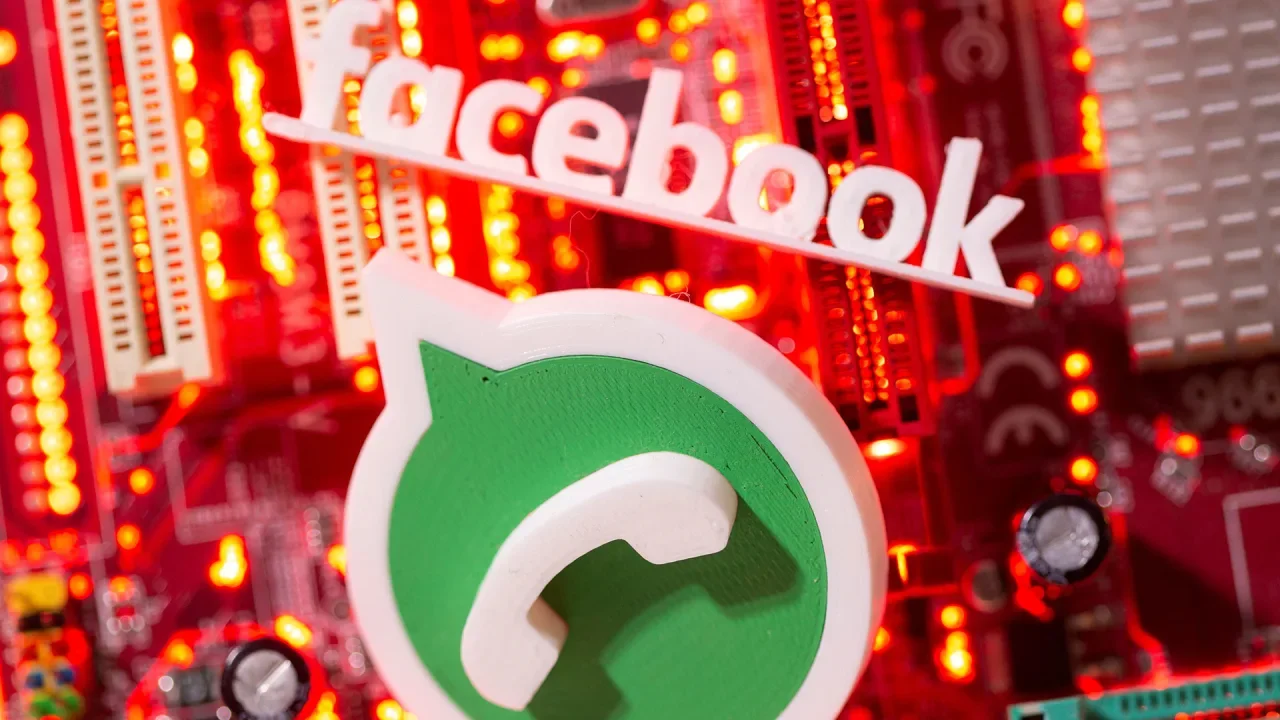
Meta Platforms CEO Mark Zuckerberg took the stand on Monday at a high-stakes trial in Washington over U.S. antitrust enforcers’ claims that the company spent billions of dollars to acquire Instagram and WhatsApp to fend off Facebook competitors. The FTC is seeking to force Meta to restructure or sell Instagram and WhatsApp, testing President Donald The President’s promises to take on Big Tech while posing an existential threat to a company that by some estimates earns about half of its U.S. advertising revenue from Instagram. Wearing a dark suit and light blue tie, Zuckerberg calmly responded to questions while seeking to combat allegations Meta bought the companies a decade ago to eliminate competition among social media platforms where users connect with friends and family. Zuckerberg emphasized that friends and family sharing was only one priority for the app along with discovering other content. In fact, a 2018 decision to prioritize Facebook content shared by users’ friends over video posts and other public content failed to grasp a shift toward users sharing that content via messages instead of posting life updates in their feeds, Zuckerberg said. “I think we misunderstood how social engagement online was evolving,” Zuckerberg said. “People just kept on engaging with more and more stuff that wasn’t what their friends were doing,” he said. He estimated that now around 20% of content on Facebook and 10% on Instagram is generated by users’ friends as opposed to accounts they follow based on interests. Competition with TikTok The FTC has pointed to emails in which Zuckerberg proposed acquiring photo-sharing app Instagram as a way to neutralize a potential Facebook competitor and expressed worry that encrypted messaging service WhatsApp could grow into a social network. Meta has argued that its purchases of Instagram in 2012 and WhatsApp in 2014 have benefited users, and that Zuckerberg’s past statements are no longer relevant amid competition from ByteDance’s TikTok, Google’s YouTube, and Apple’s messaging app. How users spend time on social media and which services they consider interchangeable will be core to the case. Meta will argue that an increase in traffic to Instagram and Facebook during TikTok’s brief shutdown in the United States in January shows direct competition. The FTC claims that Meta holds a monopoly on platforms used to share content with friends and family, where its main competitors in the United States are Snap’s Snapchat and MeWe, a tiny privacy-focused social media app launched in 2016. Platforms where users broadcast content to strangers based on shared interests, such as X, TikTok, YouTube, and Reddit, are not interchangeable, the FTC has argued. U.S. District Judge James Boasberg said in a ruling in November that the FTC “faces hard questions about whether its claims can hold up in the crucible of trial.” The trial could stretch into July. If the FTC wins, it would have to separately prove that measures such as forcing Meta to sell Instagram or WhatsApp would restore competition. Losing Instagram in particular could prove catastrophic to Meta’s bottom line. While Meta does not release app-specific revenue figures, advertising research firm Emarketer forecast in December that Instagram would generate $37.13 billion this year, a little over half of Meta’s U.S. ad revenue. Instagram also generates more revenue per user than any other social platform, including Facebook, according to Emarketer. WhatsApp to date has contributed only a sliver to Meta’s total revenue, but it is the company’s biggest app in terms of daily users and is ramping up efforts to earn money off tools like chatbots. Zuckerberg has said that such “business messaging” services are likely to drive the company’s next wave of growth. The President vs. Big Tech The case is part of a crackdown on Big Tech started during The President’s first administration. Meta has been making regular overtures to The President since his election, nixing content moderation policies Republicans said amounted to censorship and donating $1 million to The President’s inauguration. Zuckerberg has also visited the White House multiple times in recent weeks. Amazon, Apple, and Alphabet’s Google also face antitrust lawsuits by U.S. enforcers. Several major tech companies have moved to align with The President since the election, such as by rolling back diversity initiatives and having executives engage directly with the White House. While a shift from the combative tone the companies took during The President’s first term, it has not resulted in a pullback on the antitrust cases. —Jody Godoy and Katie Paul, Reuters View the full article
-
The agency is seeking input on how to better open up industries up to new entrants. Some see this opening the door to more competition for banks. View the full article
-
The firm's chief financial officer replaces Kenneth DeGiorgio, who recently pleaded not guilty in a Puerto Rico federal court to a misdemeanor assault charge. View the full article

-
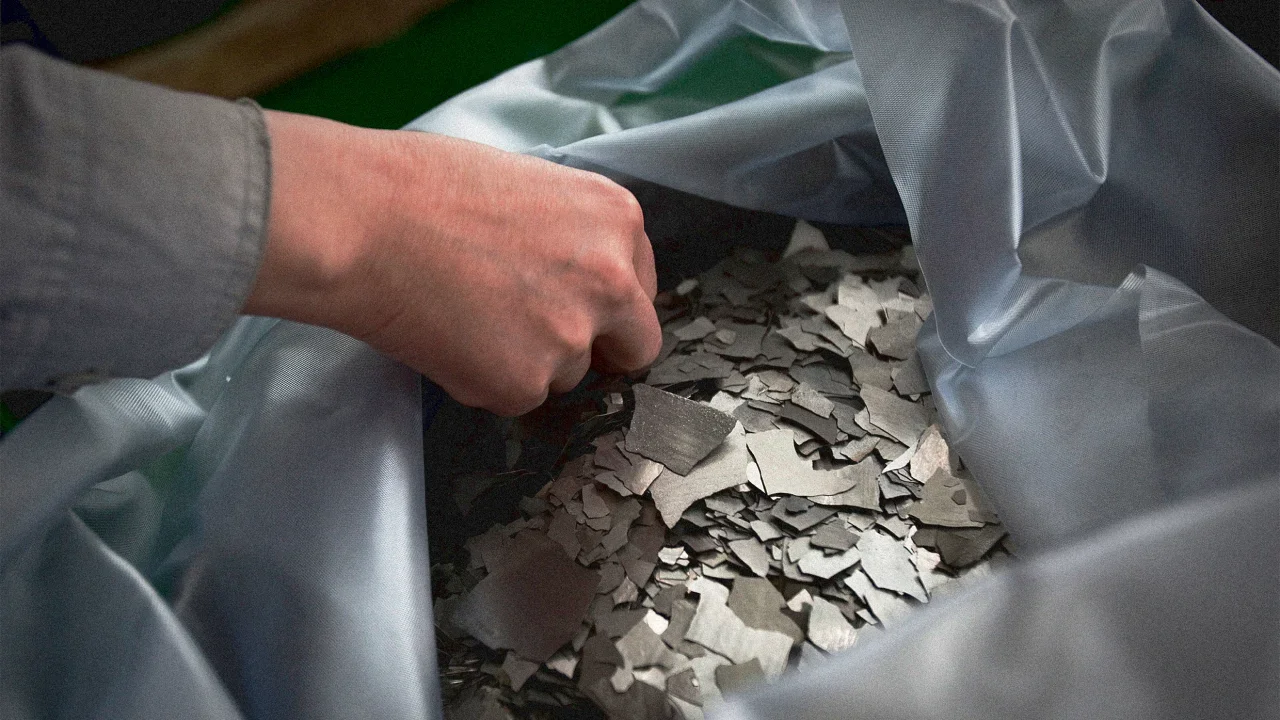
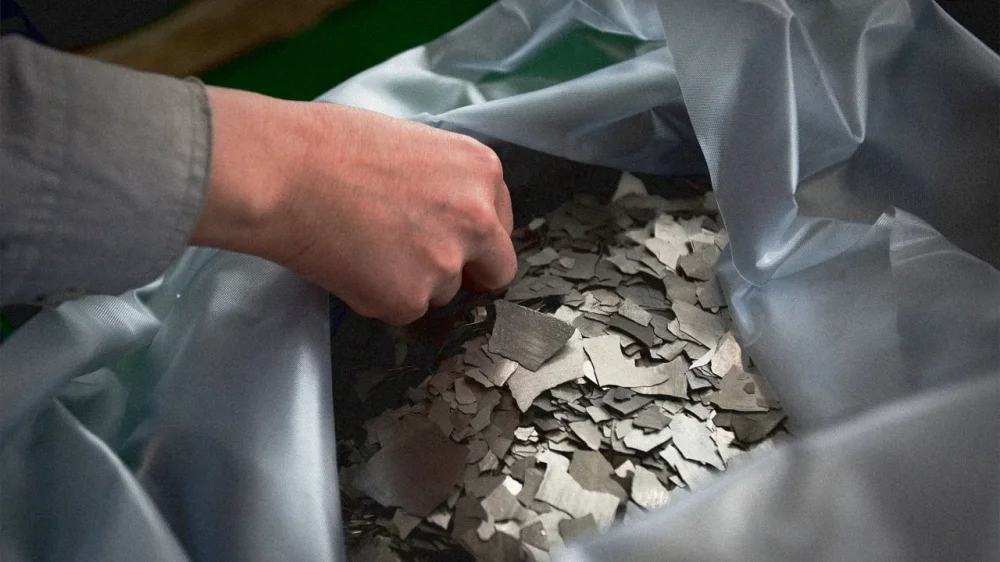
“China has already won the materials war.” Andrew Barron, one of the top materials experts on the planet, didn’t mince words when I interviewed him for a documentary on the dangers of our civilization’s dependency on China’s quasi-monopoly of rare earth minerals. If the world does not stop depending on China’s supply of rare earths, he warned two years ago, we could face an economic collapse in just a few decades. It sounds like a dystopian sci-fi movie, but this potentially catastrophic scenario began this week for the United States, when Xi Jinping’s government issued an immediate suspension of rare earth mineral and magnet exports, retaliating against President The President’s trade policies. This isn’t just a supply chain hiccup—it’s a geopolitical detonation with direct consequences to the economy and all of our lives. China controls 69% of global rare earth mining and a staggering 85–90% of refining and processing, the complex alchemy that transforms raw ore into the materials that make absolutely everything that is crucial to our everyday lives, from your electric toothbrush to phone to computer to your electric car to the servers that make everything run. If it beeps, it depends on these minerals. And without China’s processing dominance, even minerals mined elsewhere are functionally useless. Now export licenses have been frozen on samarium, gadolinium, terbium, dysprosium, lutetium, scandium, and yttrium, which are used to make the powerful magnets in many of the electric motors that are crucial in electric vehicles, robots, satellites, missiles, and drones. Beijing has also banned the export of the magnets themselves (they produce 90% of the rare earth magnets globally). And this is just a warning shot with very serious effects for big industries, especially the defense sector. If China wanted, it could also ban lithium exports (it controls approximately 67% of the world’s refining capacity) and batteries, of which it controls (80% of the world’s production). Right now, you can bet that many executives in industries from Detroit to Dresden are staring into the abyss thinking about the possibility of further escalation. How did we get here? This chokehold isn’t accidental. For decades, China has weaponized state subsidies, environmental deregulation, and strategic overseas investments to corner the market. As the U.S. shuttered Nevada’s Mountain Pass in 2002, its last major rare earth mine (later revived in 2017 by MP Materials, the U.S.’s only rare earth materials producer), China secured major rare earth mineral mines all around the world, from Chile and Bolivia’s lithium to cobalt in the Democratic Republic of Congo. “They’ve essentially monopolized the entire [rare earth minerals] supply chain,” Barron says. China decides who gets what—and when. Even partnerships with allies will falter if Jinping decided to escalate the crisis. Australia mines lithium, but lacks refining capacity; South Korea’s LG Chem produces batteries but depends on Chinese graphite. And there will be a huge problem with magnets, too: Neodymium magnets are in almost every machine around us. Without it, everything from cars to wind turbines stop working. Beijing controls 80% of this metal. The rare earth domino effect So, yes, this export freeze will disrupt the U.S. economy. But further escalation would practically halt everything. in a big way. Here’s how: 1. Automotive Japanese firms like Toyota and Honda stockpile rare earth magnets, but most global automakers lack reserves. A six-month magnet shortage could halt 80% of global EV production, an estimated 5.6 million vehicles lost, costing automakers about $150 billion in lost revenue. Hybrid vehicles, dependent on lanthanum in nickel-metal hydride batteries, face similar delays. These setbacks risk prolonging fossil fuel reliance and derailing climate goals. As for batteries, here in the U.S., Tesla, Ford, and GM rely on Chinese-refined lithium or Chinese-made batteries, while 80% of the world’s cobalt—critical for high-performance batteries—is controlled by Chinese companies. As Ho-Yin Mak, associate professor in Operations & Information Management at Georgetown University, notes: “You can’t build an EV ecosystem overnight when China owns the blueprint.” 2. Tech & semiconductors Apple’s iPhone depends on batteries for power and neodymium for haptic feedback and speakers, just like many gadgets you have in your home. Western Digital and Seagate require rare earths for hard drive read/write heads—critical for data storage. And let’s not forget chips: semiconductor manufacturing, reliant on europium and terbium for etching. 3. Renewable energy To give you an idea on how dependent we are on Chinese rare earths for energy, a typical 3-megawatt GE wind turbine requires 2 tons of rare earths. The U.S. aims to deploy 30 GW of offshore wind by 2030, but a magnet shortage could delay 50% of planned capacity. Existing turbines will face maintenance crises. Replacement parts for aging installations, like those in Texas’s onshore farms, could take years to source. Solar panel production, dependent on terbium and europium for photovoltaic cells, faces similar bottlenecks. 4. Defense This is where the current ban really impacts the U.S. The Pentagon will definitely not like the halt. It has warned that delays in sourcing these materials could compromise national security. Almost every airplane and complex weapons systems out there depend on rare earth minerals. As Gracelin Baskaran and Meredith Schwartz write for the Center for Strategic and International Studies, the rare earth elements banned by China “are crucial for a range of defense technologies, including F-35 fighter jets, Virginia- and Columbia-class submarines, Tomahawk missiles, radar systems, Predator unmanned aerial vehicles, and the Joint Direct Attack Munition series of smart bombs.” They note that one F-35 fighter jet alone “uses over 900 pounds of these materials, the Arleigh Burke-class DDG-51 destroyer requires approximately 5,200 pounds, and a Virginia-class submarine uses around 9,200 pounds.” These three weapons are cornerstones of the U.S. superiority. 5. Healthcare Siemens Healthineers’ MRI machines rely on samarium-cobalt magnets for imaging. Shortages will delay new machines and compromise the supply of replacement parts for maintenance. This will in return spike costs all across the healthcare system, delay diagnostics, and strain healthcare systems. 6. Consumer goods From headphones like your Apple AirPods or Bose’s noise-canceling headphones to Philips Sonicare toothbrushes, gadets all use rare earth-dependent motors. Even low-cost electronics, like Walmart earbuds, are at risk. 7. Heavy industry ABB’s industrial robots and Fanuc’s CNC machines require rare earths for precision. A shortage could disrupt global manufacturing, triggering layoffs and inflation. No escape The worst news is that the U.S. has no quick fixes for any of this. MP Materials’ stock skyrocketed yesterday because it’s the only company that has some capacity to process these rare earth materials in the U.S. It launched a magnet production facility this year in Texas, but that’s a Band-Aid compared to the needs the industry faces. As Baskaran and Schwartz note, “MP Materials will only be producing 1,000 tons of neodymium-boron-iron (NdFeB) magnets by the end of 2025. That is less than 1 percent of the 138,000 tons of NdFeB magnets China produced in 2018.” Still, the fact remains that the entire U.S. defense industry depends on this company right now. In 2022, the Pentagon awarded MP Materials a $35M contract to build new rare earth minerals processing facilities, but now it will most likely pour a lot more than that into it to accelerate its growth. It’s the only hope to provide the Pentagon’s military complex and the EV car industry with enough material any time soon. According to analysts, the company is “up to the challenge.” If China decided to further tighten the screws on the U.S., it is in an even worse position. The The President administration could expedite partnerships with Korean battery makers like LG Chem, but scaling production takes years. And again, South Korea depends on China, too, like everyone else. You may think that the lithium-iron-phosphate (LFP) batteries that Tesla uses will help because they avoid cobalt. But lithium is also controlled by China, and just guess where Tesla’s batteries are made? Shanghai! So close, but no cigar, folks. China’s CATL produces 75% of global LFP batteries. Now, the Inflation Reduction Act of 2022 allocated $3.16 billion for battery supply chains, but as we already know, the U.S. lacks refining infrastructure. And domestic mining of these minerals faces hurdles in the U.S. Nevada lithium deposits faced local opposition and only got approved in October 2024. Meanwhile, Minnesota cobalt remains untapped. The President may accelerate all this, but it will take years to make it happen. Even if he steals all the rare earth minerals from Ukraine, those deposits are also largely unexploited. And, again, refining is controlled by China. Even if the U.S. could secure all the raw minerals it needs, building refineries here to reach the level will take years. And forget about recycling. Current systems recover less than 5% of lithium. As Solomon Asfaw, a battery expert at Finland’s LUT University, told me in a video interview: “Efficiency needs to hit 95% to offset demand. Otherwise, we’re just delaying collapse.” In other words: There’s no short- or medium-term way around this, which makes it even more surprising that The President’s administration didn’t see this coming. As Baskaran and Schwartz point out, everyone knew China showed no qualms in weaponizing rare earths. It started in 2010, when it banned exports to Japan over a fishing dispute. Between 2023 and 2025, it already imposed export restrictions on strategic materials like gallium, germanium, antimony, graphite, and tungsten to the U.S. It was only logical to assume that, in a trade war, Beijing was going to do exactly what is has done. The U.S. can invest billions in mines, refineries, and labs, but, for a few years, our economy will remain a hostage to China. Barron was right. The materials war is over before it even started. China won. Now comes the reckoning. View the full article
-
It's officially Tax Day. If you already filed months ago, first off: Good for you. And secondly, you may have already received a pleasant surprise in the form of a slightly larger tax refund compared to last year. According to the most recent IRS report, over $211 billion has been refunded this cycle so far—a 5% increase over last year. On an individual basis, the average direct deposit refund amount is $3,186, up 3.2% from last year's $3,088. But what's driving these larger refunds? Inflation adjustments boost refundsThe primary reason for the increase in tax refunds stems from the IRS's annual inflation adjustments. For the 2024 tax year (filed in 2025), the IRS implemented significant increases to both standard deductions and tax brackets. Standard deduction increasesThe standard deduction—the amount taxpayers can subtract from their income before income tax is applied—saw notable increases: Single filers: $14,600 (up from $13,850 in tax year 2023) Married couples filing jointly: $29,200 (up from $27,700 in tax year 2023) Heads of household: $21,900 (up from $20,800 in tax year 2023) Filers who are 65 or older or are blind may be eligible to claim an even higher standard deduction. For 2024, the amounts are: Single or head of household: an additional $1,950 Married filing jointly: an additional $1,550 So for example, a 68-year-old single filer would claim a $16,550 standard deduction for tax year 2024. These increases mean that taxpayers who don't itemize deductions (aka the vast majority of Americans) protect more of their income from taxation. Tax bracket adjustmentsIn addition to higher standard deductions, the IRS also adjusted tax brackets for inflation. This adjustment effectively moved some taxpayers into lower tax brackets, reducing their overall tax burden even if their income increased slightly from the previous year. What these adjustments mean for taxpayersFor many Americans, these adjustments have resulted in lower tax bills or higher refunds for the 2024 tax year. However, it's worth noting that a larger refund isn't necessarily a financial win—it means you've been giving the government an interest-free loan throughout the year. Financial advisors often recommend adjusting your withholding if you consistently receive large tax refunds. This allows you to access more of your money throughout the year, potentially using it for investments or to pay down debt. If you haven't filed yet, today is the last day you can apply for an extension. Remember that it's always better to file—even if you can't pay what you owe—than not to file at all. The penalties for non-filing are substantially higher and can lead to much more serious consequences. View the full article
-
LVMH’s reported figures don’t yet reflect much of a softening in the American marketView the full article
-
Key Takeaways Franchising Empowerment: Franchises offer women a significant opportunity to achieve financial independence and flexibility in business ownership while balancing personal commitments. Diverse Opportunities: There is a wide variety of franchise options tailored for women, spanning sectors such as food and beverage, health and fitness, and retail, allowing for alignment with personal passions and lifestyle. Support and Training: Established franchises provide comprehensive training and ongoing support, making it easier for women entrepreneurs to navigate the business landscape and enhance their operational expertise. Multi-Unit Potential: Exploring multi-unit franchising can lead to increased profitability and enhanced brand recognition, providing a pathway for women to significantly expand their business presence. Successful Role Models: Inspirational success stories, like Challenge Island and Blo Blow Dry Bar, highlight the potential for women to thrive in franchising, showcasing innovative models and community impact. Strategic Planning: Conducting thorough research and seeking mentorship are crucial steps for women considering franchise ownership, enabling informed decisions that increase the chances of long-term success. In today’s dynamic business landscape, franchises are emerging as a powerful avenue for women entrepreneurs. With their proven business models and established brand recognition, franchises offer a unique opportunity for women to take charge of their financial futures while balancing personal and professional commitments. Imagine stepping into a role where you can harness your passion and leadership skills, all while being part of a supportive community. Franchises for women not only empower you to build a successful business but also provide the flexibility to thrive on your own terms. Whether you’re a seasoned businesswoman or just starting out, the world of franchising holds endless possibilities tailored to your aspirations. Overview of Franchises for Women Franchises present a strong business opportunity for women seeking financial independence and flexibility. By operating under a franchise model, you benefit from an established brand and proven business strategies. Franchisors often provide comprehensive franchise training, allowing you to navigate the business landscape with confidence. Women entrepreneurs find various franchise opportunities across multiple sectors, including food, retail, and services. The franchise industry is increasingly embracing diversity, encouraging female franchisees to join the franchising network. In a supportive environment, you’ll engage with fellow franchisees who can share insights and success strategies. Entering a franchise system requires an initial investment, which varies based on the franchise. Consider franchise fees, royalty fees, and additional costs like marketing and training. Analyze the franchise disclosure document to assess potential earnings and compliance needs. Franchise recruitment tools can assist in evaluating the best options for your goals. Embracing multi-unit franchising can further enhance your franchise success. Owning multiple units often leads to increased profitability, greater brand recognition, and more significant market presence. Franchising trends indicate a growing number of women are making this choice, tapping into their entrepreneurial spirit. Franchising offers women a structured path to business ownership with the backing of a franchise support system. Engage with franchise consultants for tailored advice, attend franchise expos to network, and conduct thorough franchise research to find the right match for you. Benefits of Franchising for Women Franchising offers numerous advantages tailored for women entrepreneurs, enhancing both business opportunities and personal balance. Flexibility and Work-Life Balance Franchising provides flexibility, allowing you to set your own schedule. Many franchise business models enable you to work from home, making it easier to manage family responsibilities. This work-life balance is essential, as it allows you to be present for your family, whether you’re available when your kids come home from school or you need to attend to household duties. Flexibility ranks high among the key benefits for women pursuing franchise opportunities, especially within the franchise network that encourages adaptability. Financial Independence Franchising empowers women to achieve financial independence through established business frameworks. With access to brand recognition, you can capitalize on proven marketing strategies that drive customer loyalty. The franchise training and support offered by franchisors streamline operations, reducing the learning curve associated with starting a small business. While the initial investment may include franchise fees and royalty fees, the potential profitability from a successful franchise model outweighs these costs. Engaging in multi-unit franchising further increases income potential, allowing you to maximize the franchise success within your exclusive territory. Understanding the franchise disclosure document can provide additional insights into earnings projections and compliance with franchise laws, ultimately guiding your business decisions. Popular Franchise Options for Women Franchises offer a diverse range of opportunities for women entrepreneurs, combining flexibility with established business models. These options span various industries, allowing you to select one that aligns with your passions and lifestyle. Food and Beverage Franchises Food and beverage franchises attract many women seeking entrepreneurial ventures. Brands like Dunkin’, Subway, and Smoothie King rank high due to their recognized branding and strong customer bases. These franchises typically provide comprehensive franchise training and marketing strategies. Initial investments vary, often encompassing franchise fees and equipment costs, but the potential for profitability remains substantial in this growing segment. Health and Fitness Franchises Health and fitness franchises like Anytime Fitness and Pure Barre appeal to women prioritizing wellness. These franchise systems emphasize flexibility in operations, enabling you to tailor your hours to fit your schedule. Multi-unit franchising opportunities often exist within these brands, allowing you to develop multiple locations within your exclusive territory. Engaging in health and fitness franchising often leads to strong community support and growth potential. Retail Franchises Retail franchises such as The UPS Store, Ace Hardware, and 7-Eleven represent another viable option for women entrepreneurs. These businesses provide strong brand recognition and extensive franchise support, including training and ongoing operational guidance. Franchise agreements in this sector often offer structured frameworks that facilitate compliance with local franchise laws, simplifying the path to ownership. Initial investments typically cover franchise fees, inventory costs, and location analysis, ensuring that you enter a successful franchise business model. By selecting from these options, you can integrate your personal interests with professional aspirations, setting yourself up for franchise success. Success Stories of Women in Franchising Women in franchising demonstrate remarkable success through innovation and perseverance, creating robust franchise business models. Challenge Island Founded by Sharon Duke Estroff M.A.T. in 2003, Challenge Island has grown into a prominent STEAM education franchise. Since starting its franchise system in 2012, it expanded to 232 franchise units worldwide. Estroff’s vision focuses on developing essential skills like creativity, critical thinking, and emotional intelligence in students. By nurturing a strong brand presence and community support, Estroff leads women to explore franchise opportunities within the educational sector. Blo Blow Dry Bar Conceived by two women in Vancouver, Canada, in 2007, Blo Blow Dry Bar quickly gained traction in the franchise industry. Acquisition by an investor group led by Vanessa and Ari Yakobson transformed it into a chain with over 100 locations. This franchise success story emphasizes the potential of strong branding and effective franchise marketing strategies, appealing to women looking for ownership opportunities in a growing market. These stories illustrate the important impact of women in the franchise network, empowering others to pursue their entrepreneurial dreams while benefiting from established systems and support structures in the franchise model. Tips for Starting a Franchise as a Woman Starting a franchise as a woman involves strategic planning and informed decisions. Adhering to a few essential tips can significantly enhance your potential for success. Research and Choose the Right Franchise Conduct thorough franchise research to identify the best franchise opportunity for your goals. Evaluate various franchise systems based on market demand, brand recognition, and potential returns. Analyze competitors and current trends in the franchise industry to discover lucrative niches. Utilize the franchise disclosure document to gain insights about initial investments, royalty fees, and support structures. Choosing a franchise that aligns with your interests and community needs sets the foundation for a thriving franchise business. Seek Support and Mentorship Seek guidance from experienced franchisees or franchise consultants for practical insights into the franchise model. Establish relationships with mentors who can help navigate franchise compliance, operational challenges, and marketing strategies. Engaging with franchise networks and attending franchise expos can provide valuable support and resources, fostering relationships that enhance franchise growth. Collaborating with fellow franchisees increases your chances of success and helps address common issues in franchise operations. Conclusion Franchising offers a powerful avenue for women to achieve their entrepreneurial dreams. With established brands and supportive networks at your fingertips you can navigate the business landscape with confidence. The flexibility and community within franchising empower you to balance work and personal life while pursuing financial independence. As you consider your options remember that thorough research and strategic planning are key. Engaging with mentors and franchise networks can enhance your journey and open doors to new opportunities. Embrace the potential that franchising holds and take the steps toward building a successful business tailored to your passions and goals. Frequently Asked Questions What is franchising and how can it benefit women entrepreneurs? Franchising enables women entrepreneurs to use established business models and brand recognition, allowing for financial independence and flexibility. The support from franchisors and the community within franchising helps women balance personal and professional lives while growing their businesses. What types of franchises are popular for women? Popular franchises for women include food and beverage options like Dunkin’ and Subway, health and fitness chains like Anytime Fitness and Pure Barre, and retail businesses like The UPS Store and Ace Hardware. These sectors offer strong brand recognition and support. What are the financial requirements for starting a franchise? The initial investment for a franchise includes franchise fees and additional costs like equipment or inventory. It’s important to review the franchise disclosure document to understand potential earnings and obligations clearly before committing. How can women achieve work-life balance through franchising? Franchising offers flexibility in scheduling and managing family responsibilities, enabling women to create a business that harmonizes with their personal life. This adaptability is crucial for many entrepreneurial women seeking a balanced lifestyle. Are there success stories of women in franchising? Yes, numerous success stories exist, such as Challenge Island, founded by Sharon Duke Estroff, and Blo Blow Dry Bar, created by two women in Vancouver. Their achievements showcase the potential for growth and innovation within the franchise model. How can women find the right franchise opportunity? Women should conduct thorough research to align a franchise with their personal goals and market demand. Seeking mentorship, engaging with franchises, and attending expos can provide insights and foster valuable connections in the franchising community. What resources are available for women starting a franchise? Women can access support from franchise consultants, networking opportunities, and mentorship from experienced franchisees. These resources are essential for informed decision-making and fostering success in franchise operations. What is multi-unit franchising, and why is it beneficial? Multi-unit franchising allows entrepreneurs to operate multiple franchise locations, enhancing profitability and market presence. This model benefits women by capitalizing on established brand strategies and maximizing growth potential within a secure framework. Image Via Envato This article, "Empower Your Future: Top Franchises for Women Entrepreneurs Today" was first published on Small Business Trends View the full article
-
Key Takeaways Franchising Empowerment: Franchises offer women a significant opportunity to achieve financial independence and flexibility in business ownership while balancing personal commitments. Diverse Opportunities: There is a wide variety of franchise options tailored for women, spanning sectors such as food and beverage, health and fitness, and retail, allowing for alignment with personal passions and lifestyle. Support and Training: Established franchises provide comprehensive training and ongoing support, making it easier for women entrepreneurs to navigate the business landscape and enhance their operational expertise. Multi-Unit Potential: Exploring multi-unit franchising can lead to increased profitability and enhanced brand recognition, providing a pathway for women to significantly expand their business presence. Successful Role Models: Inspirational success stories, like Challenge Island and Blo Blow Dry Bar, highlight the potential for women to thrive in franchising, showcasing innovative models and community impact. Strategic Planning: Conducting thorough research and seeking mentorship are crucial steps for women considering franchise ownership, enabling informed decisions that increase the chances of long-term success. In today’s dynamic business landscape, franchises are emerging as a powerful avenue for women entrepreneurs. With their proven business models and established brand recognition, franchises offer a unique opportunity for women to take charge of their financial futures while balancing personal and professional commitments. Imagine stepping into a role where you can harness your passion and leadership skills, all while being part of a supportive community. Franchises for women not only empower you to build a successful business but also provide the flexibility to thrive on your own terms. Whether you’re a seasoned businesswoman or just starting out, the world of franchising holds endless possibilities tailored to your aspirations. Overview of Franchises for Women Franchises present a strong business opportunity for women seeking financial independence and flexibility. By operating under a franchise model, you benefit from an established brand and proven business strategies. Franchisors often provide comprehensive franchise training, allowing you to navigate the business landscape with confidence. Women entrepreneurs find various franchise opportunities across multiple sectors, including food, retail, and services. The franchise industry is increasingly embracing diversity, encouraging female franchisees to join the franchising network. In a supportive environment, you’ll engage with fellow franchisees who can share insights and success strategies. Entering a franchise system requires an initial investment, which varies based on the franchise. Consider franchise fees, royalty fees, and additional costs like marketing and training. Analyze the franchise disclosure document to assess potential earnings and compliance needs. Franchise recruitment tools can assist in evaluating the best options for your goals. Embracing multi-unit franchising can further enhance your franchise success. Owning multiple units often leads to increased profitability, greater brand recognition, and more significant market presence. Franchising trends indicate a growing number of women are making this choice, tapping into their entrepreneurial spirit. Franchising offers women a structured path to business ownership with the backing of a franchise support system. Engage with franchise consultants for tailored advice, attend franchise expos to network, and conduct thorough franchise research to find the right match for you. Benefits of Franchising for Women Franchising offers numerous advantages tailored for women entrepreneurs, enhancing both business opportunities and personal balance. Flexibility and Work-Life Balance Franchising provides flexibility, allowing you to set your own schedule. Many franchise business models enable you to work from home, making it easier to manage family responsibilities. This work-life balance is essential, as it allows you to be present for your family, whether you’re available when your kids come home from school or you need to attend to household duties. Flexibility ranks high among the key benefits for women pursuing franchise opportunities, especially within the franchise network that encourages adaptability. Financial Independence Franchising empowers women to achieve financial independence through established business frameworks. With access to brand recognition, you can capitalize on proven marketing strategies that drive customer loyalty. The franchise training and support offered by franchisors streamline operations, reducing the learning curve associated with starting a small business. While the initial investment may include franchise fees and royalty fees, the potential profitability from a successful franchise model outweighs these costs. Engaging in multi-unit franchising further increases income potential, allowing you to maximize the franchise success within your exclusive territory. Understanding the franchise disclosure document can provide additional insights into earnings projections and compliance with franchise laws, ultimately guiding your business decisions. Popular Franchise Options for Women Franchises offer a diverse range of opportunities for women entrepreneurs, combining flexibility with established business models. These options span various industries, allowing you to select one that aligns with your passions and lifestyle. Food and Beverage Franchises Food and beverage franchises attract many women seeking entrepreneurial ventures. Brands like Dunkin’, Subway, and Smoothie King rank high due to their recognized branding and strong customer bases. These franchises typically provide comprehensive franchise training and marketing strategies. Initial investments vary, often encompassing franchise fees and equipment costs, but the potential for profitability remains substantial in this growing segment. Health and Fitness Franchises Health and fitness franchises like Anytime Fitness and Pure Barre appeal to women prioritizing wellness. These franchise systems emphasize flexibility in operations, enabling you to tailor your hours to fit your schedule. Multi-unit franchising opportunities often exist within these brands, allowing you to develop multiple locations within your exclusive territory. Engaging in health and fitness franchising often leads to strong community support and growth potential. Retail Franchises Retail franchises such as The UPS Store, Ace Hardware, and 7-Eleven represent another viable option for women entrepreneurs. These businesses provide strong brand recognition and extensive franchise support, including training and ongoing operational guidance. Franchise agreements in this sector often offer structured frameworks that facilitate compliance with local franchise laws, simplifying the path to ownership. Initial investments typically cover franchise fees, inventory costs, and location analysis, ensuring that you enter a successful franchise business model. By selecting from these options, you can integrate your personal interests with professional aspirations, setting yourself up for franchise success. Success Stories of Women in Franchising Women in franchising demonstrate remarkable success through innovation and perseverance, creating robust franchise business models. Challenge Island Founded by Sharon Duke Estroff M.A.T. in 2003, Challenge Island has grown into a prominent STEAM education franchise. Since starting its franchise system in 2012, it expanded to 232 franchise units worldwide. Estroff’s vision focuses on developing essential skills like creativity, critical thinking, and emotional intelligence in students. By nurturing a strong brand presence and community support, Estroff leads women to explore franchise opportunities within the educational sector. Blo Blow Dry Bar Conceived by two women in Vancouver, Canada, in 2007, Blo Blow Dry Bar quickly gained traction in the franchise industry. Acquisition by an investor group led by Vanessa and Ari Yakobson transformed it into a chain with over 100 locations. This franchise success story emphasizes the potential of strong branding and effective franchise marketing strategies, appealing to women looking for ownership opportunities in a growing market. These stories illustrate the important impact of women in the franchise network, empowering others to pursue their entrepreneurial dreams while benefiting from established systems and support structures in the franchise model. Tips for Starting a Franchise as a Woman Starting a franchise as a woman involves strategic planning and informed decisions. Adhering to a few essential tips can significantly enhance your potential for success. Research and Choose the Right Franchise Conduct thorough franchise research to identify the best franchise opportunity for your goals. Evaluate various franchise systems based on market demand, brand recognition, and potential returns. Analyze competitors and current trends in the franchise industry to discover lucrative niches. Utilize the franchise disclosure document to gain insights about initial investments, royalty fees, and support structures. Choosing a franchise that aligns with your interests and community needs sets the foundation for a thriving franchise business. Seek Support and Mentorship Seek guidance from experienced franchisees or franchise consultants for practical insights into the franchise model. Establish relationships with mentors who can help navigate franchise compliance, operational challenges, and marketing strategies. Engaging with franchise networks and attending franchise expos can provide valuable support and resources, fostering relationships that enhance franchise growth. Collaborating with fellow franchisees increases your chances of success and helps address common issues in franchise operations. Conclusion Franchising offers a powerful avenue for women to achieve their entrepreneurial dreams. With established brands and supportive networks at your fingertips you can navigate the business landscape with confidence. The flexibility and community within franchising empower you to balance work and personal life while pursuing financial independence. As you consider your options remember that thorough research and strategic planning are key. Engaging with mentors and franchise networks can enhance your journey and open doors to new opportunities. Embrace the potential that franchising holds and take the steps toward building a successful business tailored to your passions and goals. Frequently Asked Questions What is franchising and how can it benefit women entrepreneurs? Franchising enables women entrepreneurs to use established business models and brand recognition, allowing for financial independence and flexibility. The support from franchisors and the community within franchising helps women balance personal and professional lives while growing their businesses. What types of franchises are popular for women? Popular franchises for women include food and beverage options like Dunkin’ and Subway, health and fitness chains like Anytime Fitness and Pure Barre, and retail businesses like The UPS Store and Ace Hardware. These sectors offer strong brand recognition and support. What are the financial requirements for starting a franchise? The initial investment for a franchise includes franchise fees and additional costs like equipment or inventory. It’s important to review the franchise disclosure document to understand potential earnings and obligations clearly before committing. How can women achieve work-life balance through franchising? Franchising offers flexibility in scheduling and managing family responsibilities, enabling women to create a business that harmonizes with their personal life. This adaptability is crucial for many entrepreneurial women seeking a balanced lifestyle. Are there success stories of women in franchising? Yes, numerous success stories exist, such as Challenge Island, founded by Sharon Duke Estroff, and Blo Blow Dry Bar, created by two women in Vancouver. Their achievements showcase the potential for growth and innovation within the franchise model. How can women find the right franchise opportunity? Women should conduct thorough research to align a franchise with their personal goals and market demand. Seeking mentorship, engaging with franchises, and attending expos can provide insights and foster valuable connections in the franchising community. What resources are available for women starting a franchise? Women can access support from franchise consultants, networking opportunities, and mentorship from experienced franchisees. These resources are essential for informed decision-making and fostering success in franchise operations. What is multi-unit franchising, and why is it beneficial? Multi-unit franchising allows entrepreneurs to operate multiple franchise locations, enhancing profitability and market presence. This model benefits women by capitalizing on established brand strategies and maximizing growth potential within a secure framework. Image Via Envato This article, "Empower Your Future: Top Franchises for Women Entrepreneurs Today" was first published on Small Business Trends View the full article
-
Tax Day is here. Many of us high achievers have already received our tax refunds—and are perhaps enjoying slightly larger checks than expected this year. While it might be tempting to spend that entire sum on a vacation or shopping spree, I recommend a more balanced approach. Enter the "1/3 rule": a simple and effective strategy to maximize the benefits of your tax refund. The 1/3 rule is straightforward: Divide your tax refund into three equal portions and allocate them to three different financial priorities. Allocate 1/3 for savingSet aside the first third of your refund for your financial future. I've recommended before that dividing your money into multiple accounts helps you see all your saving goals separately so they’ll be easier to track. The money set aside for emergencies goes to a different account than your dream vacation fund, and so on. This could mean: Adding to your emergency fund (aim for around six months of living expenses) Contributing to your retirement accounts like an IRA or 401(k) Saving for a major planned expense, like a home down payment Opening a high-yield savings account for short-term goals Allocate 1/3 for spendingIt's perfectly reasonable to enjoy some of your refund! A budget is like a diet—you need moderation, and you need to treat yourself here and there. Allow a portion of your refund to go to things that actually enrich your life, such as: A modest vacation or weekend getaway Home improvements or new furniture That gadget or item you've been eyeing (for me, it's this Garmin Forerunner) Experiences such as concert tickets or classes Allocate 1/3 for debt paymentsIt's easy to feel paralyzed by your debts, but finding the right payment strategy will help. You're no doubt feeling a major strain on your monthly budget, especially if you're one of the millions of Americans carrying a growing balance on high-interest credit cards. Use the final third to improve your financial position by paying down debt: Focus on high-interest debt first (typically credit cards). Make an extra payment on your student loans. Reduce your car loan or mortgage principal. Consolidate smaller debts for easier management. If you don't know where to begin with paying down your debts, check out my guide here. Alternative budgeting ideas for your tax refundWhile the 1/3 rule is a great technique to make the most of your refund, your specific financial situation (or simple preferences) might call for a different approach. Here are some other popular strategies you can use. The 50-30-20 ruleThis is the go-to system for most first-time budgeters. The principle behind it can also be applied to your tax refund: 50% toward needs (debt repayment, home repairs, medical expenses) 30% toward wants (entertainment, travel, non-essential purchases) 20% toward savings and investments The 80-20 ruleIf you want to simplify the 1/3 rule into just two parts, I recommend you break it down with the 80-20 rule: 80% toward long-term financial goals (retirement, investments, education funds) 20% for immediate enjoyment The debt avalanche methodIf you're struggling with significant debt, you should take advantage of this refund and tackle as much as you can: 70% toward paying off your highest-interest debt 20% for emergency savings 10% for something enjoyable to maintain motivation Making the most of this year's refundWith many taxpayers reporting slightly larger refunds this year, it's an excellent opportunity to make meaningful financial progress. Remember that a tax refund isn't "free money"—it's your money that you overpaid throughout the year. Treat it with the same intentions as your regular income, and you'll maximize its benefit. View the full article
-
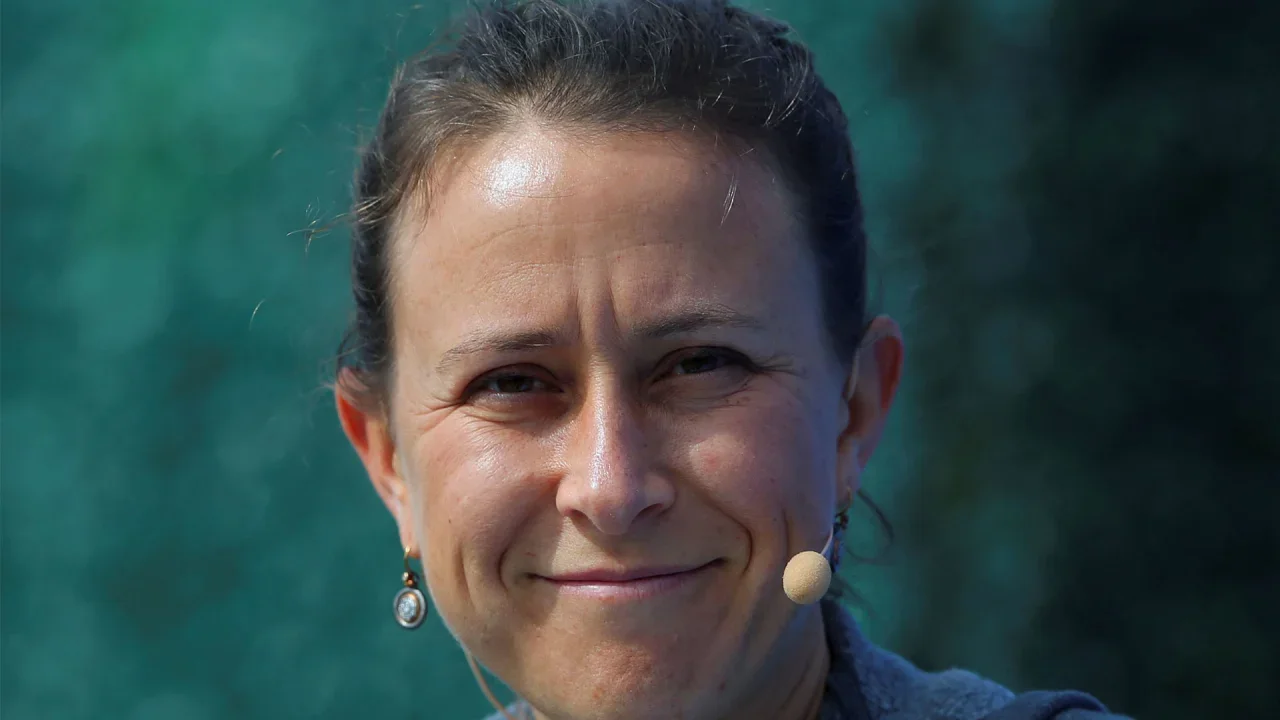
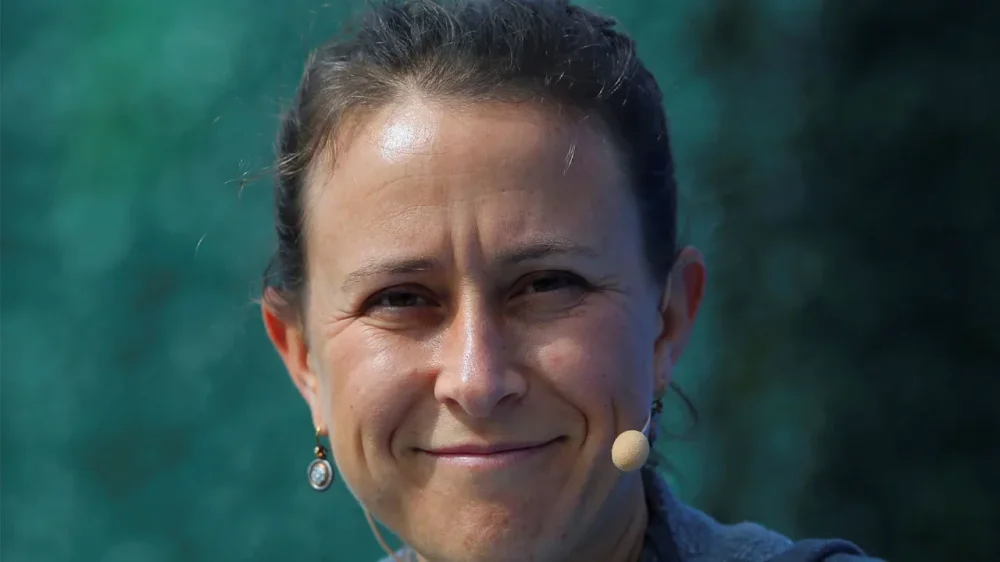
A U.S. House committee on Tuesday asked 23andMe’s co-founder to testify next month as it launched an investigation into the risk of genetic data being transferred to potential buyers amid the DNA testing company’s bankruptcy. James Comer, a Republican from Kentucky and the chairman of the House Committee on Oversight and Government Reform, sent a letter to 23andMe’s Anne Wojcicki, seeking her testimony on May 6 as well as documents and information from the genomics firm. The genomics firm filed for bankruptcy protection last month after struggling with weak demand for its ancestry testing kits. Wojcicki made multiple failed takeover bids for the company and resigned as its CEO in March. She is still a board member of the company. The bankruptcy filing has raised concerns about where the genetic data it collected would go. The company has said the bankruptcy process will not affect how it stores, manages, or protects customer data. 23andMe collects saliva samples to provide insights into ancestry and health risks. There were concerns the data on 23AndMe’s more than 15 million customers, if not protected sufficiently, could be accessed by countries such as China, or used for assessing higher insurance premiums, among other purposes, Comer said. “We need to ensure the safety of Americans’ data,” Comer said in the letter. The company was also the target of a hack in 2023, when personal data of nearly 7 million customers was exposed over five months. The company has also made at least 30 deals with pharmaceutical companies such as GSK, giving them access to its database. Most of its agreements remain undisclosed. 23andMe said in March any buyer will be required to comply with applicable laws about how customer data is treated. (This story has been refiled to correct the day of the week from ‘Monday’ to ‘Tuesday’ in paragraph 1) —Siddhi Mahatole, Reuters View the full article
-
Chinese carmaker’s absence from the US, once seen as a weakness, has turned into an assetView the full article
-
UPS announced two new ground shipping products recently, expanding its end-to-end logistics offerings with the launch of UPS Ground Saver and UPS Ground with Freight Pricing. The company says these options are designed to meet the diverse needs of both residential and commercial shippers, delivering flexibility, control, and value in a changing logistics environment. “UPS is on a mission to transform our customer experience by offering an end-to-end portfolio which provides delivery, returns and pickup services seven-days-a-week,” said UPS Chief Commercial and Strategy Officer Matt Guffey. “Ground Saver and Ground with Freight Pricing represent the first of many product enhancements UPS will roll out in 2025.” UPS Ground Saver The UPS Ground Saver service targets less urgent residential deliveries and leverages the UPS Smart Logistics Network to provide cost-effective shipping without compromising reliability. According to the company, Ground Saver offers delivery speeds comparable to UPS Ground plus one to two additional days, making it a suitable option for direct-to-consumer businesses shipping lower-value merchandise. The service also features enhanced consumer control through UPS My Choice, allowing recipients to upgrade their shipments to UPS Ground. Additional features include detailed product visibility and delivery photo confirmation. UPS Ground with Freight Pricing For heavier shipments, UPS has introduced Ground with Freight Pricing. This option is tailored for commercial customers shipping packages over 150 lbs. that don’t require a full pallet. The service aims to provide small package reliability with cost benefits typically associated with less-than-truckload (LTL) shipping. Key advantages of UPS Ground with Freight Pricing include predictable cost savings over traditional LTL carriers, no added fees for lift-gate or inside delivery, and comprehensive nationwide coverage. Guffey noted, “UPS is the only major U.S. small package carrier that offers parcel service at LTL pricing, which is a true differentiator.” The company sees significant opportunity in this segment, citing a projection from IBIS World that pegs the LTL market size at nearly $94.5 billion by 2025. The ability to service this market with small package infrastructure positions UPS for continued growth. Looking Ahead UPS plans to introduce additional enhancements to its premium portfolio throughout 2025. These updates will focus on increasing customer control, visibility, and choice, reinforcing the company’s strategy of delivering tailored solutions for a broad range of shipping needs. The launch of Ground Saver and Ground with Freight Pricing reflects UPS’s commitment to evolve alongside the logistics market, with a focus on efficiency, customer experience, and reliability. Image: UPS This article, "UPS Expands Ground Shipping Portfolio with New Saver and Freight Options" was first published on Small Business Trends View the full article
-
UPS announced two new ground shipping products recently, expanding its end-to-end logistics offerings with the launch of UPS Ground Saver and UPS Ground with Freight Pricing. The company says these options are designed to meet the diverse needs of both residential and commercial shippers, delivering flexibility, control, and value in a changing logistics environment. “UPS is on a mission to transform our customer experience by offering an end-to-end portfolio which provides delivery, returns and pickup services seven-days-a-week,” said UPS Chief Commercial and Strategy Officer Matt Guffey. “Ground Saver and Ground with Freight Pricing represent the first of many product enhancements UPS will roll out in 2025.” UPS Ground Saver The UPS Ground Saver service targets less urgent residential deliveries and leverages the UPS Smart Logistics Network to provide cost-effective shipping without compromising reliability. According to the company, Ground Saver offers delivery speeds comparable to UPS Ground plus one to two additional days, making it a suitable option for direct-to-consumer businesses shipping lower-value merchandise. The service also features enhanced consumer control through UPS My Choice, allowing recipients to upgrade their shipments to UPS Ground. Additional features include detailed product visibility and delivery photo confirmation. UPS Ground with Freight Pricing For heavier shipments, UPS has introduced Ground with Freight Pricing. This option is tailored for commercial customers shipping packages over 150 lbs. that don’t require a full pallet. The service aims to provide small package reliability with cost benefits typically associated with less-than-truckload (LTL) shipping. Key advantages of UPS Ground with Freight Pricing include predictable cost savings over traditional LTL carriers, no added fees for lift-gate or inside delivery, and comprehensive nationwide coverage. Guffey noted, “UPS is the only major U.S. small package carrier that offers parcel service at LTL pricing, which is a true differentiator.” The company sees significant opportunity in this segment, citing a projection from IBIS World that pegs the LTL market size at nearly $94.5 billion by 2025. The ability to service this market with small package infrastructure positions UPS for continued growth. Looking Ahead UPS plans to introduce additional enhancements to its premium portfolio throughout 2025. These updates will focus on increasing customer control, visibility, and choice, reinforcing the company’s strategy of delivering tailored solutions for a broad range of shipping needs. The launch of Ground Saver and Ground with Freight Pricing reflects UPS’s commitment to evolve alongside the logistics market, with a focus on efficiency, customer experience, and reliability. Image: UPS This article, "UPS Expands Ground Shipping Portfolio with New Saver and Freight Options" was first published on Small Business Trends View the full article
-
European Banking Authority says variable pay for some staff has risen to more than €1mn View the full article
-
Most email apps have strong opinions about what your inbox should look like. Notion Mail is the opposite. The new offshoot from productivity app Notion is all about flexibility. It lets you slice and dice your emails however you want: group them by date, create dedicated sections for specific contacts, add notes, or even turn your inbox into a list of action items. There’s also an AI labeling feature that can automatically sort things like package updates or health-related messages. It can feel overwhelming at first—but so can Notion itself. That hasn’t stopped the productivity platform from amassing 100 million users, with use cases ranging from simple note-taking to complex database management. Notion Mail is trying to bring that same level of adaptability to your inbox—and the more effort you put in, the more useful it gets. Notion Mail is available now for Gmail and Google Workspace users on the web and as a Mac app. An iOS app is coming soon, and support for more email providers is on the way. Roll your own inboxNotion Mail’s most interesting feature is the ability to customize what your default inbox view looks like, both in terms of how it’s organized and which emails you’ll see. For instance, I like having some visual separation between recent and older emails. By clicking the “Edit View” button and selecting “Groups,” you can choose a “Date” view that sorts emails into clusters for today, yesterday, last week, last month, and earlier. Notion Mail’s “Groups” feature has some other neat ways to partition your inbox, as well. You can have emails from specific people or domains appear at the top, separate read emails from unread ones, or group by label. Within the same “Edit View” menu, you can also set up filters to hide or show certain types of messages. This lets you filter out things like Gmail’s Promotions and Updates categories, certain keywords, or specific addresses. Where things get really interesting, though, is the “Properties” you can apply to each email. Some of these are standard things like the sender’s name or labels, but Notion also lets you append types of data, such as notes and status indicators. You can then use these properties to sort your inbox. By adding statuses like “in progress” or “pending” to your emails and then grouping them by status, for instance, you can turn your inbox into a kind of project management system. These views aren’t limited to your main inbox. Notion Mail’s left sidebar lets you create additional views, each with their own custom properties and groupings. That means you can keep a traditional inbox as your default, while also setting up a project management–style view for messages from colleagues. Like the main Notion app, Notion Mail includes several templates to help you get started, and it’ll eventually let users create and share their own. Occasionally iffy AI filteringNotion Mail’s other big feature involves using AI to organize your emails. With the “Auto Label” feature, you can enter the type of emails you’re looking for, and Notion will try to fetch messages that match. While Gmail’s own filtering rules can already label incoming messages automatically, Notion’s AI can make inferences that a normal keyword search wouldn’t pick up. An Auto Label rule for “medical/doctor,” for instance, might capture health-related emails even if those words didn’t appear in the message. This opens up some potentially clever use cases. I set up a rule for anything related to package arrivals, for instance, giving me a quick way to see the status of all my deliveries. I also made a “Suggest emails to delete” rule, then used Notion’s Unsubscribe button to remove myself from a bunch of mailing lists. The downside to this approach is that it can miss things. When I set up a “Florida 2025 trip” Auto Label, it tagged a bunch of unrelated emails and excluded a few relevant ones. You can help the labeling by tagging or untagging specific messages, but in some cases you’re just better off labeling emails manually. AI labeling is also how Notion plans to make money from its mail product. While Notion Mail is free, a $10 per month AI add-on is required to label more than a few hundred emails or so. That upgrade also adds AI composition features, and provides access to AI features in Notion proper. Tying it all togetherAfter a few days of using Notion Mail, I can see how it might dig its hooks in. It’s been a while since I’ve used Notion for everyday notetaking—I switched to Obsidian, an offline-first alternative, a couple years back—but I still remember how it won me over. I started off using it for simple note-taking, but before long had developed a branching system of subpages for different projects, and was using templates to organize some of my product reviews. The more time I spent tweaking my notetaking setup, the more personally invested in it I felt. Notion Mail has a pretty similar learning curve. My first step was to set up a basic inbox view with just a few personalized tweaks, but I’ve started to experiment with alternative views and can see how they might be better at organizing all the info that’s trapped inside Gmail. And I know that if I keep sinking more time into it, the harder it’ll get to use anything else. View the full article

-
No matter how much Google has tried over the past couple of years, it's never managed to make Android updates as seamless as iOS updates. On the iPhone, every compatible iPhone across the globe gets the same updates, at the same time. On Android, it's anyone's guess. Google releases the latest and greatest Android updates for Developers and its Pixel devices, and then Android smartphone manufactures get started with developing their own versions. For instance, because Samsung's version of Android 15 is different from what OnePlus is doing, that can sometimes mean key features don't show up on your phone until quite a ways down the line. To mitigate this to some extent, Google has decided to take matters into its own hands, pushing out some security, privacy, and device tracking features to all Android devices at once, using a little known framework called Google Play system updates. And yes, it's confusing. It's not just about the Google Play Store or services, and it's something that you might never come across on your own. Google doesn't send notifications about it, nor is it a part of the regular Software Update screen. So what is it, where is it, and why is it so important? Why are Google Play system updates so important? Credit: Khamosh Pathak As I mentioned above, unless you're on a Pixel, any regular Android update comes straight from your phone's manufacturer, and not Google itself. This is usually where you get big Android updates, like how Samsung phones got updated to Android 15 with the One UI 7 update. But the Google Play System updates are different. It all started in 2019 with Project Mainline, where Google started to split some of the key components of the OS. With this project, Google can enhance Android's security and privacy features without going through the regular channels. This is why, in the past, Google has been able to push features like Android Theft Detection, Remote Lock, and Offline Lock to all Android phones running Android 10 and above overnight. Something like this just isn't possible with regular Android updates. While these are small features, they're not all that Play System updates give you. Google Play System updates are also responsible for Google Play Protect, the framework that scans and reports malicious apps on the Play Store, plus they add new features to the Google Play Store and Google Wallet. Unlike a regular Android update, which might show up at any time, Google Play system updates show up every month without fail. You can check out Google's website to see what's new each month. It's important to make sure you're getting these. Alongside their new features, they also introduce important security updates and bug fixes to the entire Google Play Services platform. Why don't you ever see Google Play system updates?These updates are critical. But sometimes months can go by before you actually have the newest one. That's because Google doesn't promote these updates in any fashion. There are no notifications for them, and they aren't even automatically installed when you perform a regular Android OS update. Weirdly, they are only automatically installed when you reboot your smartphone. And give how smartphones are used these days, that can be months apart. How to check for Google Play system updates Credit: Khamosh Pathak I can't say if Google will eventually change its ways and make Play system updates more prominent. But for now, there's only one way to check for them, and that is to manually install them in the Security updates section in the Settings app. Different phones have different menus, so I'll use Pixels as an example for how to find this page. If you're using a Google Pixel phone, go to Settings > Security & privacy > System & updates. You'll see two sections, Security update and Google Play system update. Tap the latter option to download and install the update. The update will be installed after your device reboots. On any other smartphone, search is going to be your friend. In the Settings app, search for "Play system update," which should help get you where you need to go. View the full article
-
Mid-tier firm MHA floats on London’s Aim as shake-up of sector gathers steamView the full article
-
Nvidia announced Monday that it will produce its artificial intelligence supercomputers in the United States for the first time. The tech giant said it has commissioned more than one million square feet of manufacturing space to build and test its specialized Blackwell chips in Arizona and AI supercomputers in Texas—part of an investment the company said will produce up to half a trillion dollars of AI infrastructure in the next four years. “The engines of the world’s AI infrastructure are being built in the United States for the first time,” Nvidia founder Jensen Huang said in a statement. “Adding American manufacturing helps us better meet the incredible and growing demand for AI chips and supercomputers, strengthens our supply chain and boosts our resiliency.” Nvidia’s announcement comes as the The President administration has said that tariff exemptions on electronics like smartphones and laptops are only a temporary reprieve until officials develop a new tariff approach specific to the semiconductor industry. White House officials, including President Donald The President himself, spent Sunday downplaying the significance of exemptions that lessen but won’t eliminate the effect of U.S. tariffs on imports of popular consumer devices and their key components. “They’re exempt from the reciprocal tariffs but they’re included in the semiconductor tariffs, which are coming in probably a month or two,” U.S. Commerce Secretary Howard Lutnick told ABC’s This Week on Sunday. Nvidia said in a post on its website that it has started Blackwell production at Taiwan Semiconductor Manufacturing Co. chip plants in Phoenix. The Santa Clara, California-based chip company is also building supercomputer manufacturing plants in Texas—with Foxconn in Houston and Wistron in Dallas. Nvidia’s AI supercomputers will serve as the engines for AI factories, “a new type of data center created for the sole purpose of processing artificial intelligence,” the company said, adding that manufacturing in the U.S. will create “hundreds of thousands of jobs and drive trillions of dollars in economic security over the coming decades.” Mass production at both plants is expected to ramp up in the next 12–15 months, Nvidia said. The company also plans on partnering with Taiwan-based company SPIL and Amkor for “packaging and testing operations” in Arizona. In a statement Monday, the White House called Nvidia’s move “the The President Effect in action.” The President “has made U.S.-based chips manufacturing a priority as part of his relentless pursuit of an American manufacturing renaissance, and it’s paying off—with trillions of dollars in new investments secured in the tech sector alone,” the White House said. Earlier this year, The President announced a joint venture investing up to $500 billion for infrastructure tied to artificial intelligence by a new partnership formed by OpenAI, Oracle and SoftBank. The new entity, Stargate, was tasked with building out data centers and the electricity generation needed for the further development of the fast-evolving AI in Texas, according to the White House. The initial investment is expected to be $100 billion and could reach five times that sum. —Sarah Parvini, AP Technology Writer View the full article
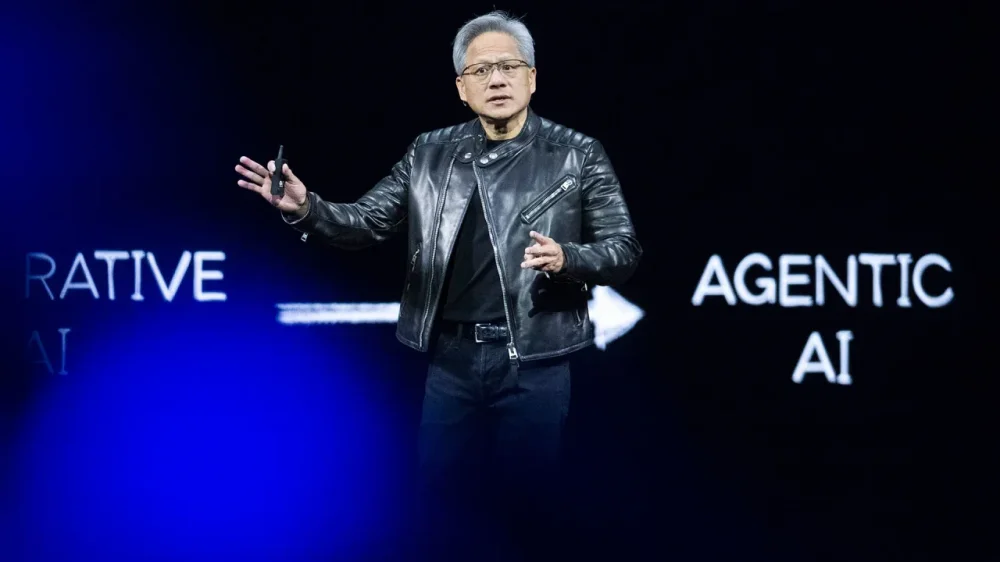
-
Sometimes, the best way to solve a problem is sitting right in front of you. If your problem is that you need a webcam, you can try using your Android phone for the job instead of buying a dedicated device. This is especially useful if you have a spare Android phone lying around and you need it for video calls on your PC or Mac. You can also use your primary Android phone as a webcam, but its utility will be limited since you'll have to keep unplugging it, remembering to put it into do not disturb, or turning on airplane mode to ensure that your video call isn't interrupted. Here are all the ways you can use your Android phone as a webcam. Use the webcam mode on your Android phoneAs long as you have a phone running Android 14 or newer, you can use the built-in webcam mode on it. This is as easy as using a USB cable to connect your phone to a computer and enabling webcam mode. Here's what you need to do: Unlock your Android phone and use a USB cable that supports data transfer to connect it to your PC or Mac. The moment your phone is connected, you'll see a USB mode notification that will tells you the phone is currently charging. Tap this alert and select Webcam. This puts your phone in webcam mode and displays a notification with additional info. Tap the notification to see the viewfinder and adjust the frame to your liking. On your PC or Mac, open any video calling app, and under camera options, you'll see Android Device or Android Webcam as an available camera. Select this to have your phone serve as your webcam. Be sure to disable all notifications on your phone or put it in airplane mode in order to avoid interruptions. If someone calls your phone when it's being used as a webcam, your video call will be paused, and it'll only resume once the phone call has been disconnected. Using third-party apps to turn your Android phone into a webcam Credit: Camo The built-in method works great on Pixel devices and other phones running stock Android, but it may not always work correctly if your phone has a heavily customized Android variant. It's also not an option for people who use phones with older versions of Android, which is a good enough reason to turn to third-party apps to get the job done. The good old DroidCam (free, ad-supported) or its paid variant, DroidCamX ($5), are both quite handy for this job. Install the client on your PC or Linux computer and follow the on-screen instructions to set up the app on both devices. The advantage here is that you can connect over wifi and a USB cable, whereas the built-in method is wired only. The free version has ads and limitations that don't let you rotate or flip the camera, but otherwise, it's good enough for most people. There are no watermarks or other usage-related limitations in the free version. Camo is an extremely feature rich alternative for using your Android phone as a webcam. You can use this app with both Windows and Mac, which may appeal to a larger audience, since DroidCam lacks a Mac app. The app is free to use for up to 720p video, which is honestly good enough for video calls, but if you need up to 4K video for your webcam, you can subscribe to the pro tier ($50/year). This app supports both wifi and USB connectivity, but the developers recommend USB for initial setup and better performance, including lower latency. The setup is quite straightforward—just install the app on your phone and on Mac or Windows, connect your Android phone to your computer via USB, and follow the on-screen instructions. The advantage of using Camo is that it's not just a bridging app that connects your phone to the PC. It also works with dedicated webcams and features video effects such as Portrait mode (to blur the background) and lighting effects. It also lets you adjust the resolution, frame rate, and focus point in your videos. For more, read Camo's official guide to adjusting video settings. View the full article
-
Japanese regulators on Tuesday accused U.S. tech giant Google of violating anti-monopoly laws, echoing similar moves in the U.S. and Europe. Google Japan said in a statement that it found the action “regrettable.” It said it has invested in Japan significantly to promote innovation as a technology leader. The Japan Fair Trade Commission’s “cease and desist order” says Google must stop the preinstallation of the Google search engine in Android smartphones, which it said in effect shuts out competition. It’s unclear if Google, a subsidiary of Alphabet Inc., based in Mountain View in the Silicon Valley, will take legal action to fight the order. In the U.S., a judge ruled last year that Google’s ubiquitous search engine illegally exploited its dominance to squash competition. Google has denied the allegations, arguing that it’s immensely popular because people like what it offers. The appeals process is likely to take years. Japanese regulators began their investigation into Google in 2023. They said they consulted with overseas authorities dealing with similar cases. European regulators have also slammed what they see as Google’s monopolistic dominance. Tuesday’s move marks the first time the Japan Fair Trade Commission has taken such an action against a major global technology company. —Associated Press View the full article

-
Recent wildfire updates include the Federal Housing Authority's waiving of quality-control reviews and the upheaval of the state's commercial real estate space. View the full article