Newsletter
Want to keep up to date with all our latest news and information?


ResidentialBusiness
Administrators
-
Joined
-
Last visited
Everything posted by ResidentialBusiness
-
Contract is a boost to the cloud computing provider ahead of its $35bn initial public offering View the full article
-
Corporate philanthropy and corporate social responsibility (CSR) teams face increasing pressure to maximize the effectiveness of their limited funds while addressing complex social and environmental challenges. To meet these demands, innovative strategies that combine campaigns, education, and deep stakeholder engagement are proving vital. By leveraging these approaches, organizations are shifting from traditional grantmaking to more dynamic, impact-driven models that can deliver tangible and sustainable outcomes on a global scale. How catalytic impact transforms funding models In contrast to traditional isolated efforts, a catalytic impact model brings together diverse organizations around a shared mission to drive coordinated and measurable outcomes. This approach exemplifies the idea that “We can do more together than alone.” This past year, Kiva brought several partners together behind a single mission: support women. An initiative for International Women’s Day 2024 demonstrated this concept in action by mobilizing multiple corporate partners to exceed their shared goal of financially supporting over 4,000 women around the world. Six partners came together to raise awareness and engage their stakeholders: UGG, U.S. Women’s National Team Players Association (USWNTPA), Bank of America, Hitachi, The Coca-Cola Foundation, and Visa Foundation. They leveraged their platforms and networks to raise awareness and engage their audiences. UGG, for instance, created an impact-focused landing page, while others utilized social media collaborations to rally their audiences. The result: Not only did these companies surpass the goal by supporting 4,279 women with over $2.3 million in loans, but 12,901 additional women received a surge in loan funding. This achievement underscores the potential of catalytic impact: When aligned organizations unite with purpose, their collective efforts don’t just accomplish immediate goals—they lay the groundwork for ongoing impact. Thanks to innovative models like revolving funds, the resources raised continue to circulate, benefiting thousands more women with the capital they need to thrive. Partnerships for greater good During the 2023 FIFA Women’s World Cup in Sydney, The Coca-Cola Foundation took the stage to announce a five-year, $1.1 million grant to enhance financial access for underrepresented women entrepreneurs worldwide. The true value of this initiative lies in its potential for exponential impact. By the end of the first year, it had already reached more than 17,000 women entrepreneurs and today, a little more than a year later, that number has more than doubled with over $2 million in capital in the hands of women around the world. With a revolving fund model in play, the same funding will continue to cycle back, enabling more women to access the capital they need to start and grow their businesses. Over the next four years, the impact is projected to triple, directly benefiting more than 45,000 women. “Kiva’s transparent and impactful model has enabled The Coca-Cola Foundation to invest in communities globally while being able to track the impact at an individual level,” said Carlos Pagoaga, president of The Coca-Cola Foundation. Central to this impact tracking is a real-time impact dashboard that offers stakeholders a clear view of the partnership’s reach, enabling an element of transparency between companies and stakeholders. “It’s a transformative approach to corporate partnerships for any organization committed to genuine change,” added Pagoaga. Build engagement through powerful narratives Effective partnerships rely not only on funding but also on rallying stakeholders and audiences to join a shared mission and vision for change. USWNTPA’s Leveling the Playing Field initiative is a prime example. Soon after the USWNTPA made history in 2022 by securing commensurate pay with the men’s team, its members sought a way to compound that influence. Kiva’s commitment to gender equality attracted their attention, offering a dynamic vehicle to advance economic justice and expand financial access for women. The team eagerly committed to lending $2.5 million in capital for zero-interest, zero-fee Kiva loans in the U.S. by 2025. As borrowers repay their loans, the funds are returned to USWNTPA’s account, enabling a continuous cycle of impact. This means that one loan by an individual, combined with a matching contribution, can multiply into two to three times the impact, creating opportunities for thousands of U.S. small businesses and fostering economic empowerment. To further engage their audience, USWNTPA recently launched the 99 Women campaign to celebrate the historic win of the 1999 Women’s World Cup. The campaign encouraged fans to “change the game” for women entrepreneurs by supporting 99 women. It invited followers to vote on the categories of women entrepreneurs they wanted to champion, reinforcing the idea that “with the right team, any goal is possible.” This approach effectively leveraged USWNTPA’s legacy and its connection with fans to drive tangible impact. Corporates unite for global impact As global issues continue to grow in complexity and traditional resources face increasing constraints, it’s clear that dynamic partnerships and innovative funding models hold the key to achieving greater impact. Social impact leaders are changing the world by leveraging their funds for catalytic impact. While each partnership is unique, all are focused on achieving lasting change in communities most affected by global challenges. Corporate leaders, the time is now. To truly drive change with your CSR initiatives, think beyond traditional grants and explore strategies that blend innovative campaigns, education, and stakeholder engagement. By incorporating models like revolving funds and catalytic partnerships, your organization can multiply its impact, build a more engaged audience, and contribute to long-term, transformative change. Let your next CSR investment do more than good—let it set new standards for sustainable, impactful giving. Vishal Ghotge is CEO at Kiva. The Fast Company Impact Council is a private membership community of influential leaders, experts, executives, and entrepreneurs who share their insights with our audience. Members pay annual membership dues for access to peer learning and thought leadership opportunities, events and more. View the full article

-
Software updates are supposed to introduce new features while improving the stability of the operating system. Occasionally, however, additional bugs and glitches can slip through the cracks. That's the case with the latest Pixel update: While Google added a number of new features to Android and patched 43 security vulnerabilities, users who have installed it are complaining of strange glitches on their Pixel phones. March 2025 Pixel drop glitches: Brightness, vibrations, and moreFirst up, as spotted by 9to5Google, some Pixel users are experiencing brightness variations while using their phones—without touching the brightness settings themselves. The issue seems to be limited to video playback, where the brightness will dip or flicker at random. This user reports it happens in just about every video app they use, including Netflix, Prime Video, VLC, or Google's built-in player. 9to5Google confirmed the bug on a Pixel 9, though the brightness glitch happened inconsistently. In addition to this brightness glitch, you may also experience changes with your device's vibrations. This thread represents a wide range of experiences with the issue: Some users are complaining that haptics are much stronger than they were before the update, with one user describing the change as a "spring instead of a thump." On the other hand, another user says the vibrations of their Pixel are now weaker than they were before. Regardless, many seem to feel vibrations are "different" following the update. These are the bugs that have made the most buzz on forums since the Pixel Drop. However, there could be other issues that aren't quite as widespread. One r/GooglePixel user rounded up the bugs they've experienced so far, and, in addition to the brightness bug, they're also experiencing audio issues, including an issue with EQ settings, and a problem where song volume is much louder than video volume. That last point would make it quite annoying to jump between, say, Spotify and Netflix: Stranger Things will launch too quiet, and will make your brightness go berserk. How to fix the brightness glitch on Pixel phonesWhile Google is likely working on patches for the biggest bugs from the latest Pixel drop, there's currently a workaround for the brightness glitch: drop your phone's refresh rate. It appears that flickering and dimming problems only occur at this time when watching videos with 120Hz. Drop the refresh rate to 60Hz, and the brightness issues appear to dissipate. To change the refresh rate, head to Settings > Display, then disable the toggle next to Smooth Display. View the full article
-
A trippy, futuristic grocery store. A pit stop on an interdimensional road trip. A radio station in another realm. These might sound like products of a particularly vivid fever dream, but they’re actually separate exhibitions from Meow Wolf, the immersive entertainment company known for its wild art installations. And now, Meow Wolf is headed to New York City with a brand new otherworldly museum, it was announced today from the stage of SXSW 2025. While the NYC installation’s opening date has yet to be announced, it will be Meow Wolf’s seventh museum overall. The company already operates five distinct experiences in Las Vegas; Grapevine, Texas; Houston; Denver; and Santa Fe, New Mexico. Another exhibition, centered around “the forgotten sad side of Hollywood” is slated to open in Los Angeles next year, with Meow Wolf New York expected to open sometime after that—and said to be the company’s biggest investment yet. “We’re excited to create a Meow Wolf experience that feels uniquely NYC, reflecting the city’s rich arts and cultural landscape,” said Meow Wolf CEO Jose Tolosa via email. “The broader theme will be one that feels right at home in New York City.” Denver, Convergence Station [Photo: Atlas Media/courtesy Meow Wolf] What we know about Meow Wolf New York so far Tolosa was able to share a few other details about the upcoming location: As in all past locations, the New York installation will be realized through a collaboration between Meow Wolf’s own artists and a select group of local creatives. Tolosa said that “external artist scouting” is set to begin soon. “Our goal is to build strong relationships with the artistic community and local arts nonprofits.” Its location was also announced: Manhattan’s Pier 17, chosen both for its proximity to public transit and its rich cultural history. “The South Street Seaport’s history represents the evolution and reinvention of New York City in many ways,” Tolosa said. “It dates back 400 years to its origins as a Dutch fur trading port . . . and now serving as a cultural hub filled with museums, music venues, restaurants, and entertainment.” Denver, C Street [Photo: Kennedy Cottrell/courtesy Meow Wolf] From local art collective to $400 million corporation Meow Wolf was founded in 2008, when a collective of Santa Fe artists became known for hosting eccentric parties-slash-art installations in local warehouses. In its early days, the group specialized in building imaginary worlds entirely out of trash, positioning itself in opposition to the closed-off world of fine art galleries. Over time, though, Meow Wolf evolved from a local art collective to a national, multimillion-dollar company. Santa Fe, The Ancestral Crypt [Photo: Atlas Media/courtesy Meow Wolf] The collective’s first large-scale interactive museum, House of Eternal Return, was opened in 2016 in Santa Fe by a group of seven of its original artists. The exhibition, still open today, centers around the idea of a gothic Victorian house that appears normal on the outside but contains a surreal multiverse within. A $3 million buy-in from Game of Thrones author George R. R. Martin helped make it possible. “I’m a science fiction guy, so talking about a Victorian mansion that’s been ripped loose from time and space, with portals to other dimensions and planets and strangenesses—it was right up my alley,” Martin told Fast Company in 2016. Santa Fe, The House of Eternal Return (detail) [Photo: Kate Russell/courtesy Meow Wolf] Over the course of its first year, the House of Eternal Return made three times its projected revenue and drew three-hour lines. In 2017, Meow Wolf reformed as a B Corp, guided by a board and CEO. Today, Tolosa said, the company is majority-owned by the long-term investor Invus Group, and has raised more than $400 million in funding overall. Meow Wolf’s whole premise of live adventure has been often cited as an example of the growing “experience economy,” or the idea that, as materialism reaches an all-time high, consumers will start wanting to use their financial resources to actually do things rather than buy things. While the pandemic initially put a damper on this premise, it ultimately only augmented Americans’ desires to try new activities in-person. Meow Wolf opened its second location, the futuristic grocery store Omega Mart (now a TikTok favorite) in Las Vegas in 2021, followed by Denver’s cosmic Convergence Station that same year. The two Texas locations came shortly after. Nearly a decade out from opening the House of Eternal Return, it’s become clear that the desire for live art installations is more than a passing fad—and fans can expect Meow Wolf New York to push the boundaries of wacky world-building even further, Tolosa said. “We will embrace the grandeur and international position of NYC and take Meow Wolf NYC to a level no one has ever seen before in immersive entertainment.” View the full article

-
The U.S. Small Business Administration (SBA) has announced the launch of the Made in America Manufacturing Initiative, an effort aimed at revitalizing American manufacturing by cutting regulations, expanding access to capital, and strengthening supply chains. The initiative, unveiled by SBA Administrator Kelly Loeffler, aligns with the administration’s broader agenda to restore American economic dominance and bolster national security. Supporting Small Manufacturers According to the SBA, approximately 99% of American manufacturers are small businesses, and the initiative aims to further support their resurgence. The agency highlighted recent job growth in the sector, citing the addition of 10,000 manufacturing jobs in the President’s first full month in office, reversing previous job losses in the industry. “With the Made in America Manufacturing Initiative, we’re slashing red tape, expanding access to capital, and fueling a manufacturing resurgence that will create high-paying jobs and revitalize communities across the country,” Loeffler said in the announcement. Key Components of the Initiative The SBA outlined several measures under the initiative to support small manufacturers, including: Regulatory Reduction: The agency plans to cut $100 billion in regulatory burdens through its Office of Advocacy, which will work across federal agencies to eliminate policies that disproportionately impact small manufacturers. Red Tape Hotline: A new hotline will allow small business owners to submit feedback on excessive regulations for review. Office of Manufacturing and Trade: A newly established office will provide dedicated resources, training, and support to small manufacturers in collaboration with SBA field offices nationwide. Loan Program Enhancements: The SBA will reduce barriers to its 504 loan program, which provides funding for real estate, construction, and equipment purchases without requiring ongoing taxpayer subsidies. Additionally, the 7(a) Working Capital Pilot program will be expanded to help small businesses finance inventory purchases and export-related expenses. Workforce Development: The SBA will partner with agencies, trade schools, and private sector stakeholders to promote a pipeline of skilled manufacturing workers. Trade and Tax Policies: The initiative supports broader manufacturing policies, including tariffs for fair trade, tax cuts on domestic production, and 100% expensing retroactive to Jan. 20, 2025. Made in America Roadshow As part of the initiative, representatives from the newly established Office of Manufacturing and Trade will embark on a multistate “Made in America Roadshow” over the next two months. The tour will feature roundtables with small manufacturers across the country to gather industry feedback and identify further opportunities for support. Administrator Loeffler will formally launch the initiative today at an aerospace and defense manufacturing facility in Indianapolis, where she will be joined by state and federal leaders as well as small business owners in the manufacturing sector. The SBA stated that this initiative reflects a commitment to bolstering the nation’s industrial base while ensuring that essential goods are produced domestically. The agency emphasized that supporting small manufacturers is a key component of economic growth, job creation, and national security. This article, "SBA Launches Made in America Manufacturing Initiative to Boost U.S. Industry" was first published on Small Business Trends View the full article
-
The U.S. Small Business Administration (SBA) has announced the launch of the Made in America Manufacturing Initiative, an effort aimed at revitalizing American manufacturing by cutting regulations, expanding access to capital, and strengthening supply chains. The initiative, unveiled by SBA Administrator Kelly Loeffler, aligns with the administration’s broader agenda to restore American economic dominance and bolster national security. Supporting Small Manufacturers According to the SBA, approximately 99% of American manufacturers are small businesses, and the initiative aims to further support their resurgence. The agency highlighted recent job growth in the sector, citing the addition of 10,000 manufacturing jobs in the President’s first full month in office, reversing previous job losses in the industry. “With the Made in America Manufacturing Initiative, we’re slashing red tape, expanding access to capital, and fueling a manufacturing resurgence that will create high-paying jobs and revitalize communities across the country,” Loeffler said in the announcement. Key Components of the Initiative The SBA outlined several measures under the initiative to support small manufacturers, including: Regulatory Reduction: The agency plans to cut $100 billion in regulatory burdens through its Office of Advocacy, which will work across federal agencies to eliminate policies that disproportionately impact small manufacturers. Red Tape Hotline: A new hotline will allow small business owners to submit feedback on excessive regulations for review. Office of Manufacturing and Trade: A newly established office will provide dedicated resources, training, and support to small manufacturers in collaboration with SBA field offices nationwide. Loan Program Enhancements: The SBA will reduce barriers to its 504 loan program, which provides funding for real estate, construction, and equipment purchases without requiring ongoing taxpayer subsidies. Additionally, the 7(a) Working Capital Pilot program will be expanded to help small businesses finance inventory purchases and export-related expenses. Workforce Development: The SBA will partner with agencies, trade schools, and private sector stakeholders to promote a pipeline of skilled manufacturing workers. Trade and Tax Policies: The initiative supports broader manufacturing policies, including tariffs for fair trade, tax cuts on domestic production, and 100% expensing retroactive to Jan. 20, 2025. Made in America Roadshow As part of the initiative, representatives from the newly established Office of Manufacturing and Trade will embark on a multistate “Made in America Roadshow” over the next two months. The tour will feature roundtables with small manufacturers across the country to gather industry feedback and identify further opportunities for support. Administrator Loeffler will formally launch the initiative today at an aerospace and defense manufacturing facility in Indianapolis, where she will be joined by state and federal leaders as well as small business owners in the manufacturing sector. The SBA stated that this initiative reflects a commitment to bolstering the nation’s industrial base while ensuring that essential goods are produced domestically. The agency emphasized that supporting small manufacturers is a key component of economic growth, job creation, and national security. This article, "SBA Launches Made in America Manufacturing Initiative to Boost U.S. Industry" was first published on Small Business Trends View the full article
-
Toronto-based Simply Approved Mortgages is opening for business in Florida and Colorado, looking for the cross-border success that eluded companies like Rocket. View the full article

-
We may earn a commission from links on this page. For many years, I've depended on my phone to get me out of bed in the morning, and I've hated it. I'd easily snooze or catch myself doom scrolling instead of starting my morning routine. That all changed after my brother gifted me perhaps the best Christmas present I've received over the last few years: a Nintendo Sound Clock: Alarmo, which you can now get on Walmart or Target for $99.99. It was previously only available on the Nintendo store. Display: Digital, Power type: Corded Electric, Alarm clock type: Projection Alarm Clocks. Nintendo Sound Clock: Alarmo (Walmart) $99.00 at Walmart $317.50 Save $218.50 Shop Now Shop Now $99.00 at Walmart $317.50 Save $218.50 Display: Digital, Power type: Corded Electric, Alarm clock type: Projection Alarm Clocks. Nintendo Sound Clock: Alarmo $99.98 at Target Shop Now Shop Now $99.98 at Target SEE -1 MORE The Alarmo is a digital alarm clock that needs to be connected to an outlet with a USB cable to be powered on. You no longer need a Switch Online membership to buy (or use it). It comes with many built-in themes you can choose from, including Super Mario Odyssey, The Legend of Zelda: Breath of the Wild, Splatoon 3, Pikmin 4, and Ring Fit Adventure. Nintendo says you can expect to download more in the future for free, including Mario Kart 8 Deluxe and Animal Crossing: New Horizons. The Alarmo uses a motion sensor to detect that you're getting out of bed to stop the alarm from going off. I've been using the The Legend of Zelda: Breath of the Wild theme since I set it up and have been using it for months with great results. Because I need to get up to stop the alarm, and I don't want the alarm to wake up my fiancée, it's been effective. I never thought Nintendo would be the one to fix my morning issues and over-dependence on my phone. Something to note is that although there is no snooze feature, it is designed to temporarily stop the music when you move, essentially snoozing. But it's not a pleasant snooze since the music will keep on playing, progressively getting louder. You can also easily unplug it to turn it off completely since there's no battery, but it has been working great for me regardless. View the full article
-
It was a busy week for Colossal Biosciences: On Tuesday, it introduced the world to the first-ever woolly mice; by Wednesday, those mice were going viral; and on Saturday, they were the topic of a bit on Saturday Night Live’s Weekend Update. The success of genetically engineering these little creatures represented a huge leap toward a bigger goal: bringing back the woolly mammoth. After spending 2.5 years editing mammoth genes, the team applied their work to mice rather than trying to create a creature that has been extinct for thousands of years. “The genetic engineering of the mouse, while it’s a mouse, it’s a marvel of science in terms of where we are from an innovation perspective,” Ben Lamm, cofounder and CEO of Colossal, said Sunday during a discussion at the Fast Company Grill at South by Southwest (SXSW) in Austin. What many people misunderstood, Lamm said, was that successfully creating woolly mice was a “validation step” rather than a “first step” in the woolly mammoth de-extinction process. “It shows that our precision editing, and the results of our precision editing, work and they worked the first time.” More than just hairy mice The woolly mice have bigger implications for the Dallas-based company, even beyond its de-extinction and species preservation pipeline of projects. What the team has learned about epigenetics and genome engineering can also be used to combat diseases, added Joe Manganiello, the actor and producer who is an investor in Colossal. “There are clues within genetic information as to eradicating all disease, and really all of the ills of man,” Manganiello told the audience. He’s had a lifelong fascination with biology, genetics and the field of epigenetics because his great-grandmother survived the Armenian genocide. He said his life’s mission has been to learn about generational trauma and find a way to end it. The de-extinction work, Manganiello said, is just the tip of a giant iceberg, as Colossal’s research has so many broad-reaching implications that could improve humanity and our communion with nature. “It would be unethical to not pursue this type of science, to not try to preserve and understand the ecosystems that are being destroyed and what needs to be replaced.” But as both Manganiello and Lamm acknowledged, there are a lot of ethical considerations inherent to this burgeoning field of science. There’s a respect for different life forms because in the wrong hands this technology could create some “weird” stuff, they agreed. “There’s a bit of a Manhattan Project to it as well, in that you want to make sure that it’s in the hands of people that are going to handle it ethically,” Manganiello said, referencing the World War II program to develop the first atomic bombs. Mammoth implications The work Colossal is doing is often compared to a modern-day Jurassic Park, but there are benefits to de-extinction that may not be so obvious. Lamm said he initially reached out to George Church, “the father of synthetic biology,” about an idea for a different company, but that conversation quickly turned to the beginnings of Colossal. “I just said, ‘George, if you had one project with unlimited capital, what would you do?’” Lamm recalled. “And he said, ‘I’d work to bring back wooly mammoths, reintroduce them into the Arctic, help suppress carbon and methane in the ecosystem, and make technologies for human healthcare and also for conservation.’” As a tech entrepreneur, Lamm said he saw the opportunity to inspire people and make a pretty big impact. The work colossal is doing could help improve the pregnancy outcomes for in vitro fertilization (IVF), for example, while Lamm said officials from the tropical island of Mauritius are “so excited” about Colossal’s plans to revive the dodo bird from extinction, and estimate it could triple GDP for the tropical island country. And Lamm said that conservation partnerships are key to such rewilding efforts that will spawn better carbon sequestration, better methane suppression, and lead to more fauna and more flora. “Colossal is not the silver bullet,” Lamm added. “We want to be one thread of a much larger tapestry of technologies that people can go use to actually bring back species or save other species.” Finally, one of the “halo effects” of this research is inspiring the next generation of scientists, Lamm said. This is particularly important given projections that the planet will lose up to 50% of all biodiversity by 2050 and current technology doesn’t work at commensurate speed. “We’re trying to do something insanely hard that no one’s ever done—that’s like moon landing-level shit—and we’re trying to do it in a couple years,” Lamm said. View the full article

-
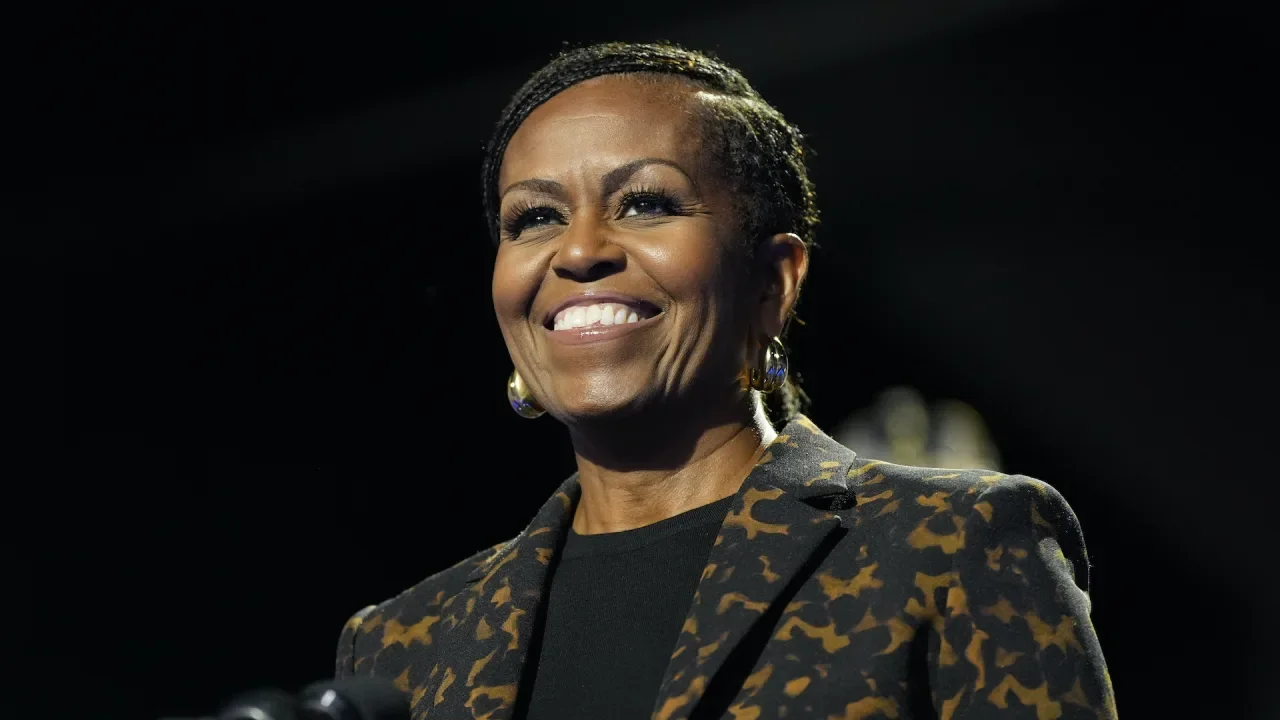
Michelle Obama and her brother, Craig Robinson, will host a new weekly podcast series starting this month featuring a special guest pulled from the world of entertainment, sports, health and business. “IMO with Michelle Obama & Craig Robinson” will address “everyday questions shaping our lives, relationships and the world around us,” according to a press release. IMO is slang for “in my opinion.” Some of the guests slated to speak to the former first lady and Robinson, the executive director of the National Association of Basketball Coaches, include the actors Issa Rae and Keke Palmer and psychologist Dr. Orna Guralnik. Other guests include filmmakers Seth and Lauren Rogan; soccer star Abby Wambach; authors Jay Shetty, Glennon Doyle and Logan Ury; editor Elaine Welteroth; radio personality Angie Martinez; media mogul Tyler Perry; actor Tracee Ellis Ross; husband-and-wife athlete and actor Dwyane Wade and Gabrielle Union; and Airbnb CEO Brian Chesky. The first two episodes — the first is an introductory one and the second features Rae — will premiere on March 12. New episodes will be released weekly and will be available on all audio platforms and YouTube. “With everything going on in the world, we’re all looking for answers and people to turn to,” Obama said in a statement. “There is no single way to deal with the challenges we may be facing — whether it’s family, faith, or our personal relationships — but taking the time to open up and talk about these issues can provide hope.” Obama has had two other podcasts — “The Michelle Obama Podcast” in 2020 and another in 2023, “The Light We Carry.” Her husband, Barack Obama, offered a series of conversations about American life between him and Bruce Springsteen. The new podcast is a production of Higher Ground, the media company founded in 2018 by the former president and first lady. —Mark Kennedy, AP entertainment writer View the full article
-
The selloff in US equities accelerated Monday, with major averages tumbling to their worst day this year, as investors braced for a slowdown in the American economy. View the full article

-
Unpaid parking tickets happen to the best of us—and one of the latest phishing scams is counting on you to believe you've missed or forgotten to pay an outstanding fee. This text message scam prompts you to pay overdue parking fines and hand your credit card number and other personal information directly to the scammers to turn around and use. Scammers are using the threat of unpaid parking feesThe unpaid parking fee scam is one of many relatively unsophisticated text-based phishing attempts that depends on recipients responding to the threat of owing money and giving up personal and financial information in the process. It's similar to the current unpaid tolls scam text, which may seem just plausible enough that you might be tempted to click the link to settle your supposed fine. In this instance, scammers are impersonating city governments by sending notices of unpaid parking "invoices," which will accrue daily late fees until payments are made. The text message includes a web address or link spoofing an official government website, which directs you to enter details from your name and billing address to your credit card number. If you follow through, you obviously hand your credit card over to the scammers. The Salt Lake City phishing text, for example, reads "This is a notice from Salt Lake city. Your vehicle has an unpaid parking invoice of $4.35. To avoid a late fee of 355, please settle your balance promptly. To avoid late fees, access your file by typing the following link into your browser" with a web address that looks similar to the city's parking portal but is, in fact, fake. According to Bleeping Computer, these texts started circulating in December 2024 and have been spotted in numerous cities across the U.S., including major metro areas like Boston, Denver, Detroit, Houston, Milwaukee, New York City, Salt Lake City, Charlotte, San Diego, and San Francisco. In some of the texts, there's a clickable link that uses an open redirect on Google.com, which avoids an iOS security feature that disables links from unknown senders and suspicious domains. How to spot a parking fee scam textLike we've said, this scam isn't especially elaborate, but it does attempt to create just enough doubt about your history of parking tickets in your own city that you'll engage. The first question you should ask yourself is whether you've used paid public parking recently—if not, that's an obvious giveaway. Even if you have, though, question whether a city government is likely to text you about unpaid parking fees, and look at the number the text is coming from. While official (legitimate) text messages typically come from five-digit senders, phishing texts often come from full phone numbers, international numbers (with a prefix like "+44"), or even email addresses. From there, other signs of a scam include directions to copy and paste or type a web address into a browser or to respond to the text itself. Non-hyperlinked URLs are a clear giveaway, but you should also be wary of clicking links in any texts from unknown senders and always go directly to official government websites. In the parking fee scam, there are also signs like misspelled words and missing or misplaced symbols, like the dollar sign coming after the amount. View the full article
-
Agreement will bring a bigger swath of fractured nation under the control of Ahmed al-Sharaa’s administration View the full article
-
Allies of tech billionaire say he has signalled he would back an alternative to populist partyView the full article
-
The legislation is aimed at loosening regulation of new-home construction in the Grand Canyon State, where median prices have shot up by 59% since 2020. View the full article

-
If you’ve ever been personally victimized by one too many bad jokes from a boss around the water cooler, you’re not the only one—and now, there’s research to show that a boss who’s trying too hard to be funny might actually reduce job satisfaction. The finding comes from a new study published in the Academy of Management Journal and conducted by a team of researchers at the University of Pennsylvania and the London School of Economics and Political Science. Over the course of several different sessions, the researchers found that leaders who went overboard on puns and jokes drained their employees’ emotional energy, leading to reduced job satisfaction. The results are clear: When it comes to keeping up rapport at the office, it’s probably best to drop the Michael Scott act. Pretending to find your boss funny is draining In an initial study, researchers took to the field in Southern China. They paired up 88 managers and employees for a week-long period, during which one group of managers was told to improve general leader-follower interactions, while the other group was “instructed to use humor in their interactions with employees,” according to an article in the Harvard Business Review (HBR). At the end of the week, employees in the latter group reported elevated rates of “surface acting”—basically, pretending to find their boss funny in order to keep up morale. This additional emotional labor caused employees in the “funny manager” group to experience elevated levels of exhaustion, and in turn, dissatisfaction with their jobs. Authenticity matters A second study, conducted in the lab, found that there are further variables which can heighten or lessen the negative “funny manager” effect. This study followed 212 participants at a U.S. business school, who were told they would be part of a series of focus groups at a campus bookstore and then divided into “high humor” and “low humor” manager groups. This time, the researchers experimented with two different kinds of leaders, one who wore formal attire and took a more authoritative tone, and another who dressed casually and introduced himself with his first name. Once again, participants in all of the high humor groups were more exhausted and less satisfied. However, their negative feelings were magnified when paired with the more authoritative boss. “The moderator had a lot of puns . . . I pretended to laugh to be nice,” one participant in the authoritative group recalled. According to the researchers, this difference is attributable to the perceived power difference between the boss and their employees. The wider that gap grows, the more likely it is that excessive jokes will leave a bad taste in everyone’s mouth. Bosses, keep the puns to a minimum, even if they’re good For managers, these findings demonstrate that humor works best when it’s coming from an authentic place, rather than being used as a pre-calculated tool to encourage camaraderie. And even in the case of spontaneous humor, it might be best to think twice before you fire off the third pun in a row. “Our findings challenge the assumption that leader humor is always a good thing,” the researchers write for HBR. “When used too frequently—especially when followers hold high power distance values—it can backfire. [. . .] Instead, our results suggest that leaders should focus on fewer, higher-impact humor expressions. Less, in this case, might truly be more.” View the full article

-
While a "no-buy month" isn't anywhere in my future, I do stick to certain minimalist rules to keep my finances on track—specifically, the "one in, one out" method. Lifehacker's household expert Lindsey Ellefson recently covered this method for decluttering your homes. When you bring in a new shirt, an old one leaves your closet. I've found this principle works just as well when applied to personal finances. The concept is beautifully simple: Whenever I plan to purchase something new, I commit to selling something of equivalent value that I already own. Unlike traditional budgeting methods that focus solely on limiting purchases, this approach acknowledges our natural desire for new things while creating a healthy friction that forces me to ask: "Is this new item worth parting with something I already have?" How to decide what becomes the "one in"When I first tried out the "one in, one out" method, I noticed an immediate shift in my purchasing behavior. The extra step of identifying something to sell made me pause and consider each purchase more carefully. I found myself asking better questions: Do I really need this new item? Is it worth the effort of selling something else? What do I own that no longer serves me well? This simple mental exercise eliminated most impulse purchases. When I truly want something, I'm willing to part with something else. When I don't, the barrier of finding something to sell is enough to make me reconsider. In other words, I get all the benefits of a "no-buy" period, but avoid all the strictness that makes that method so tough. How to make the most of the "one out"Once you decide something is worth bringing into your life, it's time to decide what is getting the boot. I'm a huge fan of using online spaces like Facebook Marketplace. Here are some tips for actually making a profit on this hub. Research before pricingBefore listing anything, I search for similar items to understand the market rate. I often find that items I considered nearly worthless actually hold considerable value to the right buyer. Quality photography makes a differenceClear, well-lit photos from multiple angles significantly increase interest and selling price. I always make sure to capture any unique features or details that set my items apart. Timing mattersSeasonal items sell best in their respective seasons. Exercise equipment sells well in January, outdoor items in spring, and holiday decorations a month before the holiday. And for higher-value items, patience pays off. I've learned not to accept the first offer; waiting a few days often brings better offers from serious buyers Bundle related itemsI've found that bundling related items often commands a higher total price than selling individually, while reducing the number of meetups. The bottom lineThis method has also revealed which possessions truly enhance my life. When I'm reluctant to part with something, it signals that item's importance to me. Conversely, easily identifying items to sell highlights where I've made purchasing mistakes in the past. Like with any new habit, start small—perhaps with a single category like clothing or kitchen gadgets. As you build confidence, expand to other areas of spending. Soon, you'll find yourself naturally weighing each purchase against what you already own. Each purchase now requires intentionality. When I buy something new, I've already created space for it—both physically and financially. View the full article
-
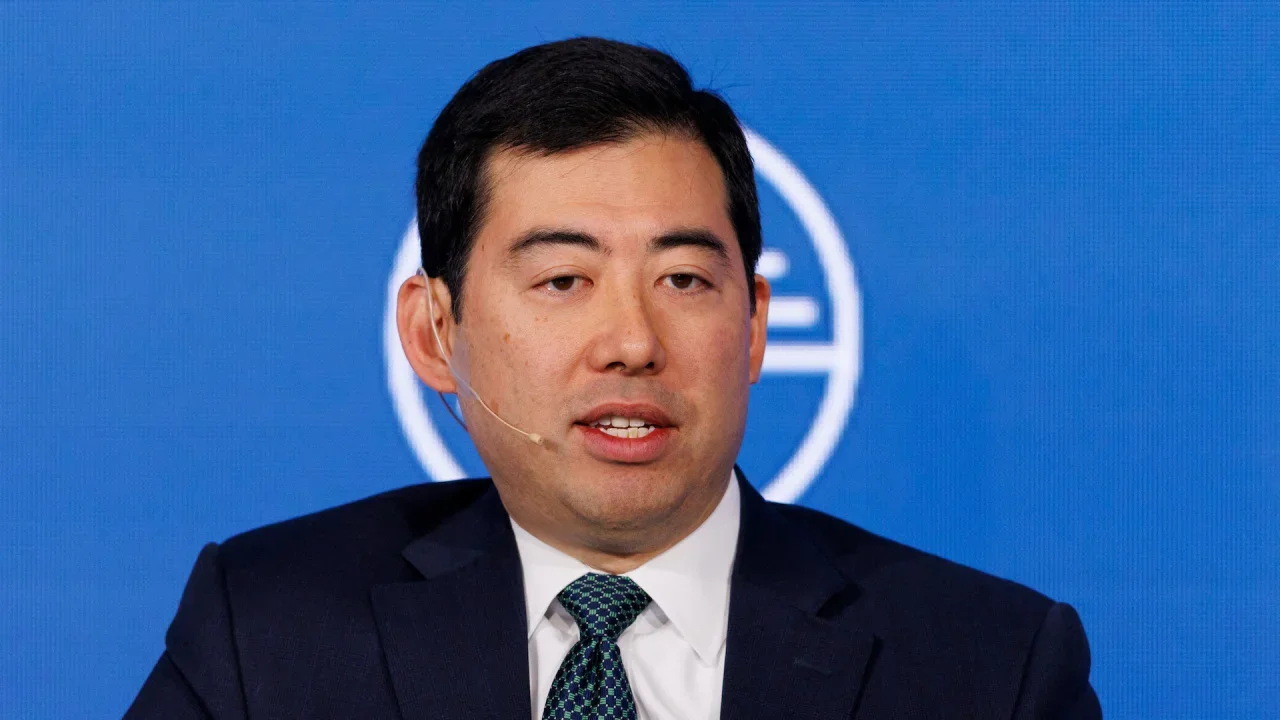
The acting chief of the U.S. Securities and Exchange Commission said on Monday he has directed staff to look at ways to abandon a plan that would have widened the definition of alternative trading systems to include some cryptocurrency firms. The SEC in 2022 proposed requiring some crypto firms to register as alternative trading systems, drawing criticism from the sector in the face of potentially heightened oversight and additional rules. Acting Chairman Mark Uyeda told an audience of bankers he has instructed staff to look at ways to abandon that portion of the plan, which has yet to be finalized. It was an expansion of an earlier effort aimed at trading of Treasuries markets, Uyeda said in prepared remarks. “In my view, it was a mistake for the Commission to link together regulation of the Treasury markets with a heavy-handed attempt to tamp down the crypto market,” Uyeda said. He said he has also asked SEC staff to renew discussions with the Treasury Department, the Federal Reserve, and market participants to consider the original plans for regulatory changes on the government securities alternative trading systems. The 2022 proposal was part of a broader effort by the SEC under Democratic leadership to better protect investors by subjecting the crypto sector to a host of rules and requirements. Under Republican leadership, the SEC in January launched a crypto task force to overhaul its crypto policy and has begun pausing or dismissing pending lawsuits against crypto firms. —Chris Prentice, Reuters View the full article
-
Prime minister wants to reform disability benefit payments to help fund greater spending on defenceView the full article
-
UK prime minister says he hopes negotiations will lead to resumption of US aid and intelligence sharingView the full article
-
We may earn a commission from links on this page. Apple’s AirPods Pro are among the best wireless earbuds you can buy, especially if you’re already entrenched in the Apple ecosystem. Like many Apple products, AirPods Pro are pretty simple to set up and use. However, there are also plenty of settings you should be using (and changing) from the default. Because many of the features are found in the same settings page, here's some advice: When I refer to AirPods Pro settings, I'm talking about those found in Settings > [Your AirPods] (iOS). You can also find these options in Settings > Bluetooth (iOS), or System Settings > Bluetooth (macOS), then by tapping the (i) (iOS) or Options (macOS) next to your AirPods Pro in the list. Note that your AirPods Pro need to be connected to your device to access these settings. Disable device auto-switchingIf you have multiple Apple devices, you might notice something interesting when using AirPods Pro: When you play media on a device not connected to your AirPods Pro, they’ll automatically connect to that device. This feature is great in theory, but can be a real pain if you need to use multiple devices at once. Tapping a video on your iPhone will move your AirPods Pro from your Mac to the phone, even if you don’t want it to happen. While you can simply select the notification that appears on the original device to return the connection, there’s a way to disable this feature if it isn’t right for you. In your AirPods Pro settings, head to Connect to This iPhone or Connect to This Mac. Now, choose When Last Connected to This iPhone or When Last Connected to This Mac and your AirPods Pro won’t automatically switch to that iPhone. If you ever find that you miss being able to automatically switch the audio output as you move between devices, you can always return to this settings page and choose Automatically instead. If you're only using one audio source at a time, this feature can be quite convenient. But if you're listening to music on one devices—say, your iPhone—it is a pain to have it stop if you click on, say, a YouTube video on your Mac. Quickly switch between devices with a tapHere’s the method for switching between devices that I prefer: When you want to move your AirPods Pro to another one of your devices, head to Control Center, press the AirPlay button in the top-right corner of the Now Playing window (Sound window on Mac), then choose your AirPods Pro from the list. Give the earbuds a moment to connect (these days, it's pretty darn quick), and you’re all set. Enable AirPods sharingOne really cool iOS feature that works with compatible headphones is the ability to share audio to two different sources at once. That means you can listen through your AirPods Pro while your friend listens through their AirPods or Beats. To get set up, head back to the AirPlay button in your Control Center’s Now Playing window. Tap Share Audio. If pairing AirPods or AirPods Pro, hold them close to your device with the AirPods inside the case and open the lid. If pairing AirPods Max, hold them close to your device. If pairing Beats wireless headphones, put them in pairing mode and hold them close to your device. Customize stem controlsApple packed quite a few controls into the stems on AirPods Pro. You can long-press them to switch between Noise Control settings (Noise Cancellation, Transparency Mode, Adaptive Audio (AirPods Pro 2) and Off), but you can also use quick presses to control other areas: One press to play or pause. One press to answer or hang up a call. Double-press to skip forward. Triple-press to skip back. Adjust the volume directly from the stem (AirPods Pro 2)If you have a pair of second-generation AirPods Pro, you can also adjust the volume of the audio from the stem. Just place your thumb on the stem, then use your index finger to drag up or down on the touch control to increase or decrease the volume accordingly. Use Adaptive Audio (AirPods Pro 2)Transparency Mode is a great feature that pumps in the ambient sound around you, so you can either keep up with a conversation or be aware of traffic. AirPods Pro 2 improve upon Transparency Mode with something called “Adaptive Audio" (previously Adaptive Transparency) which block out sounds that reach 85dB or higher in real time. You can even wear second-gen AirPods Pro to concerts because of how well this feature works: You'll be able to hear everything below 85dB as-is, and any noise louder than that comes through comfortably, like dynamic, high-tech earplugs. You can enable Adaptive Audio from Control Center: Long-press the volume slider, then long-press Noise Control and choose Adaptive. From here, you can customize the amount of sound that your AirPods let in with this setting enabled. Head to Settings > Bluetooth, then tap More Info next to your AirPods. Tap Adaptive Audio, then adjust the slider to your preference. Set up Conversation Awareness (AirPods Pro 2)Another AirPods Pro 2-exclusive is Conversation Awareness. With this feature, your AirPods can detect when you start talking to someone, and will lower the volume of audio playback and turn on Transparency Mode. If you're listening to spoken media, like a podcast, your AirPods will pause playback after a few seconds. To turn this feature on or off, head to your AirPods settings and enable Conversation Awareness. You'll also find this option by long-pressing the volume slider in Control Center. Choose Personalized Volume (AirPods Pro 2)In this same settings page, you'll also find Personalized Volume. When enabled, iOS uses machine learning to understand your listening habits, and adjusts the volume of your AirPods automatically. Quickly switch between noise control modes from Control CenterInstead of using your AirPods Pro stem to switch between Noise Control modes, you can do the same from Control Center. Just long-press or click on the volume slider, then tap the “Noise Control” option in the bottom left. Here, you’ll find your three Noise Control options, “Noise Cancellation,” “Off,” and “Transparency.” Customize your stem controlsBy default, pressing the stem on your AirPods cycles between the Noise Control modes (well, all but “Off,” but more on that in a second). You can actually customize these settings. You’ll find the options under Press And Hold AirPods in your AirPods Pro settings. You can choose “Left” or “Right,” depending on which AirPod you want to customize. At the top, you’ll find the option to have a stem press activate Noise Control, or Siri. If you choose Noise Control, you can opt into any and all of the three options listed. This is a great opportunity to add “Off” to your list, since Apple doesn’t include it by default. I enjoy using that setting when I can to save battery life. Turn on Spatial AudioSpatial Audio is a three-dimensional audio experience that follows the movement of your iPhone. (You can also choose to keep Spatial Audio fixed in place.) Enabling it is easy: Just open Control Center, long-press on the volume slider, then make sure that Spatial Audio. Personalize your Spatial Audio experienceSpatial Audio doesn’t have to be the same for everyone. In fact, you can use your iPhone to take a scan of your ear and head shape in order to personalize your Spatial Audio experience. Your iPhone uses this scan to create a Spatial Audio profile for you, which syncs across your Apple devices. That way, Spatial Audio will render the sound the same when listening on your iPhone, iPad, and Mac. To get started, head to your AirPods Pro settings, choose Personalized Spatial Audio, then hit Personalized Spatial Audio once more to walk through setup. Check your case's wireless charging light indicatorAll AirPods Pro come with a wireless charging case. As such, they all have this neat trick: With your case on the wireless charger, tap the top of the case to bring up the charging indicator. Orange indicates that your AirPods Pro are still charging, while green means you’re good to go. Find the perfect fit Credit: Jake Peterson Another difference between AirPods and AirPods Pro concerns the varying sizing options. Unlike the one-size-fits-all approach of AirPods, the Pro models give you three or four different sized tips to use. If you don’t want to pick a size yourself, your iPhone has you covered. Head back to your AirPods Pro settings on iOS, then tap Ear Tip Fit Test. Tap Continue, make sure your AirPods Pro are tight in your ears, then tap the play button to get started. Your iPhone will begin playing music, testing the seal created by your AirPods. If the test finds all is good, you’ll see “Good Seal” underneath your AirPods. If not, you might see “Adjust or Try a Different Ear Tip.” It’s possible you’ll need a different size for each AirPod. Rename your AirPods Pro“Jake’s AirPods Pro” is fine, but what if I wanted to call these earbuds something a little more fun? If you feel the same, head to Name in your AirPods Pro settings, then type whatever name you’d like into the text field. On macOS, right-click on your AirPods Pro from the Bluetooth list and choose “Rename.” You can ping your misplaced AirPods ProIf you ever lose your AirPods Pro, don’t panic. If they’re within range of a connected Apple device, you can have them make a chirping sound letting you know where they are. To start, open Find My, then tap the Devices tab. Locate and tap on your AirPods Pro, then tap “Play Sound.” If they’re within range, iOS will let you know your AirPods are playing a sound. It actually gets quite loud, so you might want to double-check that nobody is wearing them first. See exactly where your second-gen AirPods Pro areWhile you can ping your AirPods to find them fast, you might not even need to with AirPods Pro 2. The newest Pros support precise location, which means you can see exactly where both earbuds and the charging case are through the Find My app. Just tap Devices, then the name of your AirPods, then Find. The music doesn’t have to stop when you remove an AirPod ProAt this point, it’s a bit of an AirPod staple to have your music stop when you take out one of the earbuds. While certainly useful, some of us would prefer to disable this feature, especially if you frequently trigger it when adjusting your AirPods's position. Plus, you can pause music on AirPods Pro with a quick press of the stem, so it’s not quite as essential a feature as it is on standard AirPods. To disable the feature, just tap the toggle next to Automatic Ear Detection in your AirPods Pro settings. Choose which AirPod Pro you want to be the micBoth of your AirPods have microphones in them, but only one of them is ever active at once. By default, the system switches between mics automatically, but you can choose to have one microphone always active. This is particularly useful in cases when one of your AirPods’ mics is broken. To choose, head to Microphone in your AirPods Pro settings, then tap Always Left AirPod or Always Right AirPod. Keep your AirPods Pro above 80% when chargingAirPods Pro have what’s called Optimized Battery Charging. This basically means your AirPods Pro charge up to 80%, then hold the charge there until it thinks you’ll need them fully charged. It’s a great feature in theory, because it cuts down on battery degradation, but it does mean that sometimes your AirPods Pro are only charged to 80% when you go to use them. To disable this feature, head to your AirPods Pro settings on iPhone, then tap the toggle next to Optimized Battery Charging. You’ll have the option to Turn Off Until Tomorrow, if you only want to disable the feature temporarily, or Turn Off to shut the feature down for good. You can read more about this feature and why it can be really helpful here. Enable noise cancellation when using one AirPod ProYou don’t need to be wearing both AirPods to enjoy noise cancellation. To unlock noise cancellation when only wearing one AirPod, head to Settings > Accessibility > AirPods on your iPhone, then tap the toggle next to Noise Cancellation With One AirPod. Announce Notifications and Calls with SiriWhenever you receive a new message with Announce Notifications with Siri, the digital assistant will politely interrupt whatever you happen to be doing when listening to AirPods in order to read incoming texts. It’s a great feature, but it’s not for everyone. Here’s how to manage it. On iOS, head to Settings > Apple Intelligence & Siri > Announce Notifications. To disable the feature entirely, tap the toggle next to Announce Notifications. You can also tap the toggle next to any app in the list to disable the feature for that app only. Some apps may let you choose between announcing all notifications as well as just "time-sensitive" alerts. There’s also Reply Without Confirmation. Disabled by default, this setting lets Siri send your responses without reading it back to you first. It can be convenient, but also dangerous. You won’t know if the assistant misheard you before sending off your reply. You can do the same for calls: Head to Settings > Siri > Announce Calls, then choose either Always, Headphones & Car, Headphones Only, and Never. If you do keep this setting on, and you have a pair of second-gen AirPods Pro, you can address these requests silently by nodding or shaking your head. If Siri announces you have an incoming call, you can nod to accept the call. If the assistant says you have a notification, you can dismiss it by shaking your head. Tune your audio to your likingWhile AirPods Pro sound great by default, you might be someone who enjoys fine-tuning their audio experience. Apple lets you do that on your iPhone in Settings > Accessibility > Audio & Visual > Headphone Accommodations. Here, you can tune your audio for Balanced Tone, Vocal Range, or Brightness, and have soft sounds boosted slightly, moderately, or strongly. Apple lets you change these settings around and tap “Play Sample” to hear the differences. You’ll find an even more custom experience by tapping Custom Audio Setup. Apple will walk you through customization for phone calls, movies, music, and Transparency Mode. By the end, you’ll have a totally unique sound experience with your AirPods Pro. Enable Conversation BoostConversation Boost is a great feature tucked away in these Headphone Accommodations settings. When enabled, your AirPods focus on the person in front of you while reducing other noises, making conversations easier to hear in noisy environments. You can learn more about Conversation Boost from our guide here. Use Voice IsolationVoice Isolation is a fantastic and underused Apple feature for phone and video calls. With it enabled, your Apple device focuses on your voice during calls, and blocks out extraneous sounds in your area. You might still be able to hear your dog barking while on a call, but, hopefully your coworkers won't be able to. Wide Spectrum is another option here, which brings in more sounds from your surroundings into a call. That might be useful if you really need everyone to hear what's happening on your end of the line—but, personally, I almost always use Voice Isolation instead. This feature used to work only when using the microphone on your iPhone, iPad, or Mac, but as of iOS 18, it works with AirPods Pro 2 as well. The next time you're on a call while using AirPods Pro, pull up Control Center, then tap the "Controls" option at the top of the screen. Here, switch to Voice Isolation. Enable Live ListenLive Listen turns your iPhone into a microphone that can help you hear your surroundings better through your AirPods. To enable the feature, head to Control Center on your iPhone, tap the (+), then search for “Live Listen.” Add this setting tile to your Control Center, then return to Control Center and tap it. When you do, your AirPods will pump in all the sounds your iPhone mic can pick up. You can also fine-tune your Transparency Mode settings here, if you tweaked it in Custom Audio Setup. Control your AirPods Pro modes with your Apple WatchIf your AirPods Pro are connected to your Apple Watch, you can switch between Noise Control modes from there. Pull up Control Center on your watch, then tap the AirPlay button. Unpair your AirPods if they’re acting upIf your AirPods Pro just aren’t acting right, sometimes the best thing to do is to simply unpair them. You can do this easily on iPhone by heading to your AirPods Pro settings, then by tapping “Forget This Device.” Tap “Forget This Device” once more on the pop-up, and your AirPods will be removed from your device’s memory. You can do the same on Mac by right-clicking your AirPods from the list and selecting “Remove.” Now, you can just hold the case open by your iPhone as you did when you first got your AirPods Pro to re-pair them. View the full article
-
A joint venture between the military-focused Palantir and investment conglomerate TWG will sell cybersecurity protection to financial institutions that are wary about the safety of artificial intelligence. View the full article

-
Rapid unscheduled share-price disassemblyView the full article
-
Americans spend almost $28 billion on interior decorating every year, and there are good reasons why. Our homes are incredibly personal spaces—they’re where we walk around in our underwear, where we talk to ourselves, where we spend intimate moments with our families. That’s why decorating our homes isn’t frivolous—it’s important that the space we live in feels comfortable, usable, and, maybe most importantly, personal. Making your home beautiful while reflecting your personality can seem daunting, though. Design shows on TV offer an impossible standard of supposed taste, and it’s easy to believe that you need a professional interior designer or your house will look tacky or cheap. In reality, it’s not that hard to infuse your house with your personality. The key is to remember that you live there, not the interior designers of the world. Here are six practical approaches to making your home decor reflect your personality. Space for your stuffThe first step toward making a house feel like an intimate space that reflects your personality is making space for the things you love. If you collect something, think about how to display that collection either in a specific place in the home or distributed throughout the space. If you’re an avid reader, for example, instead of concentrating your books in a specific room, consider having books integrated throughout the space. If you collect art, put it on the walls throughout without worrying whether you have an “eye” for it, or if it’s not expensive—display those colorful garage sale, flea-market paintings that bring you joy on display. The key is to make the things you love visible and part of the space. Not only does it literally bring the visual aspects of your personality into each room, it will make you happy every time you see it. Be practicalOne easy way to make a house feel generic is to approach each room as a neutral space from the very beginning. The spaces in your home can all have specific uses and applications. Some are obvious—kitchens are kitchens, bathrooms are bathrooms—but other spaces can be used in any way you want. Bedrooms can be offices, libraries, crafting rooms, recording studios, or anything else. Landings, hallways, and closets can be used in a variety of creative ways, too. When designing the look and feel of these spaces, start with how you will use the room—not how the real estate agent described it, or how the previous owners used it. Forget about trends and decorate the space based on the function you’ll use it for. That will make it easier to use the space the way you want to, which will make it feel more personal. Embrace chaosMany people experience a form of “decision paralysis” when decorating their home because they’re worried about getting it right, or that people will think they have bad taste. This often results in very neutral design decisions—after all, people might be bored by a neutral, safe aesthetic, but they won’t make fun of you for it. That results in a house that will never feel like you, however—if you want your space to reflect your personality, you have to embrace the chaos and stop worrying about perfection. That means choosing furniture, colors, and accent pieces that you enjoy regardless of whether they “work” in a traditional sense. The key here is to embrace “slow decorating”—focusing on decor that will last and function, as opposed to instant gratification—and take your time. Your space will come together as you edit and refine your choices—and in the meantime, the stuff that gives you energy will be on display and in use, making your house feel personalized. Go smallBringing your personality into your home’s decor doesn’t have to give you a panic attack. If you’re not comfortable with painting your walls your favorite colors or leaning into your decidedly oddball taste in vintage furniture, go more neutral with the big stuff and use accents and details to make it personal. This could be an accent wall in a favorite color, a display wall with art or other items that bring you joy, or just thoughtfully placing smaller items throughout that reflect your taste and bring just a hint of your style throughout. You can keep increasing the level of unique details over time, too, moving at a pace you’re comfortable with. Use your historyWe are all the sum of our experiences. Every trip, every relationship, every job and adventure shapes us into the people we are. Lean into that when designing the look of your home. Mementos and souvenirs, photos of your friends and shared experiences, and other bits of your past can be inserted into the overall design of your house to give every room a personal feel. One easy trick is to bring something along from your prior home that you love. This could be anything—a doorknob or drawer handle you love, a light fixture, or a piece of furniture that has been with you for years. An example from my own life is a cereal bowl from my childhood with a cartoon character on it—when I moved into my first apartment, I used it as a bowl for my keys and spare change, and I’ve brought it with me to every subsequent home. I no longer have a need for it, but just having it in the space makes me feel more at home. Stuff like that will bring a sense of history and continuity to the design that will be all about you and your journey, even if it doesn’t entirely make sense in the design. Subtle not literalIt’s natural to turn to established themes and design traditions for a starting point when designing your home. Maybe you like a “nautical” theme, or you’re into cottagecore. But if you go too literal with these kinds of themes you’re not really making the place reflect your personality—unless your entire personality is, in fact, nautical in nature. Instead of decking your space out in the literal visuals—ship’s wheels! sailboat wallpaper! seashells everywhere!—dial it down to a more subtle. If nautical is your thing, use a color palette inspired by that approach, and use only as many literal touches as you like. Keeping it subtle with color let’s you calibrate the theme to your liking instead of drowning your personality in a prefabricated style. And don’t be afraid to deviate. Just because you find a color palette for your cottagecore dreams doesn’t mean you can’t deviate from it or tweak the specifics. Choosing a color that makes you happy, even if it’s not officially considered correct for the theme you’re working from, is key to making it all feel like yours. View the full article
-
New prime minister must still convince Canadians he can deal with the US presidentView the full article