ResidentialBusiness
Administrators
-
Joined
-
Last visited
Everything posted by ResidentialBusiness
-
Probe into president’s ties to disgraced financier has disrupted succession planning at forumView the full article
-
Keyword search volume is the number of monthly searches for a keyword. Discover 5 tools for checking it. View the full article
-
Google is preparing to test search result changes in the EU that would show rival vertical search services alongside its own results The post Google To Test Search Changes In EU After DMA Charges, Per Report appeared first on Search Engine Journal. View the full article
-
What do you envision when you think of meekness? You probably see a mousy doormat, someone sheepishly acquiescing to the will of the stronger. When Jesus says, “Blessed are the meek, for they shall inherit the earth,” you might think that those wimps will hand it over without a whimper or word of objection to stronger, more ambitious people. The philosopher Friedrich Nietzsche called meekness “craven baseness.” Indeed, one of the Oxford English Dictionary’s definitions is “inclined to submit tamely to oppression or injury, easily imposed upon or cowed, timid.” Meekness, then, is a weakness. Why would you ever want to be meek? The same goes for docility, often characterized as a near neighbor of meekness. We can get a feel for its usage these days from the Corpus of Contemporary American English, where one finds that a docile person is slow, controllable, obedient, submissive, compliant, passive, and under control. Or consider condescension. You likely envision someone self-important looking down her nose at a service worker, or some insufferable prig unwilling to come off his high horse to mingle with the peasants. Being condescending, far from being a virtue, is universally acknowledged as a vice. Meekness, docility, and condescension: three traits with no cultural capital today. And yet, our ancestors typically understood these traits to be virtues. How in the world could that be? As any philosopher will tell you, in a case of seeming disagreement, you need to settle the definitions of the words in play. How many arguments have been abruptly dissolved by someone saying, “Oh, that’s what you mean”? When we check the meaning of these three terms, I think we come to see that there’s been a switcheroo. As I’ve found in my philosophical research and teaching, some of the virtues that were most celebrated in yesteryear but now go undersung are traits that can help us lead good lives, even now. Forgotten virtues Consider meekness—but allow me to start with a little vignette. In 2018, mixed-martial-arts champion Matt Serra was having a family meal in a restaurant when a belligerent drunken man entered, threatening servers and patrons. Serra could have knocked him out cold. But instead, he calmly pinned him, waiting for security to arrive. A similar trait is on display when exasperated parents react with control, harried teachers don’t rise to students’ provocations, and police de-escalate situations. In each case, they kept control of their emotions, especially their anger. One common feature of these stories is that the person wasn’t powerless; rather, it was precisely because they understood how much power they had that they used restraint. Such a trait—excellence with respect to one’s anger—used to be called meekness. We hear an echo of this original meaning even today in horse training, where to “meek” a horse means training it to subjugate its great power to its master, not letting its passions take control. Likewise, meekness once meant not becoming weak, but subjugating power to reason—not letting anger take control. In the Gospels, when Jesus calls himself meek, it is the same Greek word used for a meek horse: praus. A horse is not weaker on account of being meeked; no Greek warrior wanted a wimpy steed. The horse retains its strength, now safeguarded by self-control. This is quite a different notion of meekness than we find in our contemporary lexicon. Yet in its traditional sense, the word names a trait almost everyone deeply values. No one wants her best friend, child, teacher, coach, or deputy to be unable to control her anger. Such control is an important character trait for living a good life, but we no longer have a concept for it. What term do people use today for being disposed to pick battles prudently, not letting anger cloud one’s judgment, not being easily baited into action they’ll come to regret—without being easily biddable or callous to real injustices? Self-control, a broad category that covers facing temptations, enduring difficulties and myriad things in between, is too broad a notion to do the work. Nor do we have a word for someone excellent at receiving instruction and insights—but at the same time who’s unafraid to think for herself, to disregard the advice of a snake-oil salesman. That used to be called docility. Condescension, the most surprising of the three, now suggests someone deigning to speak down from their lofty height. Yet it once described excellence at respecting people, regardless of their social status: easily connecting with those on a lower rung so they feel seen and valued, but without causing embarrassment or awkwardness. What term do we have now for inculcating such an important trait? Why words matter To be clear, I’m not here from the Language Reclamation League. I’m not necessarily advocating for a return to older language—and certainly not just because it is older. But without replacements for ethical concepts we’ve lost, we’re faced with a moral void, unable even to conceptualize the goodness that we want to see in ourselves and those we love. Maybe you think that not much is lost. Bridges fall when engineers can’t distinguish varieties of physical strength; what’s lost if people can’t distinguish varieties of character strength? To my mind, there are at least three reasons why it is important to have some term or other for these traits. First, there’s good psychological evidence that goals of approach—“I want to get healthy,” “I want to get financially stable”—are a stronger motivation for us than avoidance goals—“I want to stop being sick,” “I want not to be poor.” Approach goals typically yield more effort, more satisfaction, and more well-being. But they require naming the moral virtue you want to cultivate. Second, the positive traits named by these old virtues are what you really want. You don’t merely want your loved ones to stop acting out of wrath. You want them to be able to restrain their power in the face of their anger. You are ignorant of your real goal if you don’t have a concept for it. Third, consider the detriment caused by not having shared language for an ethical concept. The philosopher Miranda Fricker has written of the time before the term sexual harassment was coined in 1975. She provides multiple instances of women being wronged in the workplace but being unable to articulate that wrong to those in power, owing to a lack of a shared label for it. And not only that, but the lack of an adequate concept prevented the victims from fully understanding the wrong themselves. Having positive concepts for the traits we want to enable in ourselves and others is essential, then, to the moral life. The fact that we’ve let several go the way of blatherskite and bumfuzzled is telling. We still have terms for a bloviating windbag or being bewildered, so we don’t need those archaic, though admittedly fun, words to express important truths. But when it comes to undersung virtues, we do need some way to highlight character traits that help form us into our best selves—even if the words of yesteryear no longer fit the bill. Timothy J. Pawl is a professor of philosophy at the University of St. Thomas. This article is republished from The Conversation under a Creative Commons license. Read the original article. View the full article

-
The devil might’ve worn Prada in 2006, but two decades later, the fashion elite are wearing books. Case in point: Coach’s hot new accessory is a keychain made out of literal hardcovers. Coach revealed the new “book charms” in a series of social posts on February 25. Created in collaboration with the publisher Penguin Random House, the charms include adorably teeny, fully readable versions of classics like Sense and Sensibility by Jane Austen and I Know Why the Caged Bird Sings by Maya Angelou, alongside more recent titles like Untamed by Glennon Doyle and A Forest of Wool and Steel by Natsu Miyashita. The book bag charms will be available for $95 on the Coach website in early March. The charms represent an evolution of a broader trend: Physical books are making a comeback, both in the cultural zeitgeist and in the fashion world. Gen Zers are flocking to reading as a hobby, largely driven by online communities like BookTok and BookTube. Meanwhile, interest in the craft behind physical media is on the rise as more and more daily tasks shift online in the AI era. These converging winds are turning the humble book into a kind of intellectual status symbol—one that can be worn as a bag, toted around as part of a “performative male” ensemble, or, in Coach’s world, converted into a charming keychain. Why the hot new accessory is a book It would be difficult to miss the recent resurgent cultural interest in reading. Since 2023, Barnes & Noble has staged a massive comeback, which it attributes in large part to Gen Z’s online communities. BookTok and BookTube are driving interest in genres like romance and fantasy, while celebrity book clubs like Dua Lipa’s Service95, Kaia Gerber’s Library Science, and Reese Witherspoon’s Reese’s Book Club are making reading an aspirational hobby. Inevitably, this trend has spilled over into fashion. In 2024, Saint Laurent opened its own bookshop. Last year, brands including Prada, Miu Miu, and Valentino all hosted literary-themed events or campaigns. And in January, Dior launched an extremely Instagrammable line of tote bags inspired by books. The brand advertised the bags with an Instagram Reel highlighting their detailed manufacturing process, drawing a clear parallel between the physical craft of bag-making and the intellectual craft of literature. Shan Yichun Coach, it seems, is attempting something similar. In a press release, CMO Joon Silverstein explained that the concept for the brand’s book charms came from the insight that in a world shaped by “fragmentation” and “digital overload,” many Gen Zers are turning to long-form storytelling as a kind of refuge. “The future of brand building isn’t about broadcasting messages. It’s about building cultural relevance through participation,” Silverstein told Fast Company, noting that Coach shaped the campaign with collaborators who “helped define the insight, craft the narrative, select the books at its core, and determine how it shows up across culture.” (It also features Gen Z spokespeople such as the WNBA’s Paige Bueckers, Oscar-nominated actress Elle Fanning, Emmy-winning actress Storm Reid, and Chinese pop singer Shan Yichun, among others.) How book and accessories design team up To design the actual charms, Coach prioritized selecting books across a range of topics and aesthetics to capture different readers. While the first consideration was the stories themselves, cover designs were also a factor. Since the books were destined to be charms, the team tended to prefer bold colors and visually forward, distinctive designs that would be eye-catching at a glance (à la BookTok). Each charm has a colorful leather spine embossed with the Coach logo: The cool-toned image of a planned community on Celeste Ng’s Little Fires Everywhere, for example, is complemented with a deep green; while Camryn Garrett’s rainbow-hued Friday I’m in Love cover pops with a rich navy. Gold hardware (a loop and clip) makes each piece easily attachable to a purse or backpack. And to clarify, these charms are fully readable, miniature books—not just inspired by them. Adam Royce, executive creative director at Penguin Random House, tells Fast Company that the project represents a “broader shift” in how people engage with books. “For many readers, storytelling is part of how they signal identity and values,” he explains. “Partnering with Coach allows us to bring books into a space where personal expression is already central.” In 2026, reading isn’t just a pastime. It’s a statement piece. View the full article

-
Generational conflict has become one of the most overused explanations for workplace tension, with plenty of stereotypical blame to go around: Baby Boomers resist change. Millennials lack loyalty. Gen Z is lazy. But after more than three decades working inside founder-led and multi-generational companies—from first-generation startups to fourth-generation enterprises—I’ve learned something counterintuitive: Generational conflict usually isn’t about age. It’s about clarity. Family-owned businesses offer a powerful lens on this issue. In the U.S., approximately 87% of businesses are family-owned, collectively employing millions of people and contributing significantly to the American GDP. These companies don’t have the luxury of avoiding generational dynamics: succession, legacy, and long-term survival depend on navigating them well. When generational harmony fails, it’s rarely because one generation is unwilling to listen. It’s because the organization lacks alignment on the fundamentals. When there isn’t clarity, everyday decisions start to feel personal, strategy becomes something that’s up for debate, change feels risky instead of necessary. And suddenly, even small choices carry more tension than they should. But when clarity is strong, something shifts. Different generations stop competing for control and start collaborating around a shared future. Four foundational elements consistently create generational harmony within workplace cultures. Here’s how to implement them in your workplace. 1. Define Your Cultural Cornerstones Every resilient organization has cultural pillars that provide stability regardless of who is in charge. While perspectives may differ across age groups, most generations can agree on fundamentals: how employees should be treated, for example, or what “doing the right thing” means in practice. The problem is that in many companies, these standards are implied rather than explicit. Organizations with generational alignment make their cultural expectations clear. They document core values, reinforce them through hiring and performance standards, and use them as a decision filter. When values are visible and shared, disagreements become easier to navigate because everyone is working from the same foundation. Instead of arguments turning into generational standoffs, clear values give people a neutral reference point to come back to. 2. Align Around a Shared Purpose Many companies talk about legacy. Few define it in operational terms. A shared purpose answers three essential questions: Why do we exist beyond making money? Who do we serve? What are we trying to build for the future? In multi-generational organizations, purpose becomes the bridge between tradition and transformation. Older leaders see their experience honored and younger leaders see a future worth building. When purpose is clearly articulated, decisions feel connected rather than reactive. Communication becomes more consistent. Growth feels intentional instead of disruptive. Tradition stops acting as a barrier and starts serving as a foundation. Purpose reframes succession as stewardship rather than replacement. 3. Clarify Strategic Focus Many “generational conflicts” are actually unresolved strategic debates, such as: Which markets should we prioritize? Where should we invest? Which clients should we keep or let go? Without a defined strategy, every decision becomes a negotiation. One generation wants to preserve a long-standing client relationship. Another wants to cut losses and redirect resources. Both believe they’re acting in the company’s best interest. High-performing organizations remove ambiguity. They define core clients, priority segments, profitability thresholds, and long-term positioning. Everyone understands where the company chooses to compete, and where it does not. Strategic clarity speeds decisions and reduces emotional friction. The debate shifts from “my way versus yours” to “what aligns with our plan?” 4. Ensure Operational Alignment Execution clarity is the final, and often overlooked, component. It answers questions like: What are we uniquely good at? What value do we consistently deliver? What outcomes can we prove? When messaging outpaces capability, generational blame often follows. Sales teams promise innovation operations can’t deliver. Leaders advocate change without systems to support it. Employees grow cynical. Clients lose trust. The strongest organizations align their value proposition with operational reality. They connect what they promise to what they can consistently execute. They define measurable outcomes and build systems that validate performance. When expectations and capability are aligned, trust increases across generations. The Real Competitive Advantage Generational harmony isn’t accidental. It’s structural. When leaders and managers work together to clarify cultural standards, shared purpose, strategic priorities, and operational strengths, harmony becomes a byproduct of alignment. Decisions are based on mutual goals, not age. Experience and innovation complement rather than compete. In a workplace landscape defined by rapid change and shifting workforce demographics, clarity may be the most underrated competitive advantage of all. Because when everyone understands what matters most, generational differences stop being liabilities—and start becoming strengths. View the full article

-
The administration handing out refunds to Chinese companies will be a terrible lookView the full article
-
You’ve tried it all before. Waking up at 5:30 a.m. Journaling first thing in the morning. The exercises you’re supposed to do before work. But do your morning habits stick? Are you still practicing them? We all want to “win the morning,” to be productive and intentional. The trouble with morning routines is that they don’t work as they should if you don’t fix your evening habits. People are obsessed with morning routines. But they forget that winning in the morning starts the night before. Every single choice you make after dinner is either setting you up for a great morning or sabotaging tomorrow before it begins. That late-night binge doesn’t just keep you up. It’s changing your entire sleep-wake cycle. That work email you answered at 10 p.m. stays on your mind and makes you think about all the many responses you’re expecting. Doing work or dealing with issues right before bed keeps your brain thinking, figuring out options. And the worst part is that you pick it all up again when you wake up. You’re not just losing sleep. You’re training your brain to wake up in stress mode. The quality of your evening routine determines the success of your morning habits. Every time you miss out on a better evening ritual, your morning routine will suffer. Your willpower will be lower. The decision fatigue trap most people overlook By the end of your day, you’ve already made thousands of decisions: what to wear, what to eat, which emails to answer, which tasks to tackle first. Each decision demands mental energy. The more decisions you make in the morning, the less energy you have left for your tasks. The bigger problem? If you wait until morning to decide what you’re going to do first, you’re not starting your day right. Make your morning decisions at night instead. In just 10 to 15 minutes the night before, eliminate the decisions that stop you from taking action on your ideal morning routine. Write down a list of things you want to get right in the morning. You’ll sleep better and feel more prepared when you wake up. By creating a good plan the night before, you set yourself up to be productive. I’ve been using this pre-decision method to make my writing habit stick for years. And it’s working for me. I decide what to write the night before. I even write down the introduction. And then I pick up where I left off. You could start by prioritizing three tasks for the morning. By reducing the number of decisions you have to make, you free up time to actually make your morning habit, whatever you intend it to be, stick. I think of an evening routine as a system—a series of small dominoes you set up for the results you want. Start with your sleep. Everything flows from this. Your brain begins winding down for sleep a few hours before bedtime as part of your natural sleep-wake cycle. Work with this, not against it. That means two hours before bed, start dimming lights. Put away work. No more emails. Your body needs time to transition into a good morning. You could even take it further—30 minutes before bed is your clarity window. Journal if you want. Read a good book. The goal is to empty your brain so you’re not lying awake thinking about all the things you need to remember. Now try to go to bed at the same time each night. An inconsistent sleep routine prevents your body from releasing hormones at the right time, which can throw off your sleep cycle. Give your brain the right evening routine to shut down. When you prepare the night before, you’re not relying on willpower in the morning. You’re just following the plan you already made. Self-control is highest in the morning and steadily deteriorates over the course of the day. Use your evening brain, which is tired but still functional, to set up your morning brain for success. Establishing a Routine Takes Time You’re not going to nail this immediately. You’re going to forget something in the evening. You’ll most likely stay up late watching just one more episode. If you break the chain, don’t stress yourself about it. The goal is to make your defaults a little bit better—to remove some of the friction between you and the person you want to be in the morning. Start small. Pick one thing you’re going to decide the night before. Just one. Maybe it’s writing down three things you need to do in the morning. Do that for a week. Then add another thing. Aim to add one or two changes at a time, slowly building a routine. What you want is sustainable change. “Morning people” are not more disciplined than you. They just figured out that mornings are won the night before. Do the boring work the night before. And go to bed on time. Tonight, before you go to bed, do three things. Decide what time you’re waking up tomorrow. Be specific. Write down what you’re doing first when you wake up. Prep whatever you need to make that happen. Make it visible. That’s the system and the setup to give your morning a chance to be successful. Everything else can come later. Your morning routine is failing because you’re trying to build a routine without systems, and making decisions when you should be doing things. Fix the night habits, and the mornings will be better. View the full article

-
In 2015, in Gallup’s “State of the American Manager” report, then CEO and Chairman Jim Clifton made an assertion that startled many and quietly confirmed what others already suspected: “Most CEOs I know honestly don’t care about employees or take an interest in human resources. Sure, they know who their stars are and love them—but it ends there. Since CEOs don’t care, they put little to no pressure on their HR departments to get their cultures right . . .” Given the unique vantage point Clifton had into American business at the time, he offered a rather harsh and honest assessment. And, more than a decade later, the obvious question worth asking isn’t whether Clifton was right then. It’s whether top leaders are still operating as if he is right today. If you ask the average American worker whether they feel their employer genuinely cares about them and their well-being, the majority will say no. Recent research shows that fewer than one-in-four strongly agree—a level roughly similar to pre-pandemic lows—and perceptions of care have steadily declined even as leaders insist they prioritize their employee experience. In my new book, The Power of Employee Well-Being, and in articles I’ve recently written for Fast Company, I’ve argued that companies—and their leaders—must make a transformational pivot by prioritizing employee well-being as a core driver of performance. Sadly, I’ve received many messages from readers suggesting I’m fighting a lost cause—that despite mountains of evidence, the leaders they work have no inclination to change. More often than not, they treat employee well-being as a complete and utter distraction from the “real work” of hitting goals and meeting targets. I’ve heard this lament so many times that I had to ask myself why my message hasn’t gotten through. And my conclusion is that deep down, many leaders continue to fear that any support they give to their people will come at direct expense of productivity. Consciously or unconsciously, they’re convinced supporting well-being is a fool’s game. Rarely stated outright, this belief system influences leaders’ decisions every day—how workloads are structured, how feedback is delivered, and how much time and energy are devoted to supporting employees in ways that make a difference. The problem is there’s a mountain of evidence that refutes this very fear. We now have irrefutable proof that well-being is one of the primary conditions that makes achieving goals possible. Evidence Leaders Can’t Ignore Well-Being Drives Key Performance Metrics: Drawing on 339 studies covering 1.8 million employees, a meta-analysis from the University of Oxford’s Wellbeing Research Centre found a consistent and direct relationship between employee well-being and key business metrics—ones most leaders are directly on the line for: productivity, customer loyalty, employee retention, and profitability. Well-Being Predicts Performance: As separate reinforcement, a study in Population Health Management found that high employee well-being is a predictor of future productivity, lower absenteeism, reduced disability leave and lower turnover—even when controlling for other variables. Said another way, well-being doesn’t merely coexist with strong performance, it precedes it. Investment Boosts Profitability: New research from the Chartered Institute of Personnel and Development (CIPD) shows that organizations which meaningfully invest in employee well-being are four times more profitable than those that don’t—and are viewed far more positively by employees and job candidates. Well-Being Fuels Stock Growth Irrational Capital analyzed S&P 500 companies over 11 years and found firms in the top 20% for employee well-being outperformed the bottom 20% in stock performance by nearly six percentage points annually. Companies that intentionally offered competitively better pay and benefits alone outperformed by just two points. Why Resistant Leaders Are Wrong Leading a team of people, and being accountable for its results, can feel formidable at times—and it’s a common response for managers to believe that pushing harder and demanding longer hours is a justified action. But humans are not machines who can work endlessly without meaningful separation from work and adequate rest. When workdays feel endless, and people feel a lack of empathy and support, their capacity to focus, solve complex problems, and collaborate effectively nose-dives. Creativity stalls, mistakes increase, and high-level goals become harder to achieve. In short, neglecting well-being directly undermines the very outcomes leaders need to achieve. The High Cost of the Status Quo Despite many leaders’ vows to prioritize their employee’s well-being, the current reality in our workplaces is stark. Recent surveys show burnout has reached epidemic levels, nearly 60% of American workers report feeling stressed “very often”—or “always” —on the job. And burnout is the leading reason employees quit. Consequently, mental health struggles are widespread with one in five workers reporting symptoms of depression directly linked to their workplace conditions. And the stakes aren’t just emotional—ignoring well-being hits the bottom line. Replacing a burned-out employee can cost 1.5 to 2 times their annual salary, while disengaged or over-stressed workers lower productivity, slow innovation, and increase errors. In short, neglecting employee well-being isn’t just bad for people—it’s bad for business. Leaders Won’t Fix This Overnight, But Must Take The First Steps As the journey of a thousand miles begins with a single step, leaders must be realistic that they cannot solve all these conditions overnight. What they should do first is initiate support for their team’s well-being by addressing the specific things people crave most: Emotional and Psychological Safety: Across multiple workforce studies, roughly 60% of employees say they want a culture where they can speak up without fear of negative consequences. Belonging: Around 55% report that feeling part of a cohesive, collaborative team that values them personally is their top need. Meaningful Work: About 50% prioritize having work they know connects to a larger purpose or makes a tangible impact. Growth and autonomy: Neary half of employees—48%—seek support for skill development and more control over how they accomplish tasks. More than a decade later, Jim Clifton’s jarring observation still resonates: many leaders have never cared because they’ve never thought they had to. But, ignoring employee well-being today puts leaders in direct peril. Well-being—something 84% of all U.S. workers now say is their number-one priority in life— isn’t a reward for hitting goals; it’s a condition for attaining them. Organizations (and leaders) that invest in it see higher performance, retention, innovation, profitability, and market value. Those that don’t will fall behind, no matter how competitive their pay or perks. The leaders who succeed in the next decade won’t choose between results and care. They’ll see this as a false dichotomy and embrace the new reality that thriving people sustainably produce uncommon results. If this resonates, share it with a leader who needs to hear it. Lead with care, and your organization will follow. Ignore it, and performance suffers. It’s really an easy choice. View the full article

-
Grants drop by a fifth following the introduction of tougher immigration rulesView the full article
-
The hottest AI tool on the market today isn’t a powerful frontier model from the likes of OpenAI or Anthropic. Rather, it’s a kludgey, wildly complex, open-source platform that’s already provoked a trademark dispute, multiple corporate bans—and fawning praise from developers around the world. It’s OpenClaw, and it’s specifically designed to build AI agents. I set it up, built an agent of my own, and promptly trained it to do my job for me. Here’s what happened. Beware the Claw For more than a year now, Big AI companies have promised us an “agentic AI” future. AI wouldn’t simply answer our queries or help us shop for a toaster, companies like OpenAI and Anthropic assured us—it would actually do useful things. Turns out, the AI giants are generally too squeamish and cost-sensitive to actually release such a tool. Because AI agents can take actions on behalf of a user, they can easily cause harm or make mistakes at scale. As we’ll see, they’re also blindingly expensive. Both those things scare Big AI firms with reputations and valuations to protect. Therefore, they’ve largely given users neutered versions of agentic AI. Today’s agents come with strict guardrails and perform very specific, bounded functions (like writing code or performing research). They’re engineered to be unlikely to escape their cages or run up the compute bill. OpenClaw is different. The system is open source and model agnostic. That means it can leverage the best LLMs from OpenAI, Anthropic, Grok, or any other company. Developers install OpenClaw on their local server or computer, giving it broad permissions. This combination of unfettered access to hardware and tie-ins to the world’s most powerful LLMs is a potent one. It allows OpenClaw to do things that other agents can’t, spending minutes or hours acting on its users’ behalf, crawling the web, signing into external platforms, and even controlling cameras and local hardware. The developers behind OpenClaw originally named it Clawdbot, a clear shot at Anthropic’s Claude system. Anthropic didn’t take kindly to that provocation, and threatened a trademark lawsuit. OpenClaw’s creators briefly named their tool MoltBot, before pivoting to the current, lobster-themed moniker. And that’s not the only trouble OpenClaw has gotten into during its brief tenure on the planet. Because the bot has such broad access to users’ hardware and data, multiple security experts have warned that it’s a potential data security disaster. Meta and multiple other Big Tech companies have already banned their own developers from using the bot, ostensibly on privacy and security grounds. Those bans just made me want to try OpenClaw even more. So I went to my hosting provider, found a reasonably safe way to install the bot, and set about training its agentic AI to make me obsolete. A Steep Curve To begin experimenting with OpenClaw, I used a Virtual Private Server from Hostinger to create a new OpenClaw instance. Basically, this keeps the bot contained within its own dedicated pretend computer, where it can do minimal damage. I immediately discovered that OpenClaw’s learning curve, especially for nonprogrammers, is extremely steep. I know my way around a Linux terminal, but it still took me several hours—and lots of back and forth with ChatGPT as my guide—to get OpenClaw successfully set up and ready to use. Once it was active, I paired it with my OpenAI credentials, set it up to use OpenAI’s flagship models, and set about building an agent. My goal was simple: I wanted an agent that I could unleash on the open internet, and that would do my job as a Fast Company contributing writer for me. Specifically, I wanted my agent to research everything happening in the world of AI, find a compelling news story, hunt down all the relevant details, write up a snappy and blindingly clever (but factual) piece in my writing style, add inline citations, craft a strong headline, and deliver the whole thing back to me. Unlike traditional chatbots, OpenClaw allows users to configure the system deeply. To build my agent, I gave OpenClaw specific instructions about my research process, as well as multiple samples of my prior Fast Company stories. That allowed the system to learn the nuances of my writing style and determine exactly what I wanted. After several hours of maddeningly complex configuration work, I had my OpenClaw doppelgänger ready to go. I named it “AI News Desk.” Then, I set it to work. Replace Me! Although configuring OpenClaw is—to put it in technical terms—a pain in the ass, using my “AI News Desk” agent is extremely easy. All I need to do is fire up a Linux terminal connected to my OpenClaw instance and tell my agent to work its magic. The first thing that struck me was how long OpenClaw spends doing its work. OpenAI users pay the company a flat monthly fee. That gives the company an incentive to do as little work as possible in responding to user queries—the more work and thinking ChatGPT does on a given query, the more OpenAI has to spend on computing power, and the less profit it makes from the user’s fixed monthly fee. OpenClaw, in contrast, doesn’t care about costs or profit. It’s content to blithely burn through tokens to do the best possible job fielding your request. When I asked my agent to research and write an article for me, it often took as long as 20 minutes to produce a response, blowing though $2 to $3 worth of OpenAI API credits in the process. That’s not a lot of money in the grand scheme of things, but it’s way more than even a Blitz-scaling OpenAI or Anthropic would devote to a single query. With all that work and thinking, though, OpenClaw’s responses were quite good. In one test, the system successfully found a relevant piece of juicy AI news (Anthropic’s decision to give free users access to its powerful new Sonnet 4.6 model), researched more than 50 sources, chose a solid headline (“Anthropic just moved its best everyday Claude into the cheap seats”), and wrote a piece that’s factually accurate and quite polished. “Functionally, the Sonnet tier just cannibalized a lot of work that used to force teams onto Opus,” OpenClaw opined in the article. I could see writing that. Human sacrifice metaphors in a business story? That’s my jam! OpenClaw even captured my propensity for including data and stats in my articles. “Internal evals show developers prefer Sonnet 4.6 over 4.5 about 70% of the time and even choose it over last fall’s Opus 4.5 in nearly six out of ten trials,” the bot wrote, citing a blog post from Anthropic. Overall, OpenClaw did a surprisingly good job following journalistic best practices. It has a strong sense of what’s newsworthy, cites a mixture of sources (including company announcements and external analysis pieces), and keeps things compelling without embellishing facts or hallucinating. Sometimes it drones on about technical things. But then, so do I! In short, it’s a decent journalist—if not, I’d like to think, a real replacement for yours truly. Agents for the Win? To be clear, I would never use OpenClaw to actually write a Fast Company article for me. But based on my experiments, the system is a compelling and powerful tool. I spent most of my time on the basics. But with more time spent tweaking and improving its instructions and training data, I could likely improve its output even more. I could also give the bot more capabilities beyond just writing. Because OpenClaw allows deep integrations with other tools, I could train the bot to put its articles into a Google Doc, fact-check them, and even send them directly to my Fast Company editor. Other developers have trained the system to create videos for them, control their smart home devices, build entire iPhone apps, and clear their inboxes by responding to hundreds of emails on their behalf. Beyond the specifics of my experiment, using OpenClaw showed me the real potential of agentic AI–as well as its drawbacks. OpenClaw bills itself as “The AI that actually does things.” That’s true, and refreshing. It’s also expensive. In a day of using OpenClaw, I can easily spend $10 to $15. Companies like OpenAI are already burning through hundreds of billions just fielding basic ChatGPT queries. There’s no way they’d let everyday users access such a pricey technology. That means until frontier AI models get far cheaper, agentic AI will be the purview of big enterprises that can build their own bespoke agents, and the crazy few who are devoted (and deep-pocketed) enough to implement tools like OpenClaw for themselves. In short, based on price alone, you can ignore promises of powerful AI agents for the masses. Model prices will come down, though. And when they do, even consumer-friendly tools will be able to pull the same magic as OpenClaw. The agentic future will arrive. But not until it’s profitable. View the full article

-
“AI;DR” is new internet speak for AI-generated slop posts have just dropped. It is a riff on the initialism “TL;DR” (“too long; didn’t read”), which is often wielded as a criticism of a piece of writing simply too long or confusing to be worth the time it takes to read. The AI slopification of LinkedIn, X, and other social media platforms has been much discussed. A 2024 study found that more than 50% of long-form LinkedIn posts are likely AI-assisted—a surprise to exactly no one who has spent more than a few minutes scrolling the feed. That number has likely only increased in recent years, as AI becomes more embedded in our daily processes. We’re now entering the era of “AI unless proven otherwise.” Often the intent behind these AI-slop posts is metrics and engagement at the expense of quality writing. LinkedIn’s algorithm slurps it up, so everyone keeps churning out more of it. Now, internet users are refusing to give the slop machines what they want, calling out clearly AI-generated posts with the declaration “ai;dr” (“artificial intelligence; didn’t read”). Because why bother reading something someone else couldn’t be bothered to write? This is not the first anti-AI term to enter the lexicon. Google Trends data showed a spike in searches for “clanker” (a Star Wars-inspired insult used to mock robots and AI systems) in mid-2025. On an X thread, suggestions for what to call users of X’s AI chatbot Grok included “Grokkers,” “Groklins,” and “Grocksuckers.” Meanwhile, on TikTok, someone came up with “sloppers” to describe people who are becoming increasingly overreliant on ChatGPT. The actual word of the year for 2025, as crowned by Merriam-Webster, was “slop”—summing up the general mood. AI;DR was coined on Threads by developer David Minnigerode in response to AI safety researcher Mrinank Sharma’s resignation letter from Anthropic. “Sorry, that is definitely tl;dr. But also kinda ai;dr. Some of those sentences…yeesh,” Minnigerode wrote. The new term was taken up with enthusiasm in the replies. “You just coined something bro, one of those “now that I see it I can’t believe it took this long to come up with,” which is the best kind of discovery,” one Threads user responded. “We all need to adopt that right quick,” another user on Bluesky said. The call to arms is at a time when anti-AI sentiment is growing. Concerns about AI among U.S. adults have escalated since 2021, according to the Pew Research Center. More than half (51%) say they are more concerned than excited about the technology’s rise. From the SaaSpocalypse to Hollywood’s freak-out over Seedance-generated blockbusters, AI is moving in fast on a range of industries, leaving a trail of “workslop” in its wake. Next time you come across a clearly AI-generated chunk of text, instead of, “Grok, what is this about?,” hit them with an “AI;DR”—it’s a small victory in clawing back our shared humanity. View the full article

-
Most workplace frustration doesn’t come from a lack of effort or commitment. It comes from expectations that weren’t met—not because people failed to try, but because those expectations were never clearly stated or truly understood. In our organizational research over the past 30 years, we’ve seen this pattern repeatedly: when expectations are unclear, trust in leadership and collaboration begins to drop. When this happens, the frustration that follows is real. But the deeper cost is often invisible—trust begins to erode. This dynamic is increasingly common. Roles evolve, priorities shift, and teams are asked to move faster with less certainty. People continue to work in good faith, investing energy and time into what they believe is needed. They solve problems based on experience and what has worked before. When they’re later told the outcome fell short, the issue is more than disappointment. It’s disorientation. People begin to question their judgment and whether they can reliably meet expectations going forward. Over time, that uncertainty weakens collaboration and trust—the sense that people are truly working with one another toward a shared outcome. Consider a common scenario. A leader asks a team member to “move this forward quickly.” The work gets done on time, but when it’s delivered, the leader is disappointed. What they needed wasn’t just speed, but alignment with a broader strategy—or more collaboration with another team before finalizing decisions. The expectation wasn’t ignored; it was incomplete. The leader never named the strategy, nor the need. In the absence of clarity, effort went in one direction while expectations lived in another. Over time, moments like this teach people to hesitate, over-check, or disengage because trust in their understanding has been shaken. Here’s how to break that cycle. Set expectations explicitly This means being clear not just about tasks or deadlines, but about what success looks like, along with what constraints or tradeoffs are in play. It also means being realistic—considering current priorities and what support may be required to do the work well. Rather than assuming clarity, make it visible. Instead of saying, “Can you move this forward?” try something more specific: “I’d like to review my expectations with you for clarity. What I’m trying to accomplish is [outcome], and what matters most here is [speed, quality, alignment, or collaboration]. I need this delivered by [timeframe], and I want to make sure that’s realistic given everything else you’re managing.” Setting expectations this way signals partnership, not control. It shows consideration for others and consistency in how expectations are applied. It also opens the door to an essential question: “What do you need from me?” Asking that upfront helps leaders provide the right support and ensure people are set up to succeed. Confirm understanding before work begins Shared history and good intentions can create the illusion of alignment. Leaders may believe expectations are obvious, that others understand what matters most, or that capable people will speak up if something is unclear. In effect, clarity is assumed—and there’s often an unspoken expectation that people will initiate their own understanding. In reality, many people hesitate to ask clarifying questions, especially in environments shaped by urgency or rapid change. They don’t want to slow things down, appear uninformed, or challenge direction. Trust is strengthened when leaders treat clarity as something to be created together, not something to be inferred. Rather than assuming alignment, invite it. That might mean asking someone to reflect back what they heard or encouraging them to surface concerns. For example, instead of asking, “Any questions?”—which often shuts conversation down—try something more specific: “Before you get started, I’d like to make sure we’re aligned. What are you hearing matters most here?” or “What concerns or constraints do you see?” And if you’re the person receiving the instruction, this is a moment to step into ownership. Asking a clarifying question doesn’t signal uncertainty: it signals engagement. Questions like, “Can I confirm my understanding of what success looks like?” or “What would be most helpful from you as I work on this?” both clarify expectations and demonstrate initiative. Managers notice this. It builds confidence on both sides and reduces the risk of misalignment later. Renegotiate expectations when reality changes Because it always does. Expectations can grow larger than anticipated, take longer than expected, or become more complex as work unfolds. New priorities emerge. Constraints surface. Resources shift. When these changes go unaddressed, people continue operating on outdated assumptions, drifting further out of alignment. Renegotiation isn’t a failure of planning; it’s a leadership and partnership responsibility. If you’re receiving an expectation and recognize that something has changed, bring it up immediately. Share what you’re seeing, explain what’s different, and be explicit about the support that would help you succeed. That might sound like: “As I’ve been working on this, I’m realizing the scope is larger than expected because [reason]. I’m concerned I won’t be able to meet the original expectation as defined. I’d like to talk about what support—or what adjustment to scope or timing—would help me complete this successfully.” Asking for support isn’t a sign of weakness; it’s a sign of ownership. If you’re the one who set the expectation, make support visible. Ask questions like: “Are you running into any challenges?” “Is there anything I need to be aware of that’s creating a barrier to progress?” or “What support would help you get back on track?” These questions normalize course correction and reinforce that success is shared. Renegotiation replaces disappointment with dialogue. It keeps people aligned to what matters now, not what mattered when the expectation was first set. And it reinforces a critical truth: trust isn’t built by pushing through in silence, but by adapting together when reality changes. Managing expectations is one of the most overlooked ways trust is built at work. When managers make expectations visible, confirm understanding, and adapt together as needs change, they create more than alignment—they create confidence. People know what’s expected, why it matters, and where to ask for support when reality shifts. In a world defined by constant change, that kind of partnership isn’t a luxury. It’s a management responsibility. View the full article

-
When social psychologist Jonathan Haidt published The Anxious Generation in March 2024, his core proposal—that children should be kept off social media until at least age 16, with tech companies bearing the burden of enforcement—was treated by many as aspirational, even quixotic. The tech industry dismissed it. Libertarian critics called it paternalistic overreach. Skeptics questioned the evidence base. That was then. In barely two years, Haidt’s “radical” idea has become something close to a global consensus—a textbook example of what political scientists call the “Overton Window”—one that’s shifted at extraordinary speed. The Overton Window describes the range of ideas that are considered politically acceptable at any given time, ranging from unthinkable to popular and eventually to policy. Ideas outside the window—no matter how sensible—get dismissed as too extreme, too impractical, or too politically risky to touch. But when conditions change, the window can move, sometimes gradually and sometimes with startling speed, pulling yesterday’s fringe idea into today’s mainstream. That is exactly what has happened with children and social media. Politicians everywhere are now racing to get on the right side of a window that has moved decisively. The Floodgates Have Opened Consider what has happened just since late 2025. Australia led the charge, enacting an outright ban on social media for children under 16 that took effect in December 2025, with monetary penalties falling squarely on the platforms—not on parents or kids. France has passed a bill banning social media for children under 15. Denmark secured cross-party support for a similar ban, expected to become law by mid-2026. Spain, Germany, Malaysia, Slovenia, Italy, and Greece are all moving in the same direction. In the United States, where bipartisan agreement on anything feels miraculous, the Kids Off Social Media Act has attracted co-sponsors from both parties—Sen. Brian Schatz (D-HI) alongside Sen. Ted Cruz (R-TX), and Chris Murphy (D-CT) alongside Katie Britt (R-AL). Virginia enacted a law effective January 2026 limiting under-16 social media use to one hour per day unless parents opt in. Over 45 states have pending legislation. And in the U.K., a January 2026 government consultation is explicitly considering a social media ban for children, after the House of Lords defeated the government to insert an under-16 ban into the Children’s Wellbeing and Schools Bill. This is no longer a debate about whether to act. It’s a debate about the details. Why the Window Moved So Fast Several forces converged to make this shift possible. First, mounting evidence. Haidt marshaled data showing that since the early 2010s—precisely when smartphones and social media became ubiquitous among teens—rates of anxiety, depression, self-harm, and suicide among young people have surged across the developed world. The patterns are strikingly consistent across countries and cultures. As Haidt puts it: We “over-protected children in the real world and under-protected them online.” Second, personal stories that broke through the noise. Australia’s ban originated partly from a mother’s letter to Prime Minister Anthony Albanese about her 12-year-old daughter’s suicide following social media bullying. At the U.N. General Assembly in September 2025, a mother’s speech about her daughter’s “death by bullying, enabled by social media” won support from world leaders across continents. Data persuades policymakers; stories move publics. Third, the collective action problem became too painful to ignore. Haidt nailed this insight: Individual parents feel powerless against platforms engineered by billions of dollars of design expertise to maximize engagement. No single family can opt out without socially isolating their child. This is precisely why governments need to shift the responsibility to the platforms. When enforcement becomes the tech companies’ problem—not the parents’ problem—the collective action trap breaks. Fourth, early results from related interventions are encouraging. Arkansas’ phone-free-school pilot program showed a 51% drop in drug-related offenses and a 57% decline in verbal and physical aggression among students within the first year. Results like these give politicians the cover they need to act boldly. The Strategic Lesson For those of us who study how change happens, this is a master class. An idea that seemed politically impossible in early 2024 has become politically inevitable by early 2026. That’s the speed at which Overton Windows can move when lived experience, accumulating evidence, moral urgency, and a clear articulation of the problem all align. Note, too, where the burden of proof has shifted. Two years ago, advocates for restricting children’s social media access had to justify intervention. Today, it is the tech companies and their defenders who must explain why children should continue to have unrestricted access to platforms designed to be addictive. That reversal—the shift in who must justify what—is the surest signal that an Overton Window has decisively moved. It is further set against the backdrop of the first set of legal challenges to the platform’s business models, arguing that their designers have deliberately designed their products to be harmful to maximize their profits. What Comes Next Haidt, a professor of ethical leadership at New York University, didn’t create this movement alone—millions of anxious parents, grieving families, and alarmed educators did. But he gave it a framework, a language, and a set of actionable proposals. And now, politicians everywhere are scrambling to catch up with what parents already knew in their bones: that we handed our children’s attention, self-worth, and mental health to companies that optimize for engagement, not well-being—and that better guardrails, uniformly enforced, are essential. View the full article

-
For decades, we’ve been told that the smartest organizations are “data-driven.” The phrase carries moral weight. To be guided by data is to be serious, rational, modern. If you’re not, you’re seen as ideological or sentimental. In the workplace, quantification has become synonymous with credibility and competence. And yet, the more data we accumulate, the less certain we seem to be that we are making better decisions. There’s a paradox. Organizations are drowning in dashboards, KPIs, performance metrics, behavioral traces, biometric indicators, predictive scores, engagement rates, and AI-generated forecasts. We have more data than we know what to do with. We pretend that the mere presence of data guarantees clarity. It does not. That’s data hubris—the arrogant belief that because something can be measured, it can be mastered. The Illusion of Objectivity In executive meetings, a slide filled with graphs and percentages signals authority. Numbers appear to silence dissent and create the impression of neutrality. But behind every dataset lies a series of human decisions: what to measure, how to measure it, what to ignore, and how to interpret it. Metrics are never neutral; they are constructed within particular frameworks, assumptions, and interests. Too often, data is used not to inform decisions but to justify them after the fact. It lends post-hoc legitimacy to strategies already chosen, wrapping subjective choices in the language of objectivity. Take creative industries, for example, where algorithms supposedly predict success. Netflix built part of its reputation on data sophistication, claiming to understand viewers better than traditional studios ever could. Yet insiders have described how metrics shift, interpretations vary, and executives selectively highlight numbers that support their preferred projects. The result can be content engineered to be “watchable” but forgettable—optimized for fragmented attention rather than lasting cultural impact. Also, the problem is that data reflects the past. It captures what has already worked, not what might resonate tomorrow. It struggles to grasp the emerging mood of a society—the intangible zeitgeist that makes a story, product, or idea feel timely. Focusing on backward-looking indicators institutionalizes mediocrity. When Data Confirms What We Already Know The same pattern appears in corporate HR, where the rise of people analytics promised revolutionary insight into engagement and performance. Sensors track badge swipes, algorithms map collaboration networks, and predictive models estimate attrition risk. After enormous investment, companies often discover that good managers matter, that employees dislike micromanagement, and that people leave when they feel undervalued. These findings are hardly revolutionary. Some of the most celebrated “data-driven” insights simply confirm what experienced people already suspected. There is a widening gap between the sophistication of measurement tools and the banality of many of the conclusions they generate. In open, messy environments, organizations often produce vast quantities of noise and mistake it for knowledge. Healthcare offers another revealing example. Radiology once seemed perfectly suited for AI transformation: millions of standardized images and clear diagnostic categories. Early systems performed impressively on routine cases. However, real-world practice quickly exposed limitations. Radiology reports are filled with cautious phrases—“cannot rule out,” “clinical correlation recommended”—the product of decades of medico-legal prudence. Algorithms struggle with this ambiguity and may flag excessive urgencies because they cannot distinguish legal caution from genuine clinical risk. More fundamentally, medicine is defined by exceptions. AI may handle 90% of common cases effectively, but it is the rare and atypical cases that truly test expertise. A seasoned radiologist can reason through an unprecedented situation; an algorithm remains confined to its training data. Abundant historical data does not eliminate the variability of reality. The Blind Spots of Overconfidence One of the most dangerous effects of data hubris is overconfidence. When decisions are backed by numbers, leaders may lose caution. Digital traces capture clicks and transactions but not informal conversations. Not everything meaningful leaves a digital record, and dashboards rarely display their own blind spots. We face what we don’t know we don’t know. In his work on uncertainty, Vaughn Tan distinguishes between risk—where probabilities are calculable—and deeper forms of not-knowing where probabilities themselves are unknown. Treating all uncertainty as if it were calculable risk is a category error. Mathematics cannot resolve questions about emerging values and unprecedented events. The COVID-19 crisis illustrated this confusion vividly. Some leaders relied heavily on models built from previous diseases, assuming that all unknowns were simply risk variables awaiting calculation. In reality, many were genuine uncertainties that required experimentation, humility, and adaptive learning. From Data Mastery to Uncertainty Literacy Data hubris can also extend into one’s personal life through the quantified self movement. Wearables measure sleep cycles, heart rate variability, step counts, and glucose levels, promising unprecedented self-knowledge. But more information does not always mean better well-being. In medicine, excessive testing increases the risk of false positives, detecting anomalies that may never cause harm but may trigger anxiety and invasive follow-ups. Constant self-tracking can fuel obsession. Instead of asking whether we feel rested or hungry, we defer to numerical indicators, thus ignoring more intuitive signals (feeling hungry, rested . . .). None of this means we should reject data. Of course not. Data is invaluable. But it must sit within a broader understanding of how knowledge is actually produced—through field observations, expert judgment, and lived experience. Data demands interpretation. It requires humility and open conversations. What is missing here? What assumptions shaped these metrics? Who decided what to measure—and why? In genuinely uncertain environments, small, reversible experiments often outperform grand predictive models. Instead of pretending to know, organizations can probe, learn, and adapt. Intuition—far from being irrational—represents compressed experience accumulated over time. Above all, leaders must remain humble in the face of unknown unknowns. The most sophisticated analytics cannot absolve decision-makers of responsibility. As sensors multiply and AI systems proliferate, the temptation to equate measurement with mastery will only intensify. Beware of data hubris. Knowing that we do not fully know is the foundation of sound judgment in a world that remains irreducibly complex. View the full article
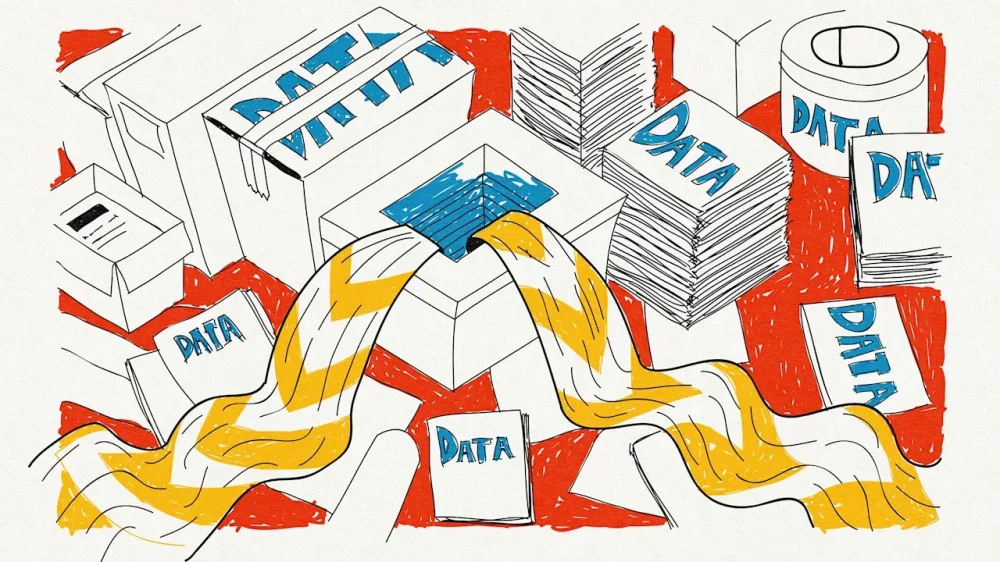
-
This coverage is made possible through a partnership between Grist and BPR, a public radio station serving western North Carolina. The Tennessee Valley Authority’s (TVA’s) quarterly meeting in Hopkinsville, Kentucky, opened with a triumphant video homage to its work during Winter Storm Fern. Energy had come through, yet again, to defeat extreme cold. The montage credited this to the utility’s “coal workhorses,” then noted that nuclear provided “uninterrupted power” and “hydro responded instantly.” The list ended there, despite years of promises that the agency would bolster renewables and battery storage. The message was clear: Solar had been unceremoniously dropped from the mix, and coal, which the agency had been phasing out, was back. What the video hinted at, the board made official. Its seven members unanimously dropped renewable energy as a priority, ended diversity programs, and granted two of the agency’s four remaining coal plants a reprieve. The decision followed the seating of four members selected by President The President, breaking months of paralysis that followed the termination of three Biden appointees. The changes, made during the February 11 board meeting, signal more than a routine policy reset for the nation’s largest public power provider. They will slow the TVA’s shift away from fossil fuels just as electricity demand is spiking, raising questions about future costs, pollution, and the role of federally-owned utilities in the country’s energy transition. For years, TVA planners had mapped out a future without coal. That is now on hold. The Kingston Fossil Plant in Roane County, Tennessee, was scheduled for retirement in 2027, with all nine of its units slated for demolition and replacement with an “energy complex” of gas generation and battery storage. All of them will remain online alongside the gas plant, but renewables are no longer part of the picture. The board also shelved plans to scuttle the Cumberland Fossil Plant in Stewart County, Tennessee, in 2028. These moves come despite the agency’s 2025 Integrated Resource Plan, which called for retiring the two facilities because of Kingston’s “high cost and challenged condition” and Cumberland’s “lack of flexibility.” The Kingston coal plant was also the site of a devastating 2010 coal ash disaster, the largest industrial spill in U.S. history. The board defended its decision by citing energy affordability for the Tennessee Valley. “As power demand grows, TVA is looking at every option to bolster our generating fleet to continue providing affordable, reliable electricity to our 10 million customers, create jobs, and help communities thrive,” agency spokesperson Scott Brooks said in a statement. Left unsaid was the fact that a coal-fired power generation unit at the Cumberland Fossil Plant failed during last month’s storm. Much of TVA’s load growth comes from the rise of artificial intelligence, said CEO Don Moul, and data centers account for 18% of its industrial load. During the same meeting, the board allowed the company xAI, owned by Elon Musk, to double the amount of power it draws from the grid. For former board member Michelle Moore, one of the Biden-era appointees President The President fired in March, the shift aligns squarely with the administration’s priorities. It also signals, she said, that the utility is no longer fulfilling its mission to provide affordable power, economic development, and environmental stewardship across the seven-state Tennessee Valley. “The politics in Washington may change,” she said. “But the TVA’s mission does not.” That independence has at times put the Tennessee Valley Authority at odds with presidents of both parties. The utility resisted The President administration pressure to keep coal plants open, continuing to retire facilities based on economic reasons. But it also fell short of President Biden’s decarbonization goals. Moore worries ordinary ratepayers are no longer an active part of TVA’s decision-making. Typically, a shift as monumental as turning away from renewable energy would have been subject to a lengthy review with input from communities throughout the region, something that simply will not occur now. “This is one more indicator that the public power model is being eroded and is at risk,” Moore said. Last month, the TVA said it would streamline how it reviews the ecological impacts of its projects, allowing some to move ahead with far less, if any, scrutiny. The move follows a broader rollback of the National Environmental Policy Act under President The President that grants greater discretion over such considerations to entities like the TVA. For nearly 60 years, the law required an assessment of the environmental impacts of federal projects. “Over the past several years, the TVA board has faced pressure to make decisions based on stringent environmental regulations,” said board member Wade White. The TVA’s willingness to join the The President administration’s push to revive the coal industry has rankled locals and environmentalists. In the first year of his second term, President The President lifted Environmental Protection Agency restrictions on the industry, used emergency executive orders to keep aging coal plants open, expanded mining, and ordered the Pentagon to buy electricity from power plants that use coal. The president has since received an award from industry executives dubbing him the “Undisputed Champion of Clean, Beautiful Coal.” From a public health standpoint, it’s a nightmare. “Coal is one of the worst things you can imagine for the environment,” said Avner Vengosh, a professor of environmental quality at Duke University who leads a coal and coal ash research group. Mining destroys ecosystems and poisons groundwater, polluting rivers and streams with sulfuric acid. Burning the fossil fuel releases fine particulate matter, impacting the health of nearby residents. A 2023 study in the journal Science found that coal plants caused nearly half a million excess deaths between 1999 and 2020, and a Sierra Club report notes that TVA coal-fired plants were the nation’s deadliest. “People are upset, they feel like we’re going backwards,” said Amy Kelly, a Sierra Club campaign manager. “The fact that these plants are from the ’50s and ’60s, and we’re just going to prop them up with Band-Aid solutions to appease the current administration is going to cost people.” Even some coal plant operators agree. A Colorado utility is suing to close a facility, calling a federal emergency order to keep it online “unconstitutional.” For those who live near the two plants the TVA just saved, the decision is, in Joe Schiller’s words, “a betrayal.” Schiller, a retired college professor, has lived near the Cumberland plant for 30 years. “It contradicts everything they’ve told us about the plants in the past,” he said. Even so, he added, it’s a beautiful area. Moments before, his wife had called him outside to admire the sandhill cranes flying by. “It’s not like you look around every day and say, ‘Yep, that Cumberland plant is slowly killing me,’” Schiller said with a laugh. “Although it probably is.” View the full article

-
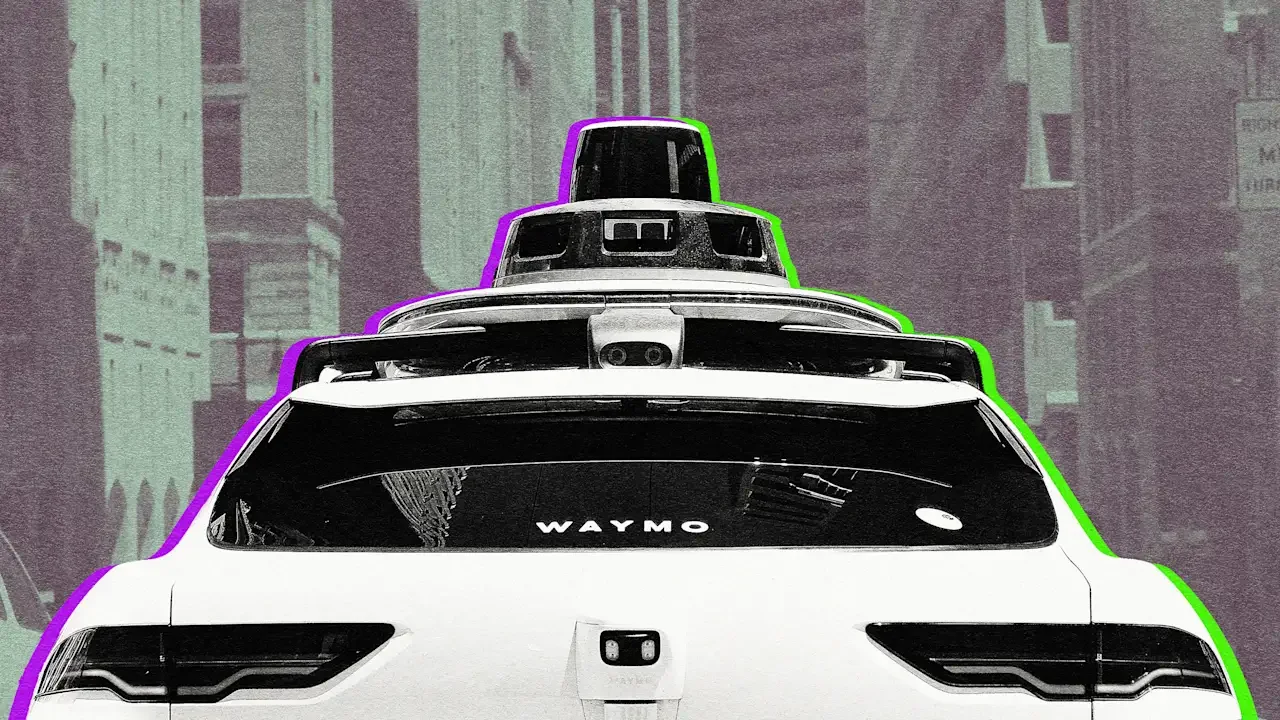
A culture of fear makes it easy to cloud our judgment For thousands of years, walking and horseback riding were the fundamental modes of transport, and settlement patterns were a direct reflection of transport options. Compact, low-rise villages and cities made sense based on how far people could reasonably travel on foot or by horse. This was true all the way up until the late 1800s. Then came an invention that let people travel incredible distances in seconds, entirely reshaping cities with dense population clusters. The technology was a sturdy box designed to transport multiple people at once, but often carried just one. I’m talking, of course, about the elevator. Elevators transformed city planning in remarkable ways, long before automobiles sprawled life horizontally. Before elevators, buildings stayed squat because stairs limited height. Walking up two or three flights isn’t terrible. Carrying a briefcase up 10 flights of steep, dark stairs to the office is, pardon the pun, another story. It didn’t take long for skylines to change following the invention of the elevator. Each early elevator had its own operator who mastered the timing and touch of hand-crank controls. These operators wore their Sunday best as a psychological reminder: “We will safely get you to your destination.” Brilliant minds innovated on the elevator, adding safety technology like automatic brakes, but it was the human touch that eased public nerves. It’s hard now to imagine feeling completely helpless in an elevator, but such was life in the early 20th century. Zero chance ordinary people like you and me were going to attempt to operate an elevator without rigorous training first. Full automation That changed dramatically with the September 1945 New York City elevator operators’ strike. Around 15,000 operators, doormen, porters, and maintenance workers walked off, halting service in over 2,000 buildings. About 1.5 million people avoided elevators, opting for stairs or staying home rather than risk operating the cars themselves. But “self-service” features like electric power, emergency phones, and push buttons were already spreading, so the strike helped open the doors to full automation. Self-driving elevators! You can practically hear the traveling public gasp. Walk into a box, let the doors close and lock you in, and trust that this thing would take you quickly—but not too quickly—the proper distance. Otis gets credit for installing the first fully automated elevator in 1950 in Dallas. But the transition took time, both for technology to improve and for a skeptical population to trust it. Operators were still employed in some cities 30 years later. Today, you can casually scan your hotel room key in a lobby that summons a box to whisk you to your precise destination without even pressing buttons inside. A public health crisis You and I will never have the time, energy, or need to read the thousands of opinion pieces about the dangers of autonomous technology as it relates to cars. And as robotaxis accelerate deployments in 2026, there will be no shortage of fear-based stories. There’s no scenario, with or without technology, that results in a danger-free life. The challenge for us is to identify and analyze trade-offs without being clouded by ideology or thwarted by lazy straw man arguments. I’m not a technology expert, so I don’t get too deep on what a particular shiny new object can or can’t do. I am a traffic safety expert, though, and I can tell you motor vehicle deaths remain a public health crisis. Every day, more than 100 people are killed in traffic crashes, and thousands more experience life-altering injuries. That’s the track record of human drivers for decades. Software can save lives by preventing people from driving too fast, running red lights, passing school buses, tailgating in bad weather, or committing other dangerous antisocial acts. If only 50 people are killed each day because of autonomous technology, isn’t that worth celebrating? What if the technology could bring traffic fatalities down to nearly zero? It’s natural to be scared by emerging tech. Early elevator riders felt helpless stepping into a closing box with no operator to guide them. But people adapted because the status quo (stairs limiting how we could build and live) was worse, and incremental safety features built confidence over time. There are absolutely valid concerns about autonomous vehicles, like software hacking, or failure to recognize a one-way street. But remember that humans are not the safest operators, that our current state of mobility is a public health crisis killing tens of thousands every year. Autonomous vehicles programmed to operate safely are part of the quest to design for human flourishing. If we’ve entrusted machines to carry us sky-high without hesitation, we can approach transportation systems the same way: cautiously optimistic, evidence-driven, and open to progress that saves lives. View the full article
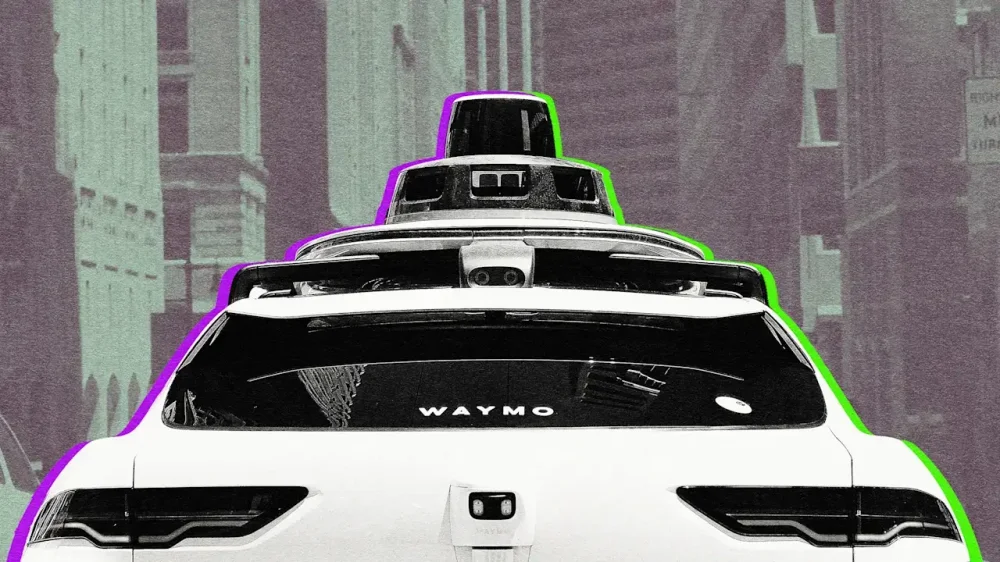
-
Reading or sending emails may seem like an innocuous task, but sometimes, this simple act can trigger a dramatic bodily response. Like forgetting to literally breathe. “Many of us have heard of sleep apnea: the condition where breathing gets interrupted during sleep.” Dora Kamau, Lead Mindfulness and Meditation Teacher at mental health app Headspace, told Fast Company. “Email apnea is a similar idea—just happening in the middle of your workday,” When we’re intensely focused on a task, the brain will “switch off” certain unconscious functions to redirect its processing power to the task at hand. In that state, a lot of people unknowingly alter their breathing, taking short sips of breath, or sometimes holding it altogether. The term for this phenomenon was first coined by Linda Stone in the late 2000s in an article published by HuffPost. After noticing her own breathing became shallow when sat at her computer checking her emails, she decided to invite 200 participants to take part in a study at her home. She found that 80% of the participants also breathed more shallowly when stationed in front of a screen. Those who didn’t had received some kind of formal training in breathing as either athletes, dancers or musicians. “When we open an inbox, scroll through a feed, or get pulled into something on a screen, our nervous system shifts into low-grade alert mode,” explains Kamau. “In these moments, the body is doing what has been designed to do: to protect us. It’s a human, biological response to perceived uncertainty, threat or danger, which in the modern world, an overflowing inbox can feel like.” If you don’t think you do this, the tricky thing about email apnea is that it’s easy to miss, “because it happens in the background of something else you’re doing,” says Kamau. Do you reach the end of a work session feeling inexplicably tired, even if you haven’t done anything physically demanding? Do you suffer from tension headaches or a tight feeling across the shoulders and chest? Do you find yourself taking a big, involuntary sigh or deep breathing without really knowing why? These are all signs of email apnea. “That sigh is your body self-correcting, trying to restore balance after a period of shallow or held breath,” says Kamau. When we hold our breath or breathe shallowly for extended periods, carbon dioxide builds up in the bloodstream, signaling to the body to stay on high alert. Even after you’ve closed the email, that stress response keeps running, holding on to that tension long after your laptop is shut. “It also negatively impacts cognitive function,” Kamau explains. “When we’re not breathing fully, we’re not getting optimal oxygen to the brain, which means decision-making, creativity, and focus all take a hit. Ironically, the very things we need most at work.” Next time you’re racing to hit inbox zero, take a beat and notice your breath. Slow diaphragmatic breathing, expanding the lungs fully and breathing into the stomach, signals to the body it can relax. It reduces the heart rate, lowers blood pressure and can even help us make better decisions. It’s also important to designate mini-breaks to keep email apnea at bay. “At Headspace, we just created and launched a Pomodoro timer specifically designed with this in mind,” says Kamau. Making micro-adjustments to the way you sit can help, too. “Hunching over a screen compresses the lungs and makes full breathing physically harder,” she says. “Simply sitting up slightly, rolling the shoulders back, and dropping them away from the ears creates more space for the breath to move in our bodies.” View the full article

-
This article is republished with permission from Wonder Tools, a newsletter that helps you discover the most useful sites and apps. More than 600,000 podcasts released 27 million episodes in 2025. Keeping up with even a tiny fraction of those 70,000-plus daily releases is impossible. So I’ve been exploring new ways to keep up with audio: podcast summaries, audio digests, and cool new tools for finding and saving audio highlights. Podsnacks: Get podcast summaries by email Get podcast summaries delivered to your email with Podsnacks. Catch up on shows you don’t have time to listen to. The free digest includes AI-generated summaries drawn from 25 of the most popular news, business, and tech podcasts. For $5/month, you can get a daily digest of any five podcasts you want. Snipcast is an alternative that offers 2 summaries a month for free or 50 episode summaries for $8/month. TL;DL by Headliner: Listen to podcast digests If you want to listen to podcast summaries, try TL;DL. Pick up to five podcasts to summarize in 5, 10, 15, or 20 minutes. I like that it’s not just an AI-voiced synthesis, but includes excerpted audio clips. You can always click through to hear the full episode. Caveat: Expect to wait at least five minutes for each summary, and it’s still in beta. I run into occasional errors. Examples: Listen to this summary from my recent podcast interview with Azeem Azhar. Or try this summary of an episode of Shankar Vedantam’s terrific Hidden Brain podcast. Snipd: My favorite podcast app Snipd keeps improving. I rely on it mainly because it lets me save highlights from podcasts I’m listening to by tapping my AirPods. The app also provides detailed podcast summaries so I can decide what to listen to. Among the new features I like most: Skip intros and outros that clutter up many podcasts. AI chat with any episode to ask for best quotes, must-listen moments, key takeaways, clarification of a complex idea, or whatever else you want. I love the new “mentioned books” tab. It shows all the books discussed on a particular podcast. Click on a cover to learn more about the author and to see a list of podcasts where that book was discussed. Search by guest. Find and listen to all the podcasts where your favorite author/musician/guru has been interviewed. Listen and highlight audiobooks. Connect a Libro.fm audiobook account and import books with one click to listen to and highlight on Snipd. (Libro supports your local bookstore.) Alternatively, find free public domain audiobooks at LibriVox. You can manually upload your own audiobooks. Podcast Magic: Save a key audio moment When you’re listening to a podcast on Spotify or Apple Podcasts and want to save a highlight, take a screenshot and email it to podcastmagic@sublime.app. Podcast Magic will email you back an audio clip and transcript of the key moment to save or share. It’s a clever way to easily save and share a quote or anecdote. Example: One show I highlighted recently was Audio Flux, which The New Yorker picked as one of the 10 best podcasts of 2025. The all-star audio duo commissions and spotlights bold short-form audio stories. (You can also follow Team Audio Flux on Substack.) Listen Notes: Search for podcast mentions With Listen Notes, you can find podcast episodes where you’re mentioned. Type in your name or the name of your organization and search. Or look for interviews with a favorite author or musician. Other useful features: Curated Lists: See recommendations from publications, like the 6 healthcare podcasts or 7 podcasts for bookworms the NYTimes recommended. Listen Later: Make and share a curated podcast playlist. The playlist has an RSS feed that you can add to any major podcast player. Here’s a playlist of a few shows I like. Here’s a longer list of my favorites. Podchaser is a good alternative when you’re looking by topic. I discovered new podcasts about tennis and classical music. Also try the new advanced search by combining terms. EarBuds Podcast Collective, founded by podcast guru Arielle Nissenblatt, shares well-curated podcast recommendations. Each week a guest picks five shows to recommend. Example: 5 podcasts about bodies and how we see ourselves. Also: CBC’s Podcast Playlist (RIP) was a great show featuring highlights from all sorts of podcasts. The archive is full of great episodes. Perplexity Voice Mode for Web, iOS, and Android When I don’t have my computer, I prefer searching with my voice over thumb typing on my phone. Querying Perplexity verbally when I’m walking or when my fingers are freezing is convenient because it answers with audio quickly and accurately. I can ask follow-ups for clarification or elaboration. These iterative search conversations let me steer the exploration toward what’s most useful. (iOS and Android) Example: Here’s a screenshot of Perplexity’s short reply when I asked what voice search is useful for. Tip: Ask Perplexity for its sources to verify its results; voice searches don’t surface those unless you ask. Voicebox: Collect audio feedback Create your own inbox for voice input. Give anyone your Voicebox link or QR code, and they can leave you an audio message. No typing, no downloads, no forms to fill out. They just share their thoughts in a simple voice memo. It’s like an answering machine for the digital era. Voicebox is marketed as a B2B tool, but anyone can use it as an individual. Try it: Leave me a voice message about one thing you do that AI will never be able to replicate. Optionally, include your name and email. Send an audio note: Tuttu is a super simple free site where you can record and share a voice note. Then email a link to that audio or embed it. Here’s a quick example I recorded about 3 ways you can use Tuttu. Alternative: VideoAsk is a slick tool for collecting video or audio feedback instead of a dull form. You can gather 20 minutes of input each month for free. Collecting 100 monthly minutes costs $24/month billed annually. Rover AI: Get audio briefs to answer questions Rover is an early-stage app that answers your questions with AI-generated audio briefs. Type in a query, wait a few minutes, then listen to your 2-3 minute audio conversation between two AI hosts. Unique feature: Choose from three alternative responses to your query. Example: Listen to a short audio debate about whether Jonathan Franzen is overrated or a genius. Alternatives: NotebookLM, which I’ve written about, does a fantastic job of creating audio summaries—or even debates—exploring complex topics. And Huxe, which I wrote about last week, creates useful personalized audio updates. Rover is an earlier-stage experiment, by contrast, focused on brief audio answers to eclectic queries. Become a tester to try it out. This article is republished with permission from Wonder Tools, a newsletter that helps you discover the most useful sites and apps. View the full article
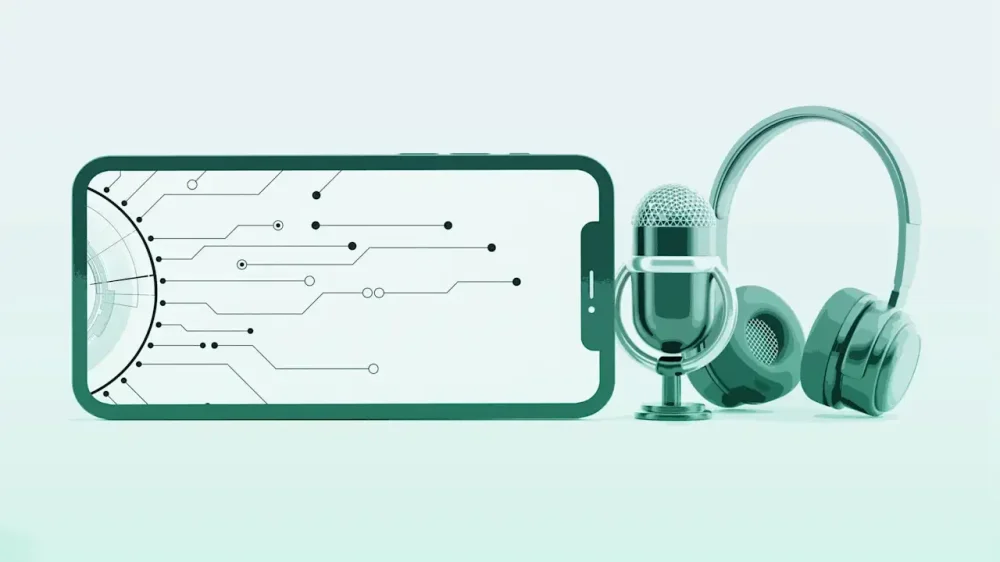
-
It’s five answers to five questions. Here we go… 1. I saw my coworker’s pregnancy announcement on TikTok I was just scrolling TikTok, and a video from “someone you may know” popped up. It is a coworker of mine, whose number is in my phone because we sit near each other and sometimes need to coordinate watering plants and such. It turns out she’s a somewhat well-known content creator in a pretty wholesome and innocuous genre. The video I landed on was especially well liked, because she used it to announce her pregnancy. I’m very happy for her and would like to congratulate her! However, I don’t know if she would think it’s weird that I watched her video. I’m a man who she knows a little bit through work, and I’m aware that this might not be a topic she would want to discuss with me. Do you think I can say something, or should I wait until she brings it up? Wait for her to bring it up. It’s true that by putting in on social media, she’s giving up the ability to control who knows — and maybe she wouldn’t care at all that you saw the announcement and are bringing it up at work — but it’s better to err on the side of discretion when it comes to colleagues (and also when it comes to pregnancy). Related: our coworker is obviously pregnant but hasn’t told us and we want to be cool 2. Should you still try to get a bonus when your boss knows you’re leaving? Many years ago, my husband worked as the only IT person for a small business (~75 people). He managed servers, desktops, and IT purchases/implementations. During the great recession, the company also farmed him out to another company, about the same size and in the same field. They bumped his salary a bit but essentially doubled his workload and he had to clean up a huge mess left by that company’s former IT person He was already working close to 60 hours a week and this was going to add more time and stress. A position in my company (different division) opened and the hiring manager, who knew husband through me, wanted to hire him. My husband was coming up to his 10th anniversary at his company and was due to get a large bonus. My company’s hiring process takes a long time, so we were certain he would get his bonus before he had to put in his notice. He felt a little uncomfortable about doing this because he loved his company, but he was burning out fast and needed to move on. Coincidentally, his big boss was friendly with my big boss. Their wives were best friends, so they frequently saw each other. My big boss was old school and really hated the idea of people “poaching” employees. He did what he thought was the right thing to do for his relationship with my husband’s boss and called before the hiring process was complete to let him know they were considering hiring my husband. The bonus never happened, and here is where I think we messed up. My husband didn’t pursue it because in his mind, it was a bonus for loyalty and, since he was leaving, he was no longer loyal. My husband actually had to continue to work part-time for old company to help them transition to another IT solution while working at my company. My big boss arranged it. He didn’t have to work extra hours; he was permitted to help them during regular work hours, so it was on my company’s dime. I encouraged my husband not to pursue the bonus, even though it would have been close to $10,000. He agreed because he felt guilty for leaving them. Were we absolute fools? It doesn’t matter now, of course. But I have always wondered. First and foremost, your boss was out of line. If he felt he couldn’t in good conscience hire your husband without letting his current boss know, he should have told your husband that and let him decide if he wanted to remain in consideration or not. In some companies, what he did could have gotten your husband fired. But as for the bonus, it’s pretty common for people to lose their eligibility for bonuses once it’s known that they’re leaving (unless the bonus is contractually required, which doesn’t sound like the case here). Bonuses are usually a retention strategy, so when someone is known to be in the process of leaving, the company no longer has an incentive to offer them. That said, in this case, your husband was going to continue to work part-time for them, which gave him some leverage — and yes, that arrangement was made on his behalf by his new boss (!) but it still gave him some leverage that in theory he could have tried to use. It might not have gone anywhere, but it wouldn’t have been outrageous to try. 3. Expecting candidates to relocate and start work in less than a week I work in higher education, so it’s not unusual to have to fly to another state to interview and then move several hours away if you get the job. While I was living in Texas, I interviewed for a job in Georgia. At the time I applied, they listed their estimated start date being June 1. However, as with all higher ed job searches, things took time, so I didn’t visit the campus for my final interview until the week before Memorial Day weekend. I was the first candidate to come for their on-campus interview, and I knew the other interview dates offered were for the following week. In my end-of-day wrap-up meeting with the director, I asked if there was an updated timeline given how close we were to June 1. The director looked me straight in the face and said that June 1 was still the expected start date, and that anyone who wanted this job would make it work. He explained that when he was hired for his current job, he packed a bag and moved into a dorm room temporarily while his wife stayed home with their child to pack up and sell their home. I politely mentioned how nice it was to have a support system like that to help with the move, but not everyone has one. He then reaffirmed that his expectation was a June 1 start date, and I quickly moved on to another topic. Was I wrong to feel that this was completely unrealistic? To me, this was a huge red flag about unrealistic expectations, and as soon as I received my flight reimbursement check, I withdrew my application. I also know that he had to repost the position by mid-June and start his search all over again. My colleague pointed out that, knowing how slow higher education moves, I shouldn’t have said anything because a June 1 date was never going to happen, and I should have waited until an offer was made to negotiate a start date that worked for me. Yes, that’s ridiculous. Memorial Day is, at most, eight days away from June 1. Some years it’s two days from June 1. Expecting people to interview, get an offer, consider it, accept it, move, and be ready to begin work in less than a week is absurd — in all cases, but especially in a situation where the employer could have moved faster but was already dragging their feet. 4. Job applicants don’t follow up with their driving records I work at a small business that makes deliveries. For the most part, I have good employees but unfortunately this job does not pay well so I do have some turnover. Most of the employees who leave are my drivers, usually due to relocation or a better paying job. Before I can hire a driver, they have to be added to our insurance so they can drive the company van and for that I have to have a copy of their license and driving record (either a hard copy or a screenshot). In my state, that is something they have to pay for, and I’m afraid that is scaring away applicants. I often give them the application and they fill it out on the spot but won’t stop back in with their driving record. What can I do to try and get more applicants to follow through? It’s understandable that people don’t want to pay to get a copy of their driving record before they’ve been offered the job or at least gone through some initial screening — particularly when they can apply for other jobs that don’t require them to shell out cash up-front. Can you move that part of the process to the end, make the offer contingent on a good driving record, and let them know you’ll reimburse the cost of obtaining it? 5. My job made me take an unpaid break at the very end of my shift I recently took a short-term part-time retail job to make a little extra money. This is my first retail job since college, which was the late ‘90s. At this gig, we’re scheduled for 6.5 hour shifts, during which we get a 15-minute paid break and a 30-minute unpaid break. We have a designated “breaker” who takes over our station so we can step away. During a shift this weekend, the breaker came for my 15-minute break, but never showed up for the 30-minute break. When I finally saw the supervisor at closing time, I asked her about the missing breaker — I figured something went amiss. It turned out the breaker told the supervisor she had given everyone their breaks and went home for the day. But she skipped my 30-minute. To my surprise, I was told I had to take my 30-minute unpaid break immediately — even though we were literally in the final 31 minutes of my shift. I was taken aback, so I offered two alternatives that seemed pretty reasonable to me: (1) I could to stay and help with closing procedures since I wasn’t anywhere near the overtime danger zone or (2) I could call it a day and leave. I kid you not. I was required to sit in a chair for my unpaid break while everyone washed dishes and did closing procedures. Then I would be allowed to punch out. So I was stuck taking a break that served zero purpose other than to inconvenience me. Am I out of touch with retail norms? Would it have been so unreasonable to let me leave and adjust my time card later? Nope, they broke the law. On unpaid breaks, you must be able to do what you want with that time; being required to sit in a chair doing nothing doesn’t qualify. (In most states they can require you to remain on the premises — although not in all — but in no state I’m aware of would “sit in this chair and don’t move for half an hour” meet the legal requirements for an unpaid break.) Also, many state laws require that breaks happen a certain number of hours after the start of a shift and before its final hours, not at the very end. You can google the name of your state and “break laws” to see if yours is one of them. The post I saw my coworker’s pregnancy announcement on TikTok, expecting candidates to relocate in a week, and more appeared first on Ask a Manager. View the full article
-
Tight by-election result expected in former Labour stronghold of Gorton and DentonView the full article
-
Strains at the company’s first retail-focused fund have sent a chill through the broader sectorView the full article
-
Buyers and sellers are already pricing homes under new thresholdsView the full article
-
Big banks forecast £247bn of gilt issuance in coming fiscal year amid chancellor’s drive to rein in borrowing View the full article
-
Guess which group of remote workers pays more?View the full article