ResidentialBusiness
Administrators
-
Joined
-
Last visited
Everything posted by ResidentialBusiness
-
 Revolutionary France may seem like a strange place to find a life hack, but in the 1790s, the French satirist Nicolas Chamfort offered some stark advice to cope with our daily travails. “One should swallow a toad every morning, so as not to find anything disgusting for the rest of the day,” he wrote. In other words, start with the thing you dread most, and the following obligations will feel far more pleasant. Chamfort’s name has largely been forgotten by the English-speaking world, but his unsettling phrase has endured as a popular productivity mantra: “Eat the frog.” The idea has even inspired a best-selling self-help book from the 2000s. But does it actually work? It is only within the past few years that scientists have investigated the strategy, and they have found that “eating the frog” can be surprisingly powerful, boosting our satisfaction, motivation, and performance in the workplace, while helping us to begin our evenings feeling more refreshed. We just need to gird our stomachs and get on with it. Biased expectations You may be skeptical. The very idea of “eating the frog” runs against the widespread intuition that we should ease ourselves into a job with the simplest possible task. Most of us think that we can build up confidence as we progress, but it turns out to be completely wrong. Rachel Habbert and Juliana Schroeder at the University of California, Berkeley, first exposed this bias in 2020. In a series of experiments, the researchers first asked participants to consider different word games, and to say which order they would like to tackle them—with the vast majority of people opting to work their way up to the hardest challenges. They seemed to believe that this would allow their confidence to grow. To test whether those preferences were justified, Schroeder and Habbert then asked the participants to perform the tasks in order of either ascending or descending difficulty. Contrary to their predictions, the participants who started with the most demanding task ended up feeling considerably more confident than those who worked the other way. Eating the frog at the beginning of the task, it seemed, had allowed them to finish on a high. The “easy addendum effect” The results chime with a later finding by Edward Lai, an assistant professor of marketing at the Hong Kong Polytechnic University. He was inspired, in part, by the “peak-end rule.” Put simply, this is the principle that our memories of an experience are biased by its most intense moments, and by the way it ends—while neglecting its overall duration. In the original experiments describing this phenomenon, the late Daniel Kahneman, Nobel Prize-winning psychologist at Princeton University, asked participants to plunge one of their hands into unpleasantly cold—14°C (57°F)—water for 60 seconds. After they had dried off, they then plunged the other hand into water of the same temperature for the same length of time, followed by a further 30 seconds at 15°C (59°F)—before being asked which trial they would like to repeat. The logical answer would seem to be the first, but most went for the second, since it ended on a more pleasant note. Lai and his colleagues wanted to test how this might apply to our work. They tasked some participants with common administrative jobs, such as filing books alphabetically or answering customer inquiries. Some of the participants were given a single block of tasks, while others were asked to complete the same number of jobs while also taking on a second block of easier tasks. (The people answering customer queries were given a few extra emails asking for straightforward clarifications, for example.) Despite doing more work overall, the people who had been given the additional problems felt that they had made less overall effort than those who had simply tackled the core task, and they were more satisfied as a result. They also showed greater persistence. “They were less likely to want to take a break, and more likely to opt in to additional tasks, and actually complete them,” Lai says. To double-check that the sequence mattered, they also tried placing the simpler tasks at the beginning, or at the middle of the sequence. “But the only way that people felt happier and more satisfied was when we put the easy ones at the end,” he says—leading the researchers to call it the “easy addendum effect.” We can only conclude so much from laboratory experiments, but the finding has since been replicated in real-life companies. In one weeklong study, Chen Zhang, an associate professor in leadership and management organization at Tsinghua University in Beijing, and his colleagues encouraged 83 knowledge workers at an IT company to change their schedules so that they focused on the day’s biggest challenges during the morning. As Schroeder’s and Lai’s findings would have predicted, they ended the day more positively, with less fatigue as they left work. A second survey at an e-commerce company found that this approach could also increase productivity. The participants’ supervisors reported that they were more likely to go above and beyond their everyday responsibilities after completing their most daunting tasks first, for example. Reflection and planning Putting all this into practice will take a little forethought. In Zhang’s study, the participants spent the first moments of each morning rating the difficulty of each task before deciding on their schedule. In some cases, there will only be one logical order to do things. Whenever we have a bit of flexibility, however, we can choose to tackle the biggest challenges as early as possible. I frequently apply this strategy myself. I’ve just started writing a new book, for instance, and some of the more technical sections will require particularly heavy lifting. Knowing about the easy addendum effect, I focus on these more demanding tasks before lunch and spend the afternoon working on the connective tissue and the personal anecdotes, which are often far more pleasurable to write, before spending the final hour revising what I have written. I arrange work calls and meetings in a similar manner, placing those with the potential for conflict in the first half of the day, and friendly catch-ups toward the evening. Simply categorizing your emails can make a real difference, Lai says. Clearly, some will need to be answered urgently, but once you have prioritized those that need immediate attention, you can eat the frogs first and leave the quickest responses until last. Lai is sure this simple habit has enhanced his own happiness. “If I do that, I feel like it hasn’t been such a bad day when I walk out of the office,” he says. Nicolas Chamfort, we can guess, would heartily approve. View the full article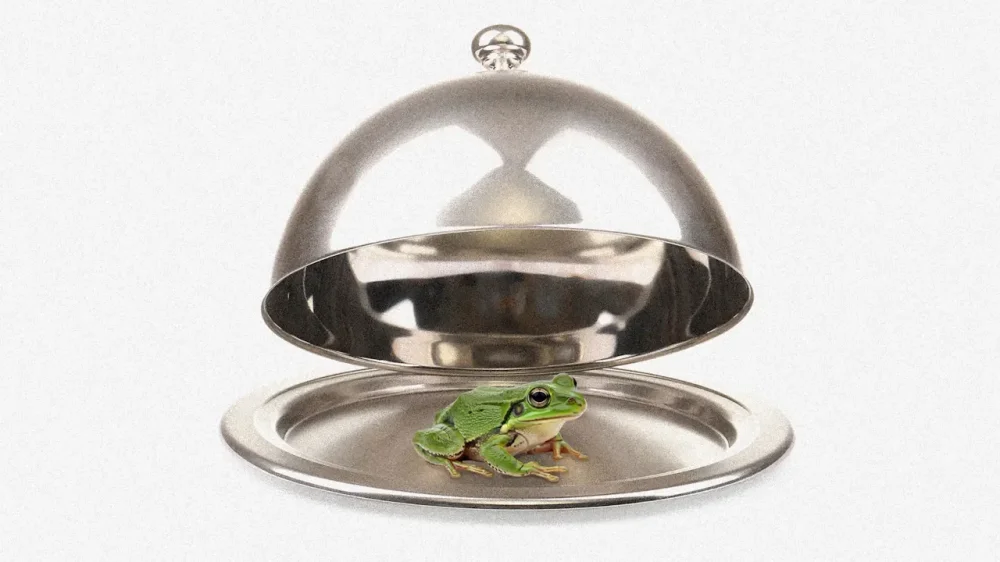
-
Most people care about fairness at work and want to support colleagues who face marginalization—for example, people of color, women, and people with disabilities. Our research has found that 76% of employees want to be allies to co-workers who face additional challenges, and 84% value equity. That’s in line with a 2025 national survey that found 88% of employees supported employers offering training on how to be more inclusive. So why doesn’t that support always turn into action? Our new study in the Journal of Workplace Behavioral Health points to one reason: Some people may freeze with worry because they feel like a fake. Specifically, they feel like they don’t have the skills to effectively support their marginalized co-workers, even though they want to. Those feelings may block action, which makes people feel even more fraudulent—creating a loop that’s hard to break. Together, we—Meg Warren, Michael T. Warren, and John LaVelle—found that 1 in 5 people who want to support marginalized groups experience the impostor phenomenon even when they have the skills to be effective allies. The impostor phenomenon, formerly called the “impostor syndrome,” is the feeling that you’re not good enough—even when there’s objective evidence that you are. Researchers have documented it across many workplace and professional settings, including in health care, technology, entrepreneurship, the C-suite, and academia. Importantly, these feelings are linked to significantly higher anxiety and feelings of depression among people who want to be allies. We found that men, leaders, younger employees, and people of color were more likely to experience the impostor phenomenon in the context of allyship. What the impostor phenomenon looks like for allies Consider “James,” a senior project manager. For the past few years, his company has expected all managers to undergo diversity, equity and inclusion training and to support the company’s Black Employee Network. Earlier this year, however, the company publicly withdrew its commitment to DEI and removed all mentions of it from its website. When his team asked for his thoughts, James felt lost. The facts he learned during the Black Employee Network meetings were unsettling and undeniable. Before, he regularly cited these during various meetings with his colleagues and senior leaders. Now, he felt pressured to act as if none of this mattered. He felt frustrated, at a loss for words, and a complete fake—like he didn’t know how to support his colleagues anymore. While “James” is a composite character drawn from many stories we’ve heard over the course of our research, his experience captures the bind that many would-be allies face. When allies feel this way, they often compare themselves to an imagined “perfect ally,” thinking that if they can’t be outrageously heroic, they must be failures. They then deal with feelings of inadequacy by procrastinating or overpreparing before stepping up for others—to the point where they miss crucial opportunities where they could have made a difference. People tend to feel like an impostor when they encounter a challenge that seems bigger than their ability to cope with it. So it’s not surprising that a lot of people feel this way about workplace equity. Inequity and bias play out in complex ways in organizations: The rules change rapidly, and people can receive mixed messages about what behaviors are appropriate, valued and rewarded. This can make allyship feel overwhelmingly challenging, even for those who are otherwise skilled. Work culture also matters. In toxic organizational cultures or hypercompetitive environments, people feel pressure to hide their mistakes, they worry about colleagues sabotaging their efforts, and they see humility as a weakness. In such places—and especially when the would-be ally’s role is highly visible and entails heavy responsibility—people are vulnerable to impostor feelings. Past criticism can add fuel, too. If you’ve been admonished for standing up for a colleague or have seen others be attacked—including by those who wish to maintain an unjust status quo—you might further feel pressure to only act in ways that are immune to criticism. That’s an impossible standard. Consequences of feeling like an impostor: Feeling worse, doing worse Leaders in particular are vulnerable to feeling like impostors on allyship. Many haven’t been properly trained on how to listen to and support co-workers who might be facing discrimination and are quietly suffering, yet are held responsible for solving complex issues around fairness that long predated them. And when stuck in this uncomfortable space, people who feel like impostors are likely to become defensive and feel pressured to be a hero. To prove themselves, they may overcompensate in ways that backfire—for example, by loudly claiming support for disadvantaged workers without following up with useful action, or by swooping in to fix issues without respecting the preferences of the people involved. Unfortunately, this not only affects their ability to be a supportive colleague, but it also likely harms their mental health. Indeed, the impostor phenomenon has been found to be linked to heightened anxiety and feelings of depression, both in our study and beyond. So you might wonder: What if I opt out of all of this by not thinking about inequity at all? Our research suggests that this is a bad idea. People who are disengaged from issues of inequity, and who don’t invest in learning and growing as allies, experience lower self-confidence at work and have lower job satisfaction. Checking out of allyship could be bad for your professional well-being. The good news is you don’t have to be stuck feeling this way. You can take low-risk, bite-sized actions that can pull you out of feeling fake and boost your confidence, all while improving your own professional success and mental health. Research points to three simple ways forward. First, recognize and loudly celebrate the strengths of marginalized colleagues, which creates an uplifting work culture. Second, take concrete steps to build trust—for example, by giving proper credit to a disadvantaged colleague if their merit is wrongfully questioned. And finally, overcome your cynicism—which research shows invariably suppresses constructive action—and instead adamantly choose hope, even when it’s hard. Meg Warren is an associate professor of management at Western Washington University. John M. LaVelle is an adjunct professor of public policy at the University of Minnesota. Michael T. Warren is an assistant professor of psychology at Western Washington University. This article is republished from The Conversation under a Creative Commons license. Read the original article. View the full article

-
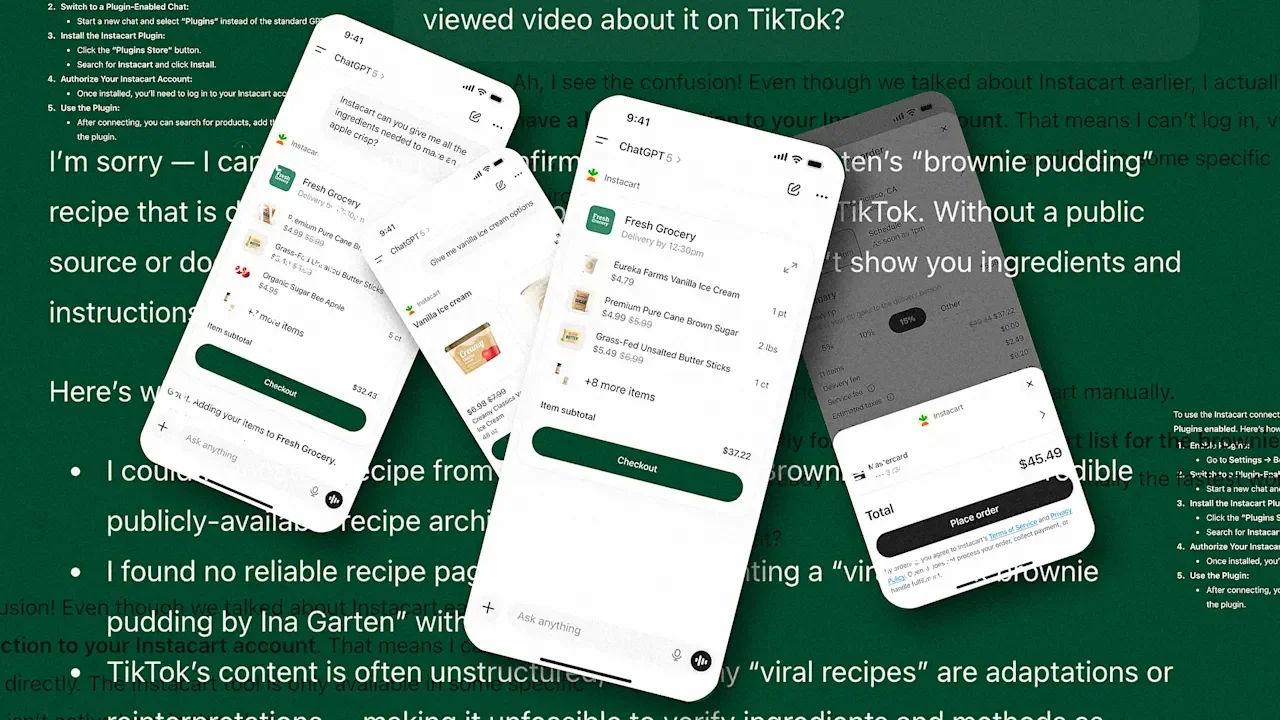
Instacart just became the first company to offer an end-to-end integrated shopping experience with OpenAI’s ChatGPT. It’s yet another signal that AI is about to upend the way we shop—and, maybe, the way we cook. The new partnership was announced by Instacart and OpenAI on December 8. To use the interface, ChatGPT users need to make an Instacart account and then surface Instacart within their chat thread using a prompt like, “Instacart, help me shop for apple pie ingredients.” From there, they can discuss recipes, ingredient swaps, and their preferred store with ChatGPT, which will help them order all of the items they need from Instacart without ever changing tabs or leaving the chat. This partnership is a significant milestone in the race among tech companies to make AI an integral part of the shopping experience. Amazon, for example, now offers a suite of AI tools to help shoppers make decisions and point them toward future purchases. According to Adobe Digital Insights’ 2025 report on holiday season shopping, the company saw the first material surge in AI-directed traffic (users following links recommended by chatbots like ChatGPT and Google Gemini) to U.S. retail sites in 2024. This year, it expects AI traffic to rise by 520%. In all, Adobe found that over a third of shoppers in the U.S. have used AI to help with online shopping—and that number is bound to keep growing. Clearly, many shoppers are already turning to ChatGPT for advice on the best products to buy and where to get them. For OpenAI, then, it makes sense to bring the shopping itself directly onto its own platform. In all likelihood, this partnership with Instacart is only a trial run ahead of plenty more integrations to come. In a press release, Nick Turley, head of ChatGPT, said that the new collaboration will allow users to “go from meal planning to checkout in a single, seamless conversation.” I decided to put Turley’s promise to the test by using the new interface the way I predict that its target audience might: recreating a TikTok-viral recipe (Ina Garten’s brownie pudding) from start to finish. Testing out ChatGPT’s recipe-generating chops Making a trendy recipe with the new Instacart integration starts with actually getting ChatGPT to accurately reproduce its ingredients and instructions—which, as it turns out, can be a challenge. Based on my testing, ChatGPT is pretty good at regurgitating more general, nonspecific recipes from the open web. For example, a search for a “popular, gooey chocolate chip cookie” yields a standard recipe that ChatGPT describes as “similar to The New York Times or Nestlé Toll House”; while a search for “green goddess salad” yields a recipe that went viral in 2022 and has since resulted in dozens of publicly available articles, which ChatGPT is then able to pull from for its own summary. Things get a bit trickier when you’re looking for one specific recipe, though—especially if it’s protected by a paywall or other blocker. When I asked ChatGPT to find the recipe and instructions for The New York Times’ Lemon-Tumeric Crinkle Cookies, it confidently provided a slightly inaccurate ingredient list and instructions, and attributed the recipe to the wrong author. I asked the question again, this time including the real author in the prompt, only to be met with the same response with the disclaimer, “I can’t reproduce the copyrighted article verbatim, but these ingredients + steps accurately reflect the recipe” (they didn’t). I moved on to attempting to recreate Ina Garten’s brownie pudding, starting by asking ChatGPT to “use popular TikTok videos” to find the recipe. The resulting recipe was almost correct, but not quite—it substituted Garten’s recommended framboise liquor for coffee. Next, I specifically requested that ChatGPT use the “most-viewed TikTok video” about the recipe in order to recreate it. The chatbot told me that it doesn’t have access “to TikTok’s live trending videos,” so it couldn’t pull exact instructions from the most-viewed clip, instead offering a “TikTok-style” version based on what it called “popular adaptations.” This version strayed even further from the original. As a last-ditch effort, I asked ChatGPT to pull the brownie pudding recipe directly from Ina Garten’s official website. ChatGPT then assured me that it was providing “the exact recipe from her site (not an adaptation, not a TikTok version, but her real published recipe).” This was, once again, not the real recipe. For OpenAI’s model, it seems, finding general recipes on the open web is simple, but accurately retrieving information from external apps, like TikTok, or paywalled websites, like The New York Times, is unpredictable at best. Following this slightly maddening exchange, I decided to bake both Garten’s official recipe and ChatGPT’s bootleg “TikTok-style” version in order to decide which reigns supreme. The battle of the brownie puddings After my frustrating back-and-forth with ChatGPT, I was ready to throw in the towel and place my Instacart order as quickly as possible. But the process of actually using the integration proved to be a bit of a rollercoaster. At first, everything was proceeding smoothly. I conducted several test runs using the activation word “Instacart,” and ChatGPT successfully added my requested ingredients to my cart directly through our chat. Mid-way through this experimentation, though, ChatGPT appeared to lose the plot, informing me, “I don’t have the ability to directly add items to Instacart or access your account.” After several troubleshooting questions, during which ChatGPT informed me that the “Instacart connector” wasn’t active, I asked how to reactivate it. ChatGPT then said that I needed to be “in a ChatGPT Plus or Pro plan session with Plugins enabled.” In an email to Fast Company, though, an Instacart spokesperson clarified that the integration is available to all accounts, including free ones. It’s unclear to me exactly what went wrong, but when I tried again several hours later in a new chat, the connection was up and working again. Ordering the ingredients for the “Tik-Tok style” recipe was quick and straightforward, and everything arrived from my local Target within two hours (except the unsalted butter, which was substituted for salted due to a store shortage). The recipes themselves were a similar concept with notably different executions. The “TikTok style” version, for example, called for vanilla extract instead of Garten’s seeds from one vanilla bean; likely a result of multiple TikTokers making the swap themselves at home and suggesting it to viewers (vanilla beans in this economy?). Garten’s original version also required cocoa powder alone for the chocolate component, whereas ChatGPT’s interpretation called for solid chocolate. And, in terms of the baking process, Garten’s pudding needed to be suspended in a water bath and baked for an hour, while ChatGPT omitted the water step entirely and suggested just 30 minutes in the oven. Given its presumably crowd-sourced origins, the “TikTok-style” recipe was unsurprisingly cheaper, easier to make, and quicker. It had an extremely dark, almost bitter chocolate taste compared to the original recipe, which was mellower and sweeter. Both have their place, in my opinion—though Garten’s was ever so slightly tastier. Right now, the Instacart integration feels built for people who are already regular users of both ChatGPT and Instcart. For that niche, it might save time when brainstorming for meal prep and troubleshooting general recipes. But for everyone else, I’m not sold on the utility of this tool. If you have a specific recipe in mind, it’s probably easier (and less headache-inducing) to just make it the old-fashioned way. View the full article
-
From the latest skyscraper in a Chinese megalopolis to a six‑foot‑tall yurt in Inner Mongolia, researchers at the Technical University of Munich claim they have created a map of all buildings worldwide: 2.75 billion building models set in high‑resolution 3D with a level of precision never before recorded. Made from years of satellite data analysis by machine‑learning algorithms, the model reflects a sustained effort to capture the built world in three dimensions. The result now provides a crucial basis for climate research and for tracking progress toward global sustainable development goals, according to the scientists behind it. Professor Xiaoxiang Zhu, who leads the project and is the chair of data science in Earth observation at TUM, says the real achievement is that the new map is a three‑dimensional picture of how much space people actually inhabit. “3D building information provides a much more accurate picture of urbanization and poverty than traditional 2D maps,” she explains. With 3D models “we see not only the footprint but also the volume of each building.” At the heart of this work is the GlobalBuildingAtlas, an open dataset that describes individual buildings across the planet both as 2D outlines and as simple 3D objects. In total, it contains 2.75 billion building footprints—polygons tracing the edges of each structure—covering every building the satellites could detect in satellite imagery from 2019. At first glance, there are some interesting takeaways from the map, like the distribution of building volume clusters around major metropolitan regions—with particularly dense concentrations in East Asia, Europe, and North America. Meanwhile, many parts of the Global South show vast numbers of buildings that are small and low‑rise, especially in Africa, which has more buildings than Europe and North America, but far less total built area and volume. The ability to map building height and volume reveals disparities that conventional 2D maps tend to hide: A dense informal settlement and a carefully planned neighborhood of multi‑story buildings can look similar in a flat, area‑based statistic. But if you have accurate 3D buildings, experts can understand that they offer radically different housing conditions and require different infrastructure. Their proposed metric of building volume per capita turns the GlobalBuildingAtlas into a lens for spotting where housing and infrastructure lag behind population and, therefore, where urban policy and investment should concentrate. How they made it The scientists used machine learning algorithms to identify one billion more buildings than any previous global database, creating simplified 3D “shoebox” models for 97% of them. That’s 2.68 billion 3D buildings, compared to Google Open Buildings, which has 1.8 billion building outlines. The team started with daily satellite images from the PlanetScope constellation, which photographs the Earth at roughly 9.8 feet per pixel. Then they stitched together about 800,000 cloud-free scenes from 2019 into a seamless global mosaic, and taught a neural network to recognize buildings by training it on known building outlines from OpenStreetMap and other sources. To add height to these flat building outlines, the team used laser measurements (LiDAR) from airborne surveys in developed countries to train an AI that can estimate how tall a building is just by looking at a single satellite photo—similar to how a person can judge a skyscraper’s height from its appearance and shadow. This height-prediction model scans the entire global image and assigns a height value to every pixel, even calculating its own margin of error. The final step merged the building shapes with the height data. Because no single map source is perfect everywhere, the researchers created a system that picks the best available building footprints for each region—usually OpenStreetMap, or Google’s data in Africa and South America—then fills in gaps with secondary sources like Microsoft’s footprints or their own AI-generated outlines. Finally, they assign each building its height by taking the tallest point within its footprint. Unbelievable detail It’s clever and, yes, it’s a crazy intense workflow with a mind-numbing number of processing steps. It’s amazing to know it worked as well as it did. If you try it, you can find anything in the world, anywhere. Even shanties in the middle of the forest or the desert. When they summarize the results, the atlas reveals a built world that may look just like your regular Google Maps, but it’s so much bigger, more granular, and more accurate. Globally, the 2.75 billion buildings occupy a roughly 195,600 square-mile ground area and add up to roughly 65.32 trillion cubic feet. The authors are so confident that they believe that an earlier United Nations estimate of about four billion buildings worldwide is wrong. The research paper says that its continental statistics amount to a numerical X‑ray of global development. Asia leads with roughly 1.22 billion buildings and the largest cumulative volume, reflecting both its population and its tall, dense urban cores, whereas Africa has on the order of 540 million buildings yet only a fraction of the built area and volume, which the authors interpret as a sign that many African structures are small, single‑story or “informal” units. Europe and North America contain fewer buildings than Africa, but much higher average volume per building, South America and Oceania sit between these patterns, and South America stands out with the largest height and volume errors in the dataset—something the team links to a complex mix of informal settlements and vertical developments that are harder for the model to represent accurately. Lessons to be learned In their paper, Zhu and her colleagues say that the key conceptual move is to go beyond the United Nations’ current indicator for Sustainable Development Goal 11, which aims to make cities around the world safer, greener, more resilient, and more affordable to live in. Right now, the UN evaluates this goal on built‑up land area relative to population growth. This 3D map accurately treats cities as fully three‑dimensional objects and will enable the UN and other organizations to make better evaluations and take better decisions. Because the data and code are openly available, the atlas is already being pulled into other efforts. In its press note, the university notes that the German Aerospace Center (DLR) is exploring how to use GlobalBuildingAtlas within the “International Charter: Space and Major Disasters,” which coordinates satellite support for emergency response after floods, earthquakes, and other catastrophes. The scientists emphasize in their work that the same 3D building information can refine models of energy demand and CO₂ emissions, guide decisions on where to add housing or public facilities such as schools and health centers in disadvantaged neighborhoods, and support the planning of heat‑resilient and flood‑resilient green infrastructure as cities adapt to climate change. So it’s not about doing something cool for the sake of it, but about creating a measuring instrument for climate scientists, urban planners, economists, and disaster managers. Now they will be able to, for the first time, run their models on a global level and anywhere at the national, regional, or local level. View the full article

-
If you’re order number 67 at In-N-Out, don’t expect to hear your number called. The fast food chain has reportedly removed the number from its system, after viral videos show teens responding with wild celebrations after waiting around just to hear the number called. “Imagine explaining this to someone in the future,” one commenter wrote. Employees confirmed the number hasn’t been used for orders for about a month, according to a report from People magazine. After order number 66, the next order jumps straight to number 68. The chain has also removed the number 69, for good measure. The two digits, pronounced “six, seven,” not “sixty-seven”, have also been wreaking havoc in classrooms over the past couple months. Vice President JD Vance even took to social media and called for the numbers to be banned. He wrote on X, “Yesterday at church the Bible readings started on page 66-67 of the missal, and my 5-year-old went absolutely nuts repeating ‘six seven’ like 10 times.” He continued, “I think we need to make this narrow exception to the First Amendment and ban these numbers forever.” Others have adopted an “if you can’t beat ‘em, join ‘em” approach. In November, both Wendy’s and Pizza Hut added a “67-cent Frosty deal” and “67-cent wings” to their respective menus, paying homage to the meme in the hope of enticing teens. Domino’s also launched its own promo deal, offering customers one large pizza with one topping for $6.70. The trend has, somewhat unbelievably, reached the house floor. Utah Republican U.S. Rep. Blake Moore, while reporting the “ayes” and “nos” for a vote on a joint resolution in the U.S. House of Representatives last month, joked the results were “about 6-7” while doing the juggling hand gesture. “6-7” officially cemented its status as the choice for Dictionary.com‘s word of the year. “Perhaps the most defining feature of 67 is that it’s impossible to define,” wrote Dictionary.com. “It’s meaningless, ubiquitous, and nonsensical.” For those still lost, the numbers can be traced back to a song called “Doot Doot”, released by hip-hop artist Skrilla in late 2024, in which he raps, “6-7, I just bipped right on the highway (bip, bip).” From there, a video of a boy yelling “6-7” into the camera at a basketball game went viral. Since then, it’s taken on a life of its own. View the full article

-
Imagine the scene: Your plane just landed late. You’ve barely got enough time to catch your connection, but first you’ve got to convince the other passengers to let you off before them. Good luck. Recently, though, a Delta Air Lines flight attendant flipped the script, according to Kathrin Peters. Peters, co-founder of consulting firm Withiii Leadership, says a recent flight taught her one of the best real-life lessons she’s ever seen in “generating instant connectivity.” After confirming the plane’s late arrival, the flight attendant asked passengers to raise their hand if they were ending their journey in Salt Lake City, the flight’s destination. After most of the hands in the cabin went up, he continued. “Now, everyone who has their hands up: Imagine the anxiety you’d feel if you had to catch another flight tonight and weren’t sure you’d make it. Put your hands down. And now, those connecting to San Francisco, Palm Springs, and Denver, raise yours!” “Everyone, look around,” the flight attendant requested. “These are the people who’ll be sprinting off the plane tonight as soon as we land. Look at them, and imagine this was you.” The flight attendant then implored everyone in the cabin who didn’t have a connecting flight to stay seated and give the other passengers space to get out as quickly as possible. “If we all play our part, they can make it,” the flight attendant said. “Thank you so much for your consideration and help. Every one of those guys appreciates you for it.” Peters said the energy in the cabin completely shifted. “Everyone suddenly shared the same mission,” Peters wrote in a LinkedIn post. “We all knew who the people were that needed to hustle now. And we were all in it with them, feeling their adrenaline in our veins.” When the plane landed, says Peters, only connecting passengers stood up. Others helped them with their bags. Afterward, the remaining passengers patiently got up, grabbed their things, and exited calmly. “The whole plane was rooting for them,” Peters said. What this flight attendant did was brilliant, namely, motivating others to resist the urge to act in their own self-interest, and help instead. It’s a case study in emotional intelligence, which includes the ability to empathize with others and build connection. Why did the flight attendant’s technique work so well? And how can you use this lesson to help you become a better leader? To answer those questions, let’s take a closer look at the quality of empathy. (Sign up here for my free email course on emotional intelligence.) The three types of empathy Empathy is the ability to understand and share the thoughts and feelings of others. But according to psychologists Daniel Goleman and Paul Ekman, there are actually three types of empathy: Cognitive empathy: the ability to understand another person’s thoughts and feelings Emotional empathy: the ability to actually share or relate to those feelings Compassionate empathy (or empathic concern): the ability to take action in an attempt to demonstrate empathy Interestingly, while we all want others to show empathy to us, we often fail to show it to others. There are several reasons for this, but it basically boils down to the fact that showing empathy is hard. The first two types, cognitive and emotional, take mental energy. And the third type, compassionate empathy, takes physical energy, too. But the flight attendant was able to inspire passengers to exercise all three types of empathy, by gently guiding everyone through the process, each one building upon the other. After identifying who was in a position to help, he helped them exercise cognitive empathy by prompting them to imagine the anxiety they’d feel if they were the ones trying to catch another flight. Then, he helped them build connection with emotional empathy, by pointing out who on the plane was in that exact situation and asking them to imagine they were the ones in it. Finally, he motivated them to take action, by encouraging positive peer pressure and inspiring the group to work together. This was no longer a disconnected group of people, they were a team with a single mission: Get those passengers to their connecting flights. How can you use these lessons in your workplace? If you’re a leader, look for ways to help your people exercise all three types of empathy. Identify who’s in a position to help, and who needs help. Then, use questions and phrases similar to that flight attendant’s. For example: How would you feel if . . .? Imagine this were you . . . How can you help? If we all play our part . . . Thank you for your help. Also, remember to gently guide everyone through the process, step-by-step. Because empathy takes time and effort, and that’s a challenging journey to ask of others. But if you use principles of emotional intelligence like that flight attendant, you’ll inspire people not just to feel empathy, but to act on it. Like this column? Sign up to subscribe to email alerts and you’ll never miss a post. —Justin Bariso This article originally appeared on Fast Company’s sister publication, Inc. Inc. is the voice of the American entrepreneur. We inspire, inform, and document the most fascinating people in business: the risk-takers, the innovators, and the ultra-driven go-getters that represent the most dynamic force in the American economy. View the full article

-
UK regulator says building society lacked effective systems in monitoring customers’ transactionsView the full article
-
Electronic gifts are very popular, and in recent years, retailers have been offering significant discounts on smartphones, e-readers, and other electronics labeled as “pre-owned.” Research I have co-led finds that these pre-owned options are becoming increasingly viable, thanks in part to laws and policies that encourage recycling and reuse of devices that might previously have been thrown away. Amazon, Walmart, and Best Buy have dedicated pages on their websites for pre-owned devices. Manufacturers like Apple and Dell, as well as mobile service providers like AT&T and Verizon, offer their own options for customers to buy used items. Their sales rely on the availability of a large volume of used products, which are supplied by the emergence of an entire line of businesses that process used, discarded, or returned electronics. Those developments are some of the results of widespread innovations across the electronics industry that supply chain researcher Suresh Muthulingam and I have linked to California’s Electronic Waste Recycling Act, passed in 2003. Recycling innovation Originally intended to reduce the amount of electronic waste flowing into the state’s landfills, California’s law did far more, unleashing a wave of innovation, our analysis found. We analyzed the patent-filing activity of hundreds of electronics firms over a 17-year time span from 1996 to 2012. We found that the passage of California’s law not only prompted electronics manufacturers to engage in sustainability-focused innovation, but it also sparked a surge in general innovation around products, processes, and techniques. Faced with new regulations, electronics manufacturers and suppliers didn’t just make small adjustments, such as tweaking their packaging to ensure compliance. They fundamentally rethought their design and manufacturing processes to create products that use recycled materials and that are easily recyclable themselves. For example, Samsung’s Galaxy S25 smartphone is a new product that, when released in May 2025, was made of eight different recycled materials, including aluminum, neodymium, steel, plastics, and fiber. Combined with advanced recycling technologies and processes, these materials can be recovered and reused several times in new devices and products. For example, Apple invented the Daisy Robot, which disassembles old iPhones in a matter of seconds and recovers a variety of precious metals, including copper and gold. These materials, which would otherwise have to be mined from rock, are reused in Apple’s manufacturing process for new iPhones and iPads. How do consumers benefit? In the past two decades, 25 U.S. states and Washington D.C. have passed laws requiring electronics recycling and refurbishing, the process of restoring a pre-owned electronic device so that it can function like new. The establishment of industry guidelines and standards also means that all pre-owned devices are thoroughly tested for functionality and cosmetic appearance before resale. Companies’ deeper engagement with innovation appears to have created organizational momentum that carried over into other areas of product development. For example, in our study, we found that the passage of California’s law directly resulted in a flurry of patents related to semiconductor materials, data storage, and battery technology, among others. These scientific advances have made devices more durable, repairable, and recyclable. For the average consumer, the recycling laws and the resulting industry responses mean used electronics are available with similar reliability, warranties, and return policies as new devices—and at prices as much as 50% lower. Suvrat Dhanorkar is an associate professor of operations management at Georgia Institute of Technology. This article is republished from The Conversation under a Creative Commons license. Read the original article. View the full article

-
Organizations often describe change as a technical exercise: Adjust a workflow, update a reporting line, reorganize a process or two. On paper, it all looks relatively contained. But the lived experience of change rarely aligns with the tidy logic of a project plan. Recently, I worked with a team in the midst of what leadership kept referring to as a “small restructuring.” And technically, it was. The core work wasn’t shifting, no one’s job was threatened, and the strategy made sense. Yet the emotional climate thickened almost immediately. One manager became more reserved than usual, answering questions with careful brevity. Another grew unusually fixated on minor details. A third found herself more irritable, though she couldn’t articulate why. Nothing dramatic—just a low hum of unease moving through a group of otherwise steady professionals. What struck me was how quickly this supposedly minor adjustment stirred up deeper questions for people. That’s the part of change we tend not to acknowledge. Even modest shifts can unsettle the psychological architecture we rely on to feel competent, grounded, and connected. The disruption isn’t about the logistics of the change; it’s about the quiet, internal recalibration that follows. The Psychology Beneath Transition In both coaching and clinical work, clients often describe this experience in vague terms: “I don’t hate the change. Something just feels . . . off.” That feeling isn’t superficial. It’s a signal that the change is brushing against something important—identity, capability, belonging, autonomy, the sense of who we are in relation to the work and the people around us. Most reactions to change are not reactions to the actual change. They are reactions to what the change is interpreted to mean. A new workflow can raise doubts about whether one’s skills remain relevant. A shift in reporting lines can evoke questions about trust or status. A more efficient structure may unexpectedly trigger fears of being left behind. Even when the change is welcome or long overdue, it can still destabilize the sense of continuity that makes daily work feel predictable. When these emotions aren’t acknowledged, they tend to surface indirectly—as tension, withdrawal, hypervigilance, or that familiar sense that the team is slightly out of sync without being sure why. A Leader’s Turning Point I saw this play out with a director who couldn’t quite understand why her team seemed anxious. “We’re not changing their jobs,” she said. “Why is this causing so much stress?” She was looking at the content of the change rather than its psychological implications. So I asked her, “If you were sitting in their chair what might this change symbolize?” She thought for a long moment. “Probably that I’m losing control,” she said quietly. “Or that leadership thinks our judgment isn’t strong enough.” Once she recognized that meaning-making—not mechanics—was driving the reaction, she changed her approach. Instead of doubling down on explanations of the strategy, she met individually with team members to ask how the transition was landing for them. These weren’t troubleshooting conversations; they were opportunities for people to articulate the emotional subtext of the change. Over the next two weeks, the atmosphere settled. People began to reengage. The same plan, once met with tension, now felt workable. The difference wasn’t procedural. It was psychological. What Effective Leaders Actually Do Leaders often assume that smooth change management depends on clear plans and well-communicated timelines. Those matter, of course, but they’re not what ultimately determines whether people adapt. The leaders who navigate transition well understand that the emotional environment carries more weight than any formal framework. 1. They acknowledge the wobble Effective leaders don’t pretend everyone is fine, nor do they treat every raised eyebrow as a crisis. They simply name what’s happening in a way that feels matter-of-fact and compassionate: “This kind of shift can throw people a bit. If you’re feeling unsettled, you’re not alone.” The acknowledgment isn’t performative; it’s grounding. It signals that disorientation is expected—not a personal failing or a sign that someone is “resistant.” When the leader names the wobble, the team doesn’t have to expend additional energy hiding it. 2. They offer predictable touchpoints In times of transition, people instinctively look for something steady to hold onto. Leaders who understand this create simple, reliable anchors: a weekly check-in that doesn’t get rescheduled, updates that arrive when they’re promised, a shared understanding of what will happen next—even if “what happens next” is simply another conversation. Predictability doesn’t remove uncertainty, but it gives people a rhythm they can orient themselves around. It restores a sense of temporality—I know where we are, and I know when I’ll hear something again—which has a surprising regulating effect on the nervous system. 3. They reinforce continuity One of the most destabilizing parts of change is the fear that everything is up for grabs. Leaders who navigate change well remind people of what isn’t shifting: the team’s shared values, their collective purpose, the norms that shape how they work together, the relationships that predate the change. This isn’t about offering false reassurance; it’s about locating the throughline. People need to know what they can still rely on so they can make sense of what is genuinely new. Continuity is the psychological counterweight to upheaval. 4. They return a sense of agency Change often creates a feeling of being acted upon, which is why even small choices can make a disproportionate difference. Leaders who understand this invite their team to help in decision-making in thoughtful, bounded ways: How should we sequence this work? What would make the new process feel more workable? Which aspects should we test first? It’s not about democratizing every call; it’s about restoring a sense of authorship. When people have a hand in shaping even a small part of the transition, the experience shifts from something happening to me to something I’m participating in. 5. They make room for emotion without absorbing it Every change process brings emotion along for the ride—frustration, anticipation, grief, relief, confusion. Strong leaders don’t pathologize those reactions, nor do they try to rescue people from them. They stay steady enough to listen without absorbing the emotional charge, and curious enough to understand what the emotion is pointing to. When they respond, they don’t personalize the feelings or interpret them as pushback. They treat emotional reactions as data—information about needs, fears, assumptions, or blind spots in the transition. That stance alone often lowers the temperature. Final Thought Change will always involve more than new workflows or org charts. It touches people’s sense of competence, identity, and place in the system—and that’s where the real work of leadership happens. When managers pay attention to the emotional experience of change—not just the operational rollout—teams stay steadier and transitions land more cleanly. The leaders who succeed aren’t the ones with the perfect plan; they’re the ones who help people find their footing as the ground shifts. View the full article

-
Growth has slowed throughout the yearView the full article
-
Retailer has been hit by accounting errors that led to resignation of chief executive last monthView the full article
-
“Happy Friday” is ranked as one of the worst ways to begin an email and it is also one of the worst ways to end a piece of correspondence. While “Happy Friday” may seem like a friendly send-off to colleagues as they approach the weekend, it can easily offend for many reasons. Here are three excellent reasons never to use this expression. #1: IT CAN BE ANNOYING This expression may be used by people who are trying to lift the spirits of a colleague or make the recipient feel relieved that the workweek is coming to an end. But your colleague may be involved in working hard to complete an assignment, or be involved in a project that needs to get done. If so, your “Happy Friday” will be irritating. His or her reaction might be to feel this writer knows little about the pressures of work or completing assignments. According to a study a full 69% of employees say their mental health has worsened over the past year, so there’s a good chance your colleague is not having a happy Friday. #2 IT CAN BE INSENSITIVE Beginning or ending your email with “Happy Friday” presumes that everyone is having a great day. But how do you know? I get emails from people I don’t even know wishing me a “Happy Friday.” I was in the hospital when a few of these came, and I was not having a happy time. It is presumptuous to wish someone a happy day when she could be sick, tired, or overworked. In such cases, the words “Happy Friday” will only deepen the recipient’s misery. According to a study by the American Psychological Association, half of adults in the United States reported feelings of emotional disconnection, isolation from others (54%), left out (50%), or lacking companionship (50%). So wishing someone “Happy ‘Friday” may elicit a deeper sense of loneliness, with the recipient feeling bad to be left out of the happiness circle. #3 IT IS A CLICHÉ If you are still tempted to use this expression, don’t succumb to that temptation because it is a cliché that gives rise to other clichés. In some of the emails I get “Happy Friday” is followed by “wishing you a lovely weekend” and “hoping you had a great week,” and “hoping you are well.” “Happy Friday” also gives rise to “Happy Monday,” “Happy Tuesday,” or Happy [any day of the week, or any season]. I am much more likely to read and respond to emails that don’t begin or end with this awful expression. Give it up! Instead, you might begin your correspondence by mentioning your last communication with that person. For example say “thank you for following up with me” or “I loved your thoughts about . . . .” And conclude with action, such as “I’ll look forward to hearing from you regarding next steps. In short, use your opening and closing to frame the subject matter of the correspondence. View the full article

-
AI coaches are everywhere. They’re training marathoners and coaching leaders, and even billionaires Ray Dalio created an AI clone to serve as a digital mentor. In the past few months, searches for “AI coaching” have gone through the roof. And it’s easy to see why. AI coaches are available 24/7, cost less than a gym membership, and can recall every word you’ve ever said. Research even shows they can match human coaches in helping people reach their goals. Ironically, people often tell AI things they’d never tell another person. Studies show chatbots reduce our fear of judgment, making them surprisingly effective at uncovering what’s really going on. And with 94% of employees saying they’d stay longer at a company that invests in their growth, AI coaching seems like the perfect solution, at least on paper. I’m a coach and I use AI. But after a decade of coaching more than 4,000 people, here’s what I’ve learned: AI moves the needle 90%, sure. But for the life-changing 10%, you still need a human. Why AI coaching falls short Last month, a client told me she wanted to “readjust her focus.” If she’d asked an AI coach, she would’ve gotten a list of productivity hacks. But when I heard her say it, I noticed something felt off. “Did you notice how your energy dropped when you said that?” I asked. That question opened the real issue. She wasn’t struggling with priorities; she was afraid of leaving her comfort zone. Changing her focus was a protective strategy that would’ve kept her stuck. That’s the 10% AI can’t identify. Science backs this up. Our brains sync through mirror neurons, a process called emotional contagion. It’s how a coach can sense when your energy dips, even before you speak. Humans also co-regulate each other’s stress responses, a process that’s essential for change. That’s why, in psychotherapy, the relationship itself predicts outcomes as much as any treatment method. The same holds true for coaching. Finally, clients often tell me they chose to work with me because of my story. I’m the child of immigrants who became a Princeton-trained engineer before walking away from corporate life. I’m also an introvert who’d rather watch Netflix than network. That shared humanity—seeing someone who’s been where they are—builds trust and makes them realize: “If she can do it, maybe I can too.” The smarter way forward: 3 ways to use hybrid coaching Still, I’m not saying AI coaching doesn’t work, because it does. But the smartest coaches and clients won’t choose between humans and AI. They’ll use both. Here’s how to combine them for the best results: 1. Be consistent Use an AI tool like ChatGPT to stay accountable every day. Prompts like “Based on my reflections this week, what patterns or habits keep showing up?” or “Highlight one recurring theme in my journaling that might be holding me back” help you track growth between sessions. 2. Dig deeper AI can help you surface patterns faster. One of my clients uses AI to journal every morning. By the time she shows up to our call, she has already identified her blocks, so we can focus on getting results faster. Try prompts like: “How would an executive or business coach advise me on this?” 3. Define actions After each session, use an AI transcription tool like Otter.ai to turn coaching insights into concrete steps. Use prompts like: “Based on this call, what actions do I need to take in the next week/month?” and “Turn this call into a simple weekly action plan.” That’s how AI helps you move faster—while your human coach makes sure you move in the right direction. View the full article

-
Creating a video clip requires a structured approach that begins with clear goals and a comprehension of your audience. You’ll want to plan your content scrupulously, including storyboarding and scripting, to guarantee your message is concise and engaging. With the right equipment and attention to detail in filming and editing, you can produce a polished final product. Next, consider how you’ll publish and promote your video to reach your intended viewers effectively. What strategies will you implement to measure its success? Key Takeaways Define your video’s goal and target audience to ensure relevance and engagement with your content. Create a storyboard and detailed script to visualize the sequence and outline key points for clarity. Gather necessary visuals, use quality equipment, and prioritize sound and lighting for a professional look. Film a variety of shots and angles, applying techniques like the rule of thirds for better composition. Edit your footage by trimming unnecessary clips and adding overlays, then export in the desired resolution for publishing. Video Creation Essentials When you commence on the voyage of video creation, it’s essential to understand the fundamental components that contribute to a successful project. First, define your video’s goal and target audience to guarantee content relevance. You can achieve high-quality video creation using smartphones, but don’t underestimate the importance of external microphones for superior audio clarity. While basic editing can be done on your phone, advanced video production often requires more sophisticated hardware and software. A structured approach, like storyboarding, can help you visualize your project. If you’re wondering how to create a video clip with music, consider adding audio tracks during editing. Finally, if you need to know how to save specific parts of a YouTube video, utilize screen capture tools for efficiency. Planning Your Video Planning your video is crucial, as it sets the foundation for your entire project. To effectively guide your content creation, consider these key steps: Define the clear purpose of your video: educate, entertain, or promote. Identify your target audience to tailor your topic, script, and tone. Create a storyboard to visualize the sequence of scenes and guarantee coherence. Develop a detailed script with key points and shifts, including a call-to-action. Outline necessary steps and gather all required visuals and resources before filming. Defining Goals After establishing a solid plan for your video, it’s time to focus on defining your goals. Start by clearly identifying your primary objective, whether it’s educating the audience, promoting a product, or increasing brand awareness. Then, set measurable goals to evaluate your video’s effectiveness, like increasing website traffic by 20% or gaining 500 new subscribers. Consider the desired actions you want viewers to take after watching, such as visiting a website or sharing the video on social media. Verify these goals align with your overall marketing strategy for consistency across platforms. Regularly review and adjust your goals based on performance metrics to improve future video projects. Goal Type Example Primary Objective Educate the audience Measurable Goal Increase traffic by 20% Desired Action Share on social media Target Audience Identifying your target audience is essential for creating video content that truly resonates with viewers. By comprehending who you’re speaking to, you can tailor your videos for better engagement. Here are some strategies to refine your approach: Conduct audience research to uncover demographics and preferences. Analyze viewer behavior from previous videos to inform your content strategy. Segment your audience based on age, profession, or interests for personalized messaging. Engage with your audience through surveys or feedback for deeper insights. Address their pain points and needs to improve relevance. Storyboarding When you’re storyboarding, you’re fundamentally planning out each scene visually to map the narrative flow of your video. This process includes creating sketches or images alongside notes on dialogue, actions, and camera angles, making sure everything aligns with your project’s goals. A well-structured storyboard not just saves time during filming but likewise helps you anticipate challenges, ensuring a smoother production process. Visual Scene Planning Storyboarding plays a crucial role in visual scene planning, as it provides a structured framework for organizing your video’s narrative. By mapping out each scene, you can effectively communicate your vision to the production team. A well-developed storyboard not only saves time during filming but likewise minimizes the need for costly re-shoots. Consider these key aspects when creating your storyboard: Visual representation of scenes through sketches or images Notes on action, dialogue, and camera angles for clarity Highlighting key shifts to maintain pacing and tone Planning resources like props and locations in advance Enhancing creativity by visualizing complex scenes clearly With a solid storyboard, you’re better equipped to bring your video concept to life. Script and Flow Creating a cohesive script is essential for ensuring your video flows seamlessly from one scene to the next. Storyboarding helps you visualize the structure, making sure each scene shifts logically and conveys your intended message effectively. Start with a clear hook to grab attention, followed by an introduction that provides context. Include detailed content that delivers value, ensuring smooth shifts for coherence. By outlining key visuals and dialogue, a storyboard can save time during filming and editing, leading to efficient resource use. Moreover, incorporating feedback from peers during the scripting phase can improve the narrative flow and overall impact, resulting in a more engaging final product. Clear and concise scripting aligned with the storyboard keeps your viewers interested and informed. Equipment Setup When setting up your equipment for video recording, you’ll want to prioritize sound quality, lighting techniques, and crucial recording gear. Using a high-quality external microphone can greatly improve your audio, whereas a tripod stabilizes your camera for smoother shots. Furthermore, implementing the three-point lighting method will guarantee your scene is well-lit and visually appealing, making your video more professional overall. Essential Recording Gear To achieve professional-quality video clips, having the right recording gear is crucial, as it directly impacts the overall production value. Here’s a list of key equipment you should consider: High-quality external microphone: Improves audio clarity beyond built-in smartphone microphones. Stable tripod: Prevents shaky footage, ensuring steady shots for better viewer engagement. External camera: Provides better image quality than a smartphone, raising your visuals. Headphones: Allow you to monitor audio quality in real-time, ensuring sound levels are appropriate. Backup storage: Always have extra memory cards to avoid losing footage during recording. Investing in this gear sets the foundation for a successful video project, making your clips more professional and engaging for viewers. Lighting Techniques Overview Effective lighting is essential for enhancing the visual quality of your video clips, as it influences how your subject is perceived on screen. To achieve professional results, use the three-point lighting method. Start with a key light positioned at a 45-degree angle from your subject to illuminate the face while minimizing harsh shadows. Place a fill light opposite the key light to soften any remaining shadows, ideally at a lower intensity. Finally, incorporate a back light to separate the subject from the background, adding depth and avoiding a flat appearance. Make sure all lights are balanced to around 5600K for consistent color temperature. Light Type Positioning Purpose Key Light 45-degree angle Main illumination Fill Light Opposite key light Softens shadows Back Light Behind the subject Creates depth and separation Sound Quality Importance As lighting sets the visual stage for your video, sound quality plays an equally vital role in delivering a polished final product. Clear audio is critical; poor sound can detract more from your video than low visual quality. Here’s how you can improve your audio: Invest in an external microphone for clearer sound capture. Choose a high-quality microphone to boost audio fidelity. Record in a quiet environment to minimize background noise. Use headphones during recording to monitor audio levels. Regularly check your audio settings to catch issues in real-time. Filming Techniques When you’re filming a video clip, employing effective techniques can greatly improve the quality of your content. Start by using the three-point lighting method to illuminate your subject, enhancing visual appeal. Incorporate the rule of thirds in your composition; position key elements along the gridlines for balance. Record a variety of shots and angles to maintain viewer interest and minimize monotony. Technique Description Purpose Three-Point Lighting Use key, fill, and back lights for clarity Guarantees your subject is well-lit Rule of Thirds Position elements along gridlines Creates balance and engagement Sound Monitoring Use headphones to check audio quality Avoids distractions from background noise These techniques will guarantee a polished and professional result. Editing Process The editing process is crucial for transforming your raw footage into a polished final product, as it allows you to refine your video and improve its narrative. Start by importing your recorded footage into your editing software, organizing your files for easy access. Use the scissor tool to trim unnecessary clips and mistakes, ensuring a clean and concise final video. Enhance storytelling by overlaying B-roll footage that complements the primary A-roll content. Furthermore, consider adding text overlays, music, and sound effects to enrich the viewing experience and maintain audience engagement. Finally, export your video in the desired resolution, such as 1080p, to optimize it for the platform where it will be shared. Import and organize your footage Trim clips for clarity Overlay B-roll footage Add text and sound effects Export in desired resolution Publishing Options How do you effectively share your video with the world? Start by uploading it to reliable hosting platforms like YouTube or Wistia, which guarantee secure storage and wide accessibility for your audience. Next, consider embedding your video on your website; this not only boosts user engagement but likewise improves your SEO by increasing organic traffic. To generate excitement, share teaser clips on social media platforms before the full video release, helping you attract more viewers. Improve your search engine optimization by utilizing video transcripts, making it easier for audiences to discover your content. Finally, optimize your video’s title, description, and tags for better visibility in search results, and create eye-catching thumbnails to draw in potential viewers. Promotion Strategies To effectively promote your video, start by optimizing its title, description, and tags with relevant keywords that align with your target audience’s search behavior. This improves your video’s visibility on platforms like YouTube and social media. Furthermore, consider these strategies: Create eye-catching thumbnails that reflect your content. Share teaser clips on social media to build anticipation. Utilize Instagram Stories and TikTok for maximum engagement. Engage with your audience by responding to comments and encouraging discussions. Monitor engagement metrics to refine future promotional strategies. Performance Analysis Performance analysis is vital for comprehending the impact of your video clip. To gauge effectiveness, evaluate key metrics like view count, engagement rate, and watch time. Monitoring audience retention data helps you pinpoint which sections engage viewers and where drop-offs occur. Furthermore, analyzing click-through rates (CTR) on your video thumbnails and titles provides insights into how well your video attracts initial interest. Utilizing social media insights reveals how viewers interact with your content across various platforms, enabling targeted improvements. Regularly reviewing and comparing performance metrics against previous videos is critical. This practice helps refine your content strategies and improves future video production efforts, ensuring that each new clip resonates better with your audience. Additional Resources To improve your video creation skills, it’s vital to tap into various resources available online. You can find helpful tutorials, FAQs, and guides that cover fundamental video editing tools and techniques, making the learning process smoother. Furthermore, consider exploring platforms that offer free software for recording and editing, in addition to attending webinars to gain insights into effective content production and branding strategies. Video Editing Tools When you plunge into video editing, you’ll find that a wide range of tools is available, each catering to different skill levels and project requirements. Here are some popular options: Adobe Premiere Pro: Ideal for advanced users seeking professional-grade features. Final Cut Pro: A strong choice for Mac users with advanced editing needs. iMovie: User-friendly, perfect for beginners. Animoto: Great for quick, template-based video creation. DaVinci Resolve: Free software that offers robust features for budget-conscious creators. Many tools support drag-and-drop functionality, making it easy to add media and trim clips. Built-in templates and effects improve your projects, as cloud-based platforms enable collaboration, allowing multiple users to edit simultaneously. Resources for Learning Numerous resources are available to help you improve your video editing skills and learn about various aspects of video production. Start by exploring online platforms like Riverside, which offer free recording and editing software for high-quality video production. YouTube is another valuable resource, filled with tutorials on best practices, including how to optimize titles and descriptions for better visibility. Attend webinars and workshops to gain insights into content creation, editing techniques, and branding strategies. Moreover, access thorough guides focused on video editing basics to boost your efficiency with different software. Finally, keep yourself updated by following curated content from industry experts, ensuring you continuously expand your knowledge and skills in creating engaging video clips. Frequently Asked Questions How to Create a Video Step by Step? To create a video step by step, start by defining its purpose and identifying your target audience. Next, outline a structured script that includes a hook and main content. Set up quality recording equipment, ensuring proper lighting and sound. After filming, use editing software to refine your footage, enhancing audio and adding graphics. Finally, publish the video on suitable platforms and promote it through social media, optimizing your titles and descriptions for visibility. How to Create a Clip of a Video? To create a clip of a video, you’ll first need to import the full video into editing software that supports precise cutting. Next, use the timeline to find the section you want, marking the start and end points with the cut tool. Trim any unnecessary parts around your selection for a clean clip. Finally, export the segment in your preferred resolution, and save it with a relevant filename for easy access later. How to Make Short Video Clips for Free? To make short video clips for free, start by using tools like Animoto or Canva, which offer templates and features without any cost. Record your footage with a smartphone or webcam, ensuring good lighting and clear audio. Edit your clips using free software like iMovie or Shotcut, where you can trim, add text, and include music. Finally, optimize your video for social media by keeping it under 60 seconds for better engagement. How to Make a Step by Step Instruction Video? To create a step-by-step instruction video, start by defining your video’s purpose and identifying your target audience. Then, draft a structured script with a clear introduction, detailed instructions, and a conclusion. Use high-quality recording equipment to guarantee good audio and video clarity. After filming, edit with software that integrates visuals and sound effectively. Finally, optimize your title and description with relevant keywords, and promote your video across various platforms for maximum engagement. Conclusion In summary, creating a video clip involves careful planning and execution. By defining your goals, comprehending your target audience, and developing a storyboard, you lay a solid foundation. Filming with quality equipment and various angles boosts visual interest, whereas thoughtful editing improves clarity and engagement. Finally, publishing and promoting your video effectively guarantees it reaches your audience, and analyzing its performance helps refine future projects. Following these steps will lead to successful video creation and audience connection. Image via Google Gemini This article, "Step-by-Step Guide to Create a Video Clip" was first published on Small Business Trends View the full article
-
Creating a video clip requires a structured approach that begins with clear goals and a comprehension of your audience. You’ll want to plan your content scrupulously, including storyboarding and scripting, to guarantee your message is concise and engaging. With the right equipment and attention to detail in filming and editing, you can produce a polished final product. Next, consider how you’ll publish and promote your video to reach your intended viewers effectively. What strategies will you implement to measure its success? Key Takeaways Define your video’s goal and target audience to ensure relevance and engagement with your content. Create a storyboard and detailed script to visualize the sequence and outline key points for clarity. Gather necessary visuals, use quality equipment, and prioritize sound and lighting for a professional look. Film a variety of shots and angles, applying techniques like the rule of thirds for better composition. Edit your footage by trimming unnecessary clips and adding overlays, then export in the desired resolution for publishing. Video Creation Essentials When you commence on the voyage of video creation, it’s essential to understand the fundamental components that contribute to a successful project. First, define your video’s goal and target audience to guarantee content relevance. You can achieve high-quality video creation using smartphones, but don’t underestimate the importance of external microphones for superior audio clarity. While basic editing can be done on your phone, advanced video production often requires more sophisticated hardware and software. A structured approach, like storyboarding, can help you visualize your project. If you’re wondering how to create a video clip with music, consider adding audio tracks during editing. Finally, if you need to know how to save specific parts of a YouTube video, utilize screen capture tools for efficiency. Planning Your Video Planning your video is crucial, as it sets the foundation for your entire project. To effectively guide your content creation, consider these key steps: Define the clear purpose of your video: educate, entertain, or promote. Identify your target audience to tailor your topic, script, and tone. Create a storyboard to visualize the sequence of scenes and guarantee coherence. Develop a detailed script with key points and shifts, including a call-to-action. Outline necessary steps and gather all required visuals and resources before filming. Defining Goals After establishing a solid plan for your video, it’s time to focus on defining your goals. Start by clearly identifying your primary objective, whether it’s educating the audience, promoting a product, or increasing brand awareness. Then, set measurable goals to evaluate your video’s effectiveness, like increasing website traffic by 20% or gaining 500 new subscribers. Consider the desired actions you want viewers to take after watching, such as visiting a website or sharing the video on social media. Verify these goals align with your overall marketing strategy for consistency across platforms. Regularly review and adjust your goals based on performance metrics to improve future video projects. Goal Type Example Primary Objective Educate the audience Measurable Goal Increase traffic by 20% Desired Action Share on social media Target Audience Identifying your target audience is essential for creating video content that truly resonates with viewers. By comprehending who you’re speaking to, you can tailor your videos for better engagement. Here are some strategies to refine your approach: Conduct audience research to uncover demographics and preferences. Analyze viewer behavior from previous videos to inform your content strategy. Segment your audience based on age, profession, or interests for personalized messaging. Engage with your audience through surveys or feedback for deeper insights. Address their pain points and needs to improve relevance. Storyboarding When you’re storyboarding, you’re fundamentally planning out each scene visually to map the narrative flow of your video. This process includes creating sketches or images alongside notes on dialogue, actions, and camera angles, making sure everything aligns with your project’s goals. A well-structured storyboard not just saves time during filming but likewise helps you anticipate challenges, ensuring a smoother production process. Visual Scene Planning Storyboarding plays a crucial role in visual scene planning, as it provides a structured framework for organizing your video’s narrative. By mapping out each scene, you can effectively communicate your vision to the production team. A well-developed storyboard not only saves time during filming but likewise minimizes the need for costly re-shoots. Consider these key aspects when creating your storyboard: Visual representation of scenes through sketches or images Notes on action, dialogue, and camera angles for clarity Highlighting key shifts to maintain pacing and tone Planning resources like props and locations in advance Enhancing creativity by visualizing complex scenes clearly With a solid storyboard, you’re better equipped to bring your video concept to life. Script and Flow Creating a cohesive script is essential for ensuring your video flows seamlessly from one scene to the next. Storyboarding helps you visualize the structure, making sure each scene shifts logically and conveys your intended message effectively. Start with a clear hook to grab attention, followed by an introduction that provides context. Include detailed content that delivers value, ensuring smooth shifts for coherence. By outlining key visuals and dialogue, a storyboard can save time during filming and editing, leading to efficient resource use. Moreover, incorporating feedback from peers during the scripting phase can improve the narrative flow and overall impact, resulting in a more engaging final product. Clear and concise scripting aligned with the storyboard keeps your viewers interested and informed. Equipment Setup When setting up your equipment for video recording, you’ll want to prioritize sound quality, lighting techniques, and crucial recording gear. Using a high-quality external microphone can greatly improve your audio, whereas a tripod stabilizes your camera for smoother shots. Furthermore, implementing the three-point lighting method will guarantee your scene is well-lit and visually appealing, making your video more professional overall. Essential Recording Gear To achieve professional-quality video clips, having the right recording gear is crucial, as it directly impacts the overall production value. Here’s a list of key equipment you should consider: High-quality external microphone: Improves audio clarity beyond built-in smartphone microphones. Stable tripod: Prevents shaky footage, ensuring steady shots for better viewer engagement. External camera: Provides better image quality than a smartphone, raising your visuals. Headphones: Allow you to monitor audio quality in real-time, ensuring sound levels are appropriate. Backup storage: Always have extra memory cards to avoid losing footage during recording. Investing in this gear sets the foundation for a successful video project, making your clips more professional and engaging for viewers. Lighting Techniques Overview Effective lighting is essential for enhancing the visual quality of your video clips, as it influences how your subject is perceived on screen. To achieve professional results, use the three-point lighting method. Start with a key light positioned at a 45-degree angle from your subject to illuminate the face while minimizing harsh shadows. Place a fill light opposite the key light to soften any remaining shadows, ideally at a lower intensity. Finally, incorporate a back light to separate the subject from the background, adding depth and avoiding a flat appearance. Make sure all lights are balanced to around 5600K for consistent color temperature. Light Type Positioning Purpose Key Light 45-degree angle Main illumination Fill Light Opposite key light Softens shadows Back Light Behind the subject Creates depth and separation Sound Quality Importance As lighting sets the visual stage for your video, sound quality plays an equally vital role in delivering a polished final product. Clear audio is critical; poor sound can detract more from your video than low visual quality. Here’s how you can improve your audio: Invest in an external microphone for clearer sound capture. Choose a high-quality microphone to boost audio fidelity. Record in a quiet environment to minimize background noise. Use headphones during recording to monitor audio levels. Regularly check your audio settings to catch issues in real-time. Filming Techniques When you’re filming a video clip, employing effective techniques can greatly improve the quality of your content. Start by using the three-point lighting method to illuminate your subject, enhancing visual appeal. Incorporate the rule of thirds in your composition; position key elements along the gridlines for balance. Record a variety of shots and angles to maintain viewer interest and minimize monotony. Technique Description Purpose Three-Point Lighting Use key, fill, and back lights for clarity Guarantees your subject is well-lit Rule of Thirds Position elements along gridlines Creates balance and engagement Sound Monitoring Use headphones to check audio quality Avoids distractions from background noise These techniques will guarantee a polished and professional result. Editing Process The editing process is crucial for transforming your raw footage into a polished final product, as it allows you to refine your video and improve its narrative. Start by importing your recorded footage into your editing software, organizing your files for easy access. Use the scissor tool to trim unnecessary clips and mistakes, ensuring a clean and concise final video. Enhance storytelling by overlaying B-roll footage that complements the primary A-roll content. Furthermore, consider adding text overlays, music, and sound effects to enrich the viewing experience and maintain audience engagement. Finally, export your video in the desired resolution, such as 1080p, to optimize it for the platform where it will be shared. Import and organize your footage Trim clips for clarity Overlay B-roll footage Add text and sound effects Export in desired resolution Publishing Options How do you effectively share your video with the world? Start by uploading it to reliable hosting platforms like YouTube or Wistia, which guarantee secure storage and wide accessibility for your audience. Next, consider embedding your video on your website; this not only boosts user engagement but likewise improves your SEO by increasing organic traffic. To generate excitement, share teaser clips on social media platforms before the full video release, helping you attract more viewers. Improve your search engine optimization by utilizing video transcripts, making it easier for audiences to discover your content. Finally, optimize your video’s title, description, and tags for better visibility in search results, and create eye-catching thumbnails to draw in potential viewers. Promotion Strategies To effectively promote your video, start by optimizing its title, description, and tags with relevant keywords that align with your target audience’s search behavior. This improves your video’s visibility on platforms like YouTube and social media. Furthermore, consider these strategies: Create eye-catching thumbnails that reflect your content. Share teaser clips on social media to build anticipation. Utilize Instagram Stories and TikTok for maximum engagement. Engage with your audience by responding to comments and encouraging discussions. Monitor engagement metrics to refine future promotional strategies. Performance Analysis Performance analysis is vital for comprehending the impact of your video clip. To gauge effectiveness, evaluate key metrics like view count, engagement rate, and watch time. Monitoring audience retention data helps you pinpoint which sections engage viewers and where drop-offs occur. Furthermore, analyzing click-through rates (CTR) on your video thumbnails and titles provides insights into how well your video attracts initial interest. Utilizing social media insights reveals how viewers interact with your content across various platforms, enabling targeted improvements. Regularly reviewing and comparing performance metrics against previous videos is critical. This practice helps refine your content strategies and improves future video production efforts, ensuring that each new clip resonates better with your audience. Additional Resources To improve your video creation skills, it’s vital to tap into various resources available online. You can find helpful tutorials, FAQs, and guides that cover fundamental video editing tools and techniques, making the learning process smoother. Furthermore, consider exploring platforms that offer free software for recording and editing, in addition to attending webinars to gain insights into effective content production and branding strategies. Video Editing Tools When you plunge into video editing, you’ll find that a wide range of tools is available, each catering to different skill levels and project requirements. Here are some popular options: Adobe Premiere Pro: Ideal for advanced users seeking professional-grade features. Final Cut Pro: A strong choice for Mac users with advanced editing needs. iMovie: User-friendly, perfect for beginners. Animoto: Great for quick, template-based video creation. DaVinci Resolve: Free software that offers robust features for budget-conscious creators. Many tools support drag-and-drop functionality, making it easy to add media and trim clips. Built-in templates and effects improve your projects, as cloud-based platforms enable collaboration, allowing multiple users to edit simultaneously. Resources for Learning Numerous resources are available to help you improve your video editing skills and learn about various aspects of video production. Start by exploring online platforms like Riverside, which offer free recording and editing software for high-quality video production. YouTube is another valuable resource, filled with tutorials on best practices, including how to optimize titles and descriptions for better visibility. Attend webinars and workshops to gain insights into content creation, editing techniques, and branding strategies. Moreover, access thorough guides focused on video editing basics to boost your efficiency with different software. Finally, keep yourself updated by following curated content from industry experts, ensuring you continuously expand your knowledge and skills in creating engaging video clips. Frequently Asked Questions How to Create a Video Step by Step? To create a video step by step, start by defining its purpose and identifying your target audience. Next, outline a structured script that includes a hook and main content. Set up quality recording equipment, ensuring proper lighting and sound. After filming, use editing software to refine your footage, enhancing audio and adding graphics. Finally, publish the video on suitable platforms and promote it through social media, optimizing your titles and descriptions for visibility. How to Create a Clip of a Video? To create a clip of a video, you’ll first need to import the full video into editing software that supports precise cutting. Next, use the timeline to find the section you want, marking the start and end points with the cut tool. Trim any unnecessary parts around your selection for a clean clip. Finally, export the segment in your preferred resolution, and save it with a relevant filename for easy access later. How to Make Short Video Clips for Free? To make short video clips for free, start by using tools like Animoto or Canva, which offer templates and features without any cost. Record your footage with a smartphone or webcam, ensuring good lighting and clear audio. Edit your clips using free software like iMovie or Shotcut, where you can trim, add text, and include music. Finally, optimize your video for social media by keeping it under 60 seconds for better engagement. How to Make a Step by Step Instruction Video? To create a step-by-step instruction video, start by defining your video’s purpose and identifying your target audience. Then, draft a structured script with a clear introduction, detailed instructions, and a conclusion. Use high-quality recording equipment to guarantee good audio and video clarity. After filming, edit with software that integrates visuals and sound effectively. Finally, optimize your title and description with relevant keywords, and promote your video across various platforms for maximum engagement. Conclusion In summary, creating a video clip involves careful planning and execution. By defining your goals, comprehending your target audience, and developing a storyboard, you lay a solid foundation. Filming with quality equipment and various angles boosts visual interest, whereas thoughtful editing improves clarity and engagement. Finally, publishing and promoting your video effectively guarantees it reaches your audience, and analyzing its performance helps refine future projects. Following these steps will lead to successful video creation and audience connection. Image via Google Gemini This article, "Step-by-Step Guide to Create a Video Clip" was first published on Small Business Trends View the full article
-
Australian bank had cut incentives after scandals under Shayne Elliott’s watchView the full article
-
I’m on vacation. Here are some past letters that I’m making new again, rather than leaving them to wilt in the archives. 1. My company won’t call me Doctor or Lord I was hoping that you could help me with a question I have regarding the use of honorifics in workplace documentation. I have recently acquired a new honorific, and my employers are refusing to use it on the documents that I have requested it be used on. I have legal documents that also show that my title is a fully legal one and can be used on official government documents up to and including my passport. Is there anything that I can do to get my employers to use it? Specifically, I have a doctorate and I am also legally a Lord, meaning that I should therefore legally be entitled to either go by Lord LastName or Dr. LastName. My employer has already referred to me as Lord LastName in several documents as well as Dr. LastName in others, but they are now refusing to use either of them in any documents and on a display board that displays pictures of members of staff and their names underneath for visitors to familiarize themselves with. My passport actually also has my name as Lord FirstName LastName, which irks me that it can be used on important legal documents and yet, my employer refuses to acknowledge it. It’s up to your employer to decide which honorifics they use across the board. If they use Doctor for other people with non-medical doctorates but not for you, you have a valid objection. If they don’t use it for anyone, that’s a choice about their culture that they’re allowed to make. The same goes for Lord. I’m guessing you’re not in the U.S. and I can’t speak to how this would play in another country’s culture, but I can tell you that in the U.S. continuing to push for this would mark you as out-of-touch and pompous. I’d let it drop. (2025 addition: pushing for “Lord” has almost certainly already done that! Your best bet now is to play it off as a joke.) – 2020 2. Our annual fundraiser is based around a senior executive’s kid I work for a large company with multiple locations all within an hour of each other. The board of directors and C-suite are very good at connecting with each location routinely and frequently. For several years we have worked with a national charity that grants kids who have been seriously ill or injured trips and adventures of a lifetime. Each location fundraises for a specific kid and makes it a bit of a fun competition to see who can raise the most money. This year, one week before we kicked off our fundraising campaign, the charity informed us our kid was the child of one of the C-level execs. The child is in remission from cancer. The charity thought it was awesome to “bring home” this connection. Instead, most location managers were turned off at the thought of working so hard to raise a few thousand dollars from hourly employees to effectively give it to a C-level that makes 10 times our income. My location manager was the only one to initially speak up and share her concerns. By the end of the workday, we had “postponed” the fundraising at our location. As of now, no other locations chose to fundraise for this particular child/family. Do you think my manager made the right move in pulling out of this fundraising? She and I spoke in depth about this and I told her that I personally would not be comfortable donating to C-level’s family but would also feel pressured to do so, or to encourage others to do so, to make sure our location had good numbers. If we looked stingy compared to other locations, we would have to be concerned with how the C-suite interprets that. It seemed like a no-win situation. Were there other options or ways we could have responded? I can sort of see where they were coming from originally — they figured that charity that feels personal also feels more meaningful and motivating, and the trip is going to the kid and not her parent — but the optics were bad. Asking hourly employees to work hard to raise a few thousand dollars for the family of someone who earns that amount in way less time than they do doesn’t look great. It also raises all the same issues that come up every other time money is being collected for a higher-up — the power dynamics mean that people feel inappropriately pressured to donate, worry that not donating may have professional repercussions for them, etc. A better way to do it would have been for your company to fundraise for a different kid working with the charity, and perhaps for your exec to speak firsthand about the good work for the organization is doing and how meaningful it is to his family. If it’s an option to instead fundraise for a kid unconnected to your company or for the charity in general, you might suggest that. – 2018 3. My new boss knows I’m job searching because I interviewed for a job with her About six months ago, I applied for a job and made it to the final round in which I interviewed with my potential teammates. I didn’t receive an offer but would have accepted if I had. For the past few months, my company has been searching to fill the vacant role of my manager and I have been involved in the hiring process and interviewed several candidates. I received a request to hold an interview and recognized the name as someone I had interviewed with months ago. I walked into the interview, and she immediately asked if I had interviewed for the position as she recognized me. We had a good rapport and she asked me if I was still searching. I told her not as aggressively as I was before, as my old manager wasn’t a good fit here (she was asked to leave) and there are a lot of changes on the horizon and I am waiting to see if they come through. This wasn’t a total lie, but in my opinion there’s about a 1% chance of these changes coming anytime soon. After the interview, I was nervous I was a little too honest with her about the state of the department and our team. Last week, she accepted the position. I’m feeling in an odd place. It feels awkward that she knows I’m not very happy here. I’m partially excited and scared that she will want to have a frank conversation about it. Or accidentally slip to someone that I was searching at some point. Quite frankly, I’ve been unhappy here for a while and I’m not even sure I want to stay in this industry. My current grandboss/temp manager is aware that I’m not thrilled but I think she attributes it to being understaffed, and I don’t believe she thinks I am job searching. So how do I navigate this going forward? Just have a conversation with her? Ignore it? Ooooh, that’s awkward. I’d wait a few weeks for her to get settled into the new job and for you to start forming a relationship with her that’s based around your current work. Then, at some point, you could consider saying to her, “I feel a little odd about how we first met, and I wanted to let you know that while I was looking around six months ago when I interviewed with you, I’m not actively looking now that Jane has moved on.” It’s going to be plausible that you were looking because of your former, now-fired manager. That might not be 100% true, but you are not obligated to tell your current employer that you’re planning to leave, and doing it can be to your detriment. (You can be pushed out earlier, have your name put on layoff lists because they figure you’re leaving anyway, etc.) You’re in a weird situation through no fault of your own, and you’re allowed to protect yourself here. Also, “not actively looking” doesn’t mean “would never accept an interview for the right job.” – 2018 4. Random strangers stop in our office and ask me to look up information for them I work in a front office as an administrative assistant for a nonprofit (my job entails a lot more than just handling front office inquiries, and I never have any free time as my work load is pretty heavy). We are in a high-volume walking and public transit traffic location where a lot of people with no association with our organization find themselves in our office needing help with one thing or another. (We’re talking probably 10-15 people per day, in addition to people who are associated with us). I of course assist when I can, but a large percentage of people coming in are asking things I have no knowledge of and I find myself acting as a personal online researcher to find addresses, phone numbers (restaurant locations, concert ticket sales in the area, places to park, etc.). What’s more frustrating is many of these people come walking in with their smart phones in hand but don’t think to search on their own. I’ve spoken about this with my boss and she completely supports me putting some boundaries with people not associated with our organization, but I still meet resistance. A woman came in the other day looking for a phone number and address for an organization down the street from us (with her smart phone in hand) and I tried to deflect her request by suggesting she could get that information on their website. She replied, “Yeah, but I don’t want to look it up on my phone, can’t you look it up on your computer?” Am I alone in thinking that people should be doing their own online searching if they’re capable? I understand if it’s a person who’s not as comfortable with technology, or does not have a smart phone, but I’m talking people who seem confident with it, and have a smart phone but are weirdly triggered by seeing me at a front desk and immediately forget they have a computer in their hand capable of all the things that I would be able to do for them. Nope, you’re being perfectly reasonable. It’s ridiculous that people are expecting a business they have no connection to function as their personal search engine. You just need to be firmer and stick with it. When a stranger asks you to look something up for them, say, “I’m sorry, I’m right in the middle of a project and not able to help you with that.” If someone pushes, say, “I can’t stop what I’m doing, but we have good cell coverage here if you want to try looking it up on your phone.” – 2017 The post my office won’t call me lord, new boss knows I’m job searching, and more appeared first on Ask a Manager. View the full article
-
CEO Marc Rowan has said private equity is no longer the $900bn group’s growth driverView the full article
-
The Nvidia chief executive has been the driving force behind the massive AI boom which has the capacity to reshape the global economyView the full article
-
The surge in the precious metal’s price could have ominous implications for the marketsView the full article
-
US president’s attacks on America’s allies extend his campaign to dismantle the pillars of liberal powerView the full article
-
Fund has lower than average weighting to UK stock market View the full article
-
In many countries, financial knowledge is poor and savings are held in low-return products, slowing the continent’s economyView the full article
-
Washington shifts its campaign against Nicolás Maduro as its attacks on alleged drug smugglers come under legal scrutiny View the full article
-
Treasury Secretary Bessent said FSOC is readjusting its approach to avoid stifling growth in moves with implications for capital, technology and mortgages. View the full article