ResidentialBusiness
Administrators
-
Joined
-
Last visited
Everything posted by ResidentialBusiness
-
 Black Friday sales officially start Friday, November 28, and run through Cyber Monday, December 1, and Lifehacker is sharing the best sales based on product reviews, comparisons, and price-tracking tools before it's over. Follow our live blog to stay up-to-date on the best sales we find. Browse our editors’ picks for a curated list of our favorite sales on laptops, fitness tech, appliances, and more. Subscribe to our shopping newsletter, Add to Cart, for the best sales sent to your inbox. Sales are accurate at the time of publication, but prices and inventory are always subject to change. Black Friday is a great time for tech deals, but the items discounted are often last year's models; it's rare to see a good discount on the newest and best gear and devices. And yet, if you're in the market for one of those phone-shaped e-readers all the cool kids are TikTok-ing about, you can actually save quite a bit right now on a device that hasn't even been out for a month: The Viwoods AiPaper Reader, which was just released on Nov. 10, is currently $238, or $42 off the usual price. Viwoods AiPaper Reader $237.99 at Amazon $279.99 Save $42.00 Get Deal Get Deal $237.99 at Amazon $279.99 Save $42.00 The AiPaper Reader is a strong competitor to the more established Boox Palma family (which also has a new addition—the Boox Palma 2 Pro—which is not on sale for the shopping holiday). It's got the same 6.13-inch screen, mimicking most smartphones, but with a black-and-white e-ink display that's far easier on the eyes than your iPhone or Android's bright OLED. Though it's currently far cheaper than the Palma 2 Pro, the AiPaper Reader has many of the same features, including 128GB of storage, Google Play compatibility, and mobile data when you insert a SIM card (though the Viwoods device does Boox one better: It's also a secret phone.) It also has a lot of smart AI integrations, if you like that sort of thing (if you only want to use it to read books from Amazon, Barnes & Noble, and any other source you like, you can also just ignore it.) This is currently your most affordable option for an e-reader with the form factor of a phone—it's even cheaper than the year-old Palma 2 ($270 at Amazon), which does not have mobile data but does have the temperature-adjustable front light the AiPaper Reader lacks. If one of your New Year's resolutions is to stop spending so much time crashing out on your phone, a super portable e-reader you can stuff into any pocket is a great tool to help you do it. How long do Black Friday deals really last?Black Friday sales officially begin Friday, November 28, 2025, and run throughout “Cyber Week,” the five-day period that runs from Thanksgiving through Cyber Monday, December 1, 2025. But Black Friday and Cyber Monday dates have expanded as retailers compete for customers. You can get the same Black Friday sales early, and we expect sales to wind down by December 3, 2025. Does Amazon have Black Friday deals?Yes, Amazon has Black Friday sales, but prices aren’t always what they seem. Use a price tracker to make sure you’re getting the best deal, or refer to guides like our live blog that use price trackers for you. And if you have an Amazon Prime membership, make the most of it. Are Cyber Monday deals better than Black Friday?Black Friday used to be bigger for major retailers and more expensive tech and appliances, while Cyber Monday was for cheaper tech and gave smaller businesses a chance to compete online. Nowadays, though, distinction is almost meaningless. Every major retailer will offer sales on both days, and the smart move is to know what you want, use price trackers or refer to guides like our live blog that use price trackers for you, and don’t stress over finding the perfect timing. Our Best Editor-Vetted Early Black Friday Deals Right Now Apple AirPods Pro 3 Noise Cancelling Heart Rate Wireless Earbuds — $219.99 (List Price $249.00) Apple iPad 11" 128GB A16 WiFi Tablet (Blue, 2025) — $279.00 (List Price $349.00) Amazon Fire HD 10 (2023) — $69.99 (List Price $139.99) Sony WH-1000XM5 — $248.00 (List Price $399.99) Blink Outdoor 4 1080p Wireless Security Camera (5-Pack) — $159.99 (List Price $399.99) Amazon Fire TV Stick 4K Plus — $24.99 (List Price $49.99) NEW Bose Quiet Comfort Ultra Wireless Noise Cancelling Headphones — $298.00 (List Price $429.00) Shark AI Ultra Matrix Clean Mapping Voice Control Robot Vacuum with XL Self-Empty Base — $249.99 (List Price $599.00) Apple Watch Series 11 (GPS, 42mm, S/M Black Sport Band) — $349.00 (List Price $399.00) Western Digital 14TB Elements Desktop External Hard Drive — $169.99 (List Price $279.99) Deals are selected by our commerce team View the full article
 -
We may earn a commission from links on this page. Deal pricing and availability subject to change after time of publication. Black Friday sales officially start Friday, November 28, and run through Cyber Monday, December 1, and Lifehacker is sharing the best sales based on product reviews, comparisons, and price-tracking tools before it's over. Follow our live blog to stay up-to-date on the best sales we find. Browse our editors’ picks for a curated list of our favorite sales on laptops, fitness tech, appliances, and more. Subscribe to our shopping newsletter, Add to Cart, for the best sales sent to your inbox. Sales are accurate at the time of publication, but prices and inventory are always subject to change. Nothing is, first and foremost, a smartphone brand, but some of its best products are actually its affordable earbuds. A good example is the Nothing Ear (a) true wireless earbuds, which are cheaper than Apple's AirPods, but still have advanced features like active noise cancellation. Even better, the Nothing Ear (a) are going for $60 this Black Friday, which is 46% off their list price of $109, and is the cheapest they've ever been. Nothing Ear (a) Wireless Earbuds with ChatGPT Integration, 45dB Hybrid Noise Cancelling Earbuds, Hi-Res Audio, Advanced Equaliser, Dual Connect, 6 Mics, 42.5H Playtime Earbuds Wireless Bluetooth White $59.00 at Amazon $109.00 Save $50.00 Get Deal Get Deal $59.00 at Amazon $109.00 Save $50.00 Like many other Nothing products, the Ear (a) use a clear case. This works quite well for wireless earbuds, because you can actually see if the buds are inside the case without opening it. These earbuds earned a 4/5 in a PCMag review, and have been praised for that transparent design, plus their balanced audio with a focus on bass, their app that lets you adjust an EQ, and their strong support for codecs. The reviewer did say that the Ear (a)'s noise cancellation falls a bit short when compared with the competition, but just having ANC at all is pretty impressive for earbuds that you can get for $60. This product is available in three finishes: black, yellow, and clear. All three are available at the Black Friday deal price. Nothing claims the Ear (a)'s battery can provide around 9.5 hours of uninterrupted music listening on a single charge if you turn off noise cancellation. With ANC enabled, that number drops to 5.5 hours, which is still quite good. You can also fast charge the case for 10 minutes, which adds enough charge to power your earbuds for up to 10 hours of playback. Does Amazon have Black Friday deals?Yes, Amazon has Black Friday sales, but prices aren’t always what they seem. Use a price tracker to make sure you’re getting the best deal, or refer to guides like our live blog that use price trackers for you. And if you have an Amazon Prime membership, make the most of it. Are Black Friday deals worth it?In short, yes, Black Friday still offers discounts that can be rare throughout the rest of the year. If there’s something you want to buy, or you’re shopping for gifts, it’s a good time to look for discounts on what you need, especially tech sales, home improvement supplies, and fitness tech. Of course, if you need to save money, the best way to save is to not buy anything. How long do Black Friday deals really last?Black Friday sales officially begin Friday, November 28, 2025, and run throughout “Cyber Week,” the five-day period that runs from Thanksgiving through Cyber Monday, December 1, 2025. But Black Friday and Cyber Monday dates have expanded as retailers compete for customers. You can get the same Black Friday sales early, and we expect sales to wind down by December 3, 2025. Our Best Editor-Vetted Early Black Friday Deals Right Now Apple AirPods Pro 3 Noise Cancelling Heart Rate Wireless Earbuds — $219.99 (List Price $249.00) Apple iPad 11" 128GB A16 WiFi Tablet (Blue, 2025) — $279.00 (List Price $349.00) Amazon Fire HD 10 (2023) — $69.99 (List Price $139.99) Sony WH-1000XM5 — $248.00 (List Price $399.99) Blink Outdoor 4 1080p Wireless Security Camera (5-Pack) — $159.99 (List Price $399.99) Amazon Fire TV Stick 4K Plus — $24.99 (List Price $49.99) NEW Bose Quiet Comfort Ultra Wireless Noise Cancelling Headphones — $298.00 (List Price $429.00) Shark AI Ultra Matrix Clean Mapping Voice Control Robot Vacuum with XL Self-Empty Base — $249.99 (List Price $599.00) Apple Watch Series 11 (GPS, 42mm, S/M Black Sport Band) — $349.00 (List Price $399.00) Western Digital 14TB Elements Desktop External Hard Drive — $169.99 (List Price $279.99) Deals are selected by our commerce team View the full article
-
Anthropic launched its newest model, Claude Opus 4.5, putting the company back atop the benchmark rankings for AI software coding. Opus 4.5 scores over 80% on the widely-used SWE-bench, which tests models for software engineering skill. Google’s impressive Gemini 3 Pro, launched last week, briefly held the top score with 76.2%. Anthropic’s Claude product lead Scott White tells Fast Company that the model has also scored higher than any human on the engineering take-home assignment the company gives to engineering job candidates. Of course Opus 4.5 does a lot more than coding. Anthropic says Opus 4.5 is also the “best model in the world” for powering AI agents and for operating a computer, and that it’s meaningfully better than other models at tasks like deep research and working with slides and spreadsheets. Opus 4.5 also notched state-of-the-art (best) scores in several other key benchmarks, including Agentic coding SWE-bench Verified, Agentic tool use T-2 bench, and Novel problem solving ARC-AGI-2. A major challenge with applying AI in real-world work settings is the model’s ability to deal with complexity and ambiguity. White says Anthropic customers feel that Opus 4.5 is better than earlier models at dealing with uncertainty and handling trade-offs without a lot of hand-holding from human workers. Enterprise customers are increasingly using Anthropic models for office task automation, financial modeling, and document creation, White says. Customer Fundamental Research Labs reported 20% accuracy improvements and 15% efficiency gains on Excel automation tasks using the new model, he adds. Anthropic has been on a sprint for the past couple of months, releasing Claude Sonnet 4.5, Haiku 4.5, and new products including Claude Skills, Claude Code on the web, and industry-specific versions for financial services and life sciences. Opus 4.5 will become the new default model for subscribers of higher-end plans, and available as a drop-down menu option for Pro, Standard, Team, and Enterprise users. It’s also available to developer customers via the company’s API, as well as via the Amazon Bedrock, Google Vertex, and Microsoft Azure clouds. Anthropic says it’s also extending access to a beta version of the Claude plugin for Chrome, which has been in limited preview, to all Mac users. The company is also making Claude for Excel available to Mac Team and Enterprise users in beta, expanding beyond its previous invite-only research preview. View the full article
-
Kohl’s announced on Monday that interim CEO Michael Bender will become the ailing retailer’s permanent new CEO—making him the third chief executive to head the company in about three years. The news comes a day before the Wisconsin-based department store releases its third-quarter earnings report, on November 25 at 9:00 a.m. “Over the past several months as interim CEO, Michael has proven to be an exceptional leader for Kohl’s–progressively improving results, driving short and long-term strategy, and positively impacting cultural change,” board chair John Schlifske said in a statement. Bender has served as interim CEO for the last six and a half months. Shares in Kohl’s Corporation (KSS) rose sharply late Monday morning on the news and leveled off by midday, to just over 1% at the time of this writing. Bender replaces former CEO Ashley Buchanan, who was removed in May after an investigation determined he had an inappropriate, personal relationship with a vendor. Like many U.S. retailers, Kohl’s is struggling with declining in-store foot traffic and competition from online retailers like Amazon. At the same time, American consumers are pulling back on spending amid rising inflation and an increasing overall cost of living and goods. Kohl’s financials Kohl’s second-quarter earnings results beat expectations, but net sales fell 5.1% year-over-year to $3.3 billion with comparable sales down 4.2%. Its revised full-year earnings guidance forecast a 5% to 6% decline in net sales for fiscal 2025. On that earnings call, Bender attributed the slower sales to economic forces, and lower-income and middle class consumers buying less expensive goods. View the full article

-
All this week to get us in the holiday spirit, I’m going to be featuring holiday work stories readers have shared here in the past … and then updates season will start next week! To kick us off, here are 12 of my favorite stories you shared about potlucks and other food gatherings at work earlier this month. 1. The mince pies During a Christmas potluck, our CEO made a surprise appearance at our small branch to chat, exchange wishes, and so on. While everyone moved to the main floor for some games and quizzes, I had to go back to the canteen to retrieve my forgotten jacket. I caught the CEO stuffing the pockets of his very expensive, very Armani suit with our mince pies. He stuttered something about wanting to bring them to kids in need (?!), and then stuffed one more in his mouth and literally ran away. We didn’t see him for the rest of the year. 2. The stained lips One year I made cupcakes for our Halloween potluck and had used powdered charcoal in the icing so it looked black*, and filled the center with a strawberry jelly I had added a ton of extra red food dye to so it looked like blood. I was really proud of them. The problem was, between the charcoal and the red food dye, it dyed everyone’s lips and mouths black and red. Everyone’s mouths looked like they had been living in the 16th century when scurvy was a thing and brushing your teeth was not. It would have been funny, had we not had a live client meeting an hour or so later in which everyone tried desperately to talk without opening their mouth too much. * Side note, do not do this if you want your food to be black, because charcoal can flush your system of any medications you’ve taken (it’s used for this purpose in hospitals). Go with black cocoa powder instead! 3. The voice of god One year at my husband’s work holiday party there were, quite frankly, too many people for the venue. Which meant that although there was plenty of food, the caterers were having a hard time shoving through the crowd to get it out on the tables. Then they started bringing out boxes of dumplings from Din Tai Fung (the famous soup dumpling place), and the people at the front of the line just grabbed whole boxes (not huge, maybe the size of 2 coffee cups). One of the caterers, on seeing this, said in a voice that cut through all the chatter, “You DO NOT get a whole box! Put that back and take ONE!” It was like the voice of god and, by golly, did everyone behave after that. 4. The roasted carrots I was new around the time our office announced a Thanksgiving potluck for our administration building. I decided to bring brown sugar roasted carrots, because I like them and figured it would be simple enough to make and bring. However, I realized the morning of after chopping the carrots that I didn’t have enough time to get them all done, and my very sweet husband offered to finish them and drop them off before lunch. I sent him a link to the recipe and thought nothing of it. Friends, they were inedible. Overly sweet and cooked to mush, swimming in a pool of butter. No one would eat them, nor should they have tried. I asked my husband, very nicely, what happened with the recipe, did he accidentally double the sugar? He told me that the recipe I sent wasn’t very helpful, it didn’t even have measurements. It didn’t occur to me until that moment that some people, specifically those who don’t cook/bake from recipes, don’t know about the wall of text authors often use and he missed the “jump to recipe” button. Poor guy was trying to cook by following the blog pictures and eyeballing every single thing. The look on his face when I scrolled down was priceless, and he’s never missed a recipe since. 5. The chili cook-off Someone had the bright idea to spice up the annual chili cook-off with a hot pepper–eating contest, complete with prizes. The contest soon became a gruesome display of self-torture. Within hours, ALL participants went home with severe indigestion and many missed work the next day, including the “winner.” 6. The healthiest ever cinnamon rolls We had a health fair with potluck. The rule was that every food had to be healthy. Overarching descriptions of what it DID have to have, but nothing about what it COULDN’T have. So “Florinda, the Queen of Snark” brought her most delicious cinnamon rolls. “BUT THE BREAD HAS TO BE MULTI-GRAIN!!” Pearl clutching ensued. Florinda responded that wheat was a grain, and the sugar was pure cane, which comes from sugar cane, which is a grass-family product like oats or barley or wheat. The corn syrup is from corn, which is also a grain. She commented that whisky is also a grain food, so go away! She also said that if maybe the sugar was made with sugar beets? Beets are a very healthy vegetable. Sadly, the rules were tightened (until Health Nut moved on to another job.) When Florinda retired, she left her recipe for “Flo’s Most Healthiest Ever Cinnamon Rolls.” The first instruction is to have a glass of aged grain drink, to sanitize the palate before tasting what you cook. 7. The gravy Last year my organization held a Thanksgiving potluck, they provided the turkey and everyone else brought sides and desserts. A coworker on my team realized no one was bringing gravy so she signed up for that. She wanted it to be fresh so made it on her stovetop day-of, then realized she had no plan for transporting it. She didn’t even have any Tupperware! (She was living in her first solo apartment.) It was getting close to potluck time so she put the hot pot of gravy, uncovered, in a flimsy plastic bag and sat it in the front seat of her car. She started driving and the pot immediately fell over and spilled hot gravy everywhere. She had to get her car detailed twice. This year she’s planning to come to the potluck as a guest rather than a contributor. 8. The band-aid I work in a job where we sometimes host outreach events in partnership with a cooperator on their private property, usually with a complimentary meal attached to it. Most of the time, we will bring in a caterer, but this time the cooperator insisted we use his friend who sometimes catered meals as a private chef. I went through the buffet line after everyone else, and as he dishes up a serving of the meat, there is a USED BAND-AID in the sauce. I am aghast but trying to play it cool and then the man’s wife says, “Oh, I was wondering where that went, I cut my finger earlier today!” and just picks it up off of my plate like it’s no big deal. I did not want to offend the host or his friend, so I just walked to my seat with this plate of band aid food. …I did not eat it. 9. The chicken My softball team where I work was planning a BBQ for all of us and our families. We all were doing something to help with food, organizing, etc. One of the people who was organizing part of the food asked if he could put the frozen chicken in the hatchback of my car, since he didn’t have a car. So I gladly lent him my car to pick the chicken up. He said it was going to be packed in cardboard, wax lined boxes. Except the chicken parts were “on ice” and not frozen. It was July. I opened my car door about 4 hours later and fell on the ground from the smell. I had to have the carpet cut out of the hatchback because the smell just wouldn’t come out. 10. The grapes I watched three coworkers get sick from grapes. My coworker was very insulted when we suggested the grapes were making people sick. She pointed out that after she had picked them she’d even washed them. Further questions revealed she’d found them randomly growing along a fence. 11. The black eggs The only potluck I participated in for the job in question. I was experimenting with ingredients and discovered molasses made a nice addition to my deviled egg recipe. I made the batch up in the evening and refrigerated them overnight, and they arrived at the potluck in perfect condition – but the yolk mixture turned jet black overnight. After no one touched any of them for an hour, I took a few — I wasn’t going to let them all go to waste! The looks I got when I took the first bite of the first one. (I would recommend it if you like deviled eggs, despite the optics). 12. The covered dish Note: “covered dish” is a southern term for a potluck contribution. A coworker I worked with had a large family gathering and invited another coworker who was basically a shut-in. They told the coworker to bring a “covered dish.” Well, he showed up with a covered dish. That was empty. For leftovers. I always fall over laughing when I think of this! The post the stolen mince pies, the foraged grapes, and other food stories from work appeared first on Ask a Manager. View the full article
-
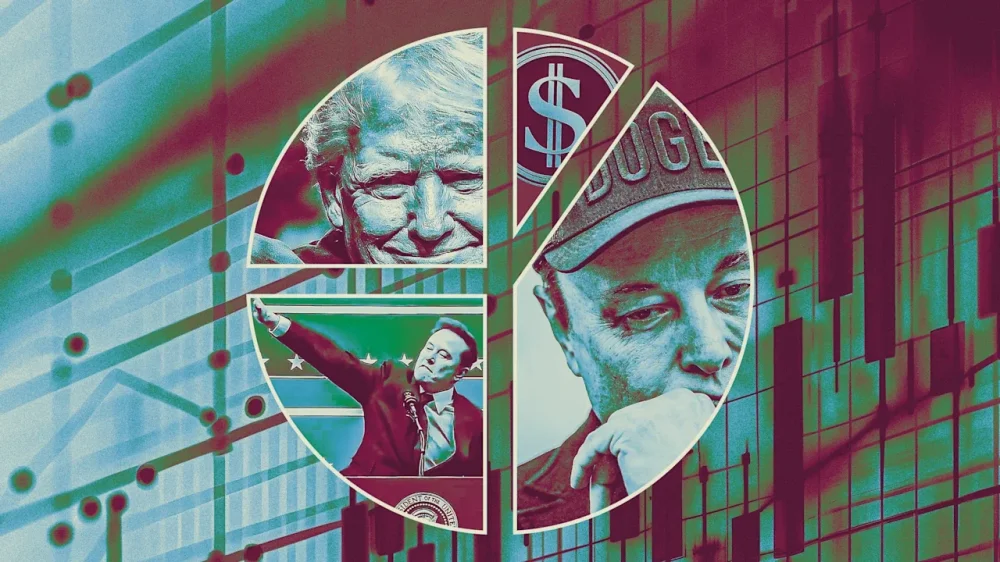
It’s official: DOGE, the The President administration’s “Department of Government Efficiency,” has met an early end. Even before The President took office, DOGE was conceived of as an outside advisory board that would recommend government reforms and find $500 billion in annual spending to cut. The day after The President was inaugurated, the department was officially founded, with Elon Musk—CEO of Tesla and the world’s richest man—at its helm. Within the first 100 days of The President’s second term, DOGE played a central role in cutting hundreds of thousands of jobs, nixing funds to foreign food aid and medical research, overhauling longtime government cybersecurity systems, targeting federal DEI programs for elimination, and more. But it seems like DOGE’s fate was ultimately to burn bright and fizzle out. After Musk departed from his leadership position amidst a public feud with The President, DOGE slowly faded from news headlines and the public consciousness. Finally, earlier this month, a Reuters reporter asked Scott Kupor, director of the U.S. Office of Personnel Management, about DOGE’s status. “That doesn’t exist,” Kupor responded. He added that DOGE is “no longer a centralized entity,” and Reuters found that several of the department’s former employees have moved on to other roles, including two workers who are now involved with the new National Design Studio. The agency’s lackluster shutdown comes months ahead of its official conclusion, which was meant to be July 2026, according to an executive order signed earlier this year by The President. Here, we take a look back at some of DOGE’s most egregious moves as the agency meets its untimely end. DOGE shuts down USAID One of DOGE’s first high-profile moves was to dismantle the U.S. Agency for International Development (USAID), a branch of the government dedicated to administering foreign aid. At the time, Musk took to X to share that he had “spent the weekend feeding USAID into the wood chipper.” In 2023, USAID managed over $40 billion of appropriations provided to around 130 countries, according to the Congressional Research Service. Of that amount, $16.8 billion went toward governance, while $10.5 billion went to humanitarian aid and $7 billion to health efforts. The USAID shutdown has had devastating ripple effects, including wasting massive food stores amidst a global hunger crisis and threatening Agent Orange cleanup efforts in Vietnam. According to one recent analysis from Atul Gawande, a Harvard T.H. Chan School of Public Health professor and former assistant administrator for global health at USAID, the shutdown has already resulted in hundreds of thousands of deaths from infectious diseases and malnutrition. Thousands of federal workers laid off As part of its cost-cutting initiative, one of DOGE’s main focuses became eliminating federal jobs that it deemed to be redundant. This included firings at the U.S. Department of Health and Human Services, the Food and Drug Administration, the U.S. Postal Service (USPS), and more. Kupor told the New York Times in an August interview that the DOGE cuts accounted for almost 300,000 jobs eliminated in total. More recently, some agencies—like the General Services Administration—have begun asking former employees to return to work ahead of the end of the fiscal year. DOGE reportedly gains unprecedented access to federal databases After DOGE’s founding, the agency reportedly received unprecedented access to a number of government databases and computer systems, including the Department of Treasury’s payment systems, sensitive IRS data, Social Security records, and data held by the Department of the Interior. In April, David Evan Harris, a chancellor’s public scholar with the University of California, Berkeley, told Fast Company, “It’s very unclear what kinds of security protocols the DOGE team is using, and if they are taking any steps to make sure that private data of government employees and U.S. citizens, and even confidential data about U.S. government programs is not being turned into training data or retained improperly by any of these AI companies that they’re working with.” According to a September report from Senate Democrats, Harris had reason to be concerned. The report alleges that DOGE “copied Americans’ sensitive Social Security and employment data into a cloud database without any verified security controls,” putting people’s personal data at risk of foreign hacks. View the full article
-
The U.S. stock market is rising again on Monday, ahead of a week with shortened trading because of the Thanksgiving holiday. The S&P 500 climbed 1.4% and added to its jump from Friday. The Dow Jones Industrial Average was up 221 points, or 0.5%, as of 12:30 p.m. Eastern time, and the Nasdaq composite was 2.4% higher. Stocks got a lift from rising hopes that the Federal Reserve will cut its main interest rate again at its next meeting in December, a move that could boost the economy and investment prices. The market also benefited from strength for stocks caught up in the artificial-intelligence frenzy. Alphabet, which has been getting praise for its newest Gemini AI model, rallied 5.2% and was one of the strongest forces lifting the S&P 500. Nvidia rose 2.1%. But Monday’s gains were hesitant, and the S&P 500 rallied to a gain of 1% only to halve it within the first 15 minutes of trading, before picking up momentum again. Stocks have been swinging sharply, not just day to day but also hour to hour, in recent weeks as worries weigh about what the Fed will do with interest rates and whether too much money is pouring into AI and creating a bubble. All the uncertainty is creating the biggest test for investors since an April sell-off, when President Donald The President shocked the world with his “Liberation Day” tariffs. Still, despite all the recent fear, the S&P 500 remains within 2.8% of its record set last month. Several more tests lie ahead this week for the market, though none loom quite as large as last week’s profit report from Nvidia or the delayed jobs report from the U.S. government for September. One of the biggest tests will arrive Tuesday, when the U.S. government will deliver data showing how bad inflation was at the wholesale level in September. Economists expect it to show a 2.6% rise from a year earlier, the same inflation rate as August. A higher-than-expected reading could deter the Fed from cutting its main interest rate in December for a third time this year, because lower rates can worsen inflation. Some Fed officials have already argued against a December cut in part because inflation has stubbornly remained above their 2% target. Traders are nevertheless betting on a 77% probability that the Fed will cut rates next month, up from 71% on Friday and from less than a coin flip’s chance a week ago, according to data from CME Group. U.S. markets will be closed on Thursday for the Thanksgiving holiday. A day later, it’s on to the rush of Black Friday and Cyber Monday. On Wall Street, U.S.-listed shares of Danish drugmaker Novo Nordisk fell 5.8% Monday after it reported that its Alzheimer’s drug failed to slow progression of the disease in a trial. Grindr dropped 9.9% after saying it’s breaking off talks with a couple of investors who had offered to buy the company, which helps its gay users connect with each other. A special committee of the company’s board of directors said it had questions about the financing for the deal by the investors, who collectively own more than 60% of Grindr’s stock. Bitcoin, meanwhile, continued it sharp swings. It was sitting near $87,600 after bouncing between $82,000 and $94,000 over the last week. It was near $125,000 last month. In stock markets abroad, indexes were mixed in Europe following a mixed finish in Asia. Hong Kong’s Hang Seng jumped 2% for one of the world’s biggest moves. It got a boost from a 4.7% leap for Alibaba, which has reported strong demand for its updated Qwen AI app. Alibaba is due to report earnings on Tuesday. In the bond market, Treasury yields held relatively steady. The yield on the 10-year Treasury eased to 4.04% from 4.06% late Friday. —Elaine Kurtenbach and Matt Ott AP Business Writers Matt Ott and Elaine Kurtenbach contributed. View the full article

-
Effective bookkeeping is the basis of any thriving small business. Correct financial records offer crucial insights into a business’s financial health, enabling sustainable growth and the ability to make informed decisions. However, numerous small business owners, managing several responsibilities, usually make common bookkeeping mistakes that could create cash flow problems, financial discrepancies, and tax issues. Knowing these mistakes and understanding how to avoid them is vital for preserving the financial integrity of your small business. #1 Mixing Business and Personal Finance Let’s begin with one of the worst common mistakes of DIY small business accounting: mixing business and personal finances. It might seem innocent to put a business lunch on your personal credit card or use your business account to pay for your children’s clothing. However, these blurred lines swiftly generate confusion when the time comes to reconcile your books during tax season. Using one account for both business and personal finances could create the following issues: Trouble separating business and personal transactions Issues if you want to apply for a business loanInaccurate financial reporting that makes it difficult to gauge your business’s true profitabilityClean financial records begin with the complete and correct separation of business and personal. You should open credit cards and bank accounts for your small business, using them just for business expenses. #2 Neglecting the Monthly Financial Close A critical part of effective accounting entails performing monthly financial closes. Small businesses can let a month slip by and then quickly find themselves six months behind. Hiring a company that specializes in accounting for small businesses helps decrease the odds of missing the month-end closing. These procedures include assessing every line on your balance sheet, detecting and correcting any mistakes, and producing the results for management to see. Misapplied credit or debit accounting entries can mess up your financials, making it more difficult to track performance or spot problems early. Neglecting the month-end close will generate incorrect financial reports, eventually affecting decision-making within the business and, in many instances, leading to wrong tax projections. To avert these possible problems, prioritize the process as you would with your operations or sales procedures. Without an accurate month-end close, your small business can start to drift off course. #3 Not Tracking Business Costs Correctly Putting all your expenses under “miscellaneous” makes it more difficult to analyze your cash flow and spending. If each item of expenditure is under a particular code from your accounting chart, you can swiftly review your spending, run reports, and seek ways to enhance budgets and cash flow. If you don’t keep correct records, your accounting is way less effective. When this occurs, you leave your business susceptible to late payments on critical bills, lost income, and overlooked financial insights. This situation produces huge headaches come tax season and can create issues that slow your business’s growth. Regardless of how you handle your accounting, it is vital to record each transaction so you can correctly assess your business’s financial health. Most small business owners don't have the time or energy to do this, which is why it is highly advisable to hire a professional accountant to handle your expenses effectively. Your accountant can record every bill you pay, when you withdraw or deposit money, invoicing clients, and month-end closes. If you want to know where your money goes, an accountant possesses the knowledge to categorize your expenses accurately. #4 Failing to Classify Employees Small businesses often have various types of workers, such as freelancers and contractors, managing different projects. Misclassifying them as employees could put you in trouble with the IRS, resulting in tax penalties. A professional bookkeeper can help explain the difference between each type of employee. If a small business owner misclassifies an employee, the state and federal governments miss out on payroll taxes. The penalties for this error can be significant: Small business owners might be responsible for social security, payroll, unemployment, and Medicare taxes for misclassified employees. The business could also face lawsuits if workers aren’t offered benefits as required by labor laws, specifically the Fair Labor Standards Act.To avert misclassifying employees, you need to decide whether an individual is a contractor or employee based on their job, their pay, and their relationship to your business. #5 Not Accurately Planning for Tax Season DIY tax software might seem like a money-saving solution for small businesses, particularly when trying to avoid paying for the services of a professional accountant. But while doing your own taxes may work for some individuals with a simple tax return, it’s seldom a good idea for small business owners. Business and payroll tax problems could be complicated, and wrong tax filings can be expensive. Missing tax deadlines can generate accrued interest, delayed refunds, and penalties, which hurt your cash flow and add unwanted anxiety. Many small businesses fall behind because their books aren’t organized or up-to-date for tax season. Routine maintenance guarantees you’re ready for tax deadlines, making tax preparation quicker and lessening the odds of expensive mistakes. And don’t forget: Hire an Experienced Accounting Professional Hiring an accounting professional diminishes the possibility of mistakes in areas such as payroll and reconciling bank accounts. Are you sure you’re handling employees’ tax withholdings accurately? Only a few errors in these areas could cost you more than you’re saving by not hiring help. At RMP Accounting, we provide bookkeeping services for small businesses that include payroll, sales tax filing, and bringing your general ledger up to date. Contact us today and let’s talk about your accounting needs. View the full article
-
Effective bookkeeping is the basis of any thriving small business. Correct financial records offer crucial insights into a business’s financial health, enabling sustainable growth and the ability to make informed decisions. However, numerous small business owners, managing several responsibilities, usually make common bookkeeping mistakes that could create cash flow problems, financial discrepancies, and tax issues. Knowing these mistakes and understanding how to avoid them is vital for preserving the financial integrity of your small business. #1 Mixing Business and Personal Finance Let’s begin with one of the worst common mistakes of DIY small business accounting: mixing business and personal finances. It might seem innocent to put a business lunch on your personal credit card or use your business account to pay for your children’s clothing. However, these blurred lines swiftly generate confusion when the time comes to reconcile your books during tax season. Using one account for both business and personal finances could create the following issues: Trouble separating business and personal transactions Issues if you want to apply for a business loanInaccurate financial reporting that makes it difficult to gauge your business’s true profitabilityClean financial records begin with the complete and correct separation of business and personal. You should open credit cards and bank accounts for your small business, using them just for business expenses. #2 Neglecting the Monthly Financial Close A critical part of effective accounting entails performing monthly financial closes. Small businesses can let a month slip by and then quickly find themselves six months behind. Hiring a company that specializes in accounting for small businesses helps decrease the odds of missing the month-end closing. These procedures include assessing every line on your balance sheet, detecting and correcting any mistakes, and producing the results for management to see. Misapplied credit or debit accounting entries can mess up your financials, making it more difficult to track performance or spot problems early. Neglecting the month-end close will generate incorrect financial reports, eventually affecting decision-making within the business and, in many instances, leading to wrong tax projections. To avert these possible problems, prioritize the process as you would with your operations or sales procedures. Without an accurate month-end close, your small business can start to drift off course. #3 Not Tracking Business Costs Correctly Putting all your expenses under “miscellaneous” makes it more difficult to analyze your cash flow and spending. If each item of expenditure is under a particular code from your accounting chart, you can swiftly review your spending, run reports, and seek ways to enhance budgets and cash flow. If you don’t keep correct records, your accounting is way less effective. When this occurs, you leave your business susceptible to late payments on critical bills, lost income, and overlooked financial insights. This situation produces huge headaches come tax season and can create issues that slow your business’s growth. Regardless of how you handle your accounting, it is vital to record each transaction so you can correctly assess your business’s financial health. Most small business owners don't have the time or energy to do this, which is why it is highly advisable to hire a professional accountant to handle your expenses effectively. Your accountant can record every bill you pay, when you withdraw or deposit money, invoicing clients, and month-end closes. If you want to know where your money goes, an accountant possesses the knowledge to categorize your expenses accurately. #4 Failing to Classify Employees Small businesses often have various types of workers, such as freelancers and contractors, managing different projects. Misclassifying them as employees could put you in trouble with the IRS, resulting in tax penalties. A professional bookkeeper can help explain the difference between each type of employee. If a small business owner misclassifies an employee, the state and federal governments miss out on payroll taxes. The penalties for this error can be significant: Small business owners might be responsible for social security, payroll, unemployment, and Medicare taxes for misclassified employees. The business could also face lawsuits if workers aren’t offered benefits as required by labor laws, specifically the Fair Labor Standards Act.To avert misclassifying employees, you need to decide whether an individual is a contractor or employee based on their job, their pay, and their relationship to your business. #5 Not Accurately Planning for Tax Season DIY tax software might seem like a money-saving solution for small businesses, particularly when trying to avoid paying for the services of a professional accountant. But while doing your own taxes may work for some individuals with a simple tax return, it’s seldom a good idea for small business owners. Business and payroll tax problems could be complicated, and wrong tax filings can be expensive. Missing tax deadlines can generate accrued interest, delayed refunds, and penalties, which hurt your cash flow and add unwanted anxiety. Many small businesses fall behind because their books aren’t organized or up-to-date for tax season. Routine maintenance guarantees you’re ready for tax deadlines, making tax preparation quicker and lessening the odds of expensive mistakes. And don’t forget: Hire an Experienced Accounting Professional Hiring an accounting professional diminishes the possibility of mistakes in areas such as payroll and reconciling bank accounts. Are you sure you’re handling employees’ tax withholdings accurately? Only a few errors in these areas could cost you more than you’re saving by not hiring help. At RMP Accounting, we provide bookkeeping services for small businesses that include payroll, sales tax filing, and bringing your general ledger up to date. Contact us today and let’s talk about your accounting needs. View the full article
-
Reeves must deliver credible savings, calibrated tax rises and a pro-growth signalView the full article
-
A federal judge threw out the criminal charges against former FBI Director James Comey and New York Attorney General Letitia James, ruling that the prosecutor who brought the cases had been illegally appointed. View the full article

-
Black Friday is peak retail season, yet many brands still lose money on Google Shopping ads for products they’ve already sold out of. The problem. Ads continue to run after items go out of stock, triggering cost-per-click charges with little to no chance of conversion. In a ShoppingIQ study of 500 global retailers, 97% continued to pay for clicks on unavailable products, often for 24 to 48 hours. Why we care. Out-of-stock ads waste budget, distort campaign performance, and confuse algorithmic learning. When clicks lead to dead ends, conversion rates drop, rankings slip, ROI falls, and future bidding becomes less efficient. Example. Argos reportedly continued to promote out-of-stock items during Black Friday, frustrating shoppers and wasting ad spend. Stock update refresh rates. ~24 hours: 90% of retailers 6–23 hours: 5% 48 hours: 2% Other: 3% The bigger picture. Google Shopping accounts for approximately 75% of U.S. retail search spend, yet its default settings still allow out-of-stock ads to run unchecked. Bottom line. Real-time stock management is a must for retailers running high-stakes campaigns during Black Friday and other peak periods. Otherwise, every wasted click is money down the drain. The report. How Retail Marketers Are Bleeding Budget on Google Shopping Ads On Black Friday View the full article
-
Canva stands out as a video editor because of its user-friendly interface, which caters to all skill levels, from novices to experts. Its drag-and-drop tools simplify the editing process, allowing you to add layers and customize templates effortlessly. In addition, the extensive stock media library and AI-assisted features improve your creative options. With efficient collaboration tools and cloud storage, Canva not only streamlines production but enhances teamwork. Discover how these elements come together to upgrade your video projects. Key Takeaways Canva offers a user-friendly interface with drag-and-drop tools, making video editing accessible for all skill levels. Extensive stock media library includes thousands of royalty-free clips and tracks, simplifying media sourcing for projects. AI-assisted features like Magic Design automate editing processes, enhancing efficiency and saving time for creators. Real-time collaboration tools facilitate communication among team members, improving productivity during the editing process. Direct sharing capabilities to major social media platforms streamline the distribution of finished videos. User-Friendly Interface for All Skill Levels When you’re looking for a video editing tool that’s easy to use, Canva stands out thanks to its user-friendly interface designed for all skill levels. This platform acts as a reliable YouTube video editor online, making it simple to navigate regardless of whether you’re a beginner. You can easily arrange your video clips using a timeline view, similar to PowerPoint or Keynote, which streamlines the editing process. If you’re wondering how to edit your YouTube videos on YouTube, Canva offers a straightforward solution with drag-and-drop tools that allow you to add multiple video and image layers seamlessly. Many users ask, “Is Canva a good video editor?” and the answer is a resounding yes, especially for those seeking convenience and ease. Extensive Stock Media Library Canva’s extensive stock media library improves your video editing experience by providing access to thousands of royalty-free video clips, photos, and audio tracks. This resource is especially useful when you’re learning how to edit YouTube videos, as it saves you time by eliminating the need to source media externally. For Pro users, the library offers over half a million music tracks and sound effects, enhancing your productions’ quality. When you’re figuring out how to make and edit YouTube videos, Canva’s templates customized for various social media platforms help streamline your workflow. Furthermore, features like Magic Design for Video automatically integrate stock assets, making it easier than ever to create engaging content without needing complex editing skills. Simple Drag-and-Drop Editing Tools Canva’s simple drag-and-drop editing tools make video creation accessible even for beginners. With an intuitive interface similar to PowerPoint, you can quickly set up your projects by adding and rearranging clips, images, and audio tracks. This user-friendly design not merely saves time but additionally helps you create professional-looking videos with ease. User-Friendly Interface For those who may feel overwhelmed by video editing, the user-friendly interface of Canva simplifies the process considerably. You’ll find a clean layout that makes navigation easy, even though you have no prior editing experience. The intuitive drag-and-drop functionality allows you to effortlessly add and arrange video clips, images, and audio tracks in your projects. Canva additionally offers a timeline view similar to PowerPoint or Keynote, which makes video editing feel familiar and straightforward. With customizable templates, you can kickstart your projects during personalizing your content with minimal effort. Plus, the auto-save feature guarantees that all your edits are preserved automatically, so you won’t have to worry about losing progress, unlike some other platforms that ask, “Does YouTube have a video editor?” Quick Project Setup Building on the user-friendly interface, the quick project setup in Canva allows you to get started with video editing almost immediately. With its intuitive drag-and-drop tools, you can easily arrange video clips and images on the timeline without needing extensive technical knowledge. You can upload your own media files or select from Canva’s vast stock library, simplifying content sourcing. Furthermore, customizable templates help you kick off projects with pre-designed layouts suited for various themes. The straightforward editing tools let you trim, split, and reorder clips with just a few clicks, making it efficient to refine your content. Plus, the auto-save feature guarantees your changes are preserved, so you can focus on your creativity without losing progress. Cost-Effective Video Production Creating videos doesn’t have to break the bank, and Canva makes it easier than ever to produce high-quality content without the hefty price tag. With a free video editing platform, you can start creating without investing in expensive software licenses. If you need more features, the Pro version offers access to a vast library of stock media and 100 GB of storage, making it an economical choice. You can create polished videos effortlessly, saving on costs that come with hiring professional editors or buying pricey tools. Canva’s pre-made templates and drag-and-drop functionality simplify the process, whereas its built-in audio library provides thousands of licensed music tracks, eliminating extra subscriptions. This all contributes to a more cost-effective video production experience. Seamless Integration With Existing Designs With Canva, you can easily access your brand kits and existing designs right in the video editor, ensuring your projects maintain a consistent look. The platform allows for straightforward integration of media, letting you pull in video clips, images, and elements from your previous work without hassle. This streamlined process not merely improves your workflow but additionally simplifies the shift from graphic designs to engaging video content. Access to Brand Kits Access to brand kits in Canva greatly improves the video editing process by allowing you to integrate your existing design elements seamlessly. With brand kits, you can easily apply custom fonts, colors, and logos to elevate your brand identity in videos. This feature simplifies the video creation process, letting you quickly incorporate brand elements without the hassle of repetitive manual adjustments. Canva’s brand kits support multiple design elements, ensuring a cohesive look across various media formats, including video. Moreover, the platform’s auto-save feature preserves all adjustments made to brand kits, reducing the risk of losing your customizations. This streamlined approach not only saves time but furthermore helps maintain consistency in your branding efforts. Easy Media Integration Integrating existing designs into your video projects is a breeze with Canva, as the platform offers a user-friendly interface that allows for seamless media incorporation. You can easily access and integrate images, graphics, and other design elements directly into your video projects, streamlining your creative process. Canva’s extensive stock media library provides a vast selection of video clips and images, enhancing your visuals without needing external sources. Furthermore, you can create custom folders to organize your media, making it simpler to locate and utilize assets. Canva’s auto-save feature guarantees that all your integrated media and edits are preserved automatically, so you can focus on creativity without worrying about losing your work. Brand kits further help maintain consistency across all visual content. Easy Access to Templates and Customization Canva offers a vast selection of customizable video templates that cater to various platforms, such as YouTube, TikTok, and Instagram Stories, so you can jumpstart your projects without delay. You can easily modify these templates by changing text, colors, and images, ensuring your videos align with your personal branding or specific themes. The user-friendly drag-and-drop interface makes customization accessible, even though you have no prior video editing experience. Furthermore, these templates are designed to be reusable, allowing you to maintain a consistent look across multiple videos without starting from scratch each time. Canva’s extensive stock media library lets you integrate high-quality images, videos, and audio seamlessly, enhancing the overall production value of your projects. Efficient Collaboration Features When working on video projects, having efficient collaboration features can greatly improve your team’s productivity. Canva allows real-time collaboration, so you and your team can work together simultaneously, improving communication. You can leave comments on specific scenes for immediate feedback, simplifying the editing process. Mobile compatibility means you can edit on the go, making your workflow more flexible. Moreover, Canva’s Content Calendar helps schedule video releases, streamlining planning and distribution across social media. With cloud storage, your team can easily access and manage projects securely from anywhere with an internet connection. Feature Benefit Real-time collaboration Improves productivity and communication Scene-specific comments Facilitates immediate feedback Mobile compatibility Allows editing on the go Cloud storage Simplifies access and content management AI-Assisted Video Creation Canva’s AI-assisted video creation tools, like Magic Design, simplify the editing process by automatically enhancing footage and adding music. With features that identify key moments and generate videos from text prompts, you can produce engaging content without getting bogged down in manual tasks. This efficiency not just saves time but additionally makes video production more accessible, even for beginners. Magic Design Features The Magic Design feature in Canva transforms video editing by utilizing the strength of AI-assisted technology, making it accessible for users at all skill levels. This innovative tool automatically edits your footage and adds music, streamlining the video creation process. By leveraging AI, it identifies the best moments in your videos, ensuring only the most engaging content is highlighted. With Magic Media, you can even generate videos from text prompts, allowing for quick and creative production without needing extensive editing experience. Furthermore, the integration of AI tools saves you time on manual editing tasks, making the overall process more efficient. With access to over half a million music tracks and sound effects, Magic Design improves your videos with professional-quality audio. Automated Editing Processes Automated editing processes in video creation greatly boost the efficiency and accessibility of content production, allowing anyone to craft professional-looking videos with ease. Canva offers several innovative features that streamline the editing process: Magic Design: It uses AI to automatically edit footage and suggest suitable music. Highlights Feature: This tool identifies and extracts the best moments from your videos for quick edits. Magic Media Tool: You can generate videos from text prompts, speeding up the shift from concept to final product. Extensive Music Library: With over half a million music tracks and sound effects, you can enhance your videos effortlessly. These AI-assisted capabilities save you time, making it easier to produce polished, engaging content. Text-to-Video Generation When you think about creating videos, transforming text-based ideas into engaging visual content can seem intimidating, but AI-assisted tools make this process much simpler. Canva’s Magic Media feature allows you to generate videos directly from text prompts, greatly streamlining your video creation. Furthermore, the AI-driven highlights feature identifies and extracts the best moments from your videos, improving the editing process by reducing the time spent on manual selections. You can quickly create enthralling videos using these automated tools, saving you considerable time. With AI integration, you can likewise add music and cinematic shifts effortlessly, making the enhancement of your projects more accessible. Canva empowers users of all skill levels to turn ideas into visually appealing videos without extensive editing experience. Compatibility With Various Platforms Canva’s video editor stands out for its compatibility with various platforms, ensuring that you can easily create and share content across the digital environment. Here are some key features that improve this compatibility: MP4 Format: You can create and export videos in MP4 format, widely accepted by most social media platforms. Direct Sharing: The platform enables seamless sharing to channels like Instagram, Facebook, and YouTube, simplifying content distribution. Tailored Templates: Canva offers templates designed for specific formats, such as TikTok videos and YouTube Shorts, ensuring ideal display. Stock Library: Access a stock library of royalty-free videos, so you won’t worry about licensing issues when sharing online. These features make Canva a versatile choice for video editing across multiple platforms. Continuous Updates and Feature Improvements With a solid foundation in compatibility, Canva continues to improve its video editing capabilities through regular updates and feature upgrades. The platform listens to user feedback, addressing limitations as it introduces new features. One notable addition is Magic Design, which streamline the editing process, allowing you to create engaging content swiftly. Furthermore, continuous improvements to the stock media library give you access to a broader selection of video clips, music tracks, and sound effects, elevating your projects’ quality. Canva’s commitment to user accessibility means updates often simplify complex editing processes, making it easier for beginners to produce professional-looking videos. These regular feature updates help Canva remain competitive, catering to the evolving needs of digital content creators. Frequently Asked Questions What’s Better, Capcut or Canva? When comparing CapCut and Canva, it really depends on your needs. CapCut thrives in advanced video editing features, like detailed effects and playback controls, making it ideal for complex projects. In contrast, Canva offers a versatile design platform that combines graphic and video editing, suitable for users wanting to create both static and dynamic content. If you need intricate editing capabilities, CapCut is likely the better choice for you. Can Canva Make Video Quality Better? Yes, Canva can improve your video quality considerably. It offers high-quality templates and stock media, making it easy to create appealing visuals. You can export videos in MP4 format, ensuring good playback quality across devices. With its audio library, you can add professional soundtracks, enhancing your video’s overall production. Features like text animation and Beat Sync help align visuals with music, further elevating engagement and quality, making your videos stand out effectively. What Are the Features of Canva Video Editor? Canva Video Editor offers several features to improve your video creation process. You can easily trim, crop, and reorder clips as you access a vast library of royalty-free videos and audio. The Beat Sync feature aligns your clips with selected music, enhancing rhythm. You can apply various animations and changes, with options for custom animations. Furthermore, real-time collaboration allows multiple users to work on projects simultaneously, making feedback quick and efficient. What Do Most Youtubers Use to Edit Their Videos? Most YouTubers choose from a variety of editing software based on their needs and skill levels. Professional editors often use Adobe Premiere Pro or Final Cut Pro for their extensive features. Others prefer user-friendly options like Filmora and CapCut for quick edits. iMovie is popular among Apple users for its simplicity. For free alternatives, many turn to DaVinci Resolve, whereas Canva is gaining traction for its ease of use and visual appeal. Conclusion In summary, Canva stands out as a versatile video editor because of its user-friendly design and extensive features. The drag-and-drop functionality simplifies the editing process, whereas the vast stock media library offers numerous options for customization. Furthermore, real-time collaboration and AI-assisted tools improve productivity, making it an excellent choice for anyone, regardless of skill level. With consistent updates and seamless integration with existing designs, Canva remains a reliable platform for efficient video production. Image via Google Gemini This article, "Why Is Canva a Good Video Editor?" was first published on Small Business Trends View the full article
-
Canva stands out as a video editor because of its user-friendly interface, which caters to all skill levels, from novices to experts. Its drag-and-drop tools simplify the editing process, allowing you to add layers and customize templates effortlessly. In addition, the extensive stock media library and AI-assisted features improve your creative options. With efficient collaboration tools and cloud storage, Canva not only streamlines production but enhances teamwork. Discover how these elements come together to upgrade your video projects. Key Takeaways Canva offers a user-friendly interface with drag-and-drop tools, making video editing accessible for all skill levels. Extensive stock media library includes thousands of royalty-free clips and tracks, simplifying media sourcing for projects. AI-assisted features like Magic Design automate editing processes, enhancing efficiency and saving time for creators. Real-time collaboration tools facilitate communication among team members, improving productivity during the editing process. Direct sharing capabilities to major social media platforms streamline the distribution of finished videos. User-Friendly Interface for All Skill Levels When you’re looking for a video editing tool that’s easy to use, Canva stands out thanks to its user-friendly interface designed for all skill levels. This platform acts as a reliable YouTube video editor online, making it simple to navigate regardless of whether you’re a beginner. You can easily arrange your video clips using a timeline view, similar to PowerPoint or Keynote, which streamlines the editing process. If you’re wondering how to edit your YouTube videos on YouTube, Canva offers a straightforward solution with drag-and-drop tools that allow you to add multiple video and image layers seamlessly. Many users ask, “Is Canva a good video editor?” and the answer is a resounding yes, especially for those seeking convenience and ease. Extensive Stock Media Library Canva’s extensive stock media library improves your video editing experience by providing access to thousands of royalty-free video clips, photos, and audio tracks. This resource is especially useful when you’re learning how to edit YouTube videos, as it saves you time by eliminating the need to source media externally. For Pro users, the library offers over half a million music tracks and sound effects, enhancing your productions’ quality. When you’re figuring out how to make and edit YouTube videos, Canva’s templates customized for various social media platforms help streamline your workflow. Furthermore, features like Magic Design for Video automatically integrate stock assets, making it easier than ever to create engaging content without needing complex editing skills. Simple Drag-and-Drop Editing Tools Canva’s simple drag-and-drop editing tools make video creation accessible even for beginners. With an intuitive interface similar to PowerPoint, you can quickly set up your projects by adding and rearranging clips, images, and audio tracks. This user-friendly design not merely saves time but additionally helps you create professional-looking videos with ease. User-Friendly Interface For those who may feel overwhelmed by video editing, the user-friendly interface of Canva simplifies the process considerably. You’ll find a clean layout that makes navigation easy, even though you have no prior editing experience. The intuitive drag-and-drop functionality allows you to effortlessly add and arrange video clips, images, and audio tracks in your projects. Canva additionally offers a timeline view similar to PowerPoint or Keynote, which makes video editing feel familiar and straightforward. With customizable templates, you can kickstart your projects during personalizing your content with minimal effort. Plus, the auto-save feature guarantees that all your edits are preserved automatically, so you won’t have to worry about losing progress, unlike some other platforms that ask, “Does YouTube have a video editor?” Quick Project Setup Building on the user-friendly interface, the quick project setup in Canva allows you to get started with video editing almost immediately. With its intuitive drag-and-drop tools, you can easily arrange video clips and images on the timeline without needing extensive technical knowledge. You can upload your own media files or select from Canva’s vast stock library, simplifying content sourcing. Furthermore, customizable templates help you kick off projects with pre-designed layouts suited for various themes. The straightforward editing tools let you trim, split, and reorder clips with just a few clicks, making it efficient to refine your content. Plus, the auto-save feature guarantees your changes are preserved, so you can focus on your creativity without losing progress. Cost-Effective Video Production Creating videos doesn’t have to break the bank, and Canva makes it easier than ever to produce high-quality content without the hefty price tag. With a free video editing platform, you can start creating without investing in expensive software licenses. If you need more features, the Pro version offers access to a vast library of stock media and 100 GB of storage, making it an economical choice. You can create polished videos effortlessly, saving on costs that come with hiring professional editors or buying pricey tools. Canva’s pre-made templates and drag-and-drop functionality simplify the process, whereas its built-in audio library provides thousands of licensed music tracks, eliminating extra subscriptions. This all contributes to a more cost-effective video production experience. Seamless Integration With Existing Designs With Canva, you can easily access your brand kits and existing designs right in the video editor, ensuring your projects maintain a consistent look. The platform allows for straightforward integration of media, letting you pull in video clips, images, and elements from your previous work without hassle. This streamlined process not merely improves your workflow but additionally simplifies the shift from graphic designs to engaging video content. Access to Brand Kits Access to brand kits in Canva greatly improves the video editing process by allowing you to integrate your existing design elements seamlessly. With brand kits, you can easily apply custom fonts, colors, and logos to elevate your brand identity in videos. This feature simplifies the video creation process, letting you quickly incorporate brand elements without the hassle of repetitive manual adjustments. Canva’s brand kits support multiple design elements, ensuring a cohesive look across various media formats, including video. Moreover, the platform’s auto-save feature preserves all adjustments made to brand kits, reducing the risk of losing your customizations. This streamlined approach not only saves time but furthermore helps maintain consistency in your branding efforts. Easy Media Integration Integrating existing designs into your video projects is a breeze with Canva, as the platform offers a user-friendly interface that allows for seamless media incorporation. You can easily access and integrate images, graphics, and other design elements directly into your video projects, streamlining your creative process. Canva’s extensive stock media library provides a vast selection of video clips and images, enhancing your visuals without needing external sources. Furthermore, you can create custom folders to organize your media, making it simpler to locate and utilize assets. Canva’s auto-save feature guarantees that all your integrated media and edits are preserved automatically, so you can focus on creativity without worrying about losing your work. Brand kits further help maintain consistency across all visual content. Easy Access to Templates and Customization Canva offers a vast selection of customizable video templates that cater to various platforms, such as YouTube, TikTok, and Instagram Stories, so you can jumpstart your projects without delay. You can easily modify these templates by changing text, colors, and images, ensuring your videos align with your personal branding or specific themes. The user-friendly drag-and-drop interface makes customization accessible, even though you have no prior video editing experience. Furthermore, these templates are designed to be reusable, allowing you to maintain a consistent look across multiple videos without starting from scratch each time. Canva’s extensive stock media library lets you integrate high-quality images, videos, and audio seamlessly, enhancing the overall production value of your projects. Efficient Collaboration Features When working on video projects, having efficient collaboration features can greatly improve your team’s productivity. Canva allows real-time collaboration, so you and your team can work together simultaneously, improving communication. You can leave comments on specific scenes for immediate feedback, simplifying the editing process. Mobile compatibility means you can edit on the go, making your workflow more flexible. Moreover, Canva’s Content Calendar helps schedule video releases, streamlining planning and distribution across social media. With cloud storage, your team can easily access and manage projects securely from anywhere with an internet connection. Feature Benefit Real-time collaboration Improves productivity and communication Scene-specific comments Facilitates immediate feedback Mobile compatibility Allows editing on the go Cloud storage Simplifies access and content management AI-Assisted Video Creation Canva’s AI-assisted video creation tools, like Magic Design, simplify the editing process by automatically enhancing footage and adding music. With features that identify key moments and generate videos from text prompts, you can produce engaging content without getting bogged down in manual tasks. This efficiency not just saves time but additionally makes video production more accessible, even for beginners. Magic Design Features The Magic Design feature in Canva transforms video editing by utilizing the strength of AI-assisted technology, making it accessible for users at all skill levels. This innovative tool automatically edits your footage and adds music, streamlining the video creation process. By leveraging AI, it identifies the best moments in your videos, ensuring only the most engaging content is highlighted. With Magic Media, you can even generate videos from text prompts, allowing for quick and creative production without needing extensive editing experience. Furthermore, the integration of AI tools saves you time on manual editing tasks, making the overall process more efficient. With access to over half a million music tracks and sound effects, Magic Design improves your videos with professional-quality audio. Automated Editing Processes Automated editing processes in video creation greatly boost the efficiency and accessibility of content production, allowing anyone to craft professional-looking videos with ease. Canva offers several innovative features that streamline the editing process: Magic Design: It uses AI to automatically edit footage and suggest suitable music. Highlights Feature: This tool identifies and extracts the best moments from your videos for quick edits. Magic Media Tool: You can generate videos from text prompts, speeding up the shift from concept to final product. Extensive Music Library: With over half a million music tracks and sound effects, you can enhance your videos effortlessly. These AI-assisted capabilities save you time, making it easier to produce polished, engaging content. Text-to-Video Generation When you think about creating videos, transforming text-based ideas into engaging visual content can seem intimidating, but AI-assisted tools make this process much simpler. Canva’s Magic Media feature allows you to generate videos directly from text prompts, greatly streamlining your video creation. Furthermore, the AI-driven highlights feature identifies and extracts the best moments from your videos, improving the editing process by reducing the time spent on manual selections. You can quickly create enthralling videos using these automated tools, saving you considerable time. With AI integration, you can likewise add music and cinematic shifts effortlessly, making the enhancement of your projects more accessible. Canva empowers users of all skill levels to turn ideas into visually appealing videos without extensive editing experience. Compatibility With Various Platforms Canva’s video editor stands out for its compatibility with various platforms, ensuring that you can easily create and share content across the digital environment. Here are some key features that improve this compatibility: MP4 Format: You can create and export videos in MP4 format, widely accepted by most social media platforms. Direct Sharing: The platform enables seamless sharing to channels like Instagram, Facebook, and YouTube, simplifying content distribution. Tailored Templates: Canva offers templates designed for specific formats, such as TikTok videos and YouTube Shorts, ensuring ideal display. Stock Library: Access a stock library of royalty-free videos, so you won’t worry about licensing issues when sharing online. These features make Canva a versatile choice for video editing across multiple platforms. Continuous Updates and Feature Improvements With a solid foundation in compatibility, Canva continues to improve its video editing capabilities through regular updates and feature upgrades. The platform listens to user feedback, addressing limitations as it introduces new features. One notable addition is Magic Design, which streamline the editing process, allowing you to create engaging content swiftly. Furthermore, continuous improvements to the stock media library give you access to a broader selection of video clips, music tracks, and sound effects, elevating your projects’ quality. Canva’s commitment to user accessibility means updates often simplify complex editing processes, making it easier for beginners to produce professional-looking videos. These regular feature updates help Canva remain competitive, catering to the evolving needs of digital content creators. Frequently Asked Questions What’s Better, Capcut or Canva? When comparing CapCut and Canva, it really depends on your needs. CapCut thrives in advanced video editing features, like detailed effects and playback controls, making it ideal for complex projects. In contrast, Canva offers a versatile design platform that combines graphic and video editing, suitable for users wanting to create both static and dynamic content. If you need intricate editing capabilities, CapCut is likely the better choice for you. Can Canva Make Video Quality Better? Yes, Canva can improve your video quality considerably. It offers high-quality templates and stock media, making it easy to create appealing visuals. You can export videos in MP4 format, ensuring good playback quality across devices. With its audio library, you can add professional soundtracks, enhancing your video’s overall production. Features like text animation and Beat Sync help align visuals with music, further elevating engagement and quality, making your videos stand out effectively. What Are the Features of Canva Video Editor? Canva Video Editor offers several features to improve your video creation process. You can easily trim, crop, and reorder clips as you access a vast library of royalty-free videos and audio. The Beat Sync feature aligns your clips with selected music, enhancing rhythm. You can apply various animations and changes, with options for custom animations. Furthermore, real-time collaboration allows multiple users to work on projects simultaneously, making feedback quick and efficient. What Do Most Youtubers Use to Edit Their Videos? Most YouTubers choose from a variety of editing software based on their needs and skill levels. Professional editors often use Adobe Premiere Pro or Final Cut Pro for their extensive features. Others prefer user-friendly options like Filmora and CapCut for quick edits. iMovie is popular among Apple users for its simplicity. For free alternatives, many turn to DaVinci Resolve, whereas Canva is gaining traction for its ease of use and visual appeal. Conclusion In summary, Canva stands out as a versatile video editor because of its user-friendly design and extensive features. The drag-and-drop functionality simplifies the editing process, whereas the vast stock media library offers numerous options for customization. Furthermore, real-time collaboration and AI-assisted tools improve productivity, making it an excellent choice for anyone, regardless of skill level. With consistent updates and seamless integration with existing designs, Canva remains a reliable platform for efficient video production. Image via Google Gemini This article, "Why Is Canva a Good Video Editor?" was first published on Small Business Trends View the full article
-
We may earn a commission from links on this page. Deal pricing and availability subject to change after time of publication. Black Friday sales officially start Friday, November 28, and run through Cyber Monday, December 1, and Lifehacker is sharing the best sales based on product reviews, comparisons, and price-tracking tools before it's over. Follow our live blog to stay up-to-date on the best sales we find. Browse our editors’ picks for a curated list of our favorite sales on laptops, fitness tech, appliances, and more. Subscribe to our shopping newsletter, Add to Cart, for the best sales sent to your inbox. Sales are accurate at the time of publication, but prices and inventory are always subject to change. Although it's not my favorite Kindle, there's definitely a place in the market for the Kindle Scribe. It's an ebook reader and a digital notebook combined, and it could be a great tool for people who like making notes on a device that mimics a paper notebook. It's typically on the more expensive end, but now you can get the Kindle Scribe on sale as part of Amazon's Black Friday 2025 deals. It's currently down to a record low price of $280, a full 30% off its list price. Amazon Kindle Scribe (32GB) $279.99 at Amazon $419.99 Save $140.00 Get Deal Get Deal $279.99 at Amazon $419.99 Save $140.00 The device is available in three storage variants: 16GB, 32GB, and 64GB. You can get the 16GB and 32GB versions for $280 right now, while the 64GB variant is going for $310, which is 31% off. That means the highest discount is on the 32 GB variant (33% off), so if you're buying a Kindle Scribe this Black Friday, 32GB is probably your best bet. You can get the Scribe in black or green colorways (Amazon calls them Tungsten and Metallic Jade, respectively). Unfortunately, the green variant is only available with 64GB storage, so you'll have to spend $30 more to grab it. Be aware that a newer generation of the Kindle Scribe is just around the corner and will be available at $500. To me, this means now's a great time to grab a deal on the older one, but for some people, it may make sense to save up and buy the upgraded one instead. The current-gen Kindle Scribe scored a 3.5/5 in Lifehacker's review. Deputy Editor Joel Cunningham called it a great ebook reader but a disappointing digital notebook. He praised the Scribe's build quality, the natural writing experience it offers, and its stylus. On the other hand, he wasn't too happy with the limited note-taking functions, clunky refresh rate, occasional ghosting issues, or the lack of waterproofing. What stores have the best sales on Black Friday?Nowadays, both large retailers and small businesses compete for Black Friday shoppers, so you can expect practically every store to run sales through Monday, December 1, 2025. The “best” sales depend on your needs, but in general, the biggest discounts tend to come from larger retailers who can afford lower prices: think places like Amazon, Walmart, Target, Best Buy, and Home Depot. You can find all the best sales from major retailers on our live blog. Are Black Friday deals worth it?In short, yes, Black Friday still offers discounts that can be rare throughout the rest of the year. If there’s something you want to buy, or you’re shopping for gifts, it’s a good time to look for discounts on what you need, especially tech sales, home improvement supplies, and fitness tech. Of course, if you need to save money, the best way to save is to not buy anything. Are Cyber Monday deals better than Black Friday?Black Friday used to be bigger for major retailers and more expensive tech and appliances, while Cyber Monday was for cheaper tech and gave smaller businesses a chance to compete online. Nowadays, though, distinction is almost meaningless. Every major retailer will offer sales on both days, and the smart move is to know what you want, use price trackers or refer to guides like our live blog that use price trackers for you, and don’t stress over finding the perfect timing. Our Best Editor-Vetted Early Black Friday Deals Right Now Apple AirPods Pro 3 Noise Cancelling Heart Rate Wireless Earbuds — $219.99 (List Price $249.00) Apple iPad 11" 128GB A16 WiFi Tablet (Blue, 2025) — $279.00 (List Price $349.00) Amazon Fire HD 10 (2023) — $69.99 (List Price $139.99) Sony WH-1000XM5 — $248.00 (List Price $399.99) Blink Outdoor 4 1080p Wireless Security Camera (5-Pack) — $159.99 (List Price $399.99) Amazon Fire TV Stick 4K Plus — $24.99 (List Price $49.99) NEW Bose Quiet Comfort Ultra Wireless Noise Cancelling Headphones — $298.00 (List Price $429.00) Shark AI Ultra Matrix Clean Mapping Voice Control Robot Vacuum with XL Self-Empty Base — $249.99 (List Price $599.00) Apple Watch Series 11 (GPS, 42mm, S/M Black Sport Band) — $349.00 (List Price $399.00) Western Digital 14TB Elements Desktop External Hard Drive — $169.99 (List Price $279.99) Deals are selected by our commerce team View the full article
-
A three-year analysis of up to 6,000 advertisers shows that using Google’s seasonality bid adjustments during Black Friday and Cyber Monday (BFCM) consistently harms efficiency — even though the platforms keep recommending them. The big picture. Smart Bidding’s models are designed to anticipate predictable retail spikes. Optmyzr’s analysis of tens of billions of impressions across 2022–2024 found that advertisers who skipped seasonality adjustments consistently performed better on efficiency metrics. Without adjustments, Smart Bidding: Identified the BFCM conversion lift on its own Raised bids rationally Kept ROAS stable — even improving it in 2024 With adjustments: CPCs surged much faster than actual conversion rates, eroding efficiency. Reality check: Google doesn’t need your “heads up”. Seasonality adjustments tell Google: “Expect conversion rate to rise by X% — bid that much harder.” But Smart Bidding takes this literally. If you guess wrong — and almost everyone does — the system overshoots. Example: You predict +50% CVR lift Real lift is +40% You’ve effectively overbid by 7.1% During BFCM’s high volumes, even small gaps get expensive fast. The data: 3 years of the same story 1. Smart Bidding already catches the CVR spike 2022: +17.5% 2023: +11.9% 2024: +7.5% No help needed. 2. CPC inflation doubles with adjustments Across all years, CPCs jumped about 2x higher when advertisers used a seasonal adjustment. 3. ROAS drops significantly Advertisers who trusted Smart Bidding saw stable or improved ROAS. Those who intervened saw double-digit drops. The one exception: “Volume at all costs”. If your marching order is pure revenue growth — margins be damned — seasonality adjustments deliver. Revenue lift was consistently higher when advertisers used adjustments: 2022: +50.5% vs. +25.0% 2023: +52.8% vs. +30.3% 2024: +39.9% vs. +33.8% Efficiency tanks, but volume pops. When seasonality adjustments actually make sense. Use them when Google doesn’t have advance signal — not for global events like BFCM. Good for: One-off flash sales Email-only promotions Surprise clearance events Niche seasonal spikes Not good for: Black Friday Cyber Monday Christmas Valentine’s Day Any event with years of predictable history Why we care. Google already knows it’s Black Friday. Smart Bidding is trained on years of BFCM data and reliably detects the conversion-rate spike on its own. Overriding the system often causes aggressive overbidding, inflated CPCs, and lower ROAS – meaning many marketers are unknowingly burning budget during the most competitive week of the year. By understanding when Smart Bidding already has the signal, advertisers can avoid costly mistakes, protect efficiency, and reserve seasonality adjustments for moments where they actually create value. Bottom line. Smart Bidding handles major retail holidays better than most advertisers. Seasonality adjustments usually introduce more volatility than value. Skip seasonality adjustments for predictable retail peaks. Save them for brand-specific events Google can’t foresee. Smart move: Trust the algorithm — and use guardrails, not overrides. Tools like anomaly alerts, pacing monitors, and bid caps provide control without fighting Smart Bidding’s core models. Dig Deeper. Do Seasonality Adjustments Actually Help During BFCM? A 3-Year Study Says No. View the full article
-
We may earn a commission from links on this page. Deal pricing and availability subject to change after time of publication. Black Friday sales officially start Friday, November 28, and run through Cyber Monday, December 1, and Lifehacker is sharing the best sales based on product reviews, comparisons, and price-tracking tools before it's over. Follow our live blog to stay up-to-date on the best sales we find. Browse our editors’ picks for a curated list of our favorite sales on laptops, fitness tech, appliances, and more. Subscribe to our shopping newsletter, Add to Cart, for the best sales sent to your inbox. Sales are accurate at the time of publication, but prices and inventory are always subject to change. You can get the iRobot Braava Jet M6 Smart Robot Mop, currently on sale for $119.99 on StackSocial. PCMag gave it an “excellent” rating for good reason: it mops in straight, efficient rows, maps your home, and can be controlled via the app or Alexa. The m6 is ideal for homes with hardwood, tile, or stone floors and works well in open layouts or multi-room setups. It uses vSLAM navigation to create a smart map of your space, where you can also set “Keep Out Zones” to avoid dog bowls or play areas. The battery lasts for about 150 minutes, and it’ll automatically return to its dock and resume cleaning where it left off. You also get two cleaning modes (wet mopping and dry sweeping) and a 15-ounce water tank that handles most messes without frequent refills. The app lets you schedule cleanings, choose specific rooms, or just send it off to mop up a spill on command. Still, don’t expect miracles. While it does a solid job on everyday grime and dried spills, it won’t scrub out stubborn stains the way a human can. You’ll also need to buy the cleaning pads and solution separately. That said, at under $120 for a Grade “A” refurbished model with a one-year warranty, it offers a lot of functionality in a small, quiet package. It’s especially useful if you already own a Roomba vacuum—the two can work together to vacuum and mop your floors in a seamless sequence. For anyone looking to minimize daily maintenance without sacrificing clean floors, this robot mop makes a compelling case. It also comes in white. How long do Black Friday deals really last?Black Friday sales officially begin Friday, November 28, 2025, and run throughout “Cyber Week,” the five-day period that runs from Thanksgiving through Cyber Monday, December 1, 2025. But Black Friday and Cyber Monday dates have expanded as retailers compete for customers. You can get the same Black Friday sales early, and we expect sales to wind down by December 3, 2025. What stores have the best sales on Black Friday?Nowadays, both large retailers and small businesses compete for Black Friday shoppers, so you can expect practically every store to run sales through Monday, December 1, 2025. The “best” sales depend on your needs, but in general, the biggest discounts tend to come from larger retailers who can afford lower prices: think places like Amazon, Walmart, Target, Best Buy, and Home Depot. You can find all the best sales from major retailers on our live blog. Are Black Friday deals worth it?In short, yes, Black Friday still offers discounts that can be rare throughout the rest of the year. If there’s something you want to buy, or you’re shopping for gifts, it’s a good time to look for discounts on what you need, especially tech sales, home improvement supplies, and fitness tech. Of course, if you need to save money, the best way to save is to not buy anything. Are Cyber Monday deals better than Black Friday?Black Friday used to be bigger for major retailers and more expensive tech and appliances, while Cyber Monday was for cheaper tech and gave smaller businesses a chance to compete online. Nowadays, though, distinction is almost meaningless. Every major retailer will offer sales on both days, and the smart move is to know what you want, use price trackers or refer to guides like our live blog that use price trackers for you, and don’t stress over finding the perfect timing. Our Best Editor-Vetted Early Black Friday Deals Right Now Apple AirPods Pro 3 Noise Cancelling Heart Rate Wireless Earbuds — $219.99 (List Price $249.00) Apple iPad 11" 128GB A16 WiFi Tablet (Blue, 2025) — $279.00 (List Price $349.00) Amazon Fire HD 10 (2023) — $69.99 (List Price $139.99) Sony WH-1000XM5 — $248.00 (List Price $399.99) Blink Outdoor 4 1080p Wireless Security Camera (5-Pack) — $159.99 (List Price $399.99) Amazon Fire TV Stick 4K Plus — $24.99 (List Price $49.99) NEW Bose Quiet Comfort Ultra Wireless Noise Cancelling Headphones — $298.00 (List Price $429.00) Shark AI Ultra Matrix Clean Mapping Voice Control Robot Vacuum with XL Self-Empty Base — $249.99 (List Price $599.00) Apple Watch Series 11 (GPS, 42mm, S/M Black Sport Band) — $349.00 (List Price $399.00) Western Digital 14TB Elements Desktop External Hard Drive — $169.99 (List Price $279.99) Deals are selected by our commerce team View the full article
-
Ruling found the appointment of Donald The President ally Lindsey Halligan as prosecutor was unconstitutional View the full article
-
Black Friday sales officially start Friday, November 28, and run through Cyber Monday, December 1, and Lifehacker is sharing the best sales based on product reviews, comparisons, and price-tracking tools before it's over. Follow our live blog to stay up-to-date on the best sales we find. Browse our editors’ picks for a curated list of our favorite sales on laptops, fitness tech, appliances, and more. Subscribe to our shopping newsletter, Add to Cart, for the best sales sent to your inbox. Sales are accurate at the time of publication, but prices and inventory are always subject to change. The Sonos Arc Ultra is our pick for the best soundbar overall, and you can get it bundled with the Sub 4 subwoofer for a record low price of $1,499 right now for Black Friday. At 25% off, that's the best deal we've seen on the combo, according to price-tracking tools. Sonos Arc Ultra soundbar + Sub 4 subwoofer - Black $1,499.00 at Amazon $1,998.00 Save $499.00 Get Deal Get Deal $1,499.00 at Amazon $1,998.00 Save $499.00 Sonos dominates the soundbar space, with some of the best smart speakers and surround sound systems on the market. The Arc Ultra is the brand's latest flagship soundbar and comes with all the premium features you'd expect at this price point, like Bluetooth connectivity, Dolby Atmos support, spatial audio, voice assistant from Amazon Alexa, and Sonos Voice Control. It has excellent audio quality and impressive bass, and its minimalist design looks great on any TV stand or wall. PCMag gives the Sonos Arc Ultra an "outstanding" rating. The Arc Ultra alone performs better than most soundbar and subwoofer combos, but the deal currently available includes the also-excellent Sub 4 for an even more immersive experience. Note that the Arc Ultra is a large soundbar—measuring in at 2.95 by 46.38 by 4.35 inches and 13 pounds—so you'll need plenty of space for it. How long do Black Friday deals really last?Black Friday sales officially begin Friday, November 28, 2025, and run throughout “Cyber Week,” the five-day period that runs from Thanksgiving through Cyber Monday, December 1, 2025. But Black Friday and Cyber Monday dates have expanded as retailers compete for customers. You can get the same Black Friday sales early, and we expect sales to wind down by December 3, 2025. What stores have the best sales on Black Friday?Nowadays, both large retailers and small businesses compete for Black Friday shoppers, so you can expect practically every store to run sales through Monday, December 1, 2025. The “best” sales depend on your needs, but in general, the biggest discounts tend to come from larger retailers who can afford lower prices: think places like Amazon, Walmart, Target, Best Buy, and Home Depot. You can find all the best sales from major retailers on our live blog. Are Black Friday deals worth it?In short, yes, Black Friday still offers discounts that can be rare throughout the rest of the year. If there’s something you want to buy, or you’re shopping for gifts, it’s a good time to look for discounts on what you need, especially tech sales, home improvement supplies, and fitness tech. Of course, if you need to save money, the best way to save is to not buy anything. Are Cyber Monday deals better than Black Friday?Black Friday used to be bigger for major retailers and more expensive tech and appliances, while Cyber Monday was for cheaper tech and gave smaller businesses a chance to compete online. Nowadays, though, distinction is almost meaningless. Every major retailer will offer sales on both days, and the smart move is to know what you want, use price trackers or refer to guides like our live blog that use price trackers for you, and don’t stress over finding the perfect timing. Apple AirPods Pro 3 Noise Cancelling Heart Rate Wireless Earbuds — $219.99 (List Price $249.00) Apple iPad 11" 128GB A16 WiFi Tablet (Blue, 2025) — $279.00 (List Price $349.00) Amazon Fire HD 10 (2023) — $69.99 (List Price $139.99) Sony WH-1000XM5 — $248.00 (List Price $399.99) Blink Outdoor 4 1080p Wireless Security Camera (5-Pack) — $159.99 (List Price $399.99) Amazon Fire TV Stick 4K Plus — $24.99 (List Price $49.99) NEW Bose Quiet Comfort Ultra Wireless Noise Cancelling Headphones — $298.00 (List Price $429.00) Shark AI Ultra Matrix Clean Mapping Voice Control Robot Vacuum with XL Self-Empty Base — $249.99 (List Price $599.00) Apple Watch Series 11 (GPS, 42mm, S/M Black Sport Band) — $349.00 (List Price $399.00) Western Digital 14TB Elements Desktop External Hard Drive — $169.99 (List Price $279.99) Deals are selected by our commerce team View the full article
-
Sidelining the state department and relying on dealmakers will come at a cost View the full article
-
Want more housing market stories from Lance Lambert’s ResiClub in your inbox? Subscribe to the ResiClub newsletter. A modest rise in negative equity is emerging across parts of the U.S. housing market, but the overall picture remains far more stable than anything resembling the Global Financial Crisis. Having negative equity—commonly known as being “underwater”—means a homeowner owes more on their mortgage than the home’s current market value. According to ICE Mortgage Technology, just 1.0% of U.S. mortgages were underwater in April 2025. By October 2025, that share rose to 1.6%. That’s an uptick, but still extremely low by historical standards. For comparison, during the worst of the foreclosure crisis in September 2009, 23.0% of homeowner mortgages were underwater, per CoreLogic/First American. Where the pressure is building The recent rise in underwater mortgages is concentrated in three areas: VA and FHA loans: These programs typically involve lower down payments, which means borrowers start with thinner equity cushions. When home prices slip even modestly, these homeowners can move underwater more quickly than conventional borrowers. Recent vintages: Borrowers who purchased in 2023, 2024, or 2025—often at elevated price levels and still-tight affordability—have had limited time to pay down their balances. If their local markets have cooled, they’re more exposed to negative equity. Metros with post-boom corrections: The markets seeing the most underwater pressure tend to be in the Southwest, Southeast, and West—regions that experienced some of the sharpest run-ups during the Pandemic Housing Boom and then the clearest price reversals. Metros with elevated underwater shares include places like Cape Coral, Lakeland, North Port, Palm Bay, Jacksonville, and Tampa in Florida; Austin, Dallas, and San Antonio in Texas; and Colorado Springs. Why negative equity remains rare nationally Despite localized corrections, underwater mortgages remain scarce nationwide. Three major factors explain why. National home prices are still near record highs. While certain Sun Belt and Western markets have given back some of their pandemic gains, national home price indices remain close to peak levels. Those broad gains continue to cushion the national equity picture, even as some metros soften. The amortization benefit of ultra-low pandemic mortgage rates. Millions of homeowners locked in 2%–3% fixed rates in 2020 and 2021. Because lower rates allocate more of each payment toward principal from day one, these borrowers have built equity unusually quickly. As of late 2024, more than half of outstanding mortgage holders had rates below 4%, accelerating their debt paydown and widening their equity buffers. Few buyers purchased at the exact peak. Even in markets that have corrected, such as Austin or Cape Coral, only a small slice of homeowners bought at the absolute top in early 2022. Most owners purchased earlier—and at lower prices—leaving them well above water today. View the full article

-
This post-Thanksgiving weekend, a growing number of Americans have pledged that they won't be camping outside stores or refreshing their browsers for deals. Instead, they're participating in coordinated boycotts that aim to turn one of the biggest shopping events of the year into a statement about economic power, inequality, and corporate influence in American life. What are the Black Friday boycotts?Two major boycott campaigns are underway during the 2025 holiday shopping season. The first, called "Mass Blackout," is a coalition effort involving grassroots groups including Blackout the System, The People's Sick Day, American Opposition, the Money Out of Politics Movement, and The Progressive Network. Running from Nov.25 through Dec. 2, this weeklong economic protest asks Americans to stop shopping at major retailers, halt their streaming service subscriptions, avoid nonessential travel, and even refrain from working if possible. “No spending. No work. No surrender. The system isn’t broken. It’s working exactly as designed—for the wealthy,” says the homepage of the Mass Blackout website. This isn't about hurting small business or communities, but targeting major corporations that "that profit from injustice, fuel authoritarianism, and crush worker power.” The second campaign, "We Ain't Buying It," is spearheaded by organizations like Black Voters Matter, Indivisible, and Until Freedom. This effort specifically targets major retailers, including Amazon, Target, and Home Depot, during the crucial Black Friday through Cyber Monday period. Both campaigns share similar goals: to demonstrate that everyday consumers and workers hold real economic power, and to protest what organizers see as a political and economic system that serves billionaires and corporations rather than ordinary Americans. Why the Black Friday boycotts are happeningThe timing of these campaigns is no accident. The five-day period from Thanksgiving through Cyber Monday (also known as the "Cyber Five"), accounts for approximately 17% of all holiday season sales. It's when retailers are most vulnerable to consumer action—and when consumers have the potential to make the biggest impact. The movements are responding to what they see as an increasingly divided economy, one in which the gap between the richest and poorest Americans continues to widen. "This isn't about left versus right," reads the Mass Blackout website, "this is about people versus power." The goal is a collective refusal to participate in a system where special interests and billionaires shape policy, while working people are exploited and democratic norms are eroded. LaTosha Brown, co-founder of Black Voters Matter Fund, said on CNN that the effort isn't a mere boycott, but a consumer action: "We're sending a message to companies that when they align with policies that harm us, we will not support them," she said. In other words, don't let the word "boycott" make you think this is solely an economic movement. It's a political and personal one, too. These aren't isolated protests either—nor are they as fruitless as they may seem to cynics. Throughout 2025, boycotts have proven effective in shifting corporate behavior. Target recently reported declining sales partially attributed to customer backlash over its rollback of diversity, equity, and inclusion initiatives. This points to the fact that consumer action really can impact even retail giants. How to meaningfully participate in a Black Friday boycottParticipating in these boycotts (or consumer actions) doesn't require taking dramatic action. The core principle is simple: pause unnecessary consumption during this period, and reconsider your relationship with shopping. It's not just about "not spending," but actually rerouting that time and money back into your own community. If you're interested in participating, here's what organizers suggest you do: Avoid major corporations. The boycotts specifically target large retailers that dominate the market. If you need to make purchases, support small, local, or independent businesses instead. Small Business Saturday on Nov. 30 is explicitly excluded from the boycott for this reason. Reduce digital consumption. Log off streaming platforms, cancel or pause subscriptions you're not using, and avoid ad-driven platforms unless you're using them for organizing. This removes your engagement from the attention economy that drives corporate profits. Consider a "working strike." Remember "quiet quitting?" For those who can't take time off work, organizers suggest working to rule (doing only what's required), going slow, or simply showing up without extra effort. Stop impulse shopping. Black Friday has become synonymous with deals that create urgency, with "limited time only" sales designed to trigger immediate purchases. Before buying anything, ask yourself: Do I actually need this, or am I responding to marketing? Will I still want this item in a week? This pause alone can be powerful, and give you time to reconsider shopping at local businesses instead. If you're unable to join the economic shutdown directly, or if you're looking for a way to support those who are, you can take action by donating to mutual aid here. Apolitical reasons to consider participating in a Black Friday boycottEven if you're not politically motivated to participate in these boycotts, there are compelling personal reasons to step back from Black Friday shopping this year. First, most Black Friday "deals" aren't as good as they appear. Retailers often inflate original prices to make discounts look more impressive, or offer deals on older models and inferior products. Whatever sense of urgency you feel when shopping this week, remember it's by design. Even if you aren't compelled by the bigger political movements going on, it's worth taking a step back from Black Friday shopping for your own sanity (and wallet). Perhaps most importantly, participating in a boycott—even partially—is an opportunity to reclaim agency. In a consumer culture that constantly pushes us to buy more, choosing not to participate can be surprisingly liberating. It's a chance to align your spending with your values and to recognize that you have power in the economy. The bottom lineWhether or not these boycotts significantly impact retail sales remains to be seen. Economists note that short-term boycotts often face challenges because consumers simply shift their spending to other times. However, organizers argue that the act of participation itself matters—it demonstrates economic consciousness and solidarity that can build into long-term collective action. What is already clear is that these movements reflect growing frustration with economic inequality and corporate power. They're attempting to transform Black Friday from a celebration of consumerism into a moment of collective reckoning about who holds the power in the American economy. You don't have to join a political movement to benefit from stepping back this Black Friday. Simply pausing, questioning whether you really need to shop, and avoiding impulse purchases you'll regret later is a form of participation. Before you reach for your wallet or click "add to cart," take a moment to consider: What if you just didn't? What if instead of shopping, you spent time with people you care about, engaged with your community, or simply rested? In a culture that equates shopping with happiness and consumption with success, sometimes the most radical thing you can do is nothing at all. View the full article
-
The government-sponsored enterprise took its first look at what new loan volume might be like in two years and found it could rise closer to pandemic levels. View the full article
-
We may earn a commission from links on this page. No one ever tells you how much of your adult life will be spent sanding things down. Drywall? Sanding. Every piece of wood you cut and install in a DIY project? Sanding. Want to repair or refinish your floors, or furniture? Yup, probably sanding. And there’s nothing worse than laboring over a large sanding project—you feel it in your arms and back for days, and your hand starts to cramp holding that buzzing hand sander for long periods of time. That is, until I picked up this palm sander from Bosch, which is so comfortably designed, I haven’t hated sanding since—and my Tylenol consumption has plummeted. If you use a hand sander frequently, this will definitely be an upgrade for you. BOSCH GSS20-40 Orbital Finishing Sander 1/4-Sheet, 2 Amp, 12000 OPM with Dust Collector $79.00 at Amazon Shop Now Shop Now $79.00 at Amazon The wood stairs in my old house have a lot of character, which is a polite way of saying they are beat up. I’m not in the market to replace both staircases, though, so I try to keep them in good shape. I recently decided to sand them down and repaint them, and wasn’t looking forward to the process. I needed a new hand sander, so after a bit of research that praised the GSS20-40’s comfort, I picked one up for the job. It was a great experience. The first reason I love this hand sander is that it’s relatively quiet and doesn’t buzz as much as others—there’s a lot less vibration. That vibration can be very fatiguing over long periods of use, so cutting it down makes a huge difference both in how comfortable the tool is to use generally and how long you can tolerate it. And the longer you can tolerate using the tool, the more you can accomplish. The GSS20-40 also has a very comfortable two-handed grip. You can use it one-handed, but I always wind up using two hands because I feel more in control of the tool. Normally, this is pretty awkward, because most hand sanders have pommels that are just a bit too small for two-handed operation, but with this model it works well. The sander is well-designed in general. The speed dial is on the back, and it’s easy to adjust depending on the material and results you’re getting. It’s a sheet sander, with sandpaper clamping into place over the pad. I’ve had trouble with shifting paper in previous sanders, but the Bosch held the sheets in place reliably. This is a corded tool—one of the few corded tools I still use, actually. I hate having to deal with extension cords like it’s 1995, but I think the comfort and performance make it well worth the extra trouble. If you’re going to be doing a lot of sanding at some point, definitely check this one out—your arms and back will thank you. View the full article
-
We may earn a commission from links on this page. Deal pricing and availability subject to change after time of publication. Black Friday sales officially start Friday, November 28, and run through Cyber Monday, December 1, and Lifehacker is sharing the best sales based on product reviews, comparisons, and price-tracking tools before it's over. Follow our live blog to stay up-to-date on the best sales we find. Browse our editors’ picks for a curated list of our favorite sales on laptops, fitness tech, appliances, and more. Subscribe to our shopping newsletter, Add to Cart, for the best sales sent to your inbox. Sales are accurate at the time of publication, but prices and inventory are always subject to change. With Thanksgiving just around the corner, Black Friday deals are already dominating Amazon. In this Early Black Friday deal, the Sonos Beam Gen 2 Soundbar is $349 (originally $499), its lowest price ever, delivering a $150 discount on the premium audio accessory that doubles as a smart speaker. Sonos Beam Gen 2 Soundbar $349.00 at Amazon $499.00 Save $150.00 Get Deal Get Deal $349.00 at Amazon $499.00 Save $150.00 An improvement to the brand’s 2018 Sonos Beam Gen 1, the updated version (released in 2021) is Dolby Atmos compatible and has an improved processor as well as NFC and eARC connectivity. The companion app also has new updates, including calibrating sound experience based on the environment. It has a clean, minimalist aesthetic and compatibility with multiple voice assistants, and the same drivers that made the Gen 1 model so popular. While the bass performs well, especially with Dolby Atmos refining it for all your media watching needs, it lacks a subwoofer, so it’s not as deep as it could be, according to this PCMag review. That said, the Dolby Atmos update is a major one, allowing for a more precise, accurate, and surprisingly big sound from a one-piece speaker system. If you’ve been on the fence about a new soundbar and have a small to moderately sized living room, this is the perfect time to pull the trigger on the Sonos Beam Gen 2 Soundbar with its current $150 discount, as it's a great pick for anyone looking to upgrade from TV speakers. However, if what you’re looking for is a more immersive home theater sound, you may want to increase your budget. Does Amazon have Black Friday deals?Yes, Amazon has Black Friday sales, but prices aren’t always what they seem. Use a price tracker to make sure you’re getting the best deal, or refer to guides like our live blog that use price trackers for you. And if you have an Amazon Prime membership, make the most of it. What stores have the best sales on Black Friday?Nowadays, both large retailers and small businesses compete for Black Friday shoppers, so you can expect practically every store to run sales through Monday, December 1, 2025. The “best” sales depend on your needs, but in general, the biggest discounts tend to come from larger retailers who can afford lower prices: think places like Amazon, Walmart, Target, Best Buy, and Home Depot. You can find all the best sales from major retailers on our live blog. Are Black Friday deals worth it?In short, yes, Black Friday still offers discounts that can be rare throughout the rest of the year. If there’s something you want to buy, or you’re shopping for gifts, it’s a good time to look for discounts on what you need, especially tech sales, home improvement supplies, and fitness tech. Of course, if you need to save money, the best way to save is to not buy anything. Our Best Editor-Vetted Early Black Friday Deals Right Now Apple AirPods Pro 3 Noise Cancelling Heart Rate Wireless Earbuds — $219.99 (List Price $249.00) Apple iPad 11" 128GB A16 WiFi Tablet (Blue, 2025) — $279.00 (List Price $349.00) Amazon Fire HD 10 (2023) — $69.99 (List Price $139.99) Sony WH-1000XM5 — $248.00 (List Price $399.99) Blink Outdoor 4 1080p Wireless Security Camera (5-Pack) — $159.99 (List Price $399.99) Amazon Fire TV Stick 4K Plus — $24.99 (List Price $49.99) NEW Bose Quiet Comfort Ultra Wireless Noise Cancelling Headphones — $298.00 (List Price $429.00) Shark AI Ultra Matrix Clean Mapping Voice Control Robot Vacuum with XL Self-Empty Base — $249.99 (List Price $599.00) Apple Watch Series 11 (GPS, 42mm, S/M Black Sport Band) — $349.00 (List Price $399.00) Western Digital 14TB Elements Desktop External Hard Drive — $169.99 (List Price $279.99) Deals are selected by our commerce team View the full article