ResidentialBusiness
Administrators
-
Joined
-
Last visited
Everything posted by ResidentialBusiness
-
 The government is also encouraging Isa providers to revamp their stocks-and-shares savings products View the full article
 -
There are many project management software products on the market and it can be difficult to decide which is the best choice. Two of the more popular solutions are Trello and Jira. Both are project management software tools with similar features. The best way to determine which is a good fit for an organization is to pit the two against one another, which is what we’ll do. Trello vs. Jira, may the best software win. Both software products are designed for agile project management, though not exclusively. Still, they have features that agile teams use, whether for large or small projects. They also share features that foster collaboration allowing teams to access the software whether in the office, working remotely or in a hybrid environment. They tend to attract industries as varied as marketing, IT, design, operations, financial services and more. We’ll look closely at each software to see who wins in a Trello vs. Jira bout. First, we’ll define what each one is, what it’s used for, who uses it and its key features. Then we’ll compare the two and see which excels at what and where it lags behind the other. While Trello vs. Jira fought it out, it became clear that a competitor had them both beaten. ProjectManager is award-winning project and portfolio management software that does what Trello vs. Jira does, but better. It’s a tool that can be used for any methodology due to its multiple project views. For example, project managers can plan on robust Gantt charts that link all four types of task dependencies, filter the critical path and set a baseline to track time, costs and more in real time. Jira can’t do that without costly integrations. Those plans can be shared with teams who can manage their work on kanban boards, like Trello, but also on task lists, which are more powerful than Trello’s to-do lists (not to mention, Trello has no Gantt charts). Plus, calendar views give stakeholders an overview of progress to keep them informed. Get started with ProjectManager today for free. /wp-content/uploads/2024/04/critical-path-light-mode-gantt-construction-CTA.pngLearn more Trello vs. Jira: Why Should You Choose Trello? We’ll get into why ProjectManager beats Trello vs. Jira, but to be fair let’s do our due diligence. Now it’s time to take a deep dive into Trello and explore the software and why it’s popular and reasons why it isn’t the top choice of many project management professionals. /wp-content/uploads/2020/03/trello-logo-blue-600x184.pngWhat Is Trello? Trello is project management software that helps teams organize, plan and collaborate on tasks, workflows and projects. It focuses on kanban boards and list making, which makes it an ideal tool for agile teams and kanban workflows. It has a simple and intuitive interface, which makes it a product often chosen by beginners managing lightweight projects. What Is Trello Used For? As noted above, Trello is used in agile project management, but can also be used in more traditional project management methodologies. Users have also bought Trello for personal task management as it’s a simple way for individuals to manage tasks, set reminders and meet deadlines. Some use it for client pipeline management, too. /wp-content/uploads/2023/06/Trello-kanban-board.webp Who Uses Trello? Trello is used by professionals and individuals alike. Industries that have used Trello to manage their work include realty, mortgage agents and commission-based sales. It has also been used in companies that work in manufacturing, analytics, marketing technology, nonprofits and more. Trello Key Features Trello is a simple tool built around kanban boards, helping teams visualize workflows and stay organized. It’s used across industries to track projects, manage tasks and collaborate in real time. From startups to enterprise teams, Trello offers flexible features that scale with your needs. Below is a detailed breakdown of Trello’s key features and how they differ across each pricing plan. Here’s a more detailed breakdown of Trello’s key features and their availability for each pricing plan. Plan / Version Name Available Views / Scope Features (individual / key differentiators) Price (U.S.) per user/month, billed annually Free Kanban board view (classic) only – Unlimited cards – Up to 10 boards per Workspace – Unlimited Power-Ups per board – 2-factor authentication – 250 Workspace command runs/month – Web & mobile apps $0 Standard List/Board/Kanban views (no advanced views) Everything in Free, plus: – Unlimited boards – Custom fields – Advanced checklists – 1,000 Workspace command runs/month – Single-board guests $5.00 Premium Board view + Timeline, Table, Calendar, Dashboard, Map views Everything in Standard, plus: – Unlimited Workspace command runs – Atlassian Intelligence (AI) features – Admin & security controls – Workspace-level templates, collections, observers – Priority support $10.00 Enterprise All Premium views + organisation-level management (multi-workspace) Everything in Premium, plus: – Organization-visible boards & permissions – Multi-board guests – Unlimited Workspaces – Attachment and Power-Up administration – SAML/SSO & enterprise billing Custom (contact sales) Trello vs. Jira: How Is Trello Better Than Jira? Now to the meat of the Trello vs. Jira argument: where does Trello beat Jira? Trello will be the winner for those who need a tool that can support a wider range of teams than Jira can. It is more flexible and suitable for more use cases than Jira. Trello also offers a simpler approach to task management than Jira and, therefore, is attractive to hybrid team coordination. It’s easy to use and its features aren’t going to get in the way of team collaboration, which makes it a great tool for agile teams managing the sprint process. Trello vs. Jira: How Is Trello Worse Than Jira? One place where Trello is worse than Jira is the free version. Both have one, but Trello only offers users 10 boards. Jira has a free version that has unlimited boards, as well as other views, such as backlogs, lists, timelines, calendars and summaries. While Trello can support a wide range of teams and use cases, Jira offers a more structured tool that supports the complex processes of dev teams. In the Trello vs. Jira match, both have similar features. Trello leans heavily on kanban boards, but Jira offers that and scrum and sprint boards. This makes it an even better agile tool than Trello. Trello vs. Jira: Why Should You Choose Jira? Trello has had the spotlight and we’ve seen where it beats Jira. Now, let’s turn our attention to Jira, another project management tool that is popular and shares many of the functionalities and use cases as Trello, but is distinct and deserving of a thorough overview. /wp-content/uploads/2023/11/Jira_Software_logo.png What Is Jira? Jira is a project management and issue-tracking tool teams use to plan, track and manage work. It helps in planning by breaking down projects into achievable tasks, creating milestones and mapping dependencies. It tracks issues, progress and results, while also using visual reporting tools to see the percentage of tasks completed and how work is progressing. What Is Jira Used For? Jira is used for various things. For example, it’s used in software development for planning and launching campaigns, tracking bugs and release management. Marketers use it to manage and track requests, while IT professionals use Jira to build creative workflows. It can also be found in design for creating custom processes, operation planning and task organization. /wp-content/uploads/2023/06/Jira-kanban-board.png Who Uses Jira? Jira is used across industries and it’s commonly found in software development, where teams use its core features and agile functionality. IT teams use the Jira Service Desk add-on for incident management, change management and issue tracking. Other departments that use Jira include HR, finance, operations and marketing for task management, approving workflows and changing requests. Jira Key Features Jira offers a versatile set of features designed to support teams across software development, IT, operations and beyond. Its tools help manage projects from high-level planning down to the smallest task details. Whether you’re tracking issues, visualizing workflows or automating repetitive work, Jira provides flexibility for teams of any size. Here’s a more detailed breakdown of Jira’s key features and their availability for each pricing plan. Plan / Version Name Available Views / Scope Features (individual / key differentiators) Price (U.S.) per user/month, billed annually Free Basic board/list views (Kanban & Scrum) for small teams – Up to 10 users – 2 GB file storage – 100 automation rule runs per month – Community support only $0 Standard All Free views + backlog, roadmap, team boards, up to 250 GB storage Everything in Free, plus: – 1,700 automation rule runs/month – User roles & permissions – 9/5 support $7.91 Premium All Standard views + advanced roadmaps, sandbox, unlimited storage Everything in Standard, plus: – Cross-team planning & dependency management – 24/7 support for critical issues – IP allowlisting – 99.9% uptime SLA $14.54 Enterprise Global scale: multiple sites, advanced governance, analytics Everything in Premium, plus: – Unlimited automation rule runs – Advanced admin & security – Multiple sites (up to 150) Custom (contact sales) Trello vs. Jira: How Is Jira Better Than Trello? Jira wins the Trello vs. Jira battle because of its better range of task management features. Jira has features that Trello doesn’t, such as time tracking, task dependencies and data visualization tools on all its plans. This means better management of more complex projects. Another feature that Jira offers that Trello lacks is bug tracking, which is why it’s the preferred software for dev teams. It can also track projects across releases and allows users to customize the software to match the needs and goals of their organization. Trello vs. Jira: How Is Jira Worse Than Trello? That doesn’t mean Jira gets the crown in the Trello vs. Jira contest. There are ways in which Jira doesn’t match up to Trello. One area that might be surprising, Jira scores less than Trello in terms of security. While both have two-factor authentication, Trello has quest access and Jira doesn’t. Plus, there is a user permissions function available on all Trello plans, but only on paid ones for Jira. Jira might have a lot of use cases, but they tend to be similar. Trello, on the other hand, is a tool that appeals to a larger section of teams and use cases. That might be because Trello is easier to use than Jira. That’s one of the advantages of not having a huge list of features. Trello is easier to set up and is the preferred software for those simpler tasks and projects. Trello vs. Jira: Pricing Comparison But what’s the bottom line? It’s the price that often is the deciding factor when choosing between Trello vs. Jira. Let’s look at the different pricing tiers available for both. Let’s start with Trello, which has a free version, but there are more features with the below-paid ones. Free: $0 user/month, billed annually Standard: $5 user/month, billed annually Premium: $10 user/month, billed annually Enterprise: Contact sales for pricing Now, let’s look at Jira’s price options. There is also a free version of Jira. The other plans are as follows. Free: $0 user/month, up to 10 users Standard: $7.91 user/month Premium: $14.54 user/month Enterprise: Contact sales for pricing ProjectManager Is Better Than Trello and Jira We mentioned it at the start of this Trello vs. Jira comparison and we’ll say it again: ProjectManager leaves both tools in the dust. For one, Trello doesn’t have a Gantt chart, like our tool. It’s ideal for collaboration on big and small projects and has more in-depth features, such as resource management, analytics and reporting. We beat Jira, too. Even though it has a Gantt chart, it’s not as powerful as ours, which can track all four types of task dependencies. We appeal to a wide range of teams and have automated scheduling and budget management as well as stronger data storage and security. Add customization and notifications and the winner is clear when comparing Trello vs. Jira. But there’s more. Monitor Project Progress, Timelines and Costs in Real Time While Jira does have reports and dashboards, they’re not as easy to use as ours. Once a baseline has been set on the Gantt chart, live data is automatically delivered throughout the software. There’s no need for a complicated or time-consuming setup. Our real-time dashboard or portfolio dashboard is ready when needed to provide an overview of time, cost, workload and more in easy-to-read graphs and charts. ‘ /wp-content/uploads/2022/07/Dashboard-light-mode.jpg Make Project Management Reports In Minutes For more information, toggle over to reports, which can be generated with a keystroke. Get status and portfolio reports, as well as reports on variance, timesheets and workload. All reports can be filtered to go deep for managers or general for stakeholders. They can also be shared in a variety of formats to keep stakeholders informed. /wp-content/uploads/2023/01/Reports-Light-2554x1372-1.png Related Content Of course, Trello vs. Jira are only two project management tools. There are dozens of other software products to plan, manage and track work. We’ve reviewed many of them. Below is a handful of the more recent pieces we’ve published on project management software. Best Trello Alternatives: Free & Paid Options ProjectManager & Trello Integration ProjectManager & Jira Integration Trello vs Asana: Side-by-Side Comparison Trello Kanban Board: Pros, Cons & Alternatives Trello Dashboard: Key Features, Pros and Cons Jira Kanban Board: Pros, Cons & Alternatives How to Make Gantt Charts Using Jira Trello Gantt Charts: How to Make a Gantt Chart in Trello ProjectManager is online project and portfolio management software that connects teams whether they’re in the office or out in the field. It’s ideal for cross-functional teams as it lets them share files and comment at the task level to foster better collaboration. Stay up to date with email and in-app notifications. Join teams at Avis, Nestle and Siemens who use our software to deliver successful projects. Get started with ProjectManager today for free. The post Trello vs. Jira: In-Depth Software Comparison appeared first on ProjectManager. View the full article
-
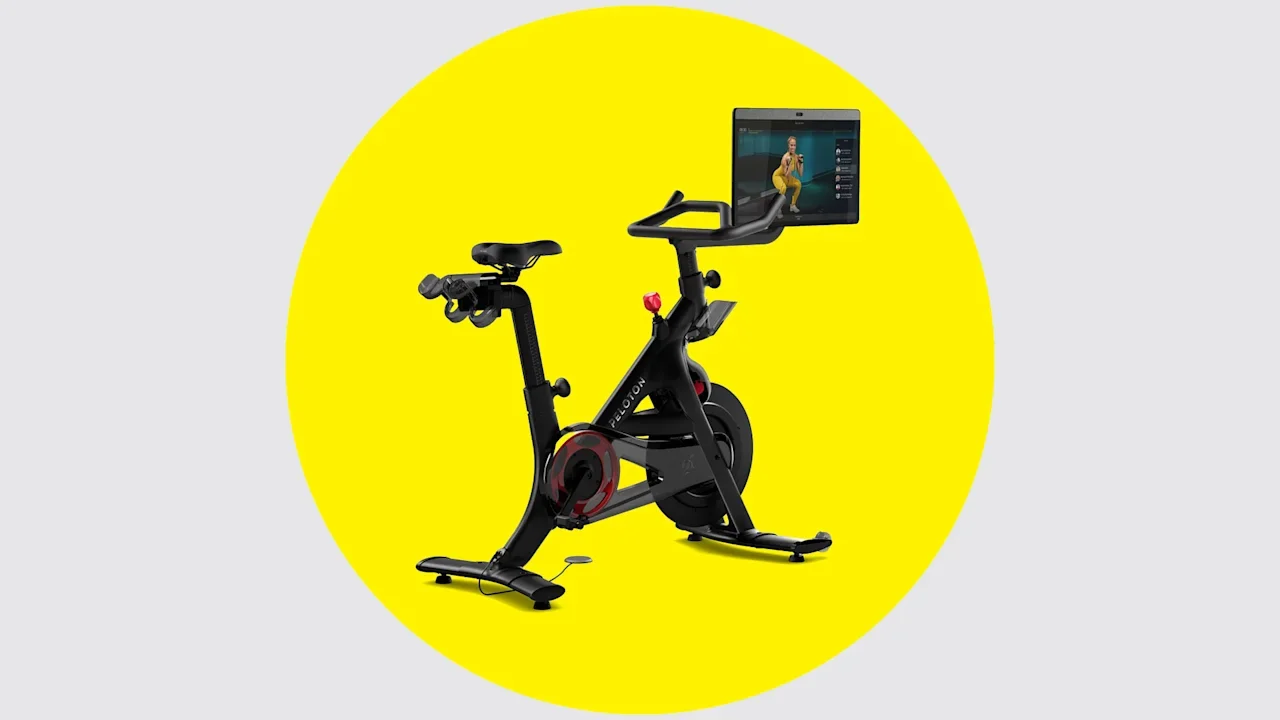
If sweating it out on a Peloton helps you stay fit, be sure to see if you’re affected by a major new recall from the exercise bike maker. Peloton issued a major recall for some bike models on Thursday, warning that the seat posts of affected models could break and potentially injure their users. The recall is based on three reports of seat post malfunctions. In two of those incidents, Peloton users were injured after falling off the bike. Though the number of incidents is very small, the recall applies to 833,000 units manufactured in Taiwan and sold in the U.S. The recall affects Peloton Original Series Bike+ units with model number PL02 and serial numbers that start with “T.” The bikes were manufactured between December 2019 and July 2022 and were sold through Peloton, Dick’s Sporting Goods, eBay, and Amazon from January 2020 through April 2025. Another 44,800 units sold in Canada were also recalled, though no falls or malfunctions were reported outside the U.S. “The integrity of our products and our Members’ well-being are our top priorities,” Peloton said in a statement provided to Fast Company. “We are taking this opportunity to make replacement seat posts available to all affected Bike+ users, and we encourage them to contact us to receive the redesigned seat post as soon as possible.” To find your bike’s serial number, look inside the front fork, behind the front fork, or behind the flywheel. Once you locate it, you can look up the serial number on Peloton’s website to see that bike model’s history. Peloton users with affected models should take a break from cycling until they are able to get a fix from the company. Happily, that fix is pretty straightforward: Peloton will send you a new seat free of charge. Just order the replacement seat post online or contact customer service by phone. Installing the new post looks pretty straightforward, and owners can follow an instructional video from Peloton to do it themselves at home. The new recall is the second time the company has had to issue a warning about the safety of its seat posts. In 2023, Peloton announced a voluntary recall of seat posts for its original Bike model, similarly sending out replacement parts due to worries about the post breaking and causing people to fall off. Peloton said the seat post problem posed a risk to users with larger builds who weighed 250 pounds or more, though no injuries were reported at the time. Peloton says that bikes manufactured after 2023 include redesigned seats that eliminate the risk associated with both seat post recalls. “At a high level, the design and quality enhancements include a fail-safe mechanism intended to ensure that in the rare event of a break, the seat will not detach from the post, mitigating the risk of injury,” a Peloton spokesperson told Fast Company. “We feel confident about the quality of our redesigned seat post. We are also committed to continuously innovating on our product quality and designs.” Peloton will report its quarterly earnings later on Thursday, though that call will likely turn toward the new recall as well, and not just be about the company’s financials. Peloton pedals in some new directions Last month, Peloton announced that it would raise prices across its subscriptions and its workout hardware. The company is also throwing its weight behind advanced tech on new high-end equipment options that integrate computer vision and AI to track users’ movement and personalize their workouts. Peloton also recently launched a new “Pro” line of commercial workout bikes, treadmills, and rowing machines designed for high-use areas like hotel gyms, where wear and tear can add up much more quickly than on an at-home machine that sees a fraction of the use. “Today’s consumers want the flexibility to work out anytime, anywhere, and that means they expect top-tier fitness amenities in the places where they live, work, and travel,” Peloton chief commercial officer Dion Camp Sanders said of the company’s new line, which paired with the launch of a new commercial business division. View the full article
-
ClickUp and Monday are two of the more visible project management software products on the market. But is that because they’re good at marketing or a good project management tool? We set ClickUp vs. Monday in a battle royale and may the best app win. Looking at the match of Monday vs. ClickUp, both contenders come out of their corners strong. ClickUp is a feature-rich, highly collaborative work management tool and Monday is a customizable work management tool designed to help teams work more efficiently by tracking projects and workflows. But are either of these true project management tools? ClickUp vs. Monday both have weaknesses. ClickUp might have many features, but it’s lacking in reporting, portfolio and resource management features. Plus, Monday doesn’t have enough features to justify its cost and price increases, especially with its inferior Gantt chart. In the bout of ClickUp vs. Monday, the project management winner is an outsider. ProjectManager is an award-winning project and portfolio management software that has better features than either ClickUp or Monday and at a competitive price. Its powerful Gantt chart does what the competition does and more, such as linking all four types of task dependencies to avoid costly delays, filtering for the critical path to identify essential tasks and sets a baseline to track planned progress and costs against actual progress and costs in real time. Get started with ProjectManager today for free. /wp-content/uploads/2022/07/Construction-Gantt-Task-Info-CTA-BUTTON-1.jpgLearn more ClickUp vs. Monday: Why Should You Choose ClickUp? If you’re not ready to make a decision, let’s take a moment to compare ClickUp vs. Monday and see how the two software products stack up against one another. What Is ClickUp? /wp-content/uploads/2020/02/ClickUp-logo1-600x231.png ClickUp is a San Diego-based productivity platform that was founded in 2017 by Alex Urukowski and Zeb Evans. The tool was initially used internally to manage teamwork and today is a $4 billion company with 900 employees and 100,000 paying customers. It’s privately owned but appears to be on track for an IPO. ClickUp is primarily used as a work management and collaboration tool. It bills itself as “One app to replace them all.” Related: Best ClickUp Alternatives: Free & Paid Options Ranked What Is ClickUp Used For? Now that we know the history of ClickUp, what is it good for? That’s the question customers want to know. ClickUp is all about saving time by making them more productive. Again, ClickUp calls itself an all-in-one productivity platform and sees itself as a place where teams can brainstorm, plan and collaborate. This cloud-based tool wants to be a centralized location for planning projects, managing tasks and staying in close communication with teams. It has features to track project progress and allocate resources. This sounds like a project management tool and it certainly can be used as one, though that’s not its main focus. Who Uses ClickUp? ClickUp is a productivity tool that’s suitable for businesses of all sizes and across many industries. Here are some of the companies that are using ClickUp. Nike’s marketing team uses ClickUp Google uses ClickUp across its organization Uber takes advantage of its collaboration and project management capabilities Airbnb has it in its product development, marketing and customer support departments Netflix uses it in projects related to content creation, marketing and technology /wp-content/uploads/2023/06/clickup-task-list-e1687275009975.pngClickUp Key Features Some of the features that are included in ClickUp are dashboards, kanban boards, calendars and timelines. The dashboard is a bird’s-eye view of your project so you can gather data that can be set up to filter and automate notifications. Its kanban boards visualize workflow, with drag-and-drop tasks, filtering and customization. ClickUp’s calendar view helps you organize projects, plan timelines and visualize your team’s work every month. You can also create a project timeline, which is a visual representation of your project. There’s also a Gantt chart that helps to manage priorities on a shared visual timeline. Here’s a more detailed breakdown of ClickUp’s key features and their availability for each pricing plan. Plan / Version Name Available Views / Scope Features (individual / key differentiators) Price (U.S.) per user/month, billed annually Free Forever List; Board; Calendar; Kanban; Basic Gantt views – Unlimited tasks & users – 60 MB storage – Two-factor authentication – Collaborative docs, chat & mobile/web apps – Basic custom fields & integrations $0 Unlimited All Free views + Unlimited Gantt, Dashboards, Timelines Everything in Free, plus: – Unlimited storage & integrations – Unlimited custom fields, folders, spaces – Native time tracking, guests with permissions – Goals & portfolios, resource management $7.00 Business All Unlimited views + Advanced workload, Mind-map, Whiteboards Everything in Unlimited, plus: – Google SSO, unlimited message history – More automations & integrations – Advanced dashboards & reporting – Priority support $12.00 Enterprise All Business views + Enterprise-scale views/settings Everything in Business, plus: – White-labelling, advanced permissions & custom roles – SSO/SCIM, data residency, dedicated success manager – Unlimited custom roles, advanced API & integrations Custom (contact sales) ClickUp vs. Monday: How Is ClickUp Better Than Monday? In the contest of Monday vs. ClickUp, how does ClickUp come out? ClickUp is more focused on project management than Monday. It has many real-time views, time tracking and collaboration with whiteboards, proofing and more. Plus, ClickUp has real-time chat and in-app video recording. Monday does not. There’s a free forever version, but it’s still more a productivity and task management tool than a project management solution. It does a fair job at integrations, such as with Slack, Google Drive and Trello. ClickUp has more features than Monday and allows for task dependencies. Also, Monday’s pricing is by groups of seats with a minimum user count of three, which makes it more expensive. ClickUp vs. Monday: How Is ClickUp Worse Than Monday? ClickUp vs. Monday on chat? While both are collaborative software tools, ClickUp has real-time chat. Not only do they have that, but ClickUp offers in-app video recording. If those are important to you, then you’re going to take a pass on Monday. Another ding for Monday is that ClickUp is perfect for customers who don’t need all the features that Monday has. Smaller teams who feel this way can probably make do with the free version of Asana. ClickUp vs. Monday: Why Should You Choose Monday? ClickUp already had the spotlight, but what about Monday? In the contest between ClickUp vs. Monday, the competition is fierce. Let’s take a closer look at Monday. What Is Monday? /wp-content/uploads/2023/04/Monday_logo.png Monday is a project management software that was launched in 2014. It became a publicly traded company on June 10, 2021. Monday.com is based in Tel Aviv, Israel. Roy Mann, Eran Kampf and Eran Zinman are founders. The name comes from the fact that for most people, Monday is the first day of the work week and Monday.com is a project management and collaboration tool that helps to get your work done more efficiently. It has over 1,600 employees and 186,000 customers. Related: Best Monday.com Alternatives: Free & Paid Options What Is Monday Used For? Monday is used by businesses to assign tasks, set budgets, monitor progress, track projects and collaborate. This is the basics of project management, but it’s also a task management platform with a lot of customization. It is used for businesses that have a budget for this type of software, as it might be too expensive for freelancers or even small businesses. Here are some use cases to highlight Monday vs. ClickUp. Project management: Task management, project management office (PMO) and portfolio management Marketing and creative: Builds content calendars, track creative campaigns and streamline creative content approvals CRM and sales: Good for contract management, lead capturing and customer support queries Remote work: Collaborative features, messaging systems and whiteboards Agile software development: Has iteration planning, product roadmaps and bug tracking Construction: Has Gantt charts and timelines HR: For onboarding, professional development and employee evaluations IT: With real-time dashboards to track tickets, IT orders, client payments, etc. Who Uses Monday? From the use cases above, you can see that Monday is a versatile tool that’s used in PMOs, sales and marketing, software development, IT, HR and operations departments. Some of the companies whose names you’ll recognize who use Monday include Coca-Cola, Lionsgate and the Sydney Opera House. /wp-content/uploads/2023/05/resource-management-software-monday.com_.webpMonday Key Features ClickUp vs. Monday in terms of features is competitive. Monday has dashboards that track data and key performance indicators (KPIs) with visual graphics, though these dashboards need to be created first and then they work automatically. The software can automate common or recurring tasks without the need to know coding. You can choose one of Monday’s many integrations or make your own. There are templates to help you get started and kanban, calendar and timeline project views. The inbox shows every time you’re tagged and gives an overview of your to-do list. My Week gives all the coming work to help you manage your tasks. There’s also a search, notifications and a workspace with an overview of your projects. Here’s a more detailed breakdown of Monday’s key features and their availability for each pricing plan. Plan / Version Name Available Views / Scope Features (individual / key differentiators) Price (U.S.) per user/month, billed annually Free List / Board / Kanban views – Up to 2 users – Up to 3 boards – Basic collaboration & mobile/web apps – 200+ templates – No automations or integrations $0 Basic Same as Free, plus more collaboration views – Unlimited items & boards – Unlimited free viewers – 5 GB file storage – Prioritized support $9.00 Standard Includes Timeline (Gantt-like), Calendar, Board, List Everything in Basic, plus: – Automations (250 actions/month) – Integrations (250 actions/month) – Guest access – Dashboard combining up to 5 boards $12.00 Pro All Standard views + Chart & advanced views Everything in Standard, plus: – Private boards & docs – Time tracking – Formula column & dependencies – Up to 25,000 automations/integrations/month – Dashboard combining up to 10 boards $19.00 Enterprise Full suite of views for enterprise-scale Everything in Pro, plus: – Portfolio & resource management – Multi-level permissions & enterprise-grade security – Up to 250,000 automations/integrations/month – Dashboard combining up to 50 boards Custom (contact sales) ClickUp vs. Monday: How Is Monday Better Than ClickUp? In the race of ClickUp vs. Monday, it’s down to the wire. Does Monday have the lead? Yes, if you want project management software. Monday can handle projects better than ClickUp. ClickUp might think it’s one app that can do it all, Monday’s automation features are better with repetitive tasks and streamlining workflows. ClickUp is also hard to learn, while Monday is simple and easier to adopt. While you’ll have to pay to upgrade to get many of the features of ClickUp, the two products are relatively the same, especially in terms of automation and integrations. Monday is also the more stable tool, with fewer bugs and hiccups. When it comes to Monday vs. ClickUp team size matters. If you’re working with larger teams and more complex projects, then you’ll want to use Monday for your project management. Monday is the more scalable tool. ClickUp vs. Monday: How Is Monday Worse Than ClickUp? ClickUp has more bells and whistles than Monday, which will attract teams with a lot of tasks who want the flexibility to work on them how they want to. ClickUp is also good for those who don’t want to spend money. Its free version is going to serve many users well. ClickUp has better time tracking, which you can get in its Unlimited plan, while the next tier-up features task time estimates. Monday only has time tracking with its Pro plan. All of ClickUp’s paid plans have unlimited storage, whereas Monday has limited storage for its paid plans and none for its free version. ClickUp vs. Monday: Pricing Comparison When it comes to ClickUp vs. Monday, pricing is likely to be a big factor. If you’re looking for the bottom line, here is the pricing structure for ClickUp. Free plan: $0/user/month, billed annually Unlimited: $7/user/month, billed annually Business: $12/user/month, billed annually Enterprise: contact sales Monday’s pricing structure is more complicated and you’ll have to pay more to get the advanced features. Free: $0/user/month, up to 2 users Standard: $12/user/month, billed annually Pro: $19/user/month, billed annually 3-seat minimum ProjectManager Is Better Than ClickUp and Monday The truth is that in the battle of ClickUp vs. Monday, the two opponents are fairly evenly matched. If either were to go against ProjectManager, neither would have a chance. Its software is better at reporting than Monday, has spreadsheet functionality and easily handles larger, complex projects and programs or portfolios. The Gantt charts leave both ClickUp and Monday in the dust, as we’ve shown above, with dependencies, critical paths and baselines. And unlike ClickUp, ProjectManager is a true project management software, with more customization and a lot easier to use. That’s only the beginning of how it rules the project management space. Excels at Project Resource Planning, Scheduling and Tracking Unlike ClickUp and better than Monday, ProjectManager’s resource management tools help you keep your teams working at capacity without having to do a lot of configuration. First, you can set your team’s availability, including PTO, vacation time and even global holidays for remote teams. This makes it easier to assign tasks. Then go to our color-coded workload chart to see if anyone is overallocated. You can then reallocate resources right from that chart to balance the team’s workload and keep them working productively. You can even track labor costs and how long it’s taken to get their tasks done with our secure timesheets. Nonhuman resources can be planned, managed and tracked in real time on its Gantt chart view. /wp-content/uploads/2023/10/tab-workload-1.jpg Customize Reports and Powerful Dashboards ClickUp vs. Monday comes in about even on dashboards, but unlike ProjectManager’s real-time dashboards, users have to configure theirs. That can be time-consuming and complicated. ProjectManager’s dashboards are always ready, tracking KPIs such as time, cost, workload and more with easy-to-read graphs and charts. It also has a portfolio dashboard and roadmap for if you’re managing multiple projects. Reports can be filtered for more detail to show just the information you’re looking for. They can also be shared with stakeholders to keep them updated. It’s easy to generate status and portfolio reports, as well as reports on timesheets, workload, variance and more. /wp-content/uploads/2022/10/Portfolio-dashboard-compressed.png Related Software Content If you want to read more on project management software before making a decision, that’s wise. The following review articles rank the best project management software, ClickUp alternatives and Monday alternatives. Read on and make a decision on which project management software is best for you. Best Project Management Software: Rankings, Reviews & Comparisons Asana vs. ClickUp: In-Depth Software Comparison Best Microsoft Project Alternatives: Free & Paid Options Ranked Best Gantt Chart Software (Free & Paid) Monday.com Gantt Chart: How to Make a Gantt Chart With Monday.com Monday.com vs. ProjectManager: Which Is Best for Project Management? ProjectManager is online project and portfolio management software that connects teams in the office, out in the field and anywhere in between. They can share files, comment at the task level and stay up to date with email and in-app notifications. Join teams at Avis, Nestle and Siemens who use our software to deliver successful projects. Get started with ProjectManager today for free. The post ClickUp vs. Monday: In-Depth Software Comparison appeared first on ProjectManager. View the full article
-
Escalation of Israeli attacks has sparked fears of renewed hostilities with HizbollahView the full article
-
Turnover of leaders shows how hard it can be to ride out the vicious financial and tech cycles View the full article
-
President Donald The President unveiled a deal Thursday with drugmakers Eli Lilly and Novo Nordisk to expand coverage and reduce prices for their popular obesity treatments Zepbound and Wegovy. The drugs are part of a new generation of obesity medications known as GLP-1 receptor agonists that have soared in popularity in recent years. But access to the drugs has been a consistent problem for patients because of their cost — around $500 a month for higher doses — and insurance coverage has been spotty. Coverage of the drugs for obesity will expand to Medicare patients starting next year, according to the administration, which said some lower prices also will be phased in for patients without coverage. Starting doses of new, pill versions of the treatments also will cost $150 a month if they are approved. “(It) will save lives, improve the health of millions and millions of Americans,” said The President, in an Oval Office announcement in which he referred to GLP-1 as a “fat drug.” Thursday’s announcement is the latest attempt by the The President administration to rein in soaring drug prices in its efforts to address cost-of-living concerns among voters. Drugmakers Pfizer and AstraZeneca recently agreed to lower the cost of prescription drugs for Medicaid after an executive order in May set a deadline for drugmakers to electively lower prices or face new limits on what the government will pay. As with the other deals, it’s not clear how much the price drop will be felt by consumers. Drug prices can vary based on the competition for treatments and insurance coverage. Obesity drugs have become increasingly popular, but are costly The obesity drugs work by targeting hormones in the gut and brain that affect appetite and feelings of fullness. In clinical trials, they helped people shed between 15% and 22% of their body weight — up to 50 pounds or more in many cases. Patients taking these drugs usually start on smaller doses and then work up to larger amounts, depending on their needs. Because of obesity being considered a chronic disease, they need to take the treatment indefinitely or risk regaining weight, experts say. The fast-growing treatments have proven especially lucrative for drugmakers Eli Lilly and Co. and Novo Nordisk. Lilly said recently that sales of Zepbound have tripled so far this year to more than $9 billion. But for many Americans, their cost has made them out of reach. Medicare, the federally funded coverage program mainly for people ages 65 and over, hasn’t covered the treatments for obesity. President Donald The President’s predecessor, Joe Biden, proposed a rule last November that would have changed that. But the The President administration nixed it last spring. Few state and federally funded Medicaid programs, for people with low incomes, offer coverage. And employers and insurers that provide commercial coverage are wary of paying for these drugs in part because of the large number of patients that might use them. The $500 monthly price for higher doses of the treatments also makes them unaffordable for those without insurance, doctors say. Medicare now covers the cost of the drugs for conditions such as type 2 diabetes and cardiovascular disease, but not for weight loss alone. The President showing he is in touch with cost-of-living concerns The effort to lower costs barriers to popular GLP-1 drugs comes as the White House is looking to demonstrate that The President is in touch with American’s frustrations with rising costs for food, housing, health care and other necessities. Republican gubernatorial candidates in New Jersey and Virginia faced a drubbing in Tuesday’s election in which dour voter outlook about the economy appeared to an animating factor in the races. Roughly half of Virginia voters said “the economy” was the top issue, and about 6 in 10 of these voters picked Democrat Abigail Spanberger for governor, powering her to a decisive win, according to an AP voter poll. In New Jersey, Democrat Mikie Sherrill won about two-thirds of voters who called “the economy” the top issue facing the state, the poll found. She defeated a The President-endorsed Republican candidate Jack Ciattarelli. More than half of New York City voters said the cost of living was the top issue facing the city. The Democratic mayor-elect Zohran Mamdani won about two-thirds of this group. The White House sought to diminish the effort by the previous Democratic administration as a gift to the pharmaceutical industry because the proposal did not include adequate price concessions from the drug makers. The President, instead, consummated a “belt and suspenders” deal that ensures that Americans aren’t unfairly financing the pharmaceutical industry’s innovation, claimed a senior administration official, who briefed reporters ahead of Thursday’s Oval Office announcement by The President. Another senior administration official said coverage of the drugs will expand to Medicare patients starting next year. Those who qualify will pay $50 copays for the medicine. Lower prices also will be phased in for people without coverage through the administration’s The PresidentRx program, which will allow people to buy drugs directly from manufacturers. starting in January. The officials said lower prices also will be provided for state and federally funded Medicaid programs. And starting doses of new, pill versions of the obesity treatments will cost $149 a month if they are approved. The officials briefed reporters on the condition of anonymity under ground rules set by the White House. Doctors applaud the price drop Dr. Leslie Golden says she has roughly 600 patients taking one of these treatments, and 75% or more struggle to afford them. Even with coverage, some face $150 copayments for refills. “Every visit it’s, ‘How long can we continue to do this? What’s the plan if I can’t continue?,’” said Golden, an obesity medicine specialist in Watertown, Wisconsin. “Some of them are working additional jobs or delaying retirement so they can continue to pay for it.” Both Lilly and Novo have already cut prices on their drugs. Lilly said earlier this year it would reduce the cost of initial doses of Zepbound to $349. Dr. Angela Fitch, who also treats patients with obesity, said she hoped a deal between the White House and drugmakers could be the first step in making the treatments more affordable. “We need a hero in obesity care today,” said Fitch, founder and chief medical officer of knownwell, a weight-loss and medical care company. “The community has faced relentless barriers to accessing GLP-1 medications, which has ultimately come down to the price, despite the data we have supporting their effectiveness.” —Tom Murphy, Aaamer Madhani, and Jonel Aleccia, Associated Press View the full article

-
Lucy Powell says ‘trust in politics is essential’ amid signs the chancellor plans to break manifesto promiseView the full article
-
Trello vs. Asana is a likely matchup for anyone looking for the right project management software. They’re both well-known and popular project management tools. Trello is often thought of as the go-to for kanban boards, which visualize workflow. Asana, on the other hand, is a simple-to-use work management tool. The trouble is most people want more than kanban boards, which is Trello’s bread and butter, and they want Gantt charts, which Asana doesn’t have. Yes, Trello has project management features and Asana has a timeline and other tools to help manage tasks and teams. But why use one or even both of these project management tools when there’s one that beats them both at the project management game? ProjectManager is award-winning software that’s the winner in a contest between Trello vs. Asana because it’s true project management software. It has kanban boards, task lists, calendar views and more, including a Gantt chart, not a glorified timeline. The Gantt chart organizes tasks and shows your project on a visual timeline, but that’s only the start. It also links all four task dependencies to avoid costly delays, filters for the critical path to identify essential tasks and sets a baseline to track your planned effort against your actual effort. Neither Trello nor Asana can do that, which helps you deliver projects on time and within budget. Get started with ProjectManager today for free. /wp-content/uploads/2023/04/event-plan-gantt-chart-light-mode-CTA-1600x787.jpgLearn more Trello vs. Asana: Why Should You Choose Trello? Let’s closely compare Trello vs. Asana. Both are popular work and project management software products, but only one will come out on top. Let’s start with a look at Trello. What Is Trello? /wp-content/uploads/2022/02/trello-600x123.png Trello is a web-based kanban board, list-making application that’s a product of Trello Enterprises, a subsidiary of Atlassian to which it was sold in 2017. It was created in 2011 by Fog Creek Software. The name Trello comes from the word trellis, a type of framework used to support plants. Trellis was the codename for the project. The software immediately gained attention when in the September 2011 issue of Wired magazine it was one of “The 7 Coolest Startups You Haven’t Heard of Yet.” Trello is international, with localized experiences in Brazil, Germany and Spain. What Is Trello Used For? In the Trello vs. Asana battle, Trello is a visual tool that focuses on kanban boards. It allows teams to manage different types of projects, workflows and task tracking. It’s designed to manage and collaborate with teams who are working on projects and tasks. Its visual kanban boards are used to organize work, with a drag-and-drop interface. Here are some use cases. Basic task creation and management Lean task management Team collaboration Workflow automation Integration with other software Who Uses Trello? A variety of companies in different industries use Trello, such as Electronic Arts, the Salvation Army and the City of Dallas. In terms of who Trello is made for, it’s teams that want to manage their work and collaborate on a visual board tool. It works best for teams that are smaller than 100 in number and need to track multiple projects. It allows them to visualize that work in different ways. Most Trello users reside in the United States and work in the IT and service sectors. /wp-content/uploads/2023/06/Trello-kanban-board.webp Trello Key Features The main feature, of course, is Trello’s kanban boards and cards for visualizing workflow. There are also list views for project management. You can make subtasks within a card and those kanban cards also have checklists, which can be helpful. You can allocate tasks to more than one team member and add deadlines. There’s an activity log, which is used to keep the team updated on what’s going on and where it is in terms of completion. Trello has a built-in automation called Butler, which can reduce the number of common tasks through automation. The software also integrates with Slack, Google Drive, GitHub, Salesforce and more. Here’s a more detailed breakdown of Trello’s key features and their availability for each pricing plan. Plan / Version Name Available Views / Scope Features (individual / key differentiators) Price (U.S.) per user/month, billed annually Free Kanban board view (classic) only – Unlimited cards – Up to 10 boards per Workspace – Unlimited Power-Ups per board – 2-factor authentication – 250 Workspace command runs/month – Web & mobile apps $0 Standard List/Board/Kanban views (no advanced views) Everything in Free, plus: – Unlimited boards – Custom fields – Advanced checklists – 1,000 Workspace command runs/month – Single-board guests $5.00 Premium Board view + Timeline, Table, Calendar, Dashboard, Map views Everything in Standard, plus: – Unlimited Workspace command runs – Atlassian Intelligence (AI) features – Admin & security controls – Workspace-level templates, collections, observers – Priority support $10.00 Enterprise All Premium views + organisation-level management (multi-workspace) Everything in Premium, plus: – Organization-visible boards & permissions – Multi-board guests – Unlimited Workspaces – Attachment and Power-Up administration – SAML/SSO & enterprise billing Custom (contact sales) Trello vs. Asana: How Is Trello Better Than Asana? The main selling point in the Trello vs. Asana contest is that Trello is a kanban board tool. The kanban system is a popular methodology that’s found in lean management. Trello is more popular for small teams and freelancers because it’s easier to use than Asana. Trello is also faster to get started with and can be set up in minutes. There are fewer features than Asana, which makes it simple. It also has more integrations. Trello is flexible project management software and, unlike Asana, you can add multiple team members to a task. Its free plan has more features and unlimited users. Trello vs. Asana: How Is Trello Worse Than Asana? Asana beats Trello when it comes to visualization options. For example, Trello favors boards, but Asana includes board, list, timeline and calendar views. Not only does Asana have multiple project views, but it’s better at managing multiple projects with its portfolio feature. There are more features with Asana than Trello, such as automated tasks, work requests and tracking team members’ workload. It has a cleaner, less cluttered interface than Trello, and Asana is better for managing small teams. Trello vs. Asana: Why Should You Choose Asana? Trello had its moment in the spotlight in the Trello vs. Asana competition. Now, let’s look into Asana and see what this project management software is all about. What Is Asana? /wp-content/uploads/2023/05/asana-logo.svg Asana is a San Francisco-based software company founded in 2008 by Dustin Moskovitz and Justin Rosenstein. They launched their Asana product in 2012. The two met at Facebook, where Moskovitz was a co-founder and vice president of engineering. Rosenstein created a productivity tool called Tasks while at Facebook. Both left the social platform to form Asana, which was added to Inc. magazine’s Best Workplace list and one of its Best Led companies. Fast Company ranked Asana number 15 on its Most Innovative Companies and Brands That Matter List. What Is Asana Used For? Asana is work and project management software that helps establish project timelines and goals. It’s mainly used to track task progress and offers different work views including an inbox, list view, calendar view, board view and more. Here are some use cases in the Asana vs. Trello battle. View task and project progress Plan sprints Integrates with other tools Helps achieve successful launches Reporting Who Uses Asana? Asana is used by professionals from marketing and sales personnel for managing campaigns and customer data to IT people to streamline their projects while staying on top of development milestones and due dates. Human resources departments use it for tracking recruitment, employee performance reviews and the onboarding process. In the creative world, it has been used for organizing ideas and content. Recognizable brand names that use the software include Spotify, Sony Music and Zoom. /wp-content/uploads/2023/10/asana-gantt-timeline-1.png Asana Key Features When comparing Assan vs. Trello, the first thing you’ll notice is its great collaborative features. Most project management software is also a collaboration tool, but Asana has video messaging, a feature that distinguishes them from most others. It doesn’t have a Gantt chart, but instead features a timeline and it has some task dependency tools. There’s also a kanban board view, though it has limited functionality and customization. However, only one person can be assigned to a task. Asana tries to add fun to work with its Hacks tab. You can add dogs and cats to your dashboard, for example, with a keystroke. It’s a cute distraction, but there are also more practical hacks, such as reducing the amount of notifications you get to avoid a clutter of alerts. Speaking of tasks, you can create recurring tasks to streamline your work. There’s also an advanced search, a filterable task list and status updates to keep you on top of deadlines. Here’s a more detailed breakdown of Asana’s key features and their availability for each pricing plan. Plan / Version Name Available Views / Scope Features (individual / key differentiators) Price (U.S.) per user/month, billed annually Personal (Free) List view; Board view; Calendar view – Unlimited tasks/projects/messages – Up to 10 users – Basic search/filter – Mobile & web apps $0 Starter All views in Free + Timeline (Gantt-like) view Everything in Free, plus: – Workflow builder – Custom fields – Forms – Task dependencies – Unlimited free guests $10.99 Advanced Grid/List; Board; Calendar; Timeline; Portfolio/Roadmap views Everything in Starter, plus: – Goals & Portfolios – Workload/resource views – Advanced integrations (Salesforce, Tableau, Power BI) – Proofing & approvals – Locked custom fields $24.99 Enterprise All views included (customised for large organisations) Everything in Advanced, plus: – Enterprise-grade security (SAML/SCIM) – Admin controls & provisioning – Custom branding & support Custom (contact sales) Enterprise + (Regulated Industries) Same as Enterprise + advanced compliance/data-residency Everything in Enterprise, plus: – Audit logs, SIEM/DLP integrations – Data residency & managed workspaces Custom (contact sales) Trello vs. Asana: How Is Asana Better Than Trello? If you’re price-conscious, then Asana vs. Trello is a no-brainer. Asana has a free plan that supports unlimited projects, whereas Trello only allows you to have 15 shared boards. Asana also has better reporting features than Trello. Asana has more project views, such as boards, but also list, timeline and calendar views. It’s just a more powerful tool than Trello, with customer fields and dependencies, which will please those who use it to manage projects. Trello vs. Asana: How Is Asana Worse Than Trello? If you’re looking to get started fast, then Trello is going to be your pick. Trello is faster to get started with. In fact, your initial setup can take only minutes. Trello is also easier to use because it has fewer features and options. Plus, it has more integrations than Asana. You can also add multiple assignees to a task, which you can’t do with Asana, and its free plan is more generous. Trello vs. Asana: Pricing Comparison The deciding factor in the Trello vs. Asana debate is likely going to boil down to price. If you’re going to make a bottom-line decision, then here are the three tiers of subscription offered by Trello. Note that you get more features when you pay more. Free: $0 user/month, billed annually Standard: $5 user/month, billed annually Premium: $10 user/month, billed annually Enterprise: $17.50 user/month, billed annually While the free version of Asana is good, you do get more bang for a bigger buck with the paid subscriptions. For example, the Premium plan offers automatic processes. Also, the free tier is only up to 10 users, which makes it great for an individual or small team. If you’re looking for more, then here are your options. Personal: $0.00/user/month, billed annually Starter: $10.99/user/month, billed annually Advanced: $24.99/user/month, billed annually Enterprise: Contact sales for pricing ProjectManager Is Better Than Trello and Asana Trello vs. Asana, who to choose? If you’re looking for project management software, then the answer is easy: ProjectManager. Its software has similar features, such as automation, recurring tasks, global search and multiple project views. Only ProjectManager’s Gantt chart is better than Asana’s and Trello’s Gantt charts. They have a list, a better kanban board than even Trello and also a calendar and sheet view, the latter if you prefer working in a spreadsheet mode. Not only does it beat Asana vs. Trello at their own game, but has more features, such as risk management to identify and track issues until they’re mitigated, and enhanced data safety. Plus, you can add more than one person to a task. Use Powerful Resource Management Features Trello vs. Asana in terms of resource management features is pretty weak. ProjectManager excels at planning, managing and tracking your resources in real time. You can plan human resources and nonhuman resources on the Gantt. When you assign team members, their availability can be set so you can see if they have PTO, vacation time or even if it’s a global holiday when managing remote teams. Toggle over to the color-coded workload chart and view your team’s allocation. You can then balance their workload right from the chart to keep them working at capacity and productive. Its secure timesheets streamline payroll and also help you manage labor costs while the team page outlines task allocation across projects. /wp-content/uploads/2023/01/Team-Light-2554x1372-1-1600x860.png Monitor Progress With Real-Time Project Tracking and Reporting Most project management software makes you set up their dashboards. Who has the time? Not only does it pull you away from more important tasks, but it can be complicated. ProjectManager’s dashboard is ready when you are with a high-level overview of your project. It automatically gathers real-time data and displays it on easy-to-read graphs and charts that show key performance indicators (KPIs), such as time, cost and more. For more detailed information, use our reporting tools. It’s easy to generate status and portfolio reports as well as reports on variance, timesheets, workload and more. These reports can then be shared in a variety of formats with stakeholders to keep them updated. /wp-content/uploads/2023/01/Dashboard-IT-Light-2554x1372-1-1600x860.png Related Software Content Deciding on which project management software to use is important. You’ll want to conduct research and make an educated decision. Below are some more articles for you to read and help you choose the right project management tool. Follow the links to features on the best project management software, Microsoft Project alternatives and more. Asana vs. Microsoft Project: In-Depth Comparison Best Trello Alternatives: Free & Paid Options (2024) Best Asana Alternatives of 2024 (Free + Paid) Trello Gantt Charts: How to Make a Gantt Chart in Trello Trello Dashboard: Key Features, Pros and Cons Asana Gantt Chart: A How-to Guide With Pros, Cons & Alternatives ProjectManager & Trello Integration Trello Kanban Board: Key Features, Pros, Cons & Alternatives Trello vs. Jira: In-Depth Software Comparison ProjectManager is online project and portfolio management software that connects teams whether they’re in the office, out in the field or anywhere in the world. Teams can share files, comment at the task level and stay updated with email and in-app notifications. Join teams at Avis, Nestle and Siemens who use our software to deliver successful projects. Get started with ProjectManager today for free. The post Trello vs. Asana: Side-by-Side Comparison appeared first on ProjectManager. View the full article
-
The average rate on a 30-year U.S. mortgage ticked up for the first time in five weeks after falling to its lowest level in more than a year last week. The average long-term mortgage rate moved up to 6.22% from 6.17% last week, mortgage buyer Freddie Mac said Thursday. A year ago, the rate averaged 6.79%. Last week’s average rate was the lowest since Oct. 3, 2024, when it was 6.12%. Borrowing costs on 15-year fixed-rate mortgages, popular with homeowners refinancing their home loans, also rose this week. The average rate rose to 5.5% from 5.41% last week. A year ago, it was 6%, Freddie Mac said. Mortgage rates are influenced by several factors, from the Federal Reserve’s interest rate policy decisions to bond market investors’ expectations for the economy and inflation. They generally follow the trajectory of the 10-year Treasury yield, which lenders use as a guide to pricing home loans. The 10-year yield was at 4.09% at midday Thursday, down from 4.16% Wednesday. Lower mortgage rates boost homebuyers’ purchasing power and benefit homeowners eager to refinance their current home loan to a lower rate. The average rate on a 30-year mortgage has been stuck above 6% since September 2022, the year mortgage rates began climbing from historic lows. The housing market has been in a slump ever since. Sales of previously occupied U.S. homes sank last year to their lowest level in nearly three decades. Sales have been sluggish this year, but accelerated in September to their fastest pace since February as mortgage rates eased. Mortgage rates began declining in July in the lead-up to the Federal Reserve’s decision in September to cut its main interest rate for the first time in a year amid growing concern over the U.S. labor market. The Fed lowered its key interest rate again last week in a bid to help boost the wobbling job market. However, Fed Chair Jerome Powell warned that there is no guarantee the U.S. central bank will cut again at its final meeting of 2025 in December. The Fed could also pump the brakes on more rate cuts if inflation climbs further amid the The President administration’s expanding use of tariffs, because lower rates can worsen inflation. Bond investors demand higher returns as long as inflation remains elevated, so if inflation ticks upward that could translate into higher yields on the 10-year Treasury note, pushing up mortgage rates. The central bank doesn’t set mortgage rates, and even when it cuts its short-term rates that doesn’t necessarily mean rates on home loans will necessarily decline. Last fall after the Fed cut its rate for the first time in more than four years, mortgage rates marched higher, eventually reaching just above 7% in January this year. At that time, the 10-year Treasury yield was climbing toward 5%. The broader pullback in rates has helped spur homeowners who bought in recent years after rates climbed above 6% to refinance their home loan to a lower rate. Mortgage rates would have to drop below 6% to make refinancing an attractive option for many homeowners. That’s because about 80% of U.S. homes with a mortgage have a rate below 6% and 53% have a rate below 4%, according to Realtor.com. —Matt Ott, AP business writer View the full article

-
The term brand entertainment is tough to define. For many people, it’s an oxymoron and these two words should never be in the same room as one another. For many others, though, it’s simply when brands make stuff we actually want to pay attention to. It could be a short ad, or a feature-length film, or a live event. What it isn’t is an annoying waste of time interrupting our attention from actual entertainment like TV, sports, music and movies. I’ve spent a lot of time on the Brand New World podcast looking at different ways different brands are doing this right. From WhatsApp creating a Netflix doc about the Mercedes F1 team, to Dick’s Sporting Goods formally establishing an internal entertainment studio that has already been winning Emmys. But in September, an unprecedented deal was struck between one of the world’s biggest advertisers and arguably the globe’s biggest streaming platform. AB InBev—the parent to beer brands like Budweiser, Bud Light, Michelob Ultra, and Corona—signed a wide-ranging partnership deal with Netflix. This will not only get these major beer brands front and center in Netflix’s push into live sports, but also get them early access to placement and integration into other Netflix programming like shows and movies. This kind of thing will have marketers drooling, but everyone else skeptically side-eyeing the idea of a bigger brand presence in entertainment, and its potential effect on the quality of our favorite movies and TV shows. So, this episode I’m talking to Jae Goodman, co-founder and CEO of Superconnector Studios, who not only helped broker the Netflix – AB InBev deal, but has also helped giants like Nike and LVMH set up their own entertainment strategies. Here he breaks down this new deal, what it means, and how it may be setting the stage for the future of brands in Hollywood. Goodman says the key to the deal is that each company respects the goals and ideals of the other, which is the lens through which any brand integration is considered: “Netflix and AB InBev have each become acutely aware of each other’s priorities. And so Netflix is great about sharing their priority projects with AB InBev, and AB InBev has been very clear about the brand ethos. Netflix is extremely aware when they read a script for a new show or when they see the next season come in for an already hit show, they already know, ‘That’s a Stella show. That’s a Corona show, that’s a Budweiser show,’ because they’re aware of the brand alignment.” Why brands should avoid Hollywood’s independent financing model: “There is a very small subset of producers who believes that brands are the answer to independently financing projects that aren’t selling on spec. And so there are some producers out there whose pitch (to brands) is essentially, ‘You give me millions of dollars, I will go make this show or this movie, and it will totally sell. We’re gonna get it into Sundance, and then there’s gonna be a bidding war.’ Independent financing of film and television is rare, and in television it’s extremely rare and it’s risky. There are professionals who put their money at risk for independent financing, it’s a whole business and it’s a challenging business, and it’s more challenged by the fact that there are fewer buyers now. So, I’m just going to say it very clearly: It is bad for both industries to have brands fully financing entertainment as a business model. There are instances where it makes sense, but it needs to be in the context of not being the primary model. It is just not a good reason to do it. There’s so much money. Maybe there’s going to be less spending on content year over year, I haven’t seen the number. But I do know Netflix is going to spend $19 billion on content this year. So when they’re going to spend $19 billion on content, tell me why every brand in town needs to go to an independent producer and fully finance a movie that’s “totally gonna sell to Netflix.” Go to Netflix first and see if they’re interested.” View the full article

-
Project budget tracking is an essential process for ensuring projects stay on target financially and resources are allocated efficiently. By monitoring costs, expenses and budget deviations, teams can prevent overruns and make informed decisions throughout a project’s lifecycle. Effective project budget tracking helps managers forecast costs, optimize spending and maintain profitability while keeping stakeholders informed of financial performance and any necessary adjustments to project scope or resources. Using project budget tracking software simplifies this process by consolidating financial data, tracking expenses in real time and providing automated alerts when costs approach or exceed planned budgets. These tools allow managers to analyze spending trends, allocate resources more efficiently and generate reports for stakeholders quickly. Project budget tracking software eliminates manual errors, saves time and ensures financial transparency across all phases of the project. ProjectManager is ideal for project budget tracking because it combines robust financial management features with overall project visibility. Teams can track labor costs, material expenses and overall project budgets using customizable dashboards, detailed reports and real-time notifications. Resource allocation tools, workload charts and time-tracking capabilities help managers stay on top of expenditures, while Gantt charts and portfolio views provide a complete picture of budget performance across multiple projects. Get started with ProjectManager today for free. /wp-content/uploads/2025/10/AI-Project-Insights-Lightmode-Dashboard-CTA.pngLearn more Why Is Project Budget Tracking Important? Project budget tracking is crucial because it ensures financial control throughout a project’s lifecycle. By monitoring expenses and comparing them to planned budgets, managers can identify cost overruns early and take corrective action. Accurate budget tracking helps maintain profitability, optimize resource allocation and avoid unnecessary delays. It also provides transparency to stakeholders, ensuring accountability and informed decision-making. Without consistent project budget tracking, organizations risk overspending, inefficient resource use and failure to meet project financial goals, which can impact overall project success. /wp-content/uploads/2020/09/Project-Budget-Template-for-Excel.png Get your free Project Budget Template Use this free Project Budget Template for Excel to manage your projects better. Download Excel File Who Is Responsible for Project Budget Tracking? Responsibility for project budget tracking typically falls to project managers, finance teams and department heads who oversee resource allocation. Project managers monitor costs, track expenses and update budgets as changes occur, ensuring the project remains on track. Finance teams provide oversight, validate expenses and generate financial reports, while department heads approve resource expenditures and ensure teams adhere to budget constraints. Collaboration between these roles is critical for accurate project budget tracking, allowing organizations to maintain control over spending and ensure projects are delivered within financial targets. When Should Project Budget Tracking Be Done? Project budget tracking should be performed continuously throughout the project lifecycle. From initial planning and resource allocation to execution and project closure, consistent monitoring ensures costs are managed effectively. Regular tracking allows teams to identify potential overruns early, adjust spending and make data-driven decisions to maintain financial control. Frequent budget reviews also provide valuable insights for forecasting, improving cost estimation and enhancing overall project planning. By integrating project budget tracking into daily workflows, organizations can achieve greater accuracy, accountability and successful project delivery within budget. Related: 13 Budget Templates for Business & Project Budgeting Project Budget Template If you’re looking for a reliable way to implement project budget tracking, download this free project budget tracking template for Excel. It is designed to help you estimate all project costs, monitor real‑time expenses and compare outcomes directly to your budget baseline. The template covers labor, materials, equipment, overhead and contingencies, and offers color‑coded indicators to highlight overspending early on. Downloading this template gives you a structured starting point for tracking your project finances efficiently. /wp-content/uploads/2023/08/Project-Budget-Screenshot-600x167.jpg Once you download the template, customize it to match your project’s needs and integrate it into your project budget tracking software. Fill in estimated costs, update actual expenses as you go and use the built‑in formulas to calculate cost variances automatically. This supports accurate project budget tracking and ensures transparency and accountability throughout the project lifecycle. By using a template, you reduce setup time and improve consistency while still gaining full control over your project’s financial health. Project Budget Tracking Process Project budget tracking follows a structured process to ensure projects remain financially on target. It involves defining the scope, allocating resources, estimating costs and continuously monitoring expenses. By following a clear process, organizations can avoid overspending, optimize resource utilization and make data-driven decisions. Effective project budget tracking provides transparency, accountability and timely insights for stakeholders, helping managers control costs and maintain profitability. This process is essential for delivering successful projects within financial constraints and meeting organizational goals. 1. Define the Project Scope Defining the project scope is the first step in project budget tracking. This involves identifying the goals, deliverables, and tasks required to complete the project. A clear scope helps estimate resource needs accurately and sets the foundation for a realistic budget. Without a well-defined scope, cost estimates may be inaccurate, leading to overspending and delays. Establishing the project scope ensures all stakeholders understand what the project entails and allows managers to track costs effectively against defined objectives, preventing budget overruns and scope creep. 2. Allocate Resources for Project Tasks Allocating resources involves assigning personnel, equipment and materials to each task within the project scope. Proper resource allocation ensures that tasks are completed efficiently while maintaining control over costs. Managers must consider skill sets, availability and workload to prevent bottlenecks and underutilization. Effective allocation directly impacts budget tracking, as it allows for accurate calculation of labor costs, equipment usage and material requirements. By monitoring resource use throughout the project, managers can maintain financial control and optimize the project budget. /wp-content/uploads/2024/04/assign-people-resource-allocation-light-mode-gantt-chart-workload-assignments-600x295.pngLearn more 3. Estimate the Cost of Project Resources Estimating costs involves calculating the expenses associated with each allocated resource, including labor, materials and equipment. Accurate cost estimation provides a baseline for budget tracking and helps managers identify potential overruns early. It requires analyzing historical data, supplier quotes and resource rates. By estimating costs for all project tasks, managers can set realistic budgets and create contingency plans. Continuous monitoring of these costs against actual expenditures ensures that project budget tracking remains precise and enables informed decision-making throughout the project lifecycle. 4. Establish a Project Budget Once resource costs are estimated, the next step is to establish a project budget. This budget consolidates all projected expenses for labor, materials, equipment and any additional costs such as overhead or contingency funds. A well-defined budget provides a baseline for financial control and ensures stakeholders have a clear understanding of expected project costs. By setting a project budget, managers can plan spending, allocate resources efficiently and monitor expenses throughout the project, reducing the risk of overruns and maintaining financial accountability. 5. Track Actual Project Costs Tracking actual project costs involves recording expenses as they occur, including labor hours, material purchases and equipment usage. Regular tracking allows managers to monitor spending against the established budget and quickly identify deviations. Accurate cost tracking provides visibility into financial performance, enabling timely adjustments and informed decision-making. Without tracking actual costs, budget management becomes difficult and projects risk exceeding planned expenditures. Continuous monitoring ensures financial control, accountability and transparency, which are critical for successful project execution and maintaining stakeholder trust. 6. Compare Actual Costs vs. Estimated Costs Comparing actual costs to estimated costs is essential for analyzing project financial performance. This step highlights any discrepancies between projected and real expenses, known as cost variance. Understanding cost variance allows managers to identify areas of overspending or inefficiency and take corrective action. Regular comparisons help refine future cost estimates, improve resource allocation and maintain project profitability. By monitoring actual versus estimated costs, organizations can make informed decisions, keep projects on budget and ensure that financial objectives are met throughout the project lifecycle. /wp-content/uploads/2025/07/ProjectManager-Gantt-Chart-Planned-and-Actual-Cost-600x318.pngLearn more Project Budget Tracking Tools and Techniques Managing project budgets effectively requires the right tools and techniques. From simple spreadsheets to advanced software, each method helps track expenses, monitor progress and control costs. Techniques like earned value management and cost breakdown structures provide detailed insight into financial performance, making it easier to manage complex projects. Choosing the appropriate tools and techniques ensures accurate tracking, improves decision-making and helps project managers maintain budget accountability throughout the project lifecycle. Spreadsheets Spreadsheets are a simple and flexible tool for project budget tracking. They allow project managers to manually record costs, categorize expenses and calculate totals for labor, materials and equipment. Spreadsheets can be customized to meet the specific needs of a project, such as creating charts for cost comparison or formulas for cost variance. While easy to use, they may lack automation and real-time updates, making them more suitable for smaller projects or teams comfortable with manual data entry. /wp-content/uploads/2021/08/Sheet-view-IT-Project-plan-software-dev-2024-600x326.pngLearn more Project Budget Tracking Software Project budget tracking software provides automated tracking, reporting and analysis of project expenses. These tools offer real-time dashboards, alerts for budget overruns and integration with timesheets and resource management systems. By consolidating data in one platform, managers gain visibility into project financial performance and can make informed decisions quickly. Software reduces manual errors, saves time and allows teams to manage multiple projects simultaneously with greater efficiency, ensuring that budgets are adhered to across all projects. /wp-content/uploads/2024/03/Track-planned-vs-actual-cost-600x374.png Learn more Earned Value Management Earned value management (EVM) is a technique that integrates project scope, schedule and cost to measure project performance. It compares the planned budget and schedule against actual progress to calculate cost variance and schedule variance. EVM helps managers assess project health, identify trends and make proactive adjustments to prevent overruns. By providing a quantitative view of performance, earned value management allows for better forecasting, improved resource allocation and more accurate financial control throughout the project lifecycle. Cost Breakdown Structure (CBS) A cost breakdown structure (CBS) organizes a project’s total cost into smaller, manageable components, typically by work package or deliverable. This hierarchical breakdown allows managers to assign budgets to specific tasks and track expenses in detail. CBS provides visibility into where resources are being spent, highlights areas of overspending and aids in accurate forecasting. Using a cost breakdown structure improves transparency, facilitates better cost control and supports informed decision-making for all stakeholders involved in the project. Related: Free Cost Breakdown Template Free Related Project Budget Tracking Templates To make project budget tracking even easier, you can use these free templates to streamline financial oversight and improve reporting accuracy. Each template is designed to address specific aspects of budget management, helping teams plan, monitor and control project costs efficiently. Budget Dashboard Template Download this free template to provide a visual overview of your project’s financial status, highlighting expenses, variances and budget allocations. It helps managers track spending trends at a glance and identify areas that require corrective action to stay within budget. Budget Proposal Template Use this free template to create professional budget proposals for stakeholders or project sponsors. It includes sections for estimated costs, justifications and funding requests, helping ensure clarity and approval before the project begins. Project Budget Template for Google Sheets This template allows you to manage your project budget directly in Google Sheets. It features easy-to-use formulas, editable fields and automatic calculations, making it simple to track expenses, compare actual costs against estimates and update budgets in real time. ProjectManager Is a Project Budget Tracking Software ProjectManager is a comprehensive project budget tracking software designed to help teams plan, monitor and control project finances in real time. It centralizes cost data, integrates with resource management tools and provides visual dashboards to track budgets across multiple projects. By using our software, managers can quickly spot cost variances, adjust allocations and make informed financial decisions, reducing the risk of overspending and keeping projects on track. Track Costs and Manage Resources With ProjectManager, teams can track actual costs against estimated budgets, monitor labor expenses and allocate resources efficiently. The software includes workload charts, team page and cost reporting tools that allow managers to see how each resource impacts the overall budget and progress. This visibility helps teams optimize resource use, forecast spending and ensure projects remain financially viable throughout their lifecycle. /wp-content/uploads/2023/01/Team-Light-2554x1372-1.png Analyze Data and Generate Reports ProjectManager also allows users to analyze project budget data and generate real-time reports for stakeholders. Managers can use customizable dashboards, earned value metrics and automated alerts to evaluate cost performance and identify potential budget risks. This proactive approach ensures accurate tracking, accountability and informed decision-making, making our software an indispensable tool for effective project budget tracking. /wp-content/uploads/2023/01/Reports-Light-2554x1372-1.png Related Project Budget Tracking Content We’ve only scratched the surface of project budget tracking. To learn more about project tracking, check out the links below. There are free templates for business and projects, how to manage a project budget and much more. How to Make a Project Budget Manage a Project Budget with Project Budgeting Software 13 Budget Templates for Business & Project Budgeting The Budgeting Process in Business & Project Management Project Cost Tracking: Process, Tools and Best Practices What Is a Budget Report? Purpose, Components & Benefits ProjectManager is online project and portfolio management software that connects teams, whether they’re in the office or out in the field. They can share files, comment at the task level and stay up to date with email and in-app notifications. Get started with ProjectManager today for free. The post Project Budget Tracking: A Step-by-Step Guide appeared first on ProjectManager. View the full article
-
The 30-year fixed-rate mortgage rose five basis points from last week to 6.22%, while the 15-year rate increased nine basis points to 5.50% View the full article
-
UWM Holdings set a single-day record for rate locks in September at $4.8 billion, taking advantage of the window of opportunity leading up to the FOMC meeting. View the full article

-
The idea of starting an article series about AI in a time when so many articles are being at least partially generated by AI and potentially primarily consumed by AI might cause one to pause and consider the value of the effort. All of us digital marketers hope to find a future where we can still add value and find fulfillment in a world where our efforts and careers are increasingly at risk of being replaced by AI every day. Sometimes, it all feels a bit empty and potentially useless, but here we are. In case it is not already obvious, I am a bit of a doomer when it comes to AI. So inevitably, I have labored over this article like a true human, almost exactly like I have done before, in anything else I have previously published. But I still do have some pretty existential disquiet on this topic, so this AI-themed article series will begin with an overview of my biggest apprehensions, and then move into ideas about how our industry might address them, and by society at large in the later articles. For this article, let’s begin with the “Dead Internet Theory” and what I think it means for us. We will discuss the topic in the context of Google’s own AI evolution; Then, with that in mind, we will also look into how Google’s stance on the use of AI will impact our jobs as SEOs. Then, bringing it home to the core goals of marketing, we will discuss how AI filtering and bias could impact consumers and what we can do about all of it. The disruption is real: The Dead Internet Theory In general, my trepidation is somewhat aligned with a frame of thinking called “Dead Internet Theory,” which basically just describes a series of somewhat probable occurrences in which the internet becomes (or has already become) functionally unusable, because it is overrun with bots talking to bots, and bots consuming content created by other bots. In this dystopian scenario, real human content, conversations, and interactions get de-prioritized or drowned out in favor of the more engaged and productive bots. While some people believe that this is already the status quo, I don’t think we are there yet. But I do see it as a risk in the future—especially in terms of how companies will be able to compete in rankings and track success when everything is AI-influenced and personalized. You should know that I am not alone in my concern. Even leaders like Sam Altman acknowledge the risks—though he prefers to focus on AI’s potential. I am concerned that all the changes will be disruptive and may make some jobs obsolete. I also worry that until there are meaningful consumer protections and regulations, the overall impact of AI in the digital marketplace will be hard to predict and respond to. Google’s changing stance on AI content & how it could impact SEO strategy Obviously, the biggest concern for digital marketers and especially SEOs is the risk of increased competition from spammy or even non-spammy AI-generated content. Google has gone back and forth about their instructions on how and when AI can be used to assist or fully create content. Most recently, Google clarified that they do still expect all content to at least be human reviewed before it is published online for them to crawl and index—a standard that they don’t manage to keep up with in AI Overviews. Since there are no 100% methods for identifying when and how AI has been used to create content, it seems obvious and inevitable that many publishers and websites in general will be using AI to help enhance and speed up the creation of content for their brands. This could be good news for content creators and managers, who now have AI available to help generate content at scale and minimal cost. It is less good for their competition and for the search engines that have to ceaselessly crawl, render, evaluate, index, and rank the content that can now be generated at scale, all the time, on any topic, in any language—or potentially in all the languages at once. Likely, a lot of the content will be repetitive and not add a lot of value, but Google can’t know for sure without crawling it. This becomes a bigger and bigger task, and thus, we should all expect Google to continue to become more and more stringent about what content they will allow into their index and what they will not. With the potential for unlimited AI content generation, paired up with social media content, content creators who want to maintain all human creation methodologies without the use of AI may be drowned out. This is especially true when you consider the simplified access to APIs such as the newly released Google Trends API, to help generate and manage content ideas and calendars. If the AI-generated or AI-assisted content is consistently just as good as human-created content and/or indistinguishable from it, it could decimate the traditionally created, human content. Google itself seems to be surprisingly unconcerned about this potential, so maybe they have plans we don’t know about, that they believe are protective. Maybe they will do more to leverage local compute power on consumer devices when Gemini is baked in for all users, and that will help cover the needs; or maybe if they become the main publisher, or “re-publisher,” on the internet, deep indexing will become distinctly more optional, and they will be able to save on compute power there. So far, their lack of concern is confusing. Google’s potential AI path towards self-reinforcing cycles of dissatisfaction My larger concern is about all this AI-created and assisted content, and further, the risk of content being lifted and not attributed by Google. This will diminish the incentive creators have to create new and unique content, and that, in turn, will lead to a lack of diversity and critical thinking in all content that is available for consumption. If this goes on long enough without external forces acting on it, I’m concerned that it will become a self-reinforcing cycle—especially when creators think their consumers can’t tell the difference between real, authentically created content and AI content. We all like to think that we can tell when something is AI written or generated, including video and audio. Unfortunately, this is not the case; a lot of tests of the most recent AI models show that many people can be tricked by AI. After users find out that they have been tricked by AI a few times, their brain will start to prioritize safety over reality—and likely assume inauthenticity in most instances. But rather than the safety of this assumption making us happy, the monotony and sameness will be vapid and unfulfilling. Both creators and consumers will find less of what they really want. It is a bit like comparing “fast fashion” to a bespoke, hand-tailored wardrobe; the cost is down and the quantity is up, but the skill needed and value created is compromised. Beyond feeling less happy and fulfilled, the lack of humanity in the content will eventually lead to an overall diminishing of the feelings of trust that people have for content across the internet, which already wasn’t great. Add in the idea that video and audio content creators can train AI systems on their voice and video likeness and products, and this problem gets even bigger and more concerning. At some point, we will be forced to ask ourselves: “Are any video reviews or testimonials real?” How will we know? When AI bolsters conformity over creativity Consumers also risk weakening the internet’s social fabric when we over-rely on AI. If users are generally tuned out because they are not sure that they are consuming genuine and authentic content, then it could encourage them to be less discerning rather than more. With so much potential content to consume, they may give up looking for authentic or unique content and just settle for the quickest answer that they can find. The content that is the safest and widely accepted will drown out unique or edgy alternatives. They will elevate content with minimal detail and nuance to shorten the amount of time spent wondering if something is authentic—natural discomfort avoidance. This natural human tendency to seek shortcuts will be exacerbated by the higher degree of personalization that AI search engines and chat utilities will have. When we allow the AI systems that we use to learn about the world around us and to pre-screen everything that we see, we introduce more bias to an already fractured society and diminish the possibility of mutual understanding. The idea that we might want to limit the sources of information may seem like a great way to simplify the barrage of news and information; filters could helpfully limit the amount of information that we are exposed to in a day and control the growing mountain of content that will exist on the internet. It sounds like a delightful respite from the information overload that we all already experience, but there are larger risks to consider here. When we allow AI algorithms to filter the information or sources of information to exactly what we prefer, we may never even be exposed to new content, ideas, or brands. We may not even know that they exist. Previously, at least Google users could assume that they were being shown content that was fairly evaluated, based on normal ranking factors that are not related to our own filter-bubble preferences. Now, users can override that more balanced option, and intentionally limit their exposure to different ideas—Not ideal in what is normally considered a digital marketplace of ideas. In this scenario, if and when we are exposed to new information that is not part of our normal preferences, it will likely be shown lower or less frequently than the content that the AI normally chooses for us, putting it at a perceptual disadvantage, even though the lower ranking and less prominence is representative of an algorithmic decision or disadvantage, not anything that is representative of a true and honest comparison. Search engine AI features put unbiased information at risk Less visibility to new and novel information would enhance already existing bias and the filter-bubbles that people live in and cause a wide range of real-world consequences that reach far outside of digital marketing and SEO. Beyond that, the most concerning thing about bias is that we will always forget that we have it, even if we set it up in our preferences, like Google is allowing in its new Google Labs experiment, shown below. As shown below, in Google Labs “New Experiments” screen, searchers can now test setting “Preferred Sources” for your Top Stories, and the AI systems will start reorganizing your news search results to prefer your selected sources. Some people will still consciously seek out other information and sources, even after they have set up these preferences, but most people will forget and just move on with life; they will assume that everyone else is exposed to the same information and news stories as they are. Normal people will have no idea why other people have such different interpretations and impressions of reality than they do. The unfortunate answer is that the differences may have been caused by a casual or even errant click that triggered the algorithm to send one person down a different path than the other. After that, the ideas and information that they were provided were unnaturally reinforced, and the two people doubled down on different beliefs, because of algorithmic reinforcement rather than choice or disagreement. None of this is entirely new; when the internet first became widely available, teachers and parents worried that their children would lose their ability to do math when calculators became widely available or lose their ability to spell when word processors added the ability to spell-check documents. The truth is, all of those things did actually happen; most people are worse spellers, and worse at doing math without calculators. The only consolation is that the impact of those skill losses was actually not that bad. Those skills were replaced with other skills. Maybe the skills were even upgraded, with manual tasks being replaced with more complex and useful tasks, because less slow, manual effort was required. Will the same be true with AI? As SEOs, we should remember that people are craving authenticity and connection, and LLMs are looking for that too. That means that content that is both accurate and fair will hopefully be rewarded with visibility, citations, and engagement. We can already see this with the high preference that many language models have for forum content; they are looking for real human interaction that represents real experiences and multiple perspectives. Knowing this can help guide you to SEO strategies. New strategies could focus on forums or other interactive, community-oriented content. Where does this leave SEO? When AI is both our competition and our competitive advantage, there is a risk that only the AI company wins—whether it is Google, ChatGPT, Claude or something else, they are the ones who will scrape all the information and present it—hopefully with a link, but maybe not. The more content we and our competitors create, the more the AI language models will be able to crawl and learn about new topics; our hard work becomes their consistently free resource for new information. When the coverage of a topic is the same from multiple sources, and provides similar facts or ideas, the language models can trust that there is a consensus about the topic, and then simply choose who they give the citation to. This ability to choose who is cited and who is not gives any LLM a strong subversive ability to “call balls and strikes” in a way that could be incorrect, biased, and/or lacking in transparency. We take it for granted that search engines are presenting information in a fair way that is not influenced by money or private deals, and we simply assume that the LLMs are the same; what if they are not? What if they are influenced by money or secret back-end deals? Would we even know? As SEOs, we need to move into the future with our eyes wide open to the risks, with a deep knowledge of how AI has reshaped SEO. Savvy practitioners will not be using wildly different SEO strategies, but instead will re-focus known strategies to attend to the new needs of the AI tools. Similarly, when Google writes the rules about how we can and can’t use AI to rank in search results, but they are not expected to follow those same rules when generating the AI Overviews that appear at the top of the search results, they create a structural disadvantage for specializing in organic search. If Google’s goal is to always provide an AI Overview that they can monetize with ads, the changes in traffic referral patterns may prompt experts to shift their specialization to something more predictable, such as PPC. (This topic will be explored more in the next article in this series.) Even if we are not enticed to switch specialties, organic marketers must be vigilant. For years, we have assumed that Google presented a fair and balanced representation of the information on the internet and that it prioritized the importance of balancing organic results with its paid counterparts. With all the shifting ground around search and AI, as both a content resource and a ranking and referral channel, there is a shifting power balance in the marketplace of ideas that we are used to. We shouldn’t simply assume that the same rules and norms are in play, whether with Google or any other AI or LLM resource we choose to use for creating or surfacing information. View the full article
-
If you’re researching which project management software to use, you’ve probably already compared Asana vs. ClickUp. They are two of the most popular apps on the market, but that doesn’t mean they’re the best. Certainly, Asana is simple to use and pleasing to the eyes, while ClickUp is similar to Asana, but with software development tools. However, as project management tools, they both fall short. Asana’s timeline is no substitute for a Gantt chart and ClickUp is more focused on productivity than project management. If you’re looking for project management software, then you’ll want a robust Gantt chart among other project views to give you the flexibility to manage any project how you want. ProjectManager is award-winning project and portfolio management software that has multiple project views, from kanban boards to task lists, sheet and calendar views, all of which update together in real-time, and a Gantt chart that’s better than Asana’s or ClickUp’s. It’s a powerful project management tool that organizes tasks, links all four types of task dependencies, filters for the critical path to identify essential tasks and sets a baseline to track planned progress against actual progress to help you stay on schedule. Get started with ProjectManager today for free. /wp-content/uploads/2022/07/Construction-Gantt-Costs-Resources-CTA-BUTTON-2.jpgLearn more Asana vs. ClickUp: Why You Should Choose Asana Still not convinced? That’s fair. Let’s first take a closer look and compare Asana vs. ClickUp and see where they succeed and where they fail. When we’re done, you’ll be able to make an educated choice as to which is the right project management software for you. /wp-content/uploads/2023/05/asana-logo.svg What Is Asana? To begin with, let’s look at Asana. It’s a popular project management tool that is designed for teams to organize, collaborate, plan and execute their tasks. The San Francisco-based software company is mostly known as a web and mobile work management tool. Founded by Dustin Moskovitz and Justin Rosenstein when they met as employees at Facebook, they started with a productivity tool called Tasks and left Facebook to launch Asana in 2012. What Is Asana Used For? Asana is used primarily for work management, but it can be applied to several different workflows where teams can take advantage of its collaborative features. Remote work: Great for remote teams that need to work with others who aren’t physically by their side. The software keeps them connected. Strategic planning: Managers can use the tool to plan their long-term strategies and goals. Work request tracking: It standardizes intake requests and that helps with cross-team work. Project management: Teams can track progress and identify issues that are blocking progress as well as collaborate across departments. Organization: Companies can stay on track, keep their projects organized and work towards meeting deadlines. Agile management: For teams that work in an agile environment, they can track progress on tasks, plan sprints and integrate with third-party apps. Who Uses Asana? Asana is popular. It’s a great tool for both professional and personal use. In terms of the latter, it’s used by families to organize their household tasks and individuals who are planning an event, such as a birthday party, anniversary, etc. But how does Asana stand in a business competition between Asana vs. ClickUp? Like ClickUp, business is its real customer base. Here Asana has some heavy-hitters using their product, from PayPal to Comcast and Harvard University to Slack. These companies tend to use the software for task management more than project management, where they’ll use other apps, though some do use Asana for smaller, less complicated projects. /wp-content/uploads/2023/06/asana-kanban-board.webp Asana Key Features Asana has features that can help with project, task, work and team management. They have a web and mobile app, too. In the battle of ClickUp vs. Asana, the latter has main features, such as kanban boards that visualize workflow, calendars and even a Gantt chart, though it’s more of a glorified timeline. You can customize workflows and automation to fit your team and company needs. There’s also a list view and messages to foster collaboration. You can also get reporting tools to analyze work and help you identify and resolve issues. Here’s a more detailed breakdown of Asana’s key features and their availability for each pricing plan. Plan / Version Name Available Views / Scope Features (individual / key differentiators) Price (U.S.) per user/month, billed annually Personal (Free) List view; Board view; Calendar view – Unlimited tasks/projects/messages – Up to 10 users – Basic search/filter – Mobile & web apps $0 Starter All views in Free + Timeline (Gantt-like) view Everything in Free, plus: – Workflow builder – Custom fields – Forms – Task dependencies – Unlimited free guests $10.99 Advanced Grid/List; Board; Calendar; Timeline; Portfolio/Roadmap views Everything in Starter, plus: – Goals & Portfolios – Workload/resource views – Advanced integrations (Salesforce, Tableau, Power BI) – Proofing & approvals – Locked custom fields $24.99 Enterprise All views included (customised for large organisations) Everything in Advanced, plus: – Enterprise-grade security (SAML/SCIM) – Admin controls & provisioning – Custom branding & support Custom (contact sales) Enterprise + (Regulated Industries) Same as Enterprise + advanced compliance/data-residency Everything in Enterprise, plus: – Audit logs, SIEM/DLP integrations – Data residency & managed workspaces Custom (contact sales) Asana vs. ClickUp: How Is Asana Better Than ClickUp? Asana is a simple, intuitive and aesthetically pleasing tool that is ideal for small teams who are doing lightweight work that is focused on task management. There’s also easy workload balancing to keep teams working at capacity. Looking at Asana vs. Clickup, Asana is more scalable and flexible to help people work on their tasks, cross-team work and organization-wide goals. Asana has an easier learning curve than ClickUp and has many times the native integrations as ClickUp. Asana vs. ClickUp: How Is Asana Worse Than ClickUp? The biggest issue project managers will have with Asana is that it lacks a real Gantt chart, which is a fundamental planning and scheduling tool in project management. There’s a timeline, but that’s more of a barebones scheduling tool, which makes many project managers look for Asana alternatives. Another ding on the software is that there aren’t many data privacy options, which is going to scare off larger, enterprise customers or anyone concerned about security. The limited kanban was already referenced above, but there’s also no ability to track time and that’s a big hole in an otherwise decent tool. Asana vs. ClickUp: Why You Should Choose ClickUp Next up, in the Asana vs. ClickUp battle for project management software supremacy, is ClickUp. This product says it’s, “One app to replace them all.” Well, let’s see about that. /wp-content/uploads/2020/02/ClickUp-logo1-600x231.png What Is ClickUp? ClickUp was founded in 2016 by Zeb Evans and Alex Yurkowski and is headquartered in San Diego, California. In the matchup between ClickUp vs. Asana, ClickUp, too, is popular with businesses all over the world. It is also a workplace productivity tool that can be used in departments across the organization and for personal work. What Is ClickUp Used For? ClickUp bills itself as an all-in-one productivity tool for teams to collaborate, brainstorm, plan and work on process documents to product designs. It is used for work management, from campaign planning to agile workflows. It can be used with virtually any project management methodology, across departments in an organization or industry and can scale as your business grows. ClickUp is used for Planning personal and professional projects Onboarding teams Software development Marketing activities Service-based business Project management offices (PMOs), project management and operations Who Uses ClickUp? ClickUp is used by professionals in business settings and individuals who need to manage their personal affairs, renovation projects, etc. As we’ve said above, there are businesses across the globe that use ClickUp to boost productivity and manage work and projects. Some of these customers include the hotel chain Hilton Worldwide, IBM, Spotify, T-Mobile and Netflix. /wp-content/uploads/2023/10/Gantt___All_Folders___ClickUp__Gantt_.jpg ClickUp Key Features ClickUp vs. Asana, focusing on features, ClickUp has a lot of similar features. Both have dashboards to help you see projects at a glance and view progress and track resource allocation. ClickUp is feature-rich, especially in comparison to Asana, with goals, docs and time tracking. In terms of collaboration, there are whiteboards, comments, proofing, email and chat to keep teams in close contact. All this makes the software ideal for productivity and task organization. It features kanban boards that can be filtered, sorted and saved. There’s also a list view to visual hierarchy all your work. It has task automation, subtasks and checklists as well as workload, calendar, timeline and many other project views. Here’s a more detailed breakdown of ClickUp’s key features and their availability for each pricing plan. Plan / Version Name Available Views / Scope Features (individual / key differentiators) Price (U.S.) per user/month, billed annually Free Forever List; Board; Calendar; Kanban; Basic Gantt views – Unlimited tasks & users – 60 MB storage – Two-factor authentication – Collaborative docs, chat & mobile/web apps – Basic custom fields & integrations $0 Unlimited All Free views + Unlimited Gantt, Dashboards, Timelines Everything in Free, plus: – Unlimited storage & integrations – Unlimited custom fields, folders, spaces – Native time tracking, guests with permissions – Goals & portfolios, resource management $7.00 Business All Unlimited views + Advanced workload, Mind-map, Whiteboards Everything in Unlimited, plus: – Google SSO, unlimited message history – More automations & integrations – Advanced dashboards & reporting – Priority support $12.00 Enterprise All Business views + Enterprise-scale views/settings Everything in Business, plus: – White-labelling, advanced permissions & custom roles – SSO/SCIM, data residency, dedicated success manager – Unlimited custom roles, advanced API & integrations Custom (contact sales) ClickUp vs. Asana: How Is ClickUp Better Than Asana? You’ll want to choose ClickUp if you need more than a simple project or task management app, like Asana. For one, ClickUp has advanced customization allowing users to adjust layouts. It also has more features, which is going to help you manage projects better and allow users to ditch other tools they might subscribe to. There is also automation available in all tiers, even the free plan. Even in the Asana vs. ClickUp collaboration comparison, ClickUp comes up on top, with whiteboards, commenting, proofing and more. Unlike Asana, ClickUp has more task display views, such as box, Gantt, mind maps, etc. ClickUp has better customer support, even 24/7 support for its free plan, which has everything most teams will need for their work. However, ClickUp has a steeper learning curve, is less intuitive and is easier to set up than Asana. ClickUp vs. Asana: How Is ClickUp Worse Than Asana ClickUp is a productivity tool, which is fine, except if you’re looking for project management software. The software is great for the team member or employee who is looking to work more efficiently, but project managers will find little use in delivering their projects on time and under budget with this tool. Why is that? ClickUp is lacking in reporting, portfolio and resource management features. Those are pretty essential items. While there’s a mobile app, it’s also limited, as is the software’s ability to customize. Yes, there are a lot of features, but many of them are poorly designed, don’t work well, or require integration. Asana vs. ClickUp: Pricing Comparison Sometimes it just boils down to cost. If you’re only looking at the bottom line, here are the pricing tiers you can expect from Asana, which does have a free version, but with very limited features. Personal: $0.00/user/month, billed annually Starter: $10.99/user/month, billed annually Advanced: $24.99/user/month, billed annually Enterprise: Contact sales for pricing Let’s look at ClickUp’s pricing structure to help you make a price-conscious decision. Free plan: $0/user/month, billed annually Unlimited: $7/user/month, billed annually Business: $12/user/month, billed annually Enterprise: contact sales ProjectManager Is Better Than Asana and ClickUp If you’re looking at Asana vs. ClickUp, the former is good for those new to project management, who want a simple tool for a small team, while the latter is great if you don’t want to pay for an app, prefer robust collaboration and value customization. But if you want all that and more, ProjectManager replaces both Asana and ClickUp as flexible and customizable project management and portfolio management software. Related: Asana vs ProjectManager: Which Software is Better for Managing Projects? This software has Gantt charts, kanban boards, task lists, sheet and calendar views that do more than Asana and ClickUp, but also have workflow automation with task approval settings to ensure only quality moves forward. There are industry-focused templates to help you get started and risk management tools to allow you to identify and track issues until they’re resolved. More & Better Resource Management Features Than Asana or ClickUp An essential part of managing a project is resource management. ProjectManager does more than either Asana or ClickUp. First, you can set the availability of your team to make it easier to assign them tasks by noting PTO, vacation days and also global holidays for remote teams. To monitor resource allocation, go to our color-coded workload chart, which makes it easy to see who has been assigned too many tasks. Then you can balance your team’s workload right from the chart. Secure timesheets help you manage labor costs and our Gantt chart software control both human and nonhuman resources to help you deliver your projects on time and within budget. /wp-content/uploads/2023/10/tab-workloads.jpg Wider Variety of Portfolio Management Tools When you’re managing more than one project at a time, you need robust software, which Asana and ClickUp aren’t going to provide. But ProjectManaager has powerful portfolio management tools to help with your program or portfolio of projects. You can view all your projects on our roadmap, which is like the Gantt chart, but shows you every project together on a visual timeline. There are project and portfolio dashboards that capture real-time data automatically and display them on easy-to-read graphs and charts that show project metrics, such as time, cost, workload and more. Unlike lightweight tools, its dashboards don’t require lengthy and complicated setups. They’re ready when you are. Plus, you can create customizable status and portfolio reports as well as reports on timesheets, variance and more to make more insightful decisions. /wp-content/uploads/2022/10/Portfolio-dashboard-compressed.png Related Software Content If you want to learn more about ProjectManager and how it stacks up against other project management software, follow these links to articles on the best project management software, Asana alternatives and ClickUp alternatives. Best Project Management Software: Rankings, Reviews & Comparisons 16 Best Asana Alternatives of 2024 (Free + Paid) Asana vs. Microsoft Project: In-Depth Comparison Best ClickUp Alternatives: Free & Paid Options Ranked 2024 Asana vs. Monday: In-Depth Software Comparison ClickUp vs. Monday: In-Depth Software Comparison ProjectManager is online project and portfolio management software that connects teams, whether they’re in the field, at their desks or anywhere else. They can share files, comment at the task level and stay updated with email and in-app notifications. Join teams at Avis, Nestle and Siemens who use our software to deliver successful projects. Get started with ProjectManager today for free. The post Asana vs. ClickUp: In-Depth Software Comparison appeared first on ProjectManager. View the full article
-
We may earn a commission from links on this page. Power tools make everything easier and your finishes more professional. You might think that connecting those power tools to an app on your phone via Bluetooth is an unnecessary upgrade—why in the world does your power drill need to be connected to your phone? The truth is that Bluetooth-connected, “smart” power tools offer a lot of real advantages, and you should definitely start thinking about upgrading your tools to include them. More controlThe biggest reason smart power tools are a good investment is the increased control they offer. If you’ve ever wasted time experimenting with the torque settings on a drill (and then forgotten those settings the next time you’re doing a similar project), you know how often you’re working blind and just figuring things out by feel. With a smart drill, you have an extremely fine amount of control. For example, Milwaukee’s M18 Fuel Drill lets you not only set a specific RPM for the drill—it allows you to set a torque range that shuts the drill off when you hit it. No more snapped or stripped screws. Smart tools like this also enable you to select or create profiles for specific jobs. You can pick the material you’re drilling into, the size of the bit, and other factors, and the app will select the ideal settings for the job. If you tweak those settings or come up with your own, you can save it as a custom profile so you don’t have to perform all that experimentation every time you tackle a similar job. Better safetyAnyone who’s worked with power tools knows how dangerous they are. I am still haunted by a power saw experience a few years ago that came very close to maiming me, and I consider myself a pretty safety-conscious DIYer. Smart tools offer a range of enhanced safety features. Smart saws like the Milwaukee Sawzall M18 Fuel can monitor vibration, temperature, and the motor’s strain and shut the tool down if it’s about to overload, overheat, or spin out of control. This not only protects your squishy bits and vulnerable fingers; it protects the tool itself. Instead of a burned-out motor or a bent guide, the tool flashes a warning and shuts down so you can safely disengage, take a breath, and start over. Milwaukee Sawzall 2822-20 M18 Fuel Reciprocating Saw w/ONE-KEY (Tool-Only) $279.00 at Amazon Learn More Learn More $279.00 at Amazon Rich dataHave you ever unearthed an old power tool and wondered if it was still in good working condition? If the battery still had enough capacity to be useful, if the tool still offered acceptable performance? With a smart power tool, you don’t have to guess. Bluetooth-connected power tools typically collect a lot of data about their condition and performance, and can tell you at if the battery’s still good (and how much use is left in the current charge), the condition of the motor, and whether it needs maintenance. You’ll be able to avoid unnecessarily replacing tools that just need a calibration or a cleaning, but you’ll also know you need to replace a tool before it fails you in a critical moment. Location trackingMost smart power tools offer a tracking feature that shows you where your tool is. While this is probably most useful for professionals who have a team deployed over a large area, if you have a habit of loaning out your tools or you’re not the only person using them, being able to see who ran off with your drill or saw is a blessing. And if you have a bad habit of leaving your tools wherever you used them last, this feature could also save you the wasted time of searching for them. Smart tools, especially if purchased from the same manufacturer, can also offer inventory tracking, showing you exactly what tools you have—or lack. Didn’t you once have a reciprocating saw? Your inventory screen can tell you, and your tracking feature can show you where it’s currently residing, so you don’t mistakenly purchase a duplicate of a tool you already own. The downside of smart power toolsSimply put, it's the price. These tools tend to be a lot more expensive than their simpler brethren. The M18 drill mentioned above costs more than $100 less if you get the non-smart version, for example. But if you use your tools a lot and need fine control over their settings and a way to monitor their condition, the extra expense might just be worth it. View the full article
-
The Federal Reserve Board finalized changes to its supervisory rating framework, allowing large bank holding companies to be considered "well managed," even with one deficient rating. View the full article

-
A reader writes: I was curious about where the line is on religious accommodation, and at what point it’s okay to say an accommodation cannot be made. I had an employee who needed an accommodation that allowed them to take lunch at a different time from the rest of the company once a week. This was somewhat inconvenient but I was able to accommodate them. Later they let me know that they were going to need additional accommodations, which again were doable but inconvenient. I also noticed that their work performance suffered during certain times when they told me they needed to fast for their religion. They didn’t make me aware of any of these needed accommodations until they’d been hired and working for a couple of weeks. At one point someone suggested that in order for me to accommodate this employee I should to work additional hours myself. Ultimately I was able to accommodate this employee with minimal frustration, but what if it hadn’t been as easy? What if there’d been a standing meeting that they were needed for during the time they needed to take their lunch that couldn’t be easily moved? I want to be as supportive and flexible as possible but at what point am I able to say “this goes past reasonable”? I answer this question — and two others — over at Inc. today, where I’m revisiting letters that have been buried in the archives here from years ago (and sometimes updating/expanding my answers to them). You can read it here. Other questions I’m answering there today include: Is it reasonable to expect a multi-year commitment for an entry-level job? CC’ing a manager to compliment their employee The post how much do I need to accommodate employees’ religion? appeared first on Ask a Manager. View the full article
-
The erosion of freedom rarely happens overnight; it’s written into law, one ruling at a time. ACLU’s Chase Strangio lays bare how the U.S. legal system is failing its people under a growing wave of authoritarianism and systemic rollbacks of civil liberties. View the full article

-
Google Finance adds Deep Search for complex research, prediction markets data from Kalshi and Polymarket, and enhanced earnings tracking. The post Google Finance Gets AI Deep Search & Prediction Market Data appeared first on Search Engine Journal. View the full article
-
Google adds Waze ads to Performance Max for store goals in the U.S. and rolls out channel performance reporting, with search partner reporting coming soon. The post Google Performance Max Adds Waze Ads And Channel Reporting appeared first on Search Engine Journal. View the full article
-
Today's Bissett Bullet: “I’m a small firm. How can I possibly be perceived as ‘superior’ to the much larger firms that my prospective client is meeting?” By Martin Bissett See more Bissett Bullets here Go PRO for members-only access to more Martin Bissett. View the full article
-
Today's Bissett Bullet: “I’m a small firm. How can I possibly be perceived as ‘superior’ to the much larger firms that my prospective client is meeting?” By Martin Bissett See more Bissett Bullets here Go PRO for members-only access to more Martin Bissett. View the full article
-
If you're out of cell service in an emergency, the ability to contact 911 can be lifesaving. Now many users with older phones are getting access to emergency texting to 911 via T-Mobile's Starlink-powered T-Satellite network for free. On Wednesday, T-Mobile announced that it would open up its Text to 911 feature—which allows users to text emergency services through their phone's native messaging app when outside of coverage areas—to everyone, including AT&T and Verizon customers, at no cost. It's worth noting that many iPhone and Pixel users already have access to emergency SOS via satellite regardless of carrier, as these features are built into newer devices. Apple's Emergency SOS is available on iPhone 14 and later, while Google's Satellite SOS is available on Pixel 9 and later (excluding 9A). These devices will default to native capabilities. Verizon also supports Satellite SOS for compatible Samsung Galaxy phones. As such, T-Mobile's free service is useful mostly to those on older iPhones and Pixels as well as Motorola devices and Samsung users who have AT&T. And if you're not a T-Mobile customer, your device must be unlocked and have an available eSIM to activate Text to 911. When connected to the network, you can text 911 for emergency services as well as the 988 Lifeline and 838255, the Veterans Crisis Line. T-Mobile customers can also reach customer care via 611. How to sign up for Text to 911If you're a T-Mobile customer, you can add Text to 911 service by logging into your account and selecting the option under Manage Data & Add Ons. Otherwise, you'll need to enroll on T-Mobile's website, after which your phone will automatically connect to the emergency network ("T-Mobile TXT911") when no other coverage is available. You must enroll in advance. To use the service, compose a message in your device's native texting app, enter 911 in the phone number field, and hit send. Your location is automatically shared with first responders. View the full article