ResidentialBusiness
Administrators
-
Joined
-
Last visited
Everything posted by ResidentialBusiness
-
 Starmer and Reeves should lean in to what the Budget reveals about this tax-and-spend governmentView the full article
 -
Google updated its Circumventing systems policy to add a new section for Advertiser verification. In short, and as Google wrote, "Providing false or fraudulent information as part of our Advertiser verification programs is not allowed."View the full article
-
Google is testing replacing the definitions box in the search results with AI Overviews. I am personally able to replicate this but this was posted in Reddit a couple of months ago - I didn't think it was new, but yea, this is been an ongoing test for some time.View the full article
-
Google has released version 2.11 of the Google Ads Editor, which includes over 15 new features and removes a couple of older features. View the full article
-
Google Maps is getting an update from Gemini where you can ask Google Maps questions about locations, where Google Maps can give you more human directions and Google Maps with Lens can tell you more about a store or location.View the full article
-
The holiday season is make-or-break for email marketers. With inboxes bursting from October through New Year’s, even your most dazzling email content could disappear into spam folders if your deliverability isn’t solid. Mailbox Providers (MBPs), such as Gmail, Yahoo and Outlook, receive an overwhelming volume of emails during peak seasons. Their systems work harder to protect their users and reward senders who follow best practices with more reliable inbox placement. The good news? You can stay ahead with a few strategic steps. Here are four essential tips to boost your email delivery rate and ensure your campaigns reach the inbox this holiday season. 1. Understand How Deliverability Really Works Deliverability goes beyond pressing send. It’s the difference between your email being delivered and it actually landing in the inbox. Each send passes through two main stages: Stage 1: Delivery. Your email is transmitted to an MBP (like Gmail or Outlook) and either accepted or rejected. Hard bounces occur when an address is invalid. Soft bounces occur when an inbox is temporarily unavailable (for example, due to full storage). Stage 2: Inbox placement. Once accepted, the provider decides where your message goes: inbox, promotions tab or spam. This judgment is based on factors like authentication, sender reputation and recipient engagement. During peak holiday months, email traffic can double or triple — especially around major shopping days. MBPs must protect users from unwanted or malicious emails, which means even legitimate senders face heightened scrutiny. Understanding this process helps marketers plan more strategically and avoid looking “spammy” to the algorithms that decide inbox fate. For a deeper dive, check out Email Deliverability: What It Is and Why It Matters. 2. Build and maintain a stellar sender reputation Sender reputation is your credibility score with mailbox providers. Think of it as your brand’s trust rating in the email world. A strong reputation earns you consistent inbox access; a weak one can land even your best content in spam. Two factors carry the most weight: Audience engagement. High open and click rates tell MBPs your messages are wanted. They also measure dwell time (how long emails are open), whether recipients add you to contacts or delete messages unopened. These small actions add up to big reputation signals. List quality. Healthy lists equal healthy results. The holidays often bring a surge in signups, but not all contacts are equal. Focus on quality over quantity. Use permission-based opt-ins, utilize welcome series to set expectations, secure your forms with ReCAPTCHA and regularly review your list based on audience engagement. Remember that every contact should have opted in through a compliant process. If you’re collecting new subscribers during the holidays, follow with an automated welcome email that confirms expectations and builds immediate trust. To keep your reputation strong: Re-engage inactive subscribers early. Start your warm-up campaigns before the rush to re-spark engagement. Clean your list regularly. Remove dormant contacts who haven’t interacted in months. Honor unsubscribes immediately. A fast, frictionless opt-out keeps you compliant and builds trust. Authenticate your domain. Proper SPF, DKIM, and DMARC settings are table stakes for modern deliverability. By maintaining good list hygiene and engagement practices, your emails are far more likely to land where they belong. Refresh your email list-building skills with Campaign Monitor’s quick guide. 3. Avoid sudden strategy changes. As the holidays heat up, it’s tempting to ramp up your send volume or reach out to older contacts. But sudden shifts in cadence, audience size, or content tone can raise red flags. MBPs track consistency. If your patterns change abruptly—say, doubling your frequency in one week—it may look like your account was compromised or that you’re engaging in spammy behavior. Gmail’s “Manage Subscriptions” feature now allows users to unsubscribe from multiple senders quickly and easily. This means your content needs to be relevant and valuable to keep subscribers engaged. Keep your program steady and predictable with these basics: Do: Keep a consistent sending cadence. Warm new segments gradually. Offer subscribers control through preference centers or “opt-down” options instead of forcing them to unsubscribe. Test new creative or messaging with smaller sample groups before scaling. Don’t: Send to third party, purchased or dormant lists Reactivate old segments without a re-permission strategy outside of campaigns Change sending domains without a well-thought-out and phased warm-up plan Ignore warning signs like rising bounce and spam complaint rates or declining open rates Leverage Campaign Monitor’s “Month-to-Month Holiday Guide for Busy Marketers” to stay on track and on time with relevant holiday messaging. 4. Monitor your metrics closely. Holiday email marketing is not a set-it-and-forget-it operation. Even high-performing senders can experience fluctuations in inbox placement, open rates, or complaints. Keep a close watch on: Bounce rate: Hard bounces above 2% signal data or list issues. Investigate immediately. Complaint rate: Keep it below 0.1%. High complaints damage reputation fast. Unsubscribe rate: A spike suggests your cadence or messaging may be off. Open rates by domain: If Gmail opens drop sharply, but others stay steady, it may indicate inbox filtering specific to that provider. Spam trap hits: Hitting recycled or inactive addresses means your list hygiene needs work. Reputation data: Tools like Google Postmaster provide insights into domain health and spam reputation. These numbers tell a story — one that can guide smarter, real-time adjustments. Learn how Campaign Monitor’s Campaign Score feature helps you improve campaign performance with best practice benchmarks and personalized suggestions. Bringing it all together Landing in the inbox is no longer a guarantee — it’s a privilege earned through consistent, trustworthy practices. As you prepare for the holidays, focus on these four deliverability foundations: Understand the system. Learn how MBPs evaluate senders and adapt your approach accordingly. Guard your reputation. Build and maintain clean lists and engaged audiences. Keep it steady. Avoid sudden spikes in send volume or frequency. Watch your data. Monitor metrics constantly and act fast when something looks off. The combination of smart strategy, authentic engagement and proactive monitoring sets you up for success—even in the busiest inbox season of the year. Campaign Monitor makes these best practices easy to implement with intuitive tools that help you segment, automate, and analyze your messaging so you can focus on creating content your audiences want to open. When done right, deliverability isn’t a technical hurdle—it’s the key to turning holiday emails into lasting customer relationships. Ready to land in the inbox and make this your most successful season yet? “Sleigh” holiday emails with Campaign Monitor’s Annual Essentials Plan for just $26.10/mo. View the full article
-
Ikea is ready to begin overhauling its smart home products. The Swedish furniture manufacturer began dabbling in smart home products as early as 2012, but in July it announced plans to soon debut a revamped range. The goal, it says, is to make products that are more universally compatible and more intuitive to use—in other words, bringing the connected smart home experience to the masses. Now, Ikea’s 21 new smart home products are here. The collection includes new smart bulbs that come in more color and light intensity options than previous versions, an array of sensors and controls, and a smart plug that can make any “dumb” lamp or small appliance smart. Pricing and beginning availability date for the products will vary by market, according to the company. “Until now, smart home technology hasn’t been easy enough to use for most people—or affordable enough for many to consider,” David Granath, Ikea of Sweden’s range manager, said in a statement. “This launch brings us closer to helping everyone feel ready and confident to get started.” The new line comes as Ikea faces falling sales for a second consecutive year. Ikea said last month that although the number of products sold was up, global revenue fell 1% to about $52 billion. The company is finding ways to reach new customers, like “shop-in-shop” locations inside select Best Buys in Texas and Florida that sells kitchen and laundry room items and extend the brand’s reach without having to build out new stores. The company says its smart home products were developed over years, through a design process that included in-home testing. Ikea says it wants everything it puts out to be intentional, and the strategy going forward will be to release new products if they’re cheaper and easier to use than its existing product line. “We believe technology should serve a purpose, not exist for its own sake,” Granath says. The company’s new Kajplats smart bulb range comes in 11 variations with options for color and white bulbs. The bulbs are also dimmable. The corresponding Bilresa remote controls come in two variations. One version has buttons that can switch the lights on and off, as well as adjust brightness and color, while a separate scroll wheel option gives an old-school iPod click wheel UI to home lighting. Ikea’s five new sensors include a motion sensor for indoor and outdoor lighting, as well as sensors for temperature and humidity, air quality, and water leakages. The water sensor, called Klippbok, was designed to be put under sinks and appliances. The Grillplats is an adaptable smart plug you can use to smarten up dumb lamps and appliances, so you can turn them on and off remotely. You can also pair it with remotes and motion sensors to track energy use. Ikea previously unveiled its smart home system hub Dirigera, a smart bluetooth speaker, and smart table lamp in a first look at its new smart home products earlier this summer. All of Ikea’s new products are compatible with Matter, a smart home technical standard. The smart home market size was nearly $128 billion in 2024, and it’s expected to roughly quadruple by 2030, according to Grand View Research, a market research firm. By revamping its smart home line and designing products meant to be cheap, useful, and intuitive, Ikea is positioning itself to capitalize on the rise of smart, connected homes. View the full article

-
After spending time at Adobe MAX this year, one announcement stood out for small business owners looking to level up their marketing: the introduction of Adobe Express’s new AI Assistant. I recently sat down with Parimal Deshpande, who leads global product marketing for Adobe Express and Creative Cloud, to unpack what this update really means for entrepreneurs who juggle design, promotion, and operations all at once. Over the past few years, Adobe Express has grown from a simple design app into a complete creative platform for non-designers—people who need professional-looking graphics, ads, and social posts without spending hours learning complicated software. The new AI Assistant, announced at MAX, pushes that even further. It promises conversational creation and editing—so instead of hunting through menus or endlessly tweaking templates, you can describe what you want and refine it in real time. In our interview, I asked Parimal how these updates translate into tangible benefits for small businesses. We discussed how Express helps owners stand out in a world of look-alike templates, how Firefly AI keeps content “safe for commercial use,” and how built-in brand kits, ad integrations, and one-click resizes can save hours of repetitive work. For small teams who need to get from concept to content in minutes, this conversation offers insight into where creative tools are heading next—and how to make them work for you. Leland McFarland: All right, so why don’t we start by introducing yourself and uh what you do and then maybe talk a little bit about uh Adobe Express. Parimal Deshpande: Great. So my name is uh Parimal. I lead Express uh product marketing uh in a global role. And uh I I like to describe my job as just bringing the best of what Express has to um all kinds of audiences, uh including the small business owners. So excited to be here with you. Some… Leland McFarland: So, Adobe Express, they they came out with some um, well, you know, at least, you know, one really big um announcement, you know, for for uh at at Adobe Max. Uh want to let us know what it is? Parimal Deshpande: Yes. Uh before that, maybe I’ll just take 30 seconds to explain what is Express and the kind of… Leland McFarland: Yeah, go for it. Parimal Deshpande: …the the vision behind it, right? What we found is uh for all kinds of businesses, including small business owners, uh there is a need for a a design and a creative tool that can help them, you know, grow their business ultimately. And it has to be very accessible, easy to use, and uh brings the best of Adobe. We felt that’s a big opportunity for Adobe because yes, we are known for the flagship products, uh but why not bring the best of those products into one easy-to-use tool or an app that anyone can create uh promotional content, marketing content, you know, small business content and accessible wherever they are. Could be desktop, could be mobile, uh iPhone, Android, and it’s a freemium product. So they can start free and at some stage if you want to get more, you can always go to the paid plan. So that’s the kind of vision for Express and uh we’ve had really good momentum with the small business owners. Now to answer your question, the other exciting thing we just announced and it’s a big announcement we just made uh yesterday was we announced for the first time ever all new AI assistant for Adobe Express. Now, why this is a game changer and why why why all customers we’ve been talking to are really like this is this is the right um uh major feature to announce is because what we’ve heard is templates are helpful. Yes, people went from the blank canvas to the templates, but what we hear especially from small business owners is that if you just use templates, your business looks like everyone else’s business. And that’s a problem for a small business owner. You ultimately want to differentiate yourself if you’re, you know, uh from from the from the others. And what, and this is where AI assistant uh comes in. It makes something that is simple to use even simpler, number one. Number two is yes, you can prompt. A lot of AI assistants can also prompt, but the the game changer here is you can prompt and edit. So it’s the prompt, you know, anything and edit everything, which is powerful because sometimes people don’t quite know what exactly they want and prompting is still a skill, it’s a language that is still evolving for all of us. So the hybrid combination of prompting and editing is a game changer. And behind the scenes, the way we have done this is it’s very content aware. So the AI engine knows when you say something like change a t-shirt or change this, it knows what you mean the object. And so it’s very precise. So it gives you the best of prompting, so makes it simple, and uh it also lets you edit when you want to just take it over, right? And then the uh the last thing I’ll say about AI assistant is it’s powered by Firefly AI, which is safe for commercial use. And that is important for small business owners because you want to use AI that is not trained on other people’s IP. You want to use AI that is ethically right, it’s trained on the content that you have licensed the rights to. And that safeguards your business from potential uh trouble down the line. And so we are really happy to say that uh the AI that powers Adobe Express is safe for commercial use. Leland McFarland: How? So where I I I mean you got to train it on something. So what do you train all of these? Parimal Deshpande: We have, we have a massive like millions, millions of like Adobe stock content that we have licensed to that we pay creatives for and we compensate them fairly for that. And that is what we train it on. Leland McFarland: Okay. So they’re not going to potentially go after people for, you know, utilizing… Parimal Deshpande: No. No, I mean, that’s the whole idea. So, uh, it’s a bit of a buzzword, is safe for commercial use, and this is what I say just to explain what that means for people, right? Is ultimately everybody wants to be treated fairly, right? Creatives also want to be treated fairly. So, as a creative, you don’t want your content to be trained by an AI and you don’t get compensated for it. So we don’t do that, right? So we have a huge collection of excellent high quality uh stock content, whether it’s photos, videos, gifs, you know, fonts, all kinds of things. And they’re really high quality because we have to stand by the Adobe quality. And we that’s that’s our contribution to all our customers is that whatever you get, it’s not just simple, but it’s also Adobe quality. And the kicker is that it’s all um uh AI that is trained on content we have licensed to. And therefore it’s safe for commercial use. Leland McFarland: All right. So the uh press release that you put out uh talks about from concept to content in minutes. Uh can you share uh an example of how a small business might be able to use uh the assistant uh for real world projects, say social post, flyer or product demo? Parimal Deshpande: Yeah. So you have to understand what makes a small business a small business owner? What’s unique challenges and opportunities for a small business owner? It’s really starts there. If you if you summarize, a small business owner has limited resources, not necessarily a lot of specialization, right? Limited resources and has to wear multiple hats. And the person could be a small business owner, also marketer, also salesperson, also might be uh, you know, actually doing the work itself. So so, and then time is limited. So there’s a lot of stresses, time is limited, resources are limited, and the skills are limited. Um, so the real world example for that would be, okay, given this constraint, like what are the kind of things they do and what is ultimately the opportunity? Ultimately, the opportunity is for everyone wants to grow their business. That’s why it’s called a small business. They have to grow their business. And they have to do so in a way that uh makes it authentic for them, helps them differentiate their product, their brand, their service from the 10 others who who are also trying to do the same thing. And uh so in practical terms, that means use cases like you want to create a logo, right? That stands out. You want to create a a flyer that stands out. You want to create social media that drives more eyeballs and that gets more followers because these are all things that are ultimately going to bring more audience and more customers to your small business. So, so, so from that perspective, Adobe Express works on desktop and and mobile, uh iPhone and Android, so it’s very accessible. They can start with the freemium product if they’d like to. Premium is also uh commercially safe to use. And you can start there and start creating all these use cases. And uh AI assistant will make it even easier. You can start with the template, then you can change that with an AI assistant. You can start with an AI assistant and then start taking it over with editing. All types of permission combinations are possible. And you will have in minutes something from scratch to completion based on, you know, your your brand aesthetics. If you don’t have a brand, you can create a brand kit in uh in Express. And if you have a brand kit, you can import that. And that way, anything that you create is sort of on brand as well. It looks like everything else you already have created. And consistency is key because that’s ultimately your brand value. Leland McFarland: So, Parimal Deshpande: I’d add maybe one more thing that I forgot. That’s a good one too, is the other thing we have seen in small businesses is you can also create ads. Uh, small businesses can create ads. Ads uh up until now often was uh difficult to create and you have to know what you’re creating. It was quite sophisticated to use various ad managers, but what we’ve done with Express is we have built integrations with all the kind of major ad platforms. And what that means is you can create a piece of content, let’s say it’s social. And if you like the piece of content, now you can turn that into an ad very quickly through our ad integrations, whether it’s with uh TikTok, it’s with YouTube, now Amazon, you know, Meta, and things like that. So a lot of the ad creation is in the creative. How how good is the creative? And because it’s Adobe content, often it’s a higher quality bar and therefore it just performs better. And it’s easy to use. So now anyone can create an ad uh in minutes to drive uh the business forward. Leland McFarland: Is there integration? I I think I remember seeing like the reach and stuff like that on the uh on the uh demo that was on the keynote. So is there like integrations and could I do like AB testing and? Parimal Deshpande: Yes, you can. Yes. So there are integrations in the uh uh with the ad managers and Express, these are add-ons that you can add depending on which platform you want to create the ad for. And then it can tell you, you know, what it’s going to perform before you actually publish, potentially what the reach is and what you could change before you actually publish. Leland McFarland: Okay. Parimal Deshpande: So that’s very powerful. Leland McFarland: What what other kind of integrations does it have? Parimal Deshpande: LinkedIn. LinkedIn is one where if you have a small business that is more geared towards uh business professionals as a service, let’s say you’re a consulting shop, your audience is going to be on LinkedIn. And LinkedIn is uh is a big partner, very keen to uh to grow this because they see that uh people who can create businesses who can create ads just, you know, uh gets the word out faster. And now you’ve made this easy. So it’s ads made easy, just like anything else made easy. Leland McFarland: So, what about small business owners who are just maybe maybe a little scared of doing a prompt, you know, they got they they’re thinking in their head, okay, I got to make it really good. What would you say for those people? Parimal Deshpande: I’d say, um, it is a lot easier than you think it is. And sometimes you just have to take the first step forward and not worry about getting perfection. As soon as you take this first step forward, just go check out Express and create something simple. Create something simple and you will find how delightful it is. It is based on whatever use case you want to create. You can create a flyer, you can create a poster, you can create a QR code, you can create a logo, whatever it is that you want to create, take the first step forward. What we found is as soon as you take the first step forward, the creative confidence shoots up. Right? Seeing is, you know, just by doing it, you believe. And and then the second, third, fourth steps are incredibly easier. And in that process, you know, play with it. Um, I would just say, take the pressure off, play with it. It’s a tool that is going to help you grow your business, you know? So, go for it. And uh that’s what we hear is a lot of the initial hesitation is is sometimes almost in the head. Once you take the leap of faith, the first step is all that matters. Leland McFarland: Okay. So, Express includes uh millions of assets and templates. Uh how does the AI assistant help users find the right look and or layout faster, especially if they aren’t sure where they want to start? Parimal Deshpande: You can often start with uh a template for inspiration if you’d like, by just searching for templates. There’s millions of templates. So, no matter what types. So, for example, Halloween is coming up right now. A lot of small business owners will often do seasonal sales and promotions to tap into the customer psychology. There’s Halloween, there’s Black Friday, there’s holidays, there’s December, right? So there templates that are culturally relevant, that are inspired by all these themes, for example. So you can start with that as as a theme, right? And then from there, if you have uh if you have a brand kit you already have used, you can import that and make it like that. If you don’t, you can set up a brand kit, and you can start there. Let’s say, you know, you like a certain look, or maybe you want to refresh your brand, you set up a brand kit, and then make assets that are very similar. And then the other uh magical part about Express is that it can resize. One of the delightful features coming think think about how easy it is to use is what we found is when you like a design, right? When you like something, okay, you created a flyer for Thanksgiving, let’s say. But you have 40% off on your small business order. Great. If you like it, now you want to share this with as many people as possible with as many platforms as possible. You’ll often have your Instagram account, or a Facebook account, or a TikTok account, or a YouTube account, or whatever account that you are promoting your small business on. With one click, you can resize that asset into 100 plus different sizes. Uh, YouTube thumbnail, you know, all kinds of things in just one click. It’s magical. Leland McFarland: Nice. Parimal Deshpande: Yeah. It saves a lot of time. Leland McFarland: It saves a lot of time. Parimal Deshpande: It saves a lot of time. And the the other thing we have seen as a pattern is when you like something, you can make copies and start changing it. So if you like your poster for Thanksgiving, well, clearly you like it because it’s your brand, you like some colors, it makes you what your business is about. It it is unique to you. If it speaks to you, you can now make copies and only change it, change elements that you need to change. For example, you can turn the Black Friday poster or a flyer into a Thanksgiving, uh sorry, into a New Year’s, uh Halloween, Cyber Monday, spring sale, summer sale, what have you. Leland McFarland: Great. All right, so on on branding, you mentioned um, briefly, the uh brand kits and and and all that. Can you kind of go into a little bit more and how that can really help small businesses kind of um stay on brand and and also how maybe the person who’s kind of making the brand kit wouldn’t necessarily use it, but maybe like their employees. It’s like handing out… Parimal Deshpande: Yeah. Yeah. That’s a good question. There are two two questions you asked me there. What does what does what does setting of a brand kit mean, you know? And the second is like the collaboration, the partnership between various teams, right? On the first one, what is a brand kit ultimately, right? And the brand kit is simply how do you express your business? What is the logo? What is the colors? What are the fonts? Uh the brand elements together they make a brand kit. Um, most small business owners have have an idea for a brand kit, even though that term brand might be a bit more marketing term, but they know what they are. There’s a logo for whatever small business you have. That’s uh So you have a brand kit. Can you just create that in Express that would be set up for all future users? So so it’s a simple process that we allow in the in in Express to create your own brand kit. And now the question is, how do you scale it internally, right? What we have found is um, often there’s a marketing or a brand person, right, who will set this up. And then you want this to be self-served by various people in the company, right? So that they can all create this. And what you can do is you can create templates that include the brand kits and you can lock down certain elements. So if it’s a flyer for um for uh Halloween, let’s say, you’re going to lock down the logo, you’re going to lock down the type of font you can use because that’s part of the brand kit. And then you can give it to your employees to say, you know what, uh remix this. And the things that are locked down cannot be changed. The things that can be changed, like text can easily be changed. So Halloween can then become Black Friday, and then become uh Christmas, you know, uh and those can be changed. And that’s the collaboration piece we do. The other scenario we also do is often small business owners have an agency they work with, a small agency they work with, right? They may not do the initial setup in house. And we see so many examples here with our ambassadors is these are small agencies, one or two persons, small agency, but they work with small business owners uh to serve them. And so the agency, which is essentially an external brand person, can set up these brand kits for the client, and then the client can self-serve these things all day long without needing to every time pay for the agency. So the cost goes down. So there’s a big cost saving, and there’s a big uh uh empowerment. Why not use our people and a self-serve tool, and you can do this in house very easy. Leland McFarland: So, are there any ways to ask for permission to go out of the locks? So, say for instance, you block down um fonts, but it’s Halloween and I want to use this slimy font that is not in the brand kit. Is there a way that I could then like ask for permission to be able to use… Parimal Deshpande: Oh, yes. So, uh Express is by design very collaborative. In fact, collaboration is built into Express. So every time a brand person can create a brand kit, obviously they have access to the files. We can request, you know, uh you can have soft locks, for example, you can have hard locks and you can have soft locks. Hard locks are things that you cannot change. Soft locks are things that we don’t recommend you change, but it’s okay if you change, right? Uh so there are things that you can do. Plus we can collaborate, right? We are commenting and back and forth in terms of, “Hey, I like this, but actually on second thoughts, I like, I want to change this.” And then it’s a conversation between the brand person and and every everyone in the company. It’s very flexible in that way. It it really does, yeah. Uh the other thing I’ll just say is sometimes based on how big the small business is, you can have multiple brands. Right? So if you have as a small business owner, if you have multiple brands, you can have multiple brand kits also. So there and then there are concept of projects within that. So projects, certain people have access to projects, and that way the brand and the team people working on brand A versus brand B can have two different projects completely. It’s very flexible and it scales according to the needs of small business owners. Leland McFarland: Nice. All right. So for small business owners who may feel intimidated by AI tools, I mean, it’s everywhere and they are getting bombarded left and right and it almost feels like every week you have to learn something new. Yeah. Um, what would you say to convince them that this that Adobe Express is approachable? Parimal Deshpande: Um, I’d say I completely understand the sentiment. If you look back, AI came into our lives three years back, give or take. If you look back three years back, none of us had much knowledge about using AI. And look here we are, right? So sometimes it’s give yourself more credit than you think, right? Uh, give yourself more credit. You have, to all our customers, I would say, you already are well on the path of learning AI already in just very short three years. Right? Um, second is I would say frame it as an opportunity for what it can do for you. Right? And when you just take the first step, just take the first step, uh, you will find, “Oh my God, like all the mundane things that I didn’t like to do, it can now do it for me.” And therefore, then I can focus on things that I really care about doing that only a human being can do, right? The creativity that uh that inspires us all, that makes us human, that is going to come from human beings. Thinking about your business, you need some head space to think about your business. That’s the number one problem we hear from small business owners is they’re always like drowning, wearing multiple hats. So now this gives you space to think about your business by offloading things that AI can help you with. And uh about Adobe Express, if you notice, uh it’s very flexible, right? You can use it when you want on your terms. If you just rather do simple editing, that’s fine, too. There’s an option, you know, there’s an option to use it when you want, and uh when you’re ready for it. So it’s not going to be forced on you, but it’s very, very powerful, and we encourage you at least take the first step. Leland McFarland: So, what advice would you give small businesses uh just starting to integrate AI into their creative process? Uh where should they begin with Adobe Express? Parimal Deshpande: I’d say, first of all, I would just say, uh, definitely understand the risks of AI that is not safe for commercial use. And I say that because choice is a good thing for customers. There are lots of choices, but they’re not all good choices. So I would just say, first of all, please read whatever AI you’re going to use, read what it’s going to be trained on. This is where we feel good about Express, both because we care about small businesses, and also it’s the right ethical thing to do, is to make sure the AI is trained on content and you have rights to that content. So that’s the first step. Second is start, take your first step on uh on your desktop or your uh mobile device of choice. It’s uh Express works wherever you are, and uh it’s a free product. Try free, give it a shot. Create just one thing with AI or with the template, just start somewhere and you’ll see what magical things it can do for you. And then after that, you will not stop using it. Leland McFarland: All right, looking ahead, crystal ball. What’s what’s what’s in store for the future? How do you see uh tools like AI assistant uh shaping the future of small business marketing um over the next few years? Parimal Deshpande: I’d say the small business marketing AI will help them, and Express tools, and Express AI is part of Adobe Express. So easy-to-use tools that are delightful to use and high quality and commercially safe will help them unlock even more opportunities than they would have otherwise today. Uh it is a force multiplier. It is literally your hidden superpower for small business owners particularly because of the constraints that a small business owner has, that you want a creative tool that is there to help you uh offload things that you’d rather not do. And then even when you do them, they’re on brand and help you grow your business. Uh I see that future just, you know, multiplying. I also see people really appreciating how the value of being unique and having a unique authentic voice and your brand show up as a small business owner. So you don’t look like everyone else. And therefore, not using templates that everyone else is using. So this is an opportunity for you to get beyond your templates, beyond the templates to create something that is truly speaks to your business. Leland McFarland: Nice. Well, that’s what I have for you. Um, thank you for your time. Parimal Deshpande: Thank you for your time. Thank you. Leland McFarland: All right. Looking back on that discussion, it’s clear that Adobe Express isn’t just keeping pace with creative trends—it’s reshaping how small businesses approach design and marketing. What struck me most is how approachable it has become. Between the new AI Assistant and Express’s expanding library of templates, stock assets, and brand management features, small business owners no longer have to choose between quality and speed. If you’re thinking about trying it, start by setting up a brand kit to keep your look consistent. Lock in your logo, fonts, and colors so every post or flyer you make stays on brand. From there, use the AI Assistant to brainstorm and refine campaigns—swap out imagery, adjust tone, or reformat designs without losing control. Once you have content that works, take advantage of Express’s integrations to turn your posts into ads across LinkedIn, Meta, TikTok, and other platforms with just a few clicks. The most important takeaway for me was Parimal’s emphasis on creative confidence. Small business owners often hesitate to experiment with new tools, but Express seems designed to remove that barrier. The AI handles the heavy lifting, while you stay focused on authenticity and growth. For anyone who walked away from Adobe MAX wondering how AI could realistically fit into their day-to-day marketing, Adobe Express just might be the most practical place to start. This article, "Interview with Parimal Deshpande – Marketing Executive for Adobe Express & Creative Cloud" was first published on Small Business Trends View the full article
-
After spending time at Adobe MAX this year, one announcement stood out for small business owners looking to level up their marketing: the introduction of Adobe Express’s new AI Assistant. I recently sat down with Parimal Deshpande, who leads global product marketing for Adobe Express and Creative Cloud, to unpack what this update really means for entrepreneurs who juggle design, promotion, and operations all at once. Over the past few years, Adobe Express has grown from a simple design app into a complete creative platform for non-designers—people who need professional-looking graphics, ads, and social posts without spending hours learning complicated software. The new AI Assistant, announced at MAX, pushes that even further. It promises conversational creation and editing—so instead of hunting through menus or endlessly tweaking templates, you can describe what you want and refine it in real time. In our interview, I asked Parimal how these updates translate into tangible benefits for small businesses. We discussed how Express helps owners stand out in a world of look-alike templates, how Firefly AI keeps content “safe for commercial use,” and how built-in brand kits, ad integrations, and one-click resizes can save hours of repetitive work. For small teams who need to get from concept to content in minutes, this conversation offers insight into where creative tools are heading next—and how to make them work for you. Leland McFarland: All right, so why don’t we start by introducing yourself and uh what you do and then maybe talk a little bit about uh Adobe Express. Parimal Deshpande: Great. So my name is uh Parimal. I lead Express uh product marketing uh in a global role. And uh I I like to describe my job as just bringing the best of what Express has to um all kinds of audiences, uh including the small business owners. So excited to be here with you. Some… Leland McFarland: So, Adobe Express, they they came out with some um, well, you know, at least, you know, one really big um announcement, you know, for for uh at at Adobe Max. Uh want to let us know what it is? Parimal Deshpande: Yes. Uh before that, maybe I’ll just take 30 seconds to explain what is Express and the kind of… Leland McFarland: Yeah, go for it. Parimal Deshpande: …the the vision behind it, right? What we found is uh for all kinds of businesses, including small business owners, uh there is a need for a a design and a creative tool that can help them, you know, grow their business ultimately. And it has to be very accessible, easy to use, and uh brings the best of Adobe. We felt that’s a big opportunity for Adobe because yes, we are known for the flagship products, uh but why not bring the best of those products into one easy-to-use tool or an app that anyone can create uh promotional content, marketing content, you know, small business content and accessible wherever they are. Could be desktop, could be mobile, uh iPhone, Android, and it’s a freemium product. So they can start free and at some stage if you want to get more, you can always go to the paid plan. So that’s the kind of vision for Express and uh we’ve had really good momentum with the small business owners. Now to answer your question, the other exciting thing we just announced and it’s a big announcement we just made uh yesterday was we announced for the first time ever all new AI assistant for Adobe Express. Now, why this is a game changer and why why why all customers we’ve been talking to are really like this is this is the right um uh major feature to announce is because what we’ve heard is templates are helpful. Yes, people went from the blank canvas to the templates, but what we hear especially from small business owners is that if you just use templates, your business looks like everyone else’s business. And that’s a problem for a small business owner. You ultimately want to differentiate yourself if you’re, you know, uh from from the from the others. And what, and this is where AI assistant uh comes in. It makes something that is simple to use even simpler, number one. Number two is yes, you can prompt. A lot of AI assistants can also prompt, but the the game changer here is you can prompt and edit. So it’s the prompt, you know, anything and edit everything, which is powerful because sometimes people don’t quite know what exactly they want and prompting is still a skill, it’s a language that is still evolving for all of us. So the hybrid combination of prompting and editing is a game changer. And behind the scenes, the way we have done this is it’s very content aware. So the AI engine knows when you say something like change a t-shirt or change this, it knows what you mean the object. And so it’s very precise. So it gives you the best of prompting, so makes it simple, and uh it also lets you edit when you want to just take it over, right? And then the uh the last thing I’ll say about AI assistant is it’s powered by Firefly AI, which is safe for commercial use. And that is important for small business owners because you want to use AI that is not trained on other people’s IP. You want to use AI that is ethically right, it’s trained on the content that you have licensed the rights to. And that safeguards your business from potential uh trouble down the line. And so we are really happy to say that uh the AI that powers Adobe Express is safe for commercial use. Leland McFarland: How? So where I I I mean you got to train it on something. So what do you train all of these? Parimal Deshpande: We have, we have a massive like millions, millions of like Adobe stock content that we have licensed to that we pay creatives for and we compensate them fairly for that. And that is what we train it on. Leland McFarland: Okay. So they’re not going to potentially go after people for, you know, utilizing… Parimal Deshpande: No. No, I mean, that’s the whole idea. So, uh, it’s a bit of a buzzword, is safe for commercial use, and this is what I say just to explain what that means for people, right? Is ultimately everybody wants to be treated fairly, right? Creatives also want to be treated fairly. So, as a creative, you don’t want your content to be trained by an AI and you don’t get compensated for it. So we don’t do that, right? So we have a huge collection of excellent high quality uh stock content, whether it’s photos, videos, gifs, you know, fonts, all kinds of things. And they’re really high quality because we have to stand by the Adobe quality. And we that’s that’s our contribution to all our customers is that whatever you get, it’s not just simple, but it’s also Adobe quality. And the kicker is that it’s all um uh AI that is trained on content we have licensed to. And therefore it’s safe for commercial use. Leland McFarland: All right. So the uh press release that you put out uh talks about from concept to content in minutes. Uh can you share uh an example of how a small business might be able to use uh the assistant uh for real world projects, say social post, flyer or product demo? Parimal Deshpande: Yeah. So you have to understand what makes a small business a small business owner? What’s unique challenges and opportunities for a small business owner? It’s really starts there. If you if you summarize, a small business owner has limited resources, not necessarily a lot of specialization, right? Limited resources and has to wear multiple hats. And the person could be a small business owner, also marketer, also salesperson, also might be uh, you know, actually doing the work itself. So so, and then time is limited. So there’s a lot of stresses, time is limited, resources are limited, and the skills are limited. Um, so the real world example for that would be, okay, given this constraint, like what are the kind of things they do and what is ultimately the opportunity? Ultimately, the opportunity is for everyone wants to grow their business. That’s why it’s called a small business. They have to grow their business. And they have to do so in a way that uh makes it authentic for them, helps them differentiate their product, their brand, their service from the 10 others who who are also trying to do the same thing. And uh so in practical terms, that means use cases like you want to create a logo, right? That stands out. You want to create a a flyer that stands out. You want to create social media that drives more eyeballs and that gets more followers because these are all things that are ultimately going to bring more audience and more customers to your small business. So, so, so from that perspective, Adobe Express works on desktop and and mobile, uh iPhone and Android, so it’s very accessible. They can start with the freemium product if they’d like to. Premium is also uh commercially safe to use. And you can start there and start creating all these use cases. And uh AI assistant will make it even easier. You can start with the template, then you can change that with an AI assistant. You can start with an AI assistant and then start taking it over with editing. All types of permission combinations are possible. And you will have in minutes something from scratch to completion based on, you know, your your brand aesthetics. If you don’t have a brand, you can create a brand kit in uh in Express. And if you have a brand kit, you can import that. And that way, anything that you create is sort of on brand as well. It looks like everything else you already have created. And consistency is key because that’s ultimately your brand value. Leland McFarland: So, Parimal Deshpande: I’d add maybe one more thing that I forgot. That’s a good one too, is the other thing we have seen in small businesses is you can also create ads. Uh, small businesses can create ads. Ads uh up until now often was uh difficult to create and you have to know what you’re creating. It was quite sophisticated to use various ad managers, but what we’ve done with Express is we have built integrations with all the kind of major ad platforms. And what that means is you can create a piece of content, let’s say it’s social. And if you like the piece of content, now you can turn that into an ad very quickly through our ad integrations, whether it’s with uh TikTok, it’s with YouTube, now Amazon, you know, Meta, and things like that. So a lot of the ad creation is in the creative. How how good is the creative? And because it’s Adobe content, often it’s a higher quality bar and therefore it just performs better. And it’s easy to use. So now anyone can create an ad uh in minutes to drive uh the business forward. Leland McFarland: Is there integration? I I think I remember seeing like the reach and stuff like that on the uh on the uh demo that was on the keynote. So is there like integrations and could I do like AB testing and? Parimal Deshpande: Yes, you can. Yes. So there are integrations in the uh uh with the ad managers and Express, these are add-ons that you can add depending on which platform you want to create the ad for. And then it can tell you, you know, what it’s going to perform before you actually publish, potentially what the reach is and what you could change before you actually publish. Leland McFarland: Okay. Parimal Deshpande: So that’s very powerful. Leland McFarland: What what other kind of integrations does it have? Parimal Deshpande: LinkedIn. LinkedIn is one where if you have a small business that is more geared towards uh business professionals as a service, let’s say you’re a consulting shop, your audience is going to be on LinkedIn. And LinkedIn is uh is a big partner, very keen to uh to grow this because they see that uh people who can create businesses who can create ads just, you know, uh gets the word out faster. And now you’ve made this easy. So it’s ads made easy, just like anything else made easy. Leland McFarland: So, what about small business owners who are just maybe maybe a little scared of doing a prompt, you know, they got they they’re thinking in their head, okay, I got to make it really good. What would you say for those people? Parimal Deshpande: I’d say, um, it is a lot easier than you think it is. And sometimes you just have to take the first step forward and not worry about getting perfection. As soon as you take this first step forward, just go check out Express and create something simple. Create something simple and you will find how delightful it is. It is based on whatever use case you want to create. You can create a flyer, you can create a poster, you can create a QR code, you can create a logo, whatever it is that you want to create, take the first step forward. What we found is as soon as you take the first step forward, the creative confidence shoots up. Right? Seeing is, you know, just by doing it, you believe. And and then the second, third, fourth steps are incredibly easier. And in that process, you know, play with it. Um, I would just say, take the pressure off, play with it. It’s a tool that is going to help you grow your business, you know? So, go for it. And uh that’s what we hear is a lot of the initial hesitation is is sometimes almost in the head. Once you take the leap of faith, the first step is all that matters. Leland McFarland: Okay. So, Express includes uh millions of assets and templates. Uh how does the AI assistant help users find the right look and or layout faster, especially if they aren’t sure where they want to start? Parimal Deshpande: You can often start with uh a template for inspiration if you’d like, by just searching for templates. There’s millions of templates. So, no matter what types. So, for example, Halloween is coming up right now. A lot of small business owners will often do seasonal sales and promotions to tap into the customer psychology. There’s Halloween, there’s Black Friday, there’s holidays, there’s December, right? So there templates that are culturally relevant, that are inspired by all these themes, for example. So you can start with that as as a theme, right? And then from there, if you have uh if you have a brand kit you already have used, you can import that and make it like that. If you don’t, you can set up a brand kit, and you can start there. Let’s say, you know, you like a certain look, or maybe you want to refresh your brand, you set up a brand kit, and then make assets that are very similar. And then the other uh magical part about Express is that it can resize. One of the delightful features coming think think about how easy it is to use is what we found is when you like a design, right? When you like something, okay, you created a flyer for Thanksgiving, let’s say. But you have 40% off on your small business order. Great. If you like it, now you want to share this with as many people as possible with as many platforms as possible. You’ll often have your Instagram account, or a Facebook account, or a TikTok account, or a YouTube account, or whatever account that you are promoting your small business on. With one click, you can resize that asset into 100 plus different sizes. Uh, YouTube thumbnail, you know, all kinds of things in just one click. It’s magical. Leland McFarland: Nice. Parimal Deshpande: Yeah. It saves a lot of time. Leland McFarland: It saves a lot of time. Parimal Deshpande: It saves a lot of time. And the the other thing we have seen as a pattern is when you like something, you can make copies and start changing it. So if you like your poster for Thanksgiving, well, clearly you like it because it’s your brand, you like some colors, it makes you what your business is about. It it is unique to you. If it speaks to you, you can now make copies and only change it, change elements that you need to change. For example, you can turn the Black Friday poster or a flyer into a Thanksgiving, uh sorry, into a New Year’s, uh Halloween, Cyber Monday, spring sale, summer sale, what have you. Leland McFarland: Great. All right, so on on branding, you mentioned um, briefly, the uh brand kits and and and all that. Can you kind of go into a little bit more and how that can really help small businesses kind of um stay on brand and and also how maybe the person who’s kind of making the brand kit wouldn’t necessarily use it, but maybe like their employees. It’s like handing out… Parimal Deshpande: Yeah. Yeah. That’s a good question. There are two two questions you asked me there. What does what does what does setting of a brand kit mean, you know? And the second is like the collaboration, the partnership between various teams, right? On the first one, what is a brand kit ultimately, right? And the brand kit is simply how do you express your business? What is the logo? What is the colors? What are the fonts? Uh the brand elements together they make a brand kit. Um, most small business owners have have an idea for a brand kit, even though that term brand might be a bit more marketing term, but they know what they are. There’s a logo for whatever small business you have. That’s uh So you have a brand kit. Can you just create that in Express that would be set up for all future users? So so it’s a simple process that we allow in the in in Express to create your own brand kit. And now the question is, how do you scale it internally, right? What we have found is um, often there’s a marketing or a brand person, right, who will set this up. And then you want this to be self-served by various people in the company, right? So that they can all create this. And what you can do is you can create templates that include the brand kits and you can lock down certain elements. So if it’s a flyer for um for uh Halloween, let’s say, you’re going to lock down the logo, you’re going to lock down the type of font you can use because that’s part of the brand kit. And then you can give it to your employees to say, you know what, uh remix this. And the things that are locked down cannot be changed. The things that can be changed, like text can easily be changed. So Halloween can then become Black Friday, and then become uh Christmas, you know, uh and those can be changed. And that’s the collaboration piece we do. The other scenario we also do is often small business owners have an agency they work with, a small agency they work with, right? They may not do the initial setup in house. And we see so many examples here with our ambassadors is these are small agencies, one or two persons, small agency, but they work with small business owners uh to serve them. And so the agency, which is essentially an external brand person, can set up these brand kits for the client, and then the client can self-serve these things all day long without needing to every time pay for the agency. So the cost goes down. So there’s a big cost saving, and there’s a big uh uh empowerment. Why not use our people and a self-serve tool, and you can do this in house very easy. Leland McFarland: So, are there any ways to ask for permission to go out of the locks? So, say for instance, you block down um fonts, but it’s Halloween and I want to use this slimy font that is not in the brand kit. Is there a way that I could then like ask for permission to be able to use… Parimal Deshpande: Oh, yes. So, uh Express is by design very collaborative. In fact, collaboration is built into Express. So every time a brand person can create a brand kit, obviously they have access to the files. We can request, you know, uh you can have soft locks, for example, you can have hard locks and you can have soft locks. Hard locks are things that you cannot change. Soft locks are things that we don’t recommend you change, but it’s okay if you change, right? Uh so there are things that you can do. Plus we can collaborate, right? We are commenting and back and forth in terms of, “Hey, I like this, but actually on second thoughts, I like, I want to change this.” And then it’s a conversation between the brand person and and every everyone in the company. It’s very flexible in that way. It it really does, yeah. Uh the other thing I’ll just say is sometimes based on how big the small business is, you can have multiple brands. Right? So if you have as a small business owner, if you have multiple brands, you can have multiple brand kits also. So there and then there are concept of projects within that. So projects, certain people have access to projects, and that way the brand and the team people working on brand A versus brand B can have two different projects completely. It’s very flexible and it scales according to the needs of small business owners. Leland McFarland: Nice. All right. So for small business owners who may feel intimidated by AI tools, I mean, it’s everywhere and they are getting bombarded left and right and it almost feels like every week you have to learn something new. Yeah. Um, what would you say to convince them that this that Adobe Express is approachable? Parimal Deshpande: Um, I’d say I completely understand the sentiment. If you look back, AI came into our lives three years back, give or take. If you look back three years back, none of us had much knowledge about using AI. And look here we are, right? So sometimes it’s give yourself more credit than you think, right? Uh, give yourself more credit. You have, to all our customers, I would say, you already are well on the path of learning AI already in just very short three years. Right? Um, second is I would say frame it as an opportunity for what it can do for you. Right? And when you just take the first step, just take the first step, uh, you will find, “Oh my God, like all the mundane things that I didn’t like to do, it can now do it for me.” And therefore, then I can focus on things that I really care about doing that only a human being can do, right? The creativity that uh that inspires us all, that makes us human, that is going to come from human beings. Thinking about your business, you need some head space to think about your business. That’s the number one problem we hear from small business owners is they’re always like drowning, wearing multiple hats. So now this gives you space to think about your business by offloading things that AI can help you with. And uh about Adobe Express, if you notice, uh it’s very flexible, right? You can use it when you want on your terms. If you just rather do simple editing, that’s fine, too. There’s an option, you know, there’s an option to use it when you want, and uh when you’re ready for it. So it’s not going to be forced on you, but it’s very, very powerful, and we encourage you at least take the first step. Leland McFarland: So, what advice would you give small businesses uh just starting to integrate AI into their creative process? Uh where should they begin with Adobe Express? Parimal Deshpande: I’d say, first of all, I would just say, uh, definitely understand the risks of AI that is not safe for commercial use. And I say that because choice is a good thing for customers. There are lots of choices, but they’re not all good choices. So I would just say, first of all, please read whatever AI you’re going to use, read what it’s going to be trained on. This is where we feel good about Express, both because we care about small businesses, and also it’s the right ethical thing to do, is to make sure the AI is trained on content and you have rights to that content. So that’s the first step. Second is start, take your first step on uh on your desktop or your uh mobile device of choice. It’s uh Express works wherever you are, and uh it’s a free product. Try free, give it a shot. Create just one thing with AI or with the template, just start somewhere and you’ll see what magical things it can do for you. And then after that, you will not stop using it. Leland McFarland: All right, looking ahead, crystal ball. What’s what’s what’s in store for the future? How do you see uh tools like AI assistant uh shaping the future of small business marketing um over the next few years? Parimal Deshpande: I’d say the small business marketing AI will help them, and Express tools, and Express AI is part of Adobe Express. So easy-to-use tools that are delightful to use and high quality and commercially safe will help them unlock even more opportunities than they would have otherwise today. Uh it is a force multiplier. It is literally your hidden superpower for small business owners particularly because of the constraints that a small business owner has, that you want a creative tool that is there to help you uh offload things that you’d rather not do. And then even when you do them, they’re on brand and help you grow your business. Uh I see that future just, you know, multiplying. I also see people really appreciating how the value of being unique and having a unique authentic voice and your brand show up as a small business owner. So you don’t look like everyone else. And therefore, not using templates that everyone else is using. So this is an opportunity for you to get beyond your templates, beyond the templates to create something that is truly speaks to your business. Leland McFarland: Nice. Well, that’s what I have for you. Um, thank you for your time. Parimal Deshpande: Thank you for your time. Thank you. Leland McFarland: All right. Looking back on that discussion, it’s clear that Adobe Express isn’t just keeping pace with creative trends—it’s reshaping how small businesses approach design and marketing. What struck me most is how approachable it has become. Between the new AI Assistant and Express’s expanding library of templates, stock assets, and brand management features, small business owners no longer have to choose between quality and speed. If you’re thinking about trying it, start by setting up a brand kit to keep your look consistent. Lock in your logo, fonts, and colors so every post or flyer you make stays on brand. From there, use the AI Assistant to brainstorm and refine campaigns—swap out imagery, adjust tone, or reformat designs without losing control. Once you have content that works, take advantage of Express’s integrations to turn your posts into ads across LinkedIn, Meta, TikTok, and other platforms with just a few clicks. The most important takeaway for me was Parimal’s emphasis on creative confidence. Small business owners often hesitate to experiment with new tools, but Express seems designed to remove that barrier. The AI handles the heavy lifting, while you stay focused on authenticity and growth. For anyone who walked away from Adobe MAX wondering how AI could realistically fit into their day-to-day marketing, Adobe Express just might be the most practical place to start. This article, "Interview with Parimal Deshpande – Marketing Executive for Adobe Express & Creative Cloud" was first published on Small Business Trends View the full article
-
Traditional SEO optimizes for search engines like Google. AI SEO optimizes for AI platforms and search features. View the full article
-
Nintendo’s hard-line approach to piracy has shut down a streamer who seemingly specialized in unauthorized content. Jesse Keighin has been ordered to pay Nintendo $17,500 in damages after livestreaming gameplay footage of at least 10 different games on at least 50 occasions before the games were released to the public. Included among those were Super Mario Party Jamboree, Mario & Luigi: Brothership, The Legend of Zelda: Echoes of Wisdom, and Pikmin 4. Keighin was served with takedown notices by Nintendo dozens of times for those streams. Yet he continued to air himself playing the games, encouraging viewers to support him on loco.gg, an Indian live-streaming and esports platform, if his other accounts were banned. Platforms would take the account down following Nintendo’s complaints. But after that happened, Keighin sent emails to Nintendo saying “I have a thousand burner channels” and “[w]e can do this all day,” according to the recommendation of the U.S. magistrate judge who oversaw the case. Nintendo also says Keighin had released links to repositories of ROMs (digital pirated games), including several that were Switch-specific. Those pirated copies are played via emulators, such as Yuzu. Yuzu was a target of Nintendo’s anti-piracy campaign last year. The video game company shut down the emulator, saying the team behind it had enabled “piracy at a colossal scale.” The Yuzu team agreed to pay $2.4 million and ended all operations. But in an email to Nintendo, Keighin vowed to “actively help people find newer and updated copies” of the software, which he said was “still being developed underground,” according to the judge’s recommendation. That cavalier attitude also led Keighin to ignore Nintendo’s repeated attempts to serve him with the lawsuit. His refusal to engage resulted in the case proceeding without him, which led to the default judgment. Nintendo has long taken an aggressive stance against piracy of its games, including emulator programs. Dolphin, an open-source emulator for the Nintendo Wii and GameCube, was a target of the gaming giant in 2023 when Dolphin’s developers announced plans to put its emulator on the Steam game distribution platform. Nintendo sent a cease-and-desist order to Valve, which pulled the listing. Days later, Dolphin’s developers announced: “It is with much disappointment that we have to announce that the Dolphin on Steam release has been indefinitely postponed.” A $17,500 judgment isn’t pocket change, but it’s a drop in the bucket compared to the $4.5 million Nintendo is seeking against a now-former moderator on Reddit, after accusing him of facilitating a network of online websites that offered pirated Nintendo Switch games. Nintendo says in the filing that it could easily have demanded more, alleging that the defendant, James C. Williams, “not only copied and distributed Nintendo game files without authorization; he actively promoted their distribution and copying to thousands of others across a variety of websites and online ‘communities,’ and knowingly trafficked in unlawful software products aimed at circumventing Nintendo’s technological measures protecting against unauthorized access.” While the Switch remains important to Nintendo, the Switch 2 is driving more and more of the company’s revenue. On November 1, the company reported its fiscal Q2 earnings, noting it had sold 10.36 million Switch 2 units between June 5 and September 30 and was raising its sales estimate for the year. That’s twice the rate the Switch sold in the same time period. Nintendo now expects to sell 19 million Switch 2s before the end of March 2026. The original Switch has thus far sold 154.01 million units. View the full article

-
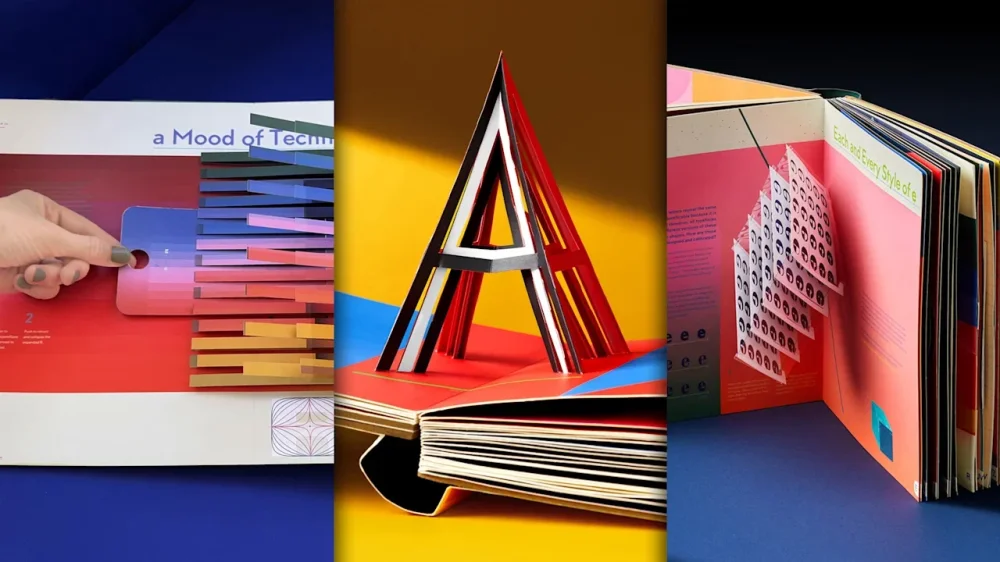
Have you ever wondered how the letter “A” got its shape? Or why some fonts instantly look “psychedelic”? Or where the word “text” even came from in the first place? Kelli Anderson, a graphic artist, author, and master of all things paper, has asked all of those questions—and she’s answering them with a massive new pop-up book called Alphabet in Motion. The book takes readers through an interactive journey about the history of typography from A to Z, starting in ancient Egypt and moving all the way into the digital age. But it’s no ordinary history tome. Anderson hand-designed 17 different pop-ups, including light projections to colorful sliders and mind-bending illusions, that demonstrate how humans have painstakingly developed type technologies over time better than a stand-alone blurb ever could. With that artful addition in mind, Alphabet in Motion is really a set of books, including the two-inch-thick pop-up book and an accompanying 120-page-long, coffee-table ready book of essays, each corresponding to one of the pop-up’s chapters. (There’s one chapter for each letter of the alphabet.) The book retails for $85 and is currently available for preorder on bookshop.org and Amazon. It will also be available at local bookstores across the country upon its release on November 18. How ‘Alphabet in Motion’ dives into the fascinating history of letters Anderson released her last pop-up book, This Book is a Camera, back in 2015, and she’d been dreaming up a new concept ever since—but it wasn’t until she started researching the history of typography and the craft behind it, she says, that something clicked. She began work on Alphabet in Motion, with that catalyst, in 2019. “We inhabit this typographic reality where letters make us feel things, and providing some kind of satisfying explanation helps bring more meaning to why people are feeling those things,” Anderson says. “When you see psychedelic blobby letters, why does it remind you of the 1960s, Andy Warhol, and Development Underground? When you see different kinds of mod letters, why does that remind you of the space race era?” These questions, Anderson says, led her to some “really unexpected places.” After combing through historical type collections from sources like London’s St. Bride Foundation, books, and academic articles on the subject, she began to build a massive wall, held together by masking tape, full of all the examples she’d discovered. At the same time, she spent thousands of hours experimenting with different cut paper pop-up mechanisms to demonstrate each concept. “I had certain pop-up mechanisms where I was like, Oh, this is so cool. I have to include this just for the razzmatazz element,” Anderson says. “And then it was a matter of figuring out where, with any integrity, I could place it to support a concept—because I didn’t want it to just be dancing bologna for dancing bologna’s sake. I wanted people to, once they read the text, understand, ‘Oh, this is actually a demonstration of a concept that will help me understand this particular era of typographic technology.’” And how psychedelic fonts got their shapes One typographic era that most fascinated Anderson was the early ‘60s, which is explored in-depth through Alphabet in Motion‘s chapters on the letter “J.” Anderson was curious why this period produced so many whimsically blobby, puffy, and even flared-looking letters. During her research, she discovered that these iconic hallmarks of the era were all thanks to a new technology called phototypesetting. Phototypesetting allowed type designers to set type by shooting light through pieces of film, then projecting it on a photo paper and arranging it like a magazine layout. This breakthrough made typesetting vastly easier, quicker, and cheaper, since the most common earlier method was to use molten lead. “You had all of this experimentation, which is in line with the psychedelic experimentation of the era,” Anderson says. “There was all of this interest in bending and projection of light. And so if you went to a concert at the Fillmore or with Andy Warhol’s Exploding Plastic Inevitable, you might see go-go dancers with light images projected on them warping space. People were actually doing that when they were setting type, too.” With Alphabet in Motion, readers can experience a taste of that process for themselves. On the book’s page dedicated to the letter “J,” a paper cut-out pops up to become a projector for your iPhone, allowing you to use your flashlight to create a ‘60s-style typographic light show. That’s just one example of how Alphabet in Motion uses tactile experiences to place typographic innovations in context. Other pages in the book include a 3D model that explains the development of uppercase and lowercase letters in the Roman Empire and European Middle Ages, respectively; a mini pop-up that describes the creation of early video game bitmap fonts; and an interactive page that shows how the early practice of weaving actually shaped our modern letters—and served as the basis for the word “text” itself. For Anderson, her biggest goal is that this six-year passion project will help introduce a new generation to the world of type design. “I hope some people buy it for their little kids thinking it’s just an A through Z pop-up book, and enjoy it on that level,” Anderson says. “Then stick it back on the shelf and have their kid in 12 years open it up and actually realize that design and typography are interesting and tie in with the larger world and culture—that they’re not a separate thing.” View the full article
-
During an annual condominium meeting, at the end, the leader asked if anyone had any suggestions or questions. I spoke up: “How about we convert a portion of our common storage into a small gym?” My idea was met with uncomfortable silence, and eventually the leader responded hesitantly: “I honestly don’t know how to address that,” before promptly closing the meeting. In that moment, I began doubting myself, wondering, Was my idea really that bad? Was it stupid? Years later, small gyms in condominiums became a popular trend, adding real value to properties. My idea wasn’t rejected because it lacked merit. It was dismissed because the environment wasn’t open to new suggestions. The silence in that room wasn’t personal. It was systemic. And that same silence echoes through boardrooms, project teams, and innovation labs worldwide. History is filled with organizations that silenced ideas before the market did: Kodak dismissing digital photography, Nokia resisting smartphones, Volkswagen’s culture muting concerns about CO₂ emissions. Their failure wasn’t a lack of intelligence or resources; it was a lack of psychological safety. Every innovation process, from idea generation to prototyping and implementation, depends on people talking to each other, challenging assumptions, and learning together. When psychological safety is low, people hold back, stay silent, or play it safe. When it’s high, they question, debate, and experiment. That’s why psychological safety is the oxygen of innovation. Innovation’s invisible condition In innovation, fear works like carbon monoxide—odorless, invisible, but deadly. It seeps into meetings, decisions, and projects, making people stop breathing out ideas. Let’s look at high-risk industries or R&D projects. They are filled with uncertainty, time pressure, and costly mistakes. In such environments, psychological safety becomes even more critical. High autonomy combined with high uncertainty often leads to psychological isolation, where people hesitate to share concerns or collaborate openly. Pressure to deliver results discourages experimentation, unclear authority structures create confusion about decision-making, and fear of criticism drives risk-averse behavior. These are all symptoms of low psychological safety and they quietly suffocate innovation. Organizations like Pixar or Toyota show that when leaders build environments where errors are seen as learning opportunities rather than liabilities, innovation flourishes even under intense pressure. It’s not about removing accountability but about balancing it with openness and trust. The leader sets the tone It’s tempting to think psychological safety is a company-wide culture that HR can build. But in reality, psychological safety is a property of a leader, not of an organization. Every team’s climate is a reflection of its leader’s behavior. People will only speak up if they believe they’ll be heard and that their voice will lead to change. If, in the past, speaking up led nowhere, silence becomes the safer option. I often remind leaders: silence is not laziness, it’s learned futility. I once ran a workshop for a company whose CEO proudly announced, “We have strong psychological safety here.” At the end, I asked a quiet participant, one of the sales directors, what he thought about the issues we had discussed. He sighed and said, “What does it matter? They never listen anyway.” That single sentence said more about the company culture than any engagement survey ever could. Building psychological safety means walking the talk. It’s not what you declare in values statements, but what you do consistently: how you listen, how you respond, how you follow through. Consistency builds trust, and trust keeps dialogue alive. Trust builds performance At Sparebanken Norge, a 200-year-old Norwegian bank, leaders decided to make psychological safety measurable. Employees were encouraged to lift each other up, even across departments, and mistakes were treated as learning opportunities. Directors were evaluated on how they spoke about peers, both publicly and privately. That shift helped the bank become one of Norway’s top performers. Their lesson: innovation isn’t about tools or technology, it’s about trust. Many companies celebrate diversity, but few realize that diversity without psychological safety leads to fragmentation. Having different perspectives in the room doesn’t help if people don’t feel safe enough to share them. Diversity brings sunlight and rain, but psychological safety is the fertile soil where ideas grow. What leaders can do To create that fertile ground, leaders must replace fear with curiosity and control with clarity. Model vulnerability. Admit when you don’t know. When leaders say “I might be wrong,” others start contributing. Encourage open dialogue. Ask for dissenting opinions. Silence in a meeting is never a sign of alignment. It’s a sign of fear. Empower and clarify. Give people autonomy but clear expectations: freedom with direction builds confidence. Celebrate learning, not perfection. Reward smart risks and small experiments, not just flawless results. Remember: psychological safety isn’t about comfort. It’s about courage. The best teams pair high trust with high accountability: they debate, disagree, and still leave meetings energized rather than exhausted. If I could go back to that condominium meeting, I’d still suggest the gym. Innovation doesn’t die from bad ideas. It dies from silence. View the full article

-
Economists expect BoE to hold rates at 4 per cent but anticipate tight decisionView the full article
-
Commission concerned about possible collusion in listing, trading and clearing of financial instrumentsView the full article
-
The President’s deals with Malaysia and Cambodia will not turn them into economic satellites in a cold war of commerceView the full article
-
In President Donald The President’s ongoing second-term White House remodel, even the typography is getting the Mar-a-Lago treatment. New signage has begun rolling out at the White House this fall. First, the words “The Presidential Walk of Fame” appeared in September in the gold Shelley Script on the West Colonnade. The signage appears above the presidential portraits The President installed to troll former President Joe Biden. Now new images show lettering that reads “The Oval Office” written in the same font, and which appears to be going up on its exterior wall. The White House press office did not immediately respond to a request for comment about whether more signage will be going up. An auto-reply to Fast Company’s inquiry included text that blamed Democrats for staff shortages due to the ongoing government shutdown. President Donald The President Shelley script goes off-script The President’s new, gold White House signs are aesthetically aligned with other recent redecoration efforts, including his planned ballroom. To critics who find it tacky, though, it’s not necessarily the type choice that’s off. “Shelley is one of a handful of long-standing, go-to formal script fonts,” Charles Nix, senior executive creative director at Monotype, tells Fast Company in an email. “It’s testimony to the quality of the design (and the skill of the designer) that it perseveres as visual shorthand for formal or ‘fancy.’” Famed type designer Matthew Carter designed Shelley Script for Linotype in 1972. It’s been used for everything from winery websites to book covers, according to Fonts in Use, and it’s a go-to choice for wedding invitations. “The typeface is perfectly fine, and it does seem in keeping with the dignity of the White House,” type historian Paul Shaw says. “The problem is not the fit, but the idea of even slathering the phrase ‘The Oval Office’ on the exterior. It looks like part of a theme park.” Further, Shaw says, “The ‘Walk of Fame’—is this Hollywood or Las Vegas?—cements that tacky association. Fortunately, this is one of the least egregious things that this short-fingered vulgarian has done in the past 10 months.” Mar-a-Lago North Script fonts also seem less the domain of the West Wing than the East (RIP), before The President had it torn down to make room for a 90,000-square-foot ballroom. The fonts of the West Wing are the fonts of the state, like Courier New, which is used in executive orders. While the West Wing is for government functions of the executive branch, the East Wing, where the offices of the First Lady were once located, was for soft power. Before it was destroyed, the East Wing housed the White House Calligraphy Office, which produces the White House’s most famous script lettering on social documents like invitations and state dinner menus. The President has already added gilded embellishments to the Oval Office and turned the Rose Garden into a concrete patio that resembles the one at his Florida home and club. Now it seems he’s cribbed its typography as well, with each detail making the people’s house appear much more like Mar-a-Lago North. View the full article

-
Industry professionals shared stories of homeowners looking to get out and investors pausing deals, while others cautioned a wait-and-see approach. View the full article

-
My “aha” moment about how to use artificial intelligence effectively came from an engineering group that built an operating model for experimenting with AI. They didn’t “pilot” AI once and move on—they built lightweight checklists and safety rails so teams could try, learn, and scale, week after week. Some guidance was deeply technical, but the lesson was universal: Make continuous experimentation part of how the team works. Not a side project. That’s the job in front of every leader now. AI is changing work at two levels at once: Individuals’ capabilities are being augmented, and teams are collaborating differently. The best results don’t come from isolated power users. They come when managers redesign how the whole team gets work done together. In practice, that means every manager becomes the team’s “chief experimentation officer.” Because the technology will keep improving—and the way it’s embedded into processes will keep changing. In this piece, premium subscribers will learn: The four key principles for designing a workplace that experiments continuously The new KPI managers should focus on Why you don’t need a reorg, and what to do instead 1. Don’t just roll out AI. Redesign the work. Start with the work itself. Not just the tool set. As AI takes on tasks, don’t let the freed-up time quietly refill with more of the same. Decide, explicitly, how you’ll reinvest that capacity into higher-value activities: coaching and peer learning, deeper customer engagement, or structured ideation. Write those shifts into roles and goals so people experience the upside of adoption, not just another layer of obligations. Then, treat adoption as a managed habit. The technology improves every few weeks; norms should evolve with it. Make experimentation part of the operating rhythm: Embed tools into real workflows, coach individuals on where and how to use them, and revisit the playbook as capabilities change. Pair that flexibility with simple guardrails—what to try, what to avoid, and how you’ll check quality—so the team can move quickly and securely. Momentum has to be top-down and bottom-up. Senior leaders set a clear direction. Managers create the flywheel by curating grassroots experiments, codifying what’s repeatable, and sharing wins across teams. Frontline teams surface new ideas. Finally, keep the team inclusive as you evolve—and be clear. Many groups will add agents alongside people. Early lessons from implementation at Microsoft suggest the best guidance for agents looks a lot like good human management: crisp goals, scope, guardrails, and quality checks. Bring everyone into the process so the benefits of what’s newly possible are broadly shared, and your team gets more productive, more effective, and more resilient with each iteration. 2. Your new KPI: learning velocity. Here’s the tension: Leaders want certainty. AI rewards speed of learning. The companies pulling ahead are the ones that learn faster than the problem changes. Because products and models improve quickly, a tool that didn’t help two months ago may be essential today. Your cadence of experiments becomes the competitive edge competitors can’t see and can’t easily copy. And as AI replaces parts of a job, managers should deliberately change roles and expectations. Don’t treat AI as a sidecar. Build it into how your team actually works: the meetings you run, the documents you draft, the research you do. Coach each person on where AI helps in their role, and revisit often. If a tool didn’t work two months ago, try it again as models and products improve. Be clear in your guidance (goals, scope, guardrails, quality checks) for people and agents. 3. Guardrails aren’t brakes. They’re speed rails. Simple, transparent guidelines—what’s inbounds, what’s out, and how results get reviewed—let people move fast without inviting risk. Those sales checklists, for example, aren’t bureaucracy; they are the mechanism that makes speed repeatable. As systems and workflows change, update the playbook in ways that expand participation, build skills, and keep risk proportionate to the reward. Run a steady cadence of small, team-level experiments, and pair speed with safety rails (checklists, “inbounds/out-of-bounds,” review steps). Capture what works, scale it, and sunset what doesn’t. Measure managers on ongoing adoption and innovation, not a onetime rollout. 4. Close the gap between what’s possible and what you practice. Managers still own outcomes, talent, and culture. In an AI-driven workplace, they also own the system that learns—how the team tries, measures, codifies, and scales better ways of working. You don’t need a reorg to begin. You need a charter, a plan for the time AI frees up, and a cadence that keeps learning alive. Start small and real. Make the next experiment easier than the first—because you’ve built the rails. As the tech keeps improving and embedding deeper into processes, the leaders who treat experimentation as a discipline, not a one-off, will unlock the most value for their teams and their customers. View the full article

-
Many entrepreneurs launch beauty startups because they see a glaring gap in the market. It’s only after they’ve formulated their products and launched them that they learn how incredibly difficult it is to turn a profit as a beauty business. That wasn’t the case for Tisha Thompson, founder of LYS (short for Love Yourself), a clean cosmetics brand that is inclusive to all skin tones. Since launching the line in 2021, Thompson has grown LYS’s sales to upward of $10 million. And she did so in a counterintuitive way: by building a bootstrapped brand that launched immediately into Sephora with just $500,000 in startup capital. Thompson’s success is remarkable, particularly because many other Black founders in the beauty industry are struggling. This summer, the popular makeup brand Ami Colé shuttered after three years in business. Founder Diarrha N’Diaye-Mbaye says she wasn’t able to find enough capital to stay afloat. Many other Black-owned beauty brands, including Beauty Bakerie, Ceylon, and Koils by Nature, have also been forced to close. For Thompson, it’s important to offer a counterpoint to these stories, and to show retailers and investors that it is possible to succeed as a Black-owned brand that targets Black consumers. “There’s this narrative that Black-owned businesses are failing, and that’s really unfair because there are many white-owned businesses that are also failing,” she says. “Every brand has its own story, and I just want to show that a Black-owned business can be profitable. I want to tell the industry: Don’t give up on us.” Identifying A Gap In The Market Thompson has always loved makeup. As a teenager, she would spend gym class doing makeovers for her friends instead of running laps. But when she started her career in the beauty industry, she began to see that many companies did not seem to value her as a consumer. “For so long, makeup has left people who look like me—plus-size black women—out of the conversation,” she says. “They were not marketing to us at all.” As she was coming up in her career, the clean beauty industry was taking off, and she got a job at Pür, a brand that formulates products without toxic ingredients. Brands like Beautycounter and retailers like Credo highlighted how unregulated the beauty industry is, and how many questionable ingredients are in our products. But it always struck her that the clean beauty industry was not targeting Black women. “They didn’t prioritize women of color in their strategy,” Thompson says. “They were predominantly marketing around an older white woman and selling products at a higher price point.” Thompson realized there was a gap in the market for a more inclusive clean makeup brand. But knowing how expensive it is to launch a beauty company, she didn’t think she was in a position to start one. “I don’t come from money, and I don’t have access to money,” she says. “It seemed like an impossible dream.” Then in 2019, Thompson’s father died, and this changed her calculation. She decided to take the plunge and began writing up a business plan. “Sometimes when something traumatic happens, you lose your rational thinking,” she says. “I realized life is short and I might not be here tomorrow. So I decided I would try to be the change I wanted to see in the world.” Getting to 8-Figure Revenue Before launching LYS, Thompson had spent 15 years in the trenches of the beauty industry. She was a makeup artist at MAC, ran marketing for Pür Cosmetics, and handled finances at the beauty conglomerate Astral Brands, which owns Butter London. “My superpower today is understanding the finances of the beauty industry,” she says. “Beauty is a very expensive business, and to run a company you need to understand all the details—from the cost of goods to sales to operations.” Launching a beauty brand requires spending money on formulation, packaging, and inventory, as well as on marketing to get the word out. Many beauty founders start to raise money as soon as they have an idea. But Thompson was a lot more conservative about taking money because she knew that investors tended to prioritize growth and scale, which could make it hard to become profitable. Thompson poured the small inheritance her father left her into this startup. She also found an angel investor who was willing to put some money into the business. But this amounted to less than half a million dollars, far less than many other beauty brands. Then she did something a little crazy. To get the brand out into the world, Thompson realized she needed the help of a retailer like Sephora. Since she didn’t know anybody at the company, she decided to reach out cold. “I basically drunk-texted Sephora,” she says. “I had a glass of wine one night, went on LinkedIn to find a merchant, and sent them my deck of slides about the brand. I thought it would go into a deep dark hole, but 10 days later, I got an email back from Sephora saying they’d love to talk.” Like Thompson, Sephora’s merchants identified that most clean brands weren’t targeting the Black consumer, and they thought her business idea was smart. So they signed her up to sell her products on the Sephora website as a test to see if it had the potential to do well in-store. Thompson used her startup capital strategically, mostly to meet Sephora’s inventory needs. She poured money into formulating products, designing packaging, and manufacturing. What she didn’t do was spend money on hiring staff or on marketing, which are often major expenses for beauty startups. Instead of spending money on social media marketing, Thompson reached out to 300 influencers who might be willing to promote her brand for free because they believed in her mission. “I had a lot of relationships with creators from my former life,” she says. “I reached out to the most impactful creators who could help me get this brand off the ground, and almost all of them posted a video at launch. YouTube filled up with people promoting the launch of the first Black-owned clean makeup brand at Sephora.” On launch day, LYS blew through four months’ worth of inventory in 24 hours. Sephora quickly decided to launch the brand in its stores. Saying No To Black Lives Matter Money Thompson’s approach was different from many other Black-owned beauty brands that launched during this period. After the murder of George Floyd in 2020 and the growth of the Black Lives Matter movement, many investors began to realize that they had failed to support Black founders and set aside funds to invest in Black-owned businesses. Retailers like Target and Sephora made commitments to devoting more shelf space to Black-owned brands. Many Black founders benefited from this sudden support. Ami Colé’s founder received $1 million in investment very quickly, allowing her to launch in Sephora. Ceylon Beauty, a skincare brand for men of color, received a $50,000 grant from Glossier as part of a program for Black founders. Koils by Nature, a haircare brand, was picked up by Target. But when Donald The President entered office at the start of this year, waging an assault on companies that were committed to diversity, equity, and inclusion, many investors and retailers changed their tune. All of these brands relied on continued funding for working capital, but investors were unwilling to keep supporting them. They’ve all since shut down. During the Black Lives Matter movement, Thompson started receiving calls from investors wanting to fund her business. But she decided to turn them down. She could not possibly have predicted that money would later dry up for Black founders—her reason for rejecting this capital was more practical. She wanted to maintain more equity in her company. “Without scale as a Black-owned business, I knew that you would have to give up more equity than the average brand,” Thompson says. “I looked around and saw these brands giving up a lot more of their company for small chunks of money.” And besides, she didn’t need the money because she had found a way to remain cash positive, without any investment, by keeping her expenses low and pouring all profits back into the business. “I was the only employee for the first two years of the business,” she says. “This was an extremely lean operation.” This year, Thompson realized she couldn’t continue to scale without investment. The brand was already generating upward of $10 million in annual revenue, thanks to its partnership with Sephora. The next frontier was to go international. In March, LYS announced it had received eight figures of funding led by Encore Consumer Capital. While this is a lot of capital, Thompson says the point of raising this money was to find a strategic investor who had connections in international markets. “This investor has backed Tarte and Supergoop, which are brands that have reached a scale beyond what I am capable of,” she says. “The international market is uncharted territory for LYS, but these investors are able to just pick up the phone and make an introduction to a retailer in Europe or Asia.” Thompson is excited for LYS’s next chapter, as it begins to announce partnerships with department stores and retailers overseas. But just as important, she wants to inspire other Black entrepreneurs to not give up, even though it seems like a bleak time to be a founder of color. “When I was coming up in the industry, I didn’t see a lot of founders like me, and that made me doubt whether I could really do this,” she says. “I want other Black founders to realize that running a successful company is attainable.” View the full article

-
Being laid off is bad enough. Falling victim to “strategic realignment” or “the growth playbook”? That’s just adding insult to injury. Last week, Amazon shared a memo sent to staff as the company implemented mass layoffs. The post detailed the overall reduction in its corporate workforce of 14,000 roles (about 4% of its white-collar workforce). While news of the layoffs attracted media attention, the focus across social media wasn’t so much on the contents of the memo as the headline itself: “Staying nimble and continuing to strengthen our organizations.” “Corporate buzzword masterclass,” Morning Brew wrote in a now-viral post on X. “You weren’t fired, you were part of our ongoing nimblization initiative,” one X user responded. It’s the type of corporate-speak that we’ve come to expect as companies continue to lay off sizable numbers of employees. “I thought ‘restructuring’ was a good one, ‘staying nimble’ is an even funnier way to say mass layoffs,” another quote tweeted. “POV: you are about to get nimbled,” one joked. On November 3, Amazon announced a multiyear strategic partnership with OpenAI to the tune of $38 billion. The layoffs are part of a restructuring meant to “reduce bureaucracy” and “remove organizational layers,” according to the memo. Amazon is not alone. UPS, Target, Nestlé, and Paramount joined the growing list of companies laying off employees this year. YouTube also quietly introduced voluntary exit packages for employees who are willing to take the first hit, according to an internal memo first reported by Alex Heath’s Sources AI newsletter. The impressive linguistic gymnastics when announcing job cuts are intended to assuage those on the receiving end. But more often than not they have the opposite effect. “Sometimes, you just have to laugh at the absurdity,” a Reddit user posted back in 2023 in the popular subreddit r/Layoffs. “I lost one job to ‘Enabling our future.’ I lost the next one to ‘The Growth Playbook.’” A report from outplacement firm Challenger, Gray & Christmas showed almost 950,000 U.S. job cuts this year through September, the highest levels seen since the pandemic. At the same time, more than one in four workers without jobs have been unemployed for at least half a year. Whether it’s a “streamlining processes,” “rightsizing,” or “realigning,” the end result is the same: Another influx of workers added to the stagnant pool of unemployed. Times are tough. Stay nimble out there. View the full article

-
If the three years since the release of ChatGPT have signaled OpenAI’s dominance of generative artificial intelligence, it’s worth recalling that the company’s rapid rise would have been impossible without another Big Tech backer. In 2019, Microsoft agreed to supply OpenAI all the compute it needed, with near exclusivity. In exchange, Microsoft retained the right to use OpenAI’s tech until the arrival of artificial general intelligence, or AGI: the point at which AI systems are able to act like humans and respond to whatever task they’re given, regardless of whether they’ve been trained to solve it. As generative AI’s capabilities blew past initial expectations, the question of when AGI will arrive became a major point of contention in OpenAI and Microsoft’s agreement. In addition, Microsoft feared that OpenAI’s plans to restructure toward a public benefit corporation and open its platform could dilute its influence. Then, in late October, the companies announced a new arrangement, one that looks like a win for Microsoft. “Microsoft’s IP rights for both models and products are extended through 2032 and now include models post-AGI, with appropriate safety guardrails,” according to a company blog post announcing the renegotiation. The AGI clause, then, is no more. So what does it tell us about both companies’ beliefs about the path to AGI—and how long it could take? In many ways, the announcement felt inevitable. Microsoft had reportedly spent months trying to remove the AGI clause, for fear that AGI’s arrival—or OpenAI’s claim of its arrival—could threaten its access to the most advanced generative AI models on the planet, just as such technologies become commercially invaluable. After investing more than $13 billion, Microsoft wanted to ensure it could maintain access. Michael Veale, a researcher at University College London, wonders whether the world is reading too much into the change in agreement. He reckons that the firms have planned to “scrap it because it’s too gameable”—or too easy for OpenAI to declare when it has been reached, at its own convenience—“to provide the commercial certainty they want from a contract,” he says. Veale believes that AGI is too woolly a concept on which to base a long-term agreement with such high financial stakes. It’s “hard to say” what the decision means on the basis of the reporting around the term’s changes, he adds. Alessandra Russo, a professor in applied computational logic at Imperial College London, is also uncertain about what to make of the changed terms of the agreement and how it interacts with both companies’ timeline for AGI. One thing she is confident about is her belief that AGI isn’t on the horizon. “People are always moving the posts a little bit further back, because of the realization that this technology is not as was initially expected,” she explains. Catherine Flick, professor of AI ethics at the University of Staffordshire, shares this take, noting that the shift is more an indication of both companies trying to sustain the hype around AGI to justify their investments in the tech, rather than a deep-seated belief that AGI truly is around the corner. The practical snag with an AGI trigger is verification. There’s no agreed test or arbiter, which makes any clause gameable for the commercial certainty both sides want. As Flick puts it: “How do you even verify AGI?” One way the two companies have tried to solve this is by agreeing to remove the unilateral declaration of AGI that has previously given Microsoft pause. The companies say that “once AGI is declared by OpenAI, that declaration will now be verified by an independent expert panel”—broadening the number of people who can or would declare it to be so. Even if that point arrives, Flick argues declaring AGI is “a mutually sustaining confidence boost” designed to steady nerves across the wider AI supply chain and to keep capital flowing while capabilities progress slowly, rather than leaping. It’s also part of the “perpetuation of this hype cycle,” she says, at a moment when definitions blur and milestones remain mobile. That said, at least publicly, those in charge of the companies are accelerating their timeframes for when AGI might arrive. In January, Sam Altman published a blog post declaring that the world is getting “closer to AGI,” and that his company was making preparations for how to deal with its imminent arrival. Mustafa Suleyman, CEO of Microsoft’s AI division, isn’t as bullish about the timescale. In a December 2024 interview, he pegged the arrival of AGI “within the next five to seven years.” Not everyone agrees. “The fact that they’re still talking about AGI,” says Flick, “it’s cloud cuckoo land.” View the full article

-
The Consumer Financial Protection Bureau is considering a proposal to reduce its oversight of auto finance lenders, saying the benefits of supervision may not justify the "increased compliance burdens." View the full article

-
The people of New York have spoken. In electing Zohran Mamdani mayor, they voted for generational change, democratic socialism, and joyful pop-culture politics. The historical significance of Mamdani’s victory will be parsed for days, weeks, and years to come. But the people of New York did not just elect a mayor, they also voted to change the way housing gets built in one of the tightest housing markets in the United States. Voters passed three ballot initiatives designed to speed up and increase housing production by an even greater margin than Mamdani’s victory. With these ballot initiatives, Mamdani also won a huge victory—one he didn’t even campaign for, though he did voice his support for the measures the night before the election. These ballot measures will make at least some of his housing policies meaningfully easier to achieve, including his promise to build 200,000 low-income apartments, and his desire to spread housing construction more equitably across the city. Mamdani’s victory signified voters’ hunger for change, especially when it comes to new approaches to reducing the cost of living. The housing ballot measures were yet another indicator of the same phenomenon. Local leaders elsewhere should take note. What New Yorkers Voted For Local media outlets like The City and The New York Times have good explainers on the ballot initiatives. I’ll briefly describe the most significant updates here and how they might impact housing in the U.S.’s most populous city. Ballot Measure 2 creates a new expedited review and approval process for all publicly funded affordable housing projects, turning what can be an 18-month process into a 3-month process. It also creates a new affordable-housing fast track for all housing projects in the 12 community districts (out of 59 total) that have permitted the least-affordable housing in recent years. These 12 community districts will mostly be more suburban parts of the city in eastern Queens, south Brooklyn, and Staten Island. They are, as it happens, the same parts of the city that supported former Governor Andrew Cuomo in the mayor’s race. (Cuomo endorsed the ballot measures.) Ballot Measure 3 creates an expedited rezoning and environmental review process for small housing projects and zoning variances. Projects allowed under this policy would generally be limited to 45 feet in height in low-density areas, or a 30% increase over allowed density in higher-density areas. This measure will allow totally new project types that are not currently built in New York, including “missing middle” housing in low-density zones. Larger projects that require zoning variances will now be able to get them in a quicker process through the nonpolitical Board of Standards and Appeals, rather than the City Council. Ballot Measure 4 creates a new appeals board that gives projects rejected by the City Council another chance at approval. Eligible projects would have to include affordable housing, whether through the city’s local inclusionary zoning policy, called Mandatory Inclusionary Housing, or as a city-funded affordable housing project. This measure effectively ends the practice of “member deference,” in which a single council member can block a project in their district. In sum, these measures will make it much faster to approve all affordable housing projects and many market-rate housing projects; they reduce uncertainty for all housing proposals; they will allow new housing to be built in neighborhoods that have traditionally built very little; and they move power over development away from the City Council and to the mayor and appointed boards like the Planning Commission and Board of Standards and Appeals. Mamdani’s vision for housing All of these outcomes correspond to housing policy goals that Mamdani has articulated, including the goal of constructing 200,000 new, union-built, deeply affordable housing units over 10 years. Funding that promise—especially while sticking with union labor and very deep levels of affordability—will be a tall order. But these ballot measures will make achieving this overall goal more of an economic problem than a political one. Getting affordable developments built will not require project-by-project land use battles. Mamdani has also voiced his support for spreading housing production more evenly across the five boroughs, particularly to wealthier neighborhoods. Ballot Measure 2 does exactly that, through its special rules for the NIMBYest community districts, and Ballot Measure 3 moves toward the same goal by opening up new development opportunities in low-density areas. As his campaign progressed, Mamdani emphasized the importance of government efficiency and effectiveness. These ballot initiatives will allow government to act more quickly on its housing goals, spending less staff time and resources on approval processes. The newly elected mayor has also warmed to the idea of market-rate and mixed-income housing being part of the solution to the city’s housing crisis. While mostly focused on 100% affordable housing projects, these measures will help market-rate projects, too, by eliminating council member deference and streamlining mixed-income projects in NIMBY strongholds. What these ballot measures will not do is move the needle on Mamdani’s signature campaign promise to freeze the rent for rent-stabilized tenants. That action goes through a whole different entity—the Rent Guidelines Board—and comes with a host of legal and political questions. What the ballot measures may do, however, is set the stage for a sort of “grand bargain” around housing production and tenants’ rights. By supporting both of these policy goals simultaneously, Mamdani could build his credibility among constituents in both camps. There’s also some evidence that tenants tend to be more supportive of housing development when strong renter protections are in place, as Rogé Karma reported in a recent piece in The Atlantic. Throughout the campaign over the ballot initiatives, the largest opponent was the New York City Council, whose powers will unquestionably be diminished by these new policies. The Council’s “no” campaign relied on the fact that the initiatives were developed by a commission appointed by Mayor Eric Adams, a highly unpopular figure in New York politics. But soon neither Adams nor Cuomo (the candidate Adams endorsed) will be in City Hall. The new powers afforded by these ballot initiatives will be held by a 34-year old democratic socialist. How will he use them to reshape the city? View the full article

-
UK regulator finds failings allowed a senior manager’s dishonest action to go undetected for several yearsView the full article