ResidentialBusiness
Administrators
-
Joined
-
Last visited
Everything posted by ResidentialBusiness
-
 When did you last think about your business? By August Aquila MAX: Maximize Productivity, Profitability and Client Retention Go PRO for members-only access to more August J. Aquila. View the full article
 -
High Court finds Robert Bonnier lied ‘repeatedly’ to secure investment from tycoonView the full article
-
BONUS: 11 services that create a “control culture.” By Ed Mendlowitz 77 Ways to Wow! Go PRO for members-only access to more Edward Mendlowitz. View the full article
-
BONUS: 11 services that create a “control culture.” By Ed Mendlowitz 77 Ways to Wow! Go PRO for members-only access to more Edward Mendlowitz. View the full article
-
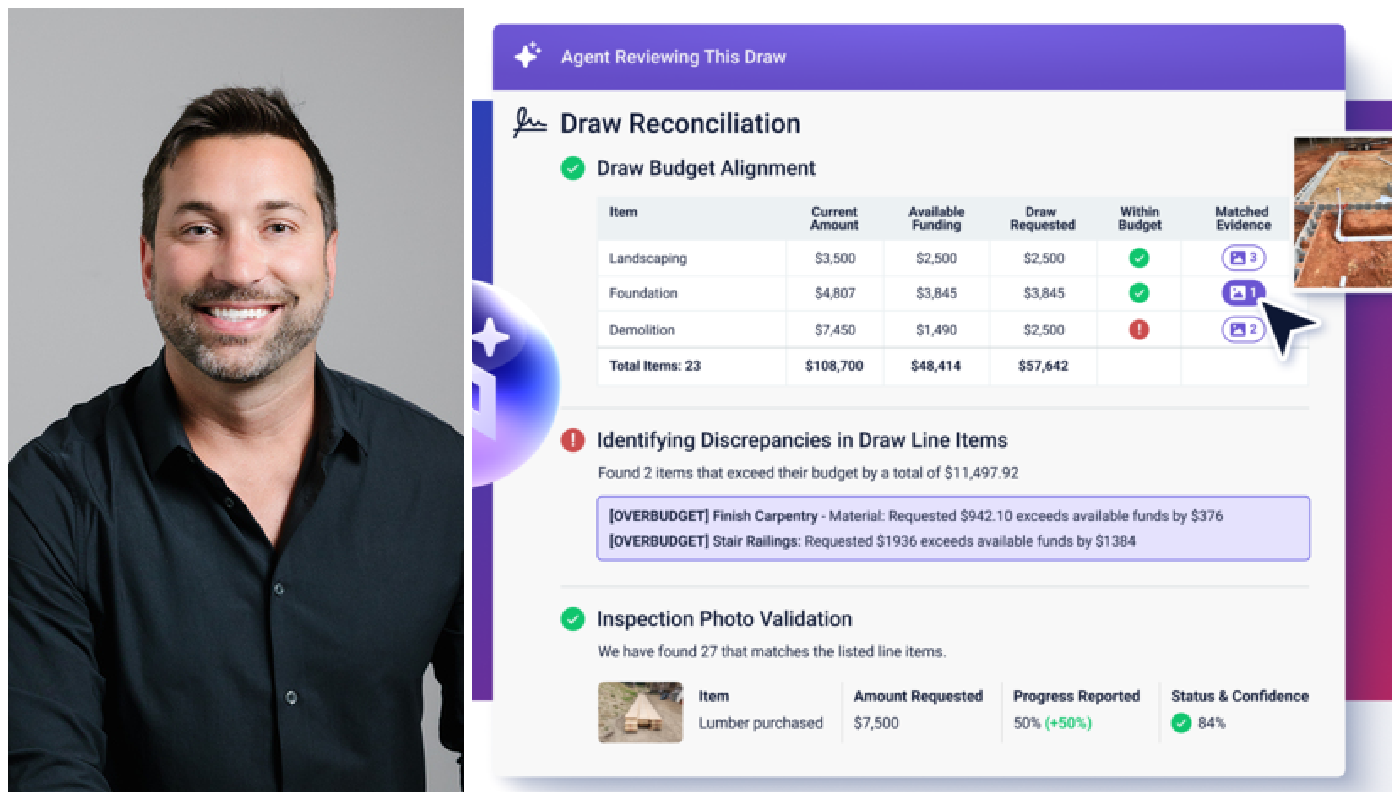
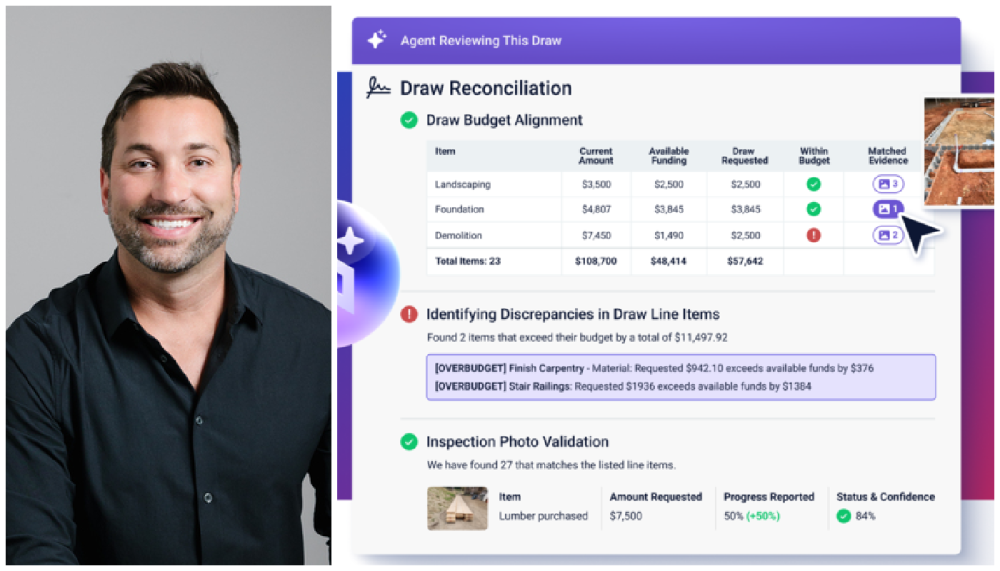
Built launched Draw Agent Tuesday, which can process thousands of construction loan draws monthly. View the full article
-
Three lower courts have ruled illegal President Donald The President’s use of emergency powers to impose worldwide tariffs. Now the Supreme Court, with three justices The President appointed and generally favorable to muscular presidential power, will have the final word. In roughly two dozen emergency appeals, the justices have largely gone along with The President in temporarily allowing parts of his aggressive second-term agenda to take effect while lawsuits play out. But the case being argued Wednesday is the first in which the court will render a final decision on a The President policy. The stakes are enormous, both politically and financially. The Republican president has made tariffs a central piece of his economic and foreign policy and has said it would be a “disaster” if the Supreme Court rules against him. Here are some things to know about the tariffs arguments at the Supreme Court: Tariffs are taxes on imports They are paid by companies that import finished products or parts, and the added cost can be passed on to consumers. Through September, the government has reported collecting $195 billion in revenue generated from the tariffs. The Constitution gives Congress the power to impose tariffs, but The President has claimed extraordinary power to act without congressional approval by declaring national emergencies under the 1977 International Emergency Economic Powers Act. In February, he invoked the law to impose tariffs on Canada, Mexico and China, saying that the illegal flow of immigrants and drugs across the U.S. border amounted to a national emergency and that the three countries needed to do more to stop it. In April, he imposed worldwide tariffs after declaring the United States’ longstanding trade deficits “a national emergency.” Libertarian-backed businesses and states challenged the tariffs in federal court Challengers to The President’s actions won rulings from a specialized trade court, a district judge in Washington and a business-focused appeals court, also in the nation’s capital. Those courts found that The President could not justify tariffs under the emergency powers law, which doesn’t mention them. But they left the tariffs in place in the meantime. The appeals court relied on major questions, a legal doctrine devised by the Supreme Court that requires Congress to speak clearly on issues of “vast economic and political significance.” The major questions doctrine doomed several Biden policies Conservative majorities struck down three of then-President Joe Biden’s initiatives related to the coronavirus pandemic. The court ended the Democrat’s pause on evictions, blocked a vaccine mandate for large businesses and prevented student loan forgiveness that would have totaled $500 billion over 10 years. In comparison, the stakes in the tariff case are much higher. The taxes are estimated to generate $3 trillion over 10 years. The challengers in the tariffs case have cited writings by the three The President appointees, Justices Amy Coney Barrett, Neil Gorsuch and Brett Kavanaugh, in calling on the court to apply similar limitations on a signal The President policy. Barrett described a babysitter taking children on roller coasters and spending a night in a hotel based on a parent’s encouragement to “make sure the kids have fun.” “In the normal course, permission to spend money on fun authorizes a babysitter to take children to the local ice cream parlor or movie theater, not on a multiday excursion to an out-of-town amusement park,” Barrett wrote in the student loans case. “If a parent were willing to greenlight a trip that big, we would expect much more clarity than a general instruction to ‘make sure the kids have fun.’” Kavanaugh, though, has suggested the court should not apply the same limiting standard to foreign policy and national security issues. A dissenting appellate judge also wrote that Congress purposely gave presidents more latitude to act through the emergency powers law. Some of the businesses that sued also are raising a separate legal argument in an appeal to conservative justices, saying that Congress could not constitutionally delegate its taxing power to the president. The nondelegation principle has not been used in 90 years, since the Supreme Court struck down some New Deal legislation. But Gorsuch authored a dissent in June that would have found the Federal Communications Commission’s universal service fee an unconstitutional delegation. Justices Samuel Alito and Clarence Thomas joined the dissent. “What happens when Congress, weary of the hard business of legislating and facing strong incentives to pass the buck, cedes its lawmaking power, clearly and unmistakably, to an executive that craves it?” Gorsuch wrote. The justices could act more quickly than usual in issuing a decision The court only agreed to hear the case in September, scheduling arguments less than two months later. The quick turnaround, at least by Supreme Court standards, suggests that the court will try to act fast. High-profile cases can take half a year or more to resolve, often because the majority and dissenting opinions go through rounds of revision. But the court can act quickly when deadline pressure dictates. Most recently, the court ruled a week after hearing arguments in the TikTok case, unanimously upholding a law requiring the popular social media app to be banned unless it was sold by its Chinese parent company. The President has intervened several times to keep the law from taking effect while negotiations continue with China. —Mark Sherman, Associated Press View the full article

-
Porte Neue is the typeface of effortless sophistication, and that’s why the ‘Fast Company’ design team chose it for the latest issue View the full article

-
We may earn a commission from links on this page. If you've ever tried to tackle a DIY project with just the hammer and screwdriver you bought at a convenience store, you’ve already learned the most important lesson: The right tools make all the difference. The difference in effort it takes to complete a job when you have exactly the tool you need for it is startling. There are plenty of fancy power tools that you probably didn't know about, but the humble hand tool can be transformative, too. If you’re planning some work around the homestead, consider picking up some of these simple but powerful specialty tools that will make your project easier. Cabinet jackI’m a solo DIY kind of person; I hate asking for help or relying on other people’s schedules, so I usually plow ahead and try to do everything myself. The first time I attempted to install cabinets in my kitchen alone was one of the most frustrating experiences of my life—if you’ve ever tried to position a wall cabinet and hold it in place so you can drive a set screw, you know my pain. Enter cabinet jacks: simple, adjustable platforms that raise a cabinet box to the correct height so you can have both hands free to drive the screws into place. They instantly transform a nightmarish job into a pretty straightforward project. And they can be used to lift just about anything into position, so you can get a lot more use out of these than you think. Magnetic pickupYou don’t have to be especially clumsy (note: I totally am especially clumsy) to experience the horror of dropping a bunch of small screws or washers when you’re working. Picking up tiny things with your hands is slow and frustrating, and some of these tiny bits of metal will absolutely slide into every nook and cranny available. Extra points if you just dropped the unique screw that came with a product that you’ll never figure out how to replace. A magnetic pickup tool like this one is the answer. Flexible, extendable, and with a guide light, this tool will make finding and retrieving lost fasteners extremely fast and easy, so you don’t waste any more time on your hands and knees muttering as you blindly search for a lost screw. Air wedgeSometimes you just need to wedge something under whatever you’re working on, either to get it level or to open up some space underneath. You can monkey around with a bunch of shims or pieces of spare wood to engineer a wobbly solution, or you can use one of these air wedges—inflatable shims that slide under whatever you’re trying to lift and inflate to the perfect dimension. These are especially useful when you’re trying to level something, because you can slide one underneath, slap a level on top, and inflate until you get it perfect. Augur bitI like to re-use old lumber for framing projects—no one’s going to see the ugly wood, and it seems like a waste to toss it. But that means I’ve had to work around a lot of embedded screws and nails, and it can really be a pain in the butt. If you’ve ever started drilling into a wall and hit a screw in one of the studs, you also know how it can present a real problem if your choices of where to drill are limited. Enter the augur bit. This thing will chew through those screws and nails with ease, allowing you to create fresh holes even in old studs or other lumber that are riddled with the fasteners of projects past. Reversible wrenchWhen you’re working with a combination of squared-off bolts and round things (like pipes), you find yourself swapping out the wrench you’re using constantly. That means carrying an extra tool, and constantly searching for the other one. Unless you have a reversible, adjustable wrench. The reversible jaw means you can switch between bolts and rounded stock with ease, using just one tool. Screw removal pliersStripped screws will strip you of your sanity. When the head gets so chewed up no bit in the universe will grab it, your whole project can be derailed as you spend hours trying to convince it to give up and come back out. Unless you have a pair of extractor pliers in your toolbox. These pliers are designed specifically to grab onto stripped and broken screws and twist them out with relative ease. Cartridge pullerIf you have a leaky faucet or shower handle, the cartridge in the faucet has likely failed. If you’ve ever tried to remove that cartridge for a little money-saving DIY plumbing, you likely walked away with a new appreciation for plumbers, because they can be a real pain to pull. Unless you have a cartridge puller, a nifty device designed to latch onto faucet cartridges and give you the necessary leverage to yank them out. Different faucets need different pullers, so you’ll first need to identify the brand you’re dealing with (for example, this cartridge puller works with a few specific Moen models), but it’s worth it if you value your time. Hook and pickYou may not think you have a use case for a hook and pick set, but once you have one, you’ll never stop using it. I’ve used these dental-looking tools to scrape, to remove small, delicate parts, to grab onto things in tight spaces, and to bend and manipulate clasps on jewelry and other items. They’re also lifesavers if you have tangled necklaces or other chains, as they make grabbing onto the tiny links really easy. Trust me, you’ll use these more than you think. Hand maskerIf you’re going to be painting several rooms in your house or putting down protection on your floors ahead of a project, you’re going to be applying a lot of masking tape to protect surfaces. A hand masker makes that part of the job a lot easier. Just load up your roll of tape, and the masker lets you apply long strips without having to deal with twisted tape or crooked applications that have to be lifted off and re-applied. (You can whip up a DIY version of this using a paint roller—it’s not quite as easy to use as the real deal, but it’ll still make it a bit easier to tape up your work area.) MagnetizerFor a long time, I was always surprised when I picked up a certain screwdriver in my tool chest and discovered it was magnetized—it saved me from losing screws plenty of times, and made setting the screw in place a lot easier. Guess what? You can magnetize—and de-magnetize—most screws and bits using a magnetizing/demagnatizing tool. It can also magnetize blades or other thin implements to be used as a quick parts retrieval tool. Angle clampHave you ever tried to drill or screw two pieces of wood together at a 90° angle? Fun it is not. But if you have an angle clamp like the Can-Do clamp, it’s a lot easier. This clever clamp lets you hold a variety of angles together so you can easily drill starter holes and then secure everything without losing your mind as things slip and spin out of place. View the full article
-
TD Bank is getting ready to implement a number of branch closures across more than a dozen states on the East Coast. Those closures come at a time when the bank is increasingly shifting its focus to online banking. Here’s what you need to know about TD Bank’s branch closures, including a list of closing locations. Why is TD Bank closing some of its branches? TD Bank is closing some of its branches as part of a broader plan to reduce or relocate 10% of its retail footprint. “At Investor Day last month, TD shared plans to deliver a stronger, more scalable U.S. retail presence through significant store enhancements, tech-forward digital banking capabilities, and personalized, advice-led services,” a spokesperson told Fast Company when reached for comment. “We also regularly evaluate our network to ensure we’re serving our communities where they need us, which at times results in store closures or relocations to nearby neighborhoods.” The bank added that it expects to open new locations in the impacted communities, but it did not offer specifics and said such openings would be subject to approval by regulators. “In the meantime, we’re committed to making these transitions as smooth as possible for clients and customers, serving them at more than 1,000 TD Bank locations or via whatever channel they choose.” How many locations will close? TD Bank is set to close 51 branches and one remote drive-through location by the end of January 2026. The branch closures will affect locations in 13 states and Washington, D.C. The news of the upcoming planned closures comes after the company already closed dozens of branches across 10 states and Washington, D.C., earlier this year, as Fast Company previously reported. At TD Bank’s investor conference in September, CEO Leo Salom said the bank was “reimagining” its retail distribution model. “[Increasingly] clients expect greater personalization, and an elevated, more seamless omni-channel experience,” Salom said. “And to that end, we are accelerating investments in digital and mobile capabilities across sales, onboarding and servicing.” Salom continued that TD Bank’s goal was to “increase digital acquisition to 50% of total sales, enhance digital adoption to 70%, and drive digital self-serve above 90%.” Greater digital banking usage means fewer stores are required. TD Bank is part of Toronto’s TD Bank Group. The company has 2,151 retail locations in North America, according to its Q3 2025 earnings report, including 1,100 branches in the United States. It’s unclear how many jobs will be impacted by the closures. TD Bank says its U.S. retail operations employ almost 29,000 people. Shares of Toronto-Dominion Bank (NYSE: TD) are up more than 51% year to date. Which TD Bank branches are closing? In this latest round of closures, TD Bank is expected to close 51 branches across 12 states and Washington, D.C. A number of local media outlets, including the Philadelphia Business Journal, had reported earlier on the closures, including listing some individual locations. The full list of planned TD Bank branch closures appears below. The bank confirmed the locations with Fast Company. Connecticut 123 East Main Street, Plainville, CT, 06062 826 Wolcott Road, Wolcott, CT, 06716 60 Redding Road, Redding, CT, 06829 Washington, D.C. 2000 K Street, NW, Washington, DC, 20006 Florida 2000 K Street, NW, Washington, D.C., 20006 255 Alhambra Circle, Coral Gables, FL, 33134 1500 NE Miami Gardens Drive, North Miami Beach, FL, 33179 2208 66th Street, St Petersburg, FL, 33710 3125 W New Haven Avenue, Melbourne, FL, 32904 1000 S.E. Highway, Crystal River, FL, 34429 1 US 27 North, 621 East, Lake Placid, FL, 33852 Massachusetts 175 Cabot Street, Beverly, MA, 01915 153 Meadow Street, Chicopee, MA, 01013 1708 Falmouth Road, Centerville, MA, 02632 45 Central Street, Lowell, MA, 01852 99 West Street, Pittsfield, MA, 01201 79 Lynnfield Street, Peabody, MA, 01960 242 Main Street, Wareham, MA 02571 (remote drive thru) Maryland 8661 Colesville Road, Silver Spring, MD, 20910 Maine 32 Goding Avenue, Lincoln Plaza, Lincoln, ME, 04457 835 Main Street, P.O. Box 266, Westbrook, ME, 04092 217 High Street, Ellsworth, ME, 04605 North Carolina 201 Wren Drive, Hendersonville, NC, 28792 New Hampshire 184 Route 101, Bedford, NH, 03110 2561 Main Street, North Conway, NH, 03860 New Jersey 385 White Horse Pike, Atco, NJ, 08004 177 Columbia Turnpike, Florham Park, NJ, 07932 571 East Bay Avenue, Manahawkin, NJ, 08050 232 Richmond Avenue, Point Pleasant, NJ, 08742 418 Belmont Avenue, Haledon, NJ, 07508 230 Forsgate Drive, Jamesburg, NJ, 08831 1100 Lake Street, Ramsey, NJ, 07446 4057 Asbury Avenue, Tinton Falls, NJ, 07753 New York 655 Avenue of the Americas, New York, NY, 10010 391 Jericho Turnpike, Jericho, NY, 11853 1144 Walt Whitman Road, Melville, NY, 11747 620 Route 25A, Mount Sinai, NY, 11766 576 Second Avenue, New York, NY, 10016 14 Main Street, Hudson Falls, NY, 12839 482-484 Bergen Street, Brooklyn, NY, 11217 Pennsylvania 399 Market Street, Philadelphia, PA, 19106 200 Lancaster Avenue, Devon, PA, 19333 9996 Haldeman Avenue, Philadelphia, PA, 19115 1064 Second St. Pike, Richboro, PA, 18954 131 East McDade Boulevard, Folsom, PA, 19033 South Carolina 260 Columbia Avenue, Chapin, SC, 29036 2003 N. Oak Street, Myrtle Beach, SC, 29577 5041 Calhoun Memorial Hwy., Easley, SC, 29640 307 North Main Street, Marion, SC, 29571 Virginia 6566 Little River Turnpike, Alexandria, VA, 22003 6260 Old Dominion Drive, McLean, VA, 22101 Vermont 27 East Allen Street, Winooski, VT, 05404 21 Elm Street, Woodstock, VT, 05091 View the full article

-
We may earn a commission from links on this page. Deal pricing and availability subject to change after time of publication. It's a good day for Apple shoppers looking for the latest Apple Watches. The Apple Watch Ultra 3, Apple's latest and most premium smartwatch, dropped to its lowest price, and now, the Apple Watch SE 3, their most affordable smartwatch (and truly, the best one for most people), also dropped to its lowest price yet, according to price-tracking tools. Despite being released just this past September, you can get the GPS 40mm Apple Watch SE 3 for $199.99 (originally $249). The bigger 44mm case is $229.99 (originally $279), also with a $50 discount. Apple Watch SE 3 40mm GPS Smartwatch (Starlight Aluminum Case, Starlight Sports Band) $199.99 at Amazon $249.00 Save $49.01 Get Deal Get Deal $199.99 at Amazon $249.00 Save $49.01 Apple Watch SE 3 [GPS 44mm] Smartwatch with Starlight Aluminum Case with Starlight Sport Band - M/L. Fitness and Sleep Trackers, Heart Rate Monitor, Always-On Display, Water Resistant $229.99 at Amazon $279.00 Save $49.01 Get Deal Get Deal $229.99 at Amazon $279.00 Save $49.01 SEE -1 MORE The SE 3 is the most affordable option compared to the Series 11 and the Ultra 3, all of which are the latest models to be released by Apple. But never before has the budget model been so close in value to the middle-of-the-pack Apple Watch. That's why it's the best option for most people who would rather save money instead of getting all of the fancy specs and features, according to PCMag's "excellent" review. The SE3 has the same Apple S10 processor as the Series 11 and better battery life, averaging about 46 hours. It has the always-on display, supports 5G, has gesture controls, on-device Siri processing, ovulation estimates, sleep apnea detection, and wrist temperature sensing. And, of course, you get all of the benefits of the upcoming iOS 26.2. Since this is the cellular version, you don't need to bring your iPhone along to be able to take calls or text. The improved 5G connectivity means your calls will be less likely to drop, and your downloads and streams will be faster. If I were a betting man, I'd say you won't find this watch any cheaper on Black Friday or Cyber Monday, given its recent release and Apple's history with sales. This price is likely as good as it's going to get for a while. Our Best Editor-Vetted Early Black Friday Deals Right Now Apple AirPods 4 Wireless Earbuds — $119.00 (List Price $129.00) Apple iPad 11" 128GB A16 WiFi Tablet (Blue, 2025) — $299.00 (List Price $349.00) Shark AI Ultra Matrix Clean Mapping Voice Control Robot Vacuum with XL Self-Empty Base — $299.99 (List Price $599.00) Bose QuietComfort Noise Cancelling Wireless Headphones — $199.00 (List Price $349.00) Amazon Fire TV Stick 4K Plus — $29.99 (List Price $49.99) Google Pixel 10 Pro 128GB Unlocked Phone (Obsidian) — $749.00 (List Price $999.00) Amazon Fire HD 10 (2023) — $69.99 (List Price $139.99) Introducing Amazon Fire TV 55" Omni Mini-LED Series, QLED 4K UHD smart TV, Dolby Vision IQ, 144hz gaming mode, Ambient Experience, hands-free with Alexa, 2024 release — $699.99 (List Price $819.99) Google Nest Cam Indoor (Wired, 3rd Gen) - Security Camera with 2K Video and Gemini, Night Vision, 2-Way Audio, Works with Google Home - 2025 Model - Snow — $74.99 (List Price $99.99) Sony WH-1000XM5 — $328.00 (List Price $399.99) Deals are selected by our commerce team View the full article
-
Stakeholder reporting is a crucial process that keeps everyone informed about project performance, progress and potential risks. A stakeholder report gives stakeholders transparency into goals, metrics and milestones, helping build trust and align expectations. When done effectively, stakeholder reporting supports decision-making, encourages accountability and ensures that all involved parties remain engaged throughout the project lifecycle. It also demonstrates a team’s commitment to open communication and continuous improvement across departments and project stages. What Is Stakeholder Reporting? Stakeholder reporting is the process of collecting, analyzing and sharing project data with individuals or groups who have an interest in project outcomes. It involves communicating updates on timelines, budgets, resource use and performance indicators to ensure everyone understands current progress and future projections. Effective stakeholder reporting transforms complex project details into clear insights that guide decisions, strengthen collaboration and promote transparency across all levels of an organization. What Is a Stakeholder Report? A stakeholder report is a document or presentation that summarizes project performance for stakeholders. It outlines key metrics such as timelines, costs, risks and deliverables to provide a clear snapshot of project health. Regular stakeholder reports improve transparency, ensure informed decision-making and strengthen relationships by keeping everyone aligned on goals and progress. 10 Key Stakeholder Reports Effective stakeholder reporting relies on clear, data-driven documents that give visibility into every stage of a project. These stakeholder reports help communicate progress, manage expectations and maintain transparency across teams. Each report serves a specific purpose, ensuring stakeholders have the right information to make decisions and keep projects on track. 1. Project Status Report The project status report is the foundation of stakeholder reporting. It gives a snapshot of project performance, showing milestones achieved, tasks in progress and upcoming activities. This report helps stakeholders stay informed about timelines, deliverables and possible challenges, supporting better alignment across teams and maintaining focus on project goals. /wp-content/uploads/2021/11/Status-Report-Screenshot-600x319.jpg A project status report template helps organize updates in a consistent format, saving time and improving accuracy. It can include sections for objectives, KPIs, progress summaries and next steps. Using a structured template ensures all updates are recorded clearly and shared efficiently with stakeholders. Project management software makes stakeholder reporting easier and more accurate by automating data collection and visualizing project metrics in real time. Instead of manually compiling updates, teams can use dashboards and reports that pull from live project data. This approach reduces errors, saves time and provides a consistent view of performance across departments, ensuring stakeholders always have access to reliable information. While templates provide a basic framework for stakeholder reporting, ProjectManager goes beyond by offering real-time, interactive reporting tools. With live dashboards, customizable reports and automated updates, stakeholders can instantly see project performance across tasks, resources and budgets. This dynamic reporting reduces manual work, ensures data accuracy and enables faster decision-making. Managers can filter by team, project or timeline, generate visual charts and share reports instantly, making stakeholder reporting not only more professional but also more actionable compared to static templates. /wp-content/uploads/2020/10/Light-mode-reporting-CTA-e1711992940366.pngLearn more 2. Progress Report A progress report tracks project developments over a specific period, highlighting completed tasks, current progress and pending items. It plays a key role in stakeholder reporting by showing whether a project is moving as planned and identifying any issues that could affect delivery or outcomes. /wp-content/uploads/2021/03/Progress-Report-Screenshot-600x559.jpg A progress report template standardizes updates with sections for timeframes, goals achieved and tasks remaining. It makes it easier to compare performance over time and helps ensure that reports stay focused on measurable results. Consistent formatting improves readability and supports faster decision-making. 3. Stakeholder Analysis Report The stakeholder analysis report identifies the stakeholders, their influence and how their interests align with the project’s objectives. It is a critical part of stakeholder reporting because it helps project managers understand which relationships need the most attention and how to communicate effectively with each group. /wp-content/uploads/2021/09/Stakeholder-Analysis-Screenshot-600x211.jpg A stakeholder analysis template provides a framework for listing stakeholders, their roles, contact details and levels of influence. It keeps information organized and makes it easier to update as project dynamics change. Having this document ready ensures smoother communication and stronger stakeholder engagement. Related: 13 Free Stakeholder Management Templates for Excel & Word 4. Cost-Benefit Analysis Report The cost-benefit analysis report compares project costs with expected benefits to assess financial feasibility. It helps stakeholders understand whether a project offers value and supports informed decisions before committing resources. This report is especially useful when evaluating competing initiatives or funding priorities. /wp-content/uploads/2021/07/Cost-Benefit-Analysis-Screenshot-600x240.jpg A cost-benefit analysis template structures data into sections for projected expenses, potential returns and overall net benefit. It simplifies financial comparisons and provides a clear visual of the value a project delivers. Templates help maintain accuracy and transparency across all financial assessments. 5. Feasibility Report A feasibility report evaluates the practicality and potential success of a project before committing resources. It considers factors such as technical requirements, financial viability, operational capabilities and market conditions. /wp-content/uploads/2023/06/feasibility-study-template-screenshot-600x610.jpg Using a feasibility report template streamlines data collection, ensures all key areas are covered and provides a clear, structured summary for stakeholders. This helps teams make informed go/no-go decisions efficiently, reduces the risk of wasted effort and ensures alignment with organizational goals. 6. Risk Assessment Report A risk assessment report identifies potential project risks and evaluates their likelihood and impact. A risk assessment report template helps teams systematically document risks, assign owners and prioritize mitigation strategies. /wp-content/uploads/2024/11/Risk-assessment-template-screenshot-600x212.png By using a structured template, stakeholders can quickly understand key threats, track mitigation progress and make data-driven decisions. This approach improves communication, prepares teams for uncertainties and ensures accountability for risk management throughout the project lifecycle. Related: 9 Free Risk Management Templates for Excel 7. Financial Summary Report A financial summary report presents the key financial metrics of a project, including costs, revenue projections and budget performance. Using a financial summary report template ensures consistency, captures essential data points and simplifies communication to stakeholders. These templates provide a structured overview of financial health, highlight deviations from the budget and allow managers to make timely adjustments. It’s an essential tool for maintaining transparency and keeping projects financially on track. 8. Lessons Learned Report A lessons learned report captures insights, successes and challenges from a completed project. Using a lessons learned report template ensures teams systematically document key takeaways, including what worked well and areas for improvement. /wp-content/uploads/2020/05/Lessons-Learned-Screenshot-600x199.jpg This helps future projects avoid repeated mistakes, replicate successful practices and improve overall efficiency. It also provides stakeholders with a clear record of the project’s learning outcomes and fosters organizational knowledge sharing. 9. Project Closure Report A project closure report summarizes the completion of project objectives, deliverables and milestones. A project closure report template standardizes the documentation process, including outcomes, lessons learned and stakeholder approvals. /wp-content/uploads/2020/10/Project-Closure-Screenshot-600x490.jpg It ensures that all required project information is captured, confirms contractual obligations are met and provides a clear record for future reference. This allows teams to formally close projects while maintaining transparency and accountability with stakeholders. 10. Resource Utilization Report A resource utilization report tracks how personnel, equipment and materials were used during a project. Using a resource utilization report template helps managers capture allocation, identify bottlenecks and optimize resource deployment. /wp-content/uploads/2023/03/Resource-Plan-Screenshot-600x213.jpg This ensures stakeholders can see the efficiency of resource use, identify areas of over- or underutilization and make informed decisions for upcoming projects. It improves planning, accountability and overall project performance. How ProjectManager Helps With Stakeholder Reporting ProjectManager improves stakeholder reporting by giving teams multiple project management views that provide clear insights into project progress. Managers can monitor tasks on a kanban board, track timelines on Gantt charts and view project schedules in list or calendar formats. These views make it easier to communicate project status to stakeholders, align expectations and quickly identify issues before they escalate, ensuring reporting is accurate and actionable at all times. Real-time Project Dashboards and Reports ProjectManager’s real-time dashboards and reports consolidate project data into visual charts, graphs and tables, making stakeholder reporting immediate and precise. Dashboards can be customized to show key metrics such as task completion, project milestones and overall progress. Plus, AI Project Insights adds summaries and recommendations for greater insight. Reports can be automatically generated for individual projects, departments or the entire portfolio, saving time and ensuring stakeholders always have access to up-to-date information without manually compiling data from multiple sources. /wp-content/uploads/2025/10/AI-Insights-Light-Mode-Dashboard-GPT5.png Robust Resource Planning and Cost Tracking Features With ProjectManager, teams can plan resources, assign tasks and monitor labor and material costs in real time. The software’s resource management tools, including workload charts and team allocation views, help ensure stakeholders understand how resources are being utilized. Cost tracking features allow project managers to report on budget performance, actual vs. planned expenditures and projected costs, giving stakeholders a full financial picture alongside progress updates for better-informed decision making. /wp-content/uploads/2023/01/Team-Light-2554x1372-1.png Related Stakeholder Reporting Content There’s more to stakeholder reporting than templates. For readers who want to get deeper into the subject, the links below lead to informative articles on stakeholder mapping, management and more. Stakeholder Mapping 101: How to Make a Stakeholder Map How to Make a Stakeholder Management Plan Stakeholder Analysis 101 (Example & Template Included) Top 10 Stakeholder Management Skills for Project Managers Stakeholder Engagement in Project Management 13 Free Stakeholder Management Templates for Excel & Word 5 Stakeholder Map Examples with Analysis ProjectManager is online project and portfolio management software that connects teams, whether they’re in the office or out in the field. They can share files, comment at the task level and stay updated with email and in-app notifications. Get started with ProjectManager today for free. The post Stakeholder Reporting: 10 Key Stakeholder Reports appeared first on ProjectManager. View the full article
-
Want more housing market stories from Lance Lambert’s ResiClub in your inbox? Subscribe to the ResiClub newsletter. Zillow economists use an economic model they call the Zillow Market Heat Index to gauge the competitiveness of housing markets across the country. This model looks at key indicators—including home price changes, inventory levels, and days on market—to generate a score showing whether a market favors sellers or buyers. Higher scores point to hotter, seller-friendly metro housing markets. Lower scores signal cooler markets where buyers hold more negotiating power. According to Zillow: Score of 70 or higher = strong seller’s market Score from 55 to 69 = seller’s market Score from 44 to 55 = neutral market Score from 28 to 44 = buyer’s market Score of 27 or below = strong buyer’s market Within the ResiClub Terminal—our data and analytics platform designed for housing sector executives, professionals, and investors—ResiClub PRO members can access this index output along with roughly 70+ other metrics. For today’s issue, we’ve included a screenshot showing a metro-level view of the Zillow Market Heat Index for every September reading since 2019. (The ability to change dates is one of the features in the ResiClub Terminal that helps housing stakeholders better analyze the housing market.) What the index looked like in September 2019: What the index looked like in September 2020: What the index looked like in September 2021: What the index looked like in September 2022: What the index looked like in September 2023: What the index looked like in September 2024: What the index looked like in September 2025: Do I agree with Zillow’s assessment? Directionally, I believe Zillow has correctly identified many regional housing markets where buyers have gained the most power—particularly around the Gulf—as well as markets where sellers have maintained (relatively speaking) somewhat of a grip, including large portions of the Northeast and Midwest. Based on my personal housing analysis, I consider Southwest Florida the weakest/softest chunk of the U.S. housing market this year. Not too far behind are pockets of Texas and Colorado—which have also seen a bigger build-up in resale inventory and unsold new-build spec inventory over the past three years. In my view, many West Coast markets were softer this year than Zillow’s analysis suggests—in particular the areas that have recently seen big jumps in active inventory for sale—while some areas in the Midwest are a little tighter than Zillow suggests. One more thought: The Zillow Market Heat Index should not be the only metric housing stakeholders look at when assessing market temperature. At a minimum, I’d also recommend looking at the speed of active inventory change, active inventory now versus the same month in 2019, year-over-year home price change, and seasonally adjusted month-over-month home price change. All of those metrics can be found in the ResiClub Terminal down to the ZIP Code level. View the full article

-
We may earn a commission from links on this page. Deal pricing and availability subject to change after time of publication. If you just need a tablet for streaming, browsing, and the occasional recipe lookup, the Amazon Fire HD 10 (2023) is tough to ignore at its current price. It’s down to $79.99 (from $179.99), and according to price trackers, this is the lowest it's ever been. The 32GB version costs $10 less, but spending that extra ten bucks is worth it if you plan to download movies or books for offline use. Whichever version you pick, you can expand the storage by up to 1TB with a microSD card (sold separately), so space won’t be an issue. Also, the battery life of this tablet is around 10 hours, which means you can get through a full day of use without reaching for the charger. Amazon Fire HD 10 64GB Tablet (2023 Release, Black) $79.99 at Amazon $179.99 Save $100.00 Get Deal Get Deal $79.99 at Amazon $179.99 Save $100.00 Performance-wise, the Fire HD 10 isn’t a powerhouse, but it handles everyday use smoothly. The octa-core processor and 3GB of RAM are enough for light multitasking—switching between Chrome, Kindle, and Netflix doesn’t cause much lag. As for its display, the 10.1-inch screen delivers a 1920 x 1200 resolution, which looks crisp when you’re watching movies or reading, though colors tend to wash out a bit if you’re not facing it head-on, notes this PCMag review. And while the stereo speakers are decent for dialogue-heavy content, music lovers will want headphones, either via Bluetooth or the 3.5mm jack. Where the Fire HD 10 shows its limits is in the software. It runs on Amazon’s Fire OS, which means you’ll be using the Amazon Appstore instead of Google Play. That’s fine for most streaming apps, but not great for anyone who depends on Google’s productivity tools like Gmail, Docs, or Drive. On the upside, it integrates beautifully with Alexa, and with Echo Show mode, it can double as a smart display for checking the weather or playing music hands-free. For the price, this is a no-fuss, everyday tablet that’s built for entertainment, light productivity, and anyone who just wants a screen that gets the job done. Our Best Editor-Vetted Tech Deals Right Now Apple AirPods 4 Wireless Earbuds — $119.00 (List Price $129.00) Apple iPad 11" 128GB A16 WiFi Tablet (Blue, 2025) — $299.00 (List Price $349.00) Shark AI Ultra Matrix Clean Mapping Voice Control Robot Vacuum with XL Self-Empty Base — $299.99 (List Price $599.00) Bose QuietComfort Noise Cancelling Wireless Headphones — $199.00 (List Price $349.00) Amazon Fire TV Stick 4K Plus — $29.99 (List Price $49.99) Google Pixel 10 Pro 128GB Unlocked Phone (Obsidian) — $749.00 (List Price $999.00) Amazon Fire HD 10 (2023) — $69.99 (List Price $139.99) Introducing Amazon Fire TV 55" Omni Mini-LED Series, QLED 4K UHD smart TV, Dolby Vision IQ, 144hz gaming mode, Ambient Experience, hands-free with Alexa, 2024 release — $699.99 (List Price $819.99) Google Nest Cam Indoor (Wired, 3rd Gen) - Security Camera with 2K Video and Gemini, Night Vision, 2-Way Audio, Works with Google Home - 2025 Model - Snow — $74.99 (List Price $99.99) Sony WH-1000XM5 — $328.00 (List Price $399.99) Deals are selected by our commerce team View the full article
-
A reader writes: In my free time, I love going to this nightclub by my apartment building. They have parties monthly based on different eras such as the 80s, 90s, and the 2000s. In the past year, I have gone to three 2000s parties, and the guests attending are supposed to wear things that represent fashion trends from that decade. All three times, I wore a pair of those ultra low-rise jeans that were so in back then and paired that with a visible thong (whale tail) as this was a trend back then as well. Well, all three times, the photographer at the club asked me to pose for a photo and I agreed. The photos were posted on their website. I’m not sure how, but somehow HR at my work has found the photos. They called me into their office, showed me the photos, and wrote me up for “behavior that puts the company in a bad light,” as she said. I asked the director of HR if she was sure she was able to do this and she said that at the last management meeting it was discussed and the photos were shown to the management team before this action was taken. She also told me that the write-up and photos would go in my file and that I was not allowed to have a visible thong outside of work. I have a huge problem with all of this and cannot believe that this has happened. I have had so many thoughts about this: (1) Why was the entire management team, including the men, shown photos of my underwear? (2) Why can I not show my thong at these parties if I want to? (3) Is a visible thong at a nightclub even a big deal or am I crazy? Have they seen what other women wear? (4) Can they write me up for this? (5) How do I get the photos removed from my file? I really don’t want future managers/directors and HR to see my underwear in my employee file for the rest of my time at this workplace! You aren’t allowed to have a visible thong outside of work? What?! Your management has gone feral. I don’t know where to begin, but I guess here: how do they think anyone who sees the photos — or the thong — are going to associate you with your company? Do you have a highly visible, public-facing job? If you do … well, I can imagine jobs where “hey, being photographed this way is at odds with the serious public image you need to project for this role” (like if you were an aide to a conservative politician or a spokesperson for, I don’t know, an anti-thong organization or something). Even then, though, the right response would be a conversation explaining that, not a “write-up,” which is juvenile at the best of times. And assuming nothing like that’s in play, this is ridiculous. As for what you can do … a very small number states, including New York and California, do ban employers from interfering in your private, lawful activities outside of work, but in most states this would be legal (as long as your employer isn’t applying it unevenly to men and women; they’d need to also prohibit men’s underwear from showing in their off hours). But you can certainly try pushing back. Frame it this way: “I understand you’re concerned that photos of me outside of work could be connected to the company and you don’t want photos on the internet that could reflect poorly on the organization. If that’s a policy that’s applied evenly in the organization and to others in similar roles, I will of course abide by it, but I’m not comfortable having photos of my underwear in my personnel file and am requesting that they be removed.” There’s a possibility they might say that if you aren’t comfortable with people seeing photos of your underwear, you should realize they’re available on the internet — to which you can respond, “That is different than actively storing them in my personnel file where future managers definitely will come across them. It’s inappropriate for the company go out of its way to store photos of an employee in her underwear, so again I’m asking that they be removed.” Frankly, I’d also like you to push back on the “not allowed to have a visible thong outside of work” part of this — photos aside — because it’s absurd, but unless you are solidly committed to building a long-term career at this place, it’s likely more trouble to take on than it will be worth. (Although if you want to take it on just on principle, I’d fully support that.) The post I was written up for having a visible thong outside of work appeared first on Ask a Manager. View the full article
-
YouTube now lets creators filter analytics metrics by organic versus paid traffic, ending confusion about how advertising affects channel performance. The post YouTube Separates Organic & Paid Metrics In Channel Analytics appeared first on Search Engine Journal. View the full article
-
Government says it will suspend retailer’s online operations as company opens its first permanent store in ParisView the full article
-
Managing local search marketing for one location is straightforward. But managing multi-location SEO — whether it’s 10, 50, or 100 branches — gets complicated fast. Each location needs unique content. A single mistake in your business info can mislead customers and hurt trust. And it’s tough to see which branches are actually driving results. Everything changes when you’re managing SEO for multiple locations. Our six-step system below tackles these challenges in order of priority. You’ll learn exactly how to: Create high-performing location pages Optimize Google Business Profiles (GBPs) across every branch Manage reviews, citations, and backlinks efficiently Track performance by location to see what’s really working Plus, you’ll get our free toolkit to help you build a scalable SEO strategy for multiple locations. Let’s dive in. Step 1. Create Location Landing Pages Every branch needs its own home online. Without a dedicated location landing page, your GBP has nowhere reliable to link. And customers looking for local hours, directions, or services may bounce straight to a competitor. So, start by confirming the basics. Talk with branch managers or franchise owners to verify core business details — official name, address, phone number, operating hours, and available services. Copy our location details sheet and use it to gather and confirm accurate data for every branch. Once it’s filled out, this sheet becomes your single “source of truth” — helping you prevent endless downstream errors when managing dozens of listings and citations later on. Do Location-Focused Keyword Research Once you’ve gathered accurate data, move into keyword targeting. Each page should focus on one primary keyword set that combines your core service with its city or neighborhood modifier (e.g., “dentist in Austin”). Doing this avoids keyword cannibalization between branches while signaling clear relevance for local searchers. If you’re unsure where to start, use tools like Semrush’s Keyword Magic Tool. Then, check Google’s “People also search for” suggestions to find real-world queries customers use in each market. Map those target keywords to their corresponding locations in your spreadsheet. Further reading: 4 Steps to Do Local Keyword Research Build a Modular Template and Page Structure To scale efficiently, create a modular framework for every location page. This ensures consistency across branches while letting you customize local details. Start with a simple, SEO-friendly URL structure. Use subfolders (e.g., example.com/locations/austin). Why? They inherit more domain authority and are easier to maintain across large sites. Each page should include these essential content blocks: Name, address, and phone number (NAP) An embedded map and clear driving directions Local photos and customer reviews A concise overview of services offered A strong, localized call to action Once your template is set, link to these pages internally so search engines and users can easily find them. Add links from your main navigation or a dedicated HTML sitemap, and cross-link between related locations or service pages when relevant. This type of modular setup helps every page stay on-brand while still serving unique, location-specific content. Want a shortcut? That’s where our Location Page Template comes in. It’s a plug-and-play framework that keeps pages consistent while giving you room to localize copy, visuals, and CTAs. Instead of rebuilding from scratch, just fill in the blanks and launch pages faster. Publish Unique, Optimized Content Even with templates, every location page should feel distinct and relevant to its community. Boilerplate content can hurt engagement and limit your local visibility. So, add local flavor wherever you can — photos of the branch exterior or team, nearby landmarks, or community involvement. These small touches make each page authentic and help prevent duplicate content issues. But don’t just stop there. Rotate seasonal offers, update photos, and feature new testimonials to show both search engines and customers that your locations are active and trusted. Finally, dial in your SEO details. Titles, headers, image alt text, and LocalBusiness schema should all include the branch’s city or neighborhood. These signals help Google connect each page to the right local search intent. Pro tip: Start with your highest-traffic or flagship markets first. Once those pages are performing, use the same structure and workflow and apply it to the rest. Step 2. Build and Optimize Google Business Profiles for Every Location Multi-location SEO starts with accuracy and consistency in your GBPs. One wrong detail — or a suspended profile — can tank visibility for that branch. And when you’re handling dozens of listings, a small mistake can spread fast. Claim and Verify Every Listing Start by claiming and verifying each profile. If you have 10 or more branches, use Google’s bulk verification process. It’s faster and easier than doing it one by one. Next, check every listing against your master spreadsheet from Step 1. Make sure the name, address, phone number, hours, and landing page URL all match. Even one typo can hurt rankings. Then, add UTM tracking to your website links. This lets you see which branches drive traffic, leads, and sales in Google Analytics (GA4) or your customer relationship management (CRM) system. Optimize Your GBPs Completely Verification is just the start. If you’re doing SEO for multiple locations, it’s not a one-time job — it’s a system you have to run efficiently across every branch. Start with categories. One wrong choice can confuse Google, so build a shared list of approved options every branch can use. Precision matters more than volume. So, pick one main category and a few secondary ones that match what that branch actually offers. Not sure which categories competitors use? Tools like GMBspy show the primary and secondary categories of top-ranking businesses in your market. From there, focus on consistency and automation across every profile: Standardize visuals: Give each manager a short photo checklist (e.g., storefront, interior, team, and one or two local highlights) to keep listings current. Use a brand-approved description template: Maintain a consistent tone but personalize each listing with local details. Keep data aligned: Hours, URLs, and phone numbers should always match your website and location pages. Even one mismatch can cause issues across your network. Automate updates: Tools like Semrush Local or BrightLocal can push edits, track reviews, and monitor changes in bulk. Pre-load FAQs: Seed each profile’s Q&A section with verified, brand-approved answers before customers fill in the gaps. Pro tip: Want to make life easier? Use our GBP optimization checklist to stay consistent across every location. Post and Update Regularly Google rewards freshness. Regular posts, photos, and updates show that your business is active. And they help each location stand out in Maps and the local pack. Share short posts for promos, events, and new services. Rotate new photos or short videos every few months to keep your listings looking current. Even small updates like adding seasonal offers or highlighting staff can make a difference in clicks and calls. And don’t forget the Q&A section. Add common customer questions yourself with accurate, brand-approved answers. Then, monitor it regularly so you can respond fast when new ones appear. The hard part? Doing this for dozens — or hundreds — of branches. Manually updating each profile is exhausting and easy to fall behind on. Tools like Semrush Local can make it easier by letting you manage posts, photos, and info for all your locations from a single dashboard. Step 3. Collect and Manage Reviews Reviews drive both rankings and trust. At scale, the challenge isn’t getting one review — it’s managing hundreds across locations every month without dropping the ball. Automate Review Acquisition Start by collecting customer contact info at checkout or after service. That lets you send automated review requests by text or email through your point of sale (POS) system or CRM. Each branch should have its own short review link or QR code so customers can find the right profile fast. Add those links to receipts, follow-up emails, and even in-store signage. Small touches like that can boost response rates over time. Most customers don’t ignore review requests on purpose, they just forget. A simple reminder can make a big difference in review volume. Centralize Review Monitoring Tracking reviews one branch at a time wastes hours. Use review management software like Semrush’s Review Management or GatherUp to pull feedback from every location into one dashboard. Set alerts for negative reviews so you can respond quickly and win back unhappy customers. Over time, you’ll start spotting trends — like which cities get the most reviews or which teams need more support. Standardize Responses Consistency matters as much as speed. Create a few brand-approved templates for positive, neutral, and negative reviews. Then, teach local staff how to personalize them with names or specific details from the customer’s experience. Small touches like that make responses feel authentic while staying on brand. You can also make a copy of our Review Response Templates to speed things up and keep messaging consistent. The goal is to sound human without going off-script. That balance keeps your tone aligned across every branch while still making each customer feel heard. Further reading: How to Get More Google Reviews: Proven Strategies Step 4. Ensure NAP Consistency and Manage Citations With one location, you can fix a wrong phone number in minutes. With dozens, a single typo can spread across aggregators, directories, and maps — causing mass confusion for customers. And the fallout doesn’t stop there. Inconsistent business information leads to missed calls and negative reviews. Which can snowball into lost traffic and weaker local performance. Centralize Your Data Keep using our Multi-Location SEO Toolkit you built earlier to track each branch’s core details. List the official name, address, phone number, hours, Google Business Profile URL, and landing-page URL for every location. Keep it updated — this one file keeps every branch aligned. Next, make it easy to see what’s current and what’s not. Use the “Last Verified” column to track when each location’s details were last checked. If different people manage different regions, assign ownership right in the sheet. That one small habit prevents duplicate edits and conflicting updates later on. Automate Distribution Once your data is solid, automation makes running multiple locations easier and saves hours of manual updates. Tools like Semrush Local and Moz Local keep your listings in sync across the web. They also make it easy to update details like hours, phone numbers, and URLs whenever something changes. Audit and Monitor Listings Regularly for Accuracy Your listings won’t stay accurate forever. That’s where routine maintenance makes all the difference. Run a quarterly NAP audit to catch inconsistencies before they snowball. Your listings tool can scan every profile and flag details that don’t match your master sheet. Then, spot-check the platforms that matter most: GBP, Apple Maps, Yelp, and Facebook. If you’re in a specialized industry, check directories like ZocDoc or FindLaw, too. Keep a running log of what you fix each quarter. Over time, patterns will reveal which platforms or regions slip most often. That insight helps you tighten your process and prevent repeat issues. Step 5. Build Local Backlinks That Actually Move the Needle With one location, a few chamber of commerce links or directory listings can boost authority. But when you’re managing dozens of branches, growing that process across your entire network takes more than luck. It takes systems. Focus on Community and Local Partnerships Local links help boost visibility and build trust. They show that real people in each community engage with your business. So, encourage branch managers to get involved. Sponsor events, join community groups, or collaborate with nearby businesses. These efforts often lead to natural mentions and backlinks that show local relevance to search engines. To streamline the process, collect ideas that work and turn them into a shared playbook. Pro tip: Use your location landing pages as link destinations instead of the homepage. They’re more relevant to searchers in each market and can strengthen those pages’ ability to rank locally. Systematize Outreach Multi-location SEO relies on repeatable systems that make expansion easier. Document what’s working so every branch can replicate it. Use our Local Backlink Opportunity Tracker as your central database to log outreach, track live links, and measure results across all locations. Add notes on what type of partnership or content earned each link so others can reuse the same playbook. Centralize research at the brand level to save time. Identify sponsorship pages, community events, and local publishers that align with your audience before branches start outreach. Over time, you’ll start to see what works best. Certain link types, partner categories, or content formats will consistently deliver stronger results. Use those insights to refine your playbook and make link acquisition faster, easier, and more predictable across your entire network. Use Tools to Prioritize and Track Link research tools come to the rescue in automating link opportunity discovery for every branch. Start with Semrush’s Backlink Analytics to see which local websites link to your competitors. Those same sponsors, media outlets, and directories are strong prospects for your own branches. You can also build city-specific prospect lists using searches like “our sponsors” + city name or “community partners” + city. Try prompting AI tools like ChatGPT or Google’s AI Mode to surface local organizations, events, and publications worth contacting. Make sure you track every outreach attempt and live link in the Backlink Opportunity Tracker. Review your data regularly to see which branches or regions are earning coverage and which need extra support. If some locations have fewer opportunities, that’s normal. Smaller towns and rural areas often have limited local media or sponsorship options. In those cases, expand your search to nearby cities or regional publishers. Step 6. Track and Attribute Performance by Location Tracking performance can get complicated, especially when you’re running a local SEO strategy for multiple locations. Without clear attribution, you can’t prove which branches — or tactics — are driving results. Use UTMs + Location IDs Everywhere Building a consistent local SEO strategy for multiple locations means tracking every branch the same way — from clicks and calls to conversions and revenue. Multi-location tracking starts with structure. Add UTM tags to every GBP link, ad campaign, and email. They make it possible to separate traffic, leads, and conversions by branch inside GA4 and your CRM system. Use a clear naming convention so you can filter results without digging through rows of messy data. utm_source=gbp&utm_medium=organic&utm_campaign=chicago Tie Calls and Forms to Branches Automatically Phone calls and form fills are two of the strongest conversion signals in local SEO. Don’t lose them in a generic tracking setup. Use tools like CallRail to assign unique phone numbers to each branch. That way, you can see which campaigns and locations are driving calls directly from search or ads. For web forms or booking widgets, embed hidden location IDs so submissions are tagged automatically to the right branch. It takes a few minutes to set up, but it eliminates hours of manual cleanup later. Centralize in a Multi-Location Dashboard You can’t improve what you can’t measure. Use a platform like Looker Studio. It can combine GBP insights, GA4 data, call-tracking results, and CRM metrics into one dashboard. At a glance, you’ll see how all locations perform side by side. Then, drill into individual cities or stores to find what’s working and what needs attention. Optimize Based on Insights Once you have consistent tracking, insights start to stand out. Spot underperforming branches early and dig into the “why.” Maybe reviews are trending negative, citations are inaccurate, or local pages haven’t been updated in months. At the same time, identify top-performing branches and replicate their wins across the rest of your network. Share these insights regularly with local managers so strategy and execution stay aligned. Level Up Your Multi-Location SEO Game Consistency is the quiet advantage in multi-location SEO. Why? Because brands that systemize how each branch builds trust, relevance, and citations win the long game in local search. In short: The top performers don’t rely on guesswork. They build repeatable frameworks. If you’re ready to scale smarter, explore our Local SEO Tools comparison. You’ll find the platforms and features that make local SEO for multiple locations faster, easier, and far more effective — no matter how many branches you manage. The post Multi-Location SEO: How to Scale Without the Chaos appeared first on Backlinko. View the full article
-
There’s a new AI companion in town. Just don’t call it that. Launching today, Stream Ring is a wearable device that lets you capture your thoughts, brainstorm ideas, prepare for an interview, or—if you’re the company CTO’s 7-year-old child—simply learn about dinosaurs. The ring, which comes in silver ($249) and gold ($299), with a black resin contour on the inside, is available to preorder now, with shipping to begin in summer 2026. It only listens when you press and hold on its miniature touchpad, a bit like a walkie-talkie. You wear it on your index finger, raise it to your lips when you want to save that brilliant idea you just had, or find a quick recipe for Japanese eggplants, and press to record. The ring confirms it’s listening with a gentle haptic vibration, then transcribes your thoughts onto an accompanying app. Unlike the much-reviled Friend AI pendant, which types answers to your query on its app, Stream Ring talks back into your earbuds, while also saving its answer into the app. The ultimate goal? To help you bridge the gap between your thoughts and your words. A more intimate information-ecosystem? Stream Ring was designed by Sandbar, a New York-based startup that calls itself an “interface company”—an intentionally vague description that is intended not box in its founders’ ambitions. It was cofounded by Mina Fahmi (CEO) and Kirak Hong (CTO), who first met at CTRL-Labs, the neural band startup that was later acquired by Meta. Kirak HongMina Fahmi Fahmi defines an interface as the “point where two disparate things become one.” “When we say ‘interface company,’ we mean that we will do whatever it takes to bridge gaps,” he says. In the case of Stream Ring, that gap in question is the one preventing people from fully expressing themselves. The challenge could stem from UX friction: it takes a lot of work to dig up your phone in the middle of a dog walk, and pull up your voice memos app to record your fleeting thought. It could also stem from social norms: would you really pull out a phone in the middle of a buzzing coffee shop to record a deeply private matter? The way Sandbar has packaged the experience into a ring could solve for both of these pain points. During a recent demo at Sandbar offices, in Manhattan, I was seduced by the immediacy of the interaction: bringing a hand to our mouth is a natural gesture that many of us do without even realizing it. And the act of covering your mouth with your hand promises built-in intimacy. The bigger question right now, as it pertains to AI, is: who will this benefit? The AI hardware crisis AI hardware is having a bit of an existential moment. After years of promises about tech that would quietly live in the background of our lives, most of the products that tried to make AI feel ever-present have either stumbled or disappeared. The Humane AI Pin was hypped as a screenless smartphone replacement before it flopped under the weight of its own ambition and a $699 price tag. The Friend pendant, which billed itself as a minimalist companion for capturing spontaneous thoughts, has been criticized for being more gimmick than breakthrough. The question hanging over all of this is whether AI wearables can justify their existence beyond novelty, or whether these AI gadgets are still searching for the problem they’re meant to solve. Whether Stream Ring ends up sitting inside this shaky ecosystem or at the edge of it will largely depend on how it’s perceived by the general public. That the founders are shying away from calling it an AI companion suggests they know how fraught the term can be. Instead of foisting yet another AI-powered device onto a tech-hungry audience, they are marketing themselves to the curious, introspective, creative types who like to live an examined life. As someone who keeps obsessive notes about story ideas and various characters I meet on the subway, I can see the appeal of a device that eliminates the friction that comes with most note-taking apps. I also appreciate the ring’s ability to meet me where I am, which is usually somewhere, listening to music. If a thought bubbles up mid-song, pressing on the ring’s touchpad will pause the music, and capture my voice, before resuming the music. I can also hit pause, skip a track, and control the volume all with a few very intuitive gestures on the touchpad. If Stream’s AI goes off track, or says something I need clarified immediately, I can also interrupt it mid-sentence. “We find that really changes the dynamic from one of a companion or an assistant to something that is an extension of you that’s fully in your control,” says Fahmi. Stream ring as an extension of yourself A large part of the ring’s promise comes from the AI’s voice itself. Unlike Siri or Alexa, which let you select from a predetermined number of voices, Stream Ring models its voice on your own voice by creating a voice doppelgänger of sorts. After reading a linguistics passage that covers a wide range of sounds and sound combinations found in English, I was startled to hear an oddly familiar voice talk back at me. The experience felt like talking to my alter-ego—a version of me that felt, as Stream Ring put it to me when I asked what it thought of being my voice twin, “like being my echo.” “We found that it’s best for the voice to be either identical, or 80% similar, and we shoot for 80% similar,” Fahmi told me. (Most people who have tested the ring so far choose to keep the inner voice.) The effect, though disconcerting at first, is meant to emulate self-talk, which should facilitate self-discovery. “I think when you’re building a computer, it’s easy to say, let’s just connect humans to computers better,” says Hong. “That’s one way to think about it and that’s part of our mission, but the bigger part of our journey, I believe, is when you start to talk with yourself. I hope we get to know ourselves better.” While scrolling through previous notes he took on the Stream app, for example, Hong was surprised to learn how much he talks about gardening. “I get to know what I really care about,” he says. The future of Stream Fahmi and Hong launched Sandbar in 2023. Two years in the making, the ring first began as a prototype roughly the size of matchbox. It had a mic, a button, and a “very poorly wired computer inside,” says Fahmi with a laugh. The next iteration looked like an adjustable ring that you could press to tighten around your finger, but it was still too bulky. The current version is much more elegant, though it remains quite visibly a “smart ring” that you probably couldn’t disguise as jewelry. For now, the device works best online, though offline features are in the pipeline. The version that I tested has general knowledge pulled from the internet, but no deep knowledge or internet lookup abilities that would allow anyone to go into a rabbit hole about, say, black holes. On the flip side, it is 100% accurate and it does not hallucinate. The Stream Ring’s “personality” was designed to be curious, compassionate, and concise. Unlike most current LLMs, which are prone to flattery, Stream was designed to sound like you are bouncing off a thought you just had in your head versus talking to a person you just met. Naturally, then, every Stream Ring might behave a little differently, based on the information it gleans from its user. Fahmi says his ring sometimes pushes back on what he says, but it mostly sounds like him, “because it’s sharing my experience.” By contrast, when he was listening to the way an investor’s ring responded back to him, he found the ring was “way sharper with him.” It’s still too early to tell if people will embrace interacting with AI with the fervor investors expect. (Sandbar has raised $13 million in venture capital so far.) If I were writing a dystopia, I would envision a world in which, comforted by the shield of an AI entity that doesn’t judge or ghost you, humans retreat into tech bubbles and forget to talk to one another. A utopia, meanwhile, might find people, recently endowed with the self-knowledge of an expanded mind, taking life by the horns. The hope, of course, is that more people resonate with the latter category than the former, though more likely than not, reality will oscillate between the two. When asked if the device might encourage isolation and an over-reliance on technology, Hong says that, as a father of two, he wants to make an AI product that is safe, useful, but also meaningful to his kids. “My son loves talking [to his ring] about dinosaurs, but that doesn’t mean he never comes back to me and talks about the dinosaurs he’s just learned,” he says. “He still loves the eye contact.” View the full article

-
One of the main reasons I've always insisted on having a keyboard with a full number pad—apart from being able to bash out numbers quickly—is that it lets me type out the Windows shortcut codes for an em dash (ALT+0151) and en dash (ALT+0150). They're punctuation marks I use a lot, and apparently AI bots do too. What you'll notice about those shortcut codes, if you've spent time with both Microsoft and Apple operating systems, is that they're longer and more awkward to type than the equivalents on macOS. On a Mac, you can type an em dash by holding down Shift+Option and pressing the hyphen ("-") button. For en dashes, it's even easier: Hold down Option, then press hyphen. You don't have to enter a succession of numbers like you do on Windows, which makes it look like you're busy filling a spreadsheet with figures rather than getting a simple symbol up on screen. Well, there's some good news for Windows users: As highlighted by Windows engineer Jen Gentlemen (via Windows Central), the em dash and en dash shortcuts are now as simple to do on Windows as they are on macOS. I can finally buy that TenKeyLess keyboard I've had my eye on for a long time. This Tweet is currently unavailable. It might be loading or has been removed. Now in Windows, you just need to hold down the Windows key, then press hyphen for an en dash. If you need an em dash, hold down Windows+Shift before pressing hyphen. It neatly mirrors the shortcuts that Mac users have been able to rely upon for years. The tweak should have appeared with the late September 2025 update for Windows 11, and it's definitely working on the Windows PC I'm using. If it's not functioning for you, check you've got the latest Windows updates installed, and that there aren't any other programs interfering with keyboard shortcuts. It also means there's no need to fall back on the other popular workaround, which is to copy and paste en dashes and em dashes from the web. Come on, this is 2025—we shouldn't be relying on hacks like that. And now, we don't need to. One final tip: If you want to do away with shortcuts completely, get your word processor of choice to automatically replace two hyphens (or any character combination you like) with an em dash or en dash. It means you can keep on typing without having to hunt around on the keyboard for special function buttons. In Google Docs, head to Tools > Preferences > Substitutions to get this set up, for example. In Word for Windows, pick File > Options > Proofing > AutoCorrect Options > AutoCorrect. It's something that is in most word processors, if you dig into the settings. View the full article
-
Like every company in the world, Pantone thinks you really need AI help to do your job. Unlike most companies, however, the people who created the esperanto of color matching might have actually developed something useful. Today, Pantone is announcing a generative AI model that can automatically create a color palette. It was trained in-house on six decades of proprietary color research papers and articles, which is now available in Pantone Connect’s extension for Adobe apps. I don’t know if designers will be into the idea of chatting with an AI to find their new product’s color palette, but according to Pantone, many are eagerly waiting for such a helper. “We observed that palettes are critical to designers and that creating palettes is a pain point for many designers in that it is, you know, time-consuming,” says Ora Solomon, Pantone’s VP of Product and Engineering. “There isn’t like a one-stop shop for inspiration.” The system works like any other chat-based AI: Write a prompt with whatever you have in mind and you will get a color palette ready to go, along with a rationale that explains the palette and links to support the AI suggestion. Once you have this document, which looks like an executive summary with a line of color swatches on the top, you can refine it with further prompts just like you do with most chat-based AIs. The genesis of the new Pantone Palette Generator was a practical alignment of corporate strategy and customer needs, Solomon tells me. “Pantone is owned by a parent company called Veralto. Veralto has a technology strategic partnership with Microsoft,” Solomon explains, setting the stage for the collaboration. A first step Solomon says that they developed the tool around a chat experience because it seemed like the easiest, most popular way to interact with AI. “Chat-based assistants are becoming increasingly Be it in regular workflows, be it in just overall everyday life,” she says. The most significant aspect of the tool is not the interface, which looks exactly like any other LLM chat system, but the information that powers that LLM. “One thing I want to call out about these palettes is that these are essentially Pantone curated palettes,” Solomon says. “They are based on extensive, many years worth of research, of trend forecasting, of articles on data that our Pantone Color Institute has developed really since our inception.” While Pantone trained the model using Microsoft’s tech stack, they only used their own data. “We have not gone to third-party sources for this,” Solomon says. “It was really important to us that the palettes that we generate are truly informed and based on our own data.” Solomon says that the Pantone model will be updated regularly as new research and articles come out. The next update, in fact, will happen when the famous Pantone’s Color of the Year comes out next month. This closed-data approach has already prompted a specific reaction from designers who experienced the tool at last week’s Adobe MAX, she says. “What particularly resonated was the fact that it is based on Pantone data and Pantone research,” she says. “And one particular user called it, ‘oh, so it’s ethical AI,’ which I thought was a very interesting reaction.” As a beta, Solomon says this is just the beginning for the Palette Generator. “We will continue iterating on it based on how we see usage and what feedback we get from our users,” she says. So go try it and see. The generator is now available to all Pantone Connect users, including those on the free tier. View the full article

-
In its so-called quarterly refunding statement Wednesday, the Treasury department said it anticipated keeping auction sizes unchanged for nominal notes, bonds and floating-rate notes, "for at least the next several quarters." View the full article

-
Threads, the popular social media platform, is rolling out an innovative feature called ghost posts, designed to empower users—including small business owners—to share thoughts that don’t weigh heavily on the permanence of online content. This new capability allows posts to vanish after 24 hours, fostering a space for more spontaneous and unfiltered communication. Ghost posts encourage users to share fresh ideas or engage in dialogue without the anxiety of long-term visibility. As Threads introduces this feature, small businesses stand to benefit from a platform that prioritizes connection and creativity over curation. “Here today and gone tomorrow, you can feel confident trying new things and posting spontaneous thoughts,” a Threads spokesperson noted. This sentiment may resonate particularly with entrepreneurs, as small business owners often juggle multiple roles and may seek versatility in their engagement strategies. The mechanics are straightforward: by toggling on the ghost icon when creating a post, entrepreneurs can dive into social interactions that can be spontaneous and reflective of real-time thinking. Replies to these ghost posts are routed to a private messaging inbox, ensuring that user interactions remain semi-private, allowing business owners a unique avenue for feedback from their audience without exposing everything to the digital world forever. This feature aligns with a growing trend in social media where temporary content reigns supreme. The rise of disappearing posts, popularized by platforms like Snapchat and Instagram Stories, caters to an audience that increasingly values authenticity over agricultural content. Small business owners can harness this feature to experiment with promotional messages, solicit real-time feedback on products, or simply engage their audience on a more personal level. Additionally, Threads has recently expanded its toolkit for users, which includes text attachments allowing up to 10,000 characters for longer messages and the option to conceal spoilers in posts. These enhancements reflect a shift towards more nuanced communications on social media, enabling businesses to articulate their value propositions more clearly and interactively. However, while the benefits are promising, small business owners must also consider potential challenges. The transient nature of ghost posts could create a less structured environment for marketing strategies. Content that disappears may not contribute to long-term brand storytelling, making it essential for business owners to find a balance between ephemeral and enduring communication. With that in mind, entrepreneurs should strategize on how best to incorporate ghost posts into their overall branding framework. Moreover, the semi-private response mechanism might limit public engagement metrics. Unlike traditional posts that encourage public likes and shares, ghost posts focus more on private replies. This could make performance tracking more challenging, necessitating new methods of measuring audience engagement and sentiment. As Threads continues to evolve, small business owners should keep an eye on how these features can drive innovation in their marketing initiatives. “We’ll keep updating Threads to make it easier and more fun to share your thoughts and connect with others,” the spokesperson affirmed. As platforms adapt, entrepreneurs can leverage new tools to revitalize their communication styles and foster community engagement. In a rapidly changing digital landscape, features like ghost posts represent an opportunity for small businesses to embrace a culture of experimentation. These time-sensitive messages can help spark meaningful dialogues, allowing entrepreneurs to stay ahead of industry trends and foster connections that add value both online and offline. As small businesses explore the potential of Threads, they should be proactive about finding the ideal blend of transient and enduring content. This approach will help in cultivating an engaged community while navigating the evolving social media landscape. For more details about ghost posts and other new features, visit the official announcement at Meta. This article, "Threads Unveils Ghost Posts: Share Freely Without the Pressure of Permanence" was first published on Small Business Trends View the full article
-
Threads, the popular social media platform, is rolling out an innovative feature called ghost posts, designed to empower users—including small business owners—to share thoughts that don’t weigh heavily on the permanence of online content. This new capability allows posts to vanish after 24 hours, fostering a space for more spontaneous and unfiltered communication. Ghost posts encourage users to share fresh ideas or engage in dialogue without the anxiety of long-term visibility. As Threads introduces this feature, small businesses stand to benefit from a platform that prioritizes connection and creativity over curation. “Here today and gone tomorrow, you can feel confident trying new things and posting spontaneous thoughts,” a Threads spokesperson noted. This sentiment may resonate particularly with entrepreneurs, as small business owners often juggle multiple roles and may seek versatility in their engagement strategies. The mechanics are straightforward: by toggling on the ghost icon when creating a post, entrepreneurs can dive into social interactions that can be spontaneous and reflective of real-time thinking. Replies to these ghost posts are routed to a private messaging inbox, ensuring that user interactions remain semi-private, allowing business owners a unique avenue for feedback from their audience without exposing everything to the digital world forever. This feature aligns with a growing trend in social media where temporary content reigns supreme. The rise of disappearing posts, popularized by platforms like Snapchat and Instagram Stories, caters to an audience that increasingly values authenticity over agricultural content. Small business owners can harness this feature to experiment with promotional messages, solicit real-time feedback on products, or simply engage their audience on a more personal level. Additionally, Threads has recently expanded its toolkit for users, which includes text attachments allowing up to 10,000 characters for longer messages and the option to conceal spoilers in posts. These enhancements reflect a shift towards more nuanced communications on social media, enabling businesses to articulate their value propositions more clearly and interactively. However, while the benefits are promising, small business owners must also consider potential challenges. The transient nature of ghost posts could create a less structured environment for marketing strategies. Content that disappears may not contribute to long-term brand storytelling, making it essential for business owners to find a balance between ephemeral and enduring communication. With that in mind, entrepreneurs should strategize on how best to incorporate ghost posts into their overall branding framework. Moreover, the semi-private response mechanism might limit public engagement metrics. Unlike traditional posts that encourage public likes and shares, ghost posts focus more on private replies. This could make performance tracking more challenging, necessitating new methods of measuring audience engagement and sentiment. As Threads continues to evolve, small business owners should keep an eye on how these features can drive innovation in their marketing initiatives. “We’ll keep updating Threads to make it easier and more fun to share your thoughts and connect with others,” the spokesperson affirmed. As platforms adapt, entrepreneurs can leverage new tools to revitalize their communication styles and foster community engagement. In a rapidly changing digital landscape, features like ghost posts represent an opportunity for small businesses to embrace a culture of experimentation. These time-sensitive messages can help spark meaningful dialogues, allowing entrepreneurs to stay ahead of industry trends and foster connections that add value both online and offline. As small businesses explore the potential of Threads, they should be proactive about finding the ideal blend of transient and enduring content. This approach will help in cultivating an engaged community while navigating the evolving social media landscape. For more details about ghost posts and other new features, visit the official announcement at Meta. This article, "Threads Unveils Ghost Posts: Share Freely Without the Pressure of Permanence" was first published on Small Business Trends View the full article
-
Pinterest, a platform Futurism described as “being strangled by AI slop,” is not having a great day. The image-based social media company yesterday released its third-quarter earnings and, despite a 17% increase in revenue year-over-year (YOY), its shares took a tremendous tumble. Pinterest stock (NYSE: PINS) dropped about 20% through after-hours trading and into premarket on Wednesday, sitting at 18.6% down at the time of publishing. We’ll get into the “AI slop” factor, but first it’s worth noting that Pinterest’s revenue might have improved YOY, but it only just met Wall Street’s expectations of $1.05 billion, according to consensus estimates cited by CNBC. Pinterest also missed earnings per share estimates of 42 cents, reaching an adjusted 38 cents instead. Meanwhile, the company predicted its fourth-quarter revenue to reach between $1.31 billion and $1.34 billion, not exactly comforting to investors when Wall Street had projected the highest end of that range. Pinterest also missed estimated figures for third-quarter sales in the U.S. and Canada ($786 million versus $799 million) and global average revenue per user ($1.78 versus $1.79), according to separate consensus estimates cited by CNBC. How does AI factor into Pinterest’s report? Pinterest released its third-quarter earnings only a couple weeks after rolling out new generative AI controls. Following a sea of user complaints, the new tools allow users to dial down or—if they really want—up the level of AI-generated content on their feeds. Users had openly criticized the “AI slop,” with one person stating on X, “I hate how Pinterest is just AI and ads now. It’s just unusable.” The post received 21,000 likes. Despite the pushback, Pinterest CEO Bill Ready doubled down on AI in an earnings call, referring to it as “the heart of the Pinterest experience.” He even went so far as to call Pinterest an “AI-powered shopping assistant,” further centering AI at the company. The good news for Pinterest Pinterest saw a 12% increase YOY in global monthly active users, reaching 600 million. In July, the company shared that men were joining the platform at record rates, making up over one-third of users. As for the advertisements they see, Ready states that Pinterest has “built a performance ads platform that is harnessing our users’ commercial intent and AI-driven automation to improve performance and simplify campaign creation for advertisers.” He goes on to claim that advertiser “outbound clicks” have improved by 40% YOY. In response to a question from an analyst about Pinterest’s new AI controls, Ready further addressed the complex issue of identifying AI-generated content, claiming that no platform could “catch 100%” of uses. “That’s why we say ‘see less,’ not ‘see none of,’ because the ability to precisely spot that is not perfect for any platform,” he said on the call. He then made the case that AI will eventually follow in the footsteps of Photoshop and play at least a small part in editing most, if not all, content. View the full article

-
Key changes to Sections 168 and 179 offer fresh opportunities for strategic deductions. Quick Tax Tip With Art Werner Go PRO for members-only access to more Art Werner. View the full article