ResidentialBusiness
Administrators
-
Joined
-
Last visited
Everything posted by ResidentialBusiness
-
 Computers are supposed to be unambiguous. When you click a function, that function is supposed to do what it says it does. So, when you click "Update and shut down" on your PC, you assume your PC will install any available updates, then shut down. Simple. As you might expect from this headline, that isn't actually the case. For some reason, when you choose "Update and shut down," Windows only listens to the first half of the command. Sure, your updates will download and install, but if you watch your computer, you'll see that it doesn't shut down, but restarts instead. That might come as a surprise, especially if you walked away from your PC under the assumption that it would power down completely. After all, that's what Microsoft, and the rest of the computing industry, usually means by "shut down." The implications can range from annoying to detrimental. If you don't want your computer running, you'll likely be frustrated to find your PC still on when you return to it. But if you have a Windows laptop, perhaps this quirk ends up draining your battery. You assumed your PC would shut down, and your battery would be about the same as when you left it. But now, you have a dead or dying PC, and you have to worry about how to get it charged—all because you trusted a function when it said it would shut down your computer. A bug long in the makingInterestingly, this is an issue that Microsoft has avoided fixing for quite a while now. According to Windows Latest, the problem is caused by is a bug that originated with Windows 10. Microsoft just never fixed the glitch, and, as such, it carried over to Windows 11. If you're a long-time Windows user, you might have been dealing with this odd situation for years. Luckily, this is changing. Microsoft added a fix for this bug as part of the October 2025 optional update (KB5067036). For the rest of us, the company is including the patch as part of Microsoft's November Patch Tuesday update. That update is set to arrive on Nov. 11, as Patch Tuesday updates drop on the second Tuesday of each month. This Tweet is currently unavailable. It might be loading or has been removed. Windows Latest asked Microsoft what exactly caused this bug, but didn't receive an answer. The outlet theorizes that the issue is probably related the Windows' servicing stack, the part of the OS responsible for installing Windows updates. For some reason, the "power off" task doesn't carry over after Windows finishes installing updates. If you want to fix this problem now, install either the October update, or wait for the Nov. 11 update. Either way, you can install the updates from Start > Settings > Windows Update—or, of course, use the "Update and shut down" function. With any luck, that should be the last time your PC restarts when it's supposed to shut down. View the full article
 -
Now that quantitative tightening is ending, the debate on who should be the MBS buyer of last resort, Fannie Mae and Freddie Mac, or the Fed, is taking hold View the full article
-
Peter Thiel’s data intelligence company enjoys surging deals with companies and the US governmentView the full article
-
We may earn a commission from links on this page. Promising to "level up your vision," rapper/entrepreneur Soulja Boy recently launched a pair of so-called "AI Smart Glasses." For $64.50, you can own a pair that offers "hands-free music control, live performance enhancements, and seamless social media connectivity." And if a stylish, inexpensive pair of AI smart glasses for $64.50 sounds too good to be true to you, it almost definitively is. I'm not knocking Soulja Boy's hustle, and "Crank That" is an all-time banger, but I am an expert on smart glasses, and I would not recommend that anyone buy these glasses. Credit: Souljaboy.net No so smart Judging from the vague product listing and stock photos, Soulja Boy is likely selling one of the many "AI smart glasses" out there that are essentially cheap bluetooth headsets packed into glasses. Consider these $37 specials from Amazon, or these AI glasses that cost less than ten bucks. Heck, you can even get a pair of glasses with a camera for $55 at Walmart. Soulja Boy has a history of selling tech products that are less than what they seem, from the Soulja Boy Bluetooth Headphones, to a handheld game console, and more. The (now unavailable) $300 Soulja Phone, for instance, was apparently a Chinese Android phone that retailed for $200. Past Soulja Boy game consoles were actually emulators that could be purchased for less elsewhere. In other words, Soulja Boy is using his brand to promote products that already exist, drop-shipping them to buyers, and jacking up the price for being the middleman. Past Soulja Boy products haven't even had his name emblazoned on them, which seems like the only reason to buy a product from Soulja Boy instead of buying it from Amazon for significantly less money. View the full article
-
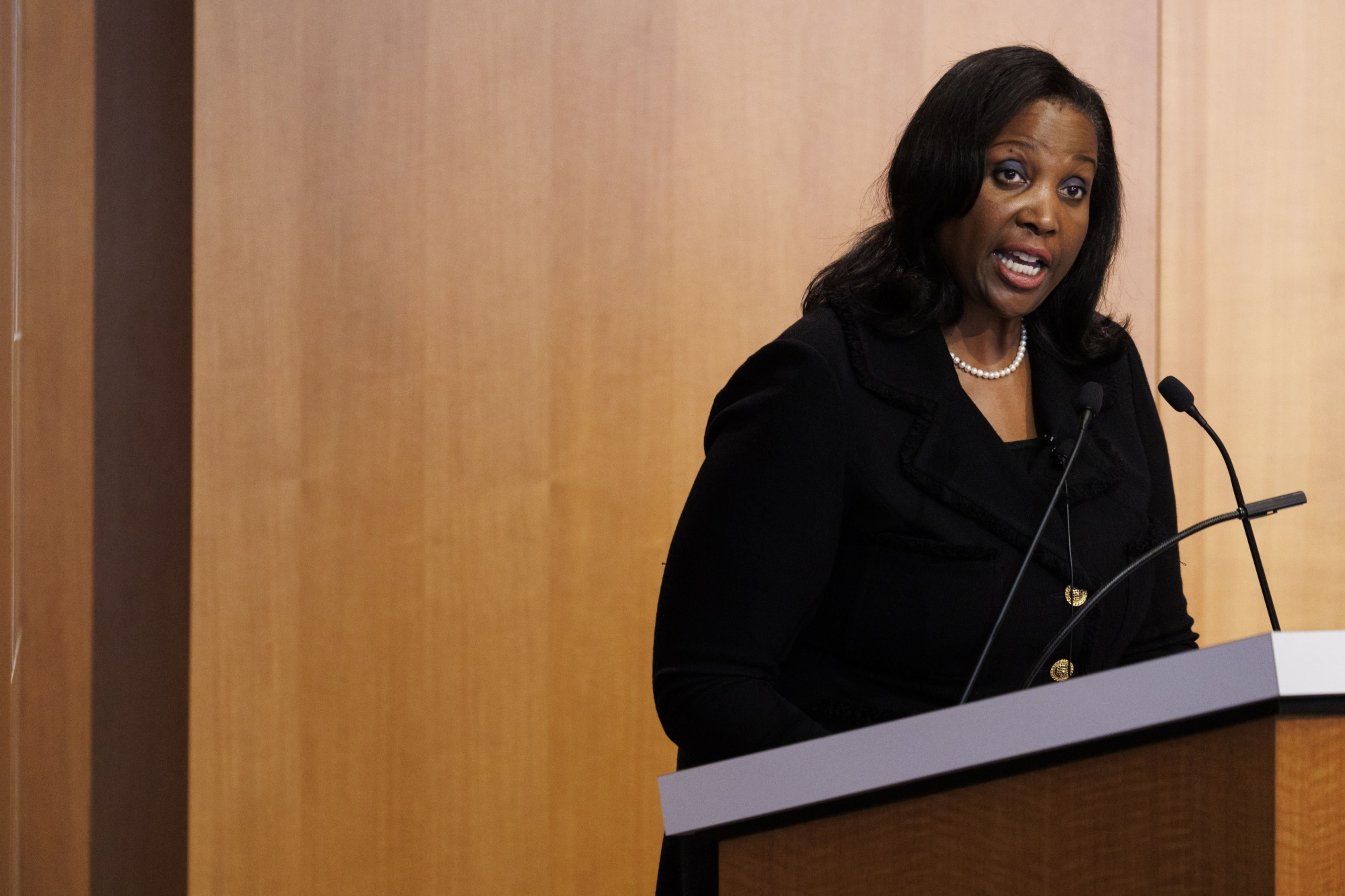
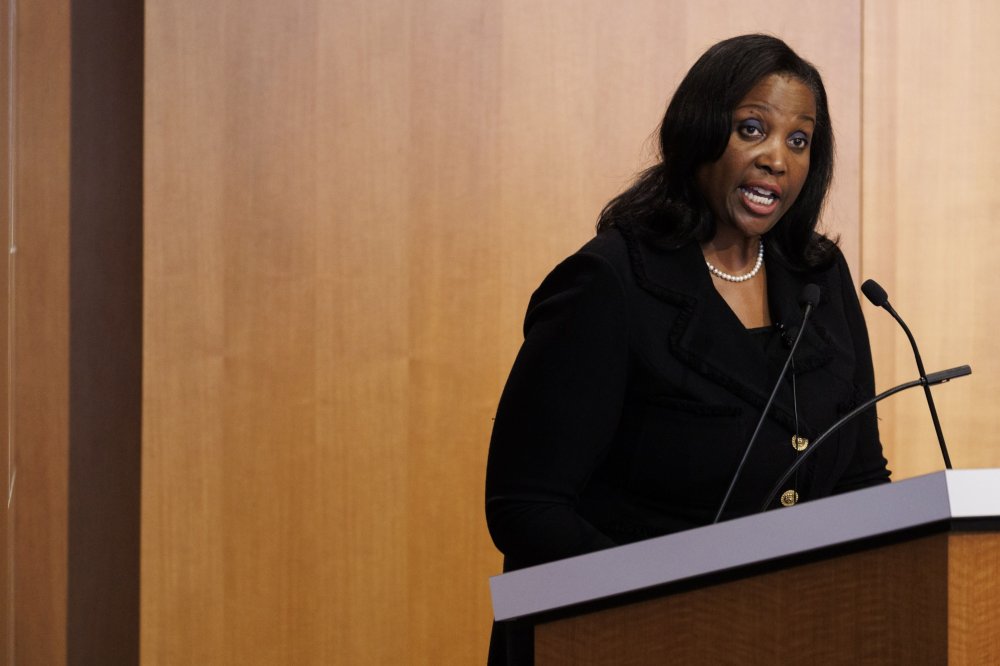
In her first public appearance since President The President moved to fire her from the Federal Reserve Board of Governors, Fed Gov. Lisa Cook reiterated her commitment to bringing inflation under 2% and said that the labor market remains "solid." View the full article
-
If you’re a Smartsheet user, you know just how useful having the right bit of data from a different tool can be. While Smartsheet is a great way to oversee even the most complex projects, it’s not quite as specialized as tools like GitHub, ServiceNow, or Jira for some teams. Bridging the gap between these tools is essential for better collaboration, and that’s where data integration comes in. Smartsheet’s built-in Data Shuttle is one option. Unito is another. Which one’s best for what you need? Smartsheet Data ShuttleUnitoIntegration typeScheduled file imports and exportsTwo-way live data syncSetup complexityManual file handling and simple mappingNo-code, user-friendly setupSupported toolsAny tool compatible with CSV files60+ connectors, like Jira, Azure DevOps, and ServiceNowCost of ownershipStarts at $100/month, added on to your Business or Enterprise Smartsheet planOne subscription price, low setup and maintenance costTime to deployHours to properly scheduleShortCustomizationBasic column matchingVisual, easy to configure, auto-mapping supportedScalabilityLimited by manual data handlingVisual, easy to configure, and auto-mapping supported What is Data Shuttle? Smartsheet’s Data Shuttle is a premium add-on for your Smartsheet plan that allows you to export data from Smartsheet in bulk as a CSV file and export similar CSV files from other tools. Its automations allow you to schedule data exports and imports based on reporting needs, project management workflows, and more. It can be a significant time saver if your processes depend on data from other tools, since you won’t have to manually copy and paste that data every single time. What is Unito? Unito is a no-code integration solution with some of the deepest two-way integrations for some of the most popular work apps on the market, including Asana, Jira, ServiceNow, and Salesforce. These integrations create two-way relationships between rows in Smartsheet and work items in other tools, automatically updating them as you work. Say, for example, that you’ve paired a Jira issue representing a software bug with a Smartsheet row. When a developer adds an update in that issue (e.g., that the bug was fixed, or requesting additional context) that update is synced over to Smartsheet automatically. The same goes for the status of that issue (e.g., open or closed) and other fields. Unito vs. Data Shuttle: How they compare Let’s break down the differences between Unito and Data Shuttle in more detail. Integration type This is the key difference between the two tools. Data Shuttle allows you to schedule and automate data imports and exports. Unito automatically updates fields in multiple tools with a two-way sync. Data Shuttle doesn’t create a link between tools; it exports data in bulk from one tool and imports it into another. With basic column mapping, this allows you to ensure work goes where it needs to go. Conversely, Unito’s two-way sync consistently checks for updates in both tools and updates work items on an individual basis. No need for scheduled exports. It’s the closest thing to working in two tools at once that you can get. Setup complexity Data Shuttle’s setup is relatively simple. The main difficulty is in mapping columns between tools and managing files. This is far from the complexity that comes with some enterprise integration platforms, but it can be enough to dissuade some users. Most Unito users don’t have a technical background, and they set up their first Unito flow in a few minutes. Even complex integration needs can be handled in days, where other tools might take months to set up. Supported tools One of Data Shuttle’s key advantages over other integrations is its compatibility with thousands of tools. Because most of the apps you use can export or import CSV files, Data Shuttle will work with nearly all of them. That’s one of the advantages of more limited integration capability; it’s compatible with more tools. Unito offers over 60 connectors for its integrations. Less than what you can integrate with Data Shuttle, but each integration gives you greater control over the fields you want to sync and how they’re updated. Cost of ownership Data Shuttle is one of Smartsheet’s premium features, meaning you need to pay an extra subscription cost to add it to your plan. Pricing for Data Shuttle starts at $100 a month, but it’s only available with a Business or Enterprise Smartsheet plan, which means you’re already paying at least $19 per user, per month. That said, you don’t have to spring for extra maintenance or setup costs. Unito’s total cost of ownership boils down to a single subscription cost. No need to pay extra fees for each connector, expensive consultants, or maintenance. Your subscription is the only price you need to pay. Time to deploy Both Data Shuttle and Unito can be deployed much faster than other integration solutions. That’s because for both platforms, an initial setup for each data export or integration. With Data Shuttle, that initial setup will support a single workflow with multiple scheduled data exports. With Unito, the initial setup for an individual integration is all you need to continuously sync data between two tools. Customization Smartsheet’s Data Shuttle is limited here. While you can map columns in Smartsheet with columns in exported CSV files so data lands in the right place, that’s the extent to which you can customize your integration. Unito offers far more customization. Not only can you map fields in Smartsheet with fields in other tools, but rules allow you to filter out data you don’t want to sync and automate actions like assigning new work items or updating dropdown fields. Advanced manual options also allow syncing of mentions across tools, automatic archiving of filtered work items, and more. Scalability While Smartsheet Data Shuttle can handle vast volumes of data with its exports, it’s limited by how much time you can put into manually managing CSV files. That means you’ll eventually hit a wall where these data exports become too much to handle. Unito has no such limitation. The manual work involved begins and ends with the initial setup of a flow. Once your flow is built, it syncs data automatically without any further intervention from you. A single Unito flow can handle massive amounts of data, meaning you won’t have to deal with any scalability issues. When you should use Data Shuttle Data Shuttle is best for workflows where you need regular updates without real-time accuracy. Some reporting workflows, for example, might only need fresh data on a monthly or bi-weekly basis, and Date Shuttle is more than enough for those needs. It’s also a great option for tools that aren’t usually supported by popular integration solutions, since its reliance on CSV files make it compatible with more platforms. In short, if your integration needs could be filled by manually exporting and importing CSV files and you just want to automate that process, then Data Shuttle might be enough for your needs. When you should use Unito Unito is the best option for enabling seamless collaboration across tools. It’s the closest thing you can get to working in two tools at the same time, updating fields in both simultaneously. Unito’s real-time, two-way sync keeps everything up to date as you work, meaning you can collaborate with teams across your organization, no matter which tool they work in, without leaving your app of choice. Whether it’s for managing projects, escalating tickets, or enhancing AI agents in the tools you’re using, Unito is the best choice. Want to see what Unito can do? Find out what Unito can do for your Smartsheet sheets. Talk with sales View the full article
-
Investment in project off UK’s coast boosts Danish developer battling rising costs and political challengesView the full article
-
Halloween might be over, but sky-watchers are in for a treat this week. On Wednesday, November 5, the night sky will be illuminated with the biggest, brightest full moon of the year, also called the beaver moon. And it’s a supermoon, meaning it will be full at the same time it’s closest to Earth. Here’s everything to know about this week’s sky-watching event. What’s the best time to see the supermoon? The best time to see a full moon typically is right after sunset, especially for a supermoon, when it appears biggest on the horizon, according to Live Science. According to the Weather Channel, the best time to see the beaver moon is from dusk on Tuesday, November 4, through Thursday, November 6, based on clouds and visibility in your region. In the U.S., prime time in the Northeast is forecast for Tuesday, November 4, and it’s Wednesday, November 5, for the Great Lakes region. When will the supermoon be closest to Earth? Per Astronomy, the beaver moon turns full at 8:19 a.m. ET Wednesday, when it is directly opposite the sun in the sky—but only for a moment, and the change won’t be visible to the naked eye. The full moon reaches its closest distance to Earth in 2025, called the perigee, some nine hours after it turns full, on Wednesday at 5:30 p.m. ET, at 221,726 miles away, according to Space.com. During perigree, full moons appear 14% bigger and 30% brighter, according to NASA. Why is this full moon called the beaver moon? November’s full moon originally got its nickname, the beaver moon, due to the “heightened activity among beavers around November, building dams and stocking up on food before winter,” says the BBC’s Sky at Night Magazine. What’s the next sky-watching event to look out for? The beaver moon is the second of three supermoons, starting with October’s hunter’s moon and ending with December’s cold moon, per the BBC. The December full moon gets its name as the month marks the beginning of the coldest time of year. This full supermoon will take place on Thursday, December 4. View the full article

-
When a leader inherits a business in crisis, what decisions can they make to steady the ship and drive positive change? The Honest Company CEO Carla Vernón and National Women’s Soccer League commissioner Jessica Berman riff on counterintuitive methods for gaining employee trust after public scandals and share practical advice on reframing strategy. This is an abridged transcript of an interview from Rapid Response, hosted by former Fast Company editor-in-chief Bob Safian and recorded live at the 2025 Masters of Scale Summit in San Francisco. From the team behind the Masters of Scale podcast, Rapid Response features candid conversations with today’s top business leaders navigating real-time challenges. Subscribe to Rapid Response wherever you get your podcasts to ensure you never miss an episode. You each came into your leadership roles in crisis in a lot of ways. Honest Company was facing public scrutiny over some of its products. Cash reserves were dwindling. Jessica, at the NWSL, there were accusations of sexual misconduct around the team, and the league’s culture was talked about as toxic. I’m going to start with you, Jessica. Those early days when you first get there, players are in revolt. Megan Rapinoe is saying, “Let it burn.” What do you do to address that from the start? I mean, I know you ultimately got a collective bargaining agreement that sort of changed the relationship between players in the leagues, but how do you get them to the place where you can even have that conversation? BERMAN: Well, it’s definitely daunting to start a new job as a first-time commissioner, first-time CEO, and knowing that someone like Megan Rapinoe had just posted on Twitter, “Let. It. Burn.” And she was talking about the league . . . It’s not a vote of confidence. BERMAN: No. Well, the league was really at a crossroads, and the crossroads was: Do we go out of business and potentially restart? The history of this league is that there were three prior women’s professional soccer leagues that had failed. And so, that was a cycle that this sport had known before. And the alternative was that we go and hire a new commissioner and see if we could turn it around. And I think from my perspective, there were really two pieces. First, I had a job when I got the call from the headhunter. So I felt like I could be very honest and transparent with the players and actually with the board of governors who hired me. I was asked to interview with them, and I sat with them and I said: “Do you see a world where you can trust this institution? Because if the answer is no, then I could be the best leader in the world . . .” It’s not going to matter. BERMAN: . . . then it’s not going to matter. And what I heard from the players was, while they lacked confidence in the league and had a very, very, very long list of gripes that needed to be addressed, that they actually did want the league to succeed. And what they expected was a leader who would show up with vulnerability and humility and actually join them in understanding their lived experience. And really respect and understand the labor relationship, and that the underpinning of professional sports in this country is the relationship between management and labor. And I’m a labor lawyer by training. Everyone always says, “Are you a soccer player?” I’m like, no, I’m a labor lawyer. And actually being a labor lawyer is what helped create the fabric and the culture that we have reset in NWSL. Because you knew that building the trust was about having that relationship reset by this collective bargaining agreement, giving the players a stake in a different kind of way. BERMAN: There is no business in professional sports without a constructive, productive relationship with your union and the players. So Carla, you joined Honest from Amazon. VERNÓN: Yes. Much bigger entity. You ran a huge part of the business, all the consumables, household products, and food and beverage, and health and wellness and beauty. Then you come to Honest as the CEO, the team doesn’t know you, the business is kind of on fire. And so to gain their trust, you invoked cartoon characters. Why cartoon characters, and what was that about? VERNÓN: Well, I feel like we have so much in common, Jessica, in our story. It’s important to back up and say, the Honest Company, for people who don’t know, is a very purpose-driven company. We were founded to really break up the personal care sort of old-school lens on things. So all of our products are very cleanly formulated to a high standard of clean. Which means we attract a very emotionally centered, purpose-centered employee base. And our employee base—66% of my employees are millennials or Gen Z, so they’re younger. So I knew that I couldn’t bring the tools that I had from old corporate America. I used to work at General Mills, a 150-year-old company. Everything that you could Google about taking a team through change . . . Wasn’t going to work. VERNÓN: Old corporate America is not going to work. So, I am a mom of teenagers, and I remember going to see Inside Out, the first movie, with my kids. And I loved, as a mom, how it told me about the different pieces of the emotional psyche, how genuine they are, and how essential they are to all of us. And so I thought that might be a less corporate way to help my employees feel normal about the change and the fear or excitement that they had about me as an outsider and what I represented. So this kind of became a bit of our culture. Yeah, now you’re dealing with this sort of internal culture at the same time. You’ve got this cash flow problem that you’ve got to fix at the same time that you want to expand the reach of the brand. I mean, that’s a tough balancing act to, like, we’re going to cut back but we’re going to expand. VERNÓN: It seems like it would be tough, but in a lot of cases, that old adage that you hear, “less is more,” turns out to be true in business. It is so helpful to define the core essential elements of what you are in business to do and what the people you serve really want from you, and in my case, from our brands. So some of the ability to say we are actually going to decide what we’re not going to do as much as we’re going to decide what we are going to do helped us to unlock the biggest pieces of our portfolio—the most profitable pieces, the pieces that were growing the most—and to really invest and focus in them. The other thing that we did, Bob, was make sure we had disciplined practices so that we just kept repeating and focusing on what was most important and not getting worried about the stuff that’s on the edges. I mean, it’s easy to say, but it’s hard to do, right? Everyone’s, yeah, we’re going to be disciplined, but we all get distracted by whatever. VERNÓN: But if you’ve ever worked at Amazon, you will learn how to be disciplined. View the full article

-
The 12-3-30 workout has taken over TikTok, which is a testament to the algorithm and a few influencers’ abilities to game it. It’s really just treadmill walking, with specific parameters and overblown promises. So let’s break down the pros, cons, and caveats—and make a plan for how to do a similar workout that makes sense for you. What is the 12-3-30 workout?It’s walking on a treadmill with the incline maxed out. In other words, you’ll be walking uphill. You set the incline to 12% (the highest you can go on many treadmills), the speed to 3.0 miles per hour (a pretty typical walking speed for most of us on flat ground) and you do it for 30 minutes. Its popularizer, Lauren Giraldo, has said she does it five times a week. She has also said it’s the main thing she does in the gym, with other exercises thrown in less consistently, and she has shared before-and-after photos of other women who credit the workout with helping them lose weight. Is the 12-3-30 workout good for weight loss? Trick question! No individual workout is going to be responsible for weight loss. You lose weight by eating slightly less than you burn, measured as an average over time. Exercise can help you burn more calories, but your body often compensates by burning fewer calories when you’re at rest, so you can’t just trust a treadmill walk to burn a certain number of calories each time. To try to find out whether 12-3-30 is better at weight loss than other types of treadmill workouts, this study compared results from people who did the 12-3-30 to people who did their own self-guided treadmill workouts. They matched these workouts on calorie burn, so that the question was not "which burns more calories?" but rather "what are the pros and cons of using this workout to burn a certain number of calories?" The good news for fans of 12-3-30 is that it burned a slightly higher percentage of calories from fat. But this is arguably the least important part of a weight-loss workout, since your body is constantly storing and burning fat, storing and burning, throughout the day. What matters is total fat loss or total calorie burn over the long term. So I wouldn't make decisions based on this data point. There was bad news, too: The 12-3-30 took longer to burn the same amount of calories as a self-guided treadmill workout. The researchers concluded that if you want to burn your calories efficiently, you should do a treadmill run rather than 12-3-30. And if you want to burn the greatest percentage of your calories from fat, you should do an easier workout, reducing the incline and staying on the treadmill even longer. Is the 12-3-10 workout appropriate for beginners?Look, this workout is hard. It’s often suggested for beginners, but if you’re not used to uphill walking, your calves will be burning and you’ll be gasping for air in the first few minutes. Giraldo herself says she was out of breath after two minutes the first time she tried it, and she told Today that at first she had to stop and rest after the first 10 or 15 minutes. If you haven’t done any treadmill walking, let’s take a little tour through the numbers. Three miles per hour is a pretty normal pace for walking on flat ground; if you ask Google Maps for walking directions to a place that’s a mile away, it will estimate that you’ll take 20 minutes to get there, which is three miles per hour. So that part is pretty reasonable. But then you start bumping up the incline, and everything changes. A 1% incline is noticeably harder than walking on flat ground. 2% is already pretty steep. Keep hitting that “increase incline” button and by the time you hit 12% it’s going to be ridiculous. (For comparison, riding lawnmowers aren’t usually recommended for a 15% slope. Imagine looking at a hill and thinking “hmm, I don’t know if I can mow that safely,” and that’s pretty close to what you’re aiming for here.) An incline that steep will be a cardio challenge, and it will probably make your muscles sore the first time, too. (Think calves, hamstrings, butt, and quads. Maybe your back, too.) If this is challenging for your muscles, you probably shouldn’t do this for 30 minutes your first time, and you definitely shouldn’t repeat it four more times that week. Is the 12-3-30 workout so good you don’t need strength training?Nope. Once your body gets used to this workout, it is cardio. Cardio is very, very good for you, but it’s not the same thing as resistance training, which is the other essential component of an exercise routine. So if you want to do this and your body is up for it, great! Just make sure to add a strength training program before, after, or instead of your treadmill walk on at least two days of the week. What the 12-3-30 workout gets rightFirst, inclined treadmill walking really is a great alternative to running. Find a speed and incline that get you breathing just a little bit harder than at rest (not out of breath), and your heart and lungs will be working about as hard as if you were jogging at an easy pace. If you hate running, but want to use a treadmill as your main cardio machine, incline walking is a great option. Secondly, it’s simple. It’s attractive to beginners because you know exactly where you’ll go in the gym and what settings you’ll punch in. That breaks down a ton of the barriers people often have when they’re starting a new exercise program. Just go in, and do it. And finally, if you stick to the schedule—30 minutes, five times a week—you’ll exactly meet the U.S. and World Health Organization exercise recommendations, which call for a minimum of 150 minutes of cardio per week (alongside at least two days of strength training). What to do instead of the 12-3-30 workoutIf you like the idea of a simple treadmill workout to get in your cardio for the day, you can do that—but you don’t need to start with 12-3-30. Exercise routines are not one-size-fits-all, and you need to find the workout that makes sense for you. So, start by finding a speed on the treadmill where you can walk for at least 20 minutes. If you need to take breaks, or if you can’t manage a whole 20 minutes at first, that’s fine. Set the speed to 3.0 (or less if you need to), and work toward a goal of 20 minutes. Once you can get 20, extend it to 30. If you’re out of shape to start with, this whole process may take a few weeks. In the meantime, work on your consistency. Can you exercise three times a week? Again, start with whatever you can do, and add onto it. Now you’re at 0-3-30, and doing this three times a week. Maybe this is enough for now. When you’re ready for more of a challenge, start increasing the incline. Can you still make it 30 minutes if the incline is set to 1%? How about 2%? You get the idea: Use the most challenging setting that allows you to get off the treadmill feeling like you’ve done a good workout, and like you’re ready to do it all again tomorrow. It doesn’t matter if the incline is 1% or 12%. And if you hate treadmill walking, there’s nothing magical about it—you can hop on an elliptical or spin bike instead. View the full article
-
Refinancing pushed mortgage originations higher as rates eased, and home equity lending kept growing, but rising delinquencies signal mounting borrower stress. View the full article

-
In late September, President Donald The President posted a racist AI-generated video depicting House Minority leader Hakeem Jeffries standing before a podium, wearing a Sombrero and mustache, while Senate Minority leader Chuck Schumer says insulting things about Democrats. In mid-October, the government of Ontario aired an anti-tariff ad in the U.S. featuring a clip of Ronald Reagan hammering home the futility of imposing tariffs on foreign goods. The President charged, erroneously, that the video was an AI deepfake — Reagan, he claimed, in fact supported tariffs. While these two incidents — the first is AI disinformation, the second is labeling another’s video as such — may seem unrelated, they’re actually very much linked. This is more than just The President lying and assuming others lie too. In fact, his dissemination of deepfakes and his accusations of deepfakery work together as parts of the same disinformation strategy. The first part of the strategy is the distribution of high volumes of lies and half-truths via campaign speeches, social media, ads, or TV appearances. The second part is the continual labeling of actual news stories from legitimate outlets as “fake news.” Recall what Steve Bannon told the writer Michael Lewis in 2018: “The real opposition is the media,” the The President advisor said, adding “And the way to deal with them is to flood the zone with shit,” he said. AI-generated deepfakes represent a dangerous technology upgrade to that same disinformation playbook. In the Schumer videos, The President’s circle spread the narrative that power-hungry Democrats want to provide healthcare benefits to illegal immigrants. In the case of the Ontario tiff, The President labeled a credible video as an AI fake. As The President and his allies create more of their own deepfakes, further sullying the information space, people are more likely to believe that real videos are fake too. “[A] skeptical public will be primed to doubt the authenticity of real audio and video evidence,” legal experts Danielle Keats Citron and Robert Chesney wrote in a 2019 law review article. “This skepticism can be invoked just as well against authentic as against adulterated content,” a problem Citron and Chesney dubbed the “liar’s dividend.” The problem may intensify as AI models improve and generate video indistinguishable from real, camera-shot video. As the line between truth and lies disappears, news consumers seeking objective truth eventually grow fatigued. For those who want to create an environment where disinformation thrives, that is a very good result — and not at all a new idea. “The ideal subject of totalitarian rule is not the convinced Nazi or the convinced Communist, but people for whom the distinction between fact and fiction no longer exists,” Hannah Arendt wrote in The Origins of Totalitarianism, her 1951 book chronicling the rise of Nazi Germany and the Soviet Union under Joseph Stalin. So far, much of the AI-generated video produced or shared by The President and his allies — like the recent one of the president in a fighter jet dropping excrement on thousands of No Kings demonstrators — has been quite obviously fake. Much of it reprises classic “own the libs” memes. But the administration has been edging toward deepfakes designed to deceive. In mid-October, The President loyalists in the National Republican Senate Committee, hoping to blame Democrats for the ongoing shutdown, produced a deepfake video showing Schumer saying “every day it gets better for us,” words taken out of context from a print interview Schumer did with Punchbowl News. The implication: that the Democrats care only about scoring political points during the standoff, not about the damage it has done — and will continue to inflict — on normal Americans. All that separates that video from being a pure deepfake is the fact that the (AI-generated) senator is shown vocalizing his own words. At the end of the video, Schumer smiles broadly, suggesting that he is cynically enjoying the shutdown. That smile is all AI. While some states, including California, Minnesota, Texas, and Washington, have added specific language prohibiting AI deepfakes to their election laws, the Federal Elections Commission (FEC) has not followed suit. The FEC considered passing a new regulation specifically targeting deceptive AI-generated content in 2023, but dropped the idea in favor of relying on existing rules on deceptive campaign media, fearing that broadly banning AI-generated content might be beyond its jurisdiction, and that any rulemaking might fail to withstand legal challenges based on free speech rights. On the Hill, Minnesota’s Democratic Senator Amy Klobuchar explicitly warned about AI-generated deepfakes in elections in 2024. “Like any emerging technology, AI has great opportunities but also significant risks . . .and we have to put rules in place,” she said in a hearing in April of 2024. In 2024, Klobuchar and Alaska’s Republican Senator Lisa Murkowski co-sponsored the AI Transparency in Elections Act, which sought to require disclaimers on political ads that use AI-generated or modified imagery or audio. The bill never made it out of committee. Many AI companies have included in their terms-of-service rules against using their generative models to create synthetic media that imitates real people without their consent. Most have used some form of visual watermark or hidden data to indicate that an image is AI-generated. However, sources say that it’s not hard to find an open-source model that uses none of these safeguards. Meanwhile, numerous experts have expressed concern that as AI tools mature and become more accessible, more people (including foreign actors) have the resources they need to actively spread falsehoods about political issues, causes, candidates, or campaigns. A 2024 Harvard survey found that 83% of respondents (n=1,000) worried that AI could be used to spread false election-related information. In a tight congressional election next year, and especially in the 2028 presidential election, all restraint could go out the window. Think he wouldn’t go that far? According to the Washington Post, The President made more than 30,000 false or misleading statements during his first term. He was willing to see the Capitol mobbed and defaced if it meant staying in office. To The President, a truth is no better than a lie, no matter the format. They’re both just a means to more power. View the full article

-
We may earn a commission from links on this page. The big shopping outlets are gearing up for another Black Friday sale season, and we’ll be on top of all those deals. In particular, I’ll be looking out for deals on fitness gear including fitness trackers and smartwatches, so let me give you a preview of what I’m expecting—and hoping—to see. My predictions here are based on what sales we’ve seen from these models in the past, and what last year’s Black Friday looked like with respect to the then-current models. This year, most of the companies on my list have introduced new watches, but are also still selling their older models. Here are the prices I’ll be looking for to know when I’ve found a great deal. Fitbit Charge 6: $99 or lowerWe may have an early winner here. The Fitbit Charge 6 has a sticker price of $159.95, but often sells for a good bit less, and occasionally drops down near $100. As I checked the current price just now, I saw that it’s already down to $99.95. This device isn’t the best one out there, but it fits the bill of an “I don’t want to think about it” basic tracker. If you just want to track your steps without overthinking which model to get, this is a fine pick. With this low price coming so early in November, I’m now curious whether a Black Friday deal might drop it even further. Garmin Forerunner 55: $149 or lowerGarmin’s Forerunner 55 is its most basic running watch, which I have mixed feelings about. It’s missing a lot of features that other entry-level Garmin Forerunners, like the 165, have as a matter of course. But it does great at the basic job of tracking your runs, and I’ve always felt that if Garmin could get it closer to $99, I’d sing its praises from the rooftops. It’s never dropped quite that low, though. The original sticker price was $199.99, and it’s often sitting somewhere around $169, which is where I see it right now. The lowest I’ve seen is $149.99. This watch isn’t getting any younger, and I think if Garmin’s smart, they’ll consider a steeper price drop this Black Friday. Let’s see. Garmin Forerunner 165: $199 or lowerThe 165 is Garmin’s modern entry-level watch. No offense to the 55, but it feels like a holdover from the past, as evidenced by the fact it’s four years old and has had to sit out two generations of newer models from the company. The 165 doesn’t feel outdated yet, though, and our resident marathoner Meredith Dietz loved the 165 Music. Its sibling, the 165 (same thing, just no offline music storage), made my list of the best affordable running watches. Because it comes in those two versions, you’ll want to pay attention to the difference. The music edition typically costs $50 more. So, looking at the vanilla Forerunner 165—without music storage—it’s currently sitting at $249. It’s dropped to $199.99 twice in recent memory—once for Prime Day this summer and once for last year’s Black Friday. I’d keep an eye out for another drop to $199.99. Apple Watch Series 11: $329 or lowerLast year’s Series 10 watch dropped as low as $329 for Black Friday. This year, the Series 11 is the newest model (see our associate tech editor Michelle Ehrhardt’s take on it here). The base model has the same regular retail price of $399 as the Series 10 did last year, so a repeat of that discount seems likely. Apple’s “series” watches come in two sizes and two connectivity options, so I’m focusing on the smaller model without cellular. Expect larger sizes to cost $20 more and cellular to cost $100 more. So if all is equal, this year’s Black Friday should bring Series 11 deals of $329 or so. Lower would be great! It’s harder to know what to expect from the Series 10, since it’s older. But last year the older model (the Series 9) was available for $219 as a Black Friday deal, so I’d keep an eye out for similarly steep discounts on the 10 this year. Pixel Watch 4: $329 or lowerThe newest version of Google’s Pixel Watch is the 4, which I reviewed here. As with the Apple Watch, it makes sense to look at how last year’s version fared in last year’s sales. In 2024, the Pixel Watch 3 dipped down to $279 for Black Friday, from a regular price of $349, so we may be able to expect something similar for the 4 this year. The Pixel Watch 4 is currently at the same starting point of $349 and up. As with the Apple Watch, I’m quoting numbers for the smaller, non-cellular model. The larger size costs $50 more and cellular capabilities cost $100 more. If you’re interested in buying the older model, you’re already in luck. As I write this, the Pixel Watch 3 is on sale for $199.99, $100 off its usual price. If last year’s sales on the Pixel Watch 2 are any indication, the 3 might drop as low as $145. Garmin Forerunner 970: $699 or lowerGarmin’s 970 and 570 have never been on a real sale yet; both were launched earlier this year. The 970, with maps and an LED flashlight, has a retail price of $749. The 570, which is missing those two features but is still an excellent higher-end running watch, sits at $549. Will Black Friday bring the first sales for these watches? I think there’s a good chance of it, but I’m not expecting a huge discount. Last year, the previous models—the 265 and 965—were both $100 off, but they were a year and a half old at that point. Go back two years, to when they were newer, and the discount was more like $50. If I’m confusing you with all these model numbers, I have an explainer here that will help you follow along. In any case, the 265 and 965 are still good watches, and I think this year we might be able to expect more than $100 off for those two. Look for the 265 at anything below $349.99, or the 965 at anything below $499.99. Coros Pace 3: anything below $229Coros doesn’t usually participate in big sale events, but this year it has announced that a Pace 4 will be released mid-November. That suggests that the Pace 3 may see a price drop—possibly even a permanent one. I like the Pace 3 a lot as a simple but powerful running watch. It’s currently retailing for $229, and I don’t think I’ve ever seen it on sale. Let’s see if that changes. View the full article
-
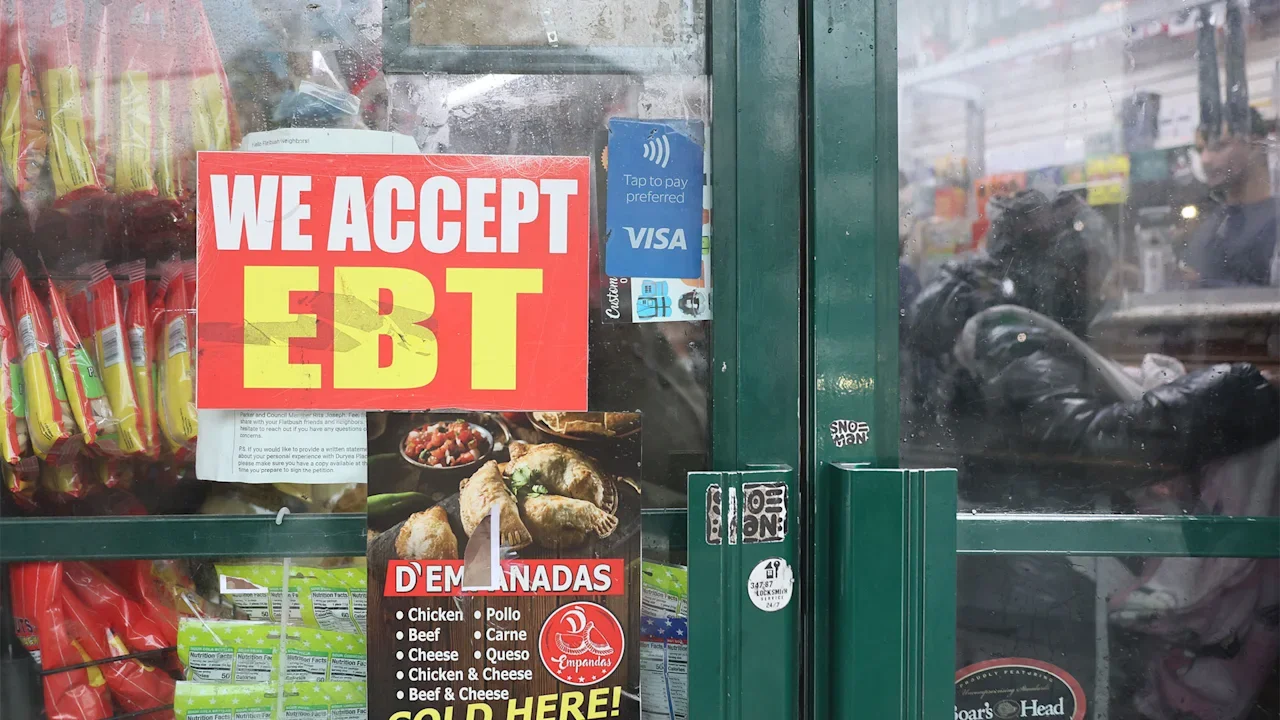
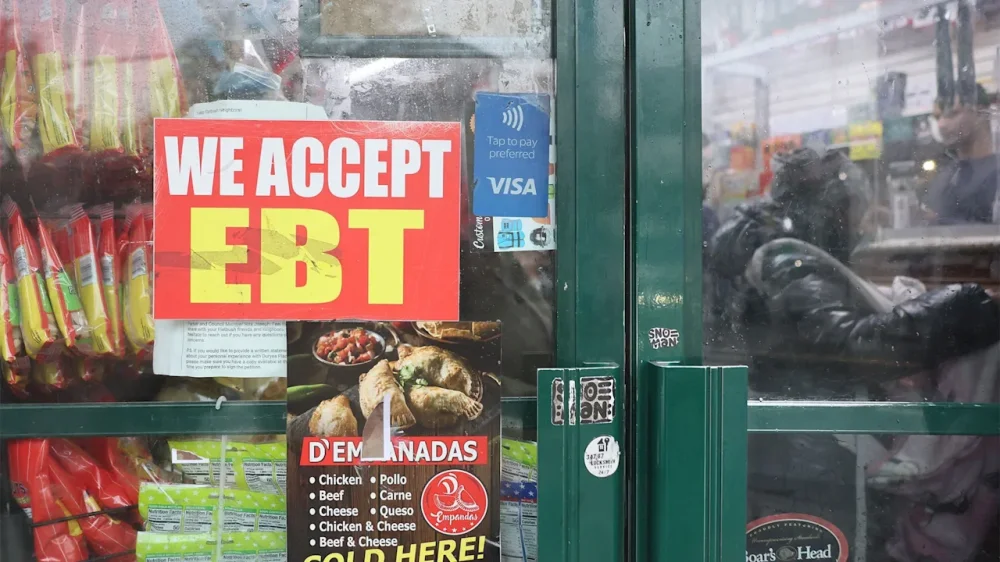
Over the past several days, millions of low-income Americans who use SNAP, the nation’s biggest food aid program, have been left wondering how they will pay for basic necessities this month amidst the ongoing government shutdown. Today, they have an update: In a court filing submitted on November 3, the The President administration said that it would pay just 50% of recipients’ normal allotments this month. Last year, the Supplemental Nutrition Assistance Program helped 41 million people (or about 1 in 8 Americans) buy their groceries, nearly two-thirds of whom were families with children. To qualify for SNAP in 2025, a family of four’s net income can’t exceed the federal poverty line of around $31,000 per year. Normally, the debit cards that SNAP recipients use to buy food at participating stores are loaded each month by the federal government. But amidst the ongoing government shutdown, the U.S. Department of Agriculture (USDA) planned to freeze payments to SNAP on November 1, citing a lack of funding. However, just a day prior to the freeze, two federal judges in Massachusetts and Rhode Island ruled that the government had to extend the funding, offering the The President administration some leeway on whether to offer full or partial funding in November. Now, the The President administration says it will use money from an Agriculture Department contingency fund to offer partial payments for November—though the exact timeline of the funds’ distribution remains uncertain. Here’s what to know: Why were SNAP benefits about to freeze? This new announcement follows an ongoing back-and-forth over whether the federal government had a legal obligation to continue providing SNAP funding despite the government shutdown, which has been in effect since October 1. On one side, the The President administration said it wasn’t allowed to use a USDA contingency fund with about $5 billion in it for the program, which reversed a USDA plan from before the shutdown that said money would be tapped to keep SNAP running. On the other, Democratic state attorneys general or governors from 25 states said that money from the contingency fund could—and must—be used, arguing in a legal finding on October 28 that the USDA could also tap into another appropriated fund worth about $23 billion for the cause. Ultimately, two federal courts came down in favor of using contingency funding for SNAP. In Providence, Rhode Island, U.S. District Judge John J. McConnell ruled that the government must use emergency reserves to backfill SNAP benefits, requiring an update from the administration by November 3. “There is no doubt, and it is beyond argument, that irreparable harm will begin to occur—if it hasn’t already occurred—in the terror it has caused some people about the availability of funding for food for their family,” McConnell said during the hearing, according to ABC News. In the Boston, Massachusetts case, U.S. District Judge Indira Talwani called the SNAP suspension “unlawful,” similarly calling for contingency funds to be used for the program. What’s happening now? In response to these rulings, the The President administration said in its own filing that it plans to use the $5 billion contingency fund to pay “50% of eligible households’ current allotments,” adding that the expenditure will mean “no funds will remain for new SNAP applicants certified in November, disaster assistance, or as a cushion against the potential catastrophic consequences of shutting down SNAP entirely.” The administration opted against tapping into the additional funds identified by Democrats to pay the monthly benefits in full. Normally, the USDA spends $8 billion per month on the program. So far, it’s unclear when SNAP recipients will have access to the half funding. In an interview with CNN on Sunday, Scott Bessent, the Treasury secretary, said of the distribution, “There’s a process that has to be followed. So, we got to figure out what the process is. President The President wants to make sure that people get their food benefits.” Meanwhile, local food banks, shelters, and state governments have been scrambling to prepare for an influx of hungry people. States including Louisiana, New Mexico, Vermont, New York, and Nevada have all acted to provide emergency funding for residents in need, while smaller organizations like food pantries are working overtime to get ready. “When you take SNAP away, the implications are cataclysmic,” Claire Babineaux-Fontenot, CEO of the nationwide food bank network Feeding America, told the AP last week. “I assume people are assuming that somebody’s going to stop it before it gets too bad. Well, it’s already too bad. And it’s getting worse.” View the full article
-
Process costing is a key accounting method used in manufacturing to determine the total cost of producing large quantities of similar items. By accumulating and averaging production costs over time, businesses gain accurate insights into their cost per unit. This method is essential for industries that rely on continuous production such as chemicals, textiles, or food manufacturing. Process costing helps ensure financial transparency, supports pricing decisions and improves overall cost control across departments and production cycles. What Is Process Costing? Process costing is a cost accounting technique used when identical or similar products are produced in a continuous flow. It assigns production costs such as labor, materials and overhead to specific departments or processes rather than individual jobs. Once total costs are accumulated, they are divided by the number of units produced to find the average cost per unit. This allows manufacturers to understand production efficiency and identify where savings or waste occur within each stage of manufacturing. Project management software simplifies process costing by organizing production workflows, tracking labor and material usage and storing cost data in one centralized system. With automated tools, managers can view process progress, compare estimated costs to actual expenses and maintain accurate documentation for audits or financial reporting. This digital visibility ensures accountability and faster decision-making across departments, helping to control and reduce manufacturing costs over time. ProjectManager is the best platform for managing process costing activities because it combines planning, execution and cost tracking in one tool. Gantt charts map each production stage while workload charts and timesheets track labor utilization and costs in real time. The dashboard visualizes process efficiency and AI-powered reports highlight cost variances instantly. With its ability to connect schedules, budgets and teams, our software enables manufacturers to optimize their process costing workflow from start to finish. Get started with ProjectManager today for free. /wp-content/uploads/2024/03/Manufacturing-gantt-chart-light-mode-costs-exposed-cta-e1712005286389.jpgLearn more When to Use Process Costing in Manufacturing Process costing in manufacturing is best suited for industries that produce large volumes of uniform products through continuous or repetitive operations. This method ensures that production costs are distributed evenly across all units, making it ideal for high-output environments where consistency and efficiency are key. Industries such as chemicals, petroleum, textiles, food processing and electronics benefit most from process costing in manufacturing because their operations follow standardized and sequential stages. Each department or phase adds value, allowing managers to identify production costs at every step. By using process costing in manufacturing, companies can monitor cost efficiency, evaluate departmental performance and set accurate pricing for their products. This approach also supports data-driven decision-making by revealing where resources can be optimized to improve productivity and profitability. Related: 12 Best Production Scheduling Software for Manufacturing Projects in 2025 Process Costing Examples in Manufacturing Process costing is widely used in manufacturing to calculate the cost per unit in industries with continuous, homogeneous production. Examples include the food and beverage sector, where products like bottled water, soft drinks and canned goods are made in large quantities. Chemical manufacturers also use process costing to determine the cost of producing paints, fertilizers and cleaning agents. Other examples include textile production, electronics assembly and paper manufacturing, where costs are accumulated for each department or production stage and then averaged across all units to provide precise cost control and pricing insights. Process Costing Example: Food & Beverage Manufacturing A soft drink manufacturer uses process costing to determine the cost per bottle. During one month, the mixing department incurred $50,000 in material costs, $20,000 in labor, and $30,000 in overhead to produce 10,000 bottles. Since every bottle is identical, total production costs are divided evenly across all units. This gives managers a precise cost per unit and helps in pricing, budgeting, and identifying efficiency improvements throughout each stage of the production process. Cost Component Amount ($) Units Produced Cost per Unit ($) Materials 50,000 10,000 5.00 Labor 20,000 10,000 2.00 Overhead 30,000 10,000 3.00 Total 100,000 10,000 10.00 Process Costing Example: Construction Materials Manufacturing A cement plant uses process costing in its blending department. In one week, the department added $120,000 in raw materials (limestone, clay, additives), $25,000 in direct labor and $55,000 in factory overhead. The department produced 50,000 identical 50-kg bags of cement. Because every bag is the same, the total production cost is averaged across all units. This lets management monitor unit cost, control margins and react quickly if material, energy or labor costs start to rise. Cost Component Amount ($) Units Produced Cost per Unit ($) Materials 120,000 50,000 2.40 Labor 25,000 50,000 0.50 Overhead 55,000 50,000 1.10 Total 200,000 50,000 4.00 Process Costing vs. Job Costing Process costing and job costing are two core cost accounting methods used to track manufacturing expenses, but they serve very different types of production environments. Process costing in manufacturing is designed for standardized, repetitive production processes where large volumes of identical goods are made. Examples include industries such as chemicals, petroleum, textiles, food processing and pharmaceuticals, where units flow through several departments or stages of production. Each process accumulates costs for materials, labor and overhead, which are then averaged across all units to calculate a consistent cost per item. Job costing, on the other hand, is used when products or projects are customized or produced in smaller quantities. This approach assigns specific costs to individual jobs, allowing for detailed tracking of direct materials, labor hours and overhead expenses tied to each unique project. Industries such as construction, engineering, custom furniture and specialized fabrication rely heavily on job costing because each project has different requirements, materials and timelines. Unlike process costing in manufacturing, where cost per unit is averaged, job costing provides a more granular view of profitability and efficiency on a per-project basis. When comparing process costing vs. job costing, the key difference lies in the level of cost detail and production uniformity. Process costing in manufacturing is efficient for maintaining consistency and controlling costs across large-scale production, while job costing supports flexibility, customization and precise financial tracking. Many manufacturers use process costing for ongoing mass production but apply job costing principles for special orders or limited runs. Understanding how process costing vs job costing applies to specific manufacturing needs allows companies to implement the most effective accounting method for accurate budgeting, cost control and performance evaluation. /wp-content/uploads/2025/09/banner-ad-manufacturing-ebook.jpg Advantages of Process Costing in Manufacturing Process costing offers manufacturers several key advantages that improve efficiency, accuracy and financial control throughout production. Provides an accurate cost per unit for mass production Improves pricing decisions through precise cost tracking Streamlines accounting for repetitive processes Facilitates cost control across multiple departments Enables easier identification of production inefficiencies Supports budgeting and forecasting accuracy Simplifies inventory valuation and reporting Enhances decision-making for process improvement Disadvantages of Process Costing in Manufacturing While process costing helps manufacturers manage large-scale production, it also has limitations. It may oversimplify complex processes, reduce visibility into individual job costs and make cost control more challenging in diverse production environments. Less accurate for customized or varied production Limited insight into individual job costs Difficult to identify inefficiencies in specific tasks Requires extensive recordkeeping and data input May overlook small cost fluctuations Harder to assign overhead accurately Not ideal for mixed production environments Can obscure true profitability by averaging costs Related: 13 Budget Templates for Business & Project Budgeting Free Manufacturing Templates for Excel and Word Managing production efficiently requires tools that track performance, streamline operations and control resources. These free manufacturing templates for Excel and Word complement process costing by giving manufacturers a structure for tracking data and optimizing daily workflows. Each template below can be customized to fit the unique needs of your production line. Daily Production Report Download this free template to record daily output, downtime and production efficiency. It’s ideal for monitoring work shifts, spotting performance issues early and maintaining consistency across multiple production lines while supporting accurate process costing calculations. Work Order Template Use this free work order template to outline job details, timelines and materials required for each task. It provides clarity for teams, improves accountability and ensures resources are properly allocated—helping managers connect job-level details with larger process costing data. Inventory Template This free inventory template tracks raw materials, in-progress goods, and finished products. It helps manufacturers avoid shortages, manage reorder points, and maintain accurate stock levels, directly supporting cost control and forecasting within a process costing system. How ProjectManager Helps Manufacturing Businesses Manufacturing teams need real-time visibility across production, scheduling and cost management to stay competitive. ProjectManager offers multiple project views such as Gantt charts, kanban boards and calendars that help manufacturers plan workflows, assign tasks and monitor progress. These tools provide flexibility for managing production stages, ensuring that each process is tracked from material sourcing to finished goods delivery. Streamline Resource Management ProjectManager’s resource management tools help manufacturers balance workloads and optimize labor and equipment use. The workload chart shows team capacity so managers can quickly adjust assignments to avoid bottlenecks. The team page centralizes availability and allocation data, helping ensure that workers and machinery are properly scheduled for continuous production without delays or downtime. /wp-content/uploads/2023/01/Team-Light-2554x1372-1.png Track Production and Costs in Real Time ProjectManager’s tracking tools include dashboards, AI-powered reports and timesheets that give manufacturers instant insight into performance and spending. AI-powered dashboards visualize KPIs such as production output and labor costs, providing overviews and recommendations, while reports summarize progress across multiple plants or shifts. Timesheets record work hours on-site or remotely, helping maintain accurate cost tracking for process costing and overall efficiency. /wp-content/uploads/2025/10/AI-Insights-Light-Mode-Dashboard-GPT5.png Related Manufacturing Costing Content Process costing in manufacturing is part of dealing with costs in manufacturing. For readers who care to dive in deeper, there are links to articles below that detail costing methods, provide costing basics and much more. Top 12 Costing Methods for Construction and Manufacturing Projects Activity-Based Costing Explained (Example Included) What Is Job Costing? When to Use a Costing Sheet Project Cost Management Basics Project Cost Estimation: How to Estimate Project Cost 15 Best Cost Control Techniques ProjectManager is online project and portfolio management software that connects teams, whether they’re in the office or out on the production floor. They can share files, comment at the task level and stay updated with email and in-app notifications. Get started with ProjectManager today for free. The post Process Costing in Manufacturing: Pros & Cons appeared first on ProjectManager. View the full article
-
Global competitors are pouring billions into agricultural research and emerging technologies, while American farmers are being asked to do more with less. The pressure on farmers is real: Net farm income for row crop producers remains persistently low, public investment in agricultural research has plummeted to 1970s levels, and the technologies that could reshape our industry too often stall before reaching the farm gate. At Land O’Lakes Inc., we believe there’s a better way forward rooted in cooperation, trust, and a ground up approach to innovation. We believe the cooperative mindset is what it will take to overcome the challenges ahead. It’s a mindset that shows up in how we invest, innovate, and grow. For example, our recent announcement of AgRogue Growth Partners shows how we aim to harness the strength of the cooperative model by working together with our local agricultural retail owners to fast-track the discovery, investment, and adoption of breakthrough technologies. This isn’t simply a funding initiative. It’s channeling deep, generations-old relationships and a mindset of continuous productivity improvements to better support the businesses, farmers, and communities that feed the world. REAL INNOVATION STARTS WITH SYSTEM-LEVEL THINKING The future of agriculture depends on our ability to bring stability and predictability to an industry that too often feels like a roller coaster. The pressures we’re facing—weather volatility, rising input costs, and international competition won’t be solved by any single tool or tactic. We need system-level thinking and long-term partnerships. Innovation shouldn’t be about chasing the next shiny object. It’s about helping farmers make smarter, lower-risk decisions, acre by acre, season by season. Whether that’s through precise application technologies, AI-powered insights or new business models that reduce exposure, our innovation-focused goals should be simple: Make farming more resilient and more profitable for those who feed the world. HOW TO CRACK THE CODE TO FARMGATE ADOPTION The problem isn’t a lack of ideas. Every year, new technologies emerge with the potential to transform how we farm, from AI-powered analytics to cutting-edge crop inputs. But the simple truth is that many promising solutions never scale, not because they don’t work but because they can’t break through the noise, earn trust, or integrate into the systems growers rely on. Bringing local agricultural retailers and producers together for pilot testing and performance discussions is central to finding practical and scalable solutions. Sitting at the kitchen table with farmers provides invaluable data and feedback—they know the land, the seasons, and the day-to-day pressures associated with the crop or livestock they raise. When innovation flows through this channel, it’s far more likely to be understood, adopted, and create lasting value. Ultimately, retailer partners provide the local support, operational know-how, and market access that startups crave as they look to scale innovation. We’ve seen it work time and again with the latest innovations in seed and crop protection; there’s no reason we can’t do it again with the most promising ag tech solutions. The last-mile connection between innovation and implementation is where a cooperative structure and retailer network will truly shine. A CALL TO COLLABORATE The challenges facing agriculture and America’s farm families are not something any one business can solve alone. It will take cooperation and cross-sector partnerships to ensure U.S. agriculture remains globally competitive. So, the cooperative approach offers a blueprint worth considering—especially for industries wrestling with the same adoption gaps and trust barriers that agriculture faces. Capital alone isn’t enough. Relationships matter. Local connections matter. And innovation that ignores the end user is destined to stall. Our message is clear: If you’re building for the farm, you need to build with the farmer by tapping into the systems they already trust. True success in agriculture depends on solutions that work where it counts—in the hands of farmers. Brett Bruggeman is the executive vice president and chief operating officer of Land O’Lakes, Inc. View the full article

-
Last week, YouTube TV ditched over 20 Disney-owned channels, after the two companies failed to reach a new content distribution deal ahead of the deadline. But now, YouTube TV is trying to make it up to subscribers who are reeling from their diminished viewing options. According to multiple reports, YouTube TV seems to be (quietly) offering $10 credits on subscriber bills for six months, for a total savings of $60. But there’s a catch, which is that that credit won’t be automatically applied. It looks like users will have to do some digging through your YouTube TV account’s settings in order to opt in. Here’s how to check for the credit: According to TechRadar, you’ll need to login your YouTube TV account on desktop in order to find out if your account will receive the credit. Go to ‘Settings’ and select ‘Membership’, then ‘Manage Plan’. If the credit is available, you should see a message that says “Redeem your offer.” When you accept, the credit should appear on your next statement. However, dozens of Reddit sleuths who have already tried to redeem the credit have come up empty, indicating that everyone may not be eligible. Customers are still disgruntled Either way, many users don’t feel that $10 a month makes up for losing over 20 channels they are paying for, like ABC, Disney Channel, FX, Nat Geo, as well as popular live sports channels. “$10 ain’t gonna cut it for no ESPN,” one commenter wrote on a popular Reddit thread. “At a bare minimum it’s going to cost $30 to get ESPN, so that’s a starting point. Add an extra $10/mo for the hassle and a $40 discount is what it would take for sports fans to stay with YTTV.” Confusing credits The $10 credit has also confused some users, especially because YouTube first proposed a $20 credit on Oct 23. “We know this is a frustrating and disappointing outcome for our subscribers and we continue to urge Disney to work with us constructively to reach a fair agreement that restores their networks to YouTube TV. If their content remains off YouTube TV for an extended period of time, we’ll offer subscribers a $20 credit.” Fast Company reached out to Google to find out the exact credit YouTube TV users can expect to see, but did not hear back by the time of publication. An ongoing dispute Previously Fast Company reached out to Google over the dispute and was directed to an Oct. 23 YouTube statement. “Last week, Disney used the threat of a blackout on YouTube TV as a negotiating tactic to force deal terms that would raise prices on our customers,” the post on YouTube’s blog read. “They’re now following through on that threat, suspending their content on YouTube TV. This decision directly harms our subscribers while benefiting their own live TV products, including Hulu + Live TV and Fubo.” Unsurprisingly, Disney pointed the blame at Google. “Unfortunately, Google’s YouTube TV has chosen to deny their subscribers the content they value most by refusing to pay fair rates for our channels, including ESPN and ABC. With a $3 trillion market cap, Google is using its market dominance to eliminate competition and undercut the industry-standard terms we’ve successfully negotiated with every other distributor.” The two companies remain in talks. And, in a statement provided to Deadline, a Disney spokesperson said the company asked YouTube to restore ABC to the service for election day on Nov. 4. “Despite the impasse that led to the current blackout, we have asked YouTube TV to restore ABC for Election Day so subscribers have access to the information they rely on. We believe in putting the public interest first and hope YouTube TV will take this small step for their customers while we continue to work toward a fair agreement.” Google did not immediately respond to Fast Company’s request for comment. View the full article
-
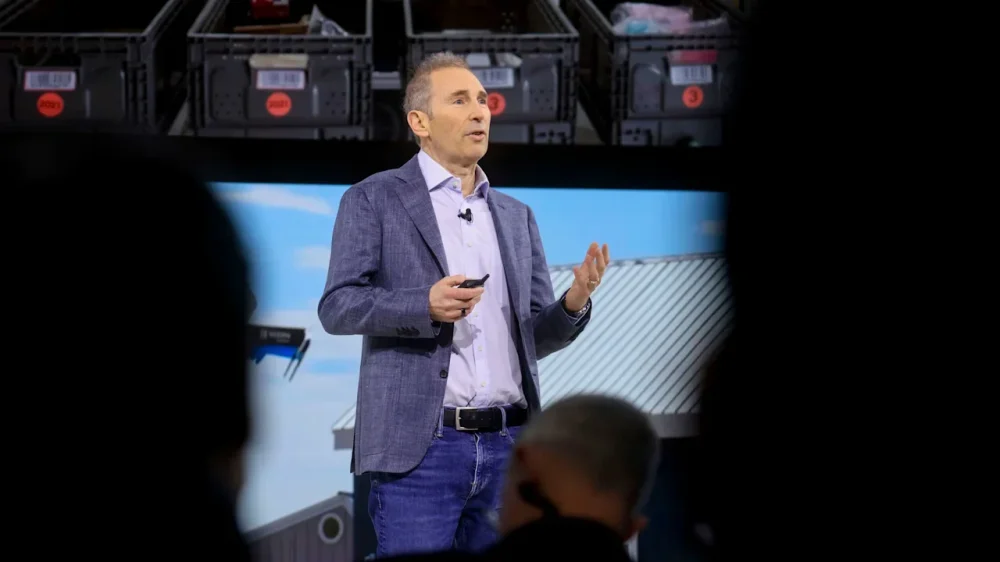
Last week, Amazon became the latest company to announce massive layoffs. In a memo, senior vice president of people experience and technology, Beth Galetti, revealed that the company would let go of “approximately 14,000” employees, citing AI innovations and a fast-changing world. “This generation of AI is the most transformative technology we’ve seen since the Internet, and it’s enabling companies to innovate much faster than ever before (in existing market segments and altogether new ones),” Galetti wrote. “We’re convinced that we need to be organized more leanly, with fewer layers and more ownership, to move as quickly as possible for our customers and business.” Amazon is hardly the only company shedding employees. UPS cut 48,000 jobs this year, and just days before Amazon’s announcement, Target eliminated 1,800 corporate roles after a turbulent year. And while Amazon’s recent announcement blamed AI for the move, Amazon CEO Andy Jassy had suggested otherwise. Last week, Jassy said on an earnings call that the layoffs were about the company slimming down and speeding up. “The announcement that we made a few days ago was not really financially driven, and it’s not even really AI-driven, not right now at least,” he said about the job cuts. “It’s culture.” Jassy added that, when thinking about transformation, “it’s important to be lean, it’s important to be flat, and it’s important to move fast.” Still, Amazon’s own numbers suggest that the company may be preemptively slimming down to pay for its technological advances. “Free cash flow decreased to $14.8 billion for the trailing twelve months, driven primarily by a year-over-year increase of $50.9 billion in purchases of property and equipment, net of proceeds from sales and incentives,” according to an October 30 news release revealing Amazon’s third quarter financial results. It’s true the company is majorly ramping up its spending, specifically around its Trainium2 chip subscriptions and data center expansion. Chief financial officer Brian Olsavsky said during the firm’s earnings call on Thursday that the company would be “very aggressive” in spending on data centers, investing $125 billion this year and said he expects the amount “will increase in 2026.” Since the Amazon layoffs hit the news, many have taken to social media to offer their own explanations for the company’s reorganization. “Time for your periodic layoff reminder: do not take seriously the stated ‘reasons’ for layoffs,” Drew Harry, vice president of data science at Thumbtack, wrote in a social media post. “Amazon laying off corporate staff is not proof of anything regarding realized AI efficiencies or management inefficiency. They can say whatever they want.” Harry added, “The only explanation you really need is that Amazon wants to cut costs and (likely) redeploy the money elsewhere.” View the full article
-
It is now official. The U.S. federal government will require nearly all payments to and from federal agencies—including the IRS and Social Security Administration—to be made electronically. Essentially, refunds are being moved to e-refunds for the coming tax season and in the next two years, the IRS is anticipated to phase out accepting payments via check. The IRS provides several electronic payment options for freelance businesses. To prepare for this change in your freelance business, it is important to familiarize yourself with electronic payment methods including IRS Direct Pay, which allows free payments from your bank account, and the Electronic Federal Tax Payment System (EFTPS). The EFTPS is available to both individuals and businesses. You can also use the IRS2Go mobile app, debit or credit cards through approved third-party processors (note that fees may apply), or Electronic Funds Withdrawal (EFW) when filing your taxes electronically. However, for the 2025 tax year (filed in 2026), no paper checks will be issued for refunds. You must provide your bank account information for direct deposit to avoid delays in receiving their refunds. If no direct deposit information is provided and an exception is not approved, the IRS will hold the refund for six weeks before issuing a paper check. It is anticipated that paper checks will no longer be accepted for payments by 2027. For freelancers, this shift is more than a policy update—it’s a call to action to modernize how you manage your money and stay compliant. This change is part of a broader federal initiative to reduce administrative costs, improve security, and eliminate delays associated with paper-based transactions. Social Security is also subject to mandatory electronic payment regulations. If you receive Social Security benefits, you’ll need to transition to one of two electronic options. The first is direct deposit, which sends payments straight to your checking or savings account. You can manage this through your Social Security account online. The second option is the Direct Express® card—a prepaid debit card designed for individuals who don’t have a bank account. To enroll, visit www.usdirectexpress.com or call 1-800-333-1795. To stay compliant and avoid non-payment or late payment penalties, as well as disruptions to your cash flow, take action now. Update your direct deposit information with both the SSA and IRS. If you don’t have a bank account, consider enrolling in Direct Express®. Prepare to pay and receive payments electronically going forward. The bottom line is that you need to be prepared to pay and receive transactions electronically if you owe taxes. The Executive Order requires all payments to the federal government to be made electronically "as soon as practicable." The IRS has indicated that updates on how payments will be handled are anticipated starting in 2027. If you have questions about how this change affects your freelance business or need help with planning for estimated tax payments, reach out to a trusted tax advisor. Preparing now will help ensure a smooth transition to the mandated IRS and Social Security electronic payments without any fines, penalties, or disruptions to your freelance income flow. View the full article
-
It is now official. The U.S. federal government will require nearly all payments to and from federal agencies—including the IRS and Social Security Administration—to be made electronically. Essentially, refunds are being moved to e-refunds for the coming tax season and in the next two years, the IRS is anticipated to phase out accepting payments via check. The IRS provides several electronic payment options for freelance businesses. To prepare for this change in your freelance business, it is important to familiarize yourself with electronic payment methods including IRS Direct Pay, which allows free payments from your bank account, and the Electronic Federal Tax Payment System (EFTPS). The EFTPS is available to both individuals and businesses. You can also use the IRS2Go mobile app, debit or credit cards through approved third-party processors (note that fees may apply), or Electronic Funds Withdrawal (EFW) when filing your taxes electronically. However, for the 2025 tax year (filed in 2026), no paper checks will be issued for refunds. You must provide your bank account information for direct deposit to avoid delays in receiving their refunds. If no direct deposit information is provided and an exception is not approved, the IRS will hold the refund for six weeks before issuing a paper check. It is anticipated that paper checks will no longer be accepted for payments by 2027. For freelancers, this shift is more than a policy update—it’s a call to action to modernize how you manage your money and stay compliant. This change is part of a broader federal initiative to reduce administrative costs, improve security, and eliminate delays associated with paper-based transactions. Social Security is also subject to mandatory electronic payment regulations. If you receive Social Security benefits, you’ll need to transition to one of two electronic options. The first is direct deposit, which sends payments straight to your checking or savings account. You can manage this through your Social Security account online. The second option is the Direct Express® card—a prepaid debit card designed for individuals who don’t have a bank account. To enroll, visit www.usdirectexpress.com or call 1-800-333-1795. To stay compliant and avoid non-payment or late payment penalties, as well as disruptions to your cash flow, take action now. Update your direct deposit information with both the SSA and IRS. If you don’t have a bank account, consider enrolling in Direct Express®. Prepare to pay and receive payments electronically going forward. The bottom line is that you need to be prepared to pay and receive transactions electronically if you owe taxes. The Executive Order requires all payments to the federal government to be made electronically "as soon as practicable." The IRS has indicated that updates on how payments will be handled are anticipated starting in 2027. If you have questions about how this change affects your freelance business or need help with planning for estimated tax payments, reach out to a trusted tax advisor. Preparing now will help ensure a smooth transition to the mandated IRS and Social Security electronic payments without any fines, penalties, or disruptions to your freelance income flow. View the full article
-
Prime minister tells Labour MPs he will reduce Britain’s national debt without making deep cuts to public spendingView the full article
-
“I always dream of the same mall.” So begins a recent post on the popular subreddit r/The MallWorld. The subreddit was first created in 2021, and currently has 10,000 monthly visitors detailing their recurring dreams of eerie, often empty spaces. The description reads, “Have you been to one of these common dream locations?” The post continued: “It has a very vintage feel to it. It always has warm amber lighting and wooden guard rails. It has 3 main floors, and one secret lower floor. “The lower floor is usually kept pristine, a time capsule of the 90’s. The stores are closed, but the merchandise remains. It smells like my kindergarten class did..” If this dream sounds familiar, you are not alone. The post is among thousands on Reddit and TikTok who say they also dream of the same space, collectively referred to as “Mall World.” But this is no ordinary shopping mall. While not always identical, many say their mall worlds share similarities. It has endless stairwells, forbidden floors, and looping elevators. Some have dreamed of the same food court, others of an arcade. Sometimes the dreamscape is not even a mall at all but a water park or an airport. People have tried to draw maps of Mall World. “I finally don’t feel alone,” wrote one on Reddit. “I feel so much relief in not being the only one.” The dreamscape has recently seen a resurgence in interest. One TikTok user said she discovered the Mall World subreddit after searching for answers about a recurring dream she was having. She explained, “Finding the Mall World has literally changed my life because there are 20 thousand people having the same exact dreams as mine.” The video was posted earlier this year and currently has over 400,000 views. So why is everyone having the same dream? There are a number of theories circulating the internet. One suggests it is related to Carl Jung’s theory of collective unconsciousness — the idea that all humans share a deep, inherited layer of the unconscious mind that shapes how we think and dream. Others have linked the idea to “astral travel,” where the physical body is left behind to go explore other planes of consciousness. Another conspiracy theory links these shared dreams to the gifted and talented program in the 1980s and 1990s. Or perhaps the real reason is less intriguing. Most of us have been to a mall at least once in our lives and our brains tend to feed off existing mental maps and memories to construct our dreamscapes. As Dylan Selterman, an associate teaching professor at the Johns Hopkins University department of psychological and brain sciences, told The New York Times, “sometimes people dream about weird stuff.” Liminal spaces have been a source of online fascination for years. A simpler explanation may be that the online discourse is unconsciously influencing people’s dreams. If you’ve not visited Mall World and are feeling left out, just reading about Mall World might be enough to trigger a visit. View the full article

-
Financial literacy advocate John Hope Bryant has joined with a Los Angeles-based developer in an effort to raise up to $300 million from banks to preserve and construct low-income housing around the country. View the full article

-
We may earn a commission from links on this page. Deal pricing and availability subject to change after time of publication. There might be something shifting within Apple's commerce strategy. Whereas in the past, new models of the company's products rarely went on sale, now some of them are getting respectable discounts shortly after release—including, recently, the M4 MacBook Air and, now, the Apple Watch Ultra 3. Despite being released just this past September, the GPS + Cellular 49mm model is already marked down to $699.99 (originally $799), the lowest price it has yet reached, according to price tracking tools. Apple Watch Ultra 3 (GPS, Cellular, 49mm, Black Ocean Band) $699.99 at Amazon $799.00 Save $99.01 Get Deal Get Deal $699.99 at Amazon $799.00 Save $99.01 The Ultra is Apple's "pro" watch, focused on durability and lengthy battery life. The main difference between it and the "regular" Apple Watch is that the Ultra has the largest and brightest display. This particular model offers updates to the display, processor, satellite connectivity, cellular connection, charging, and blood pressure monitor. There are also new features, like hypertension notifications (which was cleared by the FDA) and sleep scores. Like older versions, the Watch Ultra 3 comes in one size, 49mm. It also only comes in titanium, while the new Apple Watch Series 11 comes in more sizes and materials if you're interested. (It's also half the price, but you won't get the same display, battery life, or precise GPS, among other things.) The Watch Ultra 3 gets bright, with up to 3,000 nits of brightness. It also has a 1Hz refresh rate with an always-on display, so there's no need to wake it up to see the time. The battery life can last up to 42 hours on a single charge and 72 hours in Power Mode, a record for Apple Watches. Since this is the cellular version, you don't need to bring your iPhone along to be able to take calls, or texts. The improved 5G connectivity means your calls will be less likely to drop, and your downloads and streams will be faster. If I were a betting man, I'd say you won't find this watch any cheaper on Black Friday or Cyber Monday, given its recent release and Apple's history with sales. This price is likely as good as it's going to get for a while. View the full article
-
We may earn a commission from links on this page. Deal pricing and availability subject to change after time of publication. The JBL Tune Flex 2 earbuds are on sale for $49.99 in open-box condition on StackSocial, which is less than half the $109.95 price of a new pair on Amazon. "Open-box" just means the packaging might have some shelf wear like scuffs, stickers, or light handling marks, but the earbuds themselves are tested, in new condition, and backed by a one-year warranty. If you don’t mind imperfect packaging, that’s a solid savings on a feature-packed set of wireless buds. JBL is known for its bass-driven sound, and the 12mm drivers in the Tune Flex 2 deliver plenty of punch. They’re also versatile depending on how you want to listen. Sealed ear tips provide stronger passive noise isolation, while open tips allow you to remain more aware of your surroundings. Adaptive noise cancelling is designed to shut out distractions, but you also get Ambient Aware and TalkThru modes when you want to hear what’s going on without taking your earbuds out. Calls are handled by six microphones for improved clarity, and the JBL Headphones app allows you to fine-tune the sound with tools like Personi-Fi 3.0. And with multipoint Bluetooth, you can also jump between your phone and laptop without re-pairing. Battery life holds up well, too. You get up to 12 hours per charge with noise cancelling off (plus 36 more in the case), or 8 hours with ANC on (plus 24 in the case). Real-life usage may vary depending on how often you switch modes, the volume at which you listen, and how frequently you make calls. Also, while the earbuds themselves are rated IP54 for dust and water resistance, the case isn’t, so that’s worth keeping in mind if you’ll be carrying them outdoors. All in, the Tune Flex 2 offers a lot of flexibility and performance for the price. If you prefer your packaging pristine, you might still lean toward a new pair, but if your focus is on sound quality, long battery life, and handy features, this open-box deal makes sense. Our Best Editor-Vetted Tech Deals Right Now Apple AirPods Pro 2 Noise Cancelling Wireless Earbuds — $169.99 (List Price $249.00) Apple iPad 11" 128GB A16 WiFi Tablet (Blue, 2025) — $299.00 (List Price $349.00) Amazon Fire TV Stick 4K Plus — $29.99 (List Price $49.99) Ring Pan-Tilt Indoor Cam, White with Ring Indoor Cam (2nd Gen), White — $59.99 (List Price $99.99) Blink Video Doorbell Wireless (Newest Model) + Sync Module Core — $29.99 (List Price $69.99) Blink Mini 2 1080p Indoor Security Camera (2-Pack, White) — $27.99 (List Price $69.99) Ring Video Doorbell Pro 2 with Ring Chime Pro — $149.99 (List Price $259.99) Introducing Amazon Fire TV 55" Omni Mini-LED Series, QLED 4K UHD smart TV, Dolby Vision IQ, 144hz gaming mode, Ambient Experience, hands-free with Alexa, 2024 release — $699.99 (List Price $819.99) Blink Outdoor 4 1080p 2-Camera Kit With Sync Module Core — $51.99 (List Price $129.99) Deals are selected by our commerce team View the full article