ResidentialBusiness
Administrators
-
Joined
-
Last visited
Everything posted by ResidentialBusiness
-
 The message from this month’s SEO Update is clear: AI and data accuracy are reshaping how we plan, optimize, and measure SEO. This is not just a slate of updates, but a signal to rethink impressions, content creation, and tooling so you stay effective. Chris Scott, Yoast’s Senior Marketing Manager, hosted the session. Alex Moss and Carolyn Shelby shared deep dives on AI trends, Google updates, and Yoast product news. Data and rankings in flux A key shift centers on data. Google removed the num=100 parameter, which changed how much ranking data shows up per page in Google Search Console. The result isn’t a sudden performance drop; it’s a correction. Impressions can look lower because the data is being cleaned up, and that matters more than the raw numbers. Paid search data stays solid, since ads rely on precise counting for financial reasons. AI content and media: use it, don’t rely on it Sora 2 can generate short videos from text prompts, providing handy visuals to accompany blog posts. Use AI visuals to complement your core messaging, not to replace it. In e-commerce, Walmart, WooCommerce, and Shopify are testing AI-enabled shopping features. Don’t rush a full switch before major buying events. Local SEO and engines beyond Google Bing’s Business Manager now has a refreshed UI focused on local listings, signaling a push into local search. Diversifying beyond Google can reveal new AI-powered opportunities. It’s about testing where AI-driven search and shopping perform best, not moving budgets blindly. AI mode and how people behave Research into AI-dominant sessions shows a distinct pattern: users linger 50 to 80 seconds on AI-generated text, and clicks tend to be transactional. Intent patterns shift, too. Now, comparisons lead to review sites, decisive purchases land on product pages, and local tasks point to maps and assets. Meta descriptions and AI generation Google tested AI-generated descriptions for threads lacking meta content, but meta descriptions aren’t obsolete. Best practice is to lean on Yoast’s default meta templates (like %excerpt%) as a reliable fallback. Write with an inverted pyramid in mind, which puts key information first, so AI can extract it cleanly. Keep a fallback description in Yoast SEO so automation stays under your control. AI in everyday workflows ChatGPT updates push toward more human-to-human interactions, and tools like Slack can summarize threads and search discussions by meaning, not just keywords. Growth in AI usage feels steadier now; some younger users opt for other AI tools. Insights from Microsoft and Google The core rules haven’t changed: concise, unique, value-packed content wins. Shorter, focused writing works best for AI synthesis; trim fluff and sharpen clarity. The message is simple because clarity beats complexity, especially as AI becomes more central to how content is consumed. Yoast product updates to watch The Yoast SEO AI+ bundle adds AI Brand Insights to track mentions and citations in AI outputs, and pronoun support has been added to schema markup for inclusivity. If you’re tracking AI relevance beyond traditional signals, this bundle can be a smart addition. Next actions and a quick invitation For more news, you can join the next SEO Update by Yoast on November 24. The transcript, video, and news items are all available on the SEO Update by Yoast October Edition webinar page. For more information and options to watch future webinars, you can also visit the main Yoast webinars listings. The post A recap of the October 2025 SEO Update by Yoast appeared first on Yoast. View the full article
 -
When organizations embed search into their infrastructure, they convert customer intent into a measurable growth engine. The post SEO Is Not A Tactic. It’s Infrastructure For Growth appeared first on Search Engine Journal. View the full article
-
Chancellor’s plan to end NIC exemption for partnerships would have a significant impact on lawyers and accountantsView the full article
-
Mind-mapping is beneficial for productivity in your daily tasks, but it’s also a technique that is widely used for studying. A mind map isn’t just a diagram that lays out tasks, but a visualization of how ideas connect to one another. Once you see the core concepts represented with shapes and their connections represented with lines, you can better understand your material overall, especially if you're more of a visual learner. Here’s what you need to know when using a mind map for studying and how to make the creation of one a lot easier. What is the benefit of a mind map for studying?A mind map helps you generate ideas based on their association to other concepts, plus better retain information. You start by placing your central idea in the center of the page, then drawing branches for other ideas. For instance, if you have to write an essay about the Civil War, you’d write that in the center, then add branches like “causes,” “participants,” and “outcomes.” Each of those related concepts can and should have its own branches. From "participants," you might draw two lines branching out to "the Union" and "the Confederacy." Under those, you can list the states that were on each side. Obviously, these maps can get big pretty fast, so while I normally recommend using a pencil and paper for your studies, as it helps you retain more information, a mind map is an example of an exception to the rule. Apps and digital templates are better because you won't run out of space or waste time erasing and crossing things out to make room. You can prepare for this endeavor by taking your notes carefully in class and writing down the most important keywords; you can even use mapping as a standalone note-taking technique, branching related ideas and words off of one another as you hear them. Again, this could get convoluted quickly, so only try it if you're relatively familiar with the material already or are prepared to revise and redo a map quickly in real time. When mind-mapping, keep expanding outward. For instance, in the example above, “causes” would include slavery, of course, but also differing economic policies, cultural values, and opinions on how far the federal government’s reach should go. Use different kinds of lines to connect all related ideas, too; all three of those were related to slavery in some way, as well, so they can be connected not only to “causes,” but to “slavery,” which helps make it even clearer, visually, that the Civil War was fought primarily over slavery. In that case, you might want to use dotted lines to represent ideas that are connected to more than one core component of the material. The way you set it up is dependent on your preferences; just make sure you put a key somewhere so you remember what dotted, squiggly, straight, or any other kind of line means. Don't forget to mess with shapes, either. Facts can be squares, dates triangles, etc. Stick it all in your key. The goal of this is to stimulate your creative thinking and help you make connections between ideas, plus visualize main themes, which is useful for grasping subjects or outlining an essay. Studying use casesLike I said, you can try doing this while you take notes in class. Depending on your capacity for quickness and your overall artistic ability, it might be a solid note-taking approach for you. But there are other ways to incorporate mind maps into your studies. Some reading comprehension techniques call for you to summarize your reading periodically, for instance. Creating a mind map here, instead of writing out a paragraph of a summary, can be a good way to reframe how you're thinking. Another example is a technique like 2357, which asks you to revise and review your materials on the second, third, fifth, and seventh day after first studying them. Mixing up your revision styles helps you come at the content from all angles, so one of those days should include a mind-mapping session. You can also make a mind map while dual coding, or practicing using audio and visual cues to stick something in your memory twice as well. You can make a mind map while listening to a lecture or speaking your content out loud for that one-two punch. The best mind-mapping templatesYou can do this on a piece of paper or in Microsoft Word or similar software, using different kinds of lines and shapes to connect and outline your ideas. You know what’s even easier, though? Using pre-made templates. Here are my favorites: Lucidchart is an online software that allows you to create three editable charts with its free version, but you can buy an individual subscription for $9 per month if you want unlimited documents. The free version also only allows you to have 60 shapes on a given document, but it does come with 100 templates. The paid version allows unlimited objects and comes with premium shapes and templates, too. Miro is free to use and extremely collaborative, so this is a great option if you’re working on a group project. It’s easy to use, comes with a variety of templates, and works well across devices, so you can change your map on your phone if you’re on the go. There are 5,000 templates in the free version and, like Lucidchart, you can make three boards, but to unlock unlimited boards, the option to export in higher definition, and the ability to sort boards into folders, it'll cost you $8 per month. Of course, Canva, the free online graphics software, is always an option for mind-mapping or any other visual tasks. The site has over 1,000 pre-made templates available for you to use and is extremely easy to navigate. I had a professor in grad school who loved assigning mind maps and, cheap as I am, this was the option I always went with. There are a little over 4,000 built-in mind map templates here, which I didn't actually know in school, so if you use those, you'll already be smarter than I am because I was making these things by hand, dragging and dropping shapes all over my Canvas. My favorite: XmindThere are apps available that work seamlessly across not only your computer, but your phone. I'm partial to Xmind, which allows you to use drag-and-drop templates that come color-coded and ready to fill in. It's excellent for group project, as it allows multiple people to access and edit the same map, and most of its functionality is totally free. For no cost, you can access a three-day version history cache to see previous edits and map versions, plus unlimited topics and maps, which is rare in the mind-mapping space. Xmind Premium is $10 per month and a Pro tier is $15, but annual subscriptions are much cheaper: $59 for Pro and $99 for Premium. Pro gives you more color and slide options, plus the ability to add equations, topic links, numbering, tasks, and attachments to maps, so if you're studying materials that rely on those, you might need to upgrade. You'll also net custom themes and more export formats. Premium adds AI-generated to-do lists to the package, alongside a 30-day version history cache, unlimited storage space, and unlimited collaboration. View the full article
-
Top industry minds emphasized they're still bullish on the technology and said humans will still provide irreplaceable traits like empathy and trust. View the full article

-
At Dreamforce, Slack unveiled transformative updates designed to reshape how teams communicate and collaborate. This latest integration of artificial intelligence within Slack aims to streamline workflows and enhance productivity, particularly for small businesses navigating the complexities of remote work. By shifting Slack into what it calls an “agentic operating system,” users can now interact with their customer relationship management (CRM) data—like Salesforce information or Tableau dashboards—through natural language. This streamlining of operations could alleviate the issues many small businesses face with fragmented tools and siloed information. Instead of toggling between applications, everything can happen seamlessly within Slack’s conversational interface. Denise Dresser, CEO of Slack, stated, “Every company is asking where their agents will live, how they’ll get context, and how to make them useful. Slack is the answer. By making Slack the conversational interface for Salesforce, we’re giving every employee a trusted, unified home for AI and agents—and transforming how work gets done.” The updates promise various benefits for small business owners, who often juggle multiple roles and tasks. The new features include: Conversational CRM: With functions such as Agentforce Sales, teams can manage customer records and notifications directly within their conversation threads. This means sales representatives can quickly strategize based on real-time data without the cumbersome process of filling out forms or switching screens. AI-driven Support: The enhanced Slackbot serves as a customizable personal assistant, helping employees navigate routine tasks, create project plans, and analyze reports. This capability allows small business teams to focus on core activities rather than administrative duties. Contextual Assistance: The newly introduced Channel Expert agent provides immediate responses to frequently asked questions, enabling employees to find answers swiftly. This could potentially decrease the time spent waiting for responses, resulting in faster decision-making. Moreover, companies like Engine, a travel management firm, highlight the practical implications of Slack’s capabilities. Mollie Bodensteiner, Engine’s SVP of Operations, noted, “We’re building for scale, not just speed. Slack and Salesforce give us the structure to automate the work that slows people down and the flexibility to keep innovating as we grow.” While there are undeniable advantages, small business owners should also navigate potential challenges. Integrating these technologies into existing workflows may require a shift in company culture, and employees might initially face a learning curve. Additionally, it will be essential to consider data security given the expansive integration of various AI tools. Finally, with upcoming enhancements like the Real-Time Search API and more connections to commonly used platforms (including Dropbox and Notion), Slack aims to position itself as the central hub for collaboration and productivity. By bringing disparate tools into one space, teams can maintain momentum in projects while ensuring easier access to relevant data. With Slack elevating its platform, the opportunity for small businesses to leverage AI for enhanced operational efficiency looks promising. As team members and agents collaborate more effectively, the overall potential for growth and innovation remains substantial. Image via Envato This article, "Slack Transforms Collaboration with AI-Driven Conversational CRM Integration" was first published on Small Business Trends View the full article
-
At Dreamforce, Slack unveiled transformative updates designed to reshape how teams communicate and collaborate. This latest integration of artificial intelligence within Slack aims to streamline workflows and enhance productivity, particularly for small businesses navigating the complexities of remote work. By shifting Slack into what it calls an “agentic operating system,” users can now interact with their customer relationship management (CRM) data—like Salesforce information or Tableau dashboards—through natural language. This streamlining of operations could alleviate the issues many small businesses face with fragmented tools and siloed information. Instead of toggling between applications, everything can happen seamlessly within Slack’s conversational interface. Denise Dresser, CEO of Slack, stated, “Every company is asking where their agents will live, how they’ll get context, and how to make them useful. Slack is the answer. By making Slack the conversational interface for Salesforce, we’re giving every employee a trusted, unified home for AI and agents—and transforming how work gets done.” The updates promise various benefits for small business owners, who often juggle multiple roles and tasks. The new features include: Conversational CRM: With functions such as Agentforce Sales, teams can manage customer records and notifications directly within their conversation threads. This means sales representatives can quickly strategize based on real-time data without the cumbersome process of filling out forms or switching screens. AI-driven Support: The enhanced Slackbot serves as a customizable personal assistant, helping employees navigate routine tasks, create project plans, and analyze reports. This capability allows small business teams to focus on core activities rather than administrative duties. Contextual Assistance: The newly introduced Channel Expert agent provides immediate responses to frequently asked questions, enabling employees to find answers swiftly. This could potentially decrease the time spent waiting for responses, resulting in faster decision-making. Moreover, companies like Engine, a travel management firm, highlight the practical implications of Slack’s capabilities. Mollie Bodensteiner, Engine’s SVP of Operations, noted, “We’re building for scale, not just speed. Slack and Salesforce give us the structure to automate the work that slows people down and the flexibility to keep innovating as we grow.” While there are undeniable advantages, small business owners should also navigate potential challenges. Integrating these technologies into existing workflows may require a shift in company culture, and employees might initially face a learning curve. Additionally, it will be essential to consider data security given the expansive integration of various AI tools. Finally, with upcoming enhancements like the Real-Time Search API and more connections to commonly used platforms (including Dropbox and Notion), Slack aims to position itself as the central hub for collaboration and productivity. By bringing disparate tools into one space, teams can maintain momentum in projects while ensuring easier access to relevant data. With Slack elevating its platform, the opportunity for small businesses to leverage AI for enhanced operational efficiency looks promising. As team members and agents collaborate more effectively, the overall potential for growth and innovation remains substantial. Image via Envato This article, "Slack Transforms Collaboration with AI-Driven Conversational CRM Integration" was first published on Small Business Trends View the full article
-
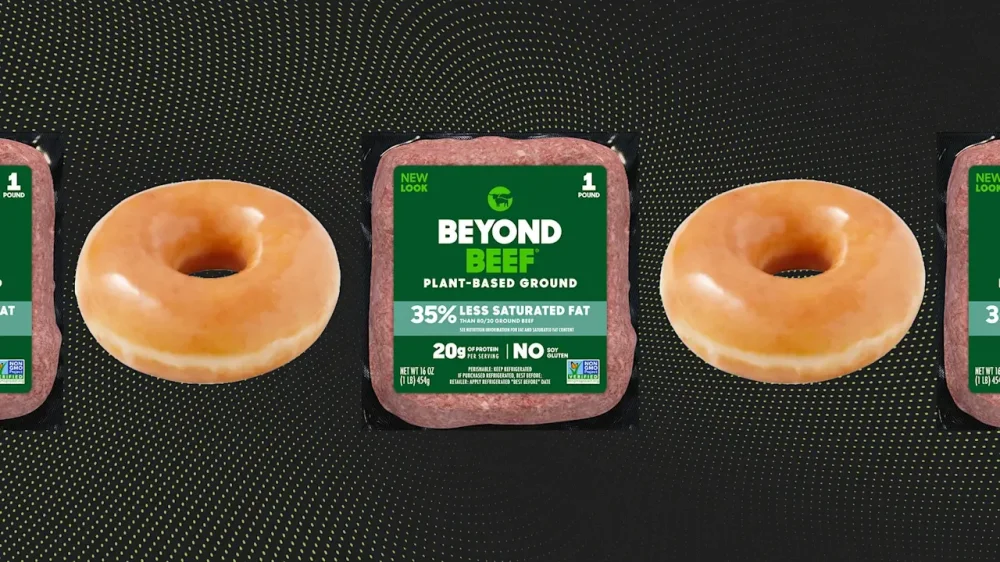
Don’t look now, but meme stock mania appears to be back with a vengeance this week. This time around, Beyond Meat, Inc. (Nasdaq: BYND) and Krispy Kreme, Inc. (Nasdaq: DNUT) are the two main stocks getting all the attention from meme investors. Here’s what you need to know. Beyond Meat shares skyrocket again On Monday, Fast Company reported on the surging share price of Beyond Meat, the producer of plant-based meat alternatives. The company started the trading week by enjoying a stock price surge of more than 67% in premarket trading that day. But far from any change in the company’s financial fundamentals, what seemed to be driving shares higher were short sellers and meme stock enthusiasts. Indeed, Beyond Meat’s business has been struggling in recent years as consumers have turned away from plant-based meat alternatives. More recently, Beyond Meat announced that its creditors had agreed to a debt swap, which will result in the issuance of 316 million new BYND shares, thereby diluting existing shares. But a struggling company in penny stock territory can be red meat to meme investors. For much of the past week, meme traders on Reddit and elsewhere have been pumping up the stock—and it appears to be working. Yesterday, Beyond Meat shares rose a staggering 146% to close at $3.62 per share. And today in premarket trading, as of the time of this writing, BYND shares are up another 103% to $7.37. That puts Beyond Meat shares at a price they have not seen since 2024. It also puts Beyond Meat’s shares firmly in the green for this year. The stock began 2025 at around $4 per share, but that price had fallen to as low as 50 cents per share just last week, before meme stock traders decided to take a bite. One other contributing factor to Beyond Meat’s surge this week is that, as CNBC notes, the stock was added to Roundhill Investment’s Meme Stock ETF on Monday, cementing its place in the meme stock pantheon. Meme stock traders want dessert, too Krispy Kreme’s stock is also seeing some meme stock action this week. DNUT shares rose more than 13% yesterday to $3.71, and as of the time of this writing, in premarket trading this morning, the company’s shares are up another 40% to $5.23 apiece. While those gains are a far cry from the ones BYND shares are experiencing, DNUT shares have more experience in the meme stock arena. Meme stock investors heavily traded DNUT shares earlier this year. Other factors that may be impacting interest in Krispy Kreme’s stock include the company’s recent international expansion in Spain, with additional countries, Brazil and Uzbekistan, planned before the end of the year. Investors likely hope that this expansion can help offset domestic sales issues. Still, despite its recent gains, DNUT shares remain significantly down from where they were at the beginning of this year. In January, the stock traded at more than $9.80 apiece. And as of yesterday’s close, DNUT shares have fallen more than 67% over the past 12 months. View the full article
-
Brands are rethinking agency relationships as budgets tighten and in-housing rises. Discover why the traditional model is under pressure and how agencies must adapt. The post Why Are Brands Rethinking Their Approach To Using Agencies? appeared first on Search Engine Journal. View the full article
-
One of the best ways to maximize your productivity and output is to plan out what you need to do in advance, which you can do with a brain dump, a ruthlessly curated daily schedule, a collection of planning tools, or any other number of methods. Unfortunately, even the best practices come with a dark side if you take them too far. In this case, that dark side is Parkinson’s Law, an observation that suggests the longer you give yourself to do something, the longer you’ll take to actually get it done. The truth of the matter is that you can schedule, plan, and fret your way right into accomplishing nothing. It’s always better to get difficult things done as soon as possible, so let’s consider the pitfalls of Parkinson’s Law, and how you can overcome them. What is Parkinson’s law?The origins of the axiom are a little delightful: Cyril Northcote Parkinson described the phenomenon in a 1955 humorous essay in The Economist, and it’s been credited to him ever since. You can read the entire essay, but its main point is this: "Work expands so as to fill the time available for its completion." Though it had a funny start, the idea grew until it was being studied in more serious capacities. Researchers published their findings on Parkinson’s law in the Psychonomic Bulletin & Review in 1999, finding that people tend to consider how much time is available to complete a task rather than considering how little time it might actually take. Basically, we give our future selves a little too much wiggle room when planning our schedule, then our future selves graciously accept all that extra time that could be spent doing something else. After all, our past selves, wise as they were, carved out that time for one task, and who are we to challenge that? You can probably find examples of this in your own life. If your boss gives you an easy task but sets a deadline for the following week, are you likely to get the work done immediately? Parkinson's Law gets me, more often than I'd like to admit, especially when I'm getting ready in the morning. When I used to give myself an hour to get out of the house, I'd spend it dawdling, scrolling on my phone, or generally loafing, so I started giving myself half an hour instead, with an added goal of grabbing coffee. Essentially, I started the "getting ready" process at the same time each day, but with an earlier deadline and an extra task. I found I still made it to where I needed to be on time, even after stopping to treat myself. Set shorter deadlines—and stick to themConsider the example of having a week to do a simple task at work. Instead of setting a week from now as the goal date and letting the task hang over you, pick a day to get it all done—ideally, one or two days before the due date, so it’s fresh in your mind if you have to discuss or explain it afterward. Schedule a block of time to do whatever needs to be done, but give yourself less time than you normally would. If you think distractions or other issues might crop up during your work time, take steps (like indicating you’re busy) to mitigate them instead of accommodating them with a time buffer. This approach is useful because it prompts you toget things done sooner and without overthinking them. It also gives you a bit of a failsafe: If you submit your work early and discover there are issues with it, you have all that saved time to address those problems and resubmit while still meeting your original deadline. (This is why I always recommend setting two deadlines for any big project.) Give yourself less time to complete tasks, not moreAs you can see by now, to defeat Parkinson’s Law, you need to give yourself less time to complete your tasks. Consider the Yerkes-Dodson Law, which says that to be your most productive, you have to have just the right amount of stress—not too little and not too much. When you have too much time to devote to something, you don’t have enough stress to motivate you. To test this out, spend a few weeks shaving some time off your allotments for different responsibilities. Use timeboxing to schedule your entire day down to the minute, using blocks of time in your calendar. If you think it will take you 30 minutes to answer all your emails in the morning, give yourself 20. If you think it will take an hour to compile reports for a big project, give yourself 45 minutes. When you cut that time down and know you only have limited space to finish a task, you will hopefully find yourself locking into a state of deep work, where you're totally focused on the task and can move through it systemically. That feeling of urgency is key. View the full article
-
Capturing intent at the precise moment consumers are ready to take action has always been the goal in search. But there’s value – and real payoff – in influencing that intent before the search even begins. As customer journeys grow more complex and span multiple touchpoints, the need to reach audiences earlier continues to rise. Connected TV (CTV) advertising offers that opportunity. It helps build brand awareness and consideration that drive downstream search behavior – all while maintaining the targeting precision and measurement capabilities search professionals expect. What is connected TV? Connected TV encompasses any television that offers digital streaming beyond traditional satellite and terrestrial programming. This includes: Smart TVs. Plug-in devices like Roku, Amazon Fire TV sticks, and Apple TV. Gaming consoles that stream video content. Rising viewership across platforms like Netflix, Amazon Prime, Disney+, Paramount+, and YouTube has made TV advertising more accessible – once the domain of big-budget brands. It has also transformed TV from mass-market targeting with little customization to a targetable, measurable digital medium. Unlike traditional TV advertising, CTV ads are delivered programmatically, which enables them to target specific households or audience segments – similar to what’s familiar in social or display advertising. Connected TV offers opportunities for non-skippable, pre-roll, mid-roll, and skippable ad formats. How connected TV complements search advertising Search marketers often focus exclusively on lower-funnel tactics, capturing demand that already exists. While this approach delivers strong ROI, it leaves a gap at the top of the funnel to build that demand over time. This is where CTV can help. Video advertising drives considerable reach and has been shown to increase the level of brand searches. When consumers see compelling video ads on their connected TVs, they often turn to search engines to learn more, compare options, or make a purchase. CTV plants the seed. Search translates that into traffic and sales. Here’s how they work together in several ways: Brand awareness that drives search volume: Audience targeting naturally has a wider reach than relying solely on those searching for your brand, product, or service. Retargeting audiences on the big screen: When run through specific platforms like Google and Microsoft Ads, you can not only build awareness but also re-engage audiences already familiar with your brand. Sequential messaging: You can use CTV for storytelling to build a picture of your brand, product, and service. Measuring incremental search impact: By comparing branded search volume in the locations where the CTV ads were delivered, you can quantify exactly how much incremental search traffic your investment is generating. This closed-loop measurement helps optimize both channels together rather than in silos. How to access and buy CTV placements CTV advertising is becoming more accessible through advertising platforms you may already be using, such as Google and Microsoft Ads. With CTV, you no longer need to navigate complex TV negotiations or commit large budgets to test the channel. Start small and scale. YouTube via Google Ads For search marketers already running Google Ads, YouTube represents the easiest entry point into CTV advertising. YouTube is the dominant CTV app, available on virtually every connected TV device and smart TV. More importantly, it integrates seamlessly with your existing Google Ads account, where you can: Run Video Action or Video Reach campaigns optimized for TV screens. Opt in to target only smart TVs if you want full control over placement. Use the same remarketing lists, customer match data, and in-market audiences you already leverage in your search campaigns. Track CTV performance alongside search metrics in the same reporting interface to better understand cross-channel impact. YouTube offers extremely cost-effective targeting, with CPVs as low as $0.03 – making it easy to test with low-budget investments. Dig deeper: Google TV: What you need to know about CTV buying in Google Ads Premium CTV inventory via Microsoft Ads Microsoft Ads has a significant advantage in CTV inventory through partnerships with leading streaming platforms such as: Netflix. Roku. Paramount+. Directly through the Microsoft Ads interface, you can gain access to this premium, ad-supported inventory. When you run ads through these streaming services, they appear pre- or mid-roll alongside professionally produced content such as films and TV shows, rather than the user-generated content you find in other digital video spaces like YouTube and social media. Microsoft’s CTV solution offers strong audience options for B2B marketers and brands targeting professional audiences through its integration with LinkedIn. The platform also offers solid measurement capabilities, including: Brand lift studies. Standard conversion tracking. Standard view rates expected from digital video ads. Dig deeper: Microsoft brings video and CTV ads (including Netflix inventory) to Advertising Editor Other CTV platforms Aside from Google and Microsoft Ads, several other options exist for accessing CTV ad placements. There are programmatic platforms like Amazon DSP and others that offer CTV inventory. This programmatic targeting, similar to what’s available when using YouTube and Microsoft, aligns with the choices we typically see as search marketers when running audience network campaigns. There is also the option to negotiate direct partnerships with streaming services like Sky AdSmart, which offers a blend of traditional and CTV, though this can typically require larger budgets. Sky AdSmart’s great benefit is access to enhanced targeting options, such as Experian Mosaic audience data, business owners and decision-makers, and FMCG purchase behavior. Sky’s proprietary first-party data includes Experian, Mastercard, and Nectar. For most search marketers testing CTV for the first time, starting with YouTube through Google Ads or exploring Microsoft’s premium inventory provides the most straightforward entry point. Dig deeper: Amazon Advertising guide: How to reach customers and sell more Get the newsletter search marketers rely on. See terms. Creative requirements for CTV advertising If you’re accustomed to writing text ads, CTV creative will require a mindset shift. You’re working with video on the largest screen in the house, often with multiple viewers watching together. Quality matters. Video specifications Most CTV platforms require video ads in the following formats: Resolution: 1920×1080 (1080p) minimum; 4K supported on some platforms. Aspect ratio: 16:9 (horizontal). Length: Typically 15 or 30 seconds (some platforms, such as YouTube, support 6-second bumpers). File format: MP4 or MOV with H.264 encoding. Audio: Stereo or 5.1 surround sound mix. Unlike social media video, which users often watch with the sound off, CTV ads play with audio by default. Your voiceover, effects, and music are critical components of the creative. Quality expectations CTV audiences expect television-quality production values. While you don’t necessarily need a Hollywood budget, low-quality, amateurish creative will naturally underperform. Some platforms, such as Sky AdSmart, require the ad to be approved by Clearcast. Others, like Netflix, have stricter video quality requirements than YouTube, given the nature of the content the ads appear alongside. Microsoft uses a three-star rating system to evaluate video quality. A video must earn at least one star to meet the minimum standard, but it needs a full three-star rating to be approved for streaming on Netflix. At a minimum, invest in: Good lighting and sound recording. Clean editing and motion graphics. Professional voiceover. Brand-consistent visual identity. Many advertisers successfully repurpose existing video assets – such as brand films, product demos, or testimonial videos – for CTV by editing them down to the required length and optimizing them for the big screen. Others create CTV-specific creative that tells a complete story within 30 seconds. Creative best practices Strong CTV creative typically follows these principles: Lead with your brand: Establish brand identity in the first few seconds. Tell a story: Even in 15–30 seconds, create a narrative arc. Include a clear call to action: Tell viewers what to do next (visit the website, search for the brand, etc.). Optimize for sound-on viewing: Don’t rely solely on text overlays. Test multiple versions where possible: Like any digital channel, creative testing drives performance. Consider ending with a CTA: Use a line like “Search [Brand Name] to learn more” to explicitly drive the search behavior you’ll capture with your search campaigns. Budget requirements for CTV campaigns One of the most common questions from search marketers exploring CTV is, “How much do I need to spend?” The answer depends on your goals, market, and chosen platforms, but CTV is more accessible than many search marketers and businesses assume. Unlike traditional TV advertising, which often requires large upfront commitments, CTV can be tested with much smaller budgets that can, in most channels, be adjusted up or down on any given day. Minimum investment levels For YouTube CTV campaigns through Google Ads, you can technically start with just a few hundred pounds or as low as a £5-per-day budget. However, you should allocate your budget in proportion to your audience size to ensure sufficient data collection. Premium CTV inventory through Microsoft Ads typically requires higher minimums, and your actual placements can vary depending on the budget and bid levels you set. The minimum budget is effectively the same as the CPM bid. Typically, you are looking at £1,000 or more as a minimum. Cost structure (CPMs) CTV advertising is typically priced on a CPM (cost per thousand impressions) basis. CPM rates can vary significantly based on: Platform: Premium streaming services command higher CPMs than general CTV inventory. Targeting: Highly specific audience targeting increases costs as you narrow the pool of users the platform can show the ad to. Geography: Larger cities and different countries can result in varying costs. Seasonality: Q4 holiday season prices can be two to three times higher than in Q1. This again depends on the audience you are targeting. As a general guide: YouTube CTV inventory: £10–£20 CPM. Premium CTV platforms (Netflix, Paramount+, etc.): £20–£40 CPM. These CPMs are higher than most search clicks, but the brand impact per impression is substantially greater. In some instances, such as with YouTube, when optimizing for consideration, you can also pay on a cost-per-view (CPV) basis. Audience targeting options for CTV One of CTV’s most powerful advantages is the ability to apply digital-style audience targeting to a traditional TV environment. Search marketers will find many familiar targeting options. Demographic targeting Basic demographic targeting includes: Age. Gender. Parental status. Geographic location. This works similarly to demographic targeting in search campaigns, allowing you to focus on your core customer segments. Household income targeting is also available on some platforms (such as YouTube and Sky AdSmart) and in certain locations (such as the U.S.). Behavioral and interest-based targeting CTV platforms offer extensive behavioral targeting based on: Streaming habits. Content preferences. Online behavior. You can target users who watch specific genres or have shown interest in particular topics. More advanced options around past purchasing behavior are also available through Sky AdSmart, due to its partnerships with Nectar Card and Mastercard. Remarketing and customer match Just as you remarket to website visitors in search, you can upload customer lists or create remarketing audiences for CTV. This allows you to reach existing customers or prospects who’ve already engaged with your brand, reinforcing messages or promoting new offerings. In-market audiences Target consumers actively researching products or services in your category. These audiences are valuable for search marketers because they represent users likely to search for solutions soon. CTV allows you to influence their consideration before they begin searching. Contextual targeting Place your ads within specific types of content or alongside particular programs. A fitness brand might target health and wellness programming, while a financial services company might target business news content. If you’re aiming for mass reach, you can also use RON (run of network), which casts a wide net beyond specific targeting. With this approach, there are few targeting levers beyond geographic location. The key is combining multiple targeting layers to reach your ideal audience efficiently. Most successful CTV campaigns will layer two to four targeting criteria together to drill down to the ideal customer. Making the most of CTV as a search marketer Connected TV represents an opportunity for search marketers ready to influence the entire customer journey and build their own search demand. CTV is a powerful complement to search campaigns, combining the targeting precision and measurement capabilities of digital advertising with the impact and reach of television. Start small, test thoughtfully, and measure rigorously. Track metrics like: Completion rates. Reach. Branded search volume. Search conversion rates. Overall customer acquisition. To quantify the incremental value of CTV, use: Geographic holdouts. Sequential messaging. Brand lift studies. As consumers continue shifting toward streaming and away from traditional TV, CTV advertising will only become more important. Search marketers who master this channel now will have a significant competitive advantage in building brands that drive sustained search demand. The question isn’t whether to add CTV to your marketing mix – it’s when and how to start. View the full article
-
Selected companies will have the opportunity to demo their compliance-related solutions at a February 2026 tech sprint following a December kickoff event. View the full article

-
As you may have heard, the latest AI-powered web browser launched yesterday, the much-anticipated OpenAI ChatGPT web browser. OpenAI named its web browser Atlas. The built-in search features seem to be mostly powered by Google Search, for some reason.View the full article
-
Google is testing using different colored map pins in the map embed within Google AI Mode. The map pins can be in red, blue, yellow and maybe orange? View the full article
-
Google is testing showing an AI Mode history button within the local panel in Google Search. When you are viewing a specific business or organization, there may be an AI Mode button in a history enclosure under the call, directions, buttons.View the full article
-
Google may be testing displaying different-sized cards for recipe results in the Google Search results. The cards show large and small graphics that make the results look misaligned. View the full article
-
Google AdSense added a new breakdown option named Confirmed Click status breakdown. This breakdown is available on all your reports under the "Breakdowns" dropdown selector at the top left.View the full article
-
The future, like the recent past, will be shaped in the public realmView the full article
-
I deleted my 7K LinkedIn account and five months later, I was back to 4.5K followers and 416K impressions. Deleting an account I’d spent months building felt reckless, but it ended up being the reset I didn’t know I needed. In January 2025, I started from zero. Five months later, my new account had multiple viral posts, over nearly half a million impressions, and a growing network that finally felt aligned with the kind of work I wanted to do. My LinkedIn analytics This is the story of how I rebuilt my presence from scratch — and the systems that helped me grow faster, with more clarity, the second time around. Let’s go! My first LinkedIn account and why I deleted itI joined LinkedIn during the pandemic, and like most beginners, I went all in without a plan. I connected with anyone who accepted my connection request without thinking about whether they aligned with my professional goals. Then, as my full-time job became demanding, I disappeared from the platform altogether. By 2023, I was burned out from my corporate role. The constant toxicity had drained my energy and motivation. I wanted a clean slate to rebuild my career on my own terms. So, I left that job, and six months later, I rediscovered LinkedIn through a video by creator Shruti Rajput, who’d grown her account to 1,000 followers in 30 days. It reminded me that I already had a platform waiting to build my personal brand, I just wasn’t using it intentionally. I returned to LinkedIn in mid-2024, posting about Pinterest, writing, AI, and lessons from my career. My Canva dashboard showing LinkedIn carousels I createdOver six months, I grew to 7,000 followers. But even with the numbers, something felt off. My posts weren’t reaching the right people — the audience I’d built before had nothing in common with the one I wanted now. To fix it, I started removing inactive or irrelevant connections. My plan was to remove 100 people a day. But as soon as I did that, LinkedIn flagged the activity as suspicious and suspended my account. I tried again — slower this time — and got suspended again. Email I sent to LinkedIn supportThat’s when I had a decision to make: keep chasing engagement from the wrong audience or start over with intention. I chose to start over. After confirming with LinkedIn that it was possible, I deleted my 7K-follower account — six months of work gone in seconds. But this time, it felt different. I was clearing space for what came next. The old LinkedIn account that I deletedRestarting from zero wasn’t smooth sailingWhen I created my new LinkedIn account in January 2025, I felt ready for a clean slate. But within 24 hours, I was suspended before I’d even posted a single thing. The verification process became its own mini-saga. First, I had to confirm my identity through Persona. My account was approved, and I even shared a post. Then, days later, LinkedIn flagged me again, this time asking for Aadhaar, a unique identification number issued by the Government of India, because my old account was still tied to my ID. It took weeks of emails with support and government offices to sort it all out. Screenshot of the mail I sent to the LinkedIn teamFinally, after jumping through more hoops than a circus performer, I got verified, and my account was fully functional. The system that helped me grow to 4.5k in five months“You don’t rise to the level of your goals, you fall to the level of your systems.” — James Clear The six months that I invested in growing my previous LinkedIn account taught me one thing: I can’t grow on any social platform without putting the right systems in place. So, I began creating systems that worked for me, not against me. I mainly focused on four things: a clear strategy, a consistent approach, a cohesive brand, and a scheduling tool (this one was added later on). I built a clear strategyMy first account grew quickly, but without any real direction. This time, I wanted to do it with clarity, so I turned to Grok to figure out who I was speaking to and why. It helped me map out content pillars around my goals, audience, and values — and Excalidraw helped me visualize those pillars into a living content map I could actually follow. My 3 content pillars for LinkedInI created a consistent workflowI used Notion as my second brain — a place to store every post idea, draft, and insight from the comments section. It became the foundation for a repeatable content workflow. My Notion workspaceI refined my content and brandingVisuals matter on LinkedIn. Using Canva, I started creating simple carousels and banners that matched my profile branding. It gave my posts a sense of polish and familiarity that helped people recognize my content faster. I scheduled and measured my contentOne of my virtual friends, Gabriela, introduced me to a tool named Buffer. She suggested I join Buffer's 30-day Creator Camp, and that’s how I discovered it. Through camp, I learned how to turn ideas into a real posting habit. I began drafting and scheduling posts ahead of time, which removed the daily pressure to show up. Now, I use Buffer to manage all my content — for both LinkedIn and Pinterest — and it’s become the backbone of my system. Fun fact: Thanks to Buffer, I scheduled an entire month of content in two sittings for the first time ever. What changed after building a systemOnce I built a system around how I create, everything changed. My posts started reaching the right people — the kind of creators and professionals I actually wanted to connect with. Screenshot showing the current composition of my audienceI began getting thoughtful comments, DMs from creators I actually admired, and collaboration requests that aligned with my work. Screenshot showing a LinkedIn chatScreenshot showing a creator collab mail I receivedI started seeing my follower count rise consistently. Screenshot showing my follower growth in the last 90 daysBut apart from these numbers and engagement, what changed most was my relationship with creating. It stopped feeling like a task I had to tick off. Now, I can create content without burning out and still have the energy to live my life outside the screen. This, for me, is a big win as a content creator! What I’d tell anyone starting from zeroI know starting something from scratch can seem very daunting to us – but it doesn’t have to be. What I’ve learned after losing 7,000 followers is that starting again doesn’t mean you failed. It means you’re brave enough to admit the first path wasn’t right, and strong enough to choose a better one. You can thrive on any new path if you stay consistent, build the right systems, and follow strategies supporting your growth. I hope you do that for yourself. View the full article
-
Black Friday is when performance peaks — and so do risks. In 2024, global spending reached $74.4 billion, with U.S. online sales up 10.2% year-over-year. Behind that growth, affiliate competition and coupon activity surged, pushing paid channels to their limits. During these high-traffic days, even a single unchecked campaign can waste hundreds of thousands of dollars. Coupon fraud, coupon scam tactics and unauthorized brand bidding mess with your paid traffic, distort performance data and steal conversions that should’ve stayed yours. That’s why strong PPC compliance and continuous promo code monitoring aren’t optional — they’re what keep acquisition costs stable and brand visibility intact when every click counts. In this article, we’ll break down how coupon fraud and brand bidding undermine paid traffic — and how real-time compliance tools help brands stay protected when competition hits its peak. How Black Friday turns discounts into a vulnerability As online shopping volumes skyrocket, so does the scale of coupon fraud and promo code abuse. A 2024 Voucherify study found that 73% of retailers faced some form of promo code misuse last year — and most didn’t even realize it until losses started showing up in their reports. A coupon scam can look simple: using the same promo code more than once, reusing promo codes meant only for new customers, or spreading fake promo codes from unreliable sources. Behind these actions are real losses. Each misuse cuts into your margins and makes it harder to see what’s really driving sales — especially during peak sales like Black Friday, when every discount drives massive traffic. And the impact of coupon scams is growing globally: According to Statista, online fraud losses in the U.S. reached $44 billion in 2024, with a large share linked to coupon fraud and promo code abuse. The Guardian reported how Black Friday turned into Black Fraud Day. In the U.K., over 16,000 online fraud cases were reported between November 2023 and January 2024, often tied to coupon scams, with each victim losing an average of £695. So the real question is — how can you stay in control and protect your brand from coupon abuse when thousands of affiliates are running at full speed? Verify where your promo codes appear Regularly audit coupon sites and affiliate channels to ensure promo codes aren’t being reused, leaked or published without permission. It’s the first step in stopping fake or stolen codes before they go viral. Set smart redemption limits Restrict the number of times a promo code can be used from the same account, device or IP. This helps prevent repeated redemptions and keeps discounts where they belong — with real customers. Use technology to detect fraud in real time Machine learning and behavioral analytics can identify suspicious promo code activity and block coupon fraud automatically, before it impacts your budget. With competition and traffic peaking during events like Black Friday, promo code monitoring is essential to prevent coupon fraud, protect profit margins, and keep your brand reputation intact. Brand bidding: When affiliates steal your brand traffic During the Black Friday 2025 rush, competition for ready-to-convert users reaches new heights. Affiliates and competitors often launch campaigns that break PPC compliance rules — bidding on brand keywords, using the brand name as a search query or even mimicking the official ads (that’s ad hijacking). As a result, a customer searching for “Brand + Black Friday deal” might land on an affiliate page instead of yours — and you end up paying for your own traffic twice. This practice — known as brand bidding — hits the budget from several angles. When multiple affiliates compete for the same branded query, CPC can jump by 15-25% during Black Friday peaks. What’s worse, brands often end up rewarding the very affiliates who intercept their paid traffic — covering both the ad click and a commission on the same conversion. Beyond wasted ad spend, brand bidding also throws your analytics off. When affiliates start eating into your organic and direct traffic, your numbers stop adding up — conversion rates drop, CTR looks worse and ROI loses accuracy. On paper, the campaign seems underperforming, but in reality, part of the budget is just being rerouted to look-alike domains. During Black Friday, all that extra coupon traffic makes it harder to spot the difference — higher CPCs and “better” conversions look normal, but they’re often signs of affiliate fraud. You can usually spot brand bidding issues by looking at small inconsistencies that add up fast. If your branded campaigns suddenly show more clicks but fewer conversions, if new domains start appearing with your logo or “official” discounts, or if certain affiliates’ commissions spike for no clear reason — that’s a red flag. Without ongoing PPC compliance and promo code monitoring, these patterns blend into the Black Friday noise until they turn into real losses. Black Friday compliance playbook Black Friday is a stress test for affiliate programs. Hundreds of partners, promo codes and campaigns run at once — and even well-defined rules can break under pressure. This quick compliance playbook outlines how to stay ahead of coupon fraud and brand bidding, keeping your PPC channels clean and compliant when the stakes are highest. 1. Policies Define clear rules in your affiliate program: no brand bidding, no unauthorized coupons and full PPC compliance by keywords. Specify consequences upfront — void commissions, temporary suspensions or permanent bans for repeated violations. This sets expectations early and leaves no room for misinterpretation. 2. Brand monitoring Regularly check search results for queries like “Brand + Black Friday,” “Brand + deal” or “Brand + coupon” — across multiple GEOs, on mobile, and during off-hours. That’s when hidden campaigns are most likely to run. Document everything you find: ads, domains, redirects. 3. Anomaly analytics Track sudden spikes from specific partners — conversion rates jumping to 100%, drops in brand impression share, or peaks in coupon redemptions. Consistent promo code monitoring helps catch such irregularities before they impact performance. 4. Coupons Use unique coupon codes for every traffic source, limit expiration dates, and audit coupon sites and browser extensions. If a code leaks — block it immediately. Quick action prevents further coupon fraud and loss of control over discount logic. 5. Evidence Keep a full trail of proof: SERP screenshots, landing pages, redirect chains, and affiliate IDs. Solid documentation helps resolve PPC compliance disputes fast — with networks, partners or legal teams. 6. Reaction Act fast once violations are confirmed: report the case, pause the affiliate, and cancel commissions for the affected period. With hundreds of campaigns running simultaneously, manual control simply doesn’t scale. Bluepear automates this workflow — scanning search results, detecting anomalies, collecting evidence and sending real-time alerts. It helps teams stay compliant and protect paid channels, even in the chaos of Black Friday. Minimum always-on scan profile To catch hidden campaigns before they drain budgets, even a basic monitoring setup can go a long way. Here’s the minimum scan profile every brand should keep running — it covers the biggest risk zones without overloading your resources. GEO coverage Focus on three to five key countries and two to three major cities. Prioritize markets that drive the most conversions or where affiliates are most active. Devices Run checks across desktop, mobile and tablet. Fraudulent campaigns often hide behind mobile-only placements, so skipping mobile is like missing half the picture. Timing Nighttime and weekends are when “quiet” ads usually go live — the ones you won’t see during office hours. Use local search interfaces to spot regional differences in results. Evidence Save everything: SERP screenshots, landing pages, redirect chains, affiliate IDs. Consistent documentation is your best proof when addressing PPC compliance or coupon fraud cases. Frequency Run scans every one to three hours. This interval is enough to catch short bursts of activity without overspending on checks — and ensures you see problems while they’re still small. How to catch affiliate violations step by step Affiliate violations appear and disappear within minutes — automation is the only way to keep up. Platforms like Bluepear simulate real user behavior: browsing from residential IPs, switching between GEOs, devices and languages. They see exactly what your customers see — including cloaked ads and coupon scam activity hidden from standard monitors. Setup takes minutes. You register your brand project, add key domains and landing pages, then include branded keywords and seasonal variations like “Brand + Black Friday,, “Brand + deal” or “Brand + coupon.” Built-in keyword suggestions help you cover multiple GEOs, devices and languages. Once the scan is live, Bluepear continuously runs automated checks across desktop, mobile and tablet — including nights and weekends when hidden campaigns are most active. The platform automatically captures screenshots, redirect paths, and affiliate IDs, creating a ready-to-use evidence trail for every detected violation. Real-time alerts and dashboards clearly separate competitor and affiliate findings, with transparent case statuses (New, In Progress, Resolved). Compliance teams can react before ad spend is lost — without manual tracking or overnight monitoring shifts. If you want to see how your brand performs under real search conditions, Bluepear offers a 7-day free trial — just in time to prepare your promo code monitoring setup for the Black Friday rush. Conclusion Black Friday rewards speed — but punishes blind spots. When coupon fraud and brand bidding go unchecked, performance data becomes unreliable and budgets leak faster than teams can respond. The brands that win aren’t just watching dashboards — they automate protection, verify every promo code, and act on evidence in real time. Building PPC compliance into daily operations before the rush means cleaner attribution, fairer payouts, and fewer surprises when competition peaks. With automation running 24/7, your team stays focused on growth — not damage control. If you want to explore how automation can strengthen your brand protection workflow ahead of Black Friday, you can test Bluepear’s monitoring setup for free for 7 days. View the full article
-
For many, picking up a controller at the end of a long day to neutralize some zombies or take on a side quest with a fairy is a way to unwind and escape from the demands of work. But it might also have some unexpected benefits that follow you from the character select screen and into the office. A new report from the Entertainment Software Association (ESA) finds that the motivations behind gaming go far beyond fun. While 66% of the more than 24,000 players in 21 countries surveyed say they play primarily for enjoyment, the majority credit gaming with developing real-world skills, like problem-solving, teamwork, adaptability, and critical thinking. All useful transferable skills to play up in a job interview. (Maybe don’t reveal you honed them playing Fortnite, though.) More than half the respondents say playing video games helps relieve stress (58%). Forty-five percent say playing video keeps their minds sharp, and nearly half (43%) of players say video games have positively influenced their education or career path. “The player perspective is supported by scientific research, with many studies concluding that video games improve cognitive skills and decision-making,” Stanley Pierre-Louis, president and CEO, Entertainment Software Association, told Fast Company. “A number of industries have already embraced interactive technologies for training employees, from medical treatments and surgery to astronautics and emergency response,” says Pierre-Louis. “I anticipate more will recognize gameplay as a way to engage with and develop their workforce in the near future.” Brain health experts are a bit divided as to whether some games, like Wordle, actually improve cognitive function. And while the ESA report is of course an industry one, there’s other data out there that may support its findings. A 2022 study found that kids who play video games showed better impulse control and working memory than those who didn’t. Another from 2021 found that playing video games does improve not only cognitive functions, but also mood and emotional well-being in elderly people. Another, from 2020 from University of Liechtenstein, found a strong correlation between video game skills and managerial ability. “In fact, being adept at video games can significantly boost one’s career,” the researchers wrote. A literature review published in Procedia Computer Science, cited in the ESA report, also found that gaming can enhance perception, attentional control, and decision-making. Nurses and doctors, for example, who trained with simulation games showed improvements in both risk assessment and response time. These benefits aren’t limited to just life-or-death scenarios. Retailers have also turned to game-based tools to prepare employees for peak shopping events, the report notes. Sports teams use simulation tech to help athletes train. Across industries, gaming has become a quick fix to boost preparedness and improve team outcomes. Of course, spending hours gaming in the evening is not always the answer to your work woes. Sometimes it’s just a way to unwind after a long day. (There’s research that suggests mental health benefits of having hobbies, by the way.) But research has also previously found that gaming can actually hinder the amount of work young men do by 15 to 30 hours over the course of one year. And excessive gaming can be detrimental to mental health, or even spiral into addiction for some people. As companies struggle to maintain engaged employees, burnout is on the up. Who knows? Maybe a chill pastime in front of a glowing screen is just the thing to take the edge off. (Or, in some ways, may also give the edge you need to perform better at work.) View the full article

-
Anthropic insists that it’s getting along with the The President administration just fine. In a new blog post published on October 21, the company’s CEO, Dario Amodei, pushed back on what he called “a recent uptick in inaccurate claims about Anthropic’s policy stances.” His comments come after David Sacks, a prominent tech venture capitalist currently serving as the The President administration’s AI czar, accused Anthropic of having an “agenda to backdoor Woke AI” through state-level regulation and working with Democratic mega-donors. That narrative has since gained traction within online right-wing spaces. The comments also follow the White House’s release of an executive order specifically focused on combating “woke AI” earlier this year, though officials have yet to say how it will be enforced. Now Anthropic is defending its work on AI safety, which Amodei argued should prioritize “policy over politics.” He also doubled down on the company’s position on regulating AI on the state level, in absence of a national standard. Citing JD Vance’s comments on AI directly, Amodei pointed to several areas of agreement with the The President administration, including to “maximize applications that help people, like breakthroughs in medicine and disease prevention, while minimizing the harmful ones.” The CEO also questioned the notion that Claude, the company’s flagship chatbot, is more susceptible to political bias than other similar large language models. Republicans, including President Donald The President, have increasingly leveled accusations that the country’s leading AI companies are building biased AI models, echoing the accusations made against social media companies in recent years. In short, Anthropic wants to toe the line between sticking to its commitment to study AI safety—safeguarding against general artificial intelligence endangering the human species and society in all sorts of destabilizing ways—and appeasing the professed concerns of the The President administration. That’s all happening while the company attempts to scoop up more government work. “Anthropic is committed to constructive engagement on matters of public policy. When we agree, we say so,” wrote Amodei. “When we don’t, we propose an alternative for consideration. We do this because we are a public benefit corporation with a mission to ensure that AI benefits everyone, and because we want to maintain America’s lead in AI. Again, we believe we share those goals with the The President administration, both sides of Congress, and the public. We are going to keep being honest and straightforward, and will stand up for the policies we believe are right. The stakes of this technology are too great for us to do otherwise.” Federal contracts Amodei underscored that Anthropic already has myriad partnerships with the federal government, including a contract with the Pentagon and work with the Energy Department’s national laboratory system. Along with competitors like OpenAI, Google, and xAI, Anthropic is also working with the General Services Administration to offer its enterprise Claude service to federal agencies at a discounted price. Anthropic’s work within the GSA seems to be unaffected by whatever might be happening within the Office of Science and Technology Policy, where Sacks serves as an adviser, a government official familiar with the matter told Fast Company. Last month, Democrats launched an ethics inquiry into the investor, who has received waivers that allow him to participate in the administration while maintaining some of his investments. Anthropic has gotten good feedback from the GSA about government use of the tool, a company spokesperson says. The AI developer also points to its ongoing partnership with Palantir on meeting Federal Risk and Authorization Management Program (FedRAMP) requirements, a wonky but critical cloud security review program used to offer technology across federal agencies. Palantir is a controversial technology contractor that’s seen its business with both the defense and civilian sides of government grow in recent years. As part of that work, Palantir has already been cleared to provide its cloud technology to federal agencies. While Anthropic has been picking up government contracts, it appears to be falling behind OpenAI on independent FedRAMP authorization. This could be a game changer for OpenAI: Should OpenAI earn that accreditation, it won’t need to work through another company—like Microsoft—to offer its technology directly to the government. At that point, OpenAI would be a more freestanding government contractor, maintaining far more independence from other major cloud companies. The same government official told Fast Company that Anthropic has yet to share a plan for gaining accreditation for its systems through that program, or securing a sponsorship for review in another way. A spokesperson for the GSA declined to comment. View the full article

-
To find out, we analysed 458 billion clicks and 17 trillion impressions from Google Search Console. Our findings are a good reminder: page one is where the overwhelming majority of clicks and impressions happen. In August 2025, 96.98% of desktop…Read more ›View the full article
-
Fast-food companies, beware: Gas stations and convenience stores are coming for your customers. Fireside Market, a Wisconsin convenience store chain, announced a new store concept in Slinger, Wisconsin, designed to sell more burgers and less gas. It has a drive-through, curbside pickup area, and gourmet menu items—and it’s a model of the convenience store of the future. Fireside Market’s burger and sandwich menu is several steps up from the outdated idea of day-old taquitos spinning on a rotating food warmer at the local convenience store. Instead, its menu has items like a burger topped with bacon, pastrami, and balsamic-onion jam, and a grilled-salmon sandwich. Falling demand for gas, tobacco, and lottery tickets has upended the business model convenience stores once relied on. In a world with fewer smokers and more Teslas, it’s no longer enough for convenience stores to be an afterthought for drivers stopping to fuel up on gas or soda. They need kitchens. The percentage of in-store sales that comes from food service—a category that includes prepared foods, commissary, and beverages—is on the rise. It grew from 23% of in-store sales in 2021 to nearly 29% today, according to the National Association of Convenience Stores trade group. That trend is especially noticeable at breakfast time: Sales from morning-meal traffic at food-forward convenience stores grew 9% in the third quarter this year, compared to just 1% at fast-food chains, according to data from market research firm Circana. Fireside Market’s 9,700-square-foot Slinger location, its first with EV chargers, is designed for this new reality. 7-Eleven closed more than 400 stores in North America last year, but it’s looking to grow its fresh prepared-food offerings as part of its comeback. Meanwhile, food-forward chains are in expansion mode. Buc-ee’s opened its largest location ever in Luling, Texas, last year, while convenience store chain Sheetz opened its 800th location in Raleigh, North Carolina, in August. Casey’s General Stores, known for its pizzas, has broadened its menu to include burgers and sandwiches, while Fast Stop, a Louisiana-based convenience store chain, is taking the trend a step further, spinning off its made-to-order menu of Cajun-inspired foods into its own restaurant with nary a gas pump in sight, according to trade publication C-Store Dive. In a world that runs on less gas, gas stations have to adapt to survive. Many are finding food is the answer. View the full article

-
Kyiv and other cities across the country suffer missile and drone attacks as ceasefire efforts falterView the full article