ResidentialBusiness
Administrators
-
Joined
-
Last visited
Everything posted by ResidentialBusiness
-
 Microsoft revamps Monetize with AI-powered Copilot, new performance tools, and improved navigation to boost publisher productivity and ad revenue. The post Microsoft Monetize Gets A Major AI Upgrade appeared first on Search Engine Journal. View the full article
 -
A bipartisan group of representatives co-sponsored the bill, aiming to make permanent and expand eligibility for a deduction previously offered for 14 years. View the full article

-
We may earn a commission from links on this page. Google started rolling out Android 15 back in October, adding a number of interesting and useful new features to compatible devices. Six months later, the company has decided to increase the minimum spec requirements manufacturers must meet in order for their devices to be eligible for the latest Google software. The good news? It's not that strict. This week, Android Authority reported that to update to Android 15, Google is now requiring devices to have at least 32GB of storage. That isn't 32GB of free space; rather, the storage unit itself needs to be 32GB or larger. With Android 14 (and Android 13 before it) that requirement was 16GB, half the amount Android 15 now demands. That's in large part because of GMS (Google Mobile Services). GMS is Google's suite of preinstalled apps and APIs, and includes things like Google Play Store and Google Play Services. While, theoretically, an Android manufacturer could still make a phone with less than 32GB, they would lose out on GMS, which would severely impact the experience users are used to. Another key change is to minimum RAM requirements. As with Android 14, devices running Android 15 can have a little as 2GB of RAM. However, these devices need to use the "Go edition" of Android, which is the version of the OS optimized for devices with low RAM. The change this year is that devices with 3GB of RAM will also need to use Android Go edition as well. That might be beneficial from a performance point of view, since the software isn't as taxing on your device's limited hardware. But that will mean your phone, which may have ran the full version of Android 14, will be running a stripped-down version of Android 15, and may miss out on new features. That said, your 3GB RAM device may not be running the full Android 14 version anyway. That's because manufacturers still have the opportunity to install Android Go edition for devices with low RAM. For Android 15, manufacturers making smartphones with 4GB of RAM can choose to run Android Go edition. With Android 14, that option was for devices with 3GB of RAM. The new requirements are not particularly punishing. Sure, high-end smartphones come with specs that blow these minimums out of the water, but so do many mid-range and budget phones. You can buy last year's Motorola Moto G Power phone for just over $200, and it comes with 128GB of storage and 8GB of RAM. This will likely apply to manufacturers who make very cheap devices: Hopefully, doubling the storage and upping the RAM doesn't increase the cost of these smartphones by too much. View the full article
-
A project is like a car; it starts somewhere and moves somewhere else. No one would think of taking that trip without a dashboard to monitor their speed, gas levels and other important data. The same is true with a project, which is why we’re going to write about dashboard examples. First, we’ll answer the question: What is a dashboard? Then we’ll move on to what is typically included in a dashboard and illustrate some dashboard examples. For each, we’ll list the type of metrics that they monitor. We’ll end with a few free downloadable dashboard templates for a hands-on idea of how they work. What Is a Dashboard? A dashboard in project management is a visual tool that provides a real-time overview of key project data, metrics and performance indicators. Think of it as a control center—it brings together important information about a project’s progress, schedule, budget, risks and resources into a single, easy-to-read interface. Dashboards are designed to help project managers, teams and stakeholders quickly assess the health and status of a project and make informed decisions without digging through lengthy reports. This leads to better decision making, improved communication and delivers real-time data that replaces the old, manual reporting style. Dashboards are ubiquitous in project management software, but not all are the same. Elevate Project Dashboards with ProjectManager ProjectManager is award-winning project and portfolio management software with powerful real-time dashboards to track project, program or portfolio performance in real time, with no setup required. Use the dashboard along with our other project views, including reports, Gantt charts, lists, sheets and calendars to keep projects on track. Track unique data on customized project and portfolio-level dashboards Turn dashboard data into custom reports in a matter of clicks Use free guest licenses to share pertinent data with stakeholders. Try it free /wp-content/uploads/2022/03/portfolio-dashboard-cta-1.pngLearn more What Should Be Included in a Dashboard? A well-designed project dashboard provides a clear, real-time snapshot of a project’s performance and progress. To be truly effective, a dashboard should include the most relevant and actionable data, presented in a way that’s easy to interpret. It should help teams and stakeholders make quick decisions, identify issues early and stay aligned throughout the project lifecycle. Here’s a breakdown of the essential elements every dashboard should include. Key Performance Indicators (KPIs): These core metrics show how well the project is performing against its goals. KPIs can vary depending on the project, but common ones include the task completion rate, budget vs. actual cost, schedule adherence, resource utilization and risk status. Data Visualization Charts: Visuals make complex data easier to understand. Dashboards should include: bar and pie charts for task status or resource allocation, Gantt charts for project timelines and dependencies and burn-down charts for tracking remaining work in agile projects. Comparisons and Trends: It’s important to not just see current data, but understand how it’s changed over time. Dashboards should show planned vs. actual timelines or costs, performance over weeks or sprints and historical trends in risk or workload. Filters and Drill-Down Features: Dashboards become even more powerful when users can customize their view. Filters allow users to sort by team member, department, task type or time. Drill-downs let users click into metrics to explore more detailed data. 5 Dashboard Examples Now that we understand what is a dashboard and the various widgets that make it up, the next step is to explore the different dashboard examples. Let’s look at some of the more common ones and define them, as well as list the various things they usually track. Project Dashboard A project dashboard is a centralized tool that provides a real-time visual overview of a project’s progress, performance and key metrics. It helps project managers, teams and stakeholders track tasks, budgets, resources and potential risks in one place. By consolidating important project data, a project dashboard enhances decision-making, accountability and efficiency throughout the project lifecycle. Here are the key components of a project dashboard. Project Timeline (Gantt Chart or Milestones): Displays the project schedule, critical deadlines and key milestones Task Progress and Completion Rates: Tracks task statuses to show what’s completed, in progress or delayed Budget vs. Actual Costs: Compares planned costs with real-time spending to prevent budget overruns Resource Allocation and Workload: Shows how team members and resources are distributed across tasks Risk and Issue Tracking: Identifies potential risks, bottlenecks and unresolved issues Key Deliverables and Deadlines: Highlights major project outputs and their due dates Status by Project Phase or Team: Breaks down progress by phase or department for better tracking /wp-content/uploads/2023/01/Dashboard-IT-Light-2554x1372-1.png Business KPIs Dashboard Another one of the dashboard examples we’d like to highlight is a business KPIs dashboard. It is a data-driven tool that provides a real-time snapshot of an organization’s performance based on KPIs. It helps business leaders and teams monitor progress toward financial, operational and strategic goals. By visualizing essential metrics in one place, this dashboard enables informed decision-making, efficiency improvements and growth tracking. Here are the key metrics commonly included in a business KPIs dashboard. Revenue Growth and Profit Margins: Tracks sales performance and overall profitability Customer Acquisition and Retention: Measures how well the business attracts and keeps customers Operating Expenses: Monitors costs related to running the business Net Promoter Score (NPS): Gauges customer satisfaction and loyalty Return on Investment (ROI): Assesses the profitability of investments and business initiatives Employee Productivity Metrics: Evaluates workforce efficiency and output Strategic Goal Tracking: Aligns business operations with long-term objectives /wp-content/uploads/2024/08/KPI-Dashboard-Template-Screenshot.png Marketing Dashboard A marketing dashboard is another one of the commonly used dashboard examples. It’s a centralized tool that provides a real-time view of marketing performance across various channels. It helps marketing teams track key metrics, analyze campaign effectiveness and optimize strategies to maximize ROI. By visualizing data from multiple sources, a marketing dashboard enables data-driven decision-making, improved targeting and better allocation of marketing budgets. Here are the key metrics commonly included in a marketing dashboard. Website Traffic and Bounce Rate: Measures the number of visitors and how many leave without engagement Conversion Rate by Channel: Tracks the percentage of visitors who take desired actions (e.g., sign-ups, purchases) across different marketing channels Cost per Lead (CPL) and Customer Acquisition Cost (CAC): Calculates how much is spent to acquire a lead or customer Email Campaign Metrics (Open Rate, Click-Through Rate): Analyzes email engagement and effectiveness Social Media Engagement: Measures interactions such as likes, shares and comments on social platforms SEO Keyword Rankings: Tracks website ranking positions for targeted search terms Lead Funnel Performance: Evaluates how leads move through the sales pipeline from awareness to conversion /wp-content/uploads/2025/04/ALIGHT-paid-media-tableau-marketing-dashboard-template.png Sales Dashboard Another dashboard example is a sales dashboard. This real-time visual tool tracks and displays key sales metrics, helping teams monitor performance, identify trends and optimize the sales process. It gives sales managers, reps and stakeholders a clear view of how well targets are being met and where improvements can be made. With a well-designed dashboard, teams can make data-driven decisions, improve forecasting and boost revenue. Here are some of the core elements commonly found in a sales dashboard. Monthly and Quarterly Sales Revenue: Total income generated over a specific period Sales Pipeline and Opportunity Stages: Tracks deals as they move through each phase of the sales cycle Lead-to-Customer Conversion Rate: Measures the percentage of leads that successfully become customers Top-Performing Sales Reps: Highlights sales team members with the highest results or closed deals Deal Win Rate: The percentage of total deals that are successfully closed Average Deal Size: The typical revenue amount brought in per closed deal Sales Forecast vs. Actual: Compares projected sales with real outcomes to assess /wp-content/uploads/2025/04/pipedrive-sales-activities-v1-thumbnail.webp Operational Management Dashboard An operational management dashboard is one of the dashboard examples that is a powerful tool that provides a real-time overview of an organization’s core operations. It consolidates key metrics related to production, logistics, workforce performance and customer service into one centralized view. This type of dashboard helps operations managers monitor efficiency, reduce bottlenecks, maintain quality standards and ensure smooth day-to-day functioning across departments. Here are the key components typically included in an operational management dashboard. Production Volume and Efficiency: Tracks output levels and how effectively resources are used during production Supply Chain and Inventory Levels: Monitors stock availability and supply chain performance to avoid shortages or overstock Order Fulfillment Times: Measures how quickly and accurately customer orders are processed and delivered Downtime and Maintenance Metrics: Captures machine or system downtime and scheduled maintenance to prevent disruptions Quality Control (Defect Rates): Tracks product defects or errors to ensure consistent quality standards Workforce Utilization: Shows how effectively employee time and skills are being used in operations Customer Support Response Times: Measures how quickly support teams respond to customer inquiries or issues /wp-content/uploads/2025/04/Operations-dashboard-example.png Benefits of Using Dashboards in Project and Business Management The previous dashboard examples should make it clear that these are critical tools for managing projects and business. Dashboards provide a centralized view of critical data, allowing project managers and business leaders to monitor performance, track progress and make informed decisions with ease. By consolidating key metrics—such as timelines, budgets, resources and KPIs—into one visual platform, dashboards eliminate the need to sift through multiple spreadsheets or reports. This streamlined access to information not only saves time but also enhances visibility, enabling teams to stay aligned and proactive throughout the project or business lifecycle. Another significant benefit of using dashboards is their ability to highlight trends, identify risks early and track goals in real time. With dynamic charts, progress bars and comparison tools, users can quickly spot variances between planned and actual performance. Whether it’s catching a cost overrun, recognizing a delay in task completion or seeing a dip in customer engagement, dashboards provide timely insights that help mitigate issues before they escalate. This level of responsiveness is crucial for maintaining control and achieving successful outcomes. Dashboards also foster transparency and accountability across teams and stakeholders. By making project and business performance visible to everyone involved, they encourage collaboration, promote shared responsibility and support data-driven conversations. When each team member can see how their work contributes to the bigger picture, engagement and motivation improve. At the same time, stakeholders gain confidence in the process, knowing they have a clear, real-time understanding of progress, risks and results. Free Dashboard Templates As promised, below are three free dashboard templates, which users can play with to execute the features showcased in our dashboard examples. These are only some of the over 100 free project management templates for Excel and Word that can be downloaded from our site. They cover all aspects of managing a project across multiple industries. Business KPI Dashboard Download this free business KPI dashboard for Excel to provide insight into how well the business is performing across various departments. The goal is to help leaders and teams monitor progress, spot trends and make informed decisions that align with strategic goals. Project Dashboard Template Use this project dashboard template for Excel to visually track and manage key aspects of a project in one centralized view. It helps project managers and teams monitor progress, performance and potential risks by displaying important metrics. Budget Dashboard Template A budget dashboard is a visual tool designed to help individuals or organizations track income, expenses and overall financial performance against a budget. This free budget dashboard template for Excel provides an overview of financial health by consolidating key budget data into interactive charts, graphs and summaries—all in one place. ProjectManager Is the Best Dashboard Tool for Project Management Using a template as a dashboard is going to be frustrating. Templates are status documents. That means all the project data must be manually entered. Therefore, one isn’t viewing real-time data, but is always looking in the rearview mirror. It takes online project management software to deliver the most accurate and current information about the project. ProjectManager is award-winning project and portfolio management software that has real-time dashboards for one or multiple projects. But that’s only the start of the tracking features available from our software. Use Multiple Project Management Views Data displayed on dashboards comes from team members updating their status. Gantt charts help schedule tasks, resources and costs. Then, set a baseline to track those metrics in real time. From there, teams have a choice of tools to execute their work. They can use kanban boards or task lists, both of which can record status updates that feed into the dashboard automatically. There’s even a calendar view for a monthly overview that stakeholders can use to stay updated. /wp-content/uploads/2024/04/critical-path-light-mode-gantt-construction-1.png Robust Resource Management and Cost Tracking Features Other tools monitor progress and performance to help keep projects on track. When onboarding teams, their availability can be set, which helps streamline assignments. Project managers can view resource allocation across one or more projects on the color-coded workload chart. This makes it quick and easy to see who is overallocated or underutilized and balances the team’s workload without leaving the page to keep everyone working at capacity without threatening burnout. A team page provides a daily or weekly snapshot of team activity, which can be filtered by progress or priority. Tasks can also be updated from this page. Customizable reports can focus on key data points or more general information to share with stakeholders, while secure timesheets track labor costs to help projects stay on budget. /wp-content/uploads/2023/01/Team-Light-2554x1372-1.png Related Dashboard Content For those still curious about how dashboards help manage projects, below are free links to recently published pieces on our blog that compare the dashboards of various project management software, construction dashboards and more. Free Excel Dashboard Templates Monday.com Dashboard: Key Features, Pros and Cons Notion Dashboard: Key Features, Pros and Cons Asana Dashboard: Key Features, Pros and Cons Why Use a Construction Project Dashboard? Trello Dashboard: Key Features, Pros and Cons ProjectManager is online project and portfolio management software that connects teams whether they’re in the office or out in the field. They can share files, comment at the task level and stay updated with email and in-app notifications. Join teams at Avis, Nestle and Siemens who use our software to deliver successful projects. Get started with ProjectManager today for free. The post What Is a Dashboard? 5 Dashboard Examples appeared first on ProjectManager. View the full article
-
Last Friday, Elon Musk tweeted a grand unifying theory for America’s path to prosperity. “We need to shift people from low- to negative-productivity jobs in government to high-productivity jobs in manufacturing,” he wrote on X, combining DOGE’s Rapture-style approach to downsizing the federal workforce and the supposed reshoring goals of The President’s tariffs. Musk is so fond of this theory, in fact, he has tweeted some variation of it at least eight times since November’s election. All that repetition, however, has not yet rendered the logic behind the concept any more sound. Musk’s belief that the DOGE firings will create a manufacturing labor force conveniently disregards so many contradictions, no amount of tweeting could make it any less absurd. He might as well whisper the plan into a seashell. For starters, classifying all government positions as “low- to negative-productivity jobs” in contrast with factory workers is a gross generalization. Whether it’s inspired by Musk’s boundless contempt for Big Government or just a product of his startup-world efficiency mindset, it’s wildly off base. If it were true, the FDA’s health regulators, who review medical devices and tobacco products, wouldn’t be struggling in the absence of their recently laid-off coworkers, which they are. The remaining IRS agents wouldn’t be predicting tax compliance will fall this year due to people trying to slip more risky filings past a slashed workforce, which they might. And even if Musk were indeed right about the government employing far more loafers than the average business, if DOGE had any real insight into which workers were the worst offenders, they wouldn’t repeatedly scramble to hire back fired workers, which they have. Looking through the lens of Musk’s “low- to negative-productivity” assessment clarifies why he may have demanded federal employees send emails listing five things they accomplish each week. In this light, the weekly dispatch becomes an effort to “prove” a vast productivity deficit—as though a smoothly functioning government wasn’t proof of the opposite. Taking a giant leap, though, and assuming Musk has correctly diagnosed as terminally unproductive almost everyone in Human Health Services, the Social Security Administration, and other crucial departments, why are those specific people prime candidates for the manufacturing sector? Some of the many newly unemployed government accountants, analysts, and researchers will find other work easily. Others may struggle to land their next jobs. The chances are less than slim, though, that a majority of them will have nowhere to go but a hypothetical iPhone factory in Milwaukee. It seems like a misguided revenge fantasy against members of the regulating agencies Musk has long complained about throttling innovation, from the Securities and Exchange Commission (FEC) to the Federal Aviation Administration (FAA). Now, he can—at least in theory—condemn some of those agencies’ white-collar workers to lives of manual labor. Relatively few Americans, though, actually want to work in a factory. According to the Financial Times, recent polling shows that 80% of Americans think the country would be better off with more manufacturing jobs, but only 25% of Americans think that they, personally, would be better off in such jobs. (Good news for everyone who makes up that 25%: The U.S. currently has more open manufacturing jobs than it can fill.) Just for argument’s sake, though, assuming a significant number of laid-off government workers either did want manufacturing jobs or had no viable alternatives, there is no guarantee that the Great Reshoring will ever come to pass. As much as insiders like Commerce Secretary Howard Lutnick appear convinced The President’s tariffs will bring manufacturing jobs back, others are skeptical of whether that’s even the goal. Senator Chris Murphy, for instance, recently told Fast Company that he thinks The President is using tariffs “to force industries and companies to come bend the knee to him and cut deals with him that benefit him politically.” Considering it might take years for companies to establish the necessary infrastructure for domestic manufacturing, and in an environment where economic policy often seems dictated on a whim, companies may seek alternate workarounds for the tariffs. Faced with the prospect of moving manufacturing to America, many companies will simply diversify manufacturing out of China. Apple, for instance, has been moving more and more iPhone production from China to India and Vietnam over the past year, and Walmart has been sourcing more from India as well. Smaller companies grappling with the current 145% tariffs on China will likely follow suit. Playing devil’s advocate, though, let’s assume a sizable portion of U.S. companies do commit to reshoring and that thousands of former government workers show up at those HR offices, hat in hand. A lot of those “high-productivity jobs in manufacturing” that Musk is fond of mentioning are already earmarked for AI. Treasury Secretary Scott Bessent confirmed as much last week during an appearance on Tucker Carlson’s show. Asked by the host whether the U.S. has the necessary labor force for a hypothetical transition back into manufacturing, Bessent said the following: “I think we do. I think with AI, with automation, with so many of these factories . . . they’re going to be smart factories. I think we’ve got all the labor force we need.” Nothing makes Musk’s line about shifting government workers to high-productivity jobs seem more like a sneering troll than Bessent claiming U.S. factory jobs are the province of robots. Perhaps it’s time Musk shifted to a higher probability pipe dream. View the full article

-
For any company to profit from a product, there must be a strategic plan in place to produce just enough to meet that need. Create too few products, and there’s a missed financial opportunity. Create too much, and money is wasted in production and warehousing. Aggregate planning is a technique to create an equilibrium between demand and capacity. It’s something every company that is producing something needs to know. Let’s take a look at what aggregate production planning is and some aggregate planning strategies. What Is Aggregate Planning? Aggregate planning is a method for analyzing, developing and maintaining a manufacturing plan with an emphasis on uninterrupted, consistent production. Aggregate planning is most often focused on targeted sales forecasts, inventory management and production levels in the mid-term (3-to-18-month) future. Note that production planning is not just goods, but services as well. Aggregate planning defines the necessary production inputs for a good or service (including facilities, workforce, raw materials and inventory levels) to maintain consistent delivery dates, all while keeping costs down. This doesn’t apply solely to individual production lines or the manufacturing of one product. It will cover all the jobs being done at a facility or across several facilities. This allows manufacturers to get the most out of their resources even if there are different demands for products and changes in customer orders, the supply chain or other variables. Project management software facilitates aggregate planning. ProjectManager is award-winning software that helps manufacturers manage costs and resources to allow for uninterrupted production. Planning on our powerful Gantt charts helps to control costs and resources associated with production runs and reallocate those resources as necessary to keep production lines running smoothly. You can even track the planned effort against the actual effort in real time. Get started with ProjectManager today for free. /wp-content/uploads/2024/03/Manufacturing-gantt-chart-light-mode-costs-exposed-cta-e1712005286389.jpgLearn more! Who Is Responsible for Aggregate Planning? Typically, operations management or a sales and operations planning team (S&OP) is responsible for aggregate planning. Operations managers develop and implement the aggregate plan to balance production capacity with forecasted demand. They help oversee decisions about production rates, workforce levels, inventory and outsourcing. The S&OP team is cross-functional and includes representatives from different departments such as sales, marketing operations, finance and engineering. They work collaboratively to align demand forecasts with the company’s capacity and strategic objectives. How to Create an Aggregate Plan To create an aggregate plan, you must first determine the number of units that are produced over a specific time frame, which is the capacity, and the number of units needed, which is the customer demand. Here are some of the factors to consider when trying to create consistency in your process: Pricing Strategies: When demand is low, reduce the price to match capacity. You can also do the reverse; when demand is high, increase the price. Advertising/Promotion: Marketing and promotional activities can impact the demand for your product or service. Back Ordering: Delay delivery until demand catches up with capacity. New Demand Creation: Create another demand to supplement an existing one. Workforce: You can lay off or hire employees to meet the demand or respond to a lack of it. Overtime, subcontracting or use of a temporary workforce is also an option. /wp-content/uploads/2023/10/Production-Schedule-Template-Excel-image.png Get your free Production Schedule Template Use this free Production Schedule Template for Excel to manage your projects better. Download Excel File What’s the Purpose of Aggregate Planning? As stated, the goal of aggregate planning is figuring out the level of production, inventory and workforce required to respond to fluctuating demand in the medium term. With this information, a business can assess when demand will spike or wane, and ensure it has enough product to meet the moment. Aggregate production planning also lets manufacturers know what staff, materials, output rates, timeline estimates and budget costs they need. Making forecasts saves the company from changing its production schedule quickly, which is not only expensive but also creates insecurity and uncertainty. With aggregate planning, you can make a fairly accurate forecast of demand and capacity in the medium term. Resource Management In other words, you’re working on short-term resource allocation. This reduces the risk of overproduction, which wastes resources, depresses prices and can lead to oversaturation of your product in the market. By reducing production during periods of weak demand, you save money on labor and materials. Cost Savings Aggregate planning helps companies achieve their financial goals and improve the bottom line. It allows for maximum utilization of the available production capabilities while meeting customer demand and reducing their wait time, as well as reducing the cost of stocking excess inventory. Good Data is Required Aggregate planning forecasting is not a magic bullet, though. It’s only as good as the data you collect (and the people you use) to forecast. People have biases, and they can misread economic indicators or use faulty forecast models. There are always unknowns, too, such as material price spikes, implementation of new policies, changing interest rates. Not to mention labor; alterations in labor conditions can cause unrest in your workforce. 3 Types of Aggregate Planning Strategies Success depends on having the following inputs: an aggregate demand forecast for the period you’re planning for, evaluating capacity management (including using subcontractors, outsourcing, etc.), and the existing operational status of your workforce. All this will lead to greater accuracy, and therefore, a greater likelihood of success. You can achieve this by applying a variety of aggregate planning strategies. There are three main ones that organizations have used: Level Strategy: The goal of an aggregate planning strategy is to keep the production rate and the workforce level. This requires strong forecasting of demand to know if production levels must be increased or decreased as customer demands grow and shrink. This aggregate production planning strategy will keep your workforce steady but can increase your inventory and backlog. Chase Strategy: As the name implies, you are chasing market demand. The production matches demand, and excess inventory isn’t held over. This is part of a larger lean production strategy, which saves money by waiting until an order is placed. However, productivity and quality can be reduced, and it can negatively impact the morale of your workforce. Hybrid Strategy: There is a third alternative, which is a hybrid of the previous two strategies. This keeps the balance between the production rate, workforce and inventory levels, while still responding to demand as it changes. This alternative offers a bit of flexibility that can satisfy demand while working to keep production costs low. Best Practices for Making an Aggregate Plan Whatever strategy you choose, there are some things to keep in mind when using aggregate planning. For one, you want to figure out the demand and capacity for each period. These two should match one another, though this might require overtime or sub-contracting to achieve. You’ll also want to identify any policies, be they union, departmental or companywide, that can impact production levels. Cost is also important, obviously, so you’ll want to determine fixed and variable costs as well as direct and indirect labor costs. /wp-content/uploads/2021/01/Project-Estimate-Screenshot-600x404.jpgDownload now It never hurts to have an alternative plan just in case. These plans should also follow the same best practices for making an aggregate plan. If you come up with one that meets your objectives, you might discover it in fact costs less and should be your primary aggregate production plan. Three Things to Avoid in Aggregate Plans While we’ve covered the best practices and types of aggregate planning strategies, let’s review three things to avoid when making aggregate plans. 1. Ignoring Demand Variability and Forecast Inaccuracies Don’t treat demand forecasts as absolute, as you’ll end up creating a rigid plan that doesn’t account for the inherent variability or inaccuracies in these forecasts. Instead, the plan should be flexible. For example, use strategies like flexible workforce options (temporary staff, overtime) and regularly adjust the plan based on actual demand and updated forecasts. 2. Creating Unrealistic Capacity Assumptions When teams overestimate the available production capacity or ignore limitations on equipment or labor availability, it makes plans impossible to execute. This results in missed deadlines, reduced quality and frustrated employees. Instead, base capacity assumptions on realistic assessments of resources. 3. Developing the Aggregate Plan in Isolation Ignoring input and buy-in from key departments such as finance, marketing, sales and human resources can result in a plan that doesn’t align with sales targets, financial constraints or workforce capabilities. Ideally, foster strong communication and collaboration between all relevant departments and gather stakeholder feedback. Free Aggregate Planning Templates Finding the right balance between demand and capacity is easier with the right tools. Here are some free project management templates that can improve aggregate planning. Production Schedule Template An accurate production schedule can outline what needs to be produced, when and by whom or with what resources. Use this free production schedule template for Excel to better balance supply and demand. Capacity Planning Template Download this free capacity planning template for Excel as a streamlined way to determine how much production capacity is needed to meet the demand for products. It helps balance the available resources to meet customer demand or the project’s capacity needs. Inventory Template This inventory template for Excel makes it easy for managers to see all inventory details in one place. It helps monitor stock levels, manage the reordering process, track inventory turnover and more. How ProjectManager Helps with Aggregate Planning Work management software helps you reign the variables in your aggregate planning and let you manage your production to keep capacity matched with demand. ProjectManager is a cloud-based software that gives you better insights into your manufacturing process, workforce and budget because it delivers real-time data. Managers understand that aggregate planning is all about resources. You can use the Gantt chart to plan production, filter for the critical path and set a baseline to always have project variance available to view. Set up your budget, then manage costs. Your resources’ costs are automatically calculated as your team logs their hours worked. The Gantt chart has a timeline, which provides a visual of the whole production cycle. /wp-content/uploads/2022/03/Gantt_Manufacturing_Wide_Zoom-150_Task-Info.jpg Keeping track of your team, their hours and availability is key to a successful aggregate production plan. With ProjectManager, you can set your teams’ workdays, holidays and PTO. You can also view all the tasks assigned to them on a Team Page. Then, you can switch over to the color-coded workload chart. From there, you can re-allocate their work to balance their workload and help them work more productively. Another of ProjectManager’s work views is the kanban board. This visual workflow tool lets your teams manage their backlog, while you get transparency into where they are in the production cycle. Aggregate planning is all about matching capacity to demand. With the board view, you can see potential roadblocks and re-allocate resources to keep the team working. ProjectManager is fast, flexible and provides the visibility needed for project planning, resource management and capacity planning. /wp-content/uploads/2022/03/Kanban_Marketing_Wide_Zoom-150_Moving-task-to-different-status.jpg ProjectManager is award-winning software that gives teams collaborative platform, and gives managers transparency without getting in the way of their workforce. See how it can help you meet demand, whether you’re working on one or dozens of projects at once. Try ProjectManager today for free. The post What Is Aggregate Planning? Strategies & Tips appeared first on ProjectManager. View the full article
-
Starbucks baristas will soon have a new dress code that’s meant to center the coffee chain’s signature brand color. Beginning May 12, employees will be required to wear solid black tops along with bottoms that are khaki, black, or blue denim under the coffee chain’s longtime signature-green apron. Starbucks Green is a rich, earthy green that appears in Starbucks partner aprons going back to 1987, and it’s also the color of its well-known Siren logo. The company calls the color its “most identifiable asset,” and by putting the color at the center of its new dress code, the coffee chain is extending its brand guidelines around Starbucks Green to employee dress as the company undergoes a broader overhaul. Starbucks says the change will improve consistency across stores. Starbucks Green is used by the coffee chain in signage and other physical and digital assets alongside a palette of complementary secondary accent greens and tertiary colors that rotate seasonally, according to its online brand guide, which it published in 2019. It’s a color palette that’s distinctly Starbucks, with green at the center and other earthy and occasional floral accent colors. When it comes to the aprons, though, Starbucks now wants its green set against just black. Starbucks baristas’ tops can be short- or long-sleeved crewnecks and collared or button-up shirts, but they must be solid black. Starbucks said it was also launching a line of company-branded T-shirts. Its employees can receive two of the branded shirts at no cost, according to the company. The move prioritizes a unified consumer experience across touch points as the brand seeks a back-to-basics approach to grow back its sales. It has also introduced changes such as bringing back handwritten notes on coffee cups, ceramic mugs for beverages ordered to stay, and a scaled-back menu. “By updating our dress code, we can deliver a more consistent coffeehouse experience that will also bring simpler and clearer guidance to our partners, which means they can focus on what matters most, crafting great beverages and fostering connections with customers,” Starbucks said in a press release. Research has found standardized employee dress can reinforce a company culture of teamwork and unity. In addition to presenting the brand’s signature color in a consistent way, the updated Starbucks dress code could have an impact on organizational and employee management. (The policy update has received some criticism on Reddit and TikTok, however.) Starbucks’s dress code has changed over time. In 2014, it relaxed requirements for employees to tuck in their black-and-white uniforms and cover up tattoos to allow for untucked shirts, visible tattoos, shorts, skirts, and black jeans. The new dress code is designed to “allow our iconic green apron to shine,” Starbucks said in a press release, as well as give employees clearer guidance about dress standards and make the customer experience more similar from store to store. The new dress code is more restrictive but par for the course for many branded service industry jobs. For example, Walmart associates wear blue and Target team members wear red. Starbucks partners wearing green on black is meant to reinforce the company’s most recognizable creative asset, its brand color, and reintroduce Starbucks to customers in a consistent way no matter where they visit. View the full article

-
Key Takeaways The foundation of success lies in hard work and perseverance, as echoed by numerous influential figures throughout history.Famous quotes by leaders like Thomas Edison and Vince Lombardi emphasize the necessity of effort and consistent practice in achieving goals.Hard work is essential not only for individual growth but also for fostering strong business operations and team dynamics.Understanding the cultural significance of hard work highlights its universal importance in personal and professional success across different societies.Integrating hard work quotes into daily business practices can motivate teams, enhance productivity, and improve overall performance. When it comes to achieving your dreams, hard work is the key that unlocks the door to success. Throughout history, countless thinkers, leaders, and creators have shared powerful insights on the value of perseverance and dedication. These famous hard work quotes not only inspire but also remind you that every effort counts in your journey toward greatness. In a world that often seeks instant gratification, these quotes serve as a guiding light, encouraging you to embrace the grind and push through challenges. Whether you’re looking for motivation to tackle a new project or simply need a boost during tough times, the wisdom of those who’ve walked the path before you can ignite your passion and fuel your determination. Let’s explore some of the most impactful quotes that celebrate the spirit of hard work and resilience. Famous Hard Work Quotes Hard work serves as a foundation for small business success. Here are some famous quotes that resonate with the journey of entrepreneurship: Thomas Edison: “There’s no substitute for hard work.” Embrace this ethos in your business operations to foster an environment where effort drives results. Vince Lombardi: “The only place success comes before work is in the dictionary.” Use this perspective to motivate your team management practices and enhance overall productivity. Colin Powell: “A dream doesn’t become reality through magic; it takes sweat, determination, and hard work.” Apply this mindset to your project management methods to overcome challenges and achieve your business goals. Albert Einstein: “Striving for success without hard work is like trying to harvest where you haven’t planted.” Focus on building robust processes and workflows that support your business growth. John C. Maxwell: “The secret of your success is found in your daily routine.” Develop a consistent time management strategy to maximize efficiency in your operations. Maya Angelou: “Nothing will work unless you do.” Utilize this reminder to inspire your team during performance reviews and employee training sessions. Incorporate these quotes into your daily operations to maintain motivation and cultivate a culture of hard work and perseverance. These principles can significantly impact management styles, decision-making processes, and ultimately, the success of your small business. Inspirational Quotes from Renowned Figures Hard work drives success in any setting, especially in small business operations. These inspirational quotes from renowned figures emphasize perseverance, resilience, and the importance of effort. Quotes from Business Leaders Thomas Edison: “The most certain way to succeed is always to try just one more time.” His insight underscores the necessity of persistence in leadership and management for small businesses. Winston Churchill: “Continuous effort—not strength or intelligence—is the key to unlocking our potential.” This highlights the value of employee management and team dynamics in achieving business goals. Booker T. Washington: “Nothing ever comes to one that is worth having, except as a result of hard work.” His words resonate with business owners striving for effective project management and cultivating a strong company culture. Quotes from Artists and Writers Hamilton Holt: “Work, continuous work and hard work, is the only way to accomplish results that last.” This quote reflects the commitment required for successful business growth and operational efficiency. Confucius: “It does not matter how slowly you go so long as you do not stop.” Such a perspective encourages small business owners to focus on strategic planning and steady progress rather than immediate results. Neil deGrasse Tyson: “Nothing ever comes to one that is worth having, except as a result of hard work.” This reinforces the essence of hard work in fostering innovation and creativity within your business model. Embracing these insights can enhance your approach to employee training, productivity, and customer service, laying a foundation for future success. Hard Work Quotes in Different Cultures Hard work serves as a universal principle across various cultures, inspiring individuals to strive for success. Insightful quotes reflect this dedication and remind you of the significance of commitment in both personal and professional endeavors. Western Perspectives Western figures emphasize the connection between hard work and success, often highlighting the importance of consistency and effort. Quotes include: “Successful people aren’t gifted; they just work hard, then succeed on purpose.” — G.K. Nielson “Success isn’t always about greatness. It’s about consistency. Consistent hard work leads to success. Greatness will come.” — Dwayne Johnson “I never dreamt of success. I worked for it.” — Estée Lauder “Nothing ever comes to one, that is worth having, except as a result of hard work.” — Booker T. Washington Each quote reinforces key aspects of business operations, such as decision-making and leadership. Commit to efforts in your small business, and you enhance project management and team management strategies. Eastern Wisdom Eastern philosophies focus on the harmony of hard work and perseverance. Notable insights from this perspective include: “Talent is nothing without persistence.” — Dean Crawford “Persistence is the twin sister of excellence. One is a matter of quality; the other, a matter of time.” — Marabel Morgan “Most of the important things in the world have been accomplished by people who kept trying when there seemed to be no hope at all.” These statements encourage you to integrate resilience into your daily workflow and business strategy. Embrace challenges in your entrepreneurial journey, fostering a culture of persistence that drives employee development and customer service excellence. The Impact of Hard Work Quotes on Motivation Hard work quotes provide crucial motivation for you and your small business. Quotes from influential figures can inspire persistence and productivity, ensuring you stay focused on your business goals. Consider these powerful examples: “There are no secrets to success. It is the result of preparation, hard work, learning from failure.” — General Colin Powell Powell’s insight emphasizes preparation and continuous effort as the backbone of business operations. “Persistence is the hard work you do after you get tired of doing the hard work you already did.” — Newt Gingrich Gingrich highlights the necessity of ongoing commitment, especially in management and project management. These quotes foster a disciplined mindset essential for employee management and team management. They remind you that plans alone lack value without action. Use these insights to drive your workflows and improve operational efficiency. Incorporating hard work quotes into your daily routine brings numerous benefits, including: Encouragement: Motivating you and your team to embrace challenges and maintain high performance in customer service and productivity. Discipline: Reinforcing the importance of time management and prioritization in fast-paced business environments. Focus: Keeping attention on long-term business goals through consistent effort and determination. By integrating these principles into your business strategy, you can enhance employee training outcomes and performance reviews. Embrace these hard work quotes to strengthen your approach to financial planning, budgeting, and scaling a business effectively. Let the insights from these quotes guide your decision-making, empower your workforce, and ultimately lead to business growth and success. Conclusion Embracing the wisdom of famous hard work quotes can transform your approach to challenges. These insights remind you that perseverance and dedication are key to achieving your goals. Whether you’re navigating the complexities of small business management or striving for personal growth, these quotes serve as powerful motivators. By integrating these principles into your daily routine, you can foster a culture of determination and resilience. Let the words of influential figures inspire you to push through obstacles and stay committed to your vision. Remember that hard work isn’t just a means to an end; it’s a vital part of your journey toward success. Frequently Asked Questions What is the main message of the article? The article emphasizes that hard work is essential for achieving dreams and success. It highlights the importance of perseverance through inspiring quotes from historical figures and suggests that embracing challenges can motivate individuals to stay dedicated to their goals. How do quotes about hard work impact motivation? Quotes about hard work serve as powerful reminders of the importance of persistence and effort. They inspire individuals to overcome obstacles and maintain discipline, ultimately enhancing productivity and focus in both personal and professional settings. Who are some notable figures mentioned in the article? The article mentions figures such as Thomas Edison, Vince Lombardi, Colin Powell, Albert Einstein, Maya Angelou, and Winston Churchill. Their insights highlight the necessity of hard work and commitment in achieving success in various fields. How can small businesses benefit from embracing hard work principles? Small businesses can enhance their management practices, decision-making, and employee training by incorporating principles of hard work. The article suggests that fostering a culture of effort and determination can lead to improved performance and overall success. Are the concepts of hard work universal across cultures? Yes, the article explores hard work quotes from different cultures, indicating that the value of hard work and perseverance is universally recognized. Both Western and Eastern philosophies emphasize the importance of consistent effort and resilience in achieving success. Image Via Envato This article, "Inspiring Famous Hard Work Quotes to Fuel Your Journey to Success" was first published on Small Business Trends View the full article
-
Key Takeaways The foundation of success lies in hard work and perseverance, as echoed by numerous influential figures throughout history.Famous quotes by leaders like Thomas Edison and Vince Lombardi emphasize the necessity of effort and consistent practice in achieving goals.Hard work is essential not only for individual growth but also for fostering strong business operations and team dynamics.Understanding the cultural significance of hard work highlights its universal importance in personal and professional success across different societies.Integrating hard work quotes into daily business practices can motivate teams, enhance productivity, and improve overall performance. When it comes to achieving your dreams, hard work is the key that unlocks the door to success. Throughout history, countless thinkers, leaders, and creators have shared powerful insights on the value of perseverance and dedication. These famous hard work quotes not only inspire but also remind you that every effort counts in your journey toward greatness. In a world that often seeks instant gratification, these quotes serve as a guiding light, encouraging you to embrace the grind and push through challenges. Whether you’re looking for motivation to tackle a new project or simply need a boost during tough times, the wisdom of those who’ve walked the path before you can ignite your passion and fuel your determination. Let’s explore some of the most impactful quotes that celebrate the spirit of hard work and resilience. Famous Hard Work Quotes Hard work serves as a foundation for small business success. Here are some famous quotes that resonate with the journey of entrepreneurship: Thomas Edison: “There’s no substitute for hard work.” Embrace this ethos in your business operations to foster an environment where effort drives results. Vince Lombardi: “The only place success comes before work is in the dictionary.” Use this perspective to motivate your team management practices and enhance overall productivity. Colin Powell: “A dream doesn’t become reality through magic; it takes sweat, determination, and hard work.” Apply this mindset to your project management methods to overcome challenges and achieve your business goals. Albert Einstein: “Striving for success without hard work is like trying to harvest where you haven’t planted.” Focus on building robust processes and workflows that support your business growth. John C. Maxwell: “The secret of your success is found in your daily routine.” Develop a consistent time management strategy to maximize efficiency in your operations. Maya Angelou: “Nothing will work unless you do.” Utilize this reminder to inspire your team during performance reviews and employee training sessions. Incorporate these quotes into your daily operations to maintain motivation and cultivate a culture of hard work and perseverance. These principles can significantly impact management styles, decision-making processes, and ultimately, the success of your small business. Inspirational Quotes from Renowned Figures Hard work drives success in any setting, especially in small business operations. These inspirational quotes from renowned figures emphasize perseverance, resilience, and the importance of effort. Quotes from Business Leaders Thomas Edison: “The most certain way to succeed is always to try just one more time.” His insight underscores the necessity of persistence in leadership and management for small businesses. Winston Churchill: “Continuous effort—not strength or intelligence—is the key to unlocking our potential.” This highlights the value of employee management and team dynamics in achieving business goals. Booker T. Washington: “Nothing ever comes to one that is worth having, except as a result of hard work.” His words resonate with business owners striving for effective project management and cultivating a strong company culture. Quotes from Artists and Writers Hamilton Holt: “Work, continuous work and hard work, is the only way to accomplish results that last.” This quote reflects the commitment required for successful business growth and operational efficiency. Confucius: “It does not matter how slowly you go so long as you do not stop.” Such a perspective encourages small business owners to focus on strategic planning and steady progress rather than immediate results. Neil deGrasse Tyson: “Nothing ever comes to one that is worth having, except as a result of hard work.” This reinforces the essence of hard work in fostering innovation and creativity within your business model. Embracing these insights can enhance your approach to employee training, productivity, and customer service, laying a foundation for future success. Hard Work Quotes in Different Cultures Hard work serves as a universal principle across various cultures, inspiring individuals to strive for success. Insightful quotes reflect this dedication and remind you of the significance of commitment in both personal and professional endeavors. Western Perspectives Western figures emphasize the connection between hard work and success, often highlighting the importance of consistency and effort. Quotes include: “Successful people aren’t gifted; they just work hard, then succeed on purpose.” — G.K. Nielson “Success isn’t always about greatness. It’s about consistency. Consistent hard work leads to success. Greatness will come.” — Dwayne Johnson “I never dreamt of success. I worked for it.” — Estée Lauder “Nothing ever comes to one, that is worth having, except as a result of hard work.” — Booker T. Washington Each quote reinforces key aspects of business operations, such as decision-making and leadership. Commit to efforts in your small business, and you enhance project management and team management strategies. Eastern Wisdom Eastern philosophies focus on the harmony of hard work and perseverance. Notable insights from this perspective include: “Talent is nothing without persistence.” — Dean Crawford “Persistence is the twin sister of excellence. One is a matter of quality; the other, a matter of time.” — Marabel Morgan “Most of the important things in the world have been accomplished by people who kept trying when there seemed to be no hope at all.” These statements encourage you to integrate resilience into your daily workflow and business strategy. Embrace challenges in your entrepreneurial journey, fostering a culture of persistence that drives employee development and customer service excellence. The Impact of Hard Work Quotes on Motivation Hard work quotes provide crucial motivation for you and your small business. Quotes from influential figures can inspire persistence and productivity, ensuring you stay focused on your business goals. Consider these powerful examples: “There are no secrets to success. It is the result of preparation, hard work, learning from failure.” — General Colin Powell Powell’s insight emphasizes preparation and continuous effort as the backbone of business operations. “Persistence is the hard work you do after you get tired of doing the hard work you already did.” — Newt Gingrich Gingrich highlights the necessity of ongoing commitment, especially in management and project management. These quotes foster a disciplined mindset essential for employee management and team management. They remind you that plans alone lack value without action. Use these insights to drive your workflows and improve operational efficiency. Incorporating hard work quotes into your daily routine brings numerous benefits, including: Encouragement: Motivating you and your team to embrace challenges and maintain high performance in customer service and productivity. Discipline: Reinforcing the importance of time management and prioritization in fast-paced business environments. Focus: Keeping attention on long-term business goals through consistent effort and determination. By integrating these principles into your business strategy, you can enhance employee training outcomes and performance reviews. Embrace these hard work quotes to strengthen your approach to financial planning, budgeting, and scaling a business effectively. Let the insights from these quotes guide your decision-making, empower your workforce, and ultimately lead to business growth and success. Conclusion Embracing the wisdom of famous hard work quotes can transform your approach to challenges. These insights remind you that perseverance and dedication are key to achieving your goals. Whether you’re navigating the complexities of small business management or striving for personal growth, these quotes serve as powerful motivators. By integrating these principles into your daily routine, you can foster a culture of determination and resilience. Let the words of influential figures inspire you to push through obstacles and stay committed to your vision. Remember that hard work isn’t just a means to an end; it’s a vital part of your journey toward success. Frequently Asked Questions What is the main message of the article? The article emphasizes that hard work is essential for achieving dreams and success. It highlights the importance of perseverance through inspiring quotes from historical figures and suggests that embracing challenges can motivate individuals to stay dedicated to their goals. How do quotes about hard work impact motivation? Quotes about hard work serve as powerful reminders of the importance of persistence and effort. They inspire individuals to overcome obstacles and maintain discipline, ultimately enhancing productivity and focus in both personal and professional settings. Who are some notable figures mentioned in the article? The article mentions figures such as Thomas Edison, Vince Lombardi, Colin Powell, Albert Einstein, Maya Angelou, and Winston Churchill. Their insights highlight the necessity of hard work and commitment in achieving success in various fields. How can small businesses benefit from embracing hard work principles? Small businesses can enhance their management practices, decision-making, and employee training by incorporating principles of hard work. The article suggests that fostering a culture of effort and determination can lead to improved performance and overall success. Are the concepts of hard work universal across cultures? Yes, the article explores hard work quotes from different cultures, indicating that the value of hard work and perseverance is universally recognized. Both Western and Eastern philosophies emphasize the importance of consistent effort and resilience in achieving success. Image Via Envato This article, "Inspiring Famous Hard Work Quotes to Fuel Your Journey to Success" was first published on Small Business Trends View the full article
-
We may earn a commission from links on this page. If you’ve ever painted a room in your house or apartment, you know the pain of storing leftover paint. You pour the excess from the rolling pan into the paint can, you tap the lid back into place with a hammer, and you stick the old can somewhere out of the way, where you promptly forget about it. Then the day comes when you need to touch up the room or repaint it entirely, and you haul that old can out from its hiding place, only to discover that time has not been kind to your paint. If your old paint hasn’t aged well—it’s skinned over, chunky, or otherwise dubious—but you really don’t want to spend money on a fresh can just to do some touch up work, you can try to revive the paint. This happened to me recently: I had an old five-gallon bucket of gray paint with about a gallon of paint left in it, and when I opened it up, it looked like this: My old, chunky gray paint Credit: Jeff Somers But I didn’t want to run out to buy a fresh gallon for a small job, so I decided to bring this paint back to life. First, a few quick caveats: Not all paint can be brought back to life. It needs to be mostly liquid, even if it’s chunky and skinned over—if it’s totally hardened, just toss it in the trash. A few other things to check for: Mold. If you open the can and it smells like mildew (or worse) or has a growth on it, it’s not usable—even if you mix it up and get it into usable shape, you will be painting mold spores onto your walls. While modern paints typically contain biocides to inhibit mold growth for years, various climate conditions or storage variables can impact their effectiveness. Thinned. If you have already thinned the paint with water (for water-based paints) or paint thinner (for oil-based paints), you probably won’t be able to bring it back. Frozen. If the paint froze at any point, it’s probably done for. Paint that froze up will have a “cottage cheese” texture to it. If you see these signs, toss the paint and resign yourself to buying a fresh can. Otherwise, come with me on a paint-resurrection adventure. How to revive old paintMy paint had never been thinned, and while it was chunky, it was still liquid. It didn’t smell bad, so I thought I had a pretty good shot at bringing it back. Here’s what you need on hand to try this: Everything you need to revive your old paint. Credit: Jeff Somers Bucket. This is where you’ll collect the revived paint. Screen. You can buy disposable paint filters or paint filter bags, but you can also use an old aluminum window screen, or a piece of fiberglass screen. I happened to have a bunch of fiberglass screen left over from another project, so I cut a piece of that. Drill with paddle bit. You can stir the paint manually, but it’s a lot easier to get a paddle attachment for your drill. Paint thinner. If your paint is water-based, you can thin it with some warm water. Mine is oil-based, so I need paint thinner—I had mineral spirits on hand, so I used that. Painter’s tape. Any tape at all, really, but painter’s tape is easiest to work with here. Once you have all your materials, your first step is to thin the paint a little. Add a small amount of water or paint thinner, then stir the paint, starting off at a low setting and increasing the power gradually. Thinning my paint with some mineral spirits. Credit: Jeff Somers Stirring out some of the chunks in the paint. Credit: Jeff Somers This should eliminate the worst of the chunks in there. How much to thin the paint is more art than science—you don’t want to over-thin it and make it watery. I didn’t try to eliminate every single chunk of hardened paint and was very conservative with the thinner. You can always add a little more and repeat the stirring, but you can’t remove excess thinner after you’ve poured it in. Next, you screen the paint. Attach your screen to your bucket—in my case, I just wrapped the fiberglass screen around the lid and taped it into place: My high-tech paint screening device. Credit: Jeff Somers Then, I poured the partially thinned paint into the bucket through the filter: Screening my paint. Credit: Jeff Somers I let the paint drip through the filter for a few minutes. This screened out the remaining chunks, leaving me with a supply of usable paint in my bucket: My thinned, screened, and stirred paint, ready to use. Credit: Jeff Somers I didn’t need much; honestly, if you’re going to repaint the whole room, you probably shouldn’t rely on old paint you’ve thinned and screened. But for a small touch-up job, this spared me from having to run out and buy a fresh can of paint. It worked well, the paint adhered without problems and matched up reasonably well with the old coat. I plan to prime and paint the room again next year, so it doesn’t have to last forever, either. Once I was done, I disposed of the remnants at my city’s recycling center so it’s no longer haunting my closet. View the full article
-
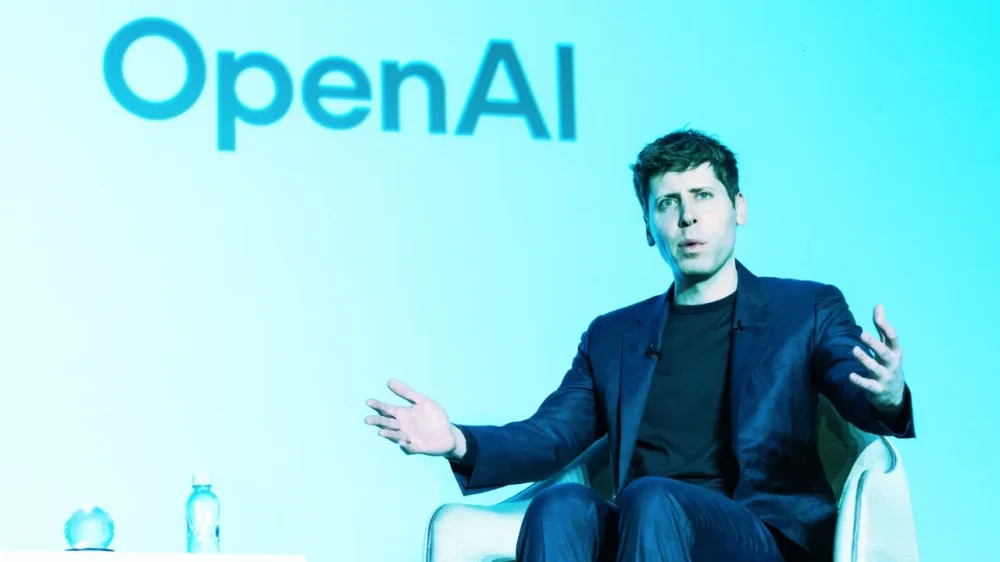
Could it be any clearer that Sam Altman intends for OpenAI to be a sprawling consumer tech company, not just an AI lab? His public comments certainly suggest as much. Today, The Verge reported that OpenAI has been working on an internal prototype of a social network that would let people share their AI-generated images. OpenAI began as a fairly rudderless little AI lab back in 2015. “We literally had no idea we were ever going to become a company—like, the plan was to put out research papers,” Altman said in a recent Stratechery interview. “But there was no product, there was no plan for a product, there was no revenue, there was no business model, there were no plans for those things.” ChatGPT changed everything. The AI chatbot took off like a rocket when it was quietly released to the public in late November 2022, soaring to 100 million users within weeks—faster than any consumer app in history. At the time, OpenAI was making some money by selling API access to its early models. But ChatGPT turned OpenAI into a consumer tech company. You simply don’t second-guess numbers like that. And the growth hasn’t stopped. “Something like 10% of the world uses our systems now a lot,” Altman said on April 11 at a TED event—a figure that implies OpenAI has around 800 million users. That’s why the company has been so busy adding new features and services to ChatGPT, now a household name. It’s added internet search, image generation, and deep research capabilities, with more surely on the way. In his Stratechery interview, Altman even floated the idea of OpenAI offering something other tech giants—Apple, Google, Meta—already provide: a single sign-on for the web. “[W]e have this idea that you sign in with your OpenAI account to anybody else that wants to integrate the API, and you can take your bundle of credits and your customized model and everything else anywhere you want to go,” Altman told Stratechery’s Ben Thompson. “And I think that’s a key part of us really being a great platform.” This vision ties neatly into Altman’s social network ambitions. Facebook parlayed its dominance into a single sign-on system that allowed it to follow users around the web, collecting data on the sites they visited and what they did there. OpenAI could similarly leverage a social network and single sign-on to gather valuable data to train future AI models. (OpenAI didn’t immediately respond to Fast Company‘s request for comment.) There are other signs of Altman’s ambition to broaden OpenAI’s scope—including hardware. The company is reportedly considering acquiring Io Products, a hardware startup cofounded by Altman and former Apple designer Jony Ive. The startup is developing a personal AI device designed to know all about the user and help with daily tasks. (Altman and OpenAI are also reportedly exploring designing their own AI chip, following in the footsteps of Amazon, Apple, and Google.) But much of OpenAI’s time and energy in the coming years will likely be spent growing its breakout product, ChatGPT, into a full-fledged AI-first tech platform. “I really believe in this product suite,” Altman told Thompson. “I think that if we execute really well, five years from now, we have a handful of multibillion user products.” View the full article
-
Google has announced the rollout of a new AI-powered search enhancement for Gmail, designed to help users find emails more quickly and efficiently. The update introduces a smarter sorting feature that surfaces the most relevant results first, rather than simply displaying emails in chronological order. According to Google, the upgraded search experience considers several factors such as the recency of emails, user engagement like most-clicked emails, and frequent contacts. The goal is to make it easier for users to locate important information in cluttered inboxes. “If you’ve ever struggled with finding information in your overflowing inbox, you’re not alone. That’s why Gmail is rolling out a smarter search feature powered by AI to show you the most relevant results, faster,” the company stated in its announcement. The new “most relevant” results view is currently being rolled out globally for users with personal Google accounts. It is available both on the web and in the official Gmail app for Android and iOS. Once the feature is available, users will be able to toggle between “most relevant” and “most recent” search result views. Google has also confirmed plans to expand the new search functionality to business account users in the future. The update reflects the company’s ongoing efforts to improve productivity tools through AI integration, streamlining the user experience across its suite of services. Image: Google This article, "Google Enhances Gmail Search With Smarter AI-Powered Results" was first published on Small Business Trends View the full article
-
Google has announced the rollout of a new AI-powered search enhancement for Gmail, designed to help users find emails more quickly and efficiently. The update introduces a smarter sorting feature that surfaces the most relevant results first, rather than simply displaying emails in chronological order. According to Google, the upgraded search experience considers several factors such as the recency of emails, user engagement like most-clicked emails, and frequent contacts. The goal is to make it easier for users to locate important information in cluttered inboxes. “If you’ve ever struggled with finding information in your overflowing inbox, you’re not alone. That’s why Gmail is rolling out a smarter search feature powered by AI to show you the most relevant results, faster,” the company stated in its announcement. The new “most relevant” results view is currently being rolled out globally for users with personal Google accounts. It is available both on the web and in the official Gmail app for Android and iOS. Once the feature is available, users will be able to toggle between “most relevant” and “most recent” search result views. Google has also confirmed plans to expand the new search functionality to business account users in the future. The update reflects the company’s ongoing efforts to improve productivity tools through AI integration, streamlining the user experience across its suite of services. Image: Google This article, "Google Enhances Gmail Search With Smarter AI-Powered Results" was first published on Small Business Trends View the full article
-
Mark Zuckerberg’s marathon stint on the stand in the Federal Trade Commission’s (FTC) antitrust trial against Meta—the parent company of WhatsApp, Instagram, and Facebook—has been eye-opening for several reasons. For hours, Zuckerberg has defended his company against accusations that it stifles competition by acquiring rivals just as they begin to pose a threat. A 2012 email chain presented by the FTC seems to tell its own story. In it, Zuckerberg discusses acquiring Path and Instagram, both emerging competitors at the time. “The businesses are nascent but the networks are established, the brands are already meaningful and if they grow to a large scale they could be very disruptive to us,” Zuckerberg wrote, proposing Facebook buy them. (In court this week, the Meta CEO denied that he was specifically referencing Instagram or Path, claiming he was speaking more generally about competitors.) Critics say the email chain reflects Meta’s broader strategy—something Zuckerberg himself outlined in a subsequent 2012 email: “Even if some new competitors springs [sic] up, buying Instagram, Path, Foursquare, etc now will give us a year or more to integrate their dynamics before anyone can get close to their scale again. Within that time, if we incorporate the social mechanics they were using, those new products won’t get much traction since we’ll already have their mechanics deployed at scale.” Meta declined to comment on the record to Fast Company about the similarities between its features and those of its competitors. In court, the company’s attorney described the FTC’s case as a “grab bag” of arguments “at war with the facts and at war with the law.” Of course, borrowing ideas from competitors—from broad concepts to specific features—isn’t unusual in the social media world. But while many companies do it, Meta has often moved faster and more aggressively than most. “Meta’s copycat strategy isn’t a secret,” says social media expert Matt Navarra. “It’s a business model. Zuckerberg’s copy-paste playbook is often mocked and imitated, but has been hugely successful and made Meta into the global superpower of social media that it is today.” Here are eight notable examples from the past decade: 2016: Instagram Stories (following Snapchat) Snapchat changed the social media landscape in October 2013 with its Stories feature, allowing users to post photos or videos that disappeared after 24 hours. The feature quickly became popular—which may explain why, in 2016, Instagram (owned by Facebook) introduced its own version of Stories. 2018: Lasso (following TikTok) By 2018, TikTok was gaining momentum among younger users—a demographic Facebook was struggling to retain. That November, Facebook launched Lasso, a standalone app for short-form, entertaining videos. Leaked audio later revealed Zuckerberg’s strategy: launch Lasso in markets where TikTok hadn’t yet taken hold. (Lasso shut down in 2020 after failing to gain traction.) 2019: Facebook Dating (following Tinder and others) By the late 2010s, dating apps like Tinder had become mainstream. In 2019, Facebook launched Facebook Dating, letting users browse profiles and swipe to match—much like the established players in the space. 2020: Hobbi (following Pinterest) Facebook’s internal R&D team released Hobbi, an app allowing users to organize and share photos of their hobbies—a clear nod to Pinterest. Tech media described it as “an experiment in short-form content creation around personal projects, hobbies and other Pinterest-y content.” Hobbi lasted only a few months, with fewer than 10,000 reported downloads. 2020: Reels (following TikTok) After the failure of Lasso, Facebook took another shot at competing with TikTok by launching Reels. In fairness, YouTube also responded to TikTok’s rise with its own version, YouTube Shorts. Still, critics have pointed to the nearly identical interfaces across these platforms as evidence of big tech’s copycat culture. 2020: Neighborhoods (following Nextdoor) In 2020, amid the COVID-19 pandemic’s surge in local community engagement, Meta launched Neighborhoods—a feature allowing users to post content visible only within their local area. Social media experts dubbed it a “Nextdoor clone.” The service shut down after about two years. 2021: Bulletin (following Substack) As newsletters surged in popularity thanks to platforms like Substack, Meta quickly followed suit with its own newsletter tool, Bulletin. The service attracted big-name writers, including Malcolm Gladwell. But Bulletin was short-lived, shutting down in early 2023. 2021: Live Audio Rooms (following Clubhouse) Clubhouse pioneered the rise of social audio during the pandemic, with Twitter Spaces quickly following. By mid-2021, Meta launched Live Audio Rooms, its own real-time voice chat feature. It, too, was shut down by the end of 2022. View the full article

-
Taxpayers calling the IRS for help processing their taxes this filing season may find it harder than normal to get someone on the phone, experts say, a problem that is only expected to get worse next year with staffing cuts that could slash the workforce considerably. For this year, data of tax return processing times shows numbers largely in line with those from last year. IRS employees involved in the 2025 tax season were not allowed to accept a buyout offer from the The President administration until after the taxpayer filing deadline of April 15, though thousands of probationary workers were laid off earlier this year. Legal experts in tax compliance say the long wait times are going to increase as more buyouts and layoffs take effect. Eric Santos, the executive director of the Georgia Tax Clinic, which provides free tax law services to low-income taxpayers, says wait times for the IRS’ phone line are markedly longer than usual and IRS staff are overwhelmed with the increase in work. The IRS staff “basically tell us they don’t have time to look at certain cases,” Santos said. “The work is getting spread across fewer and fewer people.” The reduction in workers — which may end up being nearly half the entire IRS workforce — is part of the The President administration’s efforts to shrink the size of the federal workforce through billionaire Elon Musk’s Department of Government Efficiency by closing agencies, laying off nearly all probationary employees who have not yet gained civil service protection and offering buyouts to almost all federal employees through a “deferred resignation program.” Earlier this month, the IRS began layoffs that could end up cutting as many as 20,000 staffers — up to 25% of the total workforce. The roughly 7,000 probationary IRS workers who were laid off beginning in February were recently ordered to be reinstated by a federal judge, though it’s unclear whether those workers have been called back into work. Comparing figures through the first week of April from 2024 and 2025, 101.4 million returns were processed this year compared to 101.8 million tax returns last year. Refunds are up, with 67.7 million issued this year compared with 66.7 million in 2024. But Santos and others worry that the 2026 filing season could be negatively impacted by the loss of thousands of additional tax collection workers who are expected to exit the agency through planned layoffs and buyouts. “I don’t see how they’re going to keep up with tax filing season next year,” Santos said. “I think its a fair question to ask now.” A Treasury spokesperson who was not authorized to speak publicly and spoke to The Associated Press on the condition of anonymity said in a statement that IRS staffing reductions were part of other improvements the agency is taking to be more efficient and improve service. Sakinah Tillman, director of the University of the District of Columbia Tax Clinic, has not seen a delay in processing refunds this year but has seen delays in reaching the IRS by phone. She worries that the phone delays could hurt clients going through collections who are trying to settle their debts. “What happens when clients try to become compliant?” she asked. “Or when people who are willing and able to pay but they just can’t get someone on the phone? Former IRS Commissioner John Koskinen told the AP that even in a normal year the IRS’ responsiveness slows the further into tax season it gets. “Next year, if they cut 10,000 or 20,000 employees, they’re headed back to really bad taxpayer service on the phone,” he said. “And the taxpayer priority line will become an oxymoron.” —Fatima Hussein, Associated Press View the full article

-
Warning comes as the university rejects the administration’s demands to overhaul its governanceView the full article
-
Last week, Apple announced it would cancel one of the first shows that it had ever green lit for its Apple TV Plus streaming service: Mythic Quest, a show that first launched on the tech giant’s then-fledgling streaming service in February 2020. The show, which followed the escapades of an MMORPG video game developer, was axed after the last episode of its fourth season, which aired on March 26. Like many season finales, the last episode of Mythic Quest ended on a cliffhanger, so when viewers learned of its cancellation, they assumed that they would never get any resolution to the storyline and characters that they had followed for four seasons. Yet then Apple did something unexpected: It allowed the show producers to reedit the season four ending to give closure to the storyline—and fans. Streaming TV is littered with unresolved cliffhangers If there’s one thing subscribers to streaming services have come to accept, it’s that they shouldn’t get too connected to a new series. Why? Because you never know if the streamer is going to ax it after just a season or two. One streamer in particular—Netflix—is notorious for doing this. The streaming giant will often premiere new series to see what sticks with audiences. But even if those series are critically and commercially well-received, that’s no guarantee that viewership will be high enough to clear whatever bar Netflix uses to justify a next season. Often, it isn’t—and this has left a slew of abruptly canceled shows that ended on cliffhangers and left fans unsure of how things would have ended. Such shows include the critically acclaimed zombie series Black Summer, the horror series Archive 81, the sitcom Space Force, and the science fiction show 1899, just to name a few. All had seasons that ended on major cliffhangers—only for the series to be canceled shortly after. To be fair, Netflix isn’t the only streamer that does this. HBO Max and Amazon Prime are guilty of this, too. And, of course, before the world of streaming, network television was also guilty of canceling shows on cliffhangers, though not to the degree that streamers appear to be willing to do it. Historically, networks were always more generous with giving shows the time they needed to find an audience—even if that took three or four seasons. But what is unheard of is a streamer allowing the creatives of a canceled series to go back and reedit the already-aired last episode so that the show and its fans can have some proper closure. Yet that’s precisely what Apple has now done. ‘Mythic Quest’ fans get closure Last Friday, Mythic Quest’s creators and executive producers, Megan Ganz, David Hornsby, and Rob McElhenney, announced that Apple has given them permission to reedit the original season four cliffhanger to provide closure to the storyline, characters, and fans. “Endings are hard. But after four incredible seasons, Mythic Quest is coming to a close. We’re so proud of the show and the world we got to build—and deeply grateful to every cast and crew member who poured their heart into it. To all our fans, thank you for playing with us. To our partners at Apple, thank you for believing in the vision from the very beginning,” the trio said in a statement (via Deadline). David HornsbyDanny PudiJessie EnnisImani HakimAshly Burch But they continued: “Because endings are hard, with Apple’s blessing we made one final update to our last episode—so we could say goodbye, instead of just game over.” That “final update” to the show’s last episode is a reedit of the series four finale, titled “Heaven and Hell.” At this time, it is unknown how significantly the final episode has been reedited, but it will be released on Apple TV Plus later this week. Probably not a sign of things to come While fans of the show will no doubt be happy that at least they will get some closure to the storyline and characters that they have followed for years, it’s unlikely that Apple’s move represents the beginning of a seismic shift in the streaming industry. It’s not known why Apple has decided to allow the show’s creators to go back and edit the last episode—or what the terms of the deal were. Mythic Quest’s creators’ statement suggests that no new scenes were shot, and instead, they accomplished the reedit simply by using existing footage they had already shot. Fast Company has reached out to Apple for comment. But realistically, we probably shouldn’t expect other streamers to follow suit. Streaming services cancel dozens of shows each year, and most shows that suddenly get canceled likely wouldn’t have enough unused footage to reedit a final cliffhanger episode into something that provides a cohesive amount of closure. It’s also unlikely that a streamer would be willing to pay for the creatives and star to go back out to shoot new footage to provide such closure, given that they’ve already canceled the show and thus didn’t see the value in it to their bottom line. However, what will be interesting to see is how Apple handles the reedited episode. It is unknown whether Apple will keep the originally streamed season four finale on Apple TV Plus alongside the new edit of the episode or simply remove the original entirely. Either way, fans of Mythic Quest will be happy that the show is getting the concrete ending that all shows deserve. View the full article

-
We may earn a commission from links on this page. Deal pricing and availability subject to change after time of publication. Meta has made virtual reality (VR) accessible to many more people, offering good VR headsets for much cheaper than the competition. Right now, the 128GB Meta Quest 3S Batman: Arkham Shadow Bundle is on sale for $269 (originally $299.99), the lowest price it has been, according to price-tracking tools. You can double the storage for $369 (originally $399.99); that version has dropped to $350 in the past. The bundle includes the Batman game (with a list price of $49.99) and a three-month trial subscription to the Meta Quest+ service that's normally $7.99 a month. There are also other bundles available with other Meta accessories. Get Batman: Arkham Shadow and a 3-Month Trial of Meta Quest+ Included — All-in-One Headset Meta Quest 3S 128GB $269.00 at Amazon /images/amazon-prime.svg $299.99 Save $30.99 Get Deal Get Deal $269.00 at Amazon /images/amazon-prime.svg $299.99 Save $30.99 Get Batman: Arkham Shadow and a 3-Month Trial of Meta Quest+ Included — All-in-One Headset Meta Quest 3S 256GB $369.00 at Amazon /images/amazon-prime.svg $399.99 Save $30.99 Get Deal Get Deal $369.00 at Amazon /images/amazon-prime.svg $399.99 Save $30.99 SEE -1 MORE It's true, the Meta Quest 3 has better graphics, but it costs substantially more (currently $499.99) than the 3S version. Lifehacker staff writer Stephen Johnson tested both VR headsets to decide which of the two is better, and the Meta Quest 3S was his winner—you can read a more in-depth review of the Quest 3S here. There just isn't enough of a difference between the two models to justify the additional cost, with the Quest 3S's graphics looking very close to the 3 and running the same games and apps. The Meta Quest 3S has a Snapdragon XR2 Gen 2 processor, 8GB of RAM, a display resolution of 1,832 by 1,920 (per eye), and a refresh rate of 120Hz. Once you put them on, the horizontal field of view is 96 degrees, and the vertical view is 90 degrees. The audio is stereo, which is nice, and the speakers are compatible with 3D spatial audio. When it comes to battery life, expect up to two and a half hours of juice before having to recharge (expect it to take about two hours for a full charge). View the full article
-
Pet owners know finding a good veterinarian is hard. But in much of the country, finding a vet at all is increasingly tough. A new report released by veterinary telemedicine company Dutch, found that around 38% or 129 million Americans may be living in a veterinary care desert, meaning they don’t have accessible, affordable, or available care for their pets. Dutch’s State of Online Veterinary Care report found that 22% counties nationwide have zero vets per 1,000 households, and pet care is particularly hard to come by in parts of California, Florida, Illinois, New York, and Texas. It’s an issue founder and CEO Joe Spector says likely won’t improve quickly. “There are around 34 veterinary schools in the United States, while there’s almost 400 medical schools,” says Spector, a cofounder of telehealth service Hims. “We just don’t produce that many veterinarians and the veterinarians we do produce drop out [from burnout].” Spector started Dutch because he saw an opportunity for a vet telehealth approach to help address gaps in care. Launched in 2021, Dutch connects pet owners from anywhere in the country to licensed veterinarians over video call and chat for 150 conditions for dogs and cats. With a membership program that allows unlimited consultations starting at $11 a month, the company says it’s seen 40,000 patients since launch, and can save pet owners $700 per year. “These are the folks who otherwise would not see a veterinarian otherwise, because we’ve made it far more affordable,” he says. Cost aside, some veterinary organizations are hesitant to embrace telehealth for pets. The American Veterinary Medical Association—a nonprofit organization representing over 108,000 stakeholders involved with the veterinary profession—says because most telehealth visits are for acute conditions, they aren’t likely to address issues that will eventually require an in-person vet visit. “Not surprisingly, remote areas without a veterinarian often also lack reliable internet access, making the use of telemedicine impractical,” the AVMA says on its site about telehealth vet care. “Mobile veterinary services are a better option not only in terms of access, but also quality of care.” Spector, echoing Dutch’s report, asserts that 90% of veterinary care can be addressed virtually, and notes the company offers additional diagnostic tools for pet owners. “Between overnight testing kits . . . and what we’re able to examine on video, there’s actually a lot that we can do via telemedicine to at least establish that initial treatment plan.” In the four years that Dutch has been active, the company has hired vets in all 50 states and completed more than 40,000 visits. Though Dutch vets can only write prescriptions for patients in 34 states, Spector has been working with state legislators to increase that number. “Change in any field is hard” he says. “But if we can look at human telemedicine, I think at the end of the day we can see . . . how telemedicine has simply become another useful tool that we can use. We don’t have to use it, but it’s yet another option that makes care more affordable and accessible.” View the full article

-
This post was written by Alison Green and published on Ask a Manager. A reader writes: I work in a department of nine people. We all get along well, but I’m struggling with how to handle my frustrations with my colleague, Marrgo. Margo is possibly the most well-intentioned person I’ve ever met, but she has the infuriating habit of bringing every conversation back to herself to explain how she understands or has been through the same thing. This week, the transmission in my car died. When I was lamenting to the group that I was now facing the financial hardship of either repairing it or buying a new car, Margo told me, “I get it. I just had to buy brand new tires for my car.” A month ago, a colleague’s father passed away and Margo told her, “I’m sorry. I know just how you feel. My dad had Covid last year.” He had a mild case and recovered quickly. When a colleague was dealing with pain related to her cancer treatments, Margo expressed her concern and then shared that she totally got it because she has foot problems. The parents in the group try not to talk too much about our children because not everyone in the department is a parent, but when the subject comes up, Margo knows exactly what we’re going through because she has a nephew … who lives on the other side of the country. Margo truly doesn’t mean harm with these statements but the way she minimizes others’ ordeals by comparing them to her own is frustrating. Is there a way to politely let her know that simply saying she’s sorry is preferable to bringing everything back to herself? I would love to know whether Margo is trying to one-up people — or at least equate her struggles to their own — or whether she’s truly trying to empathize and just doing a terrible job of it. Either way, this is the kind of feedback a manager is best positioned to address. That doesn’t mean you can’t try it yourself, but as not her manager you might be better off just addressing it in the moment when it’s particularly egregious. If she compares a stubbed toe to a coworker having cancer treatments, there’s no reason you can’t say, “I don’t think those are really comparable.” Also, if you have a pretty good rapport with her, you might be able to take her aside privately and say something like, “I know you didn’t mean it this way, but it sounded like you were comparing your stubbed toe to Jane’s cancer, and a couple of days ago you compared a parent with a mild case of Covid to Falcon’s parent who died. I know you didn’t mean to minimize either situation, but I don’t think those comments are landing the way you intended. I wanted to mention it since I know you’d never want to hurt someone’s feelings.” Will it work? Maybe, maybe not. If you say the above and nothing changes, you probably just need to decide that this is what Margo does and internally roll your eyes when it happens (or hell, bluntly reply “not the same thing!” when you’re inspired to). But it’s worth a shot, and if she’s really as well-intentioned as you say, she might be grateful for the heads-up. View the full article
-
Hertz is notifying customers that hackers may have stolen personal information like credit card details and social security numbers during a data breach on one of its vendors. In a notice on its website, Hertz said an unauthorized third-party stole data during a cyberattack on Cleo Communications’ file-transfer platform between October 2024 and December 2024. Hertz, which also owns the Dollar and Thrifty rental brands, said it confirmed the attack on Feb. 10 and concluded April 2 that the information exposed by the breach could have included customers’ names, contact information, dates of birth, credit card information, driver’s license information, and information related to workers’ compensation claims. It added that a small number of customers may have had their Social Security or other government identification numbers, passport information, Medicare or Medicaid ID, or injury-related information associated with vehicle accident claims impacted by the event. “While Hertz is not aware of any misuse of personal information for fraudulent purposes in connection with the event, we encourage potentially impacted individuals, as a best practice, to remain vigilant to the possibility of fraud or errors by reviewing account statements and monitoring free credit reports for any unauthorized activity and reporting any such activity,” the company said in its notice. It’s unclear exactly how many customers have been impacted. Hertz disclosed the breach to customers in several U.S. states and other countries, including customers in Australia, Canada, the European Union, New Zealand, and the United Kingdom. Cleo was hit by a mass-hacking campaign by a large Russian-linked ransomware gang last October. TechCrunch reported that Cleo had more than 4,200 customers, including retail giant New Balance. Hertz said at the time that it had “no evidence” that Hertz data or systems were affected. Cyberattacks are becoming increasingly sophisticated and data-breaches are hitting historic levels, according to the World Economic Forum’s Global Cybersecurity Outlook and the Identity Theft Resource Center, respectively. Hertz said that potentially impacted U.S. customers can sign up for identity monitoring services through Kroll for two years for at no cost. View the full article

-
Regulator to launch a review into ensure energy system costs are shared fairlyView the full article
-
Heads up: If you've rented a car from Hertz, your data may have been exposed in a data breach. While Hertz itself was not attacked, affected customers had sensitive data leaked—including, in some cases, Social Security numbers. What happened with Hertz?This week, Hertz posted a "Notice of Data Incident" on its website, informing customers about a 2024 episode involving Cleo Communications. Cleo operates a file transfer platform that Hertz uses for "limited purposes." Despite those limited purposes, Hertz confirmed that actors exploited zero-day security flaws in Cleo's network and accessed Hertz customer data. It appears actors accessed this data in both October and December of last year. Following an analysis of the affected data on April 2, Hertz now says the following user data was impacted in this breach: customer names, contact information, dates of birth, credit card information, driver’s license information, as well as workers’ compensation claims data. In some cases, actors accessed even more sensitive data, including government identification numbers (including Social Security numbers), passport information, Medicare and Medicaid IDs, and informations about injuries via vehicle accident claims. Hertz says only "a very small number of individuals" are impacted by this latter category of information, but it's a serious breach nonetheless. Hertz says it has reported the situation to law enforcement, and is reaching out to regulators as well. The company says Cleo launched an investigation, and patched the security flaws that lead to the breach in the first place—though that will likely not be of much comfort to affected customers. According to TechCrunch, Hertz contacted several U.S. states, notably California and Maine, about the data incident. The company said that at least 3,400 customers in Maine were impacted by the breach, but stopped short of naming the total number of affected customers. It seems the data breach affects users around the world, too. In addition to the U.S., Hertz posted its announcement on its websites in Australia, Canada, the EU, New Zealand, and the UK. What should I do if my Hertz data was breached? Hertz maintains that this user data has not been used to commit fraud, but that doesn't mean it won't happen. Bad actors can use the information leaked in this breach to steal your identity, open bank accounts, and take out credit cards and loans in your name. As such, you should take steps to protect your identity. The company is offering two years of Kroll identity monitoring and dark web monitoring services to impacted customers for free. Accept the offer: A service like Kroll will keep an eye out for any fraud associated with your data, and help protect you from the repercussions. While Kroll will do a lot of the work for you, there's more you can do here to keep yourself protected. For starters, you can obtain a free credit report from Equifax, Experian, and TransUnion once a year. Since each is independent, you can stagger your requests to effectively check your full credit once every four months. If you have been involved in this security incident (or any one like it) you can also put a freeze on your credit to ensure no one can access your report for any reason. View the full article
-
While no additional details were disclosed, the housing regulator's inspector general typically probes cases which are prosecuted by the Department of Justice. View the full article

-
New research suggests 90% of B2B buyers click through to cited sources. Here's how this could reshape your approach to content visibility. The post Google AI Overview Study: 90% Of B2B Buyers Click On Citations appeared first on Search Engine Journal. View the full article