ResidentialBusiness
Administrators
-
Joined
-
Last visited
Everything posted by ResidentialBusiness
-
 And slow isn’t all that’s wrong. By CPA Trendlines Research Go PRO for members-only access to more CPA Trendlines Research. View the full article
 -
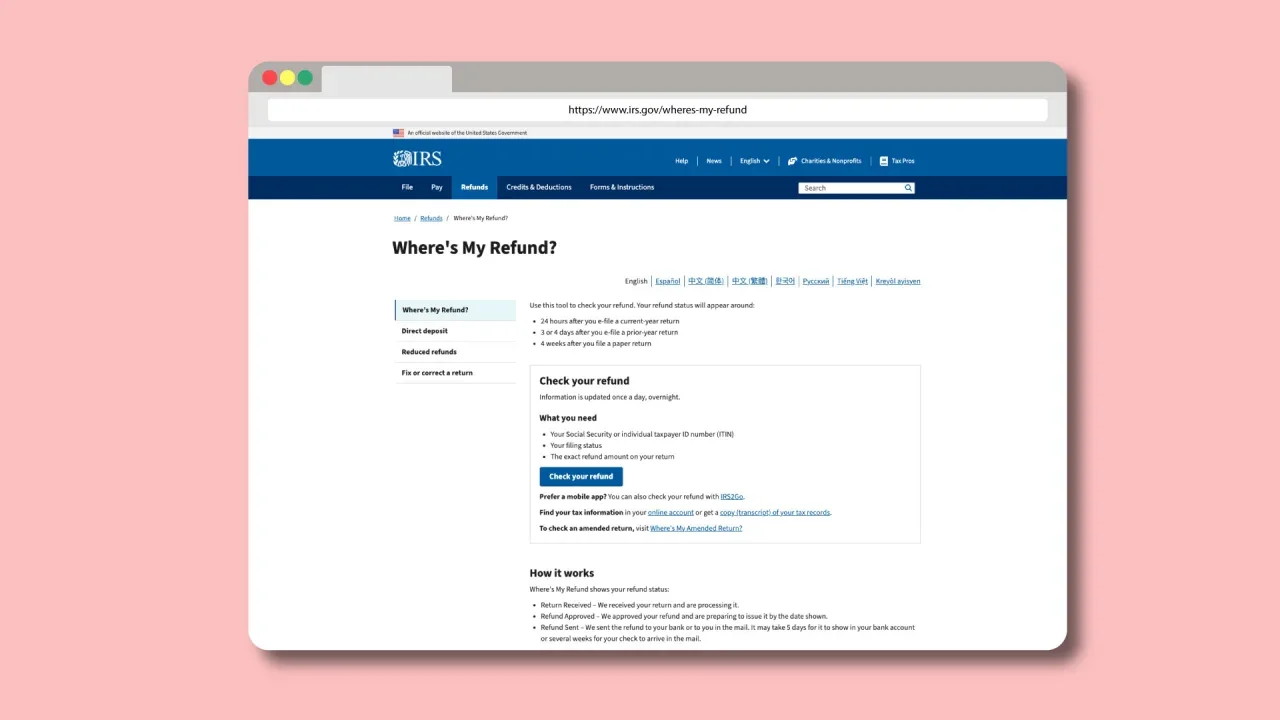
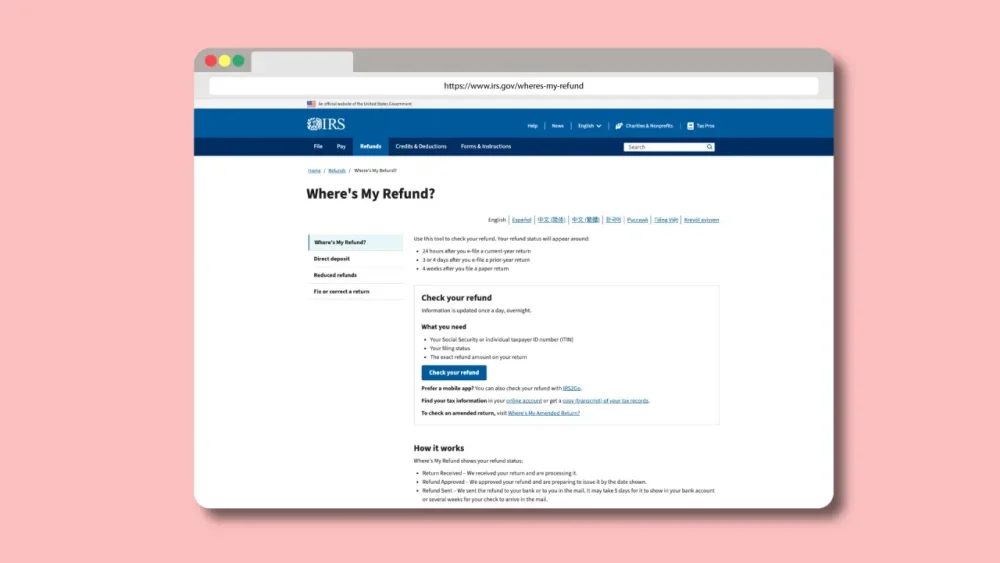
The 2025 tax season is in full swing, and the number one question most people have on their minds after filing their return is, “Where’s my tax refund?” Thankfully, the Internal Revenue Service (IRS) offers a quick and easy online tool to help you check the status of your tax refund. Here’s what you need to know about the tool as well as how long it may take to receive your refund. Check your tax refund status with the IRS’s ‘Where’s My Refund?’ tool If you’re anxious about where your refund is, there’s good news: you can check its status in just a few seconds using the “Where’s My Refund?” tool from the IRS. Checking your refund status is pretty easy. Here’s how: Go to the IRS’s “Where’s My Refund?” tool at www.irs.gov/wheres-my-refund. Click the “Check your refund” button. On the refund status page, enter your Social Security Number. Next, select the tax year you are inquiring about. Now, select your filing status for the tax year you selected in the step above. Finally, enter the exact whole dollar amount of the refund you are expecting. Click the “Submit” button. The IRS says the tool will show you one of three results: “Return Received” means the agency has received your tax return and it is still processing it. “Refund Approved” means your refund has been approved. You will also see a date that the IRS expects to issue it by. “Refund Sent” means the IRS has already issued your refund. How long until I get my IRS tax refund? After receiving word that the IRS has issued your tax refund, the next question most people want answered is, “When will I receive my tax refund?” According to tax firm Jackson Hewitt’s Chief Tax Information Officer, Mark Steber, that depends on the method by which your refund is being delivered. If your refund is being delivered by direct deposit to your bank account, you should receive it in your account between 2 to 5 business days after the treasury issues the payment. If your refund is being delivered by paper check, it should be delivered to the address on the check within about 5 to 7 business days. But as Jackson Hewitt’s Steber points out, the IRS cannot legally send the payments for some refunds out yet. That’s because of a 2015 law known as the Protecting Americans from Tax Hikes (PATH) Act. The law stipulates that if the taxpayer who files the return claims the Earned Income Tax Credit (EITC) or Additional Child Tax Credit (ACTC), the IRS must hold the refund until after February 14. The delay is designed to help the IRS detect and prevent tax return fraud. So, even if you filed your return on the first day of this tax season, if you have claimed either one of those credits, your refund will not have been sent yet. For these people, the IRS says its “Where’s My Refund?” tool “should show an updated status by February 22.” The agency further explains that it “expects most EITC/ACTC related refunds to be available in taxpayer bank accounts or on debit cards by March 3 if they chose direct deposit and there are no other issues with their tax return.” View the full article
-
Latest amendment to private members’ bill fuels concern over process underpinning legislation View the full article
-
Move to sweeten pay package comes as banks and asset managers have started to emulate private equity practicesView the full article
-
Five proven methods. By Hitendra Patil Client Accounting Services: The Definitive Success Guide Go PRO for members-only access to more Hitendra Patil. View the full article
-
Five proven methods. By Hitendra Patil Client Accounting Services: The Definitive Success Guide Go PRO for members-only access to more Hitendra Patil. View the full article
-
Literate in tone, far-reaching in scope, and witty to its bones, The New Yorker brought a new – and much-needed – sophistication to American journalism when it launched 100 years ago this month. As I researched the history of U.S. journalism for my book “Covering America,” I became fascinated by the magazine’s origin story and the story of its founder, Harold Ross. In a business full of characters, Ross fit right in. He never graduated from high school. With a gap-toothed smile and bristle-brush hair, he was frequently divorced and plagued by ulcers. Ross devoted his adult life to one cause: The New Yorker magazine. For the literati, by the literati Born in 1892 in Aspen, Colorado, Ross worked out west as a reporter while still a teenager. When the U.S. entered World War I, Ross enlisted. He was sent to southern France, where he quickly deserted from his Army regiment and made his way to Paris, carrying his portable Corona typewriter. He joined up with the brand-new newspaper for soldiers, Stars and Stripes, which was so desperate for anybody with training that Ross was taken on with no questions asked, even though the paper was an official Army operation. In Paris, Ross met a number of writers, including Jane Grant, who had been the first woman to work as a news reporter at The New York Times. She eventually became the first of Ross’ three wives. Harold Ross and Jane Grant in 1926. [Photo: University of Oregon Libraries] After the armistice, Ross headed to New York City and never really left. There, he started meeting other writers, and he soon joined a clique of critics, dramatists and wits who gathered at the Round Table in the Algonquin Hotel on West 44th Street in Manhattan. Over long and liquid lunches, Ross rubbed shoulders and wisecracked with some of the brightest lights in New York’s literary chandelier. The Round Table also spawned a floating poker game that involved Ross and his eventual financial backer, Raoul Fleischmann, of the famous yeast-making family. In the mid-1920s, Ross decided to launch a weekly metropolitan magazine. He could see that the magazine business was booming, but he had no intention of copying anything that already existed. He wanted to publish a magazine that spoke directly to him and his friends – young city dwellers who’d spent time in Europe and were bored by the platitudes and predictable features found in most American periodicals. First, though, Ross had to come up with a business plan. The kind of smart-set readers Ross wanted were also desirable to Manhattan’s high-end retailers, so they got on board and expressed interest in buying ads. On that basis, Ross’ poker partner Fleischmann was willing to stake him US$25,000 to start – roughly $450,000 in today’s dollars. Ross goes all in In the fall of 1924, using an office owned by Fleischmann’s family at 25 West 45th St., Ross got to work on the prospectus for his magazine: “The New Yorker will be a reflection in word and picture of metropolitan life. It will be human. Its general tenor will be one of gaiety, wit and satire, but it will be more than a jester. It will not be what is commonly called radical or highbrow. It will be what is commonly called sophisticated, in that it will assume a reasonable degree of enlightenment on the part of its readers. It will hate bunk.” The magazine, he famously added, “is not edited for the old lady in Dubuque.” In other words, The New Yorker was not going to respond to the news cycle, and it was not going to pander to middle America. Ross’ only criterion would be whether a story was interesting – with Ross the arbiter of what counted as interesting. He was putting all his chips on the long-shot idea that there were enough people who shared his interests – or could discover that they did – to support a glossy, cheeky, witty weekly. Ross almost failed. The cover of the first issue of The New Yorker, dated Feb. 21, 1925, carried no portraits of potentates or tycoons, no headlines, no come-ons. Instead, it featured a watercolor by Ross’ artist friend Rea Irvin of a dandified figure staring intently through a monocle at – of all things! – a butterfly. That image, nicknamed Eustace Tilly, became the magazine’s unoffical emblem. #OTD in 1925 ‘Eustace Tilley’ on the very first issue Cover of The New Yorker, February 21, 1925 Rea Irvin#TheNewYorkerCover #ReaIrvin #EustaceTilley pic.twitter.com/SaeEZvBILO — Ron Lacy (@LRonLacy) February 21, 2024 A magazine finds its footing Inside that first edition, a reader would find a buffet of jokes and short poems. There was a profile, reviews of plays and books, lots of gossip, and a few ads. It was not terribly impressive, feeling quite patched together, and at first the magazine struggled. When The New Yorker was just a few months old, Ross almost even lost it entirely one night in a drunken poker game at the home of Pulitzer Prize winner and Round Table regular Herbert Bayard Swope. Ross didn’t make it home until noon the next day, and when he woke, his wife found IOUs in his pockets amounting to nearly $30,000. Fleischmann, who had been at the card game but left at a decent hour, was furious. Somehow, Ross persuaded Fleischmann to pay off some of his debt and let Ross work off the rest. Just in time, The New Yorker began gaining readers, and more advertisers soon followed. Ross eventually settled up with his financial angel. A big part of the magazine’s success was Ross’ genius for spotting talent and encouraging them to develop their own voices. One of the founding editor’s key early finds was Katharine S. Angell, who became the magazine’s first fiction editor and a reliable reservoir of good sense. In 1926, Ross brought James Thurber and E.B. White aboard, and they performed a variety of chores: writing “casuals,” which were short satirical essays, cartooning, creating captions for others’ drawings, reporting Talk of the Town pieces and offering commentary. Portrait of E.B. White at work for The New Yorker Magazine circa 1955. [Photo: Bettmann/Getty Images] As The New Yorker found its footing, the writers and editors began perfecting some of its trademark features: the deep profile, ideally written about someone who was not strictly in the news but who deserved to be better known; long, deeply reported, nonfiction narratives; short stories and poetry; and, of course, the single-panel cartoons and the humor sketches. Intensely curious and obsessively correct in matters grammatical, Ross would go to any length to ensure accuracy. Writers got their drafts back from Ross covered in penciled queries demanding dates, sources and endless fact-checking. One trademark Ross query was “Who he?” During the 1930s, while the country was suffering through a relentless economic depression, The New Yorker was sometimes faulted for blithely ignoring the seriousness of the nation’s problems. In the pages of The New Yorker, life was almost always amusing, attractive and fun. The New Yorker really came into its own, both financially and editorially, during World War II. It finally found its voice, one that was curious, international, searching and, ultimately, quite serious. Ross also discovered still more writers, such as A.J. Liebling, Mollie Panter-Downes and John Hersey, who was raided from Henry Luce’s Time magazine. Together, they produced some of the best writing of the war, most notably Hersey’s landmark reporting on the use of the first atomic bomb in warfare. A crown jewel of journalism Over the past century, The New Yorker had a profound impact on American journalism. For one thing, Ross created conditions for distinctive voices to be heard. For another, The New Yorker provided encouragement and an outlet for nonacademic authority to flourish; it was a place where all those serious amateurs could write about the Dead Sea Scrolls or geology or medicine or nuclear war with no credentials other than their own ability to observe closely, think clearly and put together a good sentence. Finally, Ross must be credited with expanding the scope of journalism far beyond standard categories of crime and courts, politics and sports. In the pages of The New Yorker, readers almost never found the same content that they’d come across in other newspapers and magazines. Instead, readers of The New Yorker might find just about anything else. Christopher B. Daly is a professor emeritus of journalism at Boston University. This article is republished from The Conversation under a Creative Commons license. Read the original article. View the full article

-
To find the top trending EV companies in 2025 we calculated the percentage growth of organic traffic to their websites between January 1, 2024 and January 1, 2025 using Ahrefs API. Organic traffic growth is a strong indicator of a…Read more ›View the full article
-
As a teen, I was confused when I read a box of taco directions. I remember the step after cooking the ground beef was something like “drain off the water.” What water? It only took one time, and then I knew what water they were referring to. Cooking ground beef often results in gray, rubbery nubbins, and browning it is even harder because of that pool of liquid. Luckily, there’s an easy remedy for this problem: Cook faster, more tender ground beef with a sprinkle of baking soda. The best way to cook ground beefI have no issues making this claim: This is the best way to cook ground beef. Full stop. Baking soda is a household chemical most folks have readily available in the kitchen (and if you don’t it’s about $1.50 at the grocery store). This method requires the tiniest amount to be effective (more on that in a moment), and it results in not only beautifully browned, crisped edges on your ground beef, but those morsels are soft, juicy, and more flavorful than when they steam in their own liquid mess. I first became aware of baking soda’s cooking benefits from America’s Test Kitchen because it can speed up the cooking of tough vegetables. There’s a lot more it can do with meat—and that includes sliced or ground beef, chicken, and pork too. The way I do it is by dumping the ground meat into a large frying pan. (Crowding any ingredient, whether veggie or meat, is a surefire way to create steam and that delays browning, so give your food plenty of space.) Break up the meat with the heat off, and then sprinkle on a small amount of baking soda. America’s Test Kitchen recommends about a quarter teaspoon for every 12 ounces of meat, so for 16 ounces of beef I eyeballed a heaping quarter-teaspoon. Sprinkle the bicarb as widely as you can to cover the most meat surface as possible. It’s impossible to cover every spot, and that's okay, it'll still work wonders. Toss, flip, and stir the meat around to mix up the meat with the baking soda and let it sit for 15 minutes. When the timer is up, turn on the flame and cook as usual. What’s the difference?I cooked two batches of meat to show the difference—one with the baking soda treatment and one without. For the baking soda batch, I sprinkled it on and waited 15 minutes. Then I turned the flame onto about medium heat and started stirring and breaking up the meat as it began to cook. Not only did the meat cook quickly, but I started seeing browning within the first two minutes; a lot of the meat was still raw in areas. Browning starts very quickly in the pan with the baking soda treatment. Credit: Allie Chanthorn Reinmann The entire pan of meat was cooked in five minutes, and I crisped it for two extra minutes. There was only one moment where I could see some liquid emerge, but it was nothing you would equate to a pool. The liquid that emerges from the baking-soda-treated meat is minimal. Credit: Allie Chanthorn Reinmann For the regular ground meat, I simply started cooking it over medium heat, breaking it apart and stirring. Things were looking the same for the first minute, minus the browning. Then just before the final parts turned gray, a great puddle of liquid formed. That liquid is supposed to be inside your meat, by the way. Instead, it fills the pan before the meat can start browning and further delays that browning. That pan took an extra five minutes and the meat pieces were noticeably tough. The untreated ground beef expelled much more liquid and became tough at the end of cooking. Credit: Allie Chanthorn Reinmann Why does adding baking soda brown ground beef better?Baking soda does double duty with meat, acting both as a tenderizer and creating an environment for better browning. In regard to tenderizing, whenever meat hits a hot pan you can see it visibly contract. Whether it’s a burger or a steak, you’ve probably witnessed what appears to be shrinkage. When meat cooks, the muscle fibers contract and squeeze out liquid as a result. The more you cook it, the more liquid squeezes out. That’s why overcooked meat tastes dry. That is exactly what you’re seeing when you see that pool of liquid in a pan of ground beef. What’s left behind is hard, overdone bits of meat in the pan. Baking soda fixes this by preventing the fibers from squeezing out so much of their juices. That same article explains that bicarbonate of soda changes the pH on the meat, causing the muscle filaments (tiny strands that exist in muscle cells) to repel from each other even when they meet heat. So instead of tightening up, they stay apart. The liquid inside doesn’t have to abandon ship, and that results in juicier meat. Less liquid in the pan also means faster browning—because browning can only happen if there isn’t a ton of water or steam present. Additionally, increasing the pH with baking soda creates a more basic environment for the meat, and that is when the Maillard reaction really pops off. The Maillard reaction is what we have to thank for gorgeously browned baked goods, meats, and vegetables, and these browned areas actually create new, more complex flavors. More browning actually does mean your food is more flavorful. And while Maillard reactions can happen without baking soda, they increase with a higher pH. Isn’t it nice to know that the smallest, cheapest, most simple addition to your ground beef can have such a meaningful effect on your dinner? I find this very satisfying. Give it a try and I think you will too. View the full article
-
To find the top trending startups in 2025 we calculated the percentage growth of their organic traffic to their websites between January 1, 2024 and January 1, 2025 using Ahrefs API. Organic traffic growth is a strong indicator of a…Read more ›View the full article
-
Hedge fund’s short position is the biggest in the FTSE 100 group in more than a decadeView the full article
-
Cryptocurrencies such as Bitcoin and Ethereum have revolutionized our approach to money. You can use these digital currencies for a wide range of purchases – from small items like coffee to big-ticket items like cars. As cryptocurrencies become more common in regular business, there’s a growing need for apps or exchanges that handle these digital currencies. This surge in cryptocurrency use has made apps for managing them more important than ever. The best cryptocurrency apps make it easy for you to buy, sell, and trade your digital currency. This article will help you understand these apps and guide you in choosing the right one for your small business requirements. Here’s a word from Femi Olaniyan about how beginners can select the best Crypto trading apps: What is a Cryptocurrency App? Cryptocurrency apps are platforms that allow users to connect to banks, allowing you to buy and sell cryptocurrencies. You can also use a credit or debit card to buy cryptocurrencies. You can even use the exchange to trade one crypto for another such as converting Bitcoin to Ethereum, for example, or to buy crypto using regular money. Also, cryptocurrency apps work like a forex exchange office reflecting current market prices of the cryptocurrencies they offer. Users can also convert their cryptocurrencies back into their dollars or another currency. For more insights, you can read our article on how to accept crypto payments. What to Look for in a Crypto App There are thousands of cryptocurrencies, and here are some good pointers on how to choose the best crypto app for your needs: Security: Advanced Security Features: Opt for apps with robust security measures like two-factor authentication, biometric security, and SSL encryption. Reputation and Track Record: Check the app’s history for any security breaches and read user reviews about their security experiences. Regular Security Updates: Ensure the app regularly updates its security features to keep up with new threats. Ease of Use: User-Friendly Interface: Choose an app with a clear, intuitive interface that simplifies navigation and transactions. Accessibility and Convenience: Choose apps that are compatible with a range of devices, such as smartphones and tablets. Customer Support: Ensure the app provides responsive customer support for any technical or account-related queries. Cryptocurrency Options: Wide Range of Cryptocurrencies: Select an app that offers a diverse range of cryptocurrencies, including both popular and emerging coins. Liquidity and Volume: Consider the trading volume available on the app, as higher liquidity can lead to better pricing and faster transactions. Interoperability: Verify whether the app facilitates smooth transfers or exchanges among various cryptocurrencies. Also consider: Fees and Charges: Transparent Fee Structure: Look for apps with clear and transparent fee structures to avoid hidden charges. Comparison of Fees: Compare fees across different apps, including transaction fees, withdrawal fees, and any other applicable charges. Fee Waivers or Discounts: Some apps offer reduced fees for higher volume trades or for using their native tokens. Regulatory Compliance: Legal Compliance: Verify that the app complies with the regulations and legal requirements in your country or region. License and Registration: Check if the app is registered with relevant financial authorities or regulatory bodies. Additional Features: Educational Resources: Some apps offer educational content, tutorials, and market insights which can be valuable, especially for beginners. Real-Time Data and Analytics: Access to real-time market data and analytical tools can help in making informed trading decisions. Customizable Alerts: Features like customizable price alerts can keep you updated on market movements and opportunities. Considering these factors will help you select a crypto app that aligns with your security needs, ease of use preferences, sales, purchasing and investment strategies. Methodology We Used for Choosing the 8 Best Crypto Apps When you’re on the hunt for the best cryptocurrency app, it’s essential to weigh several factors that cater to both the needs of business owners and investors. In assisting our readers in finding the best cryptocurrency apps suitable for their needs, we use the following criteria, rated on a scale from 1 to 10, where 10 indicates the highest level of importance and 1 the lowest. Security and Privacy Importance Scale: 10/10 Rationale: Robust security measures are essential in cryptocurrency apps to protect user assets and personal data. User Interface and Usability Importance Scale: 9/10 Rationale: A user-friendly interface is crucial for both novice and experienced users to navigate and execute transactions efficiently. Variety of Supported Cryptocurrencies Importance Scale: 8/10 Rationale: Apps offering a wide range of cryptocurrencies provide users with more options for trading and investing. Fee Structure Importance Scale: 8/10 Rationale: Having transparent and competitive fee structures is essential for users to optimize their investments. Reliability and Performance Importance Scale: 9/10 Rationale: High reliability and optimal app performance are critical for real-time trading and access to market data. Customer Support Importance Scale: 7/10 Rationale: Efficient customer support is crucial for resolving technical or account-related issues. Educational Resources Importance Scale: 6/10 Rationale: Apps that provide educational content about cryptocurrencies and trading can be particularly valuable for new users. Wallet and Storage Solutions Importance Scale: 8/10 Rationale: Secure and convenient wallet services within the app enhance user experience and asset management. Regulatory Compliance Importance Scale: 9/10 Rationale: Compliance with relevant regulations ensures the app’s legitimacy and operational security. Additional Features (like trading tools and alerts) Importance Scale: 7/10 Rationale: Additional features such as advanced trading tools, price alerts, and analytics provide enhanced functionality for users. By applying these criteria, we aim to guide our readers toward selecting cryptocurrency apps that are not only secure and user-friendly but also offer a comprehensive range of features and services for effective cryptocurrency management. The Best Apps for Cryptocurrency Exchange There are several cryptocurrency exchanges where you can trade in cryptocurrencies and crypto-assets. Some even offer robust services, others offer advisory or brokerage services, while still others offer user-friendly features and investment advice for your endeavor into the world of cryptocurrencies, below are our top picks of best crypto exchanges: Coinbase Coinbase lets you buy and sell Bitcoin, Ethereum, and a wide range of cryptocurrency options with trust. It offers attractive security features, including covered FDIC insurance, a low minimum deposit to fund accounts, apps for Android or iOS devices, and users can earn some free cryptocurrencies if they are willing to take some educational courses. eToro eToro is a widely used cryptocurrency trading platform. It is regulated by various financial authorities, including the SEC, ASIC, CySEC, and the FCA, which establishes it as a secure and trustworthy option. The app requires a low minimum deposit of just $50 and is fully compatible with both iOS and Android devices. Additionally, it offers access to over 43 cryptocurrency assets, and users can make deposits via bank transfer, debit/credit card, or PayPal. Binance Binance is touted to offer the most competitive rates and is compatible with multiple devices. It boasts over 2 billion average daily transactions over 1,000 trading markets across a plethora of crypto assets. Besides offering low trading commissions users can easily buy cryptocurrencies using a wide range of payment options, including bank transfer, credit or debit card, and cash. Gemini Gemini‘s cryptocurrency exchange offers a platform for users to buy and sell cryptocurrencies. It also has a wallet feature for storing your purchases. It offers a wide selection of cryptocurrencies to choose from, has minimum order amounts, works on both iOS and Android devices, accesses transaction histories and downloadable account statements, and is available in all U.S. states. Robinhood Robinhood places no minimum account requirements, allowing investors to get started right away. It offers a cash management account that allows users to earn returns that fluctuate with prevailing interest rates on their uninvested cash. Besides being user-friendly it offers 100% commission-free stock on its streamlined platform, however, the mark-up on spreads can cost you. It works with a selection of cryptocurrencies that include Bitcoin, Ethereum, Dogecoin, Litecoin, and more. Webull Webull’s app lets you buy and sell digital currencies at 0% commission, but the mark-up on spreads can be costly. It is user-friendly and comes with intelligent tools and services. Users also get access to real-time quotes. As an incentive, it offers cryptocurrency traders free stocks when users open and fund a new account, which they can opt to claim for up to 30 days. They then can hold or sell the awardedCashAppstock that has been credited to their account. CashApp CashApp offers a cash management account and helps you to trade stocks and bitcoin. The downside is that it only offers you the ability to trade crypto-only with Bitcoin. The app charges a basic service fee for each transaction as well as a fee based on the volatility of Bitcoin traded. On the plus side, it will provide you with the fee before you trade and let you know beforehand how much it would cost you. CashApp is best for first-time investors in cryptocurrency and mobile banking users. Kraken Kraken helps cryptocurrency investors in buying and selling cryptocurrencies at market rates while offering them margin accounts and futures trading. Novices can start using the Kraken platform with a verified account and quickly buy cryptocurrency from a linked bank account while also being able to sell or convert between currencies in their account. To get started, you can start with as little as $ 10 while supporting popular cryptocurrencies, including Bitcoin, Ethereum, Cardano, Solana, and Dogecoin. The Best Apps for Cryptocurrency Exchange Below is an overview of the top cryptocurrency exchange apps, showcasing their essential features and offerings. Use this information to make a quick and informed decision: App NameKey FeaturesSecurityMinimum DepositSupported DevicesCryptocurrencies AvailableAdditional Notes CoinbaseFDIC insurance, educational coursesHighLowAndroid, iOSWide range including Bitcoin, EthereumEarn free cryptocurrencies through educational courses eToroRegulated by SEC, ASIC, CySEC, FCAHigh$50Android, iOSOver 43 crypto assetsDeposit via bank transfer, debit/credit card, PayPal BinanceCompetitive rates, low commissionsHighNot specifiedMultiple devicesExtensive range across 1,000+ markets2 billion average daily transactions GeminiWide cryptocurrency selection, transaction history accessHighNot specifiedAndroid, iOSWide selectionAvailable in all U.S. states RobinhoodNo minimum account requirements, commission-free stocksModerateNoneAndroid, iOSIncludes Bitcoin, Ethereum, Dogecoin, Litecoin, etc.Markup on spreads can be costly Webull0% commission, real-time quotesModerateNot specifiedUser-friendly appNot specifiedFree stocks for new account openings and funding CashAppCash management account, trade stocks and BitcoinModerateNoneNot specifiedBitcoin onlyBest for first-time investors and mobile banking users KrakenMargin accounts, futures tradingHigh$10Not specifiedIncludes Bitcoin, Ethereum, Cardano, Solana, DogecoinSuitable for both novices and experienced users What is the best app for cryptocurrency? Binance is considered the best cryptocurrency app as it offers competitive rates and is compatible with multiple devices. In manages over 2 billion average daily transactions over 1,000 trading markets across several crypto assets. In addition, it offers low trading commissions, and payments can be made via bank transfer, credit or debit card, and cash. What is the safest app for cryptocurrency trading? eToro is considered the safest app for crypto trading and is regulated by several financial authorities, including the SEC, ASIC, CySEC, and the FCA. Moreover, investors’ funds are securely held in top-tier banks, and all personal information is protected by SSL encryption. Additionally, users can enhance their account security by activating Two Factor Authentication, which requires a verification code sent to their mobile phone via SMS to access their accounts. Image: Depositphotos This article, "The Best Cryptocurrency App Choices for Investors and Businesses" was first published on Small Business Trends View the full article
-
Cryptocurrencies such as Bitcoin and Ethereum have revolutionized our approach to money. You can use these digital currencies for a wide range of purchases – from small items like coffee to big-ticket items like cars. As cryptocurrencies become more common in regular business, there’s a growing need for apps or exchanges that handle these digital currencies. This surge in cryptocurrency use has made apps for managing them more important than ever. The best cryptocurrency apps make it easy for you to buy, sell, and trade your digital currency. This article will help you understand these apps and guide you in choosing the right one for your small business requirements. Here’s a word from Femi Olaniyan about how beginners can select the best Crypto trading apps: What is a Cryptocurrency App? Cryptocurrency apps are platforms that allow users to connect to banks, allowing you to buy and sell cryptocurrencies. You can also use a credit or debit card to buy cryptocurrencies. You can even use the exchange to trade one crypto for another such as converting Bitcoin to Ethereum, for example, or to buy crypto using regular money. Also, cryptocurrency apps work like a forex exchange office reflecting current market prices of the cryptocurrencies they offer. Users can also convert their cryptocurrencies back into their dollars or another currency. For more insights, you can read our article on how to accept crypto payments. What to Look for in a Crypto App There are thousands of cryptocurrencies, and here are some good pointers on how to choose the best crypto app for your needs: Security: Advanced Security Features: Opt for apps with robust security measures like two-factor authentication, biometric security, and SSL encryption. Reputation and Track Record: Check the app’s history for any security breaches and read user reviews about their security experiences. Regular Security Updates: Ensure the app regularly updates its security features to keep up with new threats. Ease of Use: User-Friendly Interface: Choose an app with a clear, intuitive interface that simplifies navigation and transactions. Accessibility and Convenience: Choose apps that are compatible with a range of devices, such as smartphones and tablets. Customer Support: Ensure the app provides responsive customer support for any technical or account-related queries. Cryptocurrency Options: Wide Range of Cryptocurrencies: Select an app that offers a diverse range of cryptocurrencies, including both popular and emerging coins. Liquidity and Volume: Consider the trading volume available on the app, as higher liquidity can lead to better pricing and faster transactions. Interoperability: Verify whether the app facilitates smooth transfers or exchanges among various cryptocurrencies. Also consider: Fees and Charges: Transparent Fee Structure: Look for apps with clear and transparent fee structures to avoid hidden charges. Comparison of Fees: Compare fees across different apps, including transaction fees, withdrawal fees, and any other applicable charges. Fee Waivers or Discounts: Some apps offer reduced fees for higher volume trades or for using their native tokens. Regulatory Compliance: Legal Compliance: Verify that the app complies with the regulations and legal requirements in your country or region. License and Registration: Check if the app is registered with relevant financial authorities or regulatory bodies. Additional Features: Educational Resources: Some apps offer educational content, tutorials, and market insights which can be valuable, especially for beginners. Real-Time Data and Analytics: Access to real-time market data and analytical tools can help in making informed trading decisions. Customizable Alerts: Features like customizable price alerts can keep you updated on market movements and opportunities. Considering these factors will help you select a crypto app that aligns with your security needs, ease of use preferences, sales, purchasing and investment strategies. Methodology We Used for Choosing the 8 Best Crypto Apps When you’re on the hunt for the best cryptocurrency app, it’s essential to weigh several factors that cater to both the needs of business owners and investors. In assisting our readers in finding the best cryptocurrency apps suitable for their needs, we use the following criteria, rated on a scale from 1 to 10, where 10 indicates the highest level of importance and 1 the lowest. Security and Privacy Importance Scale: 10/10 Rationale: Robust security measures are essential in cryptocurrency apps to protect user assets and personal data. User Interface and Usability Importance Scale: 9/10 Rationale: A user-friendly interface is crucial for both novice and experienced users to navigate and execute transactions efficiently. Variety of Supported Cryptocurrencies Importance Scale: 8/10 Rationale: Apps offering a wide range of cryptocurrencies provide users with more options for trading and investing. Fee Structure Importance Scale: 8/10 Rationale: Having transparent and competitive fee structures is essential for users to optimize their investments. Reliability and Performance Importance Scale: 9/10 Rationale: High reliability and optimal app performance are critical for real-time trading and access to market data. Customer Support Importance Scale: 7/10 Rationale: Efficient customer support is crucial for resolving technical or account-related issues. Educational Resources Importance Scale: 6/10 Rationale: Apps that provide educational content about cryptocurrencies and trading can be particularly valuable for new users. Wallet and Storage Solutions Importance Scale: 8/10 Rationale: Secure and convenient wallet services within the app enhance user experience and asset management. Regulatory Compliance Importance Scale: 9/10 Rationale: Compliance with relevant regulations ensures the app’s legitimacy and operational security. Additional Features (like trading tools and alerts) Importance Scale: 7/10 Rationale: Additional features such as advanced trading tools, price alerts, and analytics provide enhanced functionality for users. By applying these criteria, we aim to guide our readers toward selecting cryptocurrency apps that are not only secure and user-friendly but also offer a comprehensive range of features and services for effective cryptocurrency management. The Best Apps for Cryptocurrency Exchange There are several cryptocurrency exchanges where you can trade in cryptocurrencies and crypto-assets. Some even offer robust services, others offer advisory or brokerage services, while still others offer user-friendly features and investment advice for your endeavor into the world of cryptocurrencies, below are our top picks of best crypto exchanges: Coinbase Coinbase lets you buy and sell Bitcoin, Ethereum, and a wide range of cryptocurrency options with trust. It offers attractive security features, including covered FDIC insurance, a low minimum deposit to fund accounts, apps for Android or iOS devices, and users can earn some free cryptocurrencies if they are willing to take some educational courses. eToro eToro is a widely used cryptocurrency trading platform. It is regulated by various financial authorities, including the SEC, ASIC, CySEC, and the FCA, which establishes it as a secure and trustworthy option. The app requires a low minimum deposit of just $50 and is fully compatible with both iOS and Android devices. Additionally, it offers access to over 43 cryptocurrency assets, and users can make deposits via bank transfer, debit/credit card, or PayPal. Binance Binance is touted to offer the most competitive rates and is compatible with multiple devices. It boasts over 2 billion average daily transactions over 1,000 trading markets across a plethora of crypto assets. Besides offering low trading commissions users can easily buy cryptocurrencies using a wide range of payment options, including bank transfer, credit or debit card, and cash. Gemini Gemini‘s cryptocurrency exchange offers a platform for users to buy and sell cryptocurrencies. It also has a wallet feature for storing your purchases. It offers a wide selection of cryptocurrencies to choose from, has minimum order amounts, works on both iOS and Android devices, accesses transaction histories and downloadable account statements, and is available in all U.S. states. Robinhood Robinhood places no minimum account requirements, allowing investors to get started right away. It offers a cash management account that allows users to earn returns that fluctuate with prevailing interest rates on their uninvested cash. Besides being user-friendly it offers 100% commission-free stock on its streamlined platform, however, the mark-up on spreads can cost you. It works with a selection of cryptocurrencies that include Bitcoin, Ethereum, Dogecoin, Litecoin, and more. Webull Webull’s app lets you buy and sell digital currencies at 0% commission, but the mark-up on spreads can be costly. It is user-friendly and comes with intelligent tools and services. Users also get access to real-time quotes. As an incentive, it offers cryptocurrency traders free stocks when users open and fund a new account, which they can opt to claim for up to 30 days. They then can hold or sell the awardedCashAppstock that has been credited to their account. CashApp CashApp offers a cash management account and helps you to trade stocks and bitcoin. The downside is that it only offers you the ability to trade crypto-only with Bitcoin. The app charges a basic service fee for each transaction as well as a fee based on the volatility of Bitcoin traded. On the plus side, it will provide you with the fee before you trade and let you know beforehand how much it would cost you. CashApp is best for first-time investors in cryptocurrency and mobile banking users. Kraken Kraken helps cryptocurrency investors in buying and selling cryptocurrencies at market rates while offering them margin accounts and futures trading. Novices can start using the Kraken platform with a verified account and quickly buy cryptocurrency from a linked bank account while also being able to sell or convert between currencies in their account. To get started, you can start with as little as $ 10 while supporting popular cryptocurrencies, including Bitcoin, Ethereum, Cardano, Solana, and Dogecoin. The Best Apps for Cryptocurrency Exchange Below is an overview of the top cryptocurrency exchange apps, showcasing their essential features and offerings. Use this information to make a quick and informed decision: App NameKey FeaturesSecurityMinimum DepositSupported DevicesCryptocurrencies AvailableAdditional Notes CoinbaseFDIC insurance, educational coursesHighLowAndroid, iOSWide range including Bitcoin, EthereumEarn free cryptocurrencies through educational courses eToroRegulated by SEC, ASIC, CySEC, FCAHigh$50Android, iOSOver 43 crypto assetsDeposit via bank transfer, debit/credit card, PayPal BinanceCompetitive rates, low commissionsHighNot specifiedMultiple devicesExtensive range across 1,000+ markets2 billion average daily transactions GeminiWide cryptocurrency selection, transaction history accessHighNot specifiedAndroid, iOSWide selectionAvailable in all U.S. states RobinhoodNo minimum account requirements, commission-free stocksModerateNoneAndroid, iOSIncludes Bitcoin, Ethereum, Dogecoin, Litecoin, etc.Markup on spreads can be costly Webull0% commission, real-time quotesModerateNot specifiedUser-friendly appNot specifiedFree stocks for new account openings and funding CashAppCash management account, trade stocks and BitcoinModerateNoneNot specifiedBitcoin onlyBest for first-time investors and mobile banking users KrakenMargin accounts, futures tradingHigh$10Not specifiedIncludes Bitcoin, Ethereum, Cardano, Solana, DogecoinSuitable for both novices and experienced users What is the best app for cryptocurrency? Binance is considered the best cryptocurrency app as it offers competitive rates and is compatible with multiple devices. In manages over 2 billion average daily transactions over 1,000 trading markets across several crypto assets. In addition, it offers low trading commissions, and payments can be made via bank transfer, credit or debit card, and cash. What is the safest app for cryptocurrency trading? eToro is considered the safest app for crypto trading and is regulated by several financial authorities, including the SEC, ASIC, CySEC, and the FCA. Moreover, investors’ funds are securely held in top-tier banks, and all personal information is protected by SSL encryption. Additionally, users can enhance their account security by activating Two Factor Authentication, which requires a verification code sent to their mobile phone via SMS to access their accounts. Image: Depositphotos This article, "The Best Cryptocurrency App Choices for Investors and Businesses" was first published on Small Business Trends View the full article
-
Join experts from OneTrust and Snowflake for an exclusive look into how modern organizations are integrating privacy and consent management into their data ecosystem. In this session, Snowflake and OneTrust will share real-world use cases and insights into how organizations are activating consent for marketing purposes, all while streamlining compliance at scale. Tune in on March 4 to learn about: The intersections between consent, privacy, and data governance How enterprise brands integrate privacy and consent management with Snowflake OneTrust’s new Native App for accelerating compliance workflows within Snowflake This session is perfect for marketers, data governance professionals, and anyone looking to improve their data privacy practices with real-world examples. Here is the link to learn more and register >> The Details Webinar: How Privacy-First Marketers Leverage OneTrust and Snowflake for Consent Management at Scale Date: March 4, 2025 Time: 10 am PT / 1 pm ET Link to register: Here! View the full article
-
Competition heats up as other fund groups are poised to expand product rangesView the full article
-
Save us from the ‘performative parenting’ of Musk and VanceView the full article
-
This post was written by Alison Green and published on Ask a Manager. It’s the Friday open thread! The comment section on this post is open for discussion with other readers on any work-related questions that you want to talk about (that includes school). If you want an answer from me, emailing me is still your best bet*, but this is a chance to take your questions to other readers. * If you submitted a question to me recently, please do not repost it here, as it may be in my queue to answer. View the full article
-
There's chatter on TikTok right now about going "monk mode," but if you watch enough videos on the subject, you'll realize this means different things to different people. At its core, though, the idea of engaging with your work in a distraction-free environment is timeless. In fact, even "monk mode" has been around as a specific concept since the early 2000s and has experienced periodic surges of popularity on Google over the years. Here's how to make it work for you. Define what your "monk mode" isWhen you're in monk mode, you're approximating what monks do, or at least part of it. Imagine a monk in your mind. What is he doing? Whatever it is, it's probably calm and focused. I imagine a monk in plain clothes, sitting at a desk in an unadorned room, reading a religious text, fully immersed in the task at hand. I had friends in high school who went on to be monks, and I know that's a reductive oversimplification of what they do—but this "mode" relies on the baseline stereotype of a calm, focused person engaging in their activities, so that's what we're working with. At its most basic, entering monk mode means committing to deep work, or work that is solely focused on one task, with no attempt at multitasking and no allowances for distractions like social media. Deep work is a concept I've discussed here before, so how is monk mode different? Well, first of all, it's got a catchier name and is well-suited to the viral TikTok economy, but second of all, it's different if you make it different. Some creators say "monk mode" to just mean deep work, using it to identify moments of the day when they turn off their notifications, buckle down, and focus on one task. Others, though, take it to a different level entirely, committing to weeks or months that can include, among other things, restricting their access to social media all the time, not drinking alcohol or smoking weed, not consuming adult content, meditating or reading a set amount of time each day, or avoiding going out socially. Clearly, there's a significant difference between committing to a blocked period of uninterrupted work on a particular task and taking on a 60- or 90-day quest to rid your entire life of anything that might be a distraction. There's a happy medium in there: You can commit to undertaking the same block of work time every day for a set amount of days. In fact, that's how a lot of people said they did it in the pre-TikTok era. If you want to begin a habit or reach a goal—you want to go to the gym more consistently or start a business—block out a certain amount of time each day, set a goal of working on it with no distractions at that time every day, and do it for 90 days. That's a monk-mode approach that doesn't have to involve giving up half the activities in your life—and it provides a solid entry point to this whole endeavor. What to keep in mind about monk modeThe more you watch these videos, the more they start veering into manosphere territory, with TikToks featuring jacked dudes who claim to be able to tell you how to "escape the matrix." It's grifty business and you shouldn't feel bad if you can't cut out social media, seeing your friends, or drinking your morning coffee just to appease a stranger who would actually lose their livelihood if you did stop going on social media and is probably betting the farm on the assumption that you won't. Resetting your goals and committing to sustained, deep work on them is a good thing, but do it in a way that is sustainable for you and actually makes sense. Going monk mode can really be as simple as committing to waking up an hour earlier every day and using that bonus hour to work, undistracted, on your passion project before emails start coming in during your 9-to-5. If you feel like cutting out weed or clubs or whatever behaviors or habits you think are holding you back, go for it, but take time to consider what your problems or barriers are before eliminating something from your life based on the advice of some guy on TikTok. Personally, when I engage in my own version of what we're now calling monk mode, I don't focus on the "bad" things I can get rid of, but rather, on the "good" things I can add in, then structure my three-month plan around meeting the goal of engaging sincerely and routinely with those good things. As I said, I've known some monks. If there's one thing I know about them, it's that they're not miserable or actively trying to punish themselves. They focus on their responsibilities because it's the right thing to do and it leads to greater fulfillment. Try starting there. Oh, and put your phone on Do Not Disturb. View the full article
-
Bowling Green, Kentucky, is known for being the city from which Corvettes roll off the production lines, and for Fruit of the Loom underwear, which is headquartered there. But the city of 76,000 could soon be known for something else: its AI-powered mass civic engagement project that is using public surveys to chart the future of the city. In the next 25 years, the county within which Bowling Green sits is set to double in size, thanks largely to the growth of nearby Nashville. Figuring out what to do about that vexes the public officials in Bowling Green and the greater Warren County. The “What Could BG Be?” project is an open consultation open to all residents in the area to share their hopes, dreams, and fears for the future of the area. The tech-driven consultation opens today, and runs through March 17. The insights provided by citizens will be gathered by Google’s Jigsaw team, alongside Polis, a statistical analysis company, and synthesized to try and come up with concrete conclusions the local council can pursue for the future. “Bowling Green is going through this incredible transformation,” Jigsaw CEO Yasmin Green tells Fast Company. “They’re doubling in size over the next 20 years. It sounds fantastic on the surface, but there’s a mixed bag of emotions about whether that’s going to be good or not.” The data will be parsed by Jigsaw’s Sensemaking tools, which utilize large language models to make sense of large-scale online conversations. In an attempt to foster transparency through the whole process, all the comments, and any votes made by the public on potential options that stem from them, will be available on a website devoted to the project. The website also provides a public square for the general populace to chip in with any comments. “The publishing of the comments is very important so that people can check it,” says Green. “A summary by definition is a lossy act.” That transparency is particularly important because of the intricacies of Bowling Green, a purple city with a Republican mayor and a diverse population. City planners and public figures say there are more things that unite city folk than divide them—but it can sometimes be difficult to discern those areas of “uncommon agreement” in this age of partisanship. “Bowling Green is kind of a microcosm of what happens around the world,” says Green. “You feel so much change. There’s technological disruption, immigration, the changing nature of jobs, and the economy. They are going through this change.” The ultimate goal is to try and help encourage participation with civic engagement processes—and to glean any ideas that could help the local community head into the future in a stronger position to address the challenges of rapid population growth and changing economic and social circumstances. “I think if we can get a proof point in Bowling Green, that could be inspiring for a lot of other places to pick up,” says Green. View the full article

-
If the bill does go through, it is so narrowly drawn that few people will qualifyView the full article
-
The consortium of businesses intends to work with state regulators to protect consumers as interest from secondary market investors also grows. View the full article

-
There are many easy ways to launch apps on your Mac. You can click an icon in the Dock, use Spotlight Search (or better alternatives), or visit the Applications folder and fire up your favorite apps. None of these methods are as fast and as fun as launching apps with Pieoneer, a launcher that lets you add your favorite apps to a radial menu. It also has two other useful features—a built-in app switcher and an easy way to surface hidden features of your favorite apps. Using Pieoneer as an app launcher Credit: Pranay Parab This is the simplest part of using Pieoneer. Once you've installed the app, you can click its menu bar icon and go to Settings > Launcher. Here, you can record a keyboard shortcut to activate the Pieoneer, and you can add, reorder, and remove apps from the launcher. Pieoneer doesn't appear to limit how many apps you can add to the radial launcher, but maybe it should. It looks great for up to 10 apps, but starts to look cramped after that. As an experiment, I added every app that I launch regularly. With 21 apps in the launcher, Pieoneer started to look like a pizza with way too many toppings. Thankfully, sanity prevailed, and I removed apps that I don't need to launch all the time. Once setup is complete, Pieoneer will do its job quickly and reliably. Press the keyboard shortcut to see the radial menu and use your mouse cursor to click the app you want to launch. I found myself wishing for a way to use Pieoneer without the mouse, but at the moment that isn't possible. It'd be quite janky to try to use arrow keys to navigate the radial menu anyway, so I agree with the developer's design decision here. Setting up the app switcher Credit: Pranay Parab You can also use Pieoneer as a faster way to switch between running apps. To try it, find the Switcher tab in the settings menu, then set a keyboard shortcut for this action. Once you do that, you can fire it up to see all your open apps in the same radial menu. Use the mouse cursor to quickly select an app and it'll immediately come to the foreground. I find this faster than using Command-Tab to switch between running apps on my MacBook. The hidden gem: ControllerI think the best feature in Pieoneer is Controller, which makes it easier to access features buried under layers of menus in various apps. To use this, you'll have to give this app Accessibility permissions on your Mac. Pieoneer is on the Mac App Store, which means it's under additional scrutiny from Apple, so you shouldn't worry about granting these permissions. Go to the app's settings, select the Controller tab, and click the button to grant Accessibility permissions, which will open System Settings. Once you've approved the app there, restart Pieoneer to use this feature. Credit: Pranay Parab You should set up a keyboard shortcut for the Controller first, then start adding apps that you want to use it with. Once you've added some apps, you need to manually add shortcuts to each app. I used the opportunity to add my favorite shortcuts in Ulysses, my default writing app. From that moment, I've been using the Controller to quickly run these shortcuts to view the word count, export text, check the outline, etc. It's a bit tedious to manually set this up for each app, but it's a one-time hassle, after which Pieoneer makes things a lot easier. A better overall experiencePieoneer has improved my experience of launching and switching between apps, and its Controller feature is the icing on the cake. The best part is the app's UI. I love the attention to detail, too. Each animation looks fluid, the switches in settings can be clicked or dragged, and the app lets you enable sounds too. When you scroll through the radial menu, each item selection plays a nice sound and you can switch it to a more playful variation that sounds like do-re-mi-fa-so. My only complaint with this app is that it sometimes automatically opened the settings window on my Mac. Other than this minor bug, Pieoneer has done everything it promised, and done it quite well. While I was able to buy the app for $5, the price seems to have jumped to $10 since I started using it. However, the app is still a good value if you like the idea of using radial menus for launching or switching between apps. View the full article
-
Every small business owner and entrepreneur who runs a deli, a salad bar, or a food establishment understands the importance of having the right equipment. Of course, the sandwich prep table is among the must-haves. That’s because it’s an efficient and clean way to prepare sandwiches, salads, and other food products. Many prep tables are refrigerated for storing perishable items, and many have other storage as well. F What is a Sandwich Prep Table? Sandwich or salad prep tables are refrigerated units that combine a worktop for food prep, such as sandwich and salad preparation, with refrigerated storage space beneath. This commercial appliance keeps ingredients fresh while allowing for quick, efficient sandwich and salad assembly. Different Types of Sandwich Prep Tables Sandwich prep tables vary in style and design. They range in size from small units with one door and a few ingredient bins to large units with several doors and numerous ingredient bins. Some sandwich prep tables are top style, with ingredients instantly available at arm’s length. Others come with cutting boards and even overhead shelves for additional storage. Sandwich Prep Table: Our Top Picks There are many great prep tables available on Amazon. We’ve developed a set of criteria to guide you in choosing the perfect sandwich prep table for your business. Our recommendations are based on these carefully considered factors: Size and Capacity (Importance Scale: 9/10) Criteria: Space availability in your kitchen, number of ingredients it can hold. Rationale: Ensures efficient use of kitchen space and meets your daily volume needs. Material and Durability (Importance Scale: 8/10) Criteria: Stainless steel construction, resistance to corrosion and easy to clean. Rationale: Contributes to longevity and maintains a hygienic preparation environment. Temperature Control (Importance Scale: 10/10) Criteria: Consistent cooling ability and compliance with food safety standards. Rationale: Essential for keeping ingredients fresh and preventing foodborne illnesses. Ease of Cleaning (Importance Scale: 7/10) Criteria: Removable parts, smooth surfaces. Rationale: Promotes food safety and saves time in kitchen cleanup. Layout and Accessibility (Importance Scale: 8/10) Criteria: Convenient arrangement of storage and prep areas. Rationale: Enhances workflow efficiency and reduces preparation time. Additional Features (Importance Scale: 6/10) Criteria: Cutting boards, adjustable shelves, and food pans included. Rationale: Adds value and versatility to the prep table. Price and Warranty (Importance Scale: 7/10) Criteria: Cost-effectiveness, warranty period, and coverage. Rationale: Ensures good return on investment and protection against defects. Energy Efficiency (Importance Scale: 5/10) Criteria: Energy Star rated, low power consumption. Rationale: Reduces operating costs and is better for the environment. By adhering to these criteria, we’ve curated our list of sandwich prep tables that we believe best suit the needs of small business owners. Check out our favorites below: Arctic Air 40″ Countertop Sandwich Prep Table Station Features: Dimension: 39.5″W x 15.5″D x 11″H. 5 Star Energy rating, promoting energy efficiency. Integrated internal thermostat One door with a manual defrost system for easy maintenance. Compact design, making it suitable for small spaces. Stainless steel finish, ensuring long-lasting durability Self-contained refrigeration system with R290 refrigerant for reliable and even cooling. Arctic Air 40″ Countertop Sandwich/Salad Refrigerated Prep Table Station Buy on Amazon Aceland 3-Door Mega Top Sandwich Prep Table Key Features: Equipped with an Embraco compressor and Carel controller Fan cooling system ensures consistent temperature maintenance from 33°F to 41°F. Robust shelves with a loading capacity of 90 lbs each, coated for corrosion resistance. Features an automatic defrost system for low-maintenance operation. Eco-friendly, utilizing R290 refrigerant The durable, anti-fingerprint stainless steel exterior and interior make cleaning easier and contribute to the product’s longevity. Pre-installed with four wheels (2 with brakes) for easy maneuverability Features a digital temperature display that allows for easy adjustments to temperature and defrost frequency, complemented by a clear LCD readout. Aceland 3-Door Mega Top Sandwich Prep Table Refrigerator Buy on Amazon VEVOR Refrigerated Prep Station Key Features: Powered by a 146W compressor, ensuring ingredients remain at the proper temperature. Uses energy-saving R290 refrigerant in its self-contained refrigeration system. Accommodates 8 food pans in a 40-quart tank Electronic thermostat with digital LED panel, allowing temperature control between 35.6°F and 46.4°F. One-click auto-defrost function for smooth air circulation and consistent cooling. Features a detachable tempered glass shield for clear visibility and ingredient protection. Includes four 1/3 pans and four 1/6 pans with removable dividers, offering flexibility to customize the station to your specific needs. VEVOR Refrigerated Prep Station Buy on Amazon Commercial Refrigerated Sandwich Prep Table 2-Door Key Features: Efficient Storage: Two-door refrigerated storage beneath the workspace offers an additional 8.6 ft. space, perfect for keeping deli meats, cheese, or toppings fresh at 33°F to 41 °F. Durable Shelves: Epoxy-coated shelves, each capable of handling up to 90 lbs, allowing the effective organization of your supplies. Insulated Lid: The stainless steel lid, designed to lift up, helps to keep food at safe temperatures. Mobility: Includes four heavy-duty 4″ casters (2 lockable), simplifying cleaning and servicing by providing mobility. Cutting Board: A 3/4″ thick removable cutting board is affixed to the surface for slicing ingredients and prepping orders. Warranty: 3-year All-Parts warranty, a 6-year Compressor warranty, and a 1-month Labor warranty. Commercial Refrigerated Sandwich Prep Table 2-Door Buy on Amazon Commercial Refrigerated Sandwich Prep Table 2-door Features: Spacious: 16.4 cubic feet of two-door storage space below the workspace, refrigerated at 33°F to 41 °F Durable Shelves: Epoxy-coated shelves, each holding up to 90 lbs. Insulated Lid: A stainless steel lid with a convenient lift-up design aids in maintaining food-safe temperatures. Mobility Assured: Includes four 4″ casters (2 lockable) for easy movement Cutting Board: 3/4″ thick removable cutting board affixed to the surface, ideal for slicing ingredients and assembling orders. Commercial Refrigerated Sandwich Prep Table 2-door Buy on Amazon KITMA Salad Sandwich Prep Table Features: Pan Capacity: 18 pans (6.8″L x 6.25″ W x 4″D) for ingredient organization and food-safe temperatures. Cutting Board: Includes a fixed cutting board for efficient preparation. Refrigerated Storage: 1/5 hp compressor, Dixell digital temperature control system, and R290 refrigerant ensure a temperature range of 33 to 38 degrees Fahrenheit. Durable Construction: Made from 430 and 304 stainless steel for both interior and exterior Adjustable Shelves and Mobility: 3 reinforced adjustable shelves for custom storage; sits on casters for easy mobility. Warranty: A 5-year warranty covers the compressor, while additional parts come with a 2-year warranty, including on-site service within 48 hours. KITMA Salad Sandwich Prep Table Buy on Amazon Kratos Refrigeration 48″W Commercial, Sandwich/Salad Prep Table Features: Cutting Board: Reversible, removable cutting board for easy cleaning. Storage: Two hinged doors and two adjustable epoxy-coated shelves facilitate easy access and efficient airflow. Material: Durable stainless steel exterior and a painted aluminum interior Condensate Evaporator Pan: Eliminates the need for floor drain and provides immediate plug-and-play compatibility. Temperature Control: Comes with adjustable solid-state temperature control with a digital display. Pan Capacity: It includes slots for industry-standard adapter bars for sixth-size pans and can hold third, half-, or full-size pans up to 4″H without requiring adapters. Insulation: CFC-free urethane foam insulated walls and doors to retain coolness. Extras: Includes two adjustable epoxy-coated steel shelves, casters, cord, and plug for convenience. Dimensions: Measures 48-7/16″ W x 30-15/16″D x 45-7/16″H. Kratos Refrigeration 48″W Commercial, Sandwich/Salad Prep Table Buy on Amazon Arctic Air 48.25-Inch 2-Door Refrigerated Sandwich/Salad Prep Table Key Features: Pan Capacity: The cold topping area holds twelve 1/6-size pans provided with the unit. The hinged insulated lid cover maintains the freshness of the food items when not in use. Cutting Board: Comes with a full-length, heavy-duty cutting board Magnetic Door Gaskets: The self-closing doors remain open at 90 degrees, and the magnetic door gaskets are removable and replaceable without tools. The doors have solid construction with foamed-in-place recessed handles. Refrigerated Storage: The unit provides 12 cubic feet of refrigerated storage capacity, an adjustable coated wire shelf per door for added storage, and an interior made of bright white ABS liner with a full stainless steel floor for easy cleaning. Durable Construction: Its heavy-duty stainless steel construction, comprising a stainless steel lid on top, guarantees longevity and freshness of the toppings. Arctic Air 48.25-Inch 2-Door Refrigerated Sandwich/Salad Prep Table Buy on Amazon Atosa USA 3-Door Refrigerated Sandwich/Salad Prep Table Key Features: Cutting Board: 10” poly cutting board provides a dedicated area for precise and hygienic food preparation. Pre-installed Casters: Pre-installed casters, facilitating effective space management and cleaning. Digital Controller: The Dixell digital controller ensures precise and easy temperature control. Storage: 18 stainless steel pans and three adjustable shelves, giving ample room for various ingredients. Door Design: 3 solid-hinged self-closing doors with recessed handles for easy access without compromising temperature control. Construction: Stainless steel interior & exterior and galvanized steel back Refrigeration: This unit features rear-mounted, self-contained refrigeration that utilizes R290 Hydrocarbon refrigerant, ensuring a consistent temperature range of 33° to 40°F. Additionally, it offers ventilated refrigeration, automatic evaporation, and air defrost capabilities. Atosa USA 72.70” 3 Door Refrigerated Sandwich/Salad Prep Table Buy on Amazon SEAGATE Refrigerated Sandwich/Salad Prep Table Key Features: Quality Construction: 430 stainless steel exterior, 304 stainless steel interior Convenient Features: Electronic thermostat and digital LED temperature display for accurate control and easy temperature readings. Mobility: Easy-to-mount 2.5″ casters for mobility Doors: Doors are self-closing but can be locked in an open position when set to a 90° angle Advanced Technology: Forced-air cooling for rapid temperature recovery after opening/loading, and it cools food down faster than normal refrigerators Storage: Includes one adjustable, heavy-duty epoxy-coated wire shelf per door, providing plenty of storage space. Certification: The SSP61 has received NSF and cETLus certification, which guarantees that it complies with the highest safety and quality standards. SEAGATE Refrigerated Sandwich/Salad Prep Table Buy on Amazon Commercial Refrigerated Prep Table 2-door 36″ Mega Top Model Engineered with a robust stainless steel body, this freestanding refrigerated prep table offers sturdy construction and durability, making it ideal for heavy-duty commercial use. Key Features: Dimensions: 36″W x 34″D x 46″H 8.6 cubic feet of two-door storage space, refrigerated from 33°F to 41°F. Insulated with foamed-in-place polyurethane Comprises of epoxy-coated shelves, each capable of carrying up to 90 lbs. Compressor cooling method for superior temperature control. Stainless steel insulated lid for maintaining food-safe temperatures and a lift-up design for swift usage 3/4″ thick mounted cutting board can be removed for easy cleaning Includes four heavy-duty 4″ casters (2 locking) for easy mobility for cleaning or maintenance. Commercial Refrigerated Sandwich Prep Table 2-door 36″ Mega Top Model Buy on Amazon Leveraging the Efficiency of Sandwich Prep Tables for Your Business Success Enhancing Workflow A well-placed sandwich prep table can significantly improve your kitchen workflow. By keeping ingredients organized and at the correct temperature, your team can assemble sandwiches and salads more quickly, improving customer satisfaction and your bottom line. Ensuring Food Safety Sandwich prep tables are essential for food safety as they help maintain the correct temperature. This regulation prevents the growth of harmful bacteria, thereby ensuring that your sandwiches and salads remain fresh and safe to eat. Boosting Productivity Incorporating a sandwich prep table into your workspace enhances productivity. With its in-built storage sections for an array of ingredients, it allows staff to assemble meals with speed and precision. This increased efficiency can lead to a higher turnover, positively impacting your profit margins. Optimizing Your Sandwich Prep Table Strategic use of your sandwich prep table can be a real boon to your business. Firstly, train your team on optimal usage to ensure consistent, high-quality outputs. Secondly, use the table to experiment with new recipes during off-peak hours, enhancing your menu and attracting a wider clientele. Finally, use the table to reduce food waste by promoting dishes made from ingredients nearing their use-by dates. YOU MIGHT ALSO LIKE: Best Breakroom Furniture for Your Small Business Commercial Refrigerators: Top Picks to Keep Your Stock Fresh and Profitable Discover the Best Bar Stools for Your Small Business Shampoo Bowl and Chair Choices for Your Business Image: Amazon This article, "Sandwich Prep Table: Great Picks for Your Business" was first published on Small Business Trends View the full article
-
Every small business owner and entrepreneur who runs a deli, a salad bar, or a food establishment understands the importance of having the right equipment. Of course, the sandwich prep table is among the must-haves. That’s because it’s an efficient and clean way to prepare sandwiches, salads, and other food products. Many prep tables are refrigerated for storing perishable items, and many have other storage as well. F What is a Sandwich Prep Table? Sandwich or salad prep tables are refrigerated units that combine a worktop for food prep, such as sandwich and salad preparation, with refrigerated storage space beneath. This commercial appliance keeps ingredients fresh while allowing for quick, efficient sandwich and salad assembly. Different Types of Sandwich Prep Tables Sandwich prep tables vary in style and design. They range in size from small units with one door and a few ingredient bins to large units with several doors and numerous ingredient bins. Some sandwich prep tables are top style, with ingredients instantly available at arm’s length. Others come with cutting boards and even overhead shelves for additional storage. Sandwich Prep Table: Our Top Picks There are many great prep tables available on Amazon. We’ve developed a set of criteria to guide you in choosing the perfect sandwich prep table for your business. Our recommendations are based on these carefully considered factors: Size and Capacity (Importance Scale: 9/10) Criteria: Space availability in your kitchen, number of ingredients it can hold. Rationale: Ensures efficient use of kitchen space and meets your daily volume needs. Material and Durability (Importance Scale: 8/10) Criteria: Stainless steel construction, resistance to corrosion and easy to clean. Rationale: Contributes to longevity and maintains a hygienic preparation environment. Temperature Control (Importance Scale: 10/10) Criteria: Consistent cooling ability and compliance with food safety standards. Rationale: Essential for keeping ingredients fresh and preventing foodborne illnesses. Ease of Cleaning (Importance Scale: 7/10) Criteria: Removable parts, smooth surfaces. Rationale: Promotes food safety and saves time in kitchen cleanup. Layout and Accessibility (Importance Scale: 8/10) Criteria: Convenient arrangement of storage and prep areas. Rationale: Enhances workflow efficiency and reduces preparation time. Additional Features (Importance Scale: 6/10) Criteria: Cutting boards, adjustable shelves, and food pans included. Rationale: Adds value and versatility to the prep table. Price and Warranty (Importance Scale: 7/10) Criteria: Cost-effectiveness, warranty period, and coverage. Rationale: Ensures good return on investment and protection against defects. Energy Efficiency (Importance Scale: 5/10) Criteria: Energy Star rated, low power consumption. Rationale: Reduces operating costs and is better for the environment. By adhering to these criteria, we’ve curated our list of sandwich prep tables that we believe best suit the needs of small business owners. Check out our favorites below: Arctic Air 40″ Countertop Sandwich Prep Table Station Features: Dimension: 39.5″W x 15.5″D x 11″H. 5 Star Energy rating, promoting energy efficiency. Integrated internal thermostat One door with a manual defrost system for easy maintenance. Compact design, making it suitable for small spaces. Stainless steel finish, ensuring long-lasting durability Self-contained refrigeration system with R290 refrigerant for reliable and even cooling. Arctic Air 40″ Countertop Sandwich/Salad Refrigerated Prep Table Station Buy on Amazon Aceland 3-Door Mega Top Sandwich Prep Table Key Features: Equipped with an Embraco compressor and Carel controller Fan cooling system ensures consistent temperature maintenance from 33°F to 41°F. Robust shelves with a loading capacity of 90 lbs each, coated for corrosion resistance. Features an automatic defrost system for low-maintenance operation. Eco-friendly, utilizing R290 refrigerant The durable, anti-fingerprint stainless steel exterior and interior make cleaning easier and contribute to the product’s longevity. Pre-installed with four wheels (2 with brakes) for easy maneuverability Features a digital temperature display that allows for easy adjustments to temperature and defrost frequency, complemented by a clear LCD readout. Aceland 3-Door Mega Top Sandwich Prep Table Refrigerator Buy on Amazon VEVOR Refrigerated Prep Station Key Features: Powered by a 146W compressor, ensuring ingredients remain at the proper temperature. Uses energy-saving R290 refrigerant in its self-contained refrigeration system. Accommodates 8 food pans in a 40-quart tank Electronic thermostat with digital LED panel, allowing temperature control between 35.6°F and 46.4°F. One-click auto-defrost function for smooth air circulation and consistent cooling. Features a detachable tempered glass shield for clear visibility and ingredient protection. Includes four 1/3 pans and four 1/6 pans with removable dividers, offering flexibility to customize the station to your specific needs. VEVOR Refrigerated Prep Station Buy on Amazon Commercial Refrigerated Sandwich Prep Table 2-Door Key Features: Efficient Storage: Two-door refrigerated storage beneath the workspace offers an additional 8.6 ft. space, perfect for keeping deli meats, cheese, or toppings fresh at 33°F to 41 °F. Durable Shelves: Epoxy-coated shelves, each capable of handling up to 90 lbs, allowing the effective organization of your supplies. Insulated Lid: The stainless steel lid, designed to lift up, helps to keep food at safe temperatures. Mobility: Includes four heavy-duty 4″ casters (2 lockable), simplifying cleaning and servicing by providing mobility. Cutting Board: A 3/4″ thick removable cutting board is affixed to the surface for slicing ingredients and prepping orders. Warranty: 3-year All-Parts warranty, a 6-year Compressor warranty, and a 1-month Labor warranty. Commercial Refrigerated Sandwich Prep Table 2-Door Buy on Amazon Commercial Refrigerated Sandwich Prep Table 2-door Features: Spacious: 16.4 cubic feet of two-door storage space below the workspace, refrigerated at 33°F to 41 °F Durable Shelves: Epoxy-coated shelves, each holding up to 90 lbs. Insulated Lid: A stainless steel lid with a convenient lift-up design aids in maintaining food-safe temperatures. Mobility Assured: Includes four 4″ casters (2 lockable) for easy movement Cutting Board: 3/4″ thick removable cutting board affixed to the surface, ideal for slicing ingredients and assembling orders. Commercial Refrigerated Sandwich Prep Table 2-door Buy on Amazon KITMA Salad Sandwich Prep Table Features: Pan Capacity: 18 pans (6.8″L x 6.25″ W x 4″D) for ingredient organization and food-safe temperatures. Cutting Board: Includes a fixed cutting board for efficient preparation. Refrigerated Storage: 1/5 hp compressor, Dixell digital temperature control system, and R290 refrigerant ensure a temperature range of 33 to 38 degrees Fahrenheit. Durable Construction: Made from 430 and 304 stainless steel for both interior and exterior Adjustable Shelves and Mobility: 3 reinforced adjustable shelves for custom storage; sits on casters for easy mobility. Warranty: A 5-year warranty covers the compressor, while additional parts come with a 2-year warranty, including on-site service within 48 hours. KITMA Salad Sandwich Prep Table Buy on Amazon Kratos Refrigeration 48″W Commercial, Sandwich/Salad Prep Table Features: Cutting Board: Reversible, removable cutting board for easy cleaning. Storage: Two hinged doors and two adjustable epoxy-coated shelves facilitate easy access and efficient airflow. Material: Durable stainless steel exterior and a painted aluminum interior Condensate Evaporator Pan: Eliminates the need for floor drain and provides immediate plug-and-play compatibility. Temperature Control: Comes with adjustable solid-state temperature control with a digital display. Pan Capacity: It includes slots for industry-standard adapter bars for sixth-size pans and can hold third, half-, or full-size pans up to 4″H without requiring adapters. Insulation: CFC-free urethane foam insulated walls and doors to retain coolness. Extras: Includes two adjustable epoxy-coated steel shelves, casters, cord, and plug for convenience. Dimensions: Measures 48-7/16″ W x 30-15/16″D x 45-7/16″H. Kratos Refrigeration 48″W Commercial, Sandwich/Salad Prep Table Buy on Amazon Arctic Air 48.25-Inch 2-Door Refrigerated Sandwich/Salad Prep Table Key Features: Pan Capacity: The cold topping area holds twelve 1/6-size pans provided with the unit. The hinged insulated lid cover maintains the freshness of the food items when not in use. Cutting Board: Comes with a full-length, heavy-duty cutting board Magnetic Door Gaskets: The self-closing doors remain open at 90 degrees, and the magnetic door gaskets are removable and replaceable without tools. The doors have solid construction with foamed-in-place recessed handles. Refrigerated Storage: The unit provides 12 cubic feet of refrigerated storage capacity, an adjustable coated wire shelf per door for added storage, and an interior made of bright white ABS liner with a full stainless steel floor for easy cleaning. Durable Construction: Its heavy-duty stainless steel construction, comprising a stainless steel lid on top, guarantees longevity and freshness of the toppings. Arctic Air 48.25-Inch 2-Door Refrigerated Sandwich/Salad Prep Table Buy on Amazon Atosa USA 3-Door Refrigerated Sandwich/Salad Prep Table Key Features: Cutting Board: 10” poly cutting board provides a dedicated area for precise and hygienic food preparation. Pre-installed Casters: Pre-installed casters, facilitating effective space management and cleaning. Digital Controller: The Dixell digital controller ensures precise and easy temperature control. Storage: 18 stainless steel pans and three adjustable shelves, giving ample room for various ingredients. Door Design: 3 solid-hinged self-closing doors with recessed handles for easy access without compromising temperature control. Construction: Stainless steel interior & exterior and galvanized steel back Refrigeration: This unit features rear-mounted, self-contained refrigeration that utilizes R290 Hydrocarbon refrigerant, ensuring a consistent temperature range of 33° to 40°F. Additionally, it offers ventilated refrigeration, automatic evaporation, and air defrost capabilities. Atosa USA 72.70” 3 Door Refrigerated Sandwich/Salad Prep Table Buy on Amazon SEAGATE Refrigerated Sandwich/Salad Prep Table Key Features: Quality Construction: 430 stainless steel exterior, 304 stainless steel interior Convenient Features: Electronic thermostat and digital LED temperature display for accurate control and easy temperature readings. Mobility: Easy-to-mount 2.5″ casters for mobility Doors: Doors are self-closing but can be locked in an open position when set to a 90° angle Advanced Technology: Forced-air cooling for rapid temperature recovery after opening/loading, and it cools food down faster than normal refrigerators Storage: Includes one adjustable, heavy-duty epoxy-coated wire shelf per door, providing plenty of storage space. Certification: The SSP61 has received NSF and cETLus certification, which guarantees that it complies with the highest safety and quality standards. SEAGATE Refrigerated Sandwich/Salad Prep Table Buy on Amazon Commercial Refrigerated Prep Table 2-door 36″ Mega Top Model Engineered with a robust stainless steel body, this freestanding refrigerated prep table offers sturdy construction and durability, making it ideal for heavy-duty commercial use. Key Features: Dimensions: 36″W x 34″D x 46″H 8.6 cubic feet of two-door storage space, refrigerated from 33°F to 41°F. Insulated with foamed-in-place polyurethane Comprises of epoxy-coated shelves, each capable of carrying up to 90 lbs. Compressor cooling method for superior temperature control. Stainless steel insulated lid for maintaining food-safe temperatures and a lift-up design for swift usage 3/4″ thick mounted cutting board can be removed for easy cleaning Includes four heavy-duty 4″ casters (2 locking) for easy mobility for cleaning or maintenance. Commercial Refrigerated Sandwich Prep Table 2-door 36″ Mega Top Model Buy on Amazon Leveraging the Efficiency of Sandwich Prep Tables for Your Business Success Enhancing Workflow A well-placed sandwich prep table can significantly improve your kitchen workflow. By keeping ingredients organized and at the correct temperature, your team can assemble sandwiches and salads more quickly, improving customer satisfaction and your bottom line. Ensuring Food Safety Sandwich prep tables are essential for food safety as they help maintain the correct temperature. This regulation prevents the growth of harmful bacteria, thereby ensuring that your sandwiches and salads remain fresh and safe to eat. Boosting Productivity Incorporating a sandwich prep table into your workspace enhances productivity. With its in-built storage sections for an array of ingredients, it allows staff to assemble meals with speed and precision. This increased efficiency can lead to a higher turnover, positively impacting your profit margins. Optimizing Your Sandwich Prep Table Strategic use of your sandwich prep table can be a real boon to your business. Firstly, train your team on optimal usage to ensure consistent, high-quality outputs. Secondly, use the table to experiment with new recipes during off-peak hours, enhancing your menu and attracting a wider clientele. Finally, use the table to reduce food waste by promoting dishes made from ingredients nearing their use-by dates. YOU MIGHT ALSO LIKE: Best Breakroom Furniture for Your Small Business Commercial Refrigerators: Top Picks to Keep Your Stock Fresh and Profitable Discover the Best Bar Stools for Your Small Business Shampoo Bowl and Chair Choices for Your Business Image: Amazon This article, "Sandwich Prep Table: Great Picks for Your Business" was first published on Small Business Trends View the full article
-
The enterprise failed to improve on its net income but did report a steady profit, and got closer to meeting minimum risk-based regulatory capital requirements. View the full article