ResidentialBusiness
Administrators
-
Joined
-
Last visited
Everything posted by ResidentialBusiness
-
 As the longest federal government shutdown in U.S. history drags on, federal workers are left in financial limbo—and the airline industry is feeling the strain as flight delays and cancellations mount at the nation’s busiest airports. In the midst of this upheaval, American Airlines has announced “small” reductions in management and support roles at its Texas headquarters, raising the stakes at a particularly challenging moment. According to the Associated Press, the move is described as a way to align staffing with current operational needs and boost organizational efficiency. A company statement emphasized that investments will continue in other areas supporting long-term strategic goals. While American Airlines hasn’t disclosed exact numbers, Bloomberg reports that the cuts could affect hundreds of corporate jobs, mainly mid-level management and non-union support staff across IT, communications, and finance. Fast Company reached out to American Airlines for a comment. Industry and economic pressures The staffing cuts follow a quarterly net loss of $114 million for American Airlines. The company’s shares (Nasdaq: AAL) were down roughly 21% year to date as of Wednesday’s close. Meanwhile, broader economic concerns are weighing on consumers, dampening potential demand for leisure travel. A recent AP-NORC poll reveals that many Americans fear a recession, and rising tariffs under the The President administration could further drive up costs. A growing number of companies across industries have announced corporate job cuts in recent weeks, including Starbucks, Nestlé, UPS, Amazon, and others. According to a report Thursday from Challenger, Gray & Christmas, layoff announcements in October were up 175% compared to the same period last year. Prolonged shutdown raises adds weight The government shutdown has exacerbated operational challenges. Some 50,000 TSA officers and 13,000 air traffic controllers have been working without pay, contributing to flight delays and cancellations. Bryan Bedford, administrator of the Federal Aviation Administration (FAA), told Fox Business that 20 to 40% of controllers at the 30 largest airports have failed to show up for work. On Wednesday, the FAA said it now plans to reduce flight capacity by 10% at dozens of airports beginning later this week. Looking ahead Transportation Secretary Sean Duffy warned that if the shutdown continues another week, the FAA may be forced to close parts of the national airspace, potentially causing “mass chaos.” The remarks immediately rattled investors, sending shares of American Airlines, Southwest, Delta, and United downward. Experts note that because the air traffic control system is highly interconnected, partial airspace restrictions could have far-reaching effects nationwide. Sheldon Jacobson, a University of Illinois professor, explained in an interview with Reuters, “You can’t simply close one sector without it affecting the rest of the country.” American Airlines and other major carriers are particularly worried about the upcoming holiday season, traditionally a peak travel period. In a statement late Wednesday, American Airlines again urged Congress to reach a resolution and end the shutdown. View the full article
-
Qatar Airways will sell its stake in Hong Kong-based Cathay Pacific Airways in a share buyback valued at $896 million, the companies announced, ending the Qatari carrier’s eight-year involvement with the airline. The announcement came late Wednesday in a stock market filing by Cathay Pacific, which saw its shares gain 4.2% on the Hong Kong Stock Exchange on Thursday. Under the agreement, Qatar Airways will sell all of its holdings, which represent 9.57% of Cathay Pacific stock. The airline’s other major shareholders are Swire Pacific and Air China. The plan is subject to shareholder approval. “The buy-back reflects our strong confidence in the future of the Cathay Group and underscores our commitment to the development of the Hong Kong international aviation hub,” Cathay Group chairman Patrick Healy said in a statement announcing the sale. Qatar Airways, a state-owned airline flying out of the sprawling Hamad International Airport in Doha, did not acknowledge the sale itself. However, the Cathay Pacific statement included a comment from its CEO Badr Mohammed al-Meer saying the move represented the airline’s “disciplined approach to portfolio management and our commitment to delivering sustainable value for our shareholders.” “Following a period of record profitability and strong performance, this decision is part of a proactive strategy to optimize our investments and position the group for long-term growth,” al-Meer said. Qatar Airways did not respond to questions from The Associated Press on Thursday. Qatar Airways’ decision to divest likely had to do in part with its “limited strategic influence afforded by (its) minority stake,” DBS Bank analysts Tabitha Foo and Jason Sum said in an email. The latest transaction also “further consolidates ownership among (Cathay’s) key shareholders, Swire Pacific and Air China”, they added, helping strengthen the firms’ strategic control of the airline. Qatar Airways bought its stake in Cathay Pacific in 2017 in a deal valued at the time around $662 million. Back then, Cathay Pacific faced financial losses and layoffs amid increasing competition from other airlines. The Hong Kong carrier posted a $1.2 billion profit in the last fiscal year. Qatar Airways, along with Abu Dhabi-based Emirates and Dubai’s Emirates, are long-haul carriers that link East-West travel. Their location on the Arabian Peninsula between Europe and Asia have made them a key link in global transit. Qatar Airways also got a boost when the small, energy-rich nation hosted soccer’s 2022 FIFA World Cup. Qatar Airways had struggled during a yearslong boycott by four Arab nations and the coronavirus pandemic. However, it soared to a $2.15 billion profit in its last fiscal year. Qatar Airways also has holdings in International Airlines Group, LATAM Airlines Group, China Southern Airlines, Virgin Australia and South Africa’s Airlink. Associated Press business writer Chan Ho-him in Hong Kong contributed to this report. —Jon Gambrell, Associated Press View the full article

-
There was a moment when Snapchat looked like it was destined to be a relic in social media history, losing users and missing its own revenue forecasts. Not today. Snap, the app’s parent company, announced $1.51 billion in revenue as part of its third-quarter earnings on Wednesday, November 5. That figure was a 10% jump year-over-year (YOY) and beat Wall Street’s prediction of $1.49 billion, according to consensus estimates cited by CNBC. Snapchat beat Wall Street’s expected global daily active users (477 million versus 476 million) and global average revenue per user ($3.16 versus $3.13). Both figures were also an improvement YOY. Snap also announced a stock repurchase program for up to $500 million. Alluding to its reported $93.4 million free cash flow, Snap explained, “The goal of the program is to utilize the company’s strong balance sheet to opportunistically offset a portion of the dilution related to the issuance of restricted stock units to employees as part of the overall compensation program designed to foster an ownership culture.” Snap partners with Perplexity AI All of these figures certainly play a part in Snap’s shares (NYSE: SNAP) spiking more than 20% after-hours and into premarket trading on Thursday. But another announcement likely factored in. Alongside its quarterly earnings report, Snap shared that Perplexity AI will pay it $400 million in cash and equity as part of a coming partnership. “Starting in early 2026, Perplexity will appear in our chat interface for Snapchatters around the world,” Evan Spiegel, Snap cofounder and CEO, said in an earnings call. “Through this integration, Perplexity’s AI-powered answer Engine will let Snapchatters ask questions and get clear conversational answers drawn from verifiable sources, all within Snapchat.” Spiegel added that Snap won’t sell advertising against the responses but that Perplexity could help “drive additional subscribers.” Notably, Spiegel also shared that “Perplexity’s focus on trusted and verifiable sources really aligns with our values and makes them a good fit for our community.” News organizations such as Dow Jones and the New York Post have sued Perplexity for alleged copyright infringement, while Reddit sued the company last month for allegedly illegally scraping millions of users’ comments for commercial gain. In a lengthy statement posted to Reddit last month, Perplexity has disputed claims of misconduct. Last week, the company signed a multi-year licensing deal with Getty Images, allowing the former to display Getty’s content across its AI tools. View the full article

-
The discovery stack is evolving from crawl and index to retrieval and reasoning, changing how authority and attribution are built. The post The New Optimization Stack: Where SEO Meets AI Retrieval appeared first on Search Engine Journal. View the full article
-
As a tech journalist, I've got Windows, macOS, and ChromeOS devices at home—not because I'm especially wealthy, but because I need to write about all of these platforms, all of the time—and it's my trusty Chromebook that I find myself turning to more often than not. The usual argument against Chromebooks is that they're just a Chrome browser: Windows and macOS give you the same Chrome browser, and much more besides. However, sometimes less is more, as I'll get to below. Sadly, it seems Google is less keen on Chromebooks than I am. The last Google-made Pixelbook launched in 2019, and it's been left to the likes of Asus, Acer, HP, Samsung, and others to keep new Chromebooks coming in. If you're reading, Google, it's high time we had a new Pixelbook. Chromebooks cut down on the clutterThere is the argument that Windows and macOS give you the Chrome browser plus a lot more, but most of the time, I don't really need the "more"—unless I've got some detailed image edits to do, or want to play some games. Almost everything I need runs on the web. There are a lot fewer software updates, background programs, app assistants, and system utilities to think about. While ChromeOS does have updates, they're mostly done seamlessly in the background, and applied whenever you next reboot your Chromebook. Another chore I don't have to regularly take care of on my Chromebook is tidying up the desktop or my local folders, because there isn't really anything to download, save, or sync. The laptop file system and internal storage is tidier by default, because I never use it. Chromebooks save everything instantly No save button required. Credit: Lifehacker All the work I do on my Chromebook is inside a browser, and usually inside Google apps like Google Docs and Gmail. That means everything is instantly saved—should a power cut or a system crash happen, I don't have to worry about losing what I've been working on. I don't need to check for open programs and files in the background that I might have forgotten about, and if I need to jump up and do something else quickly, I can just shut my laptop and I'm done—I'm not clicking through dozens of save dialogs first. Chromebooks put everything on the webWhen you're working inside web apps all the time, without the option of locally installed tools, syncing is seamless. To work on a document that I need to access across Windows and macOS, for example, I need to think about saving, syncing, and app compatibility. When I'm working in Google Docs in a Chromebook, everything syncs automatically. I can even have a document open simultaneously across ChromeOS, Windows, and macOS, and jump between them as needed to make edits—something which saves a lot of time. Chromebooks tie in tightly to the Google ecosystem Android phones and Chromebooks play nicely together. Credit: Lifehacker I can understand that Chromebooks may have less appeal if you're not always using Gmail, Google Maps, Android, Google Docs, Chrome, and everything else Google makes—but for someone heavily invested in the Google ecosystem (like me), they make a lot of sense. If you've got an Android phone, for example, you can use it to set up a Chromebook, share files across both devices, respond to text messages from ChromeOS, and get hotspot access with a click. There's a level of integration you don't get on other platforms. Chromebooks actually work as distraction-free devicesOne of the criticisms leveled at Chromebooks is that they're pretty much useless without an internet connection, but that's only partly true. Google Docs, Sheets, and Slides, and even Gmail actually work perfectly well offline now. If I'm traveling without steady wifi, I enjoy using my Chromebook as a distraction-free device, getting through a ton of writing and email replying without constantly switching tabs. When wifi returns, everything I've done gets synced back to the web automatically. While we're on the subject of ChromeOS being useless when it's not online, I think it's fair to say internet access is almost ubiquitous now (via public wifi or phone hotspots), and that Windows and macOS aren't particularly useful either when the web is cut off. View the full article
-
In markets across the US, homebuilders sitting on unsold inventory are subsidizing mortgage rates so heavily they sometimes match the record lows last seen during the Covid-19 pandemic. View the full article

-
US Democratic party titan will stand down after nearly 40 yearsView the full article
-
Mistaken releases are bound to occur with sentencing guidelines in flux and guards overworked and undertrainedView the full article
-
President Donald The President has warned that the United States will be rendered “defenseless” and possibly “reduced to almost Third World status” if the Supreme Court strikes down the tariffs he imposed this year on nearly every country on earth. The justices sounded skeptical during oral arguments Wednesday of his sweeping claims of authority to impose tariffs as he sees fit. The truth, though, is that The President will still have plenty of options to keep taxing imports aggressively even if the court rules against him. He can re-use tariff powers he deployed in his first term and can reach for others, including one that dates back to the Great Depression. “It’s hard to see any pathway here where tariffs end,” said Georgetown trade law professor Kathleen Claussen. “I am pretty convinced he could rebuild the tariff landscape he has now using other authorities.” At Wednesday’s hearing, in fact, lawyer Neal Katyal, representing small businesses suing to get the tariffs struck down, argued that The President didn’t need the boundless authority he’s claimed to impose tariffs under 1977 International Emergency Economic Powers Act (IEEPA). That is because Congress delegated tariff power to the White House in several other statutes — though it carefully limited the ways the president could use the authority. “Congress knows exactly how to delegate its tariff powers,” Katyal said. Tariffs have become a cornerstone of The President’s foreign policy in his second term, with double-digit “reciprocal” tariffs imposed on most countries, which he has justified by declaring America’s longstanding trade deficits a national emergency. The average U.S. tariff has gone from 2.5% when The President returned to the White House in January to 17.9%, the highest since 1934, according to calculations by Yale University’s Budget Lab. The president acted alone even though the U.S. Constitution specifically gives the power to tax — and impose tariffs — to Congress. Still, The President “will have other tools that can cause pain,” said Stratos Pahis of Brooklyn Law School. Here’s a look at some of his options: Countering unfair trade practices The United States has long had a handy cudgel to wallop countries it accuses of engaging in “unjustifiable,” “unreasonable” or “discriminatory” trade practices. That is Section 301 of the Trade Act of 1974. And The President has made aggressive use of it himself — especially against China. In his first term, he cited Section 301 to impose sweeping tariffs on Chinese imports in a dispute over the sharp-elbowed tactics that Beijing was using to challenge America’s technological dominance. The U.S. is also using 301 powers to counter what it calls unfair Chinese practices in the shipbuilding industry. “You’ve had Section 301 tariffs in place against China for years,” said Ryan Majerus, a partner at King & Spalding and a trade official in The President’s first administration and in Biden’s. There are no limits on the size of Section 301 tariffs. They expire after four years but can be extended. But the administration’s trade representative must conduct an investigation and typically hold a public hearing before imposing 301 tariffs. John Veroneau, general counsel for the U.S. trade representative in the George W. Bush administration, said Section 301 is useful in taking on China. But it has drawbacks when it comes to dealing with the smaller countries that The President has hammered with reciprocal tariffs. “Undertaking dozens and dozens of 301 investigations of all of those countries is a laborious process,” Veroneau said. Targeting trade deficits In striking down The President’s reciprocal tariffs in May, the U.S. Court of International Trade ruled that the president couldn’t use emergency powers to combat trade deficits. That is partly because Congress had specifically given the White House limited authority to address the problem in another statute: Section 122, also of the Trade Act of 1974. That allows the president to impose tariffs of up to 15% for up to 150 days in response to unbalanced trade. The administration doesn’t even have to conduct an investigation beforehand. But Section 122 authority has never been used to apply tariffs, and there is some uncertainty about how it would work. Protecting national security In both of his terms, The President has made aggressive use of his power — under Section 232 of Trade Expansion Act of 1962 — to impose tariffs on imports that he deems a threat to national security. In 2018, he slapped tariffs on foreign steel and aluminum, levies he’s expanded since returning to the White House. He also plastered Section 232 tariffs on autos, auto parts, copper, lumber. In September, the president even levied Section 232 tariffs on kitchen cabinets, bathroom vanities and upholstered furniture. “Even though people might roll their eyes” at the notion that imported furniture poses a threat to national security, Veroneau said, “it’s difficult to get courts to second-guess a determination by a president on a national security matter.” Section 232 tariffs are not limited by law but do require an investigation by the U.S. Commerce Department. It’s the administration itself that does the investigating – also true for Section 301 cases — “so they have a lot of control over the outcome,” Veroneau said. Reviving Depression-era tariffs Nearly a century ago, with the U.S. and world economies in collapse, Congress passed the Tariff Act of 1930, imposing hefty taxes on imports. Known as the Smoot-Hawley tariffs (for their congressional sponsors), these levies have been widely condemned by economists and historians for limiting world commerce and making the Great Depression worse. They also got a memorable pop culture shoutout in the 1986 movie “Ferris Bueller’s Day Off.” Section 338 of the law authorizes the president to impose tariffs of up to 50% on imports from countries that have discriminated against U.S. businesses. No investigation is required, and there’s no limit on how long the tariffs can stay in place. Those tariffs have never been imposed — U.S. trade negotiators traditionally have favored Section 301 sanctions instead — though the United States used the threat of them as a bargaining chip in trade talks in the 1930s. In September, Treasury Secretary Scott Bessent told Reuters that the administration was considering Section 338 as a Plan B if the Supreme Court ruled against The President’s use of emergency powers tariffs. The Smoot-Hawley legislation has a bad reputation, Veroneau said, but The President might find it appealing. “To be the first president to ever use it could have some cache.” Associated Press Staff Writer Lindsay Whitehurst contributed to this story. —Paul Wiseman, AP Economics Writer View the full article

-
Shares in language learning platform Duolingo, Inc. (Nasdaq: DUOL) are plummeting this morning. As of this writing, the stock is down a staggering 25% in premarket trading. That cliff edge comes after the company reported strong Q3 numbers yesterday. So what’s the reason for today’s fall? Here’s what you need to know. Duolingo reports a strong Q3 2025 By nearly every metric, Duolingo had a strong third quarter, which ended on September 30, 2025. Here are the key metrics the company reported for its Q3: Daily Active Users: 50.5 million (up 36% year over year) Monthly Active Users: 135.3 million (up 20% YOY) Paid Subscribers: 11.5 million (up 34% YOY) Revenue: $271.7 million (up 41% YOY) Adjusted earnings per share (EPS): $5.95 Total Bookings: $281.9 million (up 33% YOY) As you can see, Duolingo’s results are nothing to sneeze at. There are plenty of companies today that would love to report 36% daily active user growth or an increase in revenue of 41%. Yet still, DUOL stock is in free fall this morning. The reason for this is one of the key metrics that Duolingo reports: total bookings. Duolingo’s total bookings forecast disappoints The Duolingo metric that investors pay heavy attention to is what the company calls “total bookings.” Total bookings is the catch-all term that Duolingo uses to encapsulate all of its revenue streams. It includes not just current revenues, but future revenues that the company has commitments for. This mainly includes subscription revenue. A customer may sign up for an annual subscription, but may only be billed for it in increments, which means Duolingo doesn’t have that revenue in its bank account yet, but it’s coming in the future. “We believe bookings provide an indication of trends in our operating results, including cash flows, that are not necessarily reflected in our revenues because we recognize subscription revenues ratably over the lifetime of a subscription, the majority of which are twelve months in duration,” the company notes in its Q3 shareholder letter. “Total bookings include subscription bookings, income from advertising networks for advertisements served to our users, purchases of the Duolingo English Test, and in-app purchases of virtual goods,” the company says. Because of the importance of the “total bookings” metric, investors like to hear Duolingo forecast acceptable total bookings growth quarter after quarter. And for the past five quarters, the total bookings growth has ranged between 33% (in Q3 2025) and 42% (in Q4 2024). But for Q4 2025, which ends on December 31, Duolingo says it expects total bookings growth to be only 21.3% to 23.5% (about $329.5 million to $335.5 million). That is well below what Wall Street had expected, as Reuters reports. So what is the reason for the slowdown in total bookings? In Duolingo’s Q3 shareholder letter, CEO Luis von Ahn said the company was pivoting to improve the platform’s teaching quality and grow its user base. This will come at an expense to monetization, which will affect that all-important total bookings metric. “In particular, we’re investing proportionally more in teaching better, and we’re prioritizing user growth over monetization in the A/B tests that get launched,” von Ahn said, adding, “We’re doing this now because we want to keep growing users for a long time, and because of our increasing conviction that AI can fundamentally change what’s possible in how we teach.” This decision reflects one of Duolingo’s operating principles, which the company calls “take the long view.” It believes that by improving the quality of its product and acquiring more users, those moves will help bring in the things investors care most about: increased revenue from increased total bookings. Duolingo’s 2025 stock slide Whether or not Duolingo’s “long view” pays off remains to be seen. But the company’s 25% premarket price drop this morning shows investors aren’t too happy with what’s been happening. This morning’s price drop compounds an already bad year for Duolingo as far as its share price is concerned. As of yesterday’s close, before today’s 25% plummet, DUOL shares were already trading down nearly 20% for the year. The company’s share price started at around $325 before rising to an all-time high of over $544 in May. But since then, shares have fallen steadily, particularly after the company faced a brand crisis after announcing an AI-first strategy that shifted the content creation from humans to artificial intelligence. As of the time of this writing in premarket trading, DUOL shares are currently trading below $200 apiece—a price not seen since August 2024. View the full article
-
World’s richest man has warned he will quit if investors fail to back the largest pay package in history View the full article
-
You close the ServiceNow ticket at 4:17 PM, finally. Customer issue resolved after three hours of back-and-forth, all fields updated, status set to Closed. You switch tabs to check engineering’s progress on the underlying bug in Jira. The ticket is still marked “Waiting for Support.” The last comment is from yesterday: “Need more info from customer.” You closed that loop three hours ago. Your engineering team never saw the update. Now you’re typing an explanation to the customer about why the fix took two days longer than it should have. Your support team averages four-hour resolution times. Your engineering team averages a six-hour turnaround on escalations. But this ticket? Forty-eight hours stuck between systems because one team couldn’t see what the other was doing. Where efficiency actually breaks Both teams move quickly inside their own tools. Your support team closes tickets in ServiceNow within hours. Your engineering team resolves issues in Jira within hours. The delay happens in the handoff (the moment a ticket needs to move between systems). You escalate a ticket from ServiceNow to Jira. Your engineering team sees a new issue appear in their queue and starts investigating. You add customer context in ServiceNow three times over the next day. Your engineers never see those updates because Jira doesn’t reflect what changed in ServiceNow. They’re working with incomplete information, asking questions you already answered, and making decisions based on yesterday’s data. The reverse happens just as often. Your engineering team updates the Jira ticket with technical findings. You check ServiceNow (status still shows “In Progress” with no new information). You ping them in Slack: “Any updates?” They respond: “It’s all in Jira.” You switch tools, read their updates, then manually copy the relevant details back into ServiceNow so your manager can see the ticket’s status. This pattern repeats constantly with ticket escalation workflows. The cycle creates invisible work (checking both systems, translating updates between tools, and confirming information actually transferred). Each check takes three minutes. Each manual update takes five. With twenty active escalations, you’re spending two hours daily on coordination that shouldn’t exist. The efficiency loss compounds across your organization. If five support agents and three engineers are all checking both systems multiple times per day, that’s eight people losing productivity to information gaps. Tools are fast. The gap between tools is slow. Why manual bridges can’t scale Status meetings and Slack threads work when you have five active escalations. Everyone can track what’s happening through conversation. At fifty escalations, the same approach fails completely. The breakdown point for manual updates Manual coordination has a capacity limit. With five tickets, you can check Jira twice daily and keep ServiceNow current. With fifteen tickets, you’re checking every hour and still missing updates. With thirty tickets, checking becomes your full-time job, and tickets still fall through gaps. The math is straightforward. Each ticket handoff requires multiple synchronization points: initial escalation, status checks, customer updates, and resolution confirmation. Five tickets means two hours of manual coordination. Twenty tickets means eight hours. The manual approach doesn’t scale. It collapses. Your team tries to improve communication. More Slack channels. Daily standups. Shared spreadsheets tracking active escalations. These treat symptoms, not the core problem: multiple tools don’t share the same ticket state. Why adding people doesn’t solve tool blindness You might consider hiring someone to bridge the gap between systems. They’d check both tools for your team, translate updates, and keep information synchronized. But this creates a human bottleneck for every ticket that crosses between teams. That person becomes your single point of failure for all cross-tool communication. They’re on vacation? Your information stops flowing. They’re in meetings? Updates queue up. They’re overwhelmed by volume? Critical escalations get delayed because the bridge broke down. More fundamentally, manual coordination introduces human error into every handoff. Fields get copied incorrectly. Updates get paraphrased and lose precision. Priority levels get mistranslated between different systems’ terminology. The solution isn’t better manual processes. It’s eliminating the need for manual processes by creating a visibility layer both teams can trust. That’s why you need a bidirectional sync. What bidirectional sync actually means Real synchronization keeps both tools updated automatically. When your support team closes a ticket in ServiceNow, that closure appears in Jira within seconds. When your engineering team updates technical details in Jira, those details flow back to ServiceNow without anyone copying and pasting. This differs from notifications. A notification tells you something changed (you still switch tools to see what changed and manually update your system). Bidirectional sync makes the change in both places automatically. Your engineering team updates the status in Jira. ServiceNow reflects that status change immediately. No switching, no copying, no manual translation. The key is that changes flow in both directions. One-way sync creates read-only visibility (you can see what your engineering team updated, but your support team can’t work in their tool and have those changes reflect back). A bidirectional sync lets both teams work in their native environment while maintaining a consistent state across systems. For integrating ServiceNow and Jira, this means your support team doesn’t touch Jira, and your engineering team doesn’t touch ServiceNow, but both tools stay synchronized automatically. How automatic field mapping prevents information loss Fields don’t match between systems. ServiceNow stores priority as a matrix of Impact and Urgency values. Jira uses P1/P2/P3 labels. When you escalate a high-priority ticket from ServiceNow to Jira, what priority should appear? Without mapping rules, the integration guesses (and often guesses wrong). Automatic field mapping defines clear translation rules. High Impact and High Urgency in ServiceNow maps to P1 in Jira. Medium Impact and Low Urgency maps to P3. When priority changes in either system, the integration translates it correctly in both directions. The same principle applies to every field: status values, assignees, custom fields, attachments. Manual updates guarantee drift. Automatic mapping guarantees consistency. This extends to custom fields specific to your workflow. Maybe ServiceNow tracks “Customer Severity” and Jira tracks “Technical Complexity” (fields that don’t have direct equivalents). Good field mapping lets you define how these custom attributes synchronize, preserving all the context both teams need. The difference between sync and notifications Many tools claim to “integrate” systems by sending notifications. Jira ticket updated? You get a Slack message. ServiceNow ticket escalated? Email alert goes to your engineering team. These alerts tell you something happened (but you still do the work manually). Sync does the work. Status changes, comments transfer, and field updates flow automatically. You’re not managing the integration. The integration is managing the information flow. The distinction matters for reliability. Notifications depend on humans seeing alerts and taking action. If someone misses an alert or delays responding, information stops flowing. Sync runs continuously without human intervention (updates happen whether anyone notices or not). Notification-based workflows also fragment context. You read about an update in Slack, switch to Jira to see details, then switch to ServiceNow to record the information. Sync keeps context in your primary tool (you work where you normally work, and the information is already there). Integration requirements that actually matter When evaluating solutions for cross-tool visibility, three technical capabilities determine whether the integration actually solves your problem: Real-time sync speed: Changes should appear in both tools within seconds, not minutes. Delays create the same problems manual updates created (your teams making decisions on stale data) Conflict handling: When both tools update the same field simultaneously, the integration needs a clear strategy (queuing updates, flagging conflicts, or applying changes in sequence) Custom field mapping: Standard fields are easy. Your custom fields (“Customer Impact Score” in ServiceNow, “Component Affected” in Jira) need flexible mapping without requiring developer intervention Test sync speed by making a change in one tool and timing how long until it appears in the other. Reliability matters more than speed (an integration that syncs in two seconds but fails occasionally is worse than one that syncs in ten seconds with 99.9% reliability). Failed syncs create silent gaps where you think information was transferred, but it wasn’t. Look for mapping flexibility that handles your specific fields without requiring API configuration. Some integrations provide GUI-based field mapping where you select which fields sync and define translation rules through dropdown menus. Test with your actual field structure (create a test ticket with all your custom fields populated, escalate it through the integration, and verify all fields transfer correctly). Ask what happens when your tool configuration changes. You add a new status value in ServiceNow (does the integration automatically recognize it, or does someone need to update mapping rules manually?). Low-maintenance integrations adapt to configuration changes without requiring constant adjustment. Building visibility into your workflow Implementing cross-tool visibility isn’t just a technical setup. It’s changing how your teams work. The integration creates infrastructure for shared information. Your teams still need to trust that infrastructure enough to stop checking both systems manually. Start by identifying the highest-friction handoffs in your current workflow. Where do tickets get stuck most often? Which escalations require the most manual coordination? Configure the integration for those specific scenarios first, validate it works reliably, then expand to other workflows. Make both teams part of the validation process. Your support team tests that when they close a ticket in ServiceNow, your engineering team sees the closure in Jira immediately with all context intact. Your engineering team tests that when they update technical details in Jira, your support team can see those details in ServiceNow without switching tools. Both sides need to verify the integration works from their perspective before you can eliminate manual checking. Document what syncs and what doesn’t for your teams. Even comprehensive integrations have limitations in your environment (certain field types you use might not map, and specific workflow states might require manual handling). Make those limitations explicit so your teams know when they still need to check the other tool versus when they can trust the sync completely. Track the reduction in manual work as your teams adopt the integration. Count Slack messages asking for status updates. Measure how often people check both systems. Monitor whether escalation resolution times improve. These metrics tell you whether the visibility layer is actually working or whether your teams still treat it as unreliable and maintain manual processes in parallel. From information gaps to shared visibility Remember those afternoons spent copying updates between systems? The Slack pings asking “Any progress on ticket #47291?” while the answer sat in the other tool? The customer emails you dreaded writing because the handoff took three days when both teams were actually working fast? You started with a simple problem: both teams are fast, but handoffs between them are slow. The cause wasn’t poor communication or lack of coordination. The cause was structural (tools don’t share a consistent state). Manual bridges can’t solve this at scale. The fix is a bidirectional sync that keeps both tools updated automatically. When your support team updates ServiceNow, your engineering team sees that update in Jira within seconds. When your engineering team updates Jira, your support team sees it in ServiceNow. No copying, no translating, no checking both systems. Look for integrations that provide real-time sync, automatic field mapping that handles your custom workflows, and reliable handling of edge cases like simultaneous updates. Tools like Unito create this visibility layer between ServiceNow and Jira specifically (syncing tickets bidirectionally, mapping fields automatically, and maintaining updates without manual intervention). The result is what you needed from the start: both teams working quickly with complete information, and handoffs that take seconds instead of days. Want to do more? See how Unito automates ticket escalation workflows in minutes. Learn how View the full article
-
PPC automation is now the standard in 2026. We’ve evolved from simple automated rules to Smart Bidding, scripts, budget pacing, and now AI-driven creative. The systems running our campaigns are, for the most part, surprisingly capable – even if it pains us to admit it. With that progress, the role of the PPC expert has undergone a significant transformation. But even the smartest systems can fail spectacularly when left alone. Over-reliance on automation brings real risks: poor lead quality, algorithmic bias, platform quirks, and strategic misalignment. We’ve all been there – watching things unravel and having to explain why. The irony is that as automation gets smarter, the burden to prove the value of human oversight only grows heavier. Here are four situations where your expertise isn’t optional – it’s essential. 1. Brand new campaigns and new product launches need to be monitored closely Automated systems rely on historical data to optimize their performance toward specific goals. New campaigns and product launches often lack the adequate volume and context that algorithms need to make informed decisions on our behalf. In these situations, the human paid search manager knows more than the machine. Is there buzz around the product outside the ad platform? Is it a limited-time launch that was promoted on social media? What is the path to conversion for the typical customer? The machine can’t ask these questions – but you can. This is where human managers earn their keep – shaping targeting, refining RSA headlines, and guiding the conversion path. Your input helps feed the platform clean, reliable data from the start. And that insight also lets you override the platform’s default “best practices” when speed and impact matter more than algorithms. Here are a few examples of when to step in: Campaign structure override: The platform may prefer centralized campaigns to collect more data, but if there’s strong buzz around a new product, it’s better to create a standalone campaign with its own budget and focus. Match type override: The platform might default to broad match keywords to “discover” new traffic, but for a limited-time launch, discovery is a luxury. Restricting to exact match ensures the budget goes to qualified traffic before the promotion ends. This level of oversight isn’t limited to product launches. In B2B marketing, when promoting a webinar, virtual event, or email list, human judgment is crucial in determining the value of each conversion type. How much is a webinar registrant worth compared with a lead? And where does an email subscriber fit between the two? During a new launch, you should focus on three key areas: Tighter monitoring: Closely track performance during the initial learning phase to help guide the algorithm. Manual creative refinements: Test and adjust ad copy and creative based on early performance signals. Conversion path audits: Make sure the user journey from click to conversion is smooth and that tracking works properly. If the brand announces the launch on social media, don’t rely on daily budget pacing. You may need to increase the budget and temporarily lower CPA or ROAS targets to capture the expected demand. Dig deeper: Scaling PPC with AI automation: Scripts, data, and custom tools 2. Always oversee major budget changes or large brand initiatives When a brand executive suddenly pulls $20,000 from paid search and redirects it to CTV or Amazon, you need to keep a close eye on your campaigns. An abrupt budget cut doesn’t break the algorithm, but it throws it off balance. It keeps chasing yesterday’s spend and often overshoots targets before settling back down. This happens often, leading to costly misfires that the paid search team ends up explaining. The opposite is also true. You might be told to spend a set budget before the year-end deadline – the classic “use-it-or-lose-it” scenario. In that case, it’s up to you to manually allocate spend to campaigns that can handle the sudden volume, ensuring you don’t waste money or miss the target entirely. Micromanagement is just as critical when brand goals override performance metrics. For instance, if the objective is to grow market share within a niche demographic that hasn’t converted well before, the paid search expert must override the algorithm’s conversion bias to make sure the message – through specific YouTube or Demand Gen creative – reaches the intended audience, even if CPA or ROAS takes a temporary hit. These abrupt shifts – cutting budgets, forcing spend, or chasing new markets – all require close, manual supervision. Use seasonality adjustments where possible to help the system adapt, but keep a human eye on performance to protect results. Get the newsletter search marketers rely on. See terms. 3. Niche or low-volume accounts need more oversight than large accounts with data in mass Automation platforms are data-hungry, and they struggle with accounts that don’t generate enough transactions for effective AI optimization. When algorithms try to work with limited data, the result is often wasted spend and chronic underperformance. For these accounts, manual management of bids, keywords, and targeting is often essential. Human oversight allows for quick adjustments and responses to subtle performance changes. Small, local campaigns (e.g., auto dealerships targeting a tight radius) frequently face this challenge. They’re not necessarily “niche,” but their geographic limits restrict data flow. Here are a few tactics for managing low-volume campaigns: Simplify structure: Consolidate campaigns and ad groups to help aggregate data. Broaden match types: Use broader match keywords with a strong negative keyword list to uncover new query opportunities. Manual bid adjustments: Make small, deliberate bid changes to spark activity and gather more data. Aggregate conversions: When possible, optimize toward higher-funnel conversion actions to increase data volume. Consider tradeoffs: The goal is still to move toward smart bidding – manual bidding is flawed – so when possible, switch to a click-based strategy and reduce waste through strong audience layering and goal setting. As a last resort – and only with caution – you can temporarily set a high budget on a campaign with narrow geo or keyword targeting. This can help the system find impressions and gather data, but it must be watched closely. Don’t leave it unattended for more than a day, as the algorithm can quickly overcompensate and spend beyond control. Dig deeper: Agentic PPC: What performance marketing could look like in 2030 4. Monitor automated campaigns tied to website structures Automated systems operate within the data confines of the ad platform. They can’t “see” external factors that might break conversion paths or confuse bidding algorithms in real time. This risk is particularly high with campaign types, such as Performance Max (PMax), AI Max, and Dynamic Search Ads (DSA). These rely on site crawls, conversion signals, and feed data – all of which can be disrupted by site updates, release cycles, or tracking issues. I’ve worked with large advertisers whose conversion tracking broke during a site migration or when tags for another platform accidentally replaced the paid search tags. In one case, it took a full month for the next development release to deploy a fix. During that time, I had to manually monitor bids to keep them aligned with performance – turning off paid search wasn’t an option. It was a tough situation, but it happens more often than you’d think. This oversight becomes even more critical during website migrations – whether upgrading Magento or switching to platforms like Wix or Shopify. PPC experts must also stay alert to landing page updates and make sure page feeds stay aligned with the current site structure. Because automation relies heavily on signals such as product availability, maintaining accurate page feeds is crucial. Auto-generated assets add another layer of risk – a site change can instantly cause irrelevant text or images to appear in ads. You need to make sure pages that shouldn’t be crawled aren’t suddenly added to a feed. That requires close communication with the SEO and tech teams during releases and updates. The key is to know when your tech team is pushing changes and to be available as the paid search expert when it happens. The bottom line: You need to be the PPC expert the machine depends on Automation isn’t the enemy. Chatbots and AI enhancements may seem smarter than ever, which can make experts feel threatened in ways we didn’t when automation meant simple rules and scripts. But every new AI feature that promises a “set it and forget it” experience is an illusion. The role of a paid search expert has evolved. You’re no longer just entering data. You’re the risk manager, strategist, and domain expert who understands the business beyond the platform. You’re the only one who can see the product roadmap, anticipate budget shifts, and flag the next website migration before it breaks your campaigns. Algorithms are powerful, but they’re blind to context and change. They run on the data you provide and within the guardrails you enforce. The future of PPC isn’t about resisting AI – it’s about knowing exactly where to apply human intelligence to protect performance and maximize results. In these moments, your oversight isn’t optional; it’s the difference between a smooth, efficient system and an expensive failure. Earning your worth as a paid search expert today means being ready to step in when – not if – the machine loses its way. View the full article
-
We may earn a commission from links on this page. Deal pricing and availability subject to change after time of publication. If you’ve been planning to tighten up your home security without spending much, the Blink Wired Floodlight Camera is worth a look. It’s selling for $49.99 (down from $99.99), which is its lowest price yet, according to price trackers. Blink Wired Floodlight Camera $49.99 at Amazon $99.99 Save $50.00 Get Deal Get Deal $49.99 at Amazon $99.99 Save $50.00 It’s a hardwired setup that combines dual-LED floodlights with 1080p HD video, giving you both visibility and surveillance in one go. The lights throw out 2,600 lumens, which is plenty to brighten a driveway or backyard, and color night vision means you can actually make out faces and details instead of staring at grainy gray footage. Speaking of, the 143-degree field of view of this camera captures a wide area, and daytime footage looks crisp with good color balance and clarity. In day-to-day use, the Blink Floodlight Camera performs better than you’d expect for the price. Motion alerts are quick to arrive, and the live feed on the Blink app loads fast enough to check what’s happening in real time. You can flip on the floodlights manually, talk through the built-in two-way audio, or trigger the 105dB siren if someone’s snooping around. The siren is loud enough to make anyone jump or at least get a neighbor’s attention. Nighttime performance is also solid; even without the floodlights, the infrared black-and-white view stays clear up to about 30 feet, notes this PCMag review. Once the LEDs kick in, you’ll easily recognize people, pets, or vehicles. Still, the camera isn’t without its fine print. You’ll get motion alerts and live view for free, but recording video clips or using person detection needs a Blink subscription. The Basic plan runs $4 a month and stores 60 days of footage, while the Plus plan costs $12 and covers multiple cameras. Those who prefer skipping subscriptions can get the Blink Sync Module 2 as an add-on and plug in a USB drive for local storage. The camera works well with Alexa and IFTTT, but there’s no support for Google Home or Apple HomeKit. Installation is simple if you’ve swapped a wired light before, but it’s best to call an electrician if you haven’t. For under 50 bucks, it’s an easy, practical upgrade for anyone looking to brighten their yard and boost home security in one go. Our Best Editor-Vetted Tech Deals Right Now Apple AirPods Pro 2 Noise Cancelling Wireless Earbuds — $169.99 (List Price $249.00) Apple iPad 11" 128GB A16 WiFi Tablet (Blue, 2025) — $299.00 (List Price $349.00) Shark AI Ultra Matrix Clean Mapping Voice Control Robot Vacuum with XL Self-Empty Base — $299.99 (List Price $599.00) Bose QuietComfort Noise Cancelling Wireless Headphones — $199.00 (List Price $349.00) Amazon Fire TV Stick 4K Plus — $29.99 (List Price $49.99) Google Pixel 10 Pro 128GB Unlocked Phone (Obsidian) — $749.00 (List Price $999.00) Amazon Fire HD 10 (2023) — $69.99 (List Price $139.99) Introducing Amazon Fire TV 55" Omni Mini-LED Series, QLED 4K UHD smart TV, Dolby Vision IQ, 144hz gaming mode, Ambient Experience, hands-free with Alexa, 2024 release — $699.99 (List Price $819.99) Google Nest Cam Indoor (Wired, 3rd Gen) - Security Camera with 2K Video and Gemini, Night Vision, 2-Way Audio, Works with Google Home - 2025 Model - Snow — $74.99 (List Price $99.99) Sony WH-1000XM5 — $328.00 (List Price $399.99) Deals are selected by our commerce team View the full article
-
Black Friday is three weeks away, so it’s time to finalize the last adjustments. Here’s what to focus on now, based on two Yoast Black Friday coffee chats with our own principal SEOs, Carolyn Shelby and Alex Moss. Alex states, “Black Friday isn’t one day anymore, but a season. If you’re not visible to AI now, you won’t be in the results when shoppers ask for recommendations.” Table of contents 1. Stop breaking things (seriously) 2. Fix these right now (or regret it later) 3. Optimize for AI and search (quick wins) 4. Last-minute hacks (do these soon) 5. What not to do before Black Friday Your Black Friday success starts now 1. Stop breaking things (seriously) No major technical changes. Switching platforms, payment processors, or themes? Wait until January. Focus on optimizing what you have Code freeze starts now. If it’s not broken, don’t fix it. Test changes in a staging environment first Exception: Installing Yoast SEO or WooCommerce SEO add-ons is a low-risk activity. Do it if needed Pro tip: If you must update plugins, test on staging and avoid updates one week before Black Friday. 2. Fix these right now (or regret it later) Fraud attacks are ramping up Fraudsters test stolen credit cards by buying cheap items (<$5). Signs you’re being targeted: Sudden spike in orders for your lowest-priced item High failure rates (declined payments) Orders from VPNs/rotating IPs How to fight back: Raise your minimum price. Bundle items to push totals over $5 (e.g., “Buy 2 stickers, get free shipping”) Add friction (carefully): Enable CAPTCHA on checkout Turn on Stripe Radar (if using Stripe) or velocity checks (limits orders per IP) Avoid disabling guest checkout, as this will hurt conversions Contact your payment processor. Say: “I’m seeing fraudulent test orders. Here’s the pattern, please help me block them.” Block high-risk countries (if you don’t ship there). Use Cloudflare’s WAF (Web Application Firewall) to filter traffic. Warning: Fulfilling fraudulent orders costs you product + shipping + time. Verify payments before shipping. Language and search alignment AI/LLMs (ChatGPT, Gemini) can’t “see” hidden text. If it’s behind tabs/toggles/accordions, they’ll miss it. Move critical info (FAQs, specs, reviews) to visible text. Avoid “clever” product names. Example: A dress colored “Pristine” won’t show up in searches for “ivory dress”. Fix: Add generic terms in parentheses: Wrong: “Pristine Midi Dress” Right: “Pristine (Ivory) Midi Dress” Test your products with AI: Ask ChatGPT: “Find me [your product] in [color/size/price range].” If it misses your product, your descriptions need work. Reviews are trust signals (for humans and AI) Encourage detailed reviews. Generic “I love it!” won’t help. Ask customers: “How do you use this product? What problem does it solve?” Example: “These hiking shoes fit my wide feet—finally no blisters!” Leverage brand reviews. If you sell multiple products, get reviews for your brand (e.g., via G2 or Trustpilot). LLMs pull these when answering questions like “What’s the best brand for X?” Last-resort tactic: Ask friends/family to leave honest reviews. (No fake ones, because Google penalizes that.) Pro tip: Utilize Yoast SEO’s FAQ schema for reviews and Q&As. However, please keep FAQs visible; avoid hiding them in toggles. 3. Optimize for AI and search (quick wins) Product pages: Lead with the good stuff First 100 words matter most. AI/LLMs and users skim, so put key details up top, such as price, shipping info, and bundling options Plain and concise language wins over clever marketing. Example: Original: “Experience luxury with our artisanal ceramic mug.” Optimized: “14oz ceramic mug. Dishwasher-safe, holds heat for 2 hours.” Add videos. Show the product in use (e.g., flipping through a planner, wearing a dress). Yoast SEO Premium includes video SEO tools. Please use them Focus on your “underdog” products. These aren’t your top three bestsellers, but they’re the items ranking lower down your sales list. They might not sell as much, but they often have higher profit margins, making them a worthwhile consideration. How to optimize them: Use Google Search Console to identify: Products with steady sales and high profitability (promote these in bundles or via email). Products that could benefit from topic clustering (group related queries to uncover hidden opportunities). Give them a boost by: Bundling them with bestsellers (e.g., “Buy our top-selling coffee maker, get 20% off these premium beans”). Upselling or cross-selling (e.g., “Customers who bought this also loved…”). Use email and social to seed the AI Send a Black Friday teaser email this week. Include: Your brand name + product names (helps AI recall you later) Clear discounts (e.g., “20% off all espresso makers—no code needed”) Links to product pages (not just the homepage) Why? ChatGPT/Gemini now scans emails (if users connect their Gmail). If someone asks, “Where can I buy X?”, the AI may suggest your brand because it saw your email Social posts: 80% useful, 20% fun. Example: Wrong: [Image of pizza with caption: “Ooooh”] Right: “Our Chicago deep-dish pizza—now 15% off for Black Friday! [Link] #DeepDishDeals” Remove friction from checkout Audit your checkout flow. Ask: Do you need a phone number? (Many users abandon carts here.) Is shipping info clear upfront? (e.g., “Free shipping on orders over $50”) Can users save their cart for later? Test with dummy orders. Use Shopify/WooCommerce’s test credit card numbers to simulate purchases 4. Last-minute hacks (do these soon) TaskWhy it mattersLog in to Merchant Center > Check for warnings.Create a Black Friday landing pageCentralizes promotions for AI/users.Use a PLP (Product Landing Page) with text like: “Gifts under $50 for sports-loving dads”. Link to it from emails/social.Update Google Shopping feedFix errors (missing SKUs, sizes) now.Log in to Merchant Center and check for warnings.Add FAQ schemaHelps AI answer questions like “What’s the return policy?”Use Yoast SEO’s FAQ block (visible text only!).Check inventoryAvoid selling out of bestsellers.Reorder now, because shipping delays are expected to spike in November.Set up a backup payment processorFraud attacks can freeze your account.Add Stripe (even if inactive) as a backup to PayPal. 5. What not to do before Black Friday Don’t wait until the last minute to launch promotions or make critical changes. Big brands start their Black Friday campaigns in early November. If you hold off until Thanksgiving week, you’ll miss the early shoppers and the AI “training window.” LLMs prioritize brands they’ve seen mentioned in emails, social posts, or searches before the holiday rush. Avoid hiding key details behind tabs, accordions, or images. AI tools like ChatGPT and Gemini often skip hidden text when scraping product pages, and users tend to overlook shipping costs and return policies as well. Never ignore Fake Friday (the Friday before BF), the unofficial kickoff when bargain hunters start browsing. Run a pre-sale or teaser discount to capture this traffic before competitors do. Steer clear of overcomplicating bundles or discounts. A “Buy 5 random items, get a mystery gift” deal might sound creative, but it confuses shoppers and dilutes profits. Instead, pair high-margin items with slower sellers (e.g., “Buy a camera, get 50% off a memory card”). Don’t assume your payment processor can handle fraud spikes. If you’re suddenly hit with stolen card tests (look for a surge in cheap, failed orders), your account could get flagged or frozen. Set up Stripe Radar or PayPal’s fraud filters now—and have a backup processor ready. Finally, never neglect mobile checkout testing. If your “Add to Cart” button is hard to tap or forms don’t autofill on phones, you’ll lose impulse buyers. Test on a slow 3G connection to simulate real-world frustration. Your Black Friday success starts now The countdown is on. Black Friday will be here before you know it. But here is the good news. You still have time to make a real impact. Whether it is tightening up your product descriptions, safeguarding against fraud, or making sure your site is AI-friendly, every small tweak you make now can translate into bigger sales when the shopping frenzy hits. If you are feeling overwhelmed, remember this. You do not have to do it all alone. Tools like Yoast SEO Premium and WooCommerce SEO can help you optimize your product pages, structure your content for both AI and search engines, and even add schema markup to ensure your products are more visible to both AI and search engines. It is like having an SEO expert in your corner, guiding you through the chaos so you can focus on what really matters. Selling more and stressing less. So take a deep breath, tackle one task at a time, and trust that you have got this. Here is to your most successful Black Friday yet. Now go get those sales. And if you need a little extra help, you know where to find us. Buy WooCommerce SEO now!Unlock powerful features and much more for your online store with Yoast WooCommerce SEO! Get Yoast WooCommerce SEO »Only $178.80 / year (ex VAT) The post Last-minute Black Friday SEO prepping for ecommerce stores appeared first on Yoast. View the full article
-
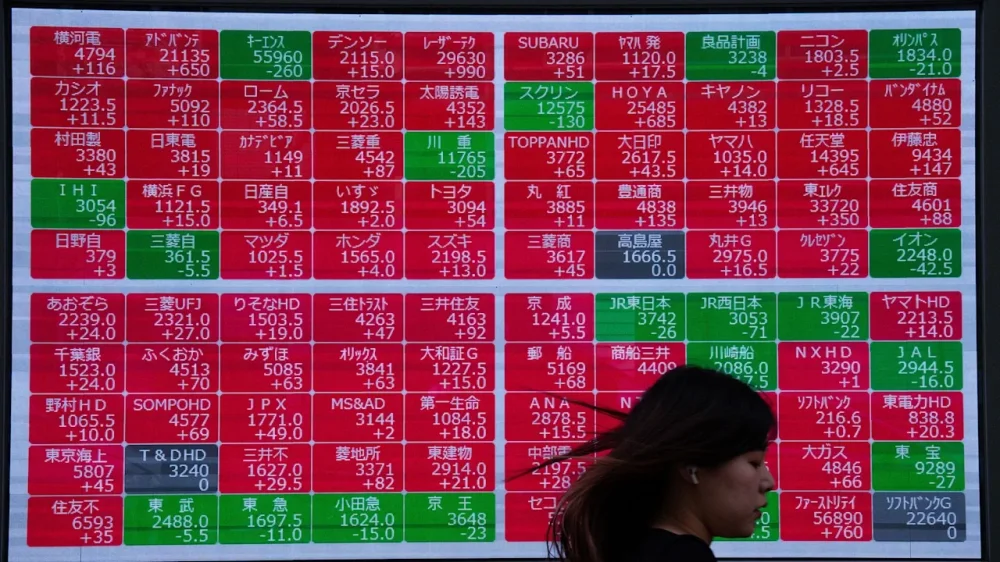
European shares opened lower on Thursday after a broad advance in Asia spurred by a rebound on Wall Street. Upbeat economic updates and a steady flow of quarterly reports from U.S. companies have helped counter worries over surging share prices for Big Tech companies. But that optimism failed to carry over from Asia to Europe. Germany’s DAX lost 0.2% to 24,003.24, while the CAC 40 in Paris declined 0.5% to 8,033.11. Britain’s FTSE 100 slipped 0.2% to 9,761.18. The future for the S&P 500 was virtually unchanged while that for the Dow Jones Industrial Average lost 0.1%. In Asia, shares bounced back from a retreat the day before. Tokyo’s Nikkei 225 jumped 1.3% to 50,883.68. Shares in Nissan Motor Co. fell 1.7% after the company said it was selling its headquarters building in Yokohama to raise cash. After trading closed, Nissan reported a 221.9 billion yen ($1.4 billion) loss for April-September and said its revenue dropped 7% from a year earlier. In South Korea, the Kospi advanced 0.6% to 4,026.45. Taiwan’s Taiex was up 0.7%. Hong Kong’s Hang Seng jumped 2.1% to 26,485.90, while the Shanghai Composite index climbed 0.1% to 4,007.76. However, shares in autonomous driving companies Pony.ai and WeRide fell in their debut on the Hong Kong stock exchange. Pony.ai lost 9.3%, while WeRide’s shares fell 10%. Shares in Cathay Pacific Airways gained 4% after it announced that Qatar Airways was selling its 9.57% stake in the Hong Kong-based carrier in a buyback worth $896 million. The deal is subject to shareholder approval. On Wednesday, U.S. stocks gained ground with broad gains, reversing the prior day’s dip. Much of the market’s push and pull came from the technology sector, where several companies with huge values have an outsized influence over the market. Google’s parent, Alphabet, jumped 2.4%, Broadcom rose 2%, and Facebook parent Meta Platforms rose 1.4%. They helped lead the way higher for the broader market. Their gains also helped counter losses from a few technology behemoths, including Nvidia and Microsoft. Overall The S&P 500 rose 0.4% and the Dow industrials picked up 0.5% to 47,311. The Nasdaq composite added 0.6%. Company earnings and forecasts were once again a big focus for Wall Street, with results coming from a broad spectrum of industries. The latest round of earnings offers Wall Street a source of information on consumers, businesses and the economy that is otherwise lacking amid the government shutdown. Important monthly updates on inflation and employment have ceased, leaving investors, economists and the Federal Reserve without a fuller picture of the economy. There are still several informative private economic updates that Wall Street can review. A monthly report from ADP showed that private payrolls rose more than expected in October. The report offers a partial glimpse into the job market, which has been generally weakening and raising broader concerns about economic growth. A weaker job market remains a big concern for the Fed. The central bank cut its benchmark rate for the second time this year at its most recent meeting, in part to help bolster the economy amid a weakening job market. Lower interest rates can make a wide range of loans and credit less expensive, potentially promoting economic growth. But, lower rates can also add fuel to inflation, which could stunt economic growth. In other dealings early Thursday, U.S. benchmark crude gained 26 cents to $59.86 per barrel. Brent crude, the international standard, advanced 25 cents to $63.77 per barrel. The U.S. dollar fell to 153.85 Japanese yen from 154.11 yen. The euro rose to $1.1510 from $1.1494. —Elaine Kurtenbach, AP Business Writer View the full article
-
This playbook outlines how agentic AI transforms SEO into a cross-functional discipline blending data, product, and user experience. The post Deploying Agentic AI For SEO: A Playbook For Technology Leaders appeared first on Search Engine Journal. View the full article
-
We may earn a commission from links on this page. The Pomodoro technique is one of the most established and oft-recommended productivity methods, praised for its effectiveness and simplicity: It combines time for deep work with periods of reward, and the mix proves effective for many because deep work and breaks are both crucial elements to getting things done. The popularity of Pomodoro has also inspired offshoots that iterate on its philosophies, and one of them might hold particular appeal if you like to relax after completing a task by watching TV. It's called "animedoro," and if the name reminds you of Japanese cartoons, there's a reason for that. What is the animedoro productivity method?Animedoro was created by a med student named Josh Chen, who four years ago uploaded a video explaining how, over the course of four months, he was able to study for 600 hours and still watch 300 hours of anime. In simple terms, his technique is a variation on the Pomodoro method, which involves working for 25 minutes, breaking for five minutes, and working for another 25 minutes, and so on. The original Pomodoro schedule provides a longer break after the fourth work session—but following animedoro, you’ll switch things up a bit. Using Chen’s model, you’ll work for 40 to 60 minutes at a time, then give yourself a 20-minute break to watch an episode of a TV show (or whatever else you want to do to reset). In this way, animedoro is similar to flowtime, which is a technique where you spend time determining exactly what work-to-break ratio works for you. While Pomodoro is widely seen as the best option, since you get small breaks and a solid amount of time to focus and work, no method is one-size-fits-all. It may be that to achieve a state of deep work, you need to put in more than 25 minutes of effort. It may also be the case that five minutes of downtime to scroll your phone or refill your drink just isn’t enough to motivate you. Animedoro is a good option in either case, since it gives you longer periods to study or grind, plus more involved break periods. But like I said, this method was conceptualized by a regular student, someone no different than you or me. Pomodoro, too, was founded by a student named Francisco Cirillo. You, like Chen and Cirillo, can mess with the timing of your work sessions and breaks until you find exactly what works for you. I recommend using a productivity timer app, like FocusPomo, because you can set different lengths of work sessions. If the times suggested here aren't working for you, do your own thing. Scheduling and committing to your work and your breaks is valuable, so don't give up if 25 on and five off aren't cutting it. How to try out the animedoro methodAs with the traditional Pomodoro technique, the real key to success is making effective use of your work periods. Knowing you have 20 minutes with your favorite show on the horizon can be a nice motivator, provided you can stick to the plan of working without distractions for the 40 or 60 minutes of focus time. Put your phone aside, don’t check any other tasks or notifications, and immerse yourself fully in the one thing you need to do. (This is where an app like FocusPomo shines, as it will block you from using other apps as soon as you start a focus session.) This isn’t a time for multitasking: Pick one activity and singularly focus on it for the entire work period. After an episode of Blue Eye Samurai, you can select a different task in your next 40- to 60-minute chunk. View the full article
-
Until recently, some of the fastest-growing places in the U.S. were also among the most exposed to climate risk. But that’s starting to change—more Americans are now moving out of the areas that are most likely to flood. In the Miami area, where nearly a third of homes face flood risk, nearly 70,000 more people moved away than moved in last year, according to a new report from Redfin. In Houston, the domestic outflow was more than 30,000 people; in Brooklyn, where around a quarter of homes face flood risk, around 28,000 more people left than moved in. In Florida’s Pinellas County, where many homes were hit hard by Hurricane Helene, around 4,000 more people left for other parts of the state or country. Florida “has been a migration destination, but this year the Florida housing market changed a lot,” says Daryl Fairweather, chief economist at Redfin. “We’ve seen a downward trend in home values there, so we wanted to explore what is going on.” The team looked at the highest-risk counties for flooding, where the biggest percentages of homes face flood risk, using climate risk scores from First Street, and then compared those to the lowest-risk counties. High-risk counties were losing more people, and low-risk counties were gaining them. (The caveat: because of international immigration, places like Houston and Miami didn’t see net population loss last year—Redfin’s data focuses only on domestic moves.) Climate risk obviously isn’t the only reason that people move. Cost is another major factor, as the price of housing has gone up in places like Miami. But in a Redfin survey, “concern for natural disasters or climate risks in my previous area” was the most common reason cited by Florida residents for a move. In some cases, people who moved may have lost their homes in a disaster. Others may be struggling with the rising cost of insurance premiums. In some cases, people aren’t moving that far; people leaving Pinellas County often moved to non-flood zones in nearby Pasco County. But some people who left flood-prone areas may be “boomerang” movers who arrived in the pandemic and now are going back to other states where they lived before. “One of the reasons that we hear from our agents that people are leaving these places that during the pandemic, people moved to migration destinations like Houston or Miami, got there, and realized that they are really hot,” Fairweather says. “And then it’s not as affordable so they thought.” It’s not clear if the trend will stick—Houston had an outflow of people moving after Hurricane Harvey, but then gained more residents during the pandemic, and now that’s reversing again. But people are increasingly becoming aware of climate risk. “As there have been more high-profile storms happening, flooding is something that’s more on the minds of home buyers,” says Fairweather. “It’s just an added cost when it comes to affordability.” View the full article

-
As the holiday season approaches, small business owners are gearing up for what could be a make-or-break period. According to a new report from Constant Contact, a leading provider of digital marketing tools, a staggering 60% of small to medium-sized businesses (SMBs) attribute up to half of their annual sales to the current quarter. With such a significant financial impact, adapting to both economic pressures and shifting consumer behaviors has become more crucial than ever. The report surveyed over 1,800 small business owners across the United States, the United Kingdom, Australia, and New Zealand, revealing that one in three owners feels the highest revenue pressure during this critical time. The retail sector, in particular, feels this strain acutely, with nearly 47% of owners expressing concern. Yet, despite the pressures, a resilient 77% of SMB owners remain confident in their ability to meet annual revenue targets. Smita Wadhawan, Chief Marketing Officer at Constant Contact, emphasized the importance of strategic adaptation: “The holiday season is the most critical time of the year for small businesses, accounting for up to half of annual sales for 60 percent of owners.” Wadhawan noted that SMBs are responding to pressure by rapidly scaling their marketing efforts. The study indicates that the number of businesses launching new marketing campaigns has skyrocketed from 7% in 2024 to 33% in 2025. This renewed focus on marketing comes with tactics that differ from previous years. About 60% of business owners plan to increase the frequency of their marketing communications. A standout statistic shows that 40% of SMBs view social media marketing as the most impactful channel for success, far surpassing email marketing, which only 18% ranked highly. Discounts and sales continue to be the most effective promotional strategy, with more than half of the participating businesses employing these tactics. Last year’s holiday marketing initiatives were reportedly successful for 81% of SMB owners, primarily resulting in increased sales and new customer acquisition, which underscores the potential for success in the current climate. However, economic constraints remain a concern. The report identifies inflation and rising costs as the leading external challenges, reported by 32% of owners, followed by weak consumer spending at 22%. Internally, businesses are grappling with customer engagement challenges (39%), budget limitations (36%), and difficulties in generating fresh content (34%). Notably, 46% of SMBs claim to be negatively affected by recent tariff policies, leading many to consider cutting expenses or raising prices, which could further strain customer relationships. On the consumer side, economic concerns have directed shopping behavior. Approximately 70% of shoppers are actively looking for discounts and promotions. Yet, a silver lining exists; consumer loyalty remains strong, with 72% of shoppers returning to the same small businesses each holiday season, and 88% expressing a likelihood of becoming repeat customers after making a holiday purchase. Small business owners should be aware of these dynamics as they plan their holiday strategies. The insights presented in the Constant Contact report serve as both a guide and a cautionary tale. Balancing marketing outreach with budget constraints and maintaining customer engagement can present challenges but also offers opportunities to cultivate loyalty and boost sales. With the holiday season fast approaching, harnessing social media and discount strategies may be the key to leveraging sales effectively. As Wadhawan noted, “Delivering the efficient, simplified marketing solutions that SMBs need to successfully execute these new strategies is core to our mission at Constant Contact.” It’s clear that while challenges loom large, those who adapt and strategize effectively could see significant rewards this holiday season. For more detailed insights, the full report is available at Constant Contact’s website: Original Report. This article, "Small Businesses Brace for Holiday Surge as Sales Pressure Intensifies" was first published on Small Business Trends View the full article
-
As the holiday season approaches, small business owners are gearing up for what could be a make-or-break period. According to a new report from Constant Contact, a leading provider of digital marketing tools, a staggering 60% of small to medium-sized businesses (SMBs) attribute up to half of their annual sales to the current quarter. With such a significant financial impact, adapting to both economic pressures and shifting consumer behaviors has become more crucial than ever. The report surveyed over 1,800 small business owners across the United States, the United Kingdom, Australia, and New Zealand, revealing that one in three owners feels the highest revenue pressure during this critical time. The retail sector, in particular, feels this strain acutely, with nearly 47% of owners expressing concern. Yet, despite the pressures, a resilient 77% of SMB owners remain confident in their ability to meet annual revenue targets. Smita Wadhawan, Chief Marketing Officer at Constant Contact, emphasized the importance of strategic adaptation: “The holiday season is the most critical time of the year for small businesses, accounting for up to half of annual sales for 60 percent of owners.” Wadhawan noted that SMBs are responding to pressure by rapidly scaling their marketing efforts. The study indicates that the number of businesses launching new marketing campaigns has skyrocketed from 7% in 2024 to 33% in 2025. This renewed focus on marketing comes with tactics that differ from previous years. About 60% of business owners plan to increase the frequency of their marketing communications. A standout statistic shows that 40% of SMBs view social media marketing as the most impactful channel for success, far surpassing email marketing, which only 18% ranked highly. Discounts and sales continue to be the most effective promotional strategy, with more than half of the participating businesses employing these tactics. Last year’s holiday marketing initiatives were reportedly successful for 81% of SMB owners, primarily resulting in increased sales and new customer acquisition, which underscores the potential for success in the current climate. However, economic constraints remain a concern. The report identifies inflation and rising costs as the leading external challenges, reported by 32% of owners, followed by weak consumer spending at 22%. Internally, businesses are grappling with customer engagement challenges (39%), budget limitations (36%), and difficulties in generating fresh content (34%). Notably, 46% of SMBs claim to be negatively affected by recent tariff policies, leading many to consider cutting expenses or raising prices, which could further strain customer relationships. On the consumer side, economic concerns have directed shopping behavior. Approximately 70% of shoppers are actively looking for discounts and promotions. Yet, a silver lining exists; consumer loyalty remains strong, with 72% of shoppers returning to the same small businesses each holiday season, and 88% expressing a likelihood of becoming repeat customers after making a holiday purchase. Small business owners should be aware of these dynamics as they plan their holiday strategies. The insights presented in the Constant Contact report serve as both a guide and a cautionary tale. Balancing marketing outreach with budget constraints and maintaining customer engagement can present challenges but also offers opportunities to cultivate loyalty and boost sales. With the holiday season fast approaching, harnessing social media and discount strategies may be the key to leveraging sales effectively. As Wadhawan noted, “Delivering the efficient, simplified marketing solutions that SMBs need to successfully execute these new strategies is core to our mission at Constant Contact.” It’s clear that while challenges loom large, those who adapt and strategize effectively could see significant rewards this holiday season. For more detailed insights, the full report is available at Constant Contact’s website: Original Report. This article, "Small Businesses Brace for Holiday Surge as Sales Pressure Intensifies" was first published on Small Business Trends View the full article
-
I used to be a chronic overthinker, and it fueled my anxiety. Whenever I had to attend social gatherings, give a presentation, or even record a talking head video, my mind would spiral. I’d analyze every tiny detail until I was paralyzed, putting off the thing I intended to do. That started to change when I joined the global 100-Day Project this year — and chose posting on TikTok as my challenge. I took it on specifically to push back against the anxiety of showing up online. The more I showed up, the less I worried about being judged or coming off as “cringe.” Over time, I noticed a shift — I felt less anxious and stopped overthinking every move. Each post became a small act of courage — proof that I could show up without everything being perfect. With a focus on consistency and not virality, I built a simple system to keep me on track. And it worked. I completed all 100 days, grew my TikTok views by 357% within 30 days, and, most importantly, became a lot less anxious about showing up online. Here’s how. What is the 100-Day Project?The 100-Day Project is a free, global art challenge that encourages people to commit to a creative activity. It can be writing, dancing, drawing, crocheting, painting, anything, as long as you do it every day for 100 days and share your progress online along the way. The idea is simple: pick something, show up daily, and focus on the process rather than the outcome. The challenge began as a grad school assignment for Yale students in 2007, created by designer Michael Bierut, and was later brought to social media in 2014 by artist Elle Luna. Since then, it’s grown into a worldwide movement with hundreds of thousands of participants using the hashtag #The100DayProject to share their creative practice, stay accountable, and celebrate consistency. I’d tried it once before – in 2021, I made my first attempt at the project with “100 Days of Bad Writing.” I wanted to write more and build the habit of sharing work even when it wasn’t perfect. But after the first two weeks, my consistency dwindled. Without a system to support daily creation, it just wasn’t sustainable. Four years later, the project is still unfinished. This time around, I picked something different: “100 Days of TikToking”. My goal was to overcome the anxiety of being visible online by posting every day for 100 days and TikTok felt like the right space for it. For me, doing the project this year was also an opportunity to get out of my comfort zone and finally do something I’d been meaning to for a while — share my ideas and interests publicly and confidently. Laying the groundworkA wise woman once said, “A project without a plan is just an idea — and you’ll never see the results.” A plan is how you get from idea to implementation. Before starting any project, I carve out time for what I call “project prep work.” It’s a mini planning sprint — a few hours spread out over several days — that helps me get ahead on all the little things that need to be done before a project officially begins. Checking off simple things like scheduling daily tasks, updating my TikTok profile, and creating a database of content ideas — made the project feel much less overwhelming. Some of the project prep work I did. Although some were completed during the project, others were scheduled in advanceFor this year’s 100-Day Project, I started planning about a month ahead. The official announcement came out on January 23, 2025, and the project was set to kick off on February 23. In that announcement, project coordinator Lindsay Jean Thompson shared three reflection prompts to help with choosing a project: What would you love to make more space for in your daily life?What activities are lighting you up lately?Is there a skill you’ve been wanting to develop or something you’d like to learn more about?These prompts helped me narrow down to: 100 Days of TikToking. This project was important to me because I wanted to practice articulating my thoughts, opinions, and perspectives on video as a way to quiet my social anxiety and build confidence in speaking publicly. Alongside the prompts, Lindsay also outlined how the challenge works: Decide on a creative project to work on for 100 days before the start date.Starting February 23, show up daily. What counts as showing up is up to you.Document and share your progress online.These guidelines shaped how I prepared. I used the weeks leading up to the challenge to map out what completing the challenge would take, set up the tools I knew I’d need, and remove as many small obstacles as I could before day one. That meant: Prepping my TikTok profile so I wouldn’t have to fuss with it laterOrganizing my iPhone albums so videos and photos were easy to findScheduling my tasks in Notion so I wasn’t starting from scratch each dayLining up a few starter content ideas to avoid the “what do I post?” blockAll of this became the foundation of the system that made showing up as easy as possible. How I used AI to prepareBefore I shared my first post, I decided to ask ChatGPT for helpful TikTok tips. I had wanted to ask specifically for tips to optimize my posts, but decided to give it free rein. I gave it context, my goal, and let it loose. Here’s the prompt I used: I’m doing a 100-day TikTok challenge where I’ll be posting on TikTok every day for the next 100 days. It’s going to be my first time ever sharing content on TikTok. The goal is to document my journey as an introvert using TikTok to get out of my head. I’ll be sharing my interests, thoughts, observations, and stories relating to personal style and conscious shopping. Do you have any tips for me? Compared to Perplexity and DeepSeek, which I also queried, ChatGPT gave me the most resonant and practical advice. Here are the top five tips: Start simple – You don’t need high production value; just focus on getting comfortable showing up daily.Lean into your strengths – If speaking on camera feels intimidating, start with text overlays, aesthetic clips, or voiceovers.Engage with others – Comment on videos in your niche and respond to comments on your own posts.Don’t chase perfection – Done is better than perfect! TikTok rewards consistency more than polished content.Have fun & stay curious – This is an experiment, so embrace the journey and enjoy the process!Building the system that made it possibleOnce my prep work was done, and I had a clear view of the path to my goal, it was time to set up the system – something that made showing up effortless. Planning my schedule around the official timelineConsidering how much time I was investing and to keep things manageable, I built the project directly into my existing Projects database in Notion and titled it: “Publish my first 100 posts on TikTok.” Because I plan projects monthly, I broke the 100 days into monthly chunks so they would fit seamlessly into my regular workflow: Days 1–6 in FebruaryDays 7–37 in MarchDays 38–67 in AprilDays 68–98 in MayDays 99–100 in JuneBreaking it down this way also gave me clear milestones and made the challenge feel less overwhelming. Within each monthly project, I created daily tasks (for example, “Publish Day 38 of #100DaysOfTikToking”) in my existing Tasks database. For each task, I set a “doing date” — the specific day I planned to work on that task — so it aligned with the official challenge timeline. Building a content ideas databaseNext, I created a database of content ideas. I knew if I had to think of an idea from scratch every single day, I’d eventually run out. This space became my central brain dump to capture, organize, and iterate on ideas before creating. Each entry included: The core ideaA format label (e.g., video journal, nano-form video, highlight reel) to guide how I’d execute itA status column to track whether I was researching, editing, or had published itA two-way relation to my Tasks database, so I could assign an idea to a specific publishing daySpace to draft video scripts, store research notes, write captions and hashtags, and plan creative direction — even down to specific music choices (e.g., for one post, Come with me to art Toronto, I used Beethoven’s Sonata No. 17)I collected 119 ideas and ended up using 36 of them for my 100 posts. The rest came together more spontaneously, but having a backlog waiting in my database made it so much easier to show up consistently. Creating a project trackerTo keep everything visible at a glance, I built a checklist-style project tracker in Notion, seamlessly linked to my content ideas database and tasks database. Each row represented a day in the challenge, showing: The task name (for example, Publish Day 14 of #100DaysOfTikToking)The “It’s almost day 40, and honestly, just glad for every day I push through and put out something.doing' date to mark the specific day I planned to postA relation to the content idea assigned to that dayA checkbox to mark when the post was publishedThis tracker helped me see what was coming up next and how many days I had left to go. Journaling daily on Are.naTo document my progress and stay accountable, I started a public Are.na journal where I shared daily reflections and my thought process behind each post. I set this up so friends without TikTok could follow along, but it also became a reflective tool. Here’s the format I used: Cover image: something that represented that day’s post (sometimes a frame from the video)Title: E.g., Day 1 | Feb 23 — [5-word summary of today’s post]Description: made up of morning pages-style notes to capture my thought process or commentary for the day — or data like views, likes, or engagement numbersLink: a direct link to the TikTok postTracking my time in ClockifyLastly, I tagged the project in Clockify so I could track how much time I spent on different parts of the process. I mainly wanted to see how long each task actually took, partly out of curiosity, but also to help me allocate time better for future tasks. The data wasn’t perfect. Some entries were missing because I was logging on the go, or inflated because I’d get distracted mid-task. Still, the overall picture was eye-opening. A former manager used to nudge me often to track my time, and I always struggled with it. But now that I’ve gotten the hang of it, I can’t imagine working without it. How I made it through 100 daysBefore I started, I set a few rules for myself: keep it simple, stay lo-fi, and don’t overthink. The only way through was to reduce friction. That meant taking the shortest path to completion instead of aiming for elaborate production. My goal was to practice storytelling, articulating my thoughts, and experimenting with video editing. Nothing more grandiose than that. These principles became my guardrails for the 100 days. Daily practice: create → publish → log itMy daily workflow was simple and straightforward, but it was the backbone of this project: Create: I didn’t schedule posts in advance because the project emphasizes daily practice. I created in the moment, using mobile tools like Canva and CapCut to lower the barrier. To keep assets organized, I used my iPhone’s photo albums as a lightweight digital asset manager. Each post had its own album, which made pulling photos and video clips for editing much easier.Publish: Once the content was ready, I dotted the i’s and crossed the t’s before hitting “post.” Each day brought something new — using creator search insights, finding a trending sound, or responding to a comment with a new video. I treated this stage like play, and that made the process a lot more enjoyable.Log it: Immediately after publishing, I created a journal entry in my Are.na log.This three-step loop gave my days structure. No matter how the content performed, I always had a clear start, middle, and end — and that rhythm made it easier to keep going. The accountability factorI’m familiar with failure — I’ve tried many things and failed at several. But over the past year, I’ve learned that having support systems in place can make execution so much simpler. My public journal on Are.na gave me a sense of external accountability, while close friends encouraged me along the way with their comments. One even promised me a reward if I finished, and on the hardest days, that little extra motivation kept me going. But more than anything, I was accountable to myself. I’d made a promise to show up every single day, and keeping that promise mattered most. Milestones and motivationBierut, who created the original 100-Day Project assignment, said that once people reach day 30 or 40, they often find a groove that carries them forward. “Once people got about halfway, they had so much personal investment, and they had internalised the process enough, that there was a good chance they’d make it to the end.” — Michael Bierut I found that to be true. Momentum built over time. Even on days when I struggled to publish a post, I knew that if I just kept going, I’d eventually cross the finish line. For example, my journal entry for day 37 was titled, “I’m actually doing this thing.” It was March 31, and I wrote: “It’s almost day 40, and honestly, just glad for every day I push through and put out something. Even on days like this when I narrowly miss the deadline.” On day 50, I remember adding party emojis to my journal because making it halfway was worth celebrating. One thing that also kept me going was knowing that as long as I created and posted something that day — no matter how random or unpolished — it counted toward my 100 days. The resultsI did it! 🎉 I set out to post on TikTok for 100 consecutive days — and I followed through. Considering that I had attempted the 100-day project before and failed to complete it, I know that the biggest reason I made it to the finish line this time was the system I built. Having clear tasks, a backlog of ideas, and a daily rhythm meant I didn’t have to rely on motivation or mood. Even on days when I couldn’t get out of bed, I could still open my tracker, create something simple, and check “Post on TikTok” off my to-do. That consistency completely changed how I felt about being visible online. When I started, posting felt nerve-wracking. By the end, it felt much easier, I had become much more comfortable showing up online — and that was the real win for me. The numbers were just a bonus. Still, they were encouraging, especially considering I was completely new to TikTok and rarely published personal videos even on my private Instagram. Even without optimizing for performance, I saw real growth. In one particular week (April 27–May 3), my analytics showed: 15K post views — up 373% from the week before1,414 likes — up 677%99 comments — up 350%156 shares — up 1,318%201 profile views — up 253%Ironically, those results came from a video I almost didn’t post. I had spent over an hour editing it and nearly overthought myself out of sharing it. The next morning, I woke up to discover that the video had quietly outperformed all my others. It had a 12.7% engagement rate, compared to another trend-focused post with much higher views but only a 1.7% engagement rate. That moment reminded me that showing up, more often than not, brings unexpected benefits, and that sharing what genuinely resonates with your audience is a better strategy than simply jumping on trends. 6 lessons learned from the 100 days of TikTokingLooking back on this challenge, here are the biggest lessons I’m taking with me. If you don’t schedule it, you probably won’t do itPassion projects don’t magically fit themselves into your day; you have to make space for them. I’ve abandoned many projects because life “got busy”. Now, I know: if it matters, it goes on the calendar. I’ve become a lot more intentional about scheduling time for creative work — especially the things I’d usually dismiss because they aren’t “core work.” One scheduling tip I learned from the author of Essentialism, Greg McKeown: add a 50% buffer to the time you think something will take. That extra space makes it so much easier to accommodate unexpected situations. Consistency doesn’t mean “every day”Posting daily is intense — and can lead straight to burnout. This project definitely built my content creation muscle, but it also taught me a valuable lesson: consistency doesn’t have to mean posting every day. Find a pace you can actually sustain. That could be once a week, or every other Wednesday. Sticking to a realistic rhythm is far better than trying to do it daily and eventually burning out. For the 100-Day project specifically, small, daily actions (30 minutes or less) are ideal. Clarity comes from doingYou’ll never be 100% ready. The only way to learn is to start. One reason I took on this challenge was to practice fleshing out narratives, editing videos on mobile, and telling engaging stories. Trial and error became part of my process. Some days, I played with different formats like carousels, voiceovers, vlog-style clips, or green screen. Other times, I experimented with typography, custom graphics, and content themes. The more I did, the more confident I became, and my capacity grew along the way. After years of doubting my editing skills, it turned out all I needed was to start — and keep going. Preparation is a winning strategyThe easiest way to win is to prepare. Once you’ve invested the time and effort up front, success becomes almost inevitable. I was reminded of this lesson during the challenge on a day when publishing felt effortless. I’d already recorded and edited the video, drafted the caption and hashtags, set the cover image, and saved everything to my drafts. When it was time to post, all I had to do was click one button. Of course, I did a quick last-minute check, but the day was easy to conquer because I had prepared all the ingredients ahead of time. You can do hard thingsWe’re all capable of doing seemingly hard things, and as we do them, our capacity expands. Early in the challenge, I often avoided videos with complex edits, swapping them for simpler ones I could finish quickly. On Day 9, I finally decided to stop putting it off and film a video essay about one of my favorite coffee table books. It took several tries (and some mic mishaps), but I finished. And while it didn’t end up a top-performing video, it’s still one of my favorites. A template to help you complete your own 100 days of creative practiceThroughout this challenge, my system made all the difference — and now, I’m turning it into a public Notion template so you can build your own 100-day practice too. You don’t have to wait until the next annual #The100DayProject to get started. Your 100 days can begin any time — tomorrow, next month, or right now. The template includes everything you need to plan your project, set your timeline, organize ideas, track your progress, and keep yourself accountable. If you’ve ever struggled to stay consistent with a creative practice, this system gives you a clear structure to lean on, so showing up becomes easier day after day. 👉🏽 Here's a link to the Notion template. To use it, just click the 'duplicate' button on the top right. Explore it, add it to your Notion workspace, and start your own 100-day project. More TikTok resourcesHow Often Should You Post on TikTok? Data From 11 Million+ PostsThe Best Time to Post on TikTok in 2025 — New DataTikTok Marketing: The Complete 2025 Guide to Form Your Strategy (For Creators and Brands)Top 250 TikTok Hashtags for 2025 + How to Use Them for GrowthView the full article
-
When you get your first office job, you learn a whole new language. Suddenly, you’re being schooled on your team’s “workflow,” being forced to declare if you have the “bandwidth” to take on a new responsibility, and forever “circling back” and “drilling down,” all in the name of achieving "KPIs." One piece of workplace jargon you may not have yet learned is the “single source of truth"—and it's actually a helpful tool for staying organized. Here’s what a "single source of truth," or SSOT, is and why you should implement one in your (forgive me) workflow. What is a single source of truth?When your boss refers to a single source of truth, they’re talking about a repository for all the information and resources related to your work. That’s really it: It can include anything you need for a specific project or your job altogether, like contracts, instructions, timelines, contact sheets, templates, reviews… the list goes on. Anything that compiles all the resources and docs necessary for a project, no matter how big or small, is an SSOT. It's a grandiose term for a pretty modest idea, which is why it fits in so well with office jargon. (I also recommend SSOTs for students and other learners because they're a great way to organize study materials.) It should be well-organized and accessible to everyone who has anything to do with a given project. Back in the day, it might have been a big old binder, but the modernized version likely involves cloud-based software. A Google Drive, for instance, is great for an SSOT. To me, the absolute best SSOT is Google's NotebookLM, an AI tool that collects and stores your resources—from links to PDFs and YouTube videos—and can then be used to synthesize content, find information, create reports, or even generate podcasts, mind maps, and flashcards. What makes it so excellent is that it only pulls from the materials you input, so there's never any weird outside noise like you get with ChatGPT. In any summary or content it provides, it includes a link to where it was found in the source material, making your resources searchable and lessening the amount of work you have to do sorting through them. Previews of the sites and PDFs are also available in the left pane of the program, so you can reference original copies whenever you need to. You can share your "notebook" (or folder within NotebookLM) with anyone involved in your project, too, making it solid as a group repository. Using an SSOT is similar to the “action method” of productivity, which asks you to sort your tasks into action steps, references, and back-burners using a spreadsheet. The column dedicated to references contains information related to accomplishing your task and can be considered a small-scale SSOT. How do you use an SSOT? If you’re on a team, you can use software or a project-management tool like NotebookLM, Google Drive, OneDrive, or SharePoint. The first document in there should be a list of everyone on the project or team, plus their contact details. Use this to make sure everyone on the list has access to the SSOT. It’s also helpful to have a naming scheme in place, so files are easy to identify as the folder fills up. Something like LastName_DocumentTitle_Date.extension works great. Other documents can include a schedule or deliverables timeline, resources for the project, and whatever else related to what needs to be done. If it makes sense, give everyone editing access, so they can mark off what they’ve done or add resources as they become available. If there are too many team members or you want some oversight, keep editing permissions limited to managers. SSOTs eliminate confusion about who needs to do what and how they can go about it, plus they make it easier for team members to step up. For example, if someone is out sick, their duties and the tools they use to get their tasks taken care of are immediately available in the single source of truth so someone can hop in and access them, even when the other person can't be reached. You can also use the SSOT plan for personal use, whether to track your own progress on a work project or something else, like the management of your home. Have a folder for contacts related to your kids’ activities or medical needs, maintenance and cleaning professionals and tasks, or whatever else you need. This is helpful if you ever need to share details for some reason, like if you need to go out of town and have a friend watch your place or you need your sister to take your kids for a week in an emergency. As lofty as a “single source of truth” sounds, this is one of those corporate ideas that has real-world benefits and will actually make your life easier, giving you (forgive me again) more bandwidth to circle back on other things. View the full article
-
Google changed one of its most fundamental advertising rules on April 14, and some marketers didn’t even notice. Buried in a policy update to the Unfair Advantage section, Google announced that advertisers could now appear more than once on the same search results page, provided each ad appears in a different ad location. Simply put, a single advertiser can now occupy multiple positions on one SERP. The move was framed as a way to “increase fairness and improve user choice.” But for advertisers already battling rising CPCs, shrinking control, and an opaque auction, the change raises a much more uncomfortable question: How fair can an auction really be when one advertiser can win twice? From ‘one ad per advertiser’ to ‘multiple ads per page’ Until this year, Google’s double-serving policy was fairly simple: you couldn’t show more than one ad for the same business, product, or site on a single results page. The idea was to prevent large advertisers from flooding the auction and dominating visibility. Google updated its policy in April to allow advertisers to serve multiple ads, provided each appears in a different ad location. “[We’re allowing] relevant Search ads from advertisers who showed amongst top ads to also participate in the bottom ads auction,” Google wrote. “However, within a single ad location (either top or bottom), we will continue to apply and enforce the existing policy.” The real-world effect? You may now see the same company displaying an ad in both the top block and the bottom, both marked as sponsored results. In theory, this gives users more “relevant options.” In reality, it gives advertisers with deeper budgets a structural advantage. How it’s playing out in the wild Initial evidence suggests that this policy shift has tangible consequences in live auctions. Platforms like Adthena have reported cases where advertisers appear twice on a SERP. Impressions increase, but clicks don’t scale proportionally, leading to a lower CTR. They also note that impression share can decrease because the pool of eligible impressions expands. Furthermore, Auction Insights are becoming increasingly difficult to interpret under double-serving. Changes in impression share/overlap may reflect double-serve dynamics rather than genuine competitiveness, meaning the report may no longer reflect reality without additional context. Operationally, that means you can see more “visibility” on paper while efficiency and clarity degrade. Making decisions driven purely by Auction Insights risk misallocation. Why this hits SMBs hardest For enterprise advertisers, double-serving can be a strategic advantage. You can promote different products, landing pages, or funnel stages simultaneously. A top-of-page brand ad might focus on awareness, while a lower-page ad captures last-click conversions. But for small-to-medium advertisers, this update quietly widens the gap. When a national brand can afford to run multiple campaigns, it can now dominate both ad blocks. A local business, even one with a strong Quality Score, might not even get a spot. This just compounds an already uneven landscape where automation, data scale, and budget size increasingly determine who wins visibility. Transparency is the first casualty At the same time, Google also rolled out a new “Sponsored results” label. Instead of labelling each ad individually, ads are now grouped under a single, larger label at the top of the block. Users see “Sponsored results” once, then scroll through multiple ads. For users skimming results, the distinction between paid and organic becomes less obvious. From a transparency standpoint, this is a regression. For years, users were trained to look for small “Ad” tags to differentiate paid results from organic listings. Now, with one global label and potentially the same advertiser showing twice on the SERP, the boundary between paid and organic visibility gets fuzzier. Reporting reality It’s not just users who lose clarity. Advertisers do, too. Even though Google Ads reports on top-of-page visibility through impression share metrics, there isn’t a new reporting view showing when an ad appears in both top and bottom locations. Google confirms that the way impressions, clicks, and conversions are counted has not changed. You can, however, segment by “Top vs. Other” to approximate performance across top and bottom locations. “Other” captures impressions shown below the organic listings, effectively representing the bottom block. Google also clarified that nothing fundamental is changing “behind the curtain.” Ad Rank continues to determine whether an ad is eligible to show and in which location it appears relative to competitors. The only structural change is that advertisers whose ads appear in the top ad positions are now also eligible to compete in the auction for bottom ad positions. As a result, you may notice a shift in Top/Absolute Top Impression Rate and potentially a small movement in CTR as distribution normalizes across both ad blocks. Who actually wins? If we’re being honest, this change primarily benefits Google and large advertisers. Google wins by allowing multiple ads per advertiser, effectively expanding its inventory without increasing the number of searchers. More ad slots filled = more total paid clicks per query. With the Sponsored Label change, users will have a harder time distinguishing between ads and organic, resulting in a lot of clicks that were never meant to happen. Big advertisers win with deep budgets. They can capture more SERP real estate and use multiple messages to dominate user attention. It’s brand insurance: even if the first ad doesn’t get the click, the second might. Small advertisers with limited budgets lose out on fewer impressions, higher CPCs, and increased competition. Even if your ad quality is strong, you’re fighting against brands that can now show twice as often. The ecosystem loses balance when auctions are supposed to reflect merit and relevance. Double-serving bends that principle. It’s no longer about which ad best serves the user – it’s about who can afford to occupy more space. Get the newsletter search marketers rely on. See terms. What SMBs can do about it While you can’t control where Google decides to place your ads, you can control how you monitor and respond to the changes this policy introduces. Here’s how to stay proactive: 1. Audit your query overlap Double-serving can mean self-competition. Use the Search Term Reports or scripts that surface queries triggered by multiple campaigns. If the same search term is firing across brand, non-brand, or Performance Max campaigns, evaluate whether both placements add value or if one is cannibalizing the other. 2. Segment intentionally Give each campaign a defined role in the funnel. Use separate campaigns for discovery, brand, and conversion-driven intent to ensure they’re not competing for the same traffic. This reduces internal bidding overlap and helps you preserve budget efficiency across campaign types. 3. Monitor location performance with the right segmentation There isn’t new reporting that shows when your ad appears in both the top and bottom ad locations. Google has confirmed that the way impressions, clicks, and conversions are counted hasn’t changed. However, as mentioned earlier, you can segment by “Top vs. Other” to understand how performance differs between ads that appear above versus below organic results. 4. Manage budgets to prevent self-competition If two campaigns target similar queries or audiences, they can unintentionally drive each other’s bids higher. Keep budgets segmented by funnel stage, and use shared negatives or ad group/campaign-level exclusions to prevent overlap before it occurs. 5. Focus on efficiency, not visibility With advertisers now eligible to compete in both ad locations, total impressions may rise, but that doesn’t automatically mean better performance. Re-evaluate your KPIs: prioritize cost per qualified conversion and lead quality over impression share or CTR alone. If you want to monitor exposure changes, the “Top vs. Other” segmentation provides a more reliable signal than raw impression share. 6. Educate clients or leadership Prepare stakeholders for the metric shifts. Top/Absolute-Top Impression Rate may change as ads redistribute across top and bottom locations, and CTR may fluctuate accordingly. Use this as an opportunity to reinforce what actually matters, conversions and profitability, not position vanity. Why this change deserves more scrutiny Google will argue that this update benefits users by improving “choice.” But the logic is circular: when one advertiser occupies more than one slot, choice narrows, not widens. The move also hints at a broader trend, Google’s gradual redefinition of “fairness.” Once, fairness meant equal opportunity in the auction. Now, it increasingly means equal algorithmic treatment, regardless of who can afford to spend more. This may sound academic, but for practitioners, it’s not. Every shift like this erodes the integrity of the auction model. When budgets can buy duplicate visibility, the system stops rewarding quality and starts rewarding scale. The bigger picture If you zoom out, double-serving isn’t an isolated policy tweak – it’s part of a larger pattern. Over the last few years, we’ve watched automation dissolve many of the traditional guardrails of account management: Broad match paired with tCPA/tROAS replaces keyword control. Performance Max replaces campaign-level segmentation. Now, double-serving blurs the auction boundaries themselves. Each change, in isolation, seems logical. But together, they redefine what “fair competition” means inside Google Ads. Automation promises efficiency, but efficiency without transparency is just convenience for the platform. The cost of taking two seats at the table This isn’t about whether Google should allow multiple ads per advertiser. It’s about what happens when they do. If one advertiser can take two seats at the same table, everyone else has less room to eat. For those of us managing campaigns every day, that means two takeaways: Stay vigilant about how your campaigns interact with each other, not just with competitors. Keep asking the uncomfortable questions about fairness, transparency, and control. Because those questions aren’t theoretical anymore. They’re showing up on Page 1. View the full article
-
Google's John Mueller announced Google is "simplify the search results page" by removing "some features that aren't being used very often and aren't adding significant value to users." This means more structured data types will be removed, but for some reason, Google did not specify exactly which ones are going away.View the full article