ResidentialBusiness
Administrators
-
Joined
-
Last visited
Everything posted by ResidentialBusiness
-
 The 1.2 gigawatts infrastructure project will be one of the largest in the worldView the full article
 -
We may earn a commission from links on this page. Garmin has launched a new feature in its Connect app (the companion app you use when you sync your watch to your phone). It’s called Garmin Trails, and it purports to help you find hiking trails near you. With a Connect+ subscription, you can even sync courses for those trails to your map-enabled watch. It sounds pretty great. Unfortunately, its selection of trails is pretty disappointing at launch—it doesn't even suggest I try out my own favorite trails. How to access Garmin TrailsYou don’t need a Connect+ subscription to search for trails, filter for features, and look at the routes and reviews of trail—all of that comes free with the regular Connect app, whether on your phone or through the Connect Web interface. If you have a Garmin device, you already have a login for these services. To find it Garmin Trails from within Connect, tap the More menu in the app, find and tap Training and Planning, and then scroll to Garmin Trails. You'll be given a map of suggested trails. Zoom the map and tap on the little hiker icons to see each individual trail, or search by name in the search bar above. Unfortunately, the search results aren’t sorted in any logical way, such as by distance. If I search for the name of a trail near me in Pennsylvania, I see results from Maine and Maryland before the Pennsylvania ones. There’s also a filter icon, which you can use to limit your results by distance from your current location, the amount of ascent in the trail, as well as rating, difficulty, trail type, and features. The features you can filter for include: Dog friendly No dogs Waterfalls Lakes Rivers Oceans Mountaineering Steep sections Forest Flowers Kid friendly Permit required Water sources Reaches peaks Rough road Only the U.S. and a few European countries are supported right nowAt launch, trails are only available in the U.S. and in four European countries: Austria, Germany, Lichtenstein, and Switzerland. “New trails in different regions will be added periodically,” says a Garmin support page. Garmin’s original announcement didn’t mention this restriction, so much of the chatter I'm seeing about this online involves disappointment from users outside this handful of countries. This writer in the U.K., for example, calls the feature “NoTrails” (referencing competitor AllTrails, get it?) In the U.S., I’m definitely seeing some trails, but not enough to make the feature particularly useful. I’m just not seeing a lot of trailsI like to run and hike on trails, and I live near a county park that is absolutely riddled with hikeable, runnable, and mountain bike-able trails. There’s a local trail running group that meets six times a week, seemingly always at a different spot (I’m sure they repeat their favorites, but there is plenty of variety on offer). So what does Garmin Trails have in its database for my area? Here’s Garmin on the left, and the county trails website on the right: Garmin, left; Allegheny County website, right. Credit: Beth Skwarecki/Garmin/Allegheny County Kudos to Garmin for knowing about the Rachel Carson trail, that long one that appears as a black line. It’s 46 miles long and quite well-known in the area. Garmin has it listed as a series of short segments. They are correctly labeled as “hard” difficulty. But the entire North Park area has two trails? I’m not even sure how a person would find out about the Orange and Green trails without learning about all the others in the park. Where is the Red trail, with its red-and-blue branch with all the switchbacks? Where is the flat half-mile trail by the nature center that I always took my kids on when they were little? Where is the White trail that circles the baseball fields? As for those Orange and Green trails, both are labeled with their correct distance, but they’re also both marked as “easy,” which they are definitely not. I did a trail run last week that included the whole Orange trail and part of the Green. It was about five miles and had 800 feet of elevation gain. That’s not an easy trail at all. I asked a Garmin rep where the trail data comes from, and was told Garmin used, “a variety of sources and our in-house cartography team.” As far as I can tell, they aren’t copied from AllTrails or any other source, or at least not directly. (Might be better if they were; AllTrails has the Green trail more reasonably labeled as moderate rather than easy.) Browsing through other areas I’m familiar with, it seems that the most iconic trails in any spot are in the database, so this tool isn’t useless, just incomplete (hopefully temporarily). A few of the gorge trails I remember most fondly from Ithaca, NY are in there. Yellowstone National Park has plenty of labeled trails. I asked fellow Lifehacker writer Daniel Oropeza to look for trails in areas he was familiar with, and he compared the Three Sisters Waterfall area in Garmin and AllTrails. Garmin has one trail to the waterfall, while there are actually four; the wider area has 19 trails in the Garmin database, but 143 in AllTrails. Garmin, left; AllTrails, right. Credit: Beth Skwarecki/Garmin, Daniel Oropeza/AllTrails It’s free to browse trails, but you must pay to send them to your watchGarmin Trails seems to be a pot-sweetener for the new Connect+ subscription tier. The Trails feature itself is free, but only subscribers to Connect+ (or Maps+, another Garmin offering) can send trail courses from this database to their devices. Compatible devices include anything that supports courses, like most recent Fenix, Forerunner, and Instinct watches (and Edge cycling computers). A watch that supports maps, like the new Forerunner 970, would be a natural pairing with this new feature. Trails also seems to be a slightly different version of the Courses feature that Garmin has had for a while. (You can find Courses at this link, if you have a Garmin login). Courses can be private or user-created; there’s currently no way for users to create a trail. That means there can be multiple versions of the same trail, and courses that don’t correspond to a specific trail—somebody who ran part of the Orange and part of the Green, let’s say, because that happened to be convenient for them on the day they created that course. If more trails get added to Garmin Trails, it could eventually be a useful feature. The trail ratings, comments, and filters are handy to have. But AllTrails already has those features, and you can load AllTrails routes to your Garmin watch if you subscribe to AllTrails Plus, which is $35.99/year—cheaper than Garmin Connect+, which will cost you $6.99/month or $69.99/year. View the full article
-
On TikTok, soup is getting a rebrand. It’s now water-based cooking, to you. “Pov you started water based cooking and now your skin is clear, your stomach is thriving and you recover from illness overnight,” one TikTok post reads. Others claim the method is making them age backwards. But a quick scroll through the comments has many pointing out the obvious: “bro invented soup,” one commenter wrote. Another added, “As an asian, what’s new.” The post made its way to Bluesky, where one user joked, “I need to start jumping on these phony trends. Get a water based cookbook self-published by tomorrow. Hit tiktok running.” They added, “Send me soup recipes. Let’s all get rich,” to which one user replied, “I have one that involves chicken and noodles,” or as they called it: “chicken noodle water-based meal.” While this cooking method predates TikTok by at least 50,000 years, it has been recently popularized on TikTok and Instagram by scientist and registered dietician Dr. Michelle Davenport, whose work focuses on slowing the deleterious effects of aging. She argues that cooking mostly with broth and water can help slow aging by reducing the amount of advanced glycation end products (AGEs), the compounds that attach to our DNA and cells. These are formed when food is cooked at high dry temperatures and contribute to various health issues. On her Instagram page, which has over 250,000 followers, you’ll find recipes for dishes like water eggs and breakfast soup. (“Dr michelle davenport the woman you are,” the caption of the original TikTok post reads.) “Water-based cooking—like steaming or simmering—is a simple way to get more out of your food,” dietitian Kouka Webb, MS, RD, CDN, told Fast Company. “It helps preserve delicate nutrients that are often lost with high-heat methods, and it cuts back on the need for heavy oils. As a dietitian, I’ve seen how small shifts like this can support things like blood sugar balance, better digestion, and even lower inflammation over time.” But while the health benefits of water-based cooking are plenty, clearly not everyone is here for the TikTokification of recipes and cooking methods that have existed for generations. And on TikTok, food trends come and go quicker than you can say, “lemony miso gochujang brown butter gnocchi.” Last year, there was the “dense bean salad” trend—which is exactly what it sounds like: a bean salad. There was also the “tadpole water” trend (just add chia seeds to a glass of water), and of course, who could forget the classic “girl dinner.” May I interest you in a delicious bowl of alphabet soup? View the full article

-
President Donald The President is threatening Apple with a 25% tariff if the tech giant doesn’t start producing iPhones in the U.S. In a post on Truth Social, his social media platform, The President said he had “long ago informed Tim Cook of Apple that I expect their iPhone’s that will be sold in the United States of America will be manufactured and built in the United States, not India, or anyplace else.” “If that is not the case, a Tariff of at least 25% must be paid by Apple to the U.S.” he added. An Apple spokesperson didn’t immediately respond to Fast Company‘s request for comment. It’s the latest company to be caught up in the administration’s aggressive tariff policies. Walmart, for example, drew the president’s ire after it warned consumers last week that it may have to raise prices due to cost pressures. For its part, Apple has been working to diversify its production for the more than 60 million iPhones it sells in the U.S. annually. The vast majority of Apple products are made in China, though the company is reportedly working to move production for most of its U.S.-bound iPhones to India. Still, The President’s threat spooked investors. Shares of Apple fell more than 2% on the news, as iPhones could become incredibly pricey. Wedbush Securities managing director Dan Ives said in a note to clients that it would take five to 10 years to shift production to the U.S. and phones could end up costing $3,500. New iPhones, without all the bells and whistles, currently go for around $800. “We believe the concept of Apple producing iPhones in the US is a fairy tale that is not feasible,” Ives wrote. View the full article

-
We may earn a commission from links on this page. Deal pricing and availability subject to change after time of publication. When it comes to speakers, Sonos has the best reputation and the best companion app on the market. If you're interested in seeing what the hype is all about, it's a great time to test the waters, as Sono's entry-level speaker, the Sonos Roam 2, has reached a record low price, according to price tracking tools. The portable, waterproof device is on sale for $134 (originally $179) at Amazon, part of a small Sonos sale that also includes the a discount on the larger Sonos Move 2 (also currently at its lowest price ever). Sonos Roam 2 Connectivity Technology: Bluetooth, Wi-Fi, Audio Output Mode: Mono $134.00 at Amazon /images/amazon-prime.svg $179.00 Save $45.00 Get Deal Get Deal $134.00 at Amazon /images/amazon-prime.svg $179.00 Save $45.00 The Roam 2 is Sonos' addition to the portable outdoor speaker market, and like most Sonos speakers, it integrates seamlessly into the Sonos ecosystem so you can use it to play multi-room media. If you get more than one speaker, you can pair them to create true stereo sound as well. This speaker can also double as a speakerphone. There's an in-app EQ for you to fiddle around with, it has wireless charging, is waterproof with an an IP67 rating, and offers support for both Alexa and the Sonos voice assistant. (You can learn more in PCMag's "good" review.) The defining characteristic of this speaker is its great audio quality despite its small size (2.4 by 6.6 by 2.4 inches) and light weight (0.95 pounds). The Trueplay feature, which uses microphones to gauge your surroundings and adjust the audio accordingly, gives it an edge over the competition. Note that while Sonos has traditionally been praised for its speakers' companion app, people have recently complained about the app dropping some features. However, the company appears to be trying to rectify their issues, and it's still the best app for speakers I have used. At this price, it's a great opportunity to try your first Sonos speaker, or add a portable one to your existing Sonos ecosystem. View the full article
-
Two Florida men have pleaded guilty to federal charges for their roles in a years-long off-the-books payroll scheme that resulted in nearly $10 million in tax losses and enabled the illegal employment of undocumented workers in the construction industry. Michael Mayorga and Francisco Alvarez entered guilty pleas before Magistrate Judge Leslie Hoffman Price of the Middle District of Florida. The pleas must still be accepted by a U.S. district court judge. According to court documents and statements made in court, from 2015 to 2022, Mayorga and Alvarez, along with unnamed co-conspirators, created a network of shell companies through which they operated an unlicensed check-cashing and cash courier business. These shell entities cashed approximately $89 million in checks from construction subcontractors, who in turn used the cash to pay workers off the books—many of whom were undocumented immigrants working illegally in the United States. Mayorga provided bookkeeping and tax preparation services to some of the shell companies, while Alvarez and others handled the physical distribution of the cash to subcontractors. In addition to the unreported cash payments, both men were involved in preparing and submitting false tax returns and documents, concealing the scheme from both the IRS and insurance companies. Mayorga’s actions caused a tax loss of $8,647,824 to the IRS. Alvarez’s role resulted in an additional $2,331,731 in lost tax revenue. Beyond the tax fraud, Alvarez filed a false worker’s compensation insurance application, securing artificially low insurance premiums for the shell companies. He then “rented” this insurance coverage to subcontractors, enabling them to falsely claim valid insurance when bidding on construction jobs. Mayorga also supplied fraudulent documents to insurance companies during audits to cover up the scheme. The charges against the two men carry a maximum penalty of five years in prison, along with supervised release, restitution, and monetary fines. Sentencing will be determined by a federal district court judge based on U.S. Sentencing Guidelines and other statutory factors. The investigation was conducted by IRS Criminal Investigation and Homeland Security Investigations. The case is being prosecuted by Senior Litigation Counsel Sean Beaty, Trial Attorneys Kavitha Bondada and Rebecca A. Caruso of the Justice Department’s Tax Division, and Assistant U.S. Attorney Amanda Daniels for the Middle District of Florida. The charges and guilty pleas reflect the Department of Justice’s ongoing efforts to combat employment tax evasion and insurance fraud within the construction industry, particularly schemes that involve the use of shell companies and the exploitation of undocumented labor. This article, "Two Florida Men Plead Guilty in $89M Off-the-Books Payroll and Tax Fraud Scheme" was first published on Small Business Trends View the full article
-
Two Florida men have pleaded guilty to federal charges for their roles in a years-long off-the-books payroll scheme that resulted in nearly $10 million in tax losses and enabled the illegal employment of undocumented workers in the construction industry. Michael Mayorga and Francisco Alvarez entered guilty pleas before Magistrate Judge Leslie Hoffman Price of the Middle District of Florida. The pleas must still be accepted by a U.S. district court judge. According to court documents and statements made in court, from 2015 to 2022, Mayorga and Alvarez, along with unnamed co-conspirators, created a network of shell companies through which they operated an unlicensed check-cashing and cash courier business. These shell entities cashed approximately $89 million in checks from construction subcontractors, who in turn used the cash to pay workers off the books—many of whom were undocumented immigrants working illegally in the United States. Mayorga provided bookkeeping and tax preparation services to some of the shell companies, while Alvarez and others handled the physical distribution of the cash to subcontractors. In addition to the unreported cash payments, both men were involved in preparing and submitting false tax returns and documents, concealing the scheme from both the IRS and insurance companies. Mayorga’s actions caused a tax loss of $8,647,824 to the IRS. Alvarez’s role resulted in an additional $2,331,731 in lost tax revenue. Beyond the tax fraud, Alvarez filed a false worker’s compensation insurance application, securing artificially low insurance premiums for the shell companies. He then “rented” this insurance coverage to subcontractors, enabling them to falsely claim valid insurance when bidding on construction jobs. Mayorga also supplied fraudulent documents to insurance companies during audits to cover up the scheme. The charges against the two men carry a maximum penalty of five years in prison, along with supervised release, restitution, and monetary fines. Sentencing will be determined by a federal district court judge based on U.S. Sentencing Guidelines and other statutory factors. The investigation was conducted by IRS Criminal Investigation and Homeland Security Investigations. The case is being prosecuted by Senior Litigation Counsel Sean Beaty, Trial Attorneys Kavitha Bondada and Rebecca A. Caruso of the Justice Department’s Tax Division, and Assistant U.S. Attorney Amanda Daniels for the Middle District of Florida. The charges and guilty pleas reflect the Department of Justice’s ongoing efforts to combat employment tax evasion and insurance fraud within the construction industry, particularly schemes that involve the use of shell companies and the exploitation of undocumented labor. This article, "Two Florida Men Plead Guilty in $89M Off-the-Books Payroll and Tax Fraud Scheme" was first published on Small Business Trends View the full article
-
Tuesday, at Google I/O, Google’s CEO, Sundar Pichai keynote led with how AI is transforming Google Search, Liz Reid, Google’s head of Search, called AI Mode the future of search (see video). With all this change to Google Search quickly approaching, SEOs are wondering where this leaves them. Will SEO die again? Are we all out of jobs? What changes do we need to make to adapt to the future of Google Search, AI search engines and new AI experiences? The video. A number of search marketers asked my thoughts, so I thought I’d put together a video with my thoughts on all of this and them summarize it below: After attending Google I/O, watching the keynote, speaking with Google executives at I/O and also chatting with the search industry both in person at I/O and on social media, I felt it would be a good thing to put my thoughts together on all these changes happening in our industry. Of course, this is all super early, especially the agentic experiences, but it is important we all start thinking about how search is changing and what we need to be doing about it. Future of Google Search. There is no doubt that Google Search is changing in a big way. This is likely the biggest change Google Search ever made in its history, it is bigger than the universal search change in 2007, bigger than featured snippets and even bigger than AI Overviews. AI Mode, which is fully live in the U.S. and coming to more countries and regions soon, is the biggest change to Google Search ever. And Liz Reid, Google’s head of Search, said, “This is the future of Google Search, a search that goes beyond information to intelligence,” when talking about AI Mode (see video 54 seconds in). Plus, Google is showing the AI Mode tab before the “All” tab and it will always be in the same position, unlike other tabs, like News, Videos, Images and others. These are the changes that Google set out to make when younger searchers were going to TikTok over Google a couple of years ago. AI Mode is the answer to OpenAI and its ChatGPT Search. It is the more snackable and consumable searcher experience, Google has been talking about. The problem. The problem is, AI Mode and AI Overviews, according to several third-party studies, do not send traffic organically to websites. At least, they all show huge drops in click-through rates and drops in traffic to websites. AI Mode is currently untrackable, and we are told AI Mode and AI Overviews won’t be individually trackable within Google Search Console (or Google Ads) from the main search results. So we all see less traffic from Google with AI Overviews and now AI Mode, we aren’t able to properly track them to validate that and see what changes we can make, it is a very troubling time for search marketers. Google must change. Google isn’t going to keep its search engine the way it was for the past two decades. Google knows it has to change, despite them making an absolute fortune from search ads. Google is worried about TikTok, worried about, ChatGPT, worried about searchers going to something new and better. So AI Mode is the future of Google Search because Google wants to give searchers what they want. It doesn’t hurt that AI Overviews led to 10% growth in search queries on Google. Wall Street loves that and advertising is baseline with AI Overviews on the page, than without them. So the ad and revenue problem seems resolved. Searchers, according to Google, are happier. It just sends us less traffic and less conversions. And, to be real, you know Google cares primarily about making the searcher happy, because without happy searchers, they don’t have people clicking on search ads. Future of SEO. So where does that leave SEOs? We know AI Mode is the future and we know traffic to our sites and client sites are down. What do we do? Brand mentions: Imagine you do a search and AI Mode gives you this long answer. In the answer, the same two brands are mentioned over and over again. Do you think you might reach out to that brand to buy something they have to offer for your query? You want to be the brand mentioned in the AI Mode or AI Overview answer. Sure, you will get less traffic and probably fewer conversions but this is the space we are in now. Agentic integrations: Eventually, Google will recommend where you buy your products or services from directly from your queries. It has been called “Agentic” integrations or AI Agents. Google technically can have AI Mode automatically integrate with your site and buy directly from your site based on the query and a confirmation from the searcher. Do you build integrations of these AI agents into your site? Will Google pick you over a much larger brand; like a mom and pop shoe store versus a Footlocker or a small travel agent over Expedia or Travelocity or direct integration with United, Delta or American Airlines? I even asked Hema Budaraju, the Senior Director of Product at Google about this and she responded that it is all very early in the journey and it is yet to be seen, in short, we don’t know yet. Adapt or die. There are a lot of concerned people in the search marketing industry right now. The bottom line is while many of us like to complain and we honestly have good reason to be upset, complaining won’t help. We need to adapt and change and experiment. Experiment with these new experiences, keep on top of these changes happening in Google and at other AI and search companies. Then try new things and keep testing. If you do not adapt, you will die. SEO won’t die, but you will become irrelevant. The good news, SEOs are some of the best at adapting, embracing change and testing new strategies out. So you are all ready and equipped for the future of search. View the full article
-
Netanyahu’s war isn’t about protecting Israelis. It’s about protecting himselfView the full article
-
The number of domestic travelers in the U.S. is expected to break a record for Memorial Day weekend that was set in 2005. AAA anticipates that 45.1 million people will travel 50 miles or more from home over the weekend, an increase of 1.4 million travelers compared to last year. Those traveling by car see the biggest difference, with more than a million extra travelers expected on the roads compared to last year. While 87% of travelers choose to take road trips during Memorial Day weekend, this year, they’re also aided by the lower crude oil prices making gasoline cheaper nationwide. (Typically, gas prices will peak in the summer as the busy travel season commences. You can avoid price hikes by staying away from the gas stations closest to the interstate, and optimizing your fuel economy.) As for traffic, AAA expects peak congestion in the afternoons all weekend, with the best travel times in the mornings. Get out early if you can, and on Monday, try to get back home before 2 p.m. Airports will also see a more crowded weekend than last year, with AAA projecting 3.61 million air travelers. In 2024, 3.55 million passengers chose flight as their preferred mode of travel, a difference of nearly 2% compared to the projection for this year. However, flights are more expensive than last year, with the average roundtrip ticket price costing $850. Popular destinations include Chicago, New York, Orlando, Denver, and Seattle. (If you’re planning to travel by air, follow the recommended airport arrival time of at least two hours before your domestic flight.) Other modes of transportation travelers are utilizing this weekend include trains, buses, and cruises. Those have increased 8.5% compared to last year’s numbers, with cruises seeing a high demand for Alaskan destinations for Memorial Day weekend, including Fairbanks, Anchorage, and Juneau. View the full article

-
I really like the iPhone's Dynamic Island, the pill-shaped cutout near the top of the device's screen. It's an aesthetically pleasing way to check your battery percentage, record voice notes, and control music playback, among many other things. Since many MacBooks have a display notch too, you can use an app to bring an iPhone-like Dynamic Island to your laptop. Doing this makes the cutout look like a useful design feature rather than an abrupt gap in the screen, and some apps even let you move the giant volume and brightness adjustment popups to the Dynamic Island. Alcove brings the Dynamic Island to your Mac Credit: Pranay Parab I've been using Alcove on a MacBook without a notch and I'm still finding it pretty useful. This app's developer is known to focus on design, just as they did with Klack—an app that makes your Mac's keyboard sound vintage. Alcove's neat status updates highlight useful information in a slick interface. It takes over your Mac's volume and brightness adjustment popups and moves those to the notch. This is a better implementation than Apple's giant popups, which hide a significant part of the screen temporarily—a problem they've since fixed on iOS. You can also use Alcove to keep a tab on Focuses, changes in songs, and access playback controls. The app can even show some of these changes on your Mac's lock screen. I also like the app's animations, from the small visualizer that shows up when you play music to the different themes of the brightness and volume sliders. If you choose the Glow theme for the volume slider, the color of the slider changes from green to red when you exceed 80% volume. Credit: Pranay Parab This app supports gestures, so you can use horizontal two-finger swipes on your MacBook to skip to the next song or go back to the previous song. You can use vertical swipes to expand playback controls or to dismiss live activities that show up in the notch. You can try all of the app's features for a couple days without paying, and once the free trial is over, you'll have to pay $17 to continue using the app. The price may be a bit steep for someone who just wants music playback controls and nothing else, but Alcove is among the few apps that truly recreates the iPhone's Dynamic Island on your Mac, right down to all the delightful animations. Other useful notch appsThere are lots of other apps that make good use of the MacBook's notch, but these are my favorites: Notchnook ($25): This is another well-designed app and offers a few more features than Alcove and costs a bit more. You get more widgets, shortcuts, and even a mirror that lets you check your frame before a video call. Notchnook's file tray lets you quickly AirDrop files or store them in a temporary shelf, which makes it easy to move files around. Mediamate (€7): You can use this app for music controls, to slim down the massive brightness and volume controls, and to choose where to place those control sliders. You can place them in the notch or use slimmer sliders in the middle of the screen. Tuneful ($4): This one is a music-focused notch app, which lets you connect to both Apple Music and Spotify. You can use it to show playback controls and the currently playing song in the notch, but it also includes gesture-based playback controls. In case you don't want it in the notch, you can enable its mini player to show the album art and playback controls in other areas of the display. View the full article
-
Federal Reserve Gov. Lisa Cook said in a speech Friday that the market's response to recent volatility shows resilience, but more study is needed about the financial stability implications of business relationships between banks and nonbanks. View the full article

-
Here’s everything you need to know about setting up an integration that syncs Azure DevOps and HubSpot work items with an automated 2-way sync through Unito. Since Unito is a no-code, fully customizable platform you can set up your first secure integration without any IT resources. You won’t need to troubleshoot scripts or work with expensive consultants, either. More of a visual learner? Learn how to set up a Unito flow in this video tutorial. In this article: Why sync Azure DevOps and HubSpot? Step 1. Connect Azure DevOps and HubSpot to Unito Step 2. Choose a flow direction for new work items Step 3. Set rules to exclude work items from syncing Step 4. Configure Azure DevOps and HubSpot fields Step 5. Launch your Azure DevOps-HubSpot integration Why sync Azure DevOps and HubSpot? Azure DevOps (ADO) is an essential part of many software development workflows. It’s where your developers get their work done, where they plan upcoming sprints, and where they collaborate seamlessly. But, in most organizations, ADO is a major silo. As much as it helps developers collaborate among themselves, it keeps everyone locked out of their essential work. HubSpot, on the other hand, is the centerpiece of all revenue-generating workflows in your organization. Sales deals move through pipelines in HubSpot, marketers pull customer data from the content they create in HubSpot, and your customer success team might work exclusively in HubSpot. This is a silo of its own, completely blocked off to software developers. This wouldn’t be an issue if some of your organization’s essential workflows didn’t depend on collaboration between teams in HubSpot and Azure DevOps. Workflows like: Streamlining support ticket escalation. Monitoring development on dealmaking features. Integrating product launches in marketing campaigns. Improving the new feature to help center article pipeline. Now let’s break down how it’s done. Step 1. Connect Azure DevOps and HubSpot to Unito Sign up for Unito if you haven’t already. Navigate to the Unito App and click +Create Flow. Click Start Here to connect Azure DevOps and HubSpot. Click +Choose account for each tool and complete the authorization process. Click Confirm. When you’re ready, click Confirm. Is this your first time connecting tools to Unito? Check out this guide for more in-depth instructions. Authorizing ADO to sync with Unito Before you sync any Azure DevOps work items, Third-party application access via OAuth needs to be turned on. To do this, go to Organization Settings in ADO and click on Policies. Then, toggle on the Third-party application access via OAuth option. This is essential to connect Azure DevOps to Unito. Step 2. Choose flow direction for new work items When you create new Azure DevOps or HubSpot work items, Unito creates synced versions in the other tool automatically. With flow direction, you determine where that happens: 2-way, meaning new Azure DevOps and HubSpot items will be created to match work items in either tool. 1-way from Azure DevOps to HubSpot, which creates new HubSpot work items to match those you create manually in Azure DevOps. Creating work items manually in HubSpot won’t create new Azure DevOps items. 1-way from HubSpot to Azure DevOps, which creates new Azure DevOps work items to match those you create manually in HubSpot. Creating work items manually in Azure DevOps won’t create new HubSpot items. Step 3. Set rules to sync specific Azure DevOps and HubSpot work items Rules give you finer control over your Unito flows, allowing you to do two things: Filter out work items you don’t want to sync between tools based on specific fields. You could, for example, set a rule that only syncs HubSpot deals with a specific owner or Azure DevOps items with a certain tag. Automate certain actions so synced work items are always created where and how you need. For example, you could have new HubSpot deals automatically land in the New stage of your pipeline or automatically set the state for an Azure DevOps item. To start creating a rule, click Add a new rule. Then choose what will trigger that rule and what happens when it’s triggered. You can learn more about setting rules here. Step 4. Map fields between Azure DevOps and HubSpot Field mappings pair fields in Azure DevOps with fields in HubSpot so your data goes exactly where it needs to, whether these fields have the same name (e.g., Assignee to Assignee) or not (e.g., Create Date to Created At). When it’s time to map your fields, you can either let Unito do it for you by clicking Map automatically or click Map manually to customize them yourself. You can customize field mappings later even if Unito maps them automatically. When you’ve mapped your fields, you’ll see something like this. From here, click +Add mapping then Select a field to sync additional fields. Unito automatically recommends compatible fields for any field you add here through a drop-down menu. Some fields have a cog icon, meaning they can be customized further. For example, a Priority field can be customized to match specific options in another field. Step 5. Launch your Azure DevOps-HubSpot integration That’s it! You’re ready to launch your first flow. Once you do, Unito will automatically sync Azure DevOps and HubSpot items, keeping all fields you map up to date automatically. Ready to optimize your pipeline? Meet with our team to see what Unito can do for your workflows. Talk to sales What’s next? Need to integrate Azure DevOps or HubSpot with other tools in your stack? Check out our other guides below: Connecting Airtable to Azure DevOps Integrating Asana and Azure DevOps Syncing Azure DevOps and Salesforce Connecting HubSpot to ServiceNow Integrating HubSpot and Jira Syncing HubSpot and Google Sheets View the full article
-
I don't mean to be alarmist, but I do think it's time to start assuming everything you see online is fake. The internet is full of content produced by real people, of course (this article included). But AI-generated media is getting so realistic, that it almost puts you at a disadvantage to presume the content you're scrolling past on your feeds is legitimate. Don't skip this article because you know what AI content looks like—the current stuff your algorithm delivers to your social media feeds is easy to spot if you know what you're looking for. But even if you can identify AI slop the second it hits your eyeballs, you need to know you're not ready for the next wave of AI-generated videos. That wave isn't just on its way—it's already here. AI content is already fooling peopleMost of us are acutely aware of the "AI video" look: This "tragic" video of a cat parent saving their kitten by throwing it out of a burning airplane is obvious AI slop to most who watch it. You probably know The President isn't working this construction site, and you most assuredly can understand this family of cat farmers is, in fact, AI-generated. But there are the videos that aren't so obvious, especially to those of us not quite so in tune with AI, or technology in general. You might know this video of babies dancing in a circle is AI, but plenty of the people in the comments didn't (assuming they aren't bots, either). You might also be able to tell that this family of pets isn't really watching a bird investigate a toy alligator, but, again, plenty can't. And there is no end to the America's Got Talent videos that feature "realistic" yet impossible visuals—that still capture the hearts of hundreds of thousands, if not millions of people. (I weep.) But I'm not writing this piece today because I'm concerned about how many of these "believable" AI videos are tricking way too many people into thinking they're real. I am worried about that, but those worries pale in comparison to my new fears. So far, most of the AI videos taking over social media feeds rely mainly on their visuals and background sounds to sell their alleged authenticity. You'll notice none of the characters in any of these videos actually speak. If they do, it's immediately off-putting, with out of sync lip movements and, typically, robotic voices. It's been easier for AI creators to put the emphasis on the realism of the people and animals in their videos, and hope you're wowed enough by a baby dancing with a lion to not think, "this is bullshit, right?" Even OpenAI's Sora video model, which shocked me with its quality in February of last year, was working off of its realistic visuals. A video of woman "filming" her reflection through a train window too real for comfort, but Sora wasn't spitting out fully-rendered conversations. If you see such a scene on your feeds, you probably assume, of course, it's a real video—or at least one generated by humans. AI video is about to change completelySomething happened this week that only made me more pessimistic about the future of truth on the internet. During this week's Google I/O event, Google unveiled Veo 3, its latest AI video model. Like other competitive models out there, Veo 3 can generate highly realistic sequences, which Google showed off throughout the presentation. Sure, not great, but also, nothing really new there. But Veo 3 isn't just capable of generating video that might trick your eye into thinking its real: Veo 3 can also generate audio to go alongside the video. That includes sound effects, but also dialogue—lip-synced dialogue. In order to demonstrate Veo 3's audio/video capabilities, Google showed off a clip of an old sailor at sea. The video quality is sharp and realistic, and the words the man speaks are synced to his lip movements. Of course, knowing the video is AI, you notice quirks that give away the game (to my eye, this looks like a high quality animation more than a live action shot) but I am quite confident this video would fool a lot of fans of fake AGT videos. But even this clip wasn't what inspired my newfound fears—it was the videos that users started making once they got their hands on Veo 3. PetaPixel has a great roundup of some of the "best" Veo 3 videos people have made so far, but I'll highlight some of the ones that should scare you most. This clip shows a streamer playing Fortnite. Everything, including the game footage, was generated with Google's AI: This Tweet is currently unavailable. It might be loading or has been removed. This clip shows three concerts that never happened, featuring musicians and crowds that do not exist. The music isn't good, but that's not the point. The music, from the vocals to the instrumentals, was generated entirely by the AI, and then synced to lips, drums, guitars, and strings: This Tweet is currently unavailable. It might be loading or has been removed. But this clip is, without a doubt, the one that should sound the alarm for each and every one of us. Someone generated a fake video of a fake car show, featuring fake interviews with fake attendees. It's far from perfect, but any AI quirks are totally overshadowed by the surface-level realism here. Not only would the AI's Got Talent fans buy this, I would buy this, especially if I wasn't looking out for it: This Tweet is currently unavailable. It might be loading or has been removed. It's the visuals; it's the dialogue; it's the crowds; it's the lighting; it's the candid laughter at "mistakes;" it's the sound of the mic being "bumped" into. Congratulations on noticing the dialogue often doesn't make sense, or that the people in the background defy the laws of physics—you won't notice it when it hits mid-scroll on TikTok or Instagram. Even Veo 2, which isn't as powerful as Veo 3, now offers tools for realism, like the ability to dictate how you want the camera to move. And both models are available in Flow, Google's AI video editor of sorts. Creators now have the ability to generate highly realistic AI content that feels like it was filmed in-person, and the tech is only getting better. This Tweet is currently unavailable. It might be loading or has been removed. Google's best AI video generator tools cost $250 a month through its new AI Ultra subscription plan. That's expensive, but not out of reach for plenty of people interested in making AI-generated content. But the $20 per month plan, AI Pro, still comes with Veo 2 and Flow access. The rate limits are lower, but I wouldn't be shocked to see some realistic slop come out of those limitations, too. It's time to be a full-time skepticNone of this tech is perfect. I'm not here to tell you that everything Veo 3 spits out is indistinguishable from real content, or that the videos are absent any of the usual AI tells. In fact, there's clearly something up with Veo 3's training data: As 404 Media reports, the model continuously generates the same weird "dad joke" whenever you ask for a generation of a comedian performing standup. What I'm saying is, it's time to turn on your bullshit detectors and keep them active full time. When engaging with videos on the internet—especially short-form algorithmic clips—you might be safer operating under the assumption the content is fake from the jump, and require proof beyond a reasonable doubt that what you're seeing wasn't generated with a simple prompt and a $250 budget. That feels extreme, but after what I've seen this week, I don't really see another way to engage with this content going forward. We're in scary territory now. Today, it's demos of musicians and streamers. Tomorrow, it's a politician saying something they didn't; a suspect committing the crime they're accused of; a "reporter" feeding you lies through the "news." I hope this is as good as the technology gets. I hope AI companies run out of training data to improve their models, and that governments take some action to regulate this technology. But seeing as the Republicans in the United States passed a bill that included a ban on state-enforced AI regulations for ten years, I'm pretty pessimistic on that latter point. In all likelihood, this tech is going to get better, with zero guardrails to ensure it advances safely. I'm left wondering how many of those politicians who voted yes on that bill watched an AI-generated video on their phone this week and thought nothing of it. View the full article
-
Google reduced the minimum audience size requirement for customer match lists in Search campaigns from 1,000 to just 100 users — a significant update for small and midsize businesses. The big picture. This update makes precision targeting more accessible to SMBs, who often struggle to meet high list-size minimums. According to Google’s documentation, the new threshold applies only to customer match lists — not to remarketing lists or other audience types. It also mirrors YouTube’s recent customer list minimums, signaling a broader push for consistency across Google’s platforms. Why we care. Previously, advertisers needed at least 1,000 users to qualify a customer list for use in search ads. Now, with only 100, this makes highly targeted, intent-driven ads accessible to smaller brands that couldn’t previously meet the threshold. It levels the playing field, allowing SMBs to compete more effectively and stretch their marketing budgets further with precision audience targeting on Google Search. Between the lines. This isn’t just a technical change — it’s a strategic shift. With tighter privacy norms, Google appears to be exploring how to maintain targeting precision without massive data pools. What they’re saying. “This is an amazing development and a huge win for SMBs!” — Navah Hopkins, Brand Evangelist of Optmyzr, who first surfaced the change. She credits Google Ads Consultant, Boris Beceric for the tip, and teases more insights during their upcoming GML recap, promising “rants, tactics, and at least one song recommendation.” What’s next. Hopkins speculates that this move could pave the way for greater transparency around search term data — another long-requested feature by advertisers. Bottom line. Small advertisers just gained a powerful new way to compete — and Google may be signaling a more inclusive future for ad targeting. View the full article
-
Brazilian meat giant JBS came a step closer Friday to its long-held goal of trading its shares on the New York Stock Exchange. The company’s minority shareholders voted to approve the company’s plan to list its shares both in Sao Paulo and New York, casting aside opposition from environmental groups, U.S. lawmakers and others who noted JBS’ record of corruption, monopolistic behavior and environmental destruction. JBS Global CEO Gilberto Tomazoni said the outcome showed shareholders were confident in the benefits a dual listing would bring. The company said before the vote that listing shares in the U.S. would boost its global profile and attract new investors. JBS said it expected to begin trading on the New York Stock Exchange on June 12. The U.S. Securities and Exchange Commission granted the company’s request to list its shares in New York late last month. JBS is one of the world’s largest food companies, with more than 250 production facilities in 17 countries. Half of its annual revenue comes from the U.S., where it has more than 72,000 employees. It’s America’s top beef producer and it’s second-largest producer of poultry and pork. JBS’s plan—which has been in the works for years—has generated significant pushback. Last fall, 20 environmental organizations—including Mighty Earth, Greenpeace and Rainforest Action Network—signed an open letter to JBS investors opposing the listing, saying it would put the climate at greater risk. Glass Lewis, an influential independent investor advisory firm, was also among those recommending that shareholders reject the plan. In its report, Glass Lewis said the recent return of brothers Joesley and Wesley Batista to the JBS board should concern investors. The brothers, who are the sons of JBS’ founder, were briefly jailed in Brazil in 2017 on bribery and corruption charges. “In our view, the involvement of the company and of Joesley and Wesley Batista in multiple high-profile scandals has tarnished the company’s reputation, undermining stakeholder trust and posing a significant risk to its competitive position,” Glass Lewis said. Glass Lewis also objected to the company’s plan for dual share classes, which would give the Batistas and other controlling shareholders more voting power. In its response to Glass Lewis’ report, JBS said it has established more stringent controls and anti-corruption training at the company in recent years. It also said a U.S. listing would ensure more oversight from U.S. authorities. “We believe this transaction will increase our visibility in global markets, attract new investors and further strengthen our position as a global food industry leader,” Tomazoni said in a statement last month when the company announced Friday’s vote. Many U.S. lawmakers also aren’t convinced JBS belongs on the New York Stock Exchange. In a letter sent last week to JBS, U.S. Sen. Elizabeth Warren, a Massachusetts Democrat, noted that Pilgrim’s Pride—a U.S. company owned by JBS—was the largest single donor to President Donald The President’s inaugural committee, with a $5 million gift. The SEC’s approval came just weeks after that donation, Warren said. “I am concerned Pilgrim’s Pride may have made its contribution to the inaugural fund to curry favor with the The President administration,” Warren wrote in the letter, which asked the company why the donation was made. In a statement, JBS said it has a “long bipartisan history of participating in the civic process.” Warren was also among a bipartisan group of 15 U.S. senators who sent a letter to the SEC in January 2024 urging the agency to reject a U.S. listing for JBS. The senators, a diverse group that rarely agrees on policy, included Republicans Marco Rubio of Florida and Josh Hawley of Missouri, Democrat Cory Booker of New Jersey and Independent Bernie Sanders of Vermont. The letter noted that in 2020, J&F Investments, a controlling shareholder of JBS that is owned by the Batista family, pleaded guilty to bribery charges in U.S. federal court and agreed to pay fines of $256 million. It also said Pilgrim’s Pride pleaded guilty to price-fixing charges in 2021. And it said U.S. Senate investigations found that JBS is “turning a blind eye” to rainforest destruction in the Amazon by its suppliers. “Approval of JBS’ proposed listing would subject U.S. investors to risk from a company with a history of blatant, systemic corruption, and further entrench its monopoly power and embolden its monopoly practices,” the letter said. —Dee-Ann Durbin, AP business writer View the full article

-
Iran and the United States prepared for a fifth round of negotiations over Tehran’s rapidly advancing nuclear program Friday in Rome, with enrichment emerging as the key issue. U.S. officials up to President Donald The President insist Iran cannot continue to enrich uranium at all in any deal that could see sanctions lifted on Tehran’s struggling economy. Iran’s Foreign Minister Abbas Araghchi early Friday insisted online that no enrichment would mean “we do NOT have a deal.” “Figuring out the path to a deal is not rocket science,” Araghchi wrote on the social platform X. “Time to decide.” The U.S. will be again represented in the talks by Mideast envoy Steve Witkoff and Michael Anton, the State Department’s policy planning director. Oman’s Foreign Minister Badr al-Busaidi is mediating the negotiations as the sultanate on the Arabian Peninsula has been a trusted interlocutor by both Tehran and Washington in the talks. A car carrying Araghchi arrived at the Omani Embassy in Rome’s Camilluccia neighborhood around 12:30 p.m. Witkoff had yet to be seen, but the embassy previously served as the site of another round of talks. Enrichment remains key in negotiations The talks seek to limit Iran’s nuclear program in exchange for the lifting of some of the crushing economic sanctions the U.S. has imposed on the Islamic Republic, closing in on half a century of enmity. The President has repeatedly threatened to unleash airstrikes targeting Iran’s program if a deal isn’t reached. Iranian officials increasingly warn they could pursue a nuclear weapon with their stockpile of uranium enriched to near weapons-grade levels. “Iran almost certainly is not producing nuclear weapons, but Iran has undertaken activities in recent years that better position it to produce them, if it chooses to do so,” a new report from the U.S. Defense Intelligence Agency said. “These actions reduce the time required to produce sufficient weapons-grade uranium for a first nuclear device to probably less than one week.” However, it likely still would take Iran months to make a working bomb, experts say. Enrichment remains the key point of contention. Witkoff at one point suggested Iran could enrich uranium at 3.67%, then later began saying all Iranian enrichment must stop. That position on the American side has hardened over time. Asked about the negotiations, State Department spokesperson Tammy Bruce said “we believe that we are going to succeed” in the talks and on Washington’s push for no enrichment. “The Iranians are at that table, so they also understand what our position is, and they continue to go,” Bruce said Thursday. One idea floated so far that might allow Iran to stop enrichment in the Islamic Republic but maintain a supply of uranium could be a consortium in the Mideast backed by regional countries and the U.S. There also are multiple countries and the International Atomic Energy Agency offering low-enriched uranium that can be used for peaceful purposes by countries. However, Iran’s Foreign Ministry has maintained enrichment must continue within the country’s borders and a similar fuel-swap proposal failed to gain traction in negotiations in 2010. Meanwhile, Israel has threatened to strike Iran’s nuclear facilities on their own if it feels threatened, further complicating tensions in the Mideast already spiked by the Israel-Hamas war in the Gaza Strip. Araghchi warned Thursday that Iran would take “special measures” to defend its nuclear facilities if Israel continues to threaten them, while also warning the U.S. it would view it as being complicit in any Israeli attack. Authorities allowed a group of Iranian students to form a human chain Thursday at its underground enrichment site at Fordo, an area with incredibly tight security built into a mountain to defend against possible airstrikes. Talks come as U.S. pressure on Iran increases Yet despite the tough talk from Iran, the Islamic Republic needs a deal. Its internal politics are inflamed over the mandatory hijab, or headscarf, with women still ignoring the law on the streets of Tehran. Rumors also persist over the government potentially increasing the cost of subsidized gasoline in the country, which has sparked nationwide protests in the past. Iran’s rial currency plunged to over one million to a U.S. dollar in April. The currency has improved with the talks, however, something Tehran hopes will continue as a further collapse in the rial could spark further economic unrest. Meanwhile, its self-described “Axis of Resistance” sits in tatters after Iran’s regional allies in the region have faced repeated attacks by Israel during its war against Hamas in the Gaza Strip. The collapse of Syrian President Bashar Assad’s government during a rebel advance in December also stripped Iran of a key ally. The The President administration also has continued to levy new sanctions on Iran, including this week, which saw the U.S. specifically target any sale of sodium perchlorate to the Islamic Republic. Iran reportedly received that chemical in shipments from China at its Shahid Rajaei port near Bandar Abbas. A major, unexplained explosion there killed dozens and wounded over 1,000 others in April during one round of the talks. Gambrell reported from Dubai, United Arab Emirates. Associated Press writer Nasser Karimi in Tehran, Iran, contributed to this report. —Jon Gambrell and Giada Zampano, Associated Press View the full article

-
Shopping has always been a battle. Companies work hard to convince you that their product is better, while also trying to ensure you pay the highest possible price for your purchase. That’s fair enough, and most of us are accustomed to researching everything we buy to make sure we’re not being ripped off. But modern technology has changed the game. Companies have been hoovering up information about us for years now, and that means they have a pretty good idea about our shopping habits—including what we’re willing to pay for specific products and services, something called Individualized Consumer Data (ICD). New tools like artificial intelligence are now making it very, very easy for companies to engage in what’s known as surveillance pricing. What is surveillance pricing?As its most basic, surveillance pricing is when companies put together a profile of you and your shopping habits, then adjust prices specifically for you. A basic example would be shopping for a television: Two people go to Amazon to look at the same television. One person sees a price of $499, while the other sees $599—for the exact same television, at the exact same moment. The discrepancy is due to their different spending habits and other information that Amazon has gathered about them—their ICD—that tells the company that one person would be willing to spend that extra $100, and the other wouldn’t. Companies create those profiles by scraping an incredibly large volume of information about you from a wide variety of sources. Internet cookies, your shopping history, your IP address (and the geographic and demographic information it provides), are just the basics—the profiling goes much deeper. Even behaviors like how far you scroll when searching for products or what you leave in your shopping cart and never buy contribute to a detailed picture of who you are as a consumer. You might be thinking that most of your personal and financial information is protected to some extent by privacy laws and policies, and you would be right. A lot of this stuff is anonymized. But the sheer amount of information that you leak when you go online—not just cookies and IP addresses, but the browser you use, the plugins you have installed, your time zone, screen size, devices, even system fonts on your computer—can be collected to create a detailed “fingerprint” of your online life. Combined with data gathered from loyalty apps and other sources, this means that an “anonymous” profile of you can be reliably created and identified. In other words, companies may not know that it’s you shopping for that TV, but they know that a unique consumer with specific habits is shopping for one, and thus they can tweak their pricing as needed very effectively. The signs to look out forWhat’s fun about surveillance pricing is how hard it is to tell it’s happening. After all, you surf to a site to buy something, you see a price, you assume that’s just the price that’s been calculated. How can you know that someone else will see a higher or lower price? It’s not easy. You can look for a few subtle signs and try a few experiments if you suspect you’re running into surveillance pricing: Changed prices. If you go back to a specific website regularly and notice that the price changes, it might be because you’re using a different device or because some other aspect of your online fingerprint has changed. Or it might be because your ICD tells the company that you always visit multiple times looking for a lower price. Inconsistent pricing. If you know someone who is shopping for the same item on the same platform and they’re getting different pricing, that’s a potential clue. Reactive advertising. Even if you haven’t noticed price changes, seeing ads that are narrowly targeted to you can be a sign that ICD is being collected and used on you. For example, if web searches or comments on your social media channels seem to inspire related ads, there’s a good chance that your online fingerprint is specific enough to be used for surveillance pricing. Defending against surveillance pricingSurveillance pricing is harmful to consumers because it means you wind up paying more for items simply because of where you live or other extraneous factors—it’s inherently unfair. Defending against it, however, can be challenging—there are basically four strategies you can employ against surveillance pricing, and none of them are magic bullets. Comparison shopThe simplest way to combat suspected surveillance pricing is to shop around for items at different stores—including physical locations, if possible—to get a clear idea of what the “normal” price should be. This can be time-consuming and not always effective, as different online platforms may all use similar surveillance techniques against you. Another aspect of this is to engage your friends and family who live in different areas and use different devices (Android phones versus iPhones, for example). A news station recently had several people from around the country check the prices of different products online, and found prices swung by several hundred dollars depending on location and other factors. If you can ask people who live in different areas to check prices, you can at least determine if you’re getting an okay deal, comparatively. Use a VPNOne of the most common pieces of advice whenever pricing issues come up is to use a Virtual Private Network (VPN) to mask your location—you’ve probably seen this advice in conjunction with finding the lowest airline prices for trips. It seems to make sense: If retailers are charging more for people living in affluent zip codes, changing your reported location should defend against that. I tried this, using a VPN to change my IP address to locations in Mexico, the Netherlands, Japan, and different areas of the U.S., and actually saw no price changes whatsoever. One reason this might not work is because your IP address and associated location are just one piece of your online fingerprint, and companies can still track you when you mask it (your browser gives away a lot of information—you can see just how much at this site). Another reason this might not work as well as you expect is because companies can pretty easily tell that you’re using a VPN because the IP addresses they assign their users are used over and over again, often by several people at the same time. This creates patterns that allow companies to flag those IP addresses as VPNs. However, that doesn’t mean that using a VPN is pointless in the fight against surveillance pricing. If you routinely surf the net behind a VPN and combine that with other steps like incognito browsing, regularly clearing cookies from your browser, and deleting your internet history, you deny trackers a wealth of information about you, which can help cloak your identity, making it harder to create that online fingerprint. Avoid loyalty appsLoyalty apps that offer coupons and discounts to regular shoppers are, of course, data vacuums that make it very easy to create a profile about you and your shopping habits. For a few measly discounts, you’re basically giving companies everything they could possibly need to track and profile you—and they can (and do) sell that information to other retailers. If you want to make it harder for them to use surveillance pricing against you, giving up those little perks is probably necessary. Use different devicesThe final piece of advice for defeating surveillance pricing is the one thing that did actually make a difference when I tested it. I randomly searched Amazon for a 65-inch TV made by TCL. On my desktop browser, it was listed at $469.95. When I switched to my phone, it was suddenly $479.00. Less than $10 isn’t a huge difference, but changing devices was the only strategy that yielded any results at all for me, and indicates that checking prices on different devices is an effective strategy for ensuring you’re getting the best possible price despite what your profile might say about your shopping habits. Of course, all of this checking and device-swapping takes time and effort, so you have to consider whether the money you might save by getting around surveillance pricing is worth the time you put into it. Using a VPN with an incognito browser regularly is probably the best passive strategy you can employ to frustrate attempts to profile you without making it into a second job. Last year the Federal Trade Commission opened an investigation into surveillance pricing, which could lead to new rules and enforcement to end the practice, and several states have some kind of legislation to regulate or ban the practice in the works. But until those become reality, keep your eyes open. View the full article
-
There’s a quiet transformation underway in how we eat. It’s not being led by chefs, influencers, or climate activists. It’s being driven by a new class of pharmaceuticals that are changing the way millions of people relate to food itself. GLP-1 drugs like Ozempic and Wegovy work by altering hunger signals in the brain. These medications don’t just help people feel full sooner. They are reshaping consumption patterns across the board. When hunger changes, everything from portion sizes to snacking habits and flavor preferences follows. This is fueling a broader redefinition of how we think about protein. What used to be a food category mostly associated with muscle-building or dieting is now at the center of a cultural and metabolic shift. We’re entering a new phase where people are eating less but expecting more from what they do eat. That’s why protein is showing up in unexpected places—pasta sauces, pancake mixes, condiments, even mustard. Yes, protein mustard. Some of this feels like marketing gone rogue. (How much seasoning do I need to eat before it impacts my protein intake?) But the underlying trend is real. People want smaller portions with higher impact. This shift disrupts the conventional thinking that indulgent foods (hamburgers, ice cream, chocolate) must inherently lack nutritional value, while healthier options (kale salads or plain tofu) can’t offer true enjoyment. GLP-1 breaks down this barrier, emphasizing the need for indulgence and nutrition to coexist. This shift is especially visible in the snack aisle. A recent Wall Street Journal article spotlighted how protein-rich snacks are rising in popularity as consumers seek satiety and nutrition in smaller formats. This isn’t about indulgence anymore. It’s about optimization. At the same time, the definition of protein itself is evolving. New formats are emerging, from refined plant-based offerings to fermentation-derived and cultivated proteins. At Aleph Farms, the cultivated meat company I lead, we designed a product that is right-sized for the GLP market. Our first Aleph Cut is called a “Petit Steak,” which is smaller and thinner. These aren’t just replacements for conventional meat. They are recalibrations, designed for consumers who want fewer bites, but better ones. Even pharmaceutical companies are taking notice. Novo Nordisk, maker of Ozempic and Wegovy, recently funded research into less-processed plant proteins at the University of Copenhagen. It’s a strong signal that food innovation is starting to orbit around a new gravitational center: changed appetites. For the food industry, this isn’t just about cutting portion sizes or slapping “high protein” on a label. It’s about rethinking what protein can mean when hunger looks different. Can it be lighter and still satisfying? Can it be more sustainable without losing its emotional resonance? Can it become something people seek out, not for fullness, but for fulfillment? In the GLP-1 era, people aren’t eating to feel full. They’re eating to feel nourished, energized, and in control. So the real question isn’t “how much protein does this product contain?” It’s “how does this protein earn its place?” View the full article

-
With millions of drivers preparing to hit the road for Memorial Day weekend, gas prices have remained stable nationwide, providing welcome news for travelers. According to AAA, the national average for a gallon of regular gasoline holds at $3.19, unchanged from the previous week and significantly lower than one year ago, when prices stood at $3.61. AAA reported on May 22 that current prices represent the lowest Memorial Day average since 2021, when the national average was $3.04 per gallon. Experts attribute the stability to a supply surplus in the crude oil market, with production outpacing demand. The latest data from the Energy Information Administration (EIA) shows a slight decline in gasoline demand, dropping from 8.79 million barrels per day (b/d) last week to 8.64 million b/d. Meanwhile, domestic gasoline supply rose to 225.5 million barrels, up from 224.7 million, and production also climbed, averaging 9.6 million b/d last week. While pump prices have remained mostly flat this year, AAA noted this steadiness is unusual compared to previous years. This trend, they say, is being driven by current oil market dynamics. At the close of Wednesday’s trading session, West Texas Intermediate (WTI) crude oil fell 46 cents, settling at $61.57 per barrel. Crude inventories rose by 1.3 million barrels, reaching 443.2 million barrels, which is still 6% below the five-year average for this time of year. Gas prices vary significantly by state. The most expensive gasoline markets in the U.S. are: California – $4.87 Hawaii – $4.49 Washington – $4.38 Oregon – $3.99 Nevada – $3.93 Alaska – $3.64 Illinois – $3.44 Arizona – $3.37 Idaho – $3.32 Pennsylvania – $3.31 Meanwhile, the least expensive states for gasoline include: Mississippi – $2.66 Louisiana – $2.71 Alabama – $2.74 Tennessee – $2.77 Texas – $2.78 Arkansas – $2.80 South Carolina – $2.81 Oklahoma – $2.81 Kentucky – $2.85 Missouri – $2.87 Electric vehicle (EV) drivers also saw stable prices. The national average per kilowatt hour (kWh) at public EV charging stations held at 36 cents over the past week. AAA provided a breakdown of EV charging costs across states, showing continued disparities. The most expensive states for public EV charging per kWh are: Alaska – 51¢ West Virginia – 49¢ Tennessee – 48¢ Hawaii – 46¢ Montana – 45¢ Louisiana – 44¢ New Hampshire – 42¢ South Carolina – 42¢ Arkansas – 42¢ Kentucky – 42¢ The least expensive states for EV charging include: Kansas – 25¢ Missouri – 27¢ Maryland – 28¢ Delaware – 29¢ Nebraska – 30¢ Utah – 30¢ Iowa – 32¢ Massachusetts – 32¢ New Mexico – 33¢ District of Columbia – 33¢ This article, "Gas Prices Steady Ahead of Memorial Day Weekend, Offering Relief to Holiday Travelers" was first published on Small Business Trends View the full article
-
With millions of drivers preparing to hit the road for Memorial Day weekend, gas prices have remained stable nationwide, providing welcome news for travelers. According to AAA, the national average for a gallon of regular gasoline holds at $3.19, unchanged from the previous week and significantly lower than one year ago, when prices stood at $3.61. AAA reported on May 22 that current prices represent the lowest Memorial Day average since 2021, when the national average was $3.04 per gallon. Experts attribute the stability to a supply surplus in the crude oil market, with production outpacing demand. The latest data from the Energy Information Administration (EIA) shows a slight decline in gasoline demand, dropping from 8.79 million barrels per day (b/d) last week to 8.64 million b/d. Meanwhile, domestic gasoline supply rose to 225.5 million barrels, up from 224.7 million, and production also climbed, averaging 9.6 million b/d last week. While pump prices have remained mostly flat this year, AAA noted this steadiness is unusual compared to previous years. This trend, they say, is being driven by current oil market dynamics. At the close of Wednesday’s trading session, West Texas Intermediate (WTI) crude oil fell 46 cents, settling at $61.57 per barrel. Crude inventories rose by 1.3 million barrels, reaching 443.2 million barrels, which is still 6% below the five-year average for this time of year. Gas prices vary significantly by state. The most expensive gasoline markets in the U.S. are: California – $4.87 Hawaii – $4.49 Washington – $4.38 Oregon – $3.99 Nevada – $3.93 Alaska – $3.64 Illinois – $3.44 Arizona – $3.37 Idaho – $3.32 Pennsylvania – $3.31 Meanwhile, the least expensive states for gasoline include: Mississippi – $2.66 Louisiana – $2.71 Alabama – $2.74 Tennessee – $2.77 Texas – $2.78 Arkansas – $2.80 South Carolina – $2.81 Oklahoma – $2.81 Kentucky – $2.85 Missouri – $2.87 Electric vehicle (EV) drivers also saw stable prices. The national average per kilowatt hour (kWh) at public EV charging stations held at 36 cents over the past week. AAA provided a breakdown of EV charging costs across states, showing continued disparities. The most expensive states for public EV charging per kWh are: Alaska – 51¢ West Virginia – 49¢ Tennessee – 48¢ Hawaii – 46¢ Montana – 45¢ Louisiana – 44¢ New Hampshire – 42¢ South Carolina – 42¢ Arkansas – 42¢ Kentucky – 42¢ The least expensive states for EV charging include: Kansas – 25¢ Missouri – 27¢ Maryland – 28¢ Delaware – 29¢ Nebraska – 30¢ Utah – 30¢ Iowa – 32¢ Massachusetts – 32¢ New Mexico – 33¢ District of Columbia – 33¢ This article, "Gas Prices Steady Ahead of Memorial Day Weekend, Offering Relief to Holiday Travelers" was first published on Small Business Trends View the full article
-
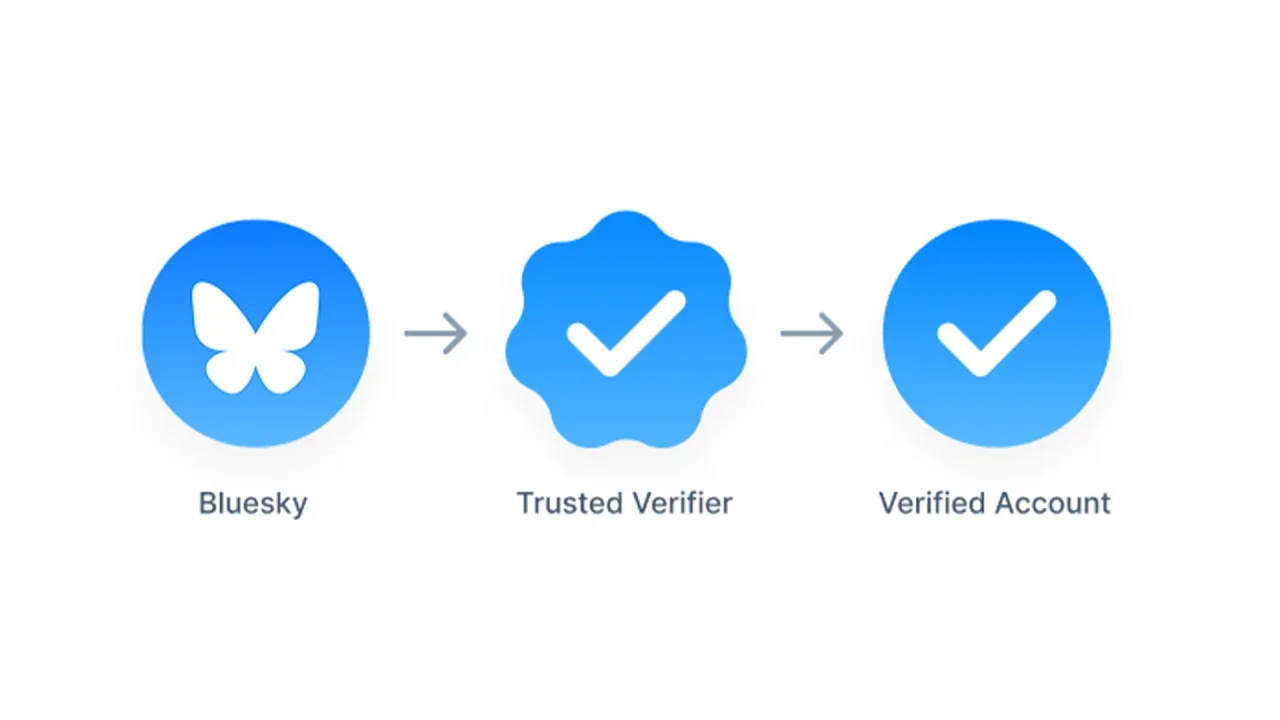
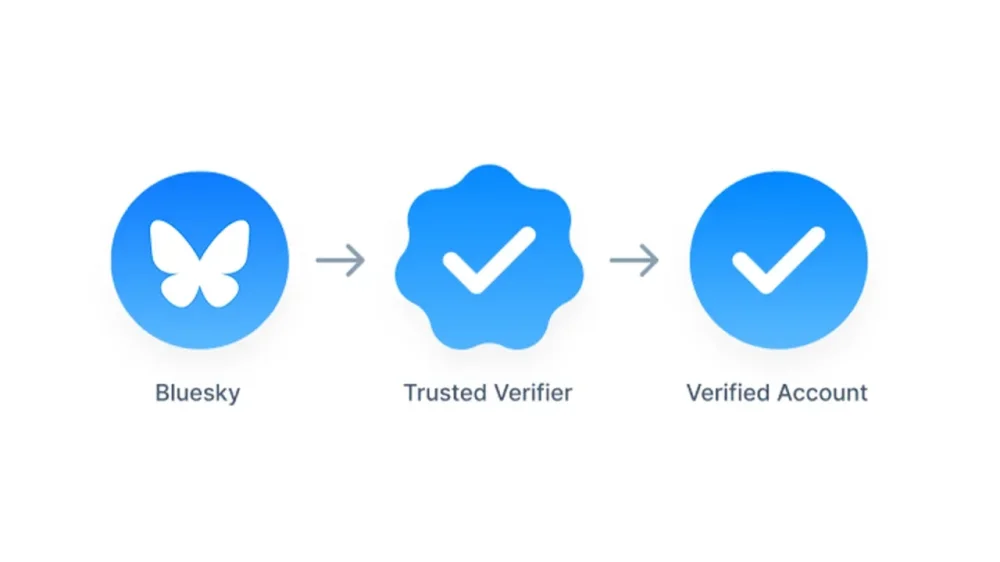
Blue-check verification is nothing new in the world of social media, but Bluesky is only now making it available to any “notable” accounts. The social media company has launched an application that allows users to apply for this authentication and receive a blue check. Bluesky first launched a form of verification in 2023 that required users to put a domain as their handle. For example, a brand or magazine could show its validity by using its official website as an identifier. Meanwhile, individuals who worked for the company could then make their usernames @name.wesbite.com. According to Bluesky, over 270,000 accounts took part in this option over its first two years. It wasn’t until this April that Bluesky hopped on the train of its competitors and started offering blue checks—and very selectively. Most notably, it introduced a process allowing approved organizations to become Trusted Verifiers and give their employees a blue check. These users receive a scalloped blue check indicating their “trusted” status. That brings us to the present day, when Bluesky’s safety account announced, “We’re expanding our roll-out. Notable and authentic accounts can apply for verification or to become a Trusted Verifier via the form linked in our blog.” How can I apply for Bluesky verification? The application is available here and includes questions about what category the account falls under (such as a public figure or elected official) and what proof is available regarding its status. Accounts not selected for verification won’t receive a response from the company, however, they can still pursue the domain option. Bluesky’s usership exploded following a mass exodus from X after the presidential election—tripling in size since its pre-November numbers to over 36 million users at the time of publication. X’s owner, Elon Musk, had already begun offering paid verification, removing the validity of such designations on the site by not making it clear who’s legit and who shelled out. His financial and vocal support of now President The President pushed more users to delete their accounts and migrate to Bluesky. View the full article
-
Police are dragged into investigating petty incidents, undermining trust in our freedom to express opinionsView the full article
-
It’s the Friday open thread! The comment section on this post is open for discussion with other readers on any work-related questions that you want to talk about (that includes school). If you want an answer from me, emailing me is still your best bet*, but this is a chance to take your questions to other readers. * If you submitted a question to me recently, please do not repost it here, as it may be in my queue to answer. The post open thread – May 23, 2025 appeared first on Ask a Manager. View the full article
-
Even the most meticulously planned projects experience unforeseen changes, and when this happens, we need to quantify the effect these changes have. Luckily, there are formulas that eliminate the guesswork. One of these formulas solves for Estimate at Completion — an important metric for monitoring a project budget. Keep reading to learn why to always calculate Estimate at Completion and exactly what this formula can do. What Is Estimate at Completion (EAC)? Estimate at completion (EAC) is a part of the earned value management (EVM) system. This term refers to the practice of re-estimating the total cost of the project during the project execution phase. In other words, EAC allows project management teams to forecast how much the project will cost at the time of completion based on its actual costs, which are likely different from the costs in the project budget made in the initiation or planning phase. Once calculated, the EAC can then be compared to the originally projected budget to determine if the project is likely to be finished within budget based on current performance. Unlike other methods of cost estimation, an estimate at completion calculation considers actual performance at any given moment of the project execution phase and recognizes that initial budget projections are likely not perfect. For this reason, it is often referred to as a “project forecasting tool or method” /wp-content/uploads/2020/09/Project-Budget-Template-for-Excel.png Get your free Project Budget Template Use this free Project Budget Template for Excel to manage your projects better. Download Excel File To fully understand the role EAC plays in the earned value management system, we have to look at other parts of this system and how EAC is unique. Because of the dynamic nature of EAC, there is no single formula to calculate the estimate at completion of a project, as you can use several formulas depending on how the project is progressing. But before we get into that, it’s important to define the variables that are used to calculate EAC. Estimate at Completion (EAC) Definitions The estimate at completion formula consists of variables and concepts that are part of the Earned Value Management system. But what exactly do these terms mean and how do you find them? Budget at Completion (BAC): Budget at Completion (BAC) refers to the entire budget required to complete a project. In order to find BAC, you must add all estimated costs and expenses. Generally, budgets are broken down categorically. BAC is the sum of all the categories. Cost Performance Index (CPI): Cost Performance Index (CPI) is a ratio representing how costs are being turned into actual work; how effectively is money being spent. This is found by dividing the earned value (EV) of work completed by the Actual Cost (AC) it took to perform. Schedule Performance Index (SPI): Similar to CPI, the Schedule Performance Index measures how efficiently time is being spent. SPI is calculated by dividing the Earned Value (EV) of work done by the Planned Value (PV). Estimate to Complete (ETC): ETC forecasts the expected cost to complete the remaining project work. It helps project teams determine how much more funding is needed, either by subtracting actual costs from the EAC or through a new bottom-up estimate. Actual Cost (AC): AC represents the total cost incurred for completed work up to a specific point in time. It is used in Earned Value Management to assess how much has been spent compared to the value of the work performed. Budget at Completion (BAC): BAC is the total budget originally approved for the entire project. It serves as the financial baseline and is used to measure cost performance and forecast deviations from planned expenditures throughout the project life cycle. Earned Value (EV): EV is the budgeted value of work actually completed at a given point in time. It quantifies progress in financial terms and is essential for calculating cost and schedule performance in Earned Value Management. Planned Value (PV): PV is the authorized budget assigned to scheduled work. It reflects how much of the budget should have been spent based on the project schedule and is used to evaluate whether the project is on track. Additional Estimate at Completion Formulas Estimates at completion can also be calculated in three other ways, and each of the variations is best for a certain situation. This formula should be used when the difference between the estimated budget and actual costs will be different in the future than it is in the present: Estimate at Completion = Actual Cost + (Budget at Completion – Earned Value) This formula is the best choice when production has been steady and things are running smoothly. Using this formula helps confirm that a project is on track to stay within budget: Estimate at Completion = Actual Cost + (Budget at Completion – Earned Value) When it’s necessary to take project schedule and cost performance into account (how efficiently time and money are being used) to revise a budget, use this formula to find estimates at completion. As you can see, you first need to calculate the Schedule Performance Index and Cost Performance Index. Estimate at Completion = Actual Cost + (Budget at Completion – Earned Value) / Schedule Performance Index + Cost Performance Index How to Calculate Estimate at Completion: Estimate at Completion Formulas Here are the formulas used to calculate the estimate at completion of a project. Each of them allows project management teams to estimate how much a project will cost at the end, but are slightly different to accommodate various scenarios. 1. EAC = BAC/CPI We’re happy to report that the most commonly used estimate at completion formula is fairly simple! In order to calculate the estimate at completion (EAC), you must know the budget at completion (BAC) and the cost performance index (CPI). With this information, the calculation is as simple as dividing the two. Below is what that estimate at completion formula looks like in more detail: Estimate at Completion = Budget at Completion / Cost Performance Index This formula assumes that the cost performance seen so far will continue throughout the rest of the project. It’s used when the project is stable and trends in cost efficiency are expected to remain consistent. Because it directly factors in the Cost Performance Index (CPI), it’s best for projects with predictable spending patterns and no major disruptions. It allows teams to adjust expectations without re-estimating each task, making it ideal for consistent, ongoing performance evaluation. 2. EAC = AC + (BAC – EV) This formula is the best choice when production has been steady and things are running smoothly. It assumes that past cost overruns or inefficiencies were one-time events, and the remaining work will be completed as originally budgeted. It’s most useful when early cost variances are not expected to continue and the original plan still holds for future work. Below is what that estimate at completion formula looks like in more detail: Estimate at Completion = Actual Cost + (Budget at Completion – Earned Value) This formula does not adjust for ongoing performance trends, so it’s best used when there’s confidence that the baseline plan is still realistic. It’s a conservative forecast based on reverting to the initial budget. 3. EAC = AC + [(BAC – EV) / (CPI × SPI)] This estimate at completion formula should be used when it’s necessary to take project schedule and cost performance into account (how efficiently time and money are being used) to revise a budget. It adjusts for both cost and schedule performance, assuming that future work will be influenced by current inefficiencies in both areas. It’s especially valuable for troubled or complex projects where delays and overspending are occurring together. Below is what that estimate at completion formula looks like in more detail: Estimate at Completion = Actual Cost + [(Budget at Completion – Earned Value) / (Schedule Performance Index * Cost Performance Index)] By incorporating both the Cost Performance Index (CPI) and the Schedule Performance Index (SPI), it produces a more comprehensive forecast. It’s best used when neither cost nor time trends can be ignored, and recovery requires simultaneous attention to both factors. 4. EAC = AC + Bottom-up ETC This approach assumes that the original plan is no longer valid, and a new estimate must be built from the ground up. It’s used when significant changes in scope, unexpected challenges, or shifts in project direction occur. Below is what that estimate at completion formula looks like in more detail: Estimate at Completion = Actual Cost + Bottom-up Estimate to Complete Instead of relying on performance indices, this method involves a detailed reassessment of remaining tasks and costs. It’s best for projects requiring a fresh financial outlook due to poor initial planning, changing requirements, or disrupted performance metrics that render previous estimates unusable. Estimate at Completion Example For this example, we’ll use the first Estimate to Complete formula variation. As a reminder, here’s what that equation looks like: EAC = BAC / CPI In this scenario, the Budget at Completion (BAC) is $50,000 and the current Cost Performance Index (CPI) is equal to 0.8. Therefore, we must divide $50,000 by 0.8. EAC = $50,000 / 0.8 EAC = $62,500 This result indicates that at the current moment, the project is estimated to cost $62,500, which is $12,500 over the initial budget. Estimate at Completion vs. Estimate to Complete These two terms are often mixed up, because they both refer to estimates on some aspect of a project budget. Because they are so easily confused, it’s key to know the difference and when to calculate for which. Estimate at completion (EAC) predicts total costs, while estimate to complete (ETC) predicts the money a project still needs. ETC is the forecast of all additional money required to complete a project. It does not account for money already spent. Estimate at Completion vs. To Complete Performance Index (TCPI) The term “to complete performance index” (TCPI) refers to how cost-efficient the rest of a project must be in order to complete the final deliverable. This is a subset of a cost performance index (CPI). A CPI shows how efficiency costs and resources are being used in the present. When we solve for CPI, the answer will be less, greater or equal to one, depending on how costs compare to the amount of work completed. If, for instance, CPI is less than one, changes need to be made in order to be more cost-efficient. When this is the case, you will solve for TCPI to find a numerical value representing how much this adjustment needs to be. That formula looks like this: TCPI = (Budget at Completion (BAC) – Earned Value (EV)) / (BAC – Actual Cost (AC)) Why Is it Important to Calculate the Estimate at Completion of a Project? Even the most well-planned budgets aren’t always 100% accurate. Projects are prone to changes and unexpected circumstances, including increased or decreased expenses and costs. Calculating EAC gives project managers the opportunity to track exactly how much a change will impact the total budget — in a dollar amount. Knowing this exact dollar amount makes for better, more informed decision-making. /wp-content/uploads/2022/03/Dashboard_Construction_Wide_Zoom-150-CTA.jpgLearn more When to Calculate the Estimate at Completion of a Project Estimate at completion is a means of estimating how much a project will cost at the end of the line. But, in order to accurately calculate for EAC, you need to know the cost performance index (CPI). As such, EAC can only be calculated when a project is running. The CPI is calculated at regular intervals during a project, as this number shows spending effectiveness. This makes it a good habit to calculate for EAC anytime the CPI changes. Project Budget Template Before you calculate EAC, you’ll need to create a thorough project budget. This free project budget template for Excel allows you to list all your project tasks and their related costs such as labor, material and equipment. The best part is that it automatically calculates the difference between planned and actual costs to let you know whether your project is over or under budget. /wp-content/uploads/2020/09/Project-Budget-Screenshot.jpg However, while this project management template is useful, it can’t compete with the features of a robust project management software like ProjectManager. How ProjectManager Helps with Cost Estimating and Variance When you’ve successfully calculated the Estimate at Completion, it’s time to put the results to use. In order to make the best estimates, you need to have the most current information. The ProjectManager dashboard updates in real-time, so there’s no chance of using old data to make important decisions for the future. /wp-content/uploads/2022/03/Dashboard_Construction_Wide_Zoom-150.jpg Use a wide range of filters to customize the dashboard view to your liking and hone in on the critical details. See costs, tasks, time spent and overall project health, all from one hub. Let your dashboard do the calculations for you and easily compare things like planned v. actual costs, planned completion v. actual completion and more. That means there’s no need to get out the calculator or rely on third-party applications to see things like your EAC. Related Content Project Estimation Techniques: A Quick Guide Time Estimation in Project Management: Tips & Techniques Calculating Estimate at Completion (EAC) Parametric Estimating In Project Management When creating an estimate at completion for your project, you need the best tools to calculate cost estimations and variance. ProjectManager is a cloud-based project management software with dashboards and resource management features that give you control over your project costs. Try ProjectManager today for free! The post Calculating Estimate at Completion (EAC) appeared first on ProjectManager. View the full article